
A YouTube movie download becomes confusing when three different offline systems are treated as one. Purchased or rented movies & TV titles use the mobile app; Premium covers eligible general videos on supported desktop browsers, and a separate Windows or Mac workflow can create local files for authorized personal viewing.
I use one question to separate them: Do you need convenient offline playback inside YouTube or a file you can manage outside the app? That distinction matters more than any headline resolution claim.
What YouTube Lets You Download
As of July 2026, movie & TV purchases and rentals use YouTube's official mobile download system without Premium. Premium desktop offline viewing applies to eligible general videos and does not turn a paid movie into an exportable file.
Purchased or rented YouTube Movies & TV titles can use official offline viewing in the YouTube mobile app without YouTube Premium. Premium desktop downloads cover eligible general videos, while local-file workflows are a separate method for authorized content on Windows or Mac and remain subject to account access, platform terms, and applicable law.
Choose by device, content eligibility, and whether you need an app-managed copy or a local file.
People searching for a YouTube movies downloader app are often mixing these four routes:
- iPhone or iPad: purchased or rented movies & TV downloads require iOS 11 or later and stay inside YouTube.
- Android: The device needs YouTube app version 16.23 or later for the official Movies & TV flow.
- Desktop with Premium: Supported browsers can store eligible general videos for offline playback inside YouTube's download area. This is not the paid movies & TV mobile system.
- Windows or Mac local-file workflow: supported software may save an authorized local copy, but title detection and achieved quality need to be confirmed for the specific title.

- Official movies & TV downloads require iOS 11 or later or Android YouTube app version 16.23 or later.
- Purchased titles remain subject to account and registered-device limits.
- Free-with-ads movies & TV titles are not eligible for the purchased or rented movie download flow.
- A rented title can be held on one device at a time.
- UHD movie & TV downloads are unavailable; selectable quality depends on the purchased quality and device capabilities.
- The official movie flow does not provide a bulk episode queue.
- Rental availability follows the window shown for the title in the purchasing account and YouTube app.
- Official copies remain tied to YouTube, the account, and applicable device rules.

YouTube Movie Download Methods by Device
Choose the official mobile app for the shortest route to offline playback. Choose a desktop method only after confirming whether you need Premium-managed playback or an authorized file outside YouTube.
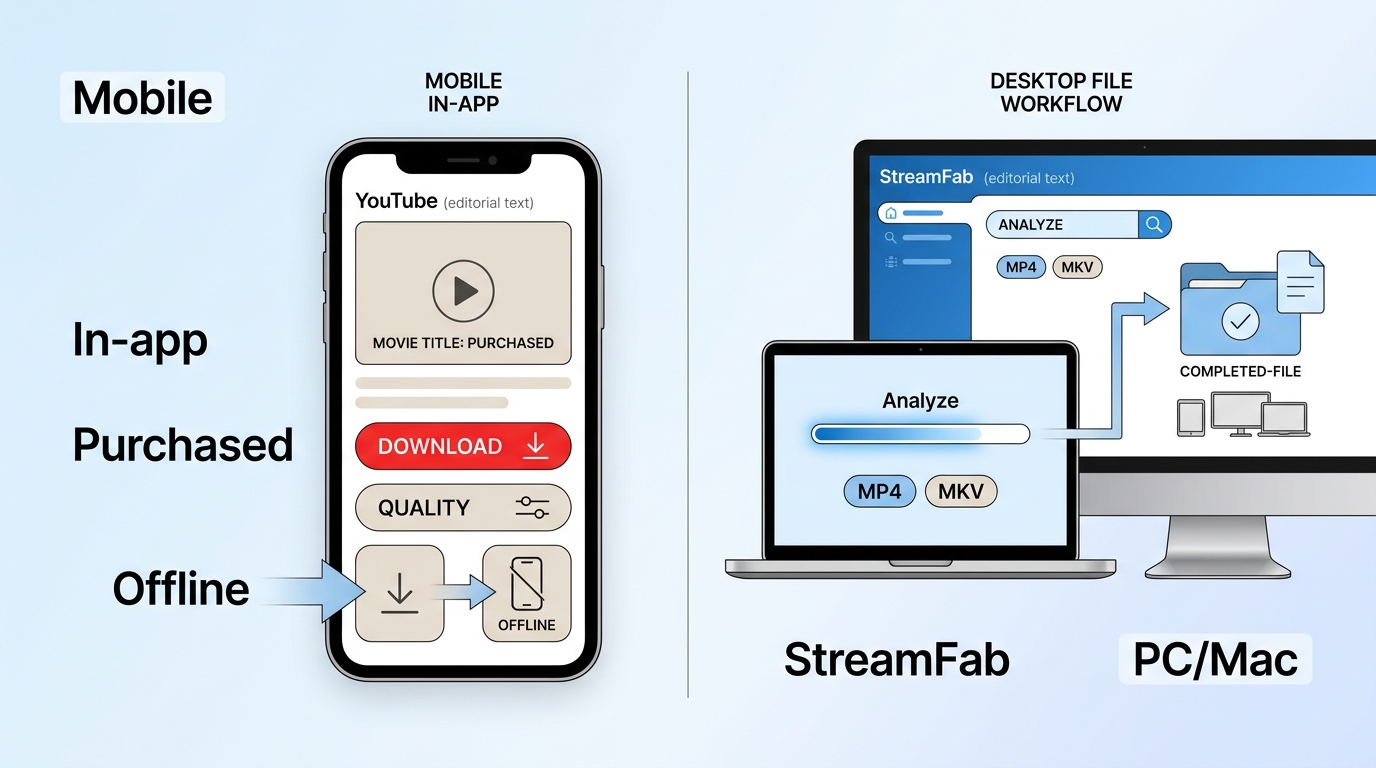
Official Mobile App for Purchased or Rented Titles
The official YouTube movie download app is the lowest-friction choice for a purchased or rented title on a phone or tablet. Premium is not required for this Movies & TV feature, but the copy cannot be transferred into a gallery, file manager, or desktop folder.
Before starting, confirm the purchasing account, current title eligibility, available storage, and the official app requirement for your device. Then use the title's Download control and choose from the quality options YouTube makes available.
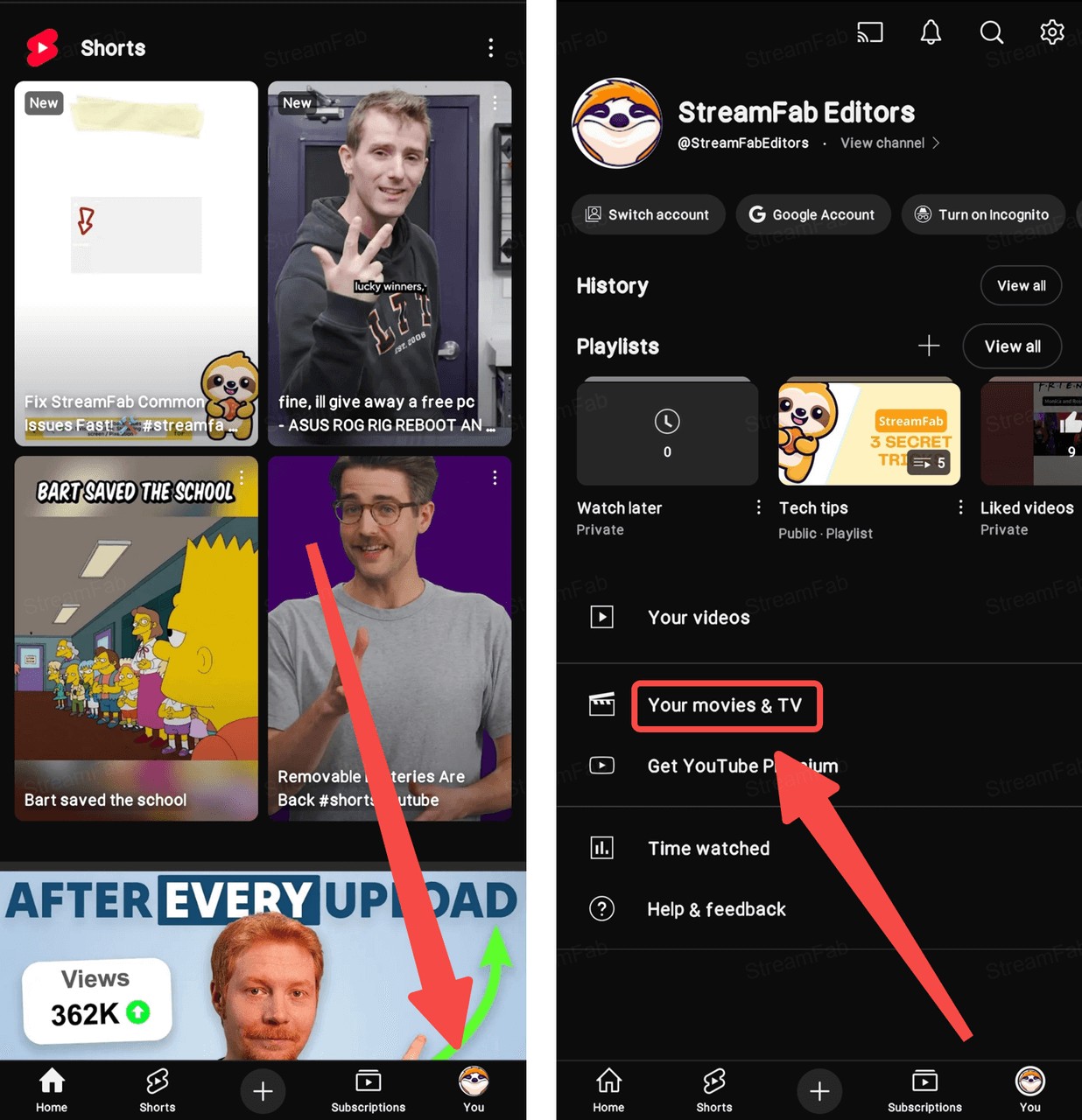
Download and install the YouTube app on your mobile device. Log in to your account and make sure you have already purchased or rented the movie you want.
Navigate to "Your movies & TV." Tap on the movie you prefer. You will see a download button below the movie cover image.
Hit the download button to start downloading. Wait for the process to complete, and then you can view the YouTube movies you rented or purchased offline.
- Only the trailer appears: confirm that the full title is purchased or rented under the signed-in account.
- Wi-Fi only blocks the transfer: change the setting under Background & Downloads.
- Device limit reached: clear an older app-managed download or review registered devices.
- Quality is lower than expected: UHD is unavailable, and the choices depend on purchased quality and device capabilities.
- Rental is unavailable: review the title's displayed access window and account status.

- My practical judgment is simple: use this method when convenience matters and you will watch on the same mobile device. It is not the right fit when you need a transferable file. Broader ways to download YouTube videos involve different content rules and should not be treated as the paid movie flow.
StreamFab Local-File Workflow on Windows and Mac
For content you're authorized to access, where permitted by platform terms and applicable law, StreamFab YouTube Downloader Ultimate provides a Windows and Mac local-file workflow with MP4 or MKV output. Purchase or rental status does not automatically grant export rights, so confirm both access and permitted use before starting.
StreamFab is separate from YouTube's official download feature. It suits readers who need an authorized desktop workflow and can verify title support; it is not ideal for someone who wants the simplest mobile option or needs a promised resolution before analyzing the specific title.

- Windows and Mac local-file workflow for content you are authorized to access
- Save supported videos as MP4 or MKV
- Select available audio and subtitle options for personal offline viewing
- Queue supported items when title analysis succeeds
- Available quality depends on the source, entitlement, and current title support
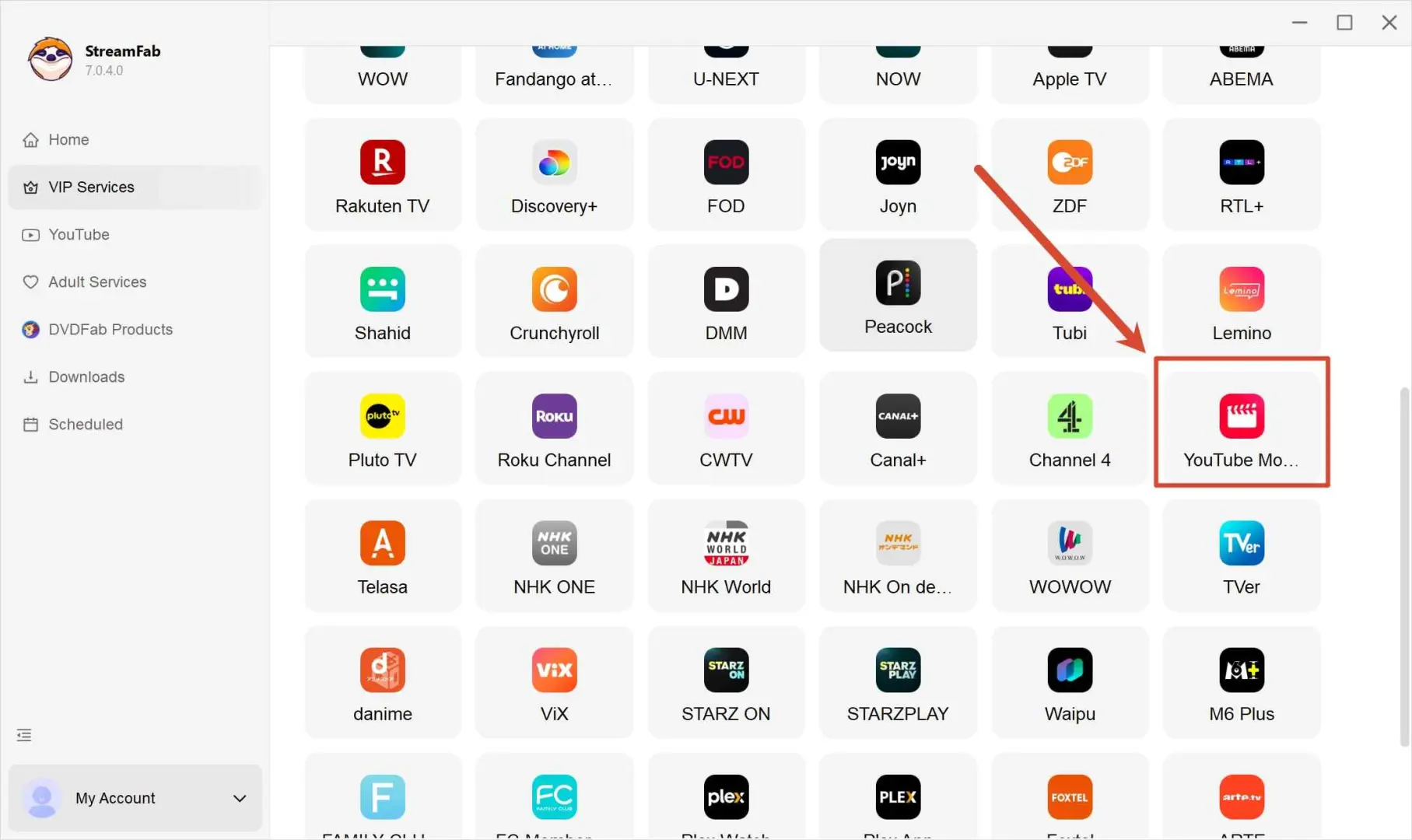
Sign in with the account you use to access the content, and select the title you’re legitimately entitled to watch.
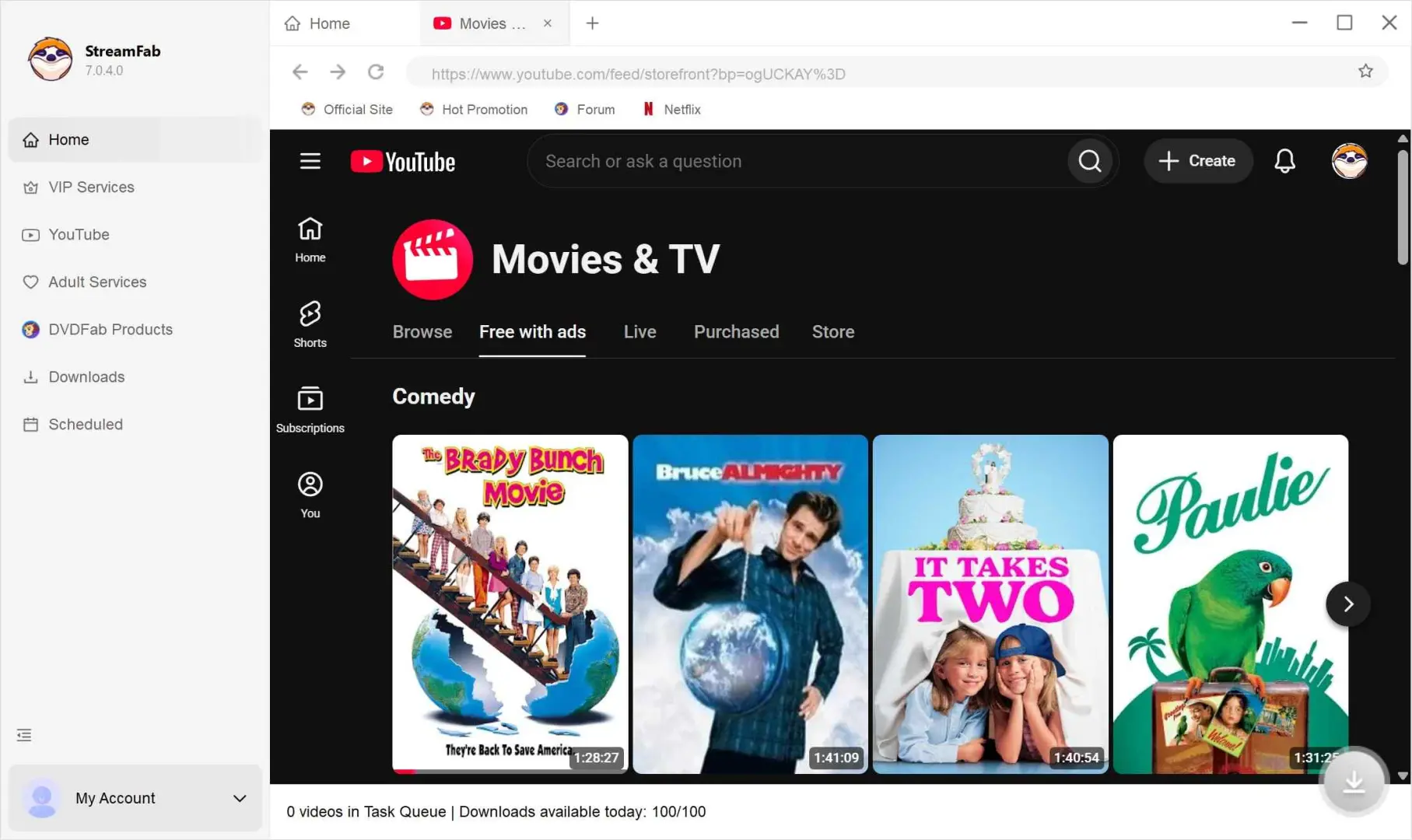
You may see settings related to video quality, audio, and subtitles. What’s available can vary by title and is ultimately limited by the options provided for your account/device.
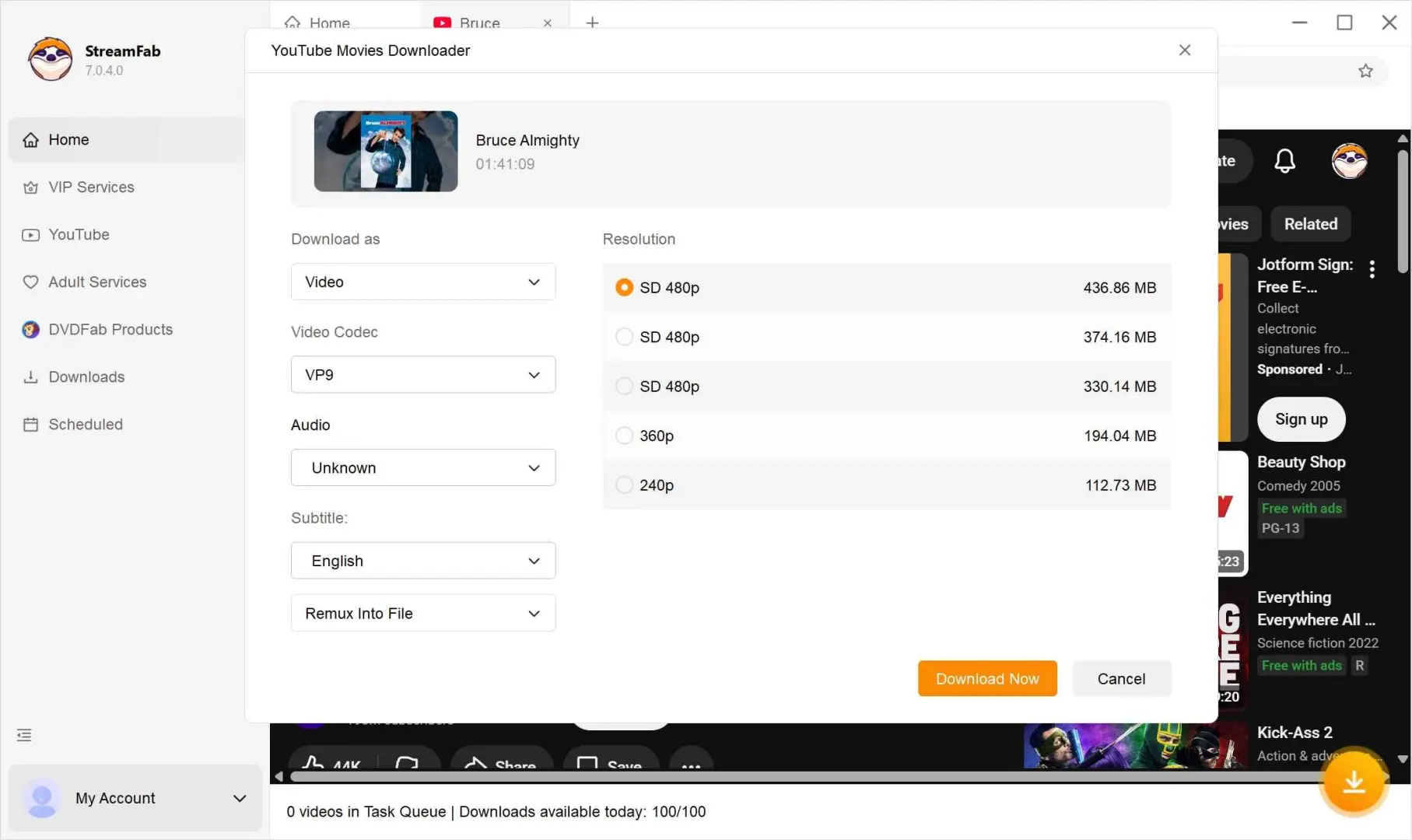
The available resolution option on StreamFab depends on the online quality of YouTube movies.
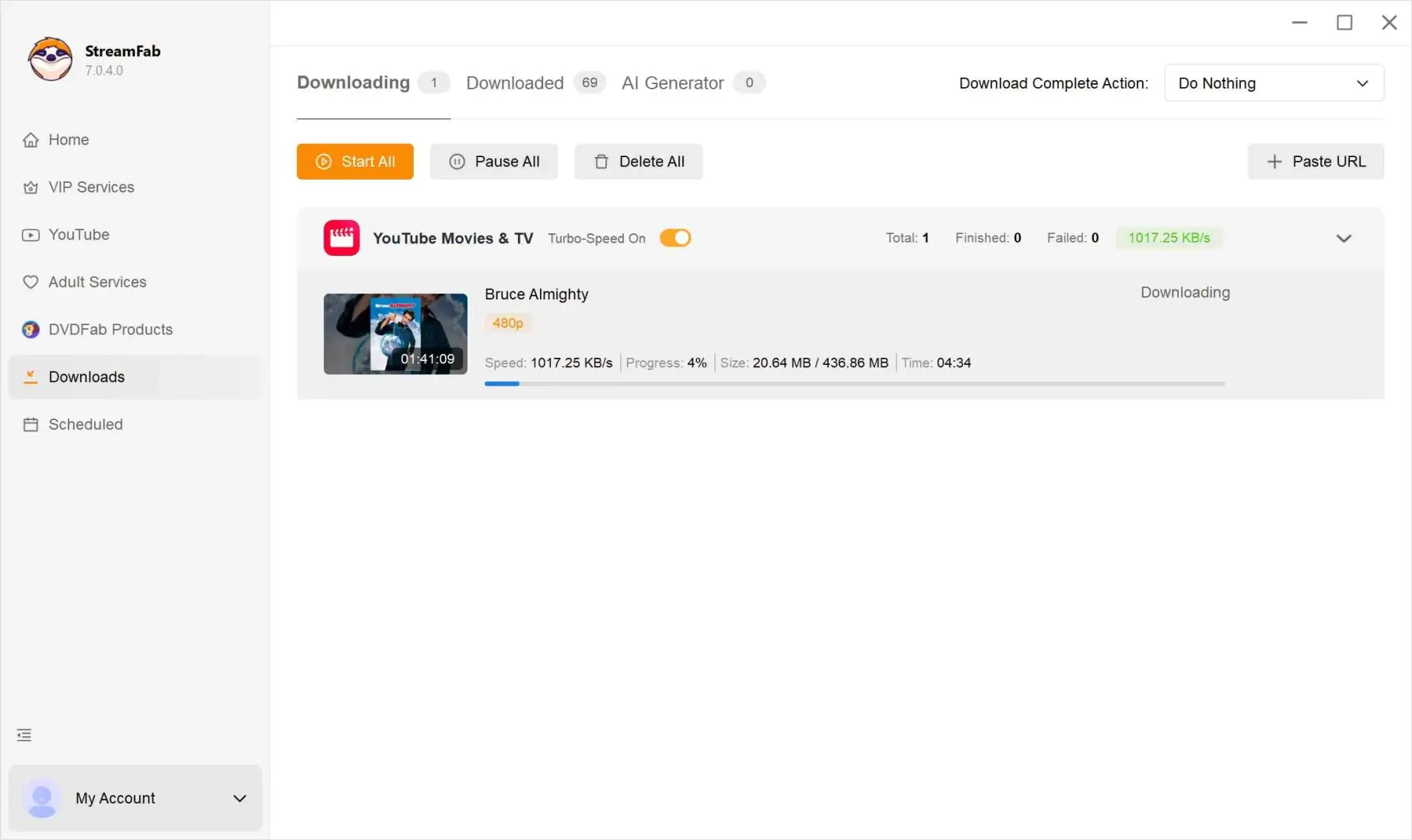
Confirm your settings and follow the on-screen prompts to complete the process. You can review your current and completed items in the app’s library area.
Official Downloads vs Local Files
YouTube-managed offline copies prioritize convenience and account control; local files prioritize portability. The important difference is storage ownership, not whether a button happens to say “Download.”
| Criteria | Official YouTube: Mobile Movies & TV / Premium Desktop General Videos | StreamFab Desktop Local-File Workflow |
|---|---|---|
| Eligible Content | Mobile: eligible purchased or rented Movies & TV; Desktop: eligible Premium general videos | Authorized content that the current analyzer supports |
| Device and Premium | Mobile: iPhone, iPad, Android, no Premium required; Desktop: supported browser with Premium | Windows or Mac; Premium status does not replace content entitlement |
| Storage and Transfer | Stored inside YouTube's download area and not exported as a gallery or MP4 file | MP4 or MKV local file for permitted personal offline use |
| Verified Quality | Movies & TV: UHD unavailable; selectable quality depends on purchase and device. General videos vary by eligibility | Title-specific result required; no universal Movies & TV resolution is stated here |
| Account, Expiration, and Batch | Account, device, region, and rental rules apply; official movie bulk queues are unavailable | Access and platform rules apply; supported items can be queued after successful analysis |
| Best Fit | Mobile Movies & TV for simple same-device viewing; Premium desktop for eligible general videos | Readers who need an authorized Windows or Mac local-file workflow |
| Not Ideal For | Anyone who needs a transferable movie file or expects paid Movies & TV desktop downloads through Premium | Readers who cannot confirm title support or want the simplest official mobile route |
Quality and availability are method-, title-, account-, and device-specific.Treat completed output, not a promotional maximum, as the verified result.
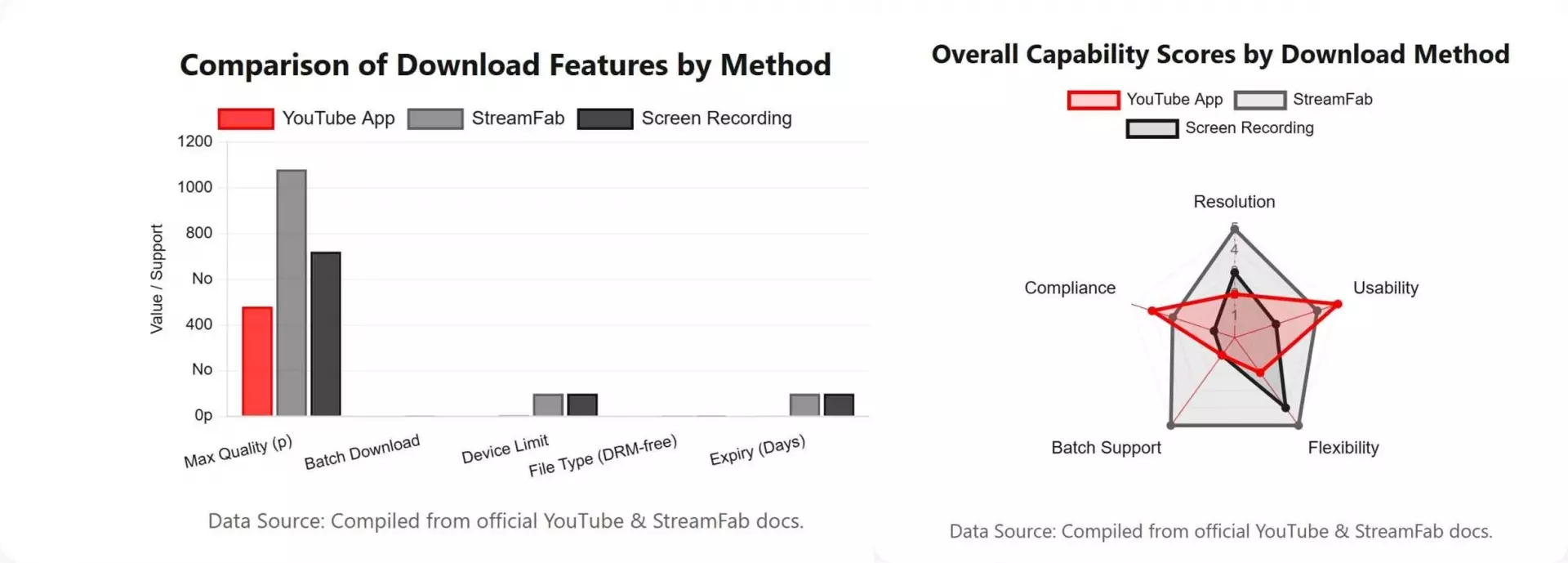
The practical upshot is that official downloads are easier to start but stay controlled by YouTube. A local copy is more portable when the workflow is permitted and supported, but it requires a separate eligibility check and a completed title-specific result.
YouTube Movie Download FAQs
These answers resolve the six decision points that most often send readers to the wrong download system.
No. Purchased or rented Movies & TV titles use the official mobile app system and do not require Premium. Premium desktop offline viewing applies to eligible general videos and does not automatically provide an exportable paid-movie file.
Check, in order, that you are using the official mobile app, signed into the purchasing account, viewing an eligible title, meeting the iOS or Android app requirement, within device limits, in a supported region, and still inside the title's access window.
Availability follows the title's rental or purchase conditions plus account and device checks. Complete the download before travel, open the app under the correct account, and use the access window displayed for that title rather than assuming one rule applies to every transaction.
For official movies & TV downloads, UHD is unavailable, and the selectable quality depends on the purchased quality and device capabilities. For a desktop local-file workflow, report only the resolution produced by a completed run for that title.
They are not eligible for the official purchased or rented movies & TV download flow. The distinction matters because free movies on YouTube use an ad-supported access model, not the paid-title offline system.
Conclusion: Choosing the Right Offline Method
Use the official mobile app for an eligible purchased or rented title when same-device convenience is the priority. Use Premium desktop offline viewing for eligible general videos, not as a route to export Movies & TV files.
I would consider the StreamFab workflow only when an authorized Windows or Mac local file is genuinely necessary and the current analyzer confirms support for the exact title. That choice trades the simplicity of YouTube's managed copy for portability and a more involved verification process.
Use offline features and local-file workflows only for personal viewing of content you are authorized to access, where platform terms and applicable law permit it. Do not share or redistribute saved files.
