When long Twitch VODs will not save as complete files, choose the route by ownership: use Twitch’s built-in download for your own broadcasts, or use a desktop downloader to download Twitch videos as local files. Mobile apps are a secondary option for occasional saves.
- Is it legal to download Twitch videos with third-party tools?
- StreamFab Twitch Downloader (for Windows & macOS users)
- 4K Video Downloader Plus(for desktop users)
- Android Twitch video downloader (for Android users)
- iOS Twitch video downloader (for iOS users)
Why Download Twitch Videos?
Twitch has become the go-to platform for live streaming, with millions of creators broadcasting everything from gaming to music to just chatting. Whether you’re a streamer archiving your own content or a viewer saving an authorized clip, this broader guide to download Twitch videos can help you choose the right workflow before following the PC/Mac VOD steps below.
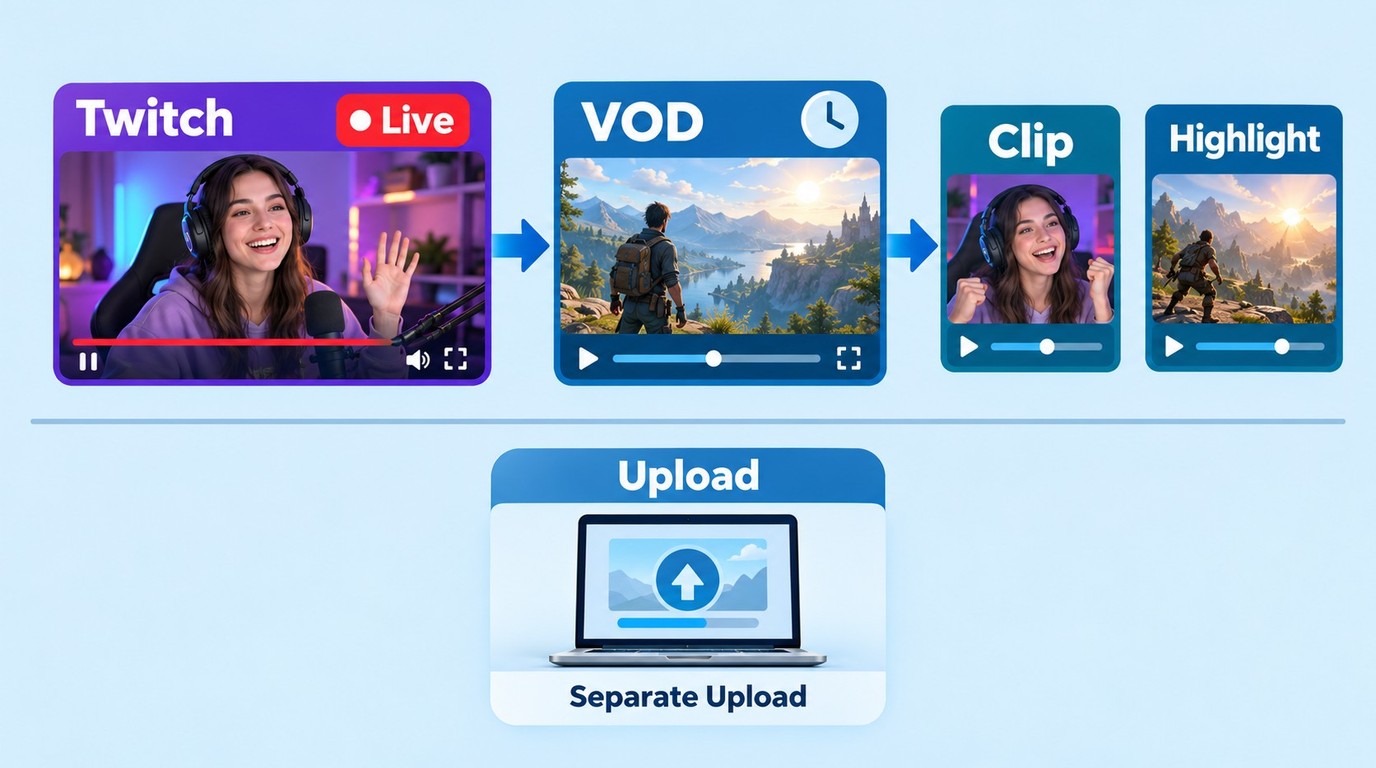
Before you download anything, it helps to know what you’re actually saving. Twitch videos usually fall into these buckets:
| Type | What it is | Best for | Common gotchas |
|---|---|---|---|
| VOD (Past Broadcast) | The full replay of a live stream. | Archiving full streams, long-form watch later. | Expires after a limited window; long videos can be tougher for online tools. |
| Clip | A short highlight moment captured from a stream. | Quick saves, sharing a funny or clutch moment. | Easy to grab, but quality/options depend on the tool. |
| Highlight | A curated segment of a stream (longer than a clip). | Keeping only the good parts without the full VOD. | May still be restricted by access rules; can be long enough to fail in browsers. |
| Upload | Creator-uploaded videos (not necessarily from a live stream). | Standalone content you want to keep offline. | Availability can change; access rules still apply. |
Maybe you're a streamer backing up your own VODs. Maybe you're a fan hoarding clutch plays or meme-worthy fails. Or maybe you’re just stuck on a plane with terrible Wi-Fi (we've all been there). Whatever the reason, downloading Twitch videos is a game-changer.
Is It Legal and Safe to Download Twitch Videos?
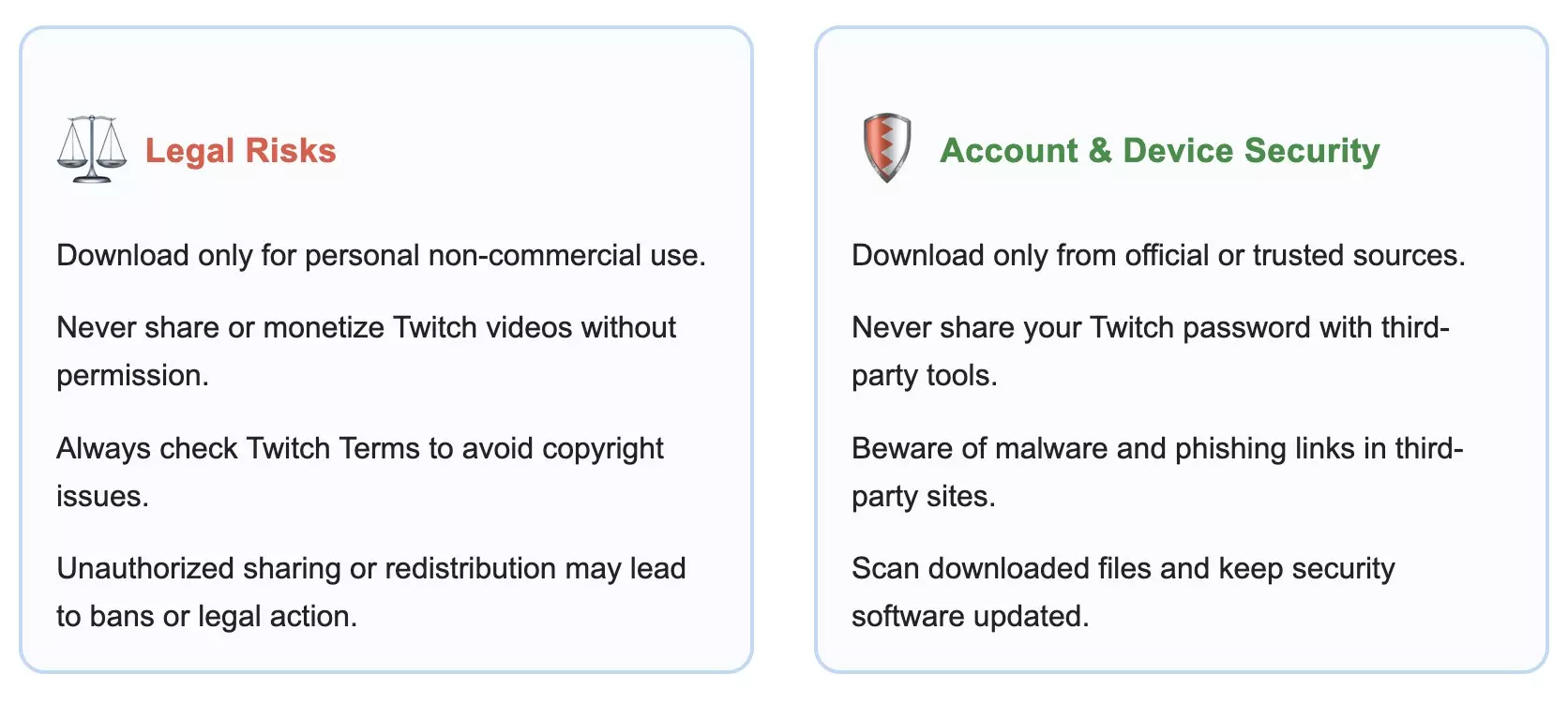
When it comes to “legal” and “safe,” I always keep it simple: only save videos you’re authorized to access, limit downloads to content you’re allowed to use, and keep the files for personal offline viewing without redistribution. If you’re backing up your own streams, Twitch’s VOD download is the cleanest route. For other content, the specific permissions depend on the use case, applicable law, and Twitch’s terms.
For “security,” the risk usually isn’t Twitch—it’s random download sites. I stick to reliable tools and official channels whenever possible, and I avoid anything that looks shady or spammy or asks for credentials it shouldn’t.
Before using the solutions I’m about to introduce, here’s the quick sanity check I run so I don’t accidentally put my account (or my device) at risk. And yes—keep it personal, and stay inside Twitch’s rules:
- Only download from official or well-reviewed sources to avoid malware.
- Never share your Twitch password with untrusted apps.
- Download or save only authorized content for personal viewing, and do not redistribute it.
Method 1: Download Directly from Twitch (Official VOD Feature)
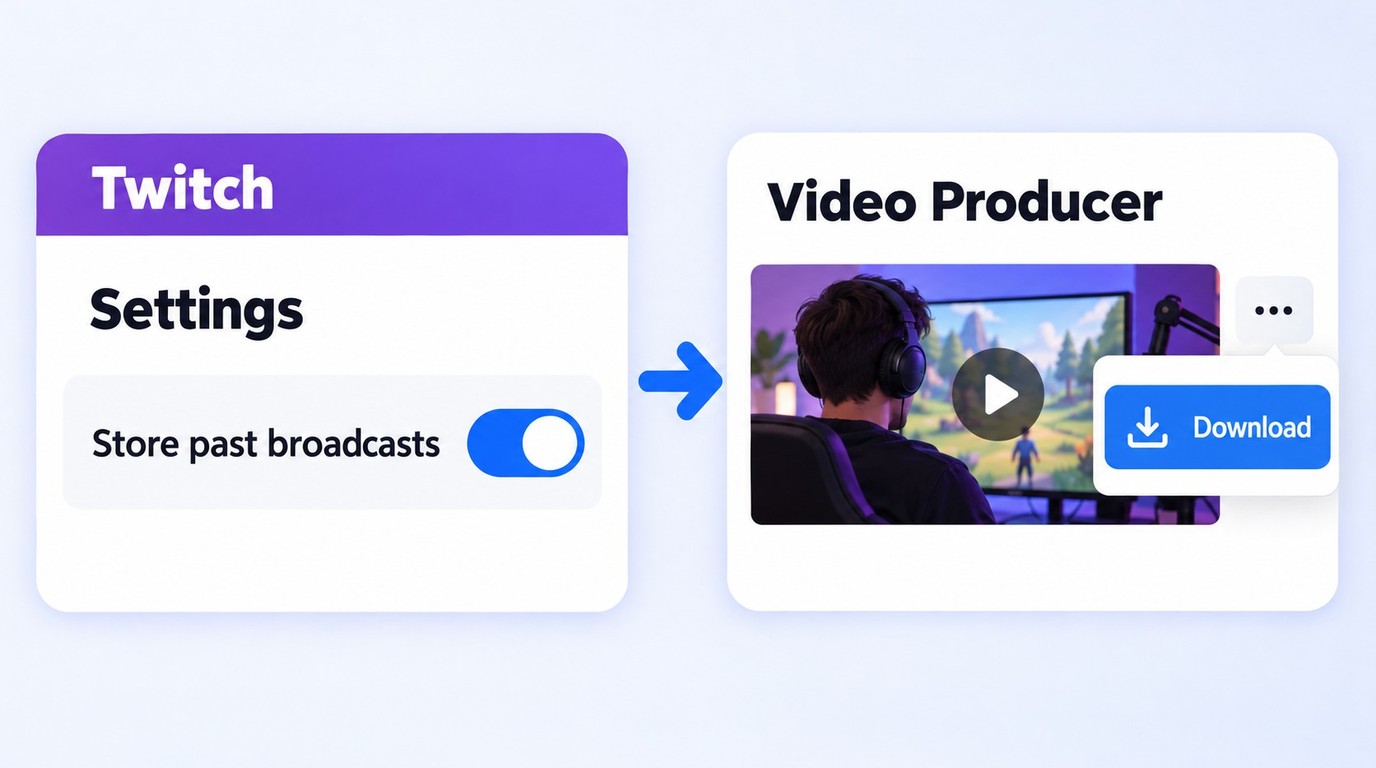
As a streamer, saving your broadcasts is easy with Twitch's VOD (Video on Demand) feature. The big “gotcha” is that VOD storage needs to be enabled ahead of time; otherwise, your stream can vanish before you ever get a chance to archive it. And if you’re setting Twitch up on a TV/console or going through a device login flow, you may also need to follow the Twitch TV activate steps.
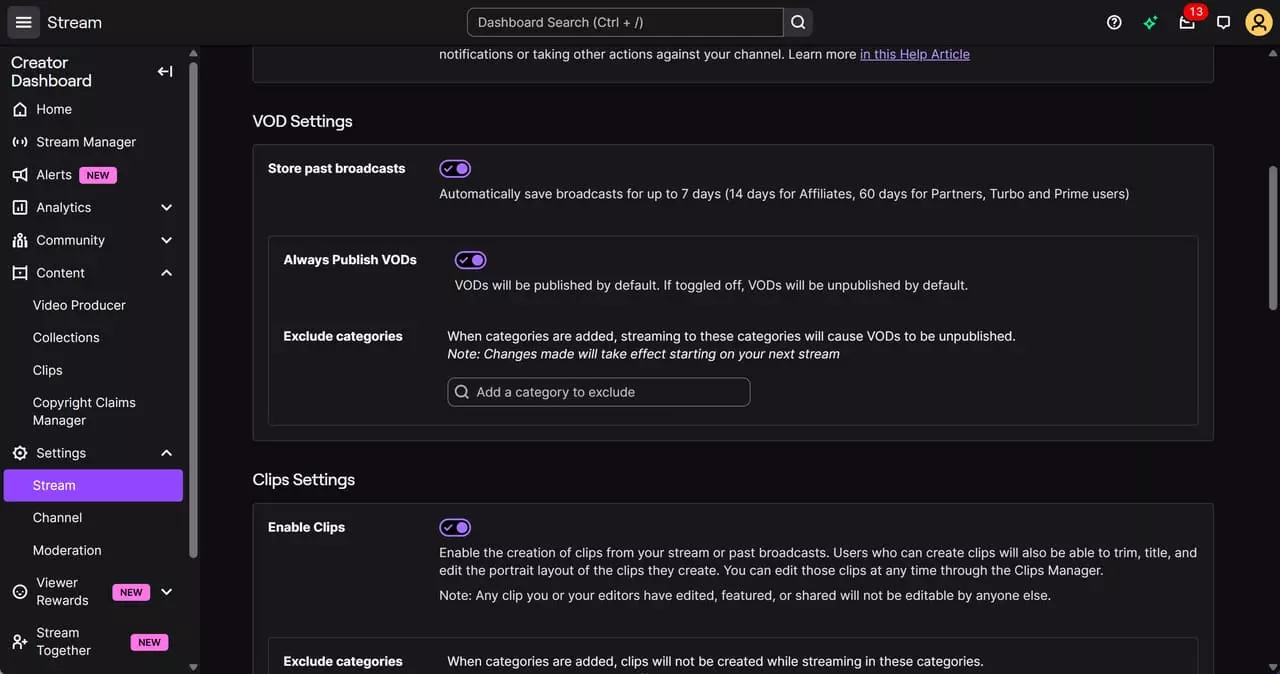
Store Past Broadcasts must be enabled before you stream if you want Twitch to retain the VOD. Once an available broadcast has finished processing, download it from Video Producer while it remains accessible.
On mobile, Twitch is great for managing content, but the most reliable way to export/download VOD files is still through the desktop Video Producer workflow below.
- In Creator Dashboard → Settings → Stream , enable Store Past Broadcasts before streaming; otherwise, there may be nothing to download later.
- Wait until the broadcast finishes processing—fresh VODs sometimes need a moment before “Download” shows up.
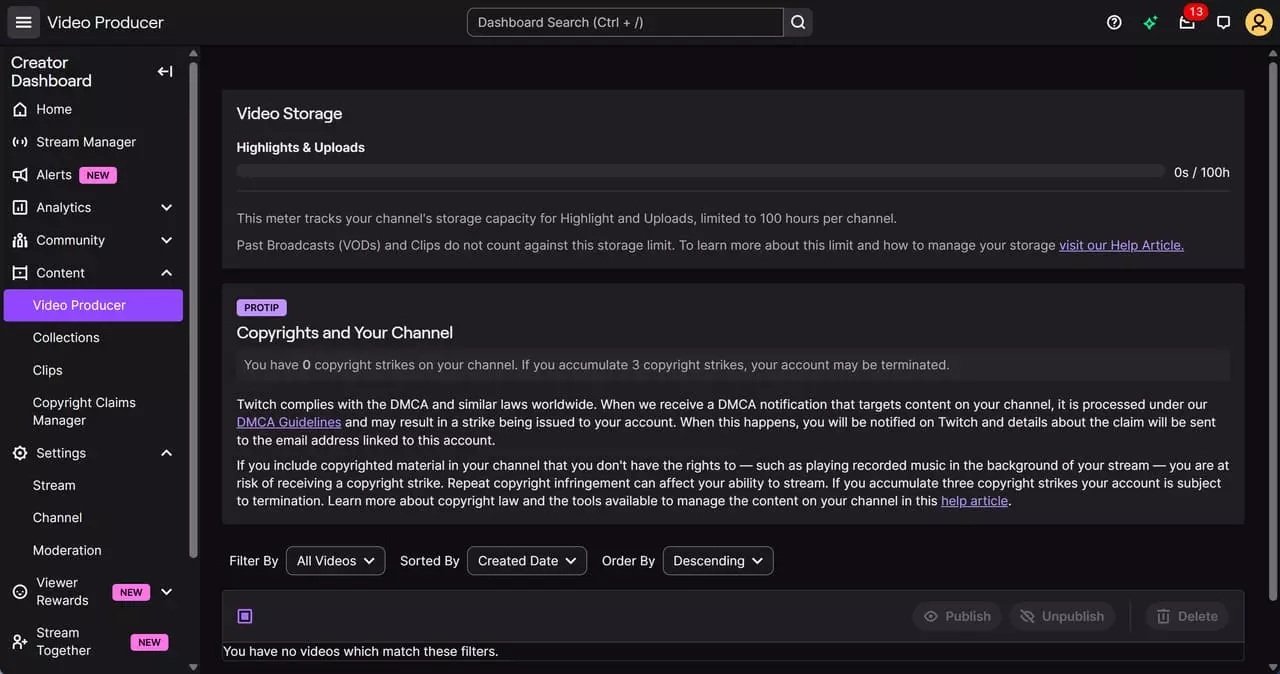
- If you don’t see the option on mobile, try desktop Content → Video Producer. It’s usually the most consistent.
Step-by-Step Guide
Enable VOD Storage
Log into twitch.tv, click your profile icon, and open Creator Dashboard → Settings → Stream. Then toggle on Store Past Broadcasts so your streams don’t disappear later.
Access Video Manager
Head to the main menu, then click Content → Video Producer. That’s where all your recorded broadcasts live.
Download Your Videos
Scroll to the video you want, hit the three little dots next to it, and choose Download.
- You can only download your own past broadcasts—not other streamers’ videos
- Download an available VOD after processing and before it is no longer accessible in Video Producer.
- No batch download or subtitle support.
- If you want to keep your content long-term, download it before it disappears!
Method 2: Download with Third-Party Tools
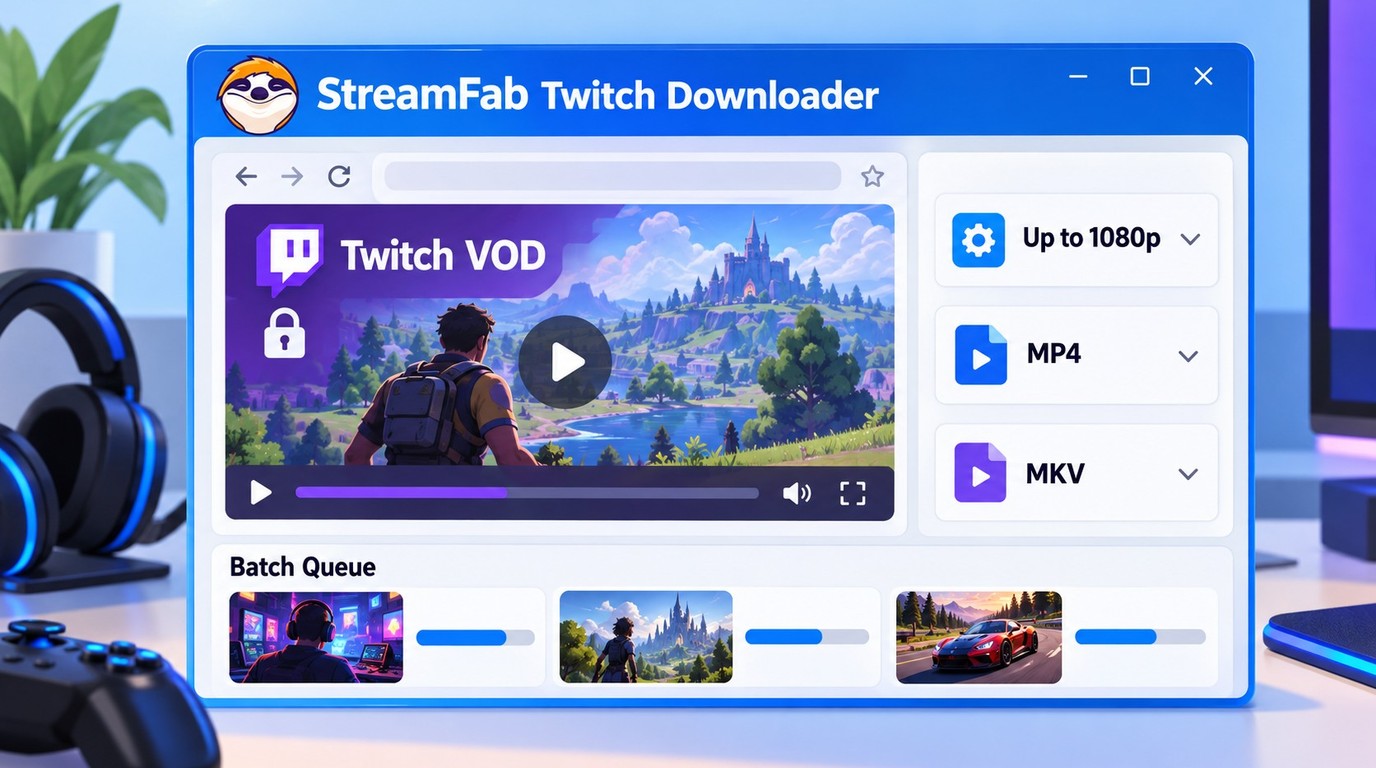
When I need a local file from content I’m authorized to access, batch downloads, or a choice between MP4 and MKV, I use a dedicated desktop downloader. This workflow covers cases where Twitch’s official download option is not available for the video. Here’s what you need to know.
| Your situation | Best pick | Why |
|---|---|---|
| Backing up your own full streams (VOD) | Method 1 (Twitch VOD) | Official workflow for your available broadcasts. |
| Long VODs / batch downloads / MP4 or MKV | StreamFab (Desktop) | Batch file downloads with format and metadata controls. |
| One-off authorized public clip, no install | Online downloader | Paste the link and save an available file quality. |
| Saving on Android | Android app | Convenient for occasional mobile downloads. |
| Saving on iPhone/iPad | Desktop file transfer | Move a completed file with AirDrop, USB, or Files. |
For a no-install route, copy the link to an authorized public VOD or clip, paste it into the site’s form, choose an available quality, and save the completed file. A Twitch page or playlist link is not the saved MP4, so open the downloaded file before relying on it.
1. StreamFab: Batch VOD Downloads in MP4 or MKV

Save authorized Twitch VODs at up to 1080p as H.264 MP4 or MKV files with AAC 2.0 stereo audio on Windows or macOS.
StreamFab Twitch Downloader is a desktop local-file workflow for Twitch broadcasts and clips you’re authorized to access. It supports Windows and macOS, up to 1080p, MP4 or MKV, H.264 video, AAC 2.0 stereo, batch downloads, and metadata writing. It does not download subtitles or remove ads.
| Pros |
|
|---|---|
| Cons |
|
How I Use StreamFab Twitch Downloader
Open Twitch in StreamFab
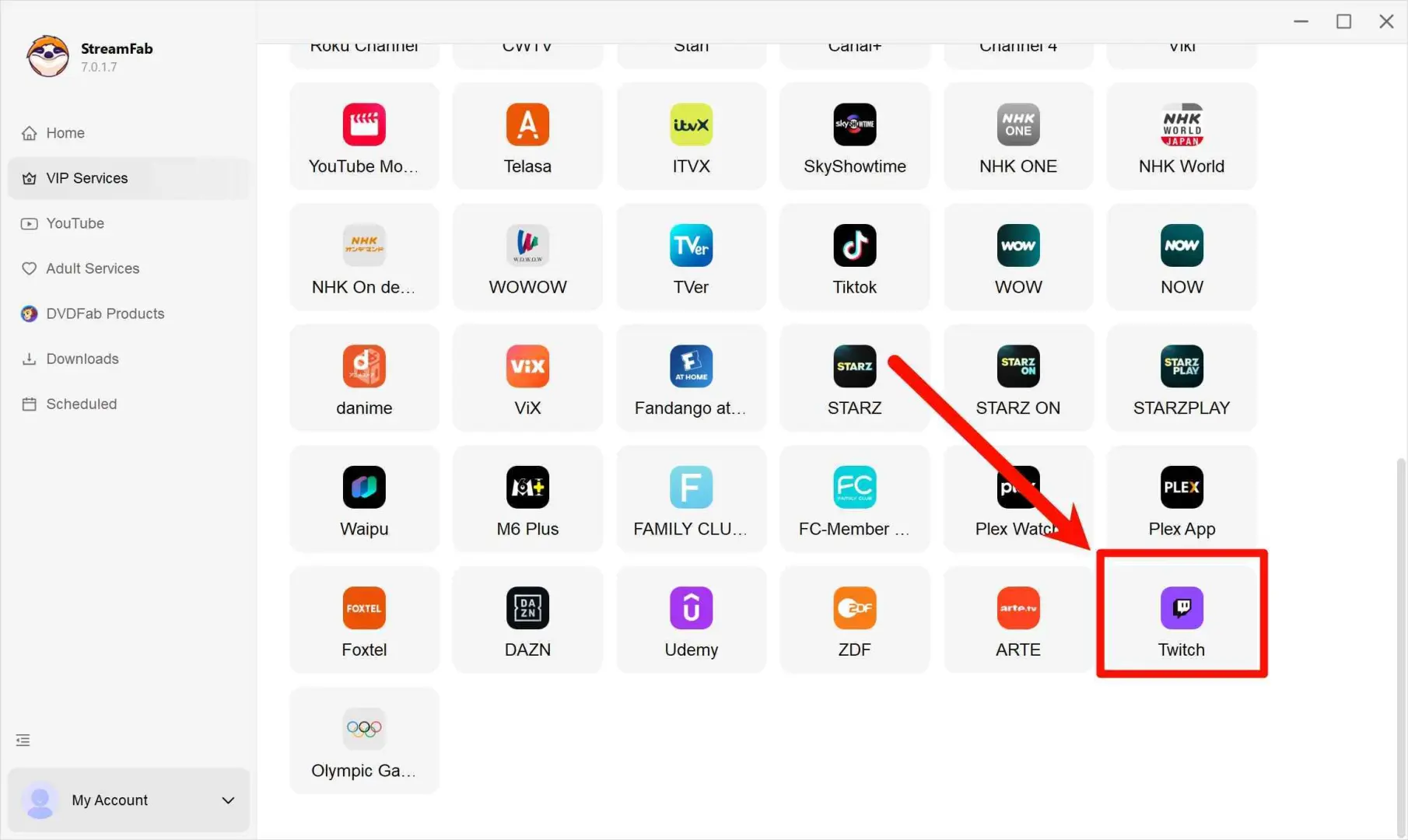
Use Live Streaming > Twitch within the built-in browser or paste the Twitch URL directly.
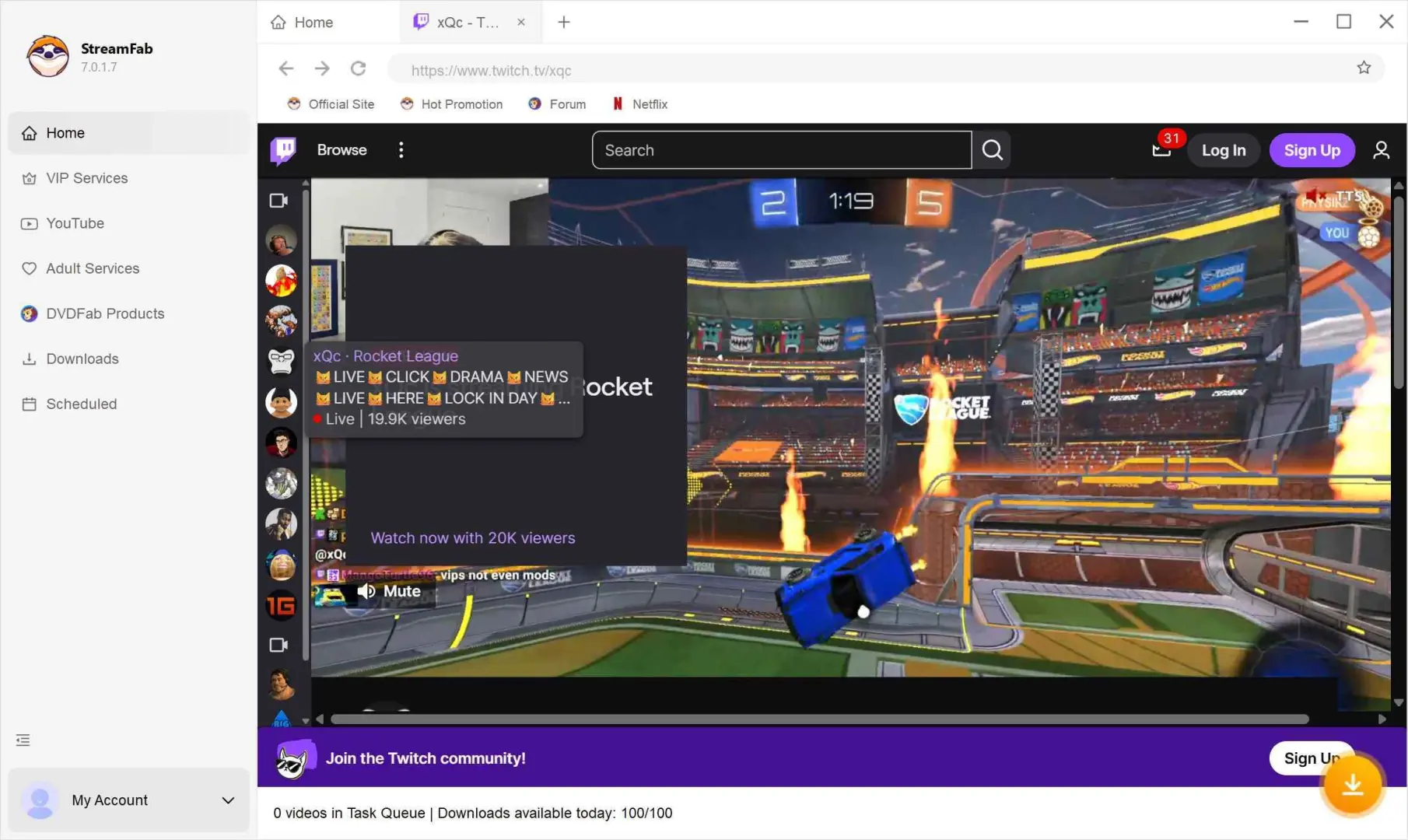
Log in & Find Your Video
Sign in to your Twitch account and locate the stream or VOD you want.
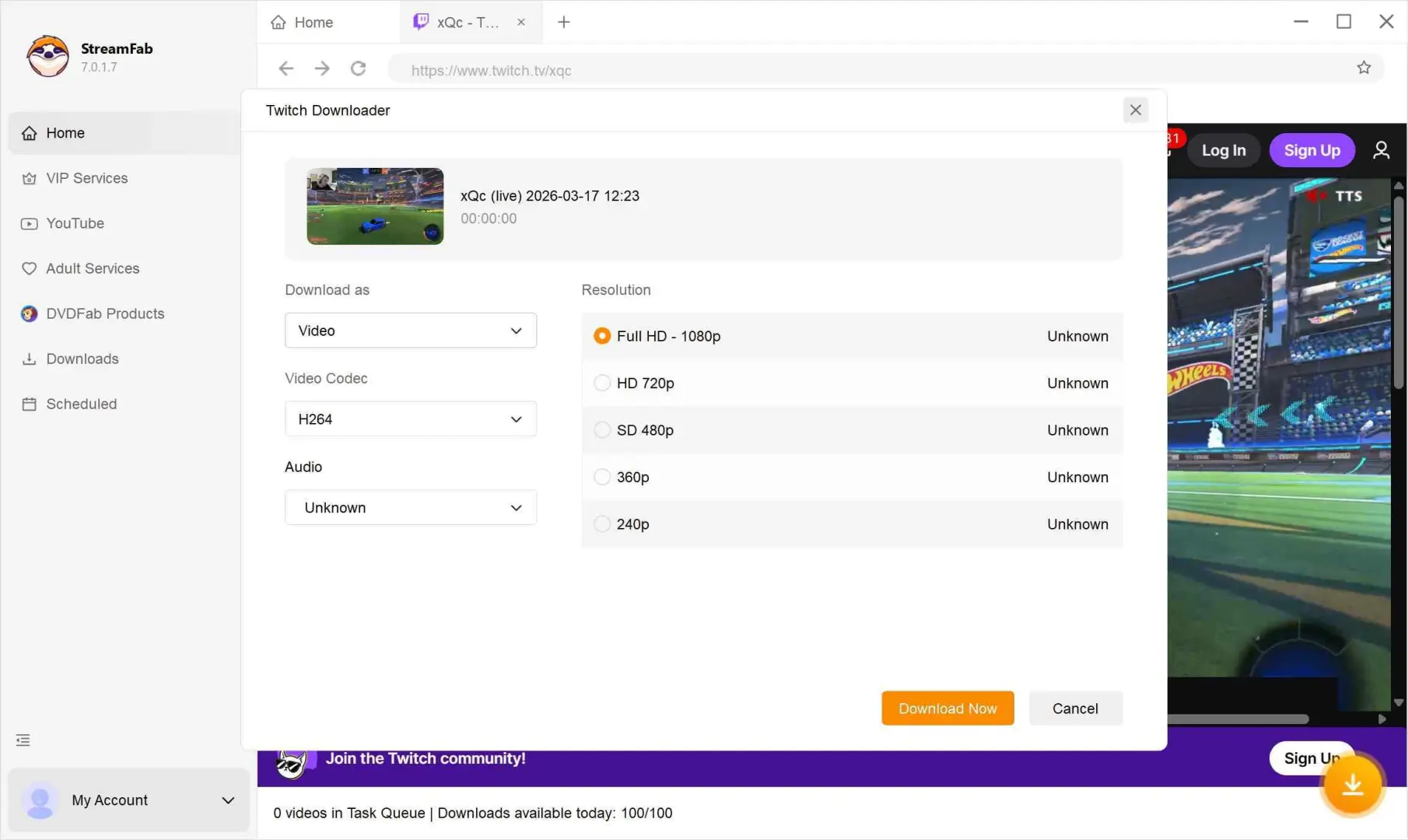
Download
When prompted, select an available quality and choose MP4 or MKV, then click Download Now.
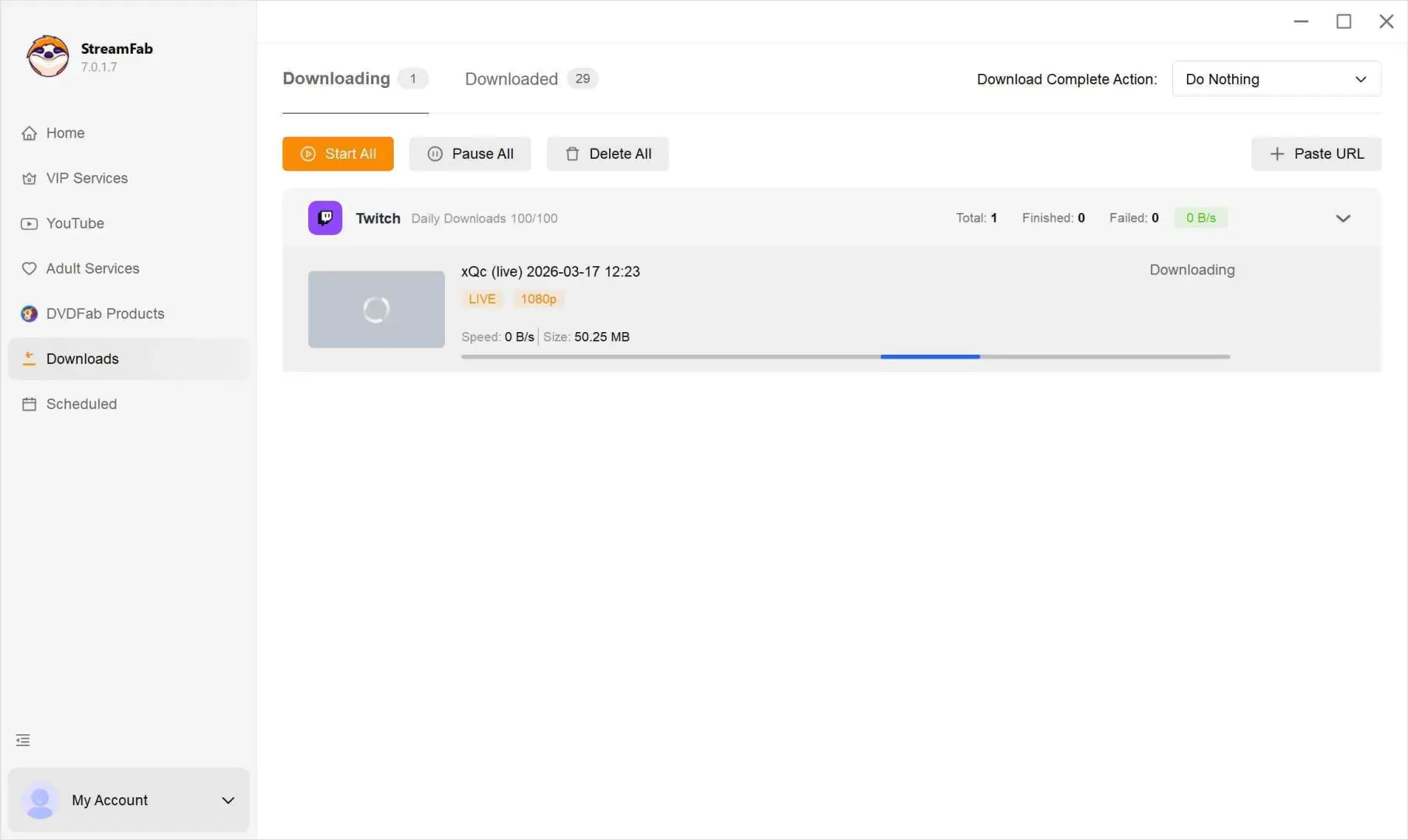
Once the video is downloaded, I can watch it offline, edit it, or transfer the MP4 or MKV file to another device that supports the selected format.
2. 4K Video Downloader Plus for Desktop

Sometimes, I just want a desktop tool with a straightforward copy-and-paste workflow. 4K Video Downloader Plus supports Twitch along with multiple other platforms and offers several license options.
4K Video Downloader Plus offers Lite at $15 per year, Personal at $25 for a product-lifetime license, and Pro at $45 for a product-lifetime license, as of October 2026.
| Pros |
|
|---|
How 4K Video Downloader Plus Works
Download and install 4K Video Downloader Plus from the official website.
Copy the Twitch video URL you want to download.
Click “Paste Link” in 4K Video Downloader Plus. Select your preferred quality and format, then click Download.
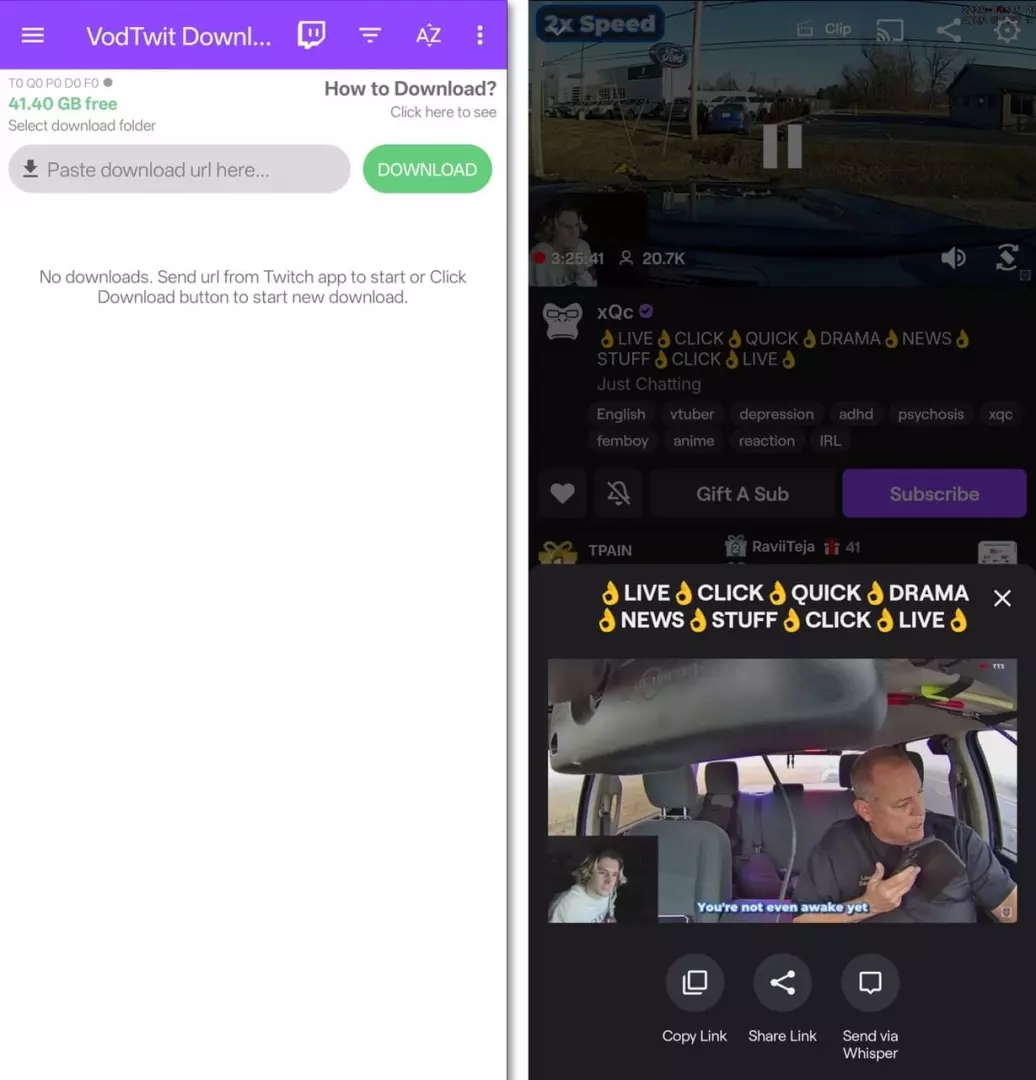
3. Video Downloader for Twitch (for Android users)
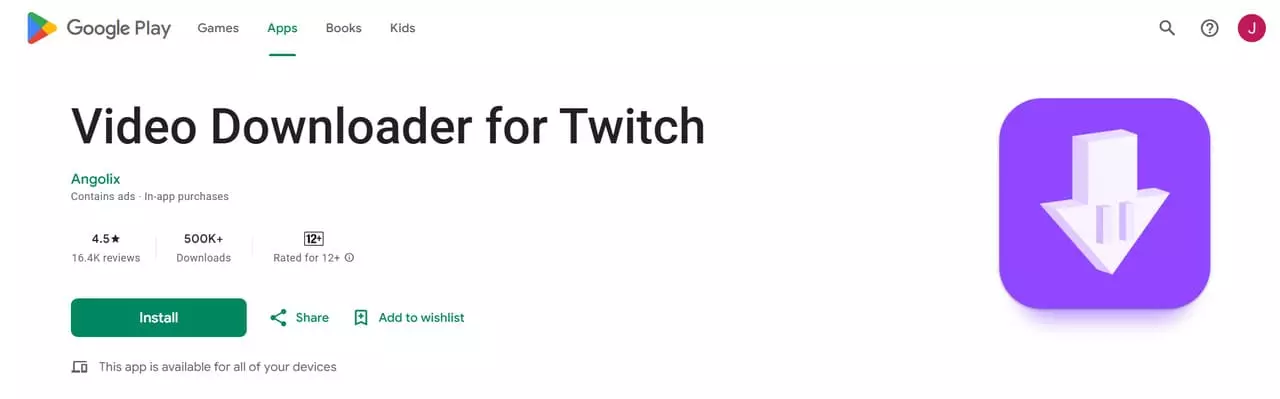
Designed for Android users, this app lets you download Twitch VODs directly to your phone—simple and convenient. Use Twitch’s Share menu to copy the video or clip link, then paste it into the app, choose an available quality, and download. Some versions support batch and background downloads, making it handy for mobile power users.
- No need for a computer—everything happens on your phone.
- Supports multiple video qualities and formats.
- Some versions allow batch and background downloads.
- App availability may vary by region.
- Occasional ads or in-app purchases.
Head to the Google Play Store, download, and install the Video Downloader for Twitch app—it only takes a minute.
In Twitch, open the video or clip, select Share → Copy link , then paste the copied link into the downloader app.
Choose your preferred video quality and select MP4 when that format is offered.
Tap Download and wait for it to finish, then find the completed file in Downloads or Files. Export it separately if you want a copy in Photos.
4. iPhone/iPad Downloads and VOD Saver Status
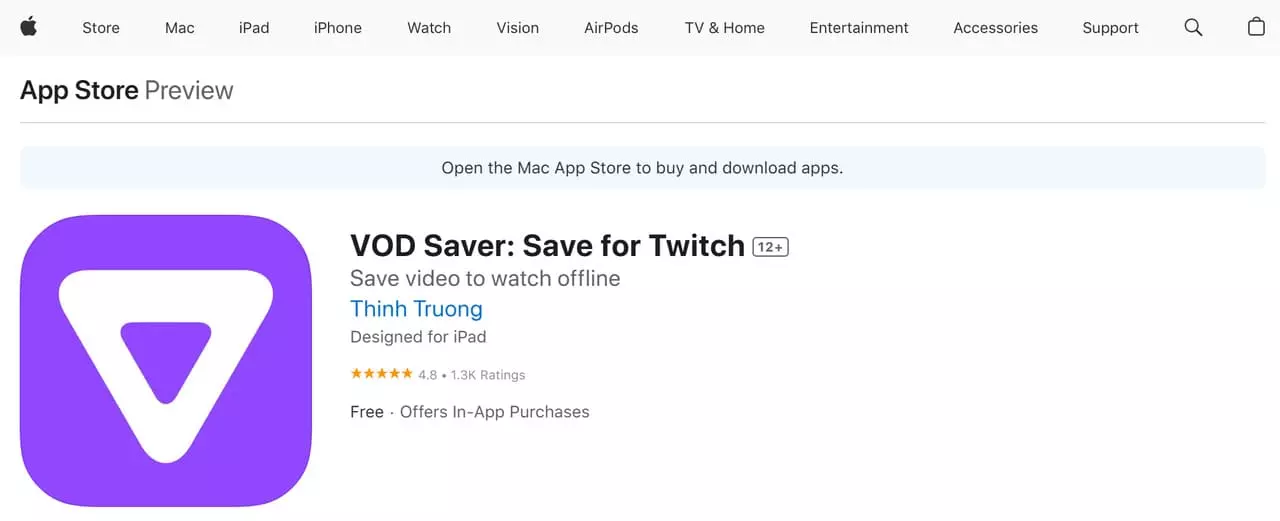
VOD Saver version 22.2.15 was released on February 15, 2022.
Already downloaded an authorized Twitch video on a PC or Mac? Transfer it by USB or AirDrop, save it in Files, and export it to Photos only if needed. I often use this method to watch streams on the go.
- AirDrop provides a direct transfer route from a Mac.
- USB file sharing works without cloud storage.
- The Files app keeps transferred videos available in one place.
- The Twitch video must be downloaded on a desktop first.
- Saving a separate copy to Photos requires an export step.
Download the authorized Twitch video to your PC or Mac first.
Transfer the completed video file to your iPhone or iPad with AirDrop or USB file sharing.
Save the transferred video in the Files app.
Open the video from Files, or export it to Photos if you want it in your camera roll.
Which Twitch Download App Suits You?
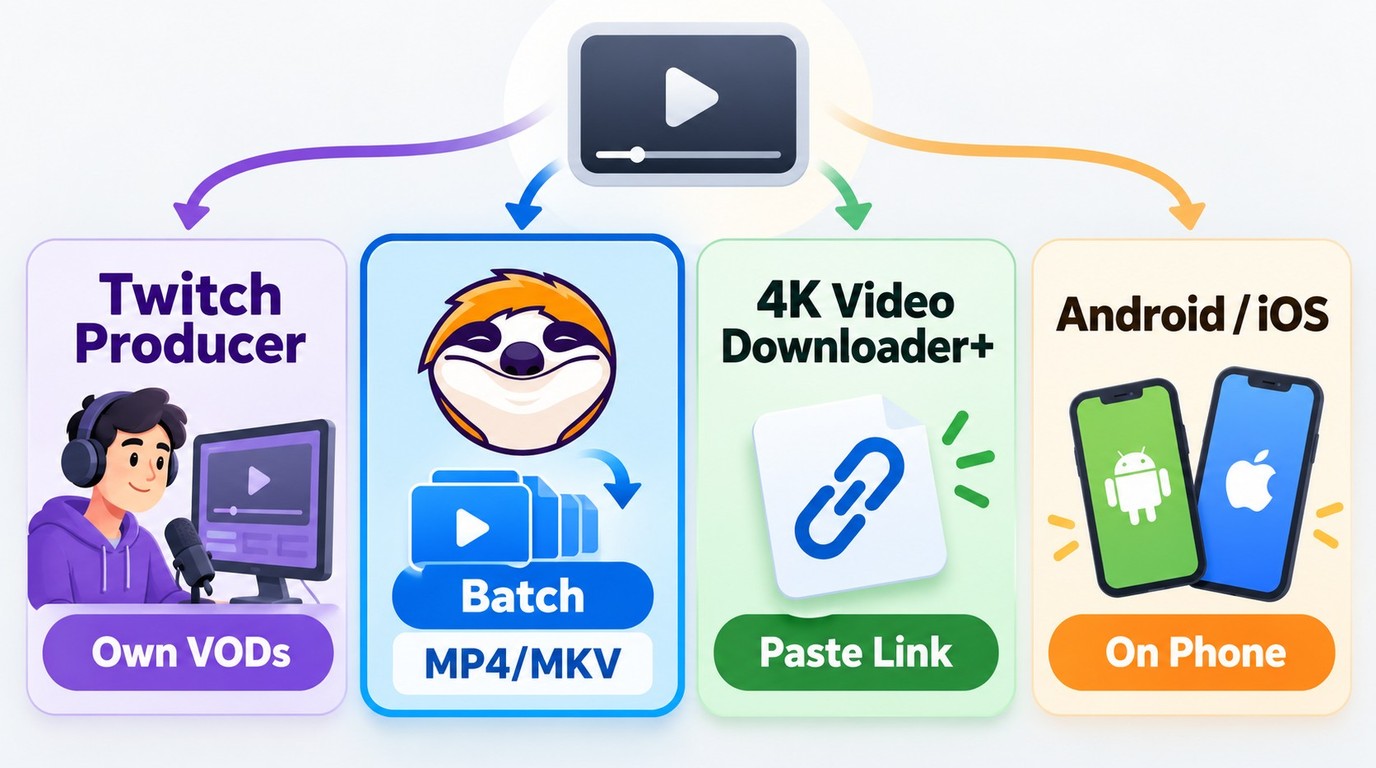
Use Twitch Video Producer for your own available broadcasts. For authorized local files, choose desktop batch downloads for a larger collection or the Android app for occasional public VOD and clip saves.
| Tool | Supported devices | Twitch workflow |
|---|---|---|
| StreamFab Twitch Downloader | Windows / macOS | Batch VOD downloads |
| 4K Video Downloader Plus | Desktop | Recorded-stream downloads |
| Video Downloader for Twitch (Angolix) | Android | Public VOD and clip downloads |
Troubleshooting: When a Twitch Download Fails
- The VOD is gone: It likely expired. Enable Store Past Broadcasts for next time and download earlier.
- A long VOD stops early: Confirm the source plays, check the selected start and end times, compare the expected duration with the saved file, confirm enough free storage is available, and open the completed file to verify that the ending plays.
- Subscriber-only / restricted content: If you don’t have access to watch it, you shouldn’t expect a downloader to save it either.
- No audio in the saved file: Some VODs are muted due to music/copyright rules. A download can’t magically restore audio that isn’t there.
- StreamFab cannot detect or finish the VOD: Keep the queue and error details, note the installed app build, then check the update log or use the troubleshooting and support route.
FAQs
Q
Does a downloaded Twitch VOD include chat replay?
No. A downloaded video file and its metadata do not automatically include Twitch chat replay. Chat must be downloaded and rendered separately with a tool that supports chat export.
A
Q
Can a downloader recover a VOD that is no longer available?
A downloader needs an accessible source video. If the VOD is no longer available, ask the creator whether an authorized copy exists; a download link cannot recreate the missing video.
A
Q
Why can't I download a Twitch clip?
Open the original clip link and confirm that it plays and that you are authorized to access it. An unavailable or inaccessible clip cannot be recovered by pasting its link into another tool, and a page or playlist link is not a saved MP4 file.
A
Q
What should I do if my own broadcast has no Download option?
Store Past Broadcasts must be enabled before a broadcast to retain its VOD. Creators can download their available broadcasts from Video Producer. Wait for processing to finish, then open Content > Video Producer on desktop and check the video’s three-dot menu.
A
Q
Why is part of my downloaded VOD silent?
Muted audio in the source VOD remains muted in the saved file. Downloading cannot restore audio that is absent from the source.
A
Update Log
- July 2025: Added StreamFab product information, revised Twitch VOD guidance, expanded the FAQ, and added a desktop alternative
- January 2026: Refreshed the introduction and updated the desktop comparison
Conclusion: Choose the Right Tool for Your Needs
My recommendation is straightforward: use Twitch Video Producer to download your own available broadcasts. For authorized Twitch VODs you want to manage as batch MP4 or MKV files on Windows or macOS, StreamFab Twitch Downloader fits a desktop local-file workflow, subject to Twitch's terms and applicable law.
- Download only content you are authorized to access, keep it for personal offline viewing, and do not redistribute it.
- Use Twitch Video Producer for your own broadcasts; choose StreamFab Twitch Downloader for authorized desktop batch downloads in MP4 or MKV.
- If a Twitch change affects compatibility, use StreamFab's update log or troubleshooting and support resources. Supported devices and availability may change, so check the official product page for current status.
