Table of contents
If you're preparing ReelShort episodes for a trip, the best ReelShort downloader fits the device you'll watch on. Choose a desktop batch downloader for an episode library, a cloud workflow for automation, and the official service for online watching. Saving episodes also requires permission, separate from viewing access.
Trip preparation exposes the gap between installing an app and having a story ready without Wi-Fi. I see this as a continuity problem: a missing chapter matters more than a fancier filename. I'll start with what an app installation actually gives you. Then I'll compare ReelShort video downloader options, unpack free and watermark claims, and connect those choices to a desktop saving workflow.
What Does ReelShort Officially Let You Save?
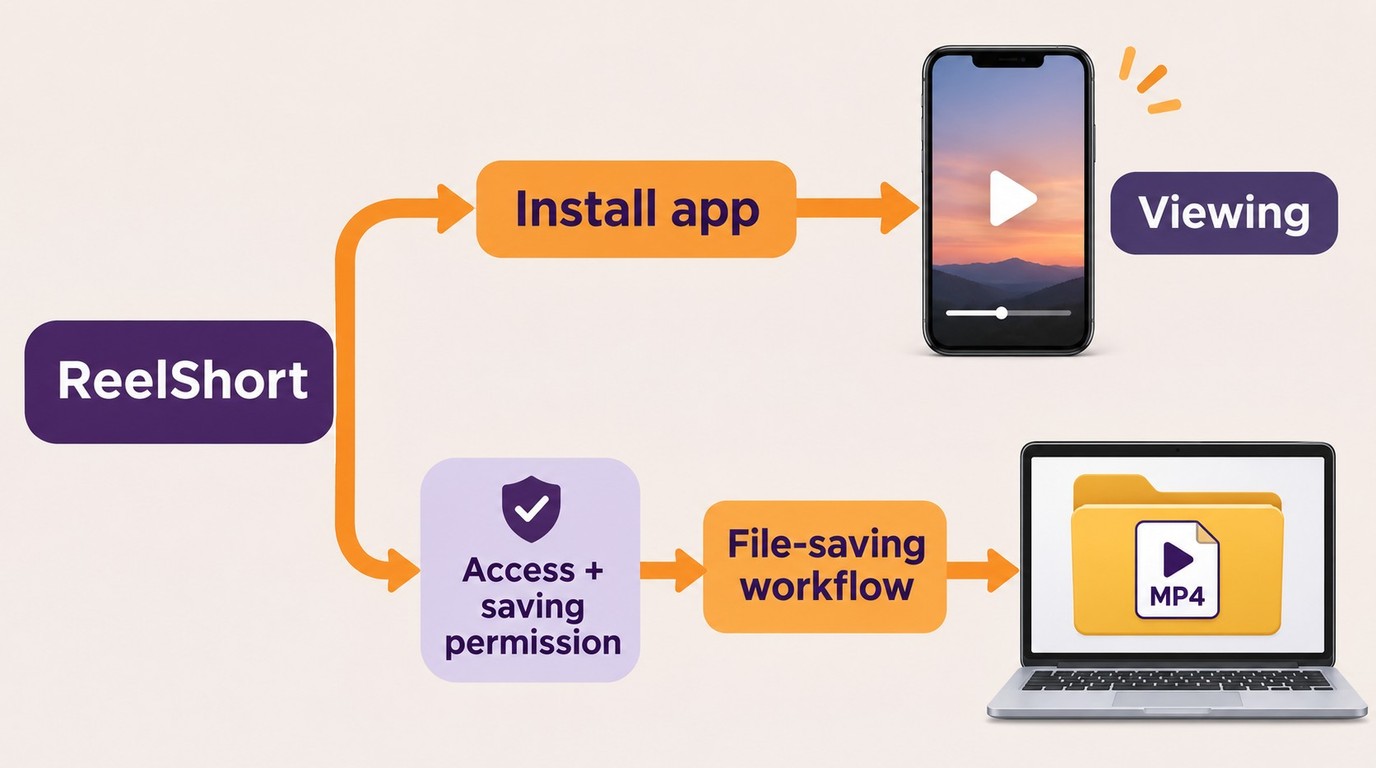
Installing ReelShort gives you viewing software, not an automatic collection of exported episode files. Access to a show and permission to save it are separate questions.
The download button you found might be for the app. Installing the official Android app puts ReelShort's viewing software on your phone; it doesn't put an MP4 in your Videos folder. The app's listing describes online short-drama viewing. For an offline feature, look at the controls for your intended episode inside the app rather than treating an app-store installation as confirmation of video export.
Your viewing location matters, too. A viewer in r/ReelShorts described being redirected from the website: “I just get a pop up saying: Ready for Next Episode? For a better experience, switch to our app.” That's one person's interruption, not a policy covering every show. It does illustrate a useful distinction: a working mobile session doesn't establish that the same episode plays in a desktop browser.
I would settle the app-versus-file question before installing another tool. If you want to watch online on your phone, the official service fits that job. If you want episodes in a laptop folder, you need an actual file-saving workflow. Another short-drama streaming app gives you a different catalog, not a ReelShort downloader.
Keep viewing access and saving permission separate as well. Buying coins, subscribing, and licensing desktop software answer different questions; none alone establishes both access and download permission. This distinction also prevents a misleading comparison between a free app installer and a paid file tool. Decide whether you need an app-managed viewing experience or files for another player, then compare tools that deliver that outcome.
Which ReelShort Downloader Fits Your Offline Needs?
For a desktop episode library, I recommend StreamFab when you want Windows or Mac support and selectable video codecs. Apify suits cloud automation; CleverGet offers another desktop batch workflow. Phone-only online viewing is better served by the official service than a desktop installer.
Start with Permission, Device, and Episode Access
Choose a tool that runs where you'll prepare the episodes. You need access to the intended show, permission to save it, and somewhere to keep the result. A managed computer that blocks installations creates a different problem from a laptop where you control the software.
These feature differences describe the available workflows as of November 2026:
| Tool | Working environment | Episode handling | File destination |
|---|---|---|---|
| StreamFab ReelShort Downloader | Windows or Mac desktop | Series batch selection | Local MP4 or MKV |
| Apify ReelShort Downloader | Cloud Actor in Apify Console | Book/chapter ID batches | MP4 in cloud storage |
| CleverGet ReelShort Downloader | Installed desktop browser | Series detection and selection | Local MP4 or MKV |
The cloud option adds a retrieval step before travel. A file in a cloud store still has to reach the device you're taking.
Apify ReelShort Downloader: For Cloud Jobs
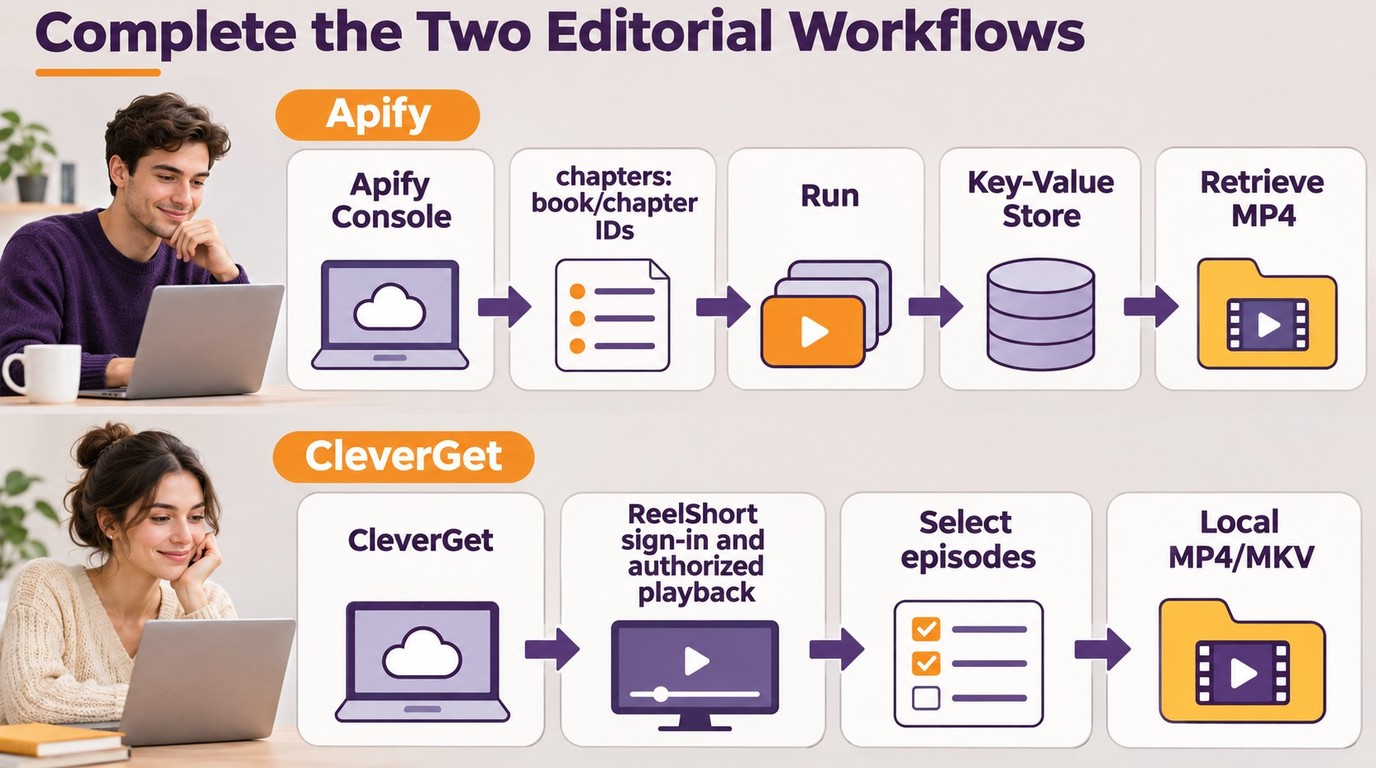
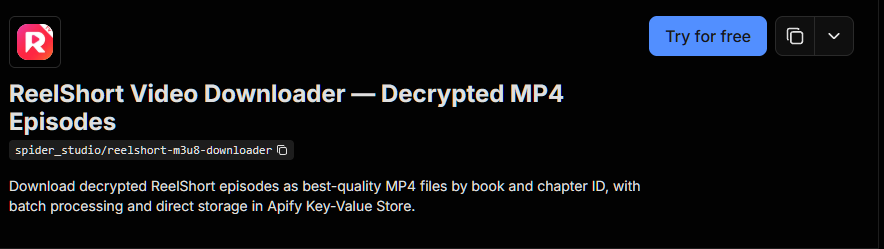
Apify ReelShort Downloader here means the community-maintained Actor identified as spider_studio/reelshort-m3u8-downloader. It accepts book/chapter ID pairs and stores MP4 results in Apify's Key-Value Store. API access makes it useful when saving is part of an automated workflow.
| Pros | Cons |
|---|---|
| Chapter batches and API access | Requires book/chapter IDs |
| Structured results and file links | Cloud files need local retrieval |
I would choose this for integration work, rather than casual browsing. Its ID-based input adds preparation before you get a video.
- Open the Actor in Apify Console with your Apify account.
- Add the authorized book/chapter pairs under
chaptersand start the run. - Open the results and retrieve the saved MP4 files from Key-Value Store.
Best for an automated collection workflow; less suited to picking a show visually. The listed input uses chapter IDs, not a ReelShort password, so an Apify login and a ReelShort login are different things.
CleverGet ReelShort Downloader: For Desktop Series Selection
CleverGet ReelShort Downloader includes a browser, series detection, batch selection, and MP4/MKV output. Its ReelShort output description specifies H.264. The appeal is selecting episodes from the show rather than assembling chapter IDs.
| Pros | Cons |
|---|---|
| Series detection and batch selection | Desktop installation required |
| MP4/MKV and metadata tagging | Described ReelShort workflow uses H.264 |
I see this as a desktop alternative for an H.264 library. It suits you when those output choices match your player, but isn't a browser-only saving service.
- Install CleverGet and open ReelShort in its built-in browser.
- Sign in to your ReelShort account, play an authorized episode, and let the series load.
- Select episodes and output options, then start downloading to your computer.
The account step belongs inside the installed browser workflow. Use the vendor's official installer rather than an unrelated site offering a password form.
Match the Route to the Viewing Scenario
StreamFab's practical advantage over the ID-driven cloud route is browsing and choosing episodes in a desktop workflow. Against the competing desktop option's described H.264 output, it offers an explicit H.264/H.265 choice. Batch saving itself is shared across these options, so that feature alone doesn't decide the choice.

StreamFab ReelShort Downloader preserves vertical short drama content at up to 1080p resolution with AAC 2.0 audio, H.264/H.265 codec support, and MP4/MKV output—ready for offline playback on any device.
For an ongoing desktop library, I favor StreamFab's combination of batch selection and codec choice. Its desktop requirement is a real limit for a phone-only setup; the official installer provides Windows and Mac releases. The complete three-step workflow appears below, so you can see exactly what preparing an episode batch involves.
For sign-in, prefer an identifiable vendor's official software and a recognizable platform login over an anonymous credential form. Neither a cloud label nor a desktop icon proves how credentials are handled. The useful question is which service receives your account information.
Free and Online ReelShort Downloaders: What to Check
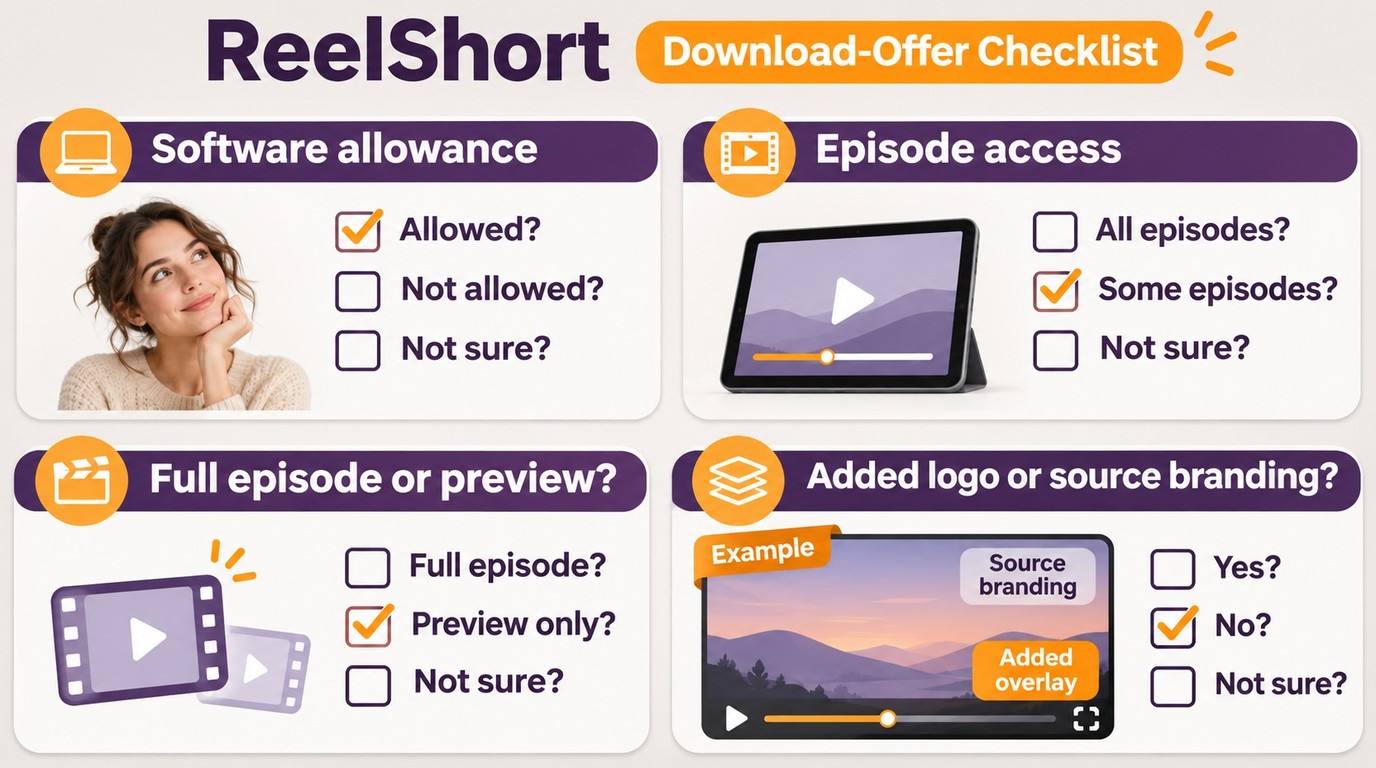
A free ReelShort downloader describes software cost, not free access to every episode. An online ReelShort video downloader describes where the task runs, not whether it delivers a complete, watermark-free file.
Free Software Does Not Mean Free Episodes
Separate the bills before comparing offers. A downloader license pays for software; ReelShort content access is a separate matter. A trial doesn't bundle the show's paid episodes. Likewise, a free app installation tells you nothing about the cost of completing a story.
One commenter in r/ReelShorts captured the cost frustration: “It’s crazy how expensive it gets just to finish one series!” That is a viewer's reaction, not a price schedule. My takeaway is to keep the software offer and the viewing offer distinct, rather than reading “free download” as a promise about both.
A no-cost tool is enough when its accepted episode links, output, and usage allowance cover your task. It falls short when the offer stops at a preview or requires an upgrade before producing the file you need. Those are boundaries to compare, not reasons to dismiss free software.
Look at the object behind the download button. An installer, a sample clip, and a full episode are different deliverables. For a series, also look at whether the tool accepts several episodes together or makes you submit each link separately. A free single-episode workflow might fit a small task while becoming tedious for a longer queue.
A useful offer states the allowance in terms you can apply to your intended episodes. “Free to start” might describe registration, while a trial allowance describes completed saves. Keep the quantity and the task together when estimating whether you need a paid software plan. Don't count a free account as a finished offline library.
Browser-Only Tools and Watermark Claims
Browser-only saving fits a no-install situation when the service handles the authorized episode and returns a usable file. It doesn't fit when your link points to an app-only playback experience that the service can't accept. A URL box is a starting point, not confirmation that your show is supported.
For a ReelShort downloader online without a watermark, distinguish added branding from branding already present in the video. A tool that adds no logo of its own is making a narrower promise than a tool claiming to change the original picture. An MP4 label settles neither question.
I would judge that promise against an allowed sample on the intended screen. Look at the actual picture, listen to the dialogue, and check that the file contains the episode rather than a trailer. Resolution, visible branding, and completeness are separate properties. A ReelShort video downloader without a watermark still has to deliver the right story.
MP4 or MKV: Which Output Fits Your Device?
Choose the container and codec your destination player supports. MP4 or MKV describes the file's container; H.264 or H.265 describes the video inside it. Changing the container doesn't add detail to the source picture.
Match the Container and Codec to Your Player
Start with the player you'll actually use. If its documentation lists MP4 and H.264, that combination is the direct match. If it supports MKV and HEVC, an MKV/H.265 file is another option. Renaming an extension doesn't change the video codec.
These are the output combinations for the desktop workflow below:
| Container | Video codec | Audio | Maximum quality | Playback check |
|---|---|---|---|---|
| MP4 | H.264 | AAC 2.0 stereo | Up to 1080p | MP4 and AVC support |
| MP4 | H.265 | AAC 2.0 stereo | Up to 1080p | MP4 and HEVC support |
| MKV | H.264 | AAC 2.0 stereo | Up to 1080p | MKV and AVC support |
| MKV | H.265 | AAC 2.0 stereo | Up to 1080p | MKV and HEVC support |
StreamFab's official ReelShort Downloader product page, as of November 2026.
I would match the player before worrying about a different container. H.264 is also called AVC; H.265 is HEVC. Recognizing those names helps you compare the player's supported formats with the file settings. The extension alone isn't enough.
Keep language choices separate from picture settings. AAC 2.0 means stereo audio, so select the dialogue language you understand rather than expecting surround sound from that label. Choose subtitles from the tracks available for the episode. A file that opens with the wrong dialogue or missing captions still misses the viewing goal.
How to Use StreamFab ReelShort Downloader on Windows and Mac
StreamFab ReelShort Downloader fits you if you want a Windows or Mac app that batches authorized episodes into MP4 or MKV files at up to 1080p. Choose H.264 or H.265 video with AAC 2.0 stereo to match the saved files to a supported player.
Install, Select, and Save an Episode Batch
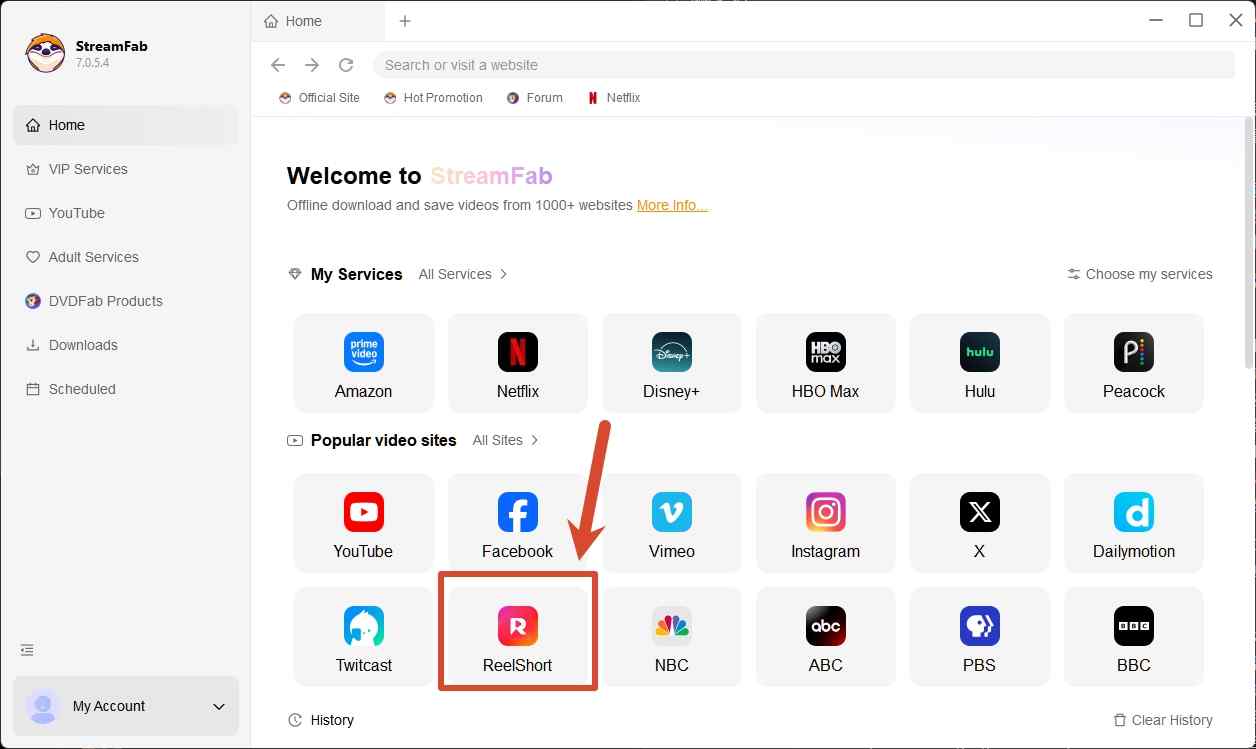
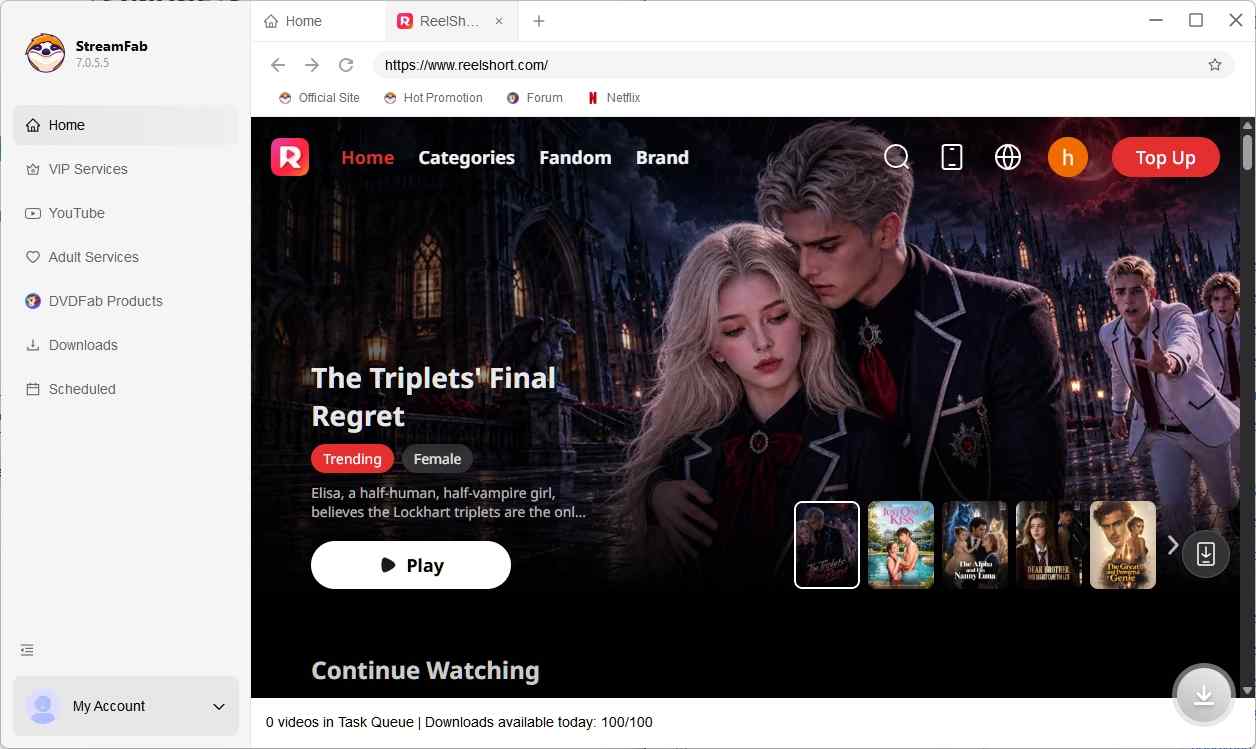
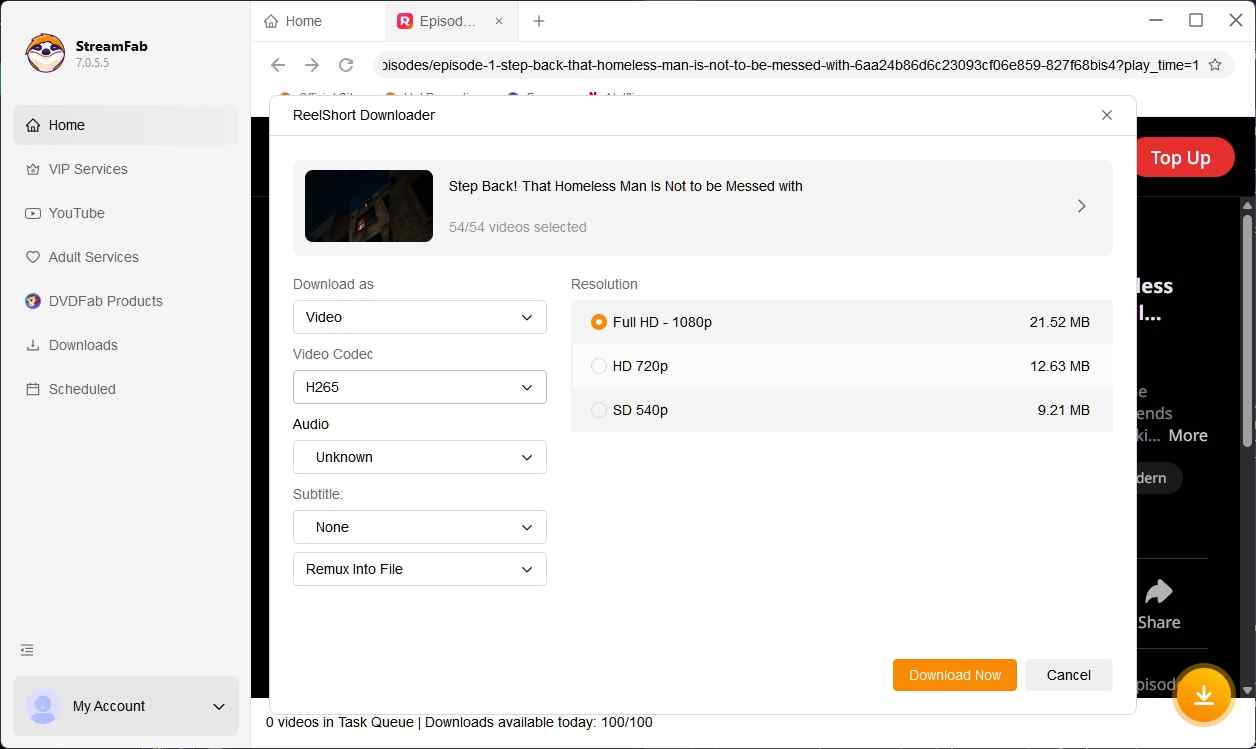
I favor this workflow for a series because the selection happens around the show you're watching, not a collection of chapter IDs. For personal offline viewing, the useful outcome is a folder whose episode order and language make sense when you open it.
The honest limit is source quality: up to 1080p doesn't make a lower-resolution episode Full HD. Select the available quality in the episode's output options; the trial includes three video downloads per service within 30 days.
ReelShort's terms restrict downloads except as expressly permitted, and using non-official saving tools is subject to those terms and applicable law. Save authorized content for your own offline viewing; don't redistribute or resell it.
Get the Windows or Mac release through the official StreamFab ReelShort Downloader page.
ReelShort Downloader FAQ
Choose for Your Viewing Setup
For online phone viewing, the official service keeps the task inside the app; for an authorized episode library, choose a saving workflow that fits your computer and player. The desktop and cloud options serve different preparation habits, so a single winner won't fit every setup. Roul Austin's recommendation is to choose for the screen you'll use, with saving permission settled separately from viewing access. Let the prepared episode, its dialogue, and its place in the story be the final check.
