
Table of contents
If you are looking for a Netflix downloader extension, the short answer is that a standard browser add-on is limited. A Windows browser helper paired with a local desktop component can provide a local-file workflow, while Netflix's official downloads remain managed by the app, device, title, and account conditions.
The real distinction is how an extension handles playback. Some add-ons offer browser controls or screen capture rather than a dependable local video-file workflow. That does not make every extension fake, but it does mean the listing alone cannot tell you whether it creates an actual MP4 or MKV file.
The "Screen Recording Trap" of Popular Netflix Downloader Extensions
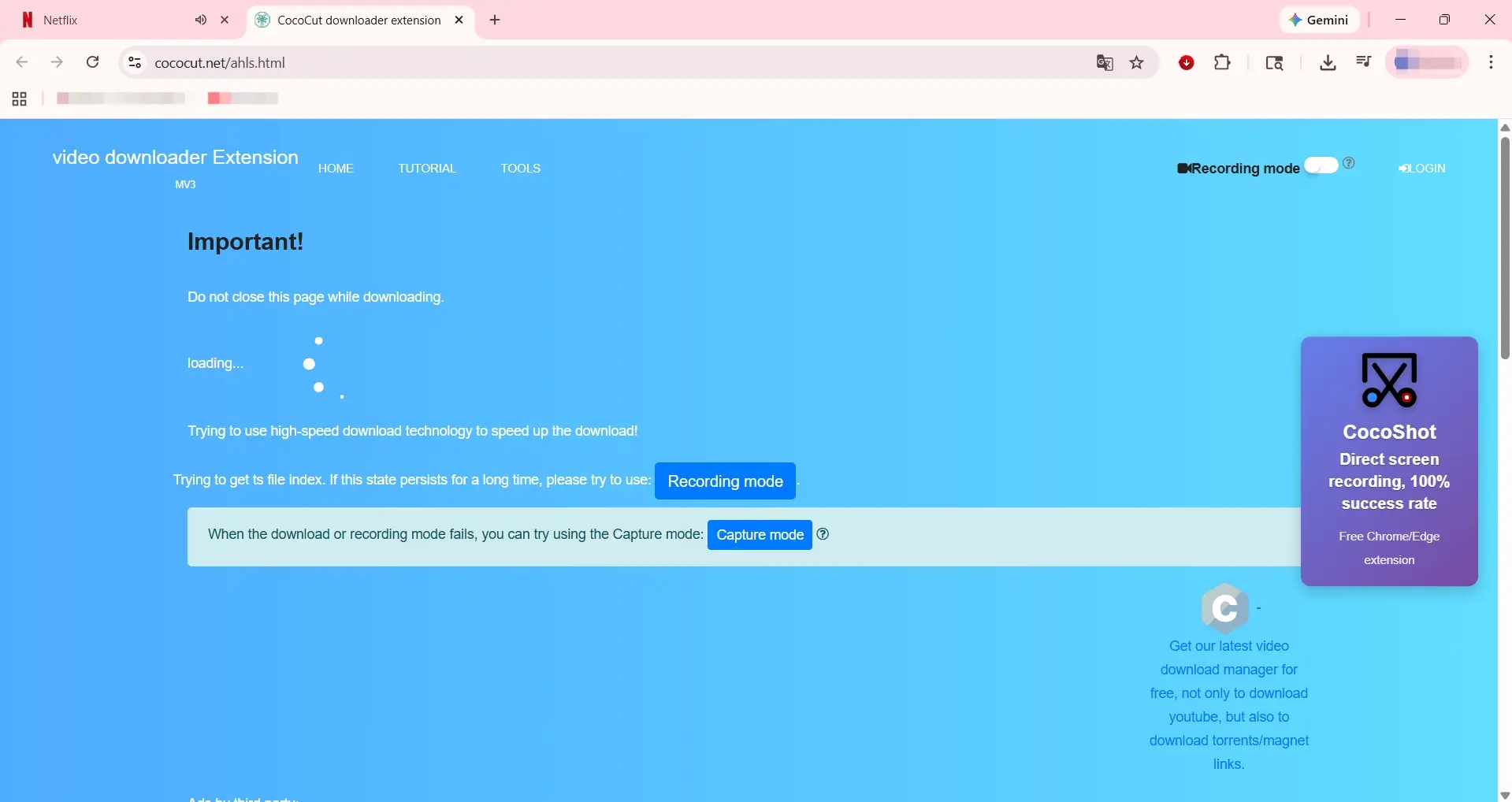
To prove I am not exaggerating, I did a hands-on test with CocoCut, one of the most famous extensions with a massive install base. When I clicked its extension icon on a Netflix playback page, expecting a smooth download, the experience was a total disaster.
It didn't immediately fetch the file like a true downloader should. Instead, it forced open a brand-new browser window. Then came an endless "Loading..." animation. After several minutes of dead silence, completely failing to parse any real underlying data stream, it finally showed its true colours. The unresponsive interface simply threw 3 to 4 blatant prompts at me, aggressively pushing me to compromise and switch to its "Recording Mode".
Why Browser Recording Loses Quality
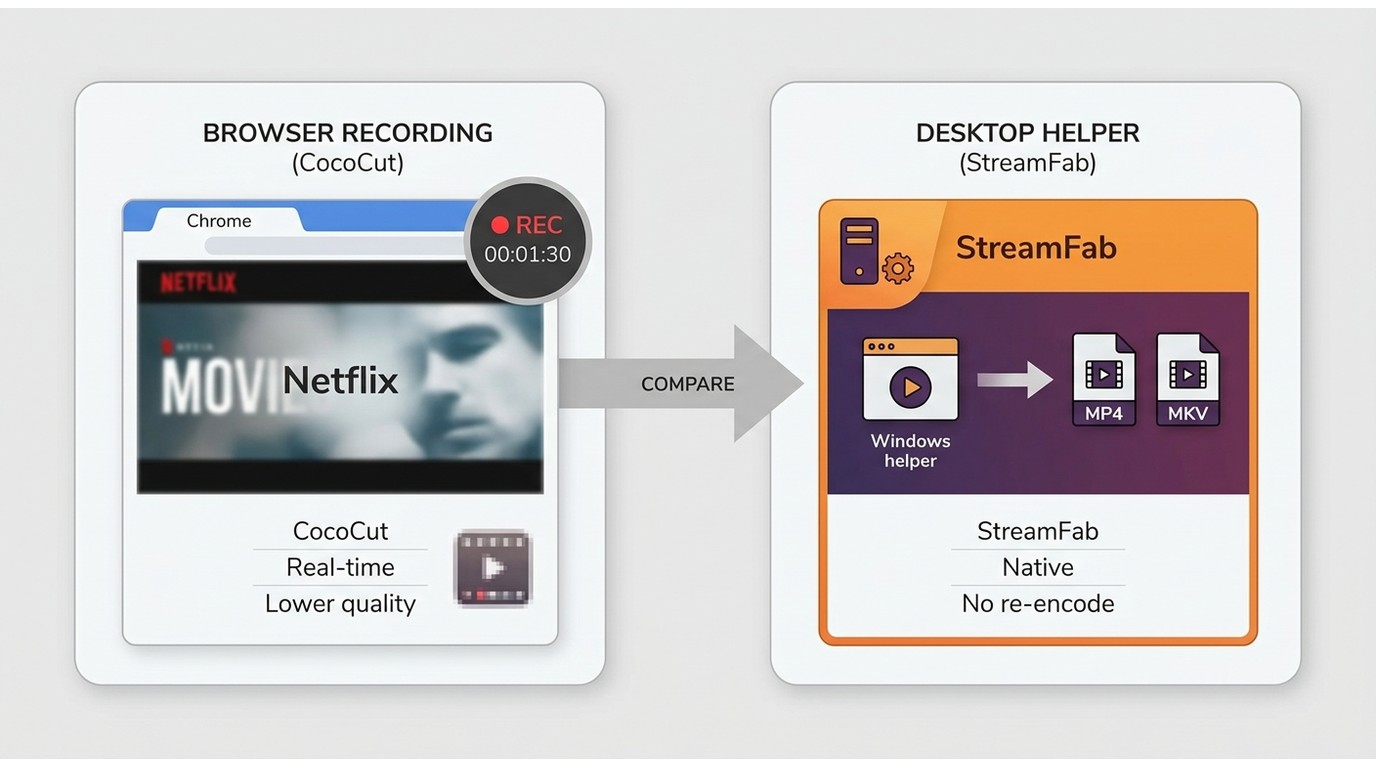
Some users might think, "Who cares if it's a download or a recording, as long as I get the video?" The practical difference is that recording makes your computer play and capture the content in real time, which can increase the time required and affect the output.
- The 1:1 Time Drain: Recording means your computer has to literally "watch" the entire show. If you want to save a 54-minute episode, your PC must sit there playing it for exactly 54 minutes. You won't even dare to open other heavy software during this time, fearing a system lag might ruin the entire recording.
- Quality and Frame-Drop Concerns: Screen recording is not a simple "copy and paste". Your CPU has to process and re-encode every pixel on your screen in real time. It is like using your phone to record another phone's screen. The result may be more compressed than the source, and system load can contribute to dropped frames or audio-sync problems.
-
Subtitle and Audio Track Limits: Screen recording captures whatever is visible on your screen as a single image layer. It generally does not provide clean, standalone
.srtsubtitle files, and switching between English or Spanish audio tracks later may not be available.
What Browser Sandboxing Changes
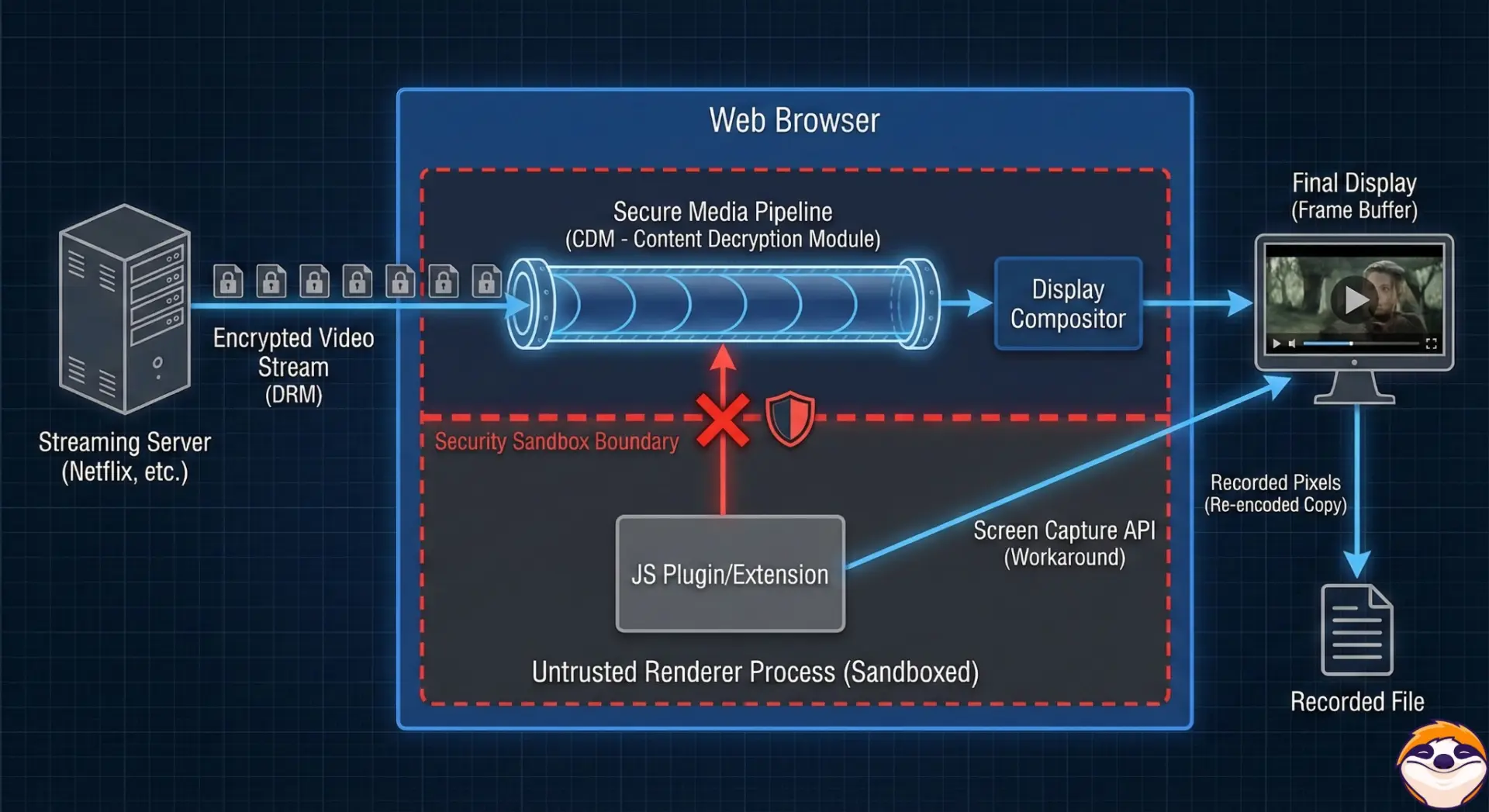
To understand this, you need to know how modern browsers work. For your safety, browsers like Chrome and Edge operate in an isolated environment called a "Sandbox." Think of the browser as a hotel room, and the plugin as a guest. The guest can order room service, but it does not have direct access to the hotel's underground vault.
Streaming platforms use complex delivery protocols. A small JavaScript-based Netflix browser extension operates within the browser's permission model, so it may not have the access or local processing resources needed to create a complete video file from playback. That limitation helps explain why some browser add-ons redirect users to screen recording instead of offering a direct local-file workflow.
Extension, Desktop, or Official Download?
The right workflow depends on your device and what you need to do with an authorized Netflix title. The browser helper is a Windows workflow for Google Chrome and Microsoft Edge; StreamFab also offers a standalone desktop app for macOS, while Netflix's official downloads remain app-managed. Use the helper only for content you are authorized to access, where permitted by Netflix's terms and applicable law.

- Cinematic & Ad-Free: Download clean, ad-free 1080p MP4/MKV files fully supported by HDR10/Dolby Vision and Dolby Atmos audio.
-
Smart Audio & Subs: Auto-selects your native language. You can extract subtitles as standalone
.srtfiles or remux them directly into the video. - Batch Download: Queue entire seasons for high-speed batch downloading.
- Metadata Scraping: It automatically scrapes and embeds all official metadata (titles, plot summaries, HD posters) to keep your home theatre library perfectly organised.
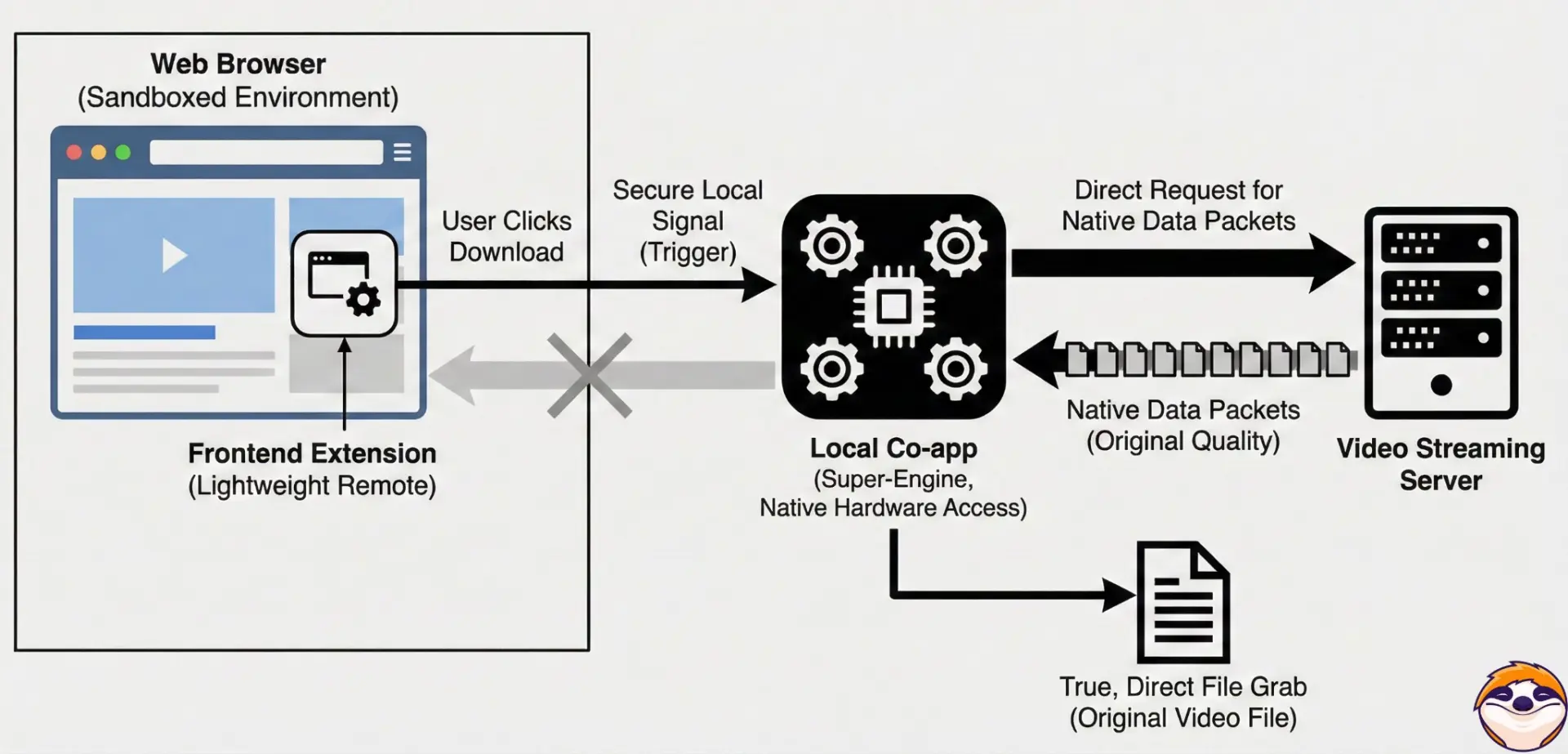
The Windows helper uses a practical "Frontend Extension + Local Co-app" combination. The extension handles browser interaction, while the local Co-app takes over the download workflow on the computer. This design avoids relying on a browser tab to capture the screen and provides a local-file workflow in supported configurations. If you prefer Netflix's managed offline viewing, the official app remains the appropriate route.
Netflix Downloader Options at a Glance
| Option | Platform | Output | Quality | Retention/workflow |
|---|---|---|---|---|
| StreamFab browser helper | Windows, Chrome/Edge | MP4/MKV | Up to 1080p, plan-dependent | Local-file workflow |
| StreamFab desktop app | Windows/macOS | MP4/MKV | Up to 1080p, plan-dependent | Batch queue, local files |
| Netflix official downloads | Supported mobile/tablet devices | App-managed | Title and plan-dependent | In-app offline playback |
| Generic browser extension | Browser-dependent | Varies, often capture | Varies | No dependable native-file workflow |
There is no single best ever workflow for every viewer. Choose the browser helper when you use Windows, Chrome or Edge, and want a local-file workflow. Choose the desktop app when macOS support or a broader desktop setup matters. Choose Netflix's official app when managed offline playback is all you need.
Pricing, Trials, and Plan Fit
Free options can be useful for occasional needs, but they commonly offer fewer controls than a paid workflow. StreamFab's trial provides 30 days for each streaming service, with up to 3 video downloads per service during the trial; trial features match the paid version, subject to the trial quantity limit. Monthly subscriptions have a 7-day unconditional refund period, while annual and lifetime purchases have a 14-day refund period under the listed conditions, as of July 2026.
A paid plan makes more sense for viewers who regularly save authorized titles, need MP4/MKV output, or want batch controls. Occasional viewers may prefer Netflix's official downloads or the available trial before choosing a paid plan.
A Windows Test With Stated Conditions
This Windows 11 run is useful as an example of one observed workflow, not as a universal speed guarantee. I recorded the setup and output details so the result can be interpreted within its actual conditions.
Connected to a 5G Wi-Fi network, my baseline speed test showed 33.58 Mbps download (roughly 4.19 MB/s max) and 58.49 Mbps upload. My target was Netflix's 13 Reasons Why (Season 1, Tape 1, Side A), which has an official runtime of 54 minutes and 24 seconds.
Observed result: The 54-minute title finished in 7 minutes and 26 seconds, with the measured speed reaching 3.8 MB/s during this run. A screen-recording workflow would normally require the title to play through in real time, so this result shows why a local workflow may suit Windows users who want to save authorized content as a file. Network conditions, titles, and software versions can produce different results.
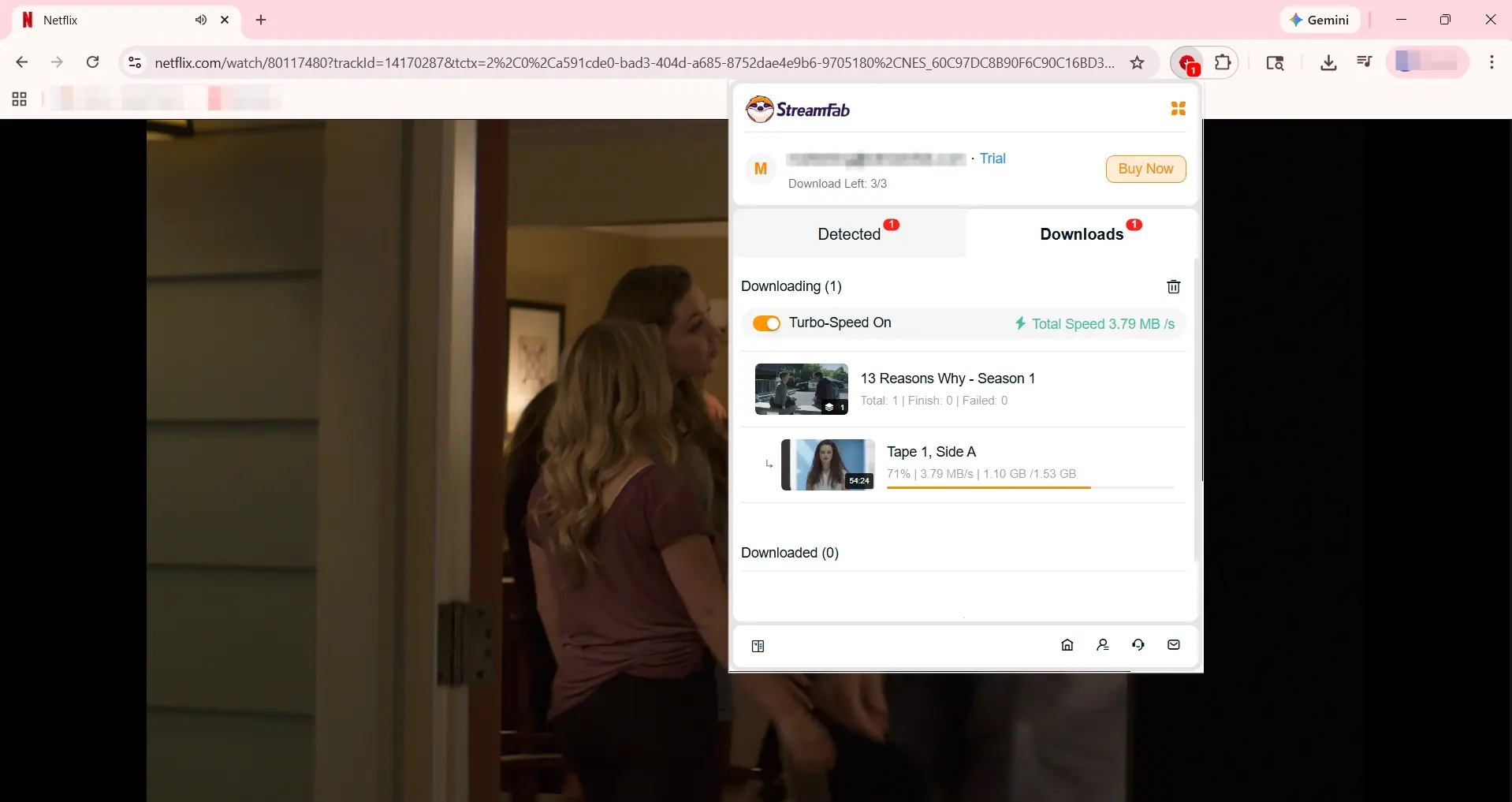
To check the output file, I reviewed its underlying properties with MediaInfo. The file details below describe this particular result rather than a guarantee for every title or configuration:
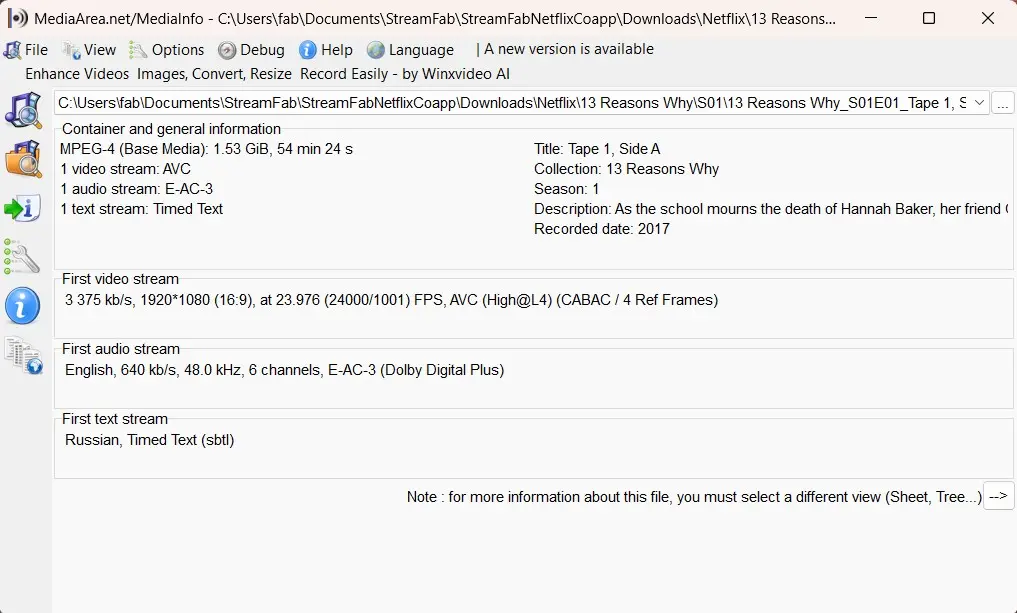
- Output File: It is a 1.53 GiB MPEG-4 (Base Media / avc1) file, rather than a small screen-capture clip.
- Observed Video Details: The video showed a 4,020 kb/s Variable Bit Rate and a 23.976 FPS frame rate in this file.
- Metadata Preservation: The file properties included the title (Tape 1, Side A), season information (Season 1, Part_ID 1), an English synopsis, and embedded HD cover art.
Use the Browser Helper on Windows
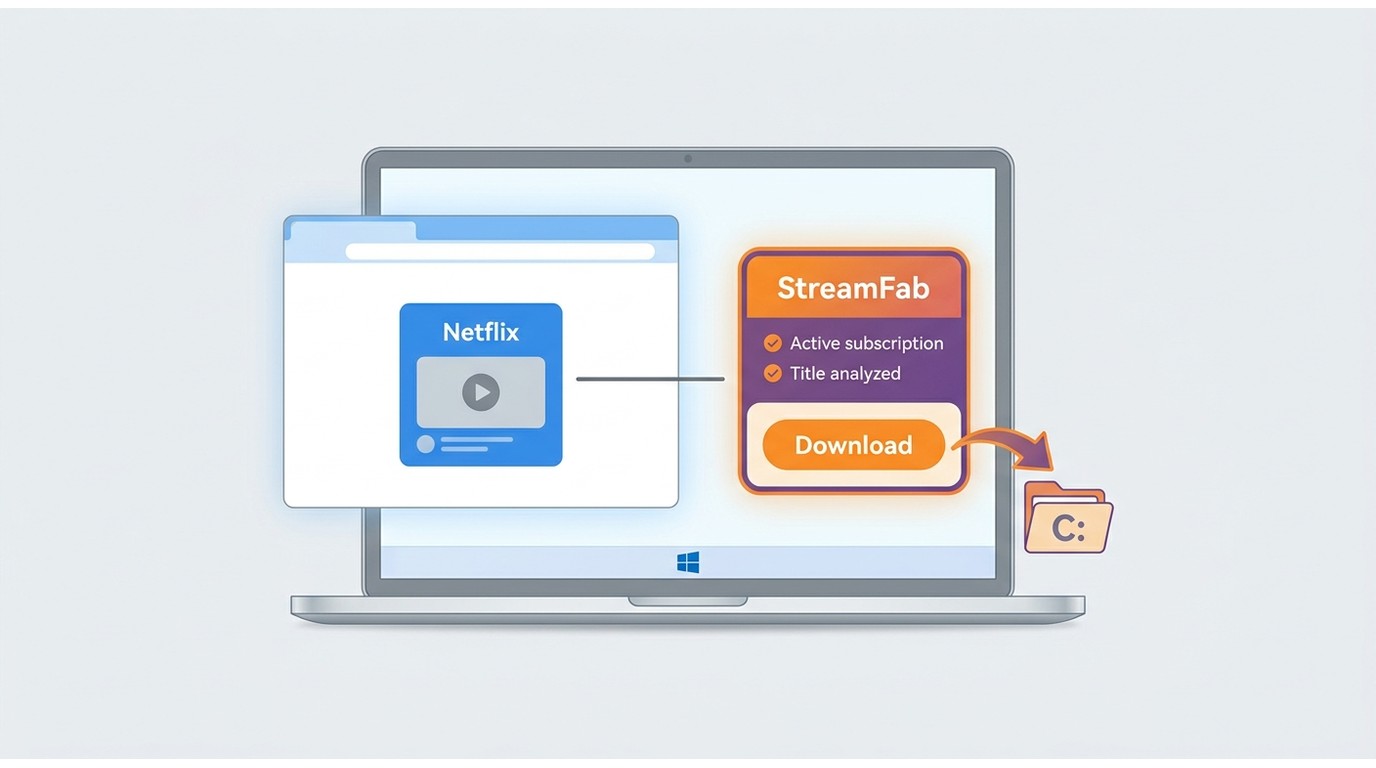
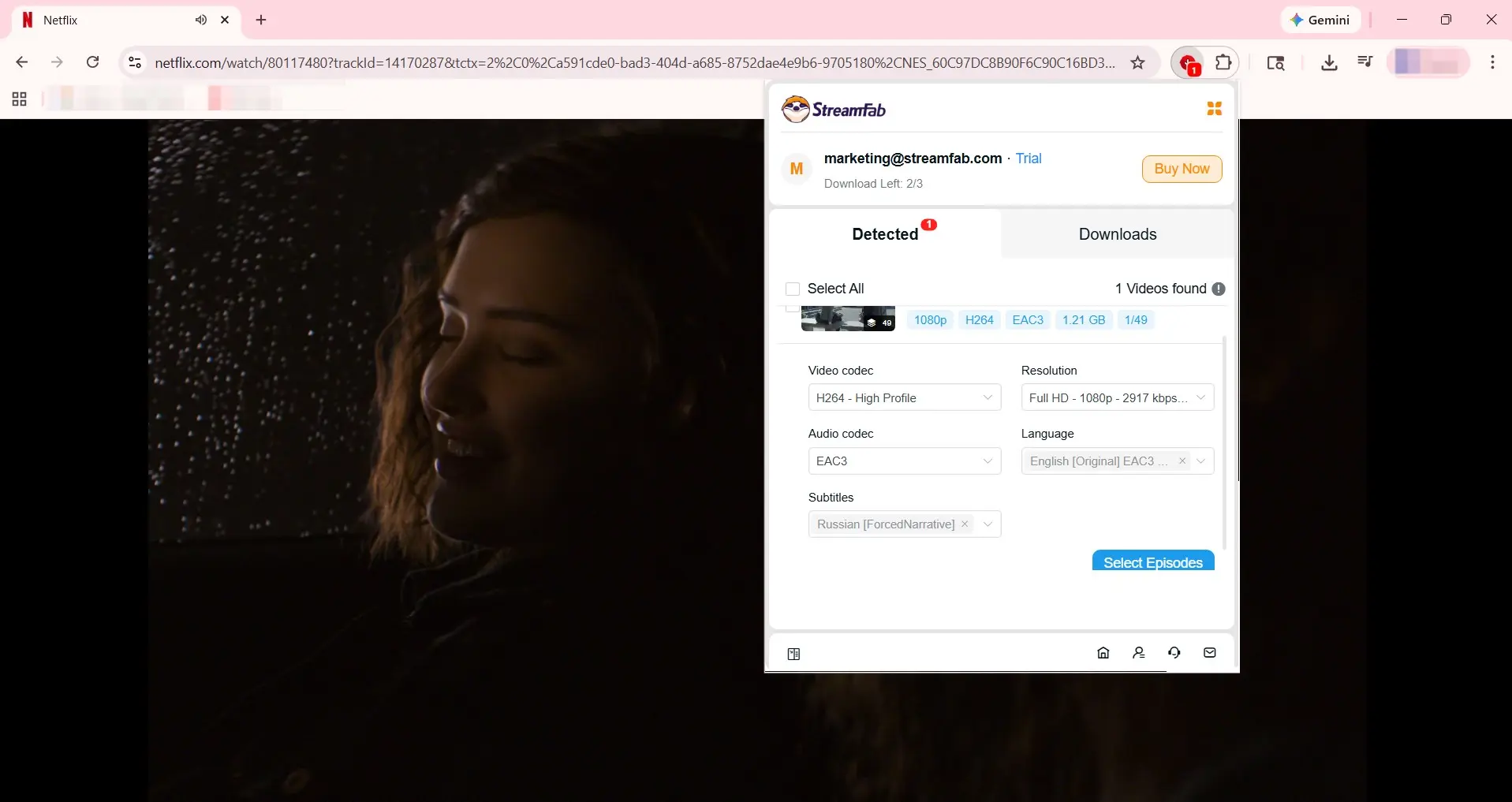
The browser helper is designed for Windows with Google Chrome or Microsoft Edge. Sign in with an authorized Netflix account, confirm that your StreamFab version and browser helper are current, and use it only for titles you are authorized to access.
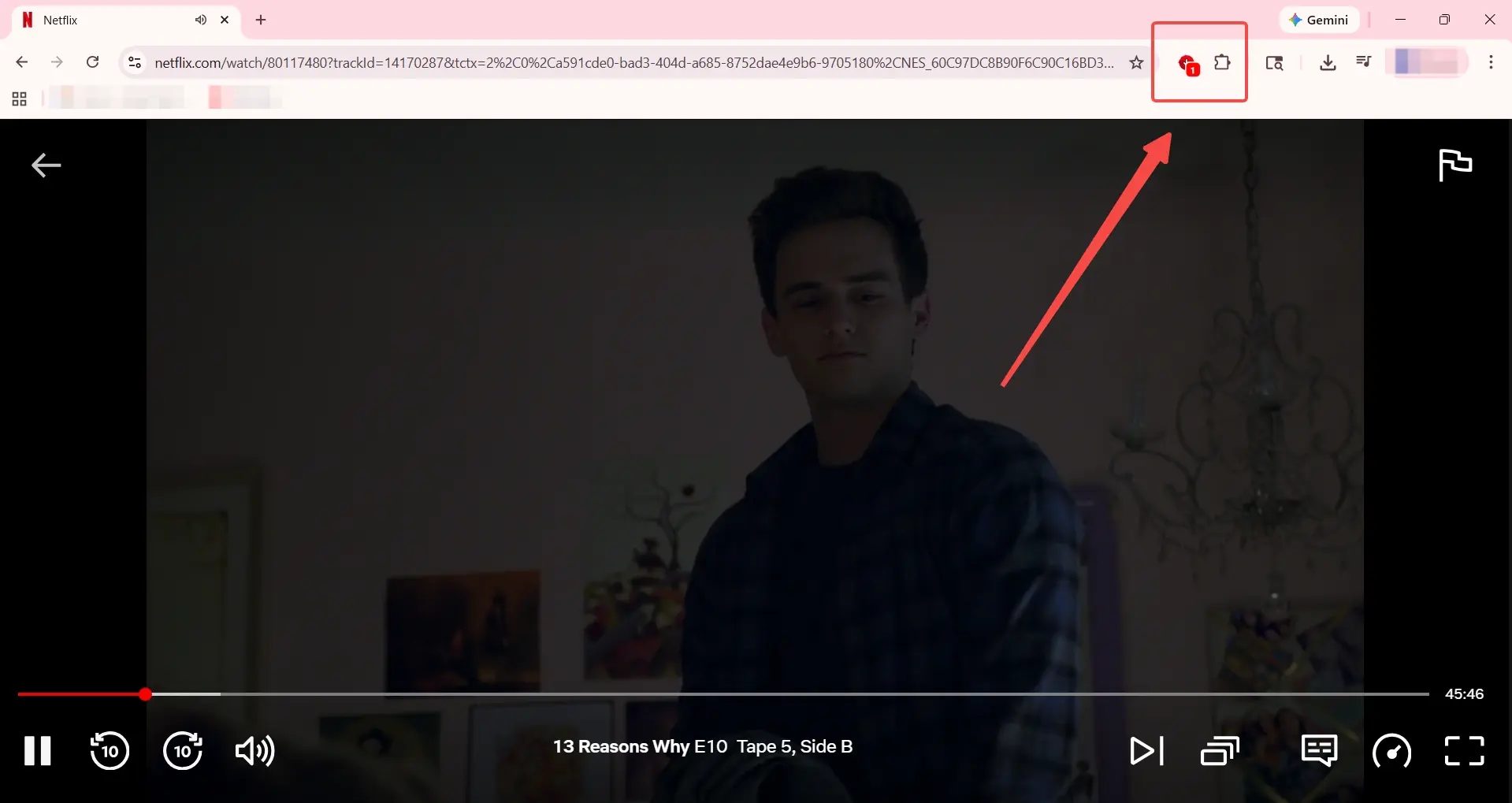
Batch Downloads, Audio, and Subtitles
For a season, select the episodes you want, add them to the queue, choose from the available audio tracks, and select either standalone SRT subtitles or embedded subtitles. The available quality, audio, and subtitle choices depend on the title and supported configuration.
For readers saving several authorized episodes, I find the queue-based workflow more practical than keeping a browser tab playing for each title. It puts episode selection, audio choice, and subtitle output in one sequence without turning the article into a separate full-season tutorial.
Safety, Account Use, and Recovery
Use an account and content you are authorized to access, do not redistribute saved files, and follow applicable law and Netflix’s terms. The workflow is not a substitute for an active Netflix account, and results can vary with the title, plan, device, and software version.
If analysis or login fails, update StreamFab and the browser helper, sign in again, and retry the title. If the problem continues, use the troubleshooting guide or contact StreamFab support with the title and error details.
FAQs About Netflix Downloaders
Update Log
This article reflects the current distinction between browser helpers, desktop workflows, and Netflix’s official downloads.
- The browser helper is intended for Windows with Chrome or Edge.
- StreamFab desktop workflows are available for Windows and macOS.
- Netflix official downloads remain managed within the Netflix app.
Use downloaded content only within applicable terms and law.
Conclusion
The real decision is architectural: a browser extension alone has limited access to playback, while a browser helper can hand the workflow to a local desktop component. That distinction matters when you need a local file rather than screen capture, but it does not replace Netflix’s official app-managed download option.
For Windows users who need a local-file workflow and are authorized to access the title, the StreamFab browser helper is one practical option. Mac users can use the standalone desktop workflow, while viewers who want managed offline playback should use Netflix’s official app. No option is the best ever for every setup, so match the workflow to your device, title, and intended use.
