Why Netflix Offline Downloads Have Different Caps
Netflix offline downloads are limited by your U.S. plan, the title, the device, and expiration rules. Before a trip, check your Netflix download device limit, title availability, and in-app timer: those three details determine whether a download will work when you are offline.
Download availability can vary by title, licensing rights, region, plan, and supported device. The practical takeaway is simple: the travel problem is usually not storage space, but a title-specific rule or an old device still using one of your download slots.
For viewers who also compare 4K Netflix movies, it helps to separate playback quality from offline eligibility. The sections below cover the current plan matrix, common fixes, and the checks worth making before departure.
Current Netflix Download Rules by Plan
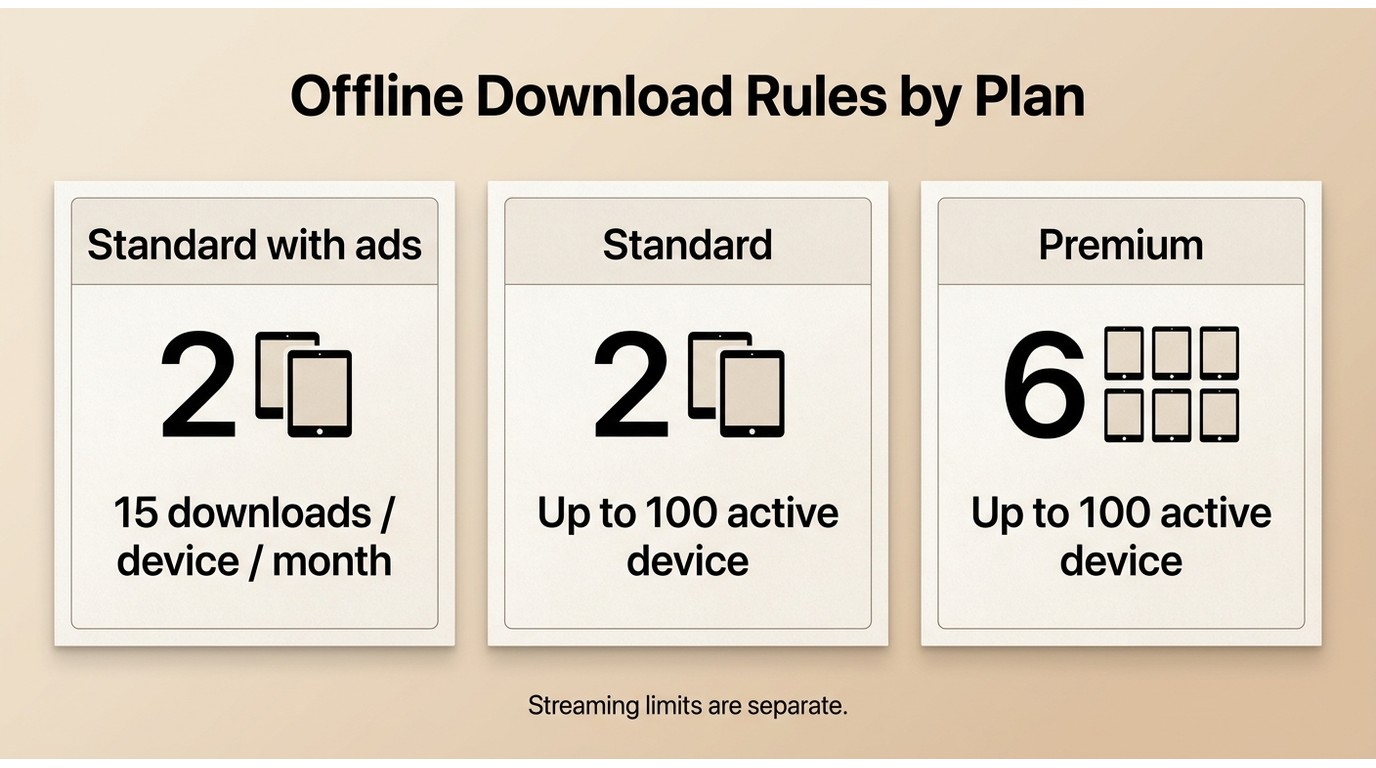
Netflix uses separate rules for plan-level download devices, title counts, expiration, and supported hardware. Those limits are easy to confuse because a device allowance is not the same as a monthly title allowance or a simultaneous-stream limit.
U.S. Plan and Title Caps
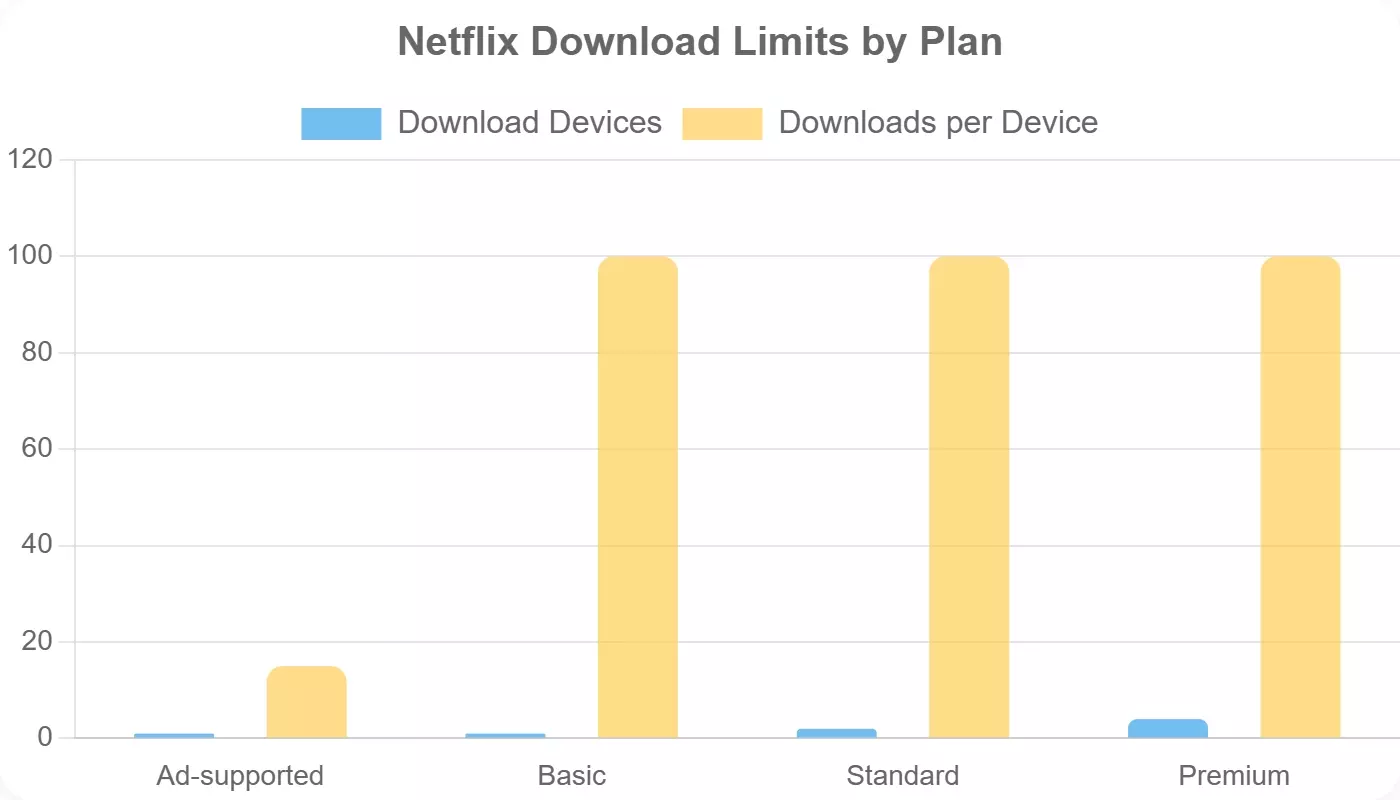
Ad-free plans can hold up to 100 active downloads per supported device. Standard with ads works differently: it allows 15 downloads per device per calendar month, so the count tracks downloads made rather than files currently stored.
Expiration and Renewal Rules
Netflix download expiration is title-specific, not one universal countdown. The app shows the remaining time when a download has less than seven days left.
Some titles can expire after a shorter window, and some begin a separate 48-hour timer once playback starts. If an expired title is still available, renew it in the Netflix app while you are online.
A renewal may not be available if the title left the catalog or reached a title-specific redownload limit. I would check the visible timer close to departure instead of relying on a 30-day assumption.
If renewal is unavailable, the official option is to stream the title when it is available again. A separate local-file workflow is discussed below for authorized personal offline viewing where platform terms and applicable law permit.

Supported Devices and File Limits
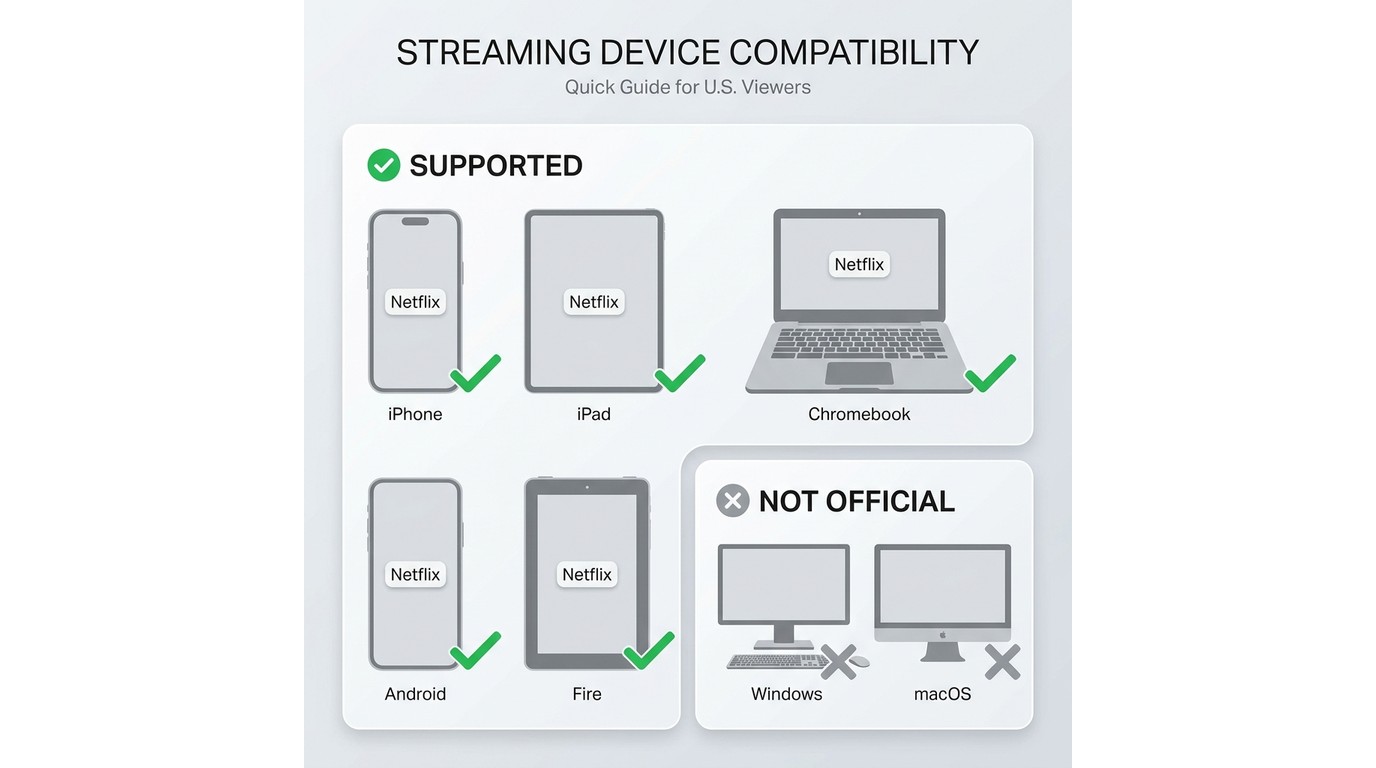
If you thought you could download Netflix anywhere, on any device—sorry to disappoint. Not all devices support Netflix offline downloads.
- Windows PC: The current Windows app does not support official offline downloads. Readers who need to watch Netflix offline on a PC or laptop need to account for that desktop limitation before travel.
- macOS: Netflix does not support official offline downloads on Mac. That matters for anyone trying to download Netflix movies on a MacBook before a trip.
- Supported download platforms: Official downloads are available on specified Android phones and tablets, iPhone and iPad, Amazon Fire tablets, and compatible Chromebooks with Google Play.

In a world where more people are working and watching on laptops, it’s wild that you can't download Netflix movies on Mac, and now you can't even download them on Windows PCs anymore. It’s like they want you to watch offline... but only on their terms.
This is probably intentional, to keep content secure and reduce piracy risks, but as a paying user, it can feel unnecessarily limiting.
| U.S. plan | Standard with ads |
|---|---|
| Download-enabled devices | 2 supported devices |
| Simultaneous streams | 2 |
| Downloads per device | 15 per calendar month |
| U.S. plan | Standard |
| Download-enabled devices | 2 supported devicesSimultaneous streams2 |
| Downloads per device | Up to 100 active downloads per devicePremium: 6 download-enabled devices, 4 simultaneous streams, and up to 100 active downloads per device; all plans support up to 1080p playback where available.Official download platforms: specified Android devices, iPhone and iPad, Amazon Fire tablets, and compatible Chromebooks with Google Play (as of July 2026). |
Fix Common Offline Download Errors
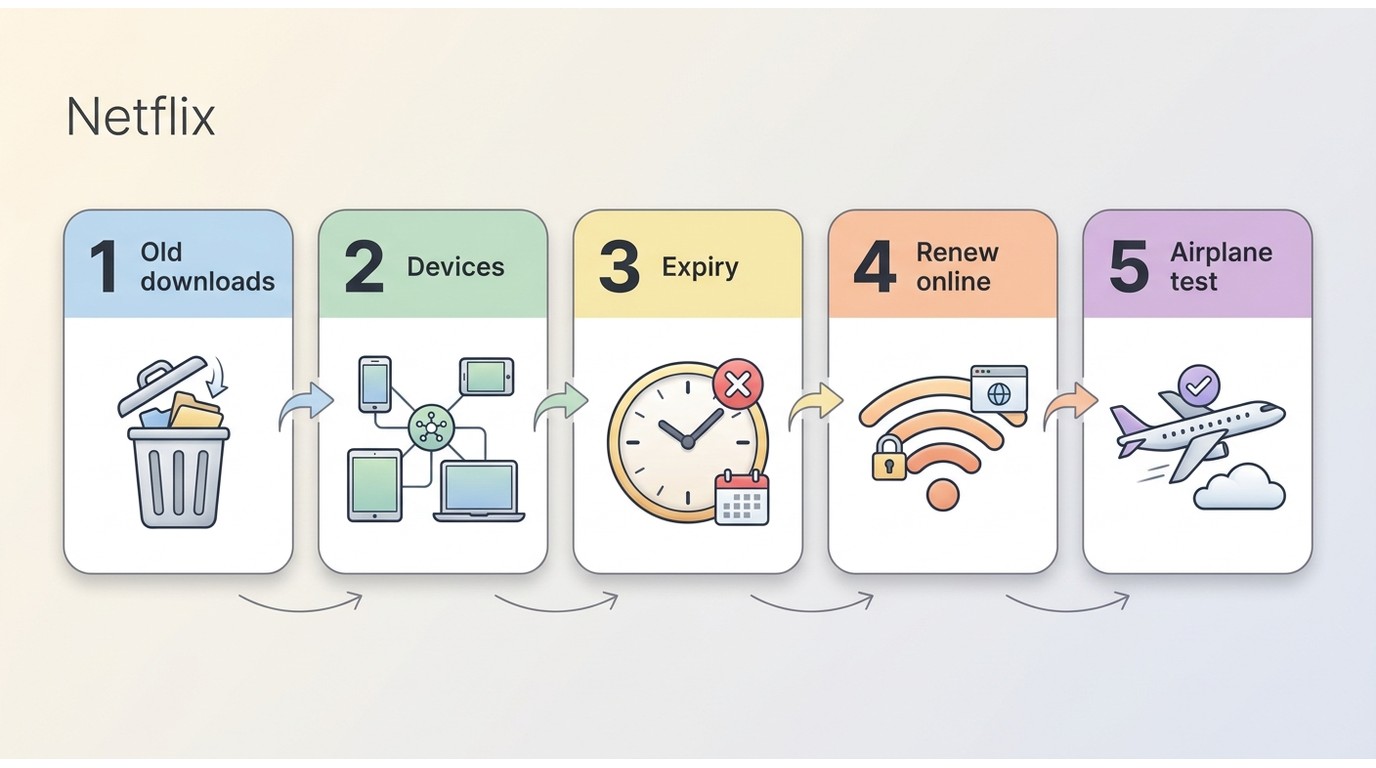
- Download Max Reached: delete files for active download space, but wait until next month for an ad-supported monthly allowance reset.
- Too many download devices: open Manage Download Devices and remove phones or tablets you no longer use.
- Missing or expired title: check the title’s timer, renew while online when available, and confirm it remains in the catalog.
- Windows download option missing: use a supported mobile device, Fire tablet, or compatible Chromebook for official downloads.
- For broader account troubleshooting, review StreamFab Netflix Downloader Test on one downloaded episode in airplane mode before leaving.
Reset Download Max Reached
Deleting a finished title can free storage or active-download space, but it does not restore downloads already counted toward the ad-supported plan’s 15-per-device calendar-month allowance. That allowance resets on the first day of the next month. For a long series, this distinction matters most when you are packing episodes for a trip.
Remove Old Download Devices
Sign in to your Netflix account and open “Manage Download Devices.” Remove old phones, replaced tablets, or any device you no longer use for offline viewing.
Old devices that still hold downloads can consume your plan’s download-device allowance. Removing them is the relevant fix when a new supported device cannot download.
Check Expiration Before Travel
Before you leave, confirm that each title still has a download button, inspect any visible expiration timer, and complete required renewals while you are online. This is more reliable than downloading on a fixed schedule because expiration timing varies by title.
Test Downloads Before Departure
Keep the Netflix app signed in on the supported device you plan to bring. After cleaning up obsolete download devices, turn on airplane mode and play one downloaded episode before departure.
If playback fails while you still have an internet connection, you have time to renew the title, re-download it, or choose another available title. That small check is often more useful than discovering a problem at the gate.
Official Downloads vs. Local-File Workflows
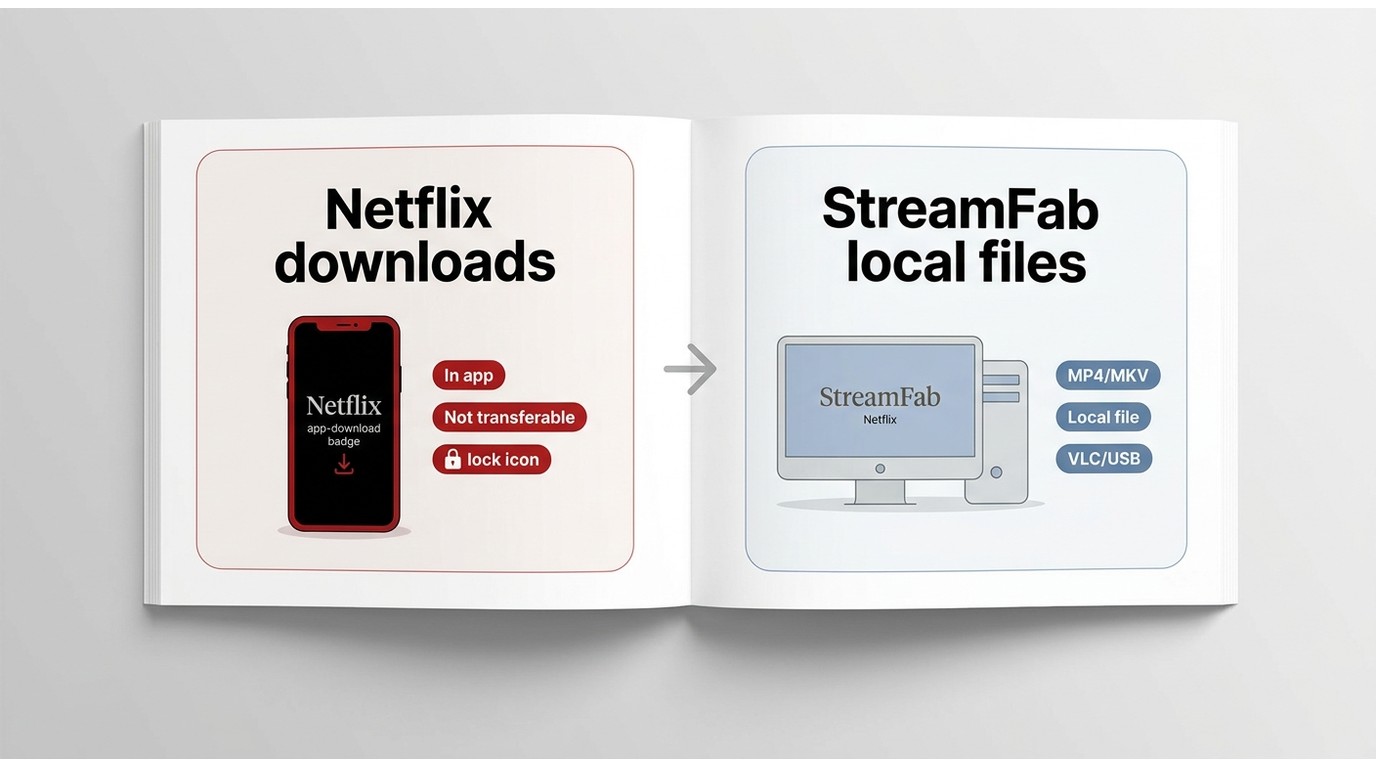
Decision point: Official Netflix downloads are app-managed and device-bound. For content you’re authorized to access, where permitted by platform terms and applicable law, a local-file workflow can suit personal offline viewing on a desktop.
Official downloads are the better fit for occasional phone, tablet, Fire tablet, or Chromebook viewing inside the Netflix app. They do not create ordinary transferable video files, and they remain managed by the app on the download device.
For content you’re authorized to access, where permitted by platform terms and applicable law, StreamFab Netflix Downloader is a desktop option for Windows and Mac users who need a local MP4 workflow or MKV organization for personal offline viewing. Its platform-protection approach is described in the related platform-protection guidance; it does not change Netflix account quotas, licensing rules, or title availability.

StreamFab Netflix Downloader supports Windows and macOS local-file workflows, with MP4 or MKV output and up to 1080p where available.
Available title access, output quality, audio, subtitles, and file options depend on the source title, account access, region, and product settings.
- Save a local copy for personal offline viewing of content you are authorized to access.
- Output is available in MP4 or MKV, with up to 1080p where available.
- Original audio options and subtitle choices depend on the title and settings.
- Subtitle files can be saved separately or embedded in the video.
- Metadata can help organize a personal media library.
- Batch handling and scheduled new-episode preparation can suit recurring desktop viewing.
Choose titles you can access
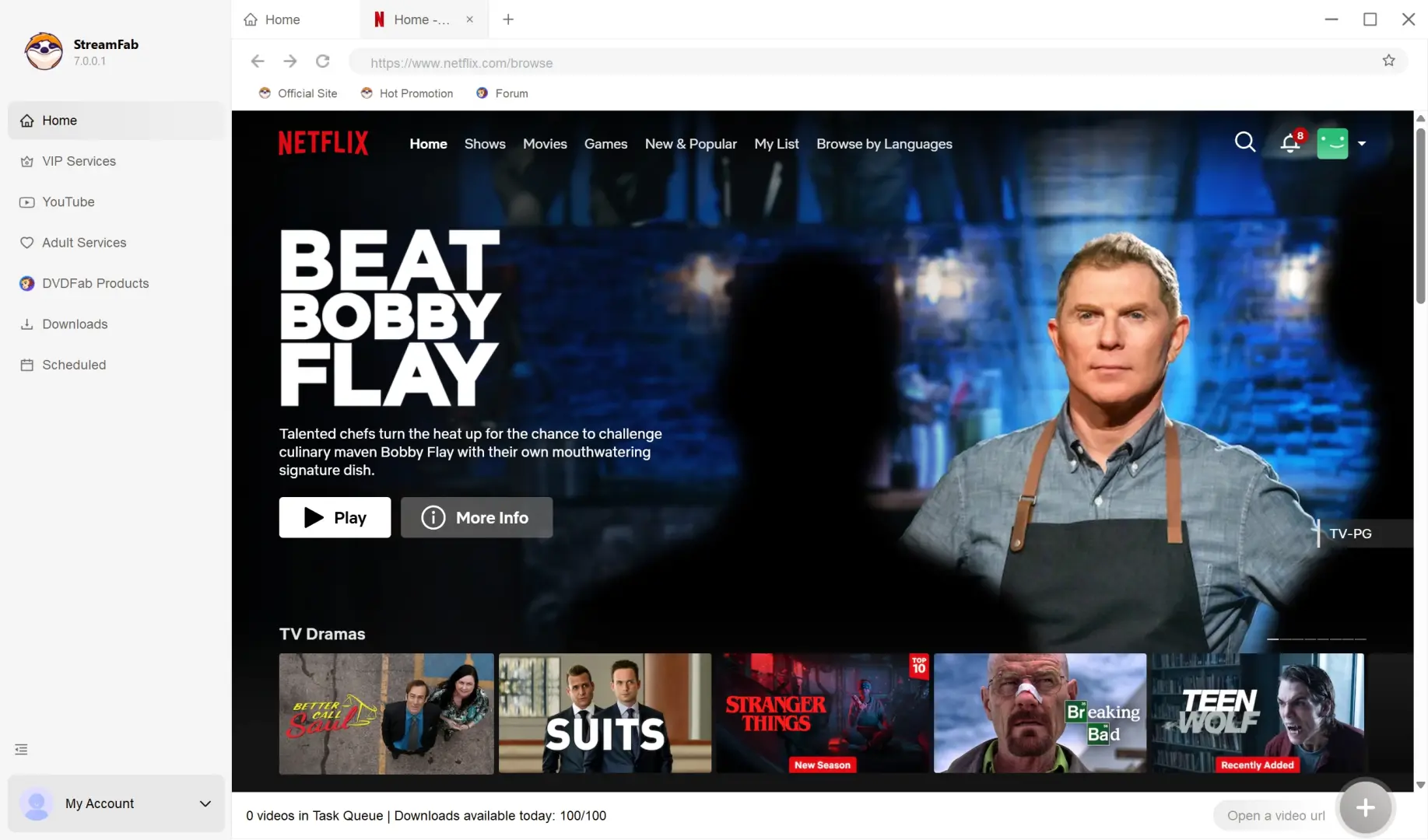
Inside the program, navigate the built-in Netflix browser just as you normally would, and pick whatever movies or TV shows you actually have access to under your subscription. If it can’t be downloaded due to regional licensing, that’s on Netflix, not you.
Manage your offline viewing
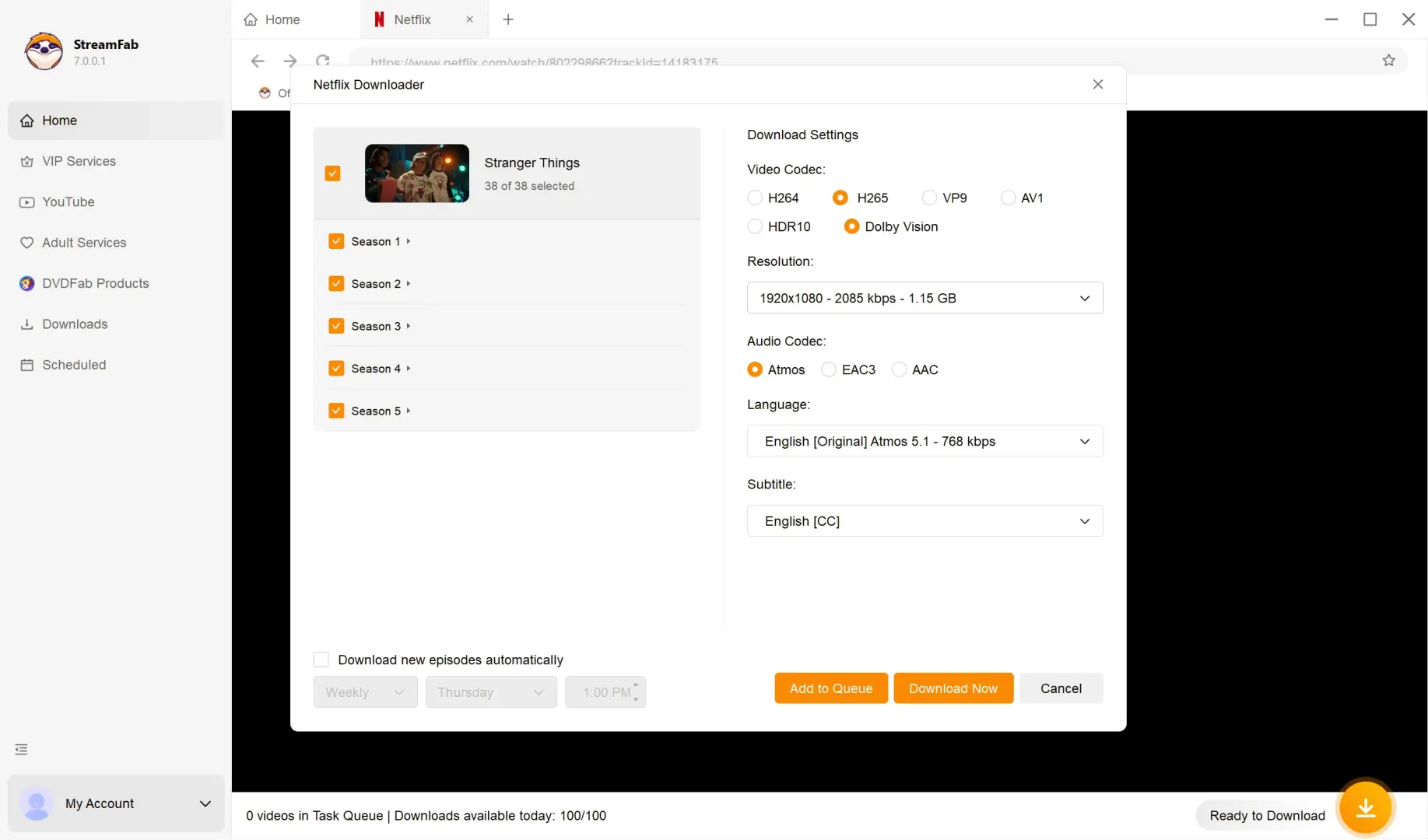
When you’ve got your picks, use the software’s download management tools to keep your shows for offline watching. The interface will automatically guide you through resolution and audio settings.

Legal and Choosing a Desktop Workflow Boundaries
Personal-Use and Licensing Boundaries
Use any local-file workflow only for content you are authorized to access for personal offline viewing, where platform terms and applicable law permit. Do not redistribute saved files, share them publicly, or use them commercially.
Safety
When choosing desktop software, use the official product site and evaluate verified compatibility, update support, privacy information, and any available trial or refund terms. Those criteria are more useful than assuming every alternative is unsafe or that one workflow fits every viewer.
Frequently Asked Questions
Download availability can depend on the title, licensing rights, region, your plan, and whether you are using a supported device. A title can be available to stream but unavailable for official offline download.
2. What should I do when Netflix says "Download Max Reached"?
The message can mean you reached an active-download limit or, on Standard with ads, the 15-download-per-device calendar-month allowance. Deleting files can help with active-download space, but it does not restore downloads already counted toward the monthly allowance; that resets on the first day of the next month.
In the current U.S. lineup, Standard with ads and Standard support two devices, while Premium supports six devices. These download-device counts are separate from simultaneous-stream limits.
Expiration varies by title, and some downloads expire 48 hours after playback begins. A title can also disappear if it leaves the catalog, changes regional availability, needs renewal, or the app is not signed in. Check the timer and test playback in airplane mode before departure.
Conclusion
Before downloading, identify your plan’s download-device count, distinguish monthly allowances from active-download caps, check each title’s in-app timer, remove obsolete devices, and test playback before travel. If official supported devices do not meet an authorized desktop user’s needs, a local-file workflow can be a secondary option for personal offline viewing where platform terms and applicable law permit.

Disclaimer:
This software is intended only to help you create a personal backup and manage offline viewing of streaming content that you have legally obtained access to. You must not use it for commercial purposes, sharing, or any other form of unauthorized distribution.
