{{DIRETORY}}
Netflix has over 260 million subscribers worldwide, yet macOS users still face the same frustration: there is no official Netflix app for Mac. Whether you're preparing for a long flight or dealing with unreliable Wi-Fi, the inability to download Netflix movies directly on your MacBook or iMac remains a significant gap in 2026.
The good news? Four proven workarounds exist—and one stands above the rest. This updated guide walks you through each method, from dedicated downloaders to emulator solutions, with current compatibility details for Intel Macs and Apple Silicon (M1/M2/M3/M4). By the end, you'll know exactly which approach fits your needs and budget.
Why Netflix Still Doesn't Have a Mac App in 2026
Netflix offers native apps for iOS, Android, Windows, and even smart TVs—but not macOS. The reason is straightforward: Apple's ecosystem policies and DRM requirements make macOS a lower priority for Netflix's development team. On Mac, Netflix directs users to web browsers, which support streaming but lack offline download capabilities.
This creates a clear problem for Mac users who want to watch content offline. While Netflix's mobile apps allow downloads for up to 100 titles (on ad-free plans), Mac users must rely on alternative methods—each with trade-offs in convenience, quality, and cost.
Below, we break down four methods that actually work in 2026, tested on both Intel Macs and Apple Silicon models.
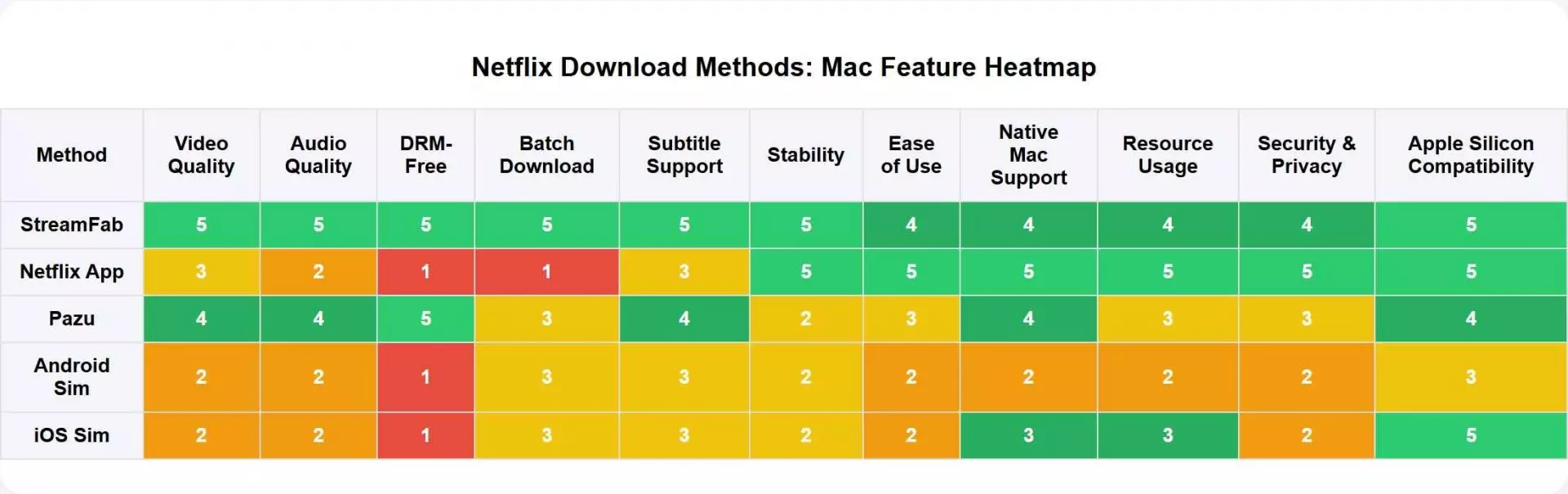
Method 1: StreamFab Netflix Downloader — Best Overall

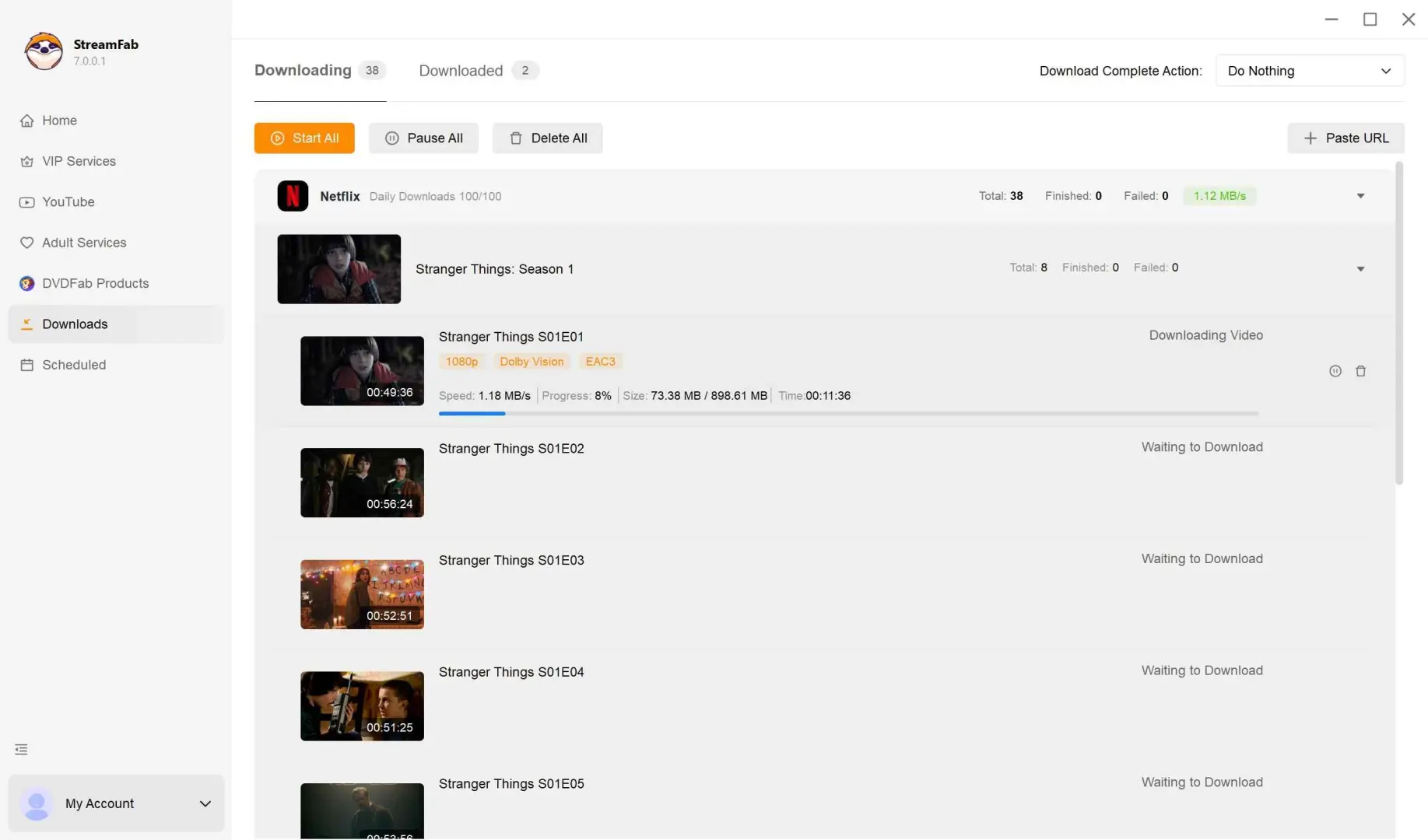
StreamFab Netflix Downloader remains the most reliable solution for downloading Netflix content on Mac in 2026. Unlike browser-based solutions or emulators, it converts Netflix streams into actual MP4 or MKV files stored locally on your Mac—no expiration dates, no device limits, and no dependency on Netflix's app.

- Video Quality: Up to 1080p Full HD with HDR10 and Dolby Vision support
- Audio: Dolby Atmos and EAC3 5.1 surround sound preservation
- Output Formats: MP4 (default) or MKV with customizable settings
- Batch Processing: Download entire seasons automatically
- Auto-Download: Schedule downloads for new episodes as they release
- Ad Removal: Strips ads from all Netflix content regardless of subscription tier
- Subtitle Options: Download subtitles in SRT format or embed them
| System Requirements |
|
| Pricing (2026) |
|
How to Use StreamFab on Mac
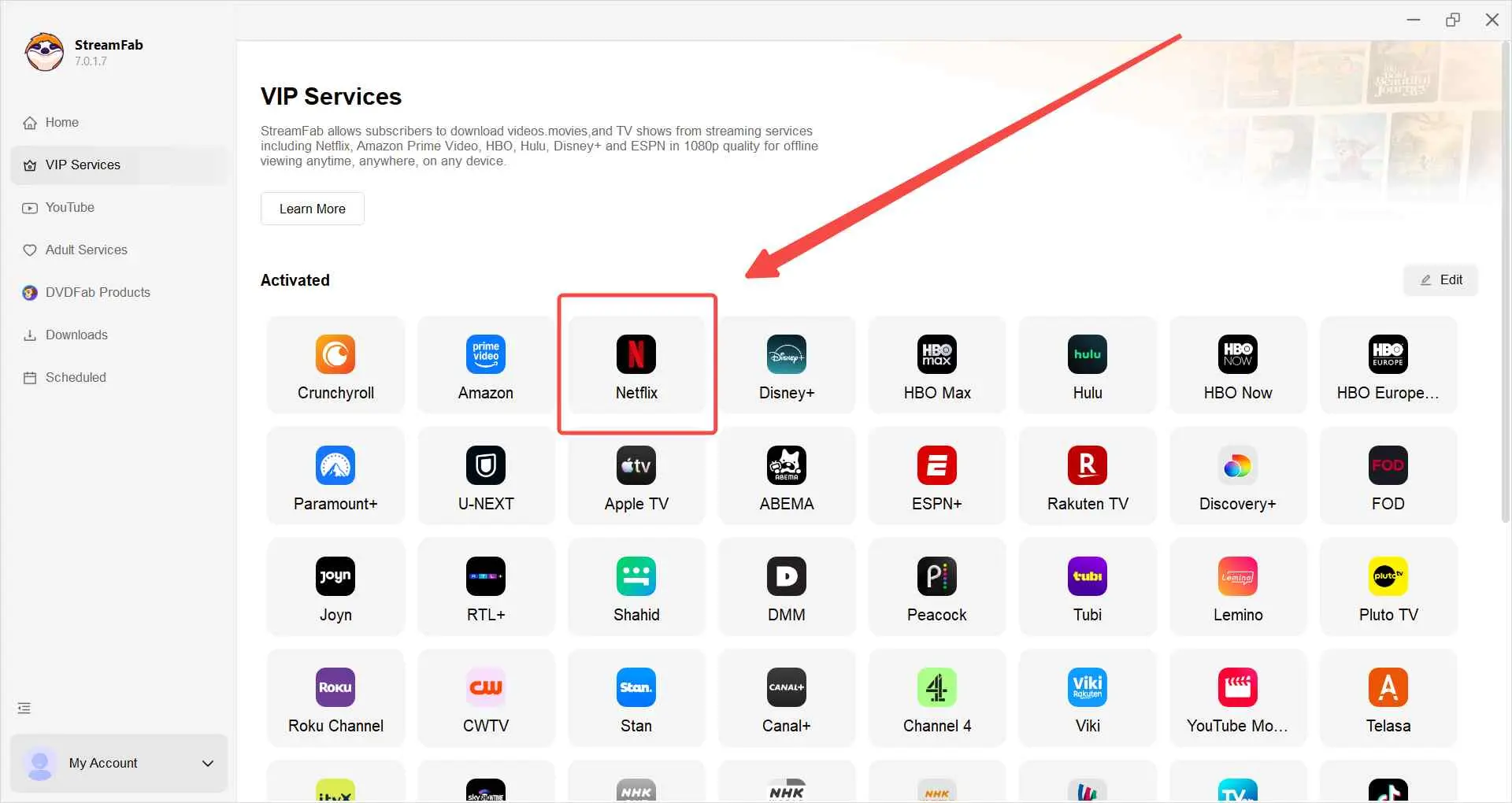
Log in to your Netflix account within StreamFab's built-in browser. Alternatively, paste a Netflix URL directly into the address bar.
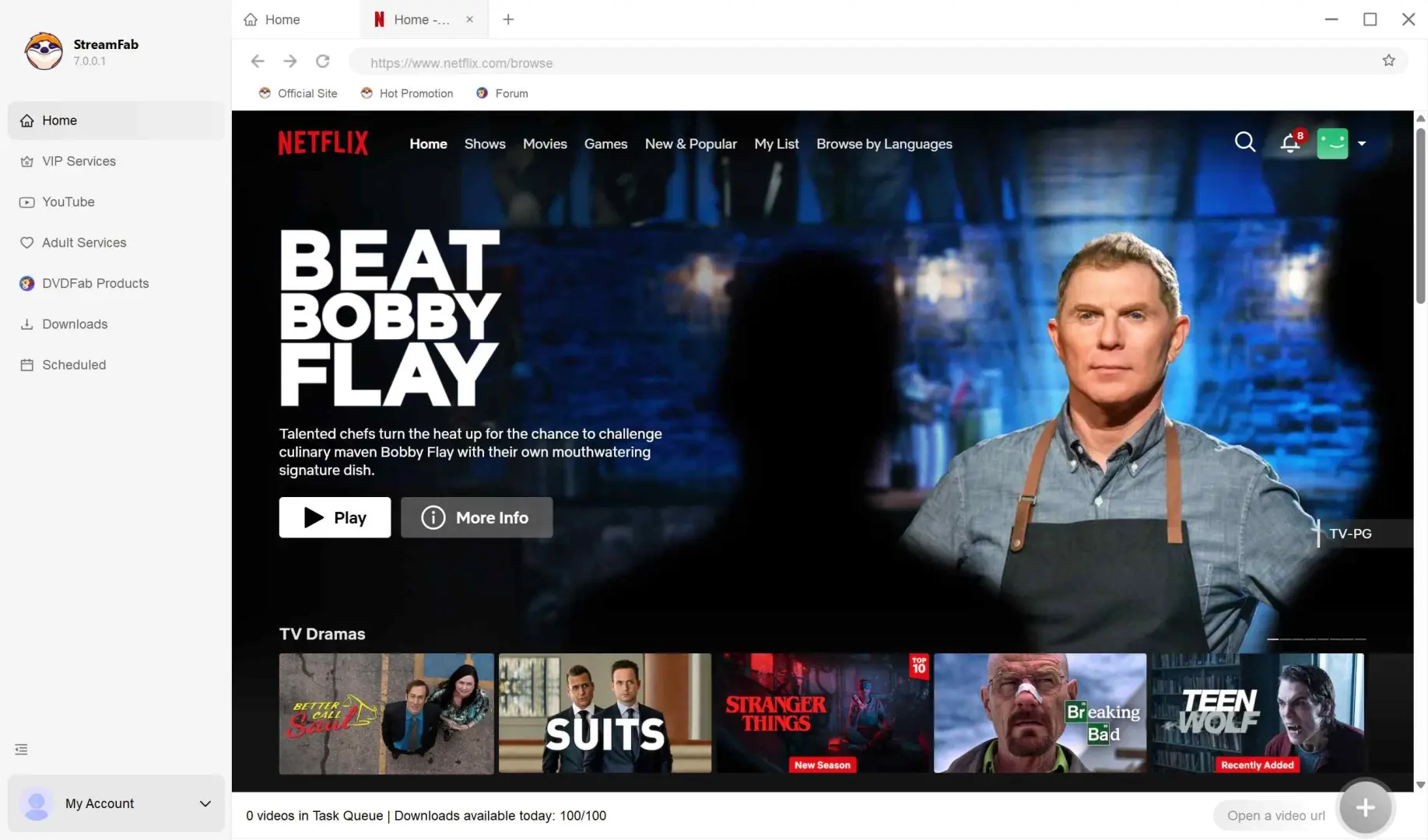
Play the video you want to download. StreamFab will analyze the content and display a popup with quality and format options.
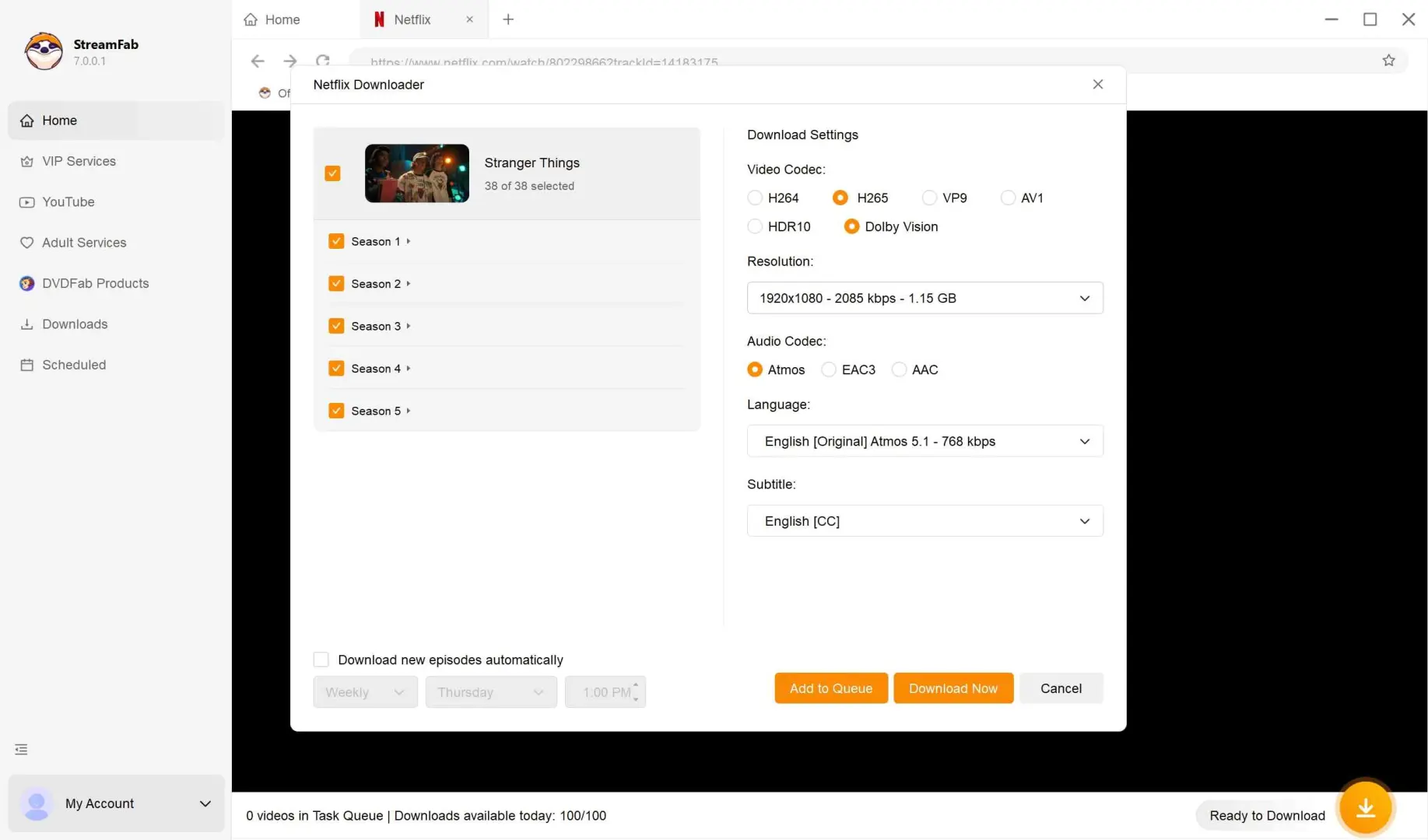
Adjust settings (format, quality, audio, subtitles) and click "Download Now." Files save to your designated folder.

Method 2: Pazu Netflix Video Downloader — Budget Alternative
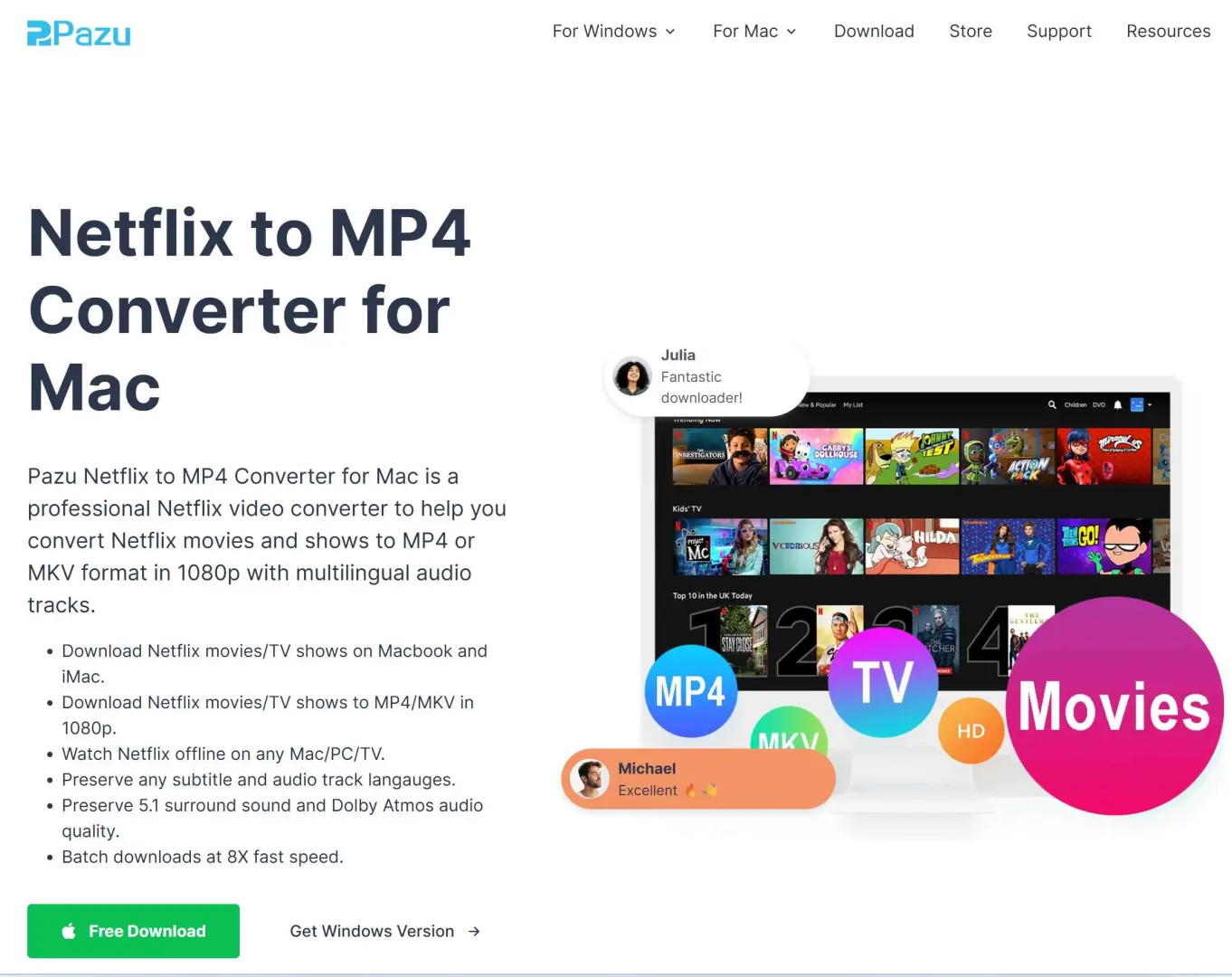
Pazu Netflix Converter offers similar core functionality to StreamFab at a lower price point. It downloads Netflix content as MP4 or MKV files for offline viewing on Mac. However, our testing and user reports indicate it falls short of StreamFab in consistency and feature depth.
| Key Features |
|
| Limitations |
|
| Pricing (2026) |
|
How to Use Pazu on Mac
Install Pazu Netflix Converter on your Mac. Launch and log in to Netflix when prompted.
Use the search bar to find titles. Note that the search function may return inconsistent results.
Select your video and customize output settings (quality, format, audio).
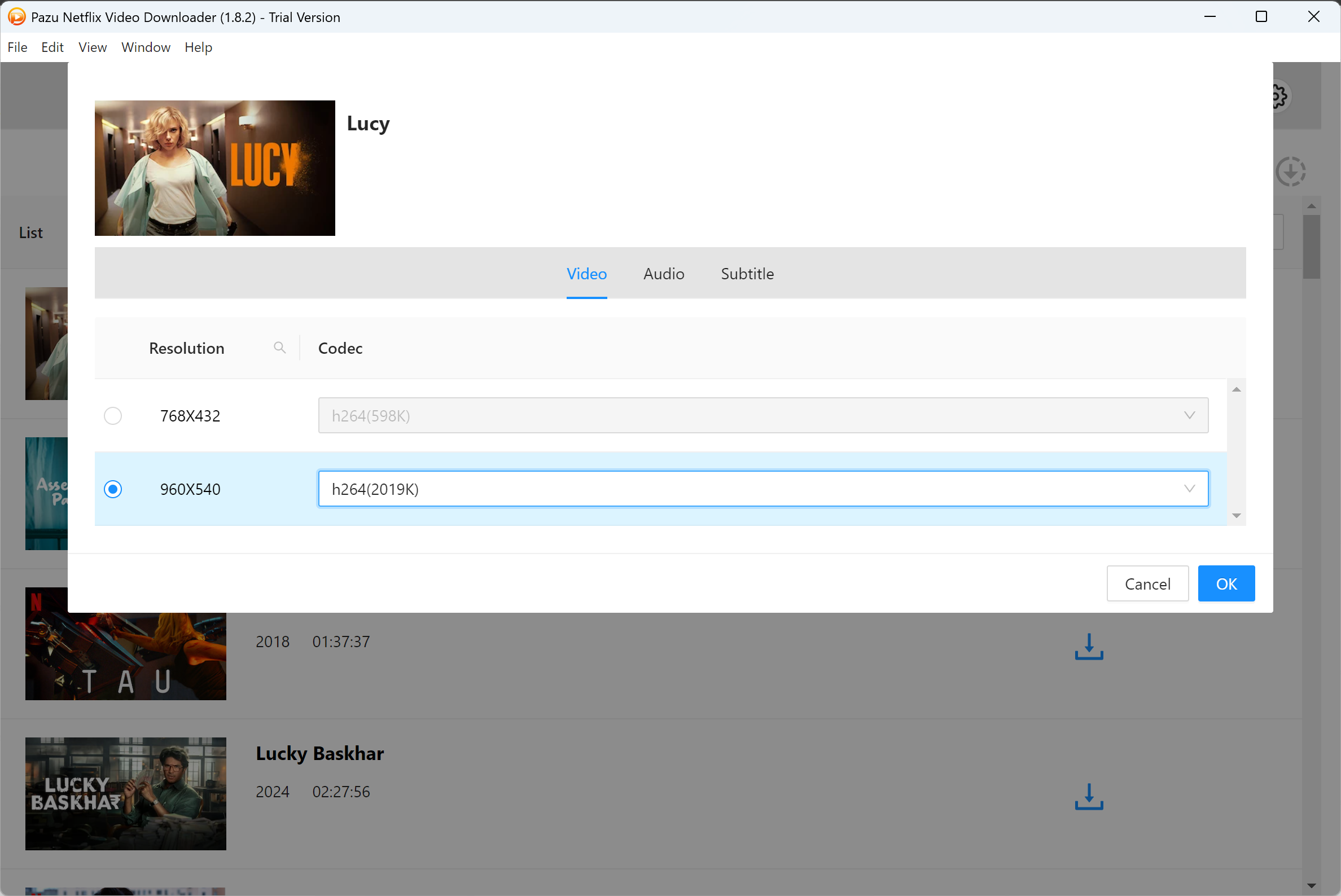
Click the download button and wait for conversion to complete.

- Verdict: Pazu works for occasional downloads, but frequent users will find StreamFab's reliability and speed worth the extra cost.
Method 3: Android Emulator (BlueStacks) — Official App Experience
This method runs the actual Netflix Android app on your Mac through BlueStacks, a popular Android emulator. You get the authentic Netflix mobile experience—including official downloads—but within a simulated Android environment.
BlueStacks 5 now offers native Apple Silicon support (M1/M2/M3/M4), eliminating the performance penalties of Rosetta 2 translation. Intel Mac users can also use BlueStacks, though performance varies by hardware.
| Feature | StreamFab |
|---|---|
| Pros |
|
| Cons |
|
| System Requirements |
|
How to Set Up BlueStacks for Netflix
Download BlueStacks 5 for Mac (Apple Silicon version if applicable) from bluestacks.com. Install and launch.
Sign in with your Google account to access the Google Play Store.
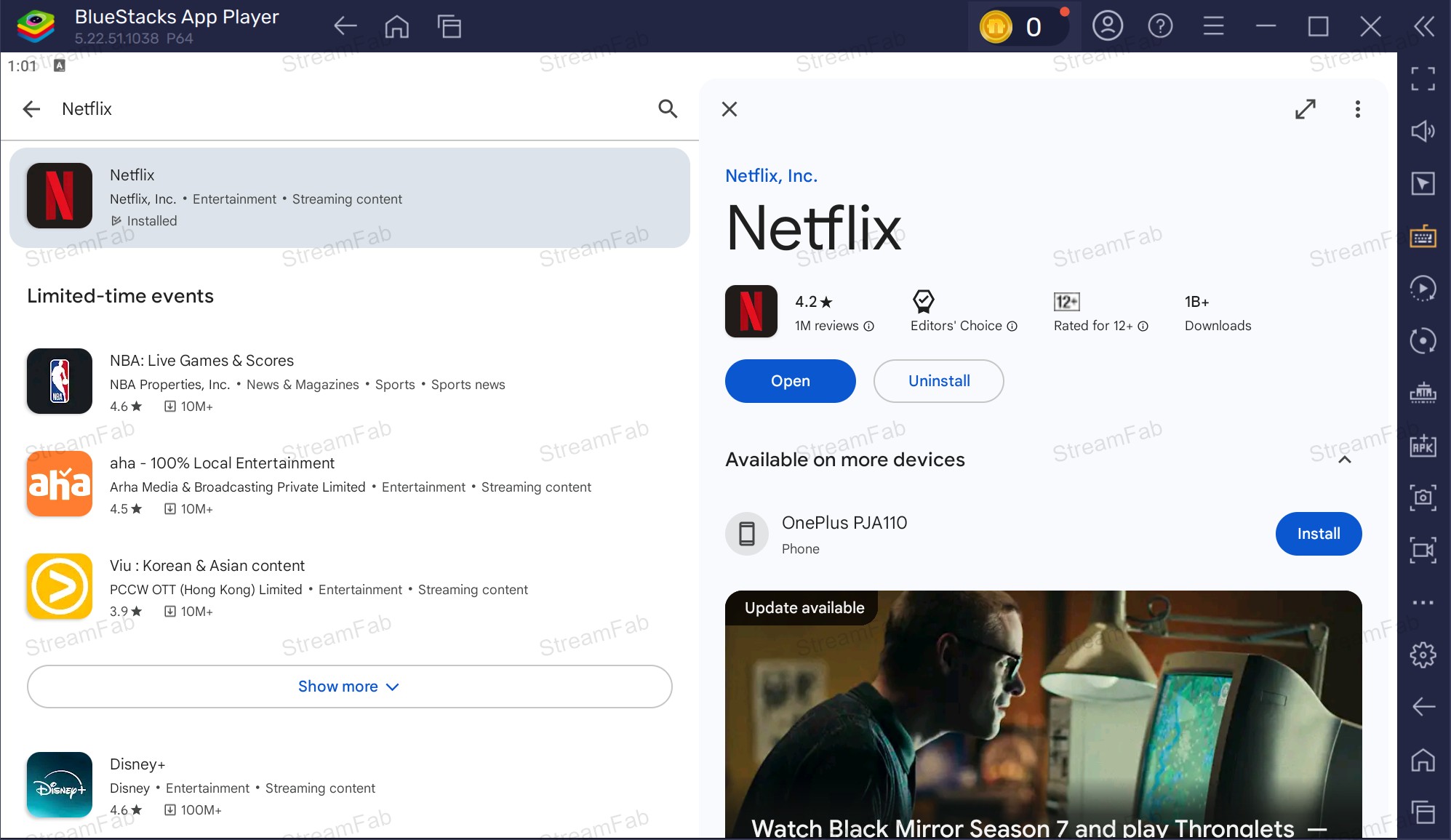
Search for "Netflix" in the Play Store and install the official app.
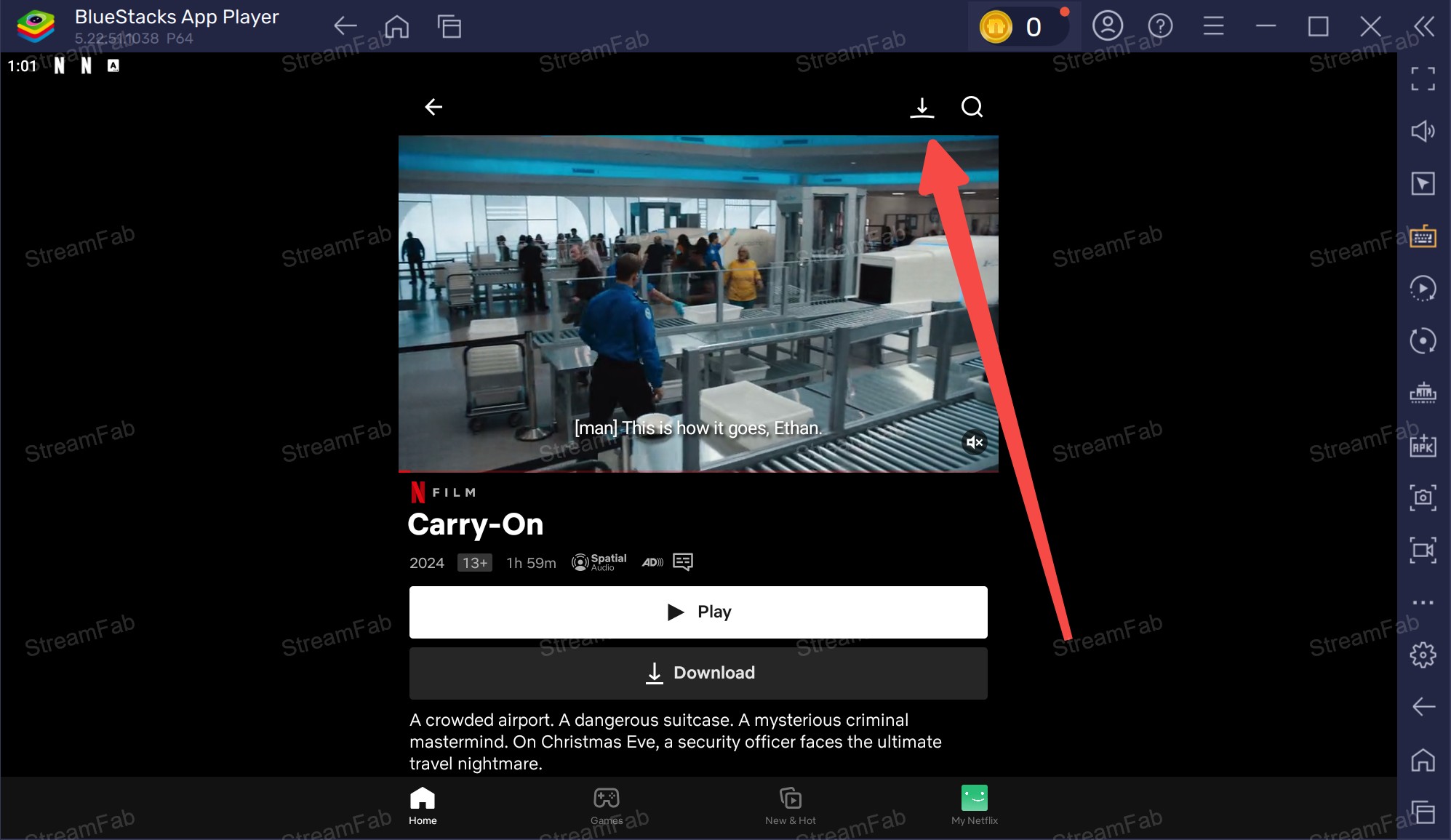
Launch Netflix, sign in with your account, and use the download button on titles to save them for offline viewing.
Method 4: iOS Sideloading (PlayCover) — For Apple Silicon Only
PlayCover is an open-source tool that runs iOS apps on Apple Silicon Macs. Since Netflix offers an iOS app but not a macOS app, this method bridges the gap—allowing you to use the iPad version of Netflix on your Mac with full download capabilities.
| Pros |
|
| Cons |
|
| Important Prerequisites |
|
How to Set Up PlayCover for Netflix
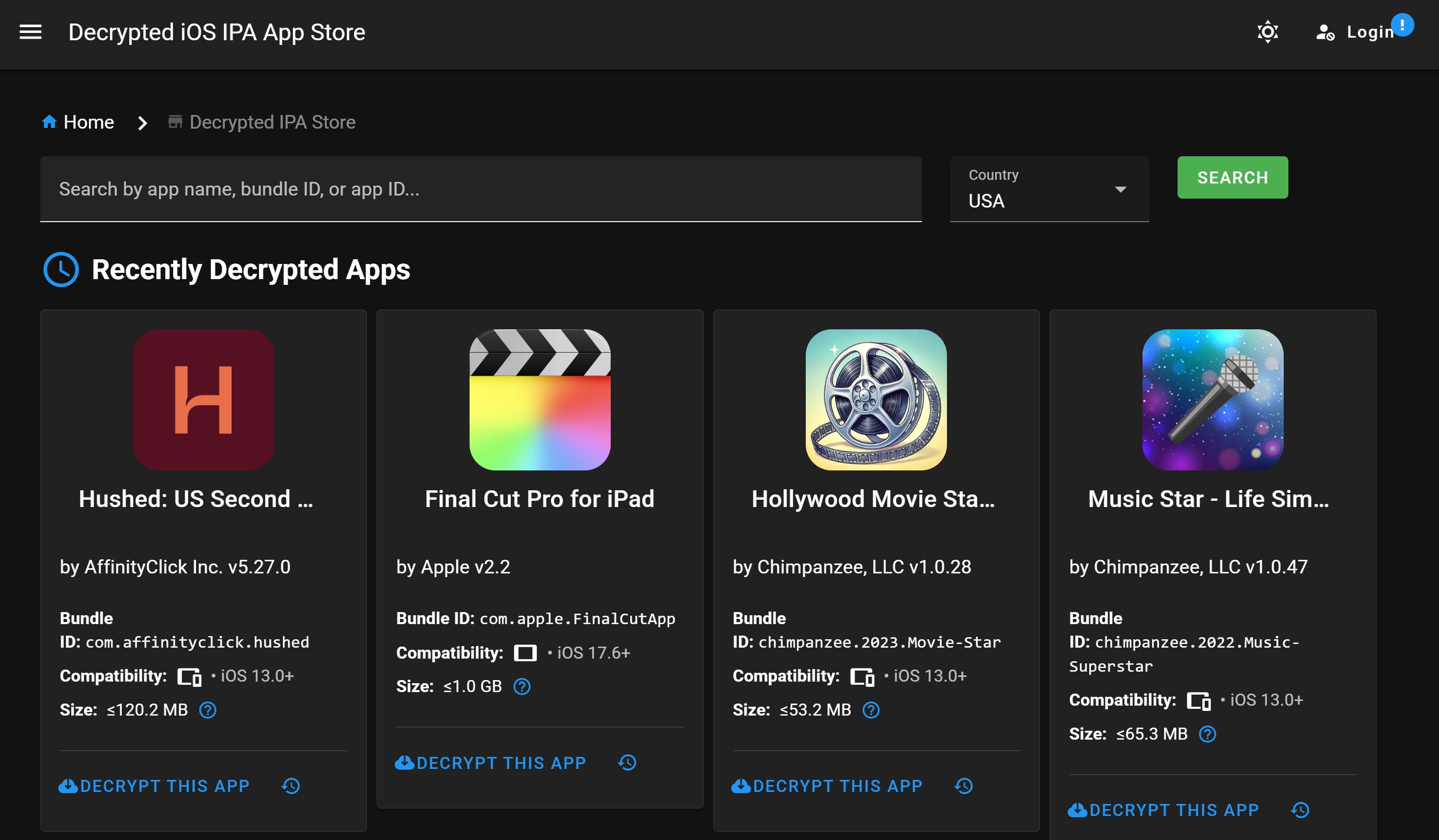
Download and install PlayCover from playcover.io. Obtain a decrypted Netflix .ipa file. Warning: Only download from trusted sources to avoid malware.
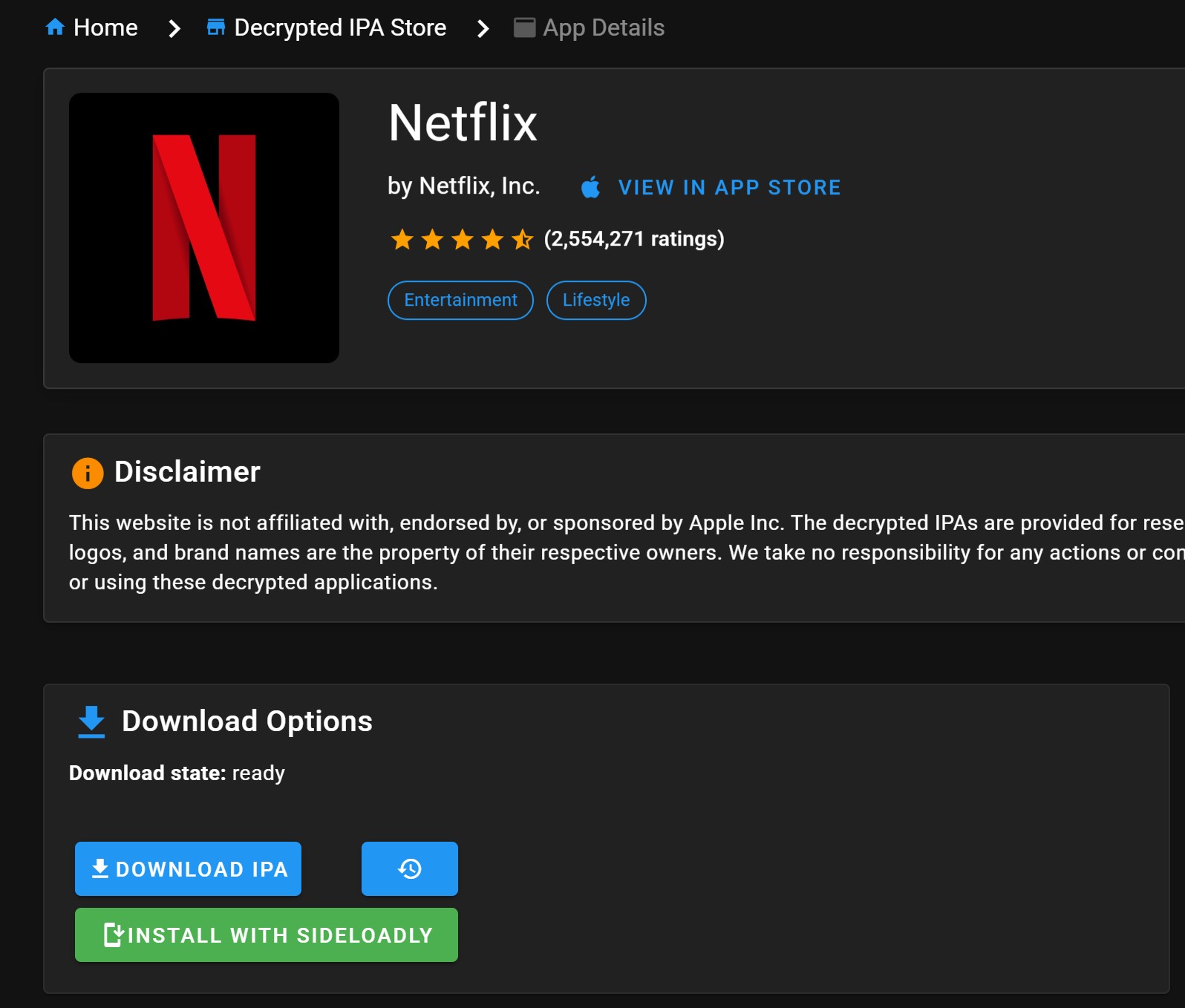
Install the .ipa using PlayCover's drag-and-drop interface or a tool like iMazing or Sideloadly.
Sign in with your Apple ID if prompted for app verification.
Launch Netflix from PlayCover, sign in, and use the download feature as you would on an iPad.
- Verdict: This method works but carries the most risk and maintenance overhead. Only recommended for users who cannot use Methods 1-3 and understand the technical requirements.
At-a-Glance: Which Method Should You Choose?
- For most users: Start with StreamFab's free trial (3 downloads). If you regularly download Netflix content, the annual subscription pays for itself in convenience and reliability.
- For occasional use: BlueStacks offers a free, official solution—just accept the download limitations.
- Avoid: PlayCover unless you're technically experienced and comfortable with sideloading risks.
| Feature | StreamFab | Pazu | BlueStacks | PlayCover |
|---|---|---|---|---|
| Best For | Most users | Budget users | Official app fans | Tech enthusiasts |
| Mac Compatibility | Intel & Apple Silicon | Intel & Apple Silicon | Intel & Apple Silicon | Apple Silicon only |
| Max Quality | 1080p (HDR10/Dolby Vision) | 1080p/720p | Varies (often 720p) | Usually 720p |
| Audio | Dolby Atmos, EAC3 5.1 | Dolby Atmos (inconsistent) | Standard Netflix audio | Standard Netflix audio |
| Output Format | MP4/MKV (DRM-free) | MP4/MKV | Encrypted cache only | Encrypted cache only |
| Permanent Files | ✅ Yes | ✅ Yes | ❌ No (expires) | ❌ No (expires) |
| Batch Download | ✅ Yes + auto-episode | ✅ Yes (slow) | ✅ Yes (manual) | ✅ Yes (manual) |
| Ad Removal | ✅ All Netflix content | ❌ No | ❌ No | ❌ No |
| Ease of Use | ⭐⭐⭐⭐⭐ | ⭐⭐⭐ | ⭐⭐⭐⭐ | ⭐⭐ |
| Stability | ⭐⭐⭐⭐⭐ | ⭐⭐⭐ | ⭐⭐⭐⭐ | ⭐⭐ |
| Starting Price | Free (3 downloads) | ~$14.95/mo | Free | Free |
| Risk Level | Low (trusted developer) | Low | Low (official app) | Medium (sideloading) |
FAQ: Netflix Downloads on Mac
Can I download Netflix movies on Mac officially?
No. Netflix has never released a native macOS app. The download feature is only available on Netflix's mobile apps (iOS and Android) and Windows app. Mac users must use one of the four workarounds described in this guide.
Is it legal to use third-party Netflix downloaders?
Third-party downloaders like StreamFab and Pazu operate in a legal gray area. They require an active Netflix subscription and are intended for personal offline viewing. However, they may violate Netflix's Terms of Service. These tools should never be used for redistributing, selling, or sharing content. Always respect copyright laws.
Can I download Netflix in 4K on Mac?
No. Netflix does not offer 4K streaming or downloads on macOS through any method. The maximum quality available is 1080p Full HD, which StreamFab can capture. This is a limitation of Netflix's platform, not the download tools.
Why do my Netflix downloads keep expiring?
Netflix downloads expire due to licensing agreements. Some content expires 48 hours after you start watching; others expire after 7-30 days regardless of viewing. This applies to official Netflix app downloads (BlueStacks/PlayCover methods). Downloads created with StreamFab or Pazu do not expire because they are converted to standard video files.
Will Netflix ban my account for using downloaders?
Netflix's Terms of Service prohibit circumventing their content protection. While account bans are rare for personal use, they are possible. Using reputable tools like StreamFab (which mimics standard viewing behavior) carries lower risk than emulator methods that may be detected as "unusual activity."
Can I transfer Netflix downloads to another device?
Only with StreamFab or Pazu. These tools create MP4/MKV files that can be transferred to any device. Downloads from the official Netflix app (via BlueStacks or PlayCover) are encrypted and cannot be transferred—they only work within that specific installation.
What's the best free method to download Netflix on Mac?
StreamFab's free trial (3 downloads) offers the best quality and experience for free. For ongoing free use, BlueStacks is the best option, though you're limited to Netflix's official download restrictions.
Does BlueStacks work on M1/M2/M3/M4 Macs?
Yes. BlueStacks 5 added native Apple Silicon support in 2024. It runs efficiently on M-series chips without Rosetta 2 translation. Intel Macs are also supported but may have performance limitations on older hardware.
Update Log
This article is regularly reviewed and updated to reflect the latest information about Netflix downloads on Mac.
-
July 2026
- Complete rewrite with current pricing, features, and compatibility information
- Verified BlueStacks 5 native Apple Silicon support (M1/M2/M3/M4)
- Updated StreamFab pricing and free trial details
- Added PlayCover compatibility status for iOS sideloading
- Refreshed comparison table with 2026 pricing
- Expanded FAQ section with current user questions
This update was verified on July 13, 2026. All information reflects the latest available data at the time of review. We advocate for personal offline backup in compliance with applicable terms of service.
Final Verdict: The Best Way to Download Netflix on Mac in 2026
After testing all four methods, StreamFab Netflix Downloader stands out as the best solution for most Mac users in 2026. It offers:
- ✅ Permanent downloads that don't expire
- ✅ Highest quality (1080p with HDR/Dolby Vision)
- ✅ Flexible formats (MP4/MKV) playable on any device
- ✅ Batch processing and auto-download for series
- ✅ Reliable performance on both Intel and Apple Silicon Macs
The free trial (3 downloads) lets you test everything before committing. For regular Netflix downloaders, the annual subscription is a worthwhile investment compared to the frustration of emulator workarounds or Pazu's inconsistent performance.
If you only need occasional downloads and prefer not to pay, BlueStacks provides a free, official alternative—just work within Netflix's download limits and expiration rules.
