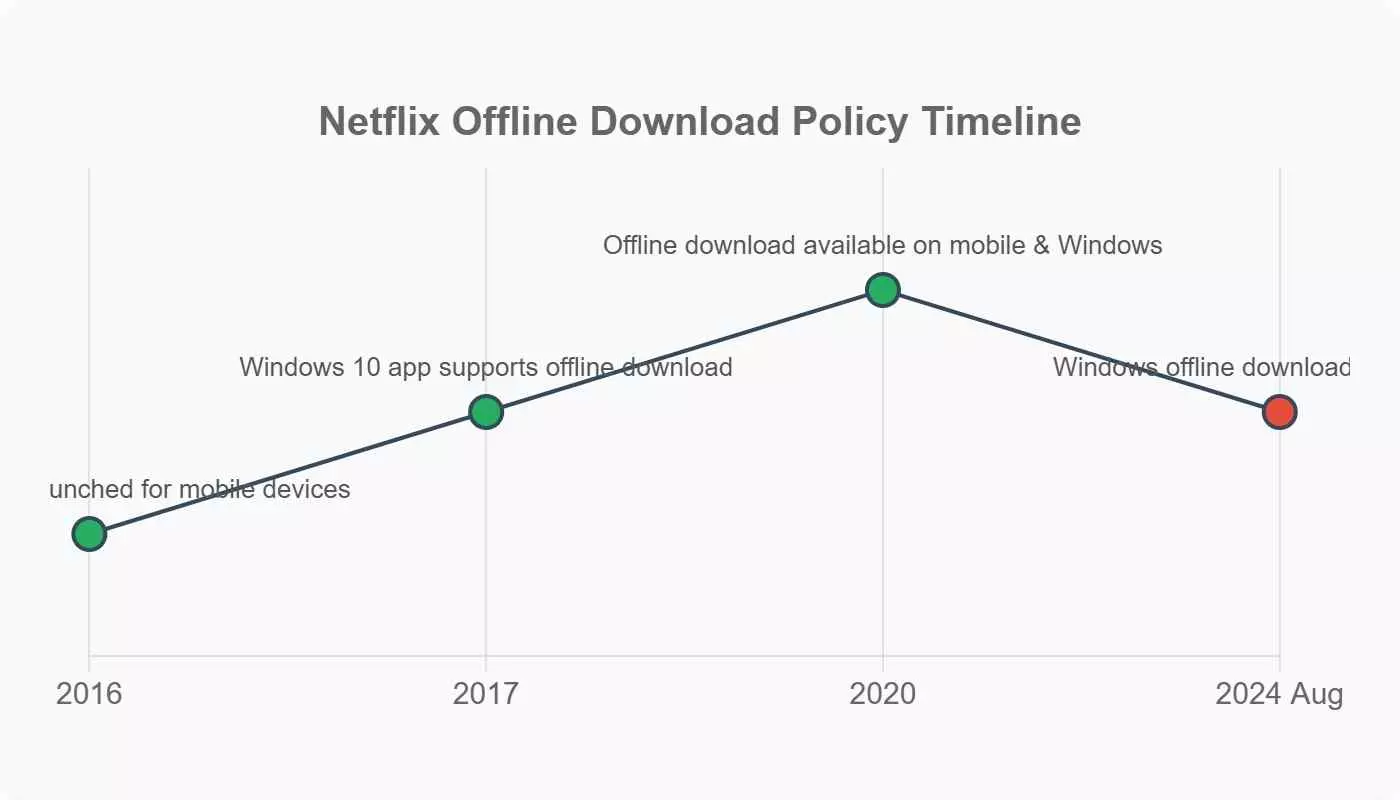
Netflix ended Windows downloads in July 2024, so if you opened this piece hoping the download button will reappear inside the Netflix Windows app, the short answer is no. It's not only pre-flight downloads: daily commuters on subways and trains and anyone with spotty Wi-Fi at home ran into the same wall the moment Netflix ended Windows downloads. As one Reddit thread put it:
I was looking for a way to watch Netflix offline since I have a flight in a few days and I don't see how to do it. Any ideas?
--From a Reddit user
I've spent the last few months rebuilding the Netflix offline laptop workflow on my own machines after the change. This guide walks through what actually works in 2026: which route to take if you already own a Chromebook and two desktop alternatives (a downloader that produces a local MP4 or MKV or an OBS screen capture) if you're stuck on Windows or Mac. The Android emulator lane also gets a fair hearing, though I do not recommend it as a daily driver.
What Changed: Netflix Removed Windows Downloads in July 2024
Here's the short answer: Netflix completed the rollout that removed the download button from its Windows app in July 2024, migrating the Windows client to a WebView2-based PWA that no longer supports offline saves. Mobile apps, the Chromebook Netflix app, and Amazon Fire tablets still support downloads.

- Not through the Netflix Windows app. Netflix removed that in July 2024.
- The only laptop with official Netflix downloads today is a Chromebook via Google Play, so the Netflix offline Chromebook route sits at the top of any 2026 shortlist.
- On Windows and Mac, offline viewing means a local-file workflow or a screen-recording fallback, always for content you're authorized to access, where permitted by platform terms and applicable law.
A quick note on scope: for readers scanning the landscape, a full Netflix offline laptop workflow in 2026 depends on three moving parts: the Netflix download limits on your current plan, whether Netflix Smart Downloads and the Downloads for You Netflix subscribers rely on are available on your device, and how you handle Netflix download expiry once the 30-day clock starts. I walk through each below.
Why Some Titles Never Had a Download Button
Per-title licensing decides which titles are downloadable, per title and per region. Even during the Windows app era, many titles were never eligible offline because their studios only licensed streaming, not offline. That has not changed. Three factors combine:
- Per-title licensing. Studios decide whether Netflix can distribute a title for offline playback. Netflix flags eligible titles with a download icon inside the app.
- Regional licensing differences. A film that downloads in one country may not in another. Netflix has to honor the local contract.
- Plan-based restrictions. Standard with Ads viewers get downloads now too, but at a lower monthly cap than ad-free plans. Standard with Ads downloads sit at roughly 15 per device per month.
If a title is greyed out for you today, it is the contract, not your device. With the platform change out of the way, the next section covers what you can still do with Netflix's own tools.
Official Ways to Watch Netflix Offline in 2026
As of June 2026, official offline Netflix on a laptop only happens on a Chromebook running the Google Play Netflix app. Everywhere else, you're limited to the mobile apps or Fire tablets. The rules for how many titles you can hold and how long they stay downloaded also shifted with the 2024 tier reshuffle.
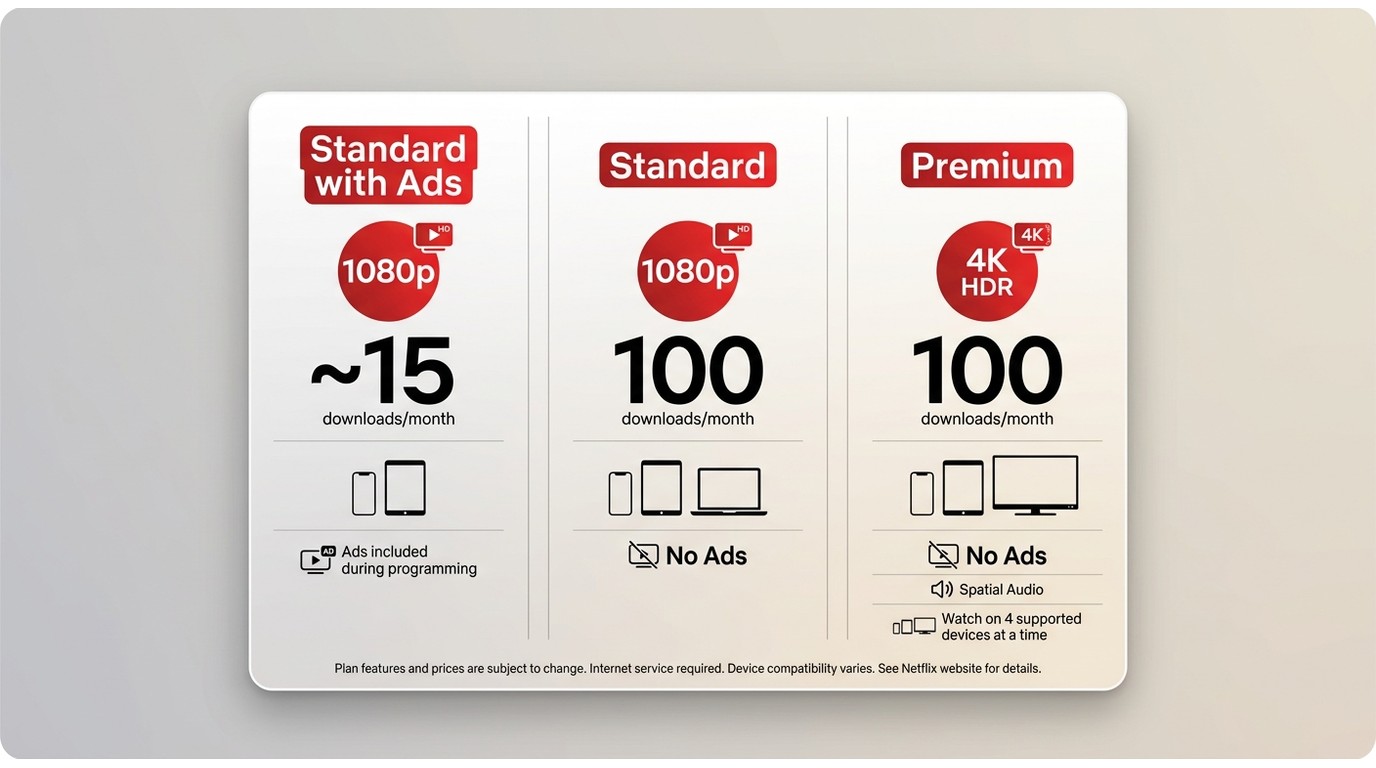
2026 Netflix Plans and Download Limits
The U.S. plans below are what actually govern the download experience today. Basic (the old 720p one-device plan) is no longer sold to new subscribers in the U.S., so I've dropped it from the table.
| Plan | Watch resolution | Download quota | Concurrent watch devices | Ads |
|---|---|---|---|---|
| Standard with Ads | Up to 1080p | ~15 downloads per device per month | 2 | Yes |
| Standard | Up to 1080p | Up to 100 active downloads per device | 2 | No |
| Premium | Up to 4K + HDR | Up to 100 active downloads per device | 4 | No |
As of June 2026 in the U.S. Confirm the current plans on Netflix's Help Center, since pricing and limits change.
The change most subscribers miss: the Standard with Ads tier now supports offline downloads, but at a monthly cap of roughly 15 titles per device rather than a rolling library of 100. If you were on the old Basic plan, Netflix has migrated most legacy users into Standard with Ads or upgraded them into Standard, depending on region. See the current Netflix download limits if you're weighing which tier to sit on.
Chromebook: The Only Official Laptop Download Path
- • Best for: readers who already own a Chromebook or plan to buy one.
- • Not ideal for: existing Windows or Mac owners who aren't willing to switch hardware just for offline Netflix.
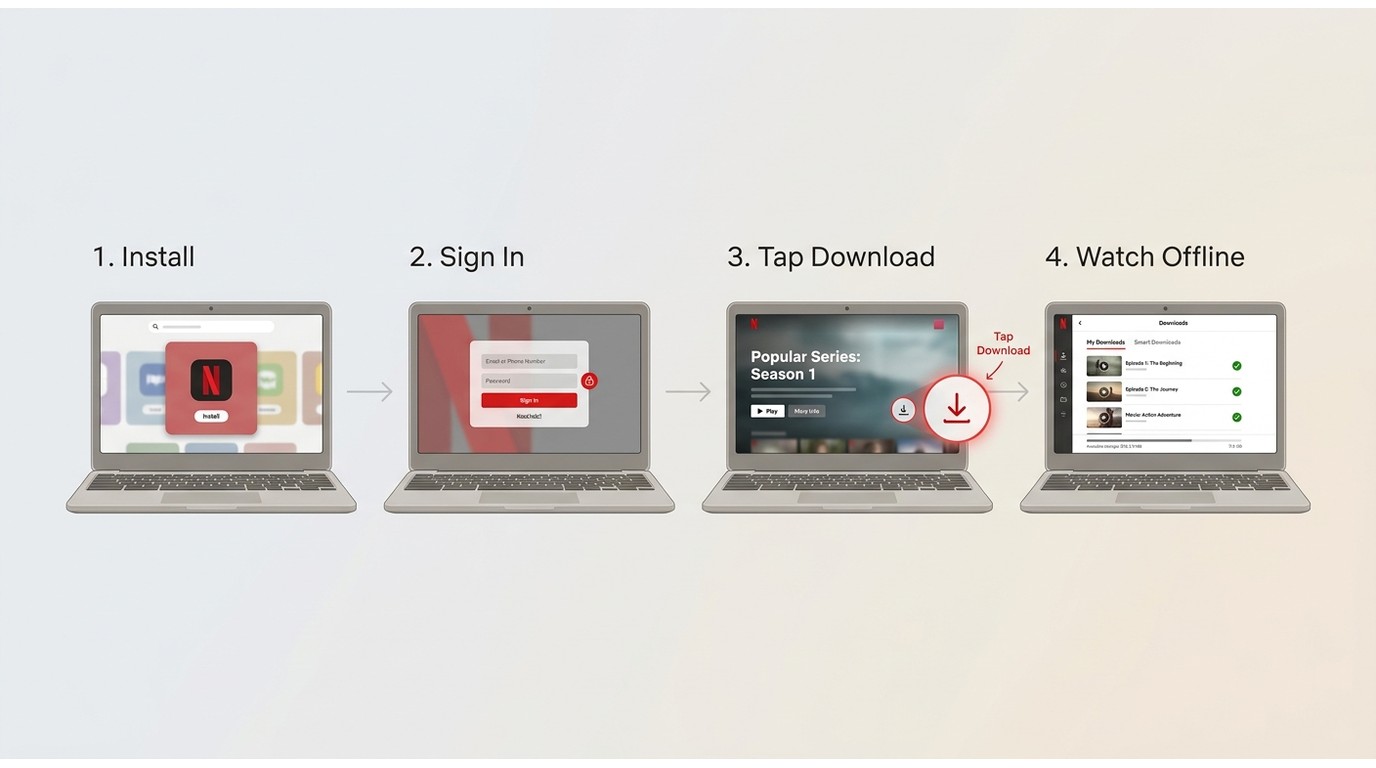
A Chromebook is the sole laptop with an official Netflix download button in 2026. It runs the Android Netflix app from the Google Play Store, and download quotas match those on mobile.
Here's the four-step flow if you already own or plan to buy a Chromebook:
Smart Downloads and Downloads for You Explained
Netflix Smart Downloads and Downloads for You are two on-by-default features inside the Netflix mobile and Chromebook apps that automate the offline queue.
- Smart Downloads replaces episodes you've already watched with the next unwatched episode in the same show, so the queue keeps a rolling window without you tapping anything.
- Downloads for You Netflix subscribers see a personalized bundle Netflix pre-fetches overnight, usually a few hours of content the recommender thinks fits your viewing history.
Both toggles sit in the app's Downloads settings and are on by default when you first enable Wi-Fi-only downloads. For a heavy commuter on a Chromebook, Downloads for You is the single most under-used Netflix feature: it turns the download tab into a curated playlist without any manual effort. The catch is that neither feature exists on the Windows PWA, so if you're stuck on Windows, you're back to the alternatives further down.
Storage, Expiry, and Device Limits at a Glance
A rough SD episode weighs 250 to 400 MB, an HD film 3 to 4 GB, and a 4K film can approach 14 GB. Most titles expire 30 days after download, and once you press play, the Netflix download expiry clock drops to 48 hours.
| Reference point | Rough guidance (as of June 2026) |
|---|---|
| Download size | SD around 250 to 400 MB per episode, HD around 3 to 4 GB per movie, 4K up to about 14 GB per movie |
| Expiry | Most titles expire 30 days after download; playback drops the timer to 48 hours; a few titles expire sooner |
| Concurrent device limit | 2 devices on Standard with Ads and Standard, more on Premium |
Netflix does not publish a fixed-size table. Confirm current values on Netflix's Help Center, and leave headroom on your Chromebook's local storage.
Unofficial Workarounds on Windows and Mac
On Windows and Mac laptops, three routes show up repeatedly in 2026 forum threads and community write-ups: a desktop downloader that produces a local file, OBS screen recording, and an Android emulator. Each has a distinct use case and a distinct trade-off, and none of them replaces Netflix's own app if you have a Chromebook available.

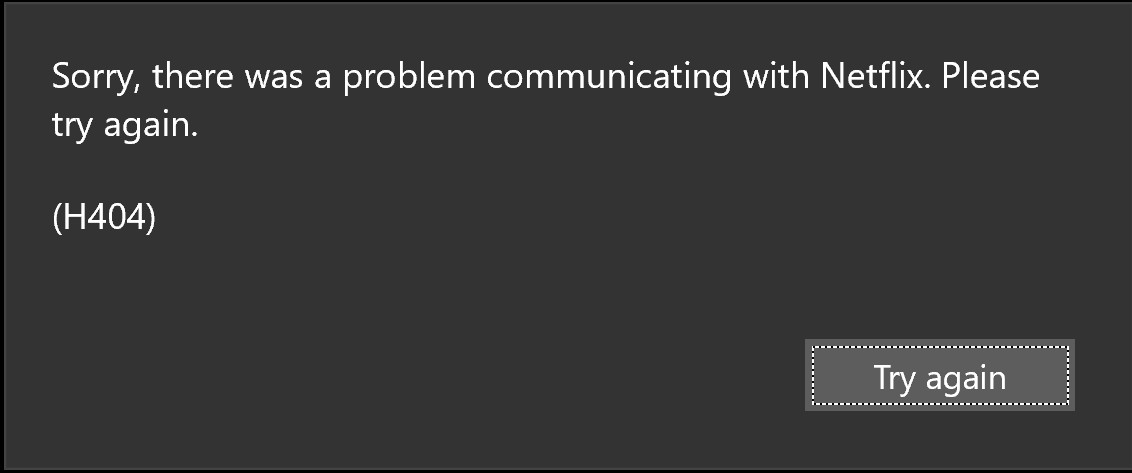
- Before you get any bright ideas about rolling back to the old Netflix Windows app: I've tried it. The old build still installs, but Netflix's back end rejects the download requests, so any title you try to save now returns an error. That path is dead.
StreamFab Netflix Downloader: A Local-File Workflow
- • Best for: Windows and Mac owners who need a local file that plays in VLC, Plex, or on a smart TV.
- • Not ideal for: readers unwilling to install a paid desktop app or those already covered by a Chromebook.
StreamFab Netflix Downloader is a desktop alternative when official downloads are unavailable for personal offline viewing of content you're authorized to access, where permitted by platform terms and applicable law. It saves your titles as a local MP4 or MKV file that plays in VLC, Plex, or on a smart TV, which is a local-file property Netflix's own app doesn't give you on Windows or Mac.

- Save Netflix titles as an MP4 Netflix download in up to 1080p FHD for personal offline viewing.
- Output as MP4 or MKV, so the file plays in VLC, Plex, or on a smart TV.
- Deliver high-resolution output with HDR10 or Dolby Vision where the source provides them.
- Preserve Dolby Atmos or EAC3 5.1 audio in the saved file rather than downmixing to stereo.
- Batch save multiple episodes across a season in a single queue.
- Schedule new-episode captures so a returning show refreshes overnight.
- Provide a cleaner local playback experience where the source allows.
- Download subtitles in your preferred language, either embedded or as an SRT sidecar.
The free trial is time- or count-limited, and you'll need an active Netflix subscription to sign in. Here's the general workflow, kept strictly for private, personal offline viewing and inside local law and Netflix's terms:
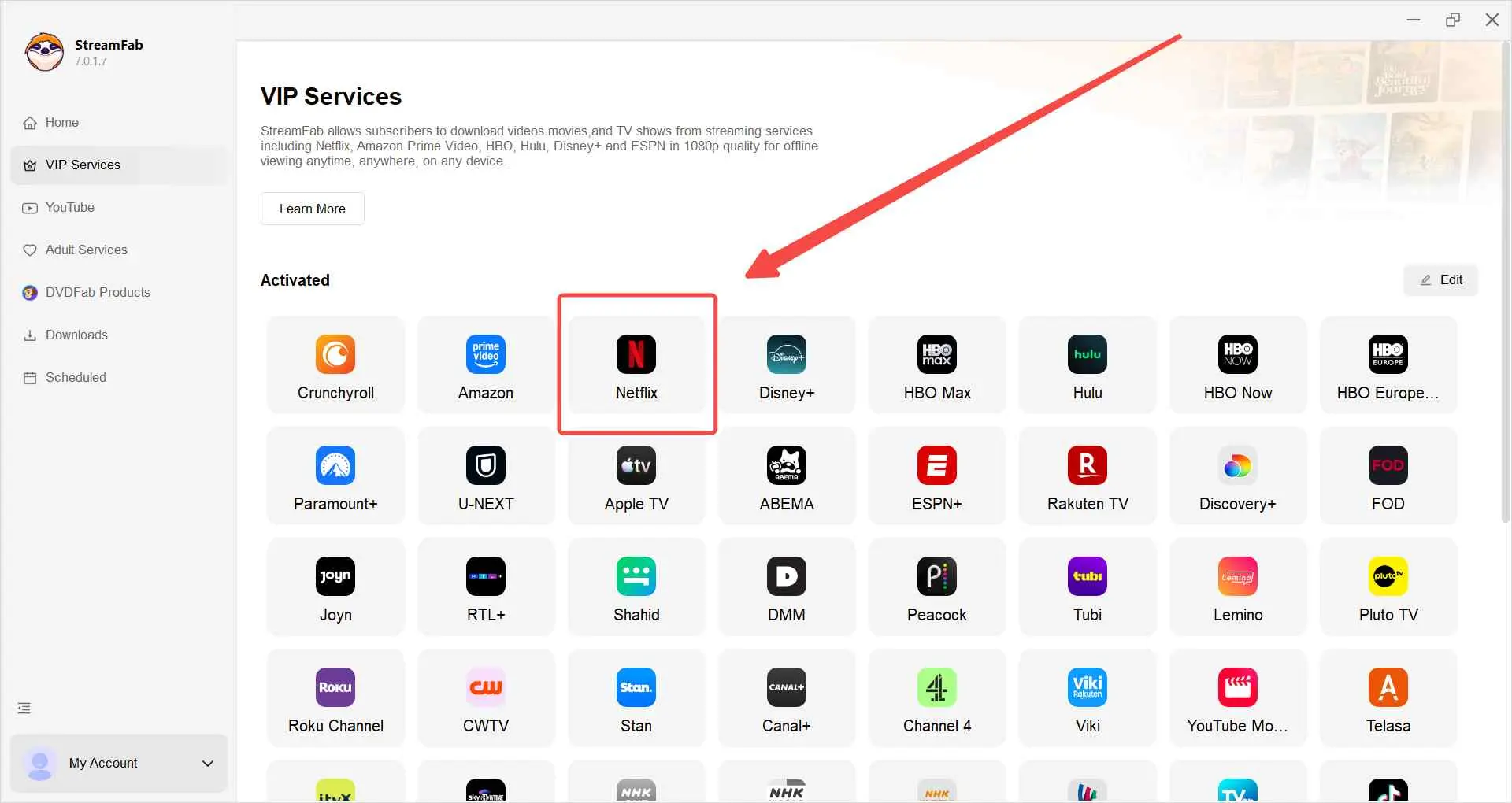
Install and launch StreamFab, then pick the Netflix service inside the app so the built-in browser loads the official site.
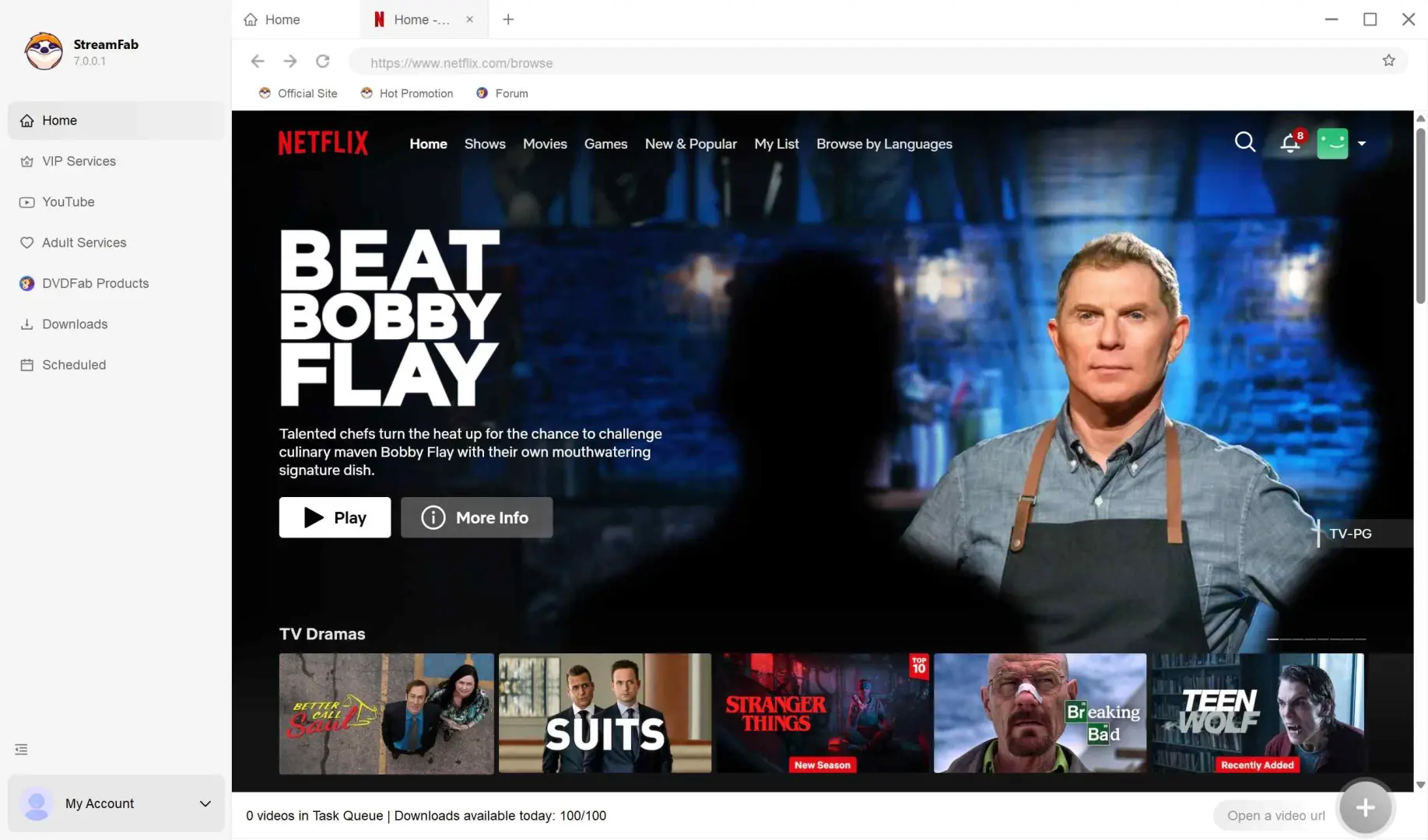
Sign in with your Netflix account and open the title you can already watch under your subscription.
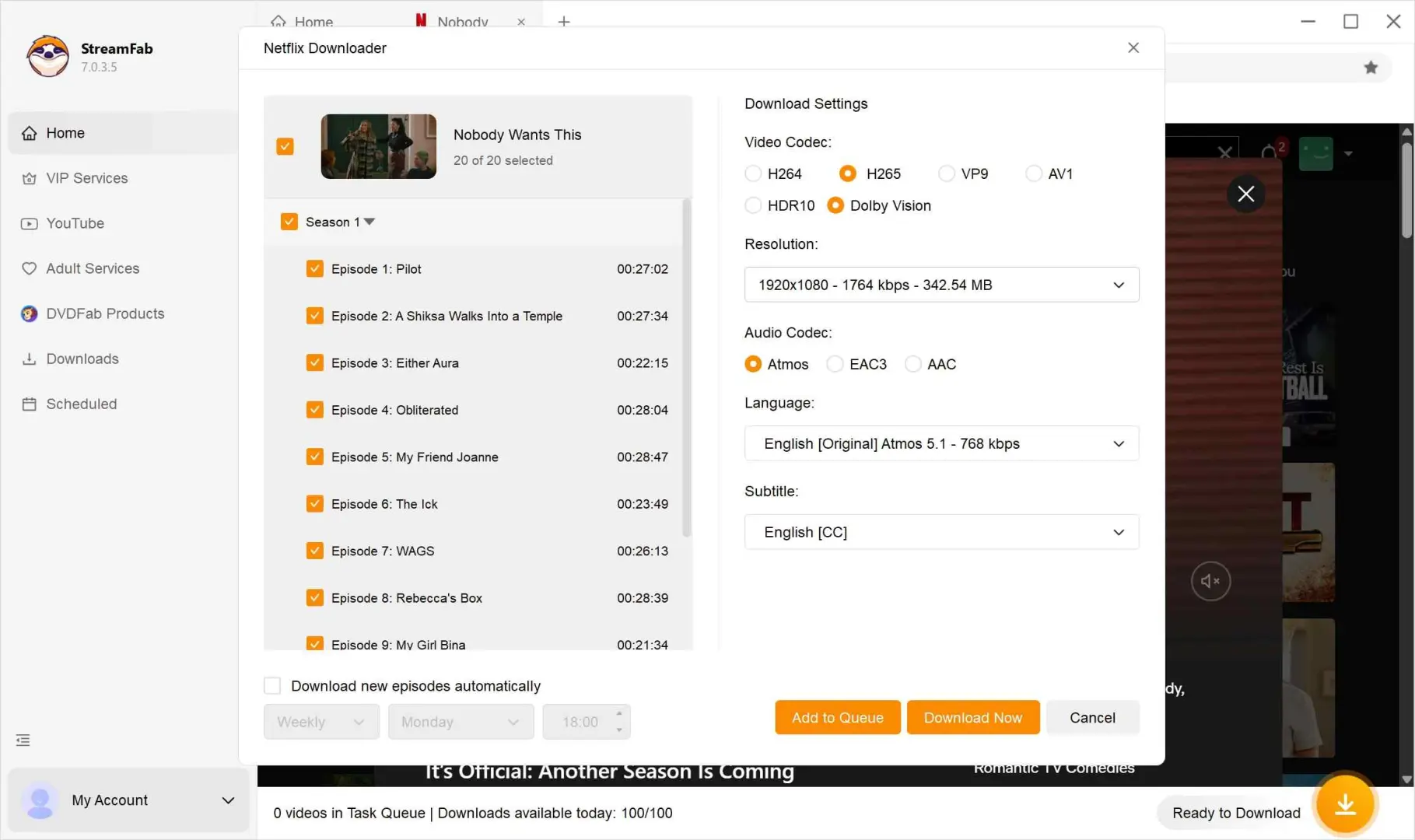
When the options panel appears, pick the quality, audio, and subtitles you want in the saved file.
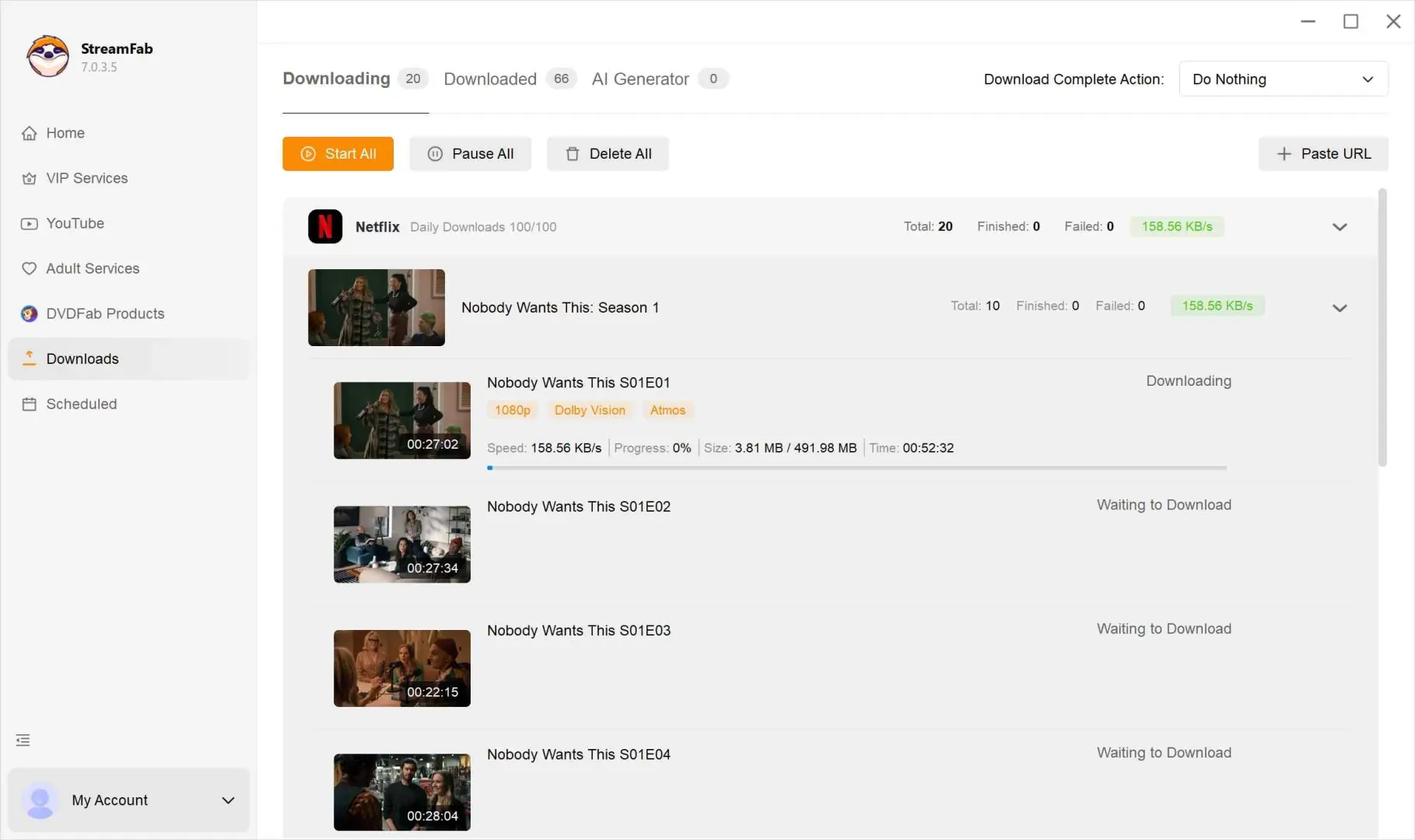
Start the task and let it finish. Keep the queue reasonable and strictly for personal offline viewing. Do not upload, share, or redistribute.
What are the differences between Netflix's official plans and StreamFab?
| Feature | Standard with Ads | Standard | Premium | StreamFab Netflix Downloader |
|---|---|---|---|---|
| Downloads supported | Yes (inside Netflix app) | Yes (inside Netflix app) | Yes (inside Netflix app) | Yes (saved as a local file) |
| Active downloads per device | About 15 per month | Up to 100 | Up to 100 | Managed by your local storage headroom |
| Download expiry | Varies (usually 30 days, 48 hours after play) | Varies (30 days, 48 hours after play) | Varies (30 days, 48 hours after play) | Local MP4/MKV file for personal offline viewing (no in-app expiry timer; retention subject to your local storage and applicable terms) |
| File format | Locked inside Netflix app (Widevine) | Locked inside Netflix app (Widevine) | Locked inside Netflix app (Widevine) | MP4 or MKV local file (personal use only) |
| Max resolution | Up to 1080p | Up to 1080p | Up to 4K + HDR | Up to 1080p |
As of June 2026. Feature comparison based on publicly available specs. Verify current caps on Netflix's Help Center. Audio passthrough note: StreamFab preserves the source's Dolby Atmos or EAC3 5.1 track rather than downmixing to stereo.
If you want a broader companion piece on how I manage the personal-use side of this workflow, see our practical guide to managing Netflix offline viewing for personal use. Same subscription-scope boundary, more workflow detail.
Screen Recording with OBS: When It Fits
- • Best for: quick, one-off recordings when you cannot install another app.
- • Not ideal for: readers who need the best-possible video or audio quality or unattended batch capture.
OBS captures whatever your screen is playing, which makes it a reasonable one-off fallback when installing another app is not an option. Results vary widely by title, browser DRM behavior, and platform-side updates, so treat it as a fallback, not a workflow.
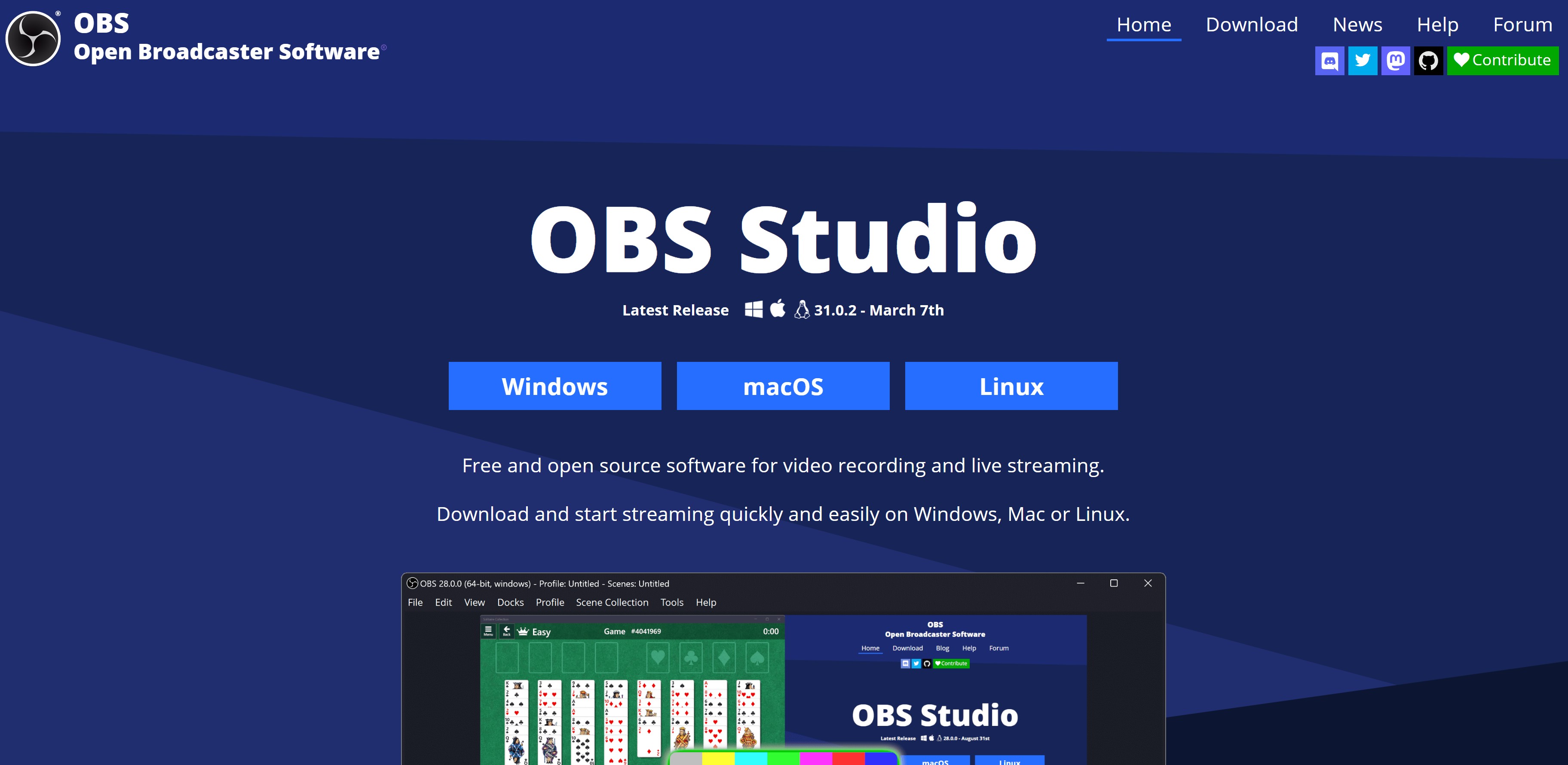
If you take this route, treat screen recording Netflix as a private, one-off capture: stay within your local law and the platform's terms and keep the file for personal offline viewing only. OBS is a general-purpose tool, so its own OBS Netflix recording guide is the better starting point than any Netflix-specific walkthrough.
Two limitations worth knowing before you invest an evening in this route: DRM-protected playback can render as a black screen inside the captured video after a browser or platform update, and OBS does not offer unattended batch capture, so you have to sit at the machine while it records. That makes it a poor fit if you need a season's worth of episodes.
Android Emulator on Laptop: Free but Mind the DRM Risk
- • Best for: readers exploring the option on a burner Netflix account.
- • Not ideal for: subscribers with a single household account they cannot afford to lose.
Netflix relies on hardware-backed DRM (Widevine L1 on real devices). Android emulators such as BlueStacks run in a generic virtualized environment without that hardware anchor, so Netflix can detect emulator traffic and impose temporary account restrictions in 2026. Community reports confirm this pattern. The Netflix Android emulator route is a curiosity workflow, not a daily driver, and you should never sign in with your primary Netflix account without accepting the risk.
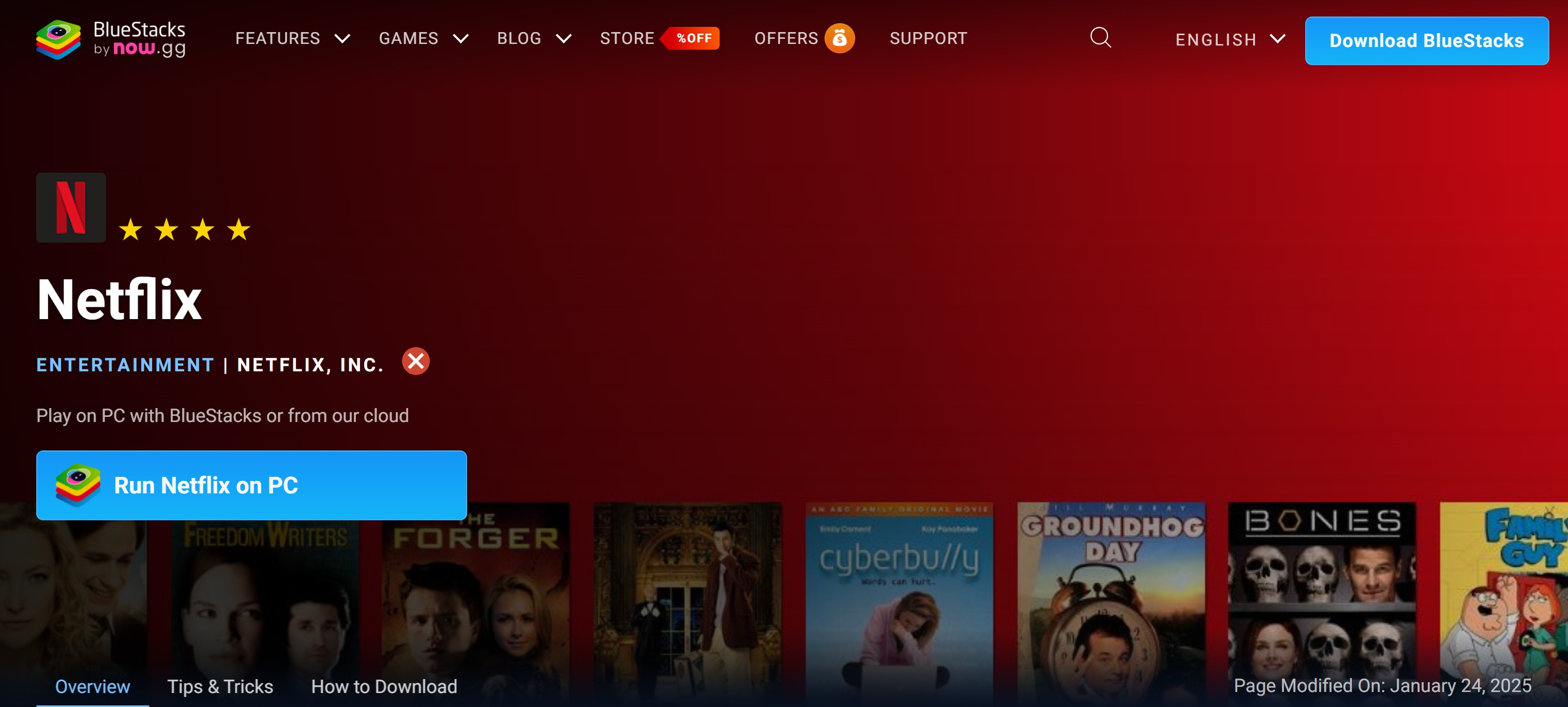
If you still want to poke at it, a community write-up such as this Netflix laptop download primer lays out the steps. On my own test bench, I run these on a spare Windows 10 Pro machine with a burner Netflix account, never the household one.
Install an Android emulator such as BlueStacks on your laptop and launch it.
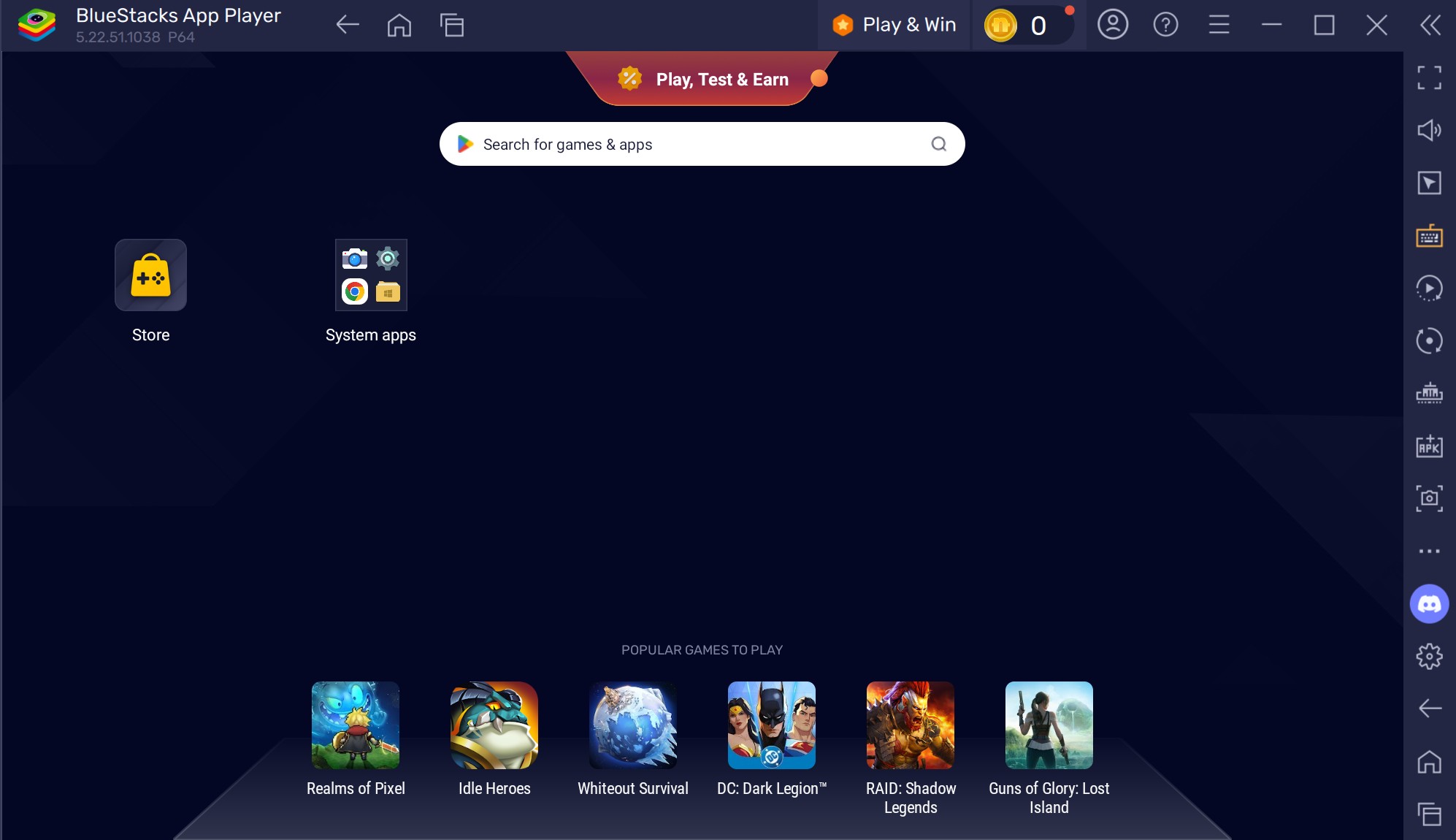
Install the Netflix app via the emulator's built-in Google Play, then sign in with a burner Netflix account rather than your primary household account.
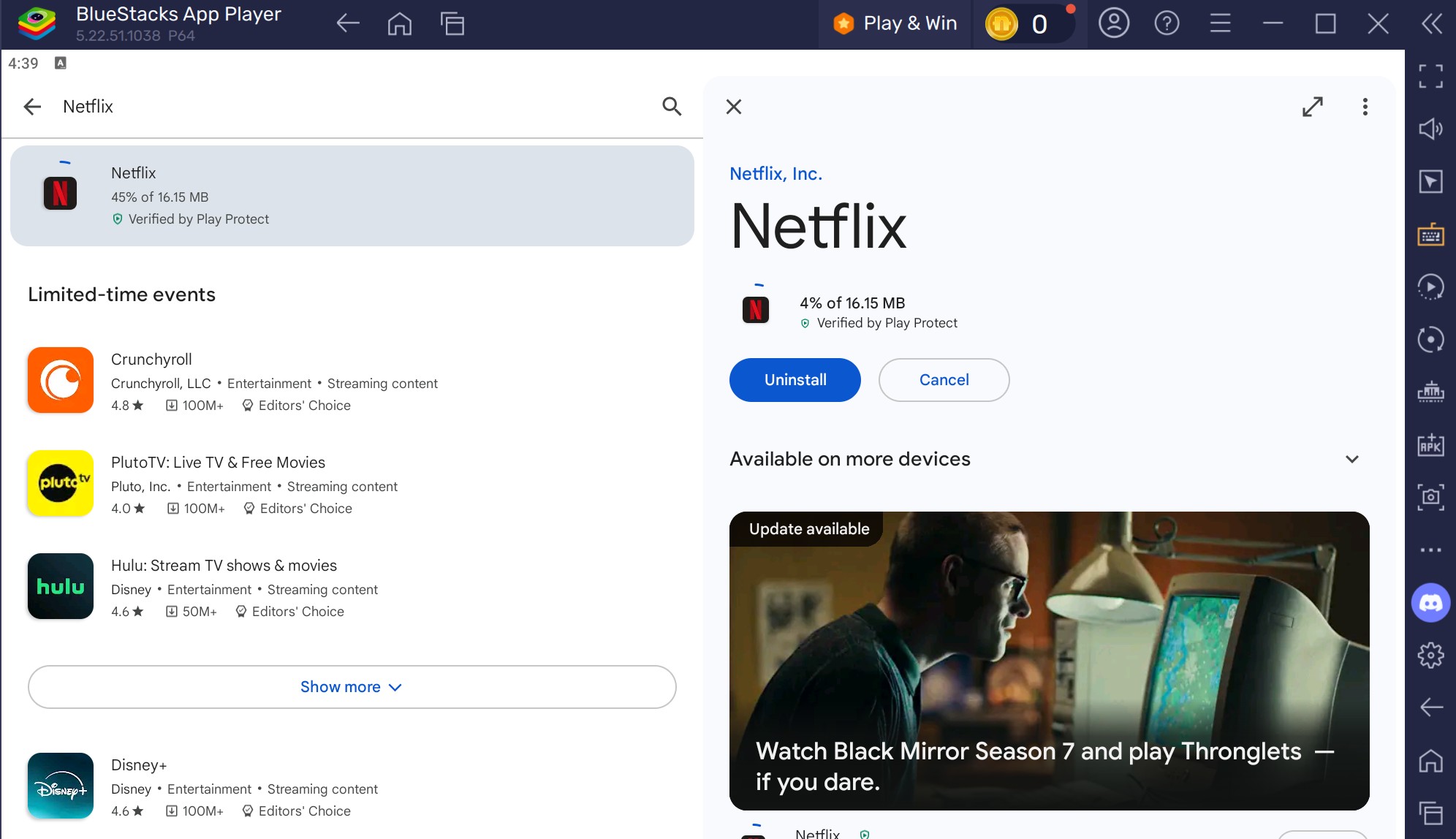
Find a title you have access to under your subscription and tap the download arrow. Wait for the download to complete inside the emulator.
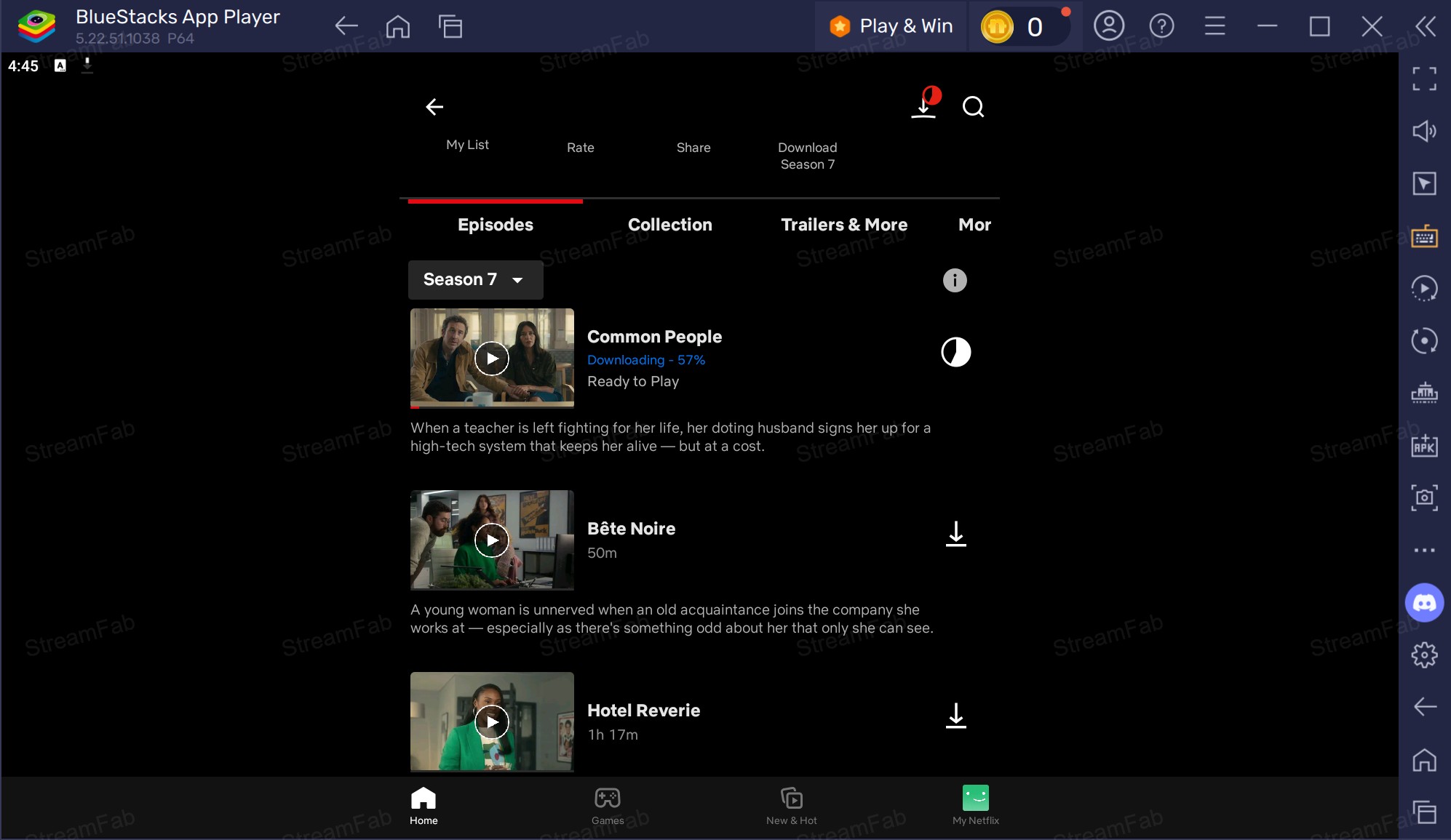
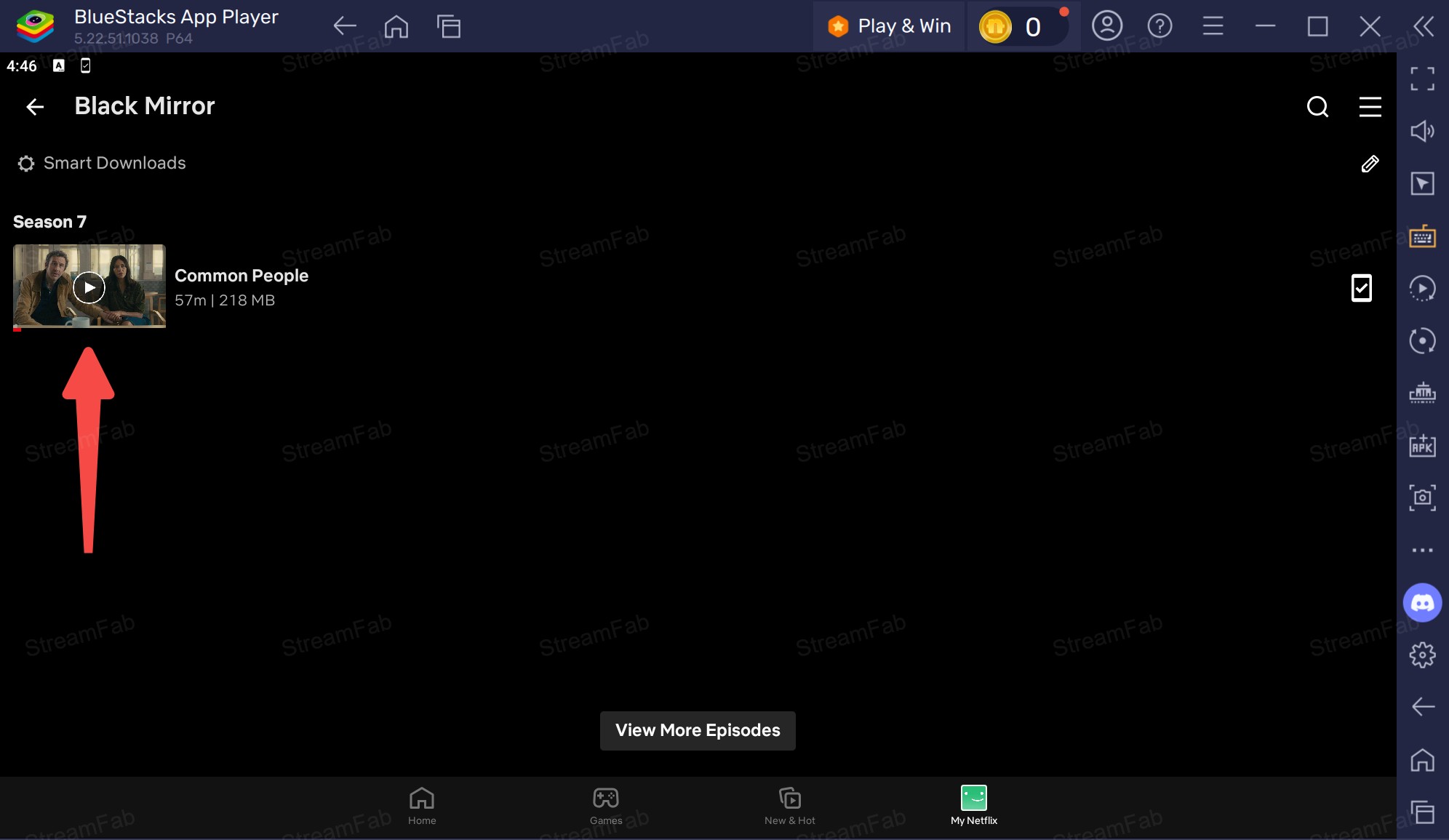
Watch offline inside the emulator's Downloads tab, remembering the file stays locked inside the Netflix Android sandbox on the emulator.
Which Method Fits Your Use Case
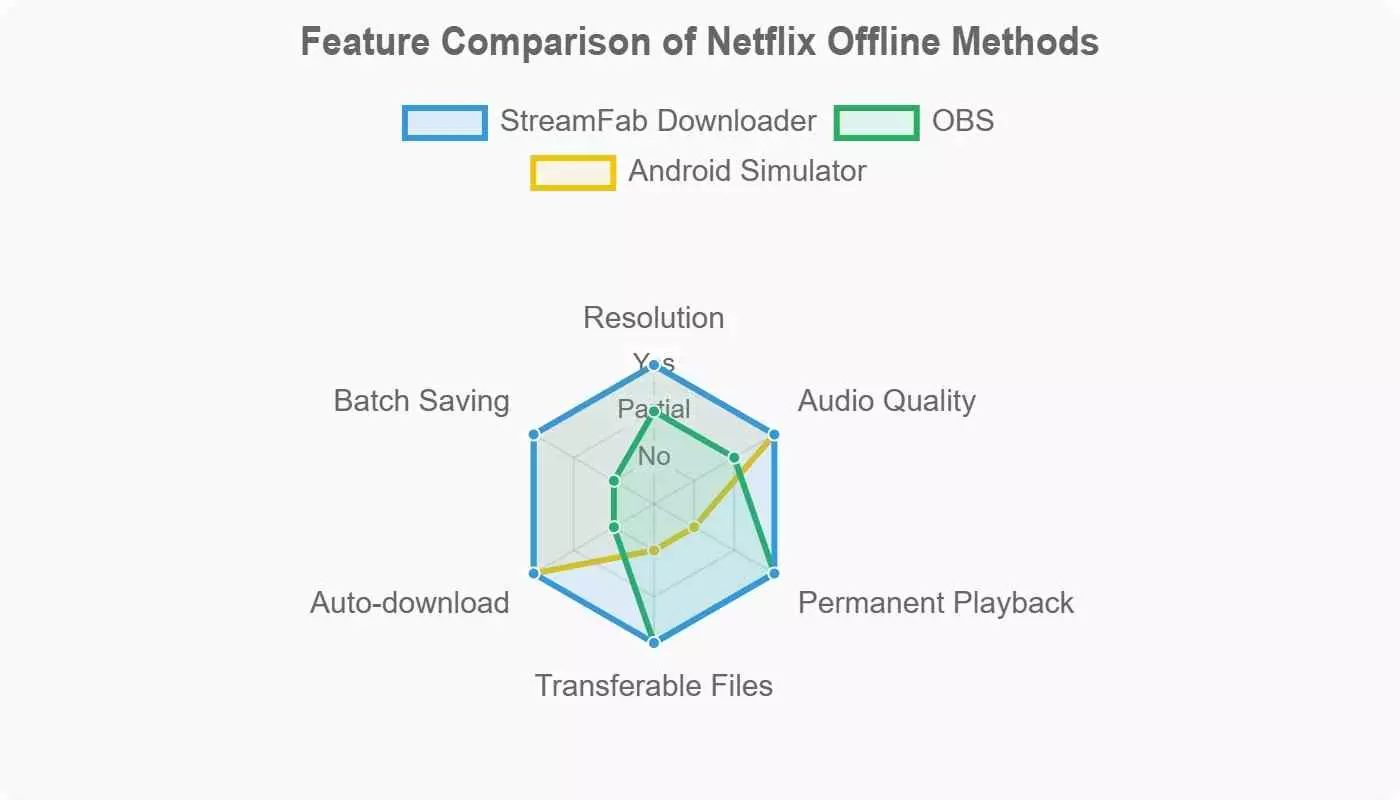
Match the method to the constraint that hurts most: hardware, quality, or one-off convenience.
| StreamFab Netflix Downloader | Screen Recording with OBS | Android Emulator (BlueStacks) | |
|---|---|---|---|
| Supported OS | Windows, Mac | Windows, Mac (also Linux) | Windows, Mac |
| Max resolution | Up to 1080p | Depends on screen and codec (quality loss expected) | Original mobile-app resolution (typically SD to 480p) |
| Audio quality | Preserves Dolby Atmos or EAC3 5.1 in the saved file | Whatever your capture pipeline records (often stereo) | Whatever the Netflix Android app streams |
| File format & portability | MP4 or MKV plays in VLC / Plex / TVs | MKV or MP4 recording, dependent on codec settings | Locked inside the Netflix app sandbox on the emulator |
| Batch + auto-schedule | Yes | No | Manual, per-title |
| Personal offline library management | Local files, indexable in Plex or on disk | Local recordings, requires manual filing | Managed inside the Netflix app |
| Best for / Not ideal for | Best for Windows/Mac users needing a local file. Not ideal for readers unwilling to install a paid desktop app. | Best for one-off captures. Not ideal for quality-sensitive or batch use (OBS does not support unattended batch capture). | Best for experimentation on a burner account. Not ideal for a primary Netflix account. |
Feature comparison based on publicly available specs and community reports as of June 2026. OBS limits confirmed against its official documentation; BlueStacks account-restriction behaviour matches community reports observed through mid-2026.
Legal and Safety Considerations Before Any Workaround
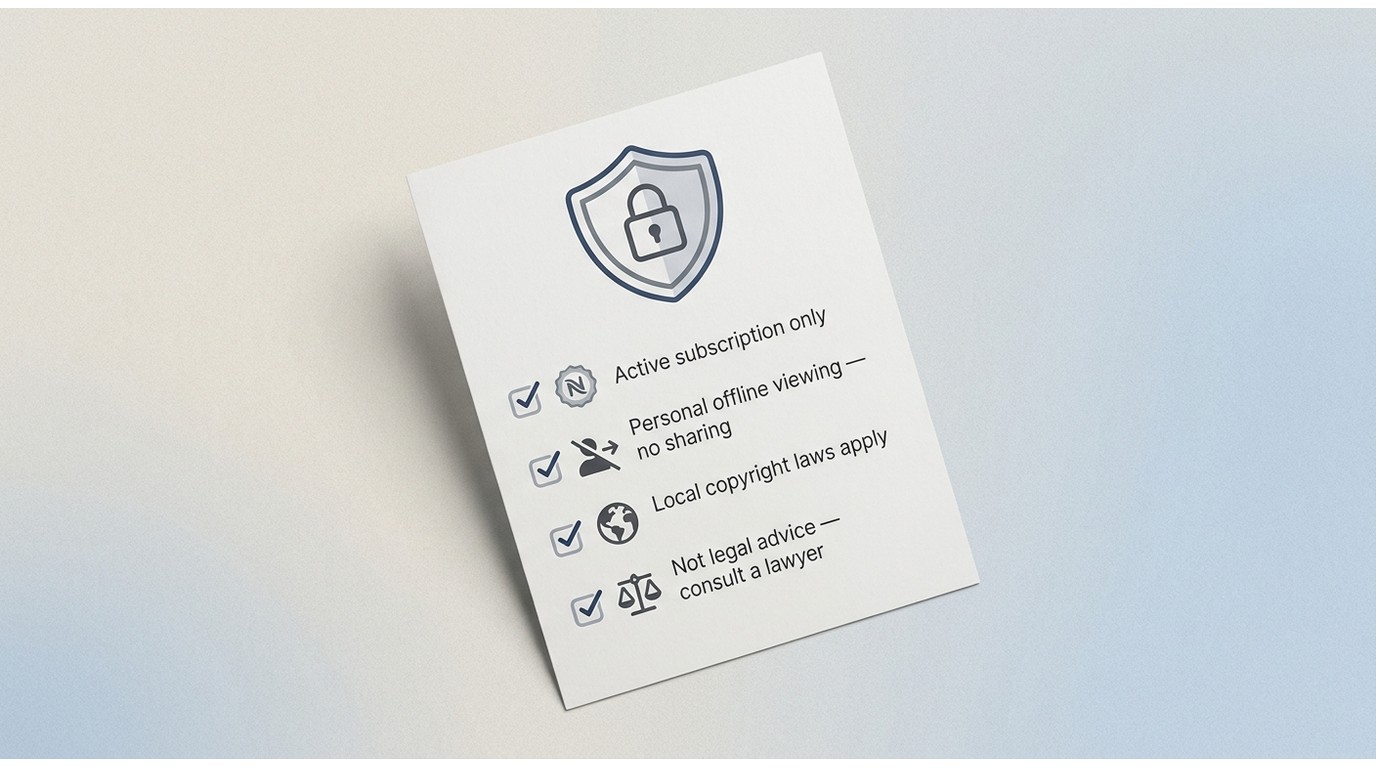
After picking anything outside Netflix's own apps, ground the exercise in four rules, and it's the same set of guardrails I use whenever I test one of these workflows on my own hardware.
- Only work with content you're authorized to access under an active subscription. No exceptions for lapsed accounts, borrowed passwords, or unlicensed titles.
- Downloads are for private, personal offline viewing. Do not upload, share, or redistribute the resulting files. Personal use means you and your household, and nothing else.
- Local copyright and platform terms apply and vary by country. The rules that govern private copying in one jurisdiction do not automatically apply in another. Read Netflix's Terms of Use and your local copyright law.
- Third-party tools do not substitute for legal counsel. When in doubt, use Netflix's official app on a supported device. If you have a specific commercial or educational use in mind, talk to a lawyer.
Frequently Asked Questions About Netflix Offline
Yes. As of June 2026, the Standard with Ads plan supports offline downloads but caps them at roughly 15 saves per device per month, versus up to 100 active downloads on ad-free plans. Confirm the current cap on Netflix's Help Center, since pricing and limits change.
Community reports in 2026 note that emulators lack hardware-backed DRM modules, so Netflix can flag emulator traffic and impose temporary account restrictions. Treat it as an experiment, not a daily workflow, and never sign in with your primary Netflix account without accepting the risk.
Official Netflix downloads stay locked inside the Netflix app sandbox, so they cannot be copied to a USB stick or another device. If you need file-level portability, only a locally saved MP4 or MKV file made by a desktop tool for personal backup delivers that.
Rough guidance: standard-definition episodes run around 250 to 400 MB each; 1080p HD titles around 3 to 4 GB per movie; a 4K film can approach 14 GB. Netflix has not published a fixed table, so leave headroom and monitor storage inside the app.
Conclusion
If you own or plan to buy a Chromebook, use the official Netflix app on ChromeOS. It stays fully inside Netflix's terms, updates automatically with the platform, and inherits Netflix Smart Downloads plus Downloads for You.
If you're stuck on Windows or Mac and you want a real local file, a desktop alternative such as StreamFab Netflix Downloader, used strictly for content you're authorized to access under an active subscription, gives you a saved file that plays in VLC, Plex, or on a smart TV.
If you only need a single one-off capture, OBS screen recording is enough. If I had to pick one path for most Windows and Mac readers in 2026, it's the desktop-downloader route: the Chromebook option is cleaner, but very few readers rebuild their hardware around one streaming service. The Android emulator lane stays off my recommendation list unless you have already accepted the account-restriction risk on a burner account.
