
I’d choose a Netflix downloader for laptop travel when local files matter. StreamFab Netflix Downloader fills that desktop gap with up to 1080p output for authorized personal viewing; available quality follows the title and subscription. Preparing a season before departure is its practical appeal.
- Your offline setup starts with the playback device. Choose the laptop or player you will actually take with you.
- Resolution: Up to 1080p; title and subscription determine the available quality.
- Audio: Select an available track that your playback equipment supports.
- Format: MP4 and MKV are containers; the video and audio inside need a compatible player.
- Local storage: Choose an output folder with room for your selected episodes.
- Platform: Windows 10/11 or macOS 12 and later.

Introduction to StreamFab Netflix Downloader?
StreamFab Netflix Downloader provides a local-file workflow on Windows and Mac. Netflix’s official downloads stay inside its app on supported devices. The distinction matters when your travel screen is a laptop rather than a phone or tablet.
Saving Netflix to MP4 gives you a file in a chosen folder instead of an item in the Netflix app’s Downloads list. StreamFab is a third-party tool relative to Netflix’s official download feature, for personal offline viewing of content you’re authorized to access, where permitted by platform terms and applicable law.
Save Netflix videos as MP4/MKV at up to 1080p on Windows and Mac, with HDR10 and Dolby Atmos on supported titles and subscriptions.
StreamFab Netflix Downloader vs. Netflix App
The official app suits occasional viewing on a supported portable device. StreamFab’s strength is desktop file storage and episode queues. I’d use the app for a phone-based trip and choose the desktop workflow when organizing a season on a laptop.
| Feature | StreamFab Netflix Downloader | Netflix official app |
|---|---|---|
| Download devices | Windows 10/11; macOS 12+ | Supported Android, iPhone, iPad, Fire tablets, Chromebooks |
| Playback and output | MP4/MKV; compatible player | In-app playback |
| Netflix quality | Up to 1080p; title and subscription limits | App download-quality settings |
| Access | Separate software license; Netflix subscription | Eligible Netflix plan |
| Viewing conditions | Authorized personal local-file use | Title-specific download expiration |
As of September 2026, supported Chromebooks require the Google Play Store; Windows and Mac have no official Netflix download workflow. Supported devices and availability can change. Netflix’s Help Center download instructions identify the supported device types.
The app’s expiration notice belongs to that particular title. Treat it as a viewing deadline, rather than assuming one fixed period covers your entire Downloads list.
The StreamFab Netflix Downloader desktop installer starts the local-file workflow on a supported computer.
Pricing Overview: StreamFab Cost and Trial
StreamFab cost is separate from your Netflix subscription. The Netflix module is paid software with a 30-day trial and three full video downloads per service. The trial includes the paid feature set; its restriction is download quantity.
That allowance is cumulative during the trial. Reinstalling does not reset it. I’d use the first download for the episode, language track, and player intended for the trip, then use the remaining allowance to check the planned workflow.
The Netflix module has monthly, annual, and lifetime purchase options. Monthly subscriptions have a seven-day unconditional refund window; annual and lifetime purchases have a 14-day window for duplicate or mistaken purchases, unresolved technical problems, or billing errors. The refund-policy page explains those purchase terms.
StreamFab MyCombo groups individual service modules. A Netflix license does not establish coverage for the separate StreamFab Amazon Downloader module.
StreamFab Netflix Downloader: Safe Personal Use
The official installer is the starting point for installing StreamFab. Keep software security separate from permission to save a particular video. A scan result describes the installer scanned, rather than every later release.
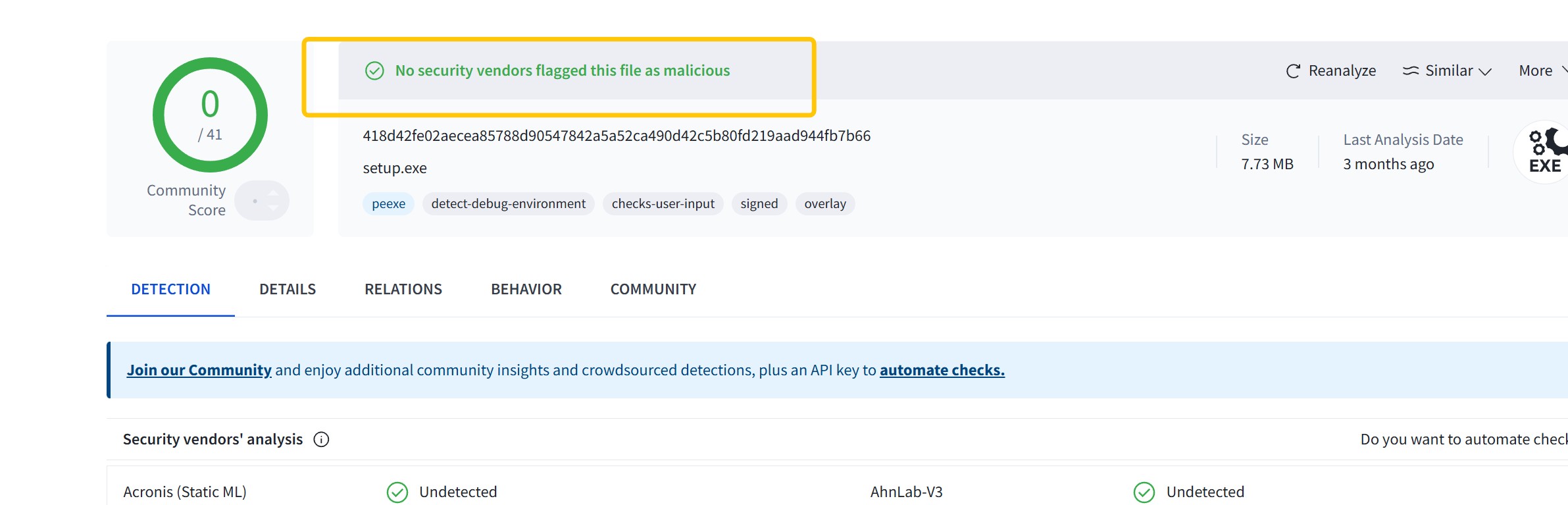
StreamFab uses recording technology and does not remove or decrypt DRM. Use an active Netflix subscription and authorized content for personal offline viewing, without redistribution, under applicable law and platform terms. The boundaries depend on the specific use; a subscription alone is not permission for every copying activity.
Installation or application errors have a practical next step: the StreamFab troubleshooting guide explains common fixes. Match the remedy to the error you see before changing settings.
Key Features of StreamFab Netflix Downloader
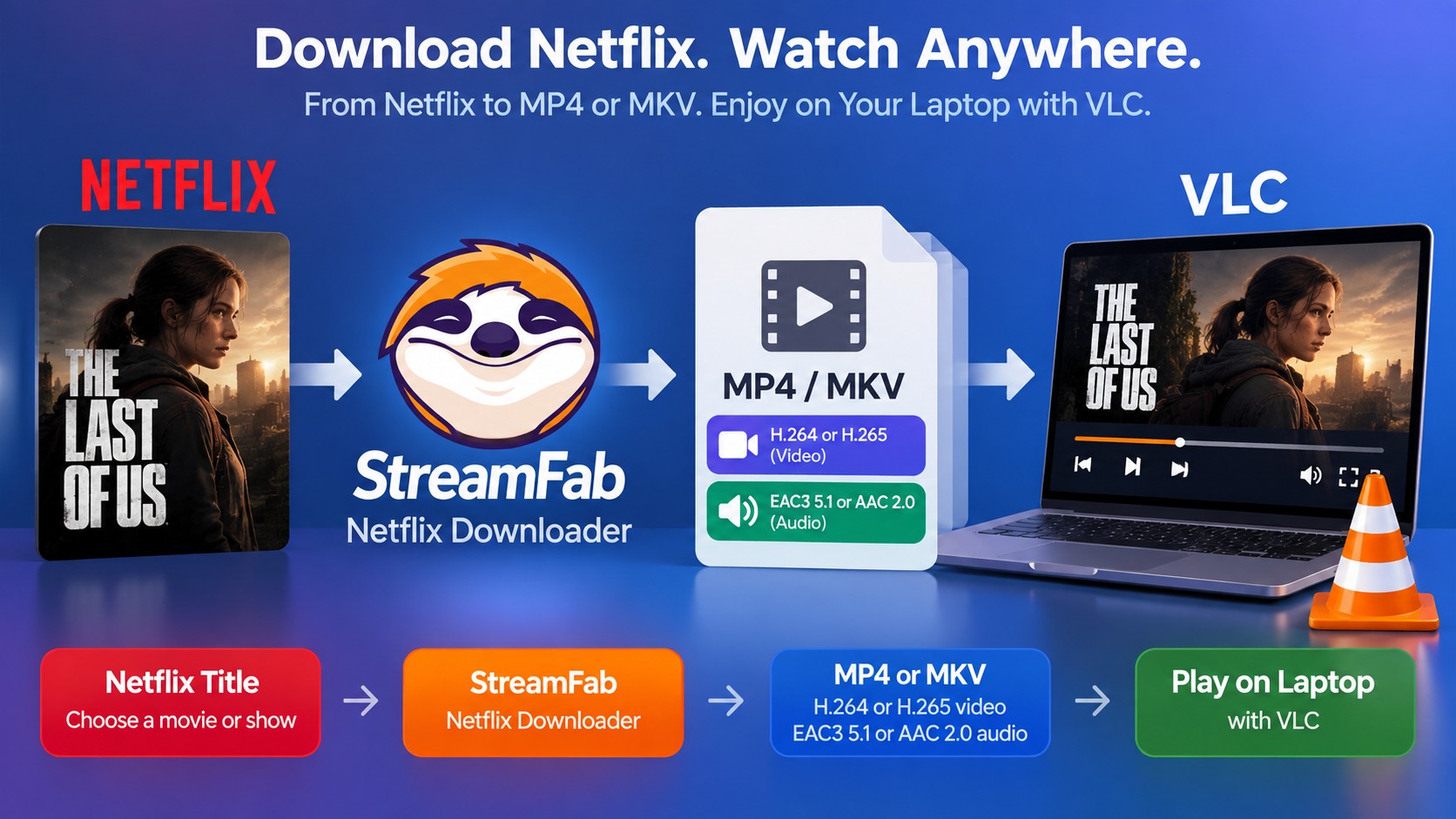
The useful features address three travel tasks: saving a local file, organizing episodes, and choosing playback settings. Start with one episode. Its settings become a practical reference when preparing the rest of the season.
1. Saving a local copy
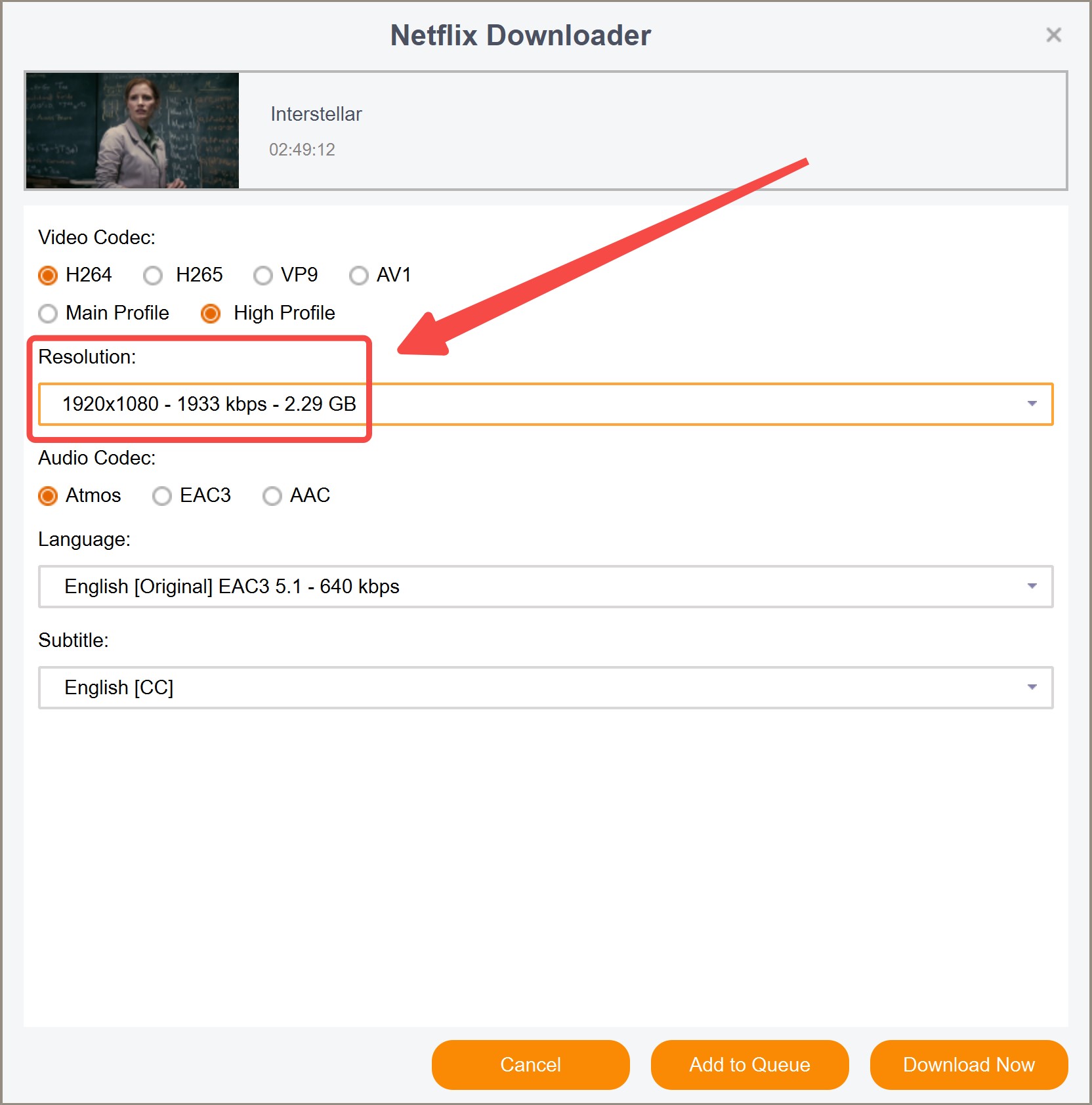
The Netflix downloader saves the selected video to your computer. This creates a file-management workflow: choose a destination, wait for completion, and open the result in a compatible player. A completed file and a queued task are different things.
2. Batch and auto-download modes
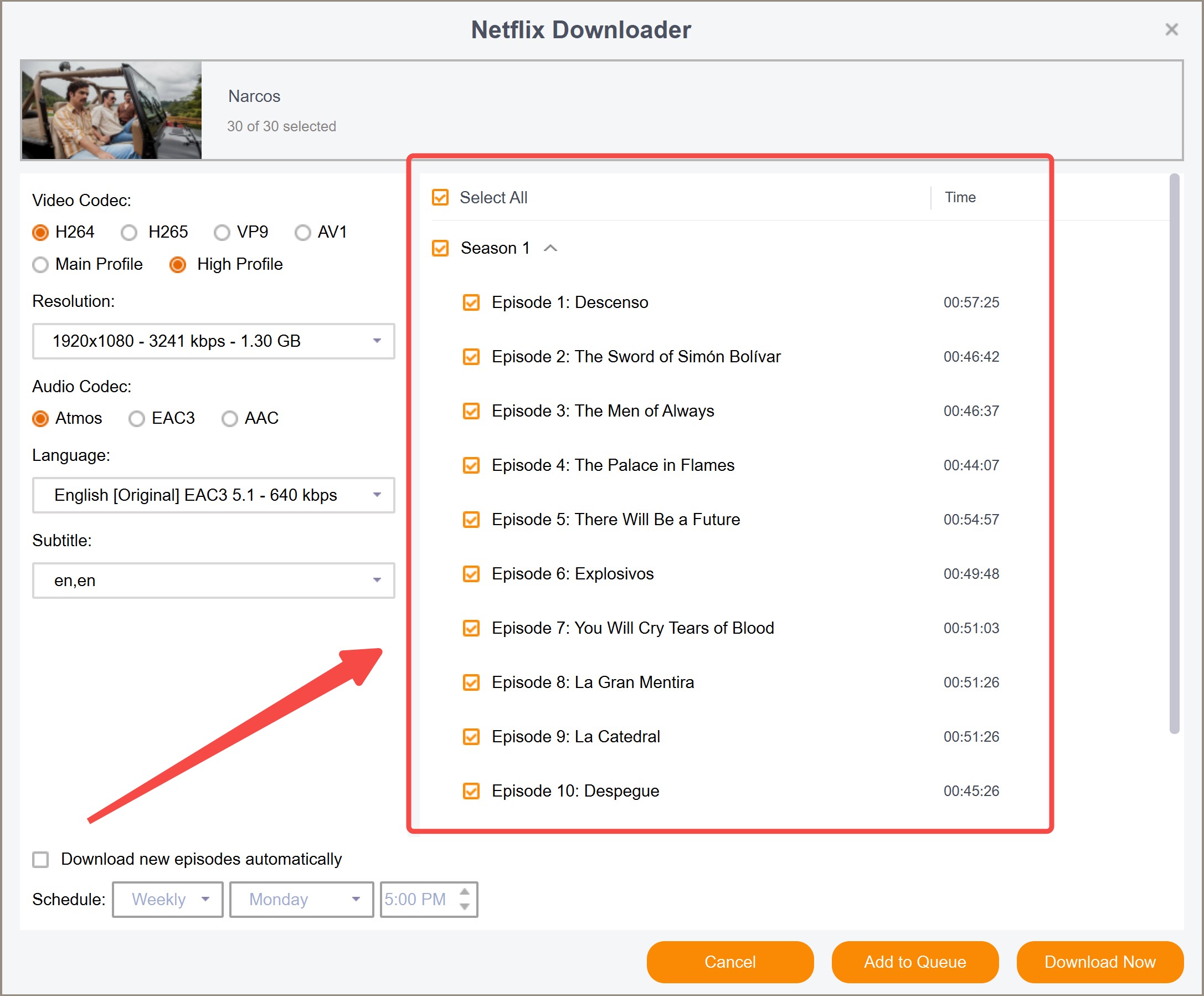
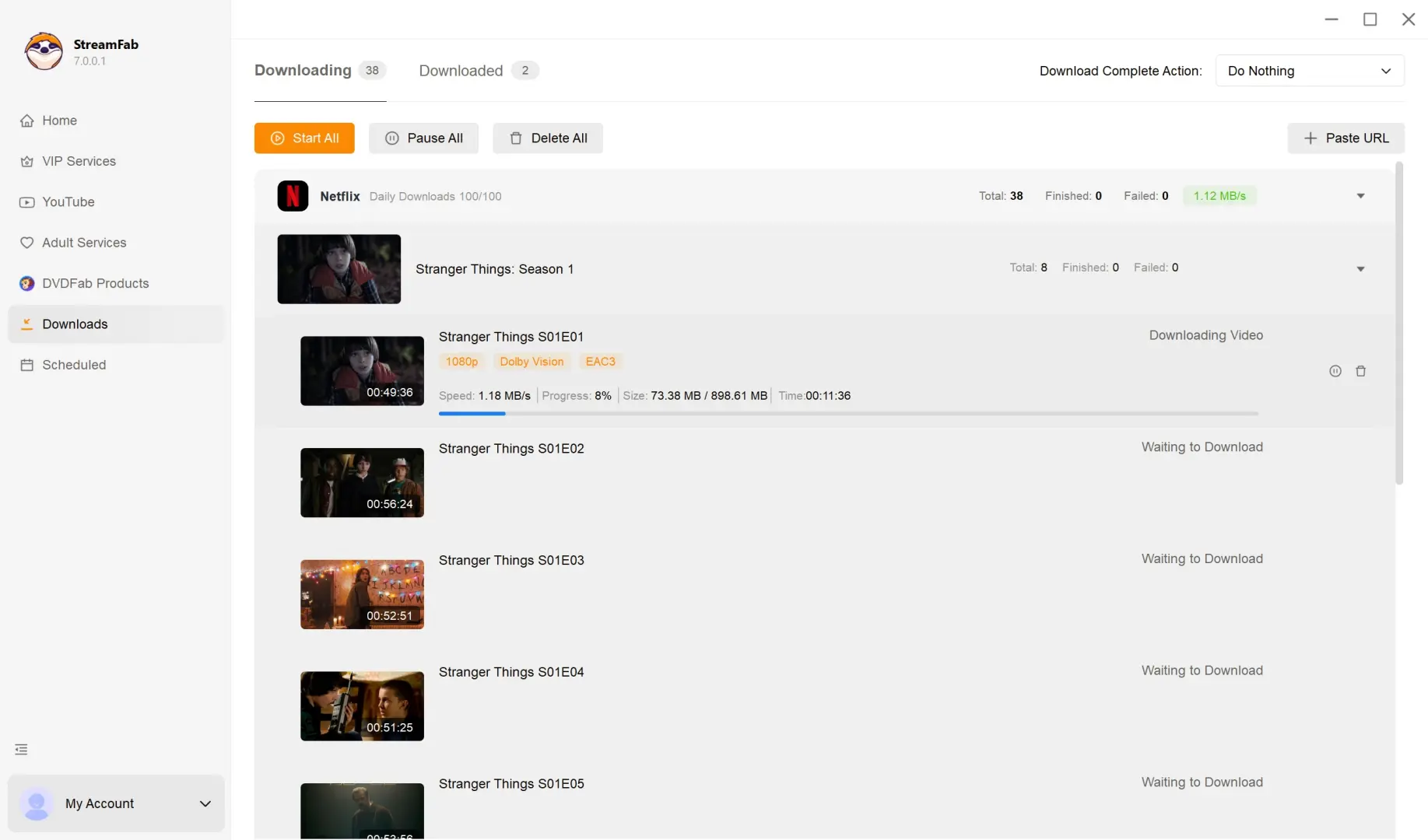
Batch mode groups episodes in a queue; scheduling sets a time for selected shows’ new episodes. That reduces repeated selection before a trip. Confirm the episode list before starting, so a whole season does not become a queue of titles you never intended to watch.
The StreamFab queue and scheduling workflow helps organize those tasks. Keep the computer running and connected while they finish, and review completed items before departure.
3. Selectable H.264/H.265 codecs
H.264 is a practical starting choice for broad playback compatibility; H.265 suits equipment that supports HEVC. MP4 and MKV are containers, while H.264 and H.265 are video codecs. Your player needs support for both the video and audio inside the file.
The filename extension does not settle compatibility. A player recognizing an MKV file still needs to decode its contents; renaming the extension does not convert the video.
4. Advanced streaming technologies supported
StreamFab Netflix Downloader supports output up to 1080p, with HDR10, Dolby Vision, and Dolby Atmos options on supported titles and subscriptions. Audio options include EAC3 5.1 and AAC 2.0. Use the trial to match the intended title’s available settings to your playback equipment.
A supported format is not an upgrade to the source. Select an available track and picture setting that your laptop or connected display actually handles, rather than choosing the largest-sounding option by default.
What Users Say: StreamFab Reviews & Feedback
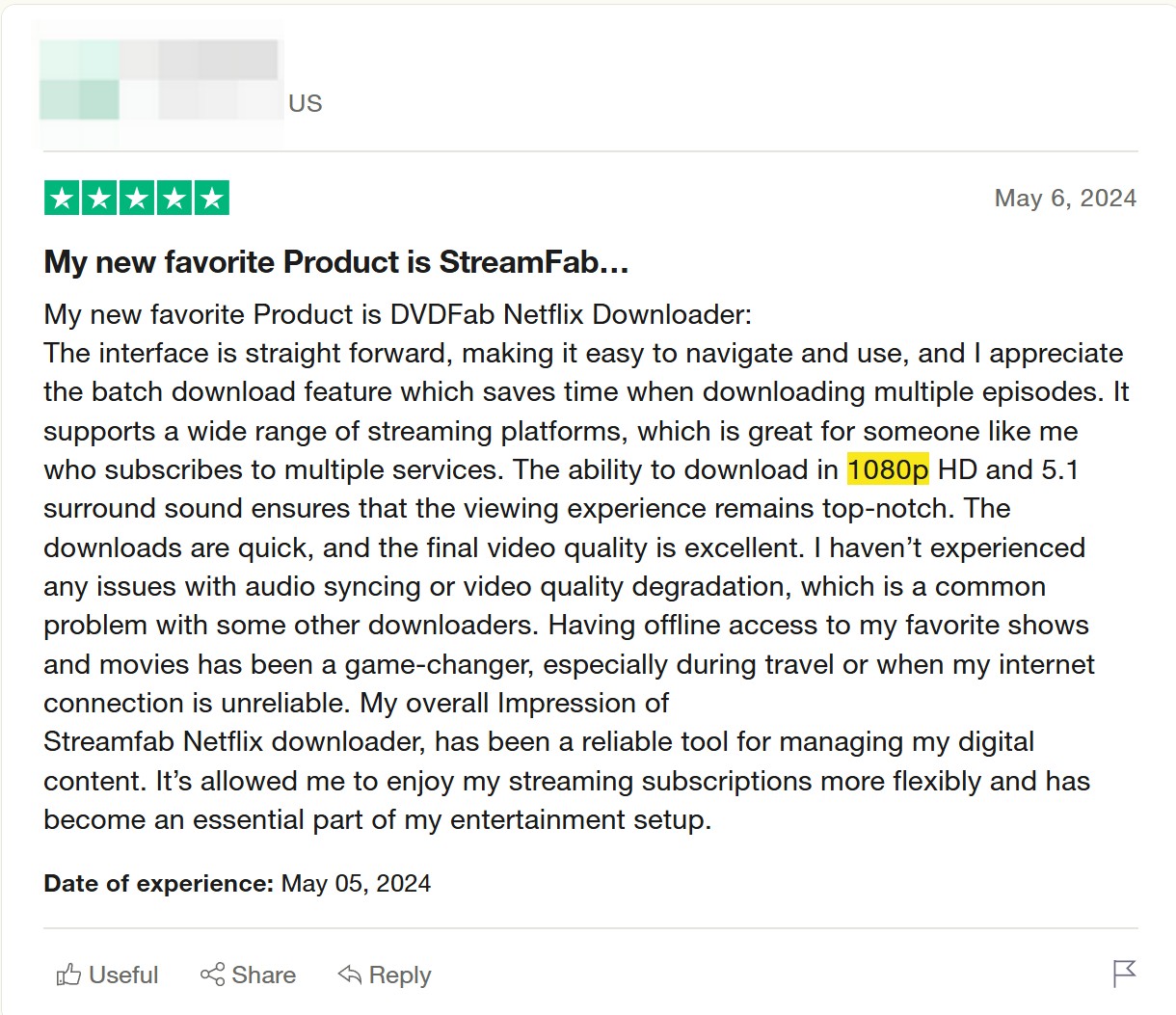
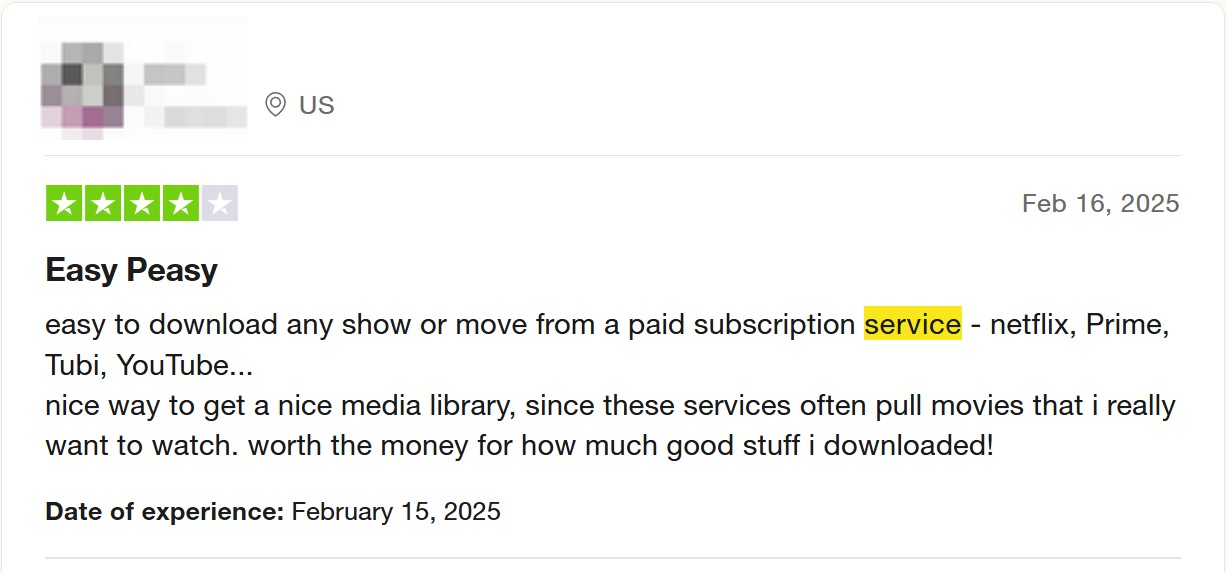
StreamFab reviews are most useful when the reviewer’s setup resembles yours. A laptop traveler needs a completed episode with the right language; a home playback setup also needs compatible audio and video. Individual comments describe individual experiences.
Playback Compatibility
Silent audio and a file that will not open point to different playback checks. Match the selected audio track to your player first; then check its video-codec support. The codec choices above give you a concrete starting point for resolving that mismatch.
Support & Updates
Netflix sign-in or download failures need a specific troubleshooting path: update StreamFab, check Netflix playback in your account, and record the error message if the task still fails. Include the application version and affected title in a support request.
Keep the failed task details. Whether the problem occurs before sign-in, during analysis, or after downloading helps distinguish an access issue from a playback issue. Software updates address compatibility changes; their release notes describe the fixes included.
Overall Performance Review
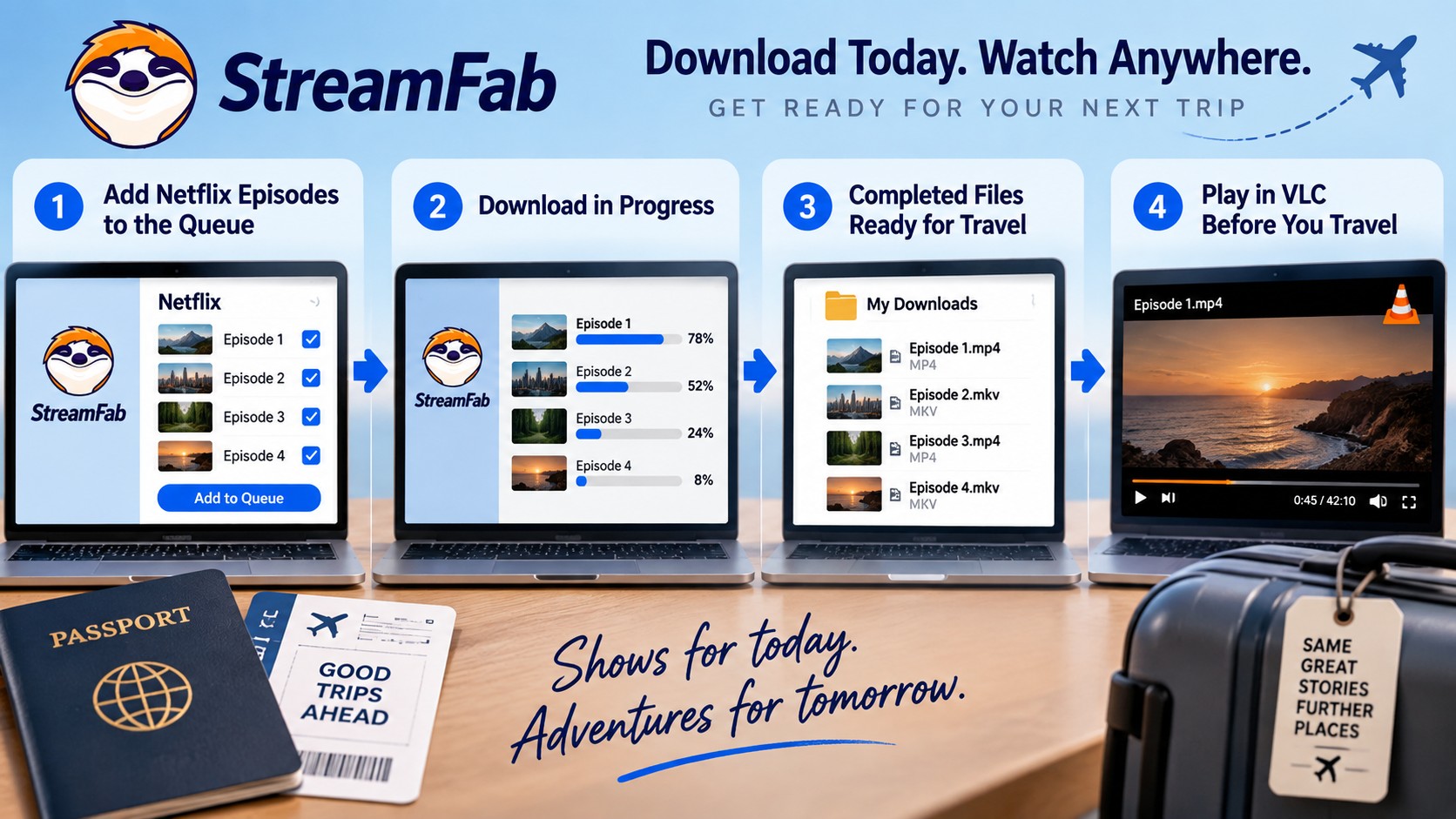
Batch preparation changes the amount of repeated selection, not the need to finish before departure. A queued season still needs connectivity and disk space. Leave time to inspect completed tasks so your travel plan does not depend on an unfinished queue.
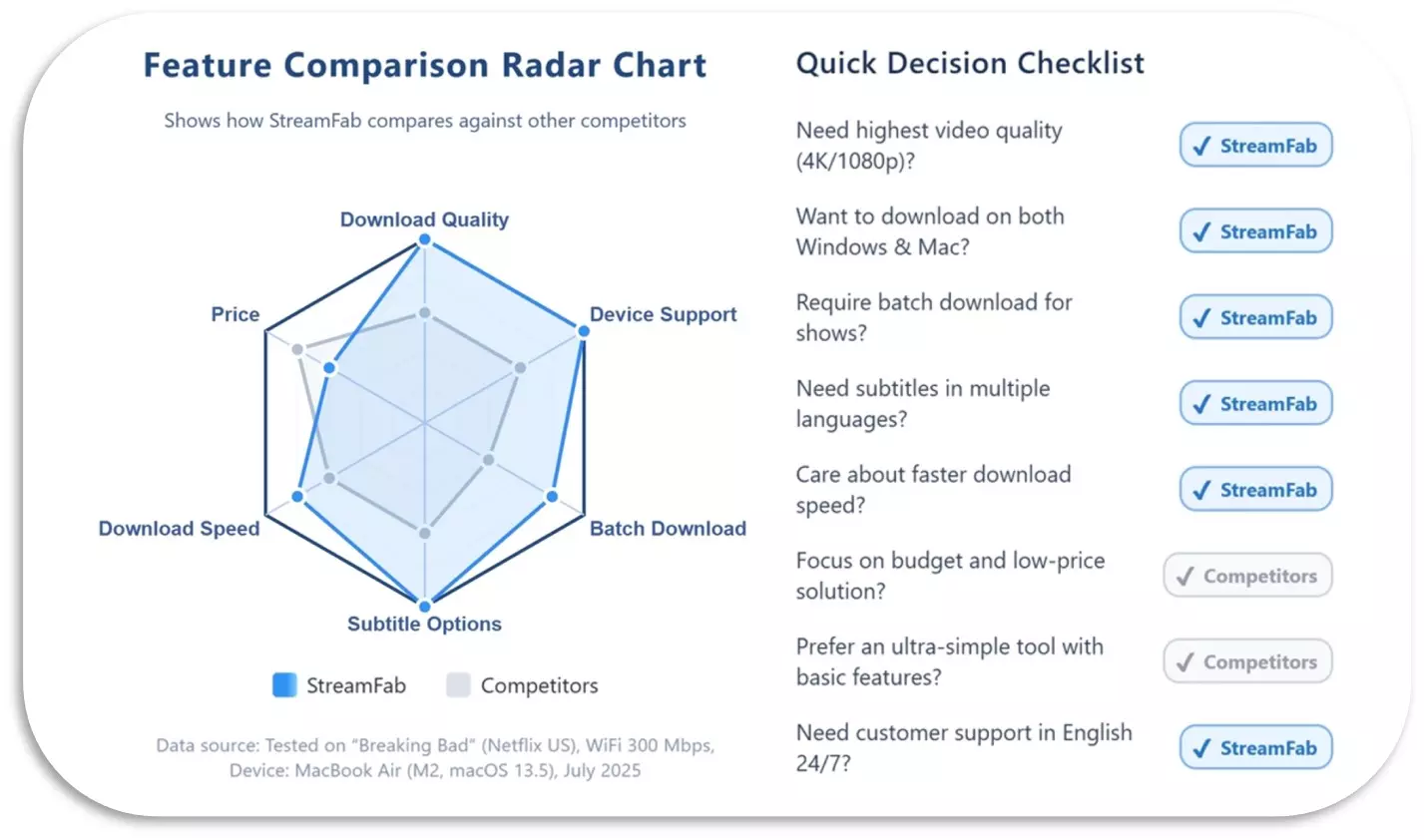
My practical verdict is to build the queue ahead of the trip and judge readiness by completed episodes. A longer task list is not more offline viewing until the files have finished saving.
Using StreamFab Netflix Downloader
You need an active Netflix subscription, content you’re authorized to save, and a compatible Windows or Mac playback setup. Prepare the output folder before you download Netflix movies on a laptop. For a trip, choose the episodes you intend to finish preparing before departure.
Download and install StreamFab Netflix Downloader. Get the official installer for your system and follow the setup prompts. Use Windows 10/11 or macOS 12 and later.
Safe & VerifiedFree Download macOS 11.0 or later
Safe & VerifiedOpen the Netflix module. Launch StreamFab, select “Streaming Services” in the left menu, choose “Netflix,” and sign in to your Netflix account.
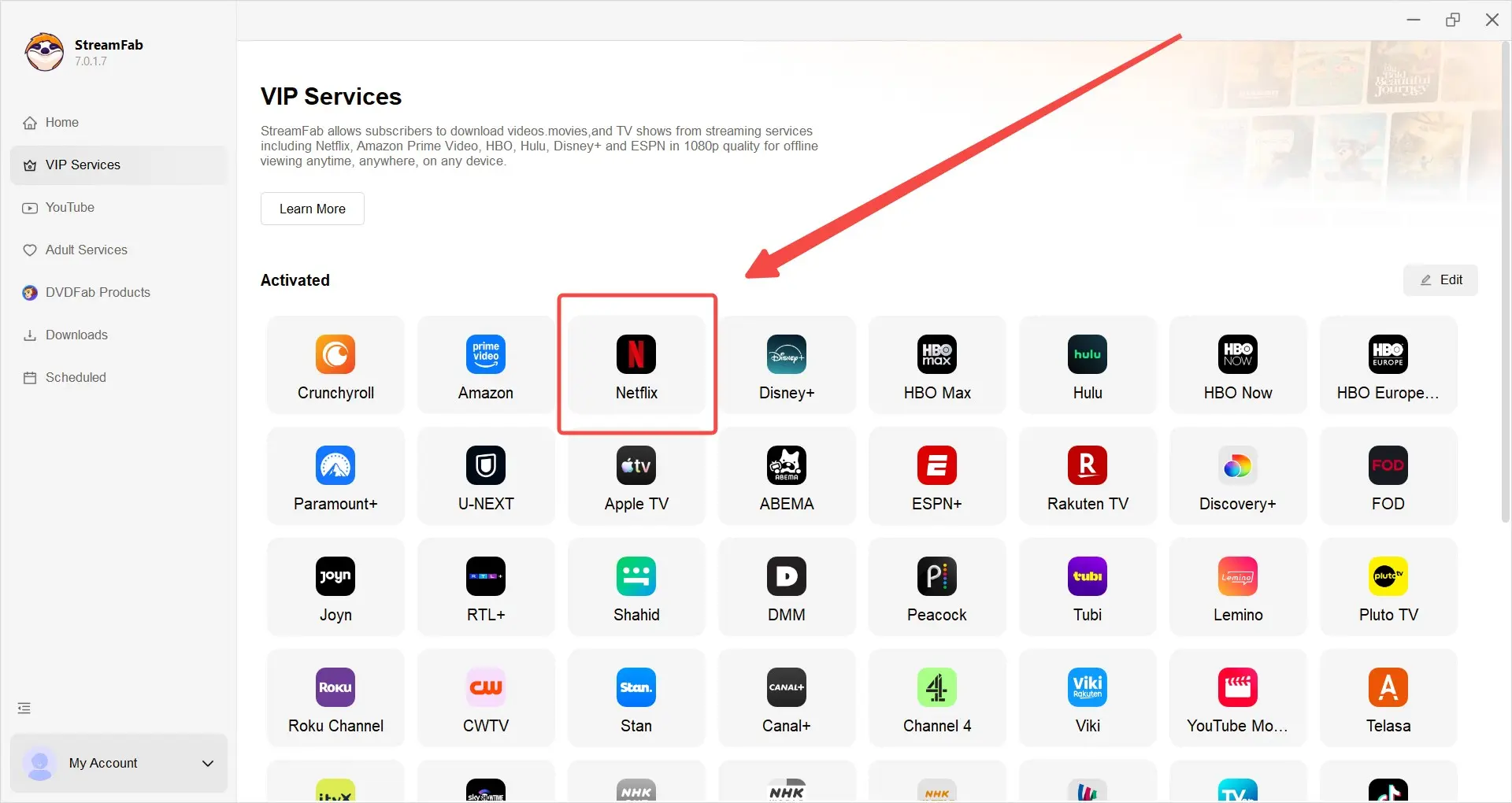
Browse and select content. Search for the movie or series, open its detail page, and let analysis start. Choose the intended series before adding episodes.
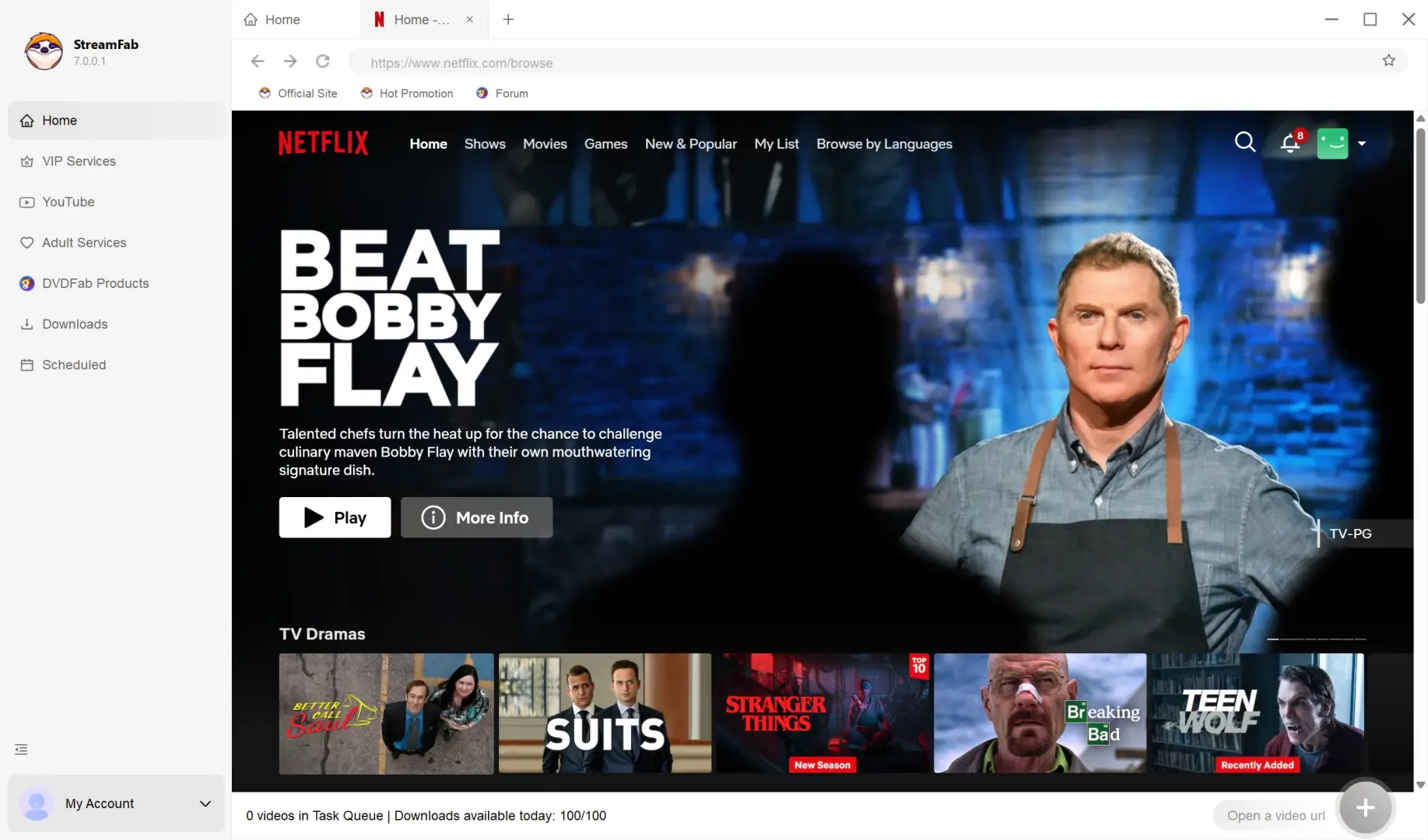
Configure download settings. In the settings popup, select the available dubbed audio and subtitles for your chosen title. Use “Download Now” for the current video or “Add to Queue” for the selected episodes.
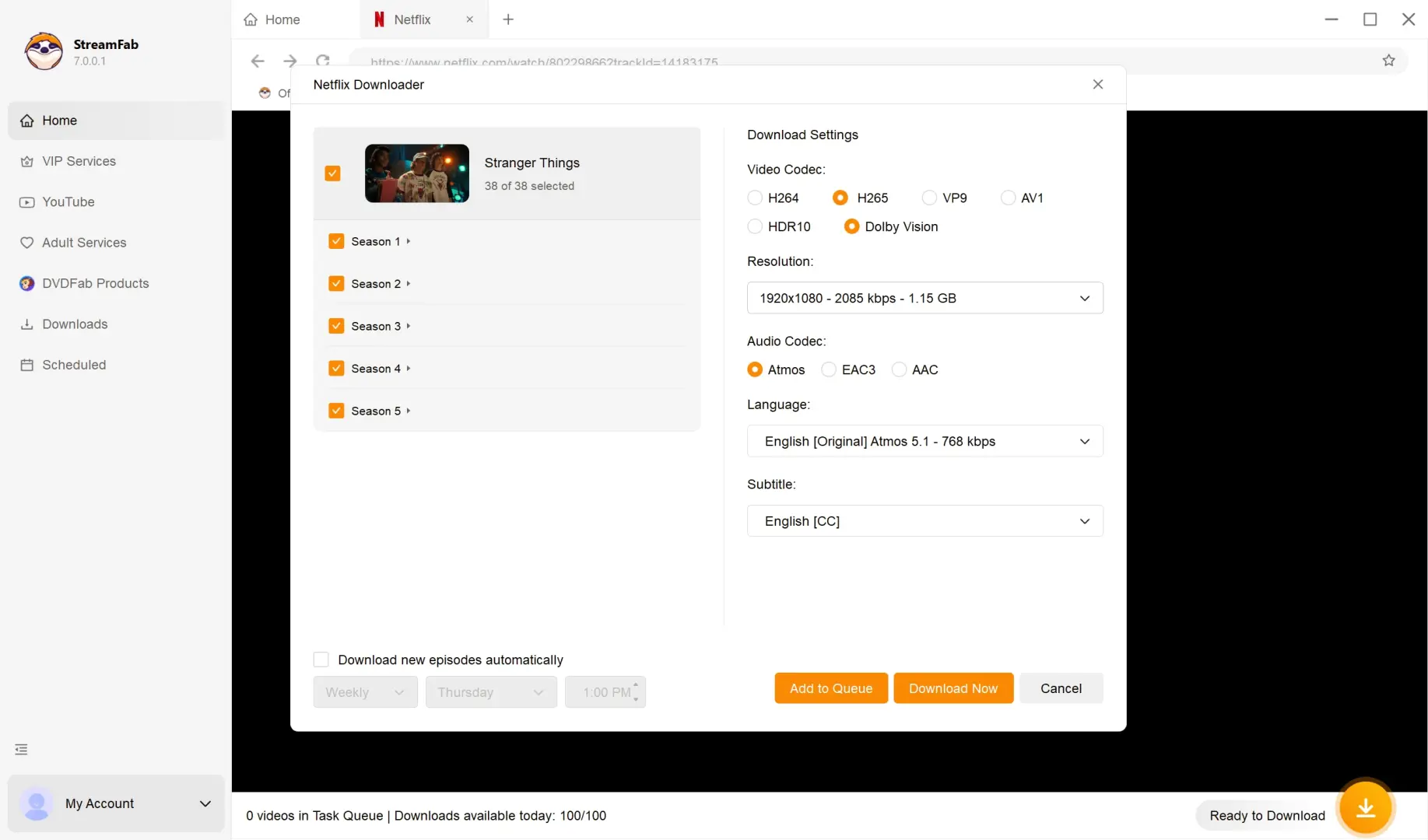
Start downloading. Click “Download Now” and let the task finish. Open the configured output folder to locate the completed file, then check playback before you leave.
FAQs
Conclusion: The Best Netflix Downloader for Your Needs
The best Netflix downloader for laptop travel is one that fits the files and episodes you want to manage. I’d choose StreamFab Netflix Downloader for desktop MP4/MKV storage and a season prepared in a batch queue. Its value is control over that preparation and storage workflow.
