You can download eligible Amazon Prime Video rentals through supported Prime Video apps, but the copy stays inside the app and follows the title's device and viewing deadlines. A local-file workflow is a separate option for authorized personal offline viewing on Windows or Mac when permitted by platform terms and applicable law.
You may be searching for how to download Amazon Prime Video rentals because a trip is approaching, the rental clock is easy to misread, or the download button is missing. Eligible titles can support Amazon rental offline viewing in the Prime Video app, while a local-file workflow serves a different need on a computer.
The practical answer is to check the rental title itself before you rely on it: eligibility, device support, and the displayed deadline matter more than a general rule.
Amazon Rental Downloads at a Glance
An Amazon rental download is available only when the title, account, region, and current app support it. The official download remains tied to Prime Video, while the exact Prime Video rental limits shown for that movie control access.
The key detail in Amazon Prime Download Limits is that downloading is not ownership. I would check the title page and deadline before a flight or train ride rather than assume two rentals will behave the same way.
Rental Eligibility and Time Limits
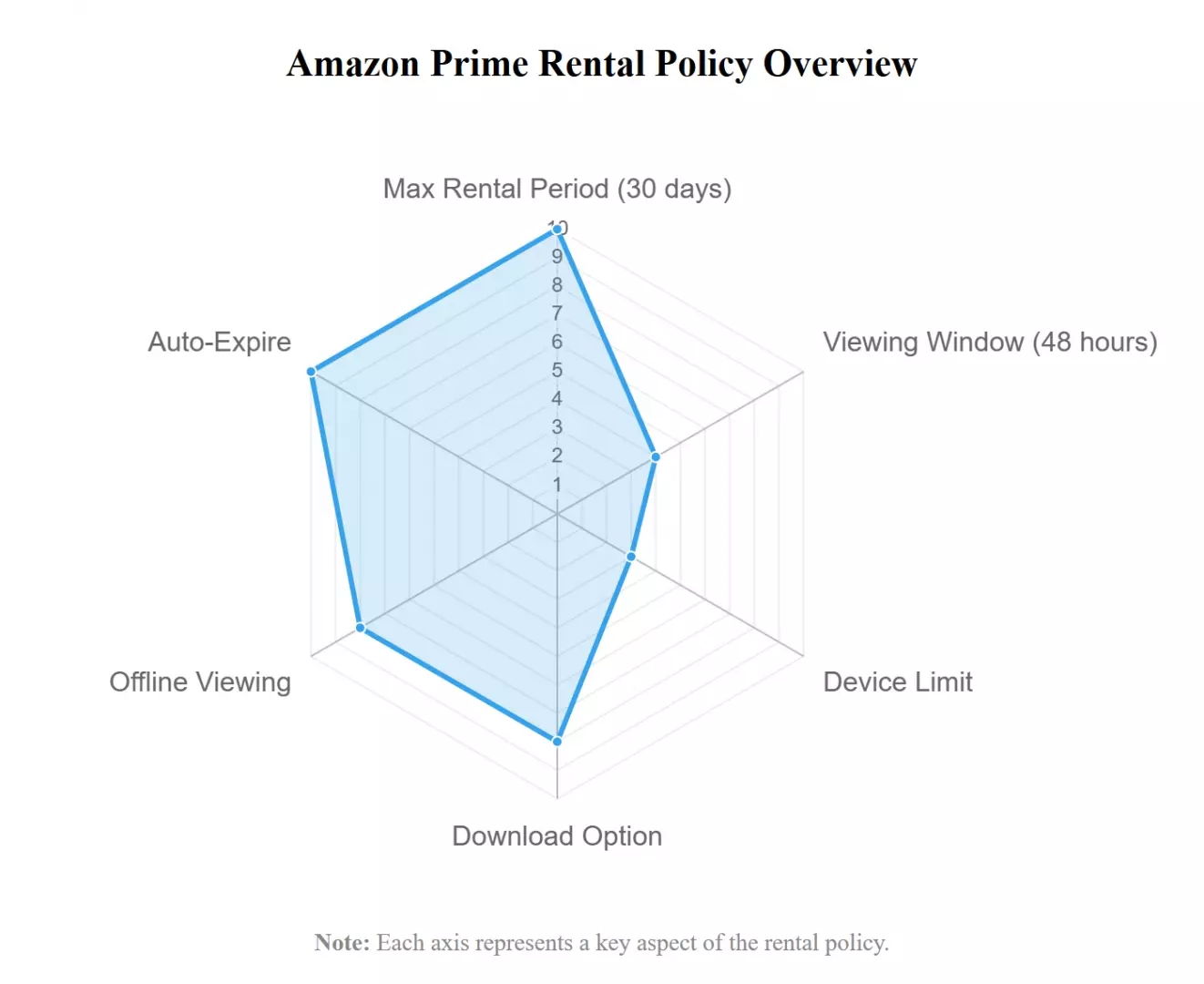
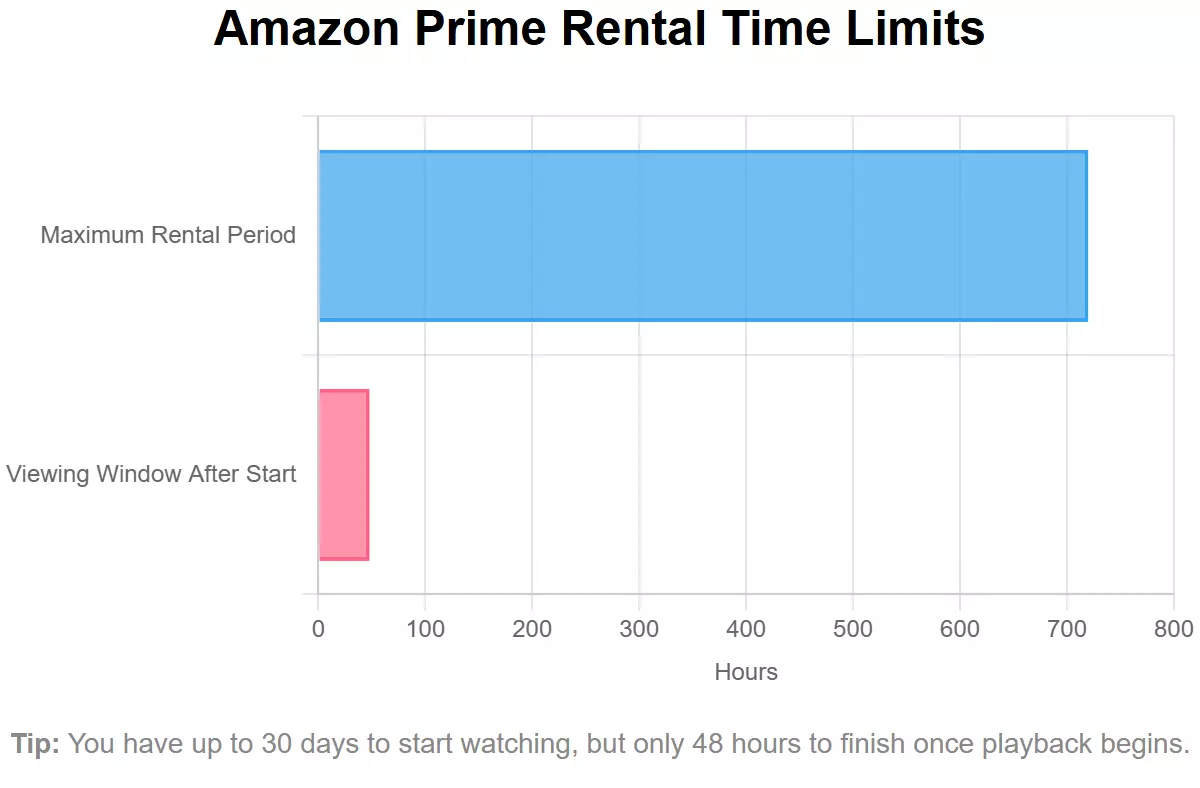
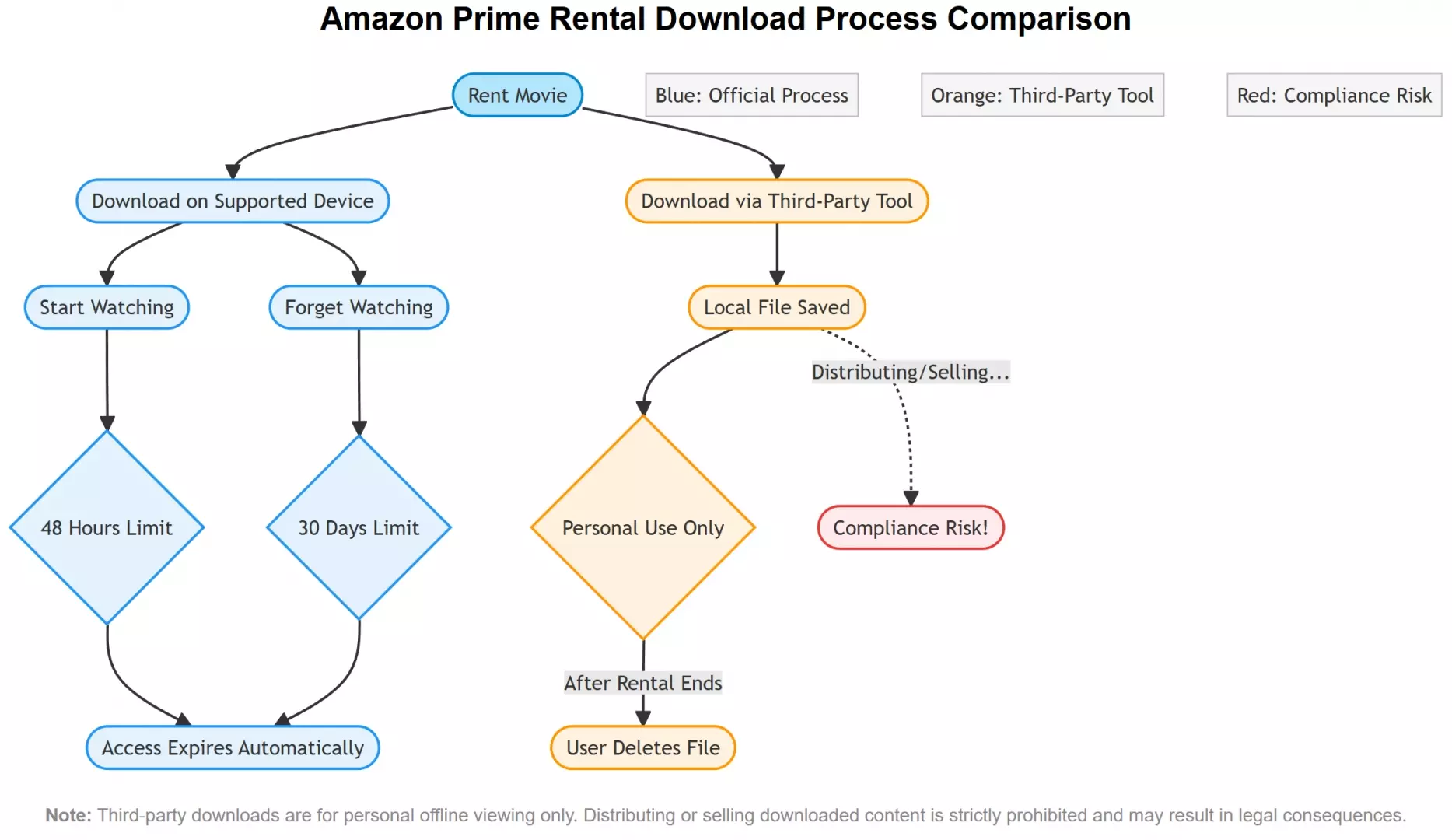
As of July 2026, Prime Video says rented titles are typically available for 30 days to begin watching and typically must be finished within 48 hours after playback starts, although the exact Prime Video rental expiration can vary by title.
- A rental is typically available for 30 days to begin watching, unless the title page shows a different period
- Once playback begins, the title is typically available for 48 hours to finish watching, unless the title page shows a different deadline
- When the displayed rental window ends, playback in Prime Video is no longer available
- Not every rented Amazon movie is eligible for a Prime Video app download
- Eligible rentals can be downloaded through supported Prime Video apps, subject to the title and account rules
- Prime Video supports apps on Fire tablets, iOS, Android, Windows 10/11, and macOS; rental eligibility varies by title
- An official downloaded rental follows the same title-specific rental deadline shown by Prime Video
Supported Devices and Playback Rules
Amazon rental supported devices include Fire tablets and Prime Video apps on iOS, Android, Windows 10/11, and macOS, but a supported app does not make every rental downloadable. The offline copy plays inside Prime Video on the designated device and is not a gallery video or USB-transferable file.
| Point | Prime Video app download | StreamFab local-file workflow |
|---|---|---|
| Title eligibility | Only rentals displaying an available Download option | For content you're authorized to access, where permitted by platform terms and applicable law, compatibility can vary by title |
| Supported devices | Supported Prime Video apps on Fire tablets, iOS, Android, Windows 10/11, and macOS | Windows and Mac desktop workflow |
| Where playback occurs | Inside the Prime Video app on the download device | In a compatible local media player |
| File or app format | App-managed offline copy | MP4 or MKV |
| Designated-device rule | The download remains assigned to the device used in Prime Video | The local file can be moved among compatible personal devices |
| Rental start deadline | The title-specific deadline shown in Prime Video applies | Does not change the entitlement or rental deadline |
| Finish-watching deadline | The displayed viewing window applies after playback begins | Does not extend rental rights |
| USB or gallery transfer | Not available as a normal gallery or USB file | Standard file transfer is supported for authorized personal use |
| Quality and audio expectations | Depend on the title, device, region, and available tracks | Up to 1080p for Amazon, with available EAC3 5.1 or AAC 2.0 audio; actual tracks vary by title |
| Best fit | A quick in-app download on a supported device | Authorized Windows or Mac users who need standard local playback |
| Main limitation | App-bound playback and title-specific rental limits | Not every rental behaves identically, and the workflow does not alter rental rights |

Official Prime Video Download Steps
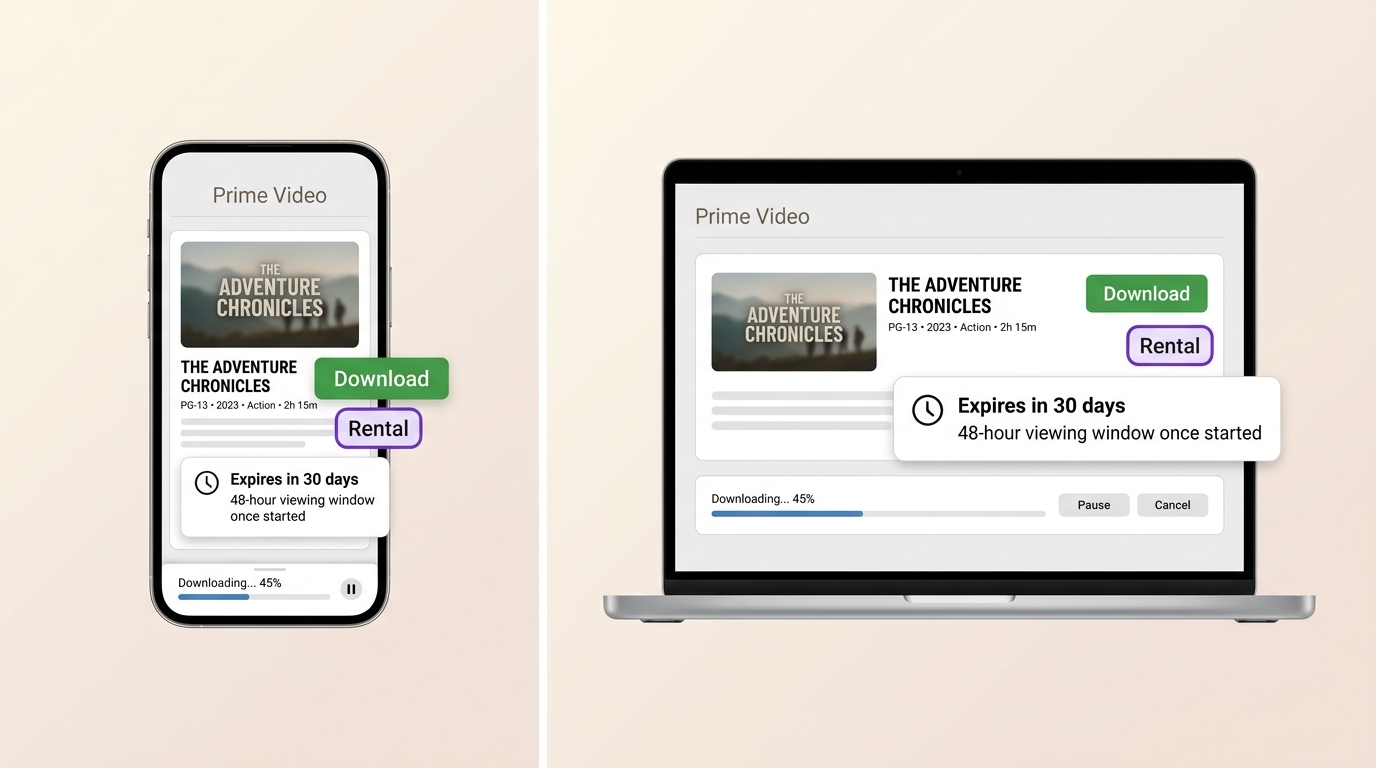
To download Amazon Prime Video rentals officially, confirm the title is eligible, use a supported Prime Video app, and complete the download before the title-specific window closes.
Phones and Tablets
On a phone or tablet, the process for downloading Amazon Prime Video to PC, Windows, Mac, or mobile begins with the same eligibility check: open Purchases & Rentals in My Stuff or Library, select the movie, and look for Download.
- Open the Prime Video app and sign in to the account used for the rental.
- Open My Stuff or Library, then choose Purchases & Rentals.
- Select the rented movie and confirm that the download option appears.
- Choose the available quality or storage setting, then let the download finish before leaving your connection.
- Open Downloads inside Prime Video and test a few seconds of playback before traveling.
My practical check is simple: switch the device briefly to airplane mode and confirm the title opens inside Prime Video. That catches an incomplete download without pretending the app copy is a normal video file.
Fire Tablets, Windows, and Mac
Fire tablets follow a similar in-app path. Prime Video also has Windows and macOS apps, but rental downloads still depend on the individual title and applicable usage rules rather than the operating system alone.
If a Mac user needs a broader desktop workflow, the same eligibility distinction matters when trying to download Amazon Prime Video on a MacBook or iMac: first determine whether the goal is an official app download or a standard local file.
Local-File Option for Personal Offline Viewing
A Prime Video rental MP4 workflow serves authorized Windows or Mac users who need standard local playback when an official download is unavailable. It does not change the rental entitlement, and title-level compatibility should be checked before changing every setting.
When StreamFab Fits the Use Case
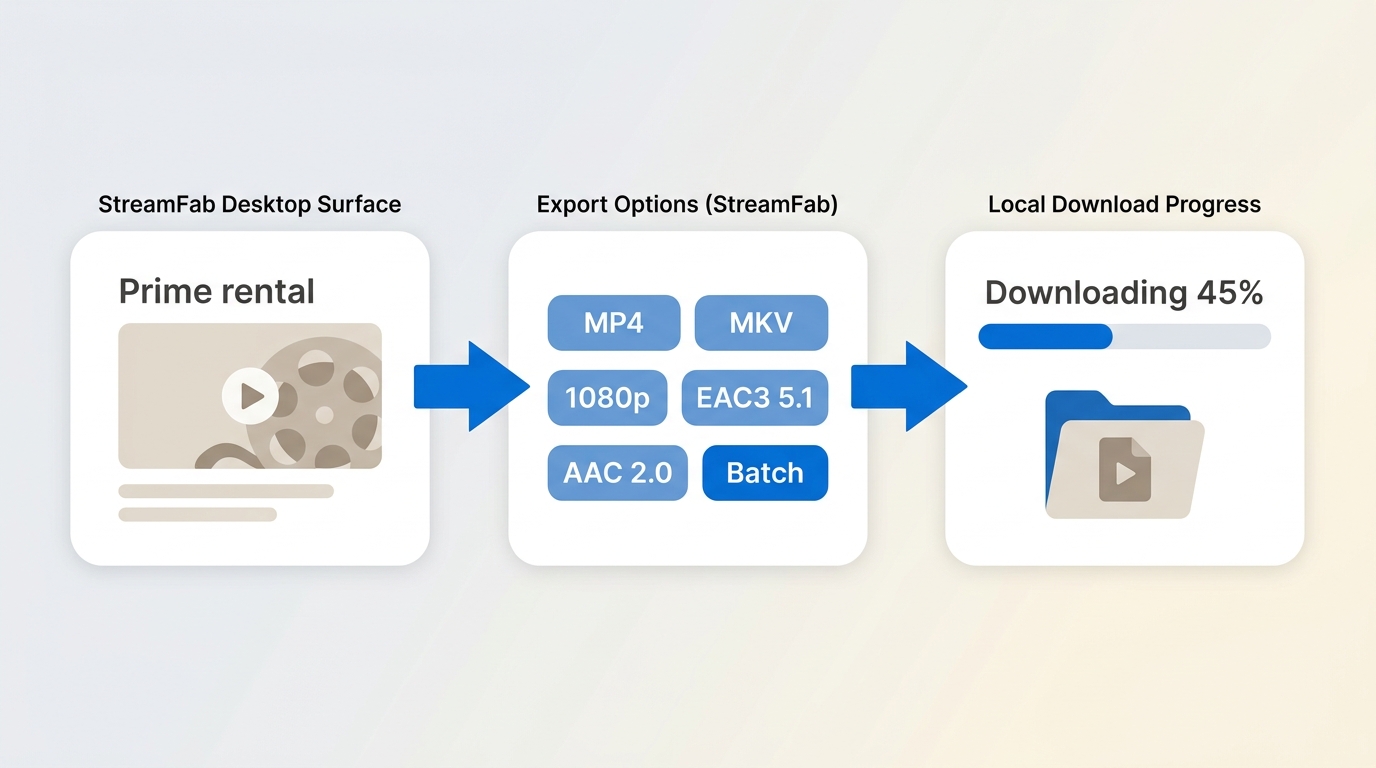
StreamFab Amazon Downloader is a desktop alternative to the official Prime Video feature for personal offline viewing of content you're authorized to access, where permitted by platform terms and applicable law. It suits users who need MP4 or MKV playback on Windows or Mac; it is less suitable for a quick in-app download or an expectation that every rental will work identically.

Its verified Amazon capabilities include output up to 1080p, MP4 or MKV, H.264 or H.265 video, available EAC3 5.1 or AAC 2.0 audio, subtitle options, and batch downloading. Actual resolution and tracks depend on the title, region, rental status, and what Prime Video makes available.

- Save supported Prime Video titles in MP4/MKV format for authorized personal offline viewing
- Download supported Amazon titles up to 1080p with available EAC3 5.1 or AAC 2.0 audio
- Save supported Amazon videos in H.264 or H.265, based on your playback needs
- Select available subtitle and audio languages for supported titles
- Batch-download supported titles to reduce repetitive setup
When an Amazon rental download error appears, test title variability first. In my troubleshooting workflow, reinstalling the app is not step one because a title-specific restriction will survive a reinstall with impressive stubbornness.
- Rental missing from Library or My Stuff: Confirm the purchase is on the signed-in account and check the Purchases & Rentals area.
- No Download option: The title may not be eligible on that device or in that region.
- Watch Now starts playback: Stop and review the displayed viewing window before continuing.
- The analyzer cannot access video information: reopen the title in the built-in browser, sign in again, and confirm normal playback is available.
- Trial or quota message: review the current account allowance rather than treating it as a connection failure.
- Weak connection: stabilize the network, reopen the title, and retry the analysis.
- One rental works and another fails: treat that as evidence of title-level eligibility or track differences before resetting the application.
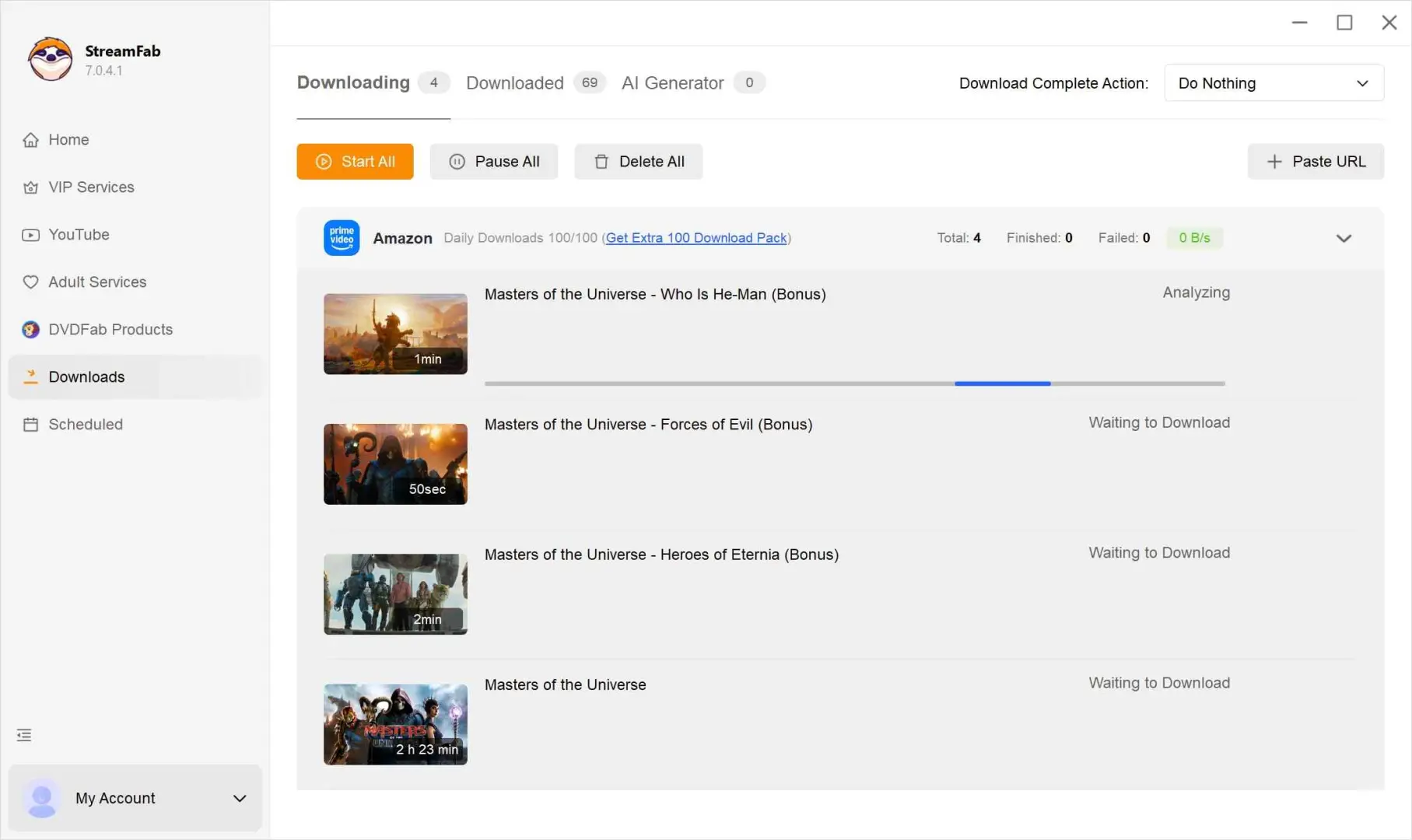
The steps to download Amazon Prime Video to PC with it, at least in my case, were straightforward.
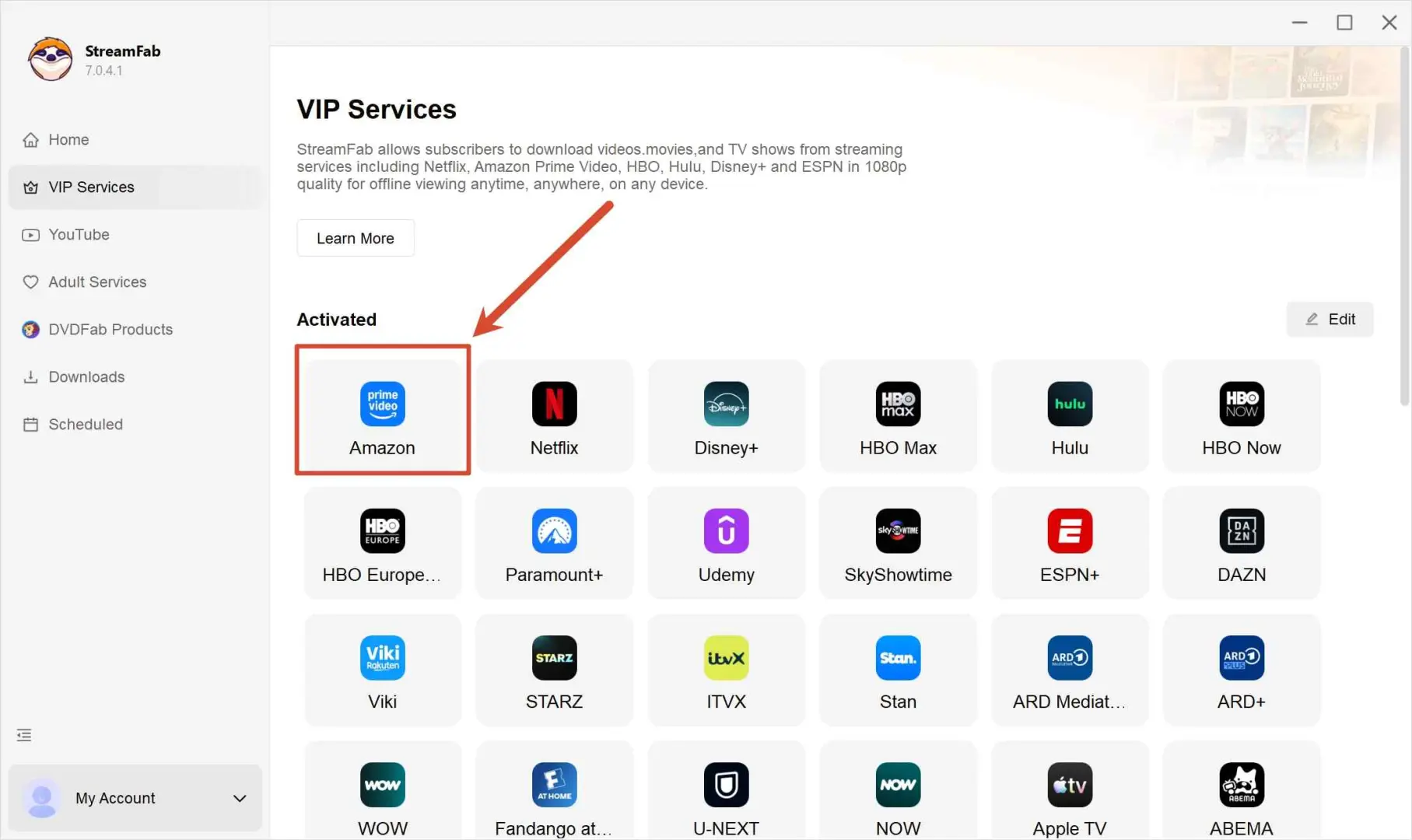
Log in to Amazon with Your Account
Log in to Amazon on the new page opened in the built-in browser with your account. StreamFab won't store any of your info but only use it for validation.
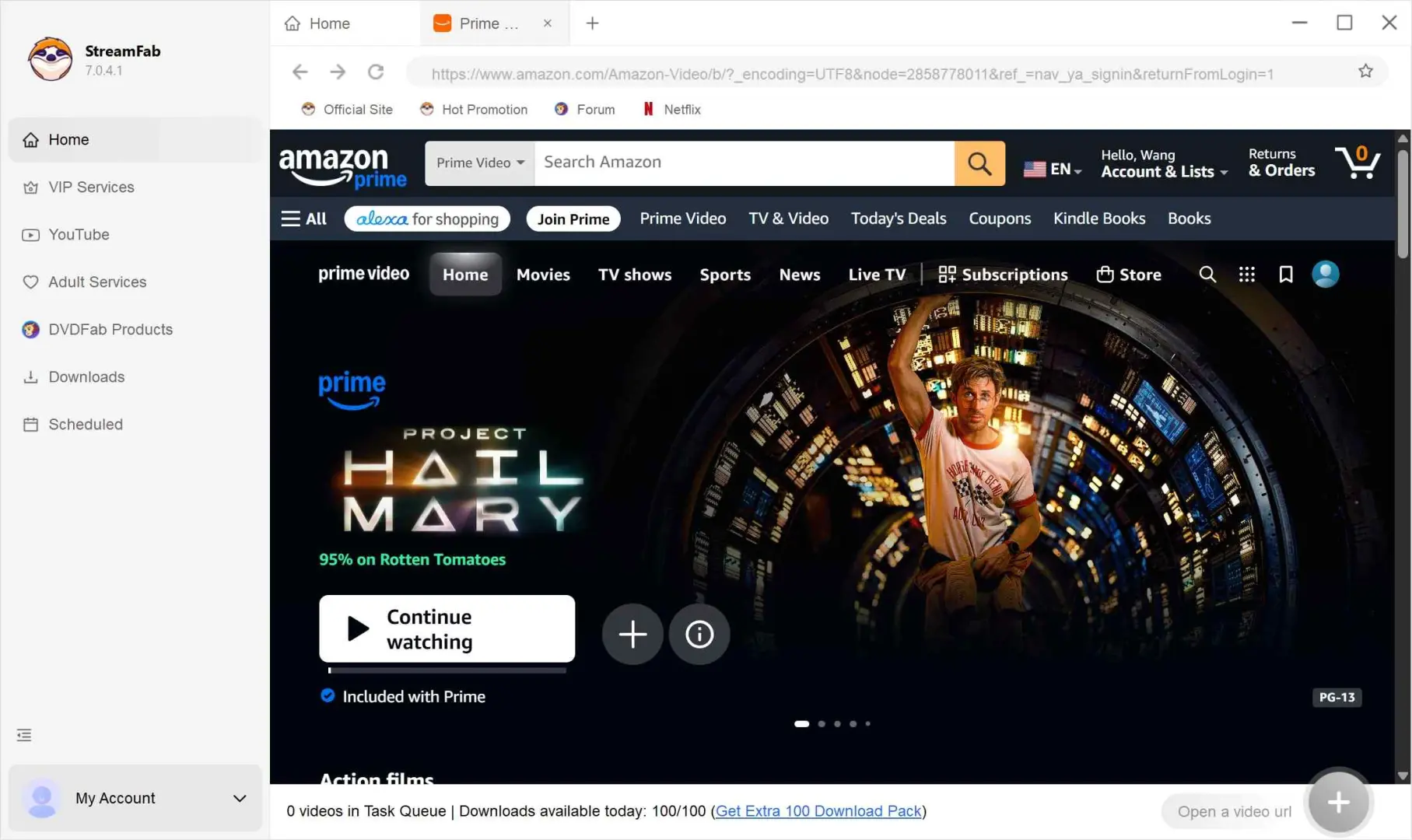
Find the Rented Movie on Amazon
Find rented movies on Amazon. Click on them to play, and StreamFab Amazon Downloader will now start analyzing. Soon, it will provide you with a panel with definition and audio options.
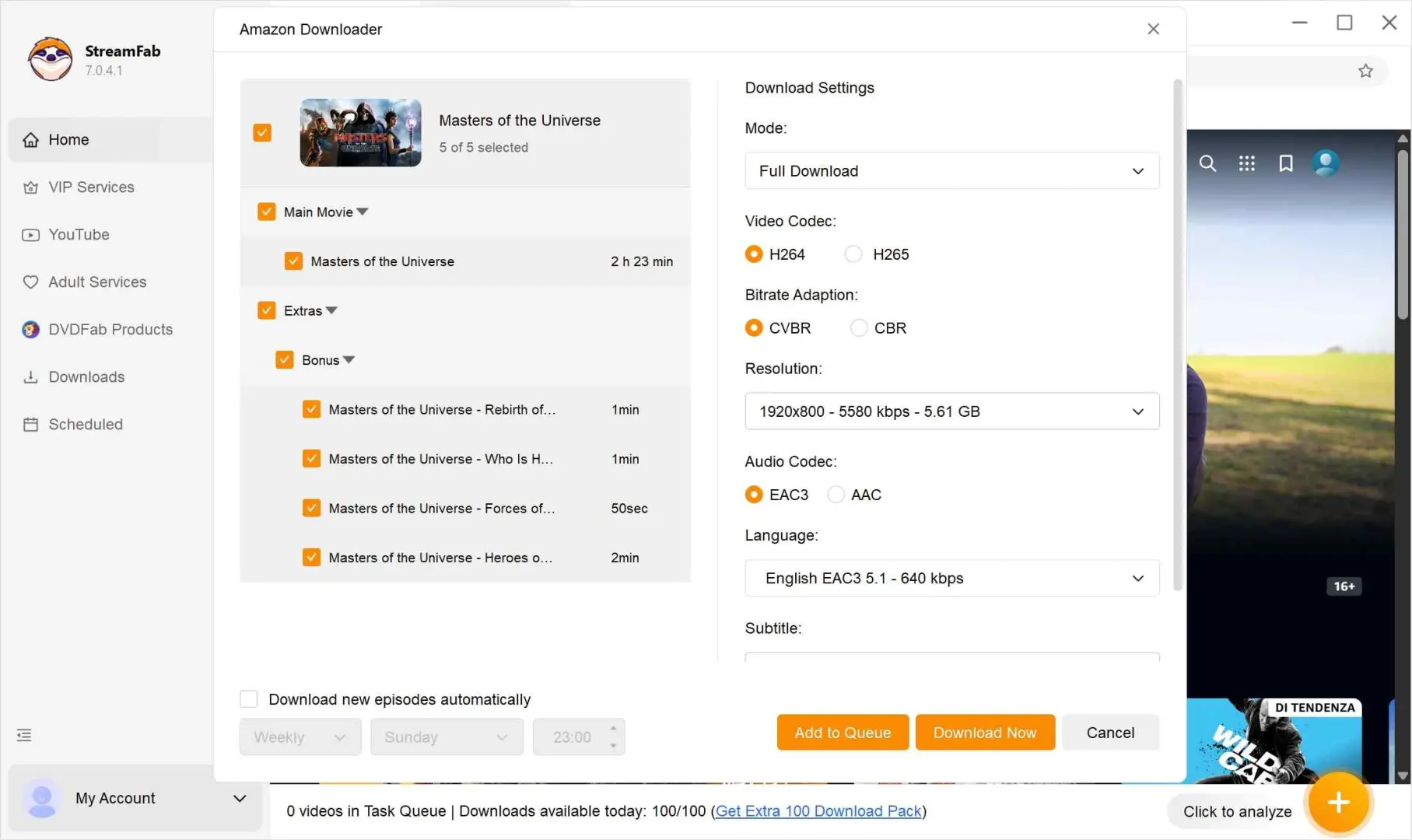
Start Downloading After Adjustments
Check if every option is good. Click on "Download Now" to start or download it later by clicking on "Add to Queue." You can manage the tasks in "Your Library."
FAQ
Why does one Amazon rental download while another fails?
Rental licenses and available tracks can differ by title. Separate eligibility from account access, connection, quota, and analyzer problems before retrying; a title-specific Amazon rental download error does not automatically mean the whole app is broken.
Conclusion: What to Remember Before You Rent
Use the official app when its title, device, and timing rules fit. A local-file workflow is relevant only for authorized content where platform terms and applicable law permit it, and it should never be treated as a way to expand rental rights.
My recommendation is to confirm three things before travel: the download button is present, the file opens offline on the intended device, and the displayed viewing window covers the trip. Five minutes of checking is more useful than discovering a licensing detail after takeoff.
