
StreamFab not working can mean a title-specific problem, a service-session change, or an app-wide issue. Start by checking your installed build, the current service status, and the failure scope; StreamFab error codes then point to the stage worth testing next.
- Record your installed version and check recent service fixes first Then identify whether the failure affects one title, one service, or the whole app go to fix
- Analysis, download, crash, and output failures each need a different controlled test Keep one task, one network route, and one title while you test go to fix
- Error codes 210, 310, 702, 802, 909, and 10201 are stage clues Compare the result of one controlled test before changing another setting go to fixes
- Escalate when the same controlled failure is reproducible Include your version, OS, service, title URL, exact message, and log files. Include the timestamp, network state, browser playback result, reproduction steps and StreamFab free version. This gives support a reproducible starting point
If StreamFab stops working on one service or module, start with the StreamFab updates page before changing local settings. As of August 2026, the release log lists StreamFab 7.0.4.6 on August 21, following a browser fix in 7.0.4.5 on August 17; release timing depends on the affected service and issue.

Use the sections below to match the symptom to a controlled test. If you’re new to the software, our guide on how to use StreamFab covers the basics. When the same failure persists after the relevant test, collect the details listed at the end of this article before contacting support.
How to Fix StreamFab Not Working?
Start by identifying the failure scope instead of repeating general resets. A single title, a single streaming service, and an app-wide failure point to different layers, so one controlled test is more useful than changing several settings at once.
- Relaunch StreamFab and retest with one task only
- Compare your installed build with the current release log
- Refresh the in-app session before considering reinstallation
- Restart the PC only after a single-task retest isolates a local issue
- Compare one stable network route with a hotspot when the failure is service-specific
-
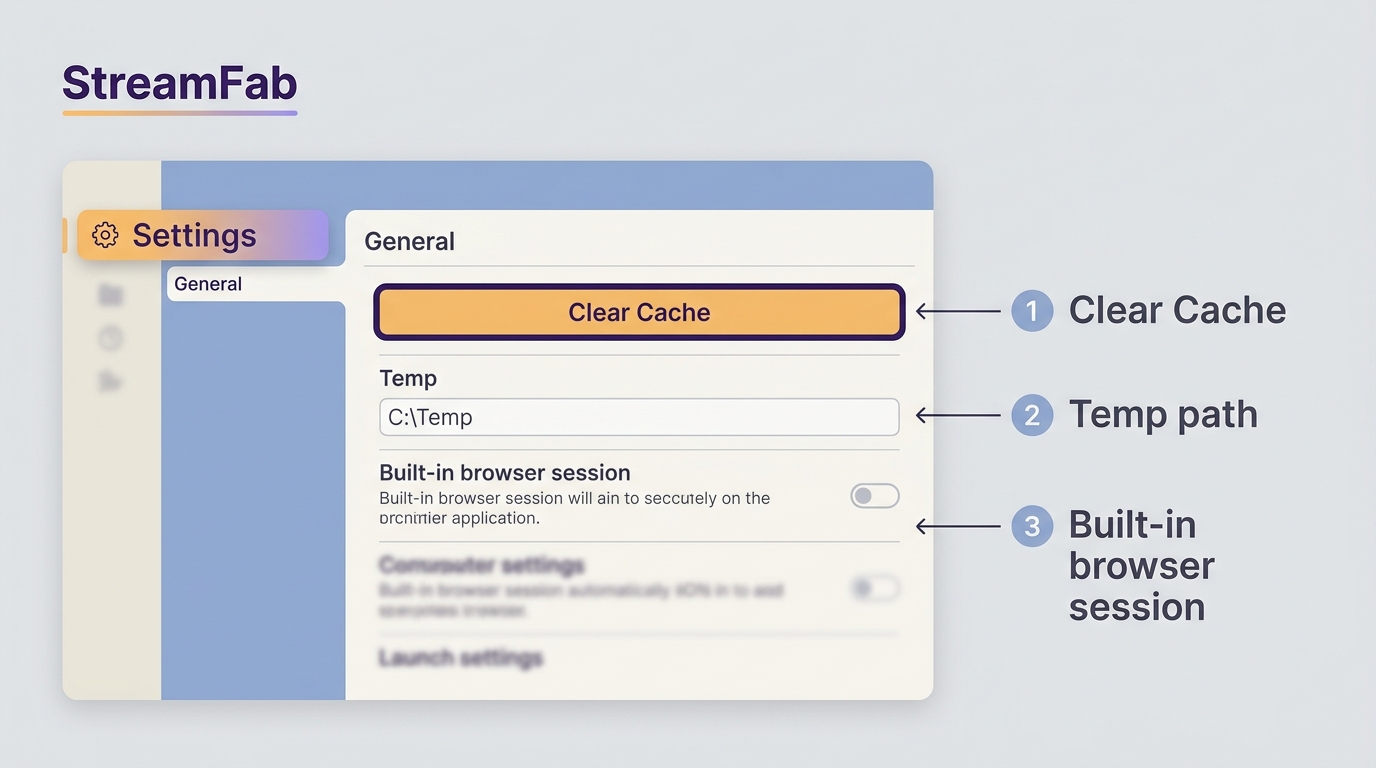
Clear the built-in browser cache, then verify the configured StreamFab Temp
path before clearing files
Use this quick scope check before moving into a failure type:
Cache and Temp files are separate. Use Settings > General > Clear Cache for the built-in browser cache. For Temp cleanup, first open StreamFab’s settings and verify the exact configured path. A dedicated local StreamFab Temp folder is safer than a broad or shared directory, so do not clear files until the target is confirmed.
| Failure scope | Likely layer | Next controlled test | Escalation signal |
|---|---|---|---|
| One title only | Title, track, or availability | Try another title on the same service | Same title fails after a simpler retry |
| One service only | Session or service change | Check the release log and refresh login | Multiple titles fail on that service |
| Every service or app-wide | Build or local environment | Test one task after restart | Crash or failure persists across services |
1. Analysis fails
If a title will not analyze or analysis stops early, begin by checking whether it plays in a normal browser with the same account. A failure limited to one title often points to title-specific variables; repeated failures across multiple titles on one service point more strongly to the session or service state.
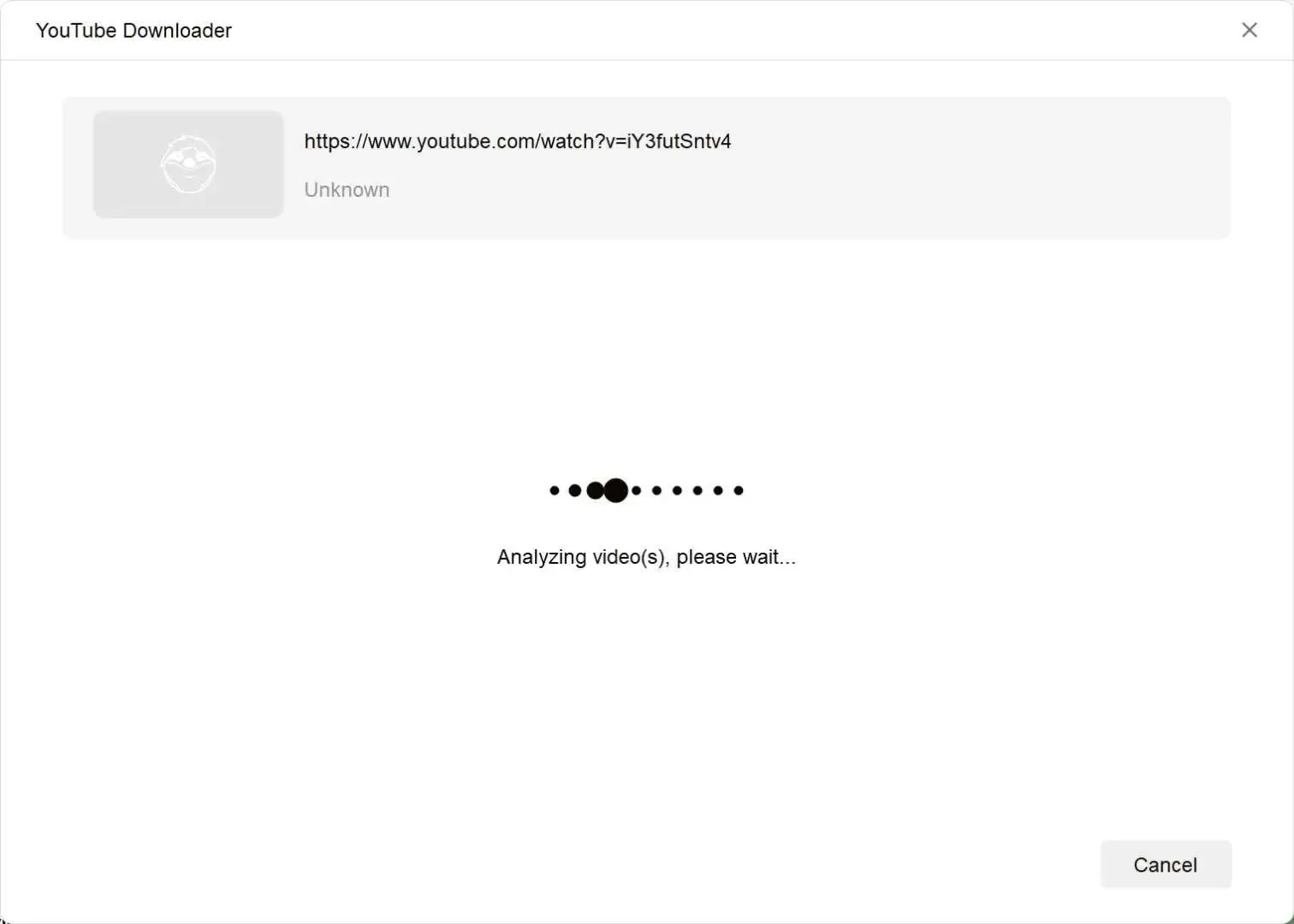
A reference screenshot of the StreamFab analysis fails. The YouTube download module works fine, in fact, during my tests.
For this issue, you can try fixes as follows:
Log in to the streaming service in your browser and confirm the title can play. If it doesn’t play there (account, region, verification, or availability issue), analysis in-app may also fail.
Log out of the streaming service inside StreamFab’s built-in browser. Close StreamFab completely. Relaunch StreamFab and log in again, then retry analysis.
Some services vary catalog and playback rules by region. If your account region, IP region, and service catalog are mismatched, analysis can fail or become inconsistent. If you use a VPN, keep one stable node for both analysis and download. And you should never go switching your region in the middle of a task.
Temporarily allow StreamFab in the firewall or antivirus, then retry one task. Strict filtering can block embedded playback and stream discovery; restore your usual security settings after the test.
Depending on the service, one method may be more reliable:
- Method 1: Actually go find the title with StreamFab’s browser to trigger the download.
- Method 2: If your version allows, copy the direct URL of the title and check the pop-up instead.
If multiple titles on the same service still fail analysis after the version check and one clean re-login, further resets have low value. Record the affected titles and move to the support report checklist.
2. Download fails
When analysis completes but a download will not start, stalls, or drops to 0, test one task first. These symptoms often involve network-route stability, concurrency, or an expired session. If downloads fail only on one service after a version check, use the deeper StreamFab cannot download troubleshooting steps after completing the controlled tests below.
Pause the queue and run a single download task. If it works, increase parallel tasks gradually until you find a stable setting for your network.
Use a common quality and select one audio track and one subtitle option. Complex combinations add variables during diagnosis.
Test once without a VPN or proxy. A normal browser and StreamFab’s built-in browser can use different session, proxy, DNS, or regional signals, so compare them with the same account and a stable route. If a VPN is necessary, use one stable node throughout the task rather than switching mid-download.
Run the same title with the same settings on a different network, such as a hotspot. If the result changes, focus on route, DNS, filtering, or proxy differences. If several titles on one service fail on both networks, check the release log before spending more time on local network changes.
- Works on hotspot but not on your main network: likely ISP routing/DNS/filtering behavior.
- Fails on both networks: more likely service/session/title-specific or local environment.
Just log out and back in on StreamFab’s built-in browser.
3. Program Crashes
If StreamFab freezes or closes, first separate a single-task crash from a startup or preferences crash and an app-wide crash across services. A single-task crash is worth retesting with one title; a repeatable startup or cross-service crash is more likely to need logs than another queue adjustment.
Relaunch StreamFab and run one task only. If that succeeds, add tasks gradually to identify whether concurrency or a background process is involved.
Sign out from your streaming service inside StreamFab. Quit, reopen, sign back in, and try again.
Add StreamFab to your firewall or antivirus allow rules, then retry one task. Security software can block embedded playback or access to the output folder; StreamFab safety information explains the app’s security practices.
If the crash persists across several services after the single-task, session, and security checks, reinstall as the last local step. Repeated reinstalls do not diagnose a service-side problem or a persistent preferences failure, so collect logs if the pattern remains.
4. File broke
If a completed file is truncated, discolored, silent, or unplayable, check its duration and file size before retrying. Then change one diagnostic variable at a time: codec, audio track, subtitle choice, container, or player. For 4K or HDR playback, a capable local player matters; for MP4 or MKV files, compare the same file in another player before assuming the download itself failed.
For diagnosis, avoid “all subtitles.” Pick one known subtitle option and one audio track (original language first is recommended for testing).
Subtitles and some audio formats can behave differently across players. Try PlayerFab, VLC, and PotPlayer.
If only one title shows missing audio/subtitles while others work, it’s often title-specific. In that case, sharing the title URL and logs helps support reproducing the exact scenario.

How to Handle StreamFab Error Codes?
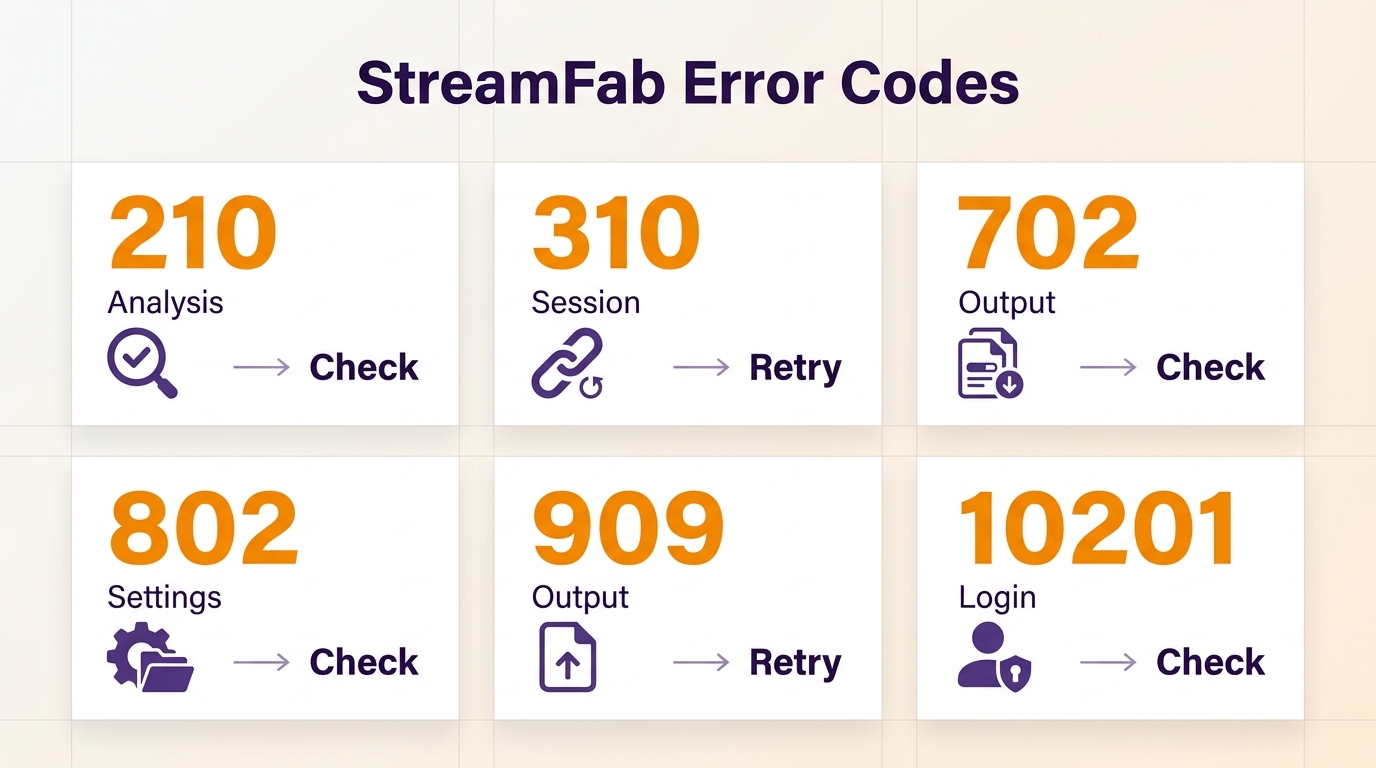
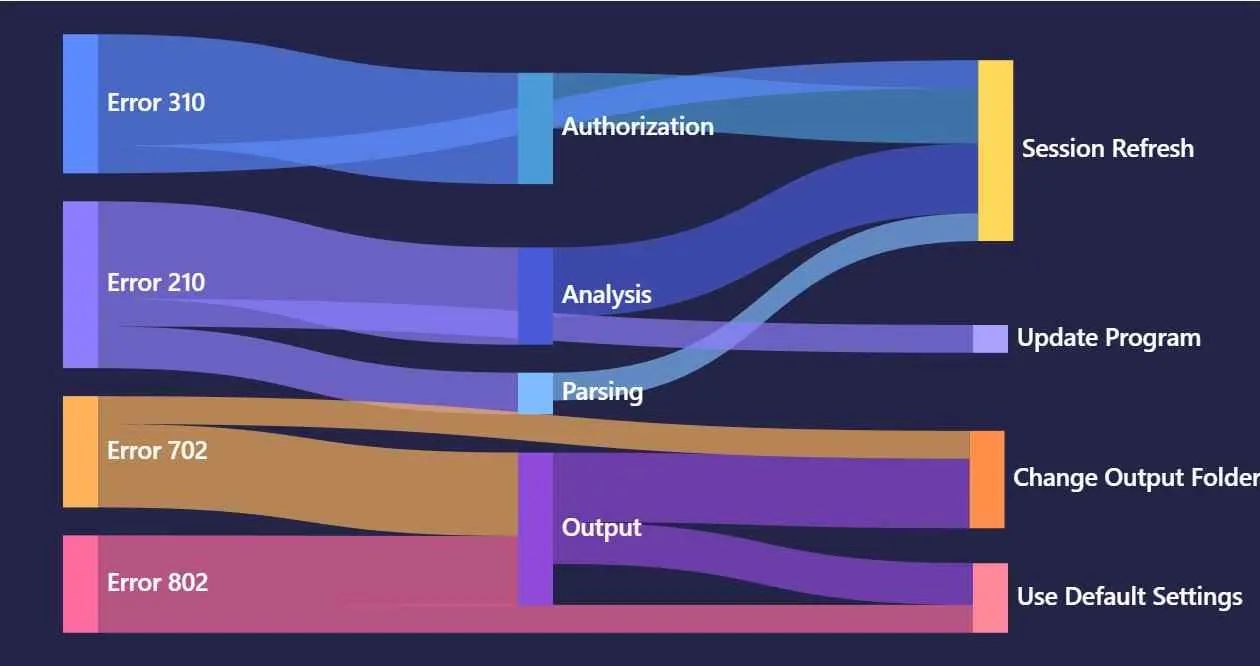
StreamFab error codes are clues to a failure stage, not a diagnosis by themselves. The six examples below fit within broader network or connection, authentication or session, quota or trial, processing, and output families; the complete StreamFab error-code reference includes additional families.
| Failure family | Examples here | First controlled test | Escalate when |
|---|---|---|---|
| Network or connection | 310 | Test one stable route or hotspot | The same connection failure repeats |
| Authentication or session | 310, 10201 | Refresh login and retry one title | Re-login fails across titles |
| Quota or trial | Reference family | Check account limits or trial status | Eligible tasks remain blocked |
| Processing | 702, 909 | Compare one codec and clear cache | The same stage fails repeatedly |
| Output | 702, 802, 909 | Use a writable local folder | Files remain broken or incomplete |
- Record the installed StreamFab build and compare the release log.
- Reproduce with one title, one task, and minimal settings.
- Escalate with logs when the same controlled failure repeats.
Use the code sections as short decision aids. They do not cover every possible error, and the most useful next step depends on whether the failure is limited to one title, one service, or the whole app.
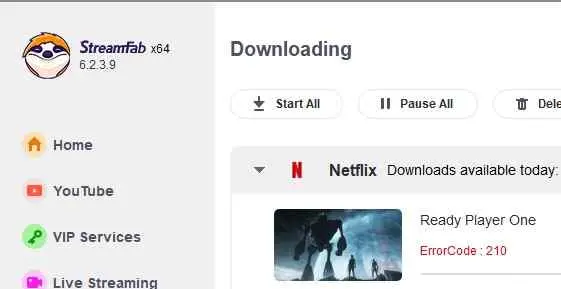
StreamFab error code 210
Error 210 is an analysis-stage clue. Confirm that the title plays in a normal browser, refresh the in-app session, keep regional signals stable, and compare another title on the same service.
- Switch the video codec from H.265 to H.264.
- Confirm the title plays in a regular browser for the same account.
- Refresh the in-app login session (log out/in in the built-in browser).
- Keep region/account/IP consistent; avoid switching VPN nodes.
- Retry via alternate entry method (in-app navigation vs direct URL).
StreamFab error code 310
Error 310 is not a universal diagnosis. Depending on the service and build, it can indicate a connection handshake or an authentication-session problem. Refresh the in-app login, test one stable network route, and retry another title before escalating. For content you are authorized to access, use StreamFab for personal offline viewing where permitted by platform terms and applicable law.
- Refresh the login session inside StreamFab.
- Test without VPN/Proxy once; if needed, use one stable VPN node.
- Test on an alternate network (hotspot) to rule out route-related timeouts.
- Allow StreamFab through the firewall/antivirus.
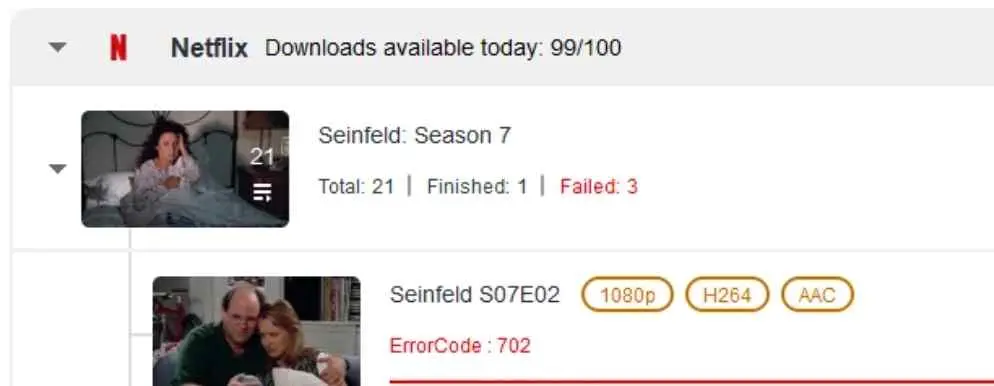
StreamFab error code 702
Error 702 can be platform-, codec-, or output-stage specific. Check free disk space and a writable local output folder, then compare a common codec such as H.264 with H.265 or AV1 where available. Test the saved file in another capable player before assigning a single cause.
- Check free disk space, including temporary working space.
- Change the output folder to a local writable path.
- Avoid NAS/cloud-sync destinations during testing.
- Compare one codec or container setting at a time, then retest.

-
When it comes to "output" and "folder," here is a little trick from the community that may be helpful:
The default locations of Temp and Logs are under My Documents. On Windows, OneDrive may synchronize these folders and temporarily lock files while they are in use. Open StreamFab’s settings to verify the configured Temp and Logs paths before clearing or moving anything. Use dedicated local folders outside active sync locations when possible, and confirm the exact target first.
For example, make a folder on the root of your C drive called StreamFab, create StreamFab Log and Temp folders there, and change the Log/Temp folder locations in the Settings of StreamFab. Then restart it.)
StreamFab error code 802
Error 802 is best treated as an output-settings clue. Test a writable local folder and a simpler configuration with one episode, one audio track, and standard quality before changing more settings.
- Try using the default output—standard quality, just one audio track.
- Make sure your output folder’s on your computer and that you can actually write to it.
- Reduce complexity (one episode, standard resolution) to validate baseline success.
- Update to the newest build if the same settings repeatedly trigger the code.
StreamFab error code 909
Error 909 should be treated as a version- and service-sensitive processing or output symptom. Compare one title with several titles on the same service, clear the built-in browser cache, and check the release log before assigning a cause. When the same controlled failure repeats, logs are more useful than another round of setting changes.
- Record your build and compare the current release log for the affected service.
- Switch the video codec from H.265 to H.264 in Settings > General.
- Clear the built-in browser cache: Settings > General > Clear Cache.
- If the error persists across multiple titles on the same service, collect logs and contact support.
StreamFab error code 10201
Error 10201 is commonly associated with the authentication or session stage. Refresh the in-app login, confirm the account can play the title in a normal browser, keep the network route stable, and compare another title before escalating.
- Log out of the streaming service inside StreamFab’s built-in browser, then log back in.
- Close StreamFab entirely (check Task Manager), reopen, and retry.
- Ensure your streaming subscription is active and not logged in on too many devices.
- If using a VPN, keep one stable node—switching nodes mid-session can invalidate tokens.
FAQ for the Cases Mistaken as Issues
Conclusion
Contact support when the same failure remains reproducible after the relevant controlled test. Copy this checklist into your support request:
- StreamFab version and operating system
- Streaming service and title URL
- Exact error code or message
- Timestamp and VPN or proxy state
- Whether the title plays in a normal browser
- Concise reproduction steps and the log file
The how to submit StreamFab logs explain how to collect the right files. If the issue needs discussion with other users or a follow-up thread, use the StreamFab forum with the same reproducible details.
The key is to stop once the scope and controlled test point away from a local setting. A version number, a clear comparison result, and a complete log are more useful to support than repeated resets.
Download videos from 60+ streaming services and 1000+ websites. Supports up to 4K quality where available. Free trial — 3 full videos, no credit card required.