
To submit StreamFab logs, start with the failure you can reproduce, not a guessed explanation. When StreamFab is stuck analyzing or the StreamFab log file location is unclear, support needs the exact session, build, and file that describe what happened.
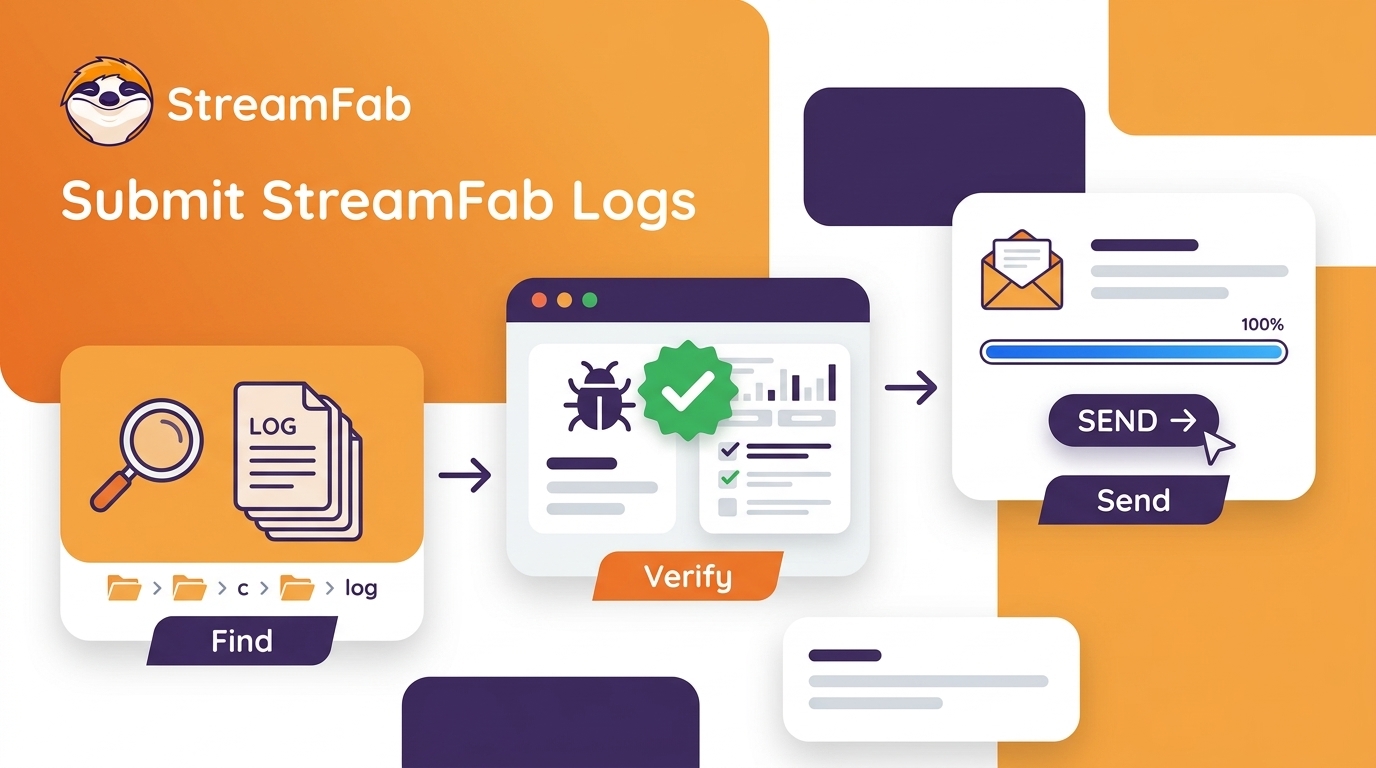
I use a three-phase path: confirm the failure, locate and verify the current log, then send a complete ticket. If the wider app problem needs general repair steps, the StreamFab not working guide is the better handoff; this page stays focused on evidence collection.
- Phase 1: Deep Self-Diagnosis: Confirm the Failure Before Escalating
- Phase 2: Log Extraction: Locate and Verify StreamFab Logs
- Phase 3: Efficient Feedback: Submit a Complete Support Ticket
Verification Date: Compare your installed build with the current labels in the app.
Phase 1: Confirm the Failure Before Escalating
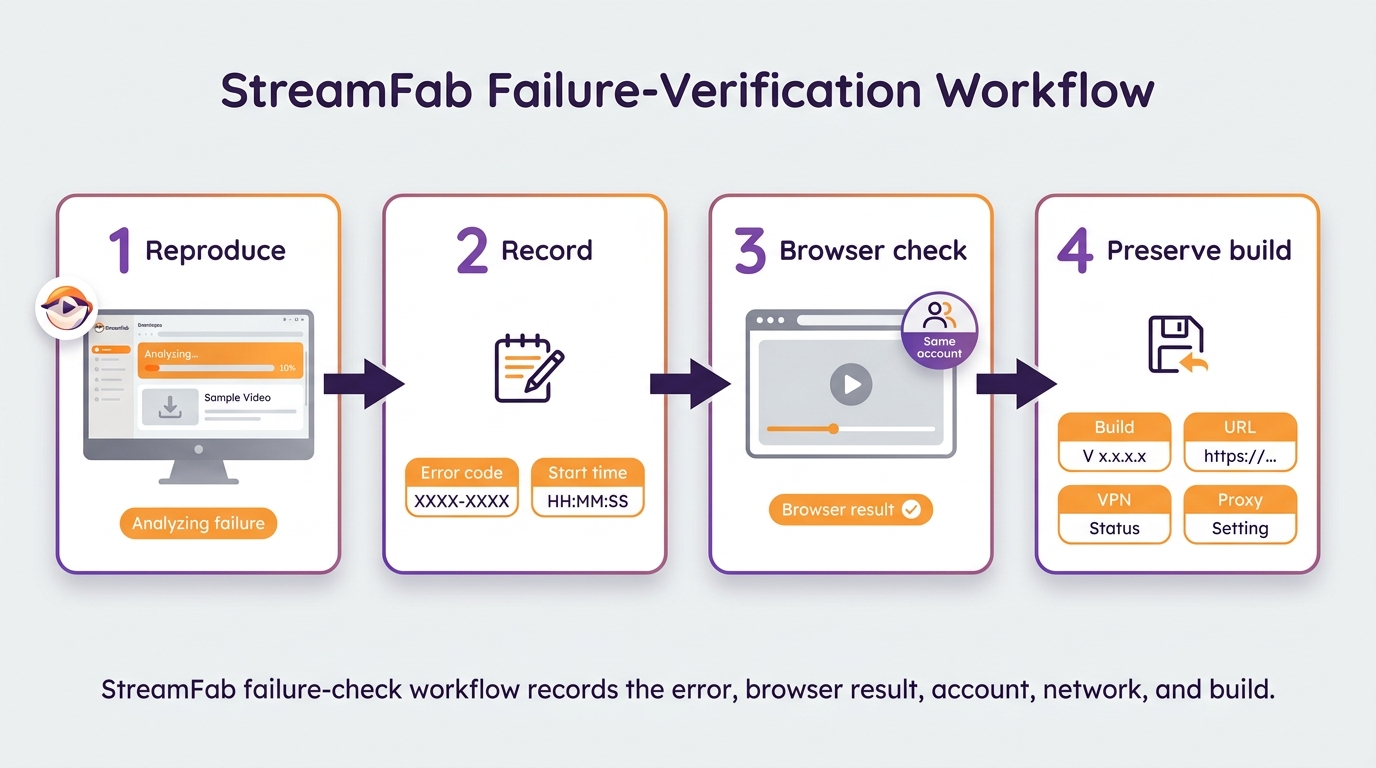
Before escalating, confirm that the failure is reproducible and record its context. A browser playback result can narrow the scope, but it cannot prove a single cause.
Browser and Account Checks
For a StreamFab stuck analyzing report, check browser playback, the signed-in account, the network, VPN or proxy state, cache, and the installed build. Change one variable at a time so the session remains explainable.
I preserve a reproducible failure before clearing evidence. A clean cache can be useful, but a clear record of the failed session is more useful when the next step is a support ticket.
- Method A: Paste that link into the address bar inside StreamFab's own browser and hit Enter.
- Method B: Open it in Chrome or Edge (just make sure you are using the same VPN or network location).
| Test Result | Root Cause | Solution |
|---|---|---|
|
Video won't play Error pops up / Black screen / Says "Not Available" |
Not a Software Bug (Site/Network/Account Issue) |
Something with your network or account is blocking the stream.
|
|
Video plays perfectly But the download fails anyway |
Software Compatibility (DRM Update) |
Your account and network are fine. The issue is definitely in the StreamFab parsing module. The site probably just updated its security. 👉 Proceed to Phase 2 to extract logs. |
Use the browser check as a scope test only. Whether playback succeeds or fails, keep the app build, service, account context, network state, and the same reproducible StreamFab symptom in the ticket.
Error Codes and First Actions
When a code appears, record it exactly instead of assigning a meaning from memory. The compact StreamFab error code reference is useful for lookup, while the StreamFab can't analyze guidance covers the broader symptom; this article limits the next action to evidence collection.
| Symptom or code | First check | Collect a log? |
|---|---|---|
| Waiting to download | Reproduce once and note the start time | Yes, if it persists |
| Error 210 | Record the exact code, URL, and build | Yes |
| Error 310 | Record the exact code and reproduction time | Yes |
| Error 702 | Note what completed and what failed | Yes |
| Error 909 | Record the service, code, and session time | Yes |
| 5xx errors | Capture the final message after one retry | Yes, if repeated |
Phase 2: Locate and Verify StreamFab Logs
The StreamFab log file location depends on the build, but the in-app Open Log Folder route is the safest starting point. The goal is to identify the diagnostic file that contains the session you just reproduced.
As of August 2026, the live update page lists StreamFab 7.0.4.6, released August 21, 2026. Compare your installed build with the menu labels shown in the app because the entry point can move between builds.
Open the Log Folder
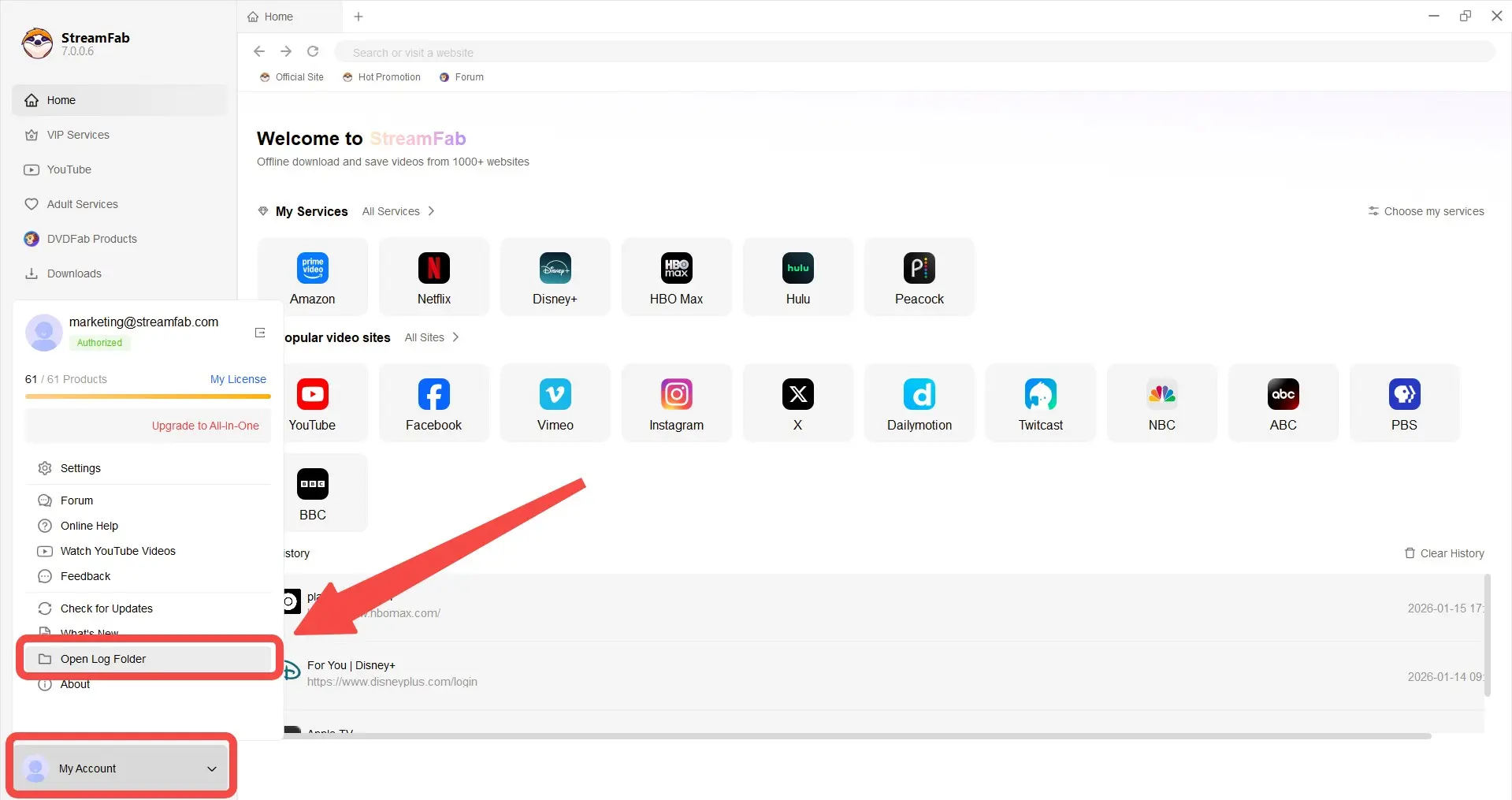
Depending on the StreamFab build, open My Account at the lower left or the three-line Settings menu at the upper right, then choose Open Log Folder. This opens the StreamFab Log folder without requiring a guessed filesystem path.
One-Click Access
- Open up the StreamFab main interface.
- Click the My Account icon down in the bottom-left (looks like a user or a hamburger menu).
- Select Open Log Folder from that menu.
- A file explorer window will pop up right away.
Identify the Target File
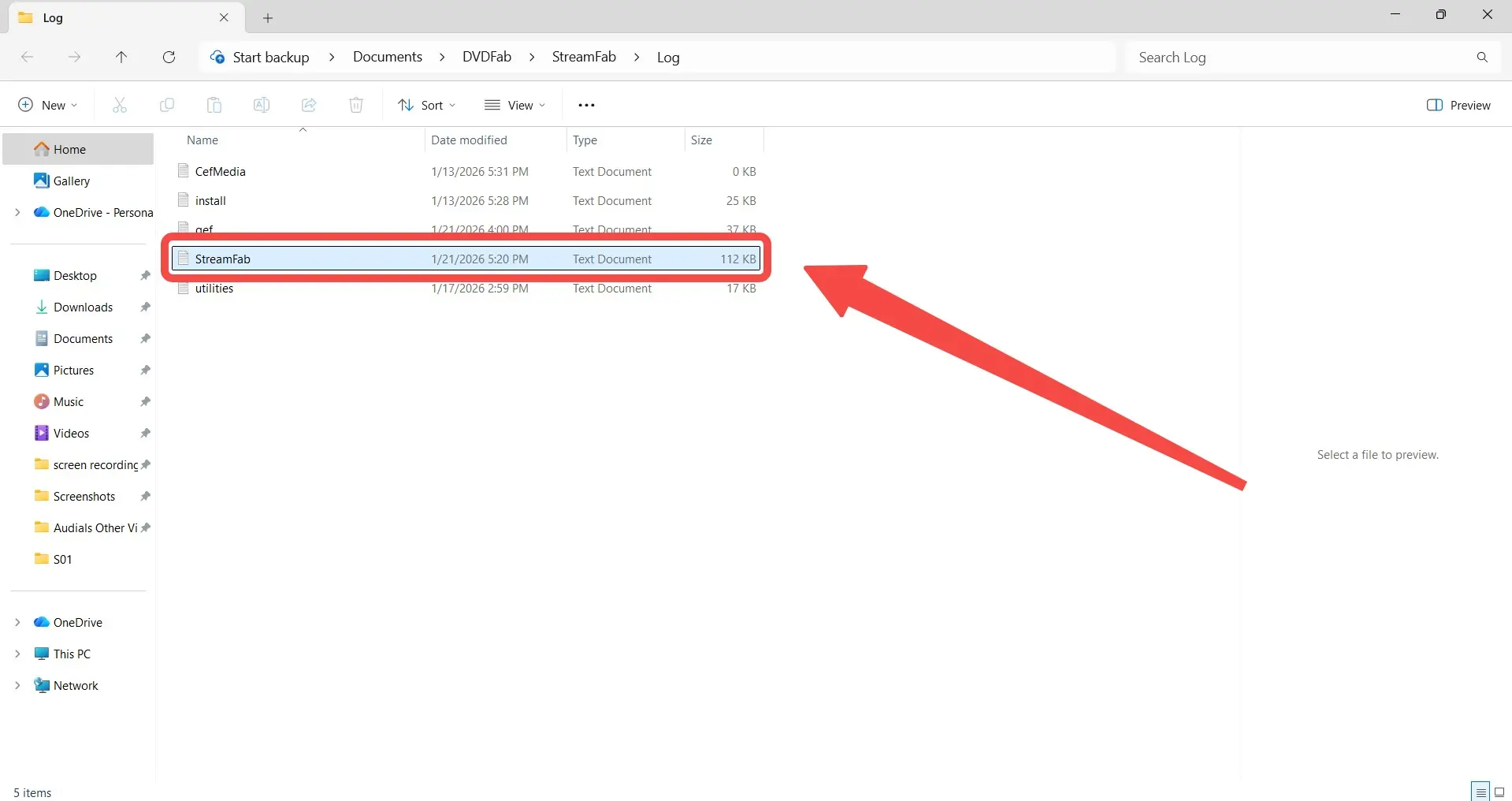
You'll see a few things there. Look for the one named:
-
Filename:
StreamFab - File Type: Text Document (.txt).
- Note: Ignore anything named `cef.log` or `qcef.log` — those are just browser engine logs and won't help with download bugs.
Windows, Mac, and Custom Paths
Use the in-app route first on Windows and macOS. If you chose a user-defined location, that custom path is authoritative; do not replace it with a default path copied from another build.
| Environment | Location lookup | Practical note |
|---|---|---|
| Windows | Open Log Folder in StreamFab | Use the path shown by the app |
| macOS | Open Log Folder in StreamFab | Check the current build label |
| Custom path | Open the user-defined log location | Treat that location as authoritative |
Choose the Correct StreamFab.log
The correct StreamFab.log file is the current diagnostic log inside the Log folder. Filename alone is not enough: location and freshness decide whether the attachment describes the failed session.
- Choose the current StreamFab.log from the Log folder.
- Treat a same-named file in the StreamFab Temp folder as a different artifact unless support specifically requests it.
- Leave cef.log and qcef.log out by default; they are browser-engine logs and should be attached only when requested.
Check Log Freshness and Integrity
StreamFab log freshness means the last entry belongs to the session that produced the failure. A stale log may simply omit that session, so reproduce the issue before choosing the attachment.
| Check | What to confirm |
|---|---|
| Reproduction | The same failure was triggered once |
| Time | The last entry matches the reproduction time |
| Build | The entry reflects the installed StreamFab build |
| File choice | It is the Log-folder StreamFab.log |
| Browser-only files | Exclude them unless support requests them |
A reported macOS 7.0.4.4 case had a primary StreamFab.log without current login or analysis entries after a profile change. If the primary log stays stale, use the built-in Feedback route or include the relevant session files requested by support. Treat this as a reported case, not a universal Mac defect.
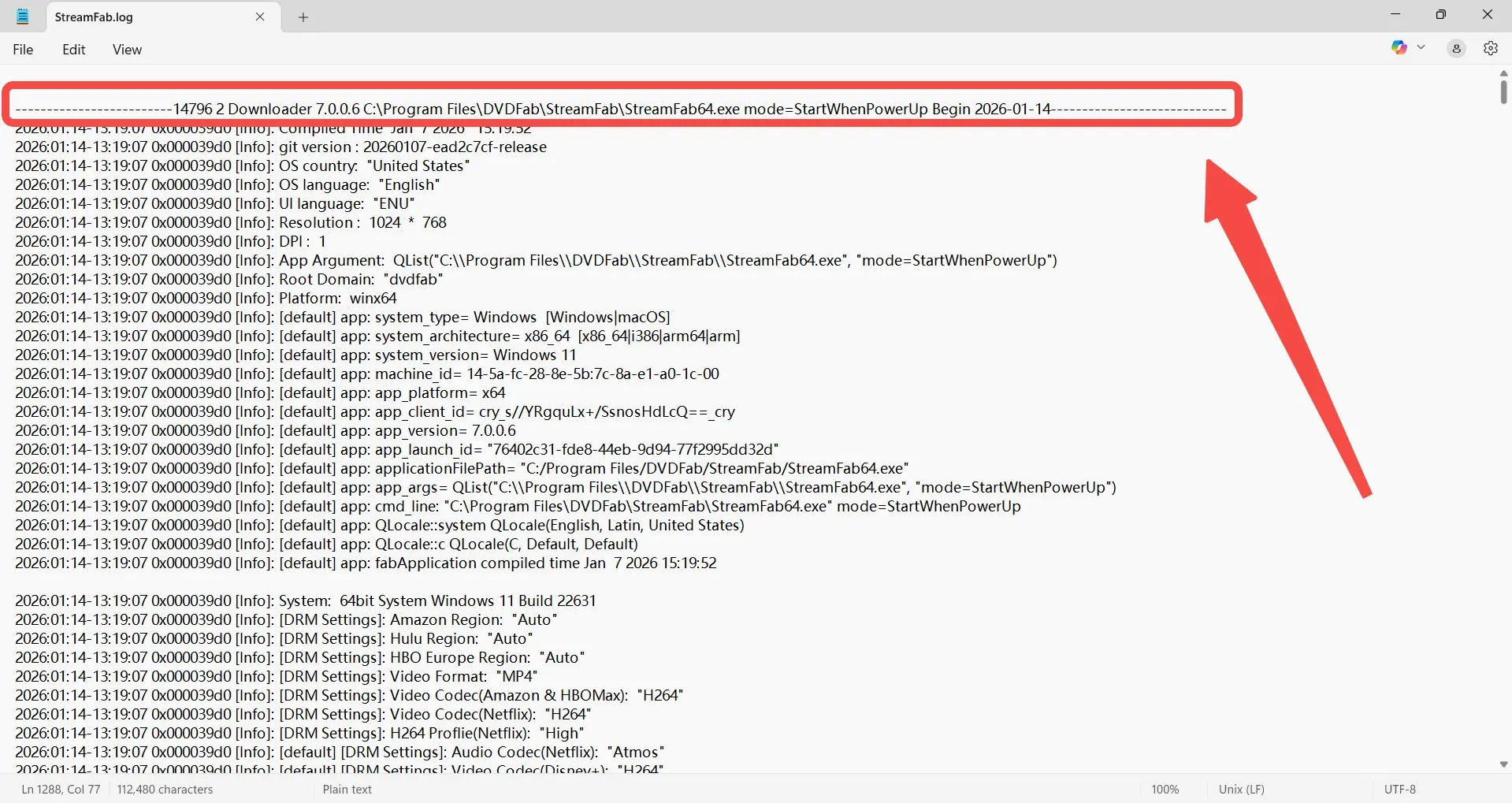
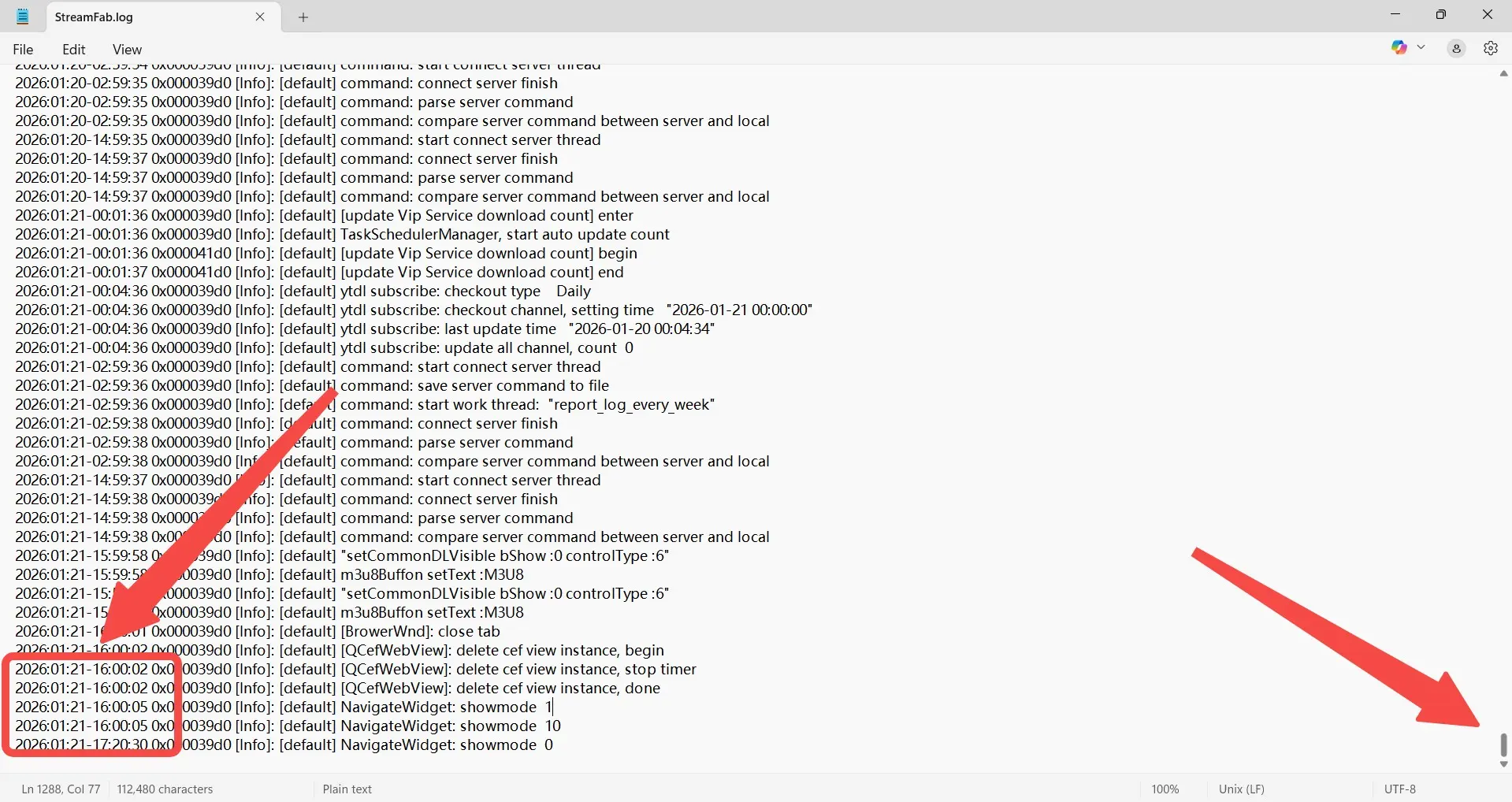
A current log should describe the session that produced the failure.Reproduce the issue and check
How to validate your log:
- Scroll to the bottom of the document.
- Check the timestamp for the last entry.
-
Valid Log: It should match the reproduction time and show the installed build.
Example:StreamFab64.exe ... Begin [your session time] - Invalid Log: If the entry predates the failed session, it may not contain that evidence.
What if the log is old?
Close the file ->Restart StreamFab->Reproduce the failure once and collect the new file.
Phase 3: Submit a Complete Support Ticket
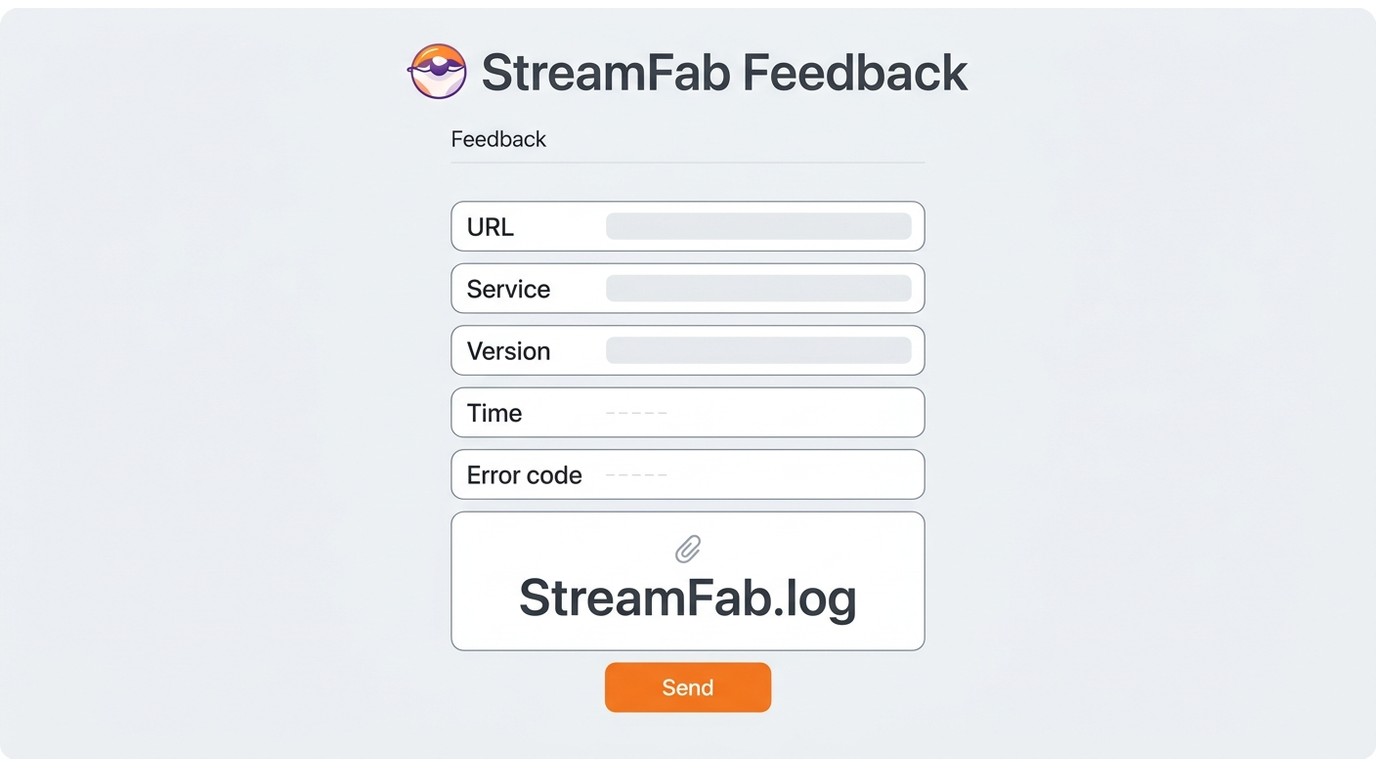
To submit StreamFab logs, assemble the smallest complete record before opening a channel. A reproducible timeline is more useful than a long narrative that omits the URL or build number.
Choose an Official Support Channel
The built-in StreamFab Feedback function suits readers who cannot identify the right file because it can create a support ticket and include logs. Manual submission suits readers who have already verified the log and can attach it deliberately.
| Channel | Use it when | Evidence handling |
|---|---|---|
| Built-in Feedback | The correct file is unclear | Creates a ticket and includes logs |
| Official contact form or email | The log is already verified | Attach the current file manually |
| Compressed archive | The attachment is too large | Keep the filename recognizable |
| Community discussion | You are comparing outage reports | Not an official support ticket |
For manual submission, use the StreamFab contact form and attach the verified file. The StreamFab Forum is a community discussion space, not a replacement for an official ticket.
Use the Pre-Submit Checklist
- Exact video URL
- Streaming service
- Installed StreamFab version
- Operating system
- Failure time
- Region and VPN state
- Browser playback result
- Error code or exact symptom
- Screenshot, if available
- Verified log attachment
Before sending, confirm that the checklist and the log describe the same session. This is where I favor a short, reproducible timeline over a polished story with no URL or build number.
Copy the Support Template
Use the template below to keep the StreamFab support ticket consistent with the checklist. Replace each bracketed field, then attach the correct current log.
Subject:[Service] Download issue - [Error code or symptom]
Detailed description:
Hello Support,
StreamFab version: [installed build]
1. Failure:
[ ] StreamFab stuck analyzing
[ ] Download fails with error [code]
[ ] Output is incomplete or missing audio
2. Video URL:
[PASTE THE EXACT URL HERE]
3. Environment:
- OS: [Windows or macOS]
- Region/VPN: [region] / [on or off]
4. What I tried:
[browser result, cache step, restart, and reproduction time]
5. Attachments:
Screenshot: [attached if available]
6. Log: [correct current StreamFab.log] Last log timestamp: [time]
Thank you.
Handle Large or Stale Logs
If the channel rejects the attachment size, zip StreamFab logs while keeping the original StreamFab.log filename recognizable inside the archive. Do not delete the original before the upload succeeds.
If the primary file remains stale, reproduce the failure again, check the last timestamp, and use built-in Feedback or the session files that support specifically requests. Compressing a file changes its packaging, not the evidence it contains.
Frequently Asked Questions
Which StreamFab.log should I attach if I find two copies?
Choose the current diagnostic file in the Log folder and compare its last timestamp with the reproduced failure. A same-named Temp artifact is separate unless support asks for it.
AWhat should I do if StreamFab.log is stale on a Mac?
Reproduce the issue, check for new entries, and use Feedback if the primary file remains stale. Include any session files specifically requested by support.
ACan I compress a StreamFab log before submitting it?
Yes. Use a zip archive when the channel rejects the attachment size, keep StreamFab.log recognizable inside it, and retain the original copy.
AShould I delete the Log folder before contacting support?
Preserve the evidence first. Clear a folder only when support directs you to do so; for broader discussion, the StreamFab community forum is separate from ticket submission.
AConclusion
Keep the handoff simple and evidence-led:
- Preserve the reproducible failure and its context.
- Choose the current StreamFab.log from the Log folder and check its timestamp.
- Send the complete checklist through Feedback or an official contact channel.
