
A StreamFab download failed, or a StreamFab error code appeared, but the number alone does not tell you whether one title, one service, or the whole app is affected. Start with the failure stage, then use the exact-code table to choose the first safe fix.
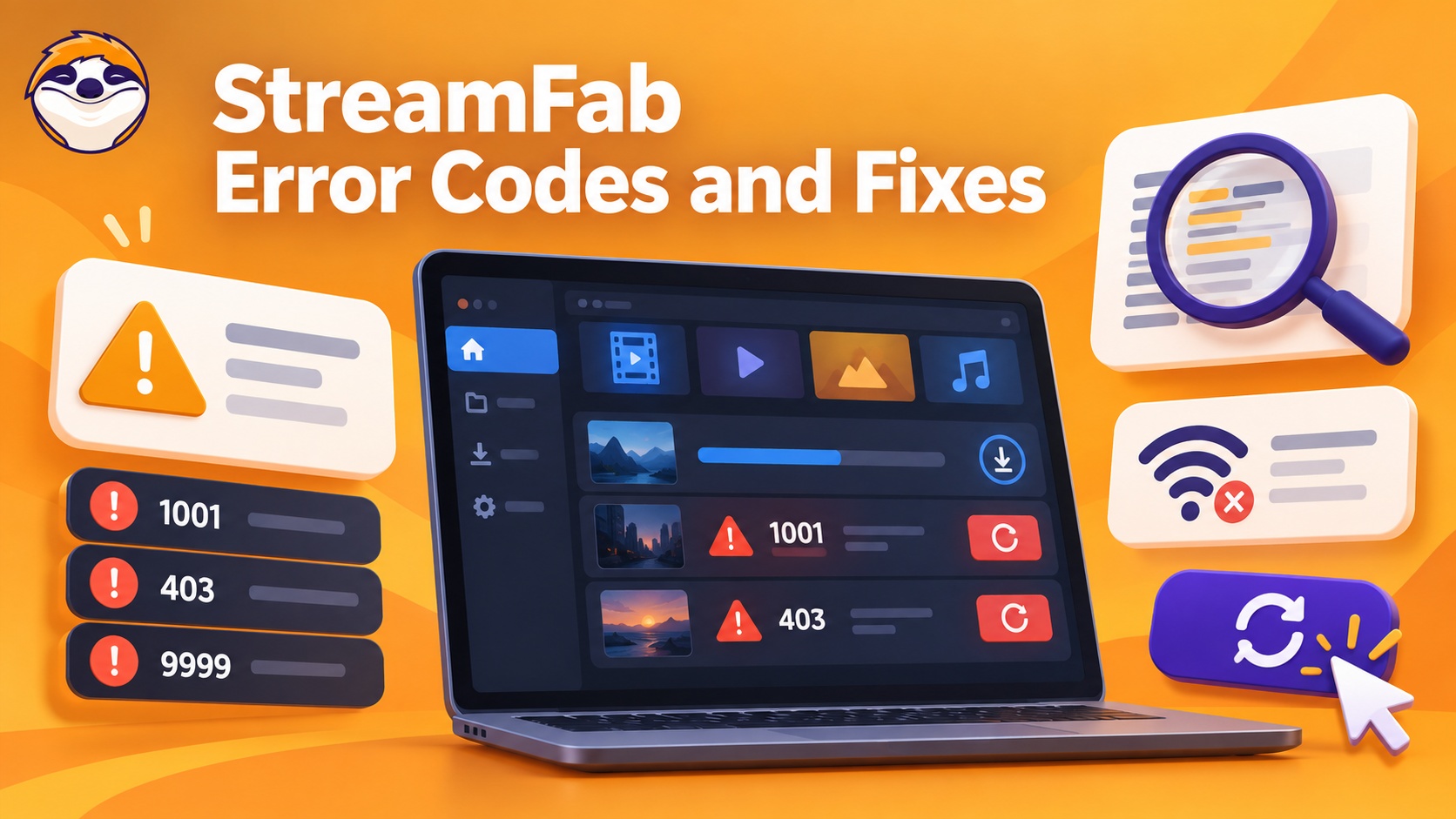
My rule is simple: do not change codecs for a login failure or clear folders for a service outage. A two-minute scope check prevents the wrong remedy and gives support a cleaner report if you need to escalate.

Quick Summary
Most failures fit one of four stages: connection, authorization, account limits, or output processing. Identify the stage before changing settings.
- Network or connection codes (-9999, 102, 103): Confirm the title plays in a browser, close any VPN or proxy, and retry one task.
- Authorization codes (210, 300–310): Update StreamFab, refresh the service login, then check the connection before testing a codec setting.
- License or limit codes (316, 318–322, 330): Check the active license, trial allowance, and the daily or weekly service quota.
- Processing codes (5XX, 6XX, 702, 800, 909): Retry once after checking storage, the Temp path, and output settings; collect logs if the same stage fails again.
If StreamFab is not working without a visible number, the symptom-based StreamFab troubleshooting guide helps you classify the failure before changing settings.
Find the Failure Stage First
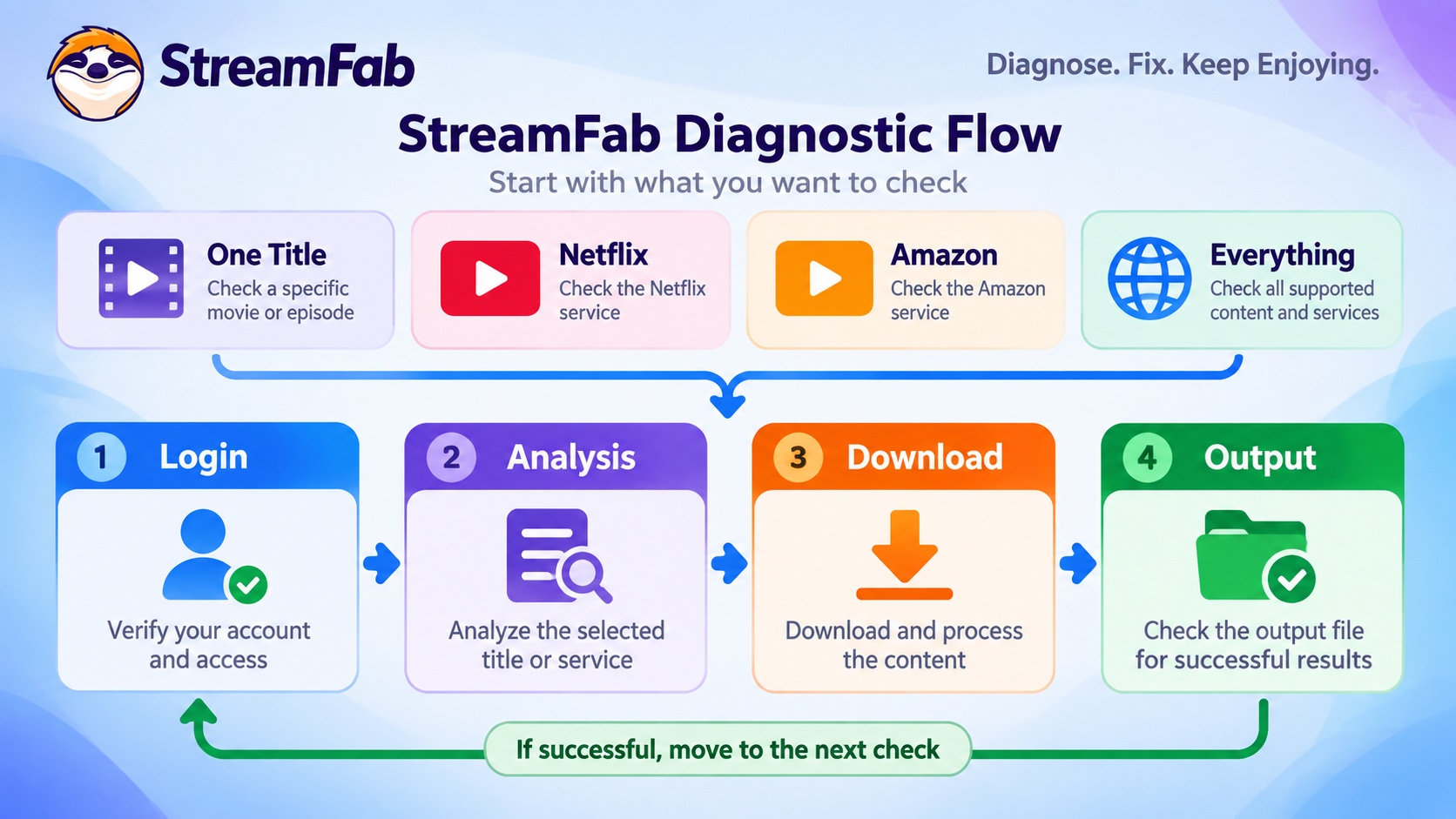
Scope tells you more than the number at first. Test one known-good title and one second service before applying an exact-code fix.
One Title, One Service, or the Whole App
- One title fails: Open that title in the service's regular browser or app. A title, region, or playback-rights issue is more likely than an app-wide fault.
- One service fails: Refresh that service's login inside StreamFab, then test another title on the same service. A Netflix StreamFab error, for example, can be isolated by comparing Netflix with a known-good service.
- Everything fails: Check the StreamFab build, network route, VPN, proxy, storage, and Temp path before changing a title-specific setting.
Login, Analysis, Download, or Output
A login prompt points to the account session. An analysis failure occurs before the task enters the queue. A transfer that stops mid-task belongs to the download stage, while a completed transfer that produces no usable file belongs to post-processing.
This distinction is the fastest way to learn how to fix StreamFab download failed messages: match the remedy to the last stage that completed successfully.
StreamFab Error Code Reference Table
Use this compact index for the first action, then follow the matching section for the retry boundary and escalation details.
| Error code or stage | What it usually indicates | First Action |
|---|---|---|
| -9999 / 102 / 103 | Connection or playback access | Close VPN; test browser playback |
| 106/107 / 201/202 | URL, index, or media parsing | Update; refresh service login |
| 210 / 300–310 | Authorization, version, or connection stage | Update; re-login; check network |
| 313–330 | Client, license, or account quota | Check official build and entitlement |
| 5XX / 6XX / 702 / 800 | Processing, packaging, or initialization | Retry once; check storage and output |
| 909 / 10000+ | Multi-stage or unclassified failure | Identify stage; collect support logs |
For a task that never enters the queue, use the StreamFab analysis troubleshooting steps. If analysis finishes but the transfer stalls or fails, follow the download-stage troubleshooting path.
Network and Connection Errors
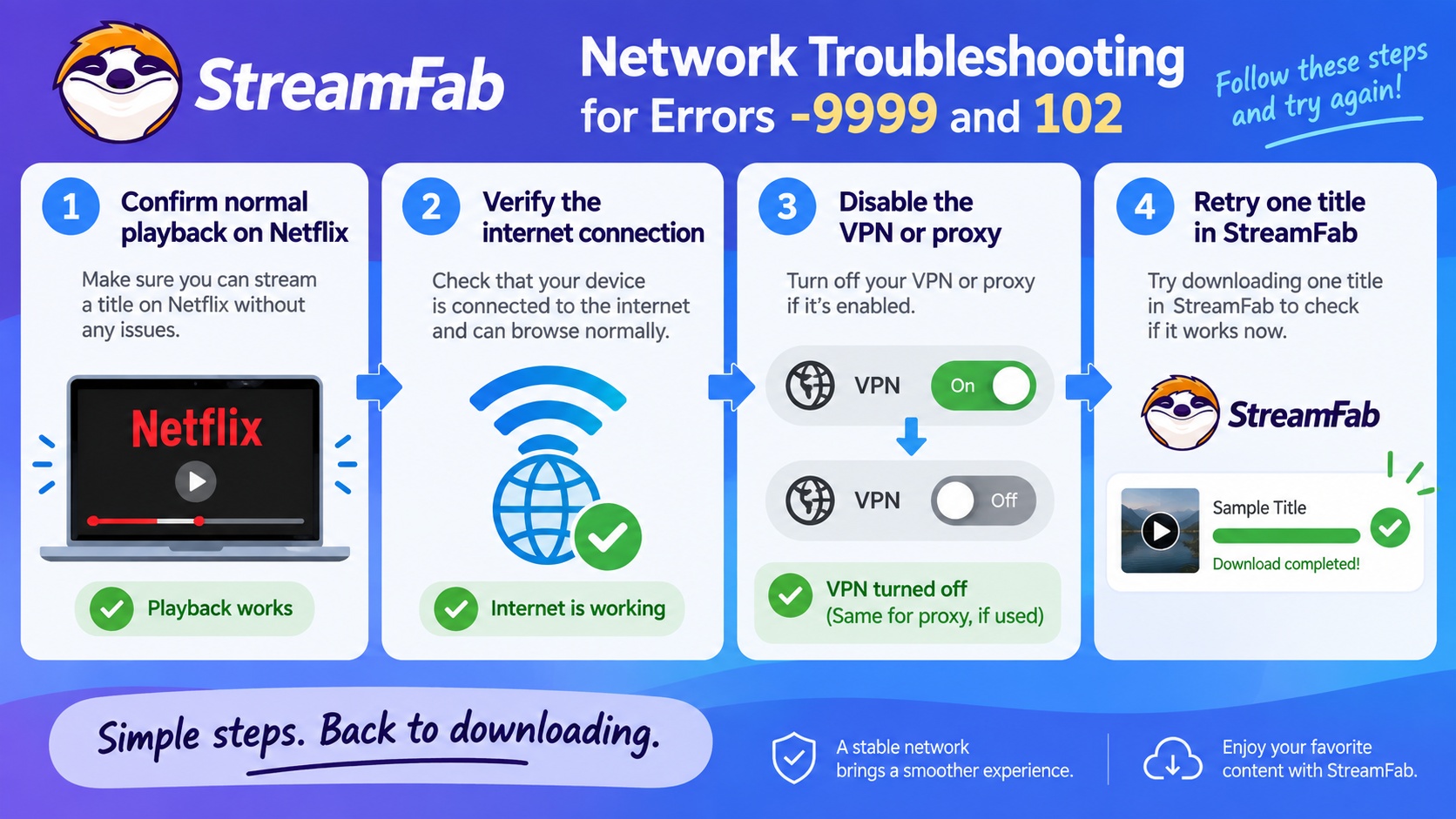
Start with the route between StreamFab and the service. In a Windows 11 test with StreamFab 7.x, most -9999 and 102 failures cleared immediately after the VPN client was disabled.
StreamFab error 103 points to playback access: confirm the title plays under the same account and region, then retry without a VPN.
StreamFab error 106 107 concerns the playback URL or stream index; StreamFab error 201 202 concerns video or audio parsing. Update StreamFab, refresh the service login, and retry one title before collecting a log.
DRM and Authentication Errors
Codes in this group occur while StreamFab is validating access, the service session, or the installed build. A connection check belongs here only after the title and account are confirmed to work normally.
300–310: Key and Version Errors
The search message “failed to obtain decryption key” names an authorization-stage error; it does not describe a user action or a product capability. Error 309 points to an outdated StreamFab build, while 300–308 and 310 call for version, connection, and session checks.
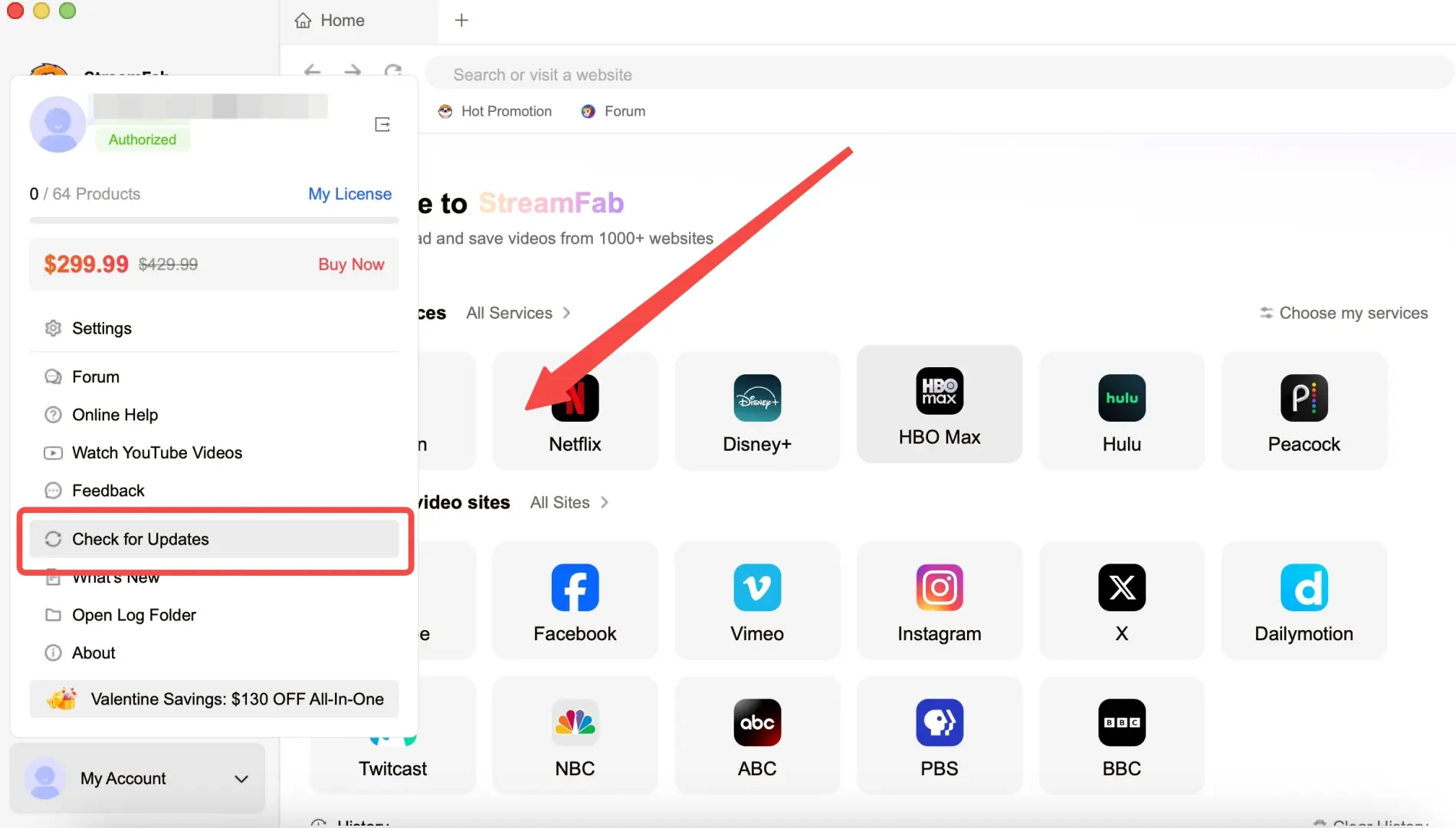
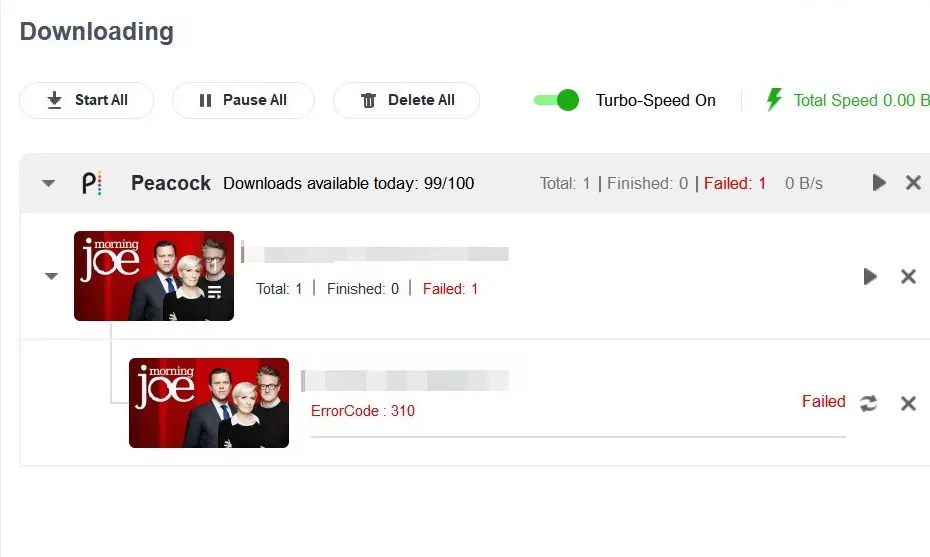
Stop after one controlled retry. Record the service, title URL, exact code, time, and completed checks, then send that evidence with the StreamFab log instead of repeating the same task. how to submit StreamFab logs
313–318: Client and License Errors
These codes concern the installed client or license state. Error 314 is not an account-password diagnosis: it indicates an unofficial or previously modified installation.
- 313 / 317: Uninstall the current copy and reinstall the official StreamFab build.
- StreamFab error 314: Reinstall from the official StreamFab installer, restart the computer, and reproduce one task. The official download buttons at the end of this guide provide the brand-side path.
- 318: Open the product list in StreamFab and confirm that the expected license is active. If a recent renewal is not shown, sign out of StreamFab and sign in again.
Open Help → My Products to view the product status. If the correct license is listed but error 318 remains after sign-in refresh, capture the screen and include it with the support log.
Error 210: Check the Stage Before the Codec
StreamFab error 210 does not have one universal cause. Check the stage and affected service first, then work through the controls in this order.
- Install the current StreamFab build and retry the same title once.
- Confirm the title plays in the service, then refresh that service's login inside StreamFab.
- Clear the browser cache through StreamFab's settings, close the app, and reopen it.
- Quit any VPN or proxy and test the same title on a direct connection.
- If the task reaches processing before failing, test H.264 as a compatibility setting. Do not start with the codec when login or analysis never completed.
Download Limit and Trial Errors
As of July 27, 2026, the StreamFab trial runs for 30 days and includes three video downloads per streaming service. Paid accounts use a service quota of 100 downloads per day and 700 per week.
- 316 / 322: The service quota has been reached. Wait for the relevant daily or weekly cycle to reset before adding the task again.
- 319 / 320 / 321: The trial allowance for that service is exhausted. Reinstalling the app does not reset StreamFab trial usage because the count is stored server-side.
- 330: Treat this as a trial-status prompt. Confirm the 30-day window and the three-download allowance for the affected service; do not assume a title-age rule.
The StreamFab free trial overview explains the official trial path and current installer options.
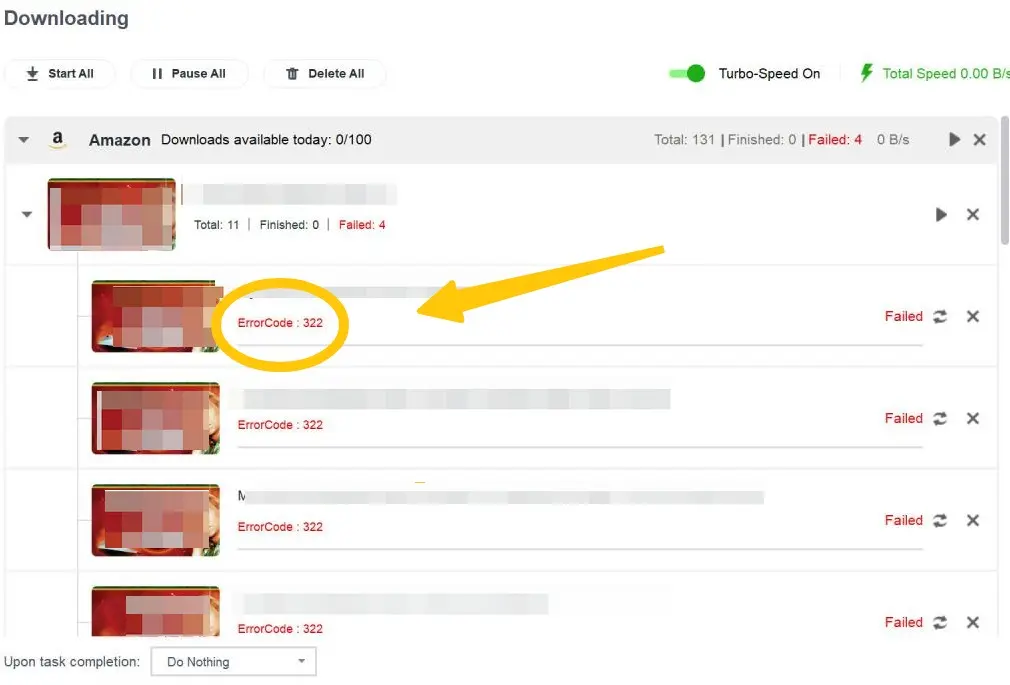
Check the 30-day trial window and three-video allowance for the affected service, then capture the exact on-screen message if the task still fails.
Post-Processing Errors
These errors appear after login and analysis have progressed. StreamFab runs on Windows and Mac and supports MP4 or MKV output with H.264 or H.265, so output format, codec, storage, and the configured Temp path are the relevant controls.
5XX and 6XX: Media Processing
StreamFab error 5XX identifies an audio-processing failure, while 6XX identifies a video-processing failure. One clean retry is useful; repeated retries without changing a relevant condition are not.
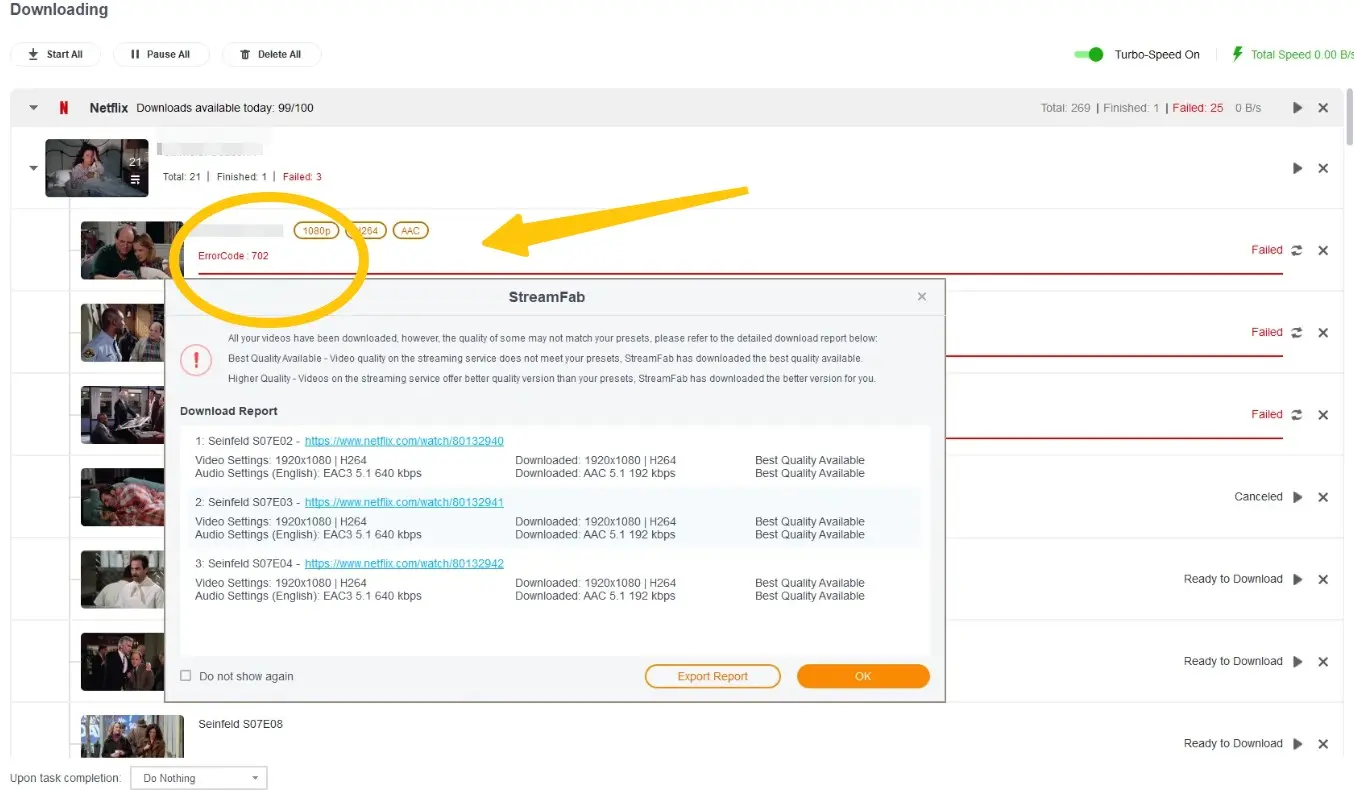
702: Remux Failure
StreamFab error 702 means the final packaging step failed after the video and audio data were retrieved. Check storage first, then test one alternate codec and keep the personal-use boundary attached to any saved local copy.
800: Initialization Configuration
StreamFab error 800 occurs while the task is being initialized, so it is separate from error 702. Rebuild the task before changing media settings.
Delete the failed task, restart StreamFab, paste the title URL again, and retry once. If initialization fails again, record the service, URL, build, time, and exact message for the support log.
909: Processing, Storage, or Service Checks
StreamFab error 909 needs a stage-first diagnosis. A retry is sensible after one relevant change; collecting logs is the better next step when the same title fails at the same stage twice.
In a Windows 10 Pro run with StreamFab 7.0.1.7 on an i5-9400F and 16 GB RAM, three episodes completed and file size rose with episode length. That is why storage checks belong before an output retry.
- Note whether the failure occurs during analysis, transfer, or output processing.
- Update StreamFab and refresh the affected service login.
- Clear the browser cache and verify the configured Temp path.
- Confirm free space on both the Temp and output drives.
- For an output-stage failure, test MP4 versus MKV or H.264 versus H.265 once.
- If the same stage fails again, stop and collect the log package.
Cache, Temp, and Safe Retry Checklist
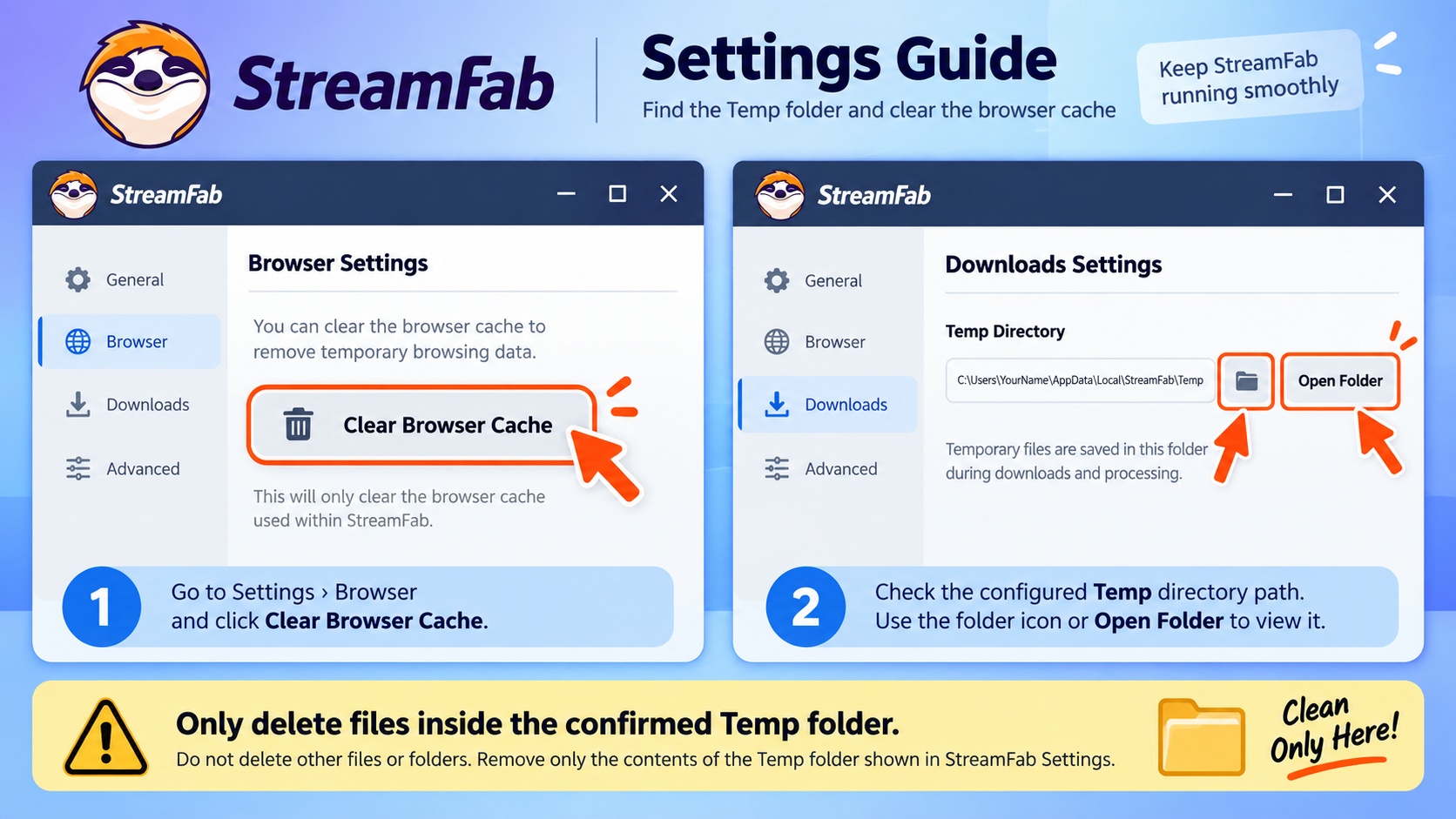
Browser cache and the StreamFab Temp folder are separate cleanup targets. Verify the configured path before deleting files.
- Cancel or finish active tasks, then close StreamFab completely.
- Use StreamFab's settings to clear its browser cache.
- Open Settings and note the configured Temp path. Windows and Mac show different filesystem paths, but the safety rule is the same: confirm the exact folder first.
- Delete files only inside that confirmed Temp location, leaving unrelated folders untouched.
- Restart StreamFab and retest one known-good title before restoring a larger queue.
When to Send StreamFab Logs
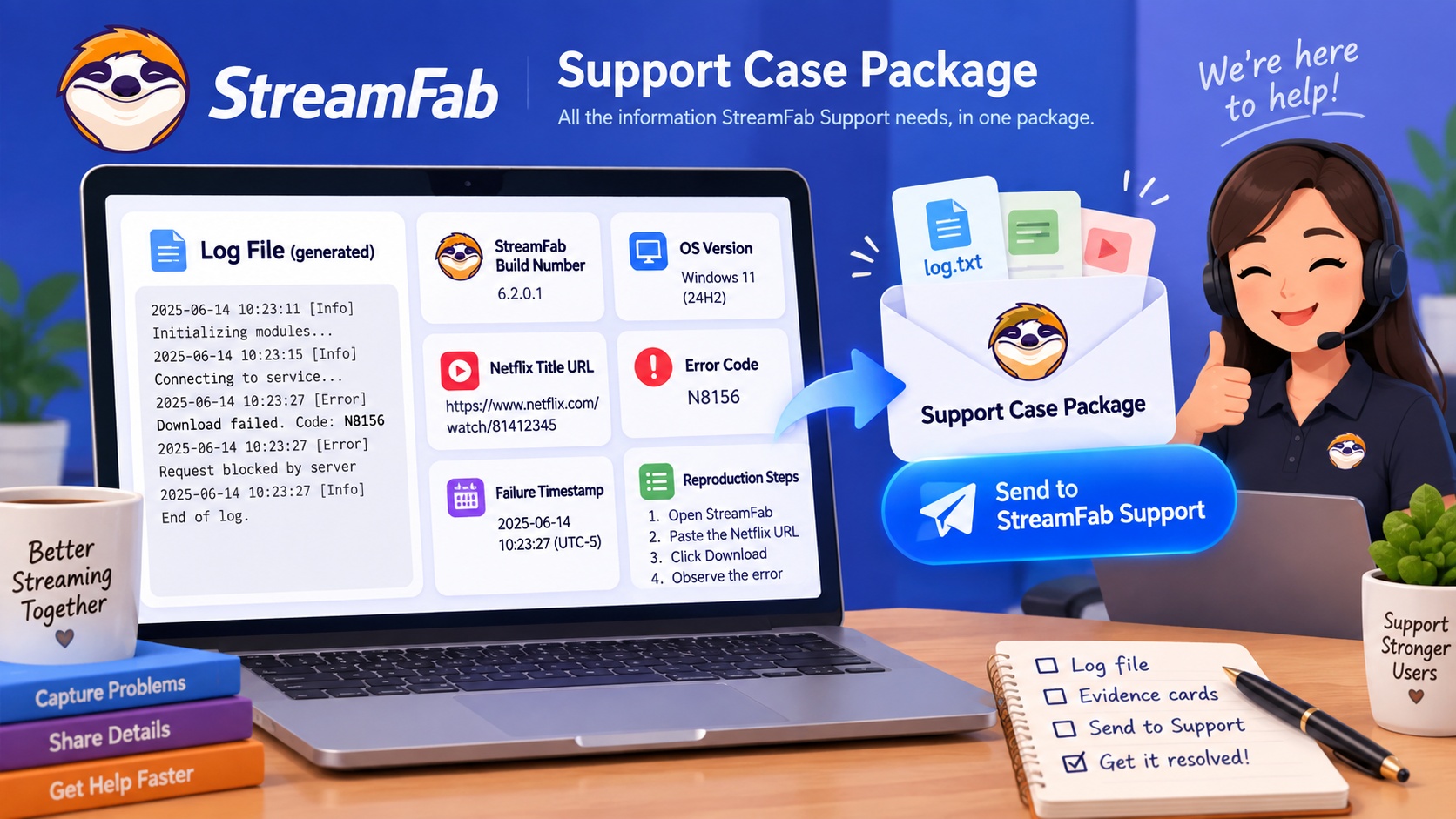
Use the official StreamFab log submission guide after one controlled retry reproduces the same code at the same stage. A complete report saves the back-and-forth that usually slows diagnosis.
- StreamFab version and full build number
- Windows or macOS version
- Affected streaming service and title URL
- Exact code or complete on-screen message
- Local timestamp of the failed attempt
- Short reproduction steps and the change tested before retrying
- Generated StreamFab support logs
FAQs
Conclusion
The right fix follows the last successful stage. Network and playback-access codes need connection or session checks; authorization codes need version and login checks; quota messages need entitlement checks; processing codes need one controlled retry followed by evidence-based escalation.
If analysis succeeds but the transfer still stops, the StreamFab download-failure guide covers stuck and interrupted tasks. For an app-wide symptom that does not fit a code, the StreamFab not-working overview provides the broader diagnostic route.
Free Download macOS 11.0 or later