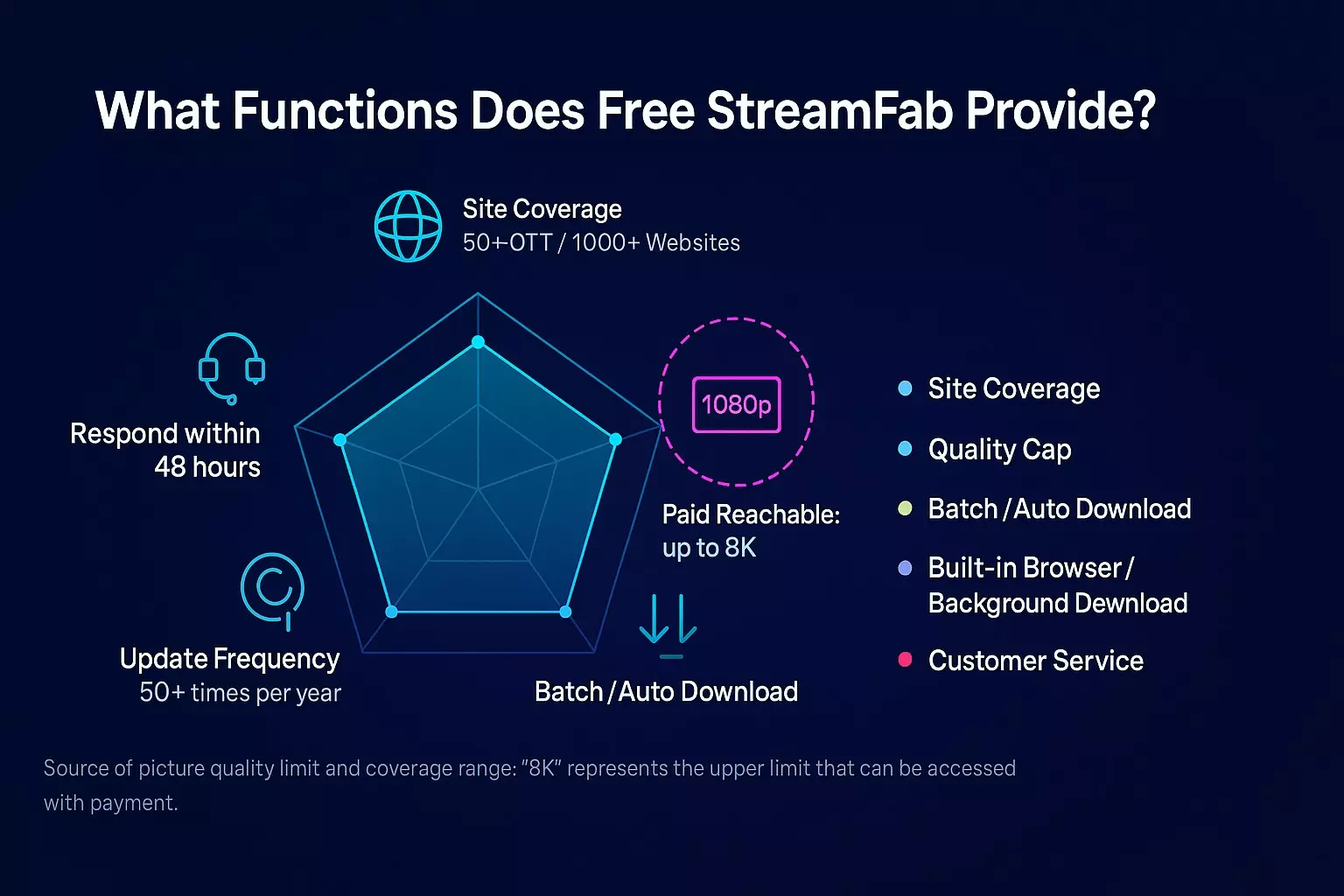
In short, StreamFab offers no-cost YouTube downloads up to 720p and a 30-day VIP trial with three downloads per service. After that, VIP access requires a paid license. This guide explains the limits, setup, output choices, and which option fits your viewing habits.

Is StreamFab Free or Paid?
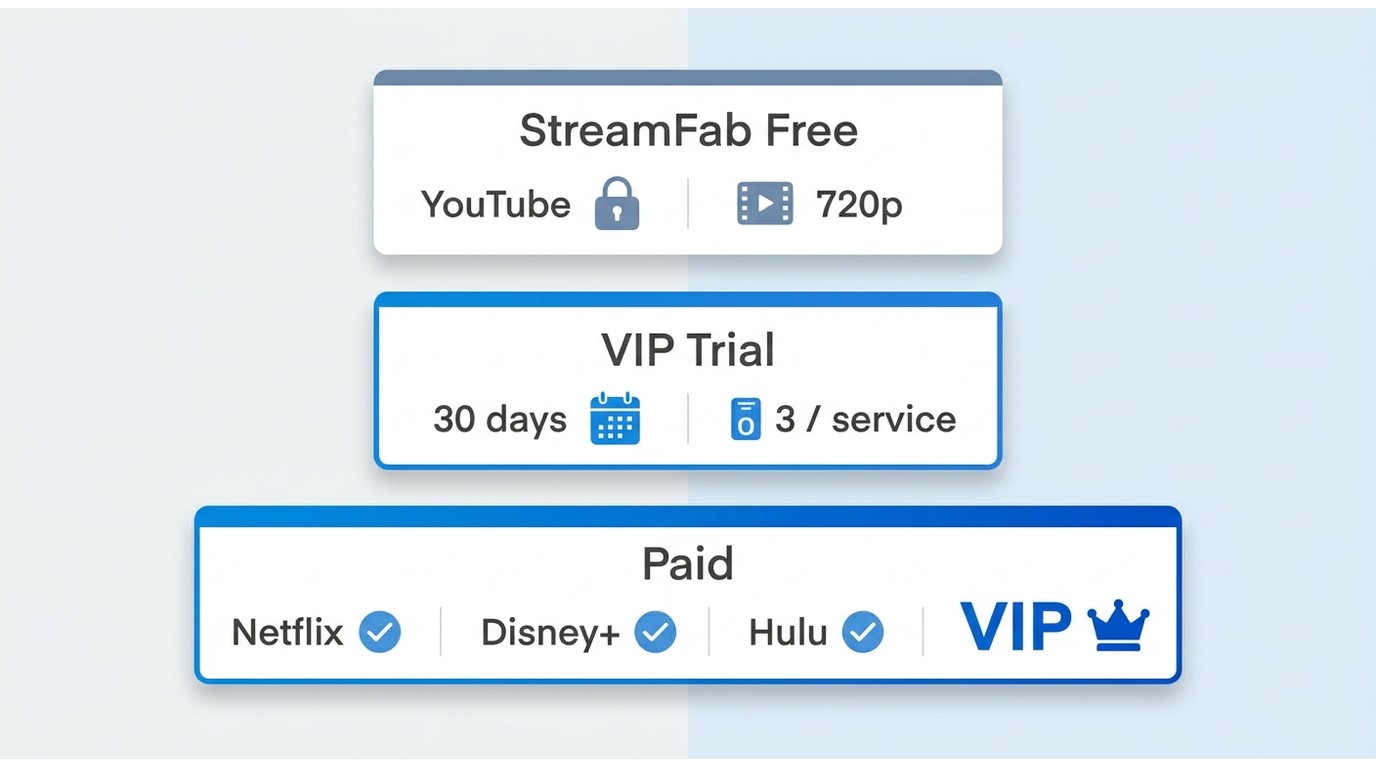
StreamFab has three access levels: a no-cost YouTube downloader, a 30-day VIP trial, and paid licenses. The trial allowance is service-specific. Here is how the options compare, as of August 2026:
| Option | Scope | Limit | Output and quality | Best fit |
|---|---|---|---|---|
| YouTube Free | YouTube | No-cost tier | Up to 720p | Occasional YouTube viewing |
| VIP Trial | Supported VIP services | 30 days; 3 per service | Service-dependent quality | Testing one needed service |
| Individual Module | One VIP service | Paid License | MP4 or MKV; service-dependent quality | One regular service |
| All-In-One | Multiple services and open sites | Paid License | MP4 or MKV; platform-dependent quality | Multi-service libraries |
The YouTube tier remains separate from the VIP trial. If your viewing is limited to occasional YouTube videos at 720p, it can be enough; access to subscription streaming services follows the trial or license terms.
StreamFab Free Setup Takes Three Steps
For content you are authorized to access, and where permitted by platform terms and applicable law, install StreamFab on Windows or Mac to begin the trial. The official trial does not require payment details; download the installer, then follow the three steps below.
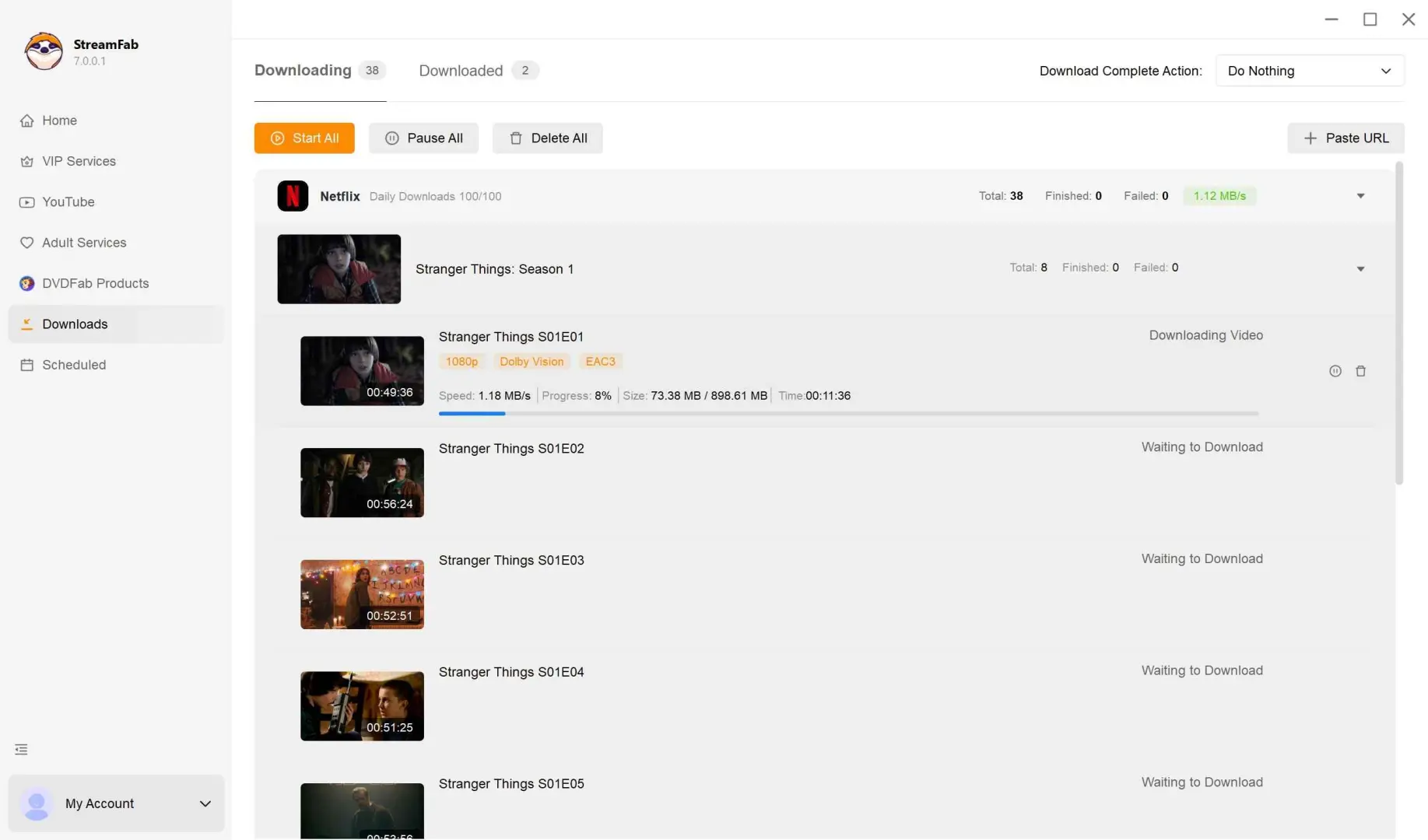
Once installed, open StreamFab and follow these steps to save your first video. The how to use StreamFab guide covers the wider workflow.
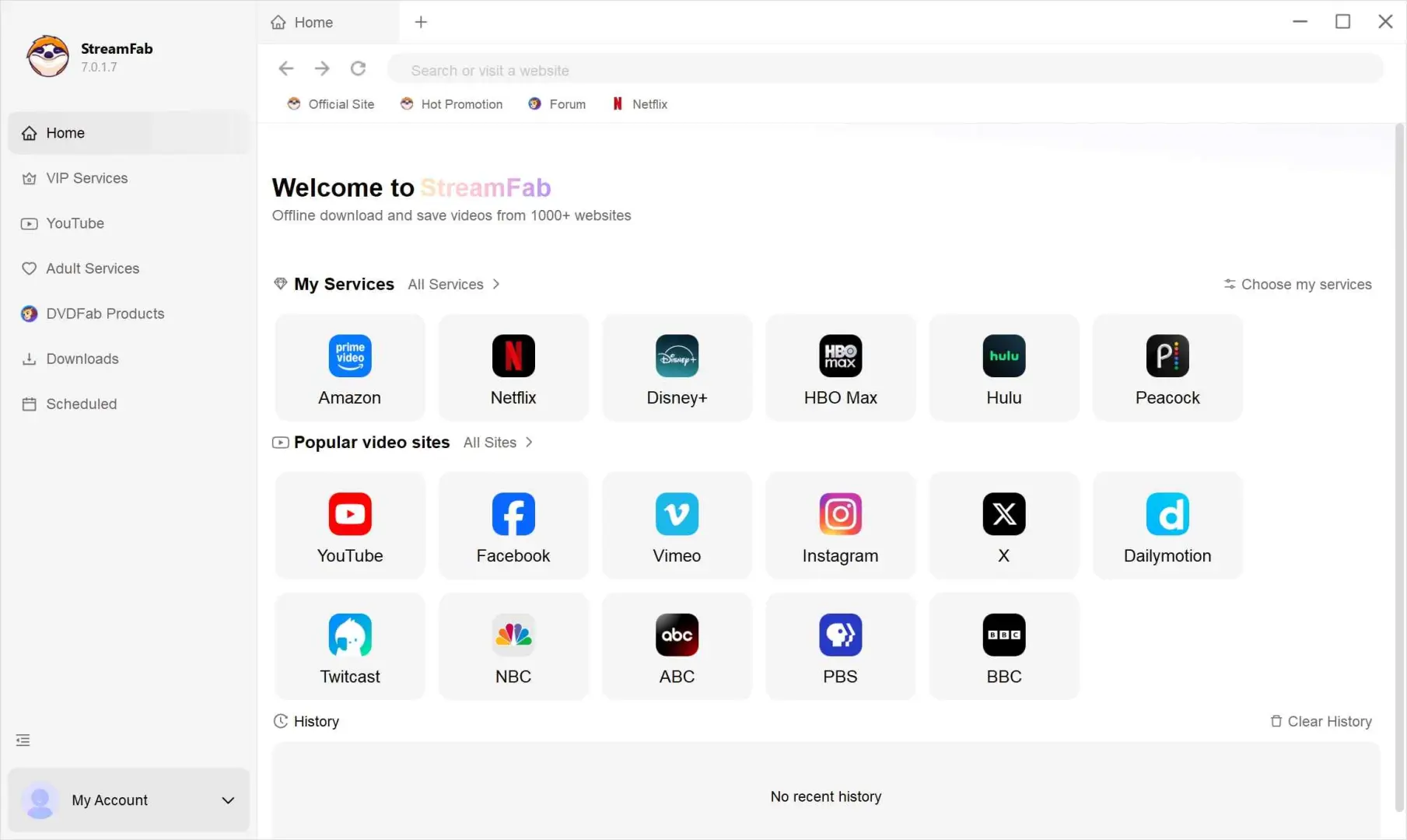
After selecting a platform, the built-in browser opens a dedicated window where you can browse and play content normally.
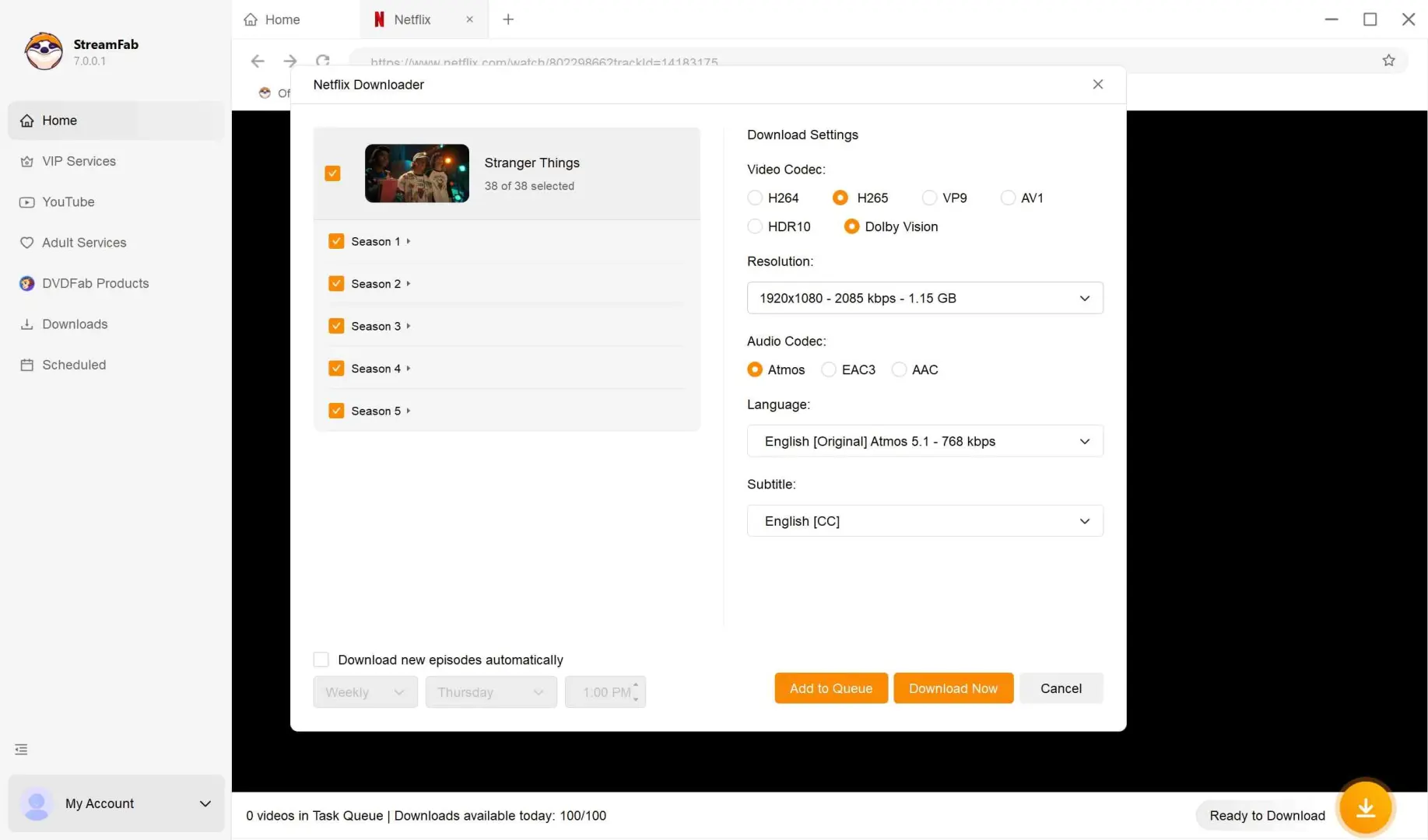
Select your preferred video resolution and audio track from the panel, then proceed to download.
What Free StreamFab Includes
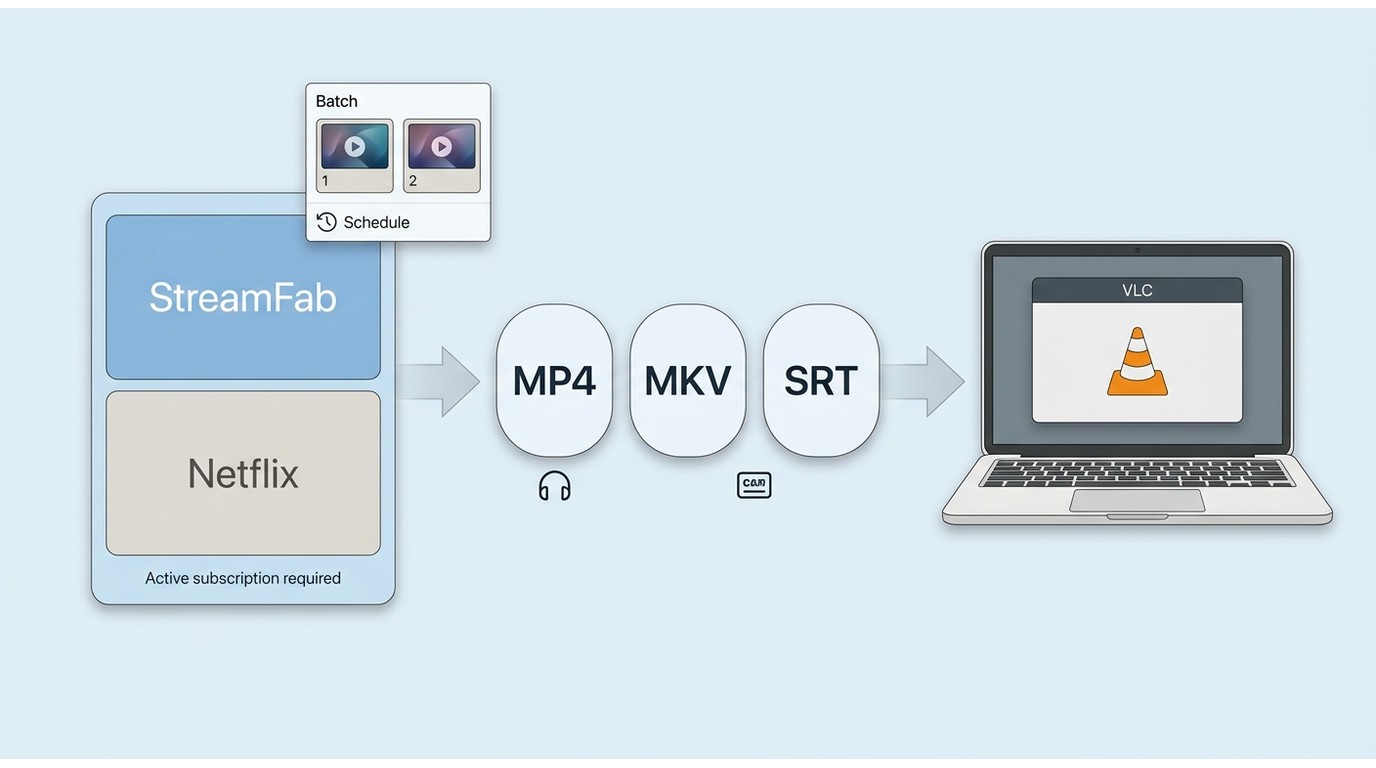
The free tier and trial answer different needs. The no-cost tier is for YouTube, while the trial helps you judge whether a specific service, quality target, and output format fit your personal offline viewing needs.
1. Supported Services and Quality
StreamFab covers 60+ VIP services and products, plus more than 1,000 open sites. Quality depends on the service, title, region, and subscription plan: YouTube can reach 8K, while Disney+, Hulu, Max, Paramount+, and Apple TV can reach 4K on supported titles and plans. Netflix and Amazon are limited to up to 1080p. These differences matter more than a broad service count when you are deciding whether the trial can meet your viewing needs.
2. Output and Download Features
StreamFab can save supported content as MP4 or MKV, with selectable audio tracks and subtitles that can be embedded or saved as SRT files. Batch queues and scheduled downloads are useful when you follow a series, but they add little value if you only save an occasional clip. In my view, format flexibility is the stronger reason to try the service, because MP4 is broadly convenient while MKV can better suit viewers who want to keep more track options together.
3. Updates and Troubleshooting
The StreamFab updates page and download center list current builds and service fixes. If analysis stalls, update the app first, confirm that your operating system and license authorization are accepted, sign in again, then retry analysis. For preference crashes or a service that stops working after an update, submit logs through support with the affected service and error details.
4. Active User Community
Whether you want to report a bug, request support for a new platform, or share usage tips, you can engage with other users and the official team on the StreamFab Forum.
StreamFab Pricing Options and License Choices
After the trial allowance, choose an Individual Module if one service covers most of your viewing, or consider MyCombo and All-In-One when several services are part of your routine. Pricing varies by product scope and license term. The StreamFab product page lists the current U.S. options, while the StreamFab discount guide explains available purchase approaches.
| Plan Type | StreamFab All-In-One | StreamFab MyCombo | Individual Module |
|---|---|---|---|
| What You Get | 60+ VIP services/products + 1,000+ open sites | Selected VIP services | One VIP service |
| Subscription Options | Available terms vary | Available terms vary | Available terms vary |
| Device License | License terms vary | License terms vary | License terms vary |
| Refund Policy | Plan-specific terms | Plan-specific terms | Plan-specific terms |
Stay with the YouTube tier for occasional 720p viewing. An Individual Module is a practical fit when one service drives your viewing, while All-In-One makes more sense when you regularly use several services, need different quality options, or schedule series downloads. It is not an ideal purchase for a one-off trial or a single short-term viewing need.
StreamFab also offers optional paid add-on services:
- Extended Download Service: Access to download previous versions of StreamFab.
- Extra 3 PC Licenses: Authorize your purchase on 3 additional PCs.
- New Product Guarantee: All future StreamFab products included at no extra cost. Available with the All-In-One plan only.
Choose based on the services you actually use, not on a temporary promotion. A single-service workflow generally calls for a module, while a multi-service library is the clearer case for All-In-One.
StreamFab Free and Trial FAQ
Does StreamFab have a free trial?
Yes. The StreamFab trial lasts 30 days and allows up to three downloads per supported service. The StreamFab trial details explain the available options.
What happens when the StreamFab trial ends?
When the trial ends, continued access to VIP service features requires a license. Successfully downloaded local files remain on your device for personal offline viewing, subject to the service terms, applicable law, and your playback environment. The YouTube tier remains separate from the VIP trial.
Do I need a credit card to start the StreamFab trial?
No. The official trial does not require payment details and does not automatically renew into a paid plan. Use the official installer for authorized personal offline viewing; readers looking for a broader security overview can read whether StreamFab is safe.
Conclusion: Which StreamFab Option Fits?
My view is straightforward: the YouTube tier fits occasional 720p use, and the 30-day trial is the sensible way to test a service you already need. Move to an Individual Module or All-In-One only when your regular services, quality expectations, and batch-download needs justify it. For authorized personal offline viewing, start with the official installer and let your actual viewing habits make the decision.