If a StreamFab crack download or StreamFab Mac crack page looks like a cheaper shortcut, the practical answer is no: unofficial builds are not a reliable route. This guide explains four risks, four legitimate options, official MP4/MKV output, and the checks to make after installing unknown software.
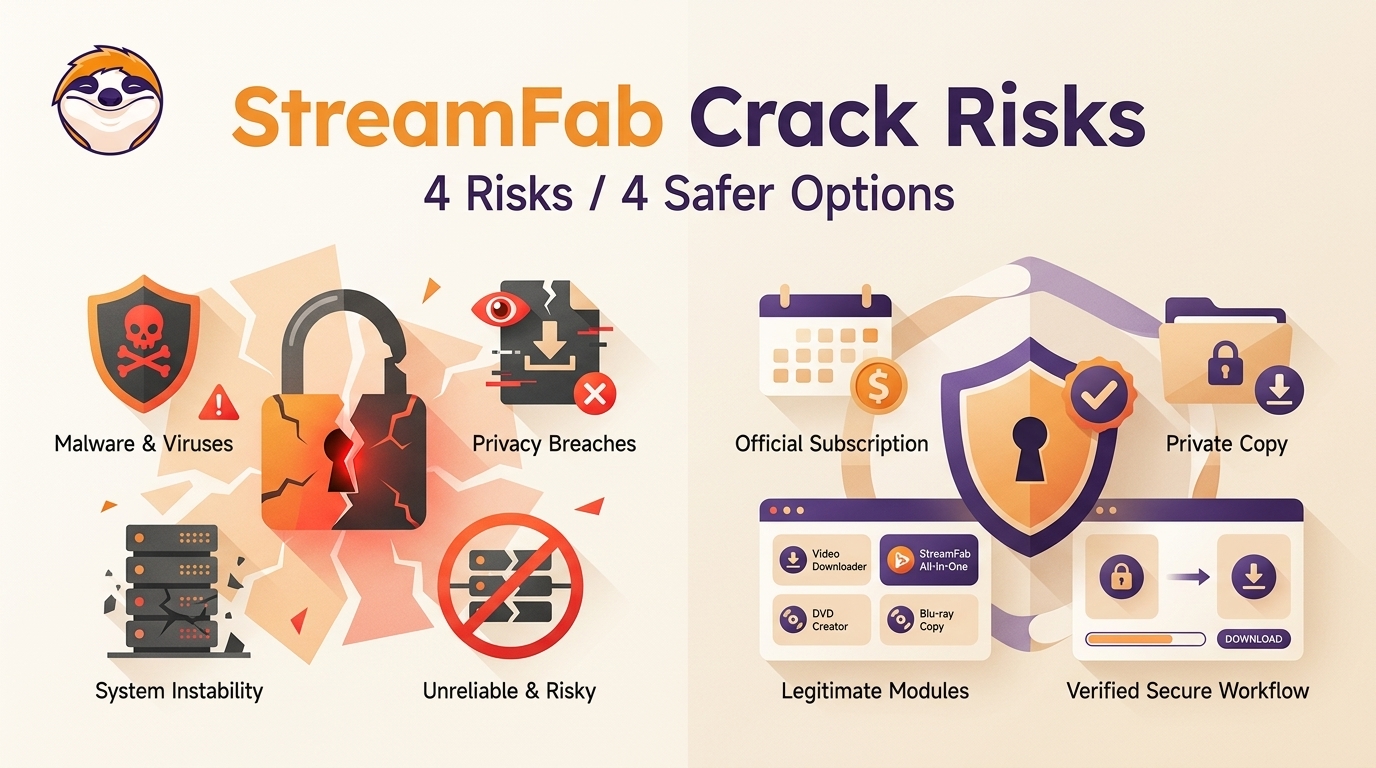
The useful distinction is not “free versus paid.” It is whether the software comes from a known publisher, receives current compatibility fixes, and gives you a support path when a streaming service changes.
Why Unofficial StreamFab Builds Fail in 2026
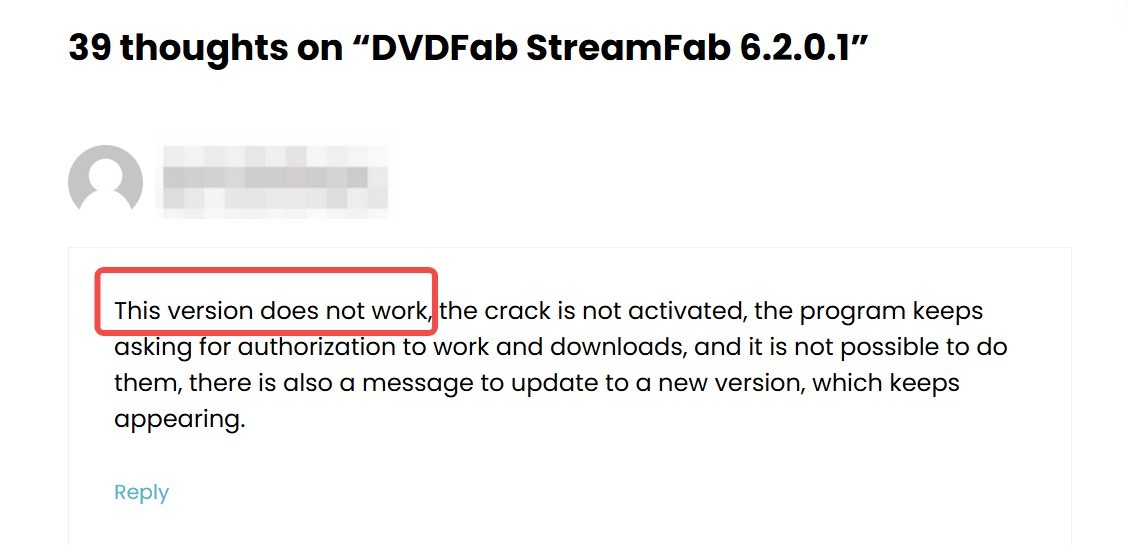
Unofficial builds can open and still fail at the steps that matter: authorization, title analysis, or download. A familiar interface is not evidence that the underlying workflow remains compatible.
Cloud Verification Limits
Pages labeled “StreamFab cracked” or “cracked StreamFab” may launch, but that does not prove they can complete current authorization, analyze a title, or finish a download.
- A modified build may open, but current authorization and service-side compatibility can still fail during login, title analysis,or download.
Old patches depend on assumptions that may no longer match the official service. The failure can appear late in the process, which is why an installer that starts successfully may still be unusable for its intended task.
Frequent Compatibility Updates
The official 7.0.4.x release line received active maintenance through August 2026. An unofficial copy has no dependable way to receive the matching service fixes.
A StreamFab 7 crack label is weak evidence because a version number does not show whether authorization and service-specific changes are current. I would treat active maintenance, not the name printed on an installer, as the more useful reliability signal.
- An outdated installer that no longer matches service changes
- A repackaged executable from an unknown source
- A survey or password scheme that never provides usable software
Risks of Unofficial StreamFab Versions
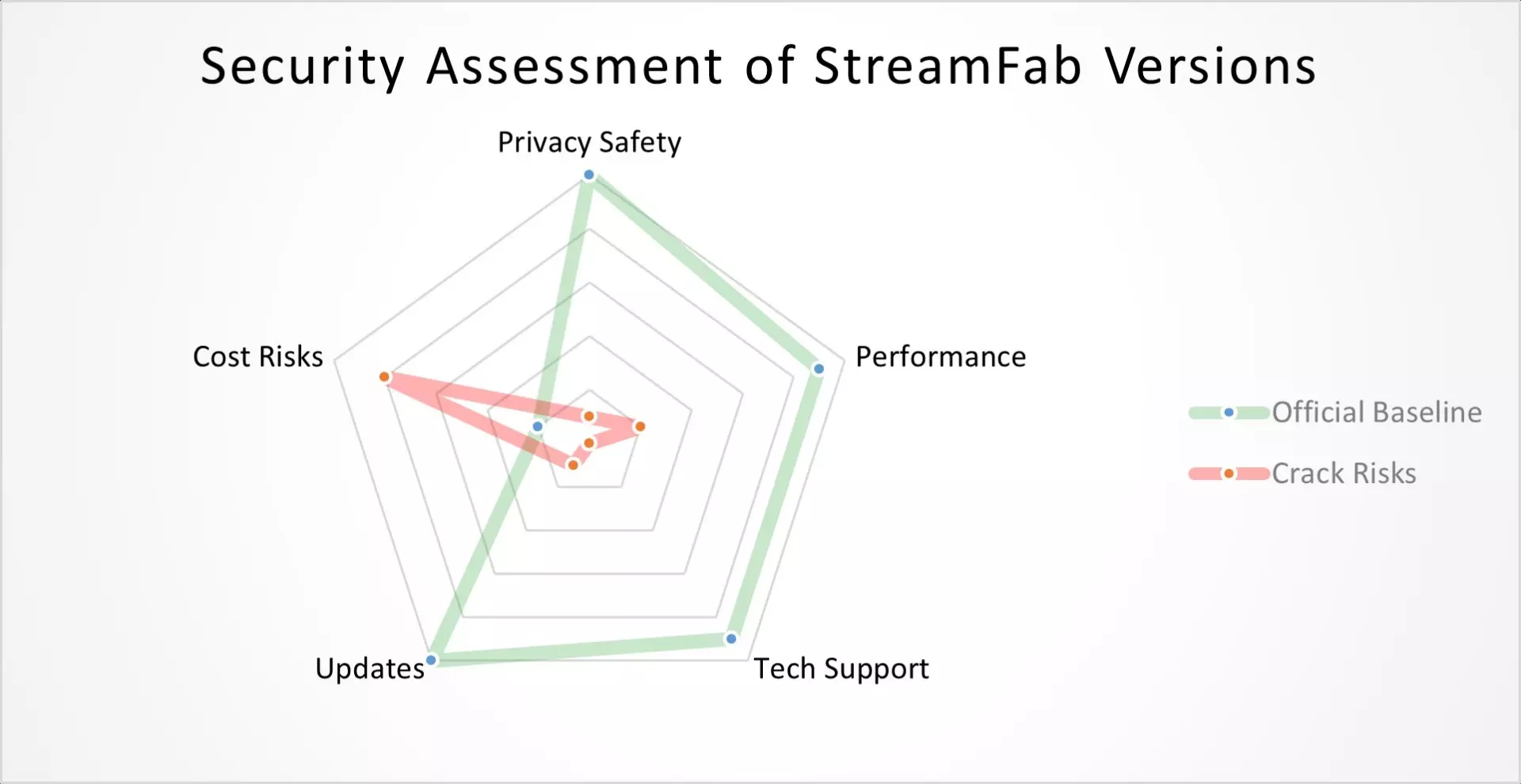
The four practical risks are unknown software integrity, stale compatibility, missing vendor support, and unclear account or platform consequences. None requires assuming that every unofficial installer behaves the same way.
Malware and Security Threats
An installer from an unknown source can contain unwanted components or altered code. That uncertainty is enough to avoid entering streaming, email, or payment credentials into it.
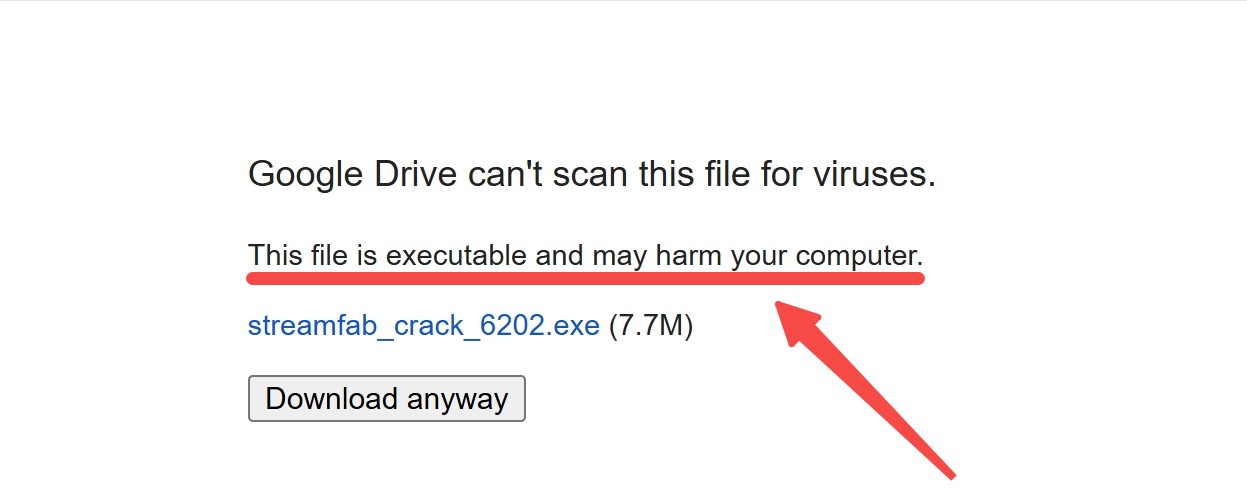
The broader question of whether StreamFab is safe starts with source integrity: use the official installer and keep account credentials out of repackaged software.
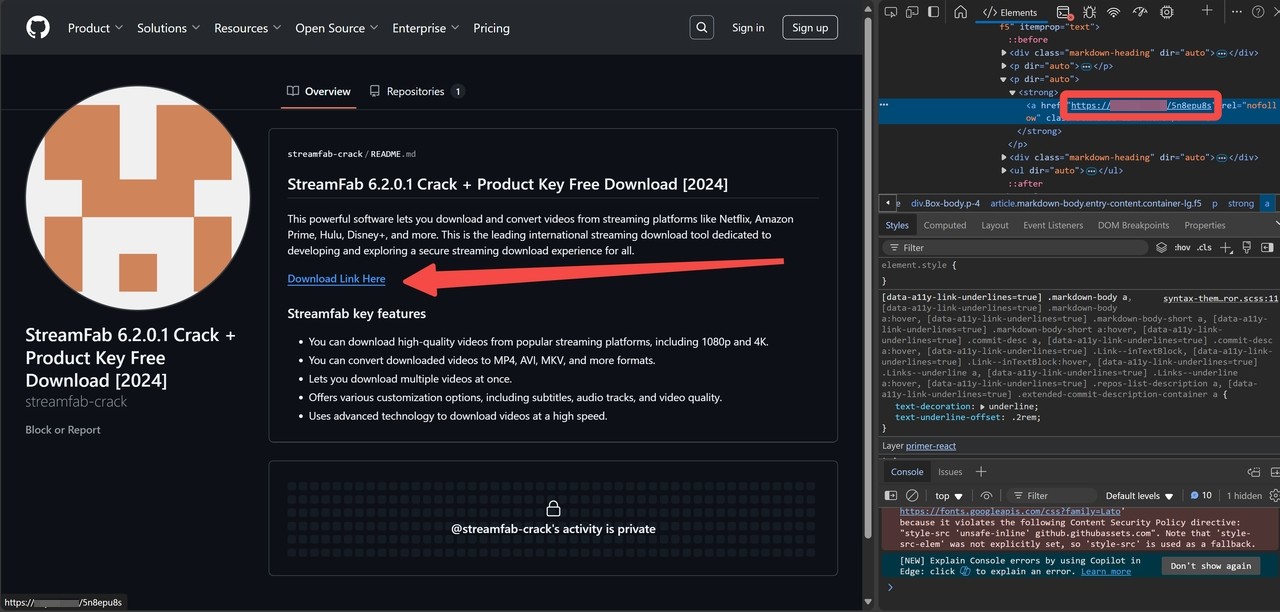
If you already installed an unknown build, take these steps from a clean and trusted environment:
Outdated Builds and Support Gaps
An unofficial build may be stale, but an official copy can also encounter a service-specific error. The difference is that the official path can receive updates and documented troubleshooting.
For an official installation, clearing the cache, refreshing the login, and matching the displayed error code to current StreamFab not-working guidance are reasonable first checks. That branch matters because not every download failure proves the software itself is obsolete.
No Customer Support
Official users have a vendor support channel and community resources. An unofficial installer has no dependable publisher support when authorization or compatibility changes.
Account holders can use the StreamFab Member Center, while peer discussions remain available in the StreamFab forum. This distinction matters most to people who need ongoing help across several streaming services.
Platform Terms and Account Warnings
Personal access does not override a streaming service’s terms or applicable copyright rules. Account notices are a practical signal to review what the service permits, not a blanket legal verdict.
StreamFab is a desktop tool separate from each service’s official download feature. Use it for personal offline viewing of content you are authorized to access, where permitted by platform terms and applicable law, and do not share saved files with others.
I would keep this boundary simple: an active subscription establishes access, but it does not grant permission to publish, sell, or distribute a local copy.
Official StreamFab Compared With Unofficial Builds
The official product offers maintained software, documented support, and selectable output. Unofficial builds offer uncertain provenance and no dependable maintenance path.
| Factor | Official StreamFab | Unofficial build |
|---|---|---|
| Authentication and maintenance | Current official releases | Uncertain compatibility |
| Output format | MP4 or MKV | Uncertain |
| Resolution | Service, account, and plan dependent | Uncertain |
| Support | Vendor and community channels | No dependable vendor path |
| Risk posture | Known publisher | Unknown source and integrity |
Official StreamFab is a Windows and Mac desktop tool that can save authorized streaming video as MP4 or MKV; the maximum available resolution depends on the service, account, title, and plan. It is a better fit for readers who value maintained compatibility and a local-file workflow.

-
A unknown story about StreamFab cracks:
Once upon a time, there was a huge Discord group sharing the cracked StreamFab and constantly provoking the developers. They went to great lengths to troll and insult, yet they were using the very same software for their needs. After recent updates—particularly the v7 infrastructure shift—working cracks essentially ceased to exist. Although I haven't sneaked into the group lately, I believe the "free lunch" is over.
Legitimate Ways to Use StreamFab for Less
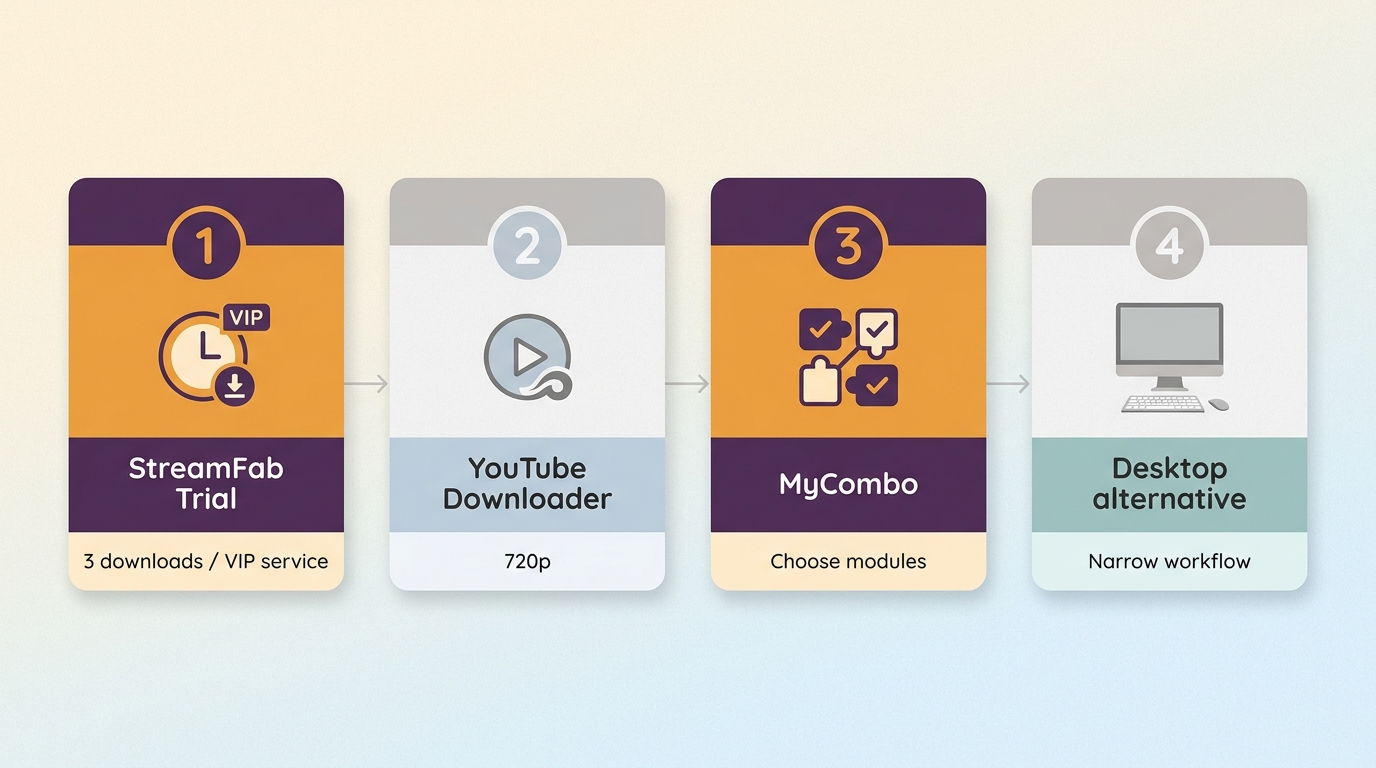
There are four legitimate paths: use the trial, use the separate free YouTube route, choose a smaller official configuration, or select another legitimate tool that better matches your workflow.
Start with the Free Trial
The StreamFab free version uses a 30-day trial window with three downloads per VIP service. Trial features follow the service’s available quality and support MP4/MKV, but the download count is limited.
The dedicated StreamFab trial terms are the right starting point if you need to confirm service compatibility before choosing a paid configuration.

- Current maintenance: The official release line receives service compatibility updates.
- Flexible output: Choose MP4 or MKV and the quality available for the service, account, title, and plan.
- The 30-day trial allows three downloads per VIP service.
- Workflow fit: Batch and scheduled tasks suit readers managing several authorized titles.
- A single-service need may fit a smaller official configuration.
- YouTube has a separate free path at up to 720p.
Trustpilot listed StreamFab at 4.5/5 from 758 reviews on August 24, 2026. That is a reputation signal, not proof that every service will work in every environment.
Discounts and Other Legitimate Options
The remaining three paths cover different needs. YouTube-only users can use the separate free route at up to 720p. Paid users can choose one module, build a bundle with StreamFab MyCombo, or use All-In-One when several supported services are part of the routine.
| Path | What it covers | Best fit |
|---|---|---|
| 30-day trial | Three downloads per VIP service | Test before paying |
| Free YouTube route | Up to 720p | YouTube-only use |
| Official paid configuration | Module, MyCombo, or All-In-One | Ongoing supported-service use |
| Other legitimate tools | Free, open-source, or desktop workflows | Different needs or budget |
| Policy date | As of August 2026 | Trial and tier terms |
For paid use, the practical choice is configuration rather than a single headline price. The guide to buying StreamFab for less explains how module, bundle, and suite choices differ without assuming everyone needs All-In-One.
A concise StreamFab review is useful when you need broader workflow details, while current StreamFab promotions matter only after you have chosen the configuration that fits.
If local-file management, batch work, or paid multi-service support is not important, StreamFab alternatives include free, open-source, and other desktop approaches. I would not pay for an All-In-One workflow when a narrow YouTube need or occasional test is the actual job.
Quick Start Guide
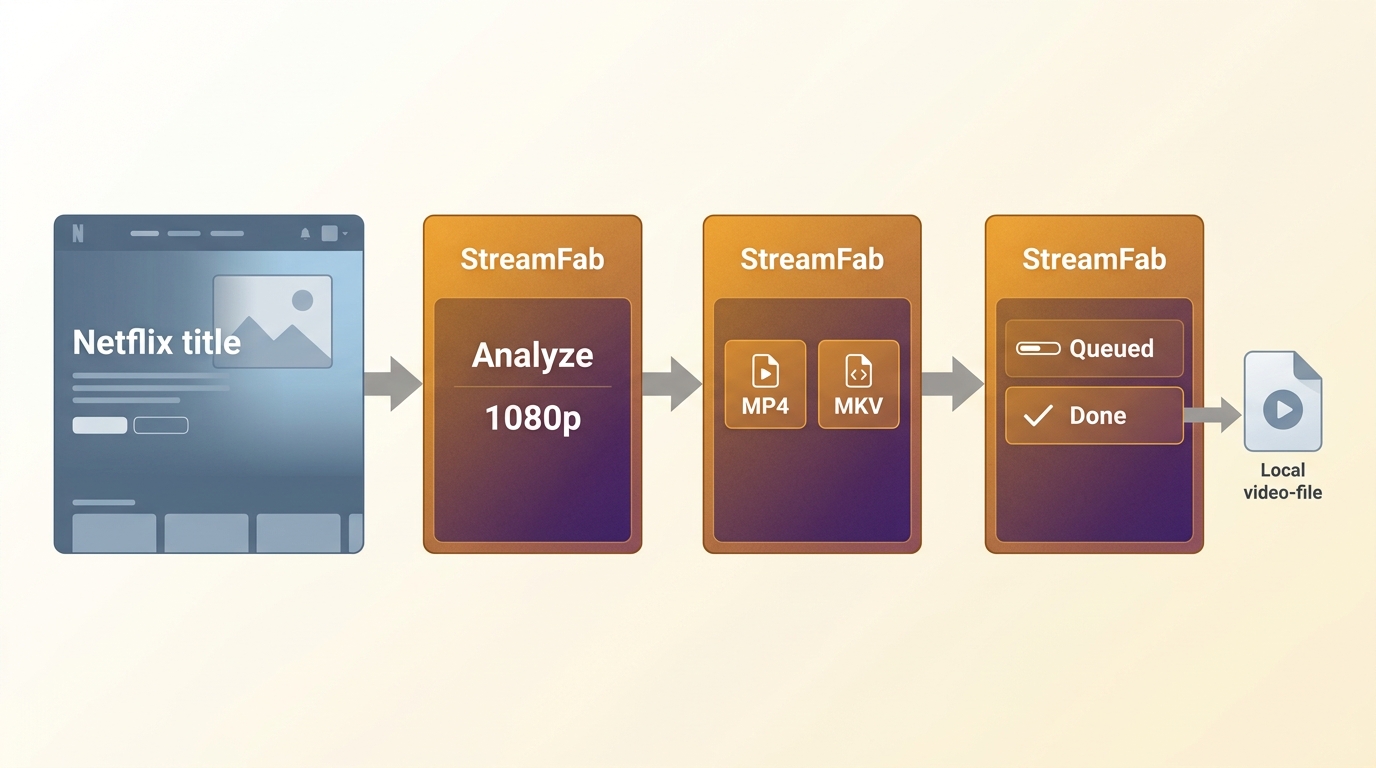
Before starting, have an active account for the streaming service, enough local storage, and permission to access the title. Then keep the setup short:
Install the official Windows or Mac application and sign in to the streaming service inside the supported workflow.
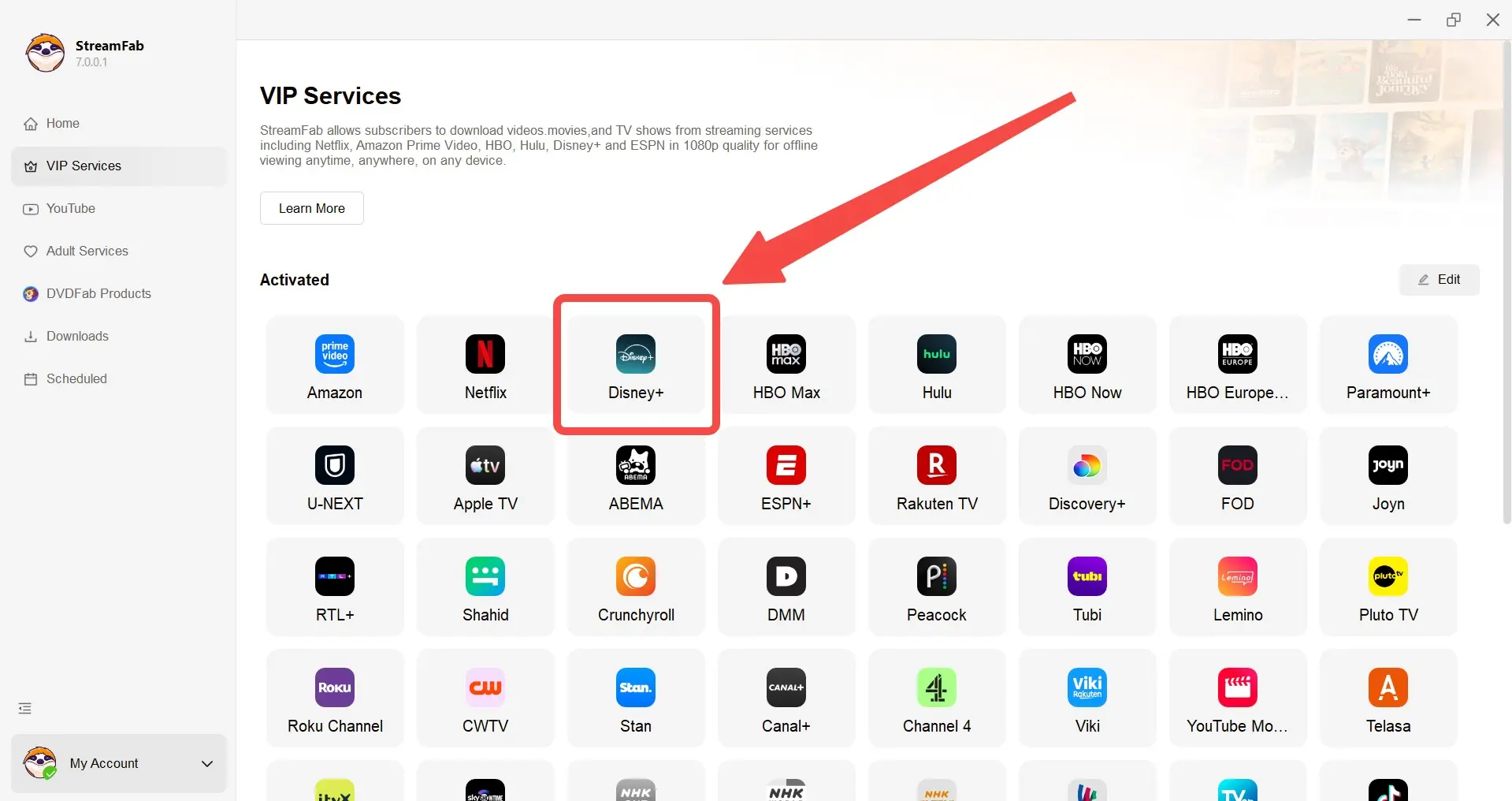
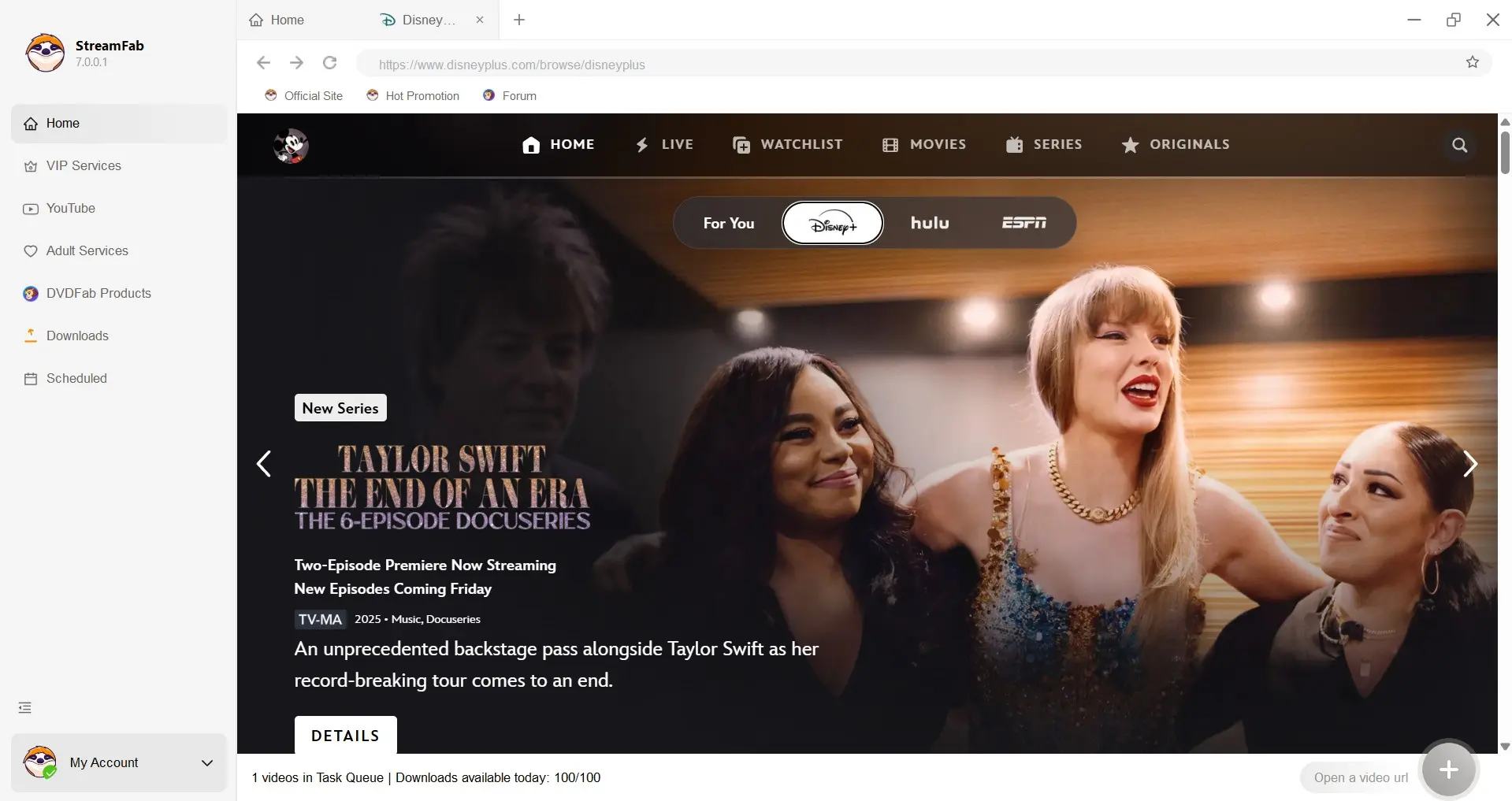
Open the authorized title and let StreamFab analyze the options available to that account.
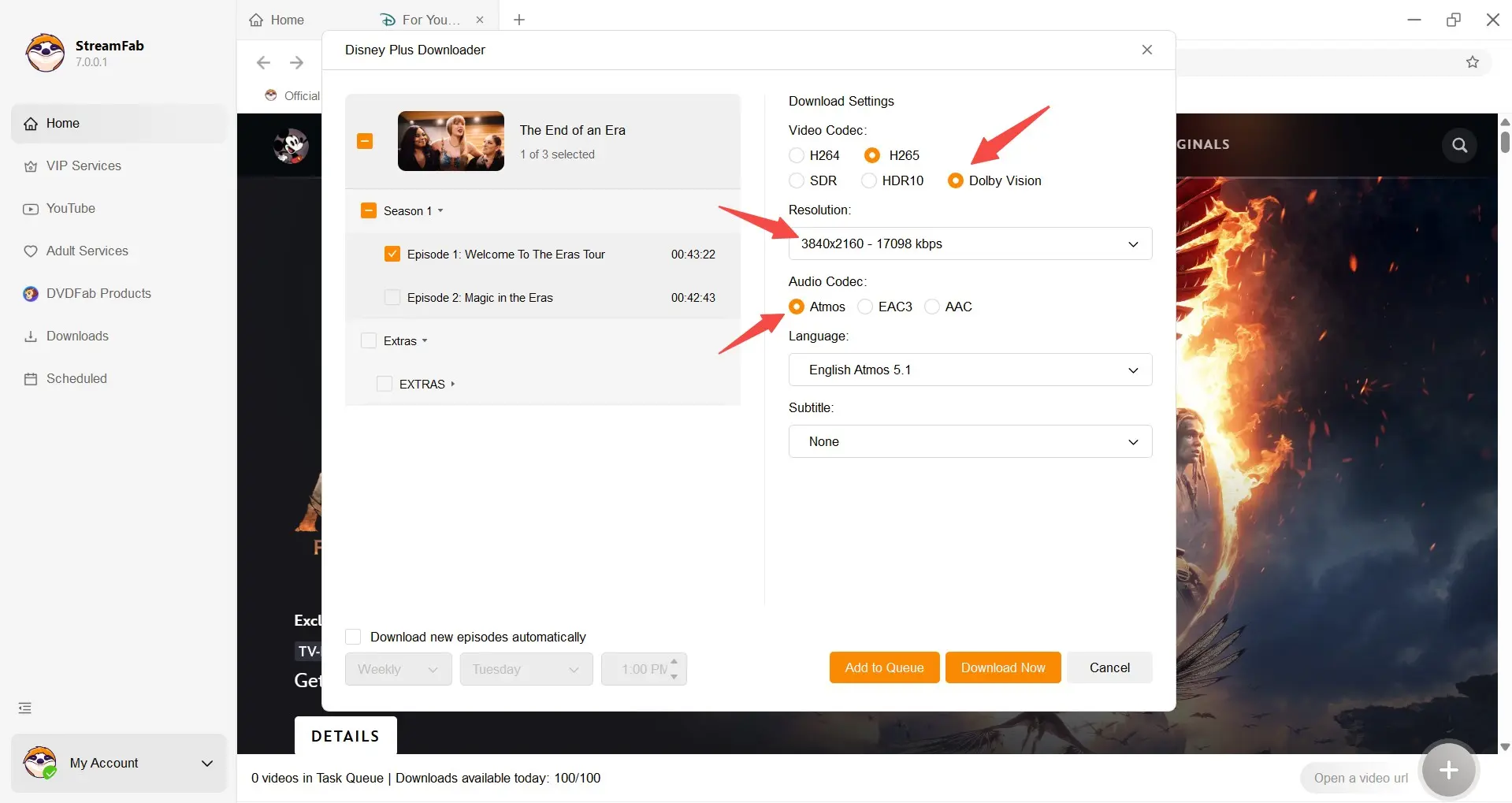
Choose MP4 or MKV, then select only the quality offered for that service, account, title, and plan; StreamFab 4K download availability is service-dependent.
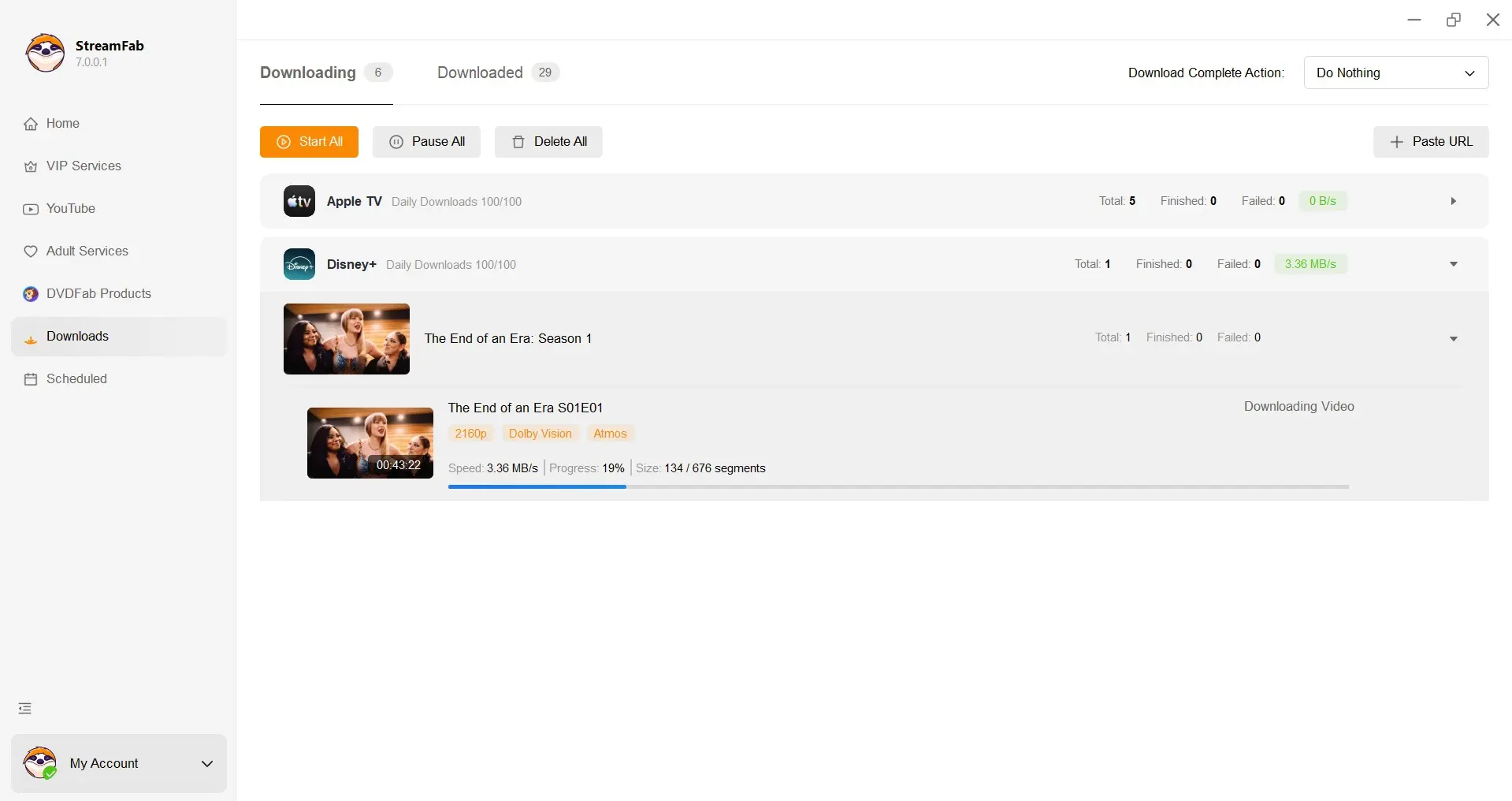
Add the title to the task queue, start the save process, and confirm the completed file in the selected local folder.
This workflow suits Windows and Mac users who want organized local files. It is less useful for someone who needs only a streaming service’s managed offline mode on a supported mobile device.
Frequently Asked Questions
Is there a working StreamFab crack in 2026?
An unofficial build may open, but it cannot be relied on to authenticate, receive compatibility fixes, or keep working across supported services. The official release line remains actively maintained.
What should I do after installing an unofficial StreamFab build?
Stop using it, uninstall it, run a full security scan, change reused credentials from a clean device, and monitor connected accounts for unfamiliar activity.
Can StreamFab save videos as MP4 or MKV?
Yes. The official application supports MP4 and MKV. Available quality depends on the streaming service, account, title, and plan.
Conclusion
A StreamFab crack is not a dependable way to save money: the source, maintenance, support, and account consequences are uncertain. The legitimate choices are a limited trial, the free YouTube route, a right-sized official configuration, or another tool that fits a narrower need.
My verdict is straightforward. Pay only if maintained multi-service downloads and local MP4/MKV files solve a recurring problem. If you need one occasional test or YouTube at up to 720p, start with the limited or free path instead.
