Table of contents
The official ReelShort app is a legitimate store-distributed app, so choose the US App Store or Google Play when installing. If you are asking “is it safe to download reelshort,” the answer also depends on whether you accept its data practices, meet its age rules, and understand recurring charges before paying.
A subscription missing from your Apple settings can make an ordinary entertainment purchase feel unsettling, even when you find a cancellation option inside the app. I think control over the next charge is more useful than a reassuring app-store badge. That is where I would start if ReelShort ads had led me from a short clip to a checkout screen. I’ll explain the privacy and age details, walk through the published cancellation route, and separate installing an app from saving a video.
Is ReelShort Safe to Download? What the Evidence Shows
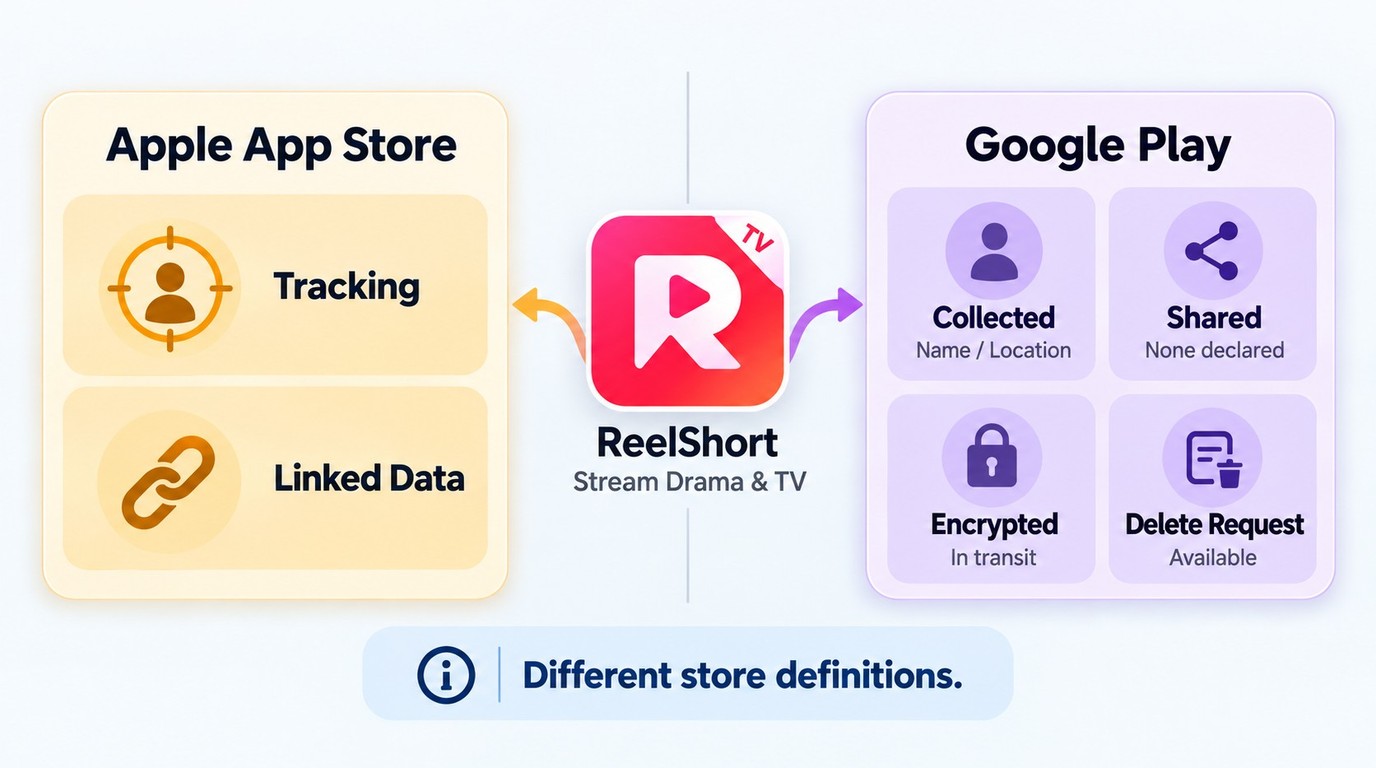
ReelShort has identifiable official US store listings and published privacy and subscription terms. Those establish who distributes the app and what the service discloses; they are not an independent security audit or a guarantee against billing problems.
Both stores list ReelShort - Stream Drama & TV under NewLeaf Publishing. Apple names the seller as New Leaf Publishing, Inc., while ReelShort’s service terms name Crazy Maple Studio. These are different roles. The name difference alone does not establish that you have found a counterfeit app.
What Do the Privacy Disclosures Actually Say?
Apple’s US ReelShort listing describes identifiers used for tracking across other companies’ apps and websites. Its disclosure also lists linked product-interaction, customer-support, and device-ID data, alongside diagnostic data described as unlinked. If cross-company tracking is your concern, that disclosure deserves attention before installation.
Google Play uses a separate disclosure system. Its Data safety section says the developer declares no third-party data sharing, while location and personal information may be collected. It also states that data is encrypted in transit and deletion can be requested. These are developer declarations, not findings from a malware scan.
The two labels should stay separate. Apple’s tracking categories and Google’s sharing categories use different definitions; reading one as a correction to the other would oversimplify them. ReelShort’s privacy policy explains broader data categories and processing purposes. I would decide whether that data handling fits my comfort level, rather than treating “encrypted in transit” as an answer to every privacy question.
Are ReelShort’s Store Ratings the Same as Its Age Rules?
Content ratings and eligibility are different. As of October 2026, the US App Store lists 13+, Google Play lists Teen, and ReelShort’s Terms of Use state that the service is not for anyone under 18. A store’s content rating does not override the service’s age requirement.
For a parent, that distinction changes the decision. A teenager seeing an app in a store is not the same as meeting its contractual eligibility. For an adult, the next practical question is whether the payment conditions are acceptable. My view: a billing complaint deserves a billing investigation, while a malware allegation requires different evidence; neither should stand in for the other.
Check ReelShort Charges and Cancel Renewal in the App
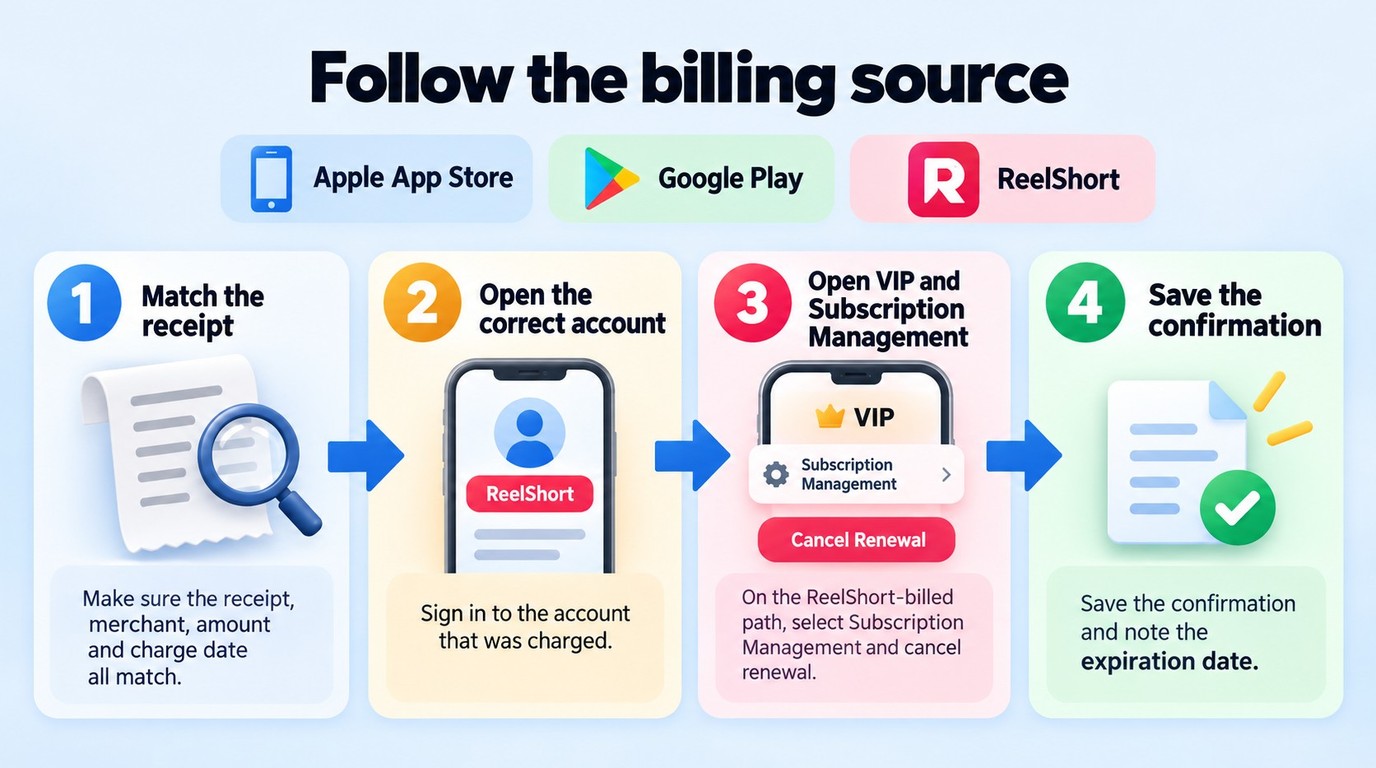
Before paying, identify the billing interval, included viewing access, and merchant shown at checkout. To stop renewal, follow the route for that purchase: ReelShort’s published terms describe VIP → Subscription Management inside the app, with cancellation on or before the day before billing.
Have these ready: access to the relevant ReelShort account, the purchase receipt, and the statement showing the merchant and charge date. If you cannot access that account, the first FAQ below covers that situation. Do not substitute a different account simply because it opens successfully.
What Do Ads, Coins, and a Subscription Actually Cover?
Free installation is not unlimited viewing. Apple lists in-app purchases, including an item labeled Subscription at $19.99; Google Play labels ReelShort as containing ads and in-app purchases. That Apple purchase entry does not establish a universal weekly or monthly rate. The store supplies a listed amount, not your complete checkout agreement.
Read the billing interval beside the amount before authorizing it. Then read what the offer covers: the episodes or access included, its duration, and whether it renews. A subscription label is not enough. If you are paying to finish one drama, the useful question is whether that specific offer includes the remaining episodes you want.
ReelShort ads and coins are access mechanisms, not a promise that every episode becomes free. A reward screen offering coins for watching ads should be read as an offer with its own conditions. Look at the displayed reward, the episode’s coin requirement, and any expiry information together. A growing balance is useful only if it covers the viewing you planned.
In September 2026, one r/ReelShorts poster wrote, “tbh it’s really unfair how quickly your coins expire.” That is an individual account of the experience, not a published expiry schedule. It is a good reason to read the conditions attached to your balance rather than assume rewards can be saved indefinitely.
Waiting instead of paying fits you if you are comfortable with the access offered through the app’s rewards. It is less suitable if you want to finish a particular story immediately. If your goal is to watch ReelShort without ads, inspect the specific paid offer’s ad and viewing terms; do not assume that paying removes every kind of advertising or unlocks the whole catalog.
Follow the Billing Channel Before You Cancel
A missing store subscription is a reason to trace the purchase. In September 2026, another r/ReelShorts poster wrote, “I noticed that I was being charged for a reelshort subscription from both the app and reelshortsw which I assume is the website.” The poster’s interpretation does not identify your merchant, but it illustrates why an app purchase and a web purchase should not be treated as interchangeable.
Use the cancellation route described in ReelShort’s terms for subscriptions managed through that route:
- Match the charge to the purchase. Compare the receipt, account, merchant, amount, and date. Establish whether you bought through an app-store checkout or the website, and identify the subscription you intend to stop.
- Open the ReelShort app under the corresponding account. For an applicable in-app-managed subscription, enter the VIP page. Confirm that you are looking at the purchase associated with your receipt.
- Open Subscription Management and cancel renewal. Follow the displayed cancellation prompts through confirmation. The published terms specify cancellation on or before the day before billing; that wording is not a universal deadline for every app-store purchase.
- Keep the confirmation and subscription status. Save the cancellation message and displayed expiration date. If the entry is absent or the merchant differs, use the receipt to ask the actual billing provider to locate and handle the subscription.
The useful endpoint is a recorded cancellation, not an empty menu. Keep that record with the receipt and compare it with subsequent statements. I would follow the transaction before chasing another settings screen: deleting an app or checking an unrelated store account does not resolve the purchase that created the charge.
ReelShort App, Modified APK, or Video File: Know the Difference
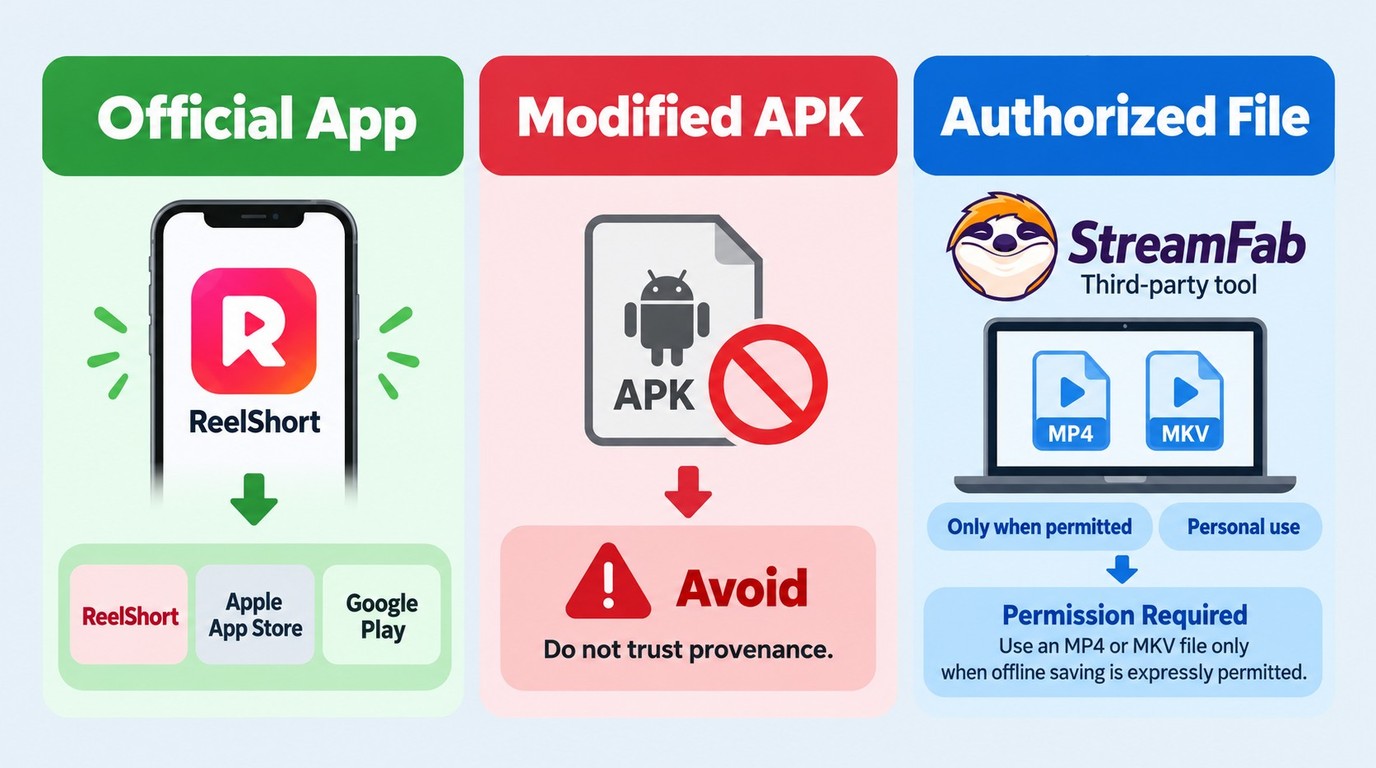
Downloading the official ReelShort app installs software for watching the service. A modified APK installs altered software, while saving an episode creates a video file; those are different actions with different source and permission questions.
| Download type | Typical source | What you receive | Key boundary |
|---|---|---|---|
| Official ReelShort app | US App Store or Google Play | Installed streaming app | Free installation; in-app purchases |
| Modified app or coin hack | Unofficial distribution | Altered app or promised credits | Provenance not established |
| Authorized local video | Desktop saving tool | MP4 or MKV file | Express platform permission required |
Source: ReelShort’s official US app listings and Terms of Use, and StreamFab ReelShort Downloader’s official product page, as of October 2026.
For ordinary viewing, I would choose the official app route. It gives you an identifiable listing and purchase channel. The table’s local-video row answers a separate need: an installed streaming app is not itself an episode file you can open in a media player.
Device compatibility also belongs to the correct app. Apple lists iOS/iPadOS 15.0 or later for iPhone and iPad, and macOS 12.0 or later with Apple M1 or later for Mac. Those requirements describe the official ReelShort app, not a desktop downloader. Apple’s Mac listing also does not establish that a native Windows app exists.
Why Modified Apps Are a Different Risk
A modified ReelShort APK, an altered iOS package, or a “coin hack” is not the official store release simply because its page uses the same logo. You are being asked to trust whoever altered or distributed it. A promise of extra credits does not explain that chain of custody.
I would skip those packages if your priority is a source you can identify. That is a provenance judgment, not a claim that every modified file has been detected as malware. Do not treat an unofficial package’s claims about credits or paid access as ReelShort’s own offer.
Saving a video is different again. ReelShort’s terms restrict downloading beyond page caching unless expressly permitted, so paid viewing access alone is not a blanket download license. If you need an authorized local file, the relevant question becomes how to organize and play that file, which is where a desktop saving workflow fits.
Where StreamFab Fits for Authorized Offline Copies
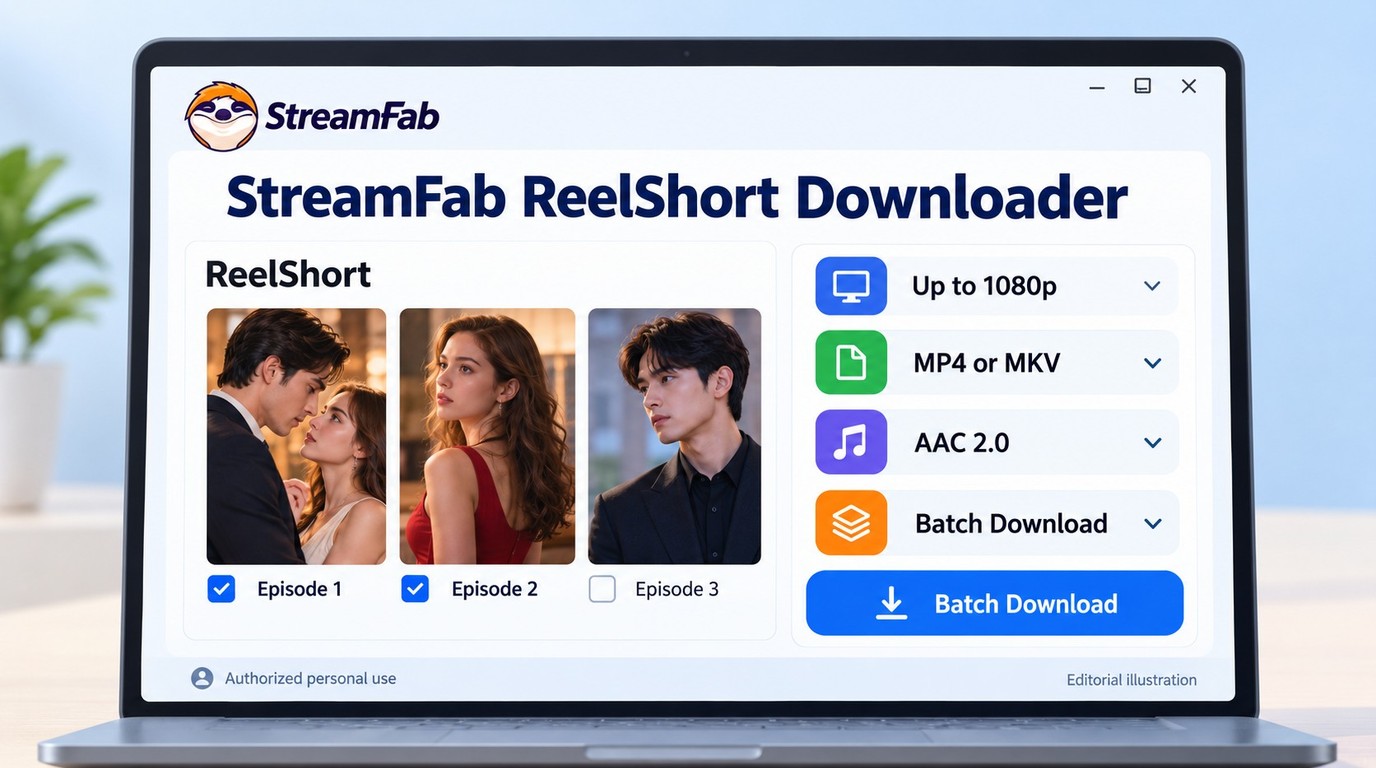
StreamFab ReelShort Downloader fits you if you have permission to save episodes and want local files on a computer. It serves that file-management need; subscription cancellation remains in the billing workflow above.
When Do Local Files Fit Your Viewing Needs?

StreamFab ReelShort Downloader preserves vertical short drama content at up to 1080p resolution with AAC 2.0 audio, H.264/H.265 codec support, and MP4/MKV output—ready for offline playback on any device.
I see the value in reducing repeated setup when you have several authorized episodes to organize. Batch saving lets you group them; subtitle and audio-language selection lets you prepare the viewing options offered by the title. Metadata writing helps organize the resulting files, while episode following reduces repeated selection when new episodes arrive. These are conveniences for managing a viewing queue.
For that workflow:
1. Open StreamFab ReelShort Downloader on Windows or macOS. Access ReelShort through its supported workflow and sign in to the account holding the relevant viewing access.
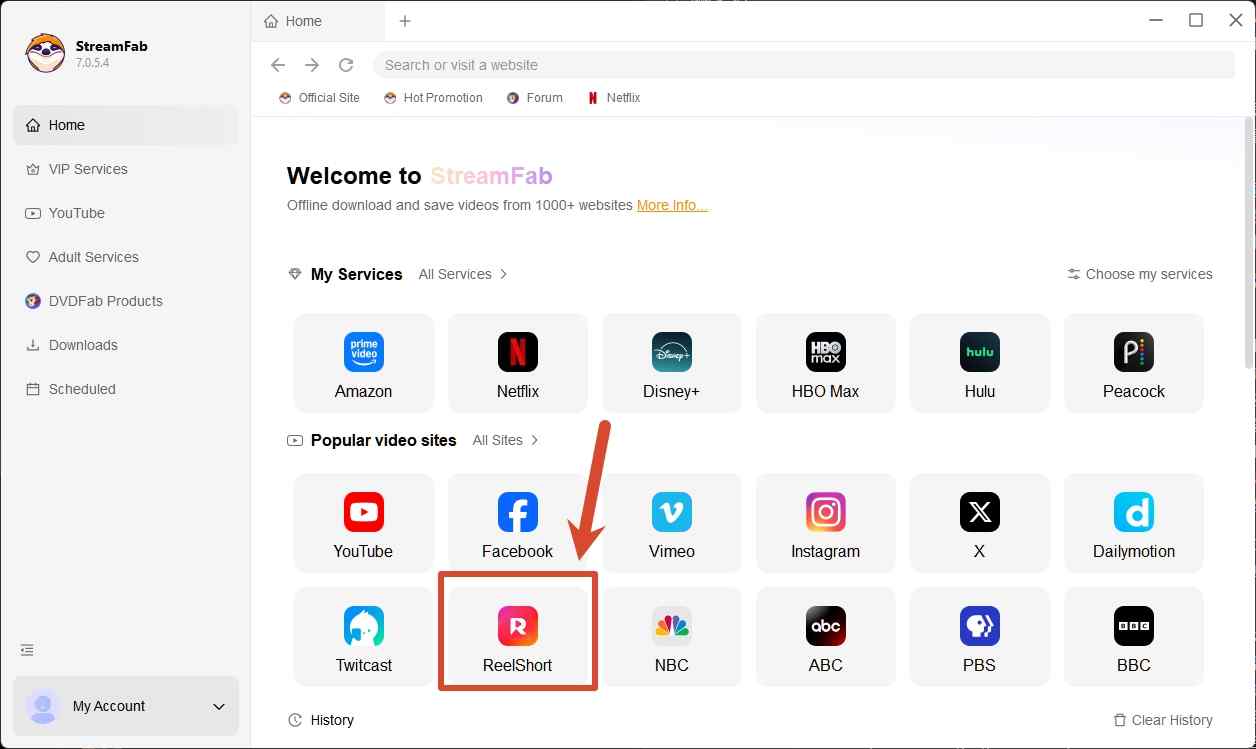
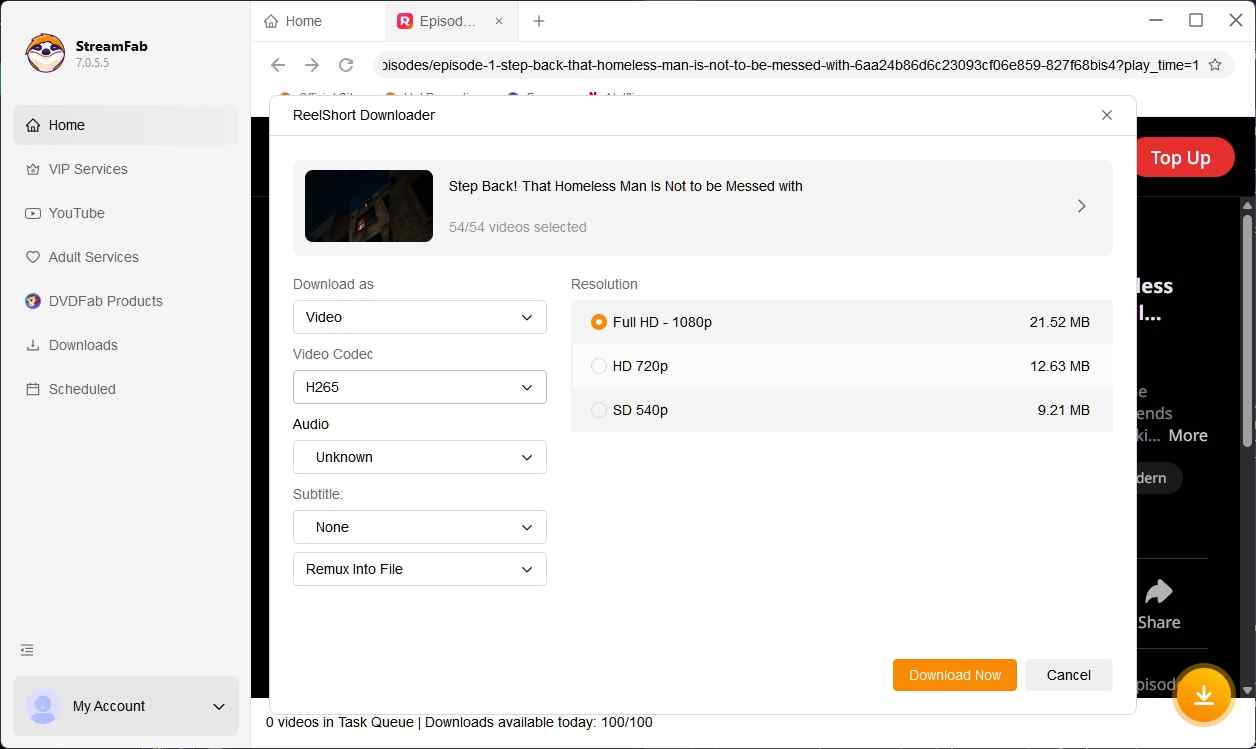
2. Select the authorized episodes and playback options. Choose MP4 or MKV, an offered resolution, the available audio language and subtitles, and H.264 or H.265 video encoding to suit your player.
3. Save to your chosen computer folder and check playback. Open the resulting file in the player you intend to use, confirming the picture, audio, and selected subtitles before preparing the rest of your queue.
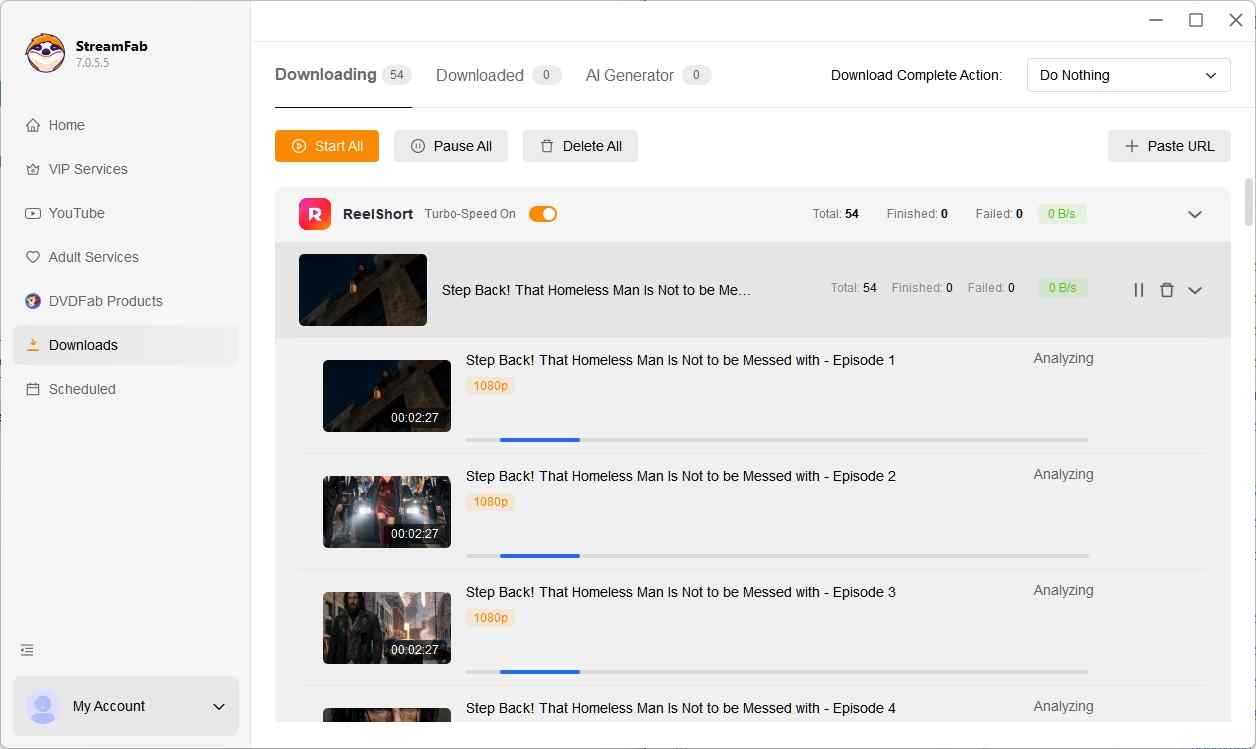
The practical check is the file in your player. A batch queue saves repeated selection, but the picture, language, and subtitles still need to match the viewing experience you want. Language selection is limited to the tracks offered by the title; the 30-day trial includes three video downloads per service, giving you a limited queue for this desktop workflow before choosing a paid plan.
For this saving workflow, keep valid access, save only content the platform expressly permits you to save, and follow its terms and applicable US law. Keep copies for personal offline viewing, without redistribution or resale. If that is the computer workflow you need, get started from the StreamFab ReelShort Downloader official page.
Frequently Asked Questions About ReelShort Safety
Should You Install ReelShort or Pay for It?
Install through the official store if you meet the service’s age requirement and accept its disclosed data practices; pay when the offer’s viewing access, renewal interval, and billing channel make sense for you. If those conditions are unclear, pause at checkout rather than let a cliffhanger choose the purchase. My recommendation is to keep your receipt and cancellation route as easy to find as the next episode. For a computer-based offline need, distinguish the authorized file workflow above from installing the app or managing its subscription.
