丨SINCE 2019
8th Anniversary
Products
30%
OFF

StreamFab All-In-One

Learn More

StreamFab MyCombo

Learn More
  • International
  • Asia
  • North America
  • Europe
  • More Products
product
international
International
  • YouTube Downloader 40% OFF
  • DRM M3U8 Downloader
  • DRM MPD Downloader
  • Amazon Downloader
  • Netflix Downloader
  • Disney Plus Downloader
  • Hulu Downloader
  • Crunchyroll Downloader
  • Apple TV Downloader
  • Paramount Plus Downloader
  • HBO Max Downloader
  • SkyShowtime Downloader
  • Discovery Plus Downloader
  • YouTube Movies Downloader
  • Plex Downloader
  • DAZN Downloader
  • Udemy Downloader
Adult
  • OnlyFans Downloader
  • FANZA Downloader
  • myfans Downloader
  • MGStage Downloader
  • Pornhub Downloader
  • Caribbeancom Downloader
  • Sokmil Downloader
  • Fansly Downloader NEW
View All Streaming Services >
StreamFab 7
Download
Posts
Store
Member
StreamFab All-In-One

StreamFab All-In-One

Includes 65 StreamFab products, offering the most comprehensive download solutions for streaming videos.
Free Download

Windows 11/10

Free Download

macOS 12.0 or newer

Learn More >
Whoa! Leaving so soon? Before you go, why not try StreamFab?
Best Video Downloader
Download streaming videos from Netflix, Amazon Prime Video, YouTube, and 1000+ other M3U8 or MPD-encrypted streaming websites to watch on any device, anytime, and anywhere.
Free Download
Learn More>
Home > brand

How to Pay for StreamFab: Plans, Payment Methods & Checkout Guide

  • Malcolm
  • /
  • 2026-05-29
 Jump Right In
  • What pricing plans does StreamFab offer?
  • What payment method does StreamFab support?
  • Step-by-step guide to buy StreamFab
  • How to claim the Amazon gift card bundled with All-In-One?
  • How to activate the license after purchase?

"Ready to buy StreamFab but not sure which plan to choose or how the checkout actually works?" You're not alone. StreamFab offers several pricing tiers and payment options, and the differences aren't always obvious at first glance.

product image
StreamFab Video Downloader

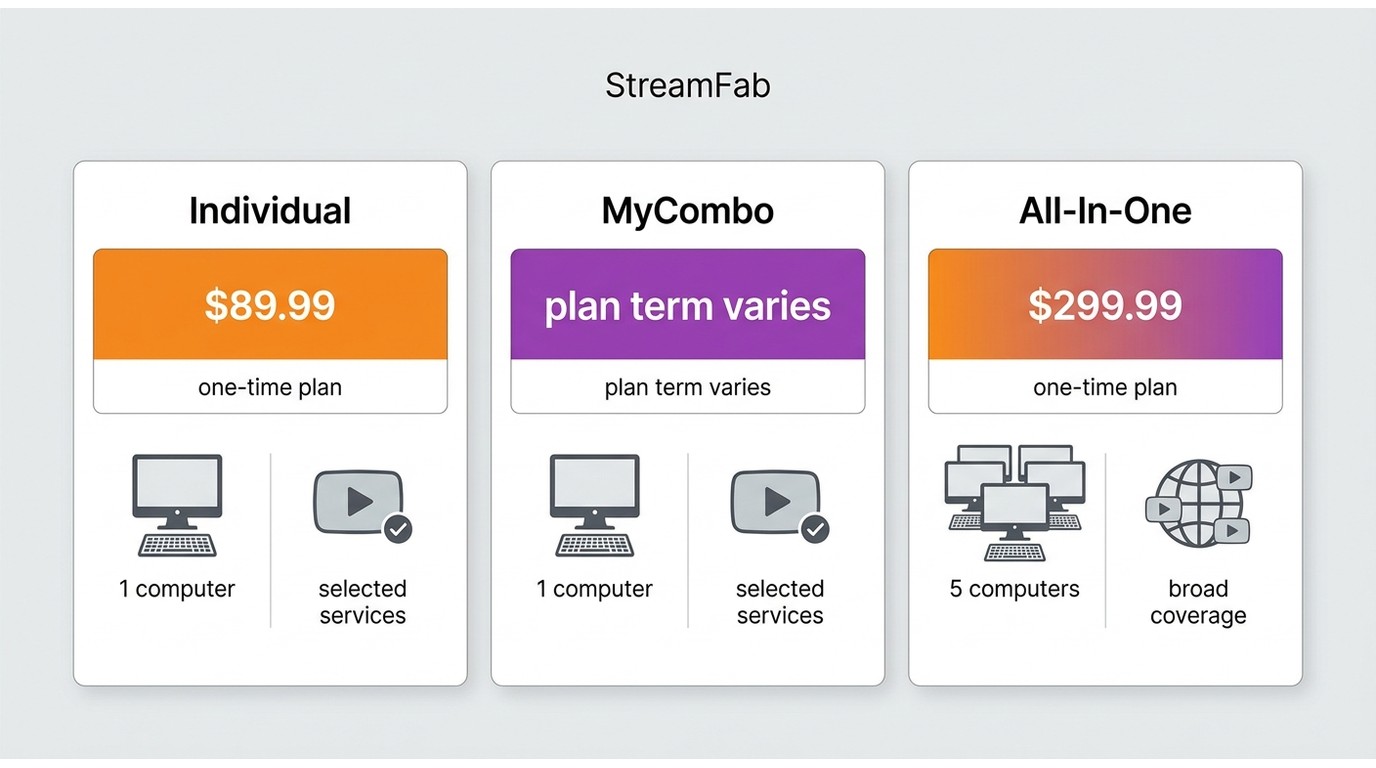
StreamFab is a video downloader that supports Netflix, Amazon Prime Video, Disney+, and 60+ other streaming services. It comes in three main pricing options: individual product licences, customisable MyCombo bundles, and the all-inclusive All-In-One package.

  Free Download
  Free Download

Common questions include which plan offers the best value, what payment methods are accepted (and why PayPal isn't among them), and how to take advantage of seasonal discounts or the Amazon Gift Card bonus that comes with certain purchases.

In short, StreamFab accepts major credit cards and regional payment wallets through an encrypted third-party checkout. This guide walks you through every step, from comparing plans and choosing a payment method to activating your licence after purchase.

tips icon
*The content described in this article assumes compliance with applicable copyright laws and the terms of service of the respective streaming providers. It is intended solely for legitimate personal use within authorised viewing rights.

Quick Summary

If you're short on time, here's what you need to know before paying for StreamFab.

Key Takeaways
  • Three plan types: Individual product licenses, MyCombo (pick 2+), and All-In-One (65+ services)
  • Payment methods: Visa, Mastercard, JCB, Discover, and region-specific wallets, no PayPal
  • Discount tip: Check the StreamFab deals page for seasonal coupons before checkout
  • Bonus: Qualifying purchases include an Amazon Gift Card (claim within 30 days)
  • Activation: Log in to the StreamFab Member Center with your purchase email to activate

Below, we break down each plan, walk through the checkout process, and cover everything from gift card claims to license activation.

  Free Download
  100% Safe & Clean
  Free Download
  100% Safe & Clean

StreamFab Pricing Plans Compared

StreamFab offers three ways to purchase, each designed for different usage levels. Understanding the differences can save you real money, especially if you only need one or two streaming services. For a deeper breakdown of how to buy StreamFab at the best price, see our dedicated pricing guide.

Plan Individual Product MyCombo All-In-One
What's included 1 streaming service (e.g., Netflix only) Pick 2 or more services All 65+ supported services
Billing options Monthly / Yearly / Lifetime Lifetime Lifetime
PC limit 1 PC (3-PC add-on available) 1 PC (3-PC add-on available) 5 PCs (no add-on option)
Best for Single-service users Users with 2-3 subscriptions Heavy users / families

If you subscribe to multiple streaming services, the MyCombo bundle often offers better value than buying individual licenses separately. The All-In-One package is the most cost-effective per service if you use three or more platforms.

tips icon
Prices shown on the StreamFab website may vary by region and promotional period. Always check the official page for up-to-date pricing before purchasing.

What Payment Methods Does StreamFab Accept?
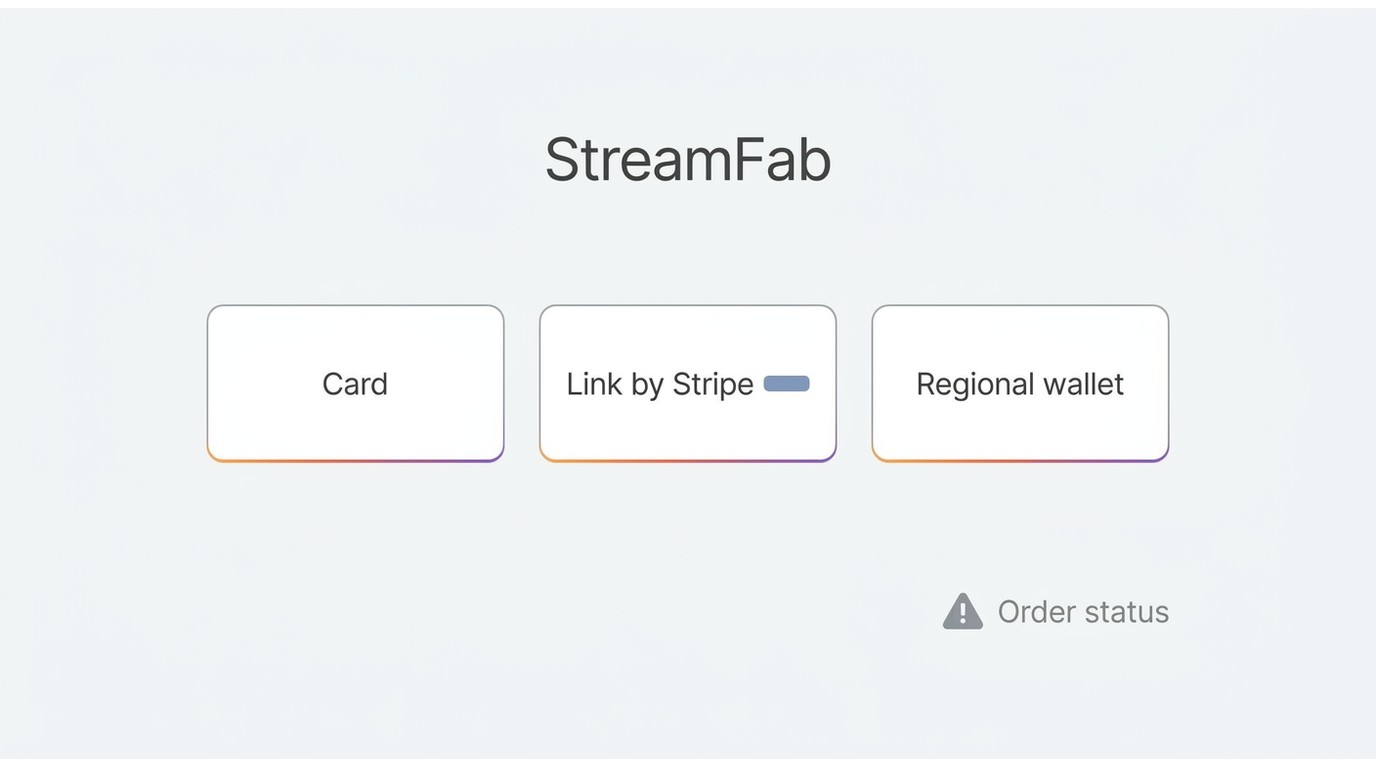
StreamFab processes payments through secure, encrypted third-party payment gateways. The accepted methods depend on your region, but here's what's generally available worldwide.

Accepted Payment Methods
  • Credit / Debit cards: Visa, Mastercard, JCB, Discover, American Express
  • Regional wallets: Various local payment options depending on your country (displayed at checkout)
  • Link by Stripe: One-click payment for returning customers

One common question we see is whether StreamFab accepts PayPal. As of May 2026, PayPal is not available as a payment option. The checkout is handled through third-party processors that support major credit cards and local payment methods instead. In our testing, the checkout process completed smoothly using a standard Visa card. The payment was processed within seconds, and the confirmation email arrived immediately.

Payment Security

All transactions are encrypted and processed through PCI-compliant third-party gateways. StreamFab does not store your full credit card number on its servers. If you have concerns about online payments, consider using a virtual card number provided by your bank.

How to Buy StreamFab: Step-by-Step

The purchase process is straightforward once you know where to go. We verified these steps on the streamfab.com website in May 2026, and the entire process took under five minutes from start to finish.

Step1
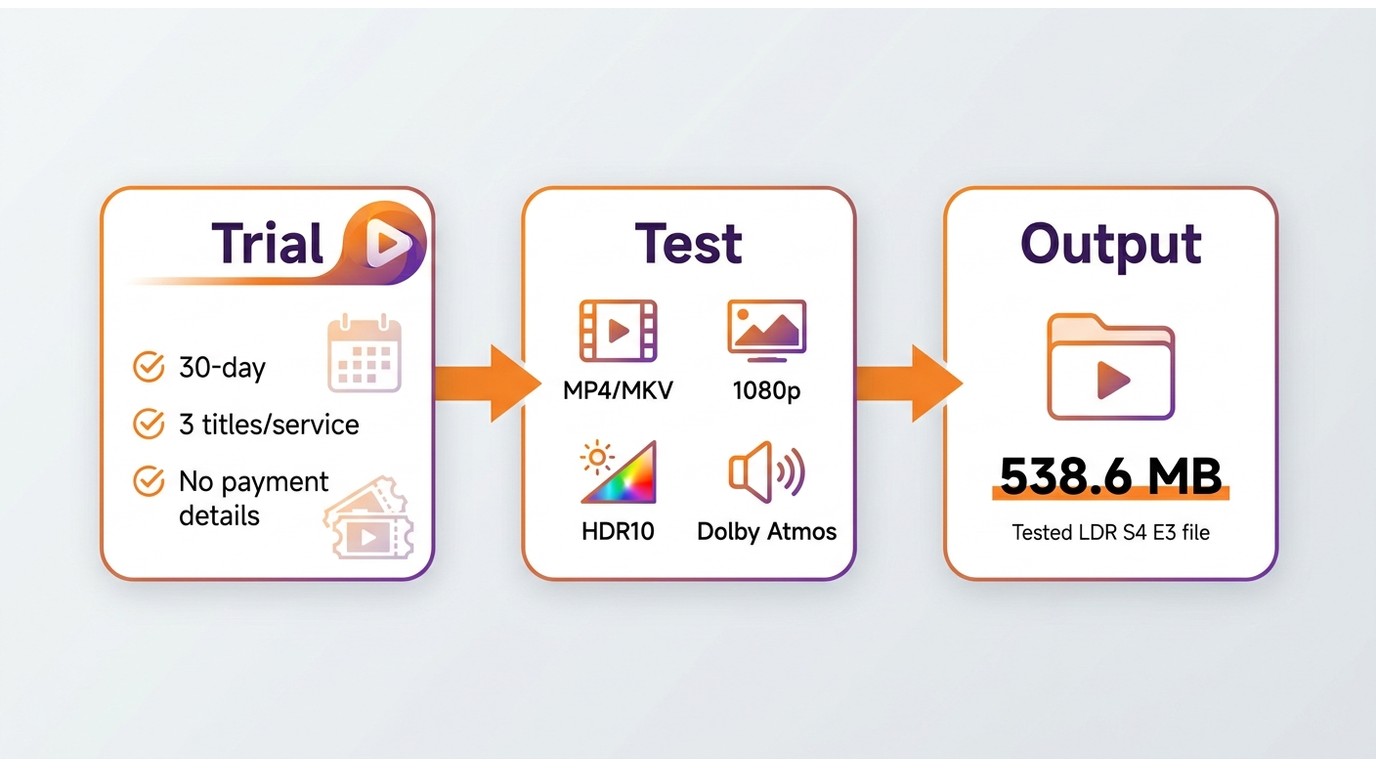
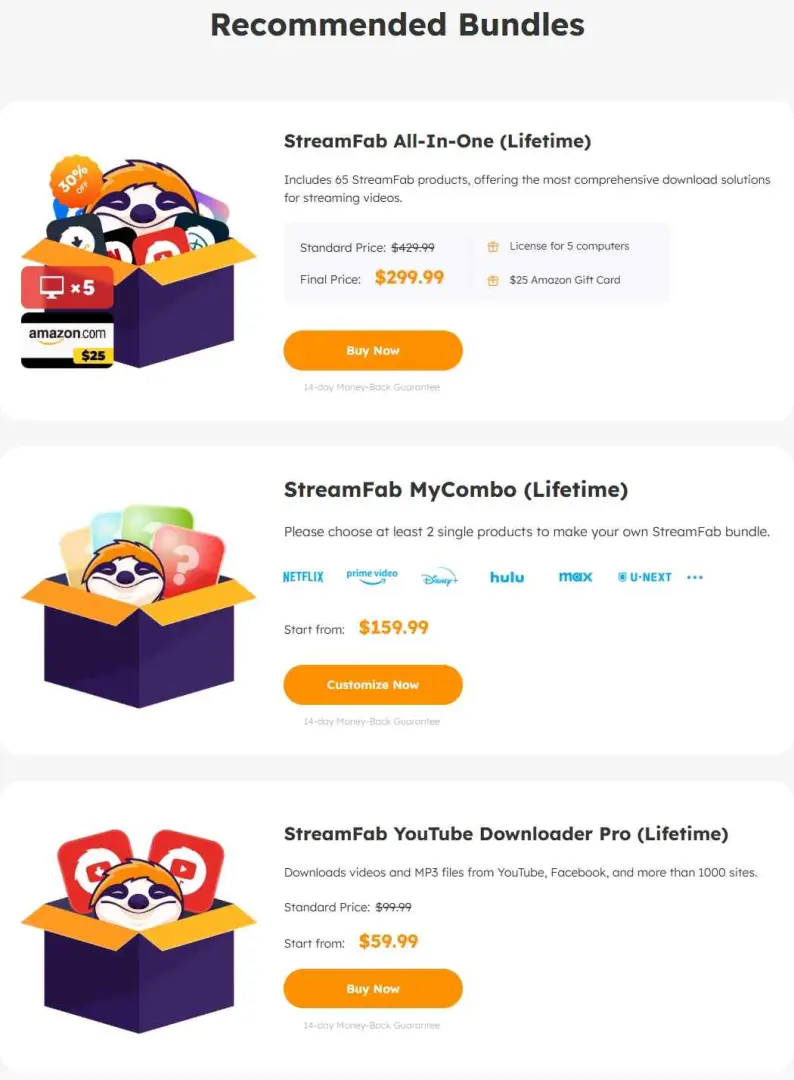
Go to streamfab.com and click "Buy Now" on the product you want. You'll see options for Individual products, MyCombo, and All-In-One. If you want to try StreamFab for free first, the free tier includes YouTube downloads at up to 720p and a 14-day trial of premium features with no credit card required.

StreamFab official product page showing Buy Now button and plan selection

Step2
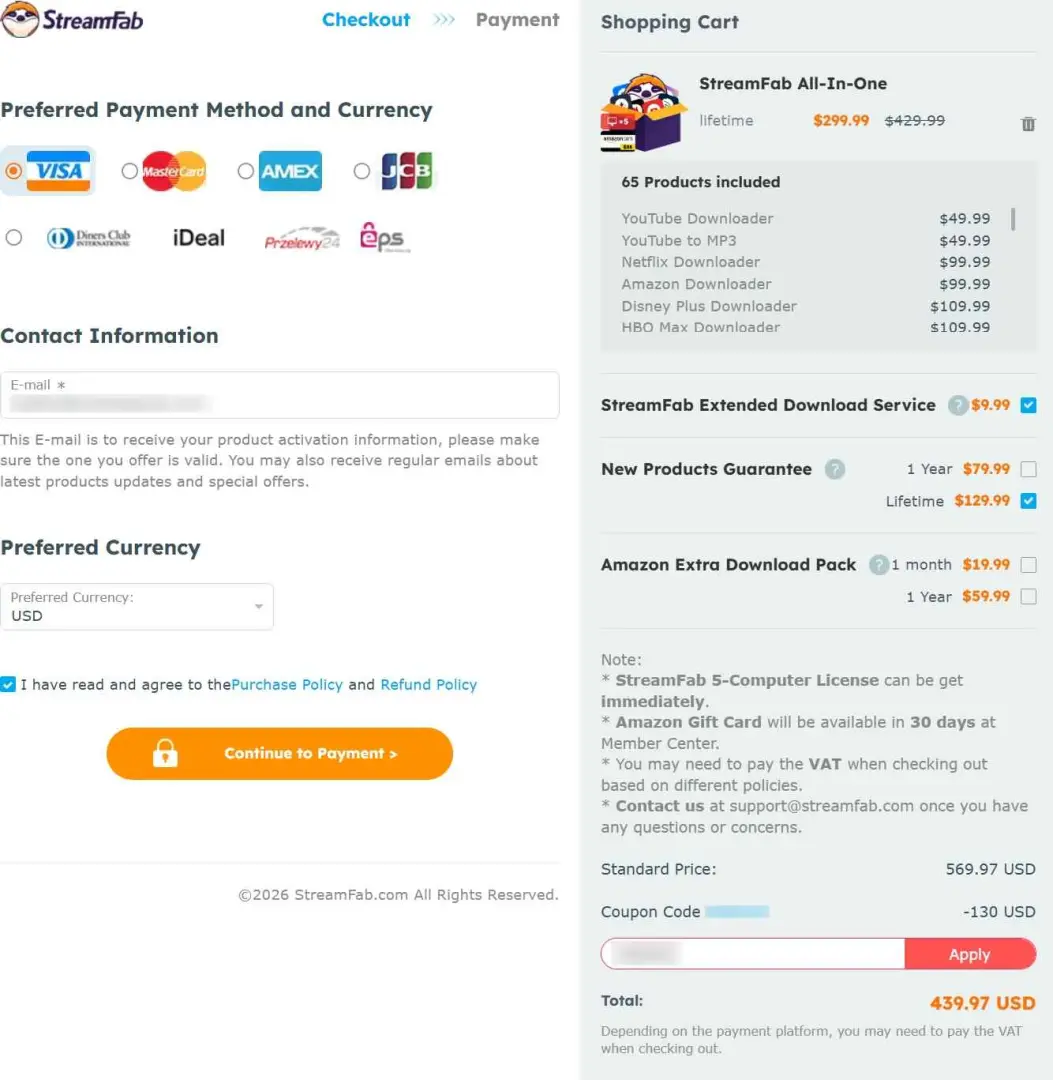
On the checkout page, look for the coupon code entry field near the price summary. Seasonal promotions often offer significant discounts. Enter the code and verify the discounted total before proceeding to payment.

StreamFab checkout page with coupon code entry field and updated price

Step3
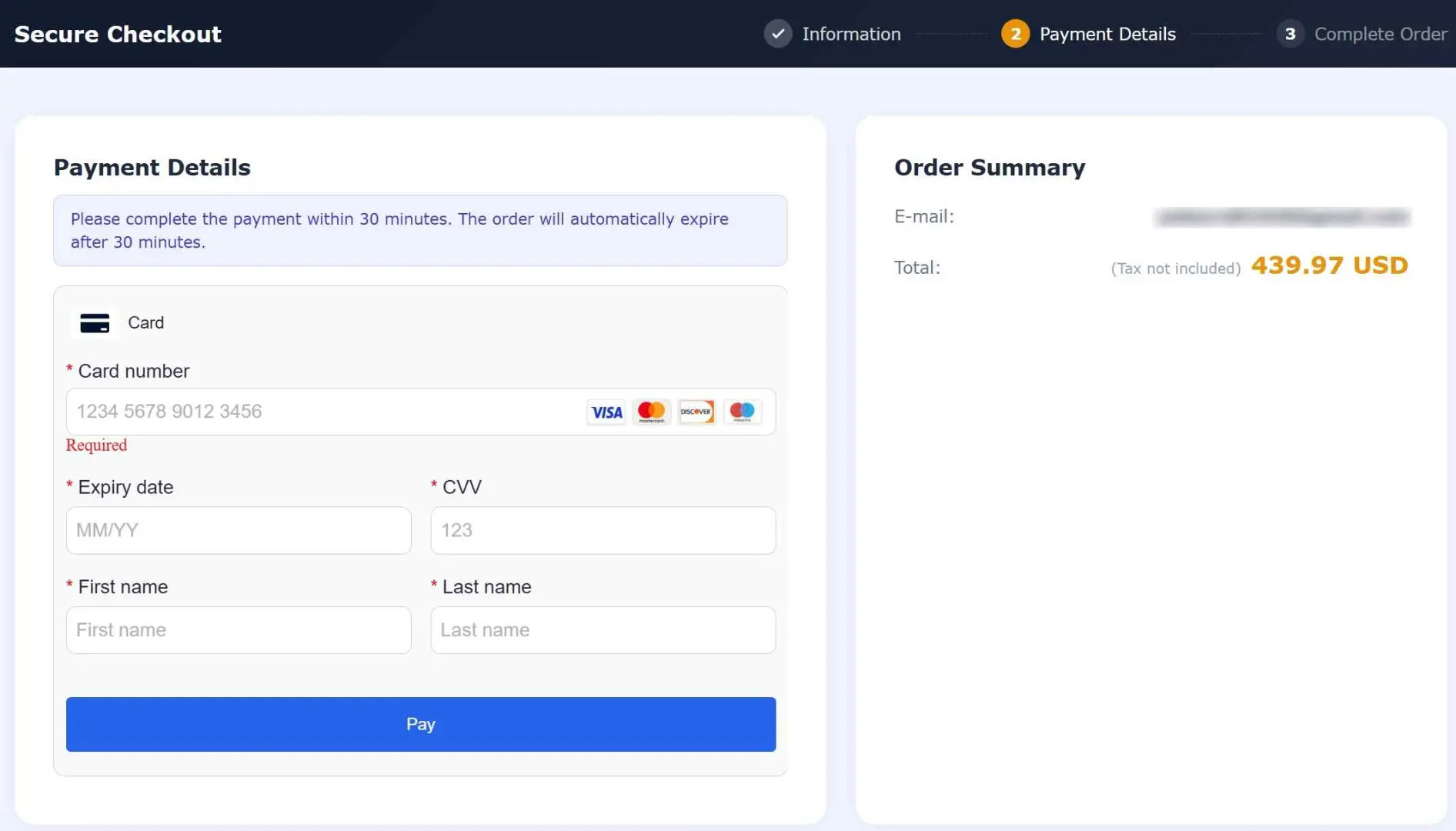
Fill in your email address, and this becomes your login for the StreamFab Member Center. Then select your payment method and enter your card details. Review any optional add-ons listed below the payment form. The "Extended Download Service" ($9.99) provides priority access to compatibility updates when streaming platforms change their technology.
Step4
Click "Pay" to finalise your order. You'll receive a confirmation email within minutes containing your licence details and Member Centre login instructions. Keep this email because you'll need it for activation.

StreamFab order confirmation screen showing successful payment

One important detail to keep in mind after checkout:

After Purchase

Your license validity starts from the order date, not the activation date. If you purchased a yearly subscription, auto-renewal is enabled by default. You can manage this setting in the Member Center at any time.

How to Claim Your Amazon Gift Card Bonus

Certain StreamFab purchases include an Amazon Gift Card bonus as a reward. This is a nice extra perk, but there's one important condition you need to know before claiming it.

!
Claiming the Amazon Gift Card voids your 14-day money-back guarantee. Only claim it after you're satisfied with StreamFab and certain you won't need a refund.

Once you've decided to claim your gift card, follow these steps through the StreamFab Member Center:

Step1
Use the email address associated with your purchase to sign in. If you haven't set a password yet, use the "Forgot Password" link to create one.
Step2
Find the gift card claim option in your account dashboard. The exact location may vary — look under "My Orders" or "Rewards" in the navigation menu.
Step3
Follow the on-screen instructions to complete the claim process. The Amazon Gift Card code will be delivered to your registered email address, typically within a few business days.

StreamFab Member Center showing the gift card claim page with submit button

How to Activate Your License After Purchase

Once you've completed the payment, activating StreamFab on your computer takes just a couple of minutes. Here's the process we followed during our verification.

Step1
If you haven't already, download the installer from the official StreamFab website and run the setup wizard. The installation is straightforward and takes about two minutes.
Step2
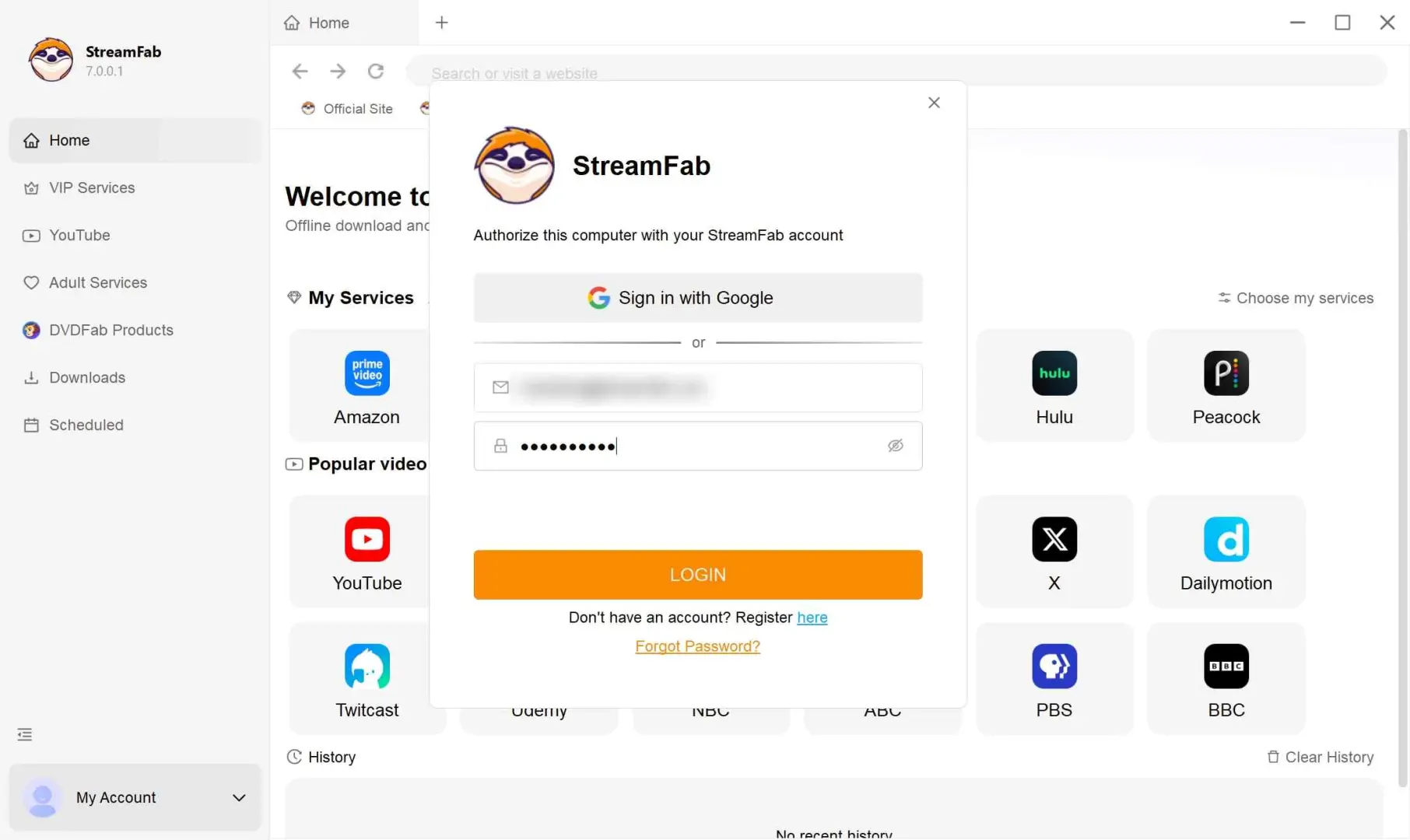
Launch the application and click the profile or account icon in the top-right corner. Enter the email address and password you used during your purchase.

StreamFab application showing activated license status in the account settings panel

Step3
After signing in, your purchased modules will be unlocked automatically. You can confirm your license status under the "Authorisation" or "My Account" section of the application.
avatar
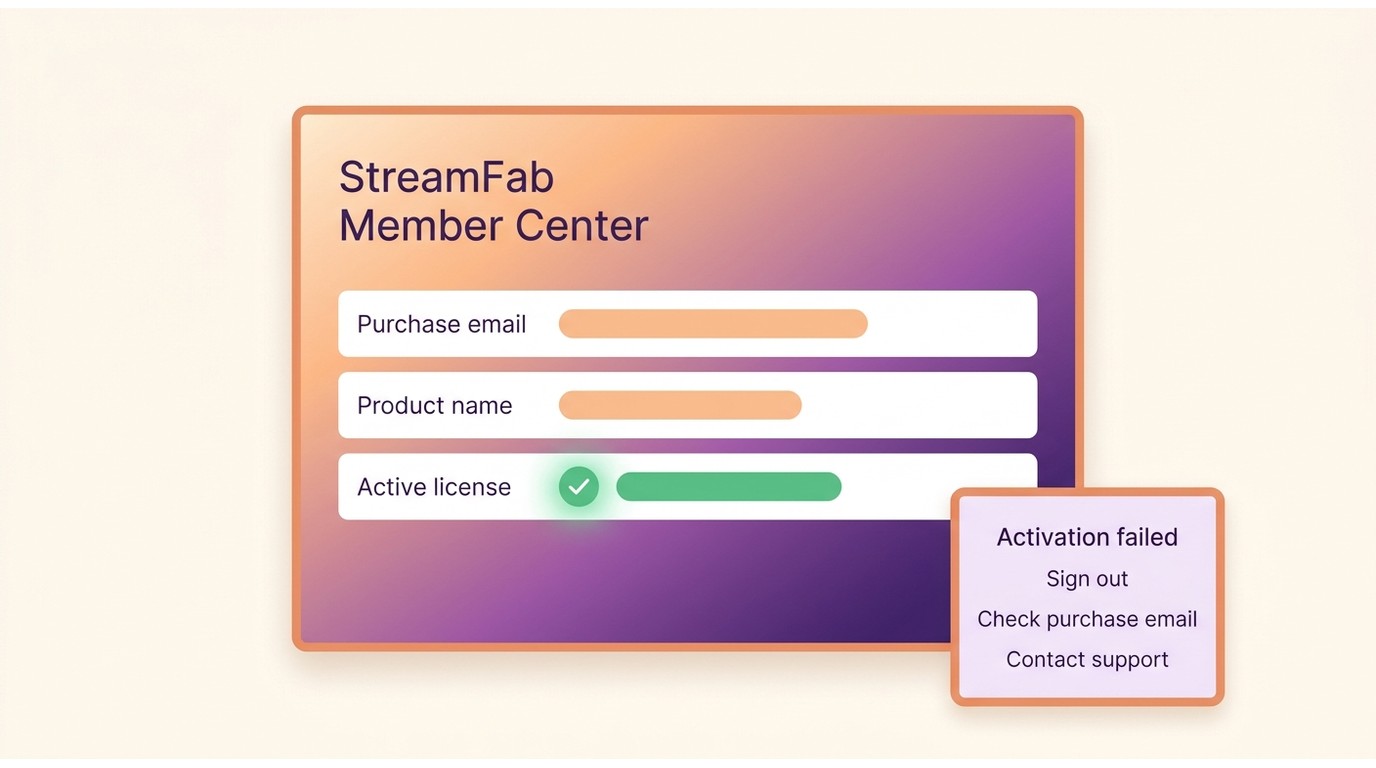
If activation doesn't work on the first try, double-check that you're using the same email address from your purchase confirmation. Remember that individual products support 1 PC by default (with an optional 3-PC add-on at checkout), while All-In-One licenses cover up to 5 PCs.

FAQ

Q1. Is it safe to buy StreamFab?

Yes. StreamFab is developed by DVDFab Software, a company that has been in the multimedia software industry for over 20 years. All payments are processed through PCI-compliant third-party gateways, meaning your financial information is never stored on StreamFab's servers. We recommend purchasing only from the official website to avoid unauthorised resellers.

Q2. Can I use PayPal to pay for StreamFab?

As of May 2026, PayPal is not available as a payment option for StreamFab. The checkout supports major credit and debit cards (Visa, Mastercard, JCB, Discover, American Express) as well as region-specific payment wallets through its third-party payment processor.

Q3. What is the Extended Download Service, and do I need it?

The Extended Download Service is an optional $9.99 add-on that provides priority access to updates when streaming platforms change their DRM technology. It's helpful if you want immediate compatibility fixes for services you rely on daily, but it's not required for core functionality. You can add or remove it at any time through the StreamFab Member Center.

Q4. How do I cancel StreamFab auto-renewal?

Log in to the StreamFab Member Center, go to "My Subscriptions", and toggle off auto-renewal for the product you want to cancel. Your access continues until the end of the current billing period. If you need further assistance, contact StreamFab support through the official website's contact page.

Q5. Can I try StreamFab for free before paying?

Yes. StreamFab offers a permanent free tier that includes YouTube video downloads at up to 720p with no time limit. On top of that, you get a 30-day trial of all premium features, including 3 free downloads from each supported VIP streaming service, with no credit card required to start.

Conclusion

Paying for StreamFab is a straightforward process once you know which plan fits your needs. Here's a quick recommendation by user type:

  • Single-service user: Go with an Individual product licence; it's the most affordable entry point for one streaming platform
  • Multi-service user (2-3 platforms): The MyCombo bundle saves money compared to buying separate licenses
  • Power user or family: All-In-One covers 65+ services with a 5-PC license; the best overall value per service
  • Not sure yet: Start with the free trial (no credit card needed) and upgrade when you're ready

For the latest deals and seasonal discounts, check the StreamFab pricing page before purchasing. All purchases come with a 13-day money-back guarantee, as long as you haven't claimed the Amazon Gift Card bonus.

product image
StreamFab Video Downloader

Supports Netflix, Amazon Prime Video, Disney+, Hulu, HBO Max, Apple TV+, and 60+ other streaming services. Download videos in up to 1080p (plan dependent) with EAC3 5.1 or Dolby Atmos audio. Visit the official site for current pricing and supported platforms.

  Free Download
  Free Download

Last verified: May 2026. Pricing, payment options, and promotional offers may change without notice. Always refer to the official StreamFab website for the most current information.

StreamFab Video Downloader

Your ultimate choice to download videos from Netflix, Amazon Prime, Hulu, YouTube and other sites.

Free Download

Windows 11/10

Free Download

macOS 12.0 or newer

Learn More >
Table of contents
Quick Summary
    StreamFab Pricing Plans Compared
      What Payment Methods Does StreamFab Accept?
        How to Buy StreamFab: Step-by-Step
          How to Claim Your Amazon Gift Card Bonus
            How to Activate Your License After Purchase
              FAQ
                Conclusion
                StreamFab Video Downloader

                Your ultimate choice to download videos from Netflix, Amazon Prime, Hulu, YouTube and other sites.

                Free Download

                Windows 11/10

                Free Download

                macOS 12.0 or newer

                Learn More >
                Table of contents
                Quick Summary
                  StreamFab Pricing Plans Compared
                    What Payment Methods Does StreamFab Accept?
                      How to Buy StreamFab: Step-by-Step
                        How to Claim Your Amazon Gift Card Bonus
                          How to Activate Your License After Purchase
                            FAQ
                              Conclusion
                              TRENDING
                              • HitPaw Not Working? Here's What Actually Happened (5+ Fixes)
                                Malcolm / 2026-05-29
                                HitPaw Not Working? Here's What Actually Happened (5+ Fixes)
                              • 7 Best HitPaw Alternatives in 2026: Tested by a Paying Users
                                Malcolm / 2026-05-29
                                7 Best HitPaw Alternatives in 2026: Tested by a Paying Users
                              • HitPaw vs StreamFab: I Tested Both, And Here's the Real Difference
                                Malcolm / 2026-05-29
                                HitPaw vs StreamFab: I Tested Both, And Here's the Real Difference
                              • StreamFab YouTube Downloader Review (2026): Features, Quality, Price
                                Malcolm / 2026-05-29
                                StreamFab YouTube Downloader Review (2026): Features, Quality, Price
                              • StreamFab for Linux: 3 Tested Methods to Run It on Ubuntu & More
                                Malcolm / 2026-05-29
                                StreamFab for Linux: 3 Tested Methods to Run It on Ubuntu & More
                              • How to Remove DRM via StreamFab: Save Protected Videos & Offline Viewing
                                Malcolm / 2026-05-29
                                How to Remove DRM via StreamFab: Save Protected Videos & Offline Viewing
                              • About
                              • About StreamFab
                              • Editoral Team
                              • Affiliate Program
                              • Company Information
                              • Get Support
                              • Contact Us
                              • User Guide
                              • FAQs
                              • Forum
                              • Policy
                              • Legal Disclaimer
                              • DMCA Policy
                              • Terms of Use
                              • Privacy
                              • Cookies Policy
                              • Purchase Policy
                              • Refund Policy
                              • Subscribe Newsletter
                              • >
                              ©2019-2026 StreamFab.com All Rights Reserved.