The short answer: MovPilot’s six-minute trial can confirm that the app installs and produces a short sample, but it cannot prove full-title stability, consistent 1080p output, or whether its purchase terms fit your needs. This MovPilot Amazon downloader review examines those practical trade-offs before you buy.
On paper, the MovPilot Amazon Prime downloader promises MP4/MKV output, subtitles, and support for titles available through an authorized Prime Video account. Reports from users are less uniform, especially around stalled tasks, output quality, license transfers, and support response times. This review covers the trial, local-file and USB question, practical recovery steps, and the decision points that matter most before purchase in 2026.

MovPilot is desktop software for Windows and macOS that presents itself as a way to save Prime Video titles available through your authorized account as local files for personal offline viewing, where permitted by platform terms and applicable law.
Once installed, it lets me log into my Amazon account inside the app and then search for shows directly—similar to browsing on Prime itself. From there, I can pick whether I want the output as MP4 or MKV, choose the audio track, and even keep subtitles in different languages. And finally, let you watch Amazon Prime videos offline on most devices you have. It also supports rented and purchased content, which can be handy for offline viewing during your valid access period (and for personal use only).
My practical takeaway is that a short trial is useful for checking installation and file compatibility, but it is not enough evidence for a full purchase decision when you need reliable full-title downloads.
MovPilot advertises a six-minute trial and a one-computer license for its Amazon Prime Video Downloader. Exact U.S. checkout pricing, renewal amounts, cancellation steps, and refund terms are not stated here because they can change by offer and purchase flow (as of July 2026).
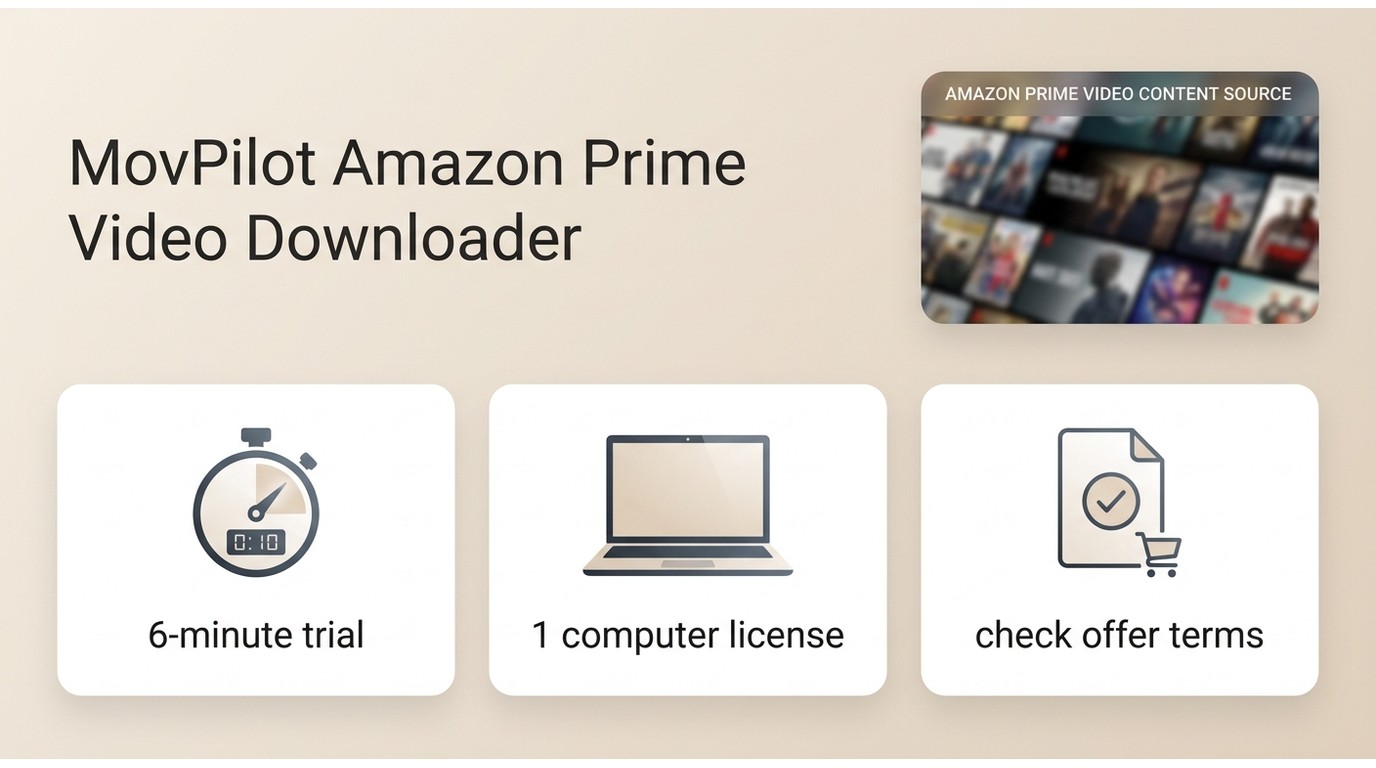
The advertised six-minute trial is enough to check whether the app launches, recognizes your account, and creates a short output sample. It does not establish sustained speed, full-title completion, batch behavior, or consistent output quality, which are the details that determine whether the software is worth paying for.
| Current purchase reality | Trial | License | Checkout terms |
|---|---|---|---|
|
What is stated here |
Six-minute trial Short sample only |
One-computer license |
Pricing varies by checkout |
|
What it can confirm |
Installation and account access |
Short output compatibility |
Local workflow fit |
|
What needs confirmation |
Renewal terms |
Cancellation process |
Refund terms |
|
Full-title reliability? |
Not established by the trial |
Not established by the trial |
Not established by the trial |
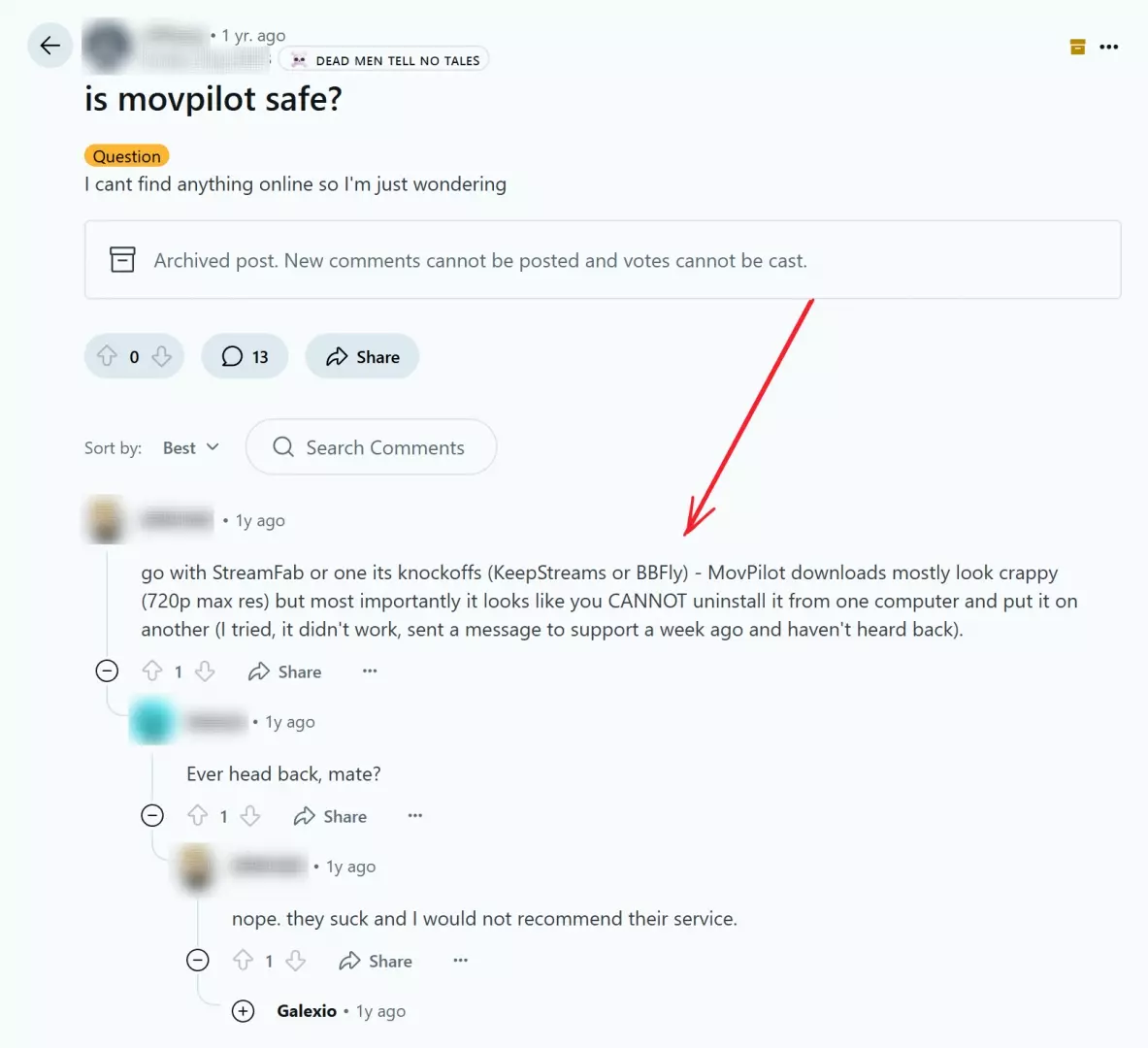
The one-computer license is a detail worth resolving before purchase, particularly if you regularly replace or switch computers. User reports describe license-transfer friction, but those individual accounts do not establish how every request will be handled.
Safety and Legal Boundaries
For any movie downloader, get the installer from the vendor’s official site and evaluate the file on your own system before installation. Community posts can describe individual experiences, but they are not a security guarantee.
Use should remain limited to content you are authorized to access, for personal offline viewing where permitted by platform terms and applicable law. Sharing or redistributing saved content is outside that boundary.

-
The way I see it, MovPilot is fine for personal offline viewing—for example, downloading a show you’ve already paid for to watch on a flight. Problems arise if people use it for redistribution or resale, which clearly crosses a line.
The installer source and the permitted use of saved content are separate questions: use the official installer, keep use within authorized access, and follow the applicable platform terms and law.
MovPilot Setup and Workflow
Before starting, confirm that you can play the title in Prime Video, have adequate local storage, and are using the current MovPilot version. The steps below outline how to download Amazon Prime Video to PC for authorized personal offline viewing where permitted:
First things first, you’ll need to download the app, install it, and pop it open. Inside, there’s this Prime Video tab—just click it.
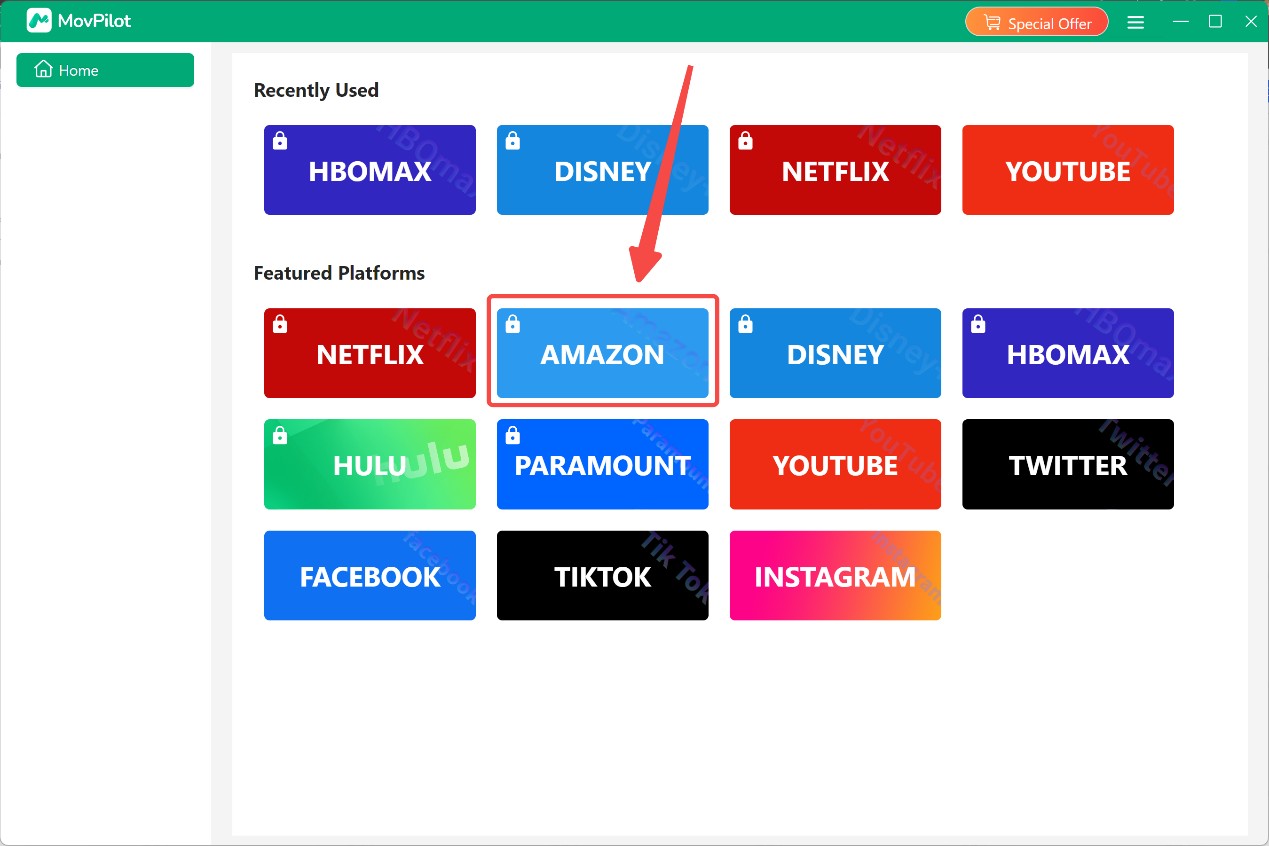
Sign in to your own Prime Video account. Scroll or search for whatever you want to grab for those internet-less moments.
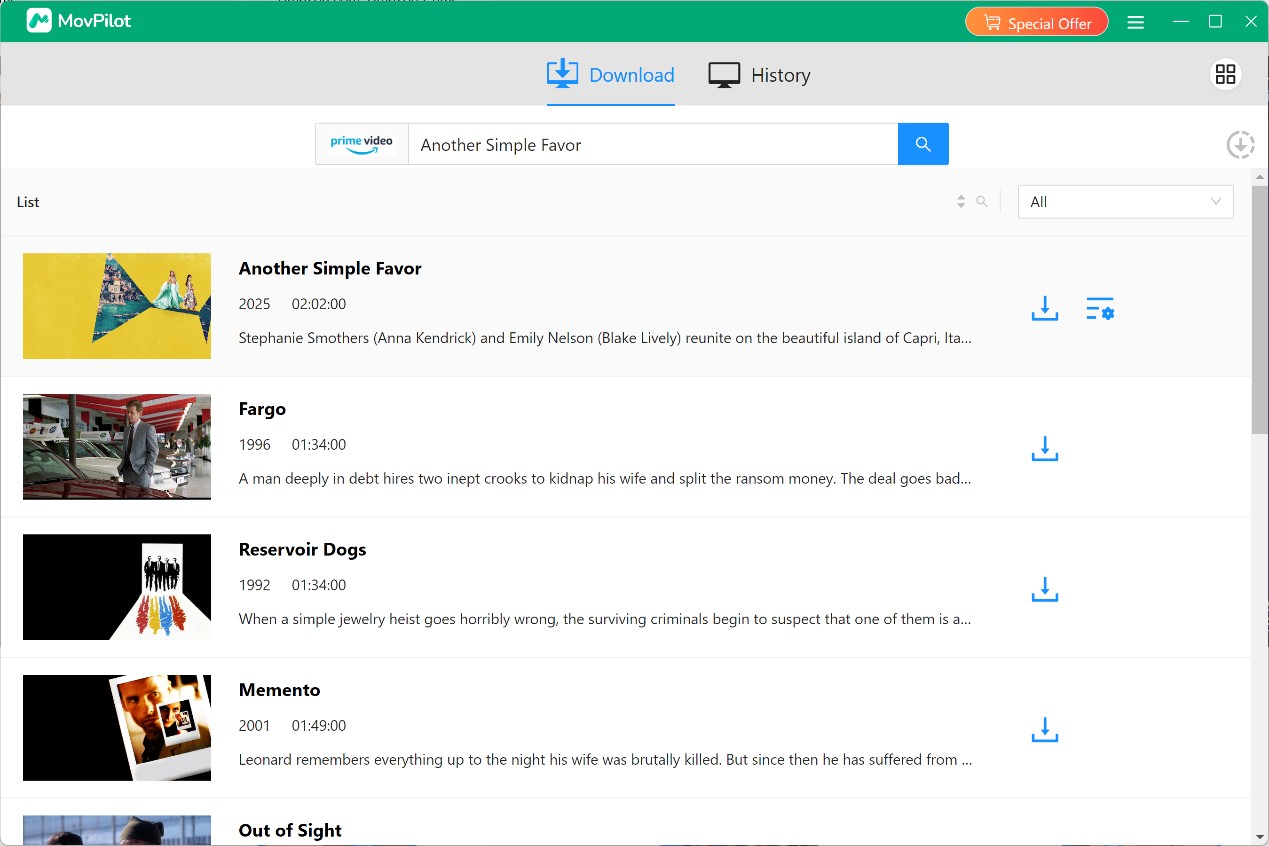
Now, fiddle around with the settings. Pick your video quality, audio track, and subtitles—depends on your storage space, or if you care about HD, I guess.
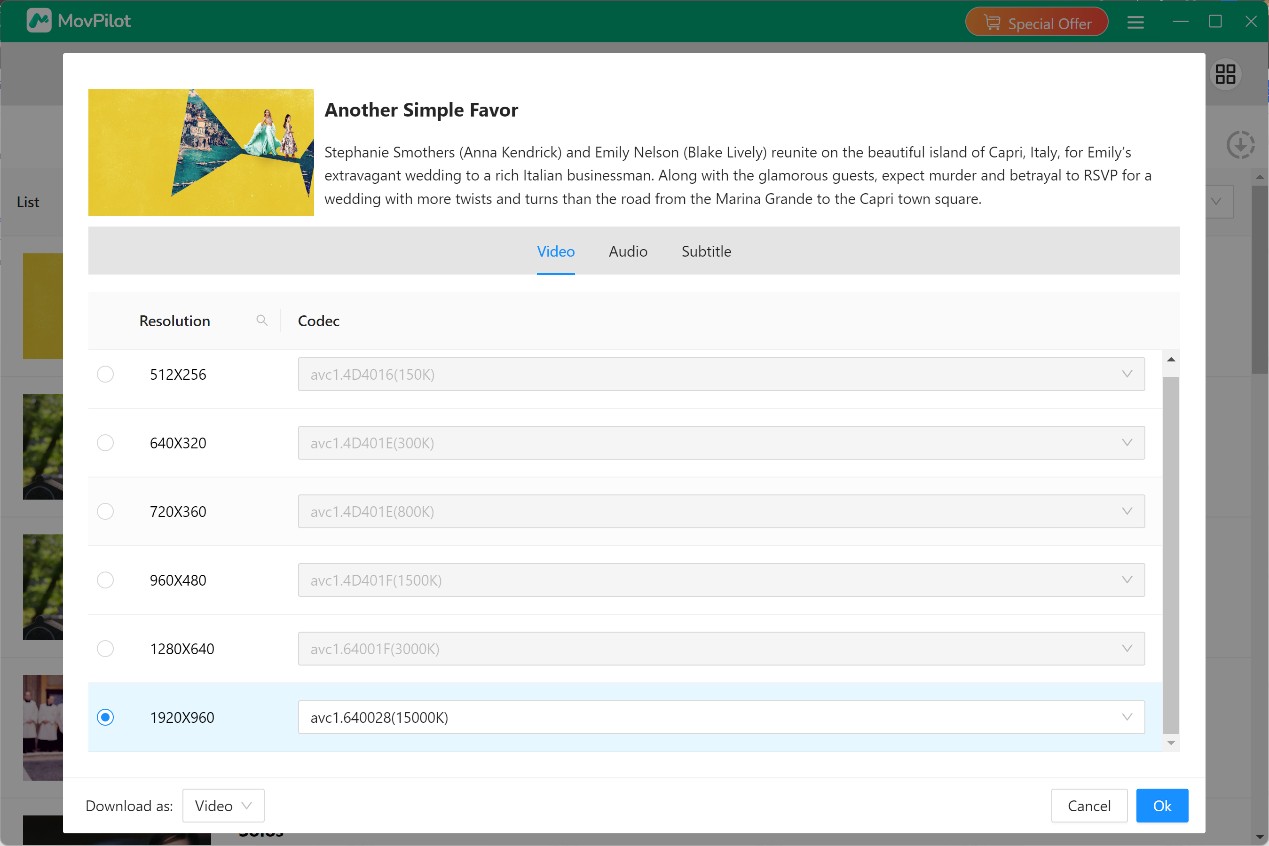
Hit download and keep an eye on your download list. Once things finish, your saved episodes or movies should pop up in a downloads/history area—pretty standard stuff.
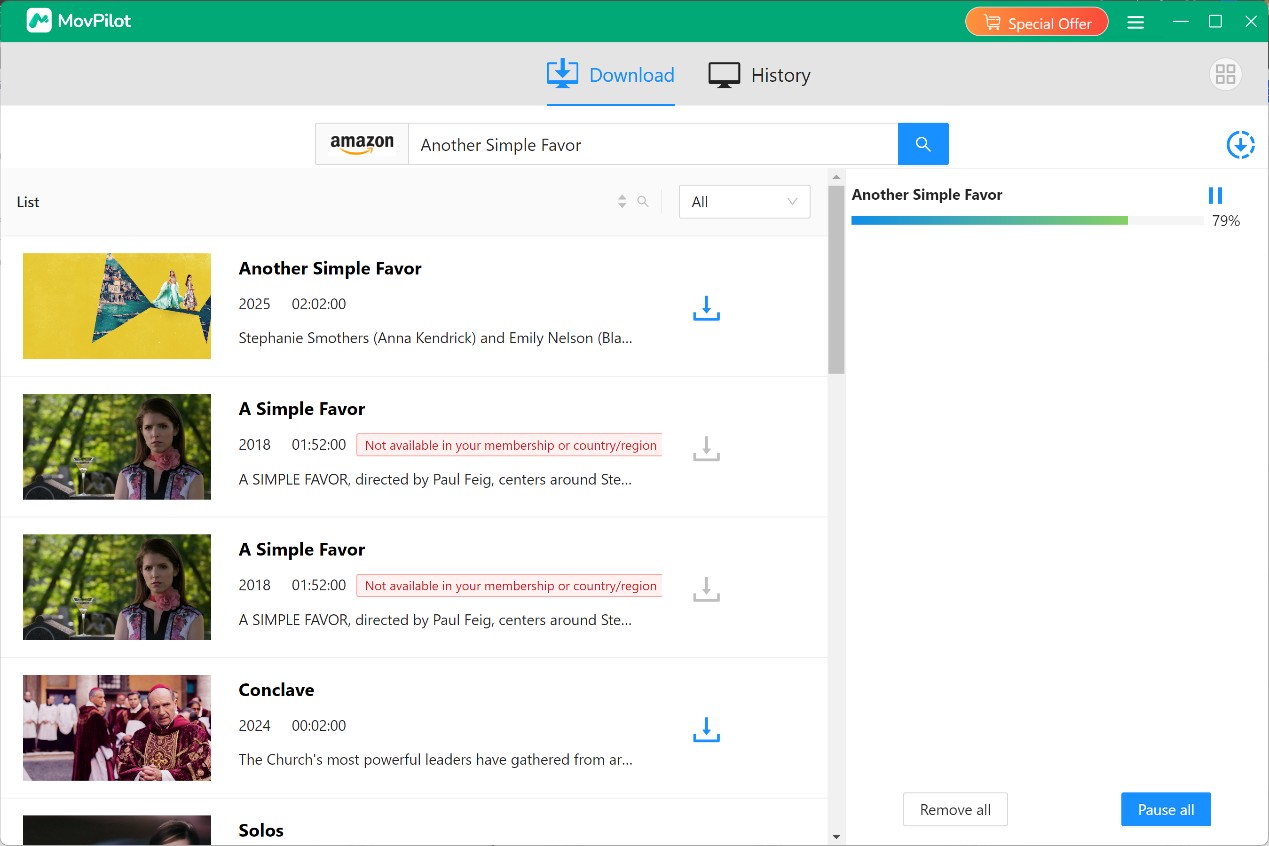
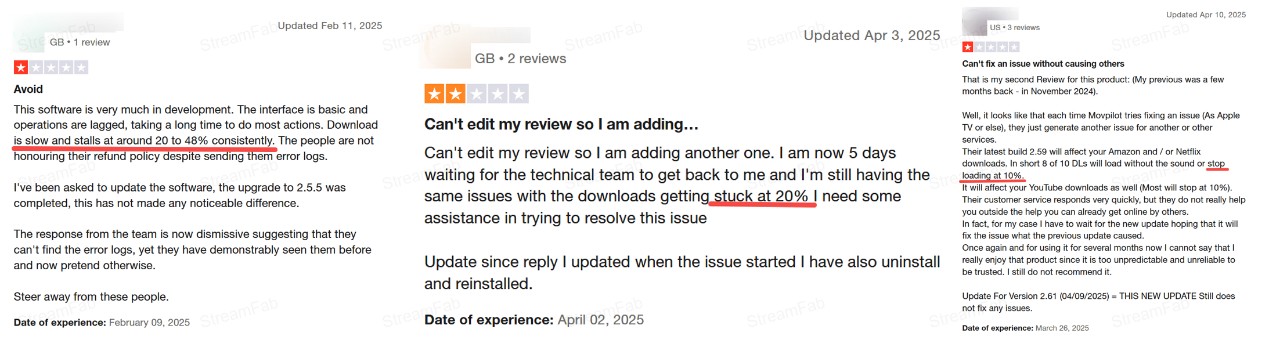
The original review notes recorded variable task progress on home Wi-Fi, including one The Boys episode that stalled at 18% and required restarts. That is a useful warning sign, not a reproducible performance benchmark: the app version, account tier, title availability, requested settings, storage conditions, and network conditions all need to be recorded before treating one result as representative.
Hands-On MovPilot Test Results
Test Method and Results
For a meaningful MovPilot downloader review, test a title that plays normally in Prime Video and record the MovPilot version, operating system, Prime account tier, trial or paid status, title and episode, requested format, network conditions, available storage, output dimensions, codec, audio, subtitles, completion result, and repeatability across more than one run.
| Review checkpoint | What the available record shows | What a buyer should verify |
|---|---|---|
| Trial allowance | MovPilot advertises a six-minute trial. | Whether a short sample plays correctly on your device. |
| Full-title completion | The original review recorded one stalled episode that required restarts. | Completion across several titles, not one sample. |
| Output quality | MP4/MKV and subtitle options are described by the product. | Dimensions, audio, and subtitles for the specific title you choose. |
| Repeatability | No complete current multi-run test matrix is documented here. | Whether the same settings succeed consistently on your system. |
For me, full-title completion is the deciding result. A downloader can have the right format options, but those options matter little if a title repeatedly stalls before completion.
The available review record supports a mixed assessment: MovPilot offers useful format and subtitle choices, while full-title reliability needs to be validated title by title before purchase.
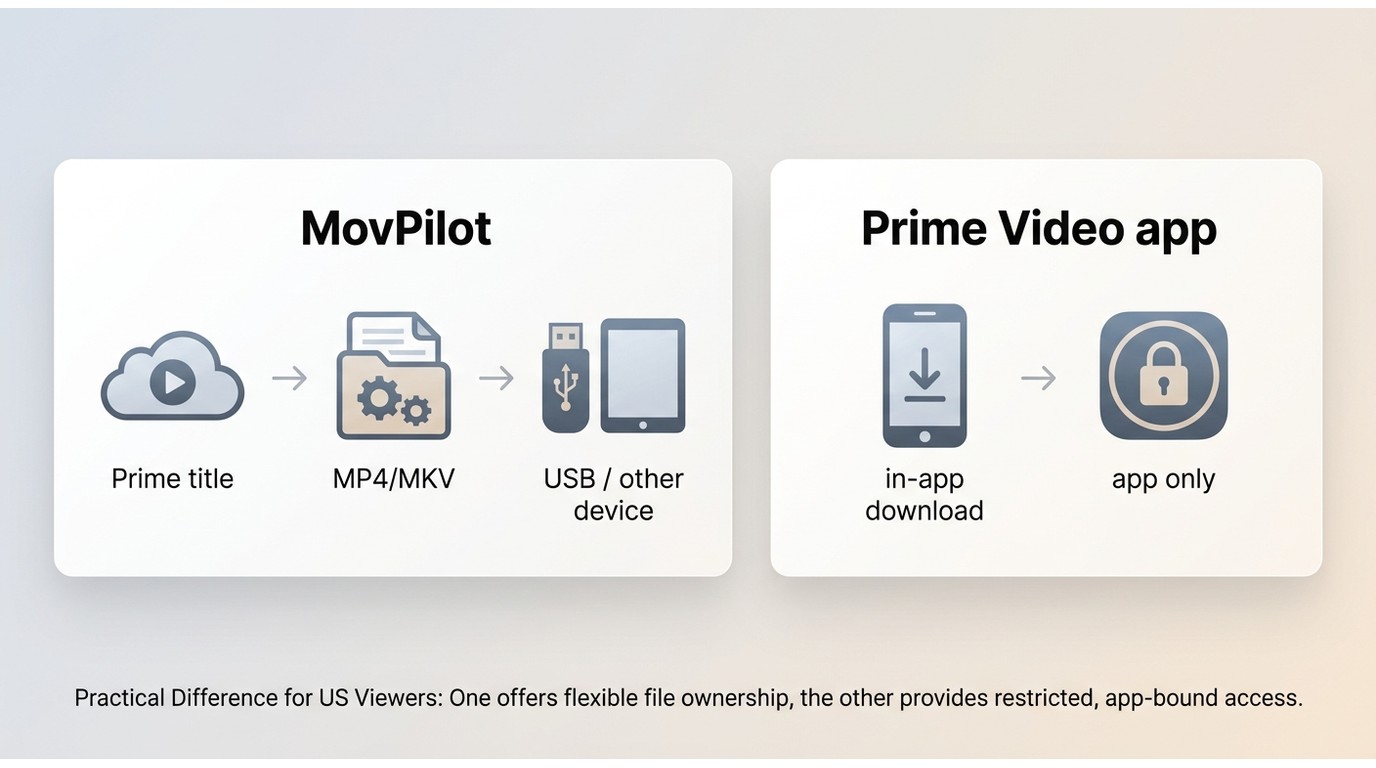
If MovPilot successfully creates an MP4 or MKV, that output is a local file rather than an official Prime Video app download. For content you are authorized to access, where permitted by platform terms and applicable law, a compatible local file can be copied to a USB drive or supported device for personal offline viewing. Official Prime Video downloads remain inside supported apps and follow Amazon’s device and availability rules.
For multilingual viewing, check the audio and subtitle choices shown for the specific title before starting. MKV can be useful when the available output includes multiple tracks, but the result depends on the title and the app’s current options.
Codec, Audio, and Subtitle Options
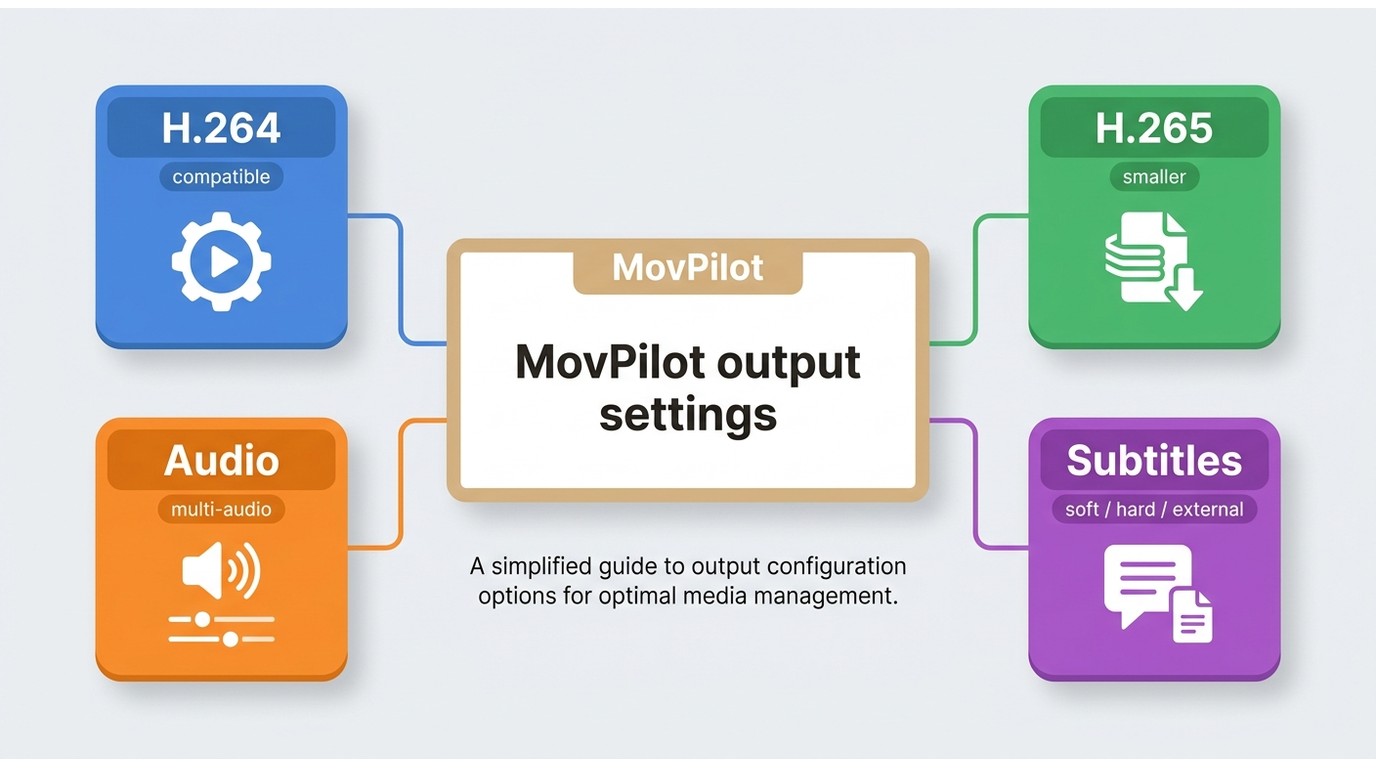
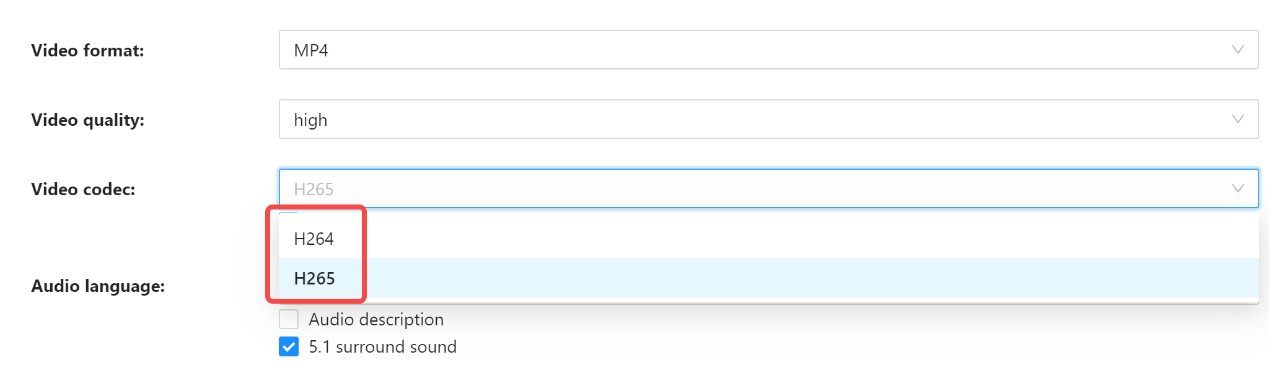
Codec, audio, and subtitle choices should be checked against the output screen for the title you plan to save. H.265 can reduce file size on compatible devices, while H.264 is often the simpler compatibility choice. Readers looking to save Amazon Prime Video for offline viewing should evaluate the available settings without assuming that every title will expose the same options.
3. Built-in search function
Users get exhausted just thinking about having to copy and paste the link for every single episode when they want to download a whole show from Amazon Prime, with other downloaders that only support copy-pasting URLs.
MovPilot Amazon Downloader's built-in search function lets you look up the show or movie you want right inside the app, without having to switch back and forth between your browser and the downloader. It saves a lot of time and makes the whole process way smoother.

Purchased and Rented Titles
For purchased or rented titles, availability should be confirmed in your Prime Video account before you begin. MovPilot presents an option to download Amazon Prime rentals for personal offline viewing during a valid access period, where permitted by platform terms and applicable law. Do not use saved files for sharing or redistribution.
Stalled Downloads and Recovery Steps
If analysis fails or a task stalls, first confirm that the title plays normally in Prime Video with your authorized account. Then update MovPilot, restart the task, try another title, check free storage and network stability, and note the title, error message, app version, and stalled percentage before contacting support. A title-specific failure may recover after a retry, but repeated failures across several titles are a reasonable point to stop troubleshooting and reconsider the purchase.
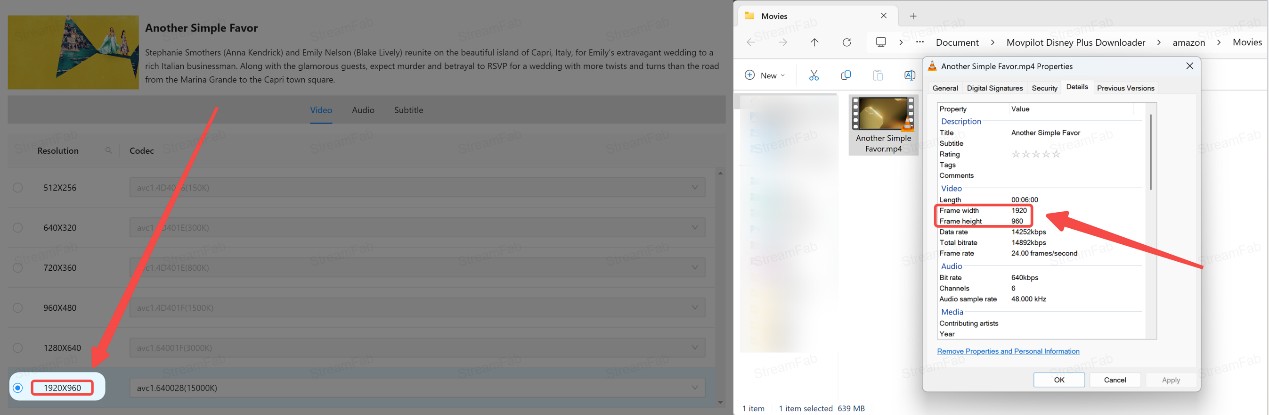
Observed Resolution Limits
A community trial report described a maximum observed output of 960 × 400, not 960p. That report should not be treated as a universal resolution ceiling or as proof of paid-version performance. MovPilot’s 1080p claim and the output you observe can differ by title, account access, trial or paid status, and current service behavior, so inspect the dimensions of your own sample before relying on it.
Re-encoding and Speed
The six-minute trial does not establish why the limit exists, how every task is processed, or how a full title will perform. The difference between direct download and re-encoding can affect processing time and output, but the available evidence here does not support a universal conclusion about MovPilot’s current Amazon workflow. Use a short sample to inspect compatibility, then validate full-title behavior before committing to a purchase.
Some user reports describe delayed or unresolved support responses, including questions about license transfers. Those reports are useful purchase signals, but they do not show that every support case will fail. If you need help, send a concise record of the app version, operating system, affected title, error message, and steps already tried so the request can be evaluated more clearly.
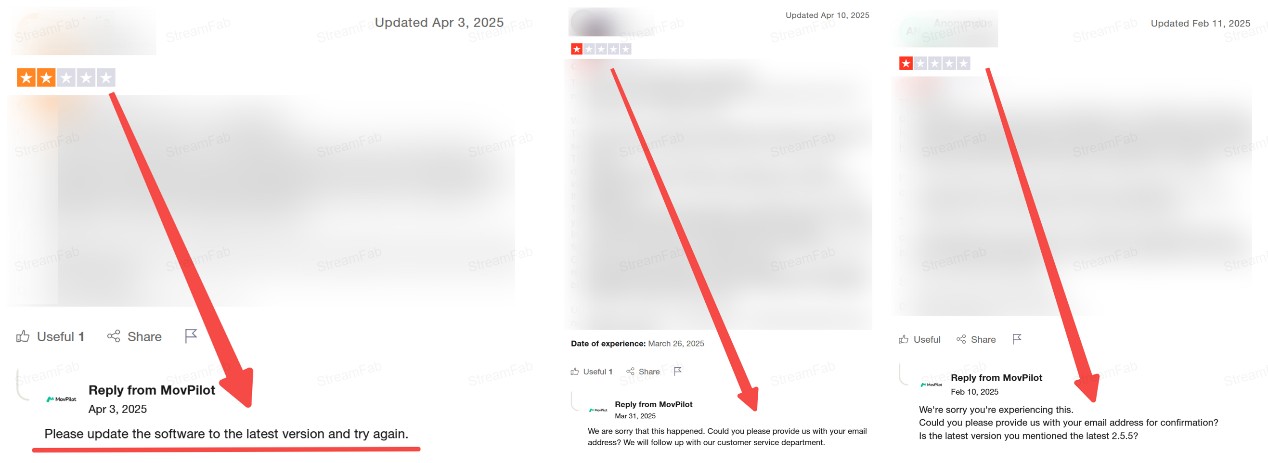
Overall, MovPilot did let me save Prime Video titles offline, but the reliability wasn’t consistent enough for me to feel completely comfortable with it.

What MovPilot Users Report
Community feedback is most useful when treated as a pattern of concerns rather than a verdict. The recurring themes are short-trial limitations, uncertainty around output quality, one-computer licensing, price sensitivity, and support-response delays. Individual posts can flag what to test before buying, but they cannot confirm a universal result.
MovPilot vs StreamFab
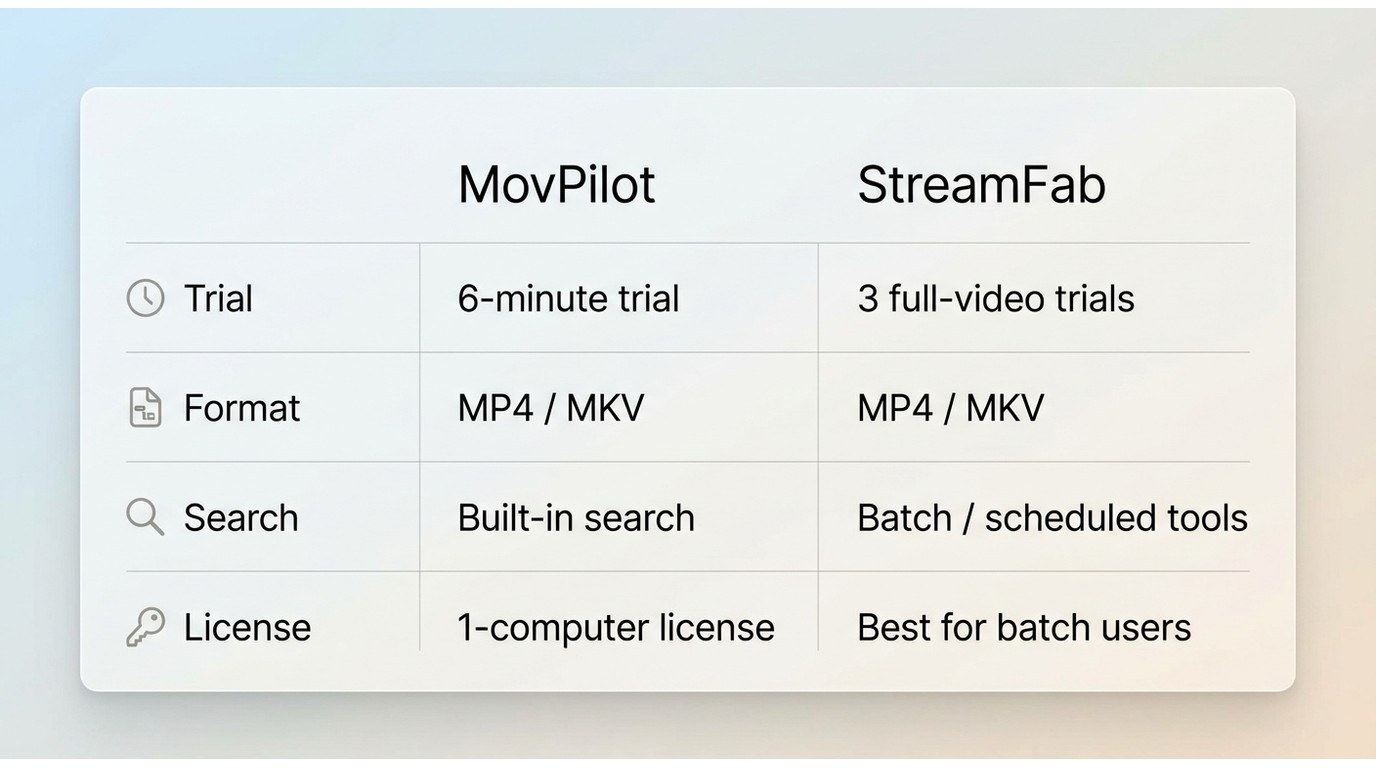
Prime’s official app has Amazon Prime Video download limits, so desktop tools are relevant only when you need a different local-file workflow for authorized personal offline viewing where permitted. MovPilot and StreamFab Amazon Downloader should be compared by trial scope, output options, full-title reliability, licensing, and whether desktop software is appropriate for your setup.
| Decision point | MovPilot Amazon Prime Video Downloader | StreamFab Amazon Downloader |
|---|---|---|
| Trial | Advertises a six-minute trial. | Advertises three full-video trial downloads. |
| Output options | Claims MP4/MKV output; confirm the title-specific settings yourself. | MP4/MKV output, with H.264 or H.265 options. |
| Full-title evidence in this review | One original-review task stalled and needed restarts; validate several titles before buying. | Not independently tested in this article. |
| Workflow features | Built-in title search is described in this review. | Batch and scheduled episode downloads are available. |
| License and price | One-computer licensing is advertised; current checkout terms are not stated here. | Current terms are available on its official product page; no price is stated here. |
| Best fit | Buyers willing to validate a few titles within a short trial. | Windows or Mac users who need batch or scheduled desktop workflows. |
| Not ideal for | Anyone needing proven full-title stability or flexible computer transfers. | Readers who only need the official Prime Video app or do not want desktop software. |
MovPilot may suit a buyer who accepts a short trial and is prepared to validate a few representative titles before paying. It is less suitable when you need strong evidence of full-title stability or flexible computer transfers. StreamFab is one desktop alternative for users who need batch or scheduled episode workflows, but it is not a substitute for the official Prime Video app when that app already meets your offline-viewing needs.

A desktop alternative for authorized Prime Video offline workflows when its batch, scheduling, and format options match your needs.
- Download Amazon Prime Video content in 1080p with EAC3 5.1 surround sound.
- Save Prime videos as MP4 or MKV files for playback on any device.
- Download Prime videos for offline viewing in your choice of H.264 or H.265 formats.
- Supports downloading standard, purchased, and rented movies from Amazon.
- Automatically save newly released Prime episodes for convenient offline access.
- Watch Prime videos offline with your preferred subtitles and audio language.
- Organize titles you can legally watch into device-friendly files for personal offline viewing (where permitted).
- Trial: up to 3 full downloads to test stability and compatibility (personal use only; no sharing or redistribution).
For occasional use, MovPilot may be worth considering after you validate the titles that matter to you. If its short trial or one-computer license does not fit, a MovPilot alternative with a fuller trial may be easier to assess. For a deeper feature-by-feature view, see the StreamFab vs. MovPilot comparison.
Using StreamFab as an Alternative
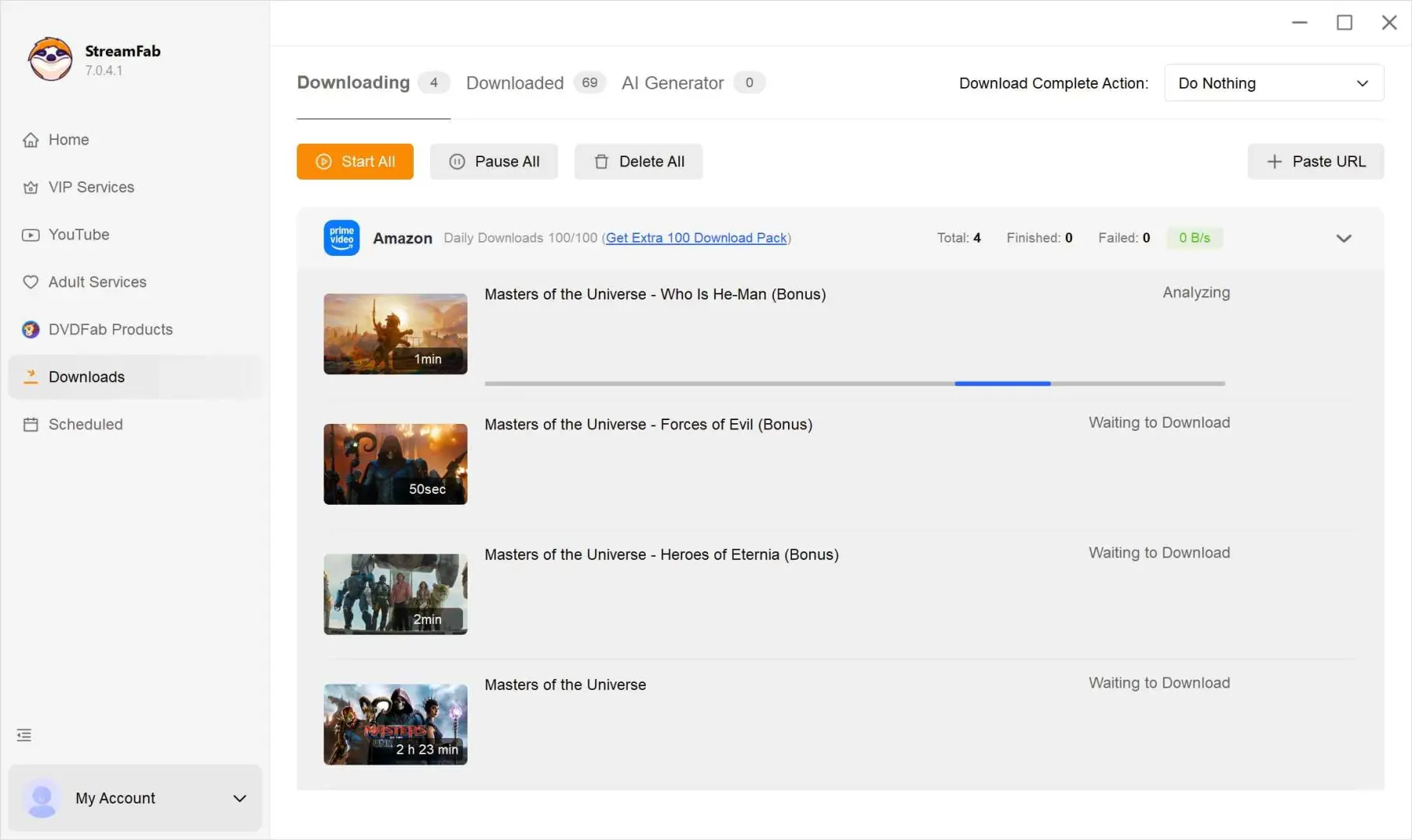
If MovPilot does not fit your trial or workflow needs, StreamFab Amazon Downloader is a desktop option for Windows and Mac. It supports up to 1080p Amazon output, MP4/MKV files, batch and scheduled episode downloads, plus audio-language and subtitle choices. Use it only with an authorized Prime Video account for personal offline viewing where permitted by platform terms and applicable law:
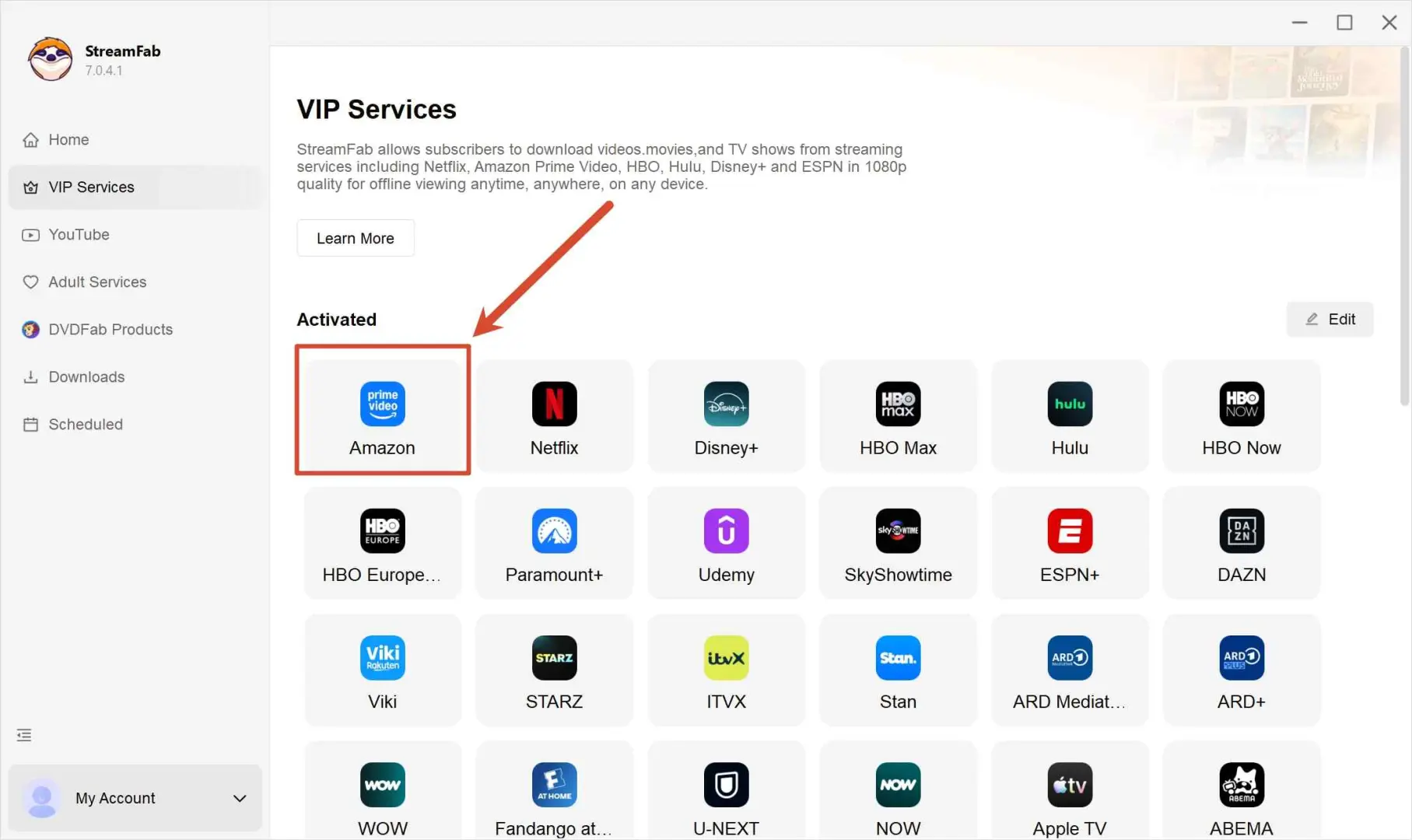
Sign in with your account (if required), then locate the title you want to save for offline viewing.
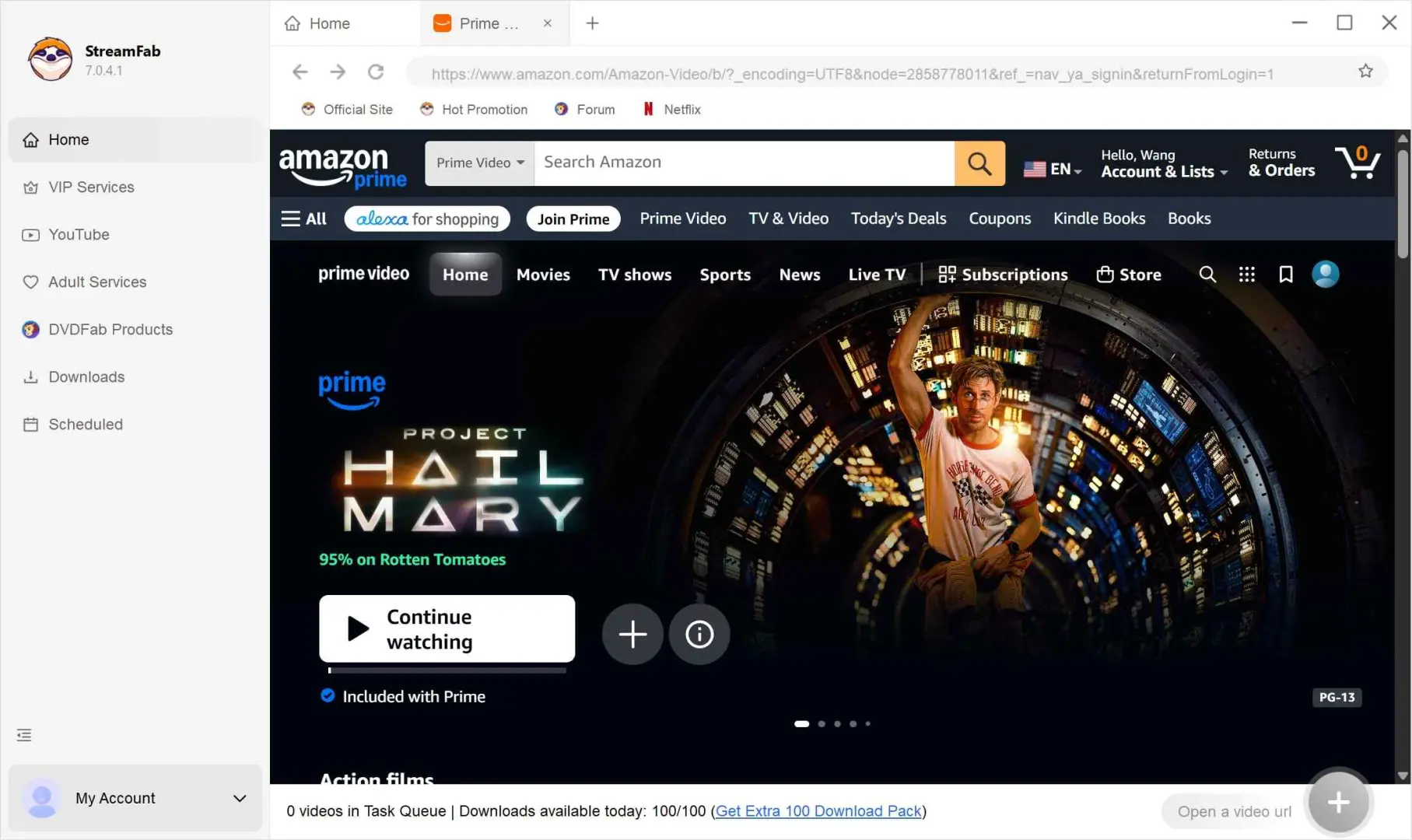
Review your options, like video quality, audio, codecs, and subtitles, and choose what fits your device and storage plan.
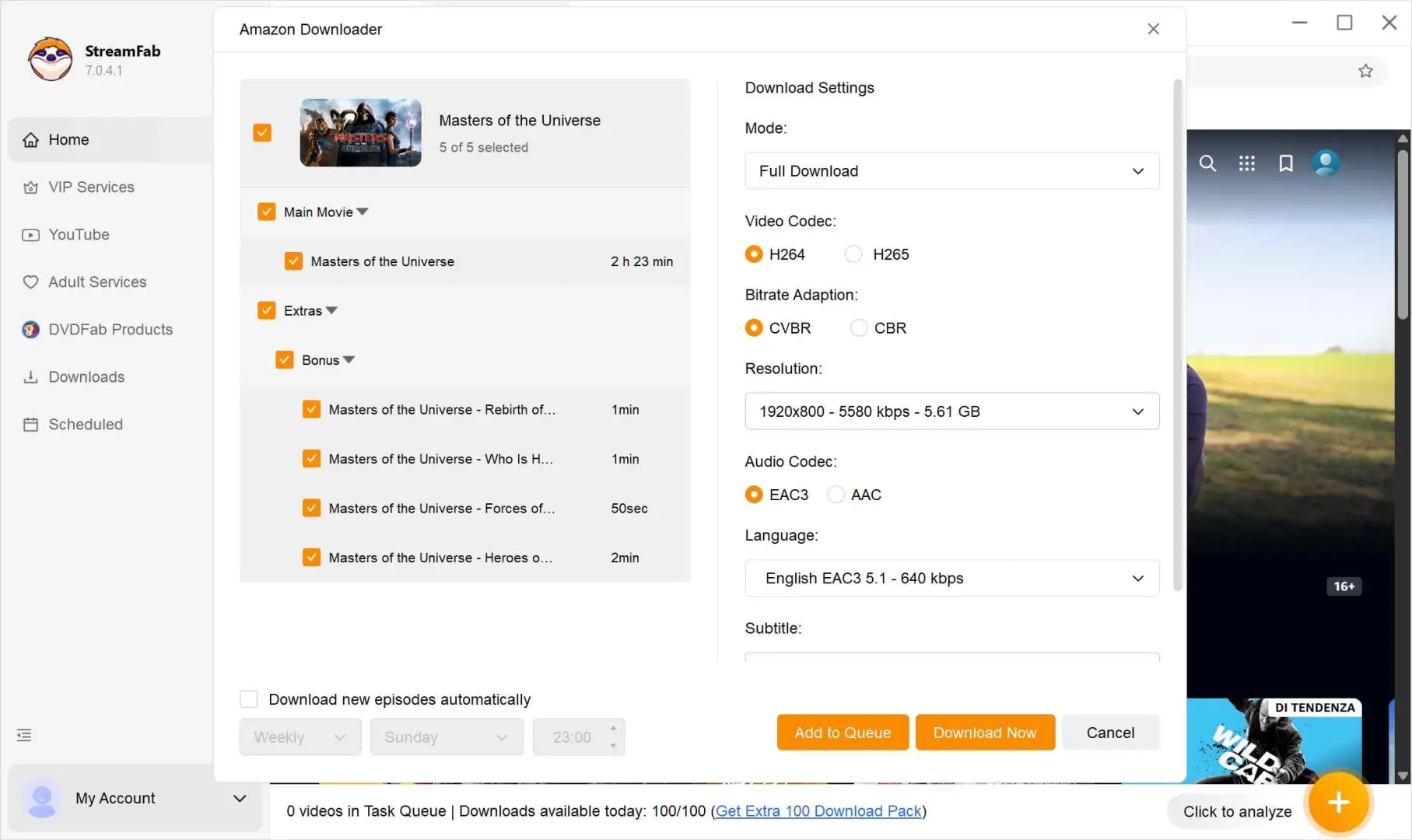
Start the saving task and let it run. You can either process it right away or queue it with other titles, depending on how you prefer to manage downloads.
MovPilot Amazon Downloader FAQs
MovPilot presents 1080p as an output option, but a short trial sample or a single community report cannot prove consistent 1080p across all Prime Video titles. Check the dimensions of a sample from the title you plan to save, and do not treat the trial as proof of full-title quality or reliability.
If the software successfully creates a compatible MP4 or MKV, it is a local file that can be copied to compatible USB storage for authorized personal offline viewing where permitted. That differs from an official Prime Video app download, which stays within supported apps and follows Amazon’s availability rules.
3. What can the MovPilot free trial actually prove?
The six-minute trial can show whether the app installs, recognizes your account, and produces a short output sample. It cannot demonstrate sustained speed, full-title completion, repeatability, batch reliability, or current purchase support.
4. What should I do if MovPilot analysis or downloading stalls?
Confirm that the title plays in Prime Video, update MovPilot, restart the task, try another title, and check available storage and network conditions. If several titles fail after those checks, record the app version and error details for support rather than assuming one retry will solve every failure.
MovPilot is worth considering only if its six-minute trial and one-computer license fit your needs, and if you can validate the Prime Video titles you care about before purchasing. The central trade-off is simple: format and subtitle options are useful, but a short sample does not prove full-title completion, repeatability, or consistent output quality.
It may suit an occasional desktop user who is comfortable validating a few representative titles first. It is a weaker fit for anyone who needs proven full-title stability, flexible license transfers, or confidence that every title will deliver the same resolution and audio result.
My recommendation is to treat the trial as a compatibility check, not as proof of reliability. If MovPilot completes your representative titles cleanly and the one-computer license works for you, it may be enough for occasional use. If those checks reveal repeated stalls or the workflow does not fit, compare desktop alternatives such as StreamFab against your actual needs rather than assuming one tool suits every Prime Video viewer.
