Table of contents
No, Paramount Plus is not universally free with Xfinity. The answer depends on whether you want a standalone Paramount+ app plan, an Xfinity-billed app subscription, or the separate Paramount+ with SHOWTIME cable add-on. This guide explains the current prices, compatible devices, login route, and cancellation path.
If you searched for Paramount Plus on Xfinity because the app, billing record, or login path is unclear, start by identifying which product you purchased. The sections below separate standalone app access from the Xfinity cable add-on before covering compatible hardware and activation.
1. Availabilities of Paramount Plus on Xfinity
The standalone Paramount+ app works on compatible Xfinity X1, Flex, and Xumo equipment with Xfinity Internet. The model name does not guarantee Paramount+ 4K playback: Paramount+ content in the app is not offered in 4K on this Xfinity equipment.
| Device or path | Status | Requirement | 4K in Paramount+ app |
|---|---|---|---|
| Compatible X1 models, including Xi5 and Xi6 variants | Supported | Xfinity Internet | Not available |
| Compatible Flex equipment | Supported | Xfinity Internet | Not available |
| Compatible Xumo Stream Box | Supported | Xfinity Internet | Not available |
| Pace Xi3 or Flex Pace Xi5 | Excluded | Use a supported model | Not available |
If your box is excluded, use a supported X1, Flex, or Xumo model or open the official Paramount+ app on another supported device. Xfinity Stream access to cable channels or On Demand content is separate from standalone Paramount+ app access.
2. Is Paramount Plus Free with Xfinity?
No, not universally. Paramount+ is not automatically free with Xfinity. A direct Paramount+ app subscription costs $8.99 per month for Essential or $13.99 per month for Premium. Xfinity also sells a separate Paramount+ with SHOWTIME cable add-on for $13 per month. These options have different billing, cancellation, playback, and login paths.
The key distinction is simple: the standalone app plans are managed through Paramount+ or an Xfinity-billed app subscription, while the SHOWTIME add-on provides Xfinity channel and On Demand access. Having the cable add-on does not by itself guarantee standalone Paramount+ app access.
Paramount+ Plans and Access Options Compared
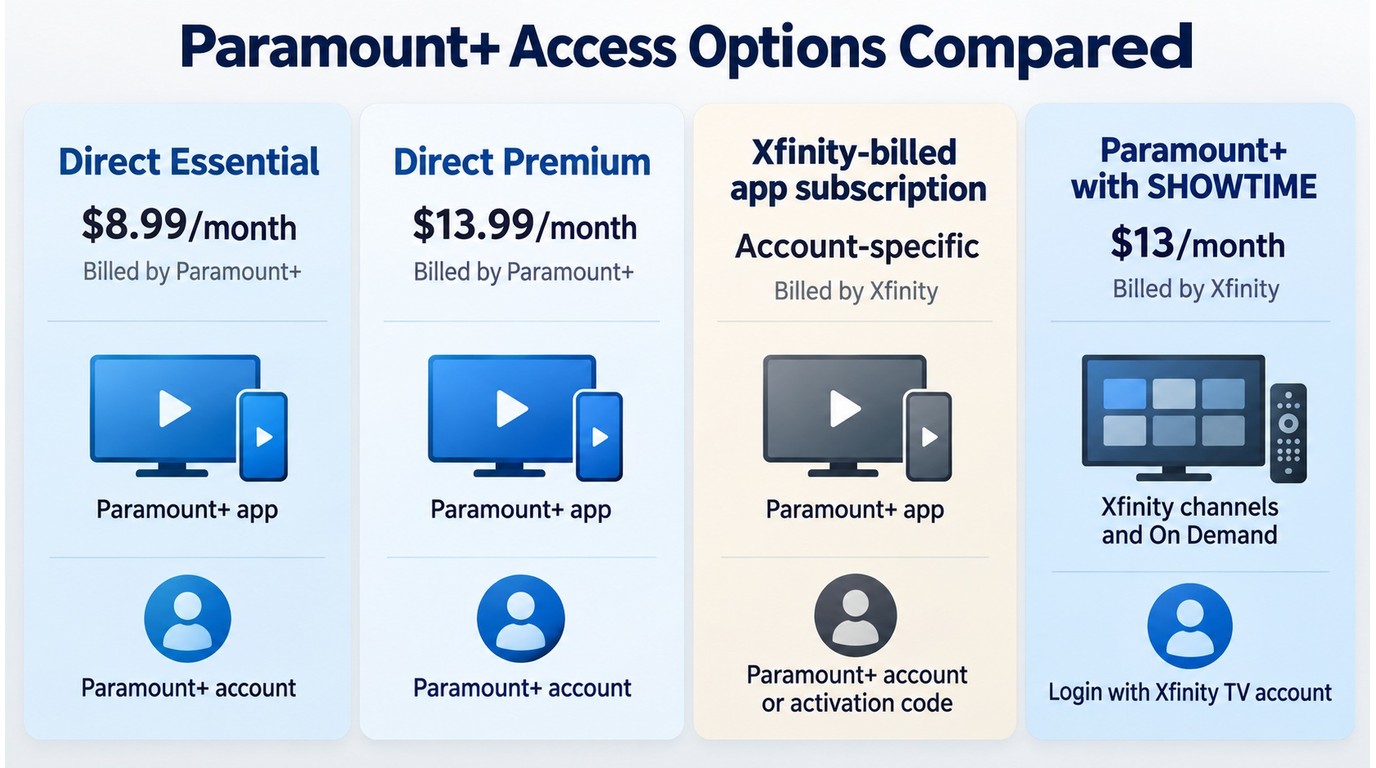
Prices shown below are current as of September 2026. The right choice depends on where you want to watch Paramount+ and which company should manage your billing and cancellation.
| Access option | Monthly price | Billing and cancellation | Where it plays | Login method |
|---|---|---|---|---|
| Direct Essential app plan | $8.99 | Paramount+ | Paramount+ app | Paramount+ account |
| Direct Premium app plan | $13.99 | Paramount+ | Paramount+ app | Paramount+ account |
| Xfinity-billed app subscription | Account-specific | Xfinity | Paramount+ app | Paramount+ account or code |
| Paramount+ with SHOWTIME add-on | $13 | Xfinity | Xfinity channels and On Demand | Xfinity TV account |
Check the billing company on your statement before changing a plan. That single detail usually tells you where cancellation, duplicate-charge questions, and account recovery belong.
3. Get Paramount+ on Xfinity Devices
If you have an Xfinity device mentioned above, you can easily watch Paramount Plus on your TV. Here are the steps you need to follow to install the Paramount Plus on Xfinity devices:
On an Xfinity X1 TV box:
On Flex or Xumo Stream Box:
4. Paramount+ Login and Activation on Xfinity
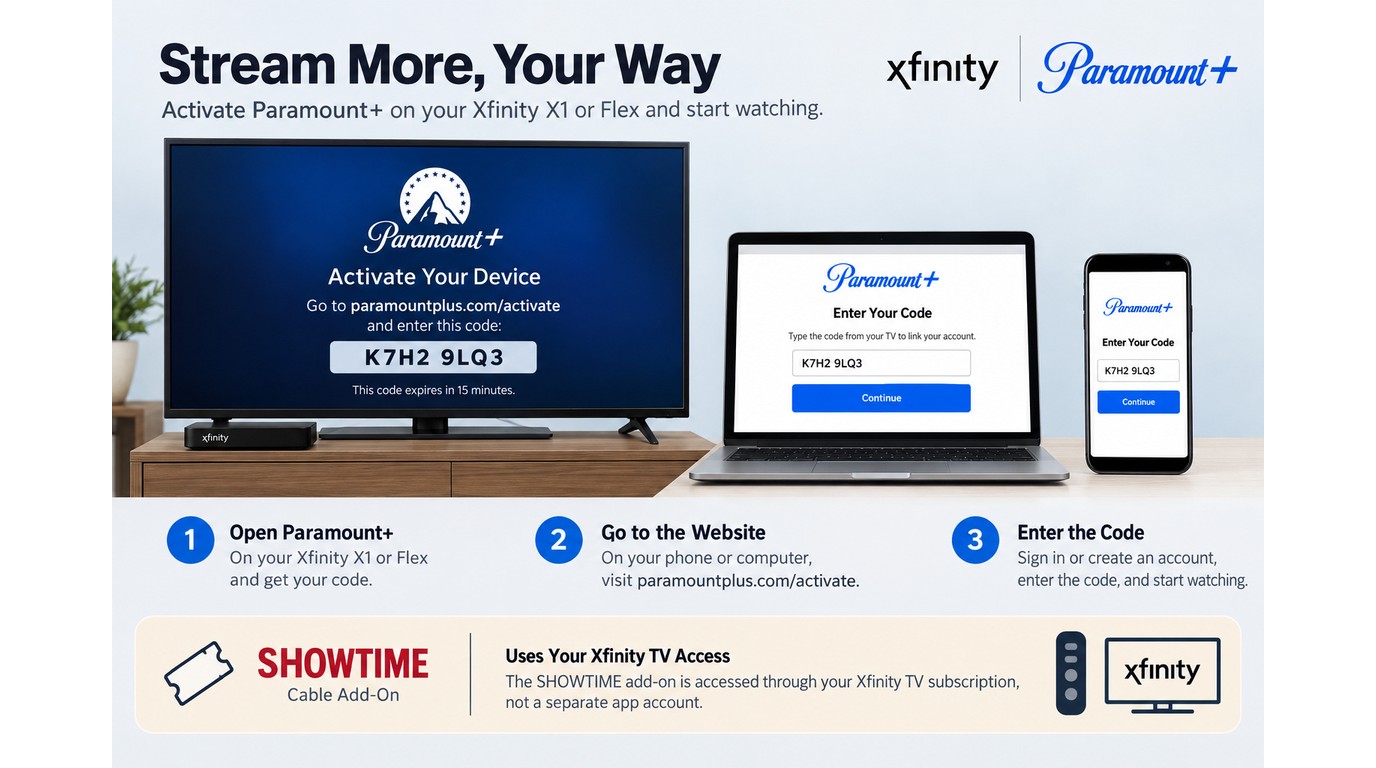
On compatible Xfinity equipment, start by identifying the product you purchased. Confirm the product and billing path before troubleshooting the device. Standalone and Xfinity-billed app subscriptions use Paramount+ account credentials or an activation code; the Paramount+ with SHOWTIME cable add-on does not automatically create standalone app access. Checking the billing product first prevents most login loops.
Note: Before signing in, check whether your subscription is billed by Paramount+ or Xfinity. The billing product determines which account and cancellation path applies.
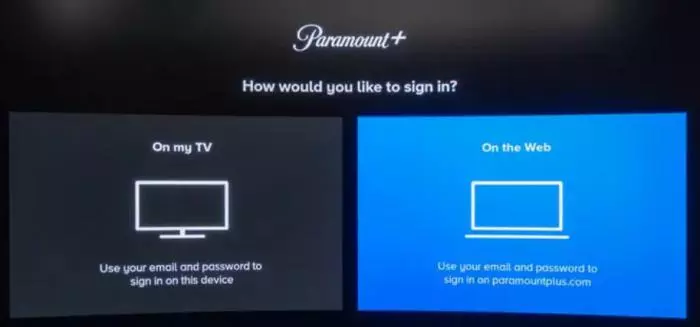
you use for your Xfinity services and account login.
Paramount+ and its entire content catalog.
If Paramount+ keeps loading or buffering, confirm that the box is supported and connected to Xfinity Internet. Then restart the app and the box, install available device updates, and contact Xfinity support if the sign-in loop continues.
5. Can you watch Paramount Plus on Xfinity offline?
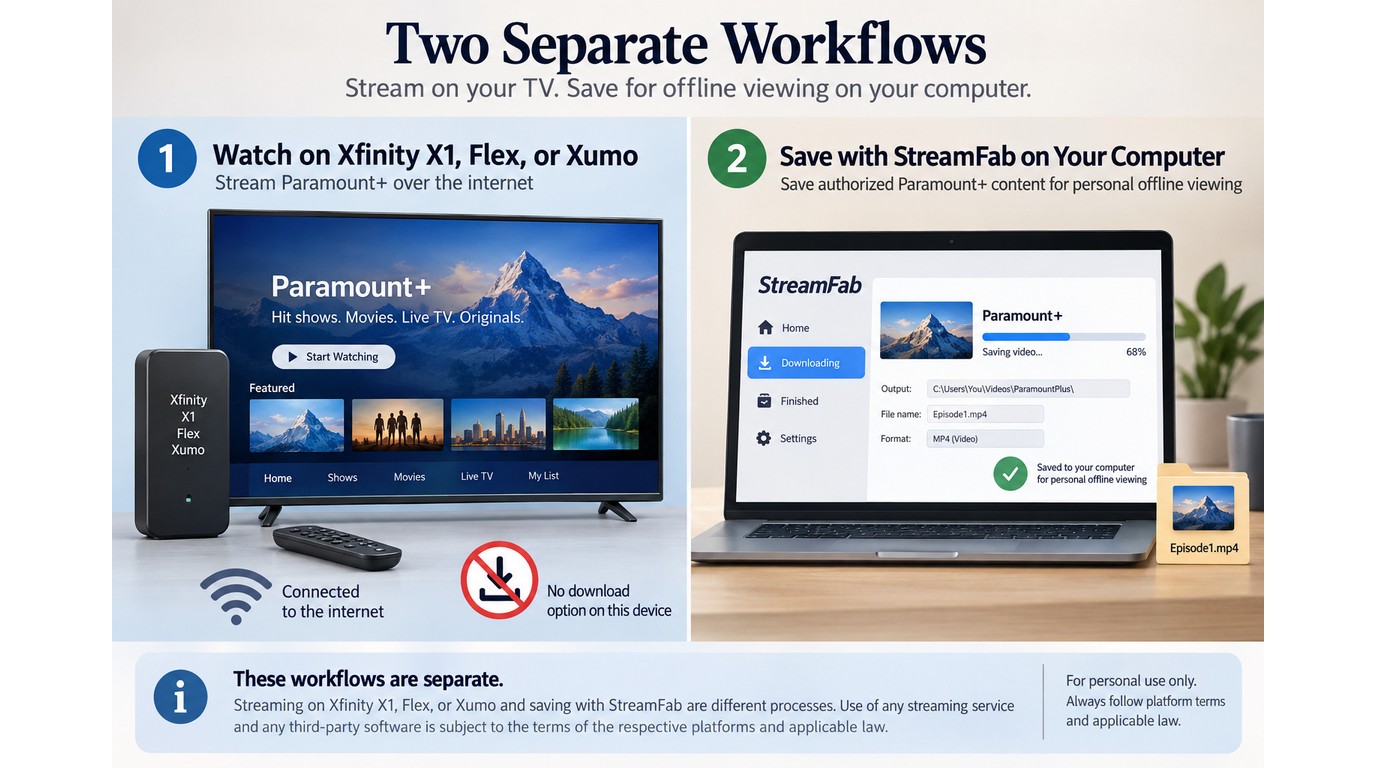
No. Xfinity's Paramount+ app does not provide offline downloads on X1, Flex, or Xumo equipment, so the app requires an active internet connection for streaming.
To save content you're authorized to access locally for personal offline viewing, you need an active Paramount+ subscription and must stay within platform terms and applicable law. StreamFab is a separate Windows and Mac app that uses screen-recording technology rather than DRM decryption to save local files; its workflow for downloading Paramount+ videos is secondary to the Xfinity access decision covered here.

- Save authorized Paramount+ movies and shows for personal offline viewing
- Save videos up to 4K with supported audio formats
- Batch-download multiple videos at one go
- Handle ads according to the selected Paramount+ plan and supported workflow
- Auto-detect and pre-select audios and subtitles
- Extract subtitles as SRT files or remux into videos
Here below are the steps to download Paramount Plus shows and movies with StreamFab:
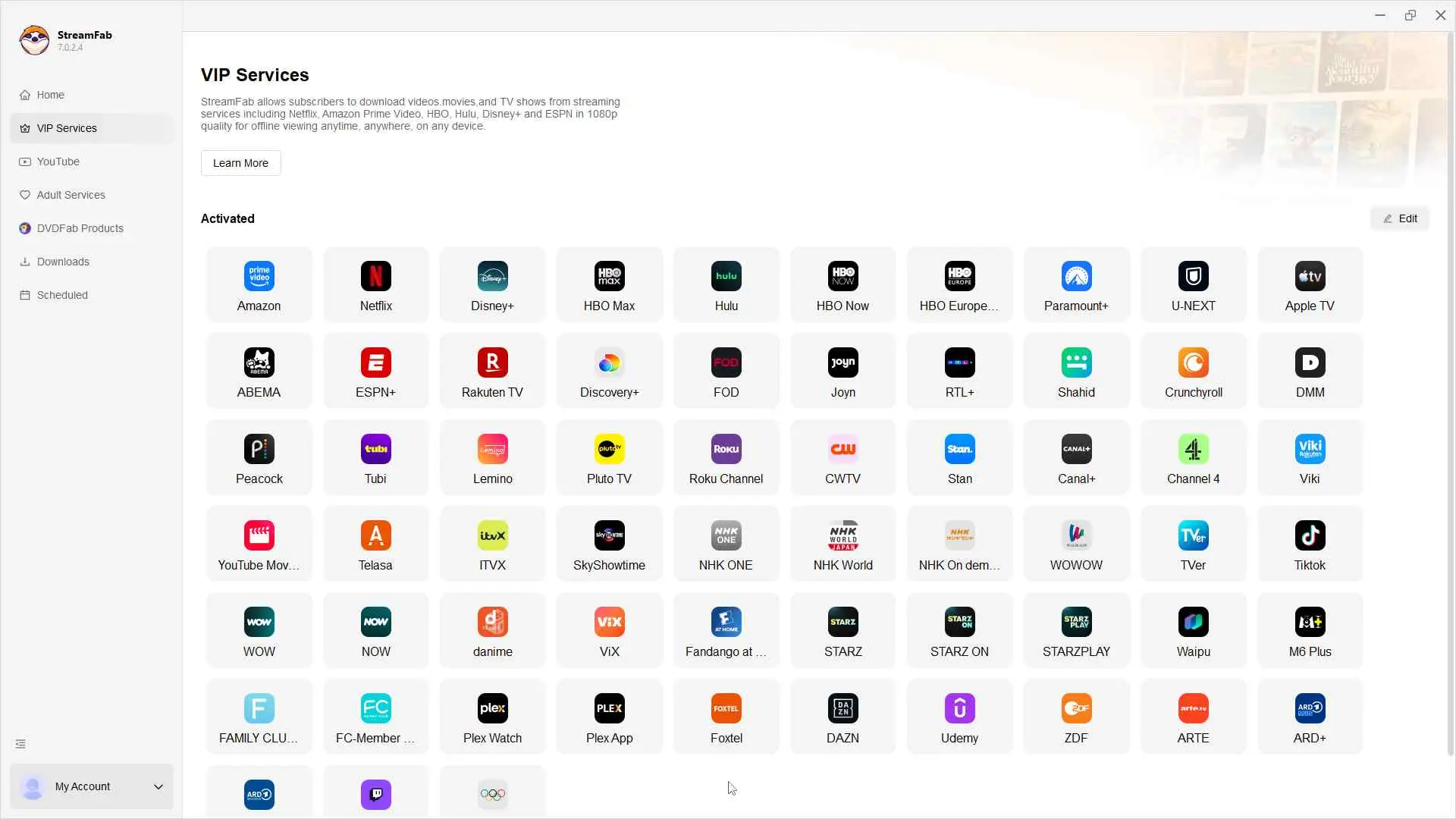
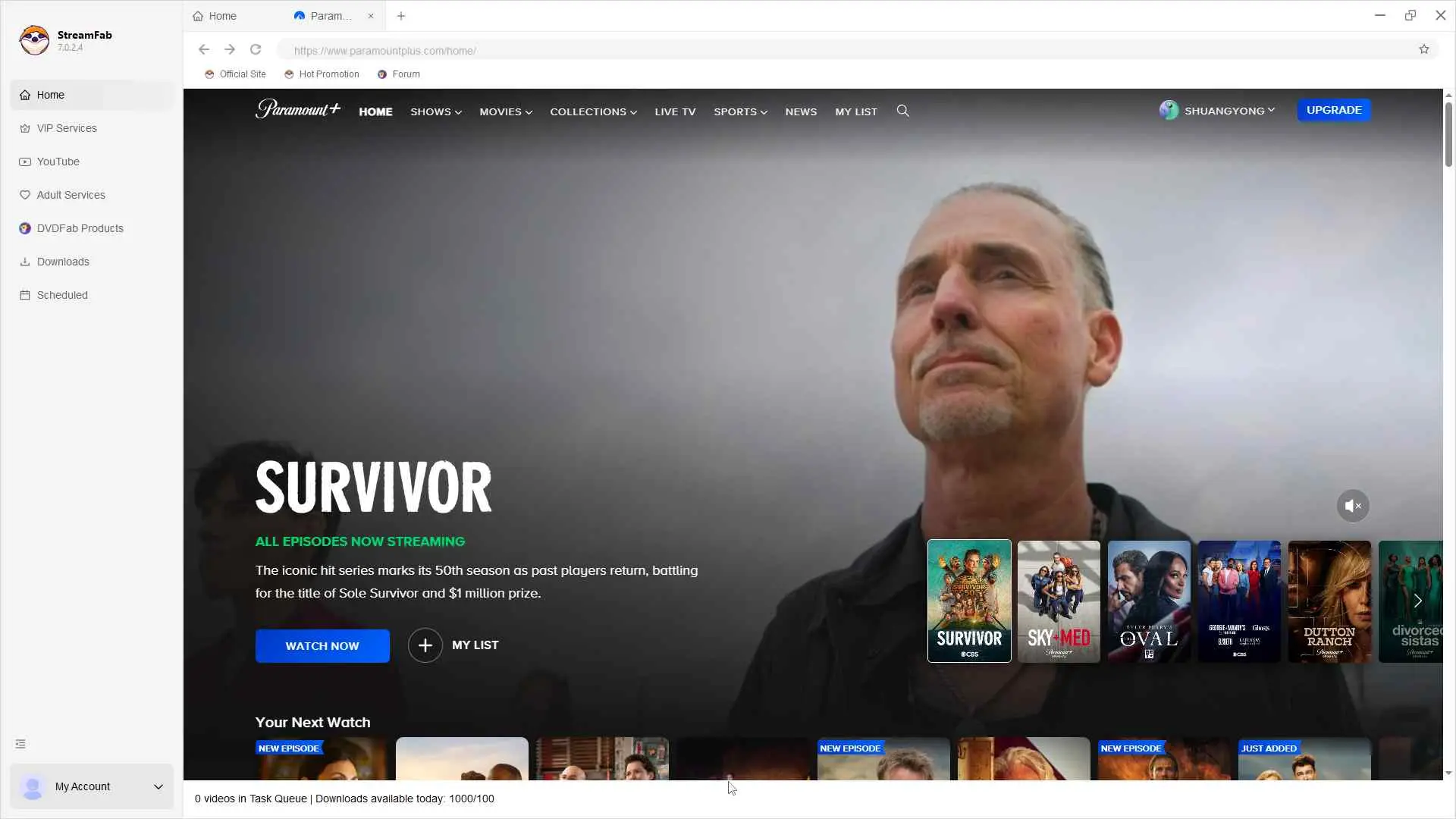
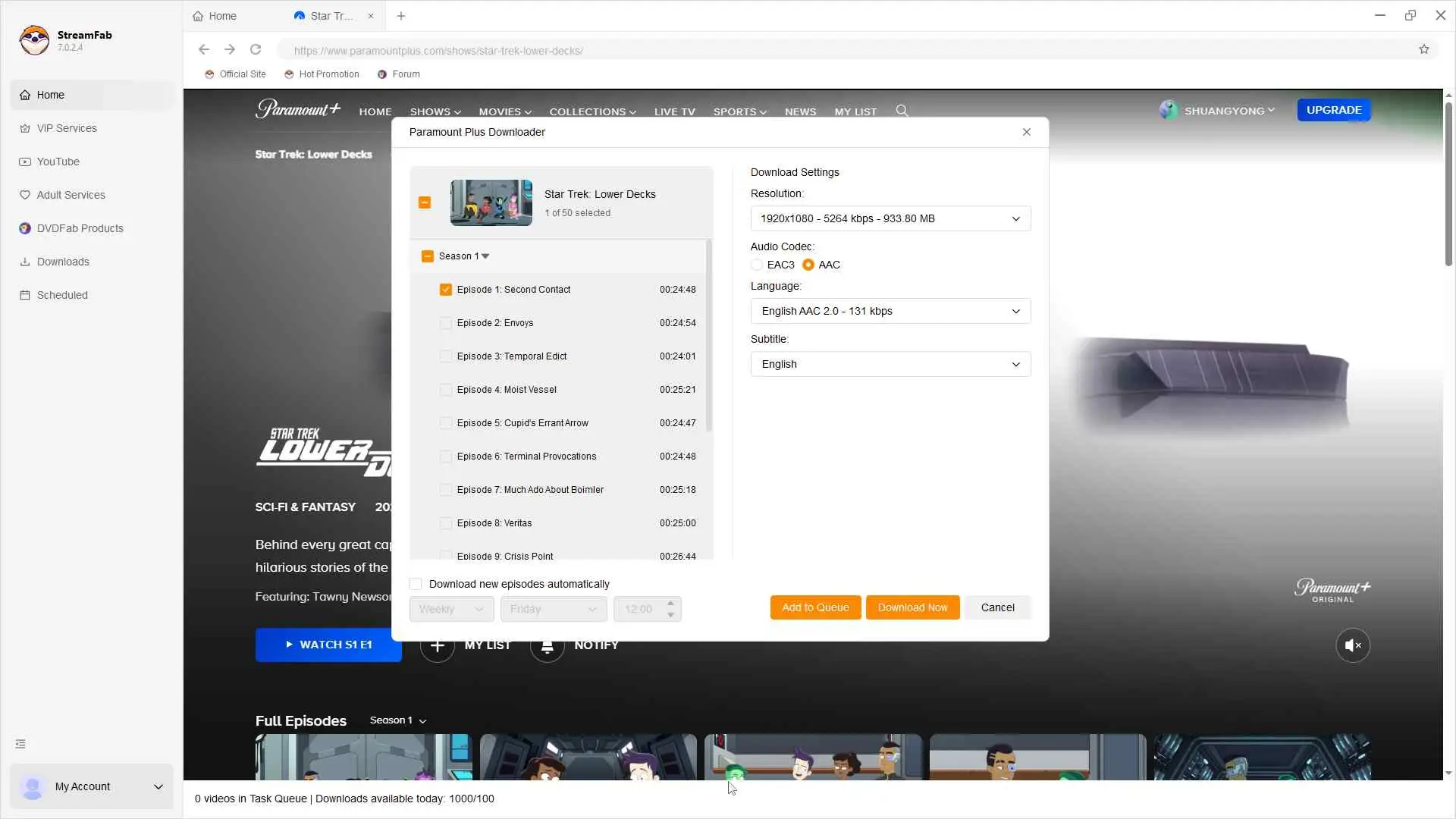
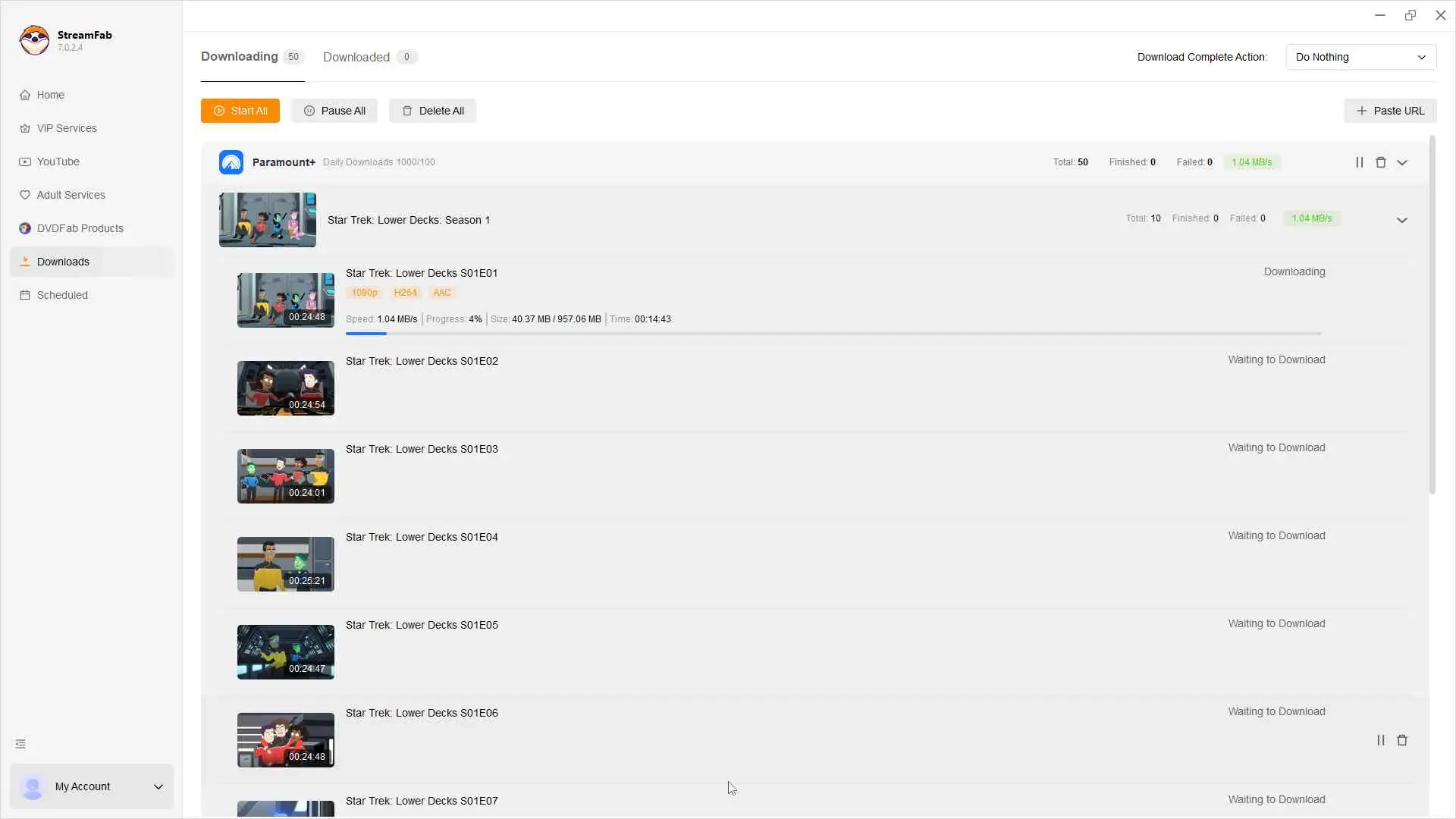
Note: Xfinity's Paramount+ app does not provide offline playback; local-file playback depends on the device and player used to open the file.
FAQs
Q
Why is Xfinity missing from Connect Provider?
The Xfinity Paramount+ with SHOWTIME cable add-on does not automatically create a standalone Paramount+ provider login. On compatible Xfinity devices, use Paramount+ credentials or the on-screen activation code for app access.
A
Q
Why does Paramount+ keep loading or buffering on Xfinity?
Confirm that the equipment is supported and connected to Xfinity Internet, restart the app and box, install available updates, and contact Xfinity support if the sign-in loop or buffering continues.
A
Q
What channel is Paramount+ on Xfinity?
Standalone Paramount+ is an app rather than a single Xfinity channel. The separately billed Paramount+ with SHOWTIME cable add-on supplies linear channel and On Demand access.
A
Q
Can I cancel Paramount+ through Xfinity?
Check the billing provider before canceling. Xfinity-billed subscriptions are managed through the Xfinity account, while direct Paramount+ subscriptions are managed through the Paramount+ account.
A
Update Log
- Paramount+ Essential is listed at $8.99 per month, and Premium at $13.99 per month.
- The Xfinity Paramount+ with SHOWTIME cable add-on is listed at $13 per month.
- Compatible X1, Flex, and Xumo equipment is separated from excluded Pace Xi3 and Flex Pace Xi5 models.
- Standalone app access uses Paramount+ credentials or an activation code rather than Xfinity credentials alone.
Information current as of September 2026.
Final Conclusion
The practical answer is to identify the access path before troubleshooting the app. A direct Paramount+ plan, an Xfinity-billed app subscription, and the Paramount+ with SHOWTIME cable add-on are separate products with different billing, cancellation, playback, and login rules.
After you confirm the product on your bill, use compatible X1, Flex, or Xumo equipment and sign in with the Paramount+ account or activation code required for the app. Xfinity's Paramount+ app does not provide offline downloads; personal offline files are a separate, authorized-use scenario that should remain within platform terms and applicable law.
Try It Free macOS 12.0 or newer