
Table of contents
If you want to download Fandango movies on PC, the key distinction is simple: the Fandango Windows app can stream titles, but it does not provide the former offline Download button. Official Fandango offline downloads are app-bound copies, while a local-file workflow creates MP4 or MKV files for compatible players.
Fandango is the current consumer-facing name, although you may still see Vudu and Fandango at Home used as legacy names. This guide explains mobile app copies, why PC downloads differ, and one authorized local-file option for viewers who need more than temporary in-app playback.
Official Fandango Downloads on Mobile
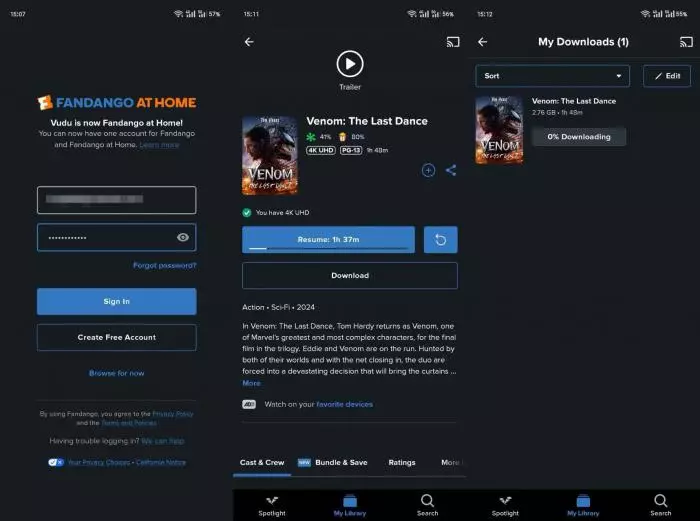
Eligible titles can be downloaded in supported Fandango mobile apps for offline, in-app playback. The result is an app-bound offline copy, not a normal video file you can export to a PC or another player. Availability depends on the title and supported device; for short-term viewing on a phone or tablet, this is the most straightforward route.
Why Fandango at Home PC Downloads Differ
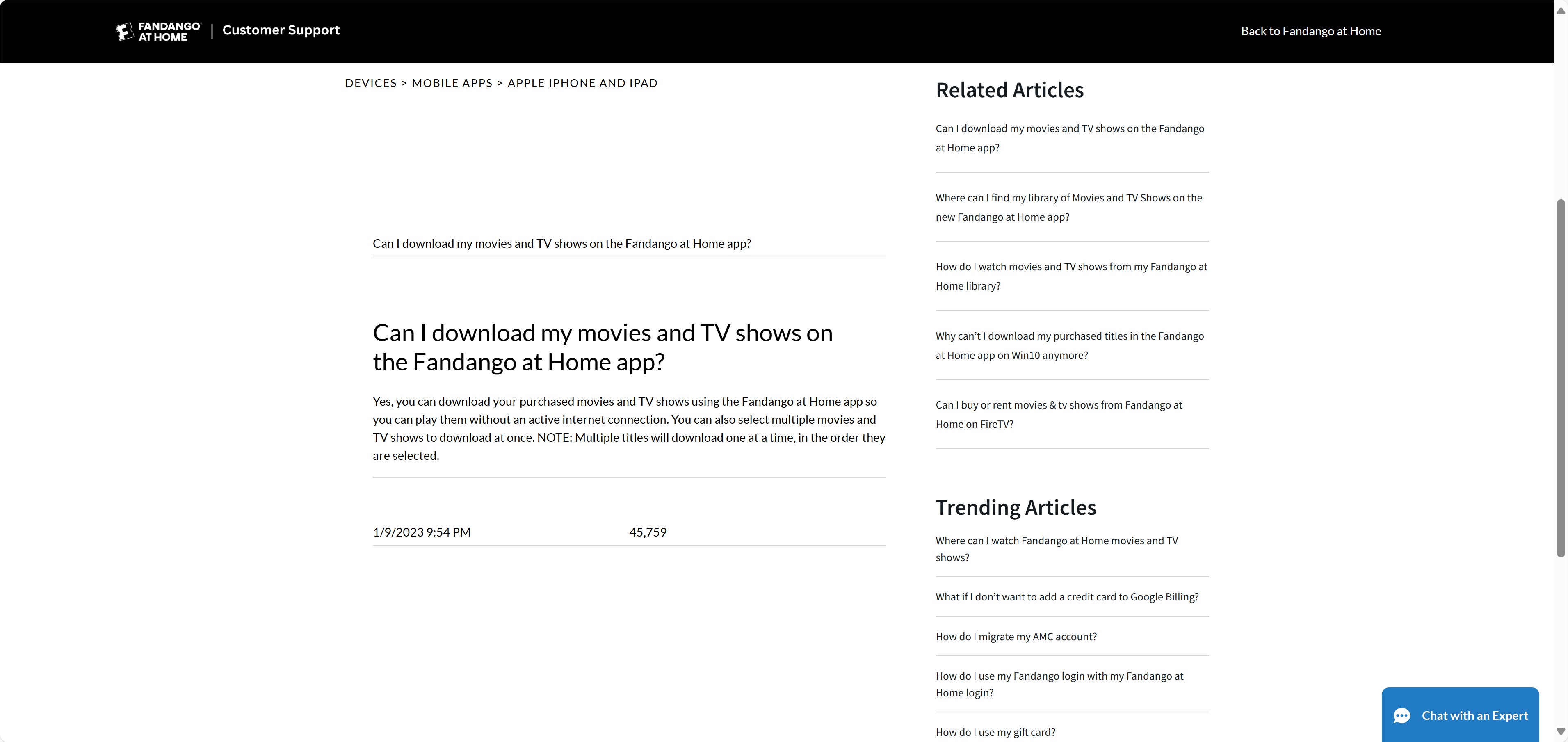
Fandango has a Windows app, but its former Windows 10 in-app download feature is no longer available. Installing the app, streaming in the app, and seeing an offline download button are three different things. In practical terms, the Windows app is not a route to official PC offline downloads.
- Official offline availability depends on the title and the supported Fandango mobile app.
- The Windows app can be installed for streaming, but it does not provide the former Windows offline-download feature.
- An official offline copy remains associated with the app and account rather than becoming a standard video file.
- App-bound copies are intended for playback within the supported app, not transfer to another player or media library.
Official Downloads vs Local Files
Official Fandango downloads and local video files solve different problems. An official copy is managed by the app, while an MP4 or MKV file can be opened in a compatible player. The table below separates the common routes.
| Route | Device or platform | Eligible content | Offline support | Output type | MP4 or MKV export | Transfer to another device | Maximum quality | App or account restrictions | Best fit | Not ideal for |
|---|---|---|---|---|---|---|---|---|---|---|
| Fandango mobile app | Supported phones and tablets | Eligible titles | Yes, in-app | App-bound offline copy | No | App-managed playback only | Service and title dependent | Requires the supported app and account | Temporary mobile viewing | Portable PC files |
| Fandango Windows app | Windows | Streaming titles available to the account | No former in-app download feature | Streaming in the app | No | No local-file transfer | Service-dependent | Requires the app and account | Desktop streaming | Offline PC playback |
| Fandango in a web browser | PC or Mac browser | Titles available to the account | No official browser download | Browser playback | No | No local-file transfer | Service-dependent | Requires browser access and account sign-in | Streaming on a computer | Offline viewing |
| Movies Anywhere or Microsoft | Supported linked services | Eligible linked titles only | Service-dependent | Service-managed offline copy where offered | Generally no | Service rules apply | Service and title dependent | Requires linked accounts and eligible titles | Using supported ecosystem features | Every Fandango purchase |
| StreamFab Fandango at Home Downloader | Windows or Mac | Titles you are authorized to access | Local-file workflow | MP4 or MKV local file | Yes | Compatible-player transfer | Up to 4K when available | Requires valid access and use permitted by service terms and applicable law | Authorized local-file viewing | Occasional app-only mobile viewing |
My rule of thumb is uncomplicated: choose the official mobile route when you just need an eligible title for a trip, and consider a local-file workflow only when a compatible player or personal media library is the real requirement.
StreamFab Fandango at Home Downloader: A Local-File Option for PC and Mac

- Local-file specifications: Use this workflow only for titles you are authorized to access, where permitted by platform terms and applicable law.
- Video output: Save supported titles as up to 4K with H.264 or H.265 video and HDR10 or Dolby Vision when available.
- Audio options: EAC3 5.1 or AAC 2.0, depending on the title.
- MP4/MKV output for compatible players.
- Batch and scheduled tasks: Batch selection and scheduled behavior are available for supported titles.
- Subtitle options: Choose subtitle settings before starting the task.
- Subtitle formats: Subtitles can be saved as SRT files or included with the video, depending on the selected option.
- Trial allowance: The free trial allows three downloads, as of July 2026.
Download Fandango Movies with StreamFab
To watch Fandango at Home offline on mobile or PC, sign in with the account that has authorized access to the title, then select the title and output settings before starting the task.
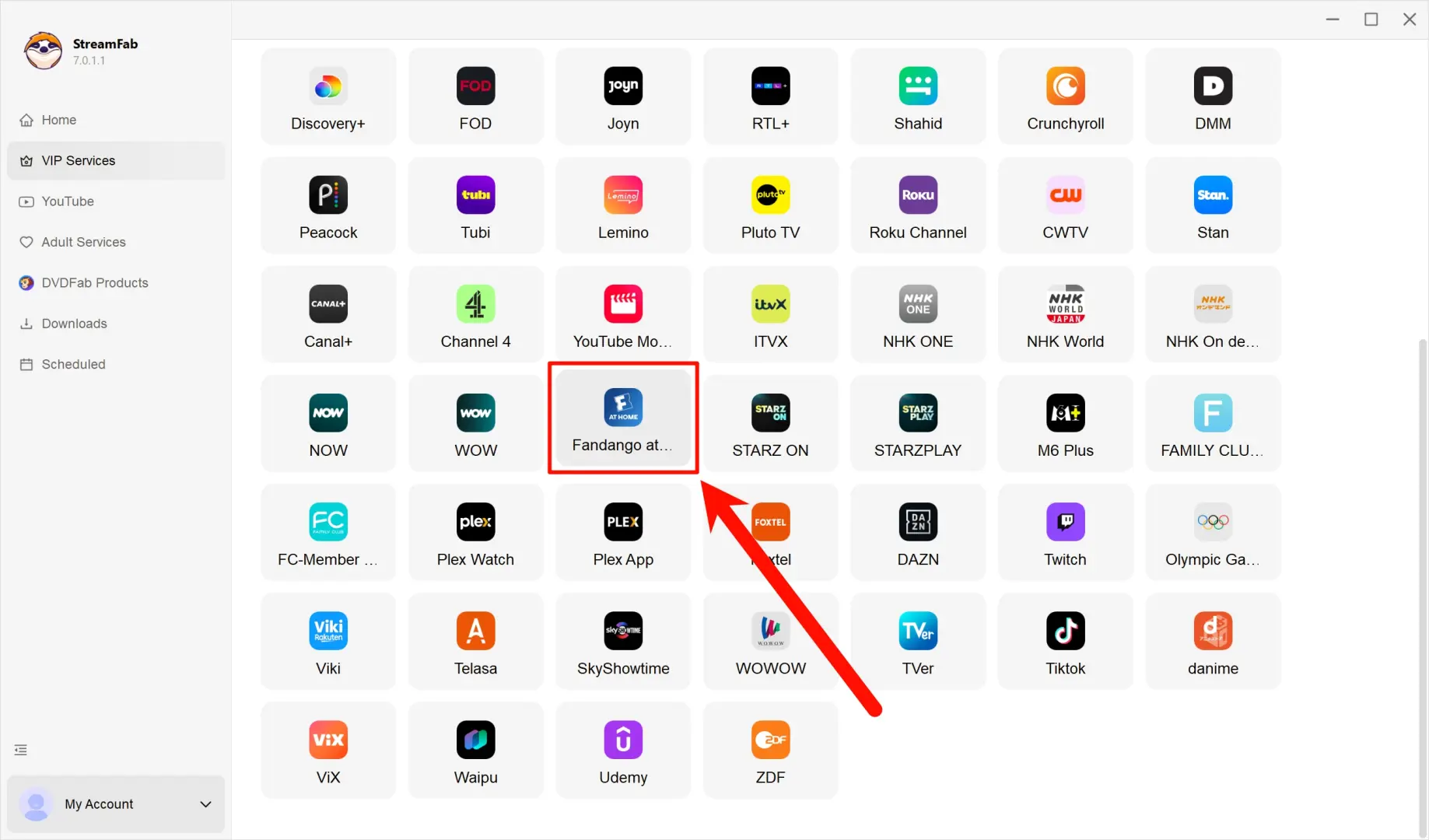
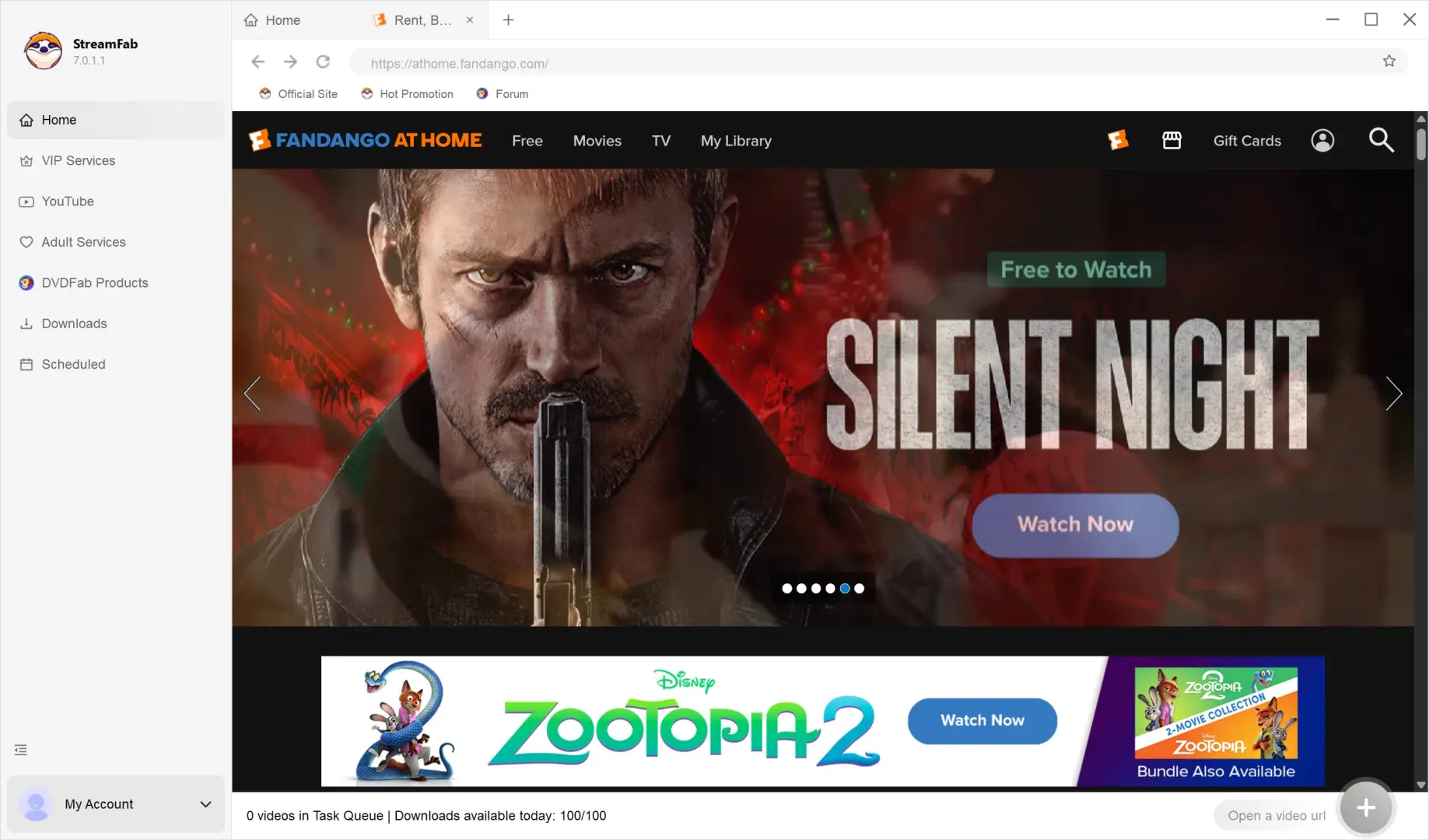
Log in to your Fandango at Home account on the built-in browser and open the movies you want. StreamFab will automatically analyze the movie on the page.
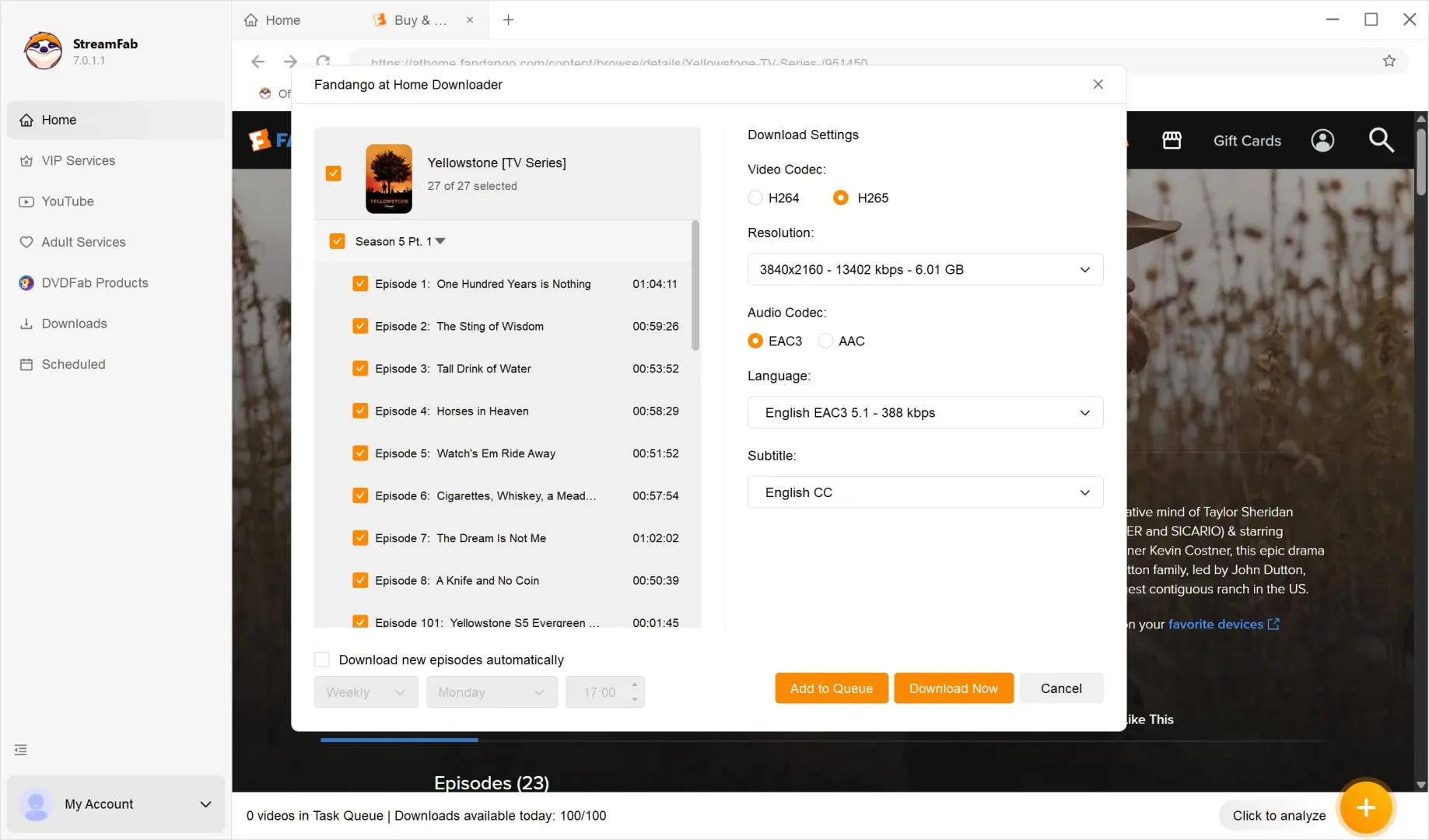
After analysis, an interface appears, allowing you to customize the output settings on video resolution, audio track, subtitles, etc., to your desire.
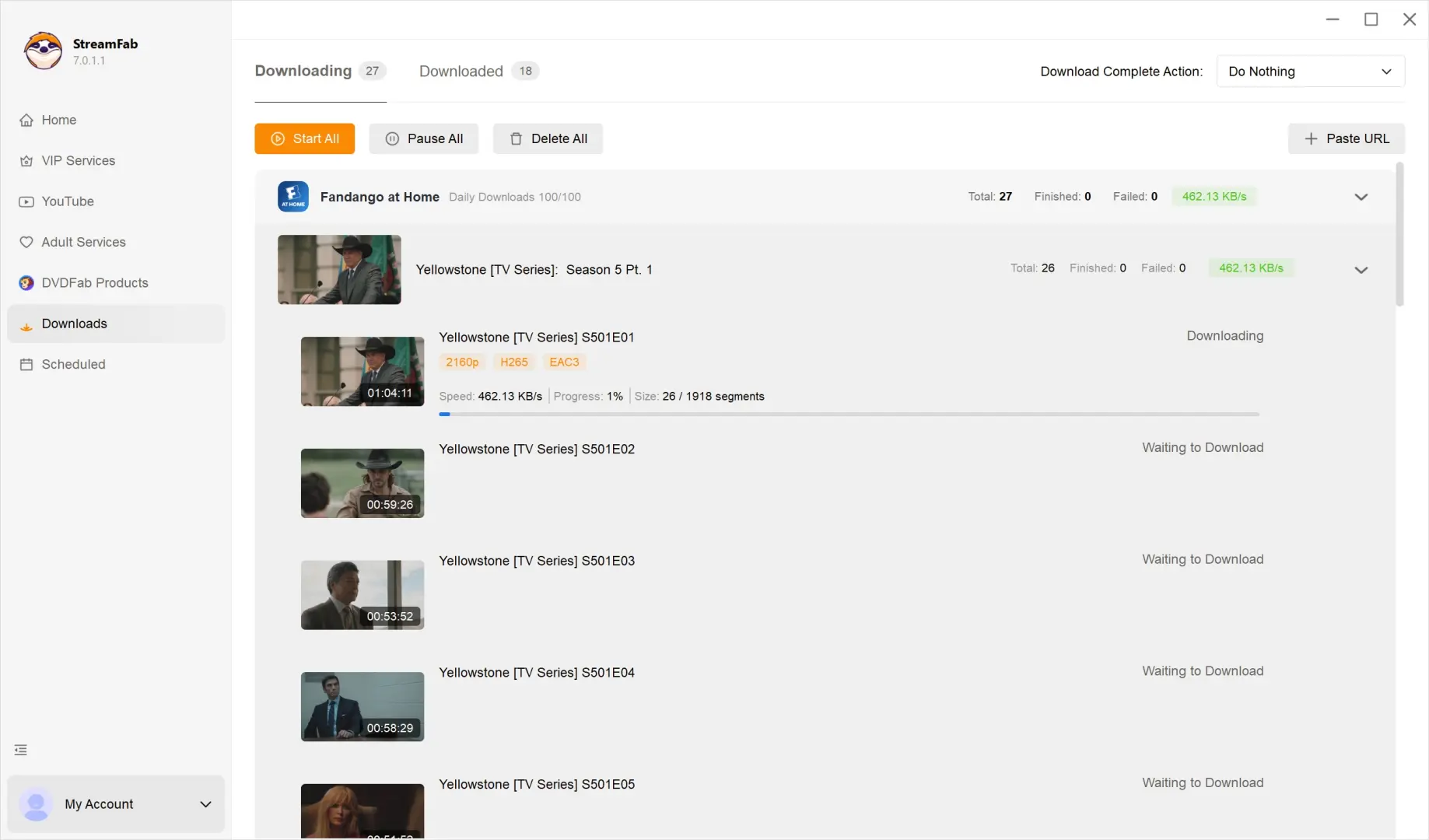
You can start the download tasks by clicking the "Download Now" button and checking them on the "Downloading" page.
Before starting a batch, I recommend checking the output format and subtitle choice first. Those two settings determine whether the finished file fits the player and viewing setup you actually use.
This option is best suited to an authorized portable local-file workflow. It is not the natural fit for occasional viewers who are satisfied with app-bound mobile downloads or who are especially price-sensitive.
FAQs on Fandango Offline Downloads
Fandango still has a Windows app, but its former Windows 10 in-app download feature is no longer available. That is why installing the app may let you stream a title without displaying an offline Download button.
For official offline viewing, use a supported mobile app with an eligible title. A Windows app installation alone does not create PC offline download support.
No. Movies Anywhere participation depends on title eligibility and linked accounts. A Fandango purchase is not automatically available through every connected service.
If a title is eligible and your accounts are properly linked, use the options offered by that participating service. If it is not eligible, Movies Anywhere is not a universal alternative for downloading it.

Official offline availability for Movies On Us titles depends on Fandango's eligible-title rules and the supported mobile app. Free, rented, and purchased titles should not be treated as having identical offline options.
For a local-file workflow, availability still depends on having authorized access to the title and using the service in accordance with applicable terms and law.
Conclusion: Which Download Method Fits You?
Use the official Fandango mobile route when an eligible title and temporary in-app offline viewing are enough. Use Movies Anywhere or another linked service only when the title qualifies. If you need an authorized PC or Mac local-file workflow for a compatible player, StreamFab Fandango at Home Downloader is one practical option. For occasional viewers who are content with mobile app playback, a paid desktop tool may not be necessary.
