
- Why can't you download every Udemy course you have?
- Why did the course you just reviewed become unavailable suddenly?
- Why are mobile files stuck on the Udemy app?
- Why do the downloaded courses blur more than normal streaming?
- How to increase the playback flexibility under Udemy download limits?
- More FAQs
If the Udemy "Download lecture" option is gray on your computer, that course or lecture is not enabled for desktop downloads. Udemy’s mobile app is the official fallback for supported content, but mobile downloads stay inside the app and may require an internet check after an offline period. This guide explains the Udemy download limit, the exact mobile steps, common fixes, and an optional personal-backup workflow for authorized access.

If the Udemy "Download lecture" button is gray on a computer, that lecture is not enabled for desktop download. Supported mobile downloads are the official route for app-based offline viewing; this guide covers the desktop-versus-mobile rules, mobile steps, troubleshooting, and an authorized local-file option.
Udemy Download Limits at a Glance
Buying a course gives you access to the course, not an unrestricted transferable video file. The Udemy download limit is shaped by course settings, device type, offline renewal requirements, and the way the app handles downloaded content. That distinction is the key to choosing between a computer download, mobile offline viewing, and a local-file workflow.

-
The limitations listed below are based on my personal experience using Udemy on Windows 11, Chrome, and OnePlus 13 (ColorOS 16, Android 14), combined with summaries of relevant official statements from Udemy. Honestly, Udemy hasn’t really come out and said if your network or device actually affects the limitations, and the actual situation may vary depending on the user's own environment.
Therefore, this content is for reference only. If you encounter limitations not mentioned here, it may indicate an anomaly on the Udemy platform, and it is recommended that you contact the official support first to confirm whether your account status is normal.
Desktop Eligibility Depends on the Course
Udemy’s computer-download option is conditional. If the "Download lecture" control is gray or missing, the lecture is not enabled for desktop download. The control may appear in the player interface, but its availability depends on the course configuration rather than on the fact that you purchased the course.
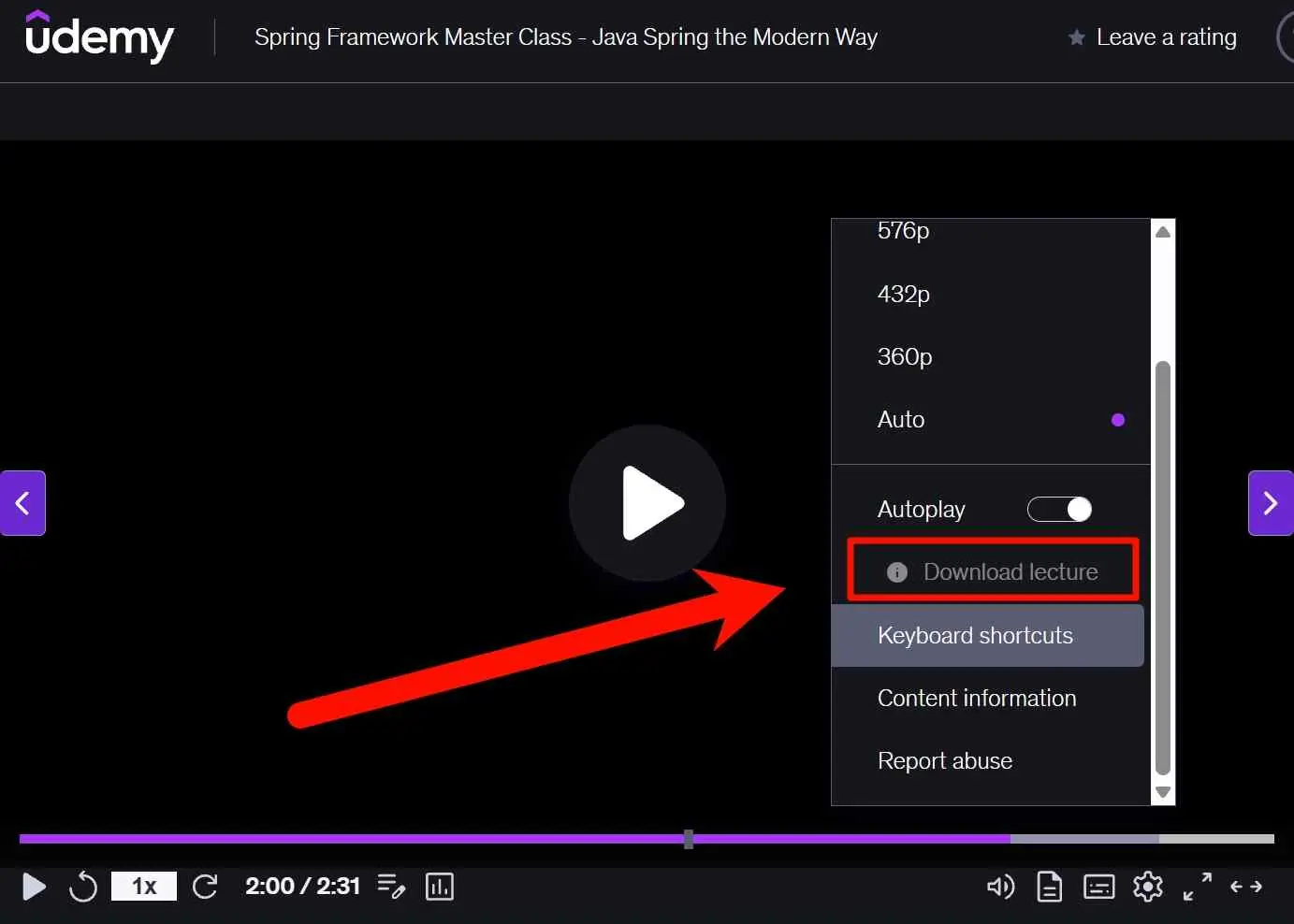
A course can support mobile offline viewing without offering the same download on a laptop. In practical terms, a gray desktop button means the official computer route is unavailable for that lecture, while the mobile app may still offer an offline option if the content is supported. This is the practical meaning of Udemy download lecture disabled, so check the button before planning a laptop-based study setup.

Desktop downloads depend on the course and instructor settings.
A gray control means that lecture is not enabled for computer download; use the supported mobile option instead.
Offline Expiry and Renewal
Some content downloaded through the Android or iOS app requires reconnection after 30 days of offline access. When that applies, open Udemy while the device is online so the app can renew access. This offline playback window is separate from Udemy course validity and does not mean that every mobile download expires on the same schedule.
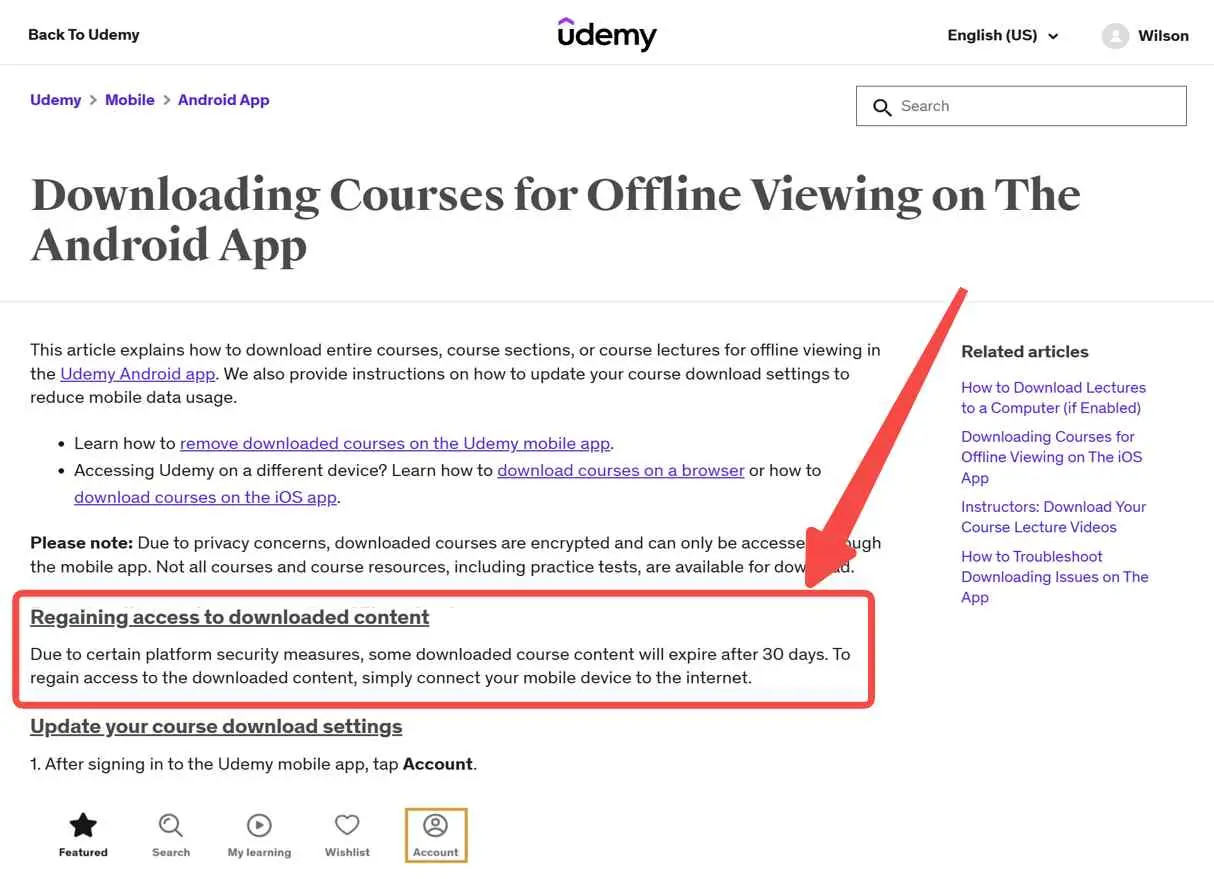
"Lifetime access" describes access to the course under Udemy’s account and platform conditions. It is separate from the temporary offline playback window, so reconnecting periodically is still important when the app requests it.
Mobile Downloads Stay in the App
You may be able to download a lecture in the Udemy Android or iOS app, but the official mobile download is intended for playback inside that app. It is not provided as a standard transferable MP4 file with an export option, so moving it to VLC, a USB drive, or a laptop is not part of the official mobile workflow.
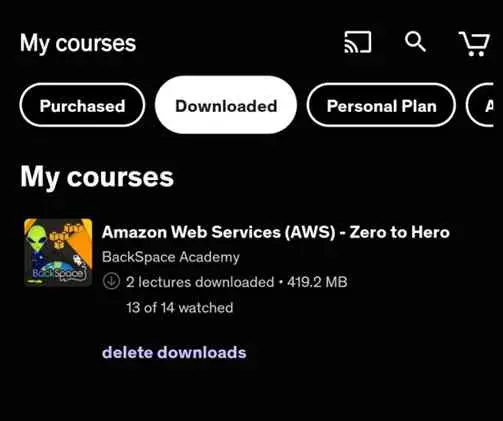
The practical result is simple: mobile offline viewing is app-bound. It works well for studying on the phone or tablet, but it does not provide the same file-management flexibility as a normal video file.
Storage, Quality, and Wi-Fi Controls
For mobile downloads, review the app’s video quality, storage, and Wi-Fi settings before starting a large course. Higher quality uses more device storage, while Wi-Fi-only settings can leave a download waiting without making the reason obvious. If course text looks soft offline, check the selected quality before downloading the lecture again.
A course purchase and an offline file are different things. Udemy controls download availability by course and device. Official mobile downloads remain inside the Udemy app. The Coursera-Udemy combination completed on May 11, 2026; Udemy and Coursera remain separate platforms for now.
That change does not alter the practical download distinction explained here.
Official Mobile Download Steps
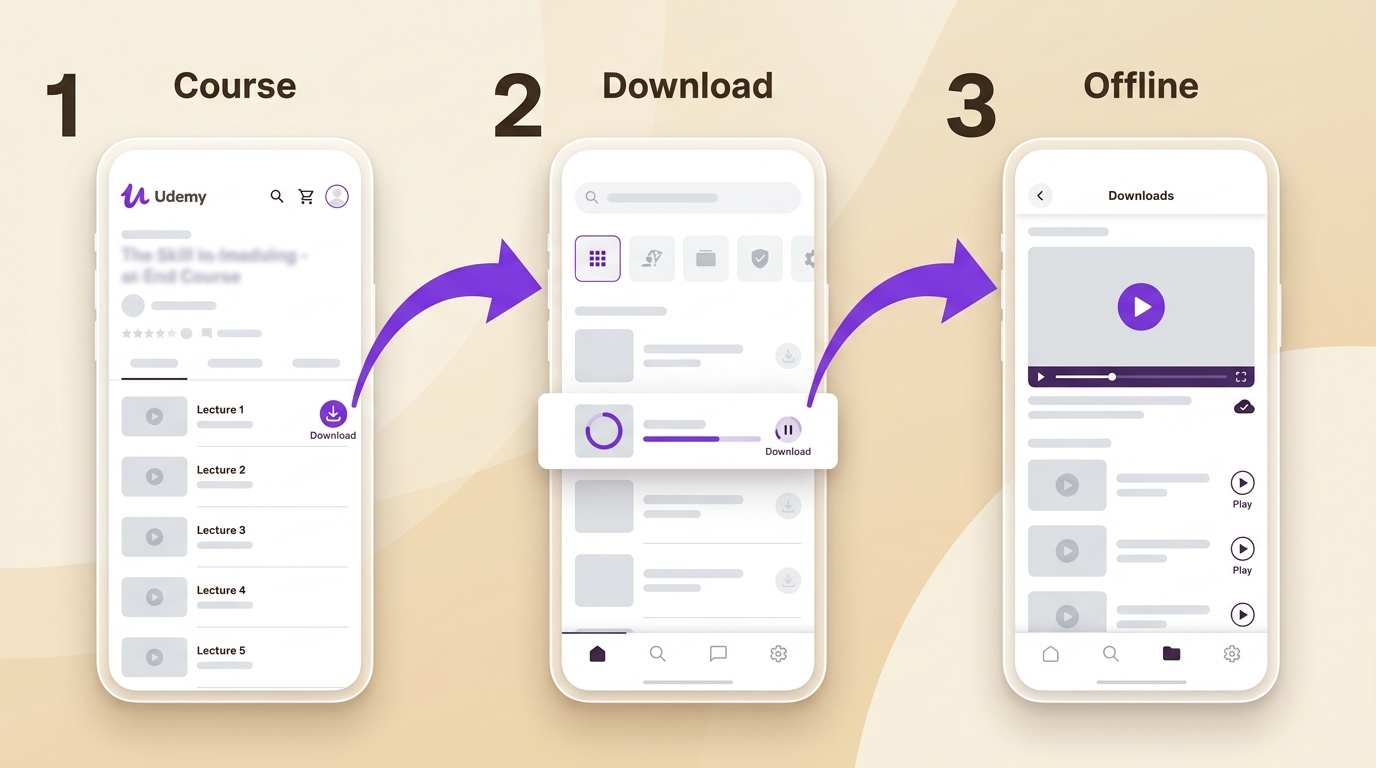
Download a Course, Section, or Lecture
On Android or iOS, open the Udemy app and sign in to the account that owns or has access to the course. Open the course, then use the download control beside the course, section, or individual lecture you want available offline. Depending on the app version and course layout, the control may appear on the course overview, beside a section, or beside a lecture.
To find the saved video later, open the app's downloaded or offline area and select the course. The file is intended for playback in Udemy rather than export as a standard MP4. Downloading a video also does not automatically save practice tests, quizzes, or other course resources; check each resource separately for its own offline option.
Fix Common Udemy Download Problems
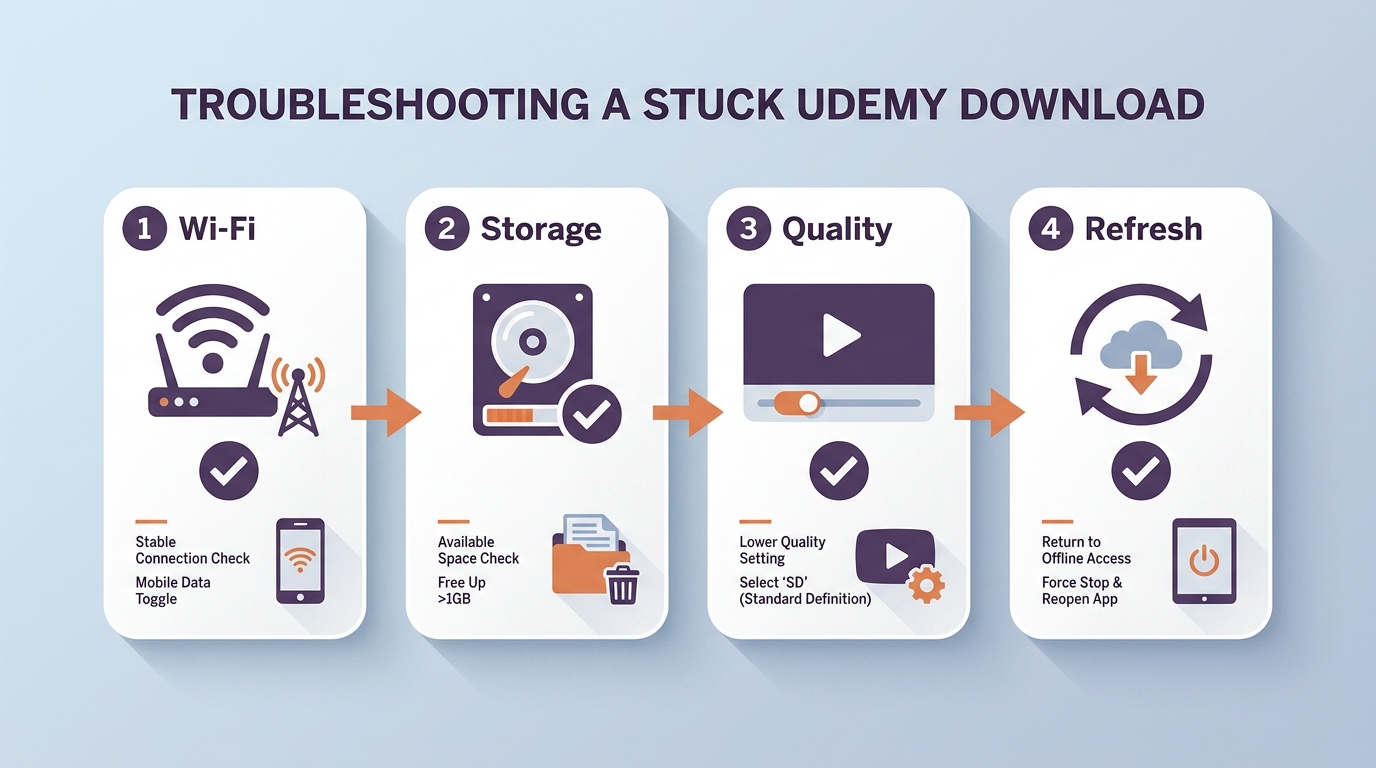
Check a Slow or Stuck Download
Start by keeping the Udemy app open and confirming that the device has a stable connection. If downloads wait indefinitely, turn off a Wi-Fi-only restriction only when mobile data use is acceptable, or reconnect to a reliable Wi-Fi network. A paused download may also need the app to be reopened before it resumes.
Review Storage and Video Quality
Check available device storage before downloading a large course. If the download stops or a video is missing, free space and retry the specific lecture. If offline playback looks softer than expected, review the app's video-quality setting and download the lecture again at the available quality.
Handle Missing or Unplayable Downloads
When a saved lecture does not appear or will not play, reconnect the device, open Udemy, and let the app refresh access. Then check whether the lecture is still available in the course and whether audio or video problems affect one lecture or the entire course. My priority order is connection and app refresh first, storage second, then quality and the individual lecture settings.
What You Can Save Outside Udemy
Udemy's official mobile downloads are app-bound video files. Practice tests, quizzes, and other course resources can have separate offline availability, so downloading a lecture does not imply that every course material is saved. A local-file workflow is a separate choice for authorized personal study.
Official Limits vs. Personal-Backup Workflow
The options below separate Udemy's official paths from an authorized local-file workflow. The official computer and mobile routes remain controlled by course settings, account access, and app behavior.
StreamFab for Authorized Personal Backups
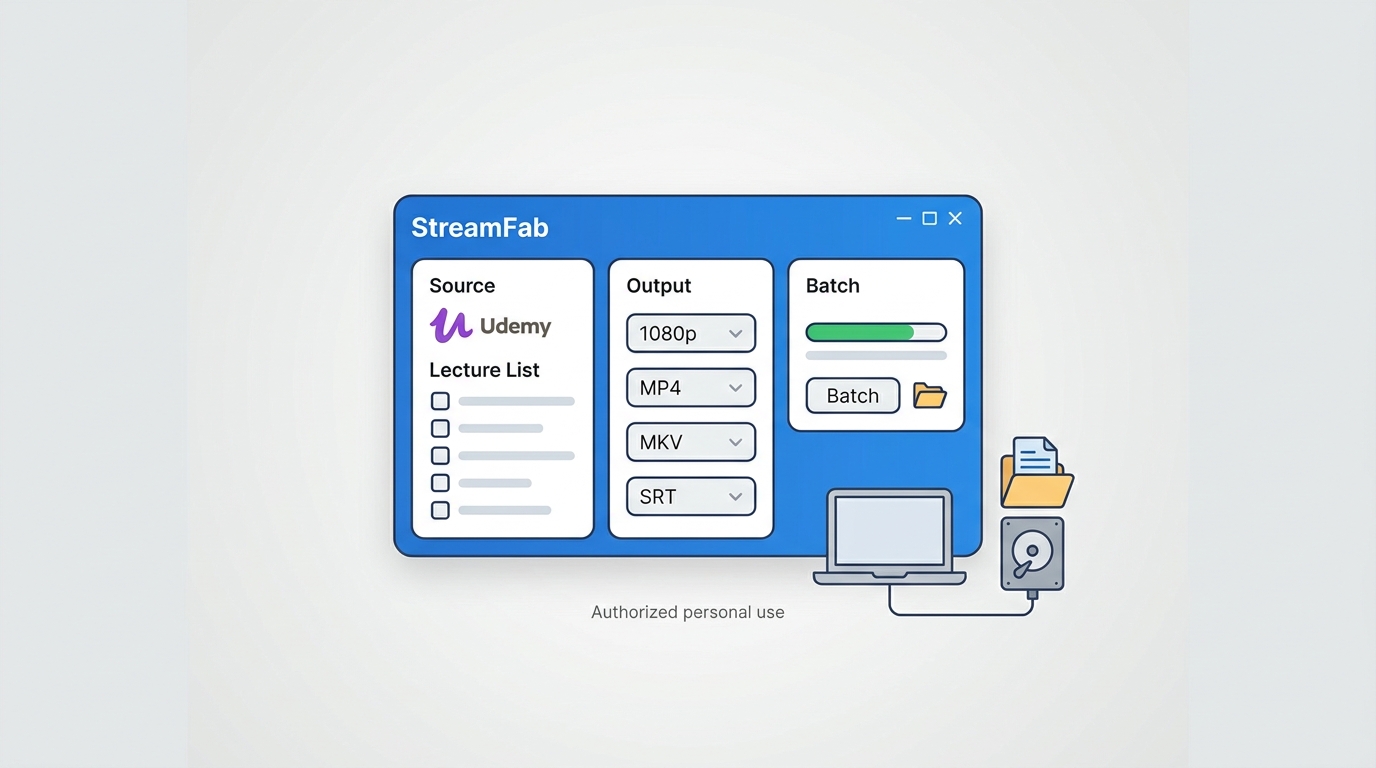
When app-bound playback does not fit an authorized study workflow, StreamFab Udemy Downloader is a desktop option for personal offline backups. Its StreamFab Udemy download guide covers the broader workflow, while this section keeps the focus on the limits discussed here.

With this StreamFab Udemy Downloader, you can download 1080p Udemy courses with AAC 2.0 on PC in MP4/MKV formats.
- Batch download entire lessons or lectures quickly
- Support periodic automatic detection and downloading of the latest released courses
- Support selecting multiple subtitle/audio track languages
- Save metadata for local sorting and archiving
Use StreamFab only with a purchased or subscribed account and only for personal offline use permitted by the platform’s terms and applicable law. It uses screen-recording technology for content you are authorized to play, rather than relying on access-key extraction. The result is a local-file workflow, but access rights and permitted use still come from the original account and platform.
Step-by-Step Guide
For an authorized personal backup, sign in to StreamFab with the Udemy account that can access the course, then choose the lecture or course content available to that account. StreamFab provides a Windows and macOS local-file workflow with up to 1080p source quality, MP4/MKV output, SRT or embedded subtitles, metadata preservation, batch downloads, and periodic detection of new lessons.
Best for: desktop learners who need authorized local organization, MP4/MKV files, or batch course management. Not ideal for: learners who only need straightforward offline viewing inside the Udemy app.
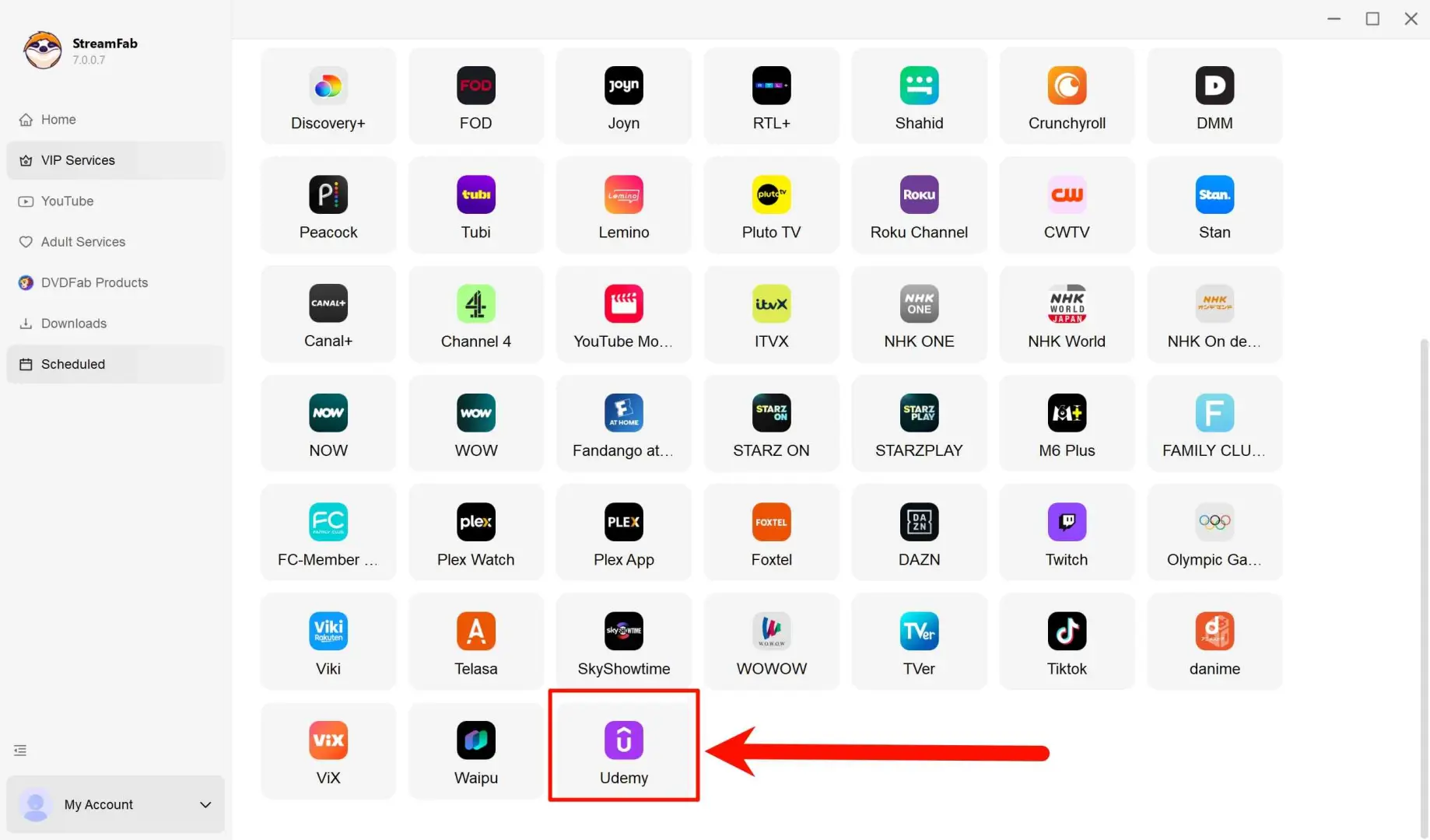
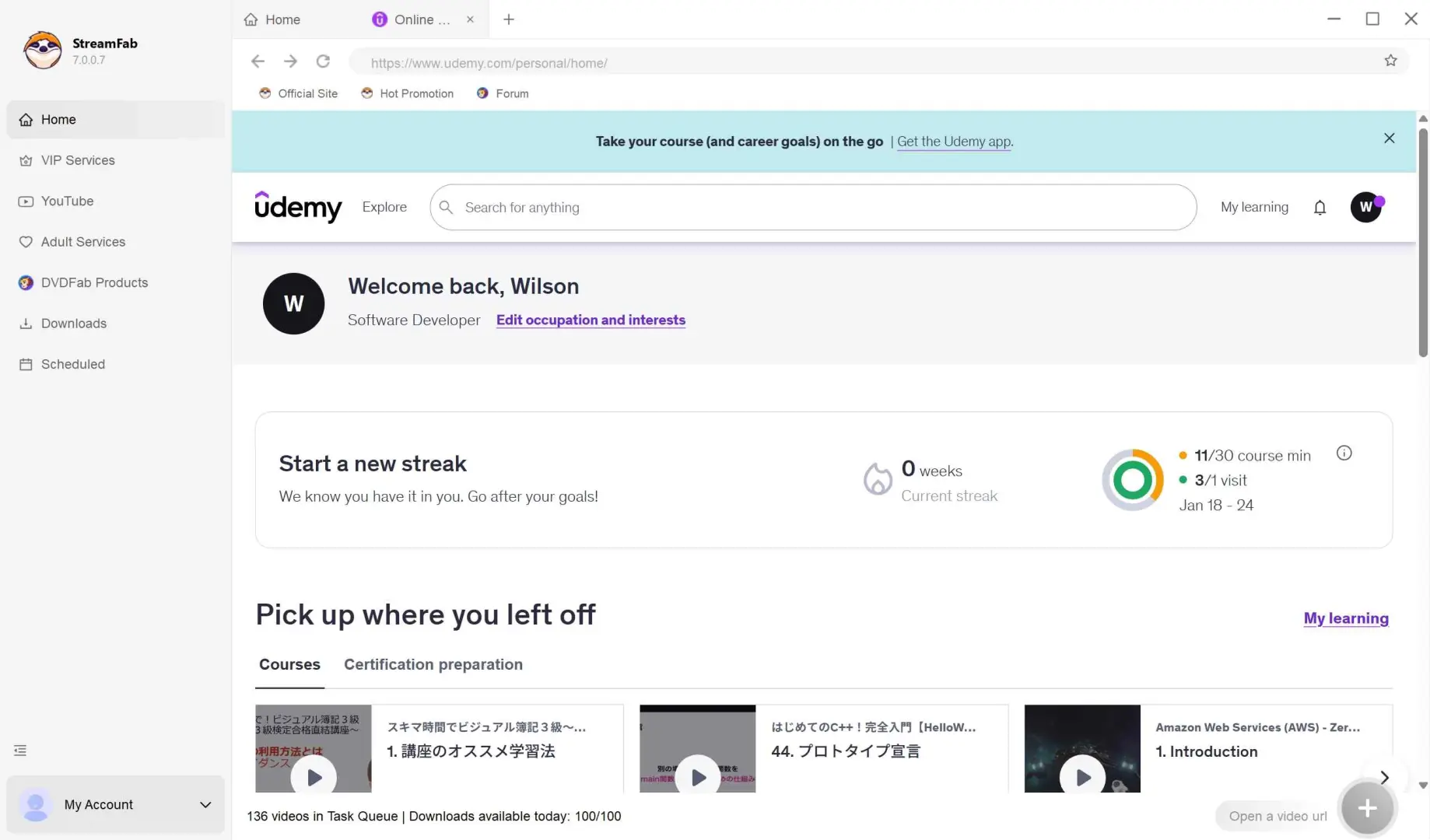
Log in to your Udemy account to verify your legal access rights, then navigate to the specific course you have purchased or subscribed to.
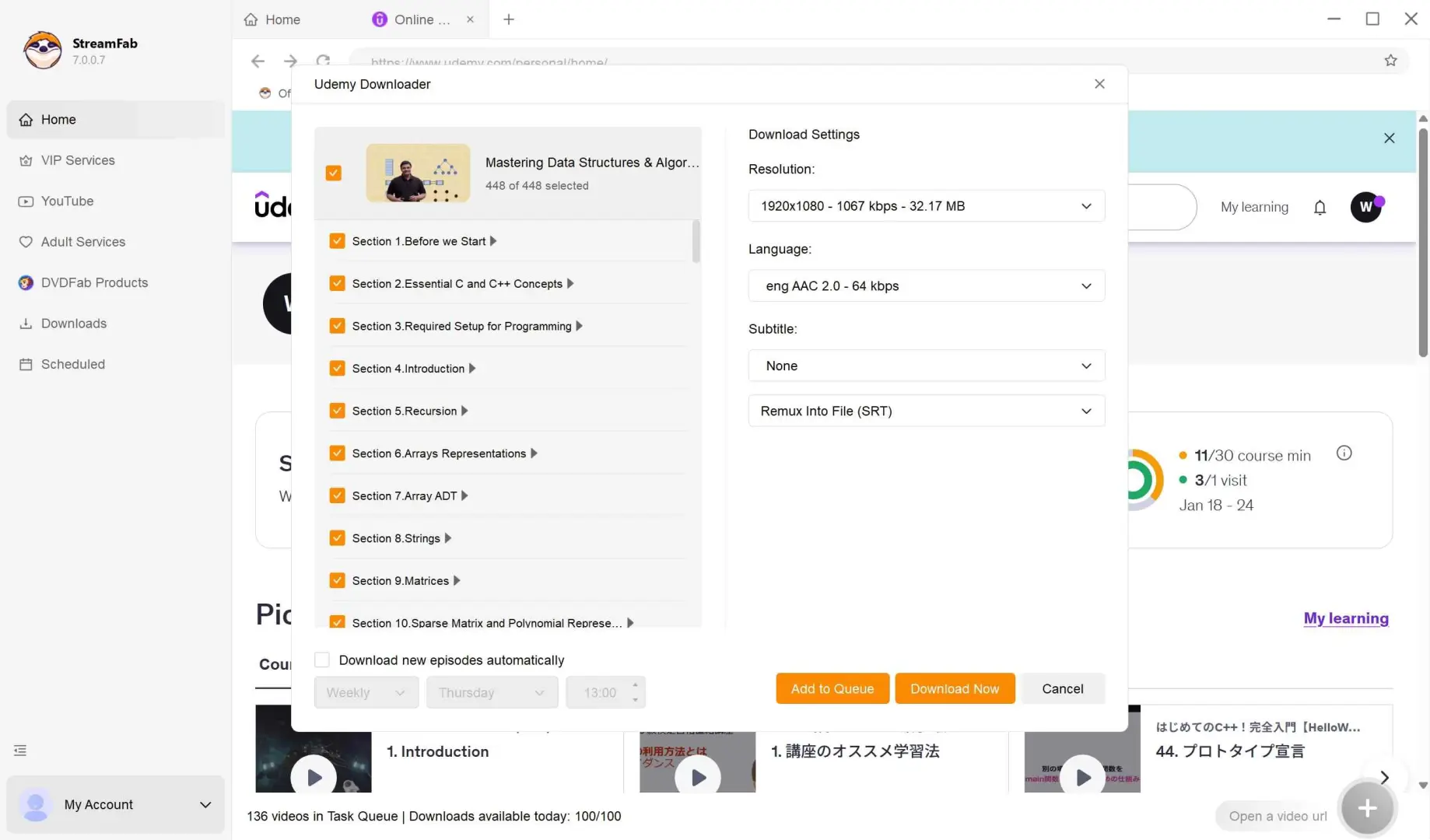
Play any lecture video to trigger the software's automatic detection of the stream. Select your preferred resolution (up to 1080p) and select the specific episodes you need.
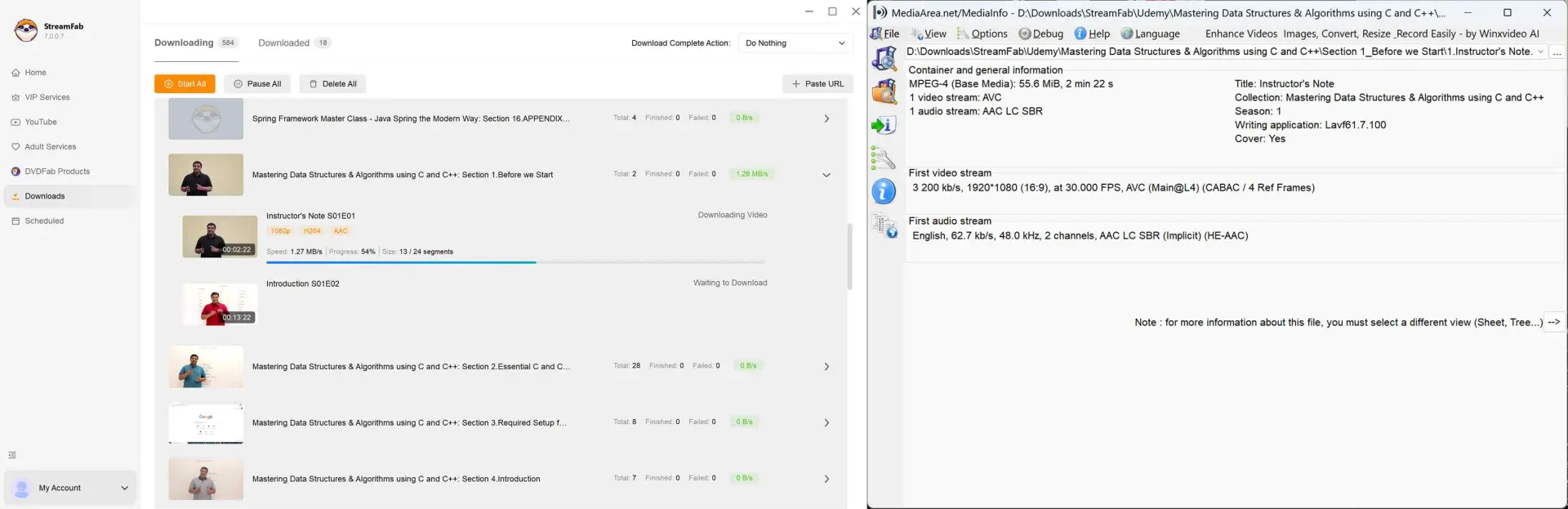
Click on "Download Now" to save the Udemy courses as MP4 files for your personal offline backup.
The matrix below separates the official computer and mobile paths from the optional local-file workflow, so the device, renewal, playback, and format differences are visible at a glance.
| Option | Device eligibility | Renewal | Playback and format | Batch behavior |
|---|---|---|---|---|
| Official computer download | Course-dependent | Platform-controlled | Computer; course-dependent | Lecture by lecture |
| Official mobile app | Supported Android/iOS content | Reconnect after 30 days for some content | Udemy app; no transferable MP4 | Course or section download |
| StreamFab personal backup | Authorized Windows/macOS access | Account and platform conditions | MP4/MKV; up to 1080p source | Batch downloads supported |
FAQs
Conclusion
The Udemy download limit makes the choice depend on how you study. Use the official mobile download when app-bound offline viewing is enough. If you need authorized local file organization for permitted personal study, consider the StreamFab desktop workflow described above, while keeping the original account and platform terms in force.
- Local-file workflow on Windows or Mac.
- Source-based quality up to 1080p when provided.
- Personal study organization within permitted use.
StreamFab can be useful when the official app’s device and file boundaries do not fit your authorized study setup. It records authorized on-screen playback and does not decrypt DRM-protected streams. It does not replace the Udemy account or change the platform’s terms: official downloads and any local-file workflow remain subject to account access, platform rules, and applicable law.
