
- What is TuneFab VideOne OnlyFans Downloader? Is TuneFab the same as VideOne?
- Is it safe ware or malware?
- Verified advantages of it
- Experienced disadvantage of it
- How to use TuneFab VideOne OnlyFans Downloader correctly?
- Did any better choice exist? This one may fit your needs: StreamFab OnlyFans Downloader ⭐
Here’s the short answer: TuneFab VideOne may suit adults who value its built-in browser, but conflicting trial terms and limited quality evidence make it difficult to recommend without checking the current entitlement. The practical conclusion is that TuneFab warrants closer scrutiny than its claims alone provide, with StreamFab as an alternative.

What Is TuneFab VideOne for OnlyFans?
Yes, TuneFab OnlyFans Downloader is frequently marketed as or powered by the VideOne engine. If you are searching for the VideOne Downloader to save OnlyFans videos, this review covers the exact tool you are looking for, including its safety performance and success rates.
TuneFab VideOne OnlyFans Downloader is a desktop tool designed to help users, under OnlyFans’ terms and applicable copyright laws, save the OnlyFans videos they have already paid for from creators’ messages or posts as local files for personal offline viewing. It comes with most of the common features you would expect, such as the ability to download OnlyFans message videos (PPV) directly and exporting them in MP4/MKV formats.
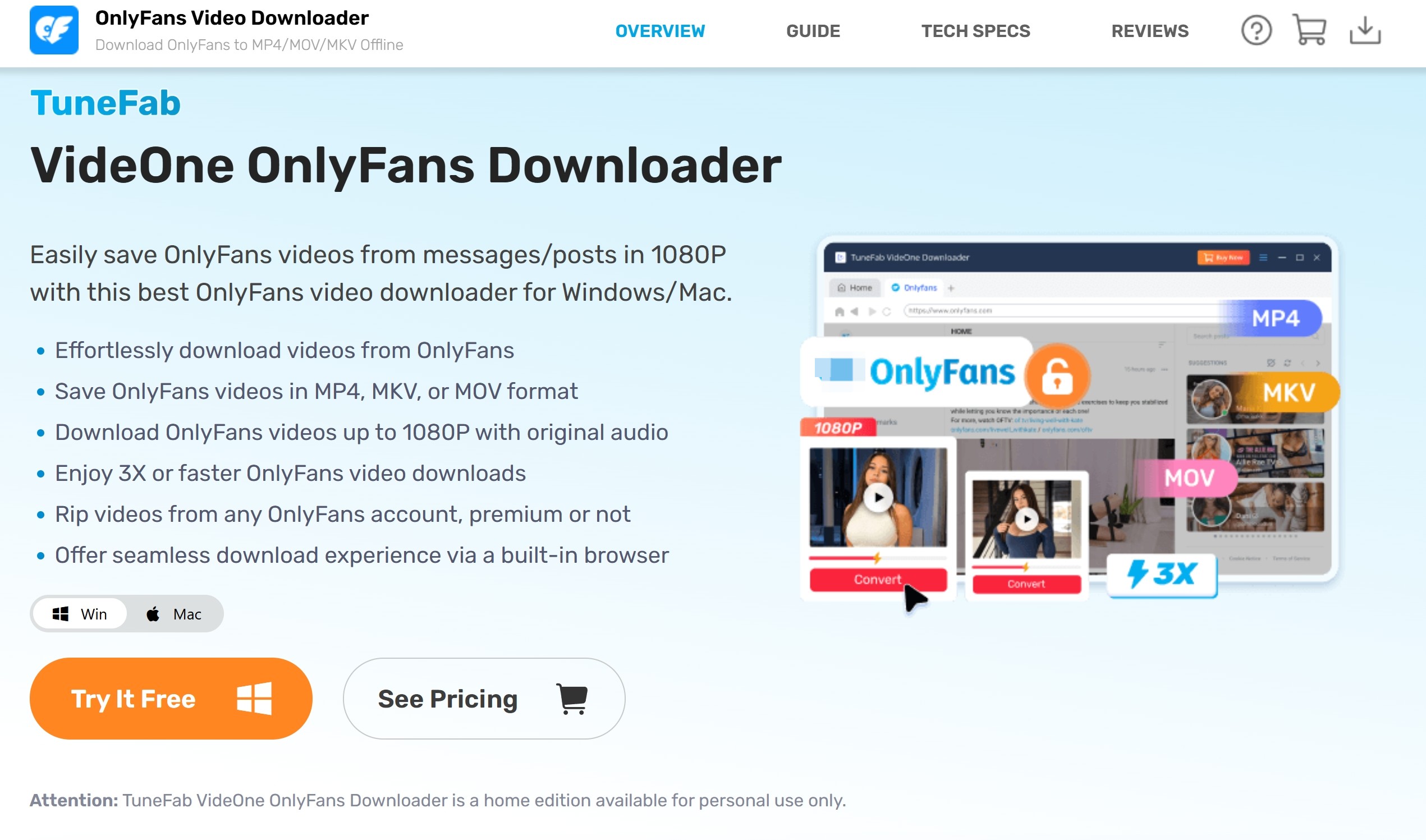
Pricing and Trial Terms
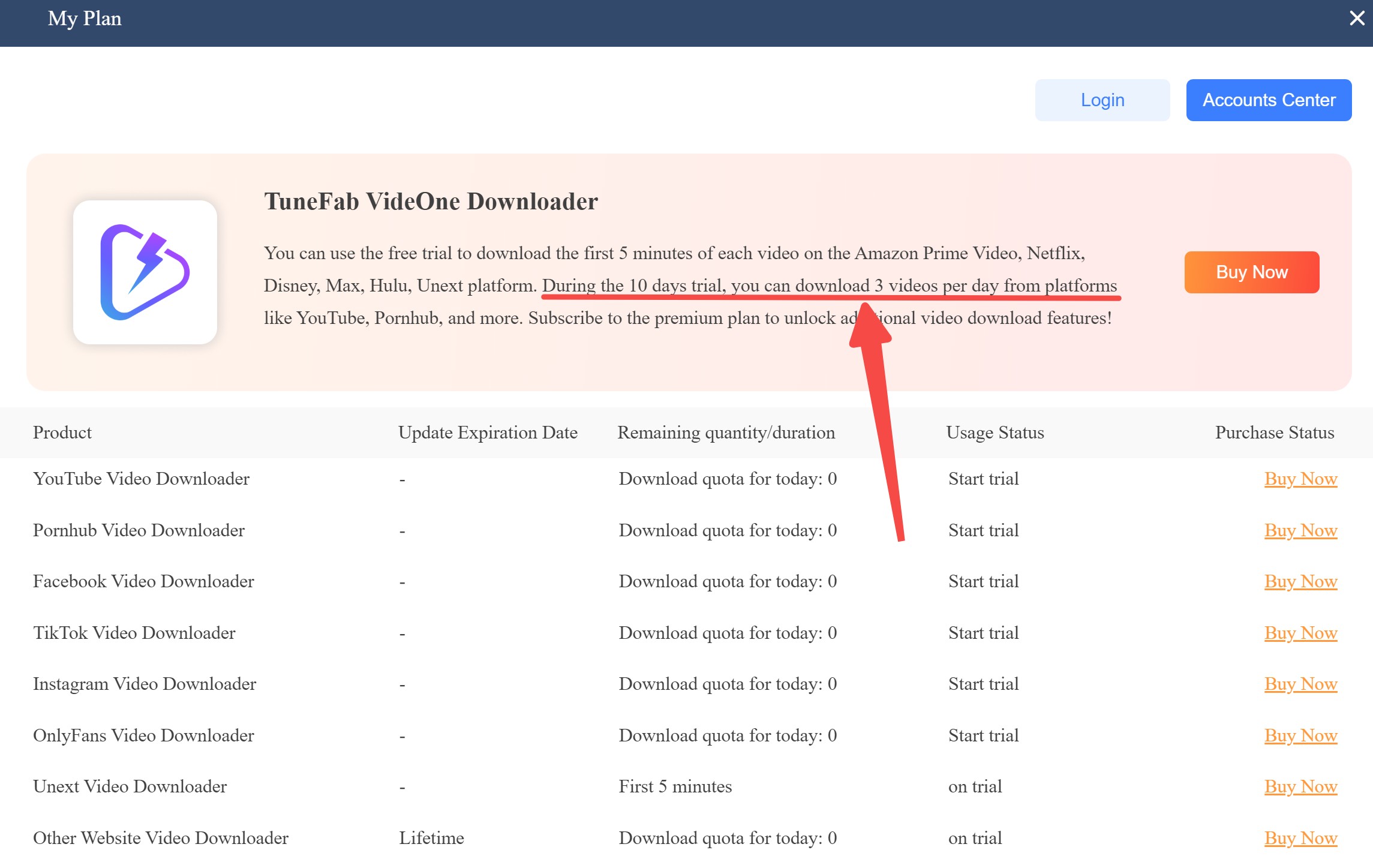
The official US product surface lists a $79.95 perpetual plan (as of July 2026). The monthly and annual OnlyFans-module prices shown in older materials were not reverified for this review. Trial terms also conflict across TuneFab’s official pages: one describes three full videos per day for 10 days, while another describes a 14-day trial limited to the first five minutes of each video.
Renewal settings and billing terms depend on the plan selected at checkout, so treat the current purchase screen as the controlling record for renewal details.
| Perpetual Plan | Monthly Plan | Annual Plan | |
|---|---|---|---|
|
Current US listing |
$79.95 |
Not reverified |
Not reverified |
|
License |
Not restated here |
Not restated here |
Not restated here |
|
Refund terms |
Not reverified |
Not reverified |
Not reverified |
And to let you know how it performs in downloading OnlyFans videos more precisely, we listed its pros & cons in the next section.
TuneFab Safety: Is VideOne Safe to Install?
Installer and Account Considerations
This review does not establish a universal rule about unofficial files, account detection, or any particular technical method. Use the vendor’s official download surface, keep your account activity within OnlyFans’ terms, and do not treat a successful installation as proof that every content type or account scenario will work.
Authorized Personal Offline Viewing
For adult users, this discussion applies to content an active account is authorized to play, where personal offline viewing is permitted by platform terms and applicable law. It does not cover sharing, resale, public distribution, or access to content unavailable to the account.
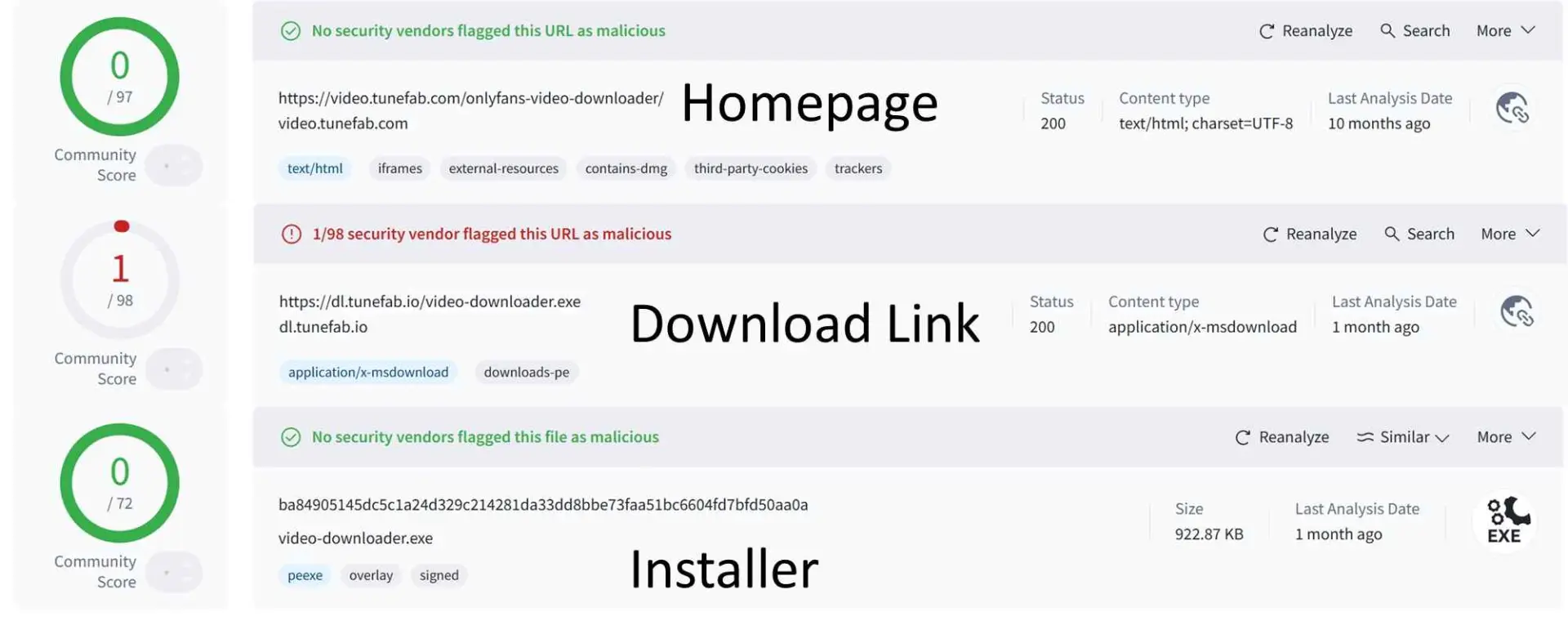
The screenshot below records an installer scan observation from the original review. It is not enough evidence to label the vendor’s installer safe or unsafe, and it cannot determine how the software will behave on every Windows or Mac system.
Test Results and Compatibility
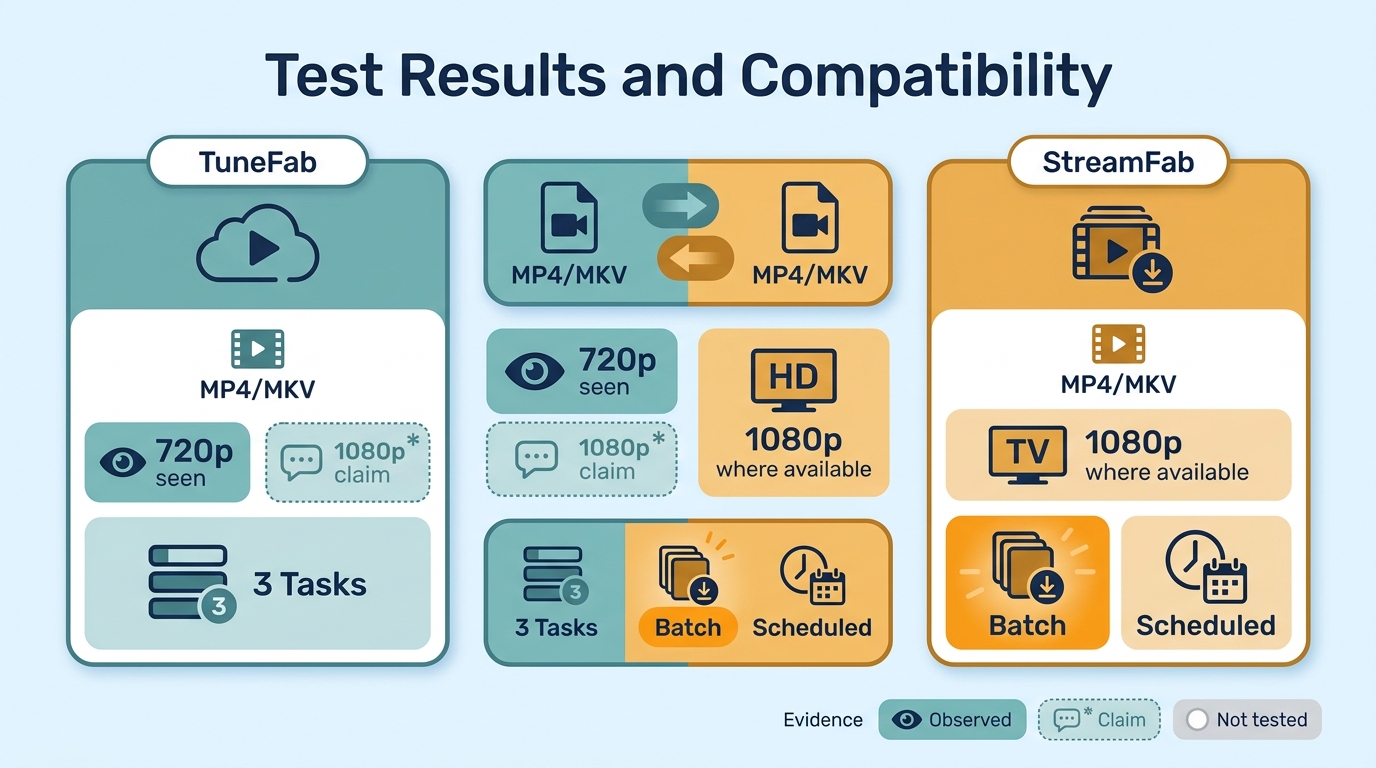
Evidence labels: Official claim means the vendor’s stated capability. "Original observation" means the result recorded in this article. Not tested means the original review did not record enough evidence to make a reliable finding.
| Decision point | TuneFab VideOne | StreamFab OnlyFans Downloader |
|---|---|---|
| Evidence status | Official claims plus original article observations | Official product claims; current reliability is version-specific |
| Desktop support | Desktop tool: Windows and macOS versions were not separately recorded | Windows and macOS |
| Mobile or browser-only use | Not tested | Not a browser-only or mobile workflow |
| Creator posts | Officially presented as supported; not separately tested here | Official claim for posts the account can access |
| Messages and paid PPV | The original article describes message-video support; paid PPV was not separately tested | Official claim for accessible messages and paid content |
| Protected-stream result | Not tested | Not tested in this article |
| Output formats | MP4 and MKV official claim | MP4 and MKV official claim |
| Quality | Up to 1080p official claim; original article observed 720p | Up to 1080p official claim, where available |
| Batch and scheduled work | Three simultaneous tasks observed; scheduling not tested | Batch jobs and scheduled checks official claim |
| Current reliability | Original test date, app version, source quality, and failure log were not recorded | Version 7.0.4.1 was listed on July 23, 2026; a recent user report described an OnlyFans-specific failure |
| Remediation recorded | Not recorded | Not recorded in this article |
The important distinction is evidence quality, not a scorecard. A quality claim is useful only when it can be reproduced with a stated account, source, version, and output result; without those details, it is a purchasing signal rather than a promise.
TuneFab Advantages Observed in Testing
1. Built-In Browser
In the original review, TuneFab’s built-in browser reduced the need to copy and paste a video URL before opening OnlyFans. That is a practical convenience for moving between creators, but it does not by itself prove support for every post, message, or paid video. In my view, it improves the first step of the workflow, not the evidence behind the final output.
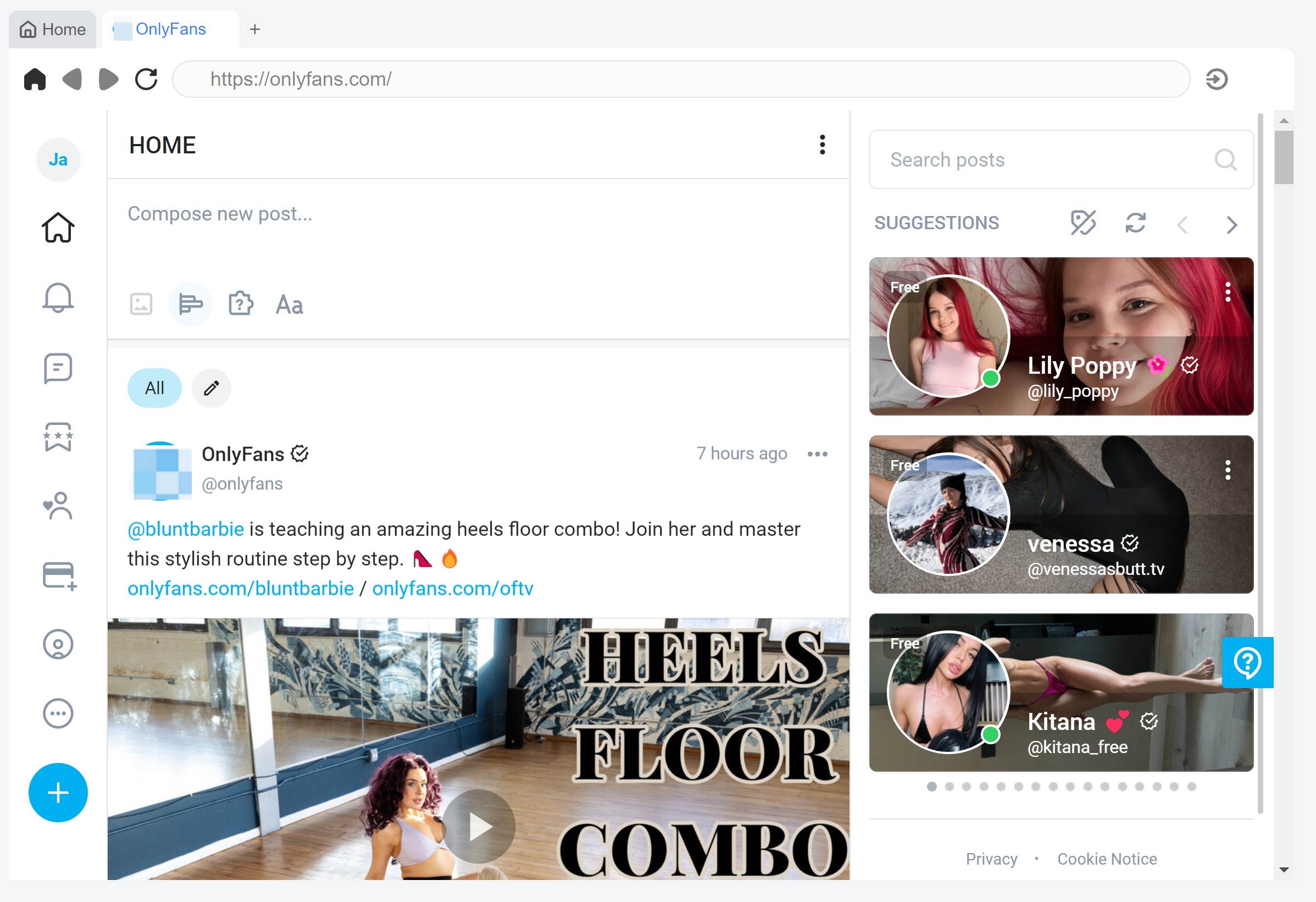
2. Trial Access With Conflicting Terms
TuneFab’s official trial descriptions do not currently match: one page describes three full videos per day for 10 days, while another describes a 14-day trial limited to the first five minutes of each video. Because the entitlement may vary by product surface or app state, this is better treated as a checkout question than as a reason to assume a generous trial.
3. Three Simultaneous Tasks
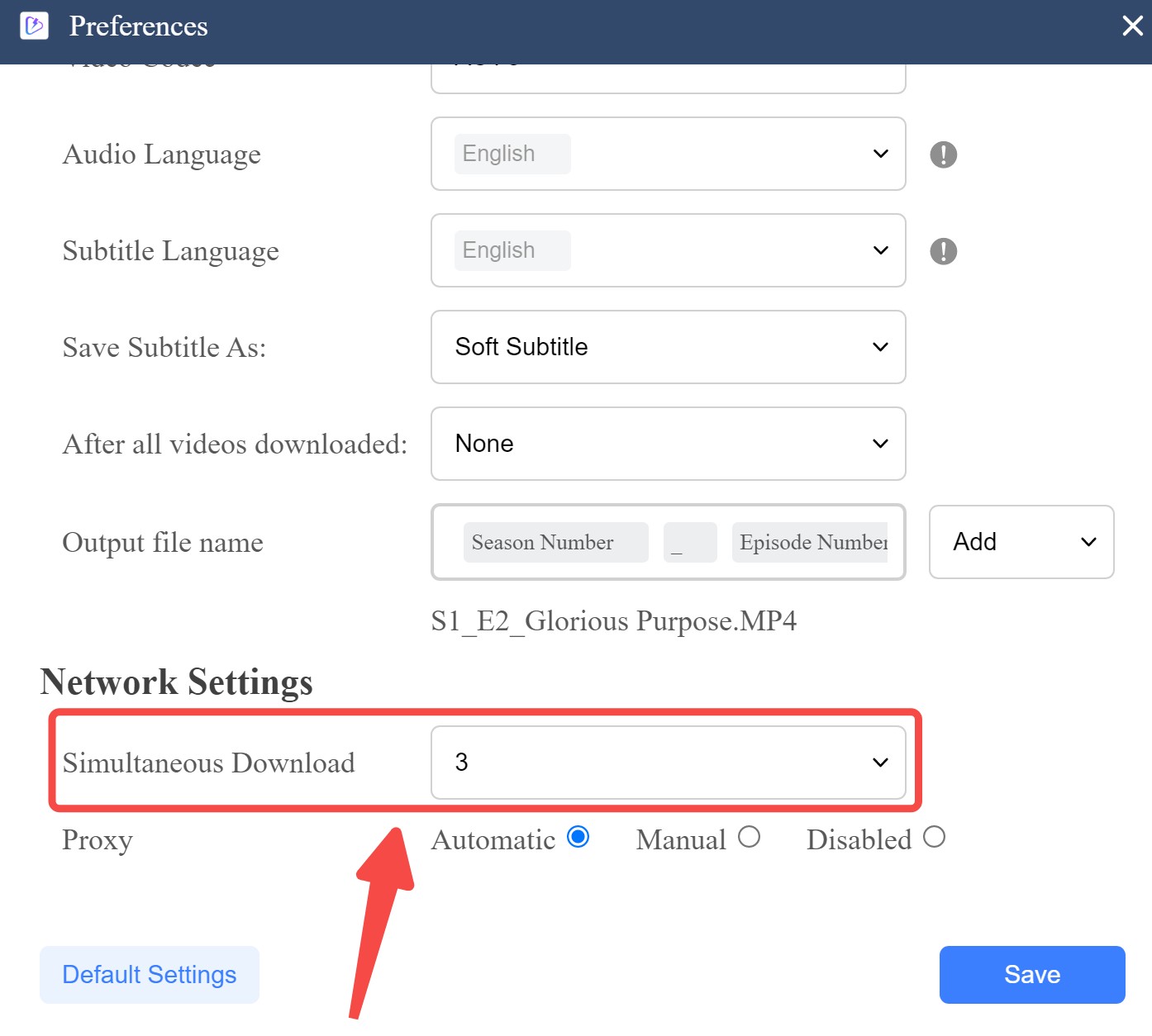
The original review found a “Simultaneous Download” setting in Preferences and recorded three concurrent tasks. That setting can make it easier to organize several authorized videos for personal offline viewing, but it should not be read as evidence of scheduled jobs or broader batch behavior.
4. Observed Download Speed
The original review did not record parsing time, file size, network conditions, source length, or a comparison baseline, so it cannot support a speed multiplier. For short creator videos, the workflow appeared usable in that review, but speed should remain a secondary decision factor until the same source and network conditions are measured.
TuneFab Limitations Observed in Testing
1. Dated 720p Test Result
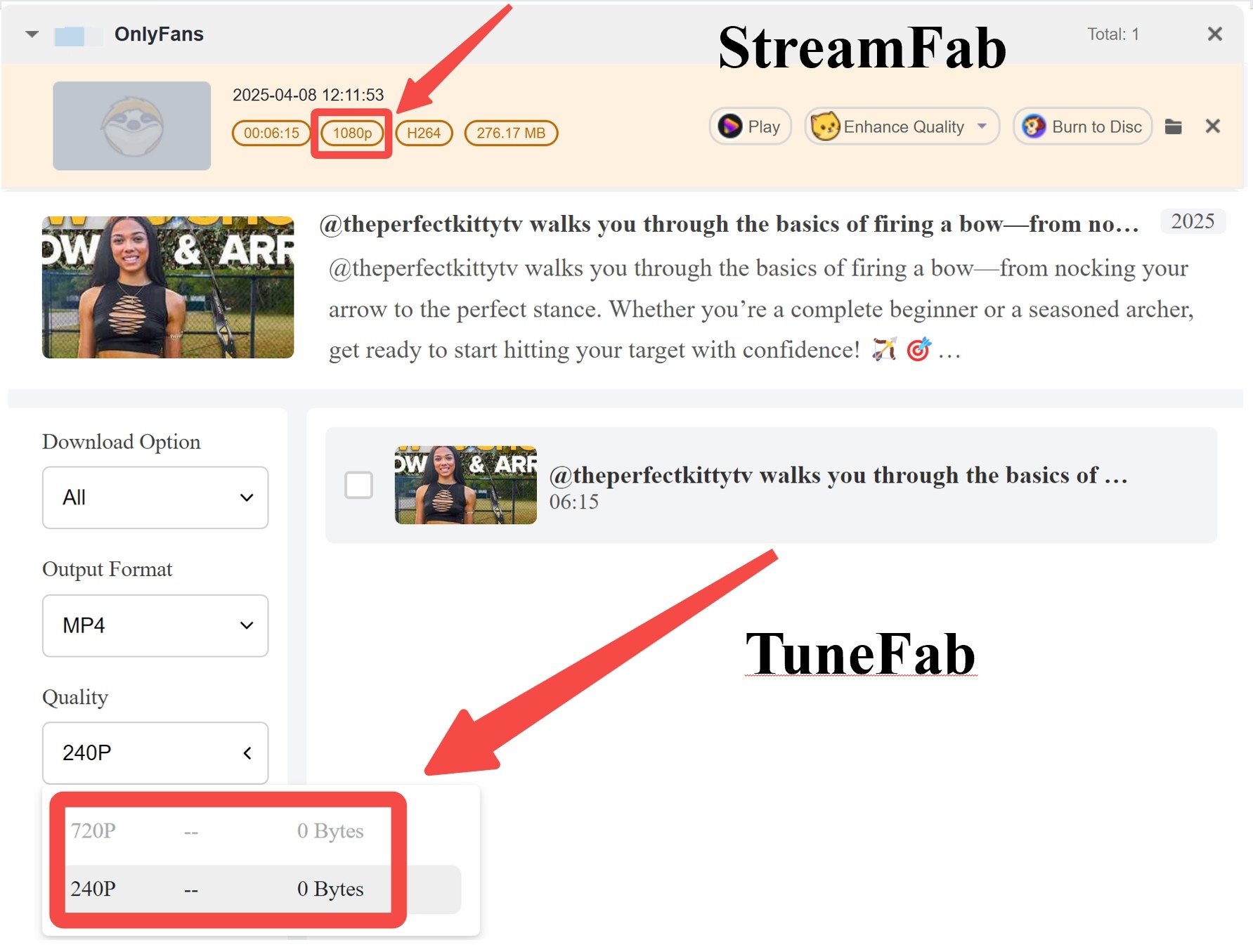
The original article observed a maximum 720p output for its test video, while TuneFab now advertises output up to 1080p. The original review did not record the app version, source video quality, account entitlement, or test date, so that 720p result cannot establish a universal ceiling. This is not merely a resolution issue: it is a reproducibility issue, because neither the vendor claim nor one isolated result tells a buyer what their own account will receive.
2. Unclear Quality Labels
The original review recorded quality labels such as “High” without a corresponding pixel value. Since TuneFab’s current product page advertises output up to 1080p, the label alone is not enough to identify whether a specific file is 720p or 1080p. Check the completed file’s media properties rather than relying on the in-app label.
3. Trial Quality Limits
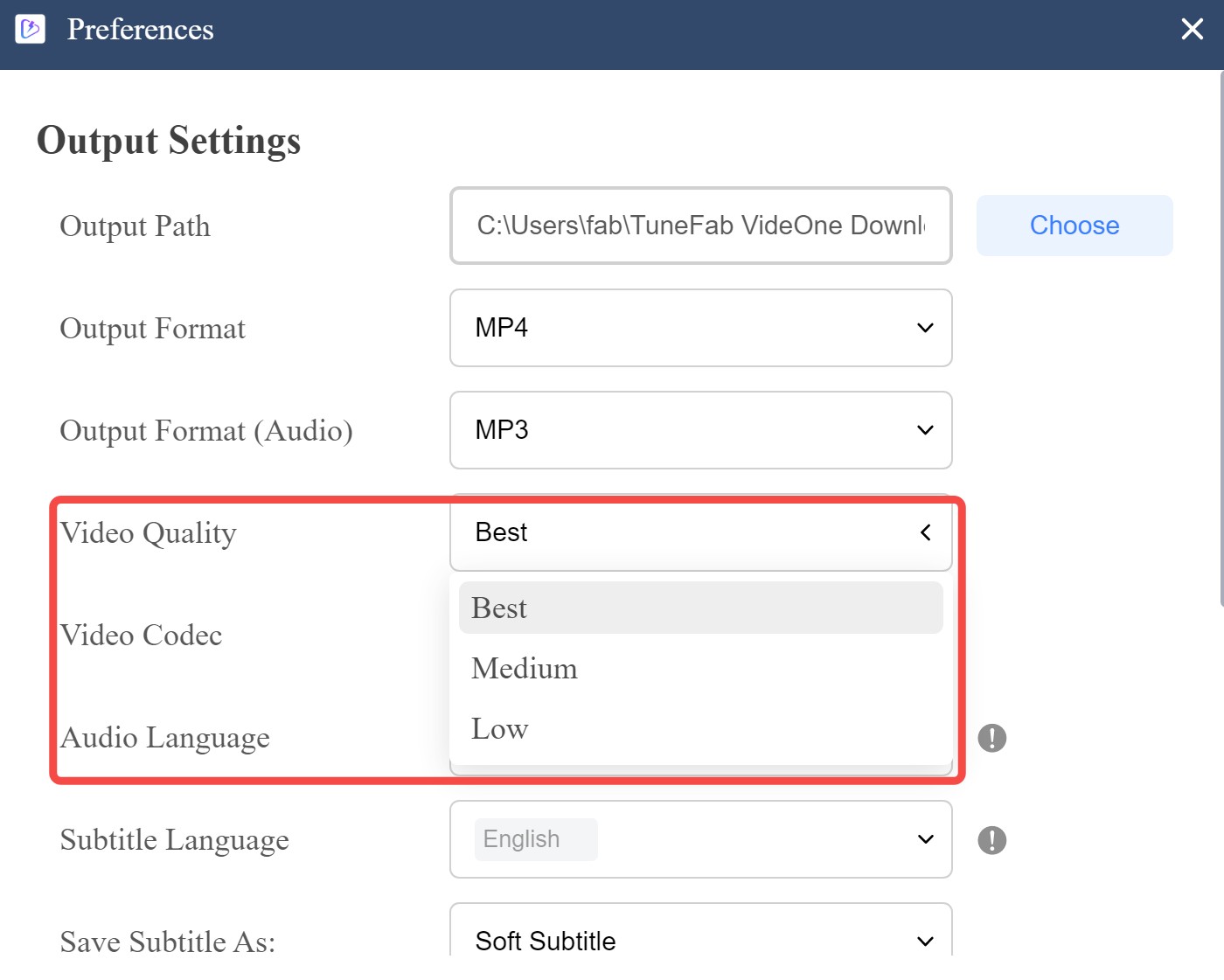
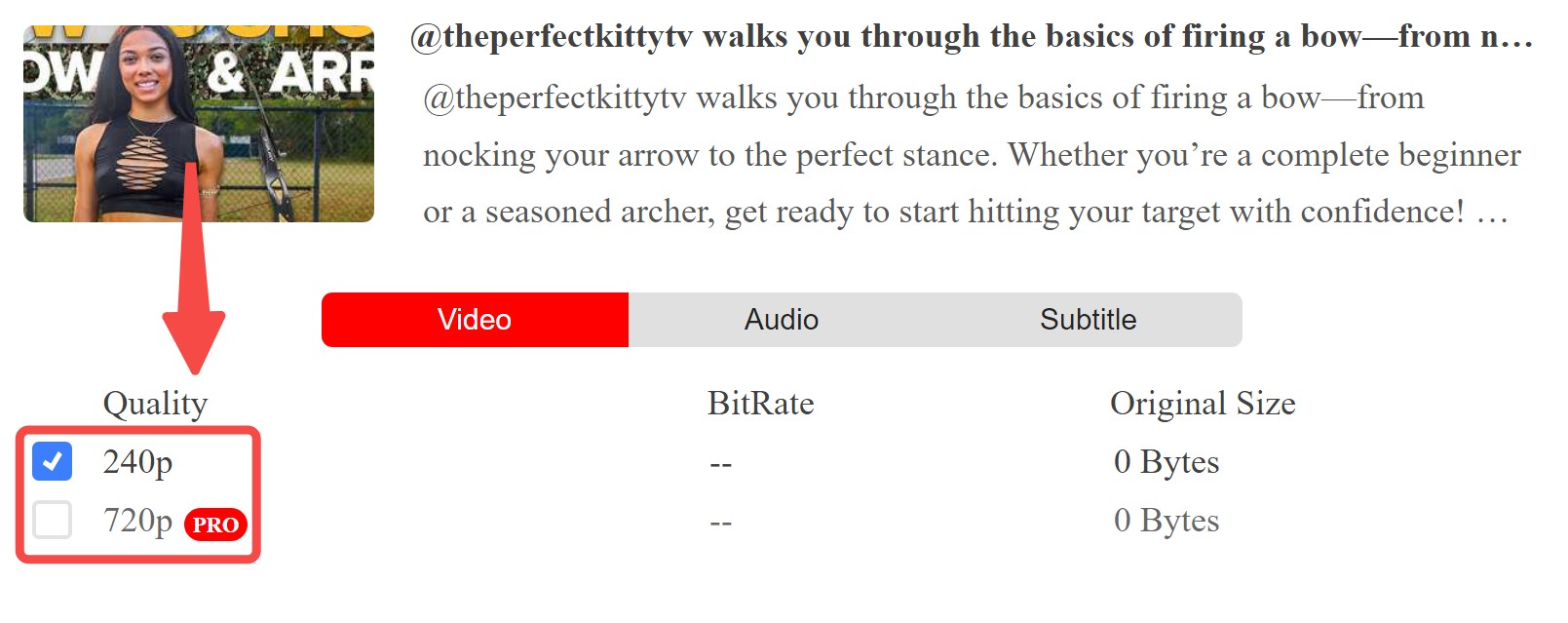
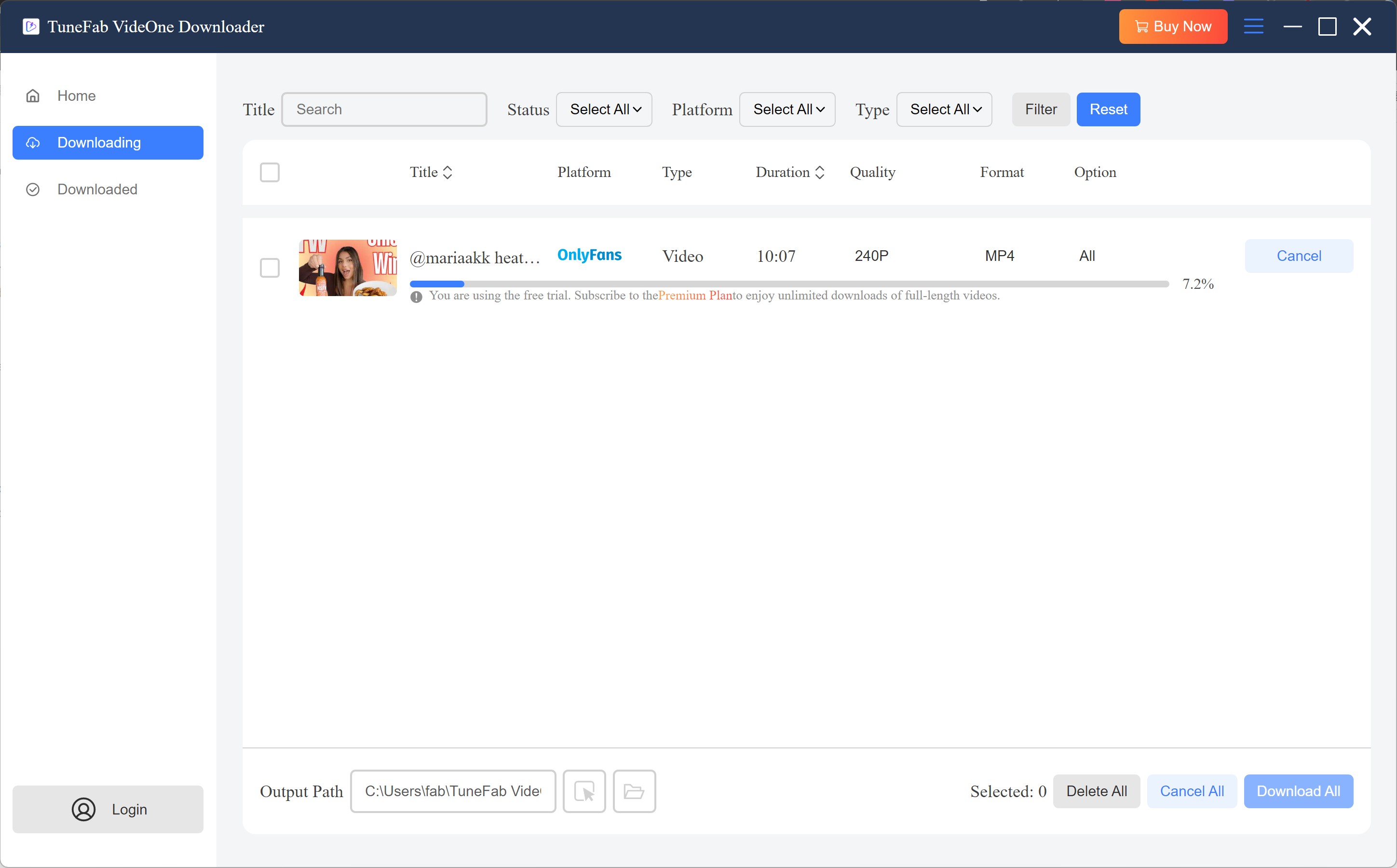
The original review observed 240p during its trial workflow, which makes visual detail difficult to assess. That observation should be kept separate from the conflicting official trial descriptions above, because the article did not record the exact entitlement or app version. The appropriate comparison point is the quality available through an authorized account, not an attempt to access material outside that account’s permissions.
4. Support Evidence and Refund Terms
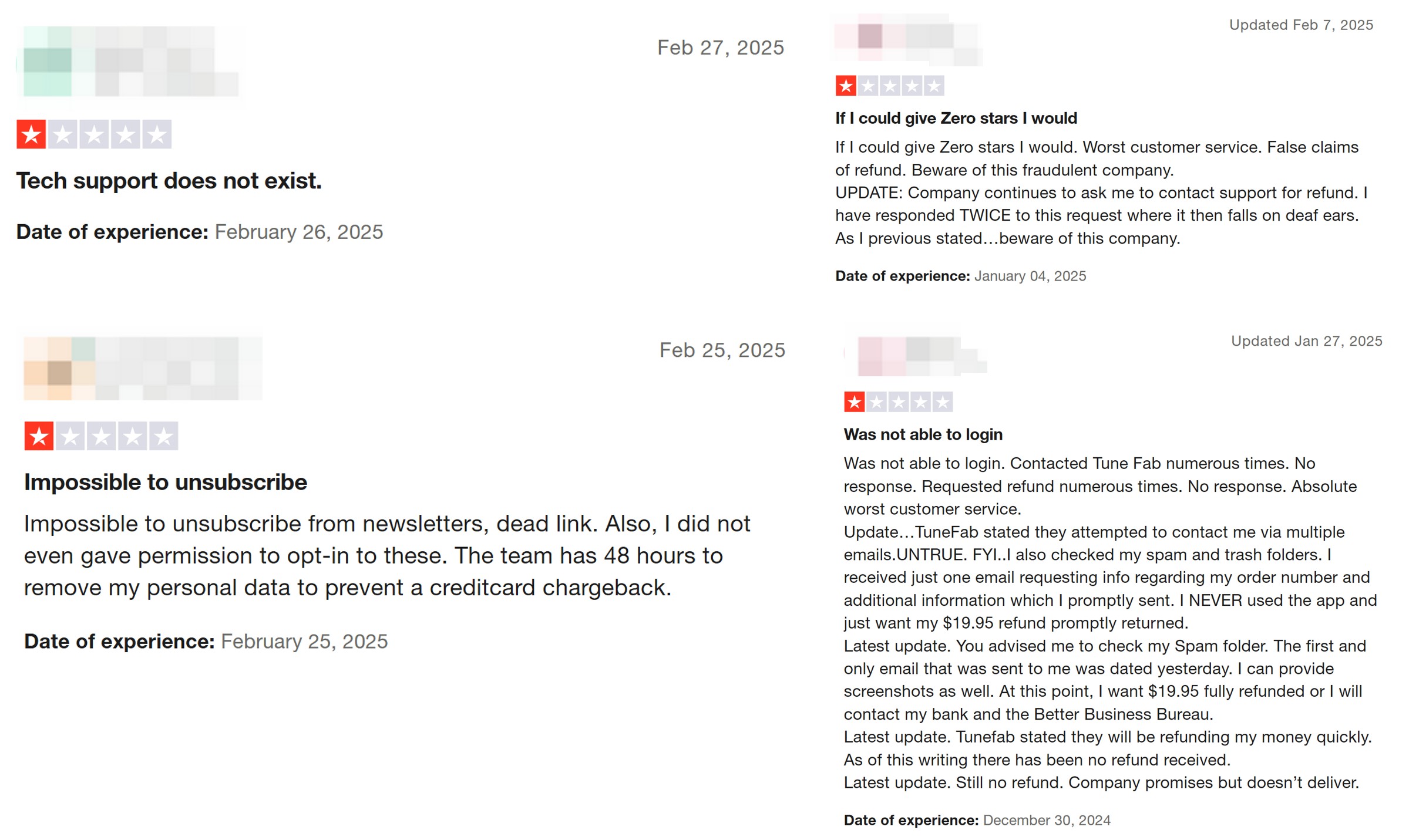
The screenshot below documents one support-related case from the original review, but it does not record enough detail about the issue type, response time, outcome, or plan to establish a general verdict on TuneFab support or refunds. Treat refund terms as plan-specific and evaluate the purchase terms available at checkout.
Using TuneFab VideOne on OnlyFans
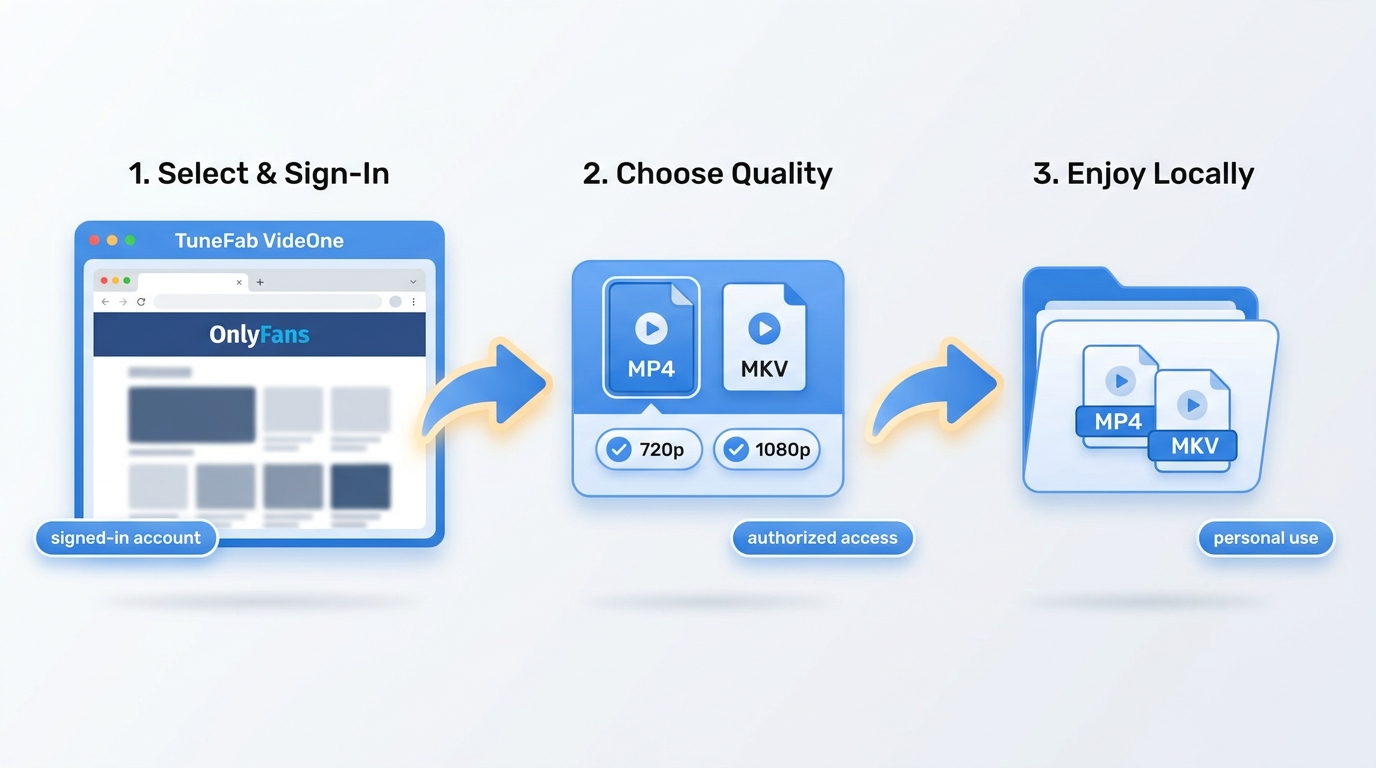
Use the following TuneFab workflow only for videos your account is authorized to play, where personal offline viewing is permitted by platform terms and applicable law:
Download and install TuneFab VideOne OnlyFans Downloader on your PC, then launch the program.
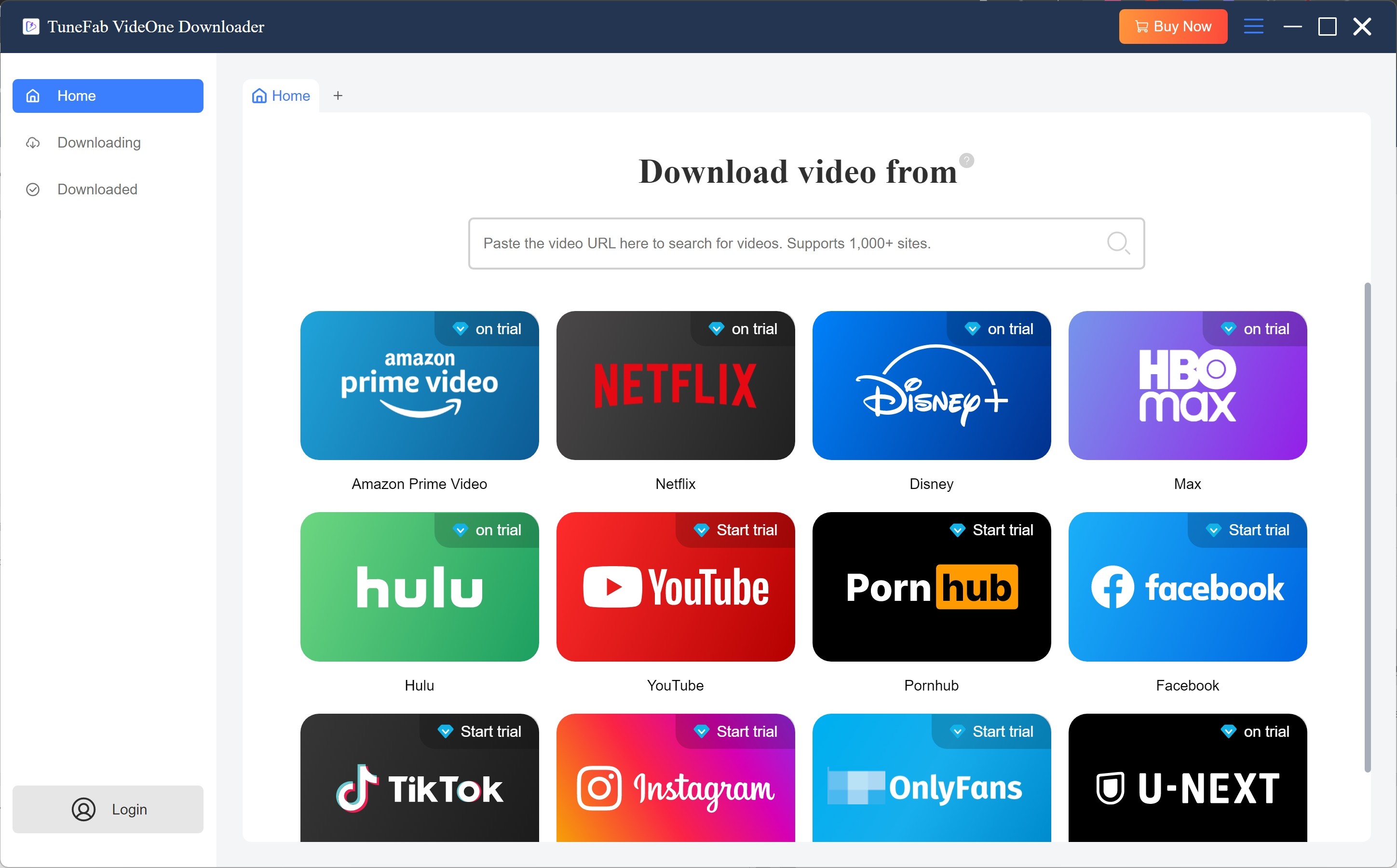
Inside the built-in browser, choose OnlyFans from the supported sites list and sign in to your OnlyFans account so that the software can recognize the content you’re already allowed to watch.
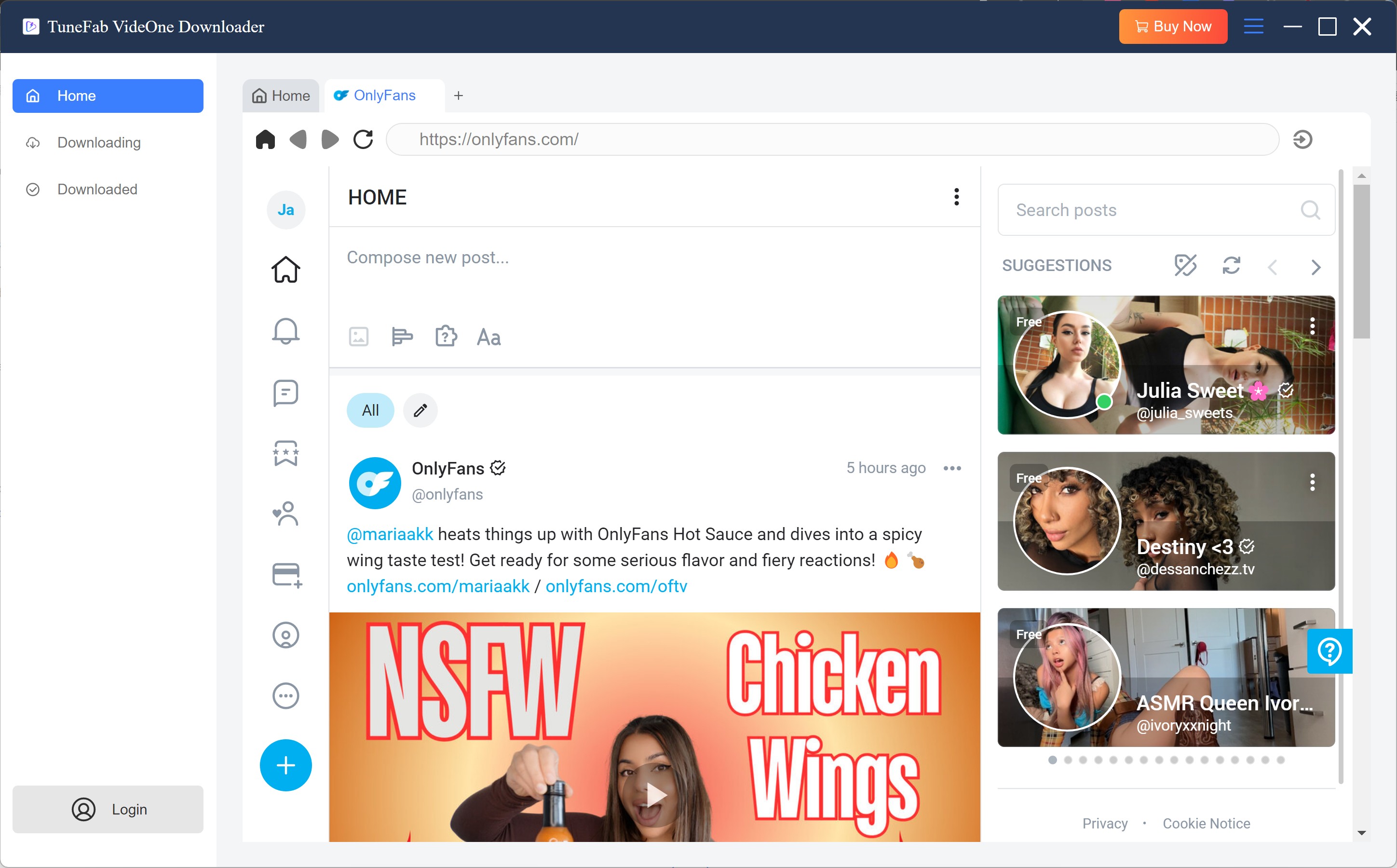
Scroll to the creator’s post or message with the video you want to keep. Open it up. If things go well, TuneFab should spot the playable video and let you set stuff like resolution and output format.
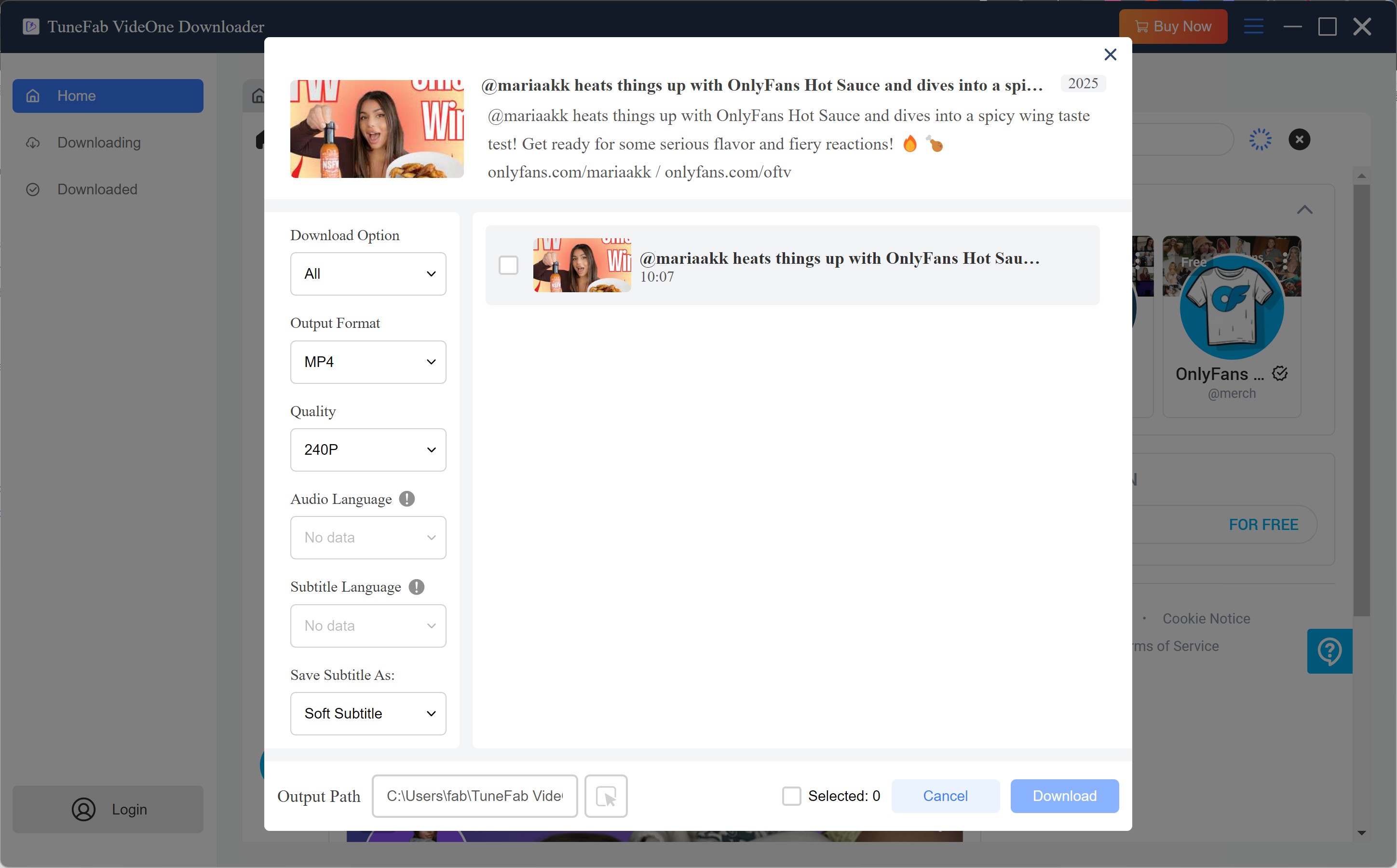
Confirm that the settings match your needs and start the task. The video will be saved locally for your own, non-commercial viewing during your valid subscription period. Remember that you should not share, resell, or publicly redistribute any downloaded files.
StreamFab as an OnlyFans Alternative
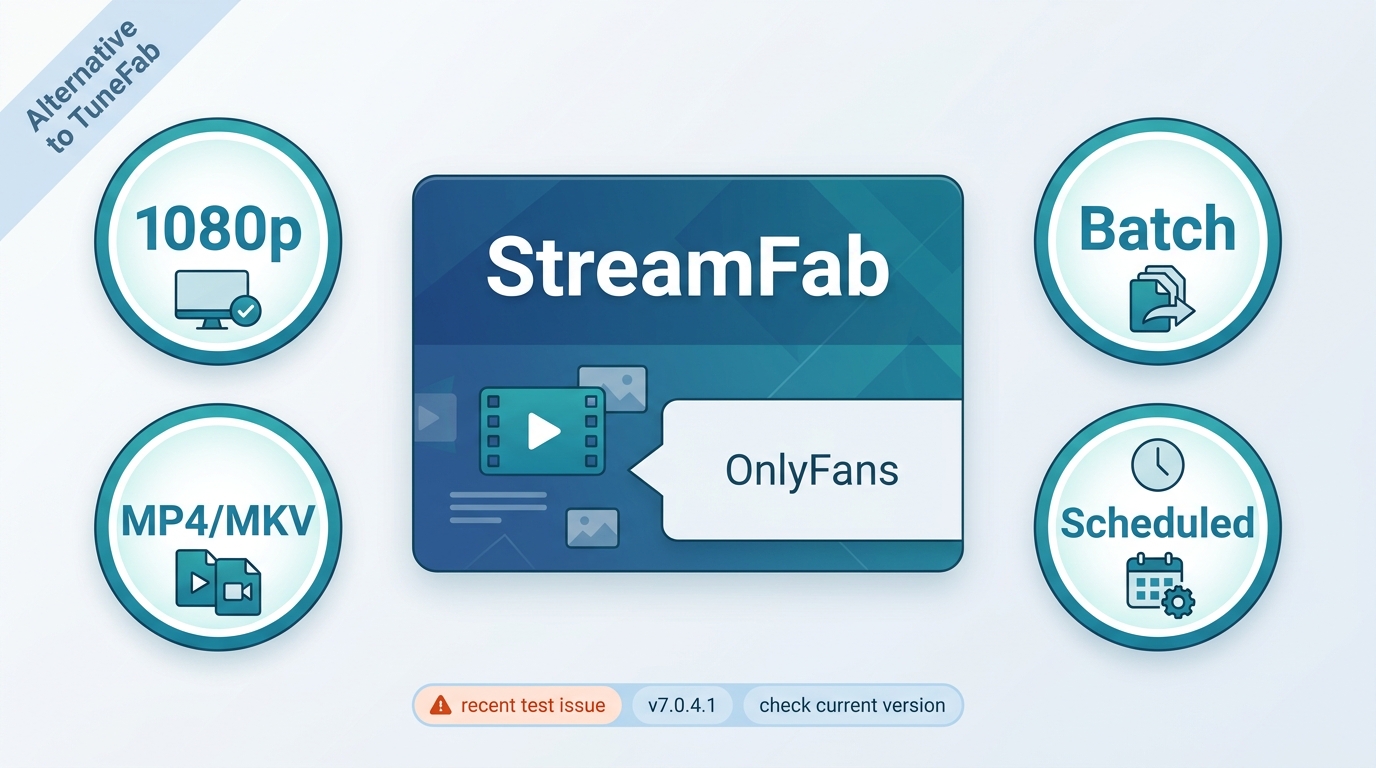
StreamFab OnlyFans Downloader is a desktop alternative for adults who need a local-file workflow for videos their account is authorized to play. Its official claims include up to 1080p output where available, MP4 or MKV files, batch handling, and optional scheduled checks. Version 7.0.4.1 was listed on July 23, 2026, but a recent user report described an OnlyFans-specific failure after prior successful use, so current compatibility should be judged by version and service behavior rather than assumed to be uninterrupted. For a broader product assessment, see the full StreamFab review.

When enabled, it can automatically check for newly posted videos from creators you subscribe to and save them in HD quality for personal offline viewing, based on the rules you define.
- A desktop local-file workflow for OnlyFans videos an active account is authorized to play.
- Officially supports up to 1080p where available, with MP4 or MKV output.
- Officially supports accessible creator posts and message videos, including paid content the account can play.
- Optional scheduled checks may suit users who want to organize new posts from followed creators.
- Batch handling may suit users organizing several videos rather than evaluating a one-time trial.
- Not ideal for anyone expecting every OnlyFans change to remain compatible without interruption.
For the OnlyFans-specific decision, the table below separates claims from observations. Readers weighing a wider set of products can use this broader TuneFab and StreamFab comparison instead of treating this page as a general brand ranking.
| Evidence-led comparison | TuneFab VideOne | StreamFab OnlyFans Downloader |
|---|---|---|
| Evidence status | Official claims plus original article observations | Official claims; current compatibility is version-specific |
| Quality information | Up to 1080p official claim; 720p observed in the original article | Up to 1080p official claim, where available |
| Workflow fit | Built-in browser and three concurrent tasks observed | Batch handling and scheduled checks are official claims |
| Content scope | Posts and message-video support described; paid PPV not separately tested | Officially covers accessible posts and message videos; test status is shown in the matrix |
StreamFab Workflow Snapshot
For authorized personal offline viewing, the basic workflow is to sign in, open a video your account can play, choose the available output options, and start the local save. The dedicated guide covers the details of using StreamFab without turning this TuneFab review into a second tutorial.
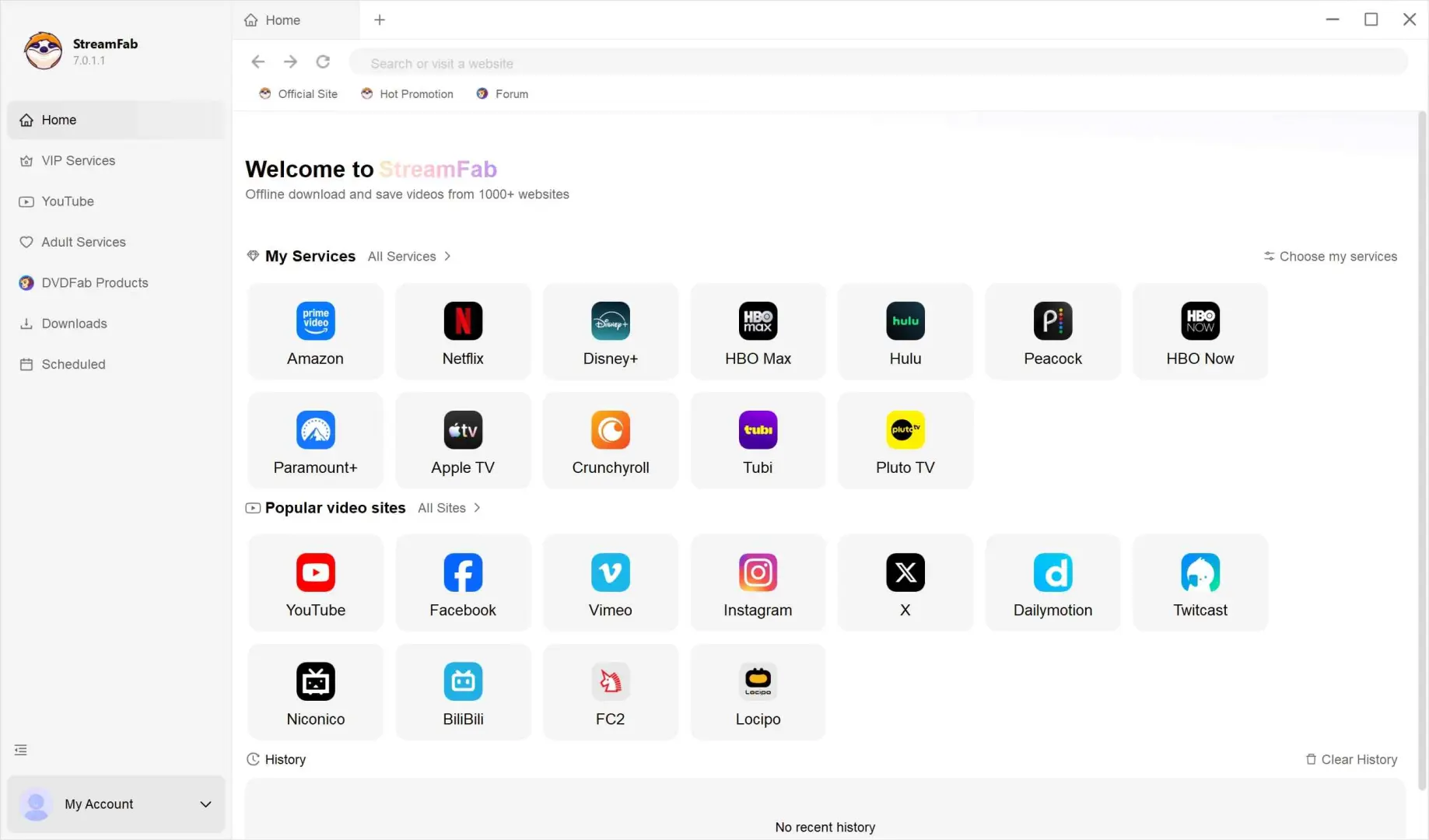
In the “Adult Services” section, select the OnlyFans icon to open the site in the built-in browser, and sign in to your OnlyFans account in the usual way.
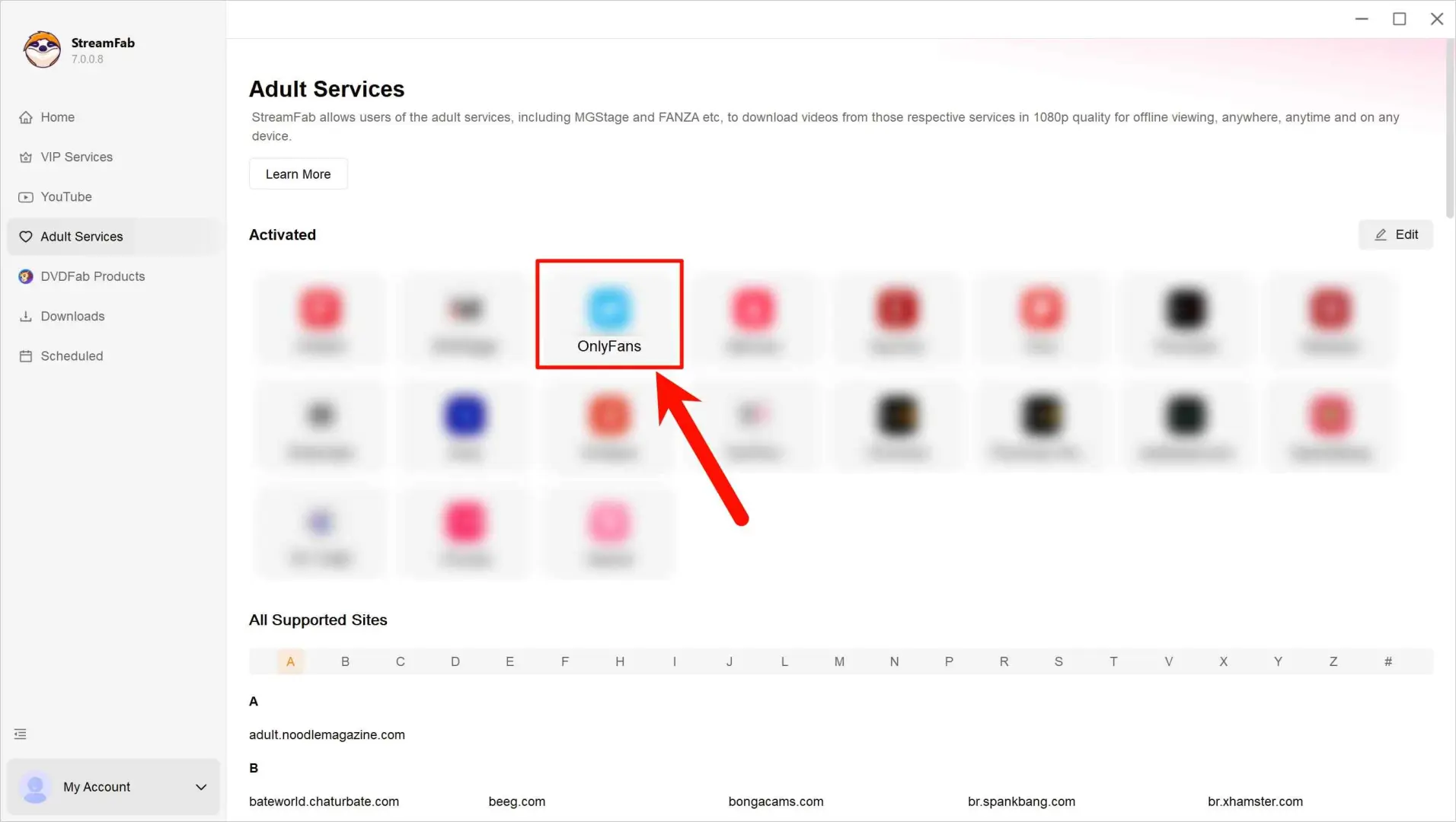
Navigate to the video from a creator you’ve legitimately subscribed to and start playing it. StreamFab will read the playable stream and present options such as video quality.
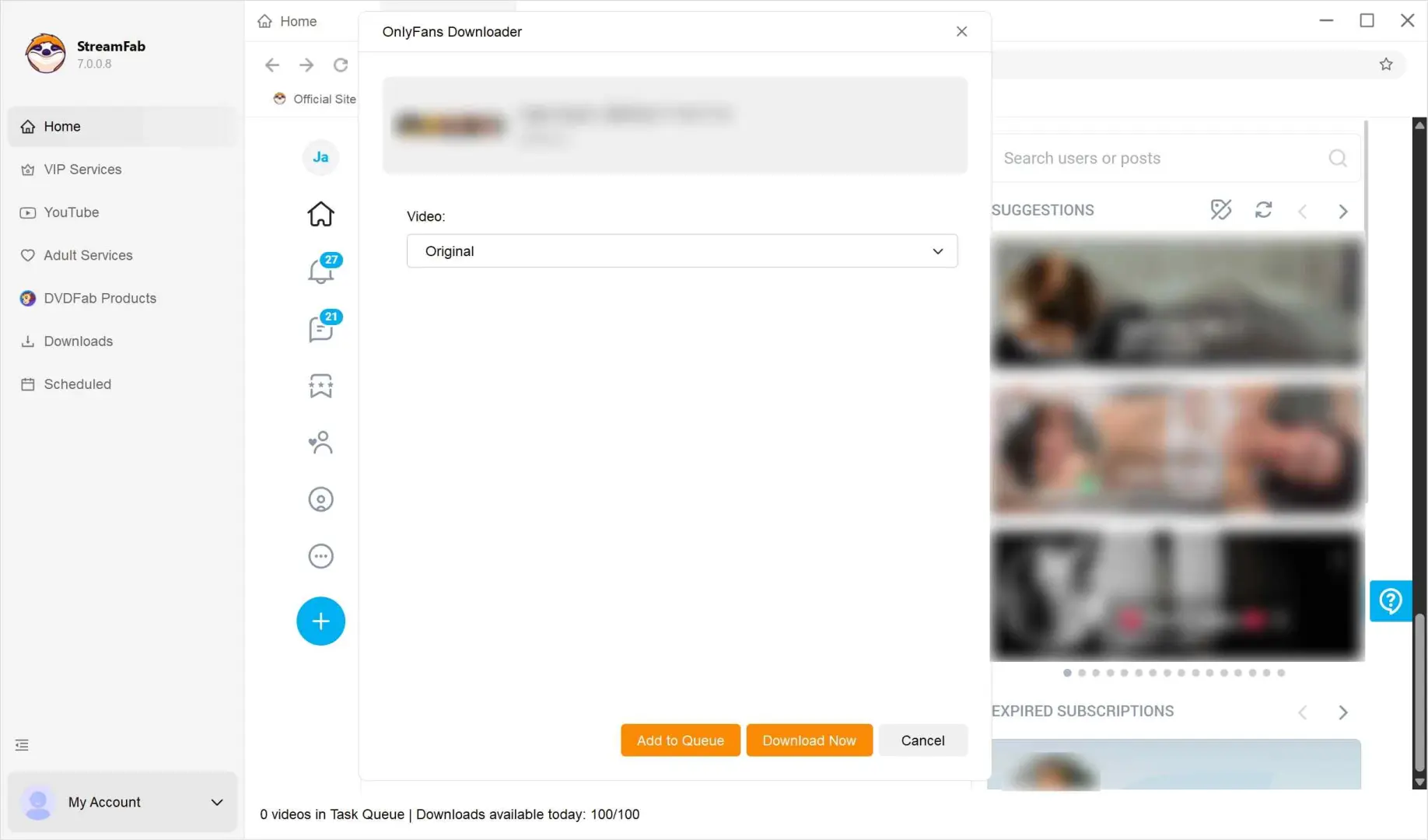
After you confirm the options and start the process, StreamFab will save the video to your computer. You can then watch it offline on your own devices for personal, non-commercial use while your subscription remains valid, but you should not upload, reshare, or sell the downloaded file.
Frequently Asked Questions
Can OnlyFans Detect Downloader Activity?
The available evidence does not establish a universal detection rule for downloader software. Account-risk uncertainty and copyright permission are separate questions: use only content an active account is authorized to play, keep use personal and non-commercial, and follow OnlyFans; terms and applicable law.
Why Did TuneFab Test at Only 720p?
TuneFab advertises output up to 1080p, but the original article recorded 720p for its test video. Available quality can vary with the source, account access, app version, and platform delivery. Because the original review did not record all of those conditions, its 720p result should not be treated as a universal limit.
3. Are free browser extensions or GitHub tools reliable for OnlyFans?
Reliability depends on active maintenance, installation burden, support for the media type you need, and basic organization controls. Community reports often describe abandoned projects, difficult setup, video-only failures, or weak library management. Treat a low upfront cost as a tradeoff to evaluate, not proof of an easy or dependable workflow.
4. Does StreamFab still work with OnlyFans after recent updates?
It should be evaluated version by version. StreamFab listed version 7.0.4.1 on July 23, 2026, while a recent user report described an OnlyFans-specific failure. The compatibility matrix above is the appropriate reference point: it distinguishes official workflow claims from uninterrupted operation assumptions.
Conclusion: Is TuneFab Worth It?
TuneFab may suit readers who value a built-in browser and are comfortable evaluating the current perpetual plan after confirming the trial entitlement. StreamFab may be a better fit for adults who want a desktop local-file workflow with MP4 or MKV output, batch handling, and optional scheduled checks. Neither tool earns an unconditional recommendation here: TuneFab’s recorded 720p result and conflicting trial descriptions remain unresolved, while StreamFab compatibility is version-specific.
Whichever tool you choose, make sure you only save content you are entitled to view, and use any downloads strictly for personal, non-commercial purposes in accordance with OnlyFans’ terms and applicable copyright law.
The tools and methods mentioned in this article are intended solely for making your own backups of content that you’ve bought legally or stuff you’ve paid to see. Any use that infringes copyright or violates OnlyFans’ Terms of Service, such as sharing, reselling, or publicly redistributing downloaded or recorded material, is strictly prohibited. Basically: use your head and always play by the rules.
