
Table of contents
If you searched TuneFab vs StreamFab, you are probably trying to settle two practical questions: which app covers the services you already pay for, and what will the ownership cost look like after the first year? TuneFab VideOne is a narrower 10-platform bundle, while StreamFab All-In-One targets broader service coverage. In both cases, the source and your subscription plan set the ceiling for quality.
I will walk through platform fit, MP4 MKV output, 4K HDR downloads, pricing, a four-step workflow, and account and terms boundaries. The goal is a useful offline-viewing decision, not a claim that either app replaces a streaming subscription.
Quick Verdict: TuneFab vs StreamFab
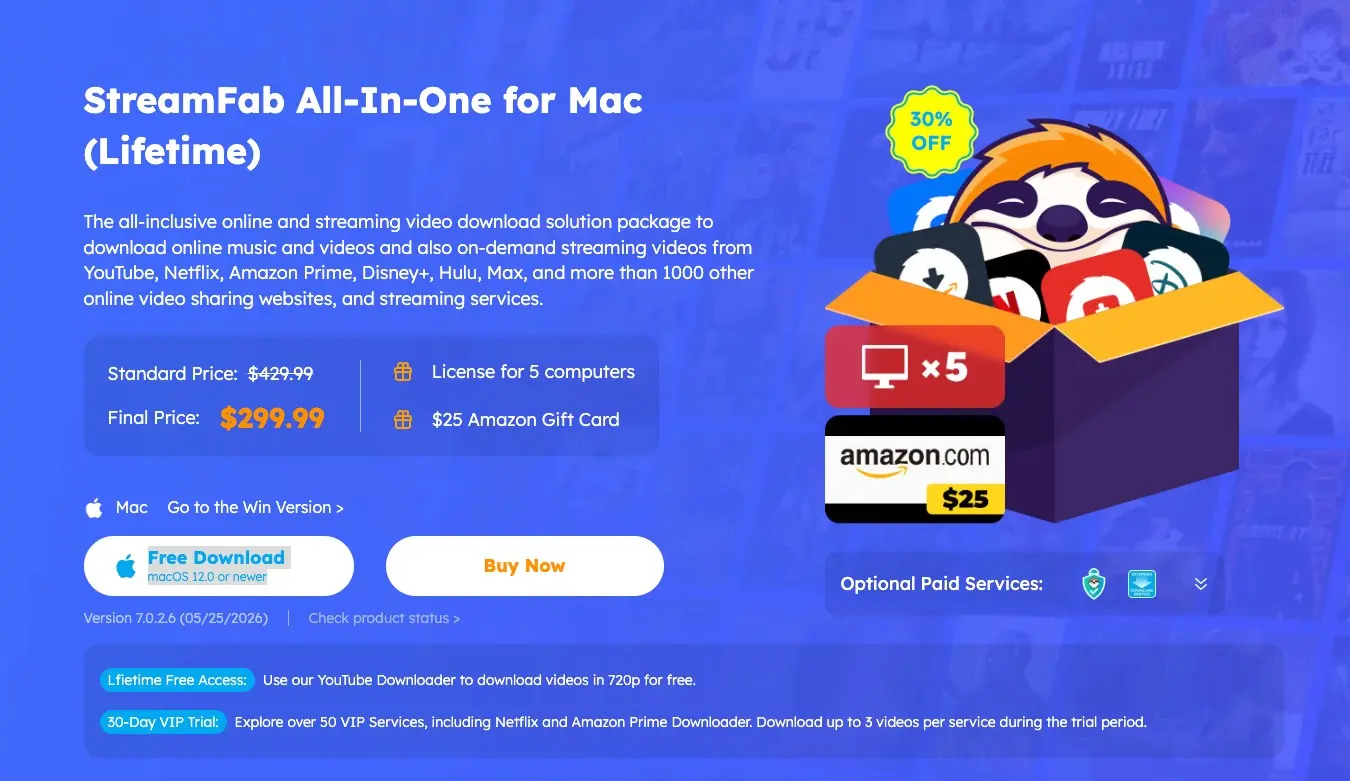
TuneFab vs StreamFab is a scope-versus-cost decision. TuneFab VideOne's current all-in-one offer covers 10 platforms at $149.95, while individual products are listed at $99.95. StreamFab All-In-One is aimed at broader coverage, and its current US price should be read from the live store listing.
For content you're authorized to access, where permitted by platform terms and applicable law, StreamFab is a practical option for people who rotate across several services and need MP4/MKV files, scheduled queues, or detailed track handling. TuneFab is a sensible fit for a shorter service list and a smaller toolkit. Neither is ideal for an iOS-only workflow because the documented desktop support is Windows and macOS.
| Product | TuneFab VideOne | StreamFab All-In-One |
|---|---|---|
| Platform scope | 10-platform bundle | Broad multi-service bundle |
| Resolution/HDR | Source and plan dependent | Source and plan dependent; 4K/HDR where offered |
| MP4/MKV output | Product-specific formats | MP4 and MKV |
| Subtitles/audio | Multi-language options | Multi-language subtitles and track selection |
| Price/license scope | $149.95 bundle; $99.95 individual | Current US store listing |
| Note | Prices and included products as of August 2026 | Availability can change |
What TuneFab And StreamFab Do
TuneFab VideOne and StreamFab All-In-One both save streaming titles as local files for personal offline viewing. The meaningful difference is breadth: one is organized around a defined set of video products, while the other brings more services and library controls into one desktop application.
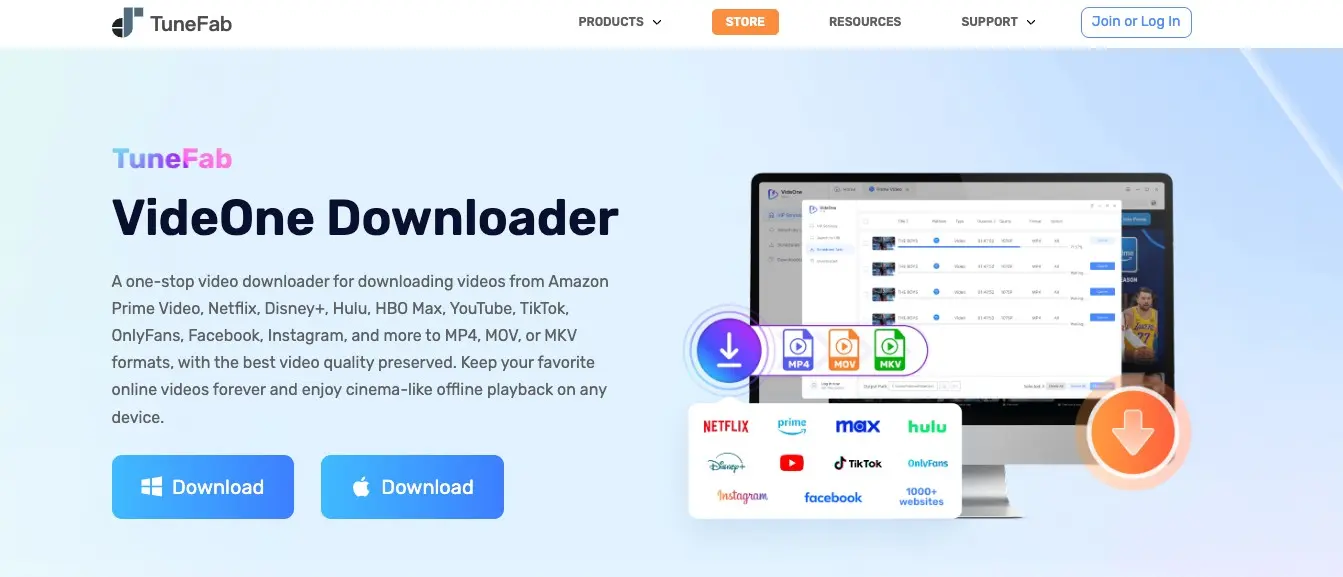
TuneFab VideOne. The current store offer presents a 10-platform all-in-one product at $149.95, with individual products listed at $99.95. That structure suits someone who knows which services they use and does not need a long list of regional modules. It is less attractive when a new subscription would require another purchase.
StreamFab All-In-One. StreamFab runs on Windows 10/11 and macOS and supports local MP4 or MKV output, multi-language subtitles, audio-track selection, batch downloads, scheduled tasks, and source-dependent HDR formats. The supported-service list includes Netflix, Amazon Prime Video, Disney+, Hulu, HBO Max, Apple TV+, YouTube, U-NEXT, Abema, and Paramount+.
Feature-By-Feature Comparison
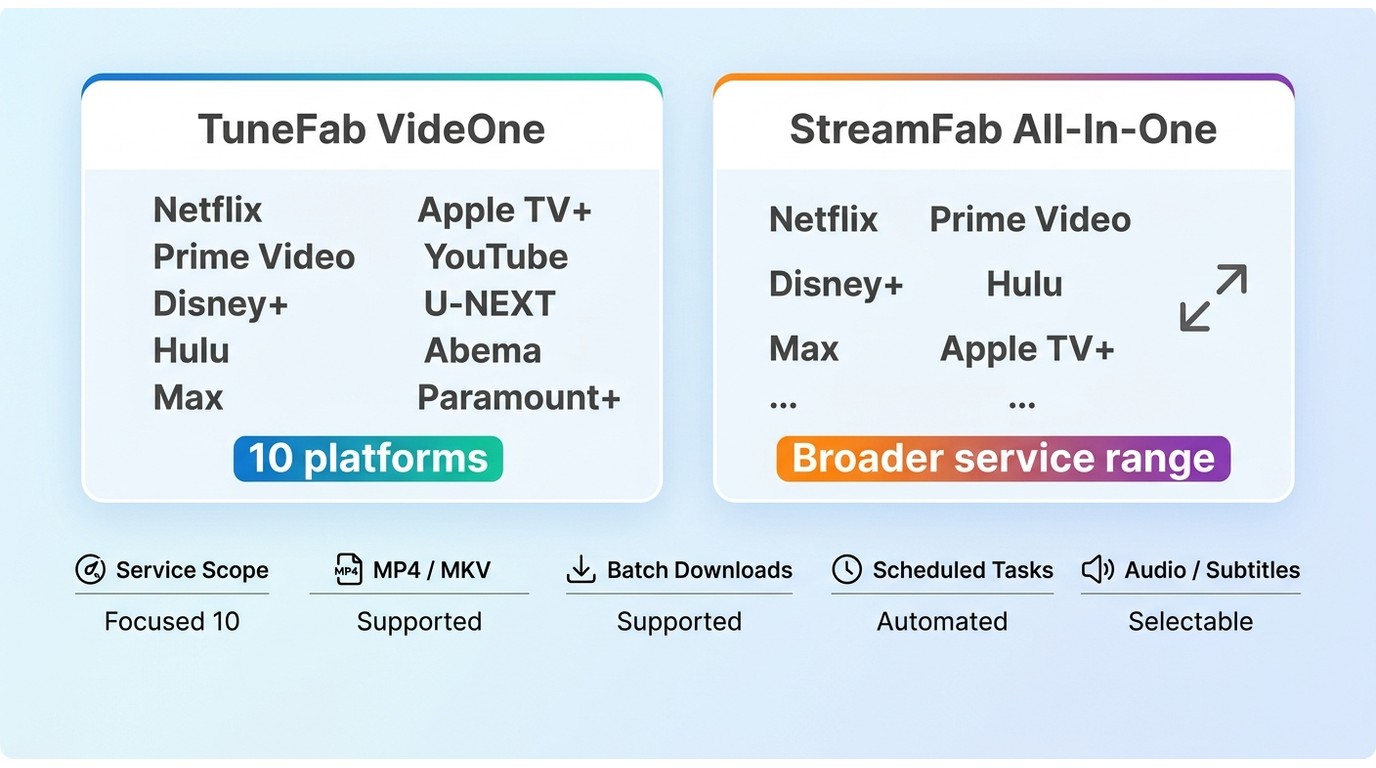
This streaming downloader comparison is easiest to use when each feature is tied to a decision: service count, file portability, quality ceiling, or language-track control.
Platform coverage and fit
TuneFab VideOne's 10-platform scope is enough for a focused Netflix, Amazon, or Disney+ routine. StreamFab covers those services plus a wider mix that includes Hulu, HBO Max, Apple TV+, YouTube, U-NEXT, Abema, and Paramount+. If you move between several subscriptions, the broader catalogue reduces the need to maintain separate desktop apps.
My practical read is simple: choose the smaller scope when your list is stable; choose the broader scope when service rotation is part of your normal viewing. Amazon-specific behavior is addressed in the test section below.

Output formats and portability
Searches for MP4 MKV output usually mean one thing: will the finished file play where you need it? StreamFab documents MP4 and MKV output without requiring a dedicated playback client. MP4 is the straightforward choice for common desktop players and device libraries; MKV is useful when you want a container that can carry richer audio and subtitle tracks.
- MP4: broad player and media-server compatibility; a practical default for mixed devices.
- MKV: better suited to preserving multiple tracks and subtitle choices in one file.
- MOV: treat it as product-specific rather than a default StreamFab output; select it when the chosen TuneFab workflow explicitly offers it.
Files remain ordinary local media, so playback still depends on the player, codec support, and the tracks selected during the job. That distinction matters more than a format label on a product page.
Video quality, HDR, and audio
4K HDR downloads are conditional, not a universal switch. The source, service, account plan, and title determine whether 720p, 1080p, 4K, HDR10, or Dolby Vision is available.
TuneFab's published examples list 1080p for Netflix and 720p for Disney+. StreamFab documents 4K, HDR10, and Dolby Vision where the source supplies them; Netflix and Amazon commonly have lower ceilings than services such as Disney+, Hulu, HBO Max, Apple TV+, or Paramount+. A documented macOS run at 24 Mbps saved a Netflix LDR S4 E3 episode as 1080p with HDR10 and Dolby Atmos/DD+ 5.1 at about 538.6 MB.
The useful author judgment is that nominal resolution is one part of the result. A correctly preserved surround track or HDR profile can matter more in a living-room library than a larger number in a settings menu.
Subtitles and audio tracks
Both products provide multi-language subtitle and audio selection, but the exact choices follow each service. StreamFab supports SRT subtitles as external files or embedded tracks and can preserve formats such as Dolby Atmos, EAC3 5.1, AC3 5.1, or AAC 2.0 when the source supplies them.
That makes StreamFab a better fit for multilingual archives or media-server libraries where original and dubbed tracks need to stay clearly labeled. TuneFab remains adequate for a simpler single-language queue; the trade-off is less room to standardize settings across many services.
Pricing And Three-Year Value
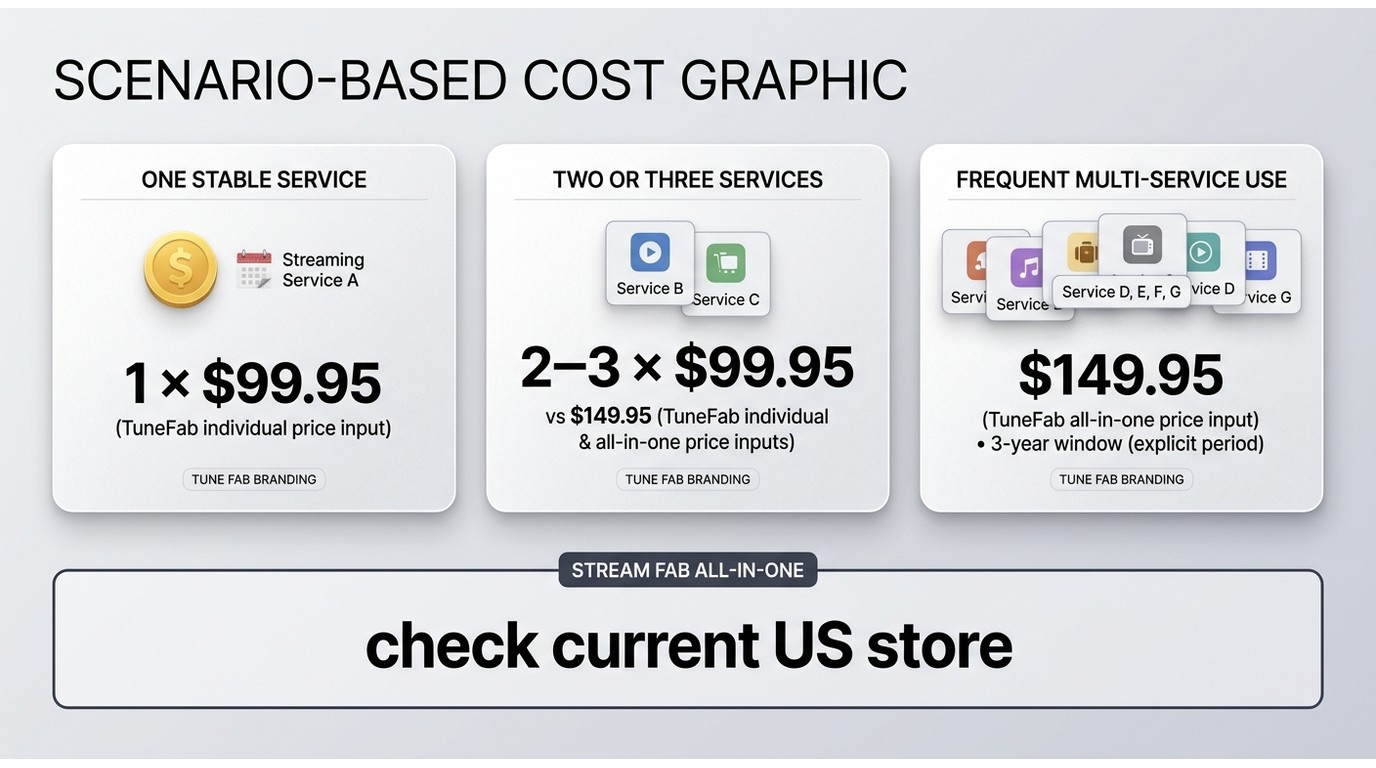
The right StreamFab cost comparison separates one-time licenses from recurring plans and then asks how many services the license will actually cover.
TuneFab VideOne pricing
The TuneFab VideOne price is easiest to read from the current store structure. The all-in-one offer is $149.95 and individual products are listed at $99.95. A single-product purchase can be economical for one service; the bundle becomes more sensible when a second or third service is likely.
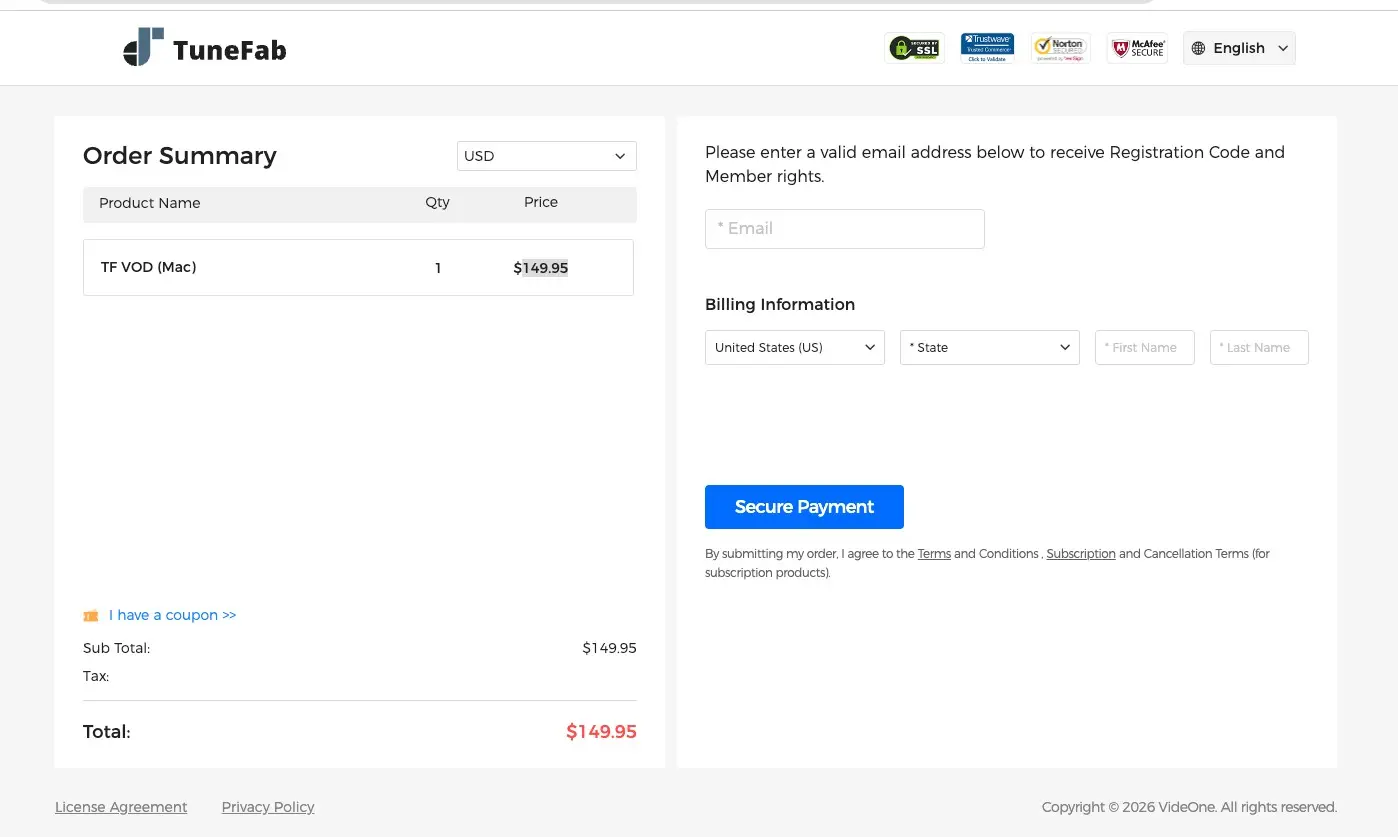
StreamFab All-In-One pricing
For the StreamFab price, use the current US store listing for the active All-In-One license and any subscription alternatives. The important comparison point is license scope: StreamFab combines Windows and Mac desktop access with a broad set of service modules, MP4/MKV output, subtitles, track selection, batch work, and scheduled tasks.
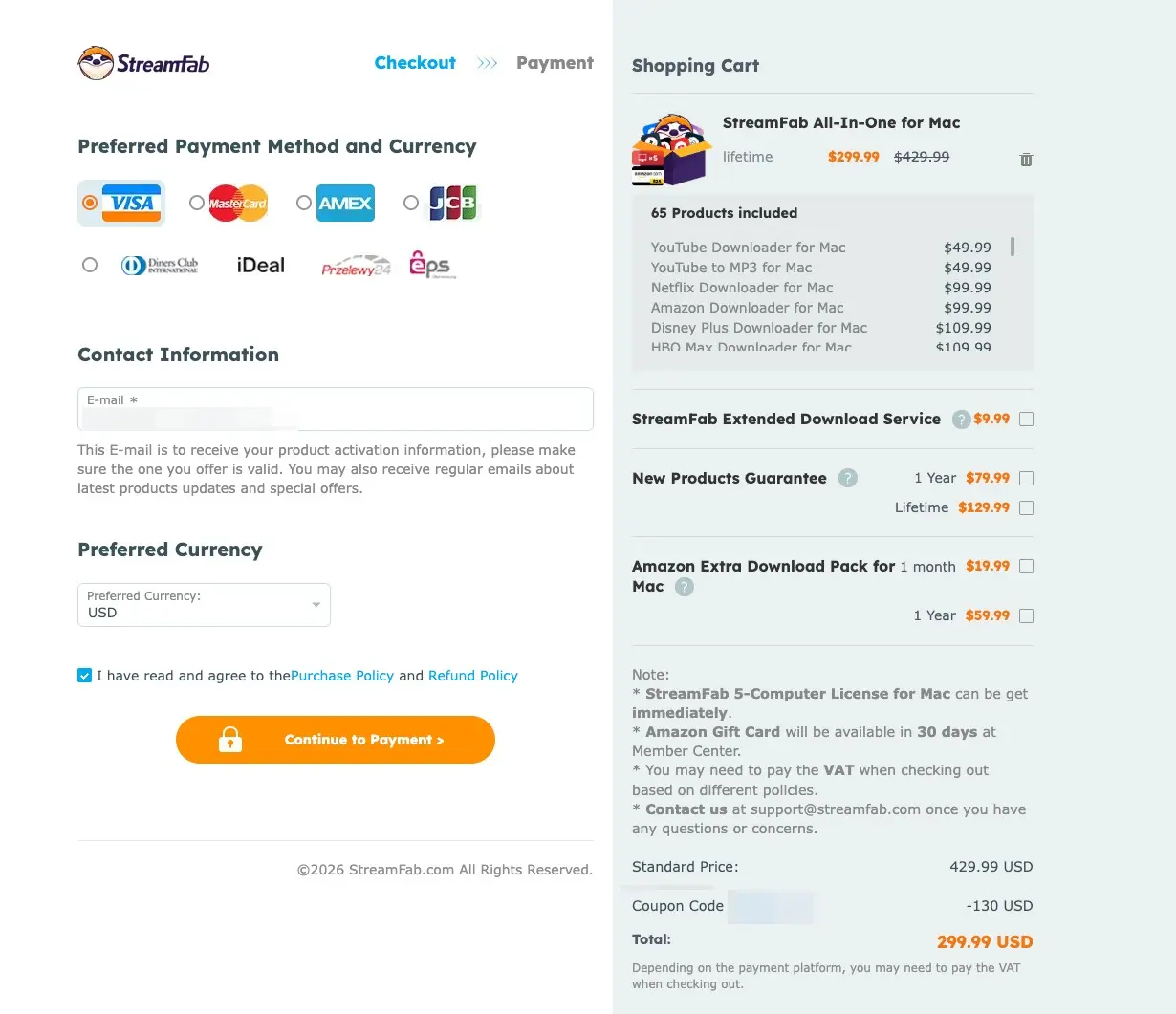
Ownership cost by use case
Over three years, a one-time license remains one purchase, while an annual plan repeats each renewal. TuneFab's $149.95 bundle therefore has a clear three-year shape; $99.95 individual products scale with each additional service. StreamFab's three-year value depends on the current store price and whether you will use enough of its broader modules to offset the higher scope.
| Use case | TuneFab VideOne | StreamFab All-In-One |
|---|---|---|
| One service | $99.95 individual product | Current US store listing |
| Two or three services | $149.95 bundle may fit | One broad desktop bundle |
| Several services and scheduled queues | Fewer modules to add | Broader scope; compare current license terms |
That is the honest break-even framework: a short, stable service list favors TuneFab's lower entry point; frequent multi-service use gives StreamFab more opportunities to earn its place. It is a scenario judgment, not a universal winner statement.
For authorized personal offline viewing, you can review the current StreamFab All-In-One checkout before deciding whether the license scope matches your queue.
My 30-day Test
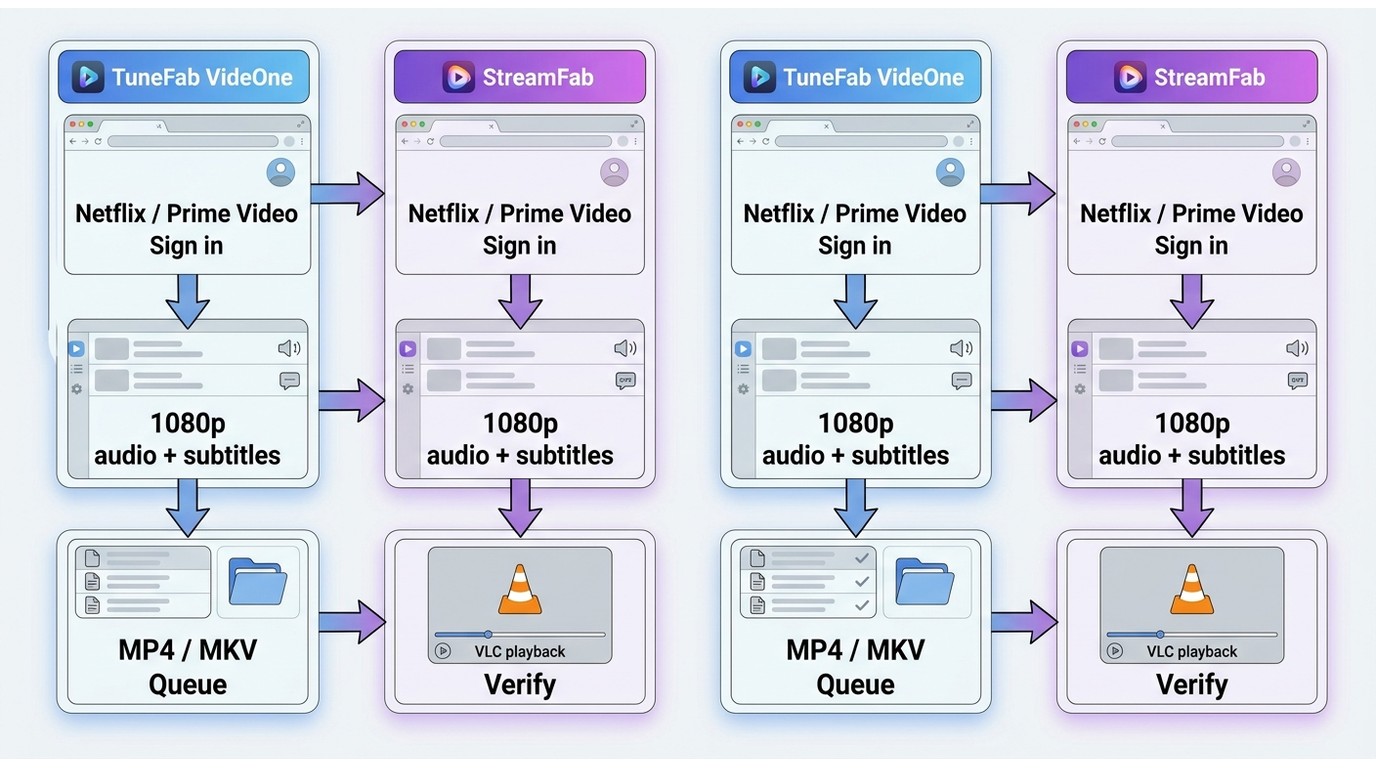
I ran both tools on the same Windows 11 machine for a full month, using the same streaming accounts and identical download queues.
The observations below belong to that comparison set. They are useful for judging workflow friction, not a promise that every title or service will behave identically.
Setup and a four-step workflow
TuneFab installation to first successful download took under five minutes, while StreamFab setup took slightly longer.
The repeatable workflow for either desktop app is:
- Open the built-in browser and sign in to the streaming service.
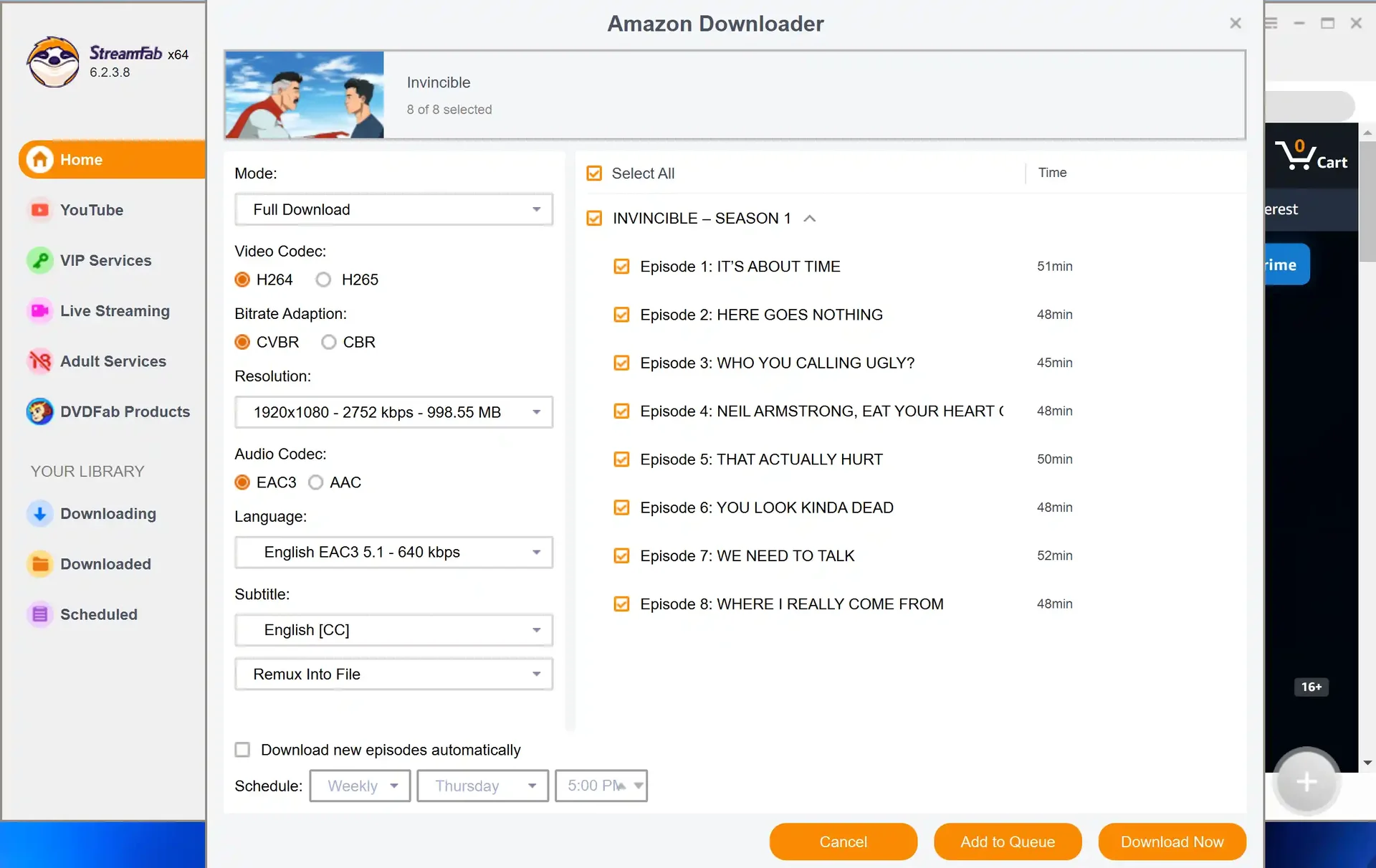
- Select a title, then choose the quality, audio, and subtitle options the service makes available.
- Choose MP4 or MKV where offered, then set the output folder.
- Queue the job and verify that the finished file opens with the expected audio and subtitles.
Exact options vary by service. Keep the workflow within authorized personal use and retain the subscription required to access the title.
Netflix and Amazon results
Both tools downloaded the same Netflix titles; StreamFab delivered 1080p more reliably and exposed clearer language-track labeling during the 30-day comparison.
On Netflix: both tools downloaded the same titles successfully. TuneFab's output on standard HD titles was clean; StreamFab added more consistent audio track labeling, which matters when you're archiving content in multiple languages. On 1080p titles, StreamFab delivered the full resolution more reliably across the titles I tested.
On Amazon Prime: I hit two TuneFab download failures on titles that StreamFab handled without issue. This pattern was consistent with user reports I'd seen — TuneFab's Amazon module has sporadic failures on certain title types, particularly newer releases. (I documented specific failure patterns in my separate TuneFab Amazon downloader review.)
Failures, recovery, and Edge cases
TuneFab froze during a batch of eight files, while StreamFab completed the equivalent batch and had no crashes during the test period.
The completed TuneFab files were fine; the in-progress downloads had to restart from zero — no resume capability I could find. StreamFab completed an equivalent batch without interruption.
I didn't hit any StreamFab crashes during the test period. Older version stability complaints I'd seen online didn't manifest in the 2026 build I was running.
Public community reports also describe incomplete files marked complete and occasional color or HDR mismatches. I treat those as title- and service-specific warning signs, so a quick playback check remains part of the workflow.
For context, an independent Windows 10 Pro run on an i5-9400F with 16 GB of RAM using StreamFab 7.0.1.7 completed three LDR S4 episodes, with file sizes rising as episode length increased. My take is that batch work is useful when the queue is predictable, but a completed status still deserves a quick playback check.
Scheduling, Metadata, And Updates
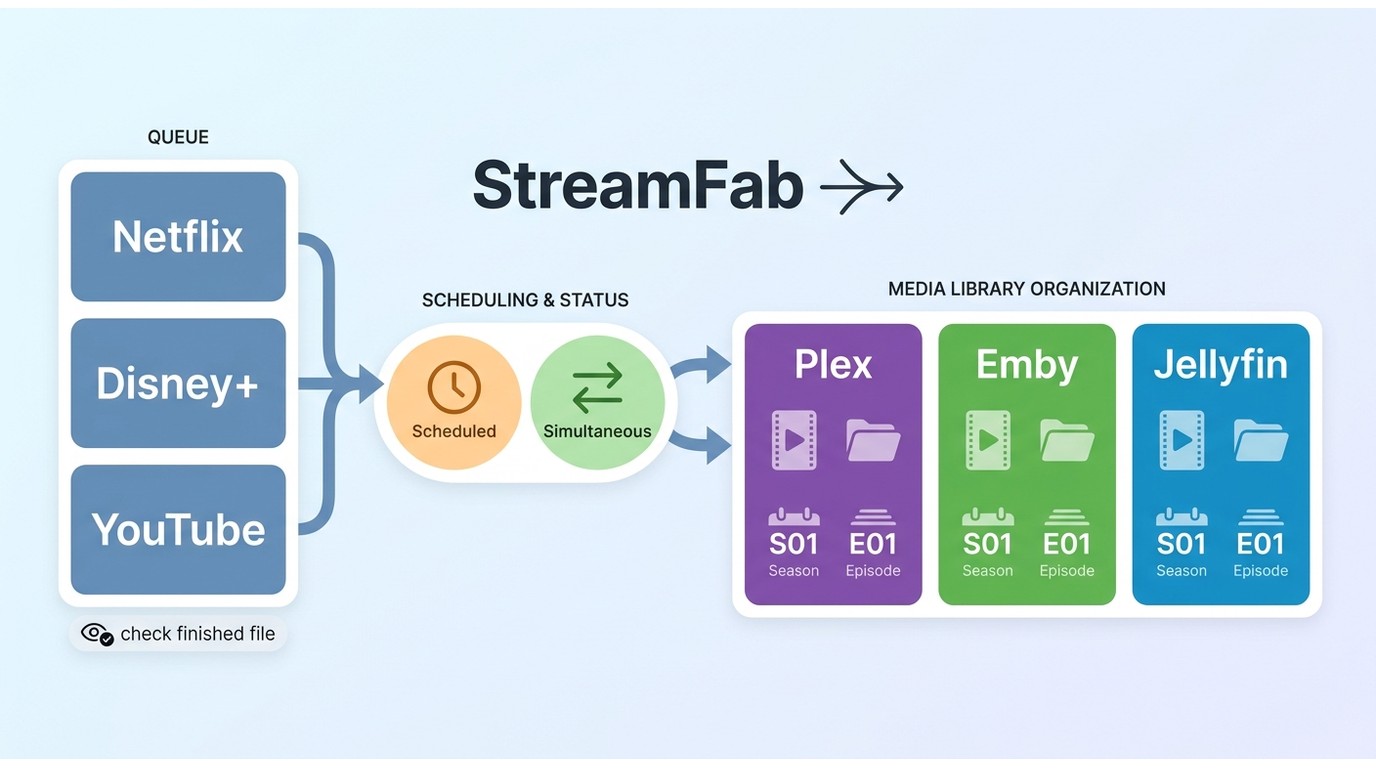
Batch downloads and scheduled downloads are where a broad desktop tool earns its keep. StreamFab can monitor series and organize season and episode metadata for Plex, Emby, and Jellyfin-style libraries, reducing the manual naming work after a queue finishes.
Version 7.0.4.7, released August 28, 2026, added simultaneous downloads across different services while same-service tasks remain ordered. That distinction matters: cross-service parallel work can shorten a mixed queue, while one service may still process titles in sequence.
Availability and quality can change after a platform updates its delivery method or protection rules. A scheduled job is therefore a convenience, not an uninterrupted-support promise. Check the finished file, keep enough local storage for the selected quality, and treat service-specific release notes as part of maintenance.
What Users Report
User feedback adds context that product pages do not. As of August 2026, Trustpilot shows a mixed TuneFab profile, with interface praise alongside complaints about billing, account handling, and license administration. SmartCustomer is a separate source and should not be blended with Trustpilot into one average; the useful signal is the recurring theme, not an old score.
TuneFab reviews tend to praise a clean interface and straightforward setup, while negative reports focus on renewal or support friction. StreamFab user feedback more often mentions a learning curve and heavier desktop resource use, balanced by appreciation for broad service coverage and queue controls. These are observations from public reports, not guarantees about an individual account.
Safety, Accounts, And Platform Terms
Safety has four separate layers here: the installer, the credentials entered into an embedded browser, the account relationship with each service, and the platform terms governing local copies.
Installer and malware hygiene: download installers from the vendor's official channel, keep the operating system protected, and avoid repackaged builds. Credential privacy: sign in inside a session you control, do not share passwords, and sign out when a shared machine is involved.
Account and subscription risk: neither app replaces a streaming subscription. Use either tool for content you're authorized to access, where permitted by platform terms and applicable law, and understand that a service can change account or playback policies.
Platform terms and DRM restrictions: local recording does not change the rights attached to the source. Keep files for personal offline viewing, do not redistribute them, and avoid treating a saved file as permission to access a service outside its terms. Availability and supported devices may change, so the current vendor and platform policies remain the practical reference.
- Account suspension reports: Some users describe account or billing problems after updates; treat those reports as signals to review platform terms and account settings.
- Refund and renewal terms: Read renewal and refund conditions before buying; support experiences vary by case.
- License changes: A license may be tied to the product terms and device policy in effect when you purchase.
FAQ
Conclusion: Which Tool Fits You?
TuneFab or StreamFab comes down to the shape of your queue. TuneFab VideOne offers a lower entry point for a defined service set; StreamFab All-In-One earns consideration when you need broader coverage, batch downloads, scheduled tasks, or more consistent track organization.
- Choose TuneFab VideOne when one or two supported services cover your routine, you value a short setup path, and the $149.95 bundle or $99.95 individual license matches the scope you need.
- Choose StreamFab when you rotate across several services, want MP4/MKV files for common players and media servers, or maintain scheduled queues. Read the current US store terms for the StreamFab price before purchase.
For a wider streaming downloader comparison, see StreamFab alternatives compared. For the current product route, the StreamFab All-In-One overview explains the supported desktop workflow. Keep the final decision tied to authorized personal offline viewing, the services you actually use, and the limits shown for each title.