
Looking for a Pluto TV downloader can mean two different things: installing the official app to stream, or saving a movie or show as an offline file. The official Pluto TV app streams content but does not provide native offline downloads; a desktop downloader can save eligible on-demand titles as local MP4 or MKV files while keeping the source resolution as-is when that option is available.
StreamFab Pluto TV Downloader provides a Windows and Mac desktop workflow for saving eligible Pluto TV on-demand videos you can legitimately watch as local files for personal offline viewing. This review follows the path from the platform's missing download feature to output quality, the Pluto TV video downloader workflow, alternatives, troubleshooting, FAQs, and the free trial decision. It is not a guide to DRM removal, permanent storage, unrestricted saving, or any method that would violate platform terms or copyright law.

※The content described in this article assumes compliance with applicable copyright laws and the terms of service of the respective streaming providers. It is intended solely for legitimate personal use within authorized viewing rights.
Quick Summary: StreamFab Pluto TV Downloader Review Verdict
The official product page lists StreamFab version 7.0.4.9 dated September 11, 2026. Output resolution follows the source stream, with Pluto TV downloads supported up to 720p. The main caveats: live TV channels cannot be downloaded (on-demand only), and older titles may be offered at 576p. We cover the details below.
If you want the short answer before reading the full review:
- 🟢 Ad handling: StreamFab removes available pre-roll and mid-roll ad segments during the download workflow.
- 🟢 Resolution: Downloads at up to 720p HD, with the available resolution following the source stream.
- 🟢 Audio: AAC 2.0 stereo — consistent with the platform's audio output.
- 🟢 Format: MP4 (H.264) or MKV — plays in VLC, Plex, Windows Media Player, and most smart TVs without conversion.
Free Download macOS 11.0 or later
Why Pluto TV Has No Offline Downloads
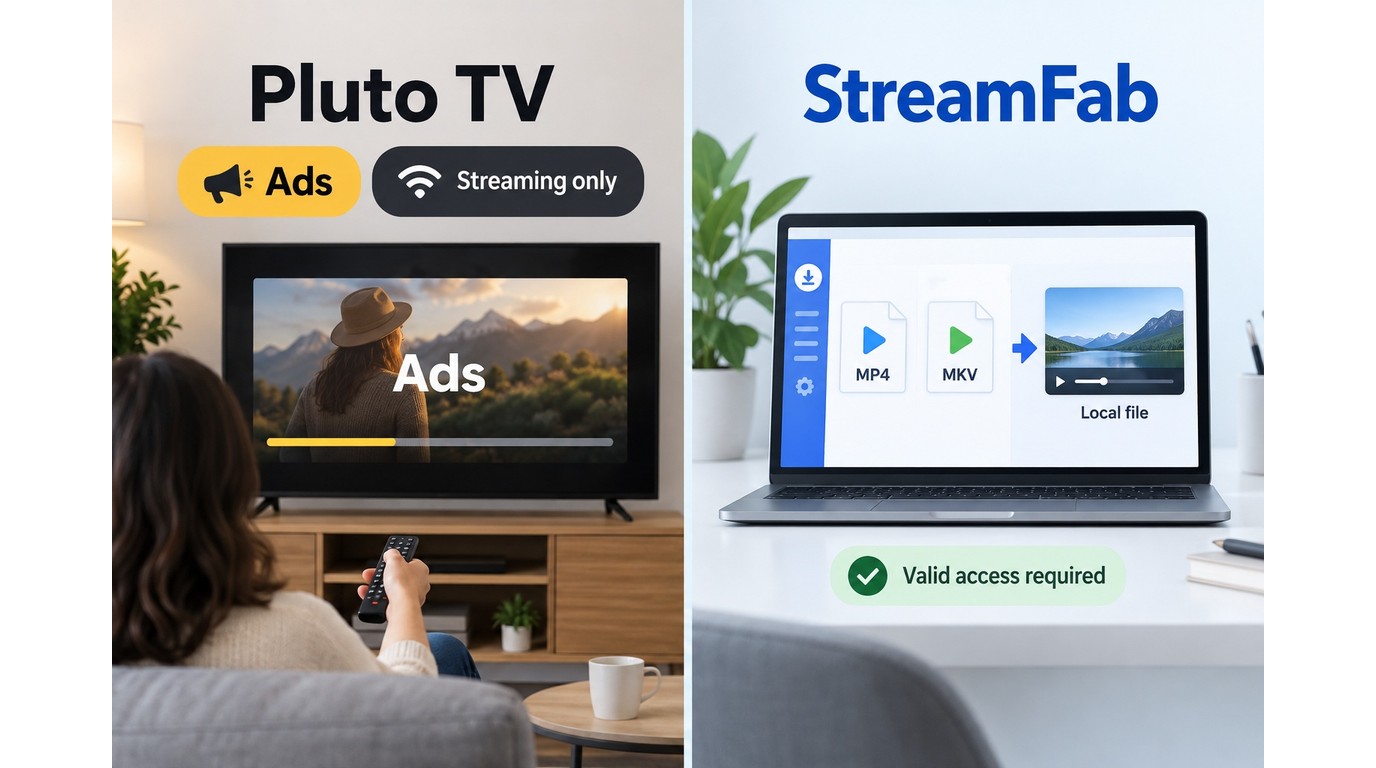
Understanding Pluto TV's business model explains why offline downloads are not — and likely will not be — an official feature.
That app-versus-file distinction matters here: installing Pluto TV gives you streaming access, while local MP4 or MKV files require a separate desktop workflow for eligible on-demand titles.
Pluto TV is a FAST (Free Ad-Supported Streaming Television) platform owned by Paramount Global. Unlike Netflix or Disney+ where you pay a subscription fee, Pluto TV is entirely free to use. You do not even need to create an account to start watching. The platform generates its revenue exclusively from targeted advertising — ad breaks play before and during content, similar to traditional broadcast television.
This revenue model is precisely why Pluto TV has no download or offline viewing feature on any platform (web, mobile, or smart TV). Every ad impression requires the viewer to be online and watching in real time. Allowing offline downloads would remove the need to serve those ad impressions while the viewer watches in real time, weakening the platform's revenue model.
For users, this creates a genuine inconvenience:
- No offline viewing at all: Unlike paid platforms that offer mobile downloads, Pluto TV provides no way to save content for flights, commutes, or areas with poor connectivity.
- Heavy ad load: Movies typically include 2–3 minute ad breaks every 15–20 minutes. A 2-hour movie can include 15–20 minutes of total ads.
- Content rotation: Pluto TV regularly rotates its on-demand library. A movie available today may be removed next month with no advance notice.
- No ad-free tier: Unlike Hulu or Peacock, Pluto TV has no premium subscription option to remove ads (limited exceptions exist through Walmart+ and T-Mobile partnerships on select titles).
For more on the ad situation specifically, see our guide on how to deal with Pluto TV ads. For a general walkthrough of saving Pluto TV content, see our Pluto TV download tutorial.
A desktop option like StreamFab provides a way to save eligible Pluto TV on-demand content you can legitimately watch as local video files for personal offline viewing.
StreamFab Pluto TV Downloader Features and Workflow
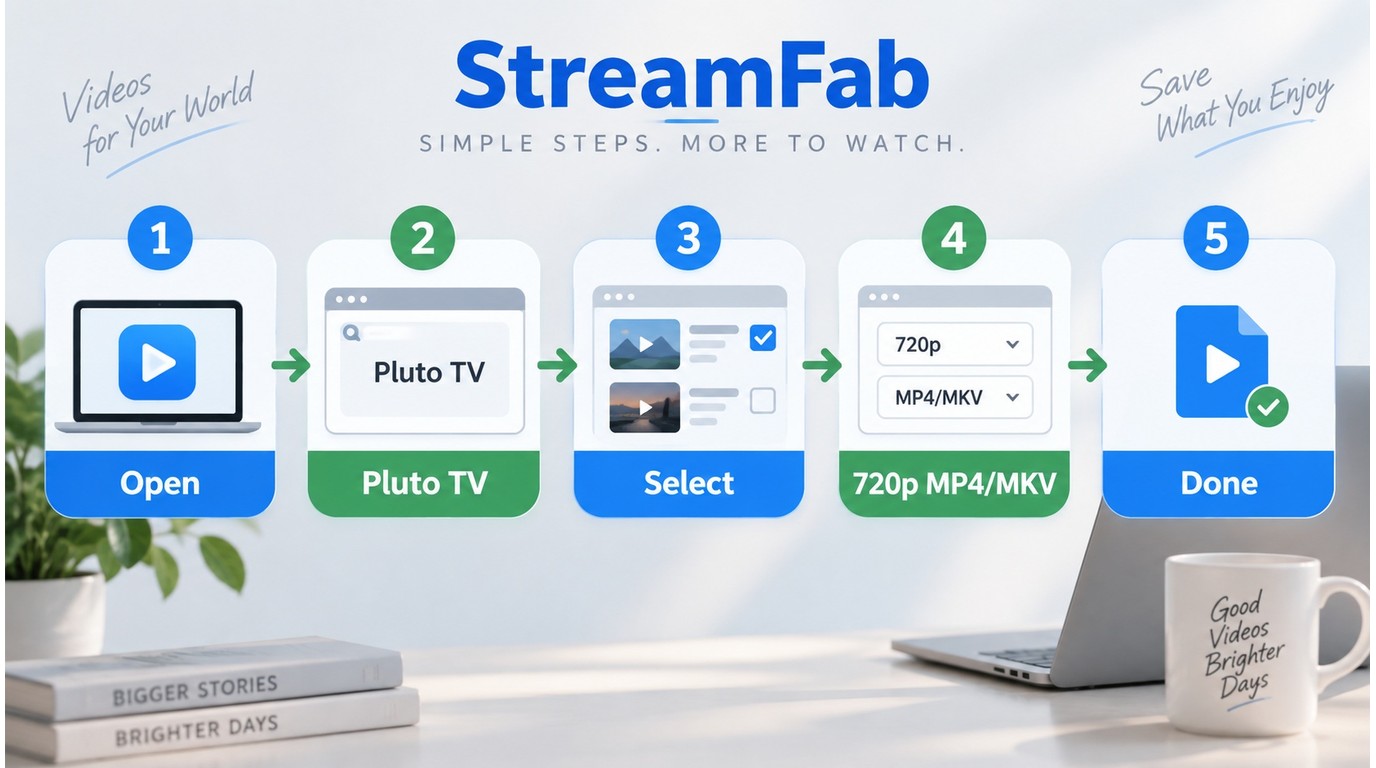
StreamFab provides a desktop local-file workflow for eligible Pluto TV on-demand content you can legitimately watch for personal offline viewing. The sections below explain its supported Pluto TV content, output options, and download steps without treating the platform's streaming app as a native offline feature.
1. Before You Begin
StreamFab Pluto TV Downloader works with Pluto TV's on-demand movie and TV show catalog. Live TV channels (Pluto TV's linear streaming channels) are not supported for download. A Windows 10/11 or macOS 11.0+ computer is required.
StreamFab uses a built-in Chromium browser to navigate to the Pluto TV website. When you play an eligible on-demand title, StreamFab analyzes the available playback options and saves the selected video as an MP4 or MKV file for personal offline viewing.
During supported downloads, available ad segments are handled during the workflow so the saved file focuses on the selected movie or episode.
This approach differs from screen recording (like OBS), which captures whatever appears on screen, including ad breaks, and re-encodes the video. StreamFab saves Pluto TV titles at the available source resolution, up to 720p, without requiring you to record the whole program in real time.
Pluto TV Module Capabilities
- Ad handling: StreamFab removes available pre-roll, mid-roll, and post-roll ad segments during the download workflow.
- Up to 720p output: The available resolution follows the source stream, with H.264 video and AAC 2.0 audio.
- Batch download: Queue multiple movies or TV series episodes and let them download automatically.
- Schedule mode and new-content handling: Schedule downloads and automatically save newly added episodes or movies.
- Subtitle selection: Choose from available subtitle tracks (SRT external or embedded) at download time.
- Metadata preservation: Output files retain movie title, cover art, and episode information for clean library organization in Plex or similar media servers.
- Format output: MP4 (default) or MKV container.
In my view, the scheduling and new-content handling matter most for regular Pluto TV viewers who want a manageable local library of eligible on-demand titles rather than a one-off download.
For a walkthrough of the StreamFab interface beyond just the Pluto TV module, see the complete StreamFab usage guide.
Download Pluto TV Videos on PC or Mac
The setup takes about two minutes for your first download. After that, queueing additional titles is a single click each.
Pluto TV is available in approximately 35 countries, with the largest content library in the United States. If you are located in an unsupported region, you may need to ensure your network connection allows access to the Pluto TV website before using StreamFab with this service.
Step 1: Download and install StreamFab
Get the installer from the button above (Windows or Mac). Run the installer and follow the on-screen prompts — installation completes in under two minutes.
Step 2: Open the Pluto TV module
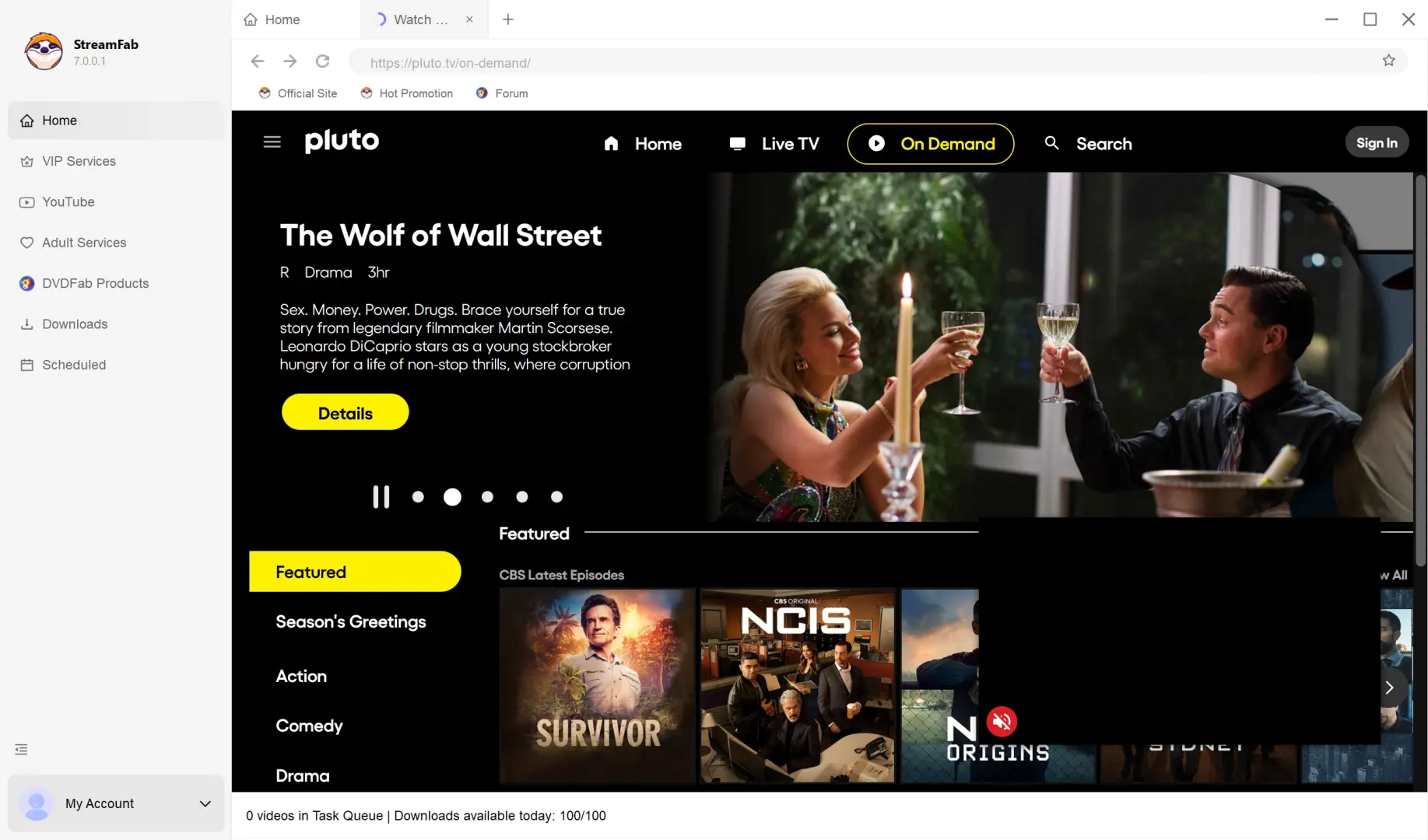
Launch StreamFab and click Streaming Services on the left panel. Select Pluto TV from the service list. The built-in browser opens and navigates to the Pluto TV website automatically.
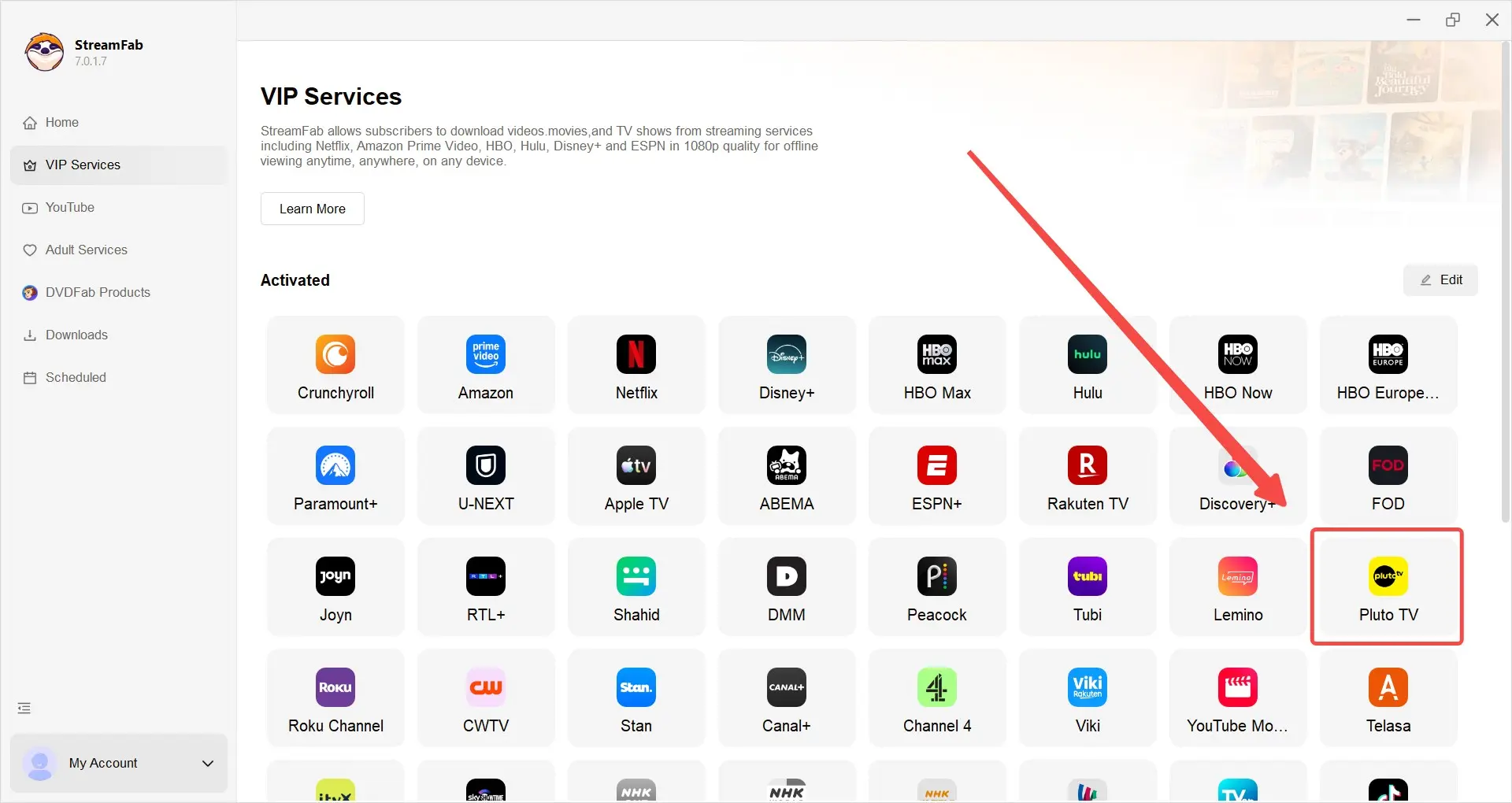
Step 3: Browse to the content you want to download
Navigate to any on-demand movie or TV show on Pluto TV. You do not need to create a Pluto TV account — the platform is free and accessible without login. However, signing in does give you access to your watchlist and viewing history.
Step 4: Start the download
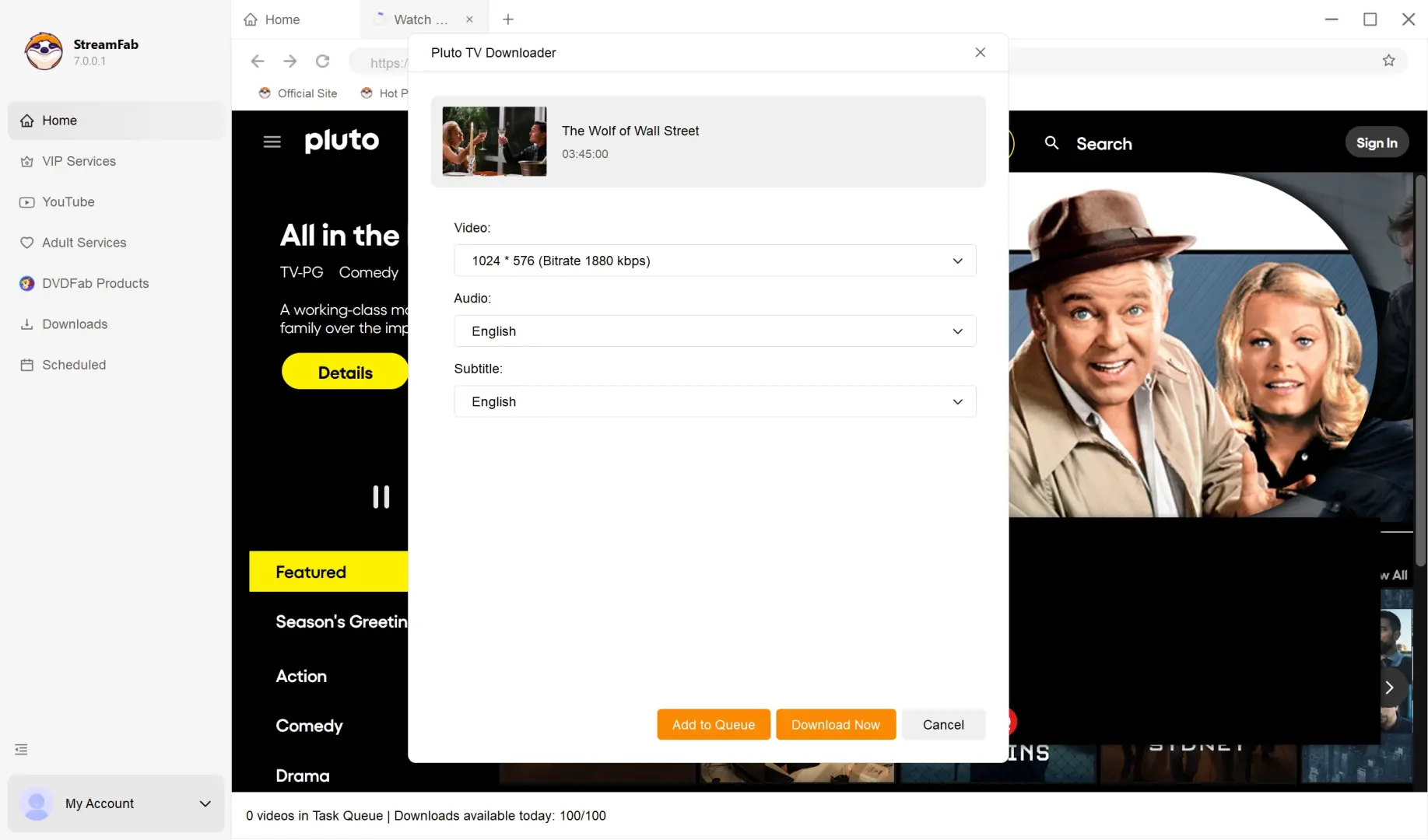
Click the play button on the title. StreamFab detects the stream and displays a download dialog. Select the available resolution (up to 720p for Pluto TV), audio track, and subtitle language for eligible on-demand content you can legitimately watch. Click Download Now to begin.
Step 5: Wait for completion
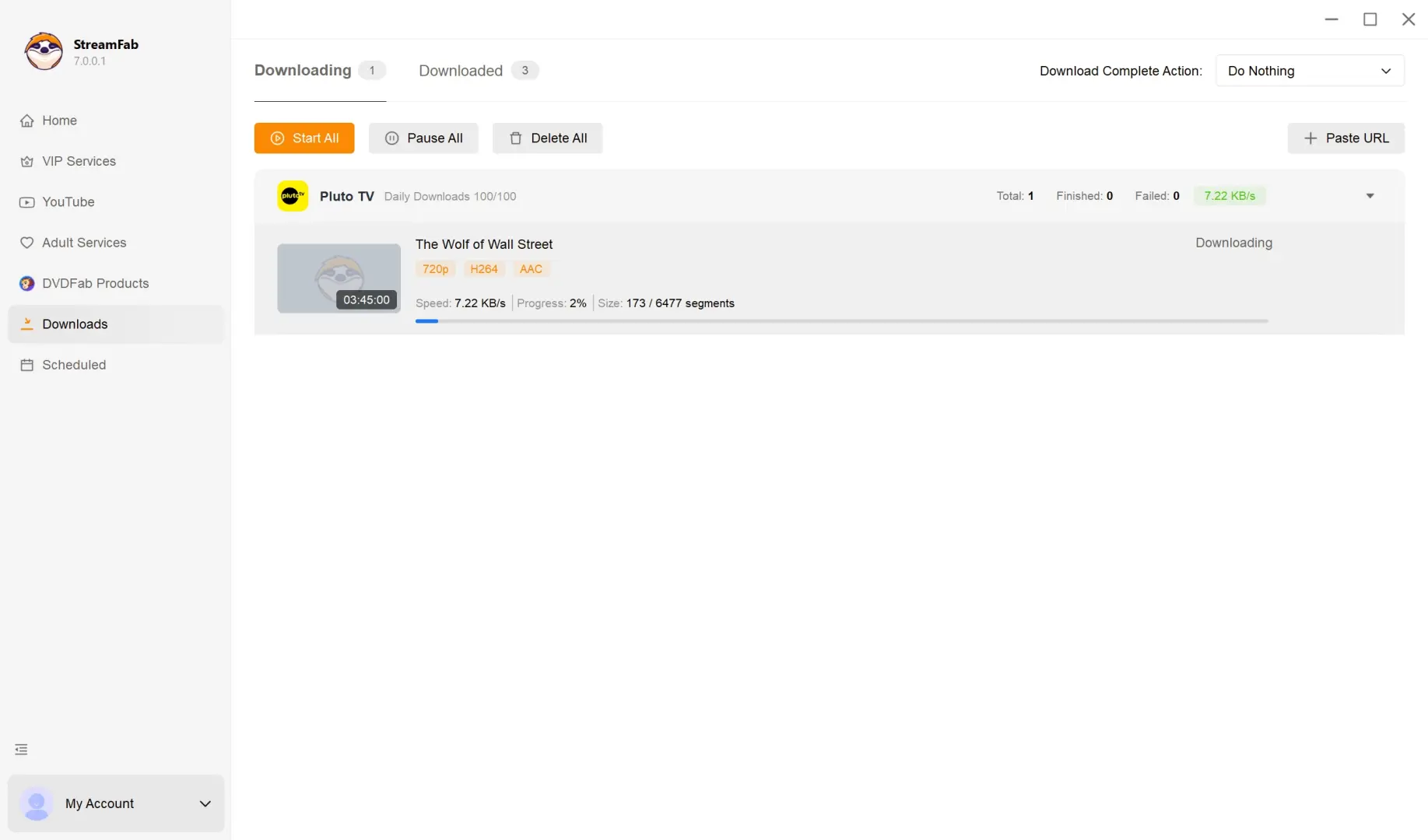
Progress appears in StreamFab's download queue. Ads are handled automatically during the process, so you do not need to edit the file manually after the download finishes.
Quality Test: Source-Dependent 576p and 720p Results
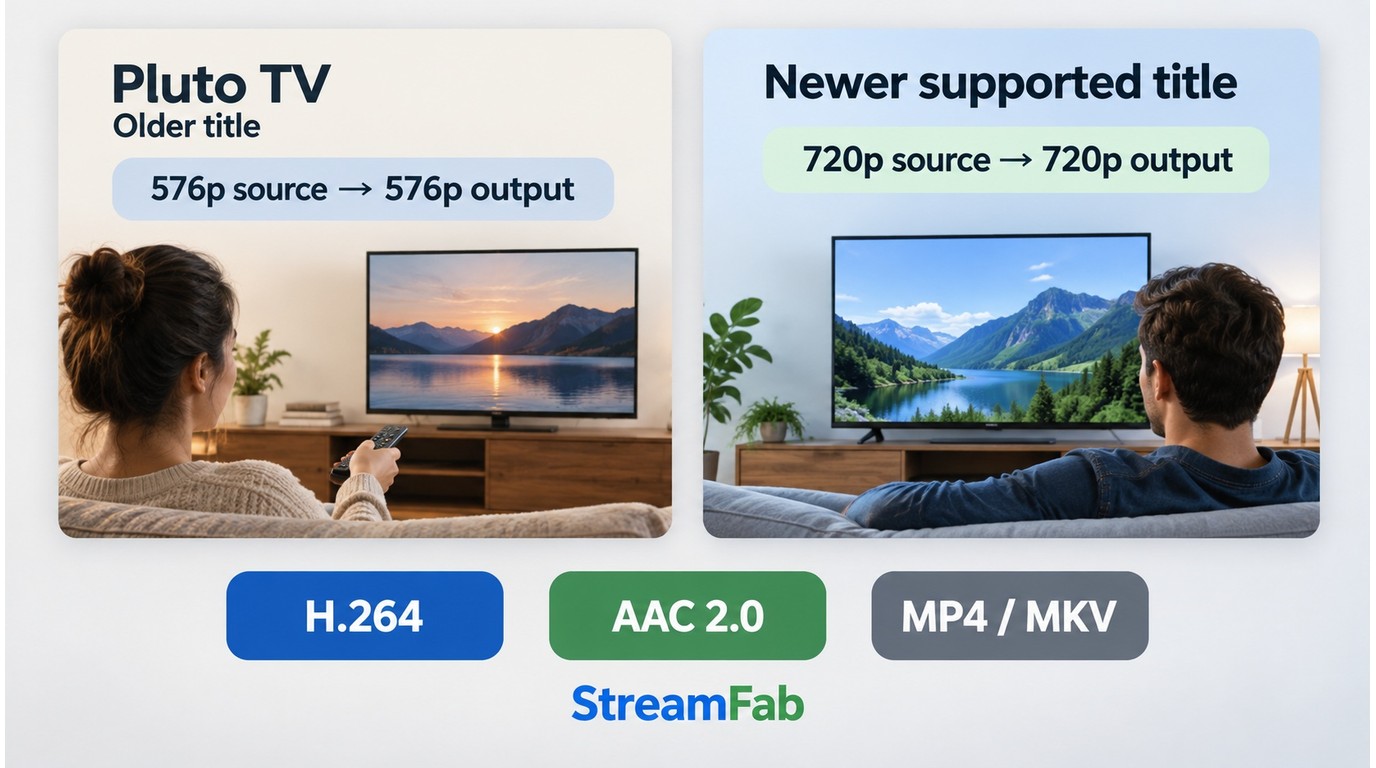
Pluto TV download quality is source-dependent. StreamFab Pluto TV Downloader can save supported on-demand titles at up to 720p, but some older catalog titles may be offered at 576p when that is the stream Pluto TV provides for that title.
The official Pluto TV Downloader product page lists StreamFab 7.0.4.9, dated September 11, 2026. Use the version number when comparing results or reporting a Pluto TV download issue.
| Spec | Result (as of September 2026) |
|---|---|
| Available resolution | Up to 720p; some titles may be 576p |
| Video codec | H.264 |
| Audio | AAC 2.0 stereo |
| Output format | MP4 or MKV |
| Ad handling | Ads are excluded during supported downloads |
| Subtitles | SRT external or embedded |
That distinction matters because Pluto TV's player interface can make a title look sharper than the file option available from the source stream. In practical terms, expect most supported downloads to land at either 576p or 720p rather than assuming every Pluto TV movie or episode will produce the same resolution.
Note: StreamFab saves Pluto TV titles at the resolution available from the source stream, up to 720p. It does not upscale older catalog videos that Pluto TV serves at a lower resolution.
StreamFab vs. Other Pluto TV Download Options
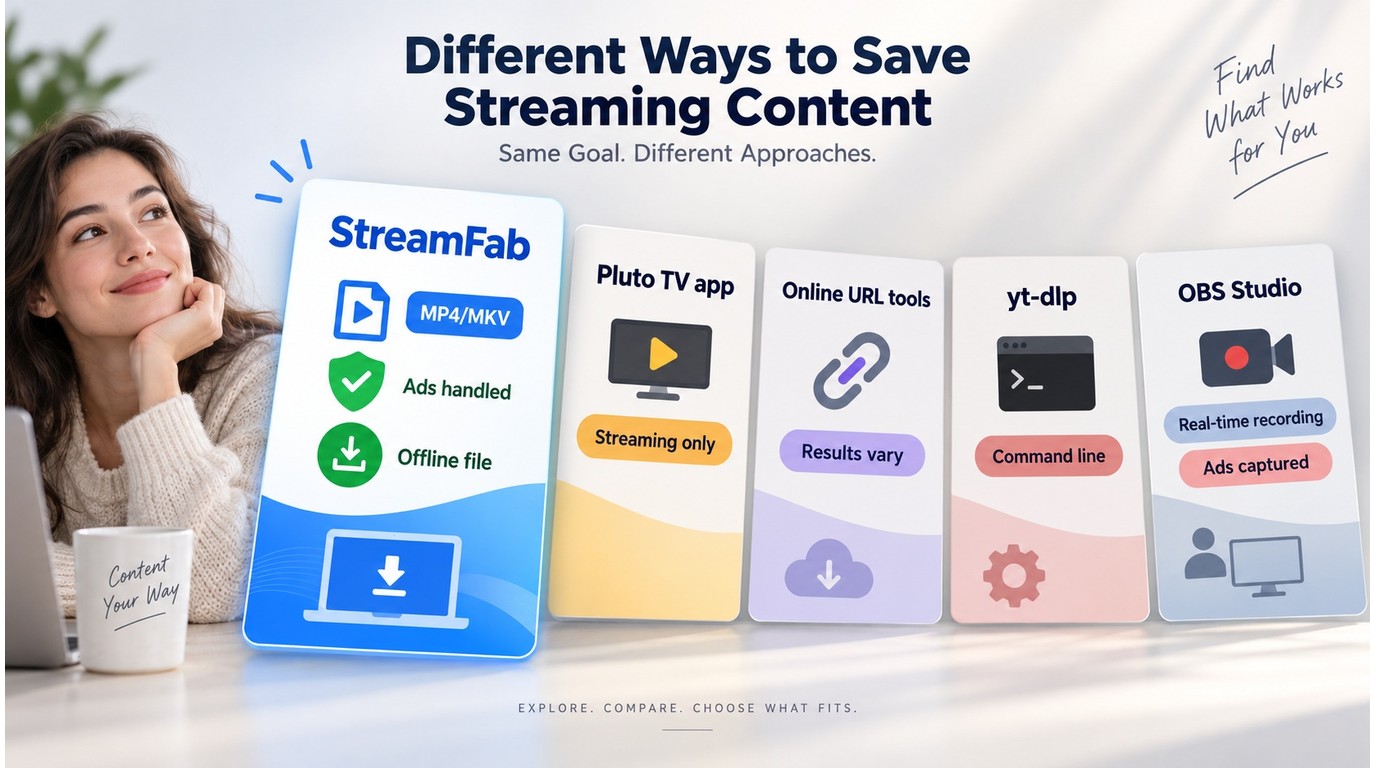
The key takeaway: if you want a local file for personal offline viewing, StreamFab is the most practical option in this comparison. The official Pluto TV app is for streaming, online URL tools can be inconsistent, yt-dlp is better suited to command-line users, and OBS records in real time.
StreamFab is not the only method people try when looking to save Pluto TV videos. The main difference is whether the method creates a local file, how it handles ads and recording time, and whether it uses direct download or re-encoding; the workflow trade-off is explained further in our direct download and re-encoding guide.
| Method | Local offline file | Ad handling and speed | Best fit and key limitation |
|---|---|---|---|
| Official Pluto TV app | No, streaming only | Plays normal ad breaks | Best for watching online; no native offline downloads |
| Online URL tools | Sometimes, when supported | Results vary by URL and title | Best for quick tests; reliability is uneven |
| yt-dlp | Yes, for supported streams | Command-line workflow | Best for technical users; setup can be intimidating |
| OBS Studio | Yes, as a recording | Real-time recording; ads appear in the capture | Best for live-channel capture; manual editing needed |
| StreamFab Pluto TV Downloader | Yes, MP4 or MKV | Ad segments are handled during supported downloads | Best for regular on-demand viewers; paid desktop app |
Pricing and Free Trial
StreamFab uses a per-module or bundle subscription model. The Pluto TV Downloader is available as a standalone module or as part of the All-In-One (AIO) bundle that covers all supported streaming platforms.
As of September 2026, StreamFab offers a 30-day trial with 3 video downloads per streaming service; monthly subscriptions include a 7-day refund window, while annual and lifetime licenses include a 14-day conditional refund window. Please refer to the specific regulations on official StreamFab Pluto TV Downloader page
Before purchasing, the StreamFab free trial lets you test the Pluto TV Downloader with 3 video downloads for this service, enough to confirm whether it fits the specific on-demand titles you care about. No credit card is required to activate the trial.
A common question with Pluto TV specifically: since the platform itself is free, paying for a download tool may feel counterintuitive. Pluto TV is the free streaming service; StreamFab is the paid desktop downloader that creates local MP4 or MKV files for personal offline viewing. For regular Pluto TV on-demand viewers, the value comes from offline access, cleaner playback, and less manual work than recording each title in real time.
Known Issues and Troubleshooting
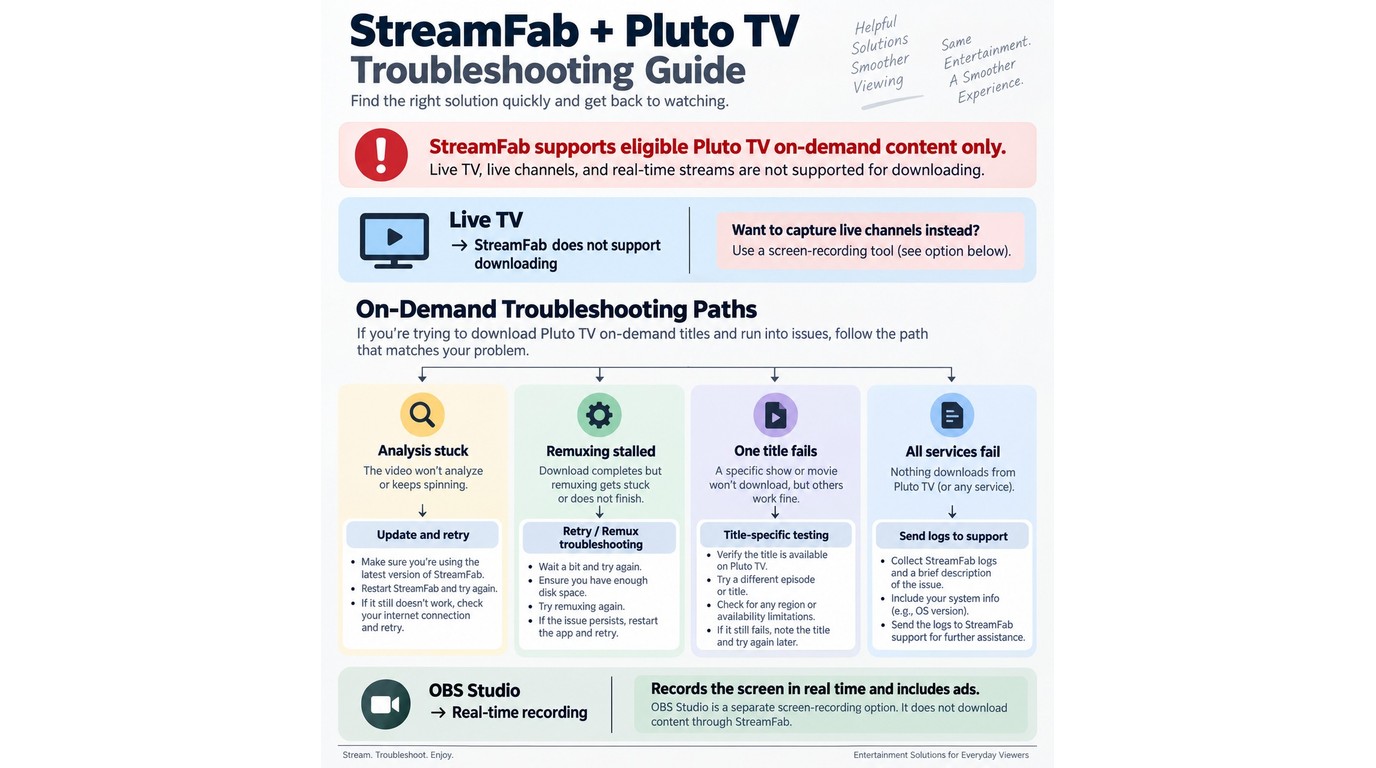
No download tool works perfectly on every title. For Pluto TV download issues, start by recording the StreamFab version, the affected movie or episode title, and whether the failure happens during analysis, download, or remuxing.
- Live TV channels are not supported: StreamFab's Pluto TV module works with on-demand content only. Live linear channels (the numbered channels in Pluto TV's guide) cannot be captured. If you need live-channel capture, OBS Studio may fit that scenario, though it records in real time and requires manual cleanup.
- Analysis gets stuck or ends immediately: Note the exact StreamFab version and title, then update to the current release and retry the same title. If other Pluto TV titles analyze normally, the issue may be title-specific; if every title fails, check the Pluto TV Downloader product status before opening a support case.
- Download reaches remuxing and does not finish: Keep the partially processed task in the queue, restart StreamFab, and retry after confirming you are on the current version. If the same title stalls again at remuxing, send the app version, title name, and log package to support.
- One on-demand title fails while others work: Try another episode or movie from the same Pluto TV category. A single-title failure is usually handled best through a title-specific report rather than broad system changes.
- The app crashes, will not launch, or fails across multiple services: Treat that as a system-level problem and move to the broader troubleshooting path below.
If the problem extends beyond the Pluto TV module, such as the app itself crashing or failing to launch, the StreamFab not working troubleshooting guide covers system-level fixes.
Frequently Asked Questions
Conclusion: Who StreamFab Pluto TV Downloader Fits
StreamFab provides a desktop local-file workflow for eligible Pluto TV on-demand videos you can legitimately watch for personal offline viewing. The automatic ad removal is the standout feature — given that Pluto TV loads 15–20 minutes of ads into a typical 2-hour movie, getting a clean file is a meaningful improvement.
The limitations worth knowing: output quality is source-dependent and tops out at 720p for Pluto TV, live TV channels are not supported, and the tool is a paid product for downloading from a free platform, which may not make sense for casual viewers. For regular Pluto TV users who value ad-free offline viewing, however, it can be a practical fit for eligible on-demand titles; the free trial lets you confirm support for your specific titles before purchase.
StreamFab Pluto TV Downloader is one module within the broader StreamFab platform. For a full overview of StreamFab's capabilities across all supported streaming services, read the complete StreamFab review.
If you want to try it before committing, start with the Pluto TV on-demand titles you actually plan to keep offline, then decide whether the local-file workflow is worth paying for.