
Quick Summary: Is StreamFab Hulu Downloader Worth It?
A Hulu subscription does not give your laptop an official download button. My take: StreamFab is worth considering for authorized desktop offline viewing. This StreamFab Hulu Downloader review covers the Hulu downloader workflow, output choices, and what to do when a title fails to analyze.

- Desktop viewing: Save authorized Hulu content as MP4 or MKV on Windows or Mac.
- Best fit: Offline viewing on a laptop or desktop.
- Account requirement: An active Hulu subscription is required; download quotas apply.
- Installer: Use the official StreamFab download.
- Personal use: Do not redistribute downloaded content.
- Compatibility: Update StreamFab and retry if Hulu analysis fails.
The StreamFab review covers how the individual service modules fit into the wider lineup.

What Is StreamFab Hulu Downloader?
StreamFab Hulu Downloader is a Windows and macOS application for saving Hulu movies and episodes as local files. It is a third-party tool relative to Hulu’s official download feature, for personal offline viewing of content you’re authorized to access, where permitted by platform terms and applicable law.
The built-in browser opens Hulu so you can sign in, browse titles, and select a download. MP4 or MKV files then open in a compatible local player. Your Hulu subscription supplies access to the content.
- OS: Windows 11 Pro (23H2)
- Application: StreamFab
- Plan: Hulu No Ads
- Samples: TV episodes and movies
On Windows 11 Pro (23H2) with Hulu No Ads, the recorded episode and movie samples produced 1080p EAC3 5.1 files that opened in VLC, Windows Media Player, and Plex.
Hulu's Download Limitations and Desktop Options
Hulu native downloads serve supported mobile devices, not Windows or Mac computers. A desktop Hulu downloader addresses a different viewing setup. For a flight with a phone or tablet, the app download is the simpler route.
- Eligible Hulu No Ads subscriptions support downloads on supported iOS and Android devices.
- You can store 25 titles across up to five supported devices.
- Unwatched downloads last 30 days; the playback window is 48 hours after you start.
- Not every title is downloadable. Use the app’s download indicator to choose an eligible title.
- Official downloads play in Hulu’s app rather than as generic MP4 files.
Hulu download limits include both a title allowance and a playback window. Finish the download while connected, then open the Downloads area before traveling to confirm the title is ready.
A laptop needs a different offline workflow. StreamFab saves files on Windows and Mac; its trial lets you check a title and your preferred player together.
StreamFab Hulu Downloader Output and Queue Options
MP4 and MKV output gives you a file to manage outside the Hulu app. I would choose MP4 for a straightforward playback workflow and MKV when organizing multiple tracks matters more. Match the codec to your player.
- Video: Up to 4K, with 1080p also supported; select the resolution offered for your title.
- Audio: EAC3 5.1 or AAC 2.0, with selectable audio languages.
- Subtitles: Choose embedded subtitles or separate SRT files for a Hulu subtitle download.
- Queue: Batch episodes and schedule detection of new releases.
- Files: MP4 and MKV output with H.264 or H.265 video.
- Library: Saved series metadata helps organize episodes in Plex or a NAS library.
Batch downloads put episodes in one queue instead of requiring a separate start for each title. For an overnight queue, I would choose the audio and subtitle tracks before adding the season.
The same output-folder and language settings apply when using StreamFab across Windows and Mac, so set them before starting your Hulu queue.
How to Download Hulu Videos with StreamFab — Step by Step
How does StreamFab work? You sign into Hulu inside the application, choose a title, select its output options, and save it. The steps below show how to use StreamFab for Hulu.
You need an active Hulu subscription. StreamFab does not supply access to Hulu content; sign in with your existing account.
Step 1: Download and install StreamFab
Download and install StreamFab from its official website. Open the application and find Hulu in the streaming-service panel.
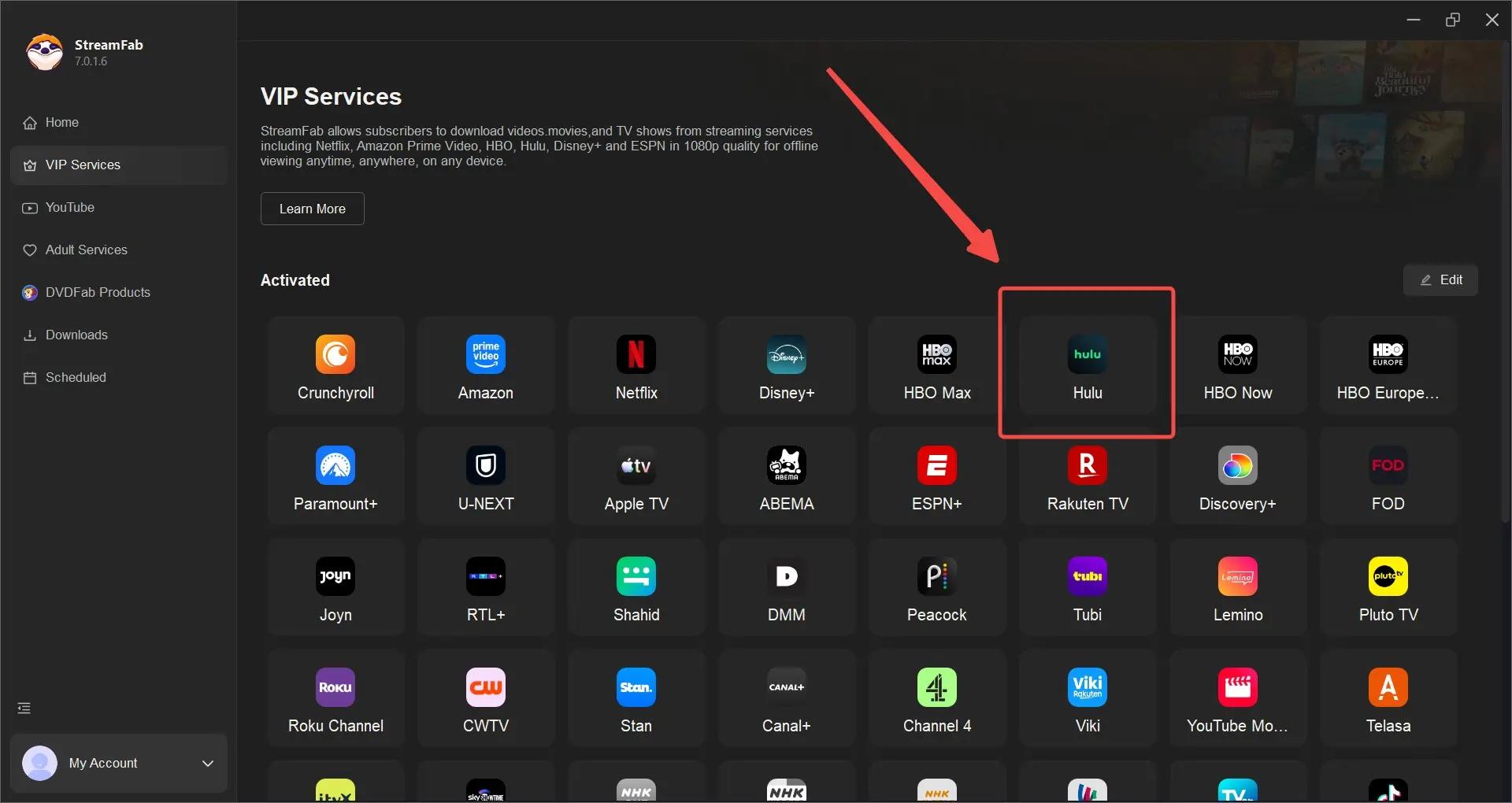
Step 2: Sign in to your Hulu account and select content
Click the Hulu icon and sign into your Hulu account in the built-in browser. Browse to the movie or show you want to save, then open its page to display download options.
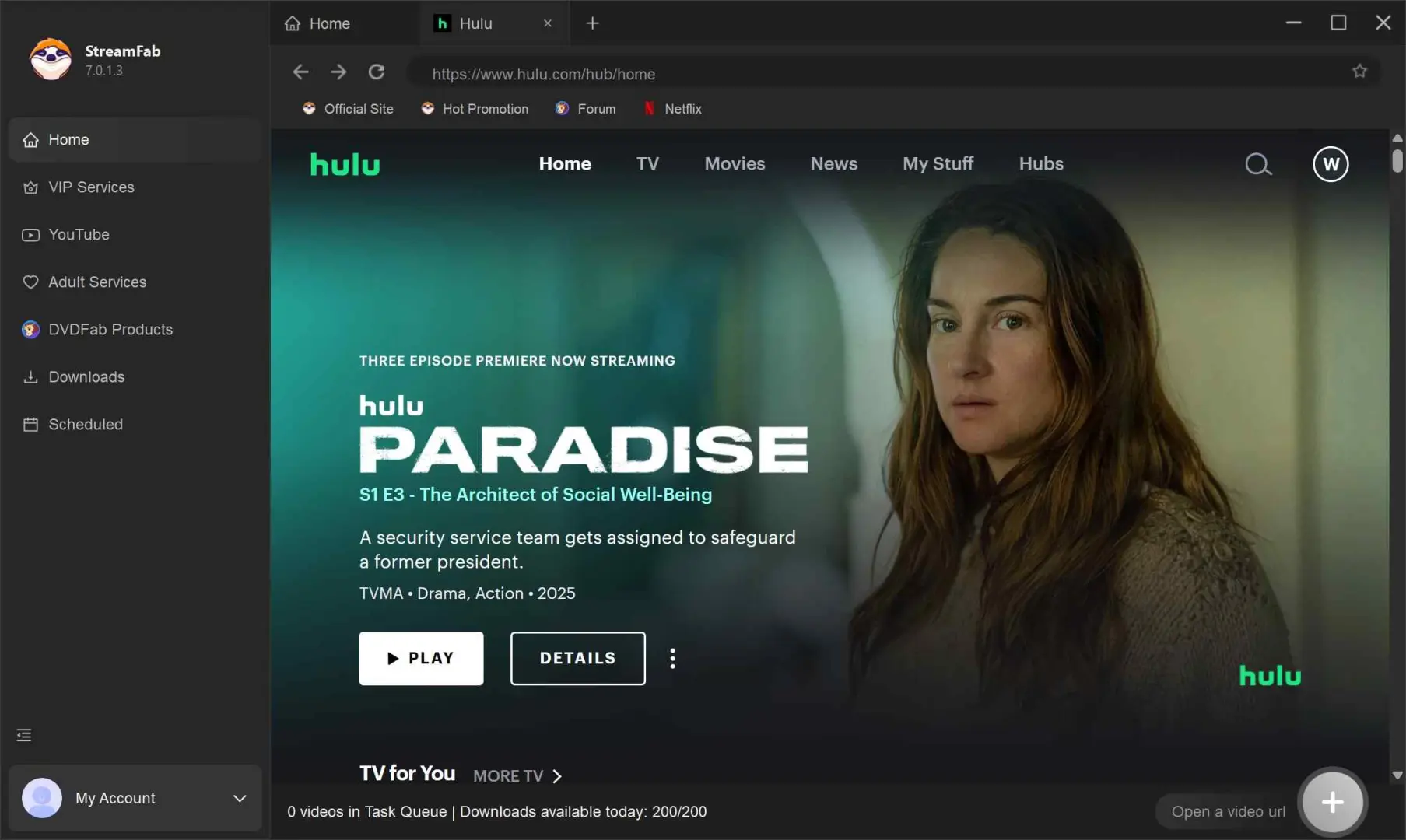
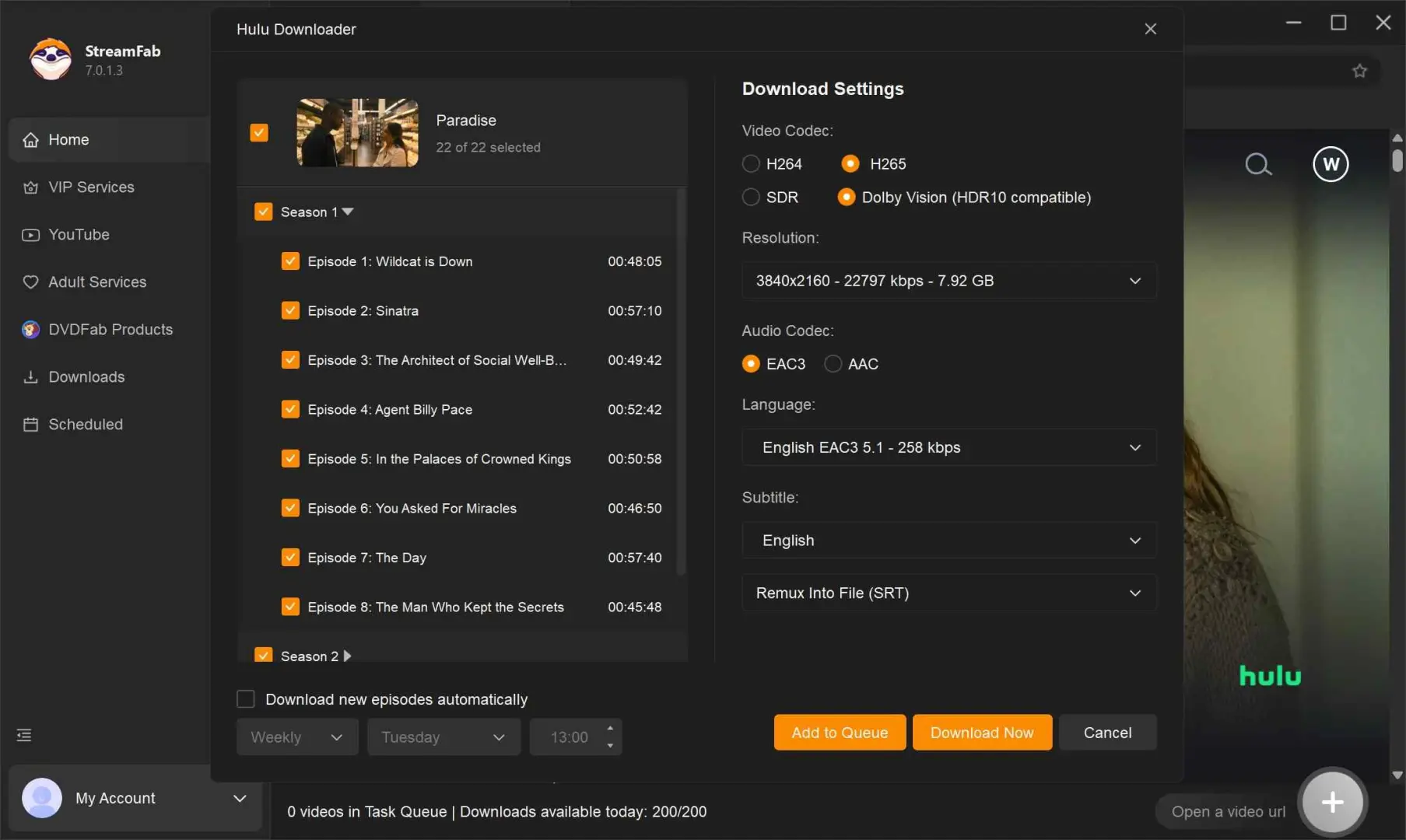
Step 3: Configure and start the download
Choose the available video resolution, audio track, and subtitle format. Click "Download Now" to start or "Add to Queue" to prepare a batch.
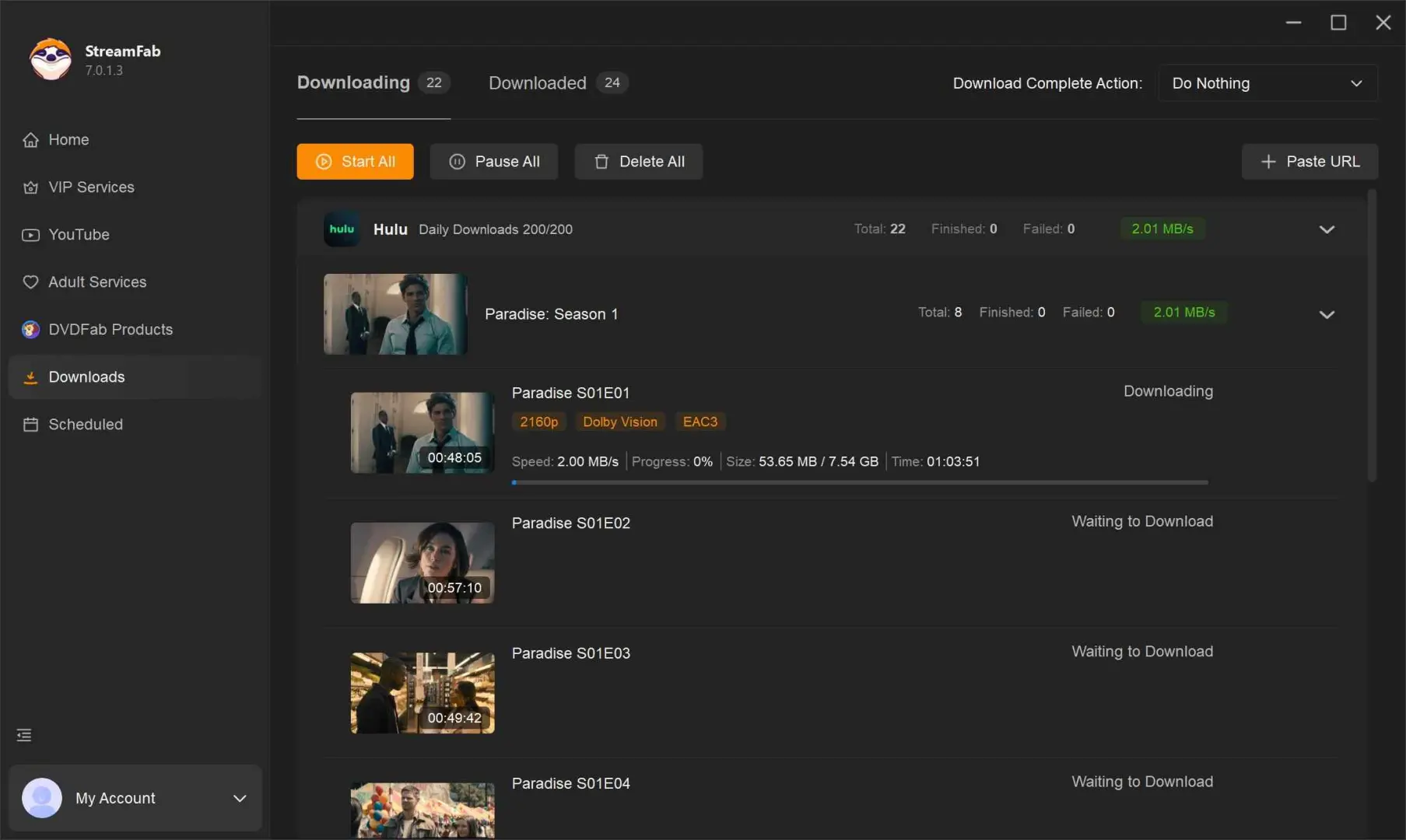
Step 4: Access your downloaded files
Completed downloads appear in the "Downloaded" section. Open your selected output folder and play the MP4 or MKV file in a compatible media player.
StreamFab vs. Hulu Native Downloads: Method Comparison
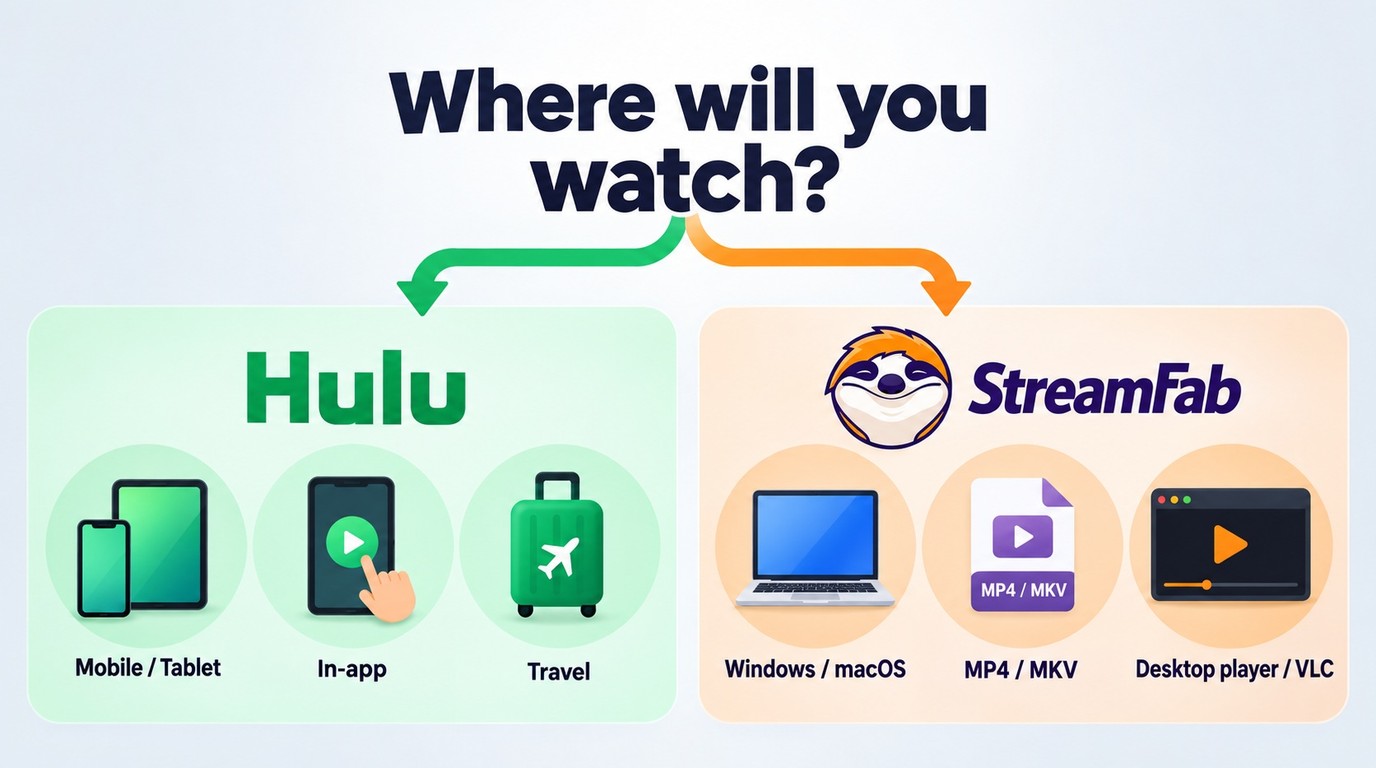
Hulu native downloads stay inside the mobile app; StreamFab saves local Hulu MP4 files or MKV files on a computer. Choose according to the device you will actually carry.
| Workflow | Device | Playback | Allowance |
|---|---|---|---|
| Hulu native downloads | Supported mobile devices | Hulu app | 25 titles across five devices |
| StreamFab Hulu Downloader | Windows and macOS | Local MP4 or MKV | 100/day; 700/week per service |
I would use Hulu’s app for a short trip with a supported phone. StreamFab’s strength is desktop offline viewing with file and subtitle choices, without moving your workflow to a mobile screen.
The StreamFab free trial runs for 30 days and includes three video downloads per service. It offers the paid features, including batch downloads and subtitles, with the quantity limited. Reinstalling does not reset the allowance.
Monthly subscriptions have a seven-day unconditional refund window. Annual and lifetime purchases have a 14-day conditional window for duplicate purchases, mistaken purchases, unresolved technical problems, or billing errors.
Hulu Downloader Comparison: Quality and Subtitle Options
The clearest US Hulu difference is resolution: StreamFab supports up to 4K, while TuneFab and MovPilot list up to 720p for Hulu.com. Subtitle handling also differs. Select the output that suits your screen and player.
| Tool | US Hulu resolution | Subtitle output |
|---|---|---|
| StreamFab Hulu Downloader | Up to 4K | Embedded or SRT |
| TuneFab VideOne Hulu Downloader | Up to 720p | Soft, hard, SRT, VTT |
| MovPilot Hulu Video Downloader | Up to 720p | Embedded or SRT |
Comparison as of September 2026: TuneFab's Hulu product page lists US output up to 720p and soft, hard, SRT, and VTT subtitle options.
I would choose StreamFab for a desktop queue when 4K output and separate subtitles matter. Each service module has its own capabilities; the StreamFab Netflix Downloader review addresses the Netflix workflow.
TuneFab offers soft and hard subtitles as well as SRT and VTT files. KeepStreams for Hulu is another active Hulu-focused product.
Safe Use and Personal-Viewing Boundaries
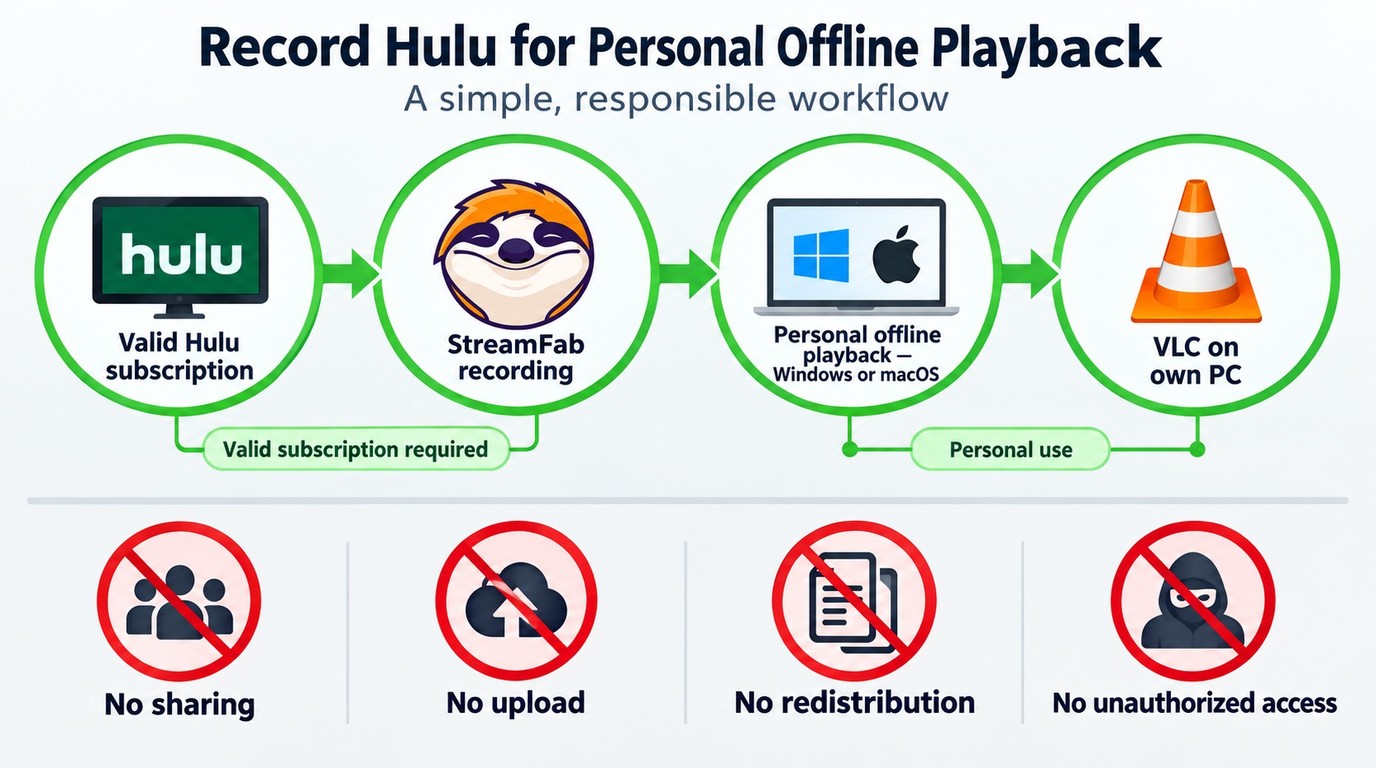
Use an official installer and content you are authorized to access. Keep the files for personal viewing. These are practical boundaries for the desktop workflow.
Safety
For an overnight queue), the original installer check reported no alerts from Windows Defender or Malwarebytes.
Legality
An active subscription supplies account access, not unrestricted reuse rights. Save authorized content, do not redistribute it, and follow Hulu’s terms and applicable law. The legal treatment of a particular use depends on its circumstances.
A Hulu analysis or download error calls for an update and another attempt first. The StreamFab troubleshooting guide connects persistent symptoms with the next diagnostic steps.
FAQ
Conclusion
StreamFab Hulu Downloader is a practical choice when your offline screen is a Windows or Mac computer. My recommendation is to match the workflow to that screen: Hulu’s app handles supported mobile downloads; StreamFab gives you local files and subtitle choices for desktop viewing.
- Laptop or desktop: Local Hulu MP4 files suit offline viewing during flights, commutes, or unreliable Wi-Fi.
- Playback setup: Choose an audio track and file format supported by your player.
- Service scope: A Hulu module and an all-in-one package have different license scopes.
Start the Hulu trial with a show you already have access to, choose your preferred output, and open the saved file in your regular player. That gives you a useful first offline session.
StreamFab Hulu Downloader saves Hulu movies and shows in up to 4K quality as MP4/MKV files. Supports EAC3 5.1 audio, batch downloads, and subtitle extraction. Works on Windows and macOS.
Hulu compatibility changes with platform updates. Install the current StreamFab release and retry a failed title before troubleshooting further.
