
Here's the short answer, one line per tool, with the section anchor if you want the full write-up. Each recommendation assumes an active OnlyFans subscription and content you are authorized to access, and every third-party spec below is quoted as of July 2026, so verify current terms on each vendor's page.
- 👑StreamFab: Best for scheduled, desktop-based management of personal offline viewing (within platform rules)
- Kigo: Best for quick, simple non-DRM downloads in bulk
- YT Saver: Best for occasional 1080p downloads, simple UI
- AnyLoader: Best for free, lightweight browser-based saving (with risks)
- OF-Scraper: Best for advanced users comfortable with the command line
- Comparison table of all OnlyFans video downloaders
The awkward truth about OnlyFans is that a creator you paid to follow this month may not be there next month, and the posts you legitimately paid to watch can disappear with the account. That is why I keep coming back to the question of how to save what I am authorized to view: a compliant, well-managed personal offline copy on the desktop, while the subscription is still active. This guide compares the top OnlyFans video downloader tools I still rely on as of July 2026, ranked by how each handles protected posts, speed, free trial policies, and (for extension-based options) the browser workflow.

Top 1. StreamFab OnlyFans Downloader (Desktop + Extension)
StreamFab OnlyFans Downloader is the workflow I keep coming back to when a subscription includes protected posts: It works as an OnlyFans downloader for Mac and Windows, handles the protection layer, and its scheduled bulk-save mode is the reason I set overnight jobs and check the folder in the morning.
If you want to download OnlyFans on Windows or macOS with protected-post support, this is the entry to read. As of July 2026, it is the only tool in this lineup that offers both a full desktop app and a browser extension version, which is a genuine differentiator against Anyloader (extension only) and Kigo, YT Saver, and OF-Scraper (desktop or CLI only). The free trial covers 3 full-length videos over 30 days (as of 2026); confirm the current terms on the StreamFab OnlyFans Downloader product page before you commit.

Saves selected OnlyFans posts you can legally view in up to 1080p (as of 2026) with AAC 2.0 audio, in small batches, for personal offline playback under an active subscription.
What it does well:
- Handles protected posts on Windows and Mac with native processing.
- Auto-save and batch queue: I set the queue to run overnight and wake up to finished files.
- Save from messages, favorites, or a specific creator (including OnlyFans messages).
- Built-in browser reduces credential exposure vs. pasting an OnlyFans login into a third-party site.
- Retains metadata (title, creator handle) so a growing library stays organized.
One observation I want to be honest about (M16-style, from my own tests and community threads I have followed through 2026): when the platform pushes a protection update, resolution on protected posts can briefly downgrade from 1080p to 720p or even 480p until the maintainer ships a patch. The last two rounds I watched, StreamFab's update cadence has been quick, which is the pattern I bet on rather than any single day's speed number.
- Windows and Mac users who need protected-post support, scheduled auto-save, and bulk downloads across messages, favorites, and specific creators.
- A one-off single-video save where the trial's 3-video, 30-day cap feels heavy; a lighter free option or waiting on a sale is a more sensible move for a single clip.
How to Use StreamFab OnlyFans Downloader for Offline Viewing (Where Allowed)
The workflow below is the one I use for a standard save on Windows or Mac. It assumes you already have a valid OnlyFans subscription and are handling content you are authorized to view.
Install the desktop client from the official StreamFab download page using the Windows or Mac button above. If your machine is a pre-2018 rig, I would also open Settings and check that hardware acceleration matches your GPU: on older AMD cards I have seen decoding artifacts that disappear when it is turned off; on NVIDIA GTX 1060 or newer, keep the default on.
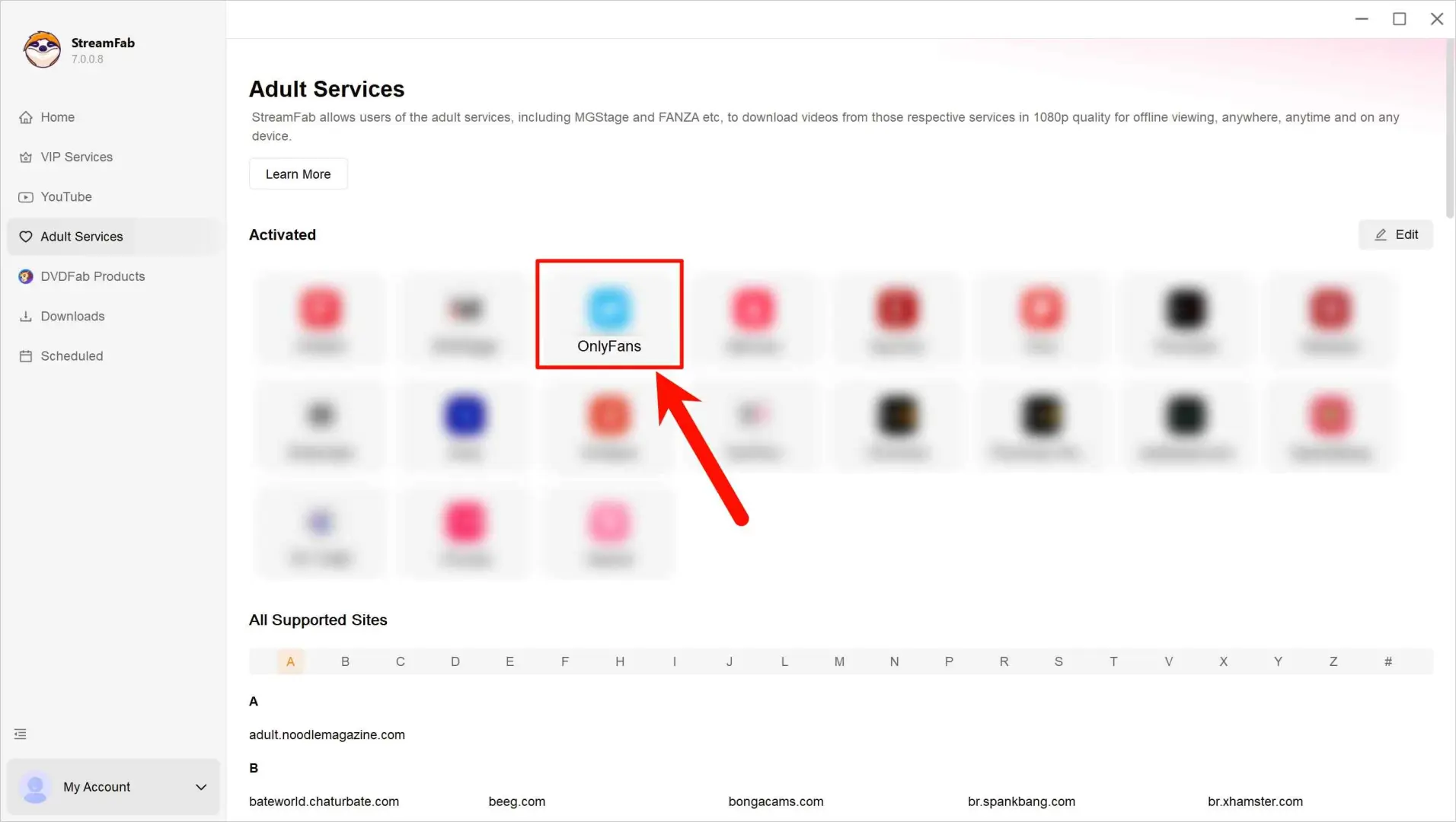
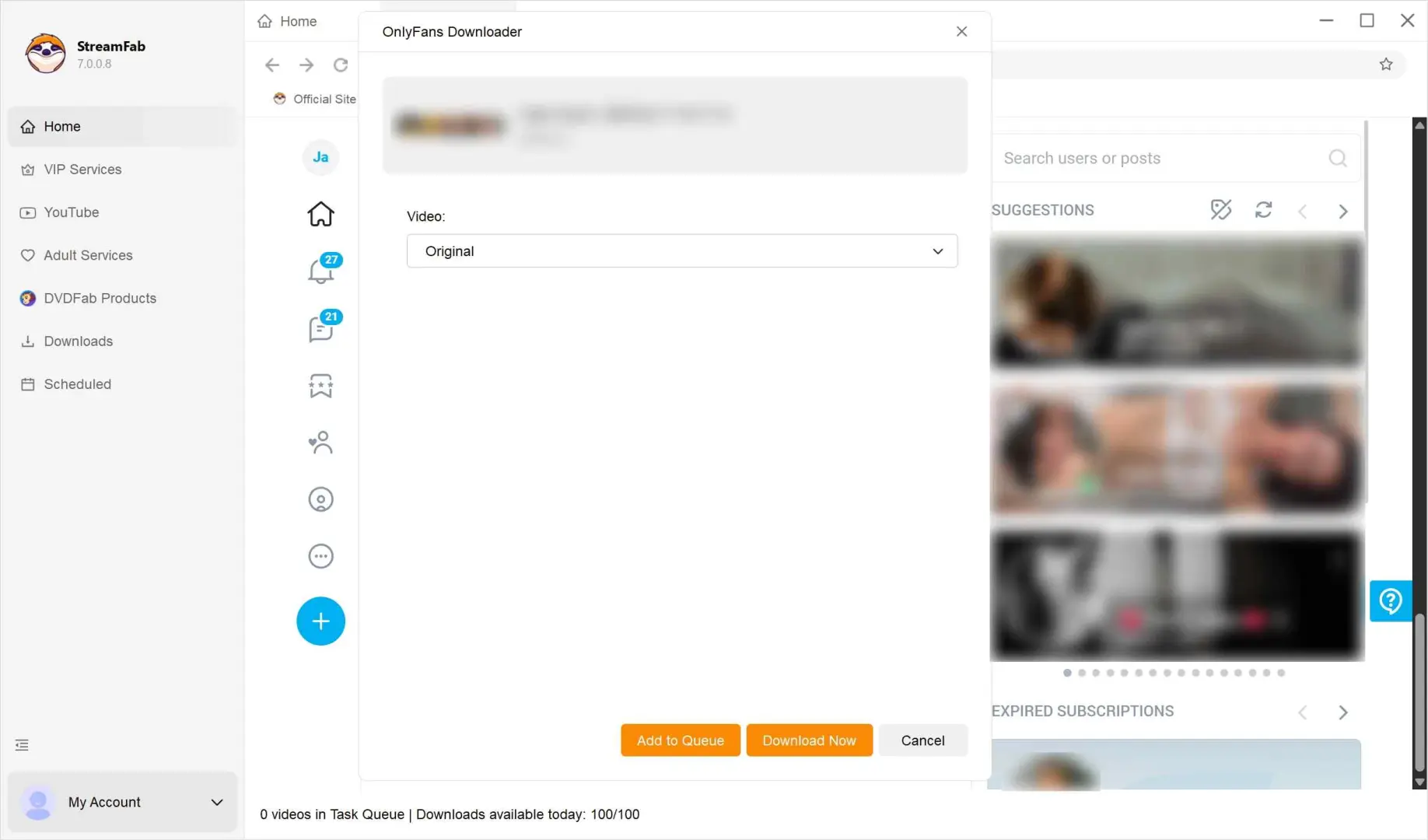
Open the built-in browser inside StreamFab, sign into your OnlyFans account, and navigate to the post you want to save. Once the video loads, the analyzer pops a configuration panel with video quality, audio track, and subtitle options. Pick 1080p if the source and your subscription support it (as of 2026, that is the ceiling for OnlyFans downloads on desktop).
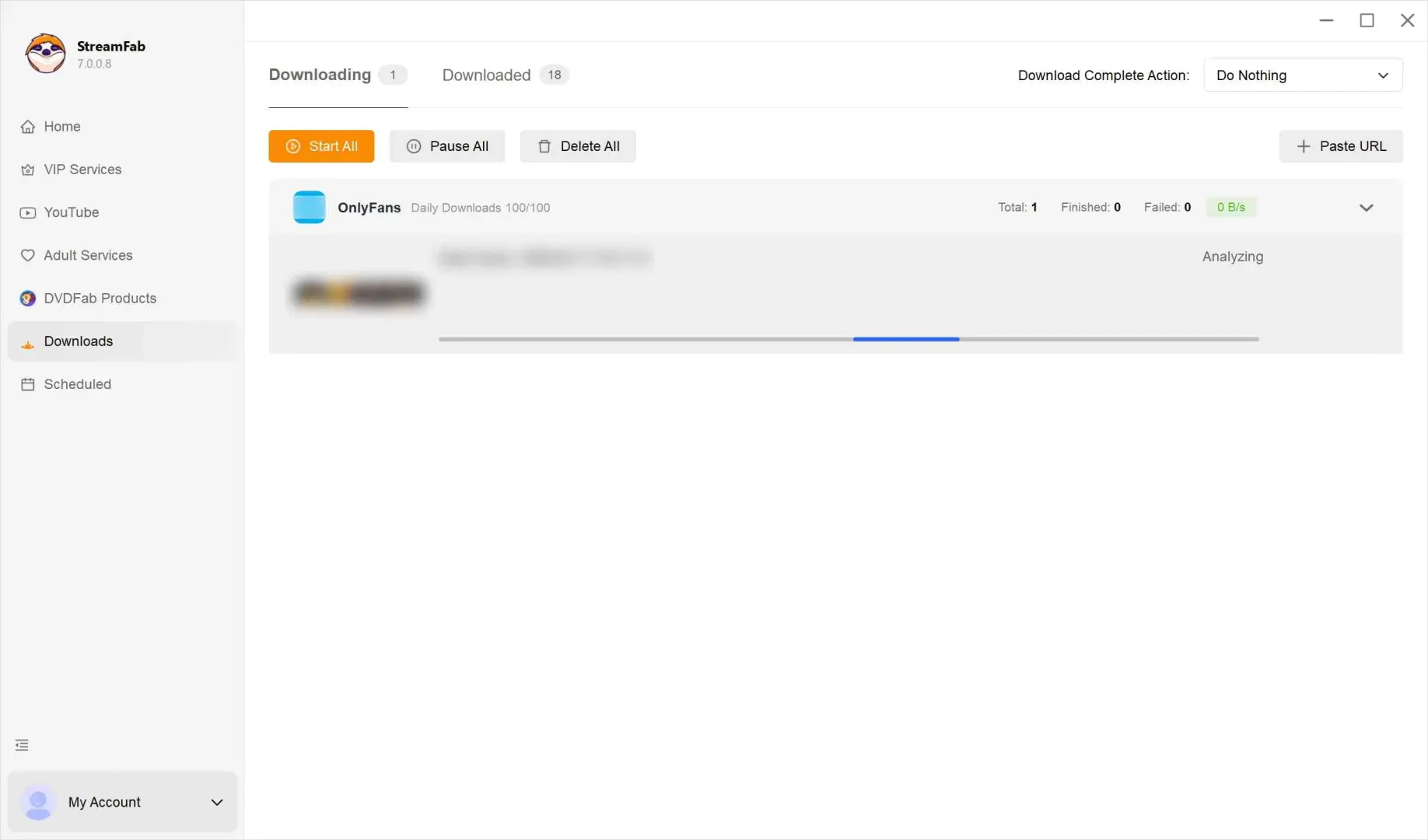
Hit Download Now to send the job to the queue. Track progress on the Downloading tab; finished files land in Downloaded. If you need to run a full season overnight, batch a creator's page instead of a single post: I usually queue five to ten posts and let the scheduler space them out.
Top 2. Kigo OnlyFans Downloader (Non-DRM Bulk Saves)
Kigo OnlyFans Downloader is a simple bulk-save tool that works well on non-DRM public posts and stops working on protected ones. If most of the content you follow is unprotected, Kigo can output 720p or 1080p OnlyFans-to-MP4 files quickly, and its bulk-queue workflow is the reason it made this list. Kigo does not process protected posts, so its usefulness is limited to non-DRM material. Its free trial caps output at the first minute of each video (as of 2026), which is worth knowing before you buy: for a full-length save, you will need the paid version.
My honest take: on the non-DRM slice of OnlyFans that Kigo can actually handle, it is fine. On protected posts it will fail the same way any extension fails, and no built-in browser workaround changes that. The section further down on Chrome extensions vs desktop covers why. Verify Kigo's current trial and pricing on the vendor page before purchase.
| Pros |
|
|---|---|
|
Cons |
|
- Users who mostly save non-DRM public posts and want a simple bulk workflow at 720p or 1080p.
- Workflows that need protected-post handling, scheduled auto-save, or full-length trial videos.
Quick Setup with Kigo
Install Kigo on your PC. The first launch shows the empty dashboard.
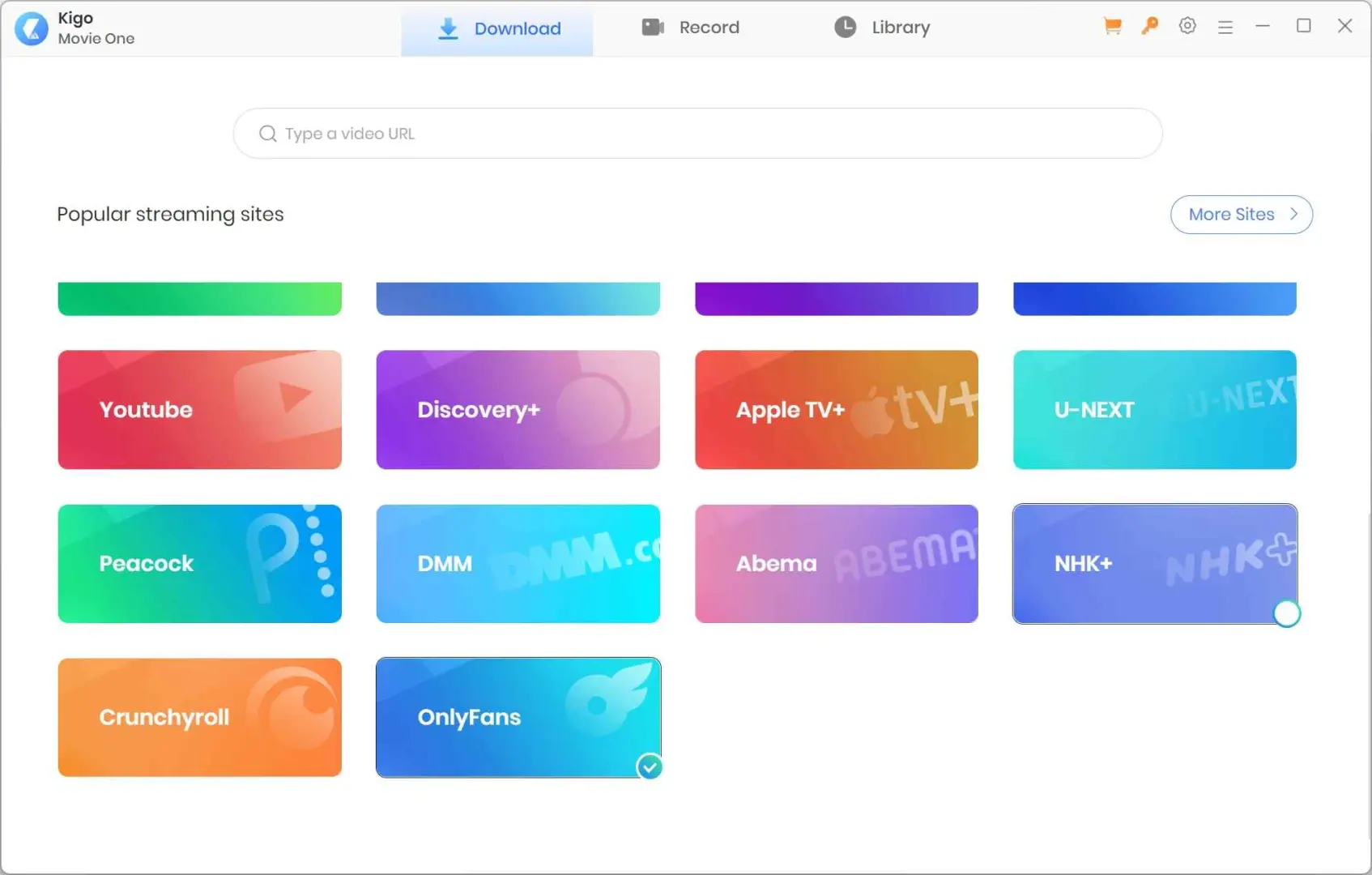
Sign into your OnlyFans account inside Kigo. Kigo needs an authenticated session to reach the post you paid for.
Open the post that contains the video. Kigo analyzes it and offers video, audio, and subtitle choices.
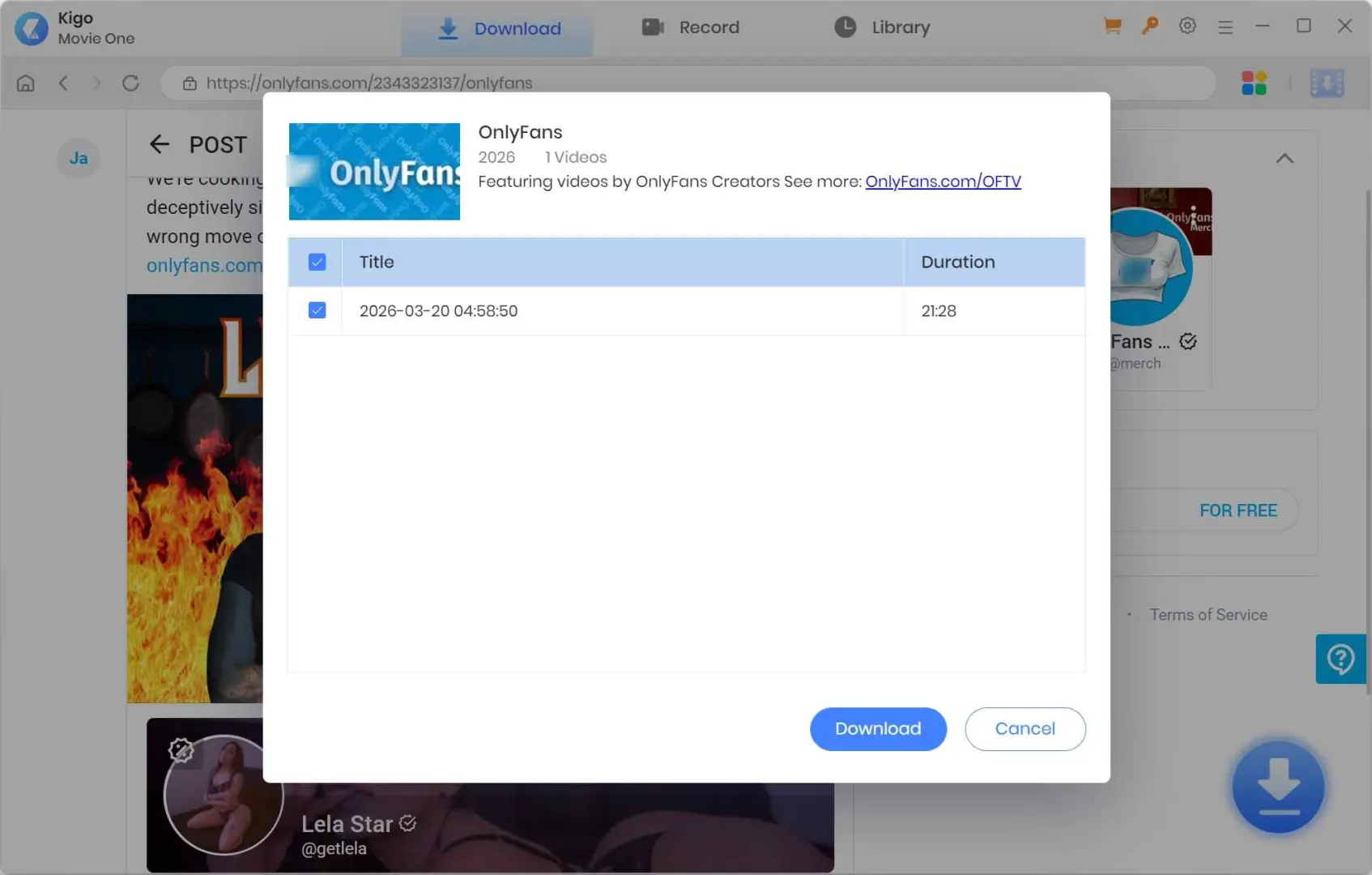
Pick the title, start the task from the download panel, and confirm the destination folder. As with every tool in this article, only save posts you are authorized to access and within what OnlyFans and local law allow.
Top 3. YT Saver OnlyFans Downloader (1080p, Simple UI)
YT Saver is the pick if you want a plain, minimal UI and only need occasional 1080p saves of non-DRM posts. It advertises a wide range of streaming sites and is easy to figure out on the first launch. For OnlyFans specifically, the download workflow is close to Kigo's: sign in, open the post, pick a resolution, hit download.
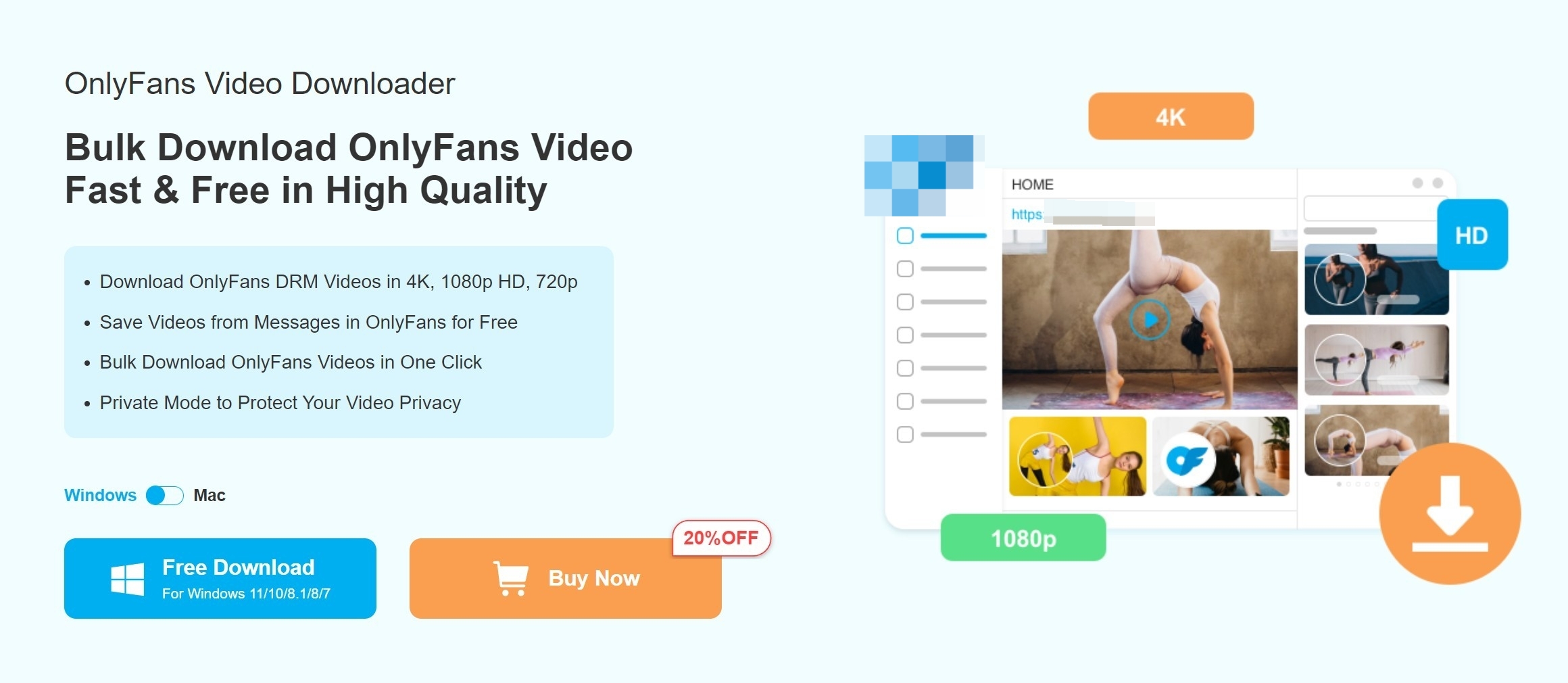
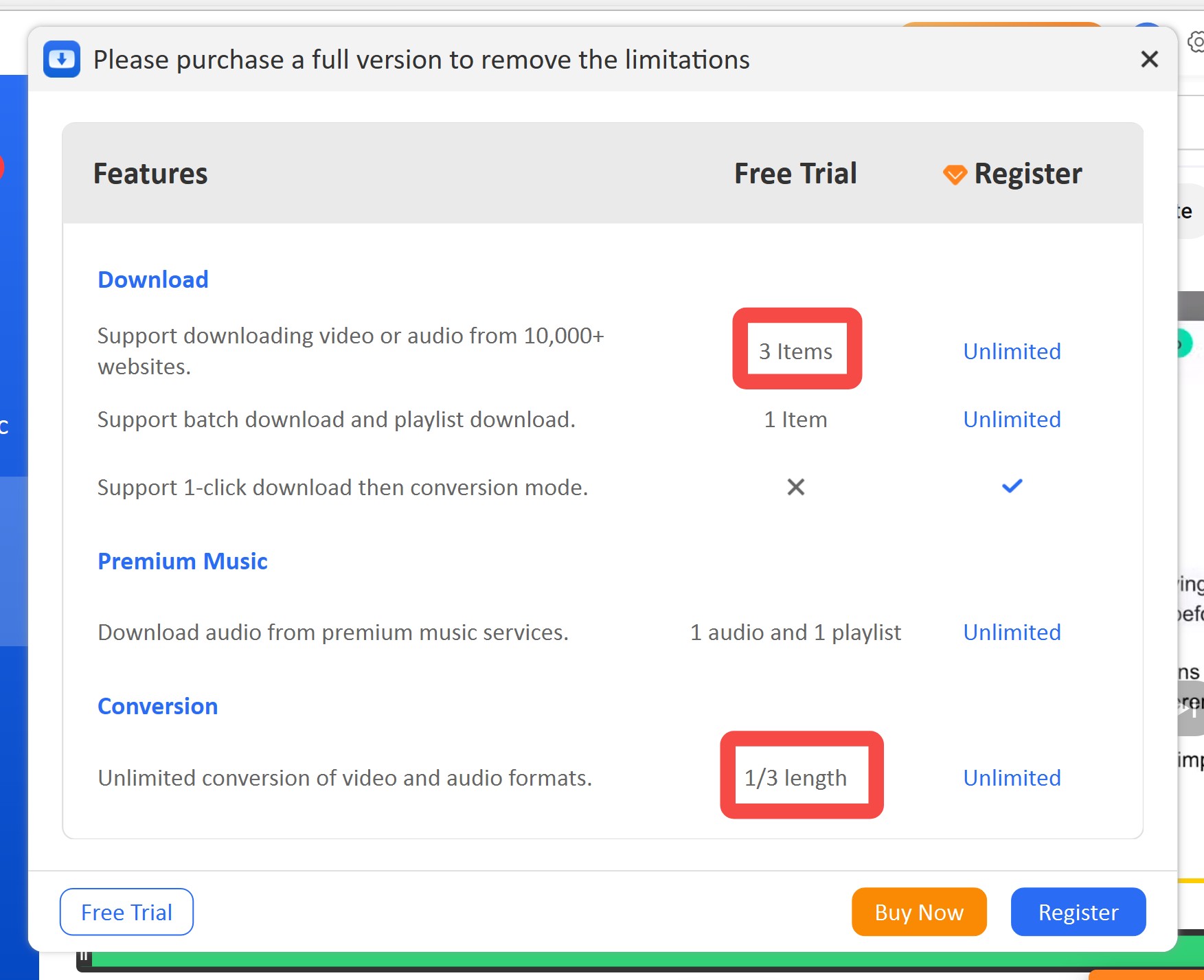
Two facts that I want to reframe as pricing signals rather than takedowns. First, YT Saver's marketing mentions saving at up to 4K, but in our OnlyFans-side tests, the actual ceiling is 1080p, matching the source stream. Second, YT Saver's free tier caps at 3 items at roughly one-third length per video (as of 2026), compared with StreamFab's 3 full-length videos in a 30-day trial. Which is the better free-tier deal depends on whether you need to preview full videos before committing to them.
| Pros |
|
|---|---|
|
Cons |
|
- Occasional 1080p saves from public posts with a simple UI.
- Users who need full-length trial video or protected-post support.
Quick Setup with YT Saver
Install YT Saver on your PC and open it to reach the main dashboard.
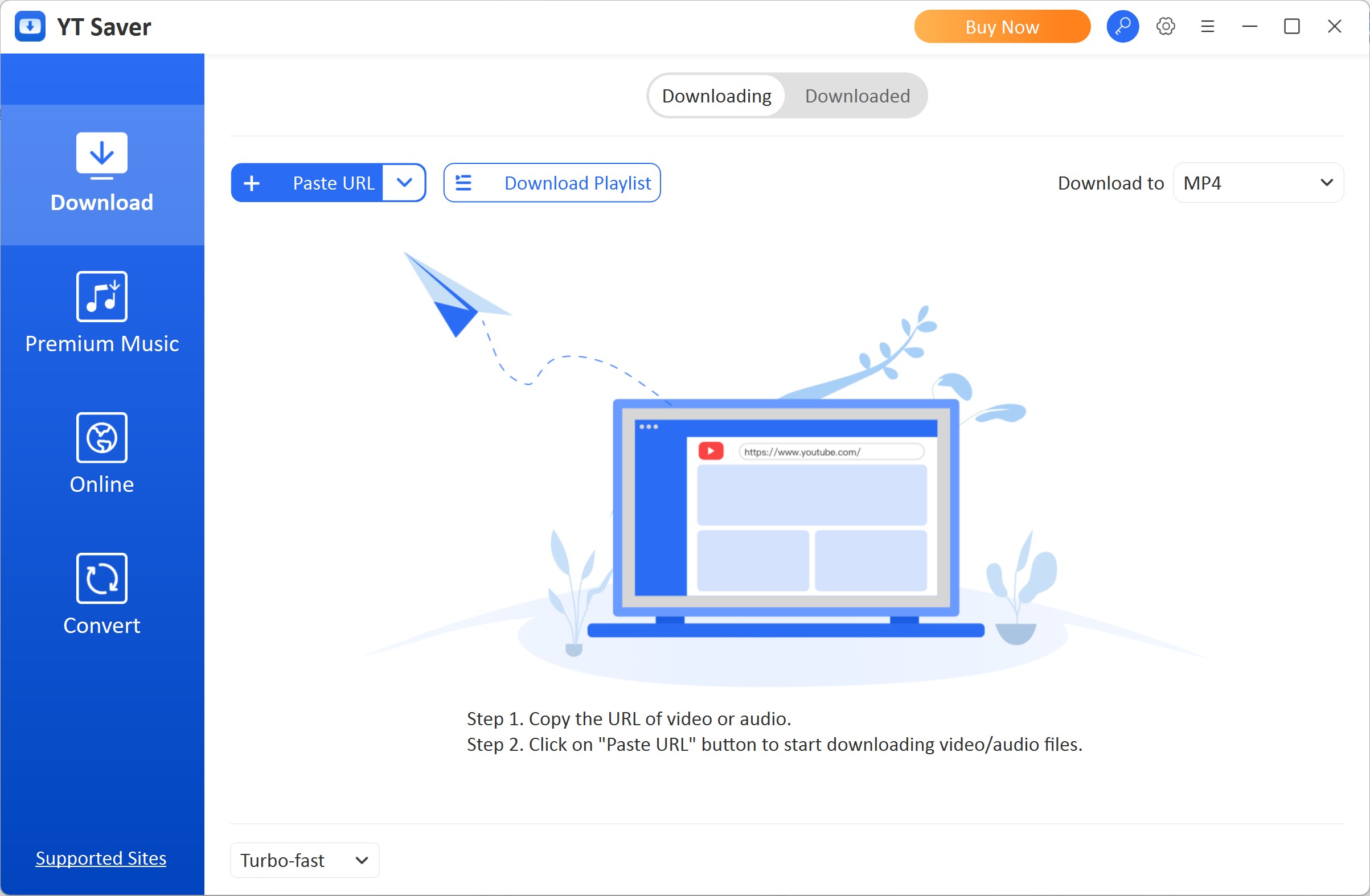
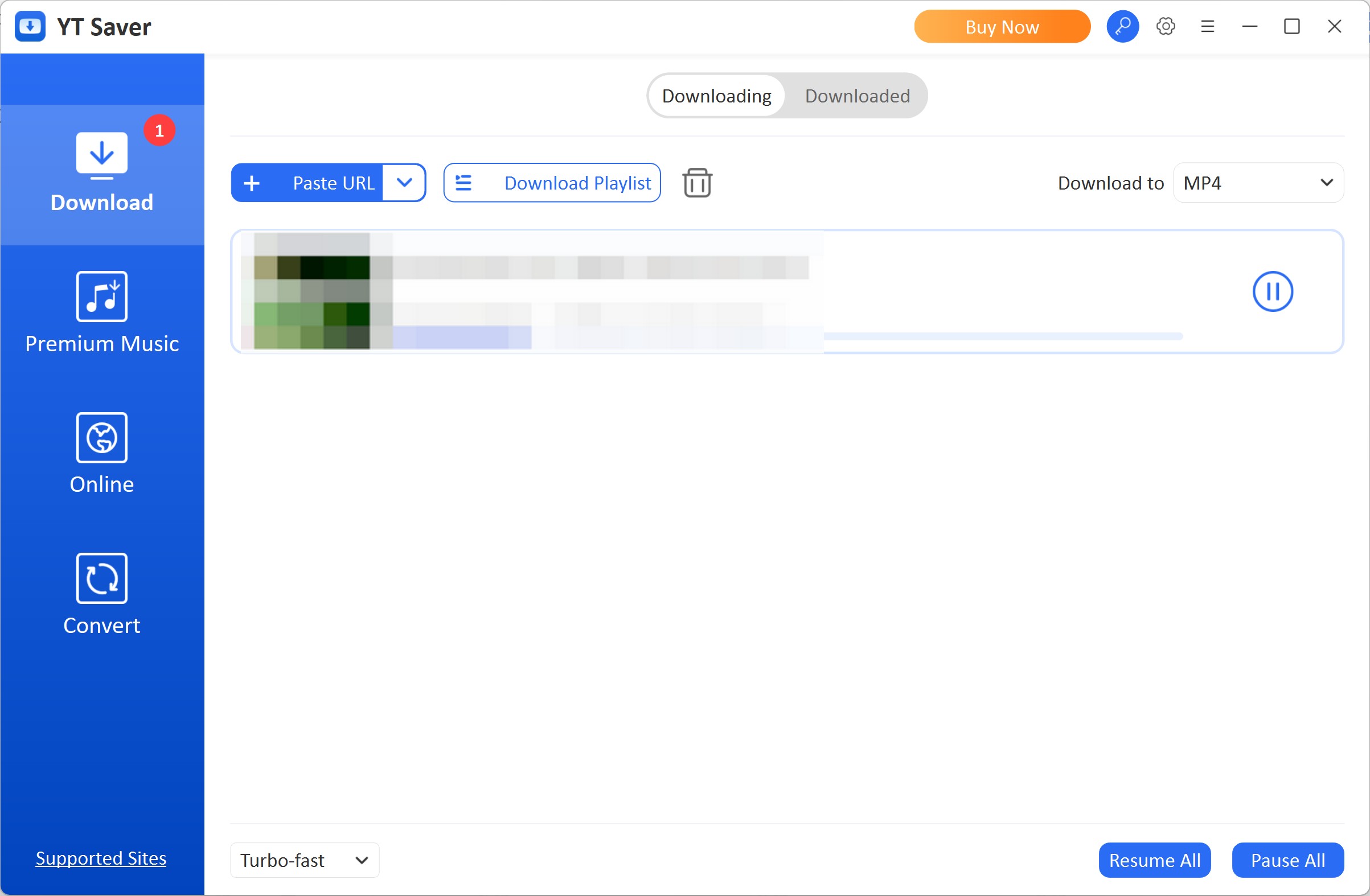
Open the built-in browser, navigate to the OnlyFans post you want, and click the Download button in the upper right.
A configuration panel appears with video, audio, and subtitle choices. Confirm 1080p if that is the source ceiling and press the download button.
Chrome Extensions vs Desktop: When Each Works in 2026
Chrome extensions are convenient for non-protected public posts and one-off saves, but they cannot render protected posts; that is a desktop-app job. This section frames the Anyloader review that follows so you can read that entry as one example of the extension category, not as a peer of the desktop tools.
- Where an OnlyFans downloader Chrome extension still helps: public, non-DRM posts; a quick one-off grab where you already have the tab open; low-friction install without another app on the machine.
- Where extensions break: protected posts return a black frame or an audio-only file for the reason explained in the DRM section; signing into a third-party extension exposes your OnlyFans session cookies to that extension's permissions; a recurring pattern users report is that the download button silently disappears from individual posts after platform updates, which is a common reason people migrate to a desktop workflow.

- As of 2026, the rule of thumb I use is: if the post is public and I only need it once, an extension is fine; if the post is protected or I plan to download OnlyFans videos more than a handful, a desktop app with a built-in browser is the reliable path.
Top 4. Anyloader (Chrome Extension, No DRM Support)
Anyloader is a browser extension for OnlyFans; its behavior mirrors what I described in the Chrome Extensions vs. Desktop section above: solid on non-DRM public posts and blank on protected ones. After installing the extension, some media items show a download option inside the player UI, and Anyloader has an auto-save mode you can enable after the first configuration pass. Use it only where the creator, the platform, and your local law clearly permit saving a copy.
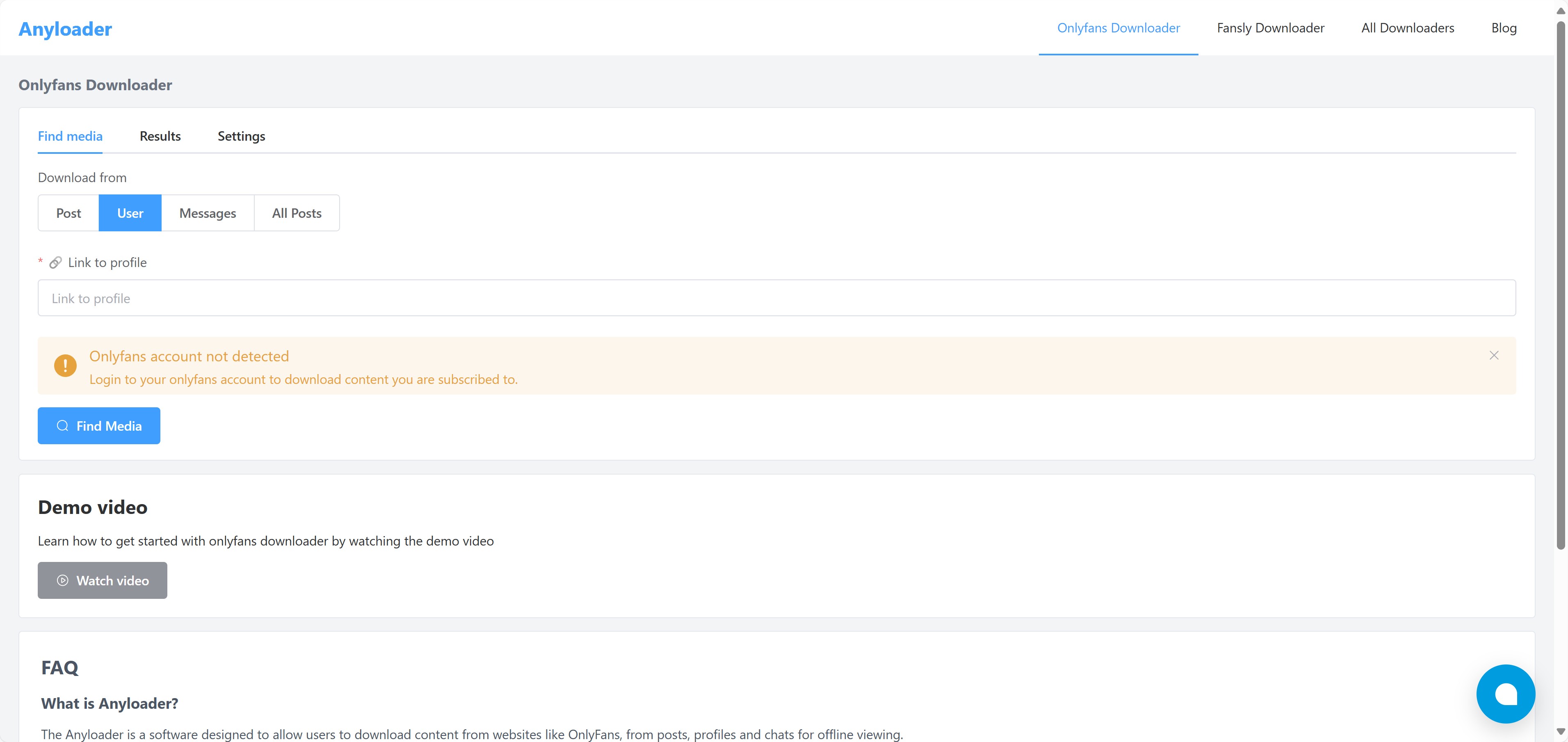
The trade-off to be honest about is Anyloader requires you to sign in inside the extension, and extensions that ask for an OnlyFans login can expose session data to whatever domain the extension talks to. Treat this as an account-safety trade-off rather than a certainty (see the FAQ on account risk below); the exact outcome depends on your usage pattern and how often the platform tightens its policies.
|
Pros |
|
|
Cons |
|
- Free, one-off saves of non-DRM public posts when you already have the tab open.
- Anyone who needs protected-post support or batch mode or wants to avoid pasting an OnlyFans login into a browser extension.
Quick Setup with Anyloader
Sign in to your OnlyFans account on the Anyloader page.
Paste the URL of the OnlyFans post you want to save. Set the media kind before you kick off the scan.
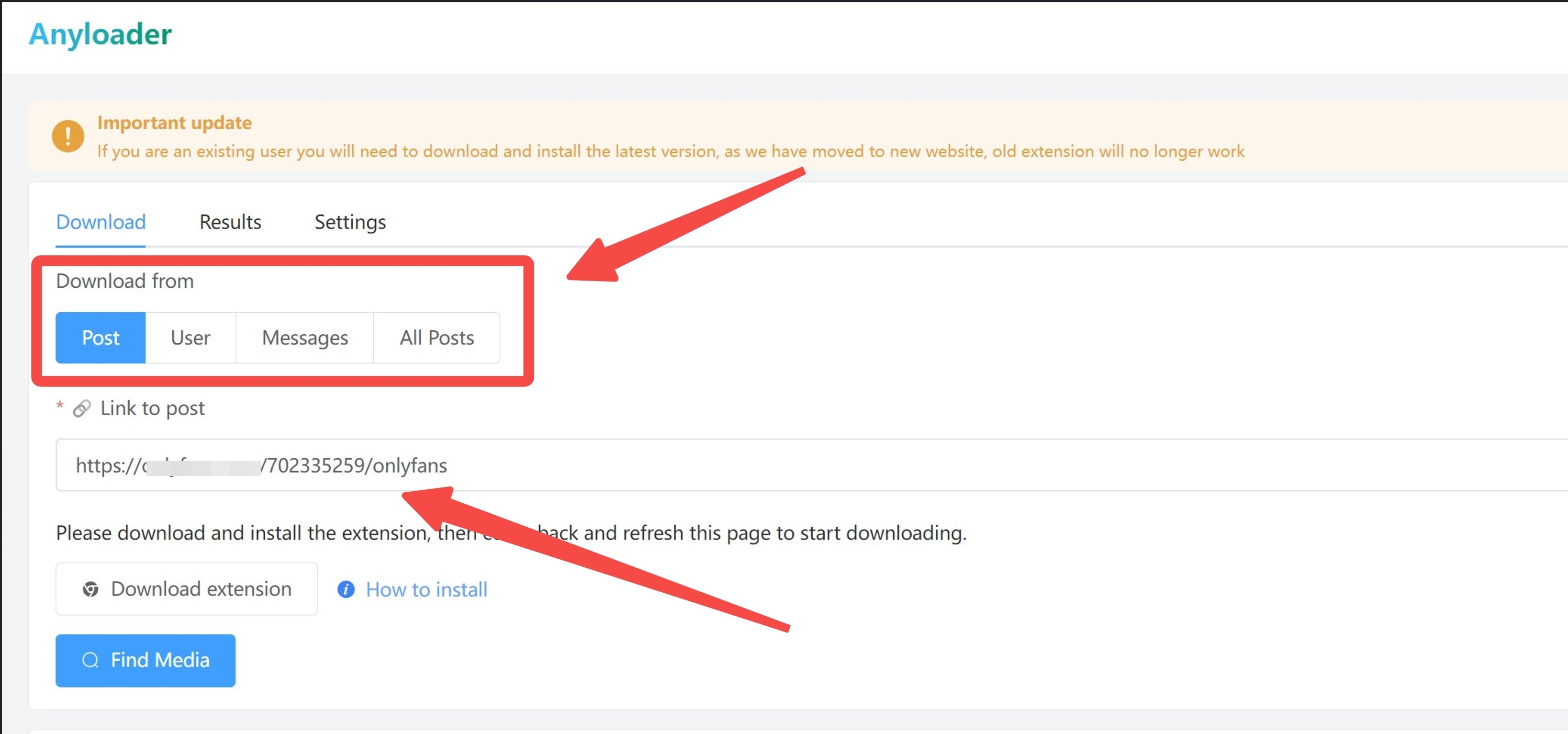
Press Find Media to scan the post, creator page, or message thread for playable media.
Once the analyzer finishes, press the download button. If Anyloader returns a black frame or an audio-only file, the post is protected: go back to the desktop path in Top 1.
Top 5. OF-Scraper (Open-Source Command-Line Tool)
OF-Scraper is an open-source command-line project on GitHub for CLI-comfortable users who want scripted control over filtering. It can interact with large numbers of files, so if you decide to use it, restrict it to content you clearly have a right to access and never for anything close to redistribution. Its filtering configuration is the reason people pick it: you write the criteria once, and the script does the rest.
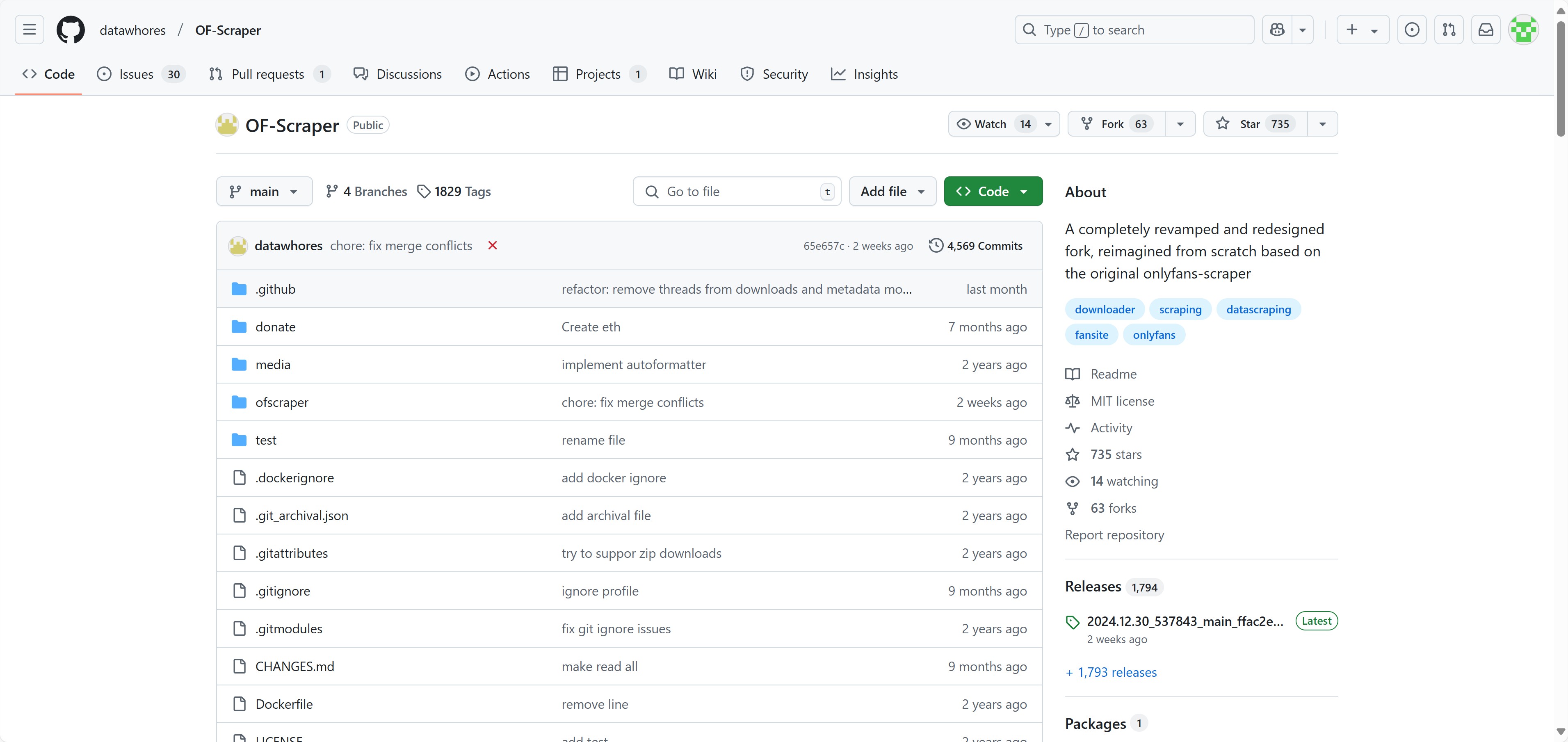
The trade-off is that OF-Scraper depends on maintainer patches. Its ability to handle protected posts is variable: it works when the current build tracks the platform's stream format and can silently break after a platform update. Community documentation is available on the project's GitBook, but the operations are entirely command-form, so if you are not comfortable at a terminal, one of the GUI options above is a better fit.
|
Pros |
|
|
Cons |
|
- CLI-comfortable users who want scripted control over filtering and are willing to track maintainer updates.
- Users who want a GUI, timely fixes after platform updates, or a low-friction install.
Getting Started with OF-Scraper
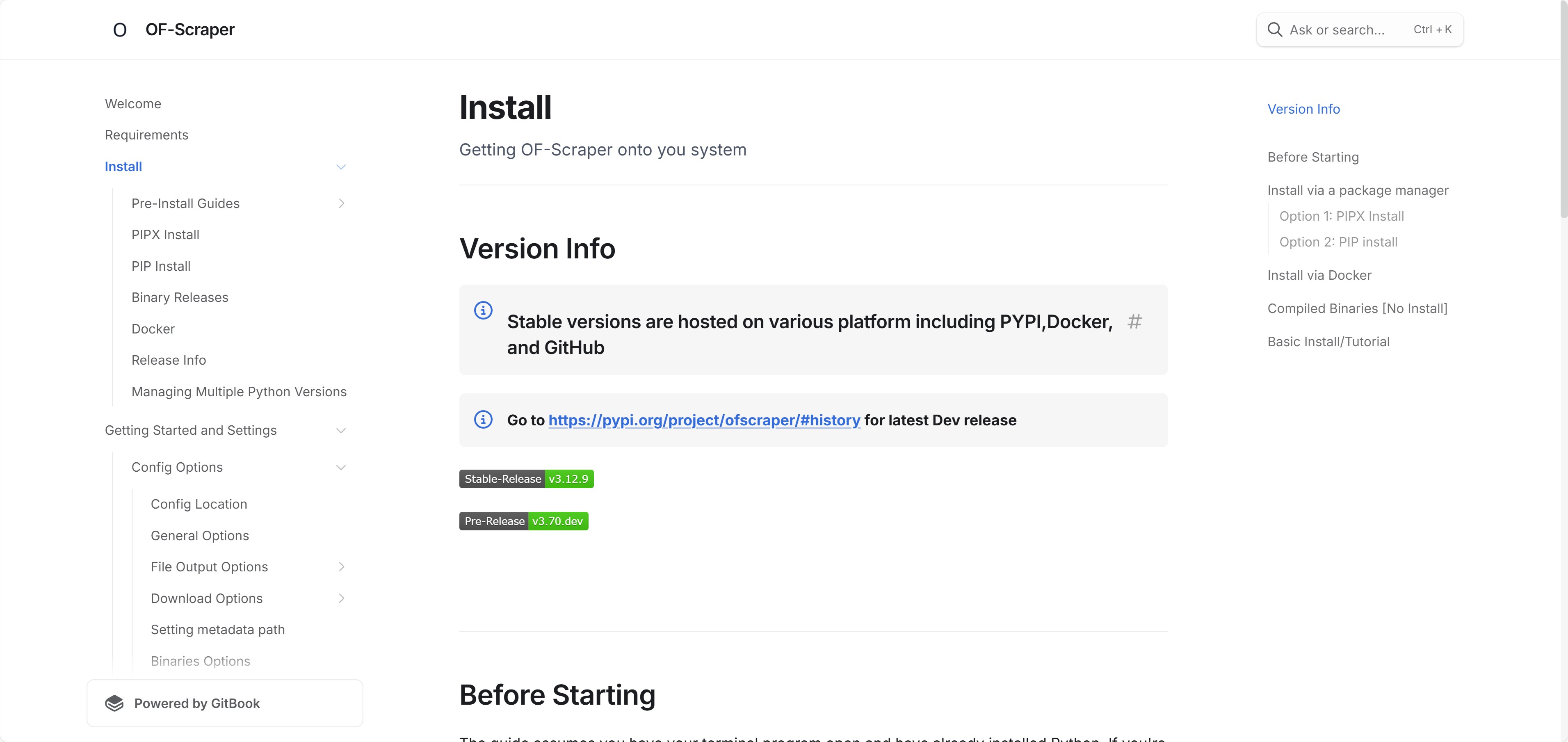
Before running any command-line tool like OF-Scraper, work through the maintainer's GitBook documentation and security notes. If you proceed, follow the installation guide, and make sure you are not breaching OnlyFans' terms of service or applicable laws.
Read the project GitBook, check the prerequisites, and prepare your Python environment.
Install the tool following the Install section of the GitBook. Confirm the version matches the current OnlyFans stream format before you run anything against a live account.
Edit the configuration file for output quality, destination folder, and any filters you want to run against a creator page.
Run the documented commands only when you fully understand the legal and security implications, and only for content you have a clear right to keep.
Overall Comparison: DRM, Speed, Trial, Extension

- Need scheduled desktop management with protected-post support StreamFab OnlyFans Downloader
- Prefer simpler paid apps for basic non-DRM saves: Kigo or YT Saver
- Experimenting with free or open-source options (mind account and security trade-offs): Anyloader or OF-Scraper
| Features | StreamFab OnlyFans Downloader | Kigo OnlyFans Downloader | YT Saver OnlyFans Downloader | Anyloader | OF-Scraper |
|---|---|---|---|---|---|
| Supported OS | Win 10 / 11 · macOS 10.11 to 15.x | Win 7 to 11 · macOS 10.15 to 15.x | Win 7 to 11 · macOS 10.11 to 15.x | Chrome-compatible platforms | Win 10 / 11 · macOS 10.15 to 15.x |
| Max Resolution | 1080p | 720p / 1080p | 1080p | 720p | 720p |
| Max Download Speed (MB/s) | 4.6 | 2.0 | 1.8 | 1.4 | 2.7 |
| Protected-Stream Handling | Native processing (compliant desktop workflow) | Fails on protected posts | Fails on protected posts (black frame risk) | None | Variable (script-dependent) |
| Auto-Save | Yes | No | No | Yes | Yes (scripted) |
| Batch-Save | Yes | Yes | Yes | No | Yes |
| Messages / Favorites / Creator | All three | Messages · Creator | Messages | Messages · Creator | All three |
| Browser Extension Version | Yes (StreamFab for Browser) | No | No | Is itself a browser extension | No |
| Free Trial / Pricing (as of 2026) | 3 full-length videos in a 30-day trial | First 1 minute per video | 3 items at roughly one-third length each | Free | Free (open source) |
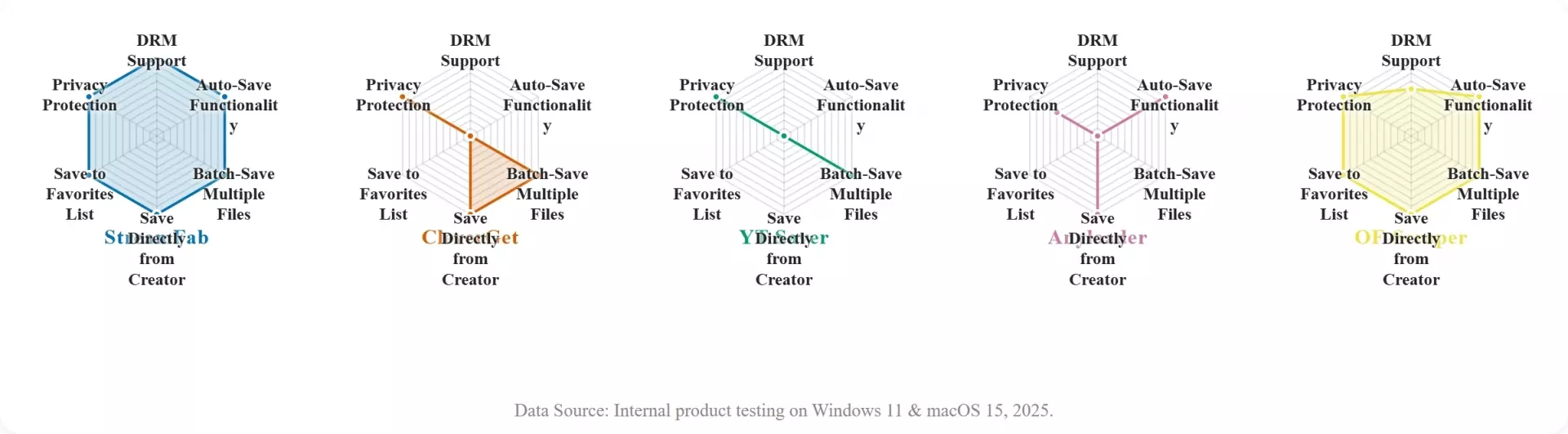
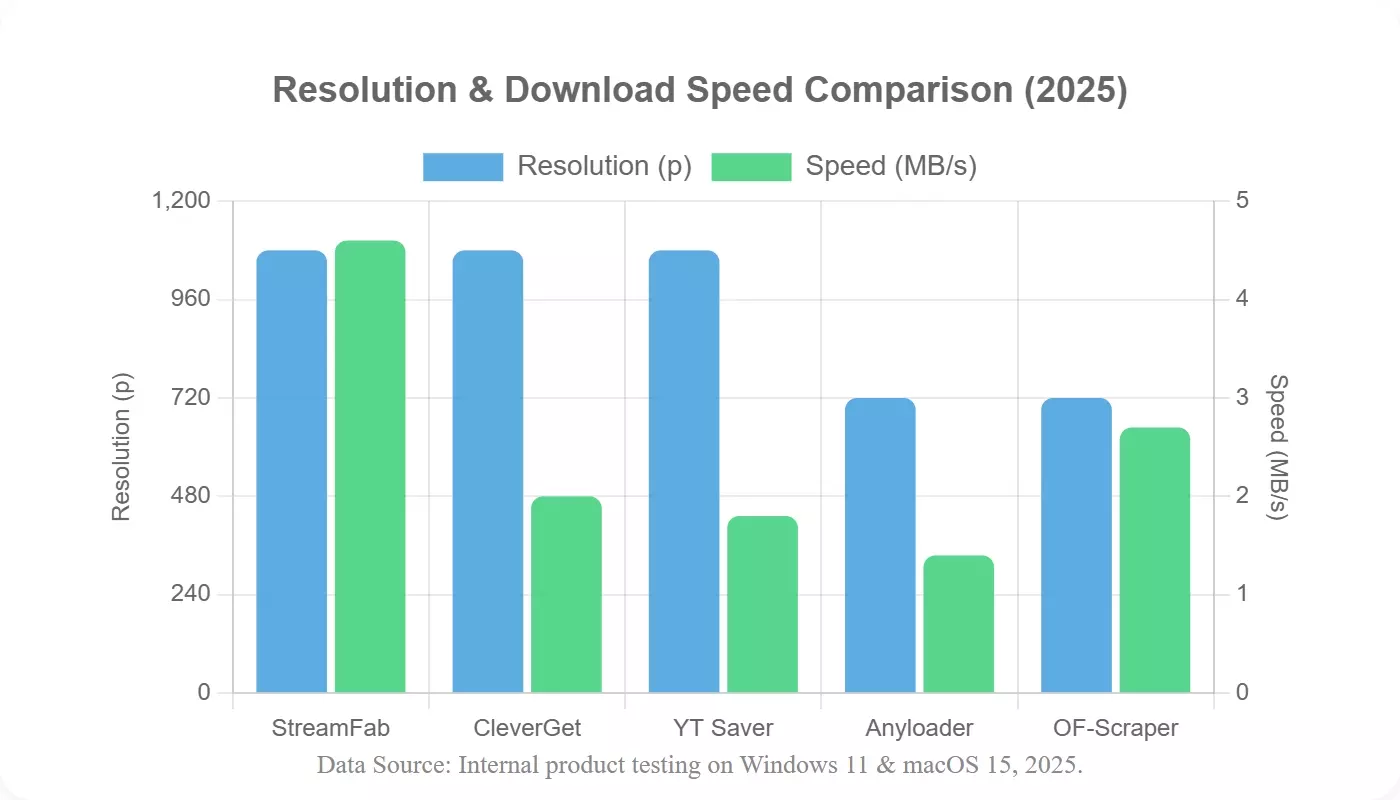
Notes: Speed numbers are indicative averages from tests conducted as of 2026. Protected-stream handling described as "variable" or "fails" reflects partial or inconsistent handling in the same test window; results may vary by post and time.
Methodology: Tests performed on Windows 11 and macOS 15 with a 500 Mbps connection as of 2026. Speed is reported as average MB/s across ten sessions. The "Messages / Favorites / Creator" column indicates direct download support for each source. The Protected-Stream Handling row reflects practical results observed in the same test window; results may vary by post and time.
If you already know you need protected-post support, the workflow for saving OnlyFans posts that use the protection layer is the desktop-app path, not an extension. The next section explains why that matters.
Bonus: Watching Saved OnlyFans Videos on Mobile
Most mobile apps cannot render protected OnlyFans posts on-device, so the practical workflow to transfer OnlyFans videos to mobile is to save them on a Windows or Mac desktop and then move the MP4 to your phone. This closes the loop for readers who search for OnlyFans downloads on iPhone or Android and expect a phone-first path.
Two reasons the desktop side handles protection better than mobile. First, mobile operating systems sandbox app-level access to the video pipeline far more aggressively than desktop, so an on-device downloader rarely has the hooks it needs to read the rendered stream. Second, most mobile browsers do not host a login-capable playback environment at the same level as a desktop app with a built-in browser, so the extension pattern that already fails on desktop for protected posts fails harder on phones. The workflow most users I have watched settle on is 1080p saved on PC and transferred to phone; mobile-only apps rarely hit that quality bar on protected posts.
The compliant workflow, as of 2026:
Worth acknowledging that KeepStreams and NoteBurner both cover mobile playback separately as of 2026, though they sit outside this desktop-focused evaluation and I have not put them through the same test window.
Why Most OnlyFans Downloaders Fail: DRM Explained
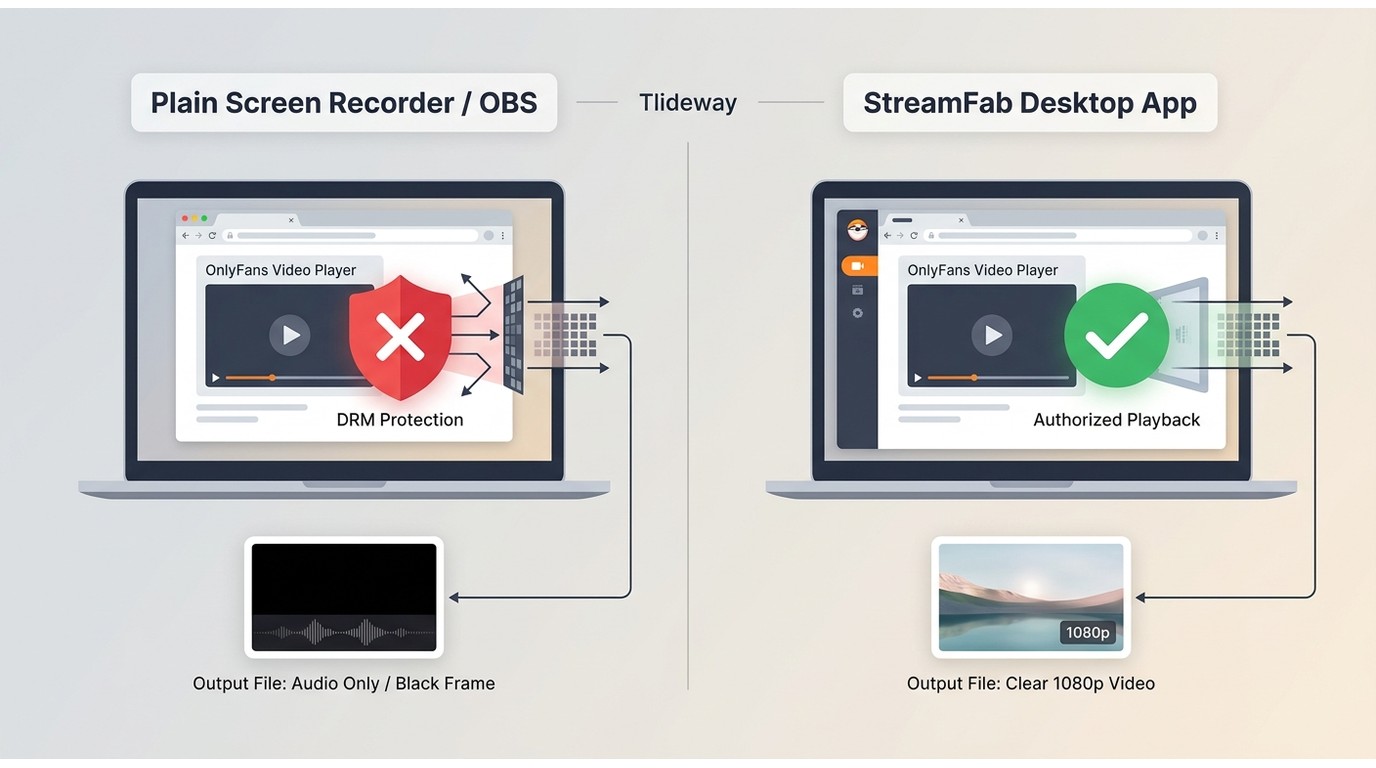
OnlyFans applies a widely adopted commercial DRM protection layer to paid posts; browser extensions and system screen recorders can see the stream URL but not the decoded playback, so what they capture is a black frame with only the audio track. That is the single technical fact behind most reports of a failed OnlyFans download.
Here is what actually happens when you try to grab a protected post with a plain extension or OBS: the video appears as a black frame because the playback protection prevents the OS-level screen capture from reading the rendered output. The audio channel usually survives, which is why users often end up with a silent visual and a working soundtrack, or an unplayable MP4. If you have tried screen recording OnlyFans and hit a black screen, this is the mechanism you were bumping into.
The practical implication (as of 2026): to keep a personal offline copy of a protected post you are authorized to view, you need a desktop app with a built-in browser that logs in under your account and plays back the content inside a secure playback environment. That is a compliant personal-backup workflow, not a way around the protection: it presupposes a valid subscription and content you already paid for. The compliant answer to how to download OnlyFans DRM content is a desktop OnlyFans DRM downloader that operates within these limits; if you need to download OnlyFans DRM videos of your own paid subscriptions for offline viewing, the desktop path in Top 1 is the one that clears the protection layer without touching keys. Extensions can still handle non-protected public posts, and the comparison table further down flags which tool falls into which category.
A quick shorthand I use in tests: if a tool returns a file that plays audio but shows black, the tool is trying to read the pixel buffer after the protection layer has already blanked it. The fix is not a better screen recorder; it is a desktop workflow that renders the authorized stream through the app itself.
FAQs
Can I watch OnlyFans videos I paid for offline?
Yes, during an active OnlyFans subscription and only for content you are authorized to access. Respect the creator's terms and the platform's ToS: personal offline viewing on the device you signed in with, no sharing, no reuploading. A desktop tool that renders the protected stream inside a built-in browser is more reliable than a browser extension for this use case.
Can I save from OnlyFans messages, favorites, or specific creators?
It depends on the tool: see the Messages / Favorites / Creator column in the comparison table above. StreamFab and OF-Scraper cover all three; Anyloader and Kigo cover messages and creators but not saved favorites; YT Saver covers messages only. If you need favorites as a single-click source, that narrows the field quickly.
Why do some tools claim 4K but top out at 1080p?
The source stream and OnlyFans' own protection settings usually cap what you can legitimately view or save at 1080p. As of 2026, I am not aware of any compliant path we have verified for 4K OnlyFans files on desktop; if a tool advertises 4K, ask what the source ceiling is before you take that number at face value.
Are OnlyFans browser extensions safe to use?
Extensions usually require signing in inside the browser, which exposes your OnlyFans session cookies to that extension's permissions, and they often fail silently on protected posts (returning a black frame or an audio-only file). If you need reliable saves and account safety, a desktop app with a built-in browser is a safer alternative because your login stays inside a single app boundary.
Why do I get a black screen when I screen-record an OnlyFans video?
The screen record OnlyFans' black screen problem stems from a technical protection layer on protected posts that blocks capture at the playback level. OBS, QuickTime, and most system-level recorders read the pixel buffer after that layer has blanked it, so what you save is a black frame with only the audio track. See the DRM Explained section above for the mechanism, and use the desktop-app path in Top 1 if you need a working file (under an active subscription for personal offline viewing).
Can I download OnlyFans videos on iPhone or Android?
Not reliably on-device for protected posts: mobile apps rarely handle the protection layer. The common workflow is to save on a Windows or Mac desktop, then move the MP4 to your phone by USB or a private cloud folder. The Bonus section above walks through the full three-step transfer for iPhone and Android as of 2026.
Will downloading OnlyFans videos get my account banned?
There is no zero-risk answer, and I would not trust anyone who promises one. OnlyFans' ToS allows the platform to act on abnormal traffic patterns, so the exact risk depends on account activity, tool choice, and how often you save. Keep to content you are subscribed to, avoid tools that require pasting an OnlyFans login into an unrelated third-party site, and prefer a desktop app with a built-in browser over an extension. As of 2026, that is the risk-lowering pattern I have watched hold up.
Is there a free OnlyFans downloader in 2026?
If you type "free OnlyFans downloader 2026" into a search bar, a couple of fully free options exist (Anyloader and OF-Scraper), but neither handles protected posts reliably. Paid desktop tools typically offer a limited free trial: StreamFab covers 3 full-length videos over 30 days; Kigo caps output at the first 1 minute per file; and YT Saver limits the free tier to 3 items at roughly one-third length each (all as of 2026). Confirm current terms on each vendor's page before you commit.
Conclusion: Which Tool Fits Your Case
For most Windows and Mac users who need protected-post support and scheduled bulk saves, StreamFab OnlyFans Downloader is the workflow I tested with the best combined score on DRM handling, speed, and trial coverage as of 2026. That is the specific case it fits; other cases fit other tools.
The honest editorial line, and the one I want to close on: no downloader in this list is a fit for every user. Pick by the fit signals in each section: If you only need a public-post quick grab, Anyloader is cheaper than a subscription; if you write scripts for a living and want granular filters, OF-Scraper is the toolchain that will feel natural; if you already own a StreamFab license, the browser-extension mode covers the middle ground between the full app and a one-off extension. Whatever you pick, treat it as a personal-backup workflow for content you are authorized to view, under an active subscription, within what the platform terms and your local law allow.
The tools and methods described in this article are intended only to help you manage content that you have lawfully obtained and that you are authorized to access. You are solely responsible for complying with the OnlyFans Terms of Service, individual creator agreements, and the copyright laws that apply in your region. Do not use any software to keep access to platform content after your subscription ends or to share, upload, or redistribute downloaded files in any form.
Third-party specs and pricing quoted in this article are current as of July 2026; verify each vendor's page for the latest terms.
