
What an OnlyFans Scraper Actually Does
An OnlyFans scraper is a catch-all term that can mean collecting public-profile data, exporting account or creator information, or saving media you are authorized to access. Those tasks have different permissions, credential risks, and technical requirements, so treating them as one workflow is where most confusion starts.
This guide focuses on the distinction that matters in practice: public-data research, account or creator exports, and authorized media backup are not interchangeable. It compares desktop software, hosted web apps, browser extensions, no-code browser automation, CLI projects, and APIs, then shows how to diagnose common failures without exposing account credentials.
For media you are authorized to access, keep any local copy private, do not redistribute creator content, protect your credentials, and consider platform terms and applicable local law. Paid access or creator consent can matter, but neither automatically settles every copyright or copying question.

The tools below serve different jobs. None is presented here as a way to obtain unpaid content or defeat access controls. The useful question is not which option is “free,” but which workflow matches your task, authentication comfort, maintenance tolerance, and recovery time when something changes.
Choose the Right Scraper Workflow
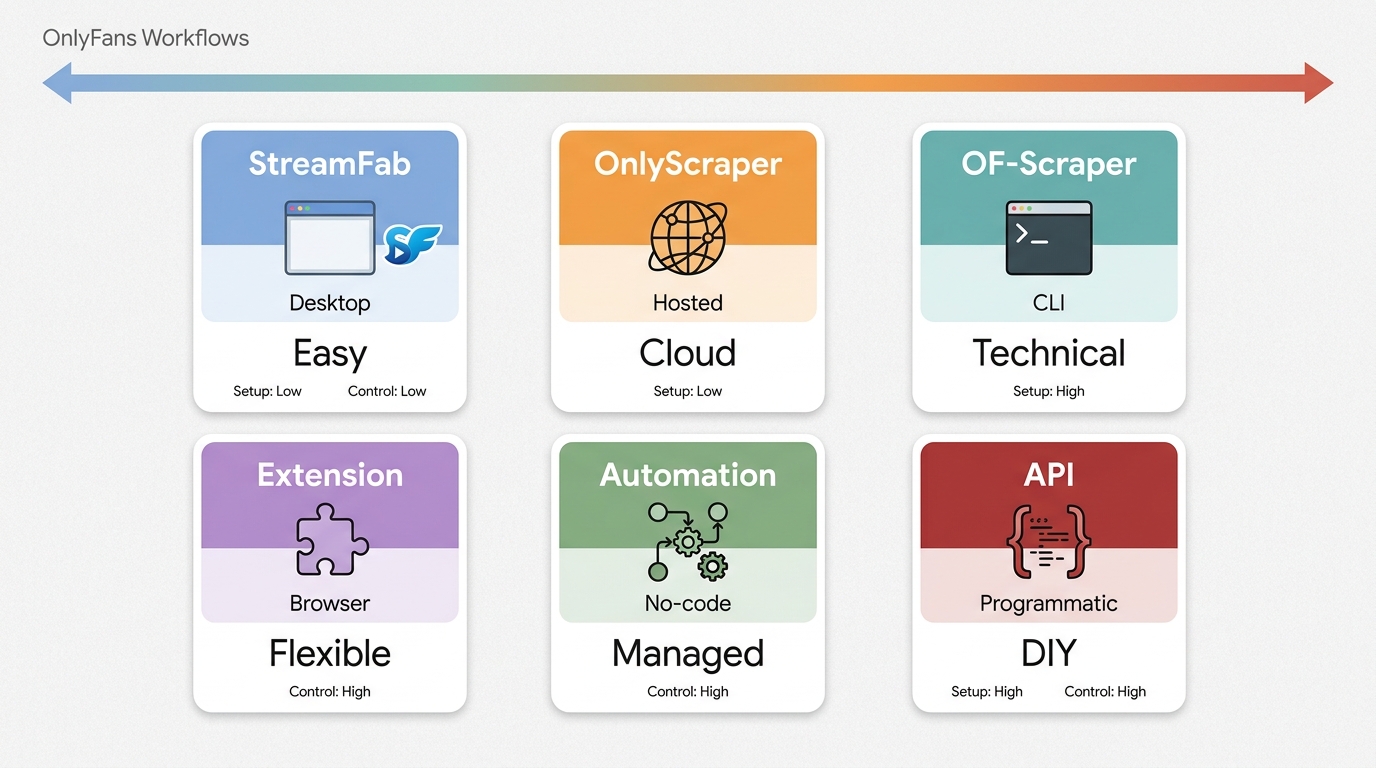
Current workflows generally fall into six groups: desktop downloaders, hosted web apps, browser extensions, no-code browser automation, command-line projects, and APIs. Desktop tools suit managed authorized-media saving; hosted apps reduce installation work; CLI and API routes offer more control but also more setup and maintenance. In my view, authentication, maintenance, and failure recovery are usually the real costs, not the price label.
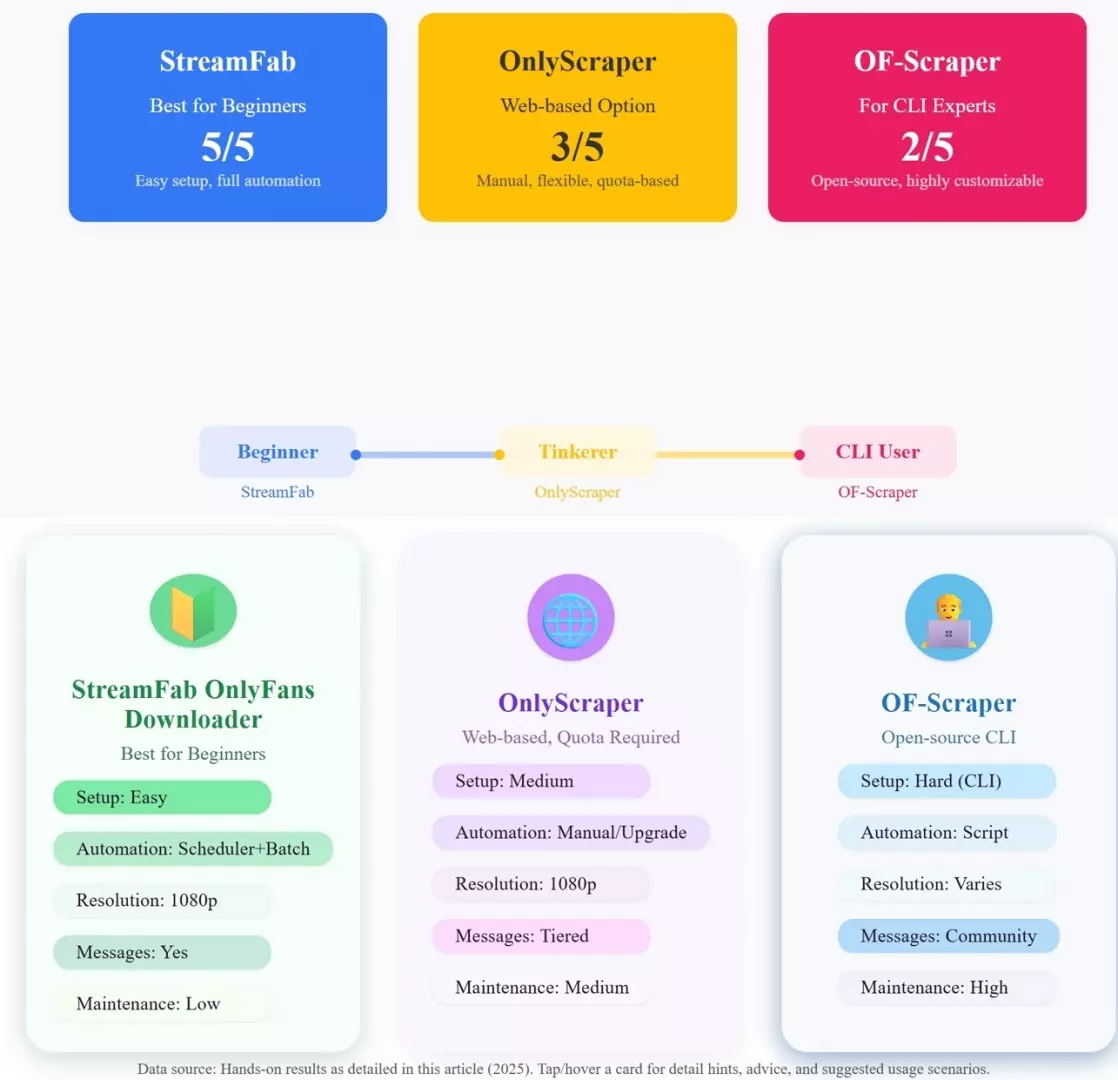
Desktop Downloader: StreamFab
Relative to OnlyFans’ own features, StreamFab OnlyFans Downloader is a third-party Windows and Mac desktop workflow for saving media you are authorized to access, subject to platform terms and applicable law. It can download OnlyFans videos to MP4 or MKV, with up to 1080p output where available, AAC 2.0 audio, batch processing, and scheduled checks.
Install software from its official source and do not enter an OnlyFans login into unknown apps. Keep downloaded files in protected local storage, do not share session data, and do not redistribute creator content. If you suspect credential exposure, change the affected password and end active sessions where available.

A managed desktop workflow for saving a private local copy of OnlyFans media you are authorized to access. It does not provide access to content outside your account.
Relevant capabilities:
- Up to 1080p video where available, with AAC 2.0 audio.
- Batch processing and scheduled checks for subscribed content.
- Windows and Mac desktop support.
- MP4 and MKV output for local playback.
It's practical for readers who want a managed desktop routine for authorized media saving rather than a public-profile data scraper or API automation tool. Batch processing and scheduled checks reduce repetitive manual work when you are keeping private local copies from content already available in your account.
Compatibility can change when the platform changes, so a managed desktop workflow is not the same thing as guaranteed uninterrupted access. For mobile-only use, public-data extraction, or programmatic API tasks, choose a workflow designed for that specific job instead.
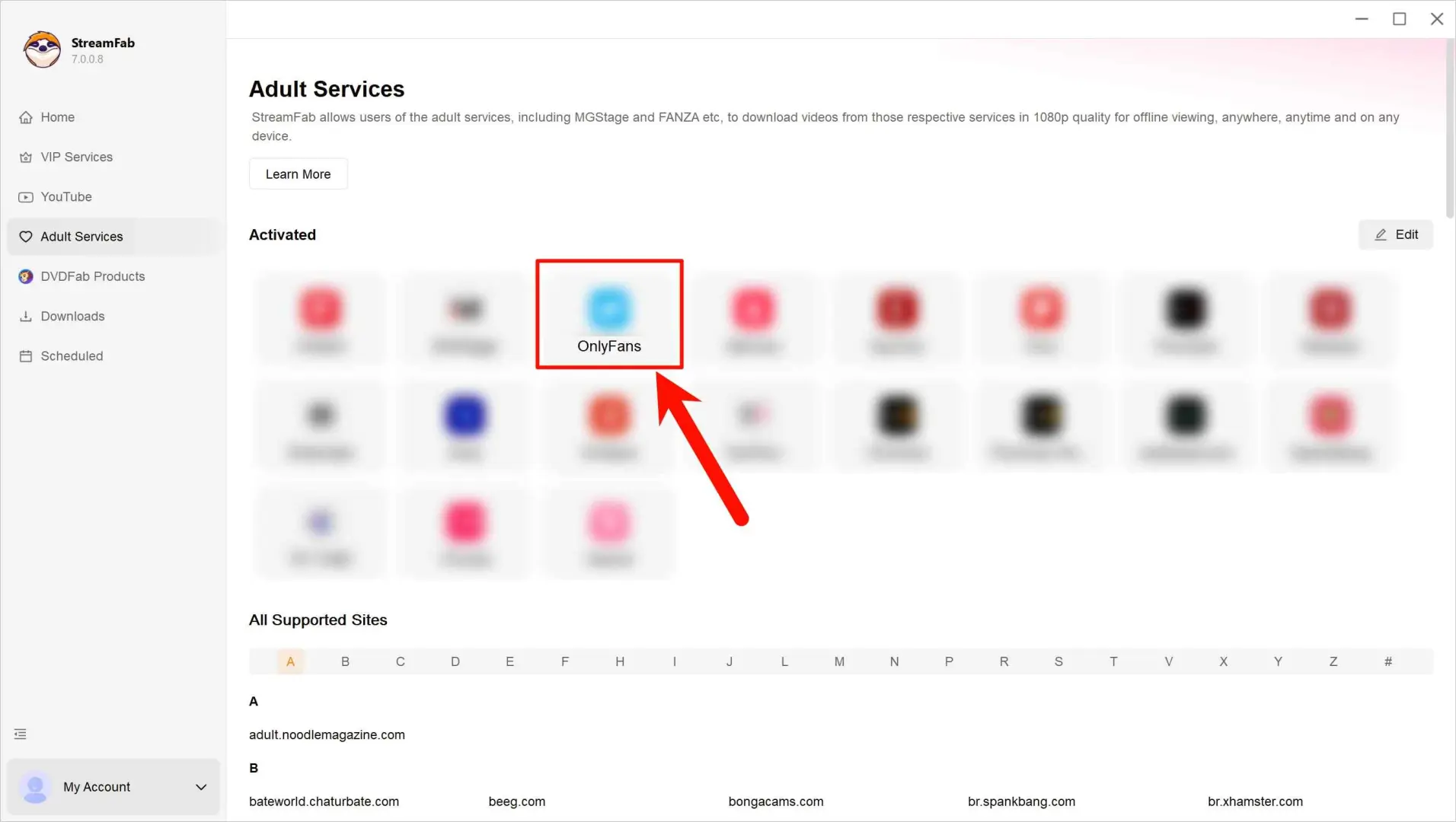
Click on the OnlyFans icon to log in. Then find the OnlyFans video you want to back up for personal offline viewing.
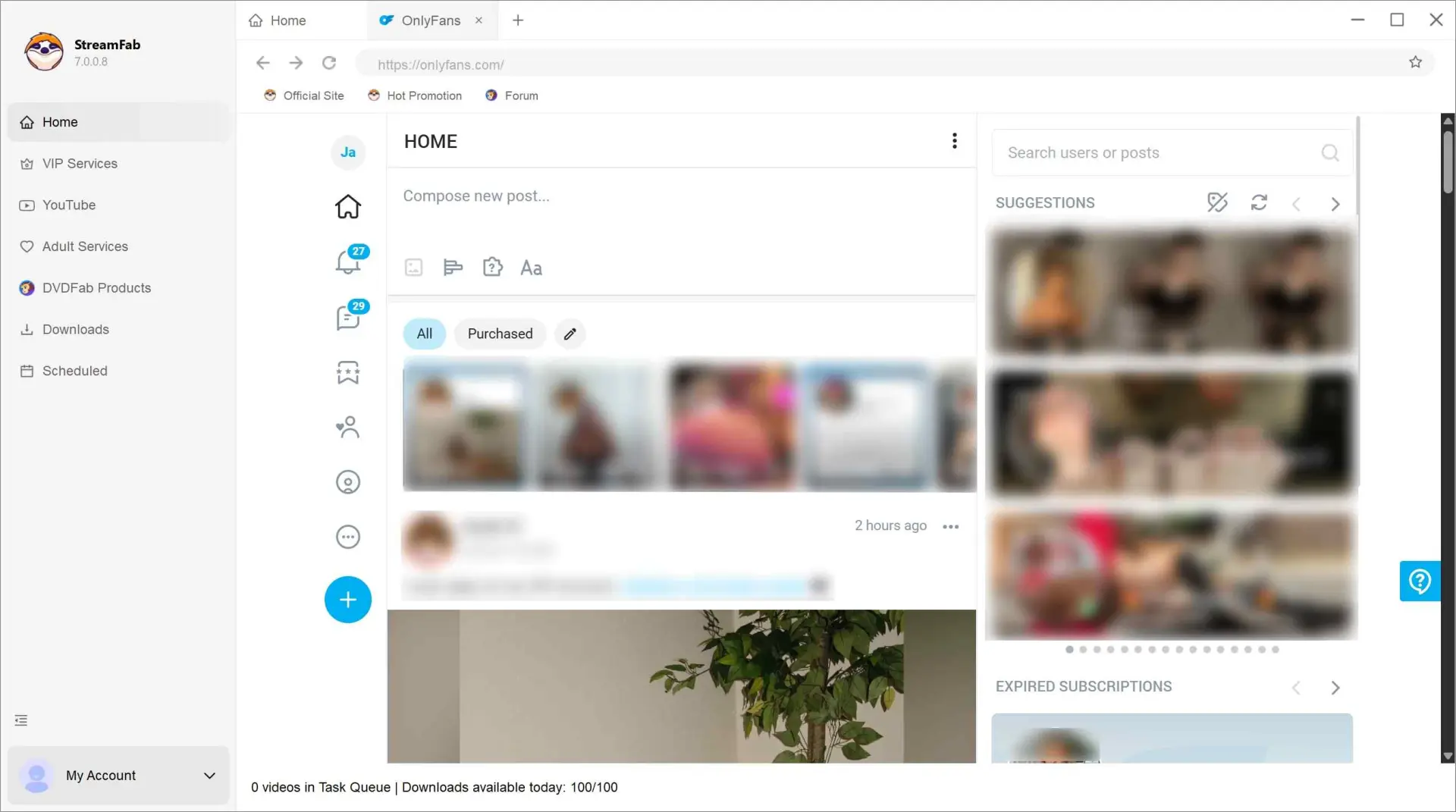
Play it and soon you will get a settings panel to adjust the resolution or the other video status.
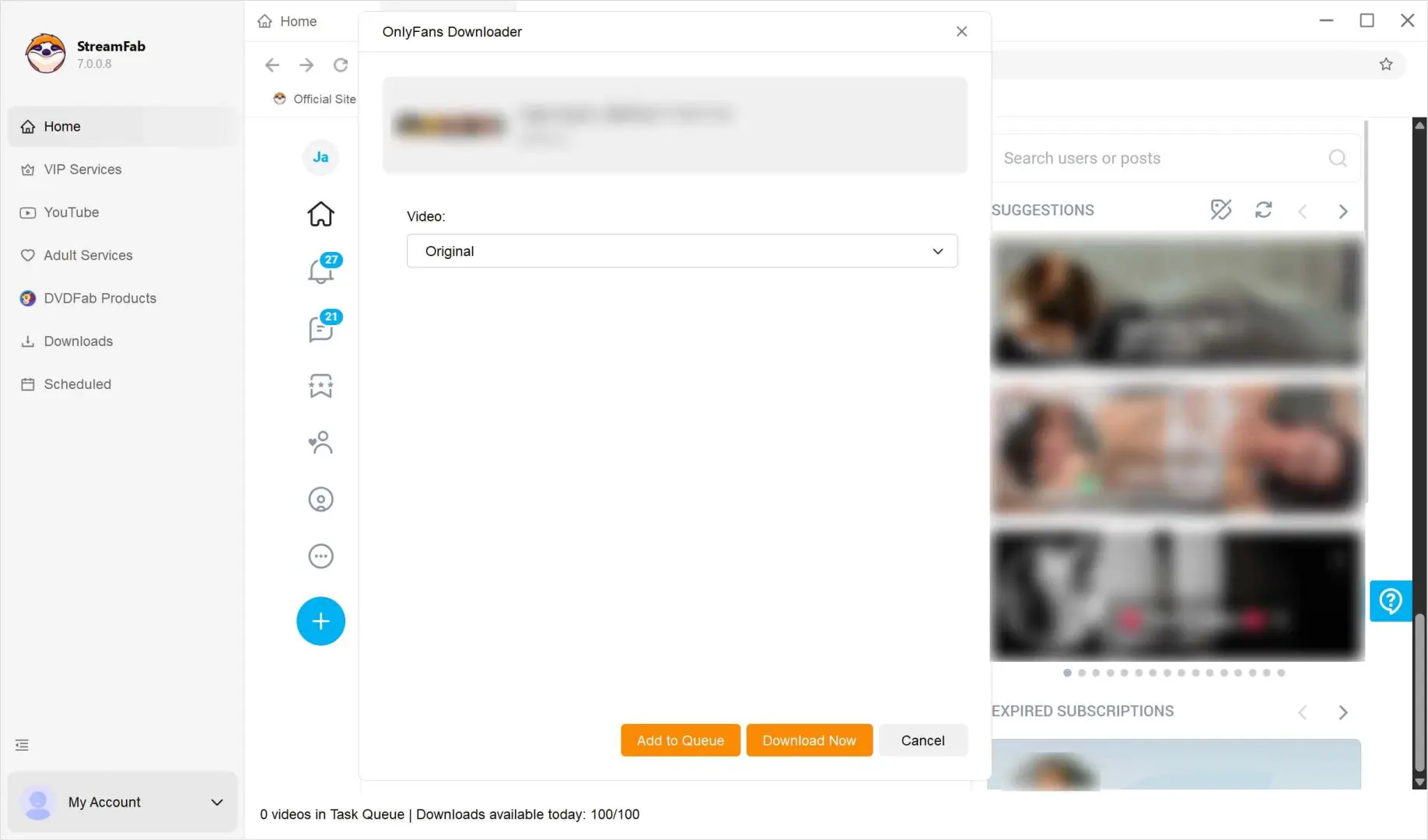
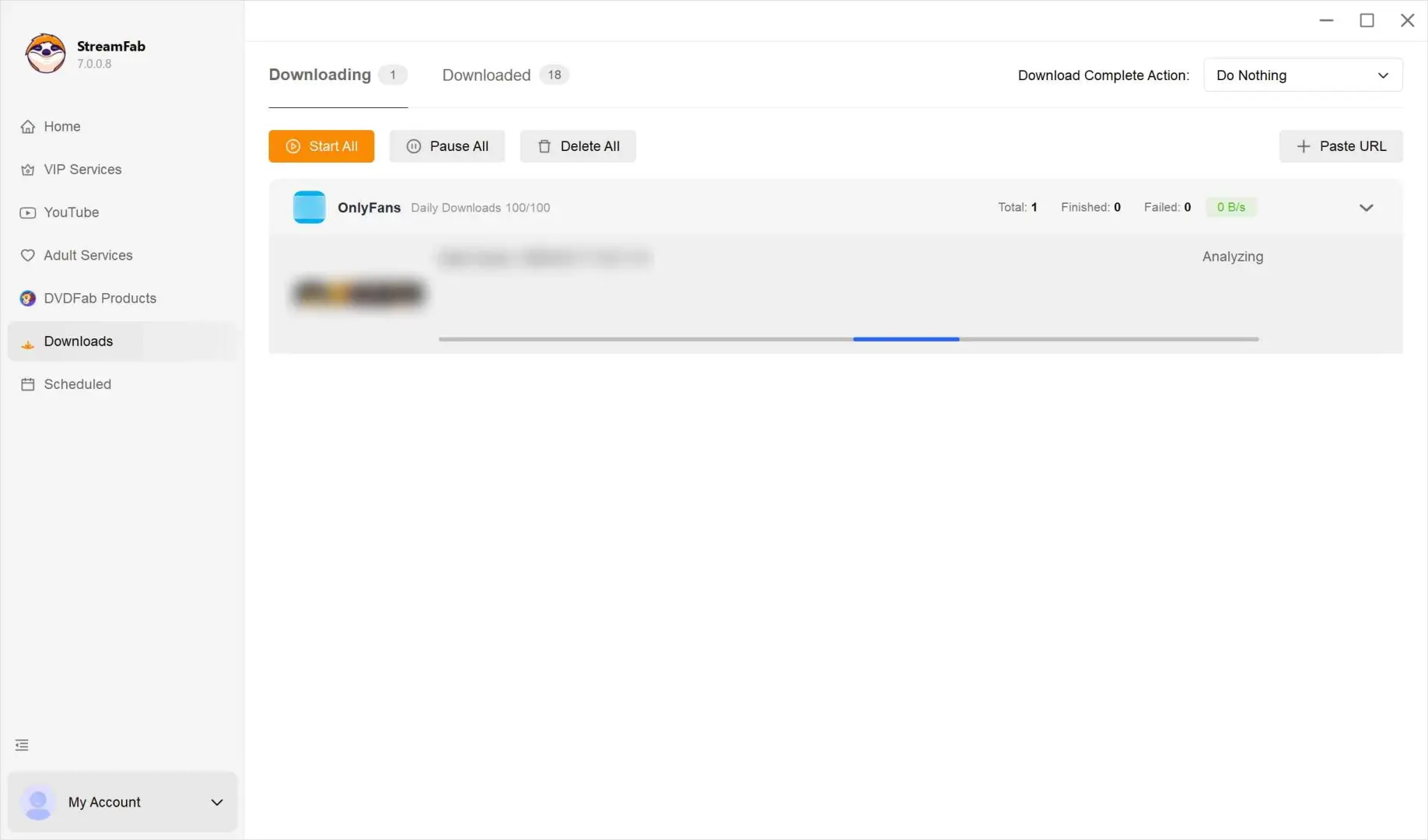
Click on Download Now and wait for the download to finish. You can find the downloaded backup files in the Downloaded section.

Hosted Web App: OnlyScraper
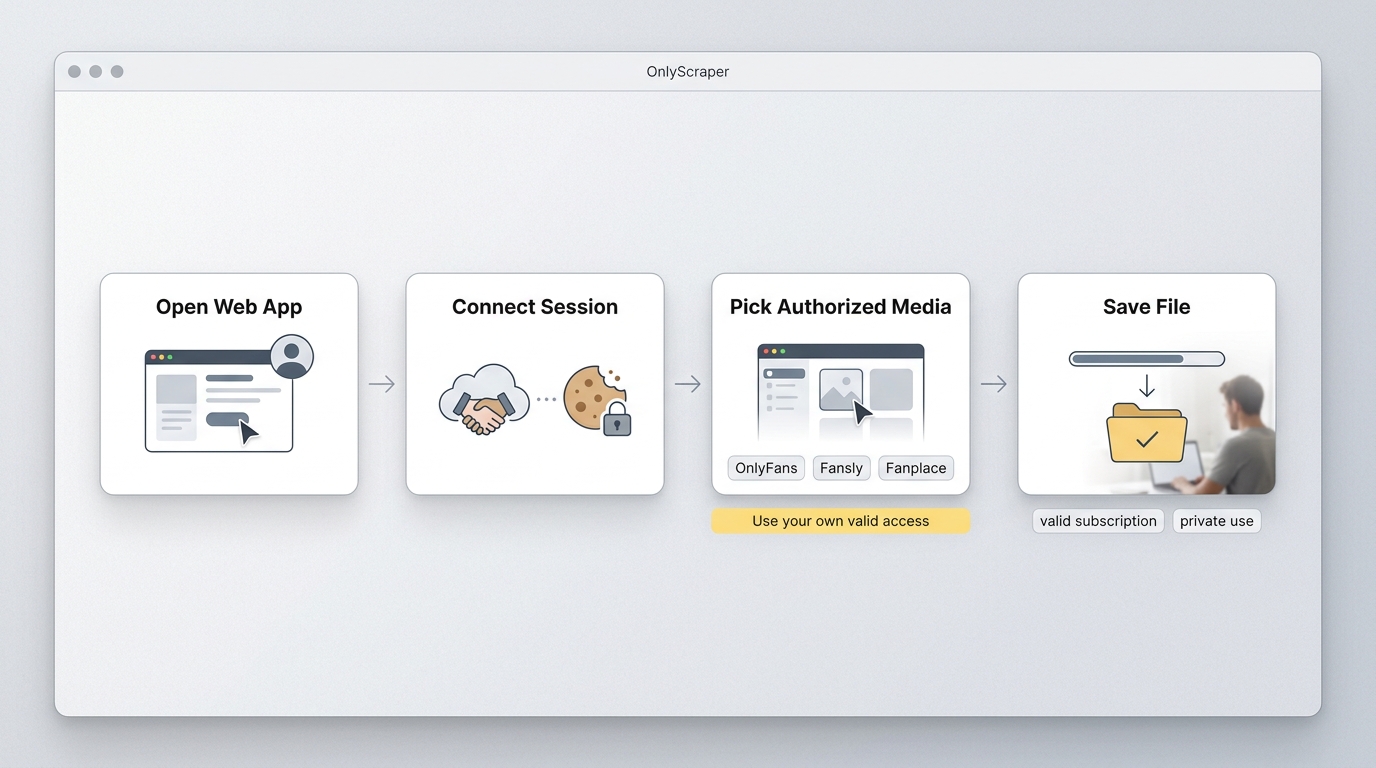
OnlyScraper is a hosted web workflow. As of July 2026, its official site presents no local installation, a free entry point, support for OnlyFans, Fansly, and Fanplace, original-quality downloads, and API access. Saving media you are authorized to access is distinct from attempts to rip OnlyFans content outside the access available in your own account.
Its best fit is someone who prefers a hosted workflow over local installation and is comfortable reviewing the service’s current authentication and data-handling requirements. It is not a substitute for a public-data API when the task is profile research rather than authorized media saving.
Because hosted services can change their scope and limits, do not assume that every media type is included. If your need is specifically to download OnlyFans videos from messages you are authorized to access, confirm that coverage within the current service workflow before relying on it.
The steps below cover the general hosted workflow. Keep authentication details private and stop if the service asks for credentials or permissions you do not understand.
Open OnlyFans in a supported desktop browser and make sure you’re already signed in with your own account.
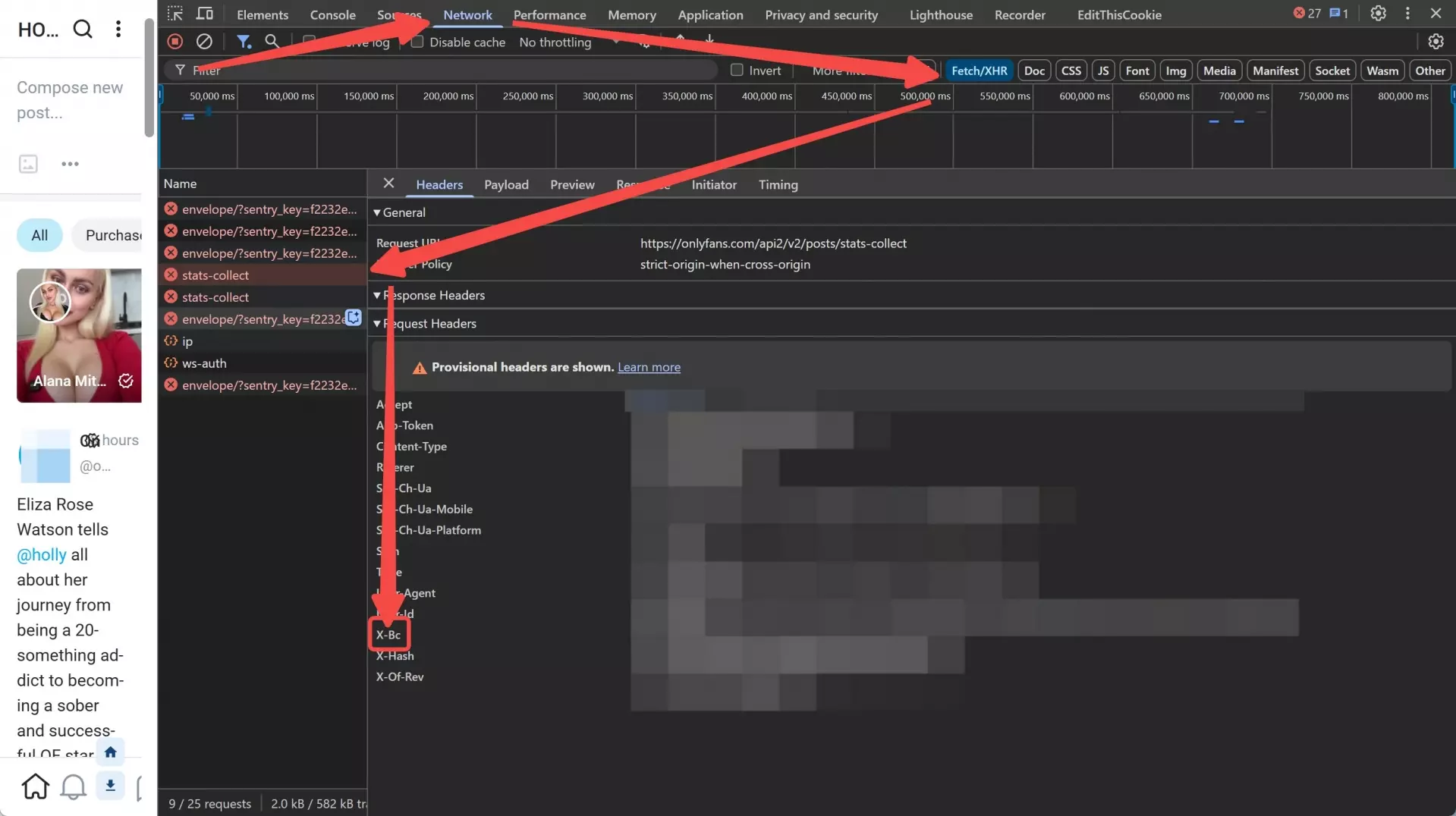
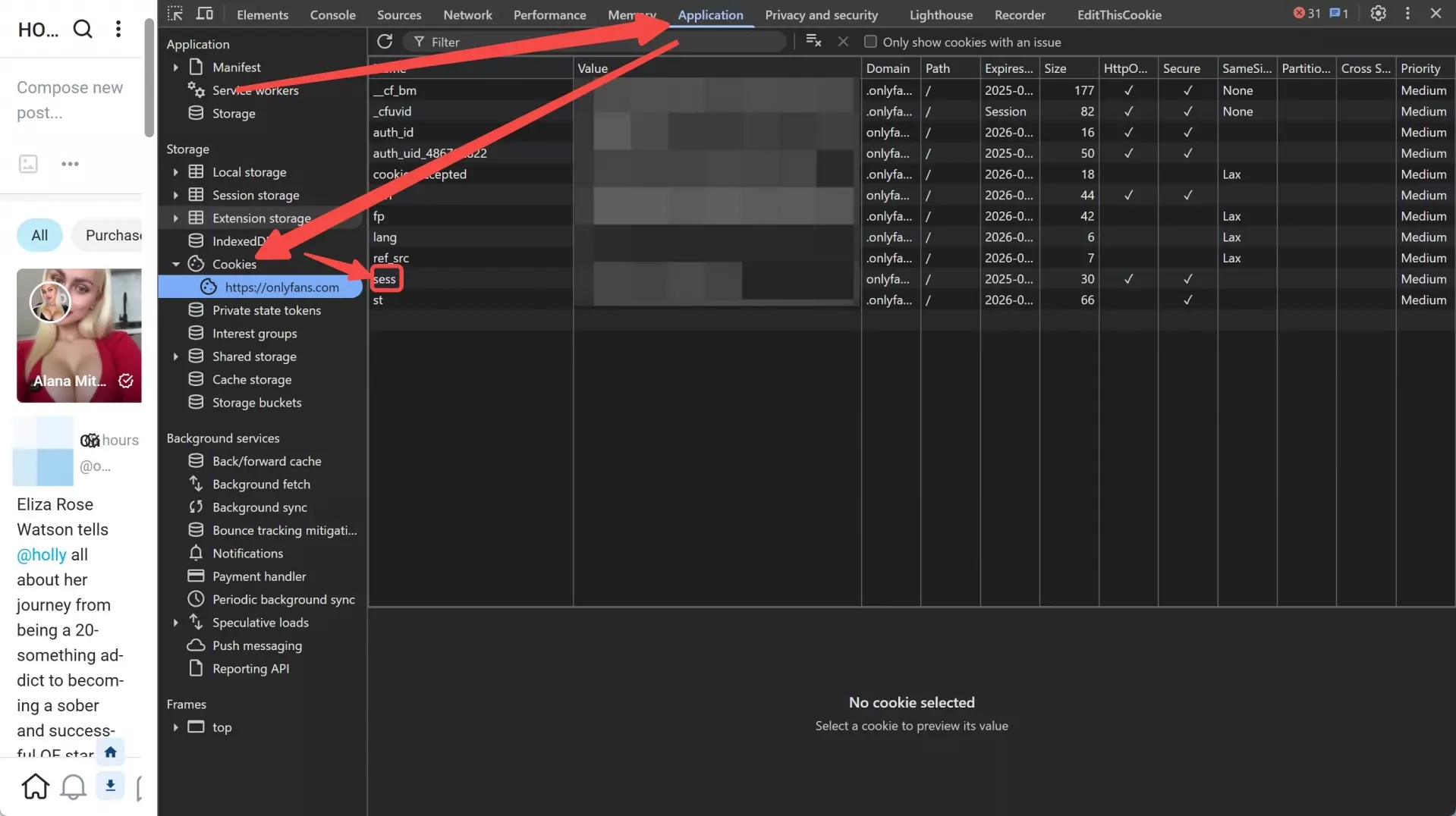
Follow the official instructions provided by OnlyScraper to obtain any required authentication values securely. Always handle these values carefully and never share them with third parties or paste them into untrusted pages.
- For x-bc value:
- For sess value:
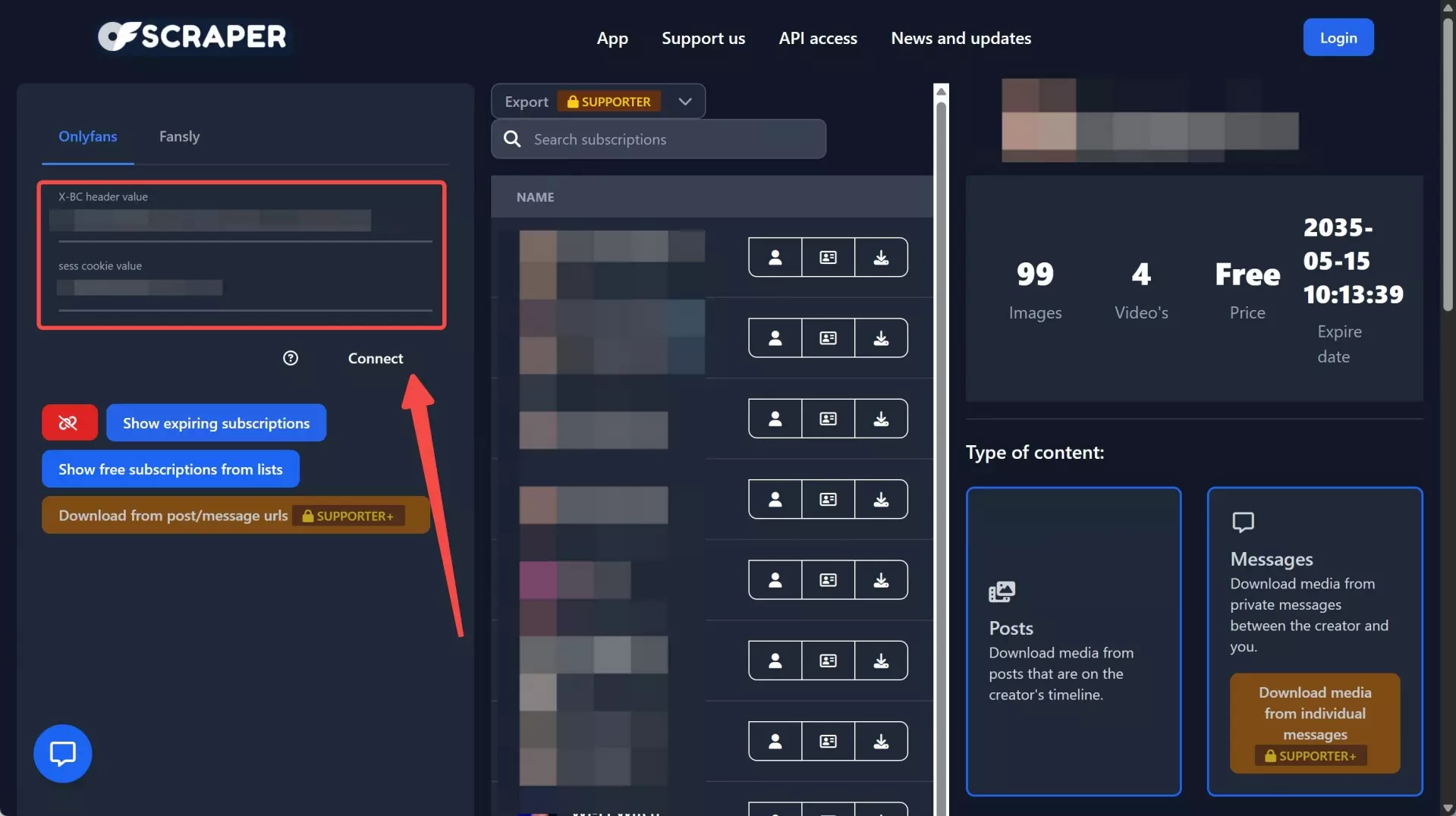
Paste the required values into the matching fields on the OnlyScraper page, then click on Connect to let the tool scan the content you can already view in your account and prepare personal backup tasks.
CLI Project: OF-Scraper
- Comfort using a command-line interface.
- Install the current release and review its documentation before configuring authentication.
- Use the project’s troubleshooting, issue-reporting, and migration guidance when a dependency or download task fails.
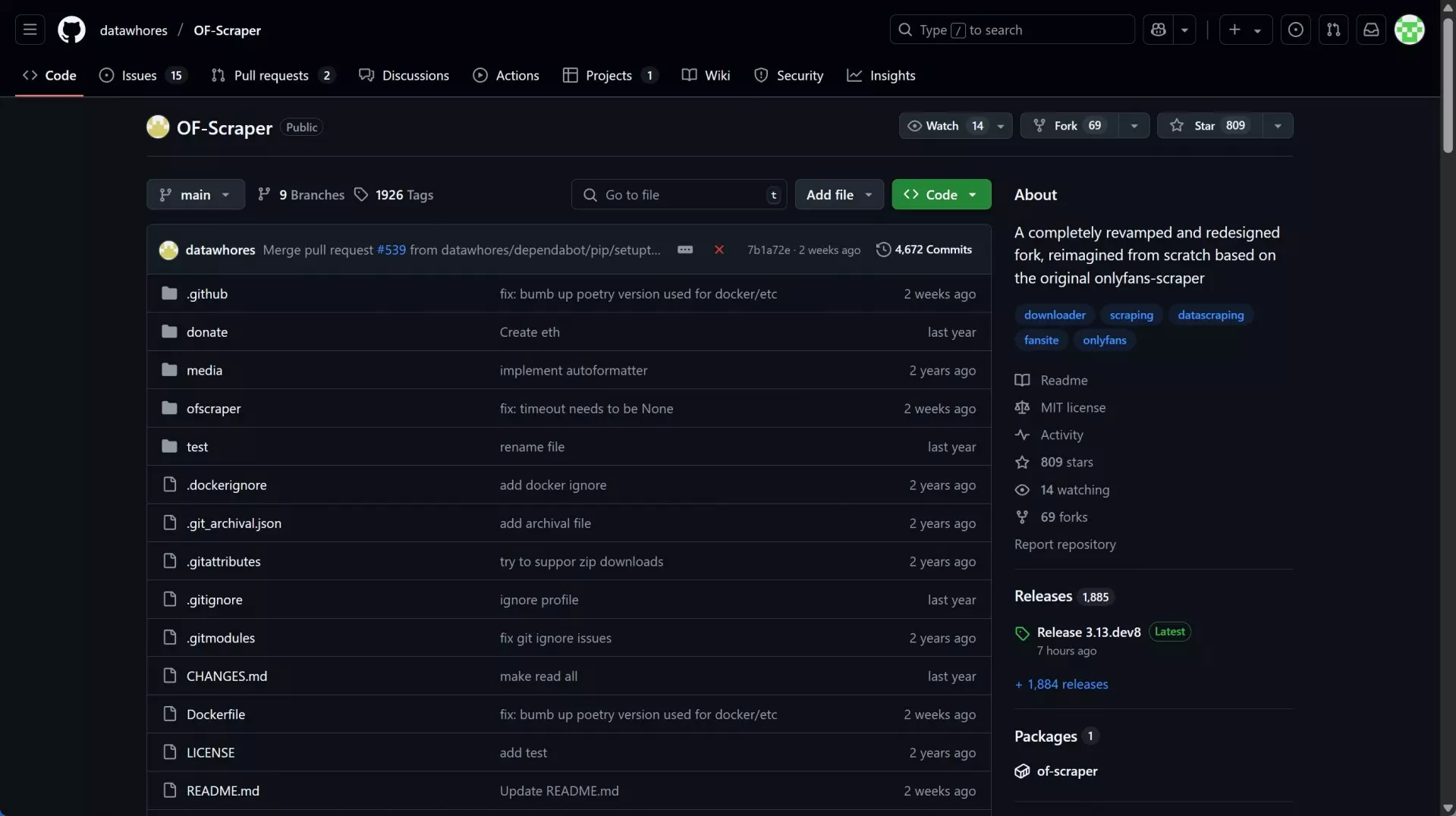
OF-Scraper is an active, technically demanding command-line project with documentation for authentication, download troubleshooting, issue reporting, feature requests, and migration. It suits users who are comfortable working in a terminal and resolving local setup problems rather than readers looking for a managed desktop workflow.
The main tradeoff is maintenance effort. Authentication changes, local dependencies, and runtime errors can require more investigation than a desktop or hosted option, so it is not an ideal starting point if you want minimal configuration.
Use the project’s current documentation rather than an old walkthrough when setting it up. For local playback, a Convert OnlyFans to MP4 workflow may be useful when a file format needs to match the device you use for private viewing.
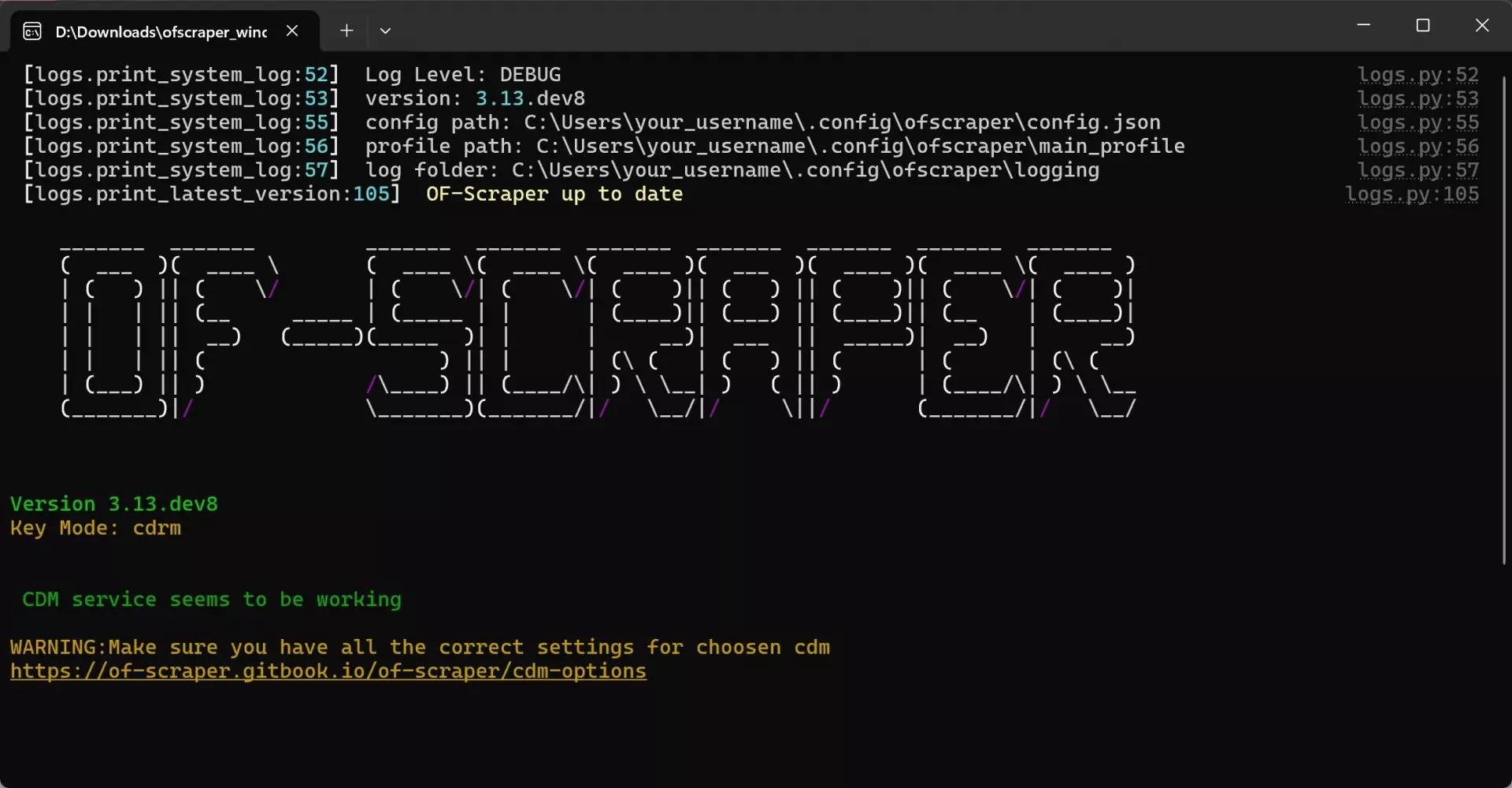
Download the correct version of OF-Scraper from its release page. Extract it or install it on your device.
Run the ofscraper_[yoursystem]_dir.exe and use the direction keys and Enter to select and decide your next move.
Input the values it requires and process the scrapes. You can refer to the issues and guidebook on its page for more detailed instructions.
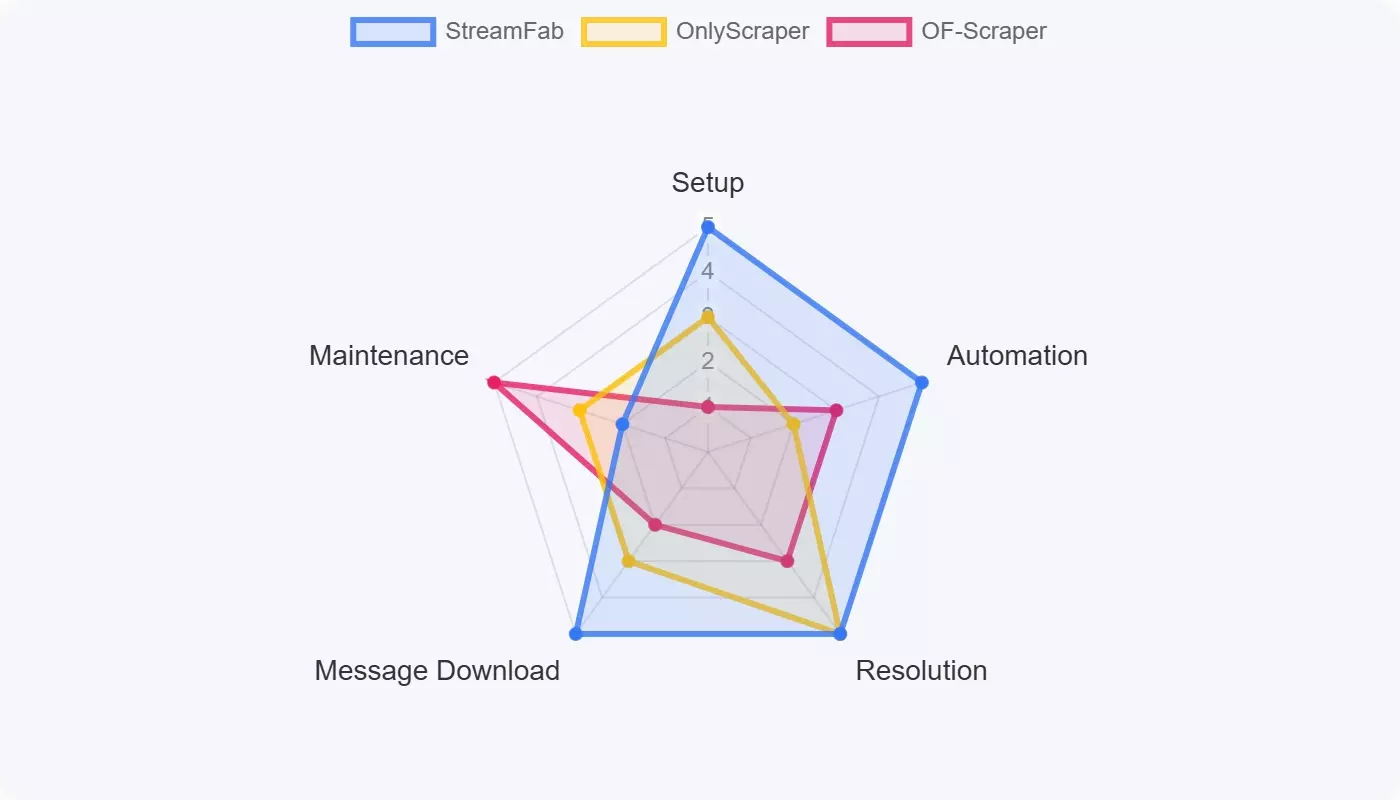
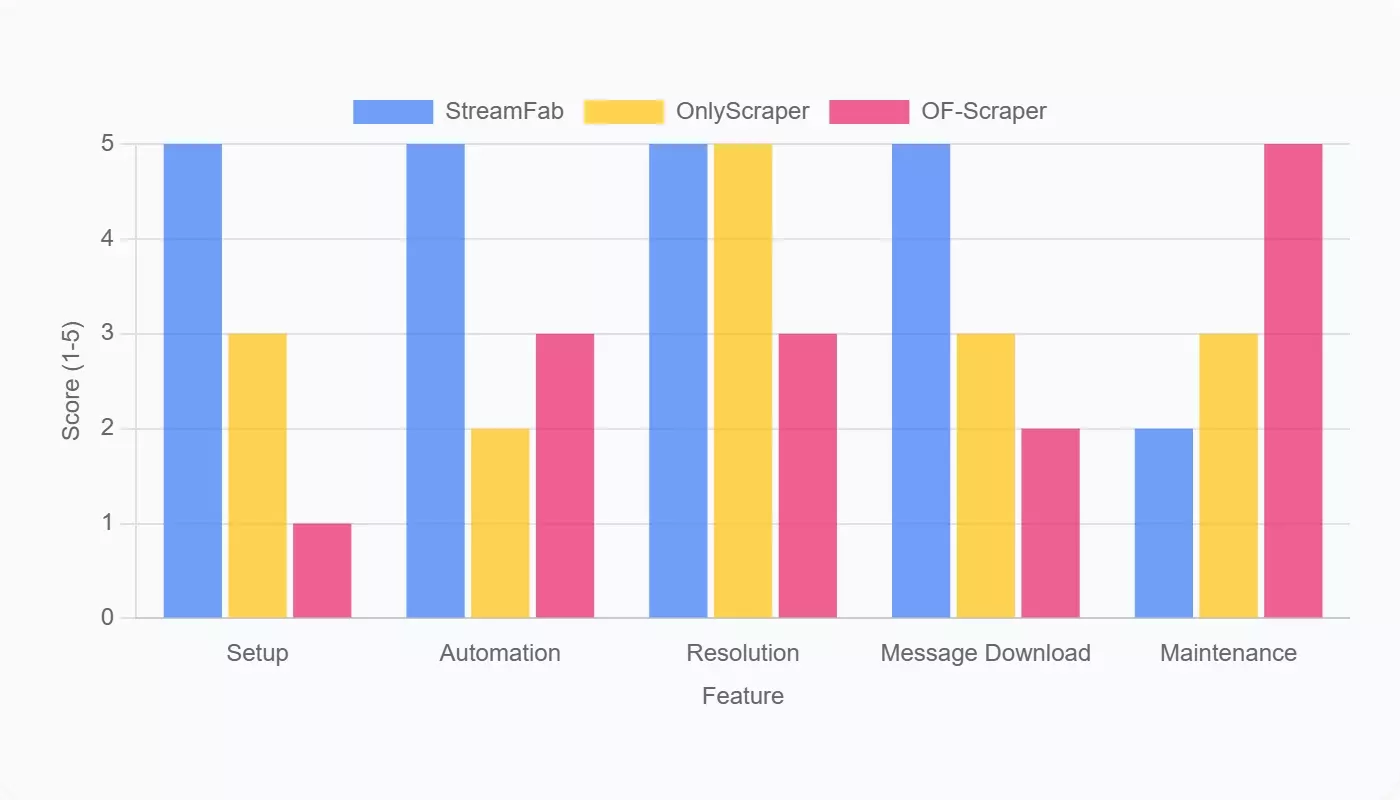
Compare Scope, Output, and Setup
| Workflow | Access scope and content | Output / quality | Credential boundary | Maintenance status | Best fit / not ideal for |
|---|---|---|---|---|---|
| StreamFab OnlyFans Downloader | Authenticated media saving; not public-profile extraction | MP4/MKV; up to 1080p where available; AAC 2.0 | Account sign-in in the desktop workflow | Managed desktop product; compatibility may change | Managed Windows/Mac backups / not mobile-only or API automation |
| OnlyScraper | Hosted authenticated workflow; current site also lists API access | Original-quality downloads advertised | Review current hosted authentication requirements | Active hosted service as of July 2026 | No-installation preference / not a substitute for public-data research APIs |
| OF-Scraper | Configurable CLI workflow for authenticated content | Local media output varies by configuration | Local authentication configuration; never share session data | Active project with docs, issues, and migration guidance | Technically comfortable users / not low-maintenance setup |
- Desktop downloader: StreamFab fits managed Windows or Mac saving for media you are authorized to access.
- Hosted web app: OnlyScraper suits readers who prefer no local installation but can evaluate current credential requirements.
- CLI, extensions, no-code, and APIs: CLI projects offer technical control; extensions and no-code automation can change with the site; APIs fit public-data or developer workflows when permitted.
Diagnose Scraper Failures by Layer
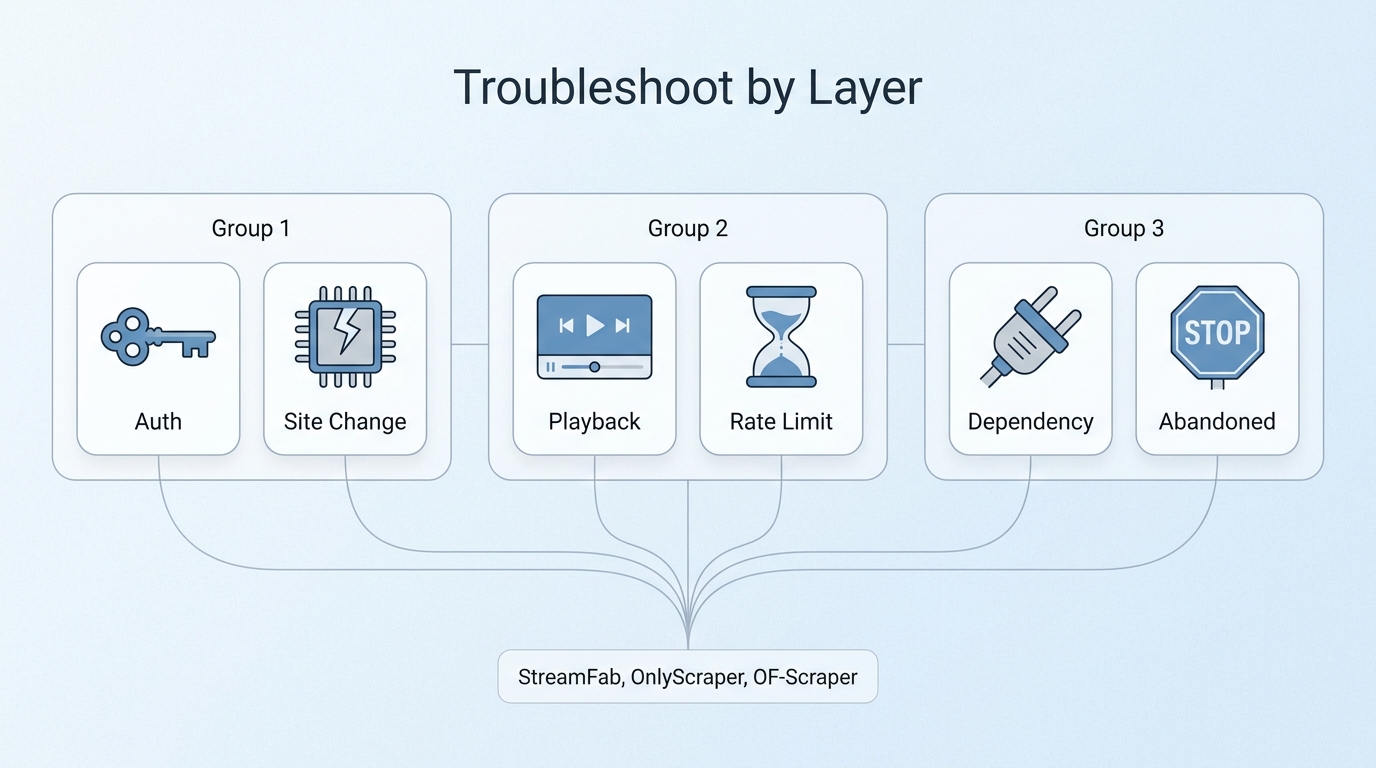
- Authentication or expired-session error: Sign out through the official service, start a fresh session, and do not share session data.
- Site-code, playback, or license error: Check the tool’s current documentation and platform status before repeatedly retrying.
- 403/429 or rate-limit error: Pause automation and reduce repeated requests instead of attempting to work around the limit.
- Local dependency or runtime error: Review the current release notes, prerequisites, and project issue tracker.
- Downloaded file will not play: Confirm the file format and use a compatible local player or conversion workflow.
- Old tutorial or abandoned integration: Treat deprecated projects, such as the OnlyFans-Coomer integration, as historical examples rather than current recommendations.
Frequently Asked Questions
It can be practical if you are already comfortable with command-line setup, documentation, dependencies, and troubleshooting. Otherwise, the time spent recovering from authentication or runtime errors can outweigh the upfront savings. A separate screen record OnlyFans without black screen workflow is a different method with its own limits.
This article covers authorized access only. It does not cover obtaining content you have not paid for or accessing material outside the permissions of your account.
No tool can guarantee undetectable activity, anonymity, uninterrupted compatibility, or zero account risk. Detection and disruption can depend on authentication behavior, request patterns, platform changes, and whether the workflow is actively maintained.
Not automatically. Paid access or creator consent does not by itself determine whether a copying workflow complies with platform terms, copyright rules, technical-protection rules, or local law. Keep authorized files private and do not redistribute them.
Most workflows rely on a desktop browser, local application, terminal, or credential controls that are difficult to manage on a phone. StreamFab OnlyFans Downloader supports Windows and Mac, while readers looking for the official mobile route should start with the OnlyFans app download information.
Start by identifying the failure layer: expired authentication, a site-code change, a playback or license error, rate limiting, a local dependency problem, or an abandoned project. Check dated documentation and maintenance status before repeated retries, because repeating the wrong action can make an unknown failure harder to diagnose.
Use official downloads, keep passwords and session data private, store authorized files locally, and do not share or resell creator content. If you suspect a credential was exposed, change the password and end active sessions where available; do not keep retrying an unfamiliar tool with the same sensitive data.
7. Can a scraper access content I have not paid for?
No, not within the legitimate workflows discussed here. Public-profile data is different from authenticated media, and this article does not cover defeating access controls or obtaining unpaid creator content.
Conclusion: The Safest Practical Choice
The practical choice depends on the task. Use a public-data API or research-oriented workflow for permitted profile data, a managed desktop workflow such as StreamFab OnlyFans Downloader for authorized media saving on Windows or Mac, and a CLI project such as OF-Scraper when you are prepared for technical setup and maintenance. StreamFab is not intended for public-data extraction, mobile-only use, or API automation; a broader comparison of OnlyFans video savers is useful when your goal is specifically local media playback.
