Tubi has no official MP4 export. For personal offline viewing of content you're authorized to access, five workflows are still workable in 2026, each with a device scope and honest 2026 DRM caveats. Skim the comparison table for a decision at a glance, then jump to the method that matches your setup.
Tubi's 2026 catalog moves faster than most people expect, like the titles I bookmarked in April were gone by late June. This guide looks at the tools people actually reach for when they want a personal offline copy in MP4 for content they're authorized to access, including what changed after Tubi's mid-June 2026 Widevine CDM update.

Does Tubi Let You Download Tubi Videos as MP4 Files?
No. Tubi does not offer an official offline download or MP4 export on any device. All content is delivered as HLS (m3u8) streams to a browser, the Tubi app on Android, iOS, and smart TVs, or the desktop web player.
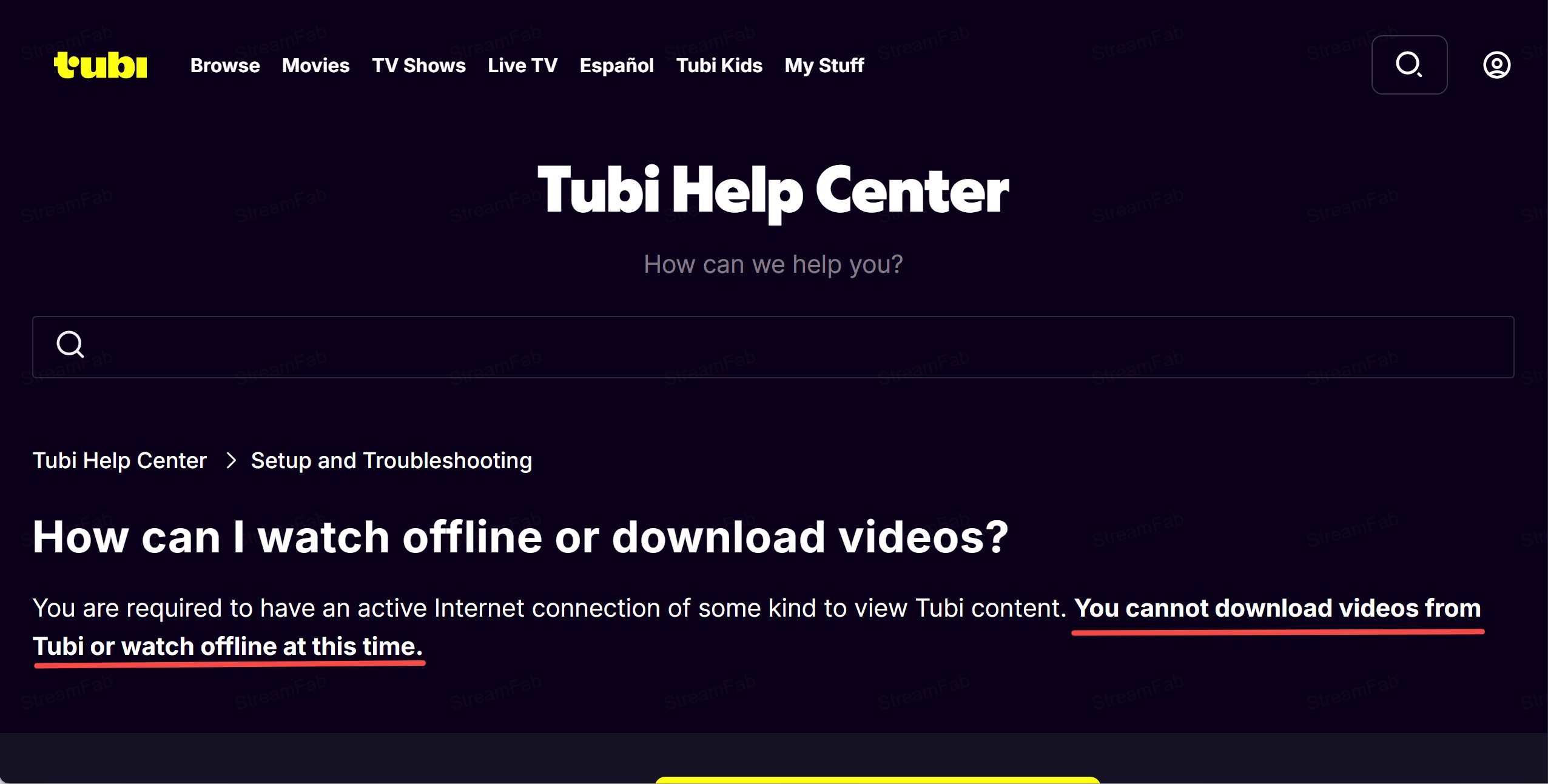
- Many Tubi titles are DRM-protected; results vary by title, device, and region.
- The practical resolution cap is 720p across mainstream desktop and browser tools.
- Bandwidth and storage matter: a 90-minute film in 720p typically runs a few hundred MB.
- This article is informational and is not legal advice.
5 Ways to Convert Tubi to MP4 in 2026
The 2026 DRM shift narrowed the field, but there are still five practical paths depending on your device and how much tool maintenance you want to accept. Skim the comparison table first for the at-a-glance picture, then read the method that matches your setup. Method 1 is the safest desktop pick after the June 2026 update; the mobile picks (Methods 4 and 5) both have honest limits.
| Method | Platform | Highest Resolution (as of July 2026) | DRM Compatibility (July 2026) | Removes Ads | Free Trial / Cost |
|---|---|---|---|---|---|
| StreamFab Tubi Downloader | Windows, macOS | 720p | Works on Widevine L3 titles via built-in browser engine | Yes, auto ad-strip | Free trial (3 titles), then paid |
| yt-dlp (nightly) | Windows, macOS, Linux (CLI) | 720p | Nightly builds needed; stable release returns HTTP 401 | It depends on the stream; there's no built-in filter | Free, open source |
| CoCoCut Extension | Chrome, Edge (PC & Mac) | 720p on unprotected titles | Limited: fails on many Widevine-hardened titles after June 2026 | Depends on title | Free |
| PlayOn Cloud | iOS, Android | 720p | Cloud DVR path: not affected by local screen-capture blocks | Yes, an ad strip on cloud recording | Paid subscription (see playon.tv for current pricing) |
| Seal (Android) | Android only | Up to 480p on protected titles | Limited: same 2026 Widevine wave that hit desktop tools | Depends on title | Free, open source |
Values reflect typical behavior observed as of July 2026; Tubi's DRM enforcement is changing quickly, so treat any number here as a snapshot rather than a permanent spec.
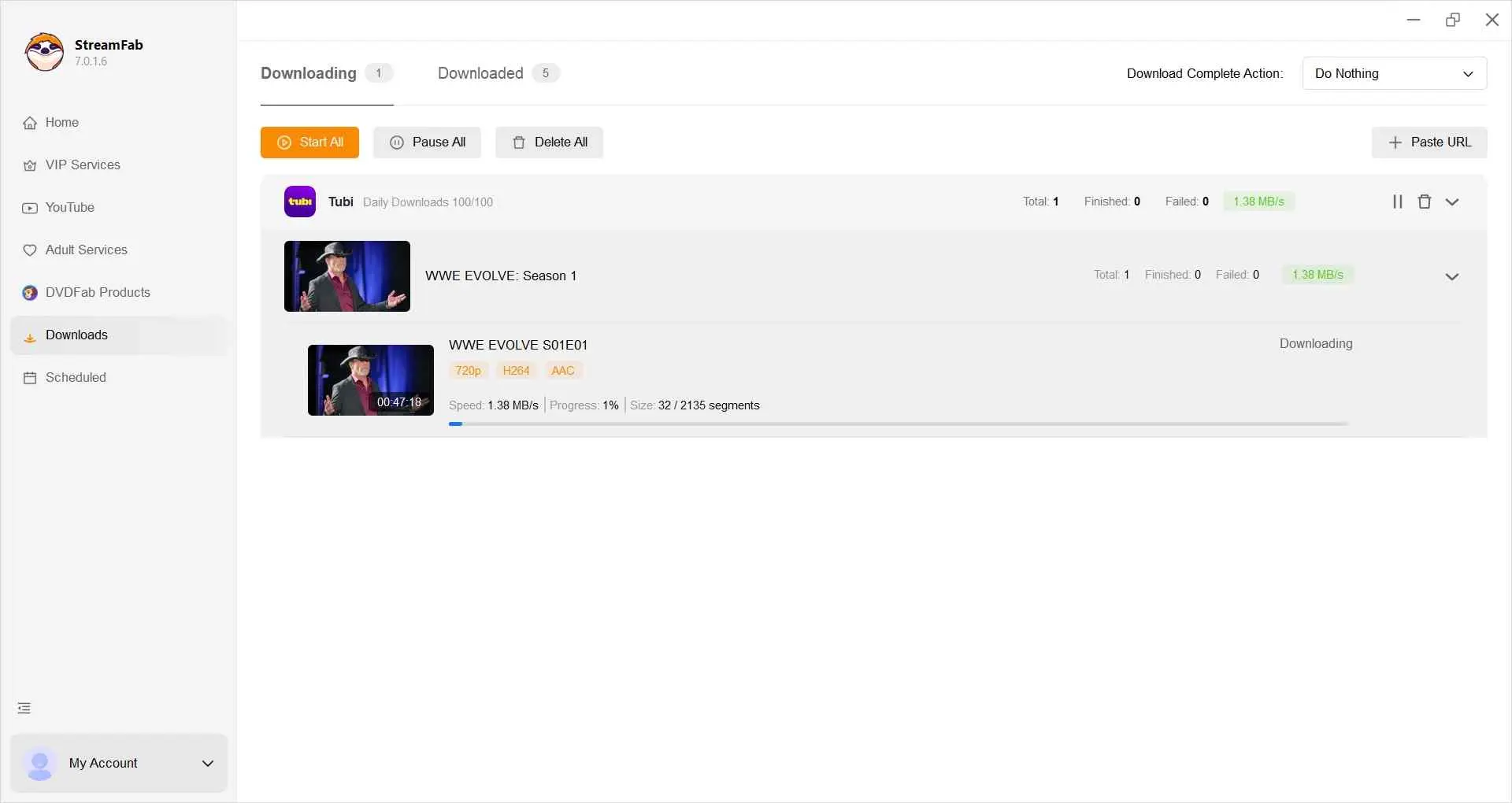
Method 1. StreamFab Tubi Downloader (PC & Mac, Recommended)
- • Best for readers who want a stable desktop workflow on Windows or Mac and don't want to babysit nightly-build updates
- • Not ideal for readers who prefer a free command-line tool or a purely mobile workflow.
On my current setup this is the one I actually reach for to download Tubi movies because its built-in browser handles the protocol handshake locally on my residential IP, which is what stopped working for most cloud tools this June.

A desktop tool for personal offline viewing of Tubi content you're authorized to access. Built-in browser engine, automatic ad strip, MP4 / MKV output.
- Available on Windows and macOS with a built-in browser engine
- MP4 or MKV output, H.264, and H.265 encoding for mobile transfer
- 720p typical output on Tubi titles
- Batch download and overnight queue scheduling for full seasons
- Automatic ad-strip removes roughly 4-6 minutes per hour of ads
- Roughly 99% success rate in Feb 2026 testing on the titles sampled
- Free trial limited to 3 Tubi titles before upgrading
- Windows and macOS only, no native mobile client
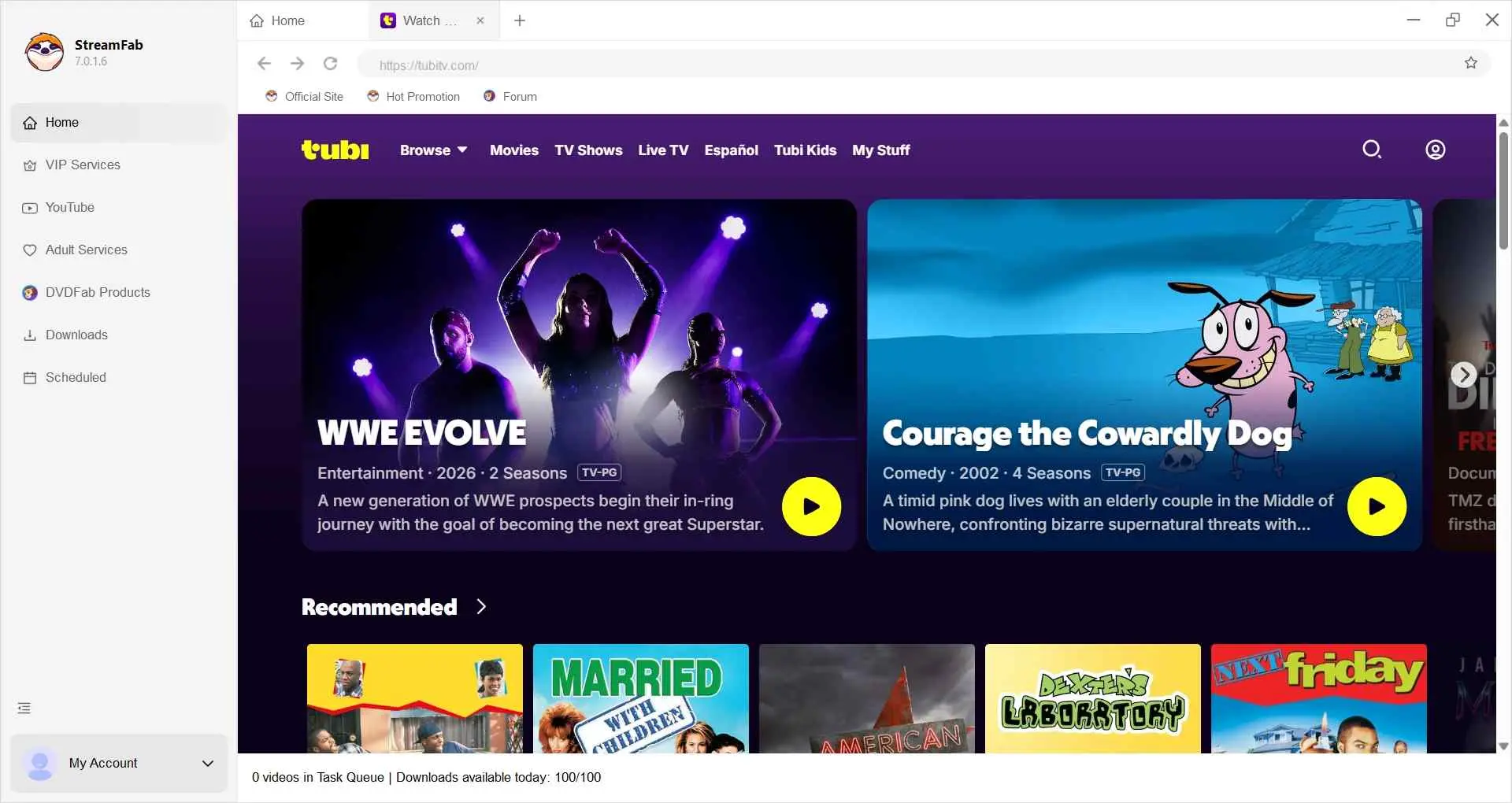
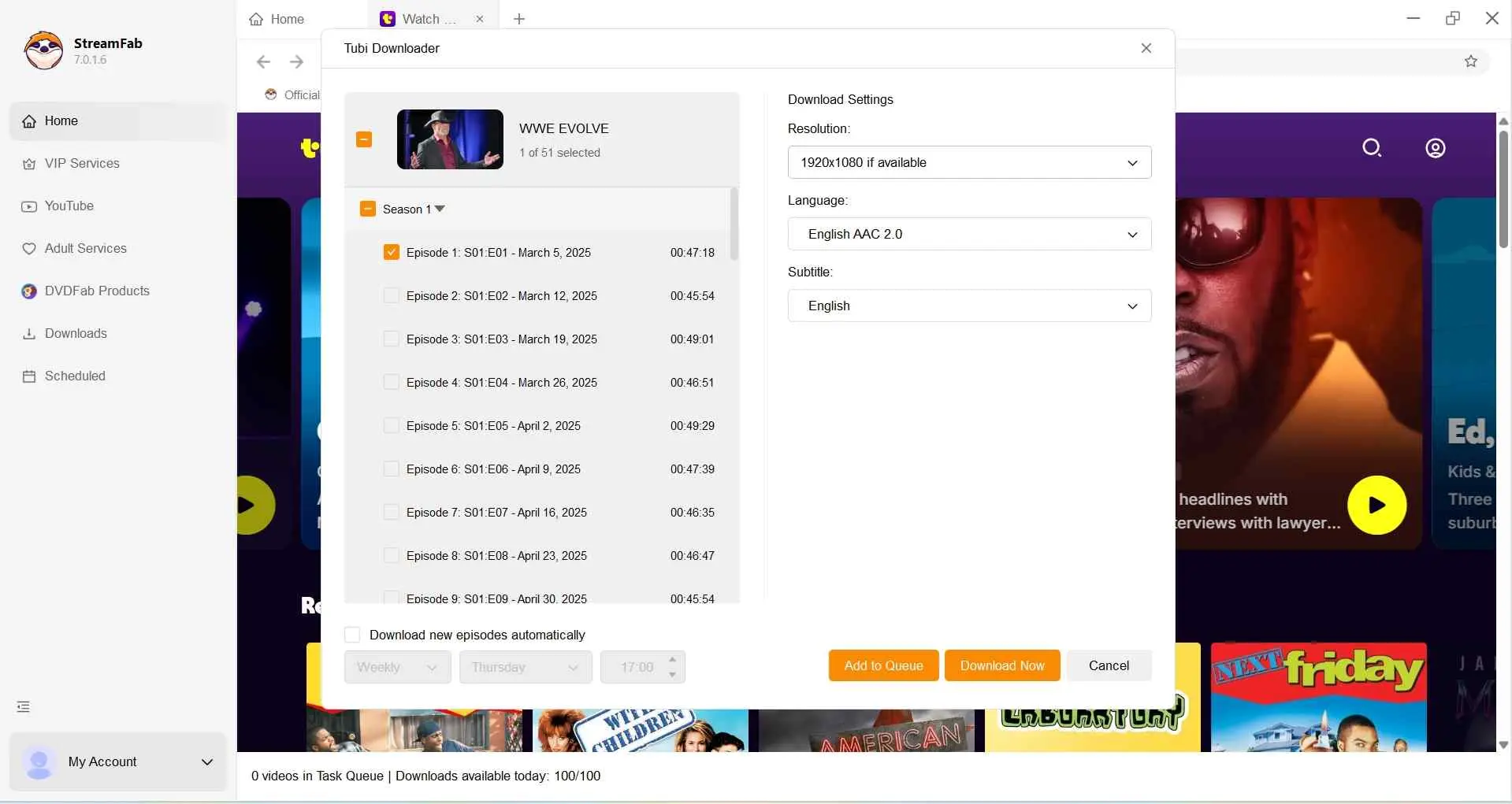
The in-app flow is guided; the exact screens depend on your version, but the four-step pattern is stable:
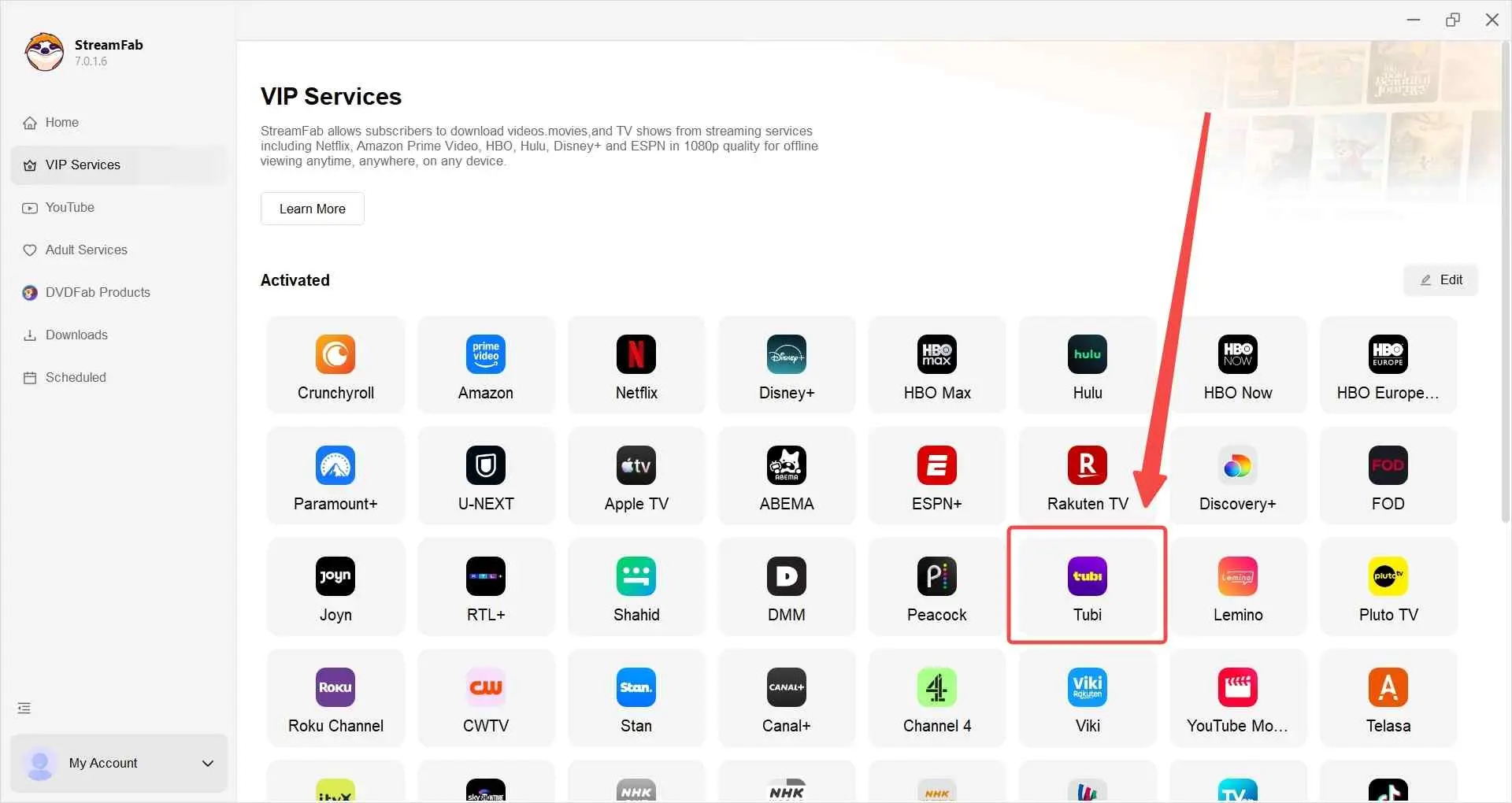
Sign in to your own Tubi account inside the built-in browser, browse the catalog for the title you're authorized to watch, and start playback so the tool can detect the stream.
When the download panel appears, pick the episodes or the movie; choose MP4 or MKV; pick audio, subtitle, and codec (H.264 or H.265) preferences; and confirm the output folder.
Click Download Now. Progress shows in the queue view, and, for full seasons, the scheduler can run the batch overnight without babysitting.
Method 2. yt-dlp (PC & Mac, Free & Advanced)
- • Best for developer-comfortable readers who want a free method and don't mind ongoing tool maintenance
- • Not ideal for mobile-only users or anyone who wants a graphical, click-through workflow
This is the free path winner, and it's the honest replacement for older cloud converters that Tubi's mid-2026 IP block took out.
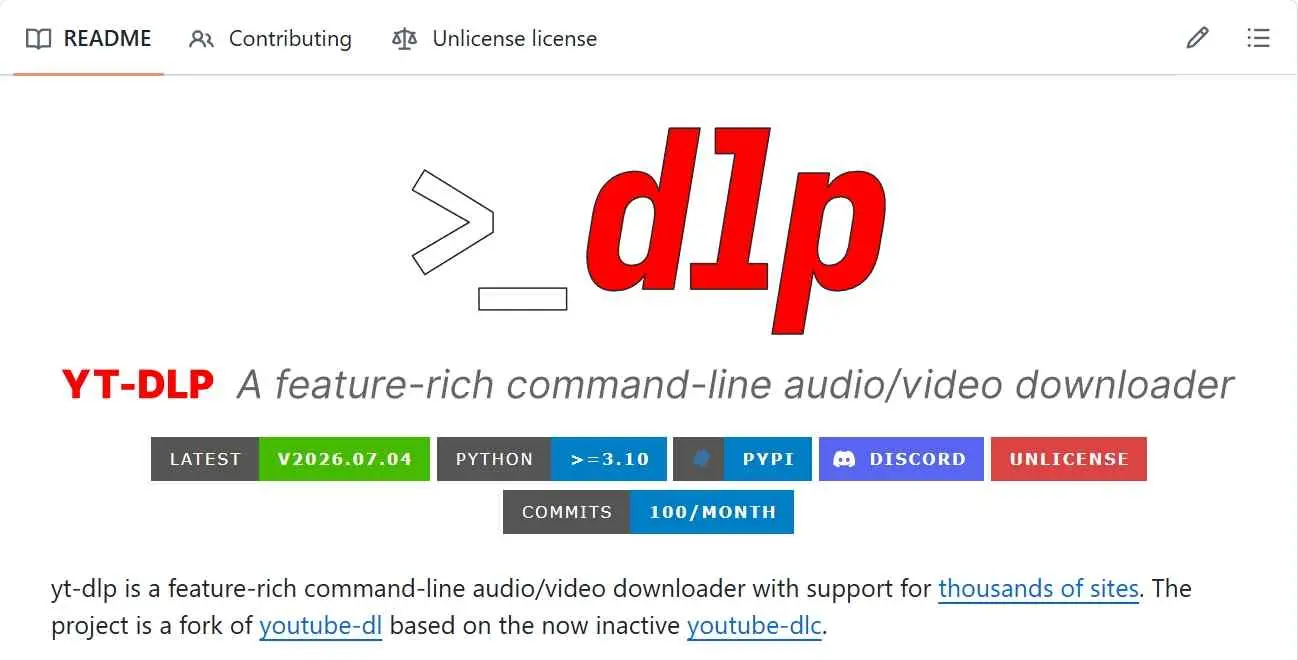
- Free, open source, actively maintained by a large community
- Cross-platform: Windows, macOS and Linux CLI
- Fine control over container, codec and subtitle track
- Stable release returns HTTP 401 on Tubi in 2026—nightly build required
- Terminal-only, no GUI, no batch UI
- Ongoing maintenance overhead as Tubi's endpoints shift
Install yt-dlp from the official yt-dlp GitHub project for your OS (Homebrew, pip, or a direct binary all work).
Update to the current nightly channel — on a fresh install run yt-dlp --update-to nightly. The stable branch will not authenticate against Tubi as of July 2026.
Open the Tubi title you're authorized to watch and copy its full URL from the browser bar.
Run yt-dlp in a terminal. Optional flags: -f "best[ext=mp4]" to force MP4, --write-subs to keep subtitles, and-o "%(title)s.%(ext)s" for a clean filename.
Method 3. CoCoCut Browser Extension (PC & Mac, Limited Compatibility in 2026)
- • Best for readers who want a no-install browser workflow and are OK with hit-or-miss compatibility
- • Not ideal for hardware-DRM-protected recent titles
As of July 2026, CoCoCut works on older unprotected Tubi titles but frequently fails on the newer Widevine-hardened catalog after Tubi's June 2026 CDM update; expect audio-only output or a partial .bin file on many recent releases.

CoCoCut is a browser extension that captures video segments from a playing tab. On unprotected Tubi titles, it can still write an MP4 or M3U8 file quickly, and, unlike a cloud converter, it runs on your own IP, so Tubi's mid-2026 IP rate limiting does not automatically kill it. On protected titles, though, the same Widevine wave that hit screen recorders also blocks the extension's frame path, and you'll see a .bin file that won't play.
- Free to use, no desktop install
- Selectable MP4 or M3U8 output on titles where it works
- Up to 720p on unprotected Tubi titles
- Runs on your own IP so it is not caught by cloud IP blocks
- Frequently fails on Widevine-hardened titles after June 2026
- Slow on large files (a 2.6 GB catalog title can take 30+ minutes)
- Some downloads land as .bin and need a manual rename to .MP4
- No background processing
Install the CoCoCut extension from your browser's official add-on store, launch it, and pin the icon to the toolbar.
Open the Tubi title you're authorized to watch. When playback starts, the CoCoCut icon lights up. Click it and pick an MP4 rendition.
Confirm the download on the CoCoCut result page and wait for the write to finish.
If the saved file has a .bin extension, rename it to .mp4 and re-test playback in VLC before assuming the file is broken.

Method 4. PlayOn Cloud (Cloud DVR for iOS & Android)
- • Best for iPhone and Android readers who want an offline MP4 without touching a PC
- • Not ideal for those who don't want a subscription or need immediate downloads
PlayOn Cloud is a cloud DVR service that records a Tubi title to its own servers on your behalf and then delivers a device-friendly MP4 you can pull down to iOS or Android.
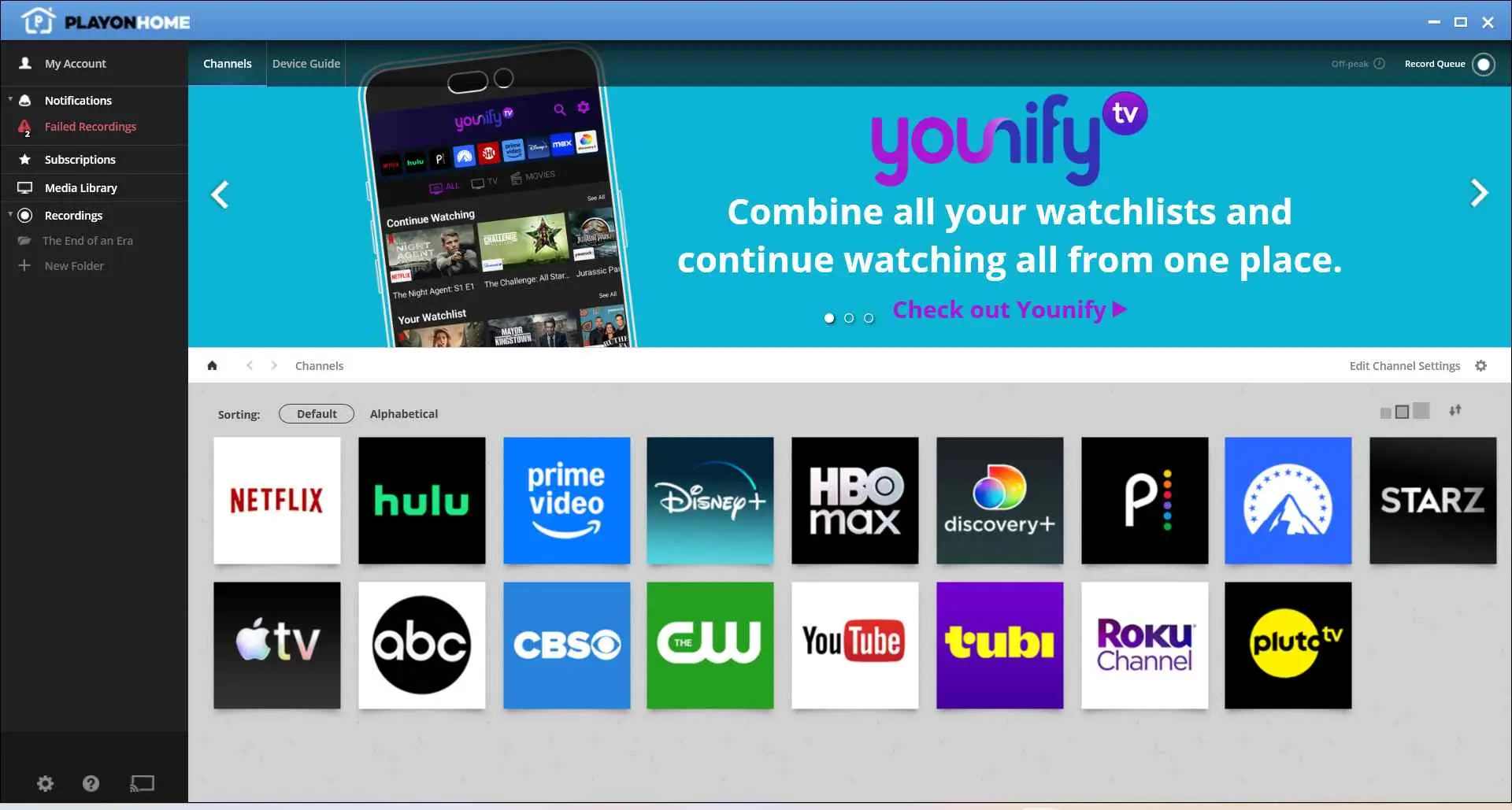
The key difference from a native screen recorder is where the recording happens. Because PlayOn's recording runs in its cloud rather than on your phone's screen-capture API, it is not blocked by the local frame-buffer lock that broke iOS and Android screen recorders in mid-June 2026. What you're trading is a subscription cost and some recording latency: queue a title, and the file is usually ready a while later.
- iOS and Android friendly—no PC needed
- Runs in the cloud, so the June 2026 local screen-capture DRM block does not apply
- Delivers a device-friendly MP4 you can play offline
- Paid subscription — see playon.tv for current pricing
- Recording latency: not instant, especially for long titles
- Title availability can vary as Tubi's catalog rotates
Sign up on playon.tv from a browser and check the current subscription options; the app is available on iOS and Android.
Search for the Tubi title you're authorized to watch inside the PlayOn Cloud app and add it to the recording queue.
Wait for the cloud recording to complete. Expect the wait to scale with title length, not with your local bandwidth.
Download the finished MP4 straight to your iOS or Android device for personal offline viewing.
Method 5. Seal (Android Only)
- • Best for Android readers who want an open-source local option and are willing to sideload
- • Not ideal for iOS users, and not a general 720p+ workflow
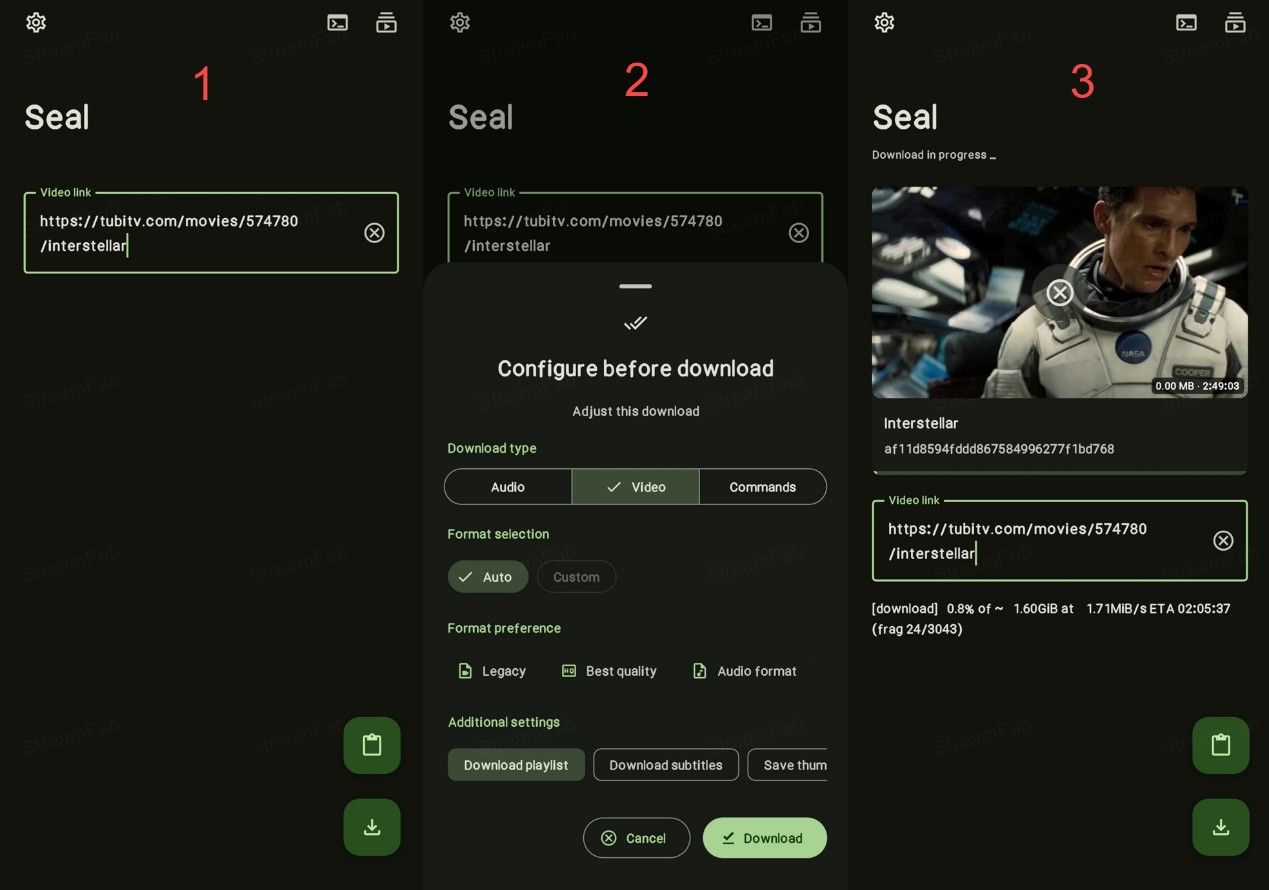
Seal is an open-source video and audio downloader for Android that leans on the same yt-dlp engine mentioned in Method 2, but wrapped in a mobile UI. It's a reasonable pick when you don't want to install a desktop app for just watching Tubi offline at all.
However, Seal's Tubi coverage is limited by the same June 2026 Widevine wave that hit desktop tools. On protected 2026 titles you should expect a 480p cap and inconsistent success on newer catalog items. On unprotected or older titles the app still writes a usable MP4 or MKV, and its batch mode is genuinely useful for lists of shorter clips.
- Free and open source, no subscription
- MP4 or MKV output on Android with batch queue
- No PC needed, sideload from GitHub
- Android only, no iOS build
- Limited on Widevine-hardened 2026 Tubi titles
- Practical cap around 480p on protected titles
- Several options must be flipped on manually in Settings
Get the Seal APK from the project's official GitHub releases and install it on your Android device, granting only the permissions needed.
Open the Tubi mobile web page or app, share the title URL to Seal, or paste the URL into Seal directly.
In Seal's settings, pick MP4 or MKV, choose a subtitle preference if needed, then tap the download arrow to start.

Quick Comparison: Which Tubi to MP4 Method Fits You?
Here's the short answer, sorted by reader intent rather than tool name. The comparison table above has the numbers; this section is the qualitative pick.
- The stable desktop user. If you're on Windows or Mac and you want a workflow you can set once and use through a full season, the StreamFab desktop route is the least fragile pick this year because the Widevine L3 authentication runs locally on your IP rather than in a cloud that Tubi has learned to block.
- The free / developer-comfortable user. If you're happy in a terminal and you don't mind the ongoing nightly-build churn, yt-dlp is the free path. Just remember: the early-2026 stable release is dead for Tubi, and the June 2026 or newer nightly is what you need.
- The mobile-first user. If you never want to touch a PC, PlayOn Cloud is the honest iOS and Android pick because its recording runs in the cloud and dodges the local screen-capture block that killed native mobile screen recording. Seal is the Android sideload alternative when you'd rather not pay a subscription and you're comfortable with the DRM caveats.
- The browser-only casual user. If you already know a title is not on Tubi's newer Widevine-hardened catalog, CoCoCut is the fastest no-install route. On a 2026 hardware-DRM title, though, expect the extension to hand back a .bin file that won't play.
None of these is a universal solution, since Tubi's DRM enforcement is a moving target and a workflow that works today may need a tool update next month.
Tubi's 2026 DRM Update: What Broke and Why
Here's the short version of what shifted this year. In mid-June 2026, Tubi rolled out an aggressive Widevine CDM certificate update that hardens hardware-accelerated DRM enforcement on protected titles. That single change reshaped the Tubi downloader landscape in three ways, and it's the reason a workflow that worked in April may return a black frame or a 5% stalled file today.
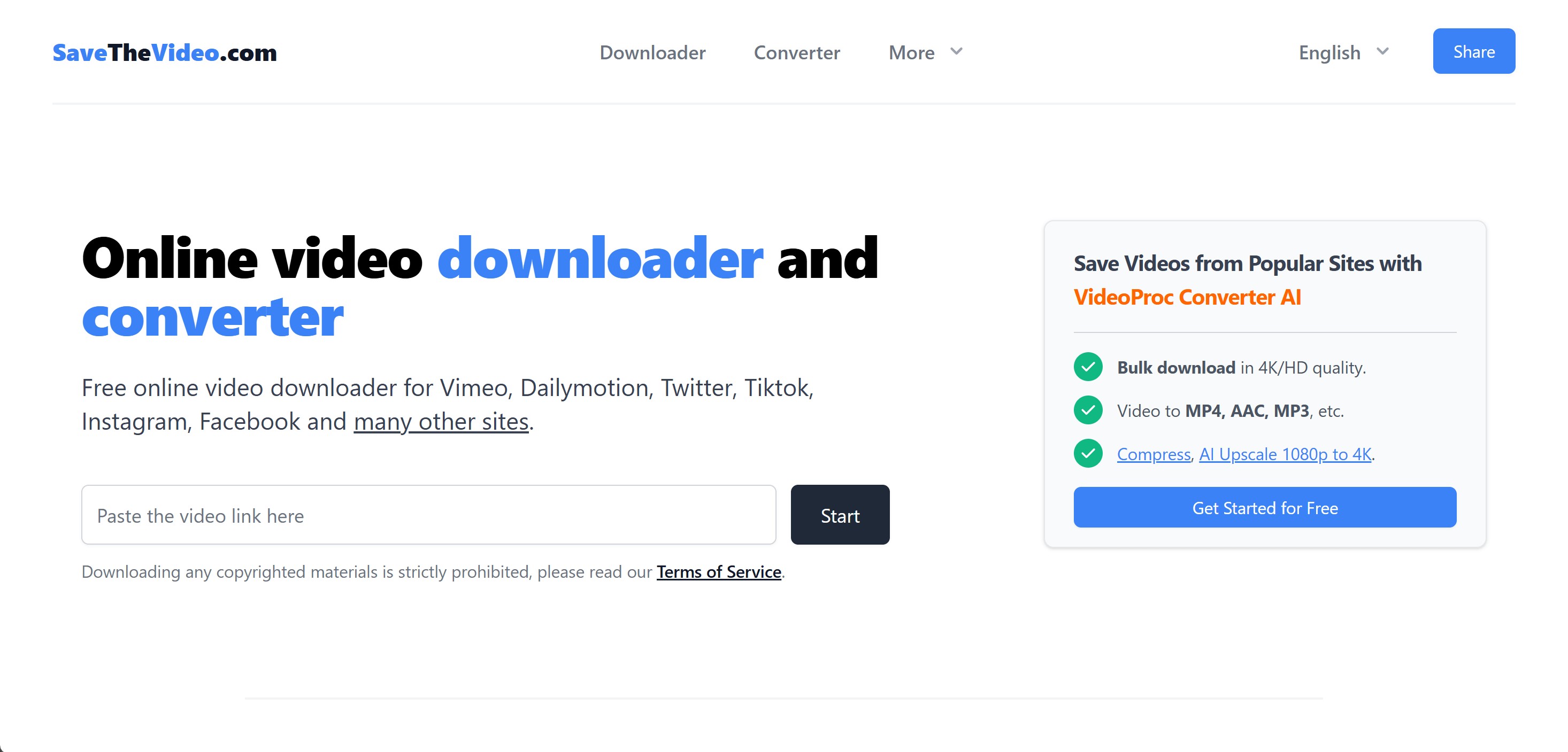
First, the Widevine update locks the frame buffer that iOS, Android, and Windows screen-capture APIs read from, so most native screen recorders now output an audio-only track with a black video frame on protected Tubi titles. Second, Tubi's server-side rate limiting IP-blocks the datacenter ranges most cloud converters run on—sites like SaveTheVideo and PasteDownload either fail or return a partial file. Third, browser extensions that used to pull HLS segments (CoCoCut and Video DownloadHelper) are degraded on protected titles because the frame path is closed at the platform layer, not at the extension layer.
What still works reliably is a desktop tool with its own built-in browser engine that authenticates Widevine L3 locally on your residential IP rather than a datacenter IP. That path avoids both the cloud IP block and the frame-buffer lock, which is why the desktop workflow moved up the pick order this year.
Legal and Safety Notes Before Downloading Tubi
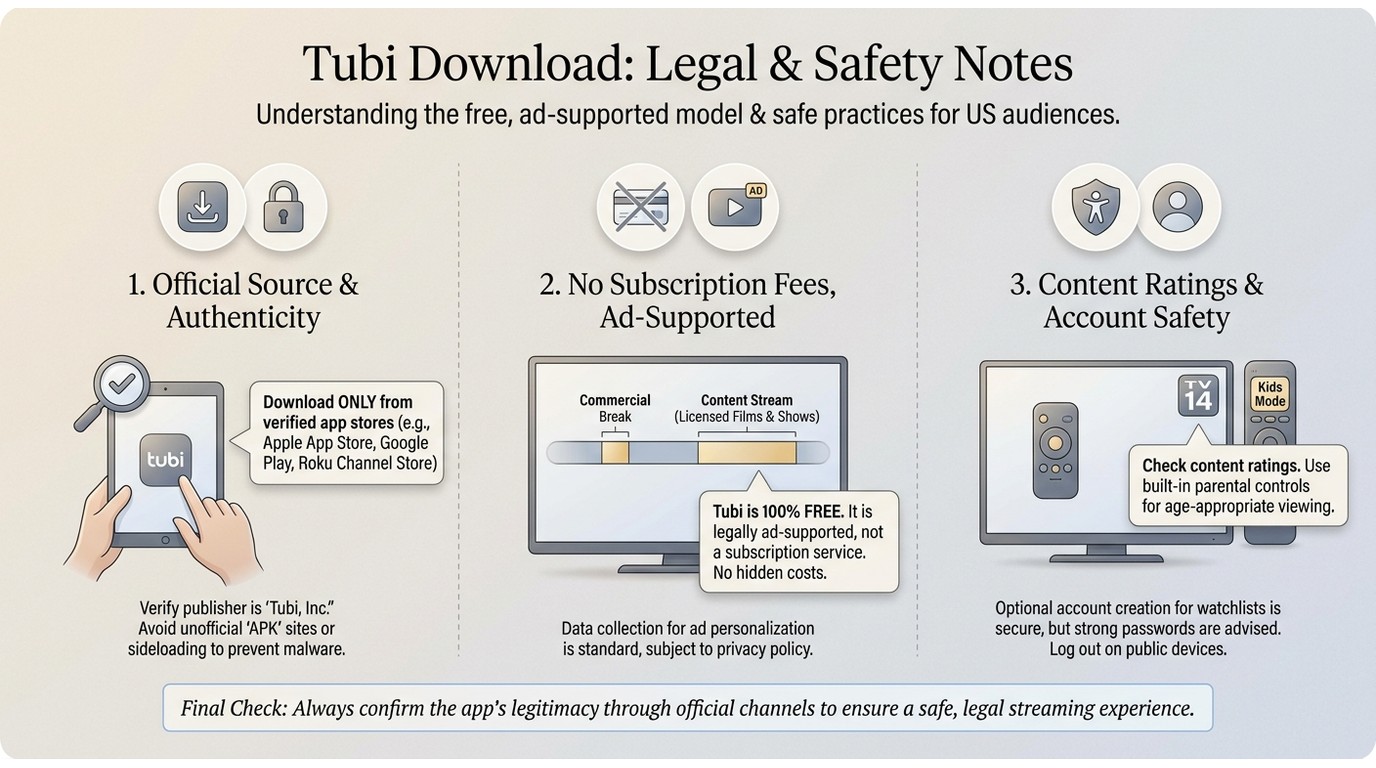
Personal offline viewing of content you're authorized to access sits at the center of every workflow above. Always follow Tubi's Terms of Service and your local U.S. law, keep any saved file for personal use, and avoid commercial use, sharing, or redistribution.
Two concrete safety notes for 2026. First, most sites that market themselves as "free online Tubi converters" are either cloud-IP-blocked by Tubi's mid-2026 rate limiting or they're ad-injection and malware vectors dressed up as a shortcut. A locally installed desktop tool from a named vendor is a safer path for personal offline use than a random converter URL. Second, a locally saved MP4 is a legitimate product artifact when it comes from your own authorized playback session; it is not a shortcut around a Tubi subscription and does not become a redistribution license just because it exists as a file. This article is informational and is not legal advice.

If you're picking between a mobile-first and a desktop route, the deciding question is usually whether you actually want the file on your phone or just on the same phone's Tubi app. For the second case, PlayOn Cloud is often plenty. For a true archive, a Windows or Mac desktop is where the reliability lives in 2026.
FAQs on Converting Tubi to MP4
Always follow Tubi's Terms of Service and applicable U.S. law. Personal, non-commercial offline backups of content you're authorized to access are the intent of the workflows above—no redistribution, no commercial use, and no sharing. The above is not informational or legal advice, and it does not claim the activity is definitively legal or definitively illegal in your specific case.
As of July 2026, typical output caps at 720p across mainstream desktop and browser tools. Tubi streams do not consistently expose a 1080p rendition, and hardware-DRM titles restrict frame access. Plan for 720p as the practical cap and treat any "1080p Tubi" claim from a random converter site skeptically.
Since Tubi's mid-June 2026 Widevine CDM update, many browser extensions and cloud-based converters are blocked from reading protected video frames on newer Tubi titles, so you end up with audio only, a .bin file, or a stalled download. Retry with a different tool (a desktop app with a built-in browser engine tends to be the steadiest path), start playback first so the tool can detect the stream, and drop quality to 720p. The reliable path in 2026 is a desktop tool that authenticates Widevine L3 locally rather than a browser extension.
Support depends on the tool. Desktop apps with an explicit subtitle track selector (StreamFab and some yt-dlp workflows) tend to preserve subtitles cleanly. Browser extensions and screen recorders usually do not. Metadata such as chapter marks and language tags rarely survives a screen-record round-trip, so if metadata matters to you, prefer a desktop tool that lets you toggle a subtitle track before starting the download.
Tubi's June 2026 Widevine CDM enforcement uses hardware-accelerated DRM that blocks the frame buffer used by screen-capture APIs on most iOS, Android, and Windows devices, so the audio still records, but the video track comes out as a black frame. It's not a bug in your recorder; it's the platform enforcing protected playback at the OS level. If you want a local MP4 for personal offline use of content you're authorized to access, switching to a desktop tool with a built-in browser engine that authenticates Widevine L3 locally is a more reliable path than a screen recorder.
The early-2026 stable release is effectively dead for Tubi — it returns HTTP 401 (see the yt-dlp GitHub issue #9937). To keep pace with Tubi's API changes, you need a June 2026 or newer nightly build: run yt-dlp --update-to nightly before you try again. Expect Tubi to keep shifting; treating nightly maintenance as part of the workflow is the honest way to use this method.
Not really. Tubi's mid-2026 server-side rate limiting IP-blocks the datacenter ranges most cloud converters run on (SaveTheVideo, PasteDownload, and similar), so many of them either fail outright or hand back a partial file. Separately, third-party "free online converter" sites have long been vectors for ad injection and shady redirects, and that risk has not improved this year. For personal offline use, a locally installed desktop tool from a named vendor is more predictable and safer than a random converter URL.
Conclusion: Pick the Method That Fits Your Setup
Tubi's 2026 DRM landscape is a moving target, and any confident "this is the one true way" answer is probably wrong within a month. The honest recap: a desktop app with a built-in browser engine (StreamFab) for a stable Windows or Mac workflow; yt-dlp nightly for free command-line users who accept the maintenance overhead; PlayOn Cloud for iOS and Android users who don't want to touch a PC; Seal for Android sideloaders who accept the 480p ceiling on protected titles; CoCoCut only if you already know the title is not on Tubi's newer Widevine-hardened catalog.
On my current setup, the desktop tool with a built-in browser engine is what I actually reach for on 2026 titles, but that's a fit for how I work, not a blanket verdict for every reader. Whichever method you pick, keep saved files to personal offline viewing of content you're authorized to access, and check the tool's own support page before you assume a workflow that worked last month still works today.
