Tubi does not offer an official offline download feature. If you’re looking for offline viewing and a smoother playback experience, some third-party Tubi tools may help—only for personal, time-shifted viewing of content you can lawfully access. Do not share or resell any local copies.
- Can you watch Tubi offline? ➡️ Official policies analysis
- How to watch Tubi offline? ➡️ 3 tested tools' introduction
- Which one suits you the best? ➡️ Overall comparison of these Tubi offline tools
- More FAQs
Below are three tested desktop methods, ranked by how reliably they hold up against Tubi's current setup—written from the perspective of a StreamFab editor who binge-watches on the road and tests these tools weekly.
Can You Watch Tubi Offline?
Not through Tubi itself. Tubi doesn't offer an official download function on its website or in its mobile app, so you can't tap a download icon the way you would on Netflix or Prime Video. Some online video grabbers and browser extensions were used to pick up Tubi streams, but as the platform tightened its setup, those options grew inconsistent; many now return blank or tinted files instead of a playable one.
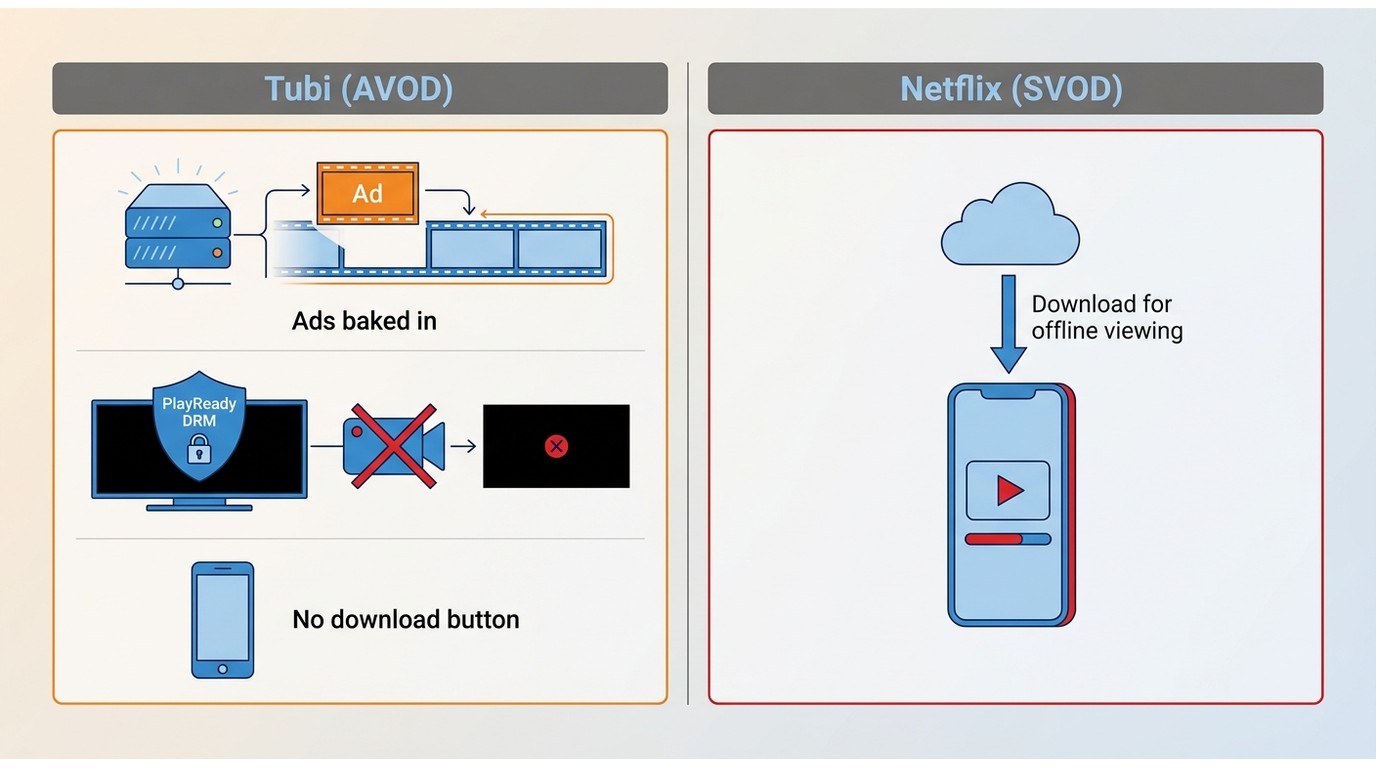
Why Tubi Has No Download Button
Tubi is a free, ad-supported (AVOD) streaming service that stitches ads directly into the video stream on its servers — the ads are part of the playback, not a separate overlay. On top of that, Tubi applies Microsoft PlayReady DRM to select titles. Those two design choices are why there's no in-app offline button, and why plain screen recorders often come back with black frames on protected titles.


- Don't be upset yet. The methods I collected to help us watch Tubi offline focus on a desktop workflow, and I listed them below in order of their comprehensive performance. By the way, there isn’t a one-tap mobile approach here since these options are mostly PC-first. Some people choose to move their locally saved files from a computer to a phone or tablet for personal viewing.
How to Watch Tubi Offline?
Focus on what I am going to say next: These third-party tools can only be used personally for entertainment. You should never share or sell the local Tubi content acquired with these tools to anyone. And that is a serious copyright violation! So, just enjoy Tubi offline by yourself.
Method 1: StreamFab Tubi Downloader

Among all the Tubi offline viewing methods I've tried, this one shows the most stable performance, the highest efficiency, and user-friendly operations. It can download Tubi movies in common formats like MP4 or MKV at up to 1080p, mirroring the best stream quality Tubi serves. Since Tubi's stream ceiling is 720p for many on-demand titles, the actual output tops out at whatever the source provides.

- Supports offline viewing for selected Tubi titles in up to 720P resolution with AAC 2.0 audio (when available).
- Offers common output formats like MP4 or MKV for versatile playback across devices.
- Aims for smoother offline playback once a file is created (ad experience can vary by title/service).
- Can include subtitles when available, with language selection options.
- Includes optional scheduling features to help manage selected titles over time.
- Use batch mode to queue multiple episodes or movies in one session.
Thanks to its built-in browser, I only needed a few minutes to get the workflow down. One detail that's easy to miss: before you hit Download, open the download panel's language settings and preset your subtitle language and audio track—StreamFab will save selectable subtitles (SRT external or embedded) and the original audio track when the stream provides them, but only for the languages you tick before the job starts.
- Sign in to your Tubi account for Watchlist sync (optional).
- Preset subtitle & audio language before downloading.
- Enable batch and auto-download for new episodes.
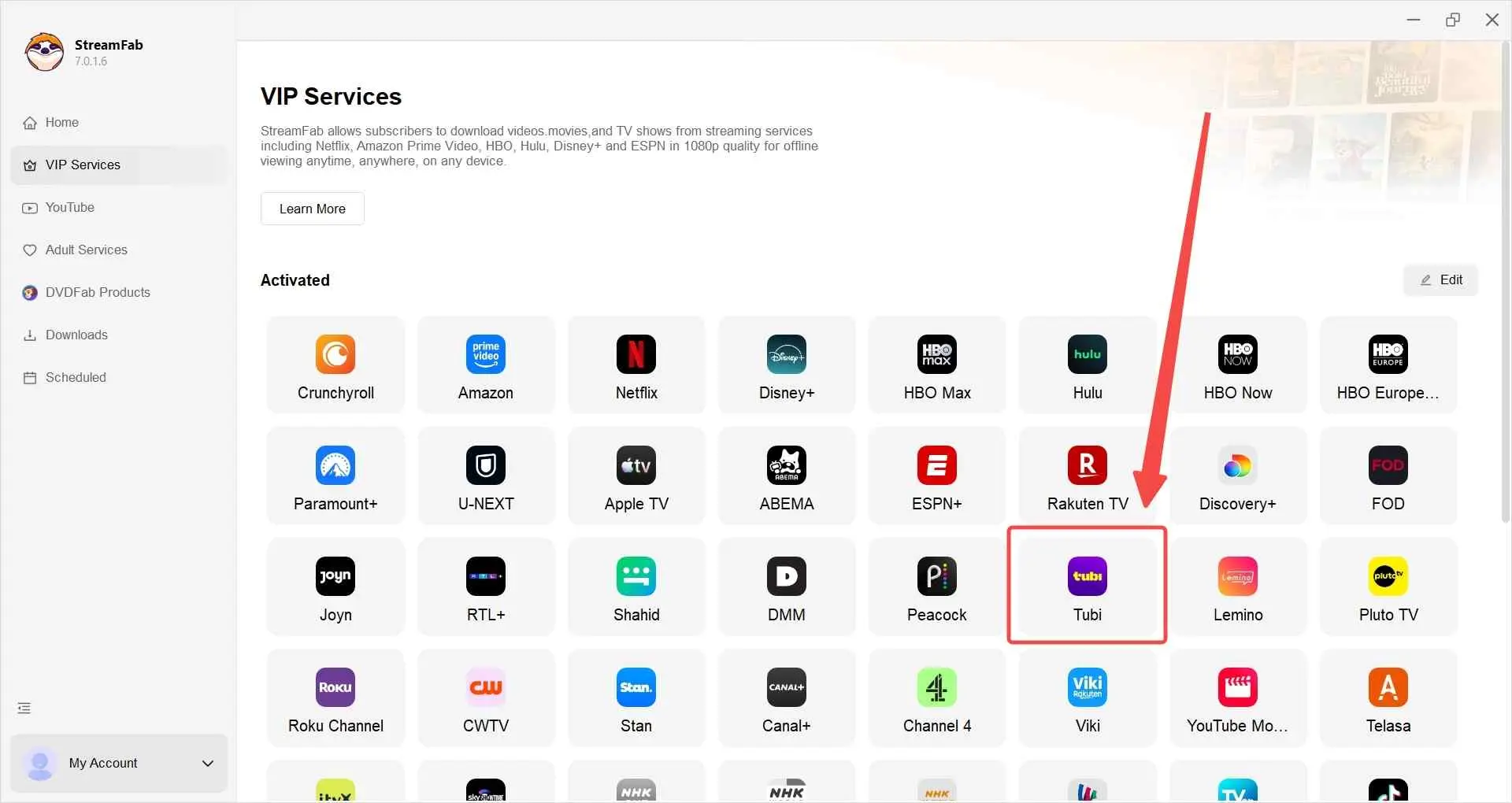
Navigate to Tubi by pasting the official site link or finding its icon in VIP Services. Log in to your account if you want to download your favorites only.
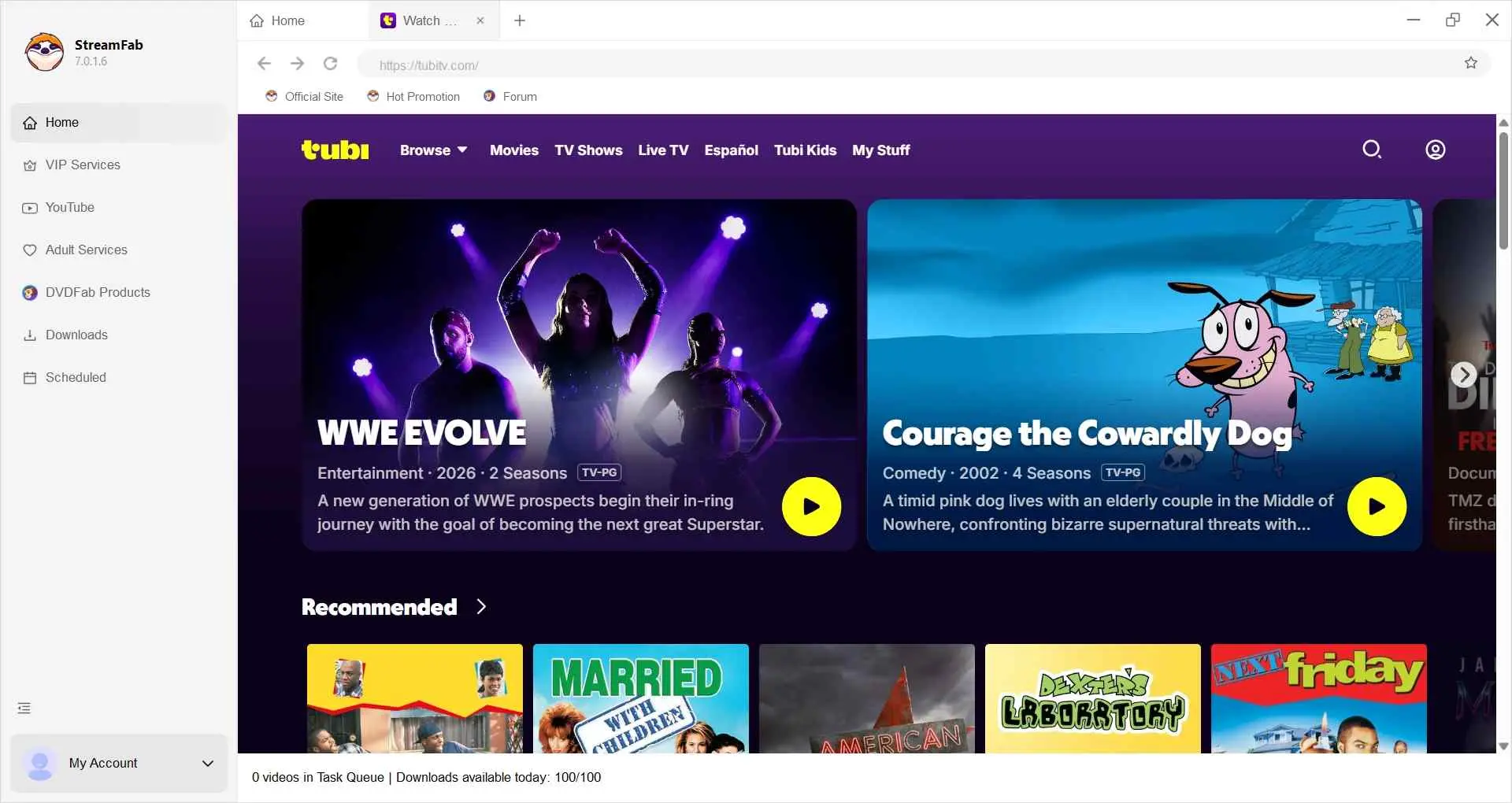
Play the titles you want within the built-in browser, and StreamFab will detect and provide you with a download panel.
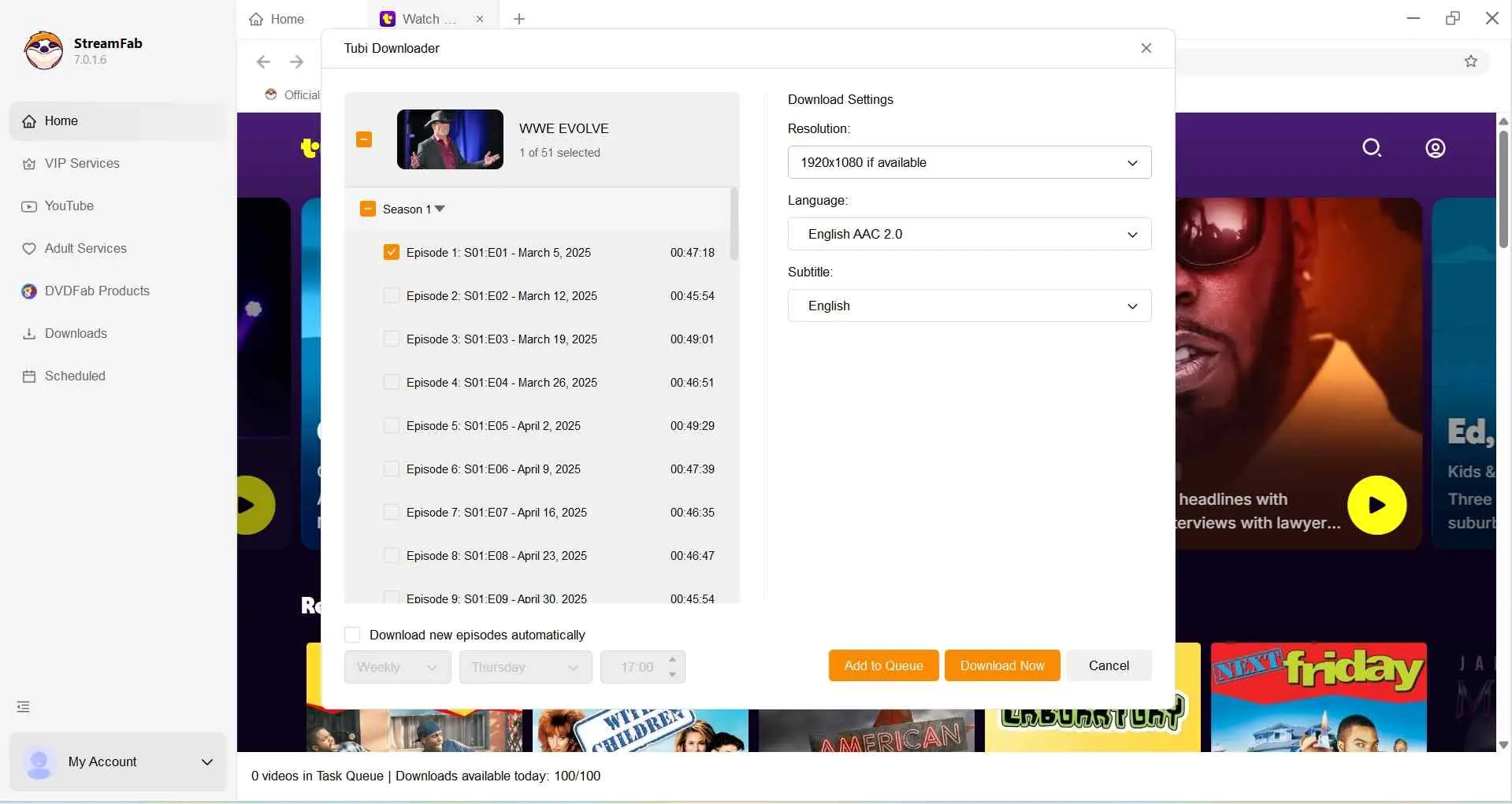
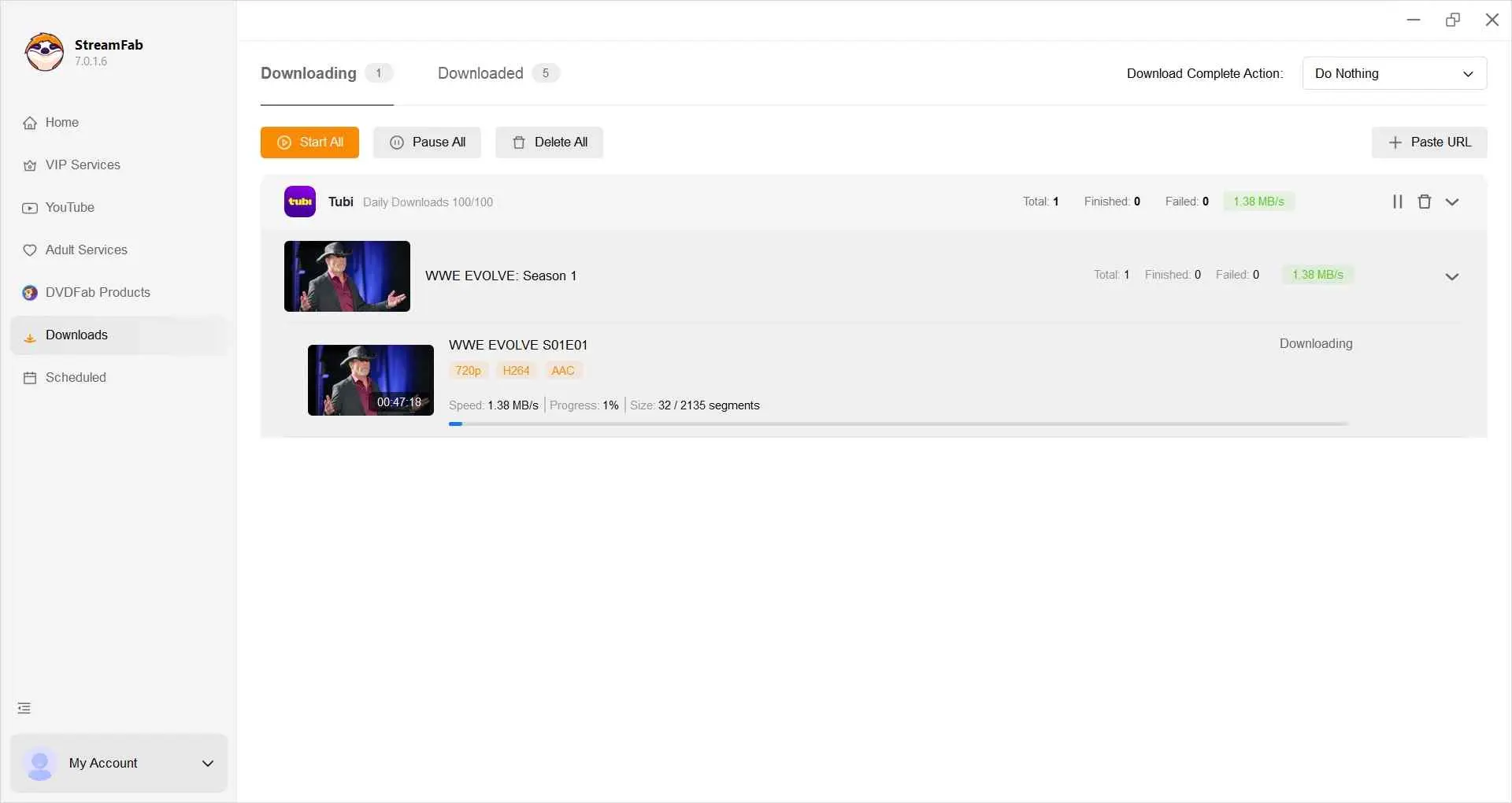
Make sure every status is adjusted to your preference. Now click on Download Now to start downloading. Or you can add them to the queue for downloading them later.
Method 2: RecordFab
RecordFab is StreamFab's sister recording tool from the same developer—where StreamFab focuses on structured downloads, RecordFab is built around live/session capture. I use it for the Tubi content downloaders don't fit: sports matches I want to revisit or Gordon Ramsay's cooking-show clips playing on a Tubi live channel. It handles both live and on-demand playback and records Tubi at up to 1080p, with faster recording modes when you don't need frame-perfect quality.
What’s more, RecordFab ensures a smooth experience, with no need to worry about recordings being disrupted by laptop noises. Unlike standard screen recorders that capture all system sounds, including Discord notifications, it discreetly records in the background. The only pity is that it only has a Windows version.
The built-in browser offers a user-friendly experience, easy for beginners. Simply follow the guide below, and soon you'll learn how to record and watch Tubi offline with it.
Get RecordFab installed on your Windows PC. Launch it and navigate to Tubi TV with the option in All Supported Sites.
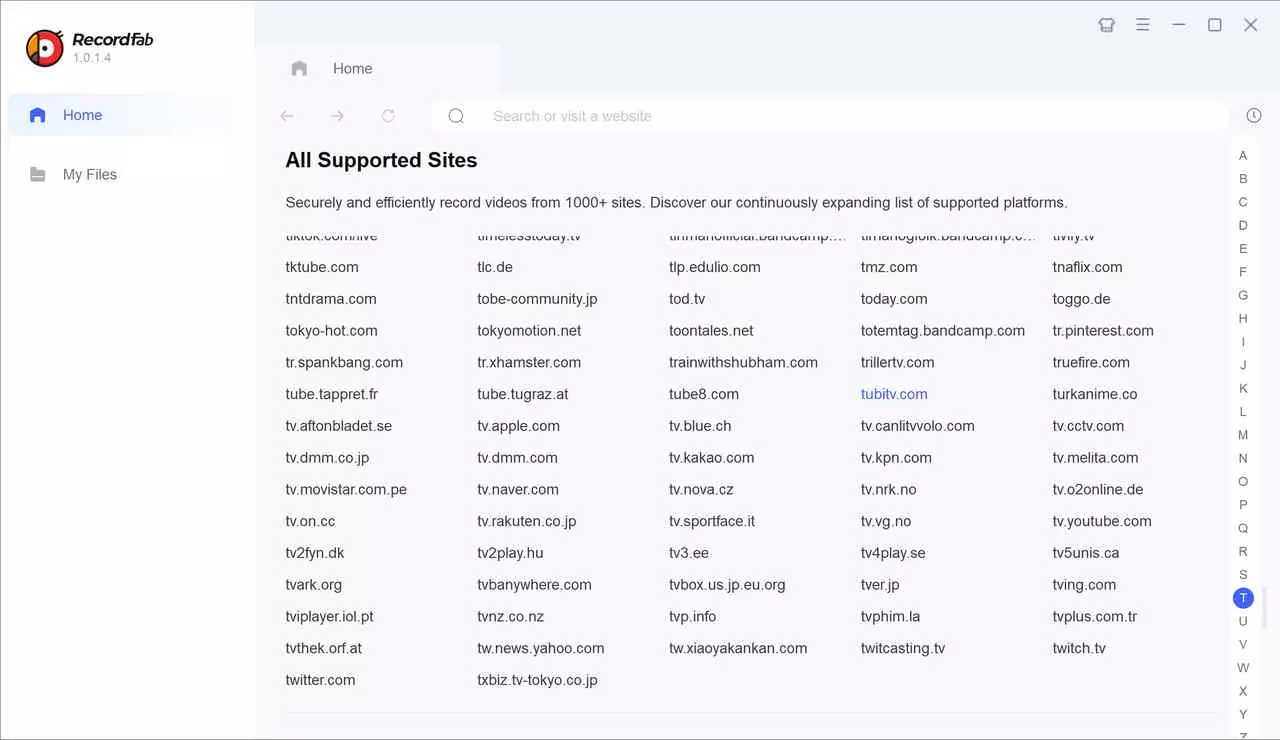
Find and play the video or live channel on Tubi that you want to watch offline. Then click on Start to customize the specific options on speed or resolution, etc.
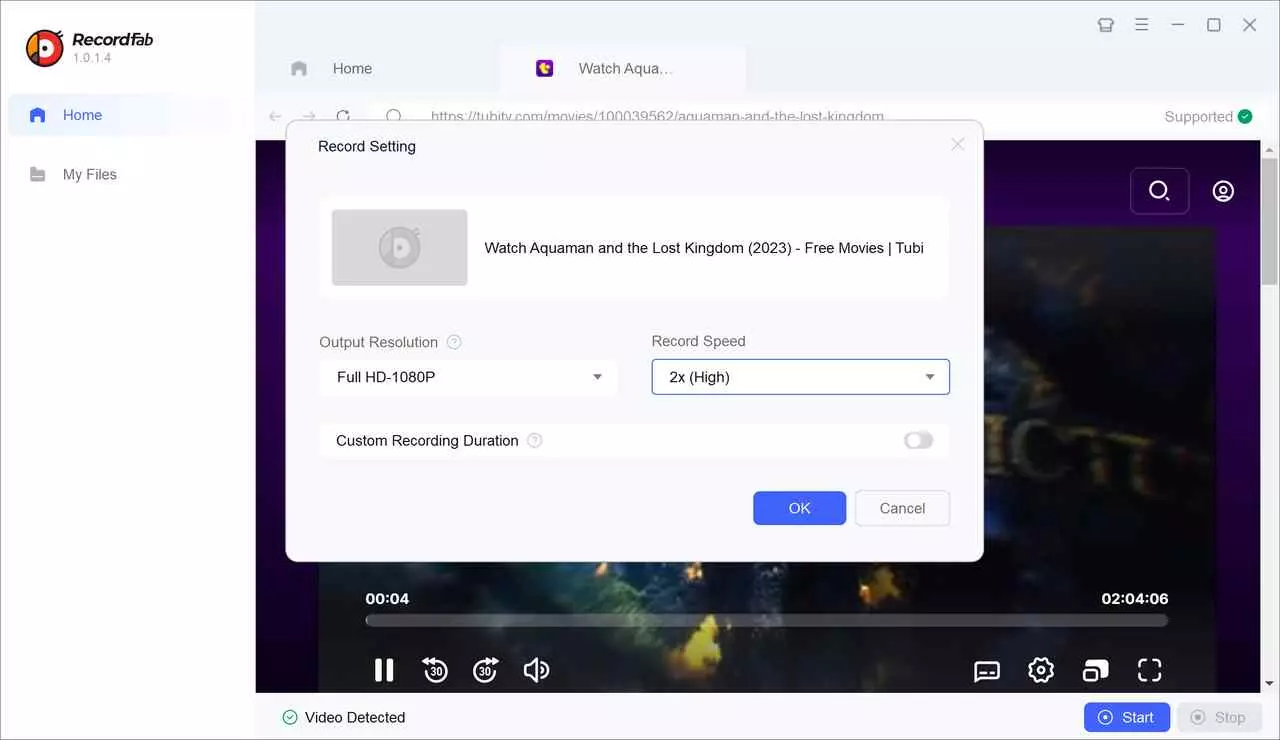
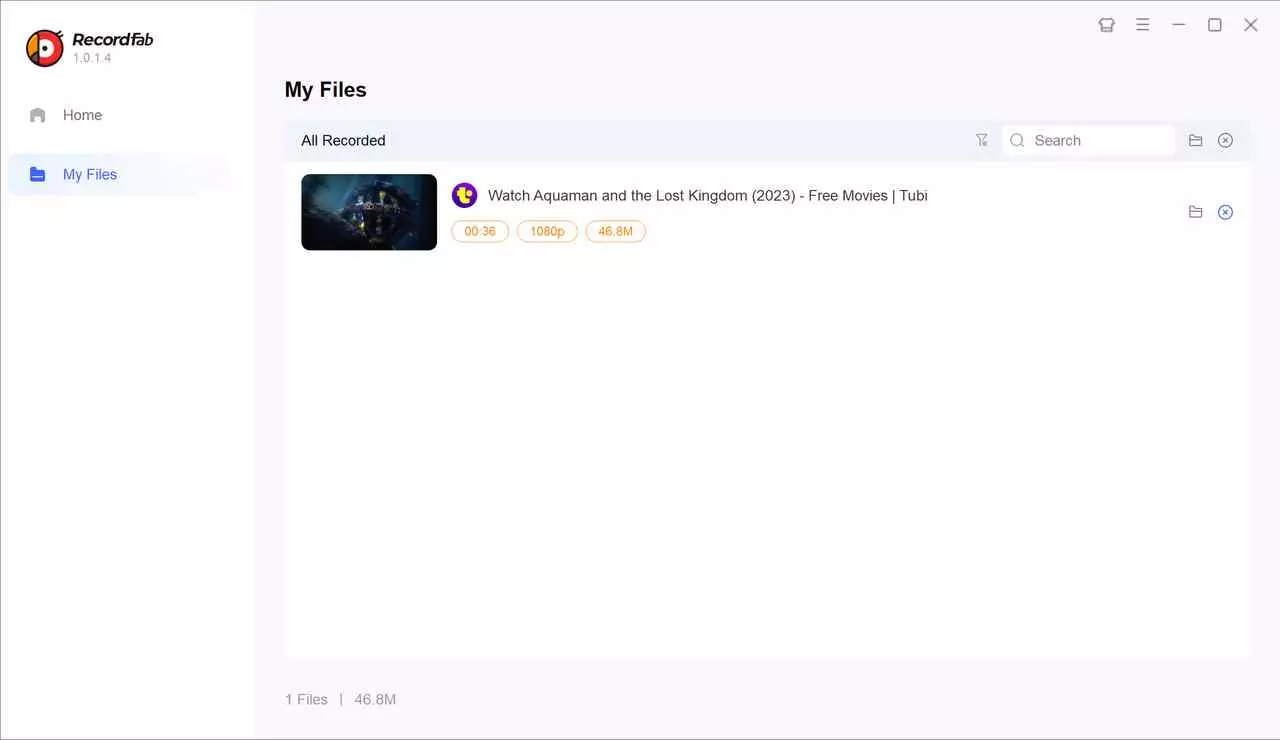
Click on OK to start recording Tubi videos and episodes from live channels for offline viewing. The finished recordings can be found in the My Files section.
Method 3: Bandicam
Use only with a valid personal account and only for content you're authorized to access. Bandicam is a classic screen recorder, and I'm listing it as a limited last resort rather than a peer method. Because Tubi applies PlayReady DRM to select titles, plain screen recorders frequently produce black or blank captures on those titles — you'll only know which titles work by trial and error. If StreamFab or RecordFab covers the title you want, use those instead; keep Bandicam for the odd unprotected clip where nothing else fits.
Not ideal for: DRM-protected on-demand titles, batch archiving, or anything where you need consistent output.
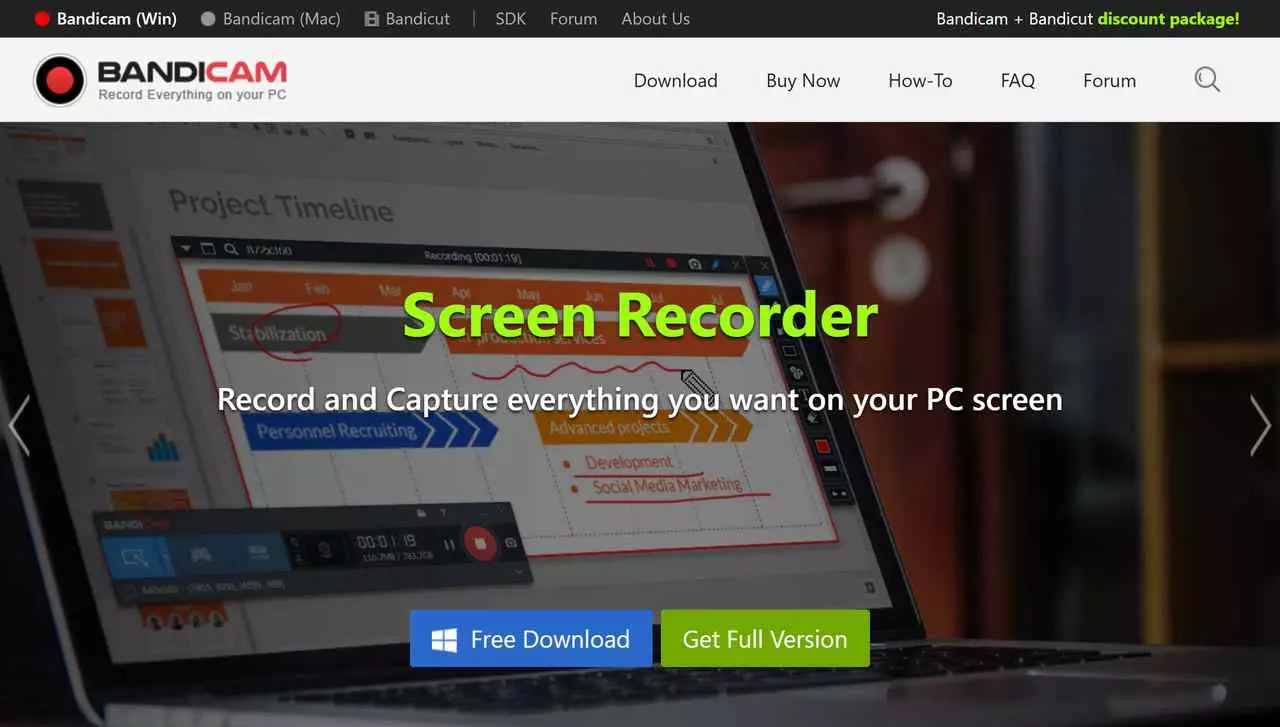
Even when capture works, recording quality is limited to whatever your screen shows, and any system notification or window switch can interrupt the take.
It requires you to select the recording area manually. I usually stick to a window-focused capture mode, and here’s the quick workflow I use for offline viewing with Bandicam.
Get Bandicam from its official site. Install and launch it. Now open your browser and navigate to Tubi TV.
Choose the Specific Window mode and select the Tubi page as the aim.
Click on the big red REC button and play the title. After the title ends, click the button again to stop, and the recordings are in the Output file list - Video, a small camera button.
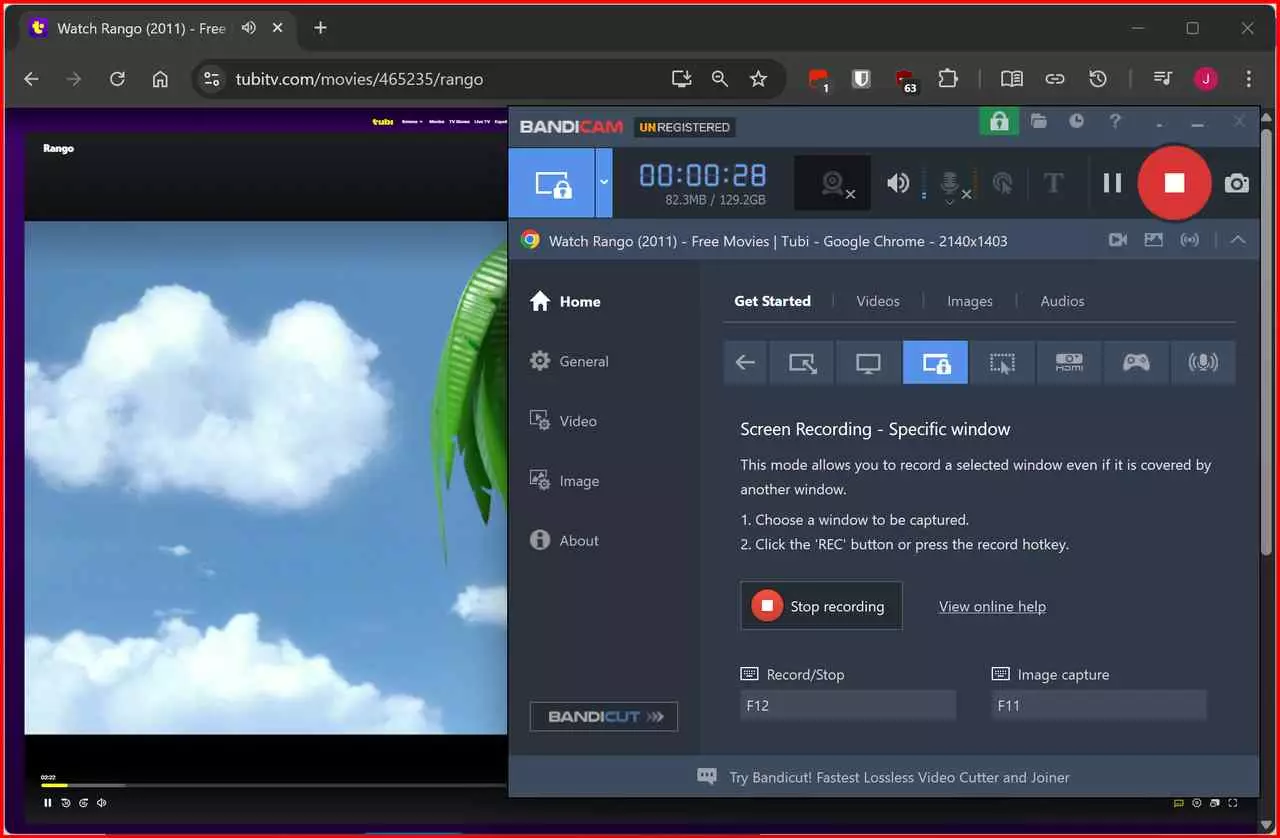
- Black/green screen → turn off browser hardware acceleration.
- Audio clutter → close other apps or select app-only capture.
- Window switches interrupt → lock to “Specific Window."
Which Tubi Offline Viewing Method Fits Your Case?
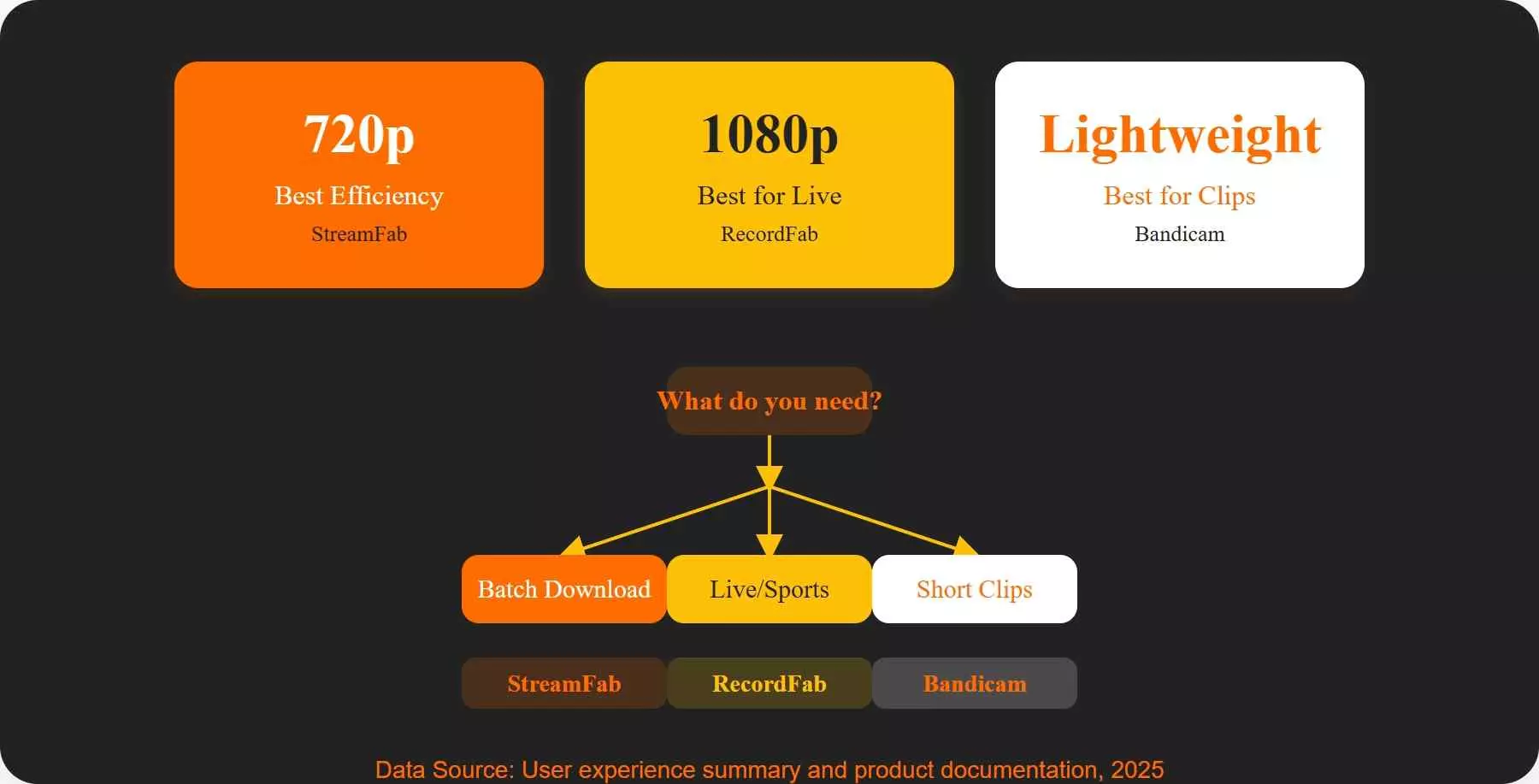
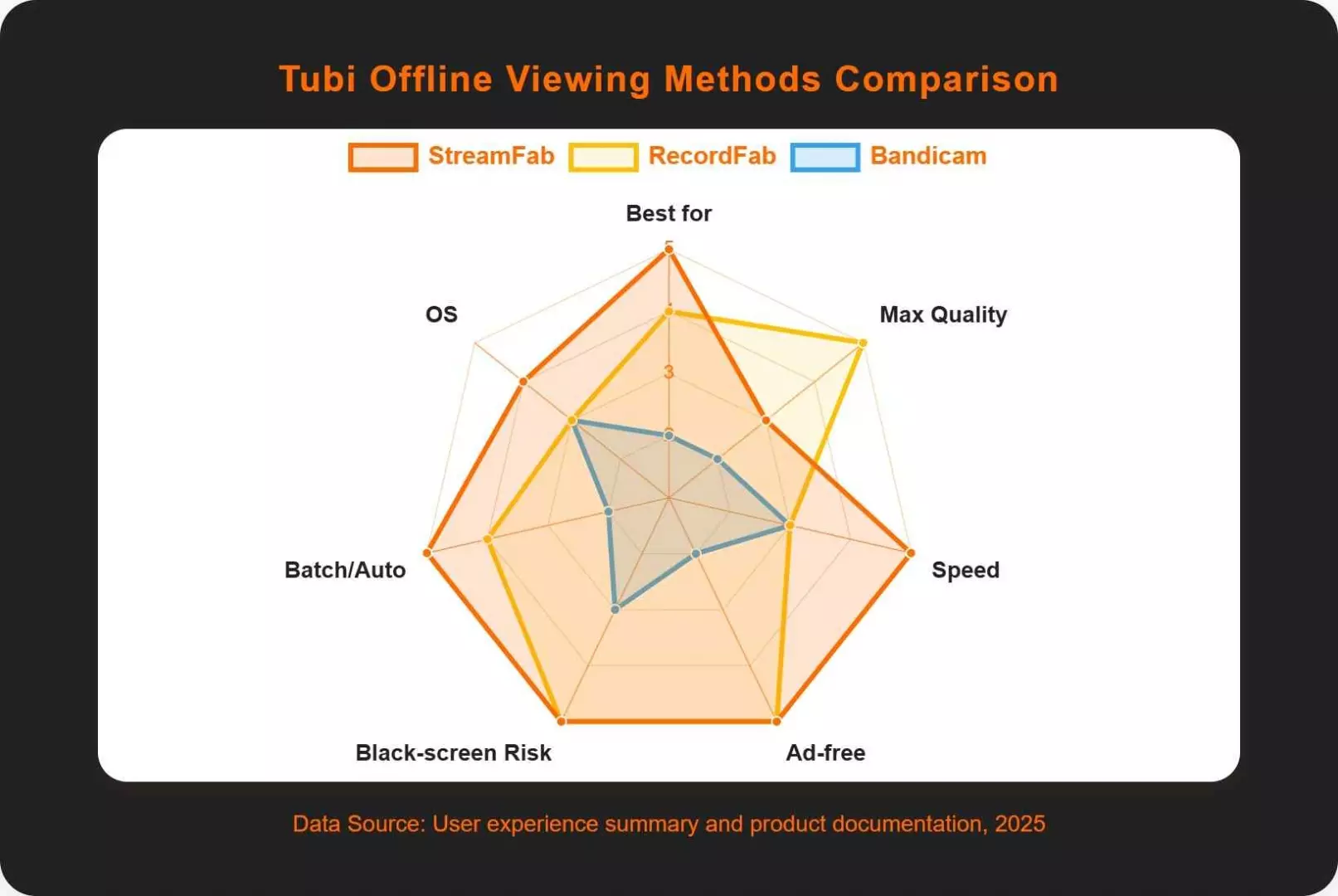
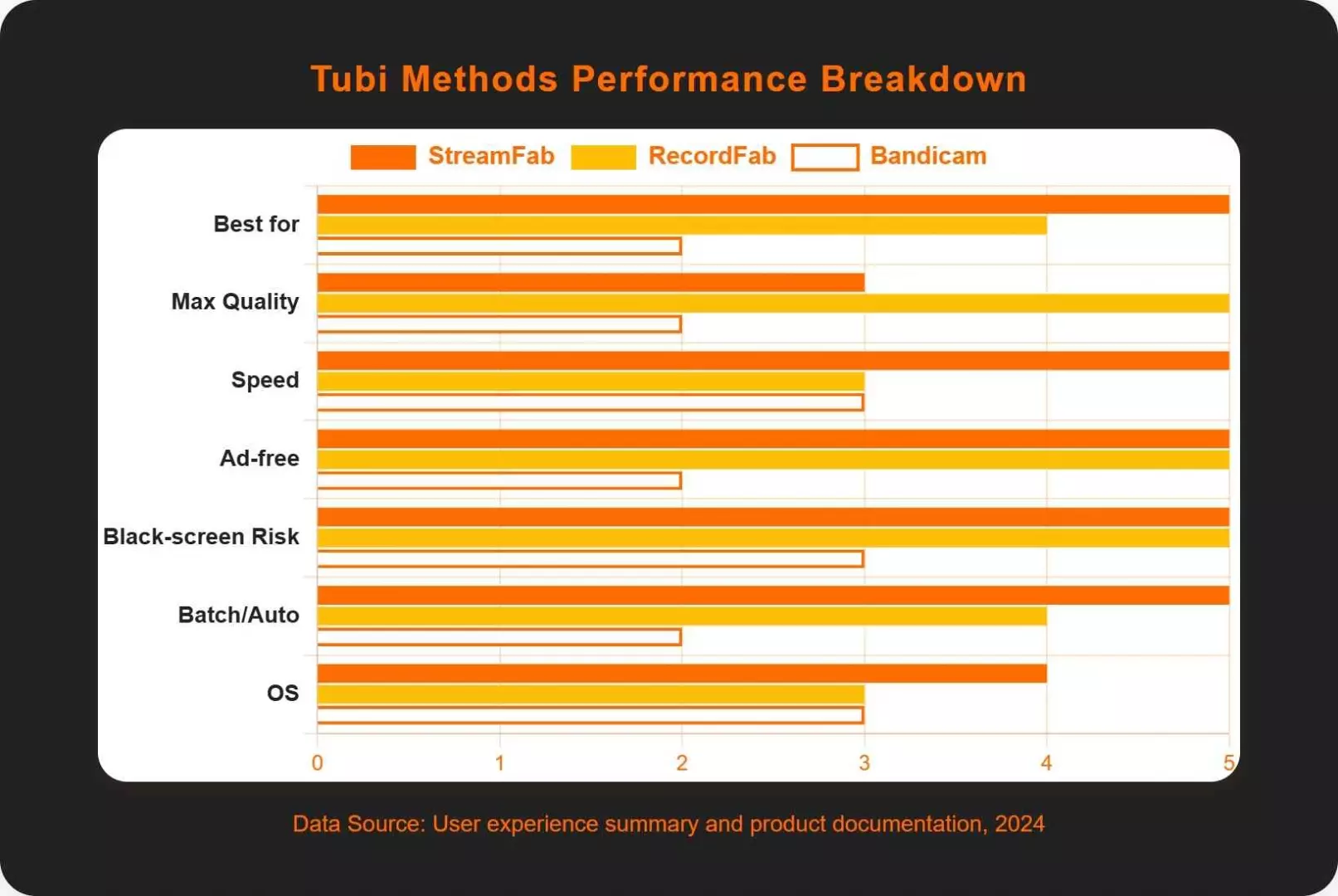
Which tool wins depends on two questions: Do you need batch or scheduled saves, and do you need it to run on both Windows and Mac? If yes to either, a dedicated downloader is the cleaner path; if you only want to grab a single unprotected clip, a screen recorder can still do the job.
| Downloaders | StreamFab Tubi Downloader | RecordFab | Bandicam |
|---|---|---|---|
| Best for | On-demand titles | Tubi Live / sports | Occasional clips |
| Max quality | Up to 720p | Up to 1080p | Variable |
| Speed | Fast (direct download) | Medium (recording) | Medium |
| Ad experience | less interruptive | less interruptive | Depends on what you capture |
| Black-screen risk | Low | Low | Medium |
| Batch / Auto | Batch / Auto-download | Queue & 5× mode | Manual |
| OS | Windows & macOS | Windows | Windows |
Move Tubi Files to Your Phone for Offline Viewing
Last month I had 20 minutes before boarding and three episodes I hadn't finished. Here's the routine I now use before every long flight: save it on the laptop, transfer it to the phone, and watch it on airplane mode. It sounds obvious, but the sequence matters—Tubi has no phone-side offline button, so the desktop step comes first.
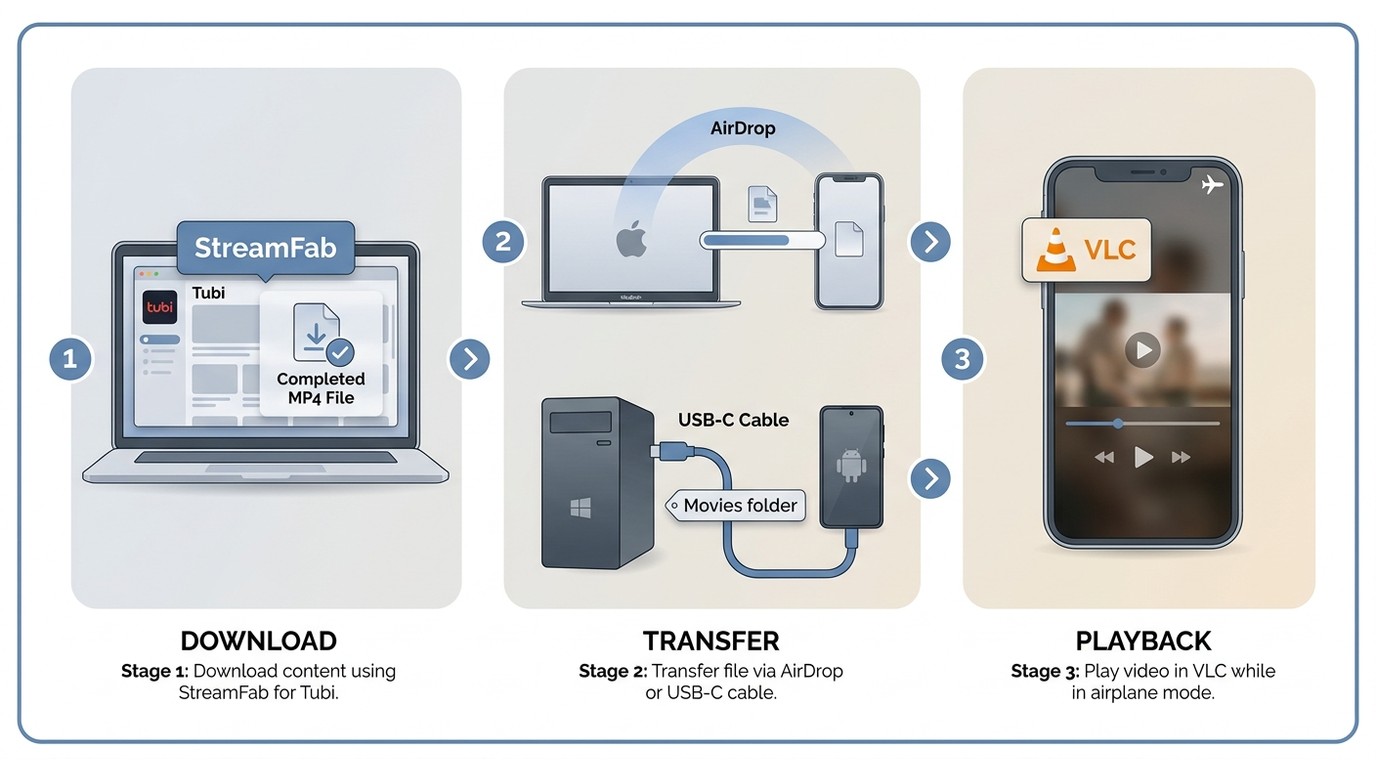
The transfer route is worth the extra step when you're archiving several titles or heading somewhere without reliable Wi-Fi. If you just want one film to watch tonight at home, streaming is simpler. And if you'd rather download directly inside a phone app instead of going desktop-first, our pillar guide walks through the mobile-side options: how to download Tubi movies on iPhone, Android, and PC. Keep all copies to personal, offline viewing of content you're authorized to access, in line with Tubi's terms and applicable law.
FAQs
No, Tubi is a free, ad-supported (AVOD) streaming service—there are no subscription tiers or hidden fees to unlock. It also has no built-in offline download option, which is why third-party desktop tools like StreamFab come into the picture for personal offline viewing.
A locally saved MP4 or MKV plays anywhere without a live Tubi connection, so once you've saved the file at home, you can watch it on a flight or on a trip abroad. Keep it to personal viewing of content you're authorized to access under Tubi's terms and the copyright rules of the country you're in—save Tubi to MP4 or MKV before you leave, not after.
Tubi's stream ceiling is 720p for many on-demand titles, even though StreamFab Tubi Downloader supports output up to 1080p. Offline copies mirror what Tubi actually serves, so 720p files are common—you're not losing quality in the download step; that's just the source ceiling.
Black frames on Tubi almost always trace back to Microsoft PlayReady DRM on the specific title—a screen recorder simply can't capture a protected stream. Switch to a dedicated Tubi downloader for those titles; for unprotected content, a window-focused capture mode is more reliable than full-screen.
Some tools offer queue or scheduling features that help you manage selected titles over time. The exact behavior depends on the app and what the stream provides.
Yes. Once a Tubi title is saved as a local MP4 or MKV on your device, playback no longer needs a live connection—airplane mode on a flight or a subway ride with no signal both work fine. Subtitles and audio tracks come along too when the stream provides them and you selected the languages before saving.
Conclusion
As a binge-watcher myself, I understand that most fans like me don't actually dislike Tubi. It's just the frequent ads and the need for a stable internet connection that can be frustrating. Fortunately, the tools mentioned above can help you enjoy Tubi content offline.
If I had to pick one for the long haul, StreamFab Tubi Downloader is what I keep coming back to — it's my go-to when I'm batch-archiving titles the night before a trip. RecordFab earns its spot for live channels and unscripted content where a recorder makes more sense than a downloader. Bandicam I'd only reach for on the rare unprotected clip; nothing else handles it. Free trials exist for the first two, so you can see which fits your library before committing.
