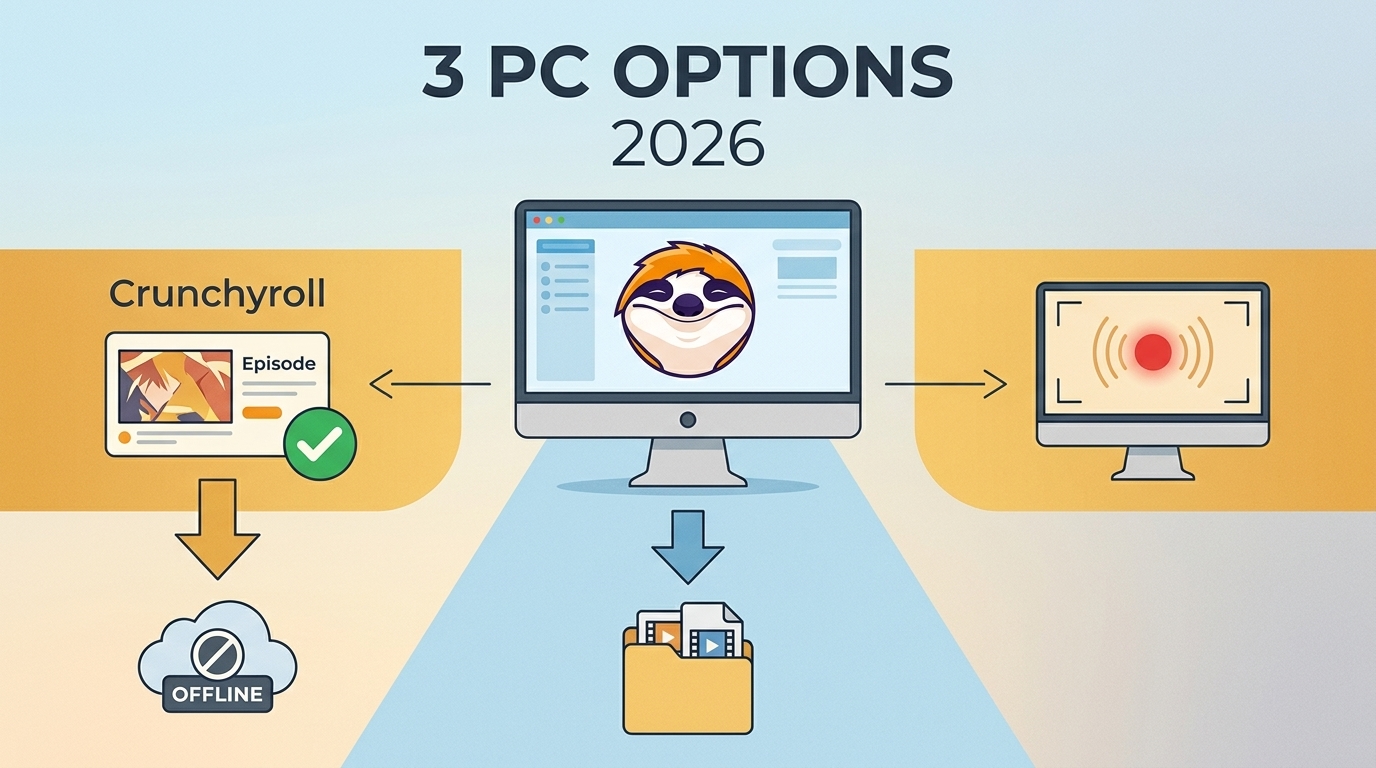
Crunchyroll does not provide official Windows or Mac episode downloads. PC users can choose a guided local-file workflow, a technical open-source route, or an experimental Android emulator, but each differs in reliability, file control, and account requirements.
- Crunchyroll PC Downloads Have Official Limits
- Three Crunchyroll Download Options for PC
- Personal Offline Use Has Clear Boundaries: Compare the Three PC Options
- Fix Downloads Before You Travel: Choose MP4, MKV, Subtitles, and Dubs
- Crunchyroll PC Download FAQ: Official plans and supported devices
- App files versus local files
- Choose the Right PC Workflow

-
Why the snub? Crunchyroll's official stance is all about "content protection" and licensing agreements. In plain English: it's easier to control downloads (and prevent piracy) on mobile apps than on open desktop systems. Frustrating? Absolutely. Logical? Kinda, if you're a copyright lawyer.
The key distinction is not simply whether a Download button exists. It is where the episode is stored, which player opens it, and whether the workflow is dependable when the PC has no network connection.
Crunchyroll PC Downloads Have Official Limits
Crunchyroll PC downloads are not part of the official Windows or Mac experience. Eligible offline viewing stays within supported Crunchyroll apps, while desktop users who need local files must evaluate a separate workflow.
Crunchyroll does not offer official Windows or Mac offline downloads. Eligible offline viewing remains app-bound on supported devices for Mega Fan or Ultimate Fan members. A PC workflow therefore means choosing between app emulation and a local-file route, then testing access before travel.
US Plans and Supported Devices
As of July 2026 in the United States, Fan costs $9.99 per month, Mega Fan costs $13.99 per month, and Ultimate Fan costs $17.99 per month. Official offline downloads are listed for Mega Fan and Ultimate Fan on eligible mobile apps and Nintendo Switch, not Windows or macOS.
- Fan: Streaming access without official offline downloads.
- Mega Fan: Official offline viewing on supported devices.
- Ultimate Fan: Official offline viewing on supported devices with the tier's other account benefits.
Plan eligibility and device eligibility are separate checks. Paying for an offline-enabled tier does not add a desktop Download button, a detail that is easy to miss when preparing a laptop for a trip.
App Downloads and Local Files Differ
Official app downloads are managed inside Crunchyroll. Crunchyroll MP4 downloads and Crunchyroll MKV downloads describe a different local-file workflow, with files stored in a folder and opened through a compatible media player.
| Detail | Official app download | Local MP4 or MKV workflow | Supported device |
|---|---|---|---|
|
Eligible mobile apps and Nintendo Switch |
Windows or macOS desktop |
Plan or account |
Mega Fan or Ultimate Fan |
|
Valid Crunchyroll access required |
Storage location Managed inside the Crunchyroll app |
User-selected local folder |
Playback |
|
Inside a supported Crunchyroll app |
In a compatible local media player External-drive transfer |
Not an ordinary transferable file |
A local file can be moved for authorized personal use |
|
Access validation |
The app may require renewed validation |
Use remains subject to account access, platform terms, and applicable law |
Available subtitle and audio choices follow what the signed-in account can access. |
My practical test is simple: if the file cannot be located outside the app, it is an app-managed download rather than a normal MP4 or MKV. That difference determines external-drive use, player choice, subtitle handling, and what must be checked before departure.

Three Crunchyroll Download Options for PC
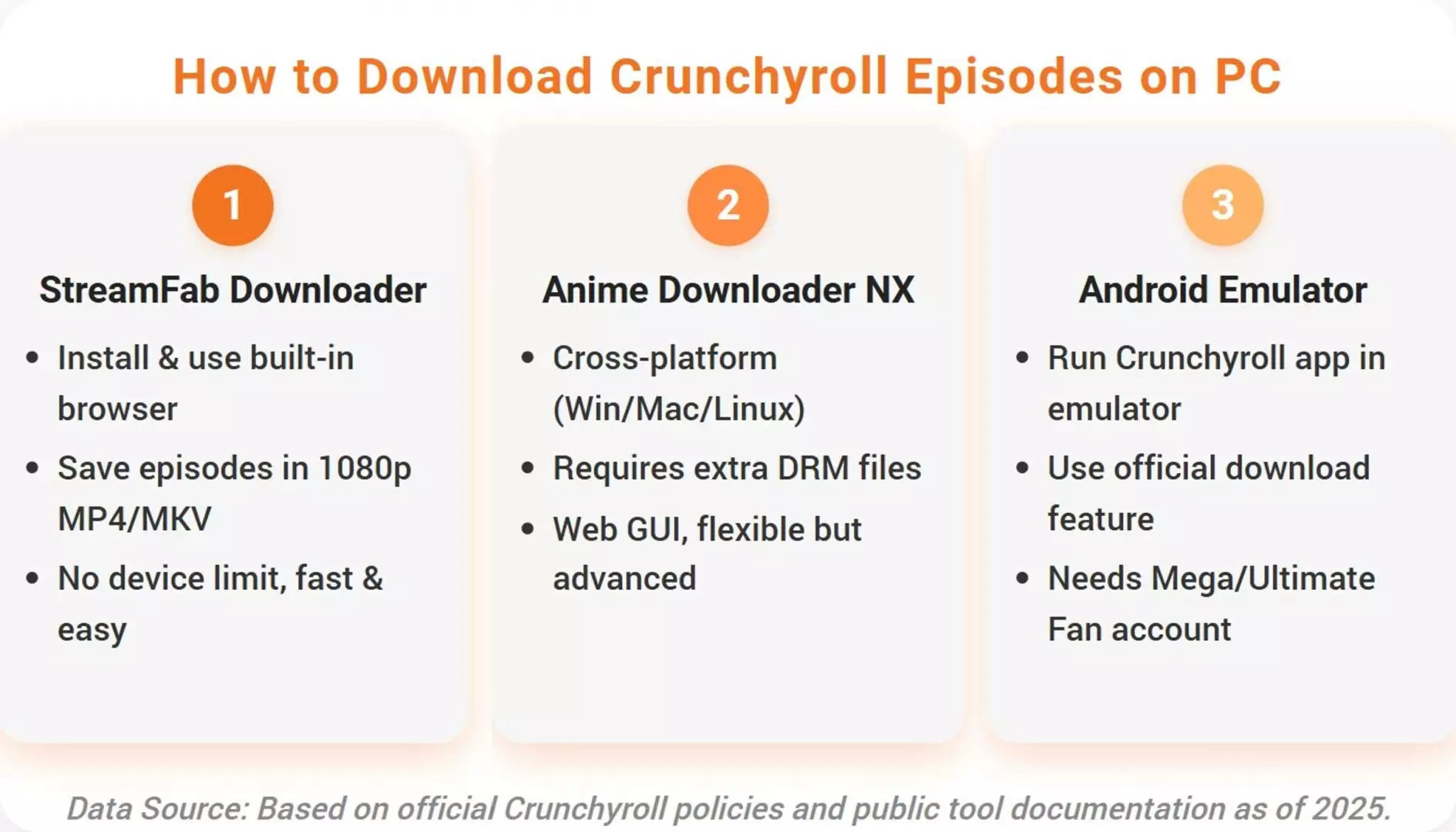
There are three practical Crunchyroll downloader routes on a computer: StreamFab for a guided desktop workflow, AniDL for experienced technical users, and an Android emulator as a fallback that requires careful testing.
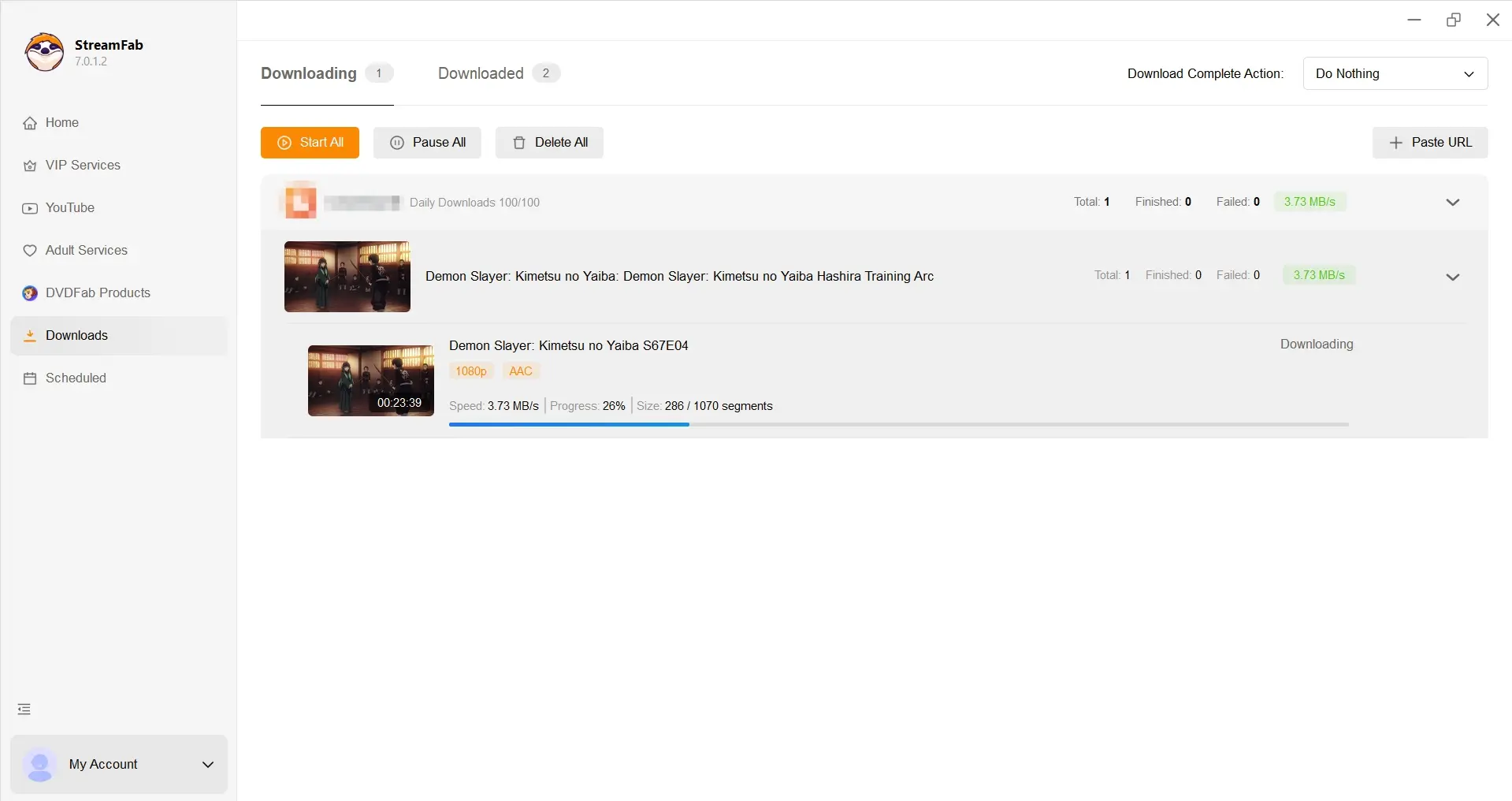
1. StreamFab for a Guided Local-File Workflow

For content you're authorized to access, where permitted by platform terms and applicable law, StreamFab Crunchyroll Downloader provides a guided Windows and Mac workflow for saving a local copy for personal offline viewing.
Compared with Crunchyroll's official app feature, StreamFab is a third-party desktop tool. It supports output up to 1080p in MP4 or MKV with H.264 video and AAC 2.0 audio, plus batch queues and selection of available subtitle and audio languages.

Save eligible Crunchyroll episodes on Windows or Mac in MP4 or MKV, with available subtitles, audio-language choices, and season queues.
- Queue multiple episodes or a season to reduce repetitive setup
- Save in MP4 or MKV for playback in compatible local media players
- Select up to 1080p when that quality is available to the signed-in account
- Choose from available audio languages and download subtitles
- Use a guided interface on Windows or macOS instead of command-line setup
The strongest fit is a reader who needs ordinary files for a laptop, media player, or external drive and does not want to assemble a command-line toolchain. It is not ideal for someone whose needs are already covered by Crunchyroll's supported mobile or Switch app.
StreamFab requires valid access to the Crunchyroll title. Output quality, subtitle choices, and audio languages depend on what Crunchyroll makes available to the signed-in account.
I would choose this route when file location and track selection matter more than staying inside the official app. The tradeoff is that it adds desktop software and storage management that app-only viewers may not need.
Launch StreamFab, look for the Crunchyroll entry under its supported services, and sign in with the same account you normally use to watch anime on Crunchyroll.
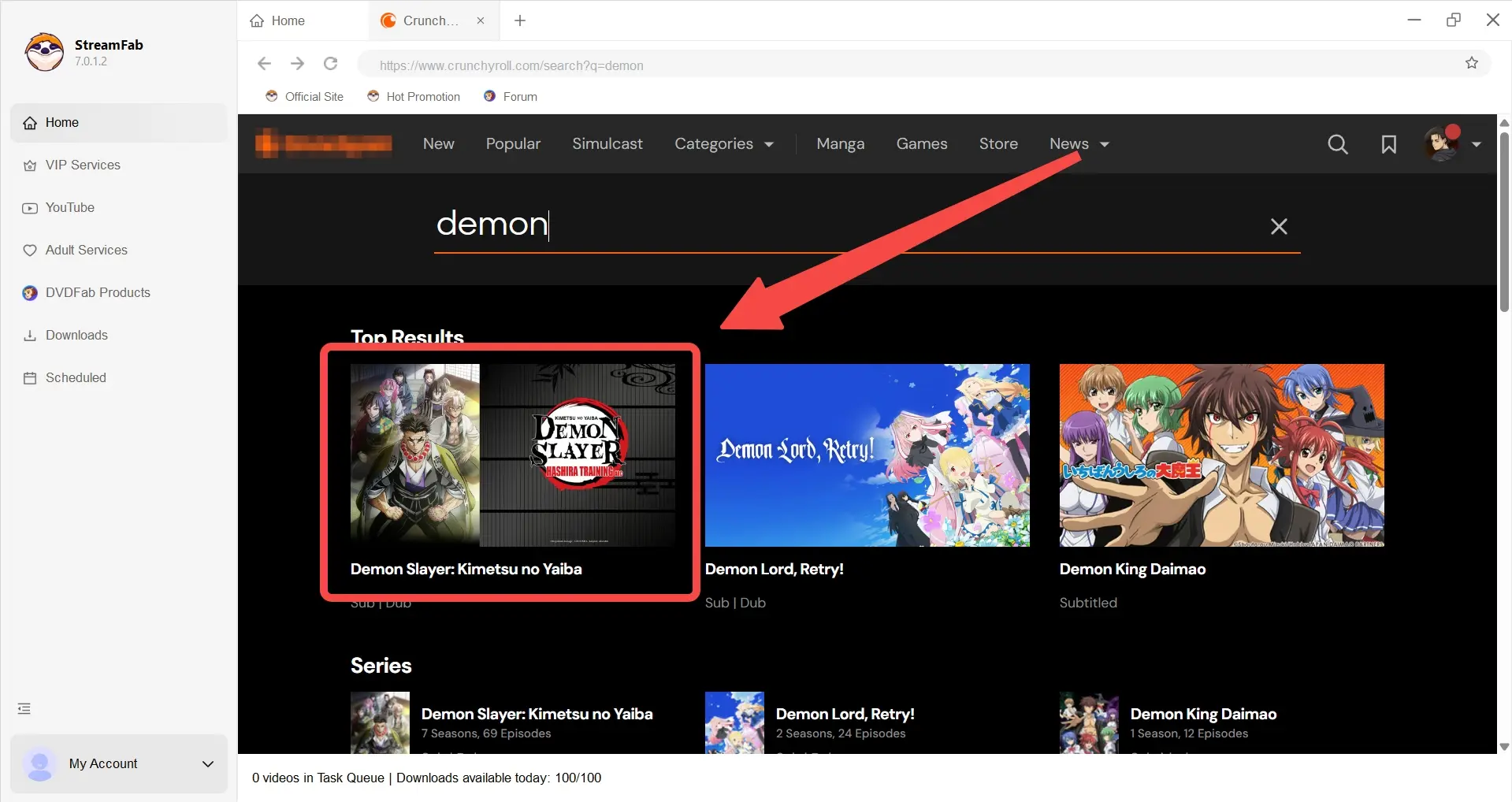
Use the built-in browser to browse Crunchyroll as you usually do and open a title that is already playable with your subscription. Adjust available quality or subtitle preferences according to what Crunchyroll offers to your account.
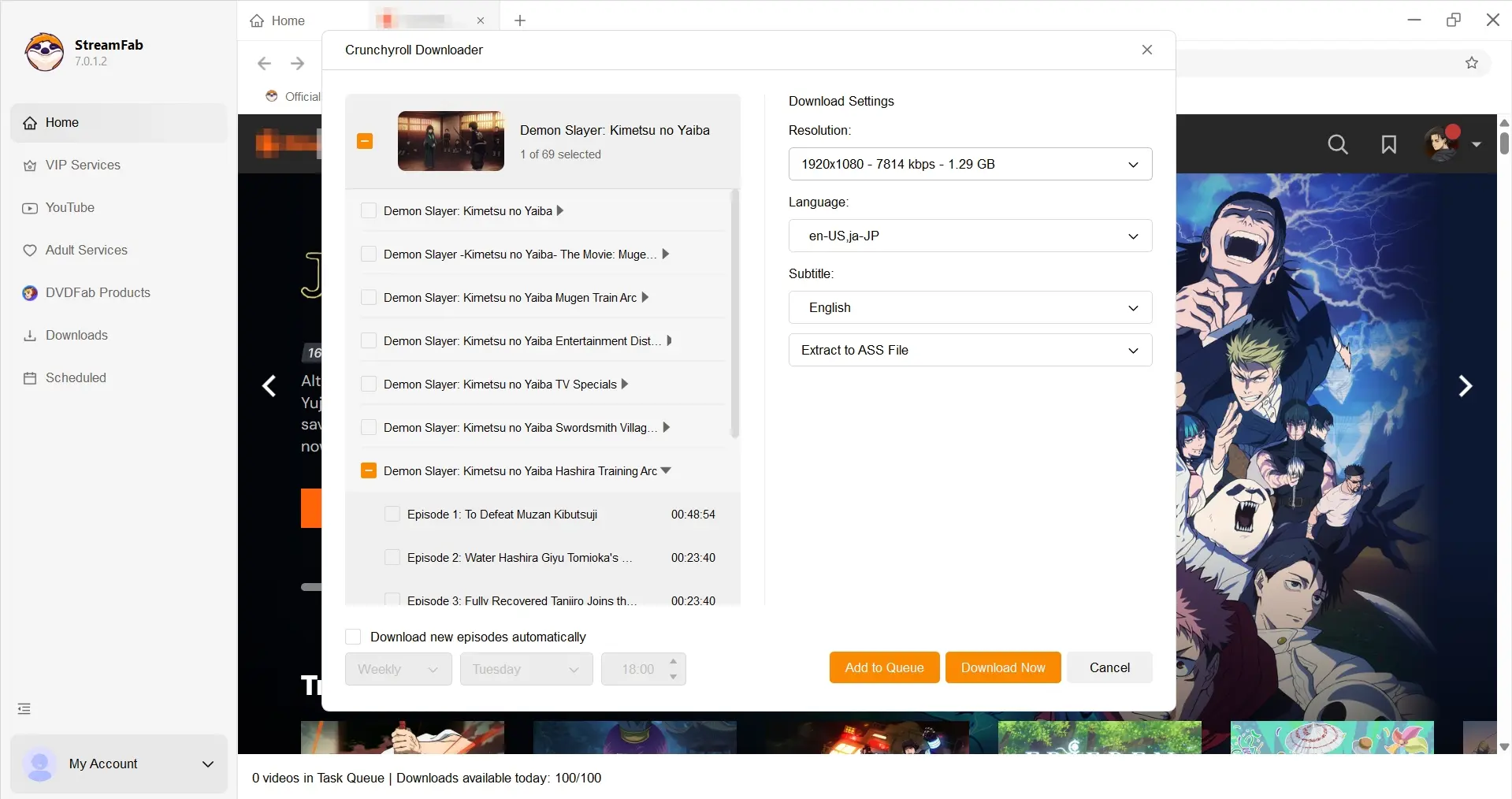
Follow the on-screen options in StreamFab if you decide to save a copy for personal offline viewing. Always make sure your usage stays within Crunchyroll’s terms of service and local copyright laws; this page does not replace the official documentation or provide detailed technical instructions.
2. AniDL for Experienced Technical Users
Anime Downloader NX by AniDL is a Crunchyroll anime downloader for users comfortable with command-line setup, dependencies, logs, and project documentation. It is active, but it is not a beginner-friendly substitute for an official desktop app.
The project's release history lists version 5.8.0 on July 17, 2026. A workable setup can involve FFmpeg, MKVToolNix, and the repository's documented configuration, so the real cost is time and technical maintenance rather than a simple point-and-click install.
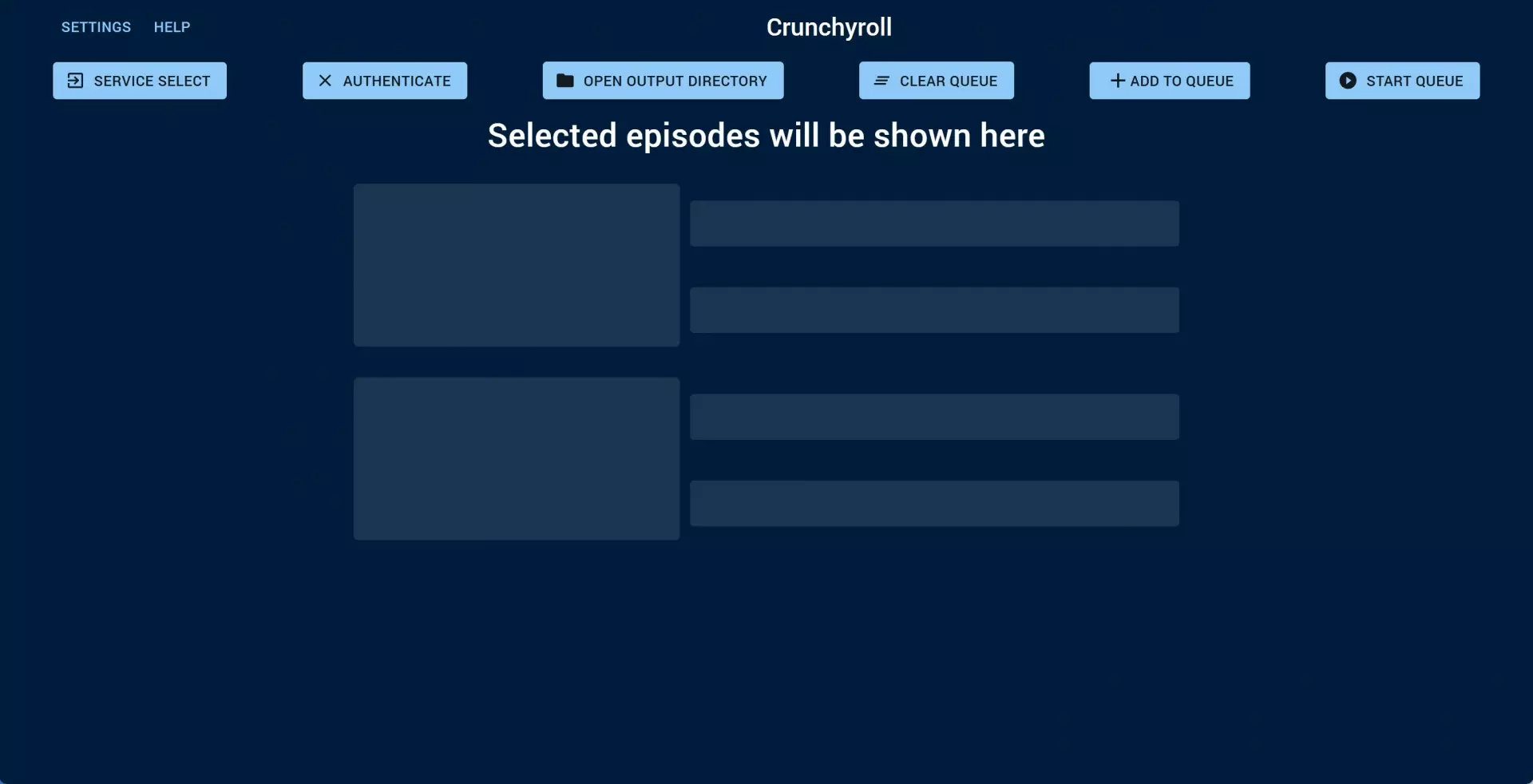
AniDL is suited to experienced users who can diagnose a failed dependency or changed service behavior. It is not ideal for travelers who need a workflow they can validate quickly the night before departure.
Read the project’s own documentation. Understanding the tool’s limits and the stuff it needs is worth it.
Take a breather, then look at legal stuff: Crunchyroll’s rules, copyright in your country, all that fun.
If you still want to try it, follow advice from the project’s official pages only. Seriously, avoid weird installers and sketchy builds.
Use these tools only for content you’re actually allowed to stream. Don’t try to dodge DRM, paywalls, or region locks. And just so you know, this isn’t the place for fixes, DRM workarounds, or compatibility guarantees.
3. Emulators as an Experimental Fallback
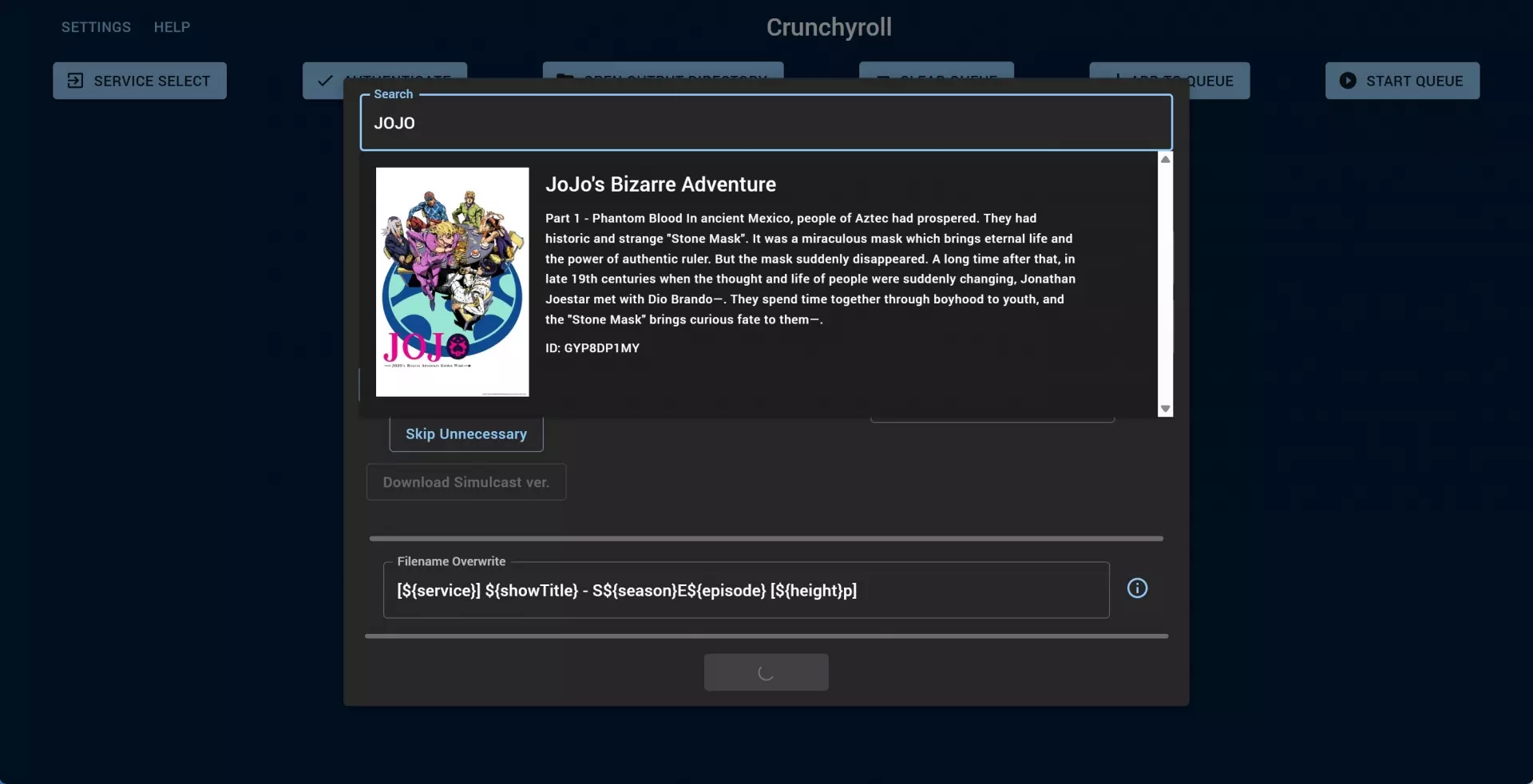
Android emulators can run the Crunchyroll mobile app on a laptop, but they are an experimental fallback rather than a dependable Crunchyroll laptop download solution.
Recent BlueStacks reports describe API-400 errors, black screens, failed playback, and failed downloads. Those failure modes matter because an emulator can look functional while online and still fail when the connection disappears.
I would not depend on an emulator for travel-critical playback. It is reasonable for experimentation when there is time to update, reauthenticate, or switch methods, but the supported mobile app is the safer app-bound choice.
Install a reputable Android emulator on your computer by following its official instructions, then sign in to Google Play as you normally would.
Launch the emulator, rummage through the official store, find the Crunchyroll app, and install it. Then log in with your Crunchyroll account, the one with offline viewing, you clever planner.
Use the app inside the emulator almost exactly like you’d use it on your phone or tablet. Browse, stream, maybe download if it lets you. Although, heads up, these features might work a bit weird sometimes.
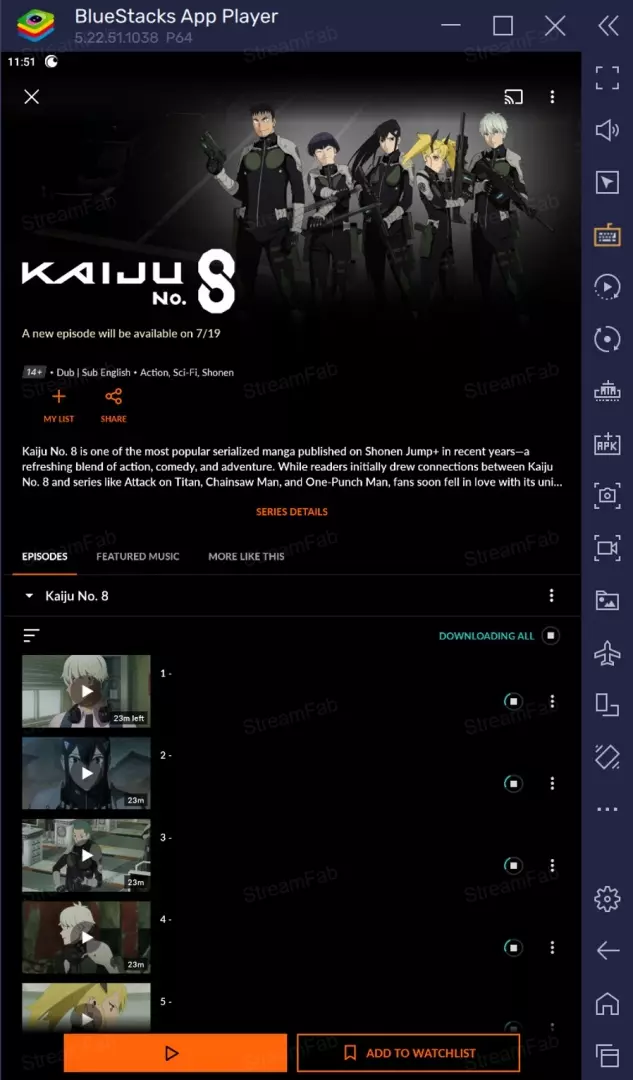
Personal Offline Use Has Clear Boundaries
Use any method to download Crunchyroll videos only for content your account is authorized to access, for personal offline viewing, and within the platform terms and laws that apply where you live.
Keep local copies private. Do not sell, publish, or distribute episodes, and do not treat a saved file as a substitute for valid service access. The useful distinction is between personal offline convenience and giving other people access to copyrighted content.
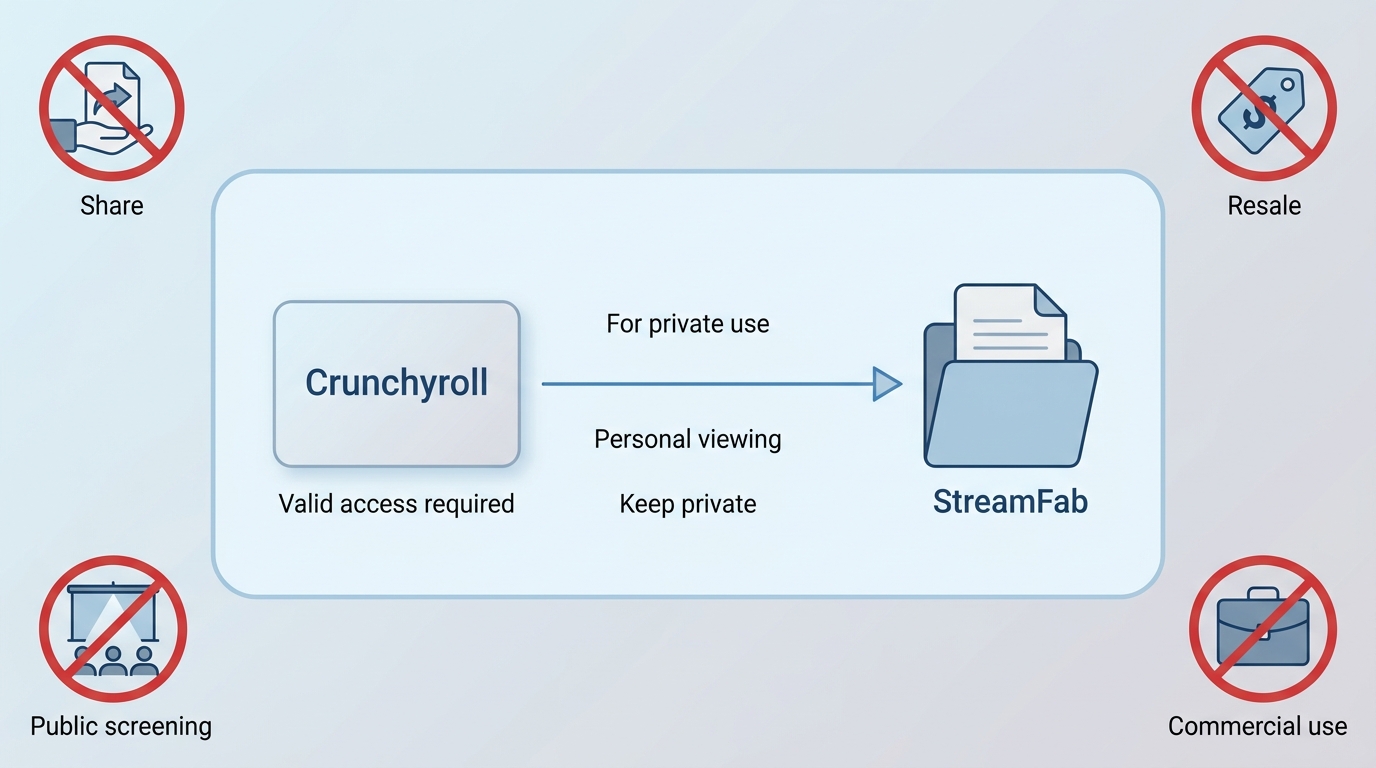
This is also why the article does not promise unlimited retention or continued access after an account changes. A responsible workflow starts with legitimate access and keeps the resulting files within personal use.
Compare the Three PC Crunchyroll Download Options
The right Crunchyroll episode downloader depends on whether you prioritize official app support, guided local files, technical control, or experimentation. Reliability and file location matter more than a long feature checklist.
| Official reference | Official app: supported mobile and Switch viewing | Official plan: Mega Fan or Ultimate Fan | Official storage: managed inside the app |
|---|---|---|---|
|
PC option |
StreamFab Crunchyroll Downloader |
Anime Downloader NX by AniDL |
Android emulator with the Crunchyroll app |
| Windows and macOS |
Yes |
Yes, with technical setup; Linux is also supported by the project |
Emulator-dependent |
|
Storage location |
User-selected local folder |
User-selected local folder |
Emulator-managed app storage |
|
Output |
MP4 or MKV |
Setup-dependent local files |
App-bound download |
|
Subtitle and audio options |
Select available tracks and subtitles |
Depend on source availability and setup |
Managed by the Crunchyroll app |
|
Batch workflow |
Season queues |
Command-line jobs |
App and emulator dependent |
|
Technical difficulty |
Guided desktop interface |
High |
Medium to high |
|
Current reliability |
Guided workflow; service changes can affect results |
Active project; setup-sensitive |
Experimental; reports include API errors and black screens |
| Best fit | Windows or Mac users who need local files | Experienced command-line users | Non-critical testing |
| Not ideal for | Users satisfied with the supported official app | Beginners or last-minute travel preparation | Dependable travel playback |
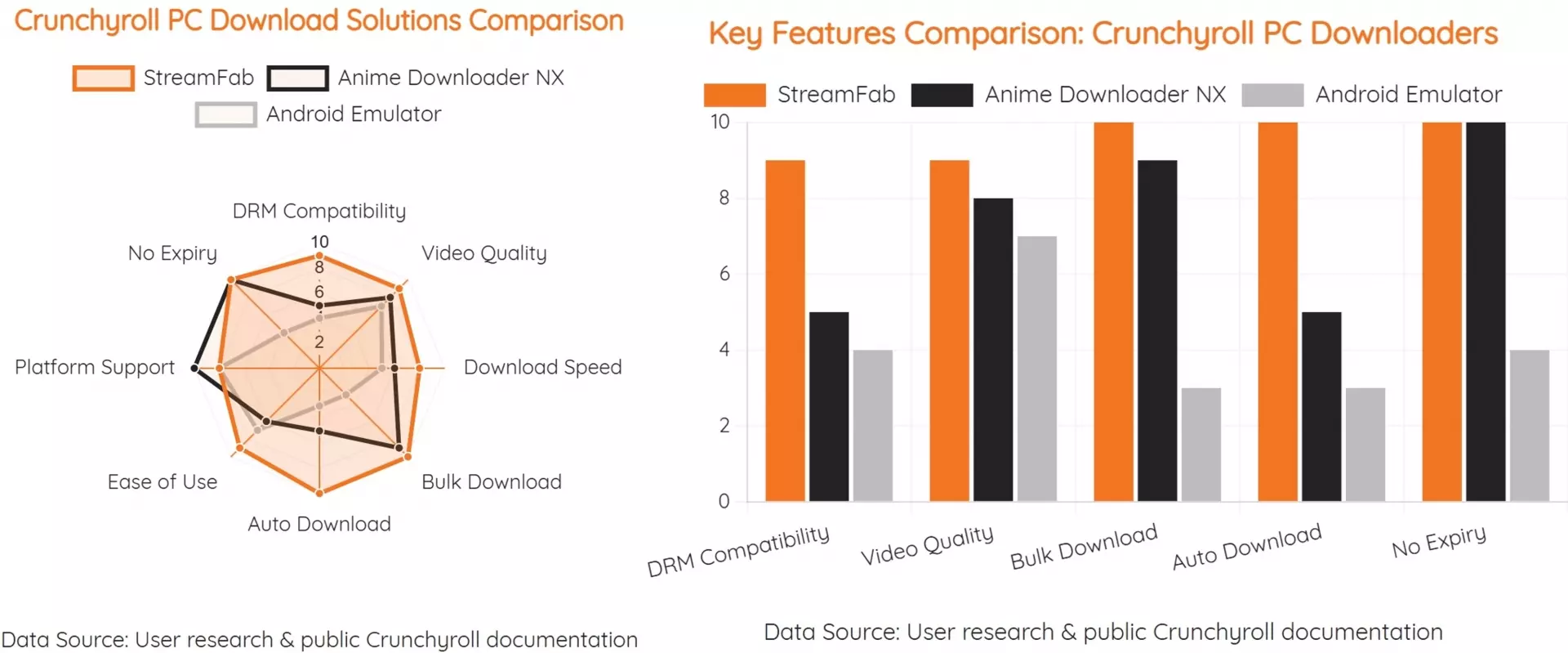
My decision rule is blunt: use the official app when it meets the device need, use a guided local-file workflow when file control matters, choose AniDL only when command-line maintenance is acceptable, and keep emulators out of travel-critical plans.
Fix Downloads Before You Travel
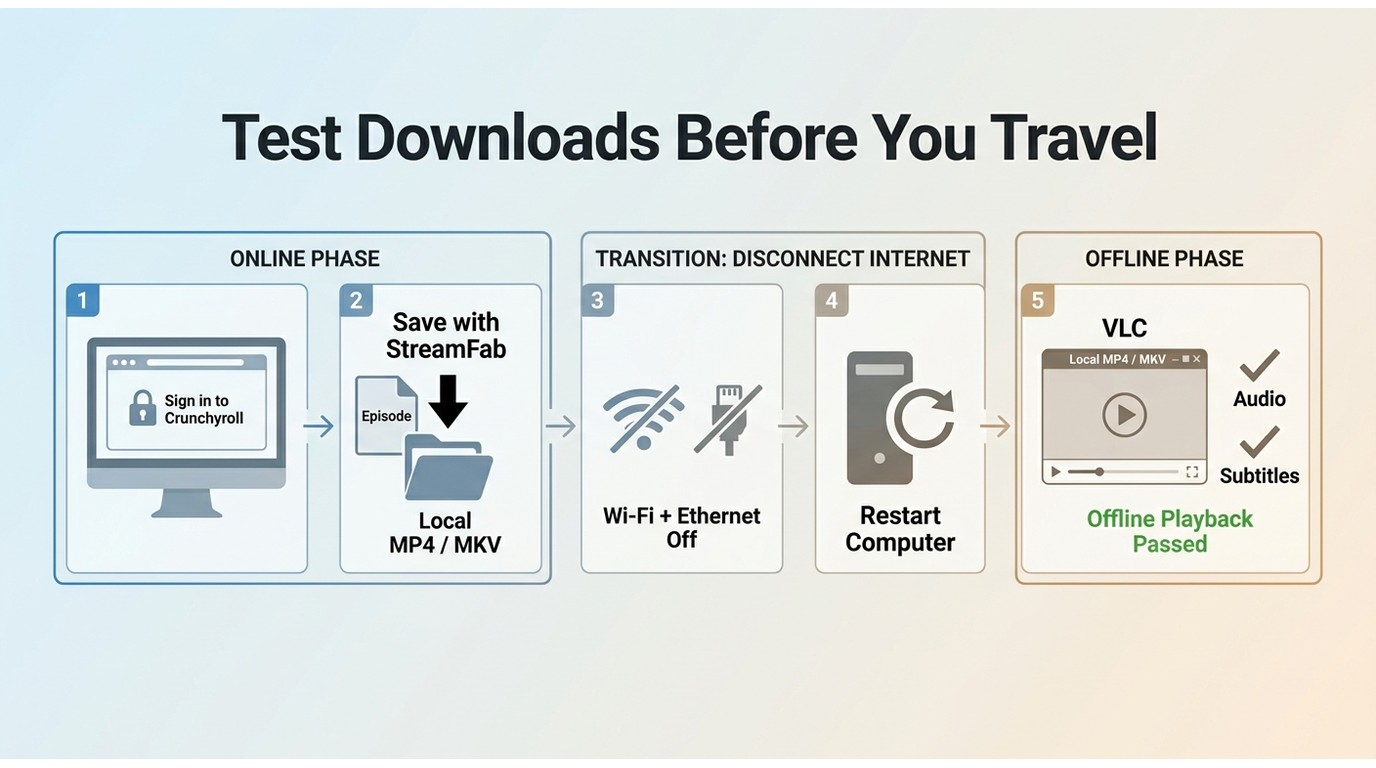
Crunchyroll download troubleshooting should happen before departure, not after boarding. A download is not travel-ready until the intended episode plays with all network connections disabled and the correct subtitle and audio track selected.
Check Eligibility, Storage, and App Status
Start with the conditions most likely to invalidate offline playback: title availability, membership eligibility, device support, app status, free storage, and the account session used for the download.
- Eligibility: confirm the title, region, account, and plan support offline viewing
- Storage: leave enough free space for the selected download quality
- App status: update the app, then sign in again if access needs renewal
- Connection: download on stable Wi-Fi and wait for completion
- Compatibility: do not rely on an emulator until offline playback succeeds
- Before departure: Confirm title and plan eligibility.
- Update the app and sign in again if prompted. Free enough storage and choose the intended download quality.
- Download on stable Wi-Fi with time to retry. Test the full episode in airplane mode with the correct tracks.
Recent reports of offline playback failing after an app update show why timing matters. Run these checks early enough to reauthenticate, clear space, or download the episode again rather than treating a completed progress bar as final proof.
Test Playback in Airplane Mode
Disable Wi-Fi, cellular data, and any wired network connection, then open the exact episode you intend to watch. Check the opening minute, seek a later point, and confirm that the intended subtitles and dub remain available.
- Finish every download and wait for the completion indicator.
- Open each episode once while the device is still online.
- Enable airplane mode or disable every network adapter.
- Start the episode from the offline library or local folder.
- Look forward to confirming the file or app download is fully available.
- Switch to the intended subtitle and audio language.
- Check remaining storage for the rest of the trip.
- Restore the network only after the offline test passes.
I do not count a download as ready because its thumbnail appears in a library. The observable result that matters is uninterrupted offline playback after the network has been disabled.
Choose MP4, MKV, Subtitles, and Dubs
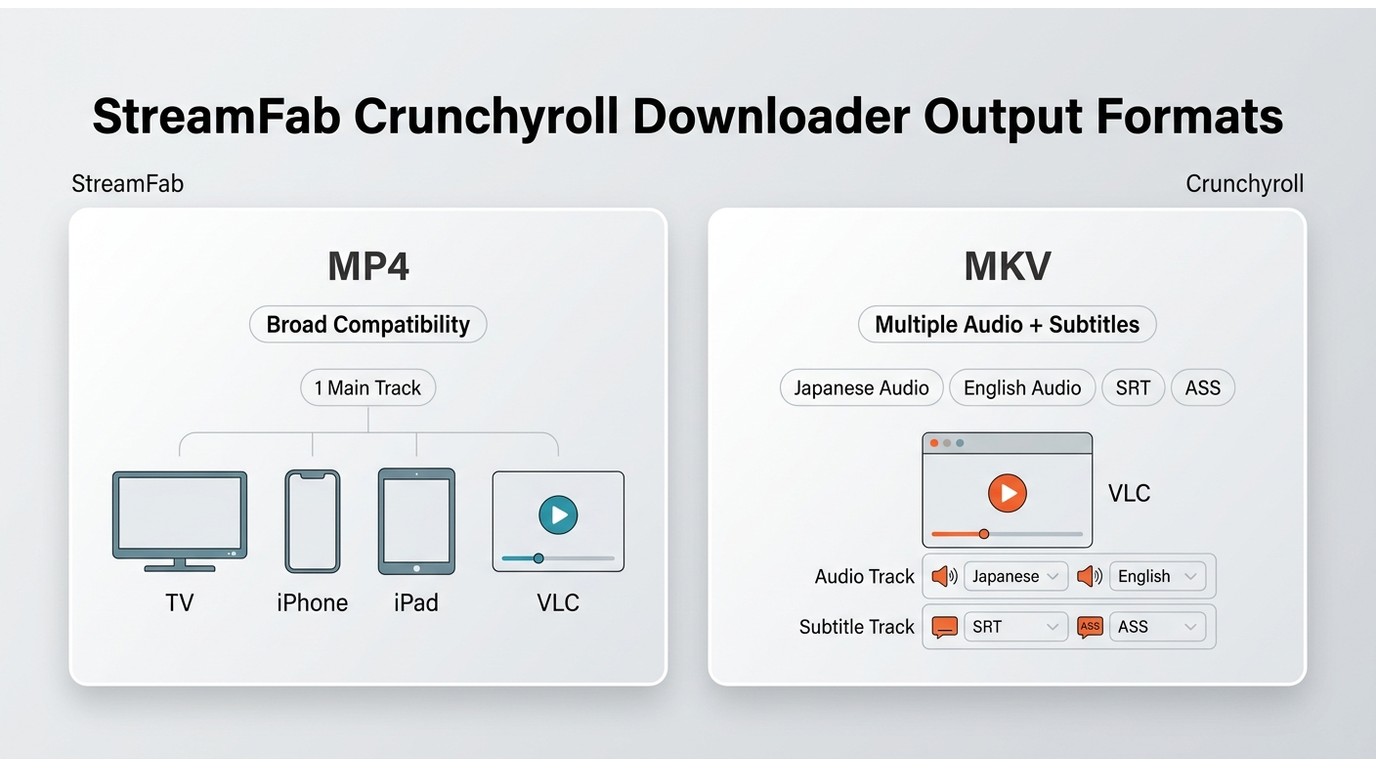
File format affects player compatibility and track flexibility. MP4 is the simpler choice for broad playback, while MKV is better when multiple available audio or subtitle tracks need to stay together.
MP4 Prioritizes Compatibility
Crunchyroll MP4 downloads fit readers who want a widely recognized file for laptops, TVs, tablets, or external drives. MP4 is the practical default when one video track, one selected audio track, and straightforward playback are enough.
With StreamFab, the verified desktop specification is H.264 video with AAC 2.0 audio at up to 1080p when the signed-in account and title make that quality available.
MKV Supports Flexible Track Choices
Crunchyroll MKV downloads are better suited to flexible Crunchyroll subtitles and dubs. MKV can keep multiple available tracks in one container, while separate SRT or ASS files make subtitle styling and player selection easier to manage.
Hard subtitles are rendered into the picture and cannot be switched off. Separate subtitles remain selectable, while an MKV can hold several tracks in the same file. No workflow can add a language track that Crunchyroll does not provide to the signed-in account.
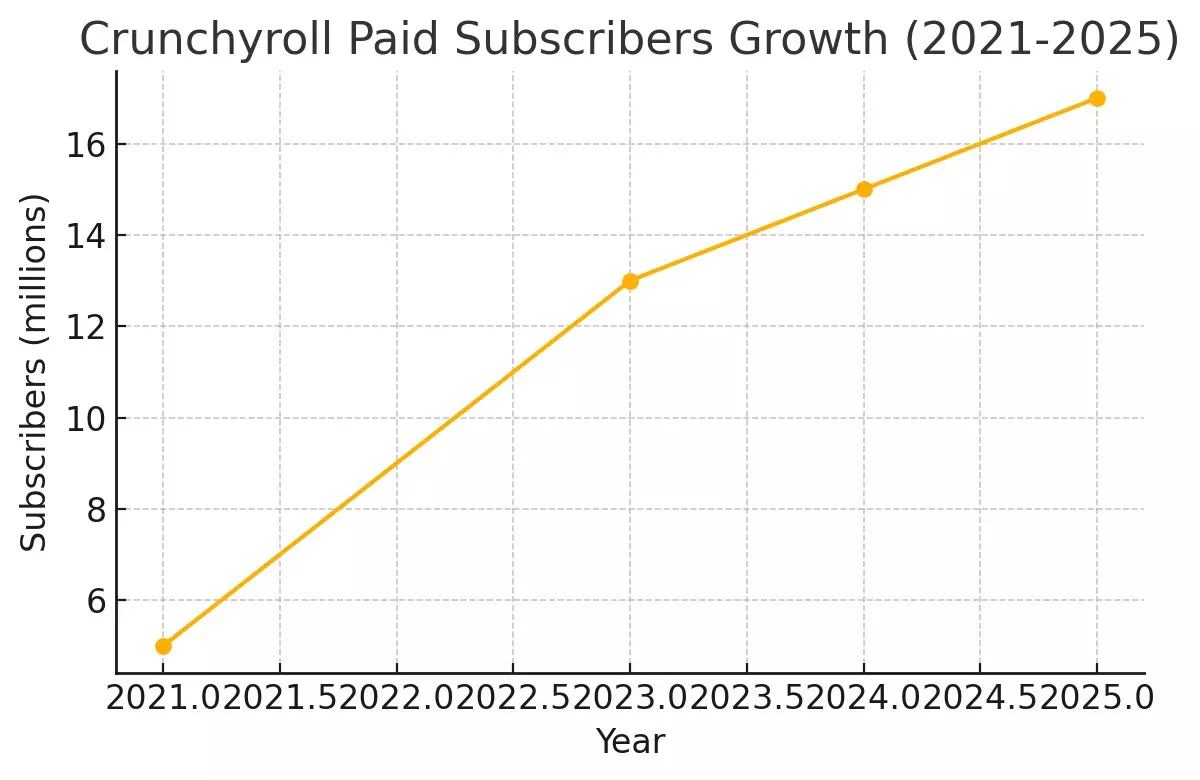
Crunchyroll's audience growth helps explain the continuing interest in laptop viewing and local file control.
- My format rule is uncomplicated: choose MP4 when the file must play in the widest range of devices, and choose MKV when available subtitle and audio tracks matter more than universal compatibility.
Crunchyroll PC Download FAQ
Can I move official Crunchyroll downloads to an external drive?
No. Official downloads remain managed inside the supported Crunchyroll app rather than appearing as ordinary transferable MP4 or MKV files. An external-drive workflow requires a local file created and used within the authorization and personal-use boundaries explained above.
Is there a free way to download Crunchyroll episodes on a PC?
Crunchyroll does not provide free official PC offline downloads. AniDL is open source, but it requires technical setup and a valid account, so it is not a beginner-friendly equivalent to the app. Readers comparing older anime-service workflows can also consult the retained guide to how to download episodes on Funimation.
Will Crunchyroll downloads work on a plane without internet?
They can when the title, plan, device, storage, and access validation are in order. Download early, open the episode once, enable airplane mode, and test playback with the intended subtitles and audio before leaving.
Who should avoid using an Android emulator for Crunchyroll?
Avoid depending on an emulator when offline playback must work on a trip, when troubleshooting time is limited, or when API errors and black screens would leave no backup. Use a supported mobile device or a validated local-file workflow instead.
Conclusion: Choose the Right PC Workflow
Choose by device support, file needs, technical comfort, and reliability. The official app suits supported mobile or Switch viewing; StreamFab suits guided Windows or Mac local files; AniDL suits technical users; emulators suit noncritical experiments.
For most travelers, the decisive step is not downloading more episodes. It is verifying the exact episode, track selection, and playback path without a network connection. If that test fails, switch methods while there is still time.
StreamFab is not for readers who only need Crunchyroll's supported app or who do not want to manage local storage. For eligible desktop users who do need MP4 or MKV files, its guided workflow, season queues, and track selection provide a focused PC option without turning the article into a product catalog.
