
When Fandango at Home is not working, I would fix the official app first for TV or mobile playback. For authorized offline files on Windows or Mac, use the StreamFab Fandango at Home desktop workflow. These are different problems with different checks. Match the check to the failure: start with service status for TV playback, title eligibility for mobile downloads, and the desktop checks for StreamFab errors.
What Usually Causes Fandango Downloads to Fail
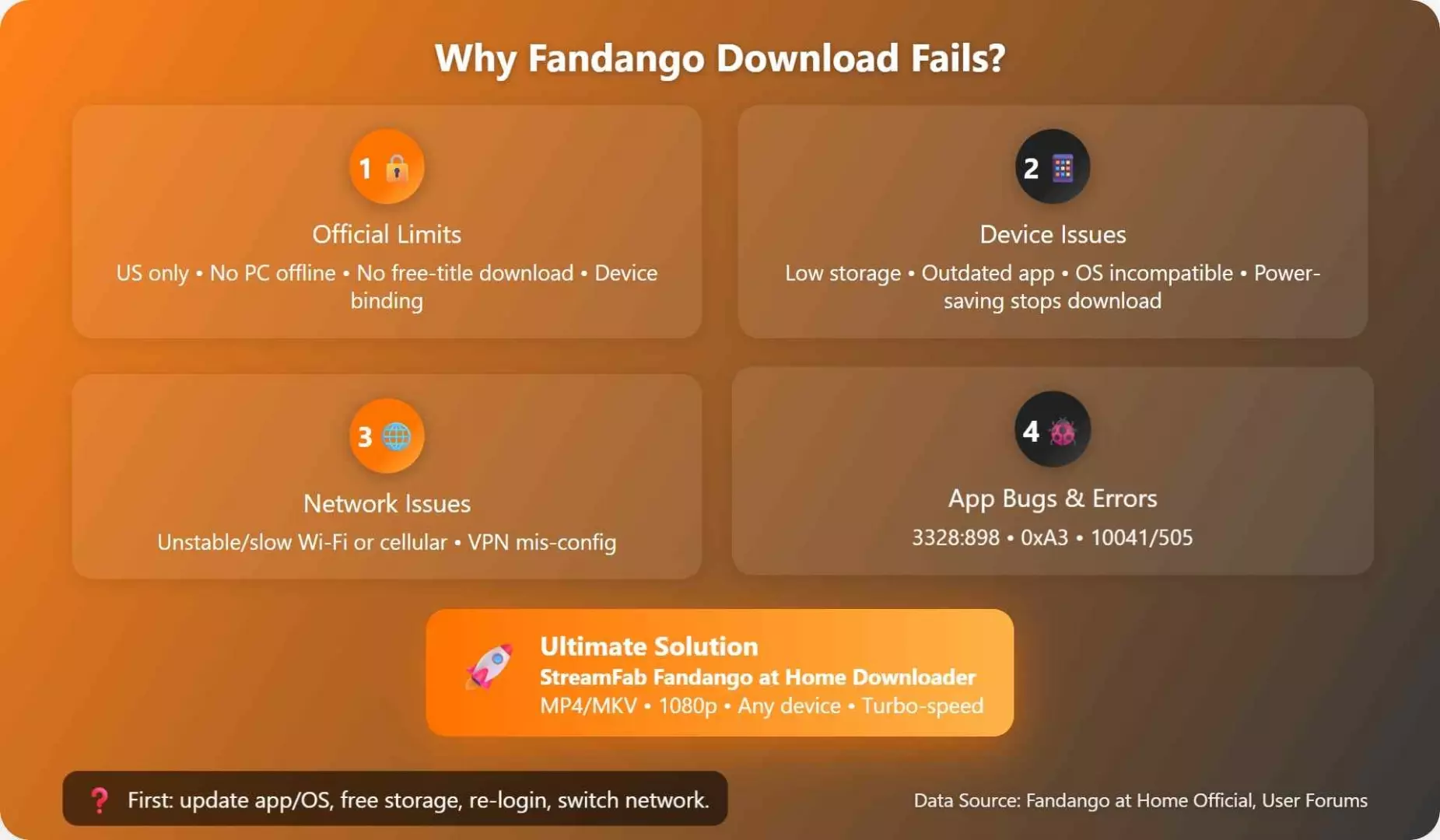
A Fandango download fails for different reasons in the official app and in a desktop downloader. Identify where the message appears. An official playback failure calls for service and device checks; a StreamFab processing failure calls for the desktop checks below.
- Official eligibility limits: the title is not a supported rental or purchase, or you are outside the normal service footprint.
- App and device issues: the app is outdated, the device is unsupported, storage is too low, or the account has stale device data.
- Network and account conflicts: the session needs to be refreshed, or the connection is unstable when the app tries to start a download or verify playback.
- Desktop expectation mismatch: the user is trying to download on a Windows or Mac setup that does not offer the same native offline workflow as mobile.
| Symptom | Likely system | First check | Next route |
|---|---|---|---|
| Playback error, logo loop, stalled mobile download | Official app, TV, or mobile | Service status and title eligibility | App and device checks |
| Analysis failure, error 909, local playback problem | StreamFab desktop workflow | Build and another authorized title | Desktop processing and output checks |
I would keep the two routes separate: resetting a TV app does not diagnose a file that has already downloaded to your computer.
Check the Official Limits First
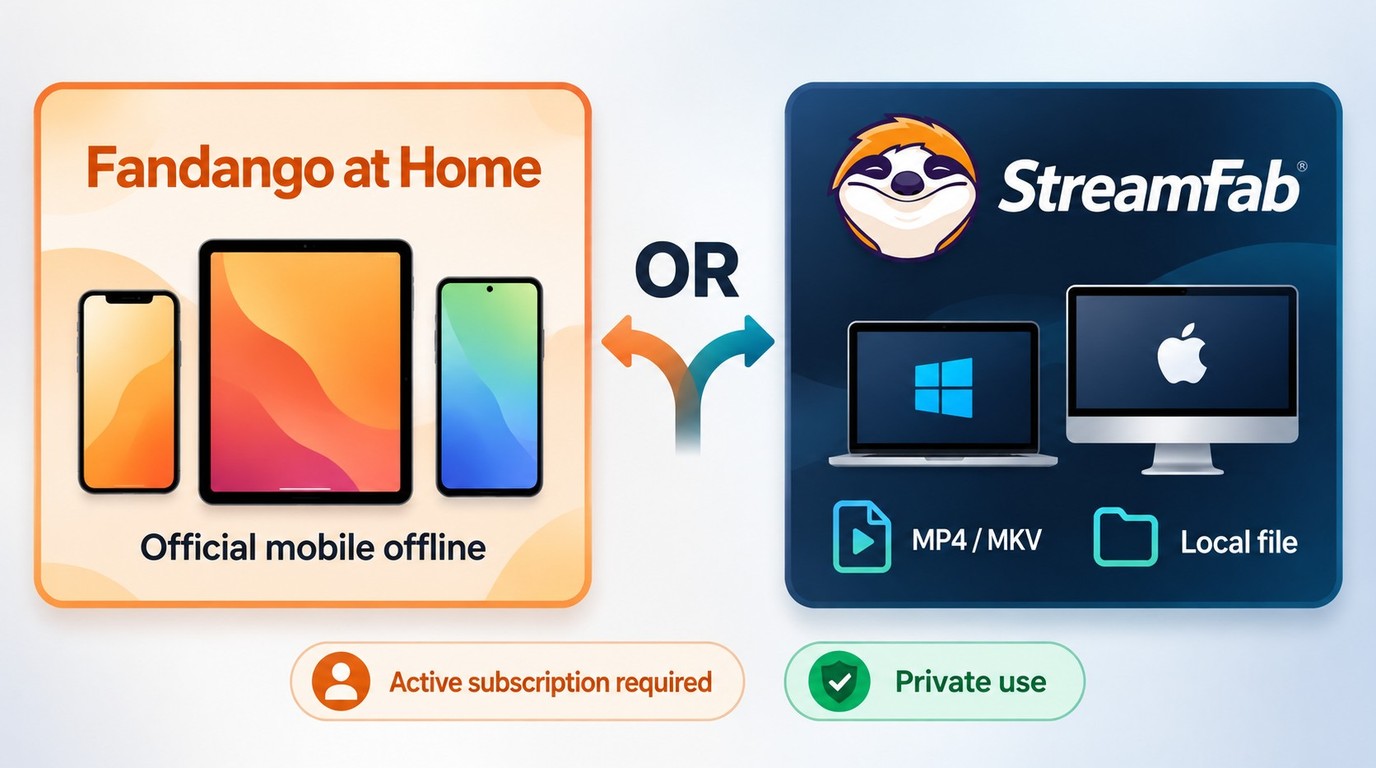
Fandango offline viewing starts with an eligible title in a supported mobile app. A missing desktop download button is a workflow limit. It does not, by itself, mean the service is down.
- Fandango at Home is intended for use in the United States and U.S. territories.
- Eligible rentals and purchases support downloads in the official mobile app on iPhone, iPad, and Android.
- Downloaded titles can still require an internet connection when playback begins. Start playback before leaving your connection behind.
- Official app downloads stay within the app's managed playback workflow; they are not transferable MP4 or MKV files for a computer library.
Fix Fandango Playback Errors, App Bugs, and Device Conflicts
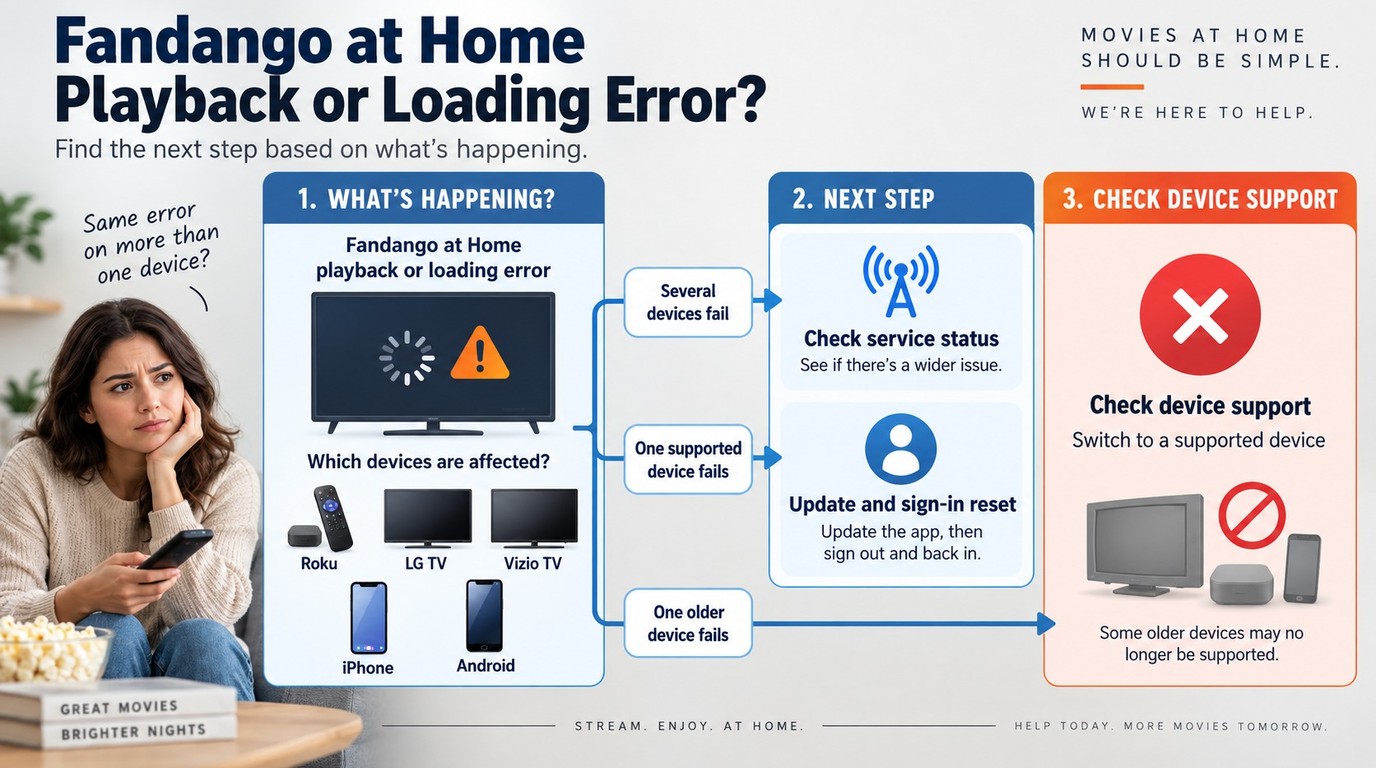
A recurring Fandango playback error needs a service-status and device-support check before a reset. Start there. When the app opens but fails on one title, compare another title your account is authorized to play.
Check Current Outages, Updates, and Device Support
A Fandango at Home outage and an unsupported TV need different responses. As of September 2026, the service remains active, but support ended for some older devices on December 10, 2024. Move an unsupported device's playback to a supported device instead of repeatedly reinstalling.
- Check current service status. Look for an incident notice in Fandango at Home support before changing settings. A report about Fandango ticket purchases is not necessarily an incident affecting at-home streaming.
- Identify the timing. If the Fandango app keeps crashing after an update, note the app version and whether it stops at the logo or returns to the device menu.
- Confirm the exact device. Match your TV or streaming-device model against Fandango at Home's supported-device information. Device availability changes; use the official support listing for this check.
An LG TV owner described a logo-screen loop after an update, while a Roku owner described being returned to the Roku menu. These are individual community reports. For an LG or Vizio logo loop, record where loading stops; for a Roku crash-back, record whether the app closes before sign-in.
With Fandango at Home not loading on a TV, I would compare playback on another supported device. Successful playback there narrows the problem to the TV's app or support status, rather than the whole account.
Start with the official maintenance steps
Reset the app after ruling out an active incident and unsupported hardware. Change one thing at a time. Retry the same eligible title after each step so you know which action helped.
- Install the Fandango at Home app update available in your device's store.
- Sign out, close the app, and sign back in.
- Reinstall the app if playback or downloads still fail.
The sign-in retry is especially useful when the app opens normally but fails while verifying playback. It refreshes the session without changing your network settings.
Recheck account and device registration issues
A Fandango app communication error needs a session check when it appears after an account change. If a Fandango login failed message repeats, confirm that you are using the account associated with the rental or purchase. Then refresh the session and remove stale device entries if the account panel shows them.
Fix Storage, Network, and Login Problems
Storage, background restrictions, and a dropped connection can stop an eligible download. Check the device next. For Fandango audio issues, separate missing sound during playback from a download that never completes.
- Storage: free local space before retrying a movie or several episodes.
- Connection: compare Wi-Fi with mobile data on a supported mobile device when one connection stalls.
- Cache and session: clear app data where that option exists, then sign in again.
- Battery controls: remove strict battery restrictions that interrupt background downloads.
- Custom routing: test a standard connection if you use a VPN or custom DNS settings.
- Audio: confirm the selected soundtrack and the device's sound output. Compare another title before changing speaker settings.
I would compare connections before reinstalling again. A title that works on mobile data but fails on Wi-Fi points you toward the network path; repeating the same app reset adds little.
Specific Fandango at Home Error Code Fixes
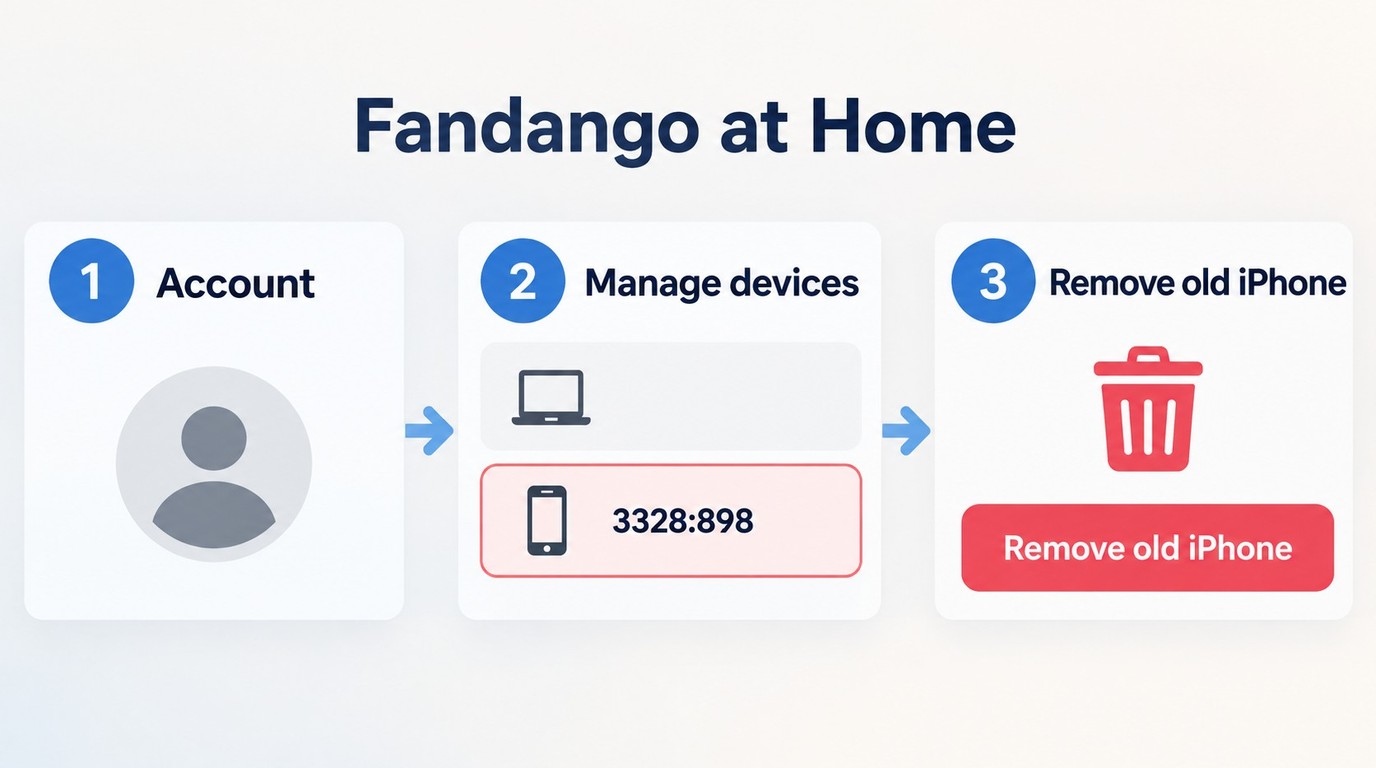
Record the exact code and the device where it appears. Keep the title unchanged during each retry. These checks address official Fandango app errors; StreamFab error 909 belongs to the desktop workflow below.
1. Failed Downloads: Error (3328:898)
A device-registration reset is a troubleshooting option for an iOS failure tied to one device. It is not a guaranteed fix. After the service and compatibility checks, use the account's device-management controls:
- Sign out of the Fandango at Home iOS app.
- Sign in to the website in a browser; on mobile, choose the full website if needed.
- Open Manage devices from the account menu.
- Remove stale entries associated with the affected device.
- Sign back into the app and retry the same eligible title.
This reset is most diagnostic when the account works elsewhere. If several supported devices fail together, return to the service-status check before removing more registrations.
2. Error 0xA3
Update the device's operating system and Fandango at Home app, then retry the same download. If 0xA3 returns, compare another eligible title and record both results. Give support the code, device model, and app version to distinguish a title-specific failure from a device-wide one.
3. Downloads not starting
Confirm that the title plays before retrying its download. One community troubleshooting suggestion is to play the episode briefly, close the player, and select download again. Treat this as an optional retry after eligibility and service checks, not a dependable repair.
For 10041 or 505 messages, refresh the session, clear the cache where supported, and compare connections. Note whether the code changes. That detail helps distinguish a connection failure from a persistent app error.
StreamFab Fandango at Home Desktop Workflow
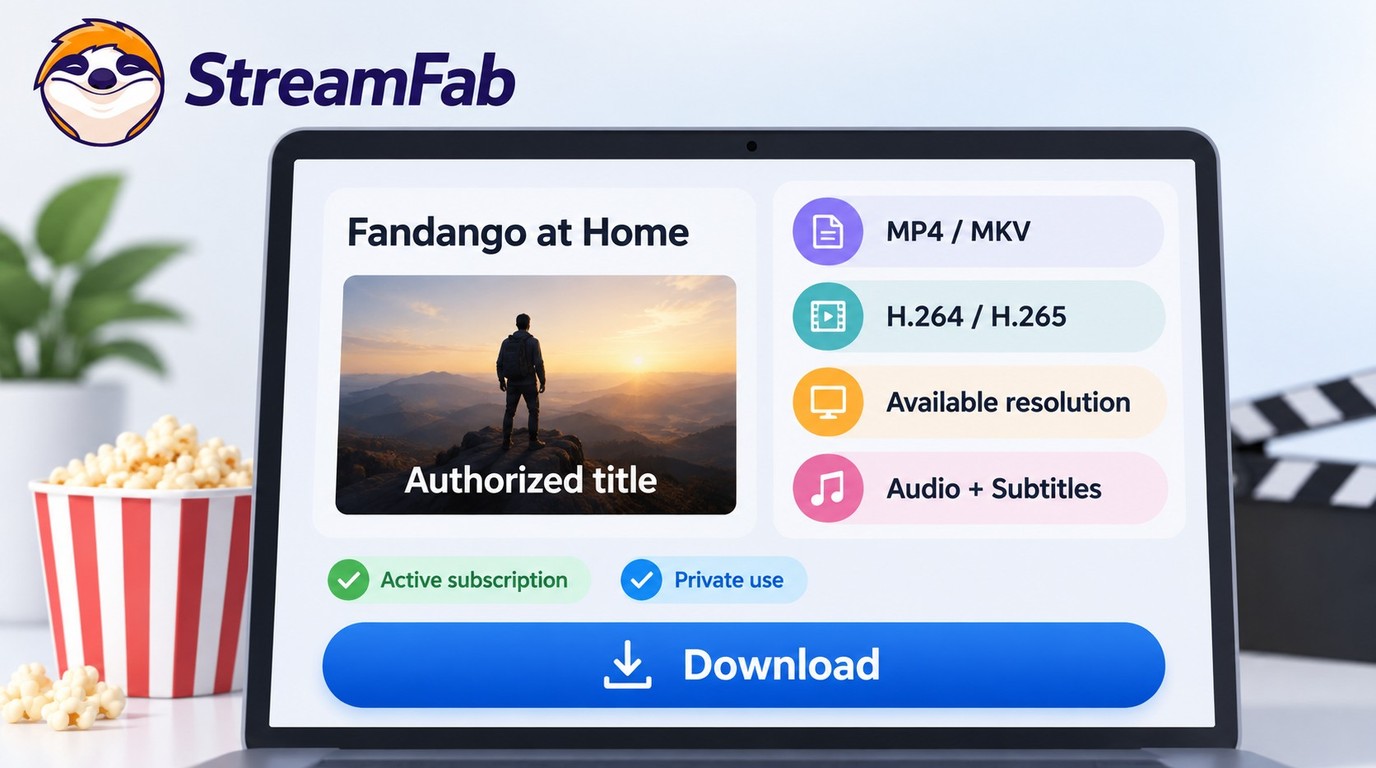

StreamFab Fandango at Home Downloader is a desktop alternative when official downloads are unavailable. It runs on Windows and Mac and saves authorized titles as MP4 or MKV files. Choose this route for computer-based offline viewing.
Before you download: StreamFab is a third-party desktop tool relative to Fandango at Home's official download feature, for personal offline viewing of content you're authorized to access, where permitted by platform terms and applicable law. Do not redistribute saved files. Access follows the title, your account entitlement, and your region.

- Save compatible Fandango at Home videos in MP4 or MKV.
- Download supported titles at up to 4K quality.
- Keep EAC3 5.1 or AAC 2.0 audio on supported downloads.
- Queue multiple downloads instead of relying on the mobile app's one-at-a-time flow.
- Use a desktop workflow for personal offline viewing on laptops and local libraries.
Output options include H.264 or H.265, HDR10 or Dolby Vision, and subtitles when the title provides those tracks. Select from the options shown for your authorized title. The 30-day trial includes three video downloads per service, so you can check the required title and playback setup.

When to Try StreamFab
- You need a computer-based offline workflow.
- You can play the title through your account and need a desktop file.
- You want local playback files rather than app-tethered downloads.
- You want more control over audio, subtitles, and format selection.
StreamFab error 909: diagnose it in StreamFab rather than in the official app:
- Record the installed StreamFab build and affected title.
- Compare another title your account is authorized to play.
- Switch H.265 to H.264 and retry.
- Clear the built-in browser cache and sign in again.
- If the failure repeats, collect logs and use StreamFab's troubleshooting and update guidance.
A failure isolated to one title is more useful to diagnose than repeated retries across a whole queue. Keep those title-by-title results with the logs.
Missing subtitles: compare the subtitle choices for the affected title with its playable source, then inspect the selected track in your player. Boxed picture: reset the player's aspect ratio and zoom before downloading again. If the output issue persists, use StreamFab's troubleshooting guidance with the title and chosen settings.
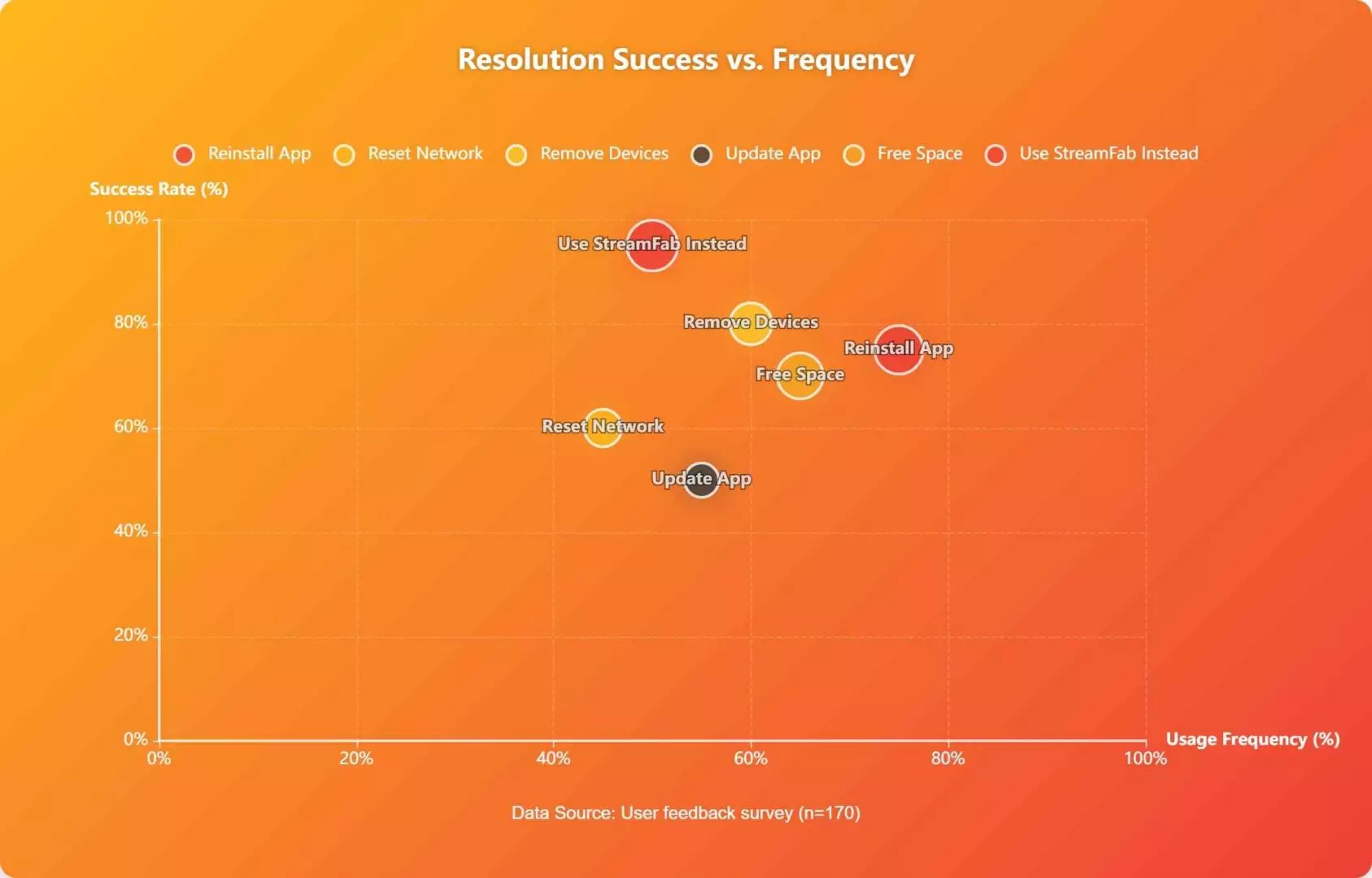
How to download with StreamFab
Sign in with an account that can play the title, then use the service tab to choose the file options.
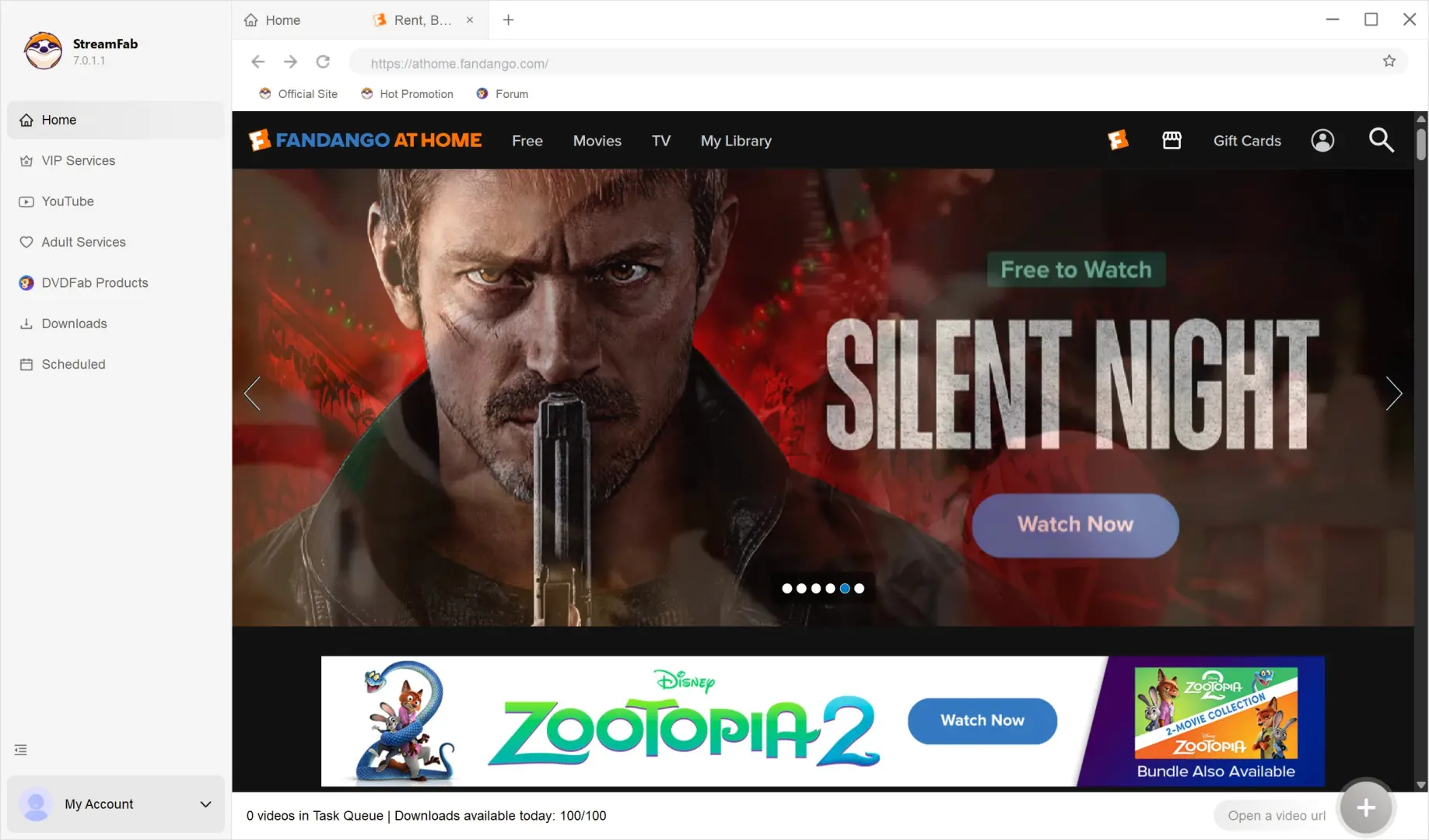
Open the Fandango at Home Service
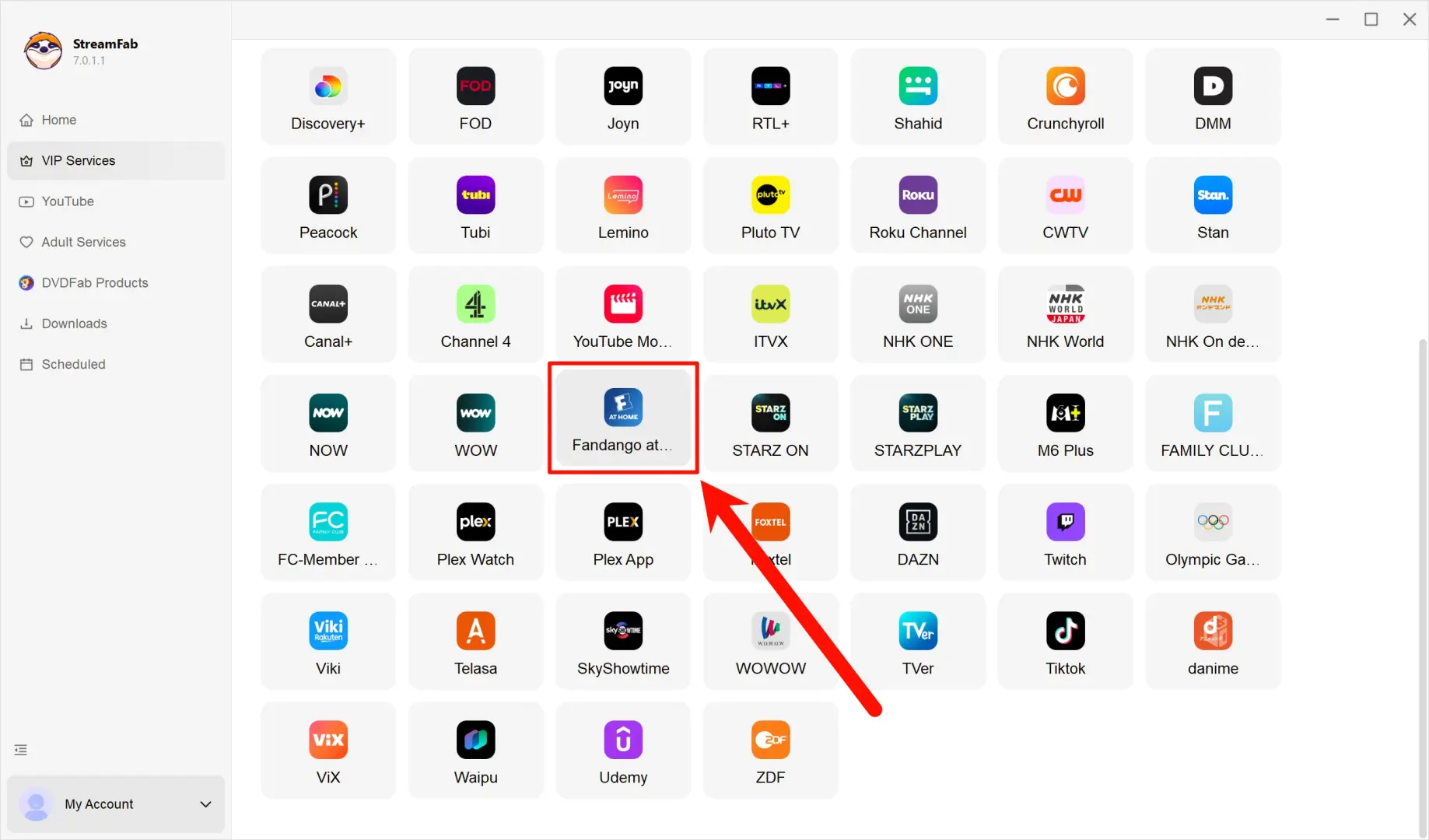
You can find it in the VIP Services tab; click on the icon and log in to your Fandango at Home account to access your rentals and purchased movies.
Navigate to the Movie You Want
Search for the movie you want on Fandango, click it, and StreamFab will automatically analyze the video data.
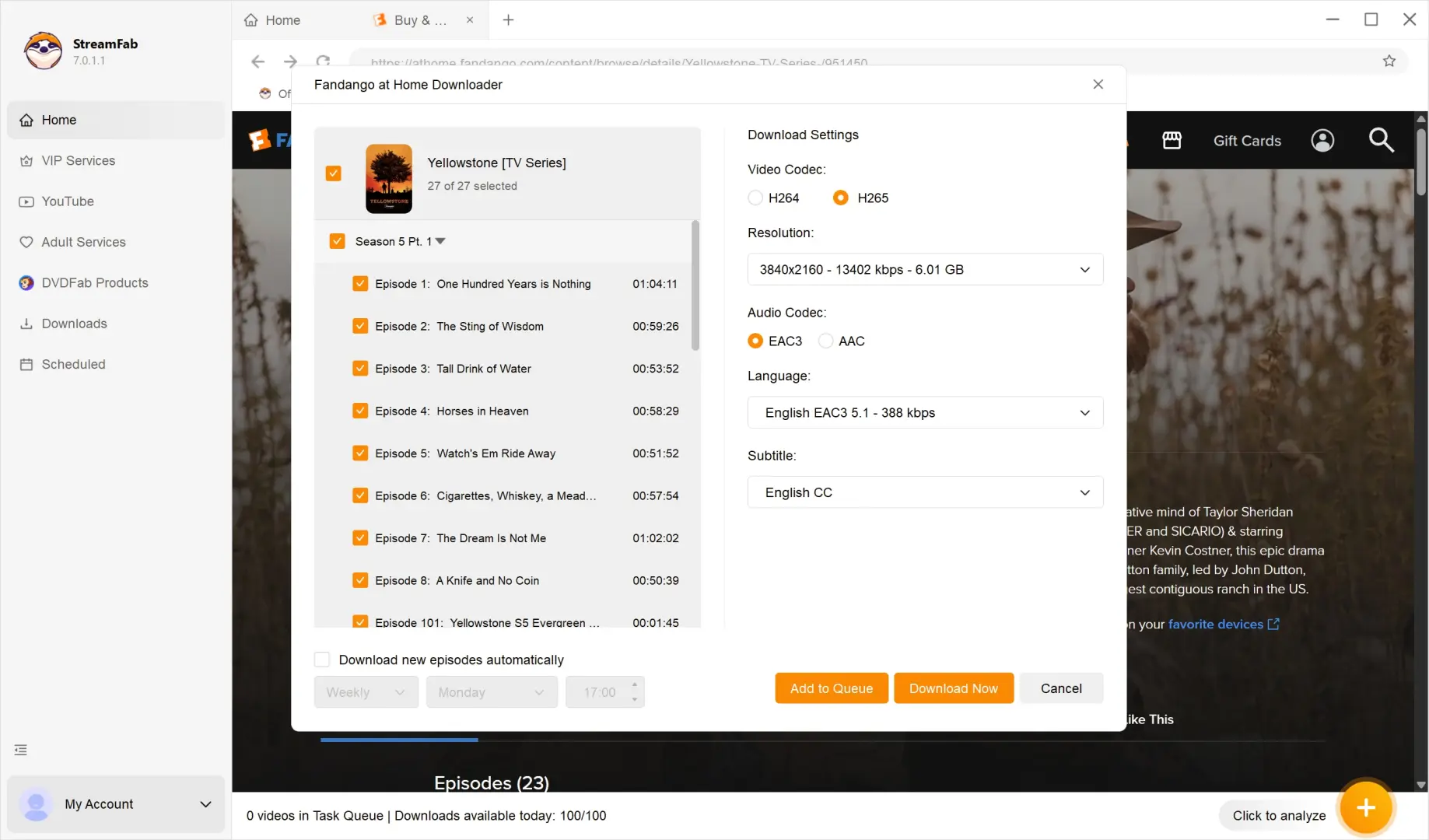
Customize Your Download Options
Once the analysis is finished, a prompt will appear allowing you to select your preferred video resolution, soundtrack, and the specific episodes you want to download.
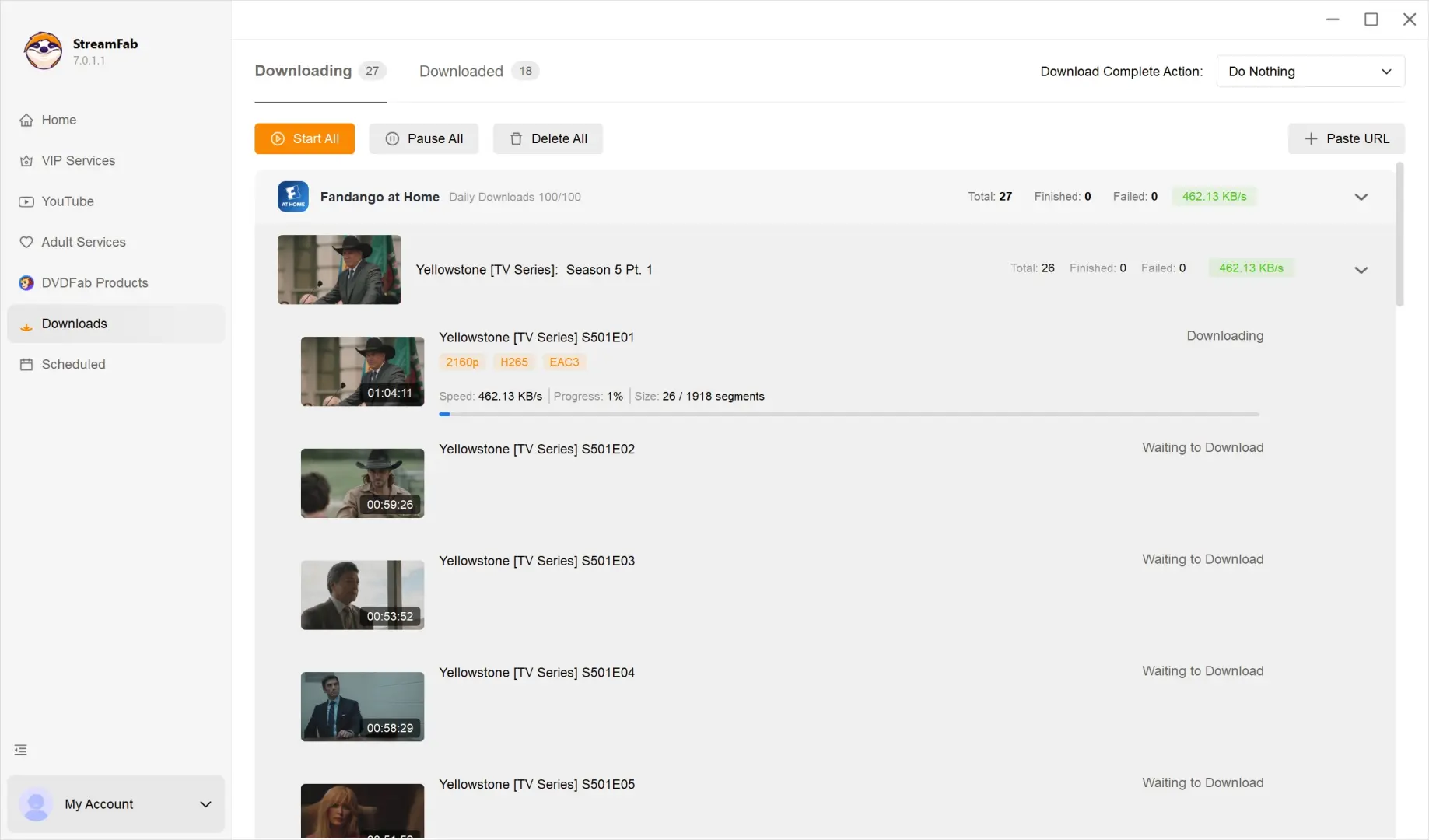
Start Fandango Downloads
Click the "Download Now" button after configuring your settings. You can check the progress of your Fandango download tasks in the "Downloading" tab on the left panel.
FAQ
Conclusion
For a temporary TV or mobile failure, start with service status and device support, then work through the relevant app checks. For authorized local files on Windows or Mac, StreamFab Fandango at Home provides the desktop route. Match the workflow to the result you need.
