Table of contents
- Best fit: simple direct links for the extension; organized files for the desktop route.
-
Not ideal: any source the platform does not make available for saving.
Easy Video Downloader can still be useful when a page exposes a plain MP4 or WebM URL. On adaptive HLS or DASH pages, however, a browser video downloader may collect the requests that build playback without producing a finished file. That is the short answer behind the .m4s complaints.
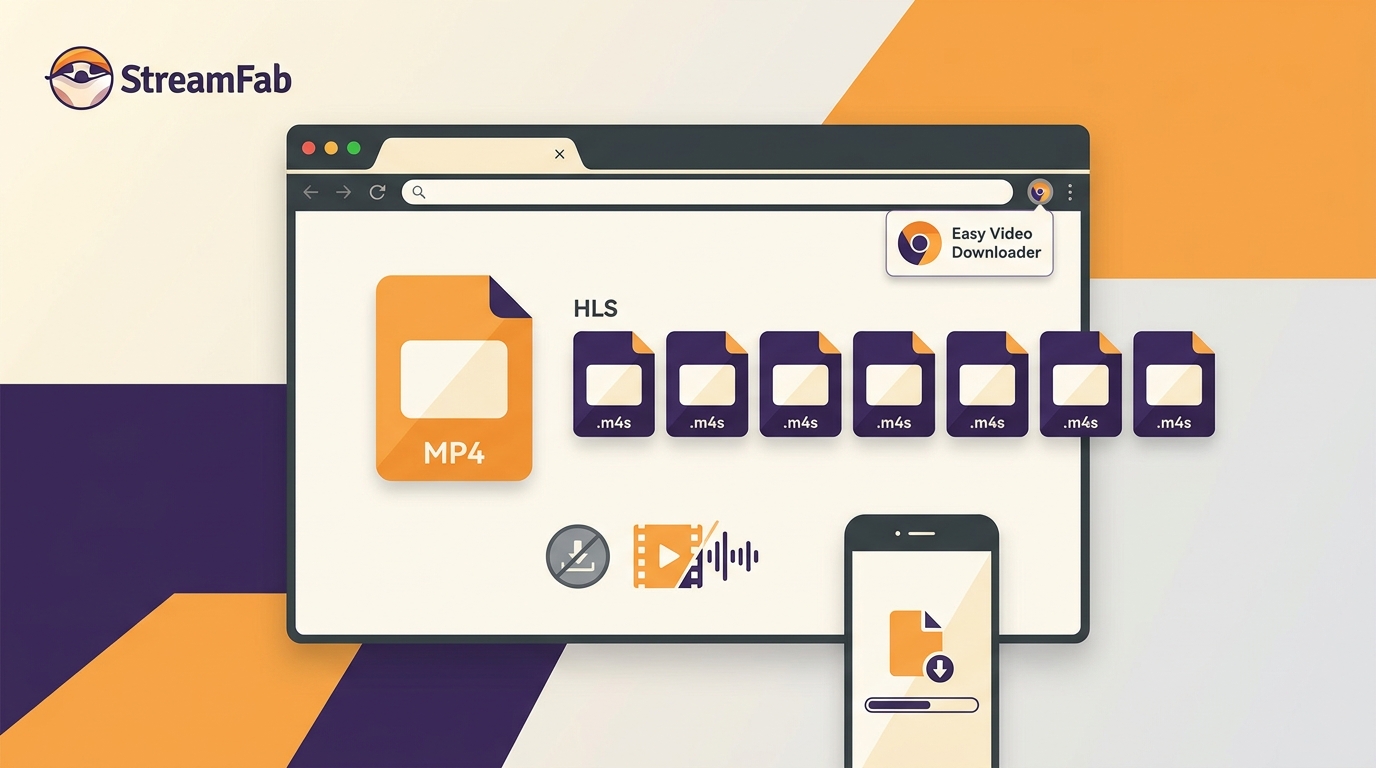
The specific Chrome Web Store listing under extension ID eaicplkoeceoelookkiaeekhodehdhde is separated here from similarly named Firefox, Android, or desktop products. The route checks its listing, explains the protocol behavior, records a reproducible Dailymotion result, and then compares a maintained desktop workflow for readers who need complete local files.
Which Easy Video Downloader Does This Review Cover?
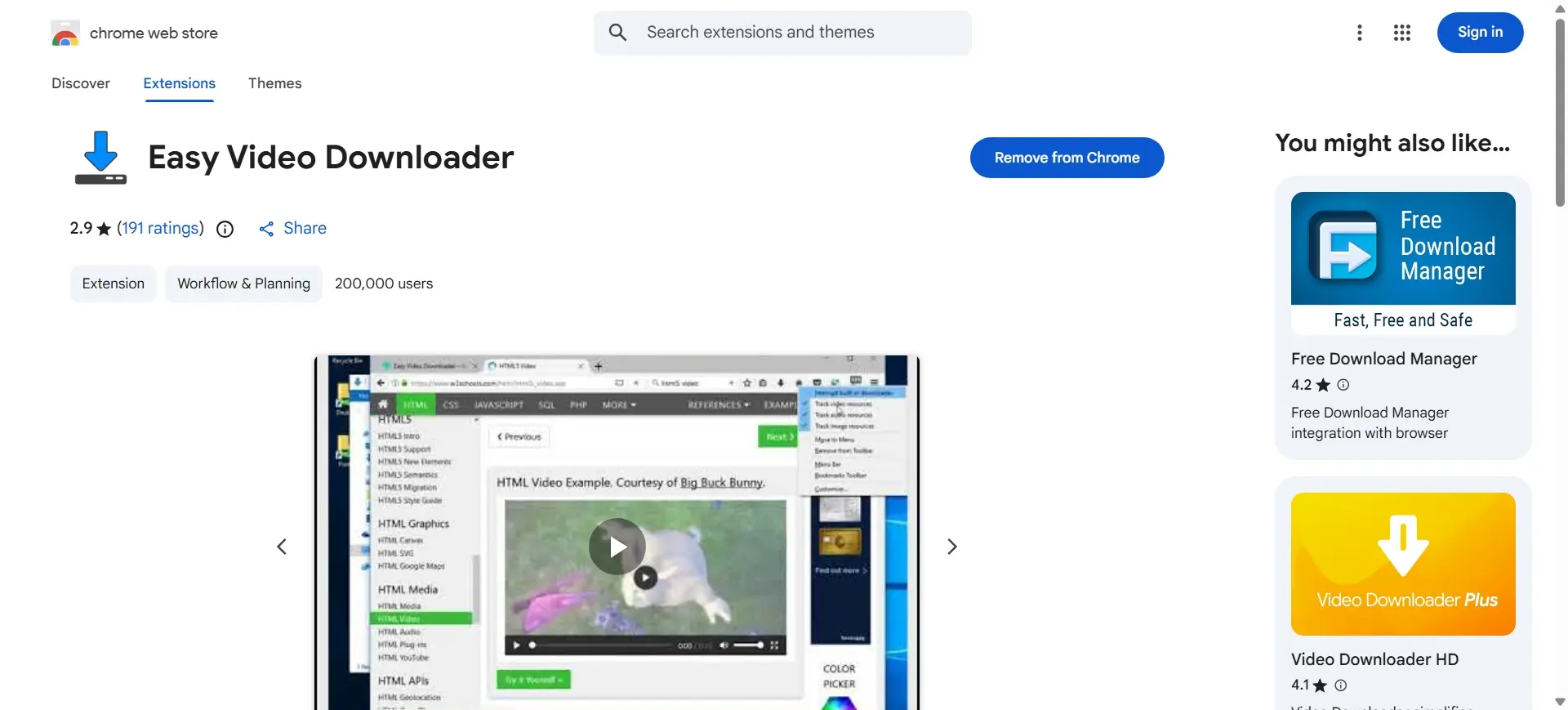
This Easy Video Downloader review covers the Easy Video Downloader Chrome extension in the Chrome Web Store, with extension ID eaicplkoeceoelookkiaeekhodehdhde. It is a Chrome video downloader listing, not a review of every product using the same name.
Store Listing, Version, and Maintenance Status
The Chrome listing shows version 0.2.1 and a last update of February 25, 2025. A separate Firefox listing was last updated December 22, 2022. Both remain useful identity clues, but the dates make the maintenance picture clear: the extension is still listed while its update cadence is stale for a fast-changing browser environment.
- Chrome scope: the listing reviewed here is the Chrome build with the ID above.
- Firefox distinction: the older Firefox listing should not be treated as the same build or support promise.
- Browser changes: Manifest V3 enforcement can change what traffic a browser extension can observe. The store page does not state how version 0.2.1 handles that transition.
What the 2026 Store Snapshot Tells Us
For this video downloader review, the August 2026 snapshot showed 2.9/5 from 206 ratings. That score is a useful trust signal to weigh alongside permissions and privacy terms, not a popularity contest. My practical read is simple: treat the extension as a small utility for direct links, and test its fit before relying on it for a library-sized job.
What the Extension Can Detect
A browser video downloader sees what the page requests, and the requested media shape determines what can be saved. Direct files are straightforward; adaptive streams split playback into playlists, segments, or separate tracks.
For the observed output rather than the protocol theory, skip to Test Results: Fragments and Playback. An MP4 video downloader should be judged by the file it produces, and the later hard-limit matrix keeps source differences in one place.
Direct MP4 and WebM Links
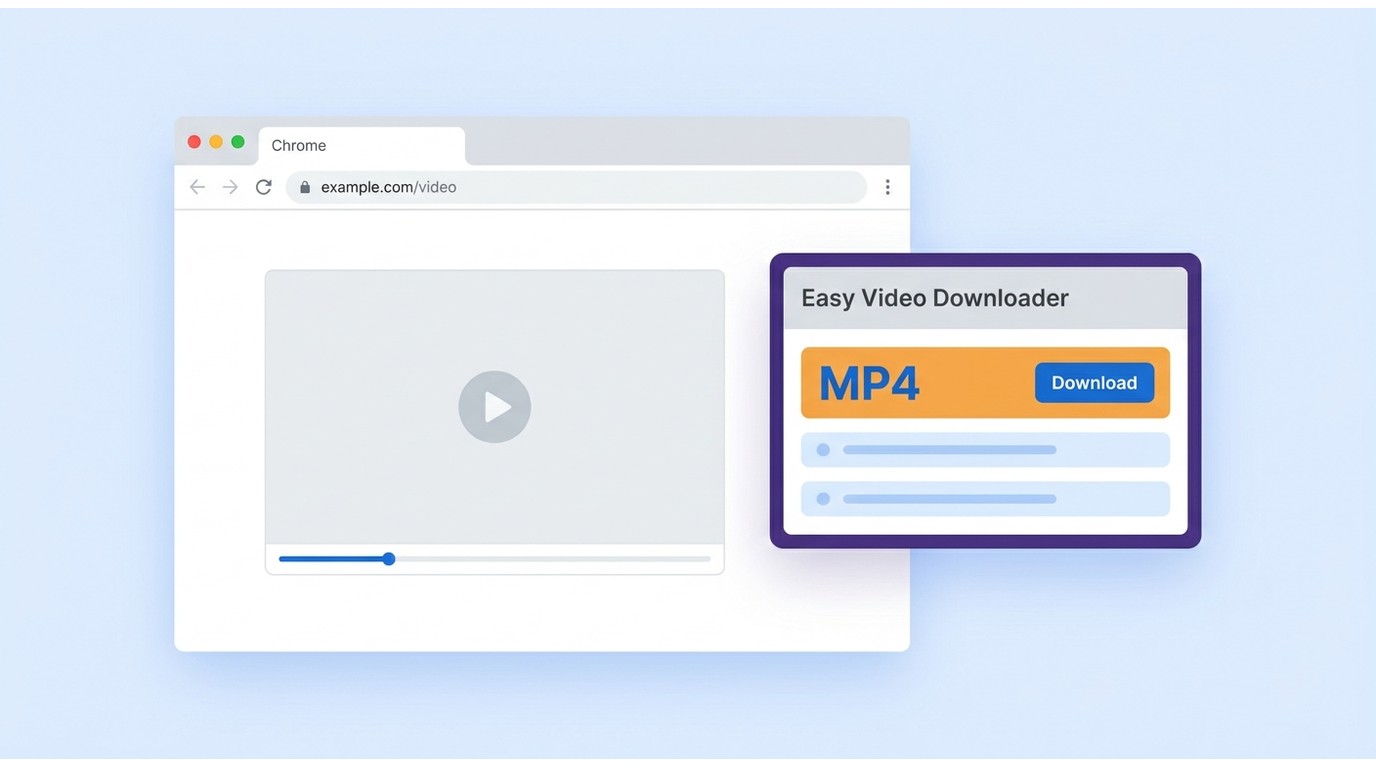
When a page exposes one public .MP4 or .webm resource, Easy Video Downloader can pass that link to Chrome's native download manager. That is the extension's cleanest use case, and it is the reason a direct-link test for download MP4 files should come before any HLS video downloader workflow.
For content you are authorized to save, this path is easy to understand and easy to stop if the page exposes no direct file. It is not evidence that the same extension can assemble every adaptive stream.
HLS, M3U8, and DASH Limits
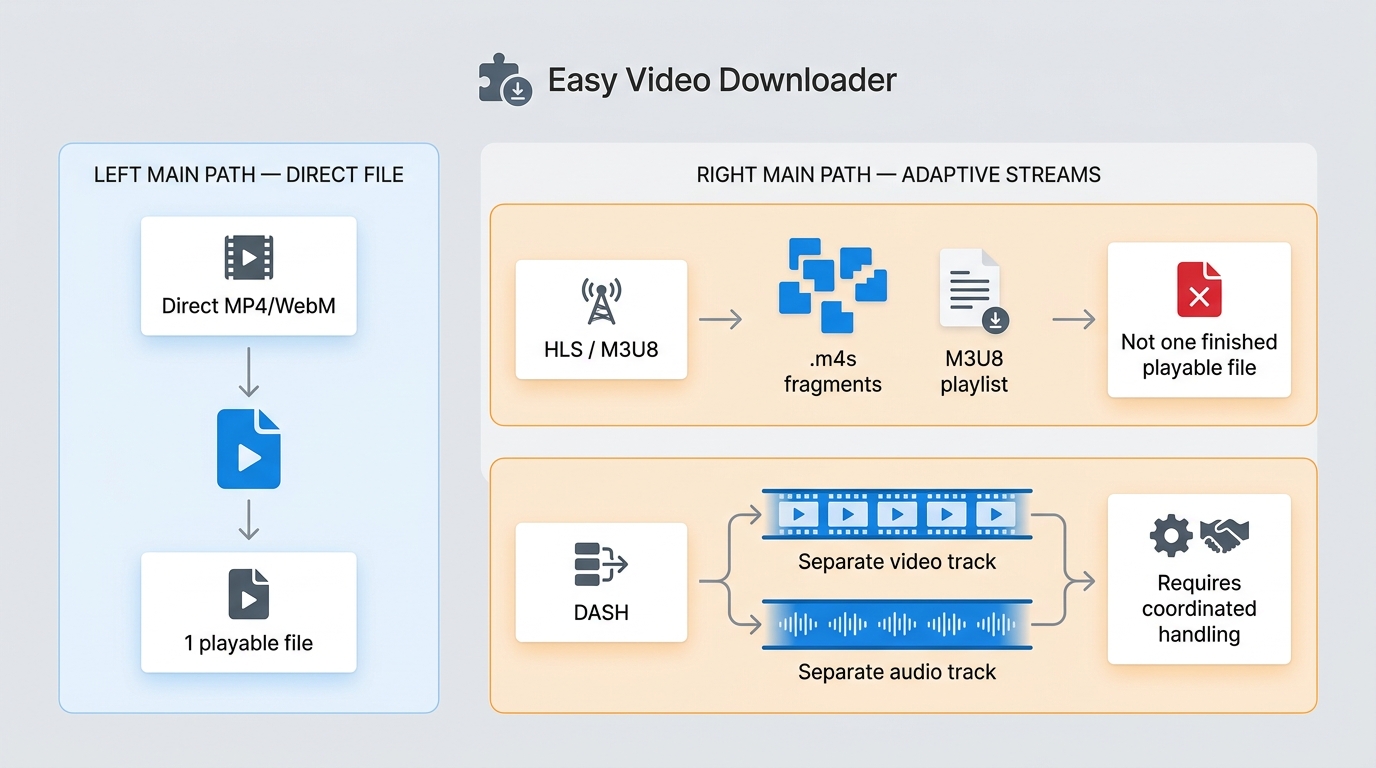
HLS uses an M3U8 playlist to describe media segments, while DASH commonly requests separate video and audio tracks. Manifest V3 changes can also affect how much request context an extension receives, so the same HLS video downloader can behave differently as browser rules evolve.
- HLS/M3U8: the playlist points to segments; the playlist itself is not the finished video.
- DASH: video and audio can arrive as separate representations that need coordinated handling.
- Output test: look for one playable file, synchronized audio, and the expected subtitle track, not just a growing download count.
Test Results: Fragments and Playback
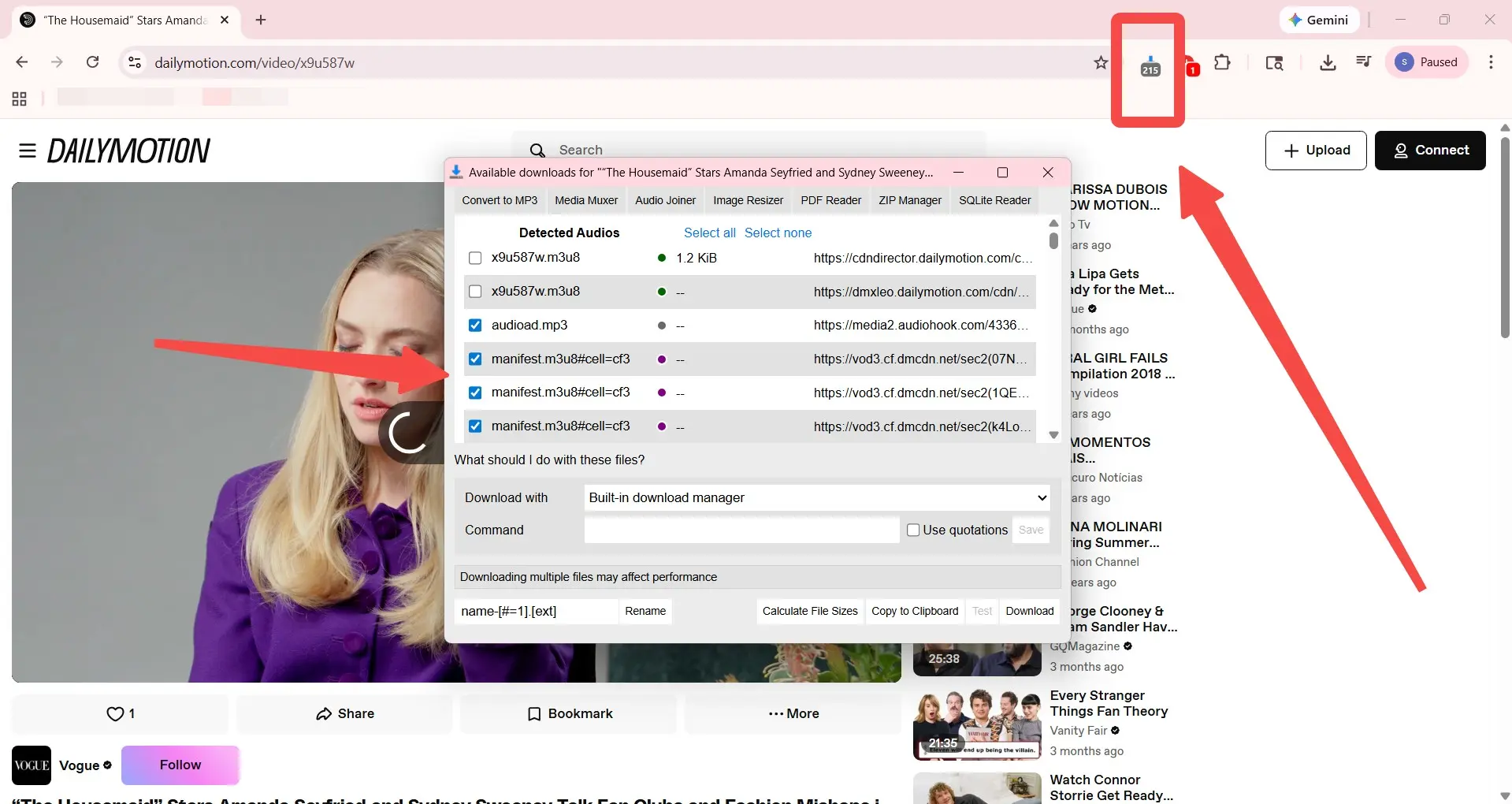
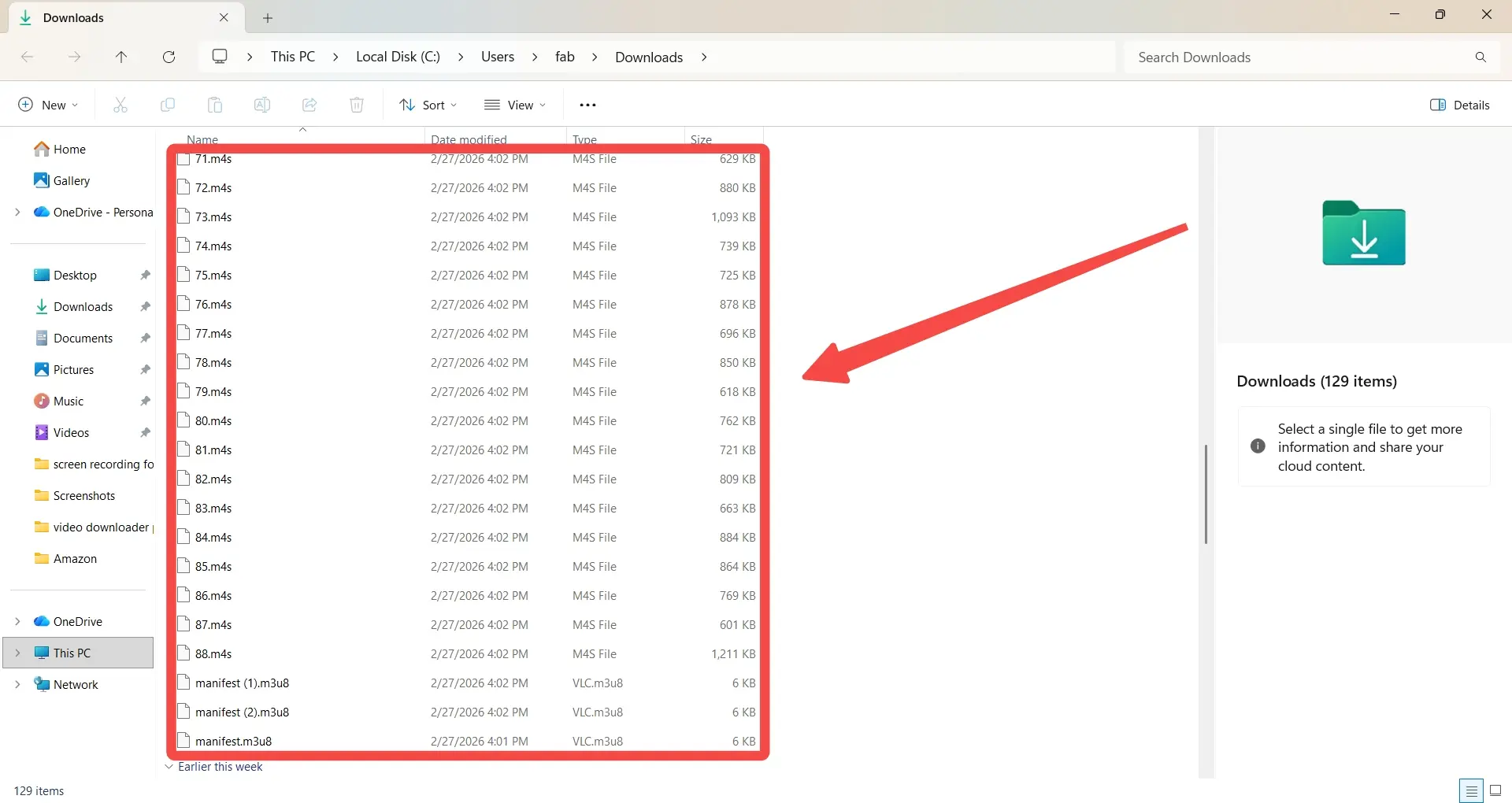
The documented video downloader test on Dailymotion produced many .m4s files and a small M3U8 playlist instead of one ready-to-play file. I treat that as a source-format result, not a universal statement about every page the extension may encounter.
Test Setup and Reproducible Criteria
The test used Google Chrome on a Windows 11 PC with the Easy Video Downloader Chrome build listed as version 0.2.1 and the Dailymotion video URL https://www.dailymotion.com/video/x9u587w. The August 2026 review snapshot recorded detected entries and checked the output for container, audio, subtitles, metadata, and completion rather than judging the badge count alone.
- URL type: Dailymotion adaptive-stream page.
- Detected output: many media fragments plus a small vlc.m3u8 playlist.
- Playable container: no single finished MP4 was produced in the documented run.
- Tracks and metadata: no completed audio, subtitle, or metadata package was available to inspect as one file.
- Elapsed completion: no completion time applies because the run ended at fragment output.
- Review date: August 2026.
That is the detail most readers need: a busy extension counter is not the same thing as a completed download. The test gives us a reproducible failure mode without turning one page into a blanket promise about all pages.
Why Downloads Become .m4s Files
In an adaptive stream, .m4s files are media segments. The M3U8 playlist describes their order and URLs, but it does not contain the complete video by itself. Calling the extension an .m4s downloader describes detection, not a finished container.
The extension can therefore leave a folder of pieces even though the page played normally. That behavior follows the source's delivery method; it is not fixed by downloading the playlist text a second time.
Muxing, Audio, Subtitles, and Metadata
To merge M3U8 to MP4, a workflow must coordinate the segment order, separate tracks, and any available subtitle stream, then write a container that a normal player can open. Use the test card above as the observed example and judge any workflow by that output standard.
For a practical pass/fail check, inspect four outputs:
- one MP4 or MKV container rather than a folder of segments;
- synchronized video and audio tracks;
- subtitle behavior that matches the selected language;
- titles and other metadata that remain attached to the file.
Safety, Permissions, and Legal Use
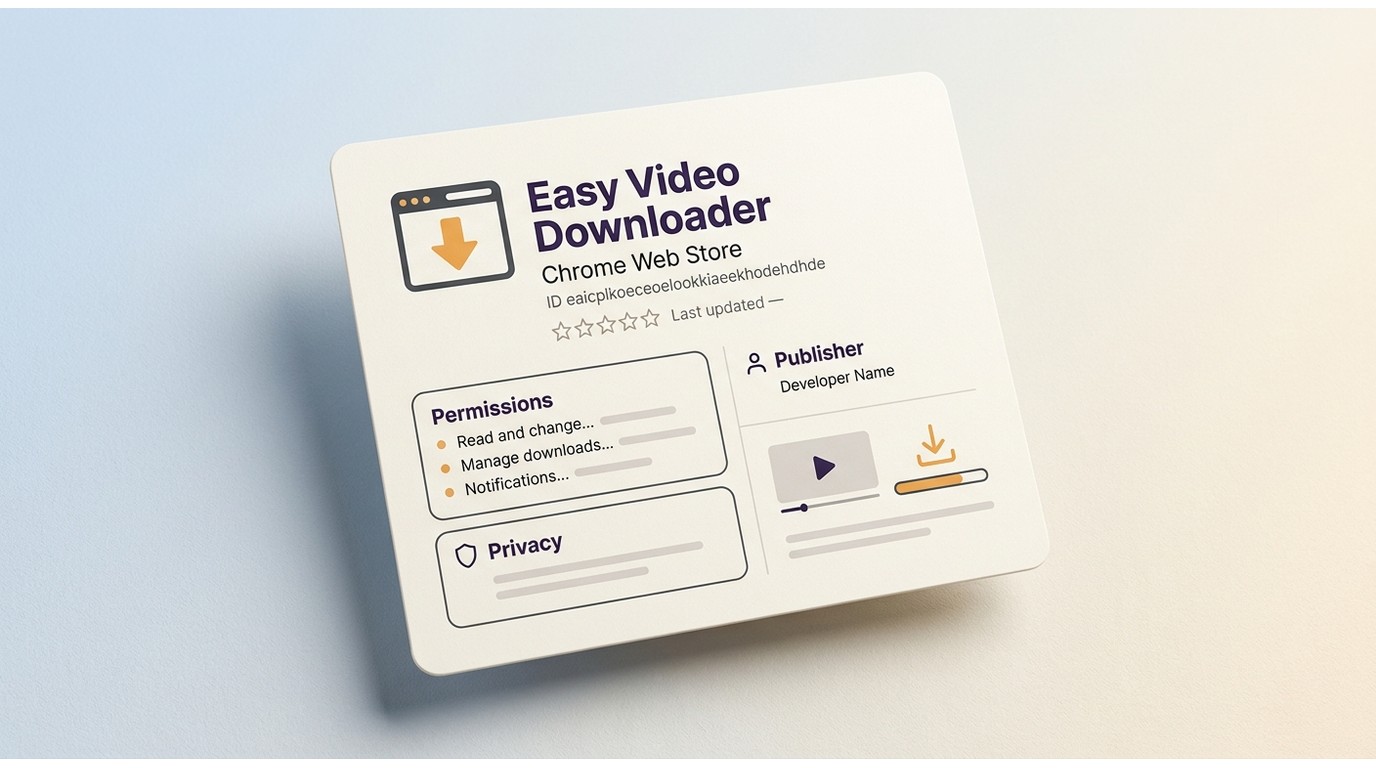
No video downloader is universally safe by name alone. A sensible video downloader safety check looks at who publishes the extension, what permissions it requests, how privacy is explained, and whether the intended download is authorized under the platform's rules and applicable law. That is more useful than naming a single safest video downloader.
Permissions and Privacy Questions
Before installing or keeping a video downloader extension, open its store details and privacy disclosure. Look for a publisher identity that matches the listing, permissions that make sense for detecting media, an update history you can date, and a clear explanation of data handling.
- Compare the Chrome listing name and extension ID with the item you install.
- Read each requested permission instead of accepting a broad prompt on autopilot.
- Check the privacy disclosure for collection, transfer, and retention language.
- Use the update date and rating as context, not as a guarantee.
This is the core of a video downloader safety check. It also explains why no single label can establish the safest video downloader for every source. A low rating does not prove malicious behavior, and a store listing does not prove that every source will work.
Authorized Downloads and Platform Rules
Use any downloader for content you're authorized to access, where permitted by platform terms and applicable law. The question “is video downloader legit” still depends on the account's rights and the platform's delivery rules; authentication is not a blanket permission to save every stream the browser can display.
For official downloads, keep using the platform's own offline feature when it meets the need. A separate local file follows different playback and retention conditions, so keep it for personal use and do not share or redistribute it without the necessary rights.
Where Browser Downloaders Hit Hard Limits
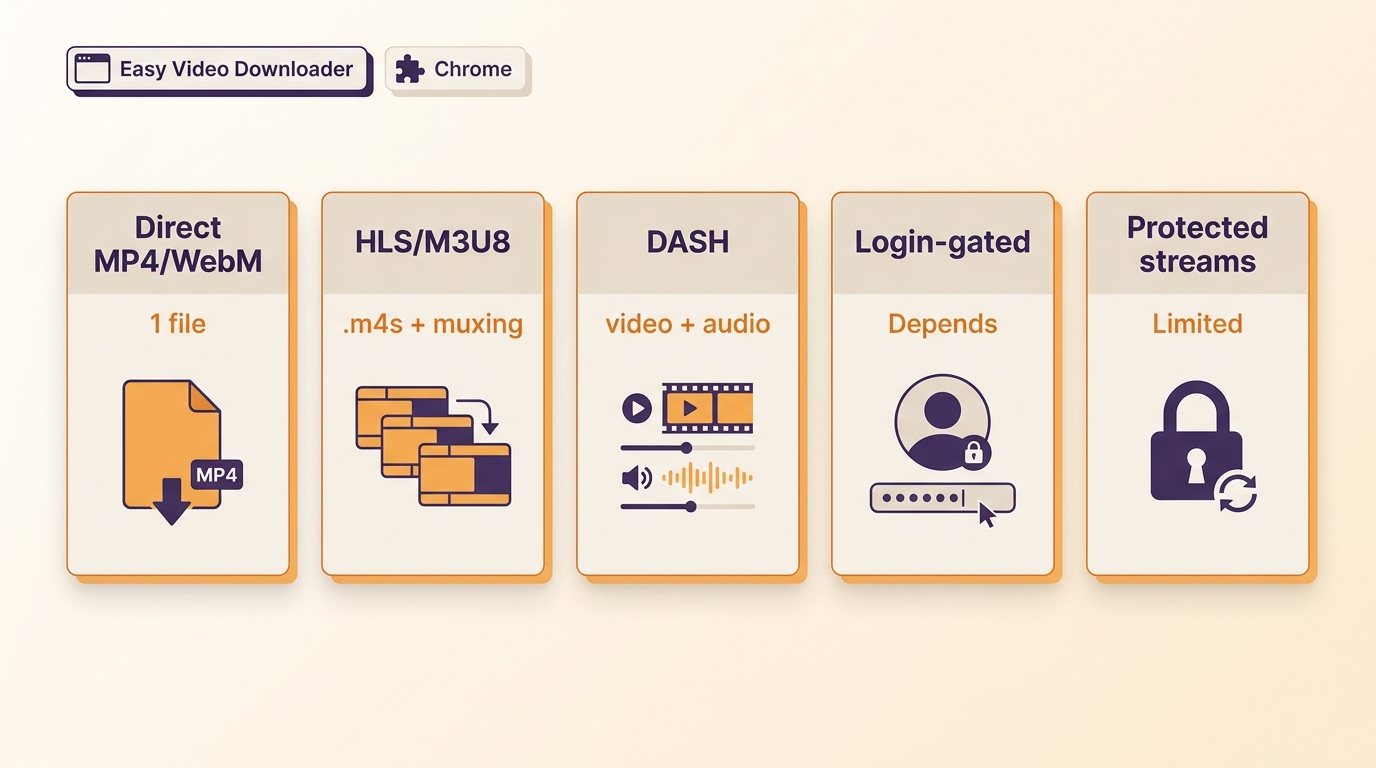
Browser extensions are most predictable with direct files. Readers searching for a Chrome extension M3U8 downloader should treat YouTube policies, protected streams, login gates, partial manifests, and very large files as separate checks, not one “works everywhere” test.
YouTube, Protected Streams, and Login Pages
Some platforms restrict saving through store policy or their own playback design. A login-gated video may be visible in an authorized session yet still expose no saveable media to the extension. Protected streams can likewise remain unavailable when the platform does not permit saving.
For a download login-gated video request, first confirm that the account is authorized and that the service allows the intended offline copy. If the page only exposes protected or tokenized requests, stop there rather than treating a partial manifest as a finished source.
Large Files, Partial Manifests, and Limits
Large video download jobs put pressure on browser memory, storage, and the manifest itself. A page can expose a decoy URL, a token that expires during the run, or only part of a playlist. Near the end of a long transfer, those details matter more than the initial detection.
- Confirm available storage before starting a large file.
- Keep the browser session stable while the manifest is active.
- Open the final file and check duration, audio sync, and seek behavior.
If the browser cannot deliver one coherent file, a desktop workflow may reduce the setup friction, but it still cannot make a platform-permitted source out of a source the platform withholds.
A Desktop Alternative for Complete Local Files
For personal offline viewing of content you're authorized to access, where permitted by platform terms and applicable law, StreamFab for Browser is a Windows desktop video downloader alternative when a Chrome extension leaves adaptive-stream fragments. It focuses on producing an organized local file rather than exposing each browser request.
StreamFab Video Downloader for Browser supports MP4 or MKV output and source-dependent resolution up to 8K, 4K, or 1080p. Supported devices and availability may change, so the current product page remains the right place to confirm platform scope.

A desktop route for authorized offline viewing, designed for pages where direct-link extensions fall short
- Up to 8K, 4K, or 1080p depending on source
- MP4 or MKV output
- Metadata options help keep titles and details with the file
- Selectable tracks and SRT options when available
- Batch downloads supported
- Source-dependent tracks are handled in one workflow
- Use only with content you're authorized to access and follow each service's terms and applicable law
Output Quality and File Formats
StreamFab's relevant distinction is the output workflow: the product supports MP4 and MKV, with resolution selected up to 8K, 4K, or 1080p according to the source and account conditions. That is the practical test for an 8K video downloader or an MP4 MKV downloader when a direct browser download leaves only segments.
In a Windows 10 Pro batch run on an i5-9400F with 16 GB RAM and StreamFab 7.0.1.7, I completed three LDR S4 episodes; file sizes increased with episode length. That observation is bounded to the recorded run, but it is the kind of check I use before trusting a workflow with a larger queue.
The product is not a promise that every service will expose the same resolution or tracks. Source availability and subscription rights still set the ceiling.
Subtitles, Metadata, and Batch Tasks
StreamFab supports subtitle options, metadata preservation, and batch downloads. Those three details matter when the goal is an organized library rather than a folder of browser fragments. The workflow can keep titles and selected subtitle data with the output when the source supplies them, which is the point of a batch video downloader workflow.
In a same-title comparison recorded under different operating-system conditions, the outputs differed in HDR, audio, and file size. I read that as a reminder to disclose test conditions, not as a blanket ranking.
Batch downloads are supported, while queue behavior can vary with the product version and source.
Best Fit and Not Ideal For
A desktop video downloader alternative is a better fit when the reader needs a complete MP4 or MKV, subtitles or metadata, larger files, or batch tasks. It is less useful when the source does not permit saving, when the reader needs a lightweight one-off direct link, or when adding desktop software is itself the main inconvenience.
- Best fit: authorized offline copies, organized files, adaptive streams, and repeatable batch work.
- Not ideal for: a single public MP4/WebM link that Chrome can already save cleanly.
- Decision rule: choose the browser extension for the direct-link case; choose the desktop route when the output requirements are the hard part.
Conclusion: Better Alternatives to Easy Video Downloader Are Available
This Easy Video Downloader review ends with a conditional choice. Easy Video Downloader remains reasonable for simple, authorized MP4 or WebM links if the listing's permissions and maintenance profile fit your expectations. The browser video downloader question changes once the source uses HLS or DASH, as the Dailymotion test shows.
If your requirement is a complete local file with subtitles, metadata, or batch handling, a maintained desktop video downloader such as StreamFab for Browser is the more practical route when the source permits saving. I would make that switch for the output requirement, not because a busy browser counter looks dramatic.
Use the direct-link test first, inspect the final file, and then decide whether the extra desktop workflow earns its place. If it does, the StreamFab Video Downloader for Browser download page is the next step.
Frequently Asked Questions
Adaptive HLS or DASH playback delivers segments and playlists. The extension can expose those requests without creating the final container, so the result may be a set of .m4s files rather than one playable video.
Sometimes, but it depends on the authorized session, the platform, and the source type. A login alone does not make a protected stream available for saving, so confirm the service rules before starting.
Check the publisher identity, requested permissions, privacy disclosure, update history, and store feedback. Use the extension only for content you are authorized to access.
Choose a desktop workflow when you need a complete MP4 or MKV, subtitles, metadata, larger-file handling, or batch downloads. For one public MP4 or WebM link, the browser extension is usually the simpler fit. To spare you some time, here is the most important thing you need to know about what happens when you try to use Easy Video Downloader on streaming sites today:
- ✅ Who should use it: Users who only need to grab basic, unencrypted .mp4 direct links from outdated or very simple static websites.
- ❌ Who should skip it: Anyone who wants to download from newer platforms that largely employ DASH/HLS protocols. If you want a single, ready-to-play 1080p file with perfectly synced audio, embedded subtitles, and full metadata, you need a proper alternative like StreamFab for Browser.
