SkyShowtime lets you download on its mobile app only, with per-plan title caps and a 48-hour post-play expiry. If you mainly watch on a laptop or want a file that doesn't disappear the moment you press play, the official app alone won't cover you—and that's the gap this guide walks through.
- Can you download SkyShowtime videos? ➡️ Official rules explained
- How to download SkyShowtime videos? ➡️ Official & third-party SkyShowtime video tools
- Download failed/device incompatible? ➡️ Troubleshooting SkyShowtime download fails
- Is downloading SkyShowtime legal? ➡️ Detailed compliance tips
I've spent a lot of time tracking how streaming platforms tighten and loosen their offline rules, and SkyShowtime is a good example of a service whose download policy quietly shapes who it's actually useful for. Below I'll lay out what the official app allows, where a desktop workflow fits, and how to stay on the right side of SkyShowtime's terms while you set it up.
Can You Download SkyShowtime Videos?
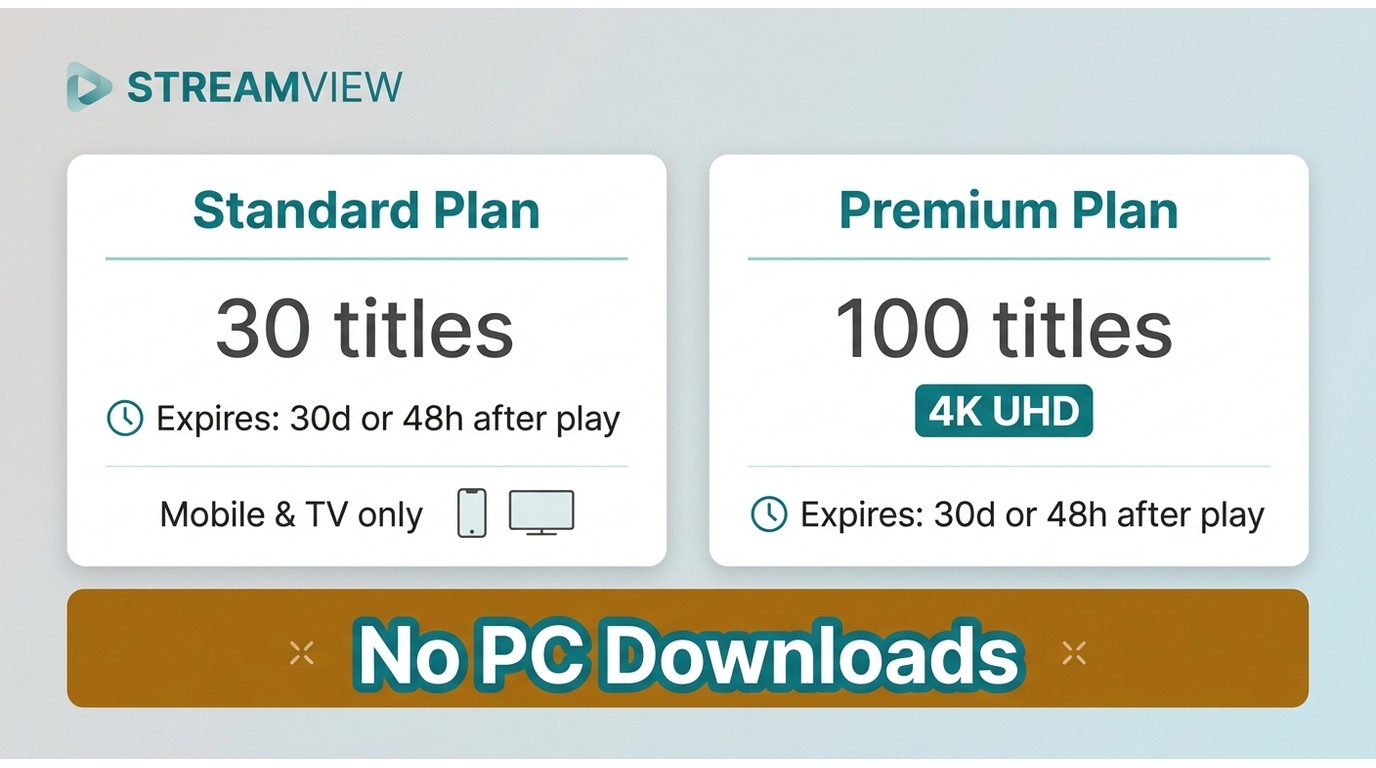
Yes—but with real strings attached. SkyShowtime's official download feature is mobile-only, plan-gated, and time-limited. On the upside, the Premium tier introduced in October 2024 added 4K UHD content, so higher-resolution offline viewing is now possible on qualifying plans. Here's the full list of official restrictions:
- Download quota up to 30 titles for a standard plan and 100 titles for a premium plan
- The download function is only available for standard or premium users
- Not all videos on SkyShowtime can be downloaded
- The downloaded SkyShowtime video will expire after 30 days/48 hours
- You can download the SkyShowtime series on mobile only; PC devices are not supported
- Unable to get SkyShowtime downloads once you are outside of the available regions
If you often watch SkyShowtime on PC and want to download SkyShowtime web series to PC as well, you can jump to part 2 for a quick view. If you travel often, the 48-hour post-play window is the limit I'd flag first — it's the one that most reliably ruins a long-haul flight when you don't realize the clock started the moment you hit play at the gate.
How to Download SkyShowtime Videos?
1. Download SkyShowtime Videos to Mobile via the Official App
As long as your SkyShowtime is satisfied with the official requirements for subscription plans, then you can use the download function in the app. It can be found on Google Play or the App Store.
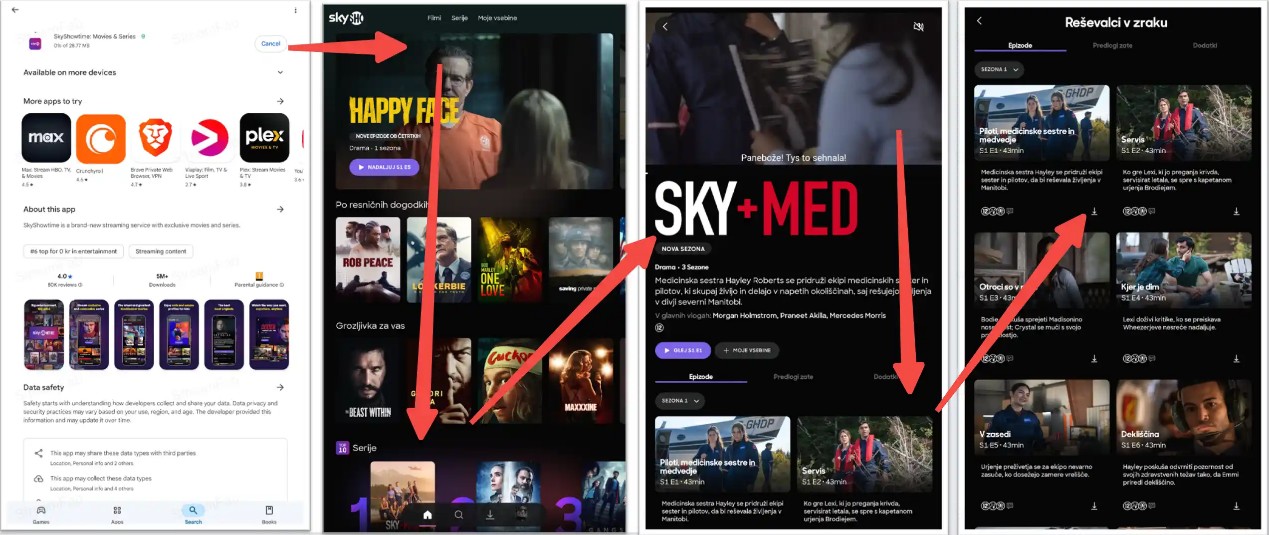
For newbie users, I prepared a simple guide here to let you know how to download SkyShowtime series via the app.
Obviously, opting for this method means you still have to live with the practical limits listed above. If those feel too tight for your viewing habits, some people also look at third-party tools to make offline viewing more flexible, as long as they keep to SkyShowtime’s terms and local laws.
2. Download SkyShowtime Videos to PC via StreamFab
If the mobile-only, 48-hour-expiry setup doesn't match how you actually watch, a desktop tool is where most people land next. StreamFab SkyShowtime Downloader is a Windows and macOS app that saves a local MP4 or MKV copy of content you're already authorized to stream for personal offline viewing—subject to SkyShowtime's terms and the law in your region.
In practice I use it for shows I want on a laptop during travel (The Day of the Jackal, Mission: Impossible, and my rewatch comfort pick, The Office), where the official app's constraints get in the way. Best for viewers who want a file they can play in any media player on their own laptop; less ideal if you mainly watch on a phone, in which case the official app is already the shorter path.
Quick spec view, so you know what you're getting:

Download movies and series from SkyShowtime in crystal-clear quality and immersive audio while giving you more control over when and where you watch, within the rules for your account and region.
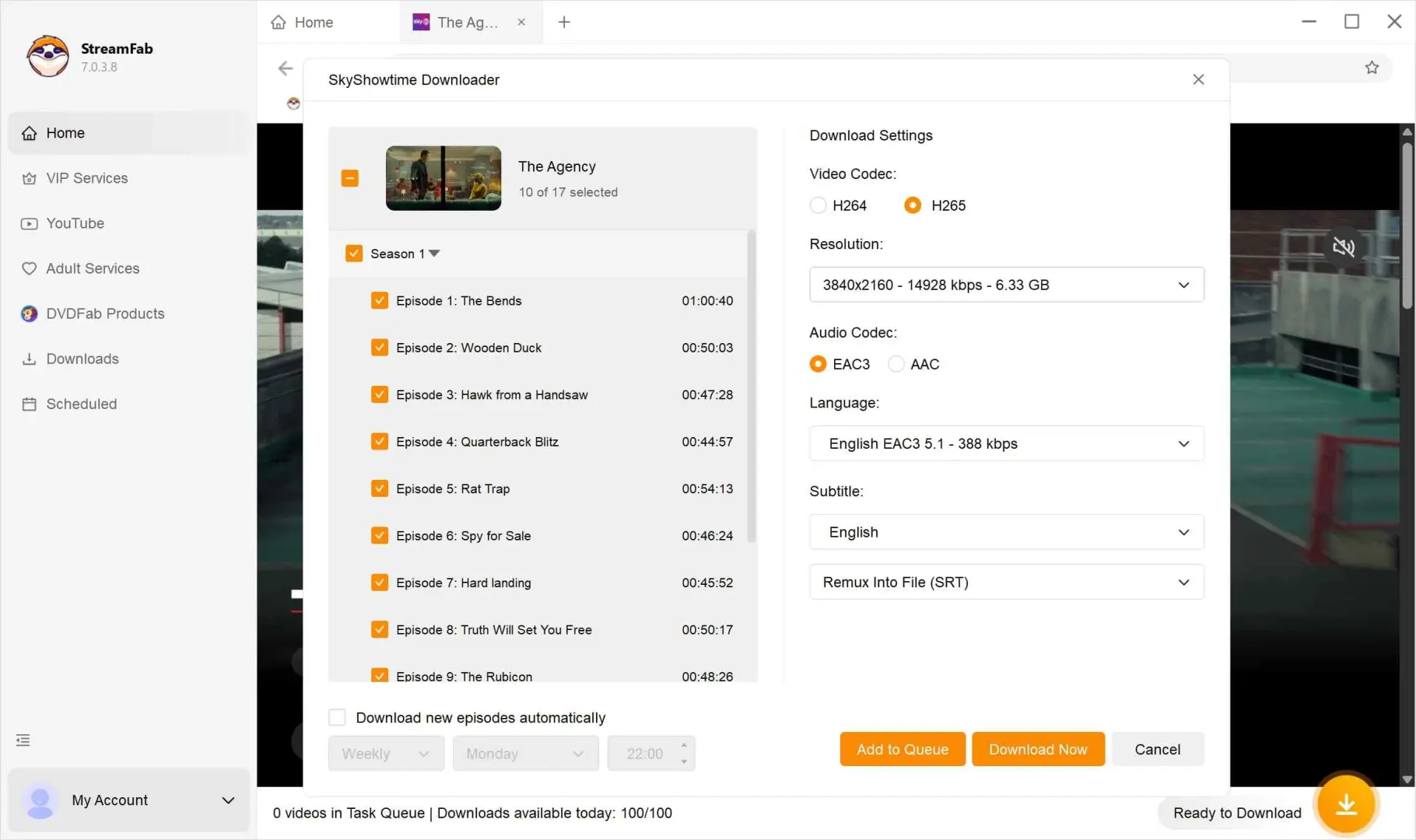
- Resolution: up to 4K, with HDR10 where the source supports it
- Audio: EAC3 5.1 or AAC 2.0, original track preserved
- Format: MP4 or MKV — plays on virtually any device or player
- Subtitles: external SRT export or remuxed into the video
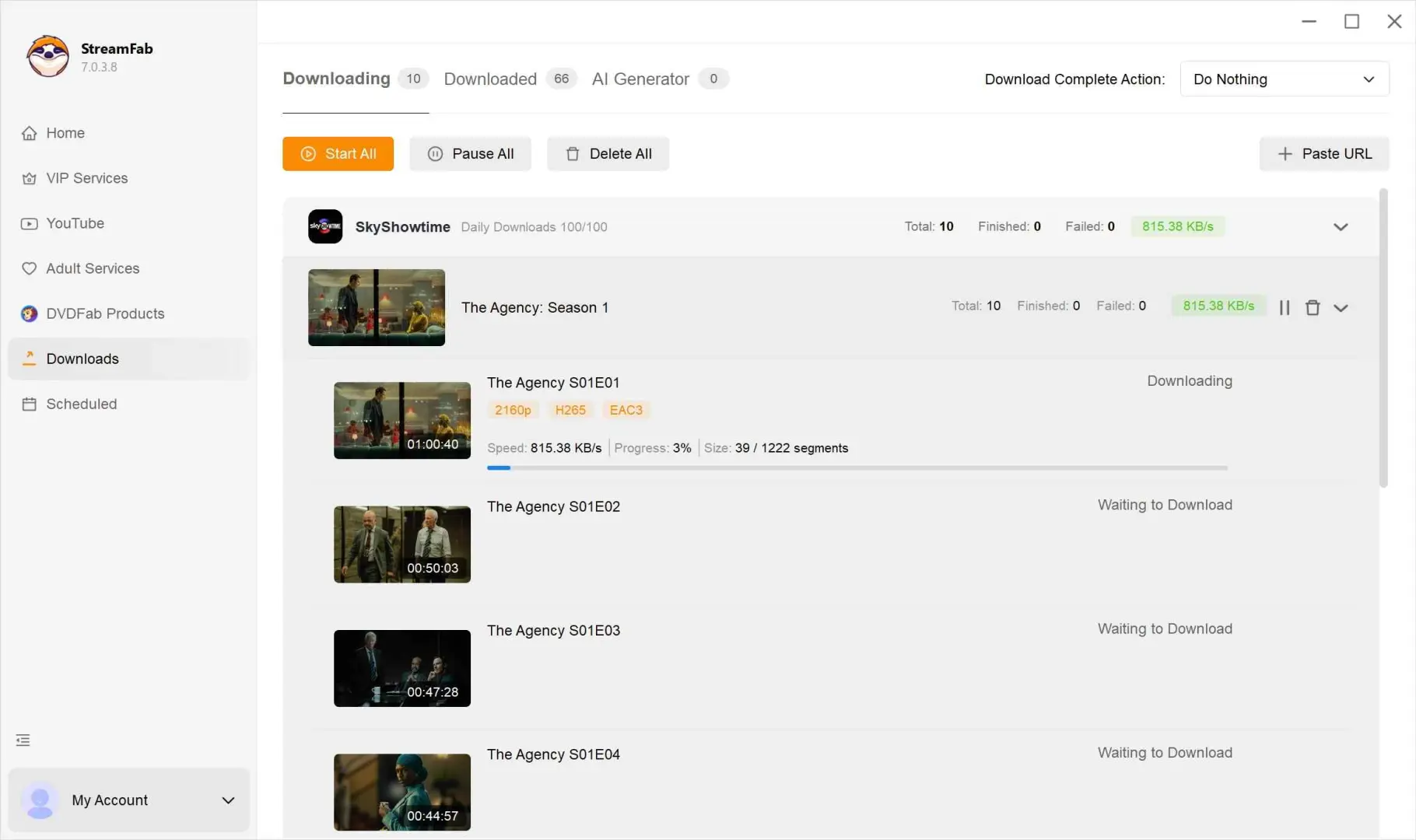
- OS: Windows 11 / 10, macOS, with batch and scheduled downloads
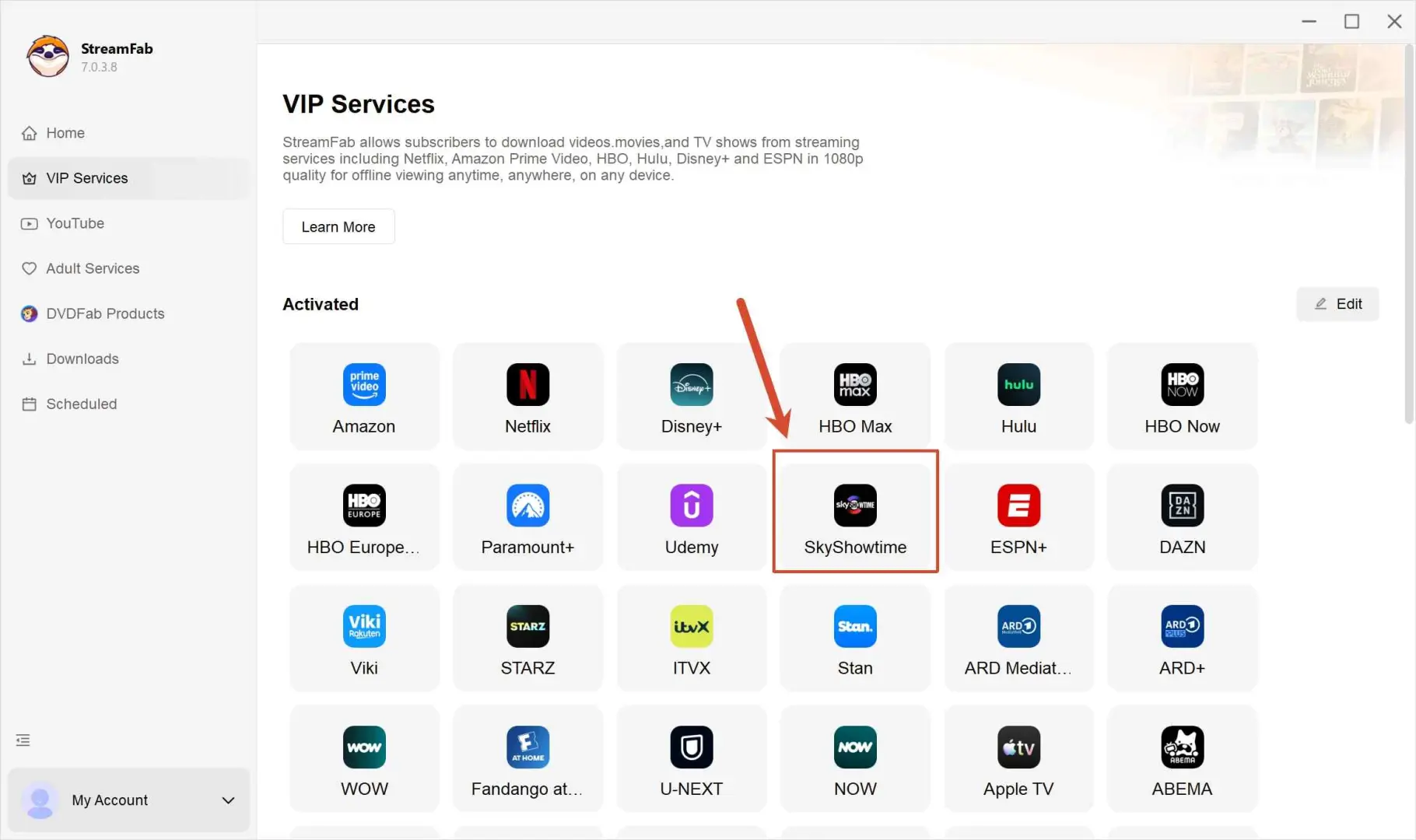
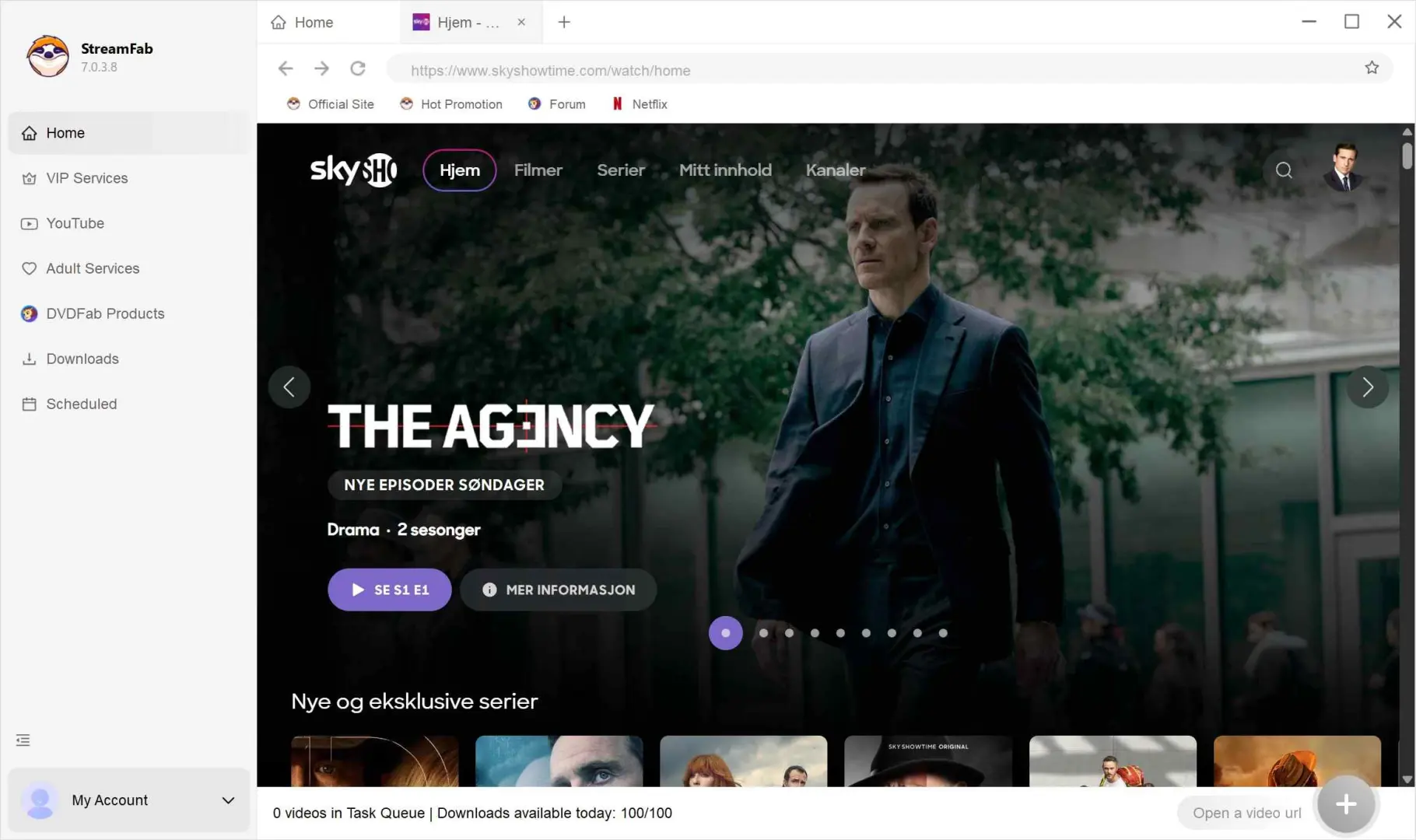
With the built-in browser of StreamFab, you can handle SkyShowtime videos in a way that feels close to browsing directly on the site. The general flow below shows how people usually get started with the free trial:
Troubleshooting & Device Compatibility
In a hurry? The bullets below address the three issues SkyShowtime users report most often and point you toward the quickest fix.
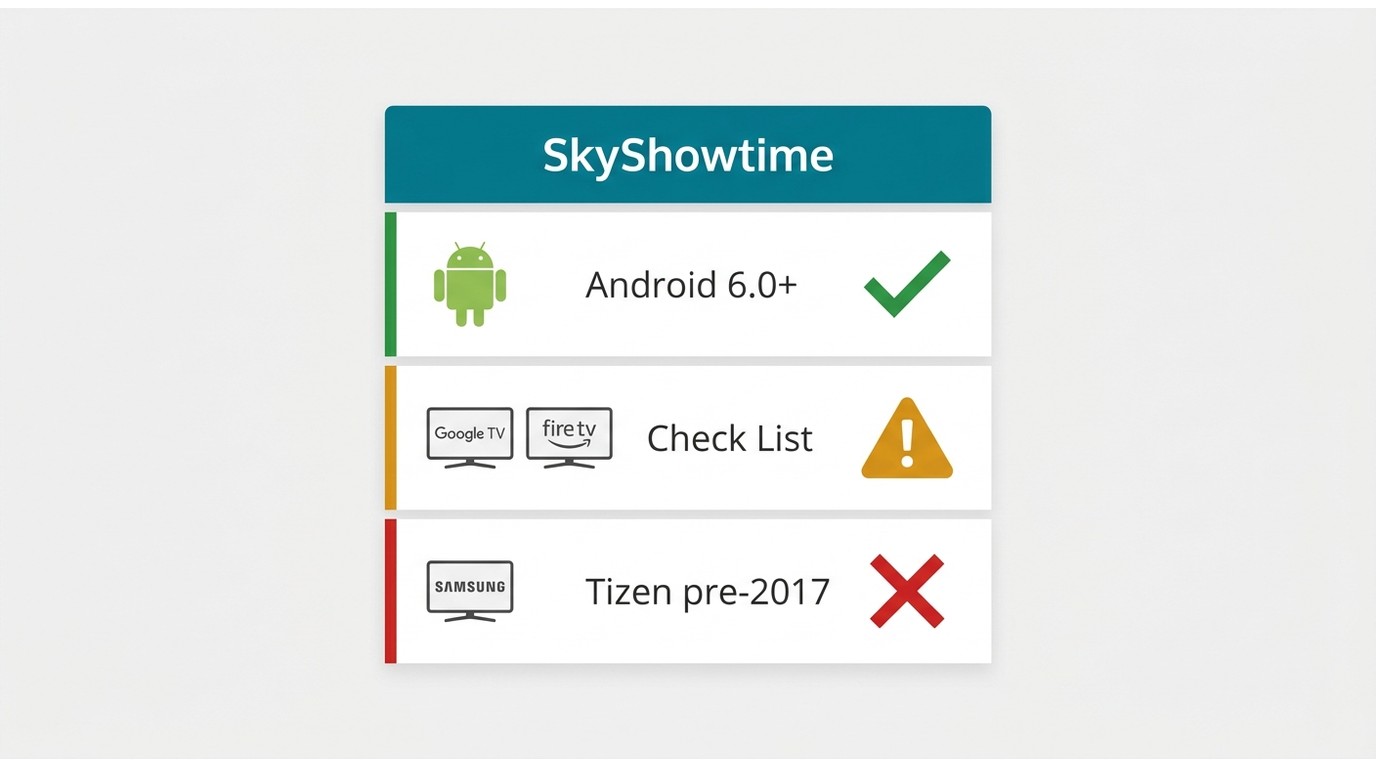
- The download button is greyed out: double-check that the app can write to local storage and that no VPN or proxy is masking your location; many “grey button” cases vanish after switching the VPN off. If you’re on an Android build earlier than 6.5, update to the newest release through Google Play or sideload the current APK.
- Google TV/Fire TV missing in Play Store: When the store says, “Device isn’t compatible,” first confirm that your device appears on SkyShowtime’s supported list and that its software is up to date. If it is still not available, contact either the device manufacturer or SkyShowtime support for guidance rather than trying to install app packages from third-party sites.
- Older Samsung Tizen sets unsupported: SkyShowtime officially supports only Samsung Smart TVs from 2017 or later running Tizen 3.0+; earlier models cannot install the app, and Samsung does not backport newer Tizen versions.
Legal-compliance tips
- Different countries and services have their own rules about saving online videos locally, and those rules can change over time. The notes below are only a general overview and do not replace professional legal advice.
- First, in many places there is no single rule that automatically permits personal copies of streamed shows in every situation. Second, even if you pay for access, that does not always give you a right to keep permanent copies in any format you like. Third, some regions have strict rules about trying to get around the limits that services place on where and how their content can be viewed.
- Because of this, tools like StreamFab should only be used in ways that match each platform’s terms and the laws where you live. If you are unsure what is allowed, check the latest official information or talk to a qualified professional before you rely on any downloader.
Offline Download Limits Across Streaming Platforms
The pattern is clear: triple-digit quotas are a premium-tier feature, and every mainstream service still leans on the 48-hour post-play clock. SkyShowtime sits at the stricter end because it locks downloads to mobile and TV only.
| Platform | Max offline titles | Film sub-cap | Expiry (untouched / after play) | PC download? |
|---|---|---|---|---|
| SkyShowtime | 100 (Premium) / 30 (Standard) | 30 films | 30 days / 48 hours | No — mobile & TV only |
| Netflix | 100 per device | No separate cap | Varies by title / 48 hours | Yes (Windows app) |
| Disney+ | Unlimited on up to 10 devices | No separate cap | 30 days / 48 hours | Yes (Windows app) |
| HBO Max | 30 per device | No separate cap | 30 days / 48 hours | Yes (Windows app) |
| Figures as of July 2026. | ||||
SkyShowtime’s new Premium tier lets subscribers store up to 100 offline titles, the same ceiling HBO Max now offers on its Ultimate Ad-Free plan. That figure also matches Netflix’s ad-free plans, which allow 100 active downloads per device, whereas Netflix’s ad-supported tier cuts users back to 15 titles a month, and Disney+ still caps an account at 25 cached titles. Standard-level HBO Max sticks to 30 simultaneous downloads, underlining how “triple-digit” quotas have become a premium upsell feature. In short, if you routinely batch-load shows for long flights or patchy Wi-Fi, upgrading to the higher-end plan now delivers the best convenience-to-cost ratio.
FAQs
The SkyShowtime app can be found on Google Play or the App Store. But be sure that you are in the SkyShowtime supported regions first, including Albania, Andorra, Bosnia and Herzegovina, Bulgaria, Croatia, Czech Republic, Denmark, Finland, Hungary, Kosovo, Montenegro, Netherlands, North Macedonia, Norway, Poland, Portugal, Romania, Serbia, Slovakia, Slovenia, Spain, and Sweden.
That depends on whether the original content provider supports your current region.
- If you're still in the EU, then everything is fine and you can watch them freely.
- If you're not in the EU now but the content provider supports the region, you may not access the downloads but can create new downloads of regional content.
- If you're not in the EU, neither is the provider supported here, so all your SkyShowtime downloads are wasted.
That can feel complicated, so the safest approach is to check what SkyShowtime itself says about travel and only rely on offline options that fit those rules, even if you also use tools like StreamFab to organize your personal watch list.
Not through the official app — its downloads stay inside the app on your phone or tablet. On a computer, a desktop tool like StreamFab can save a local MP4 (or MKV) copy of content you're authorized to watch, for personal offline viewing where SkyShowtime's terms and your local law allow it. MP4 has the practical advantage of playing on virtually any device or player.
SkyShowtime added 4K UHD content in October 2024 with its Premium tier, so higher-resolution offline viewing is now possible on qualifying plans. On the desktop side, StreamFab can save up to 4K with HDR10, where the source supports it. As always, the actual resolution you get depends on your subscription plan and what SkyShowtime serves for that specific title.
Yes. Like every mainstream streaming service, SkyShowtime protects its catalog with standard content protection, which is why the official app is the only way to store downloads inside it and why those downloads carry per-plan title limits and a 48-hour post-play expiry.
The official mobile app offers whatever audio and subtitle tracks SkyShowtime ships with that title. On desktop, StreamFab lets you pick the preferred audio track and save subtitles as external SRT files or remux them into the video, which is handy if you want forced subtitles off or a specific dub for family viewing.
Conclusion
Coming back to the question I opened with, is the official app enough? For phone-first viewers who don't travel much, honestly, yes. For anyone who watches on a laptop, crosses regions, or has been burned by the 48-hour clock, that's where a desktop workflow starts to earn its keep. Between the official mobile downloads and what StreamFab SkyShowtime Downloader adds on the desktop side, you now have both options mapped against your own plan, devices, and travel patterns — pick whichever setup matches how you actually watch, and stay within SkyShowtime's terms as you go.

