
You want to save Pornhub videos for offline viewing, but a Pornhub downloader does not supply permission to copy them. I recommend choosing the workflow after confirming that permission: a desktop interface for managing local files, or command-line software for direct control. For authorized offline viewing, choose command-line control, a desktop app, a browser extension, or an online service. Access and permission to save are separate requirements.
- Method 1: yt-dlp gives you command-line control over an authorized download.
- Method 2: StreamFab provides a desktop interface and MP4/MKV output.
- Method 3: Browser Extensions work within your browser and need permission review.
- Method 4: Online Downloaders accept a URL without a desktop installation.
- Troubleshooting starts with page access, the tool version, and file playback.
Can You Download Pornhub Videos in 2026?
As of September 2026, Pornhub and Pornhub Premium have no native video download feature. A Pornhub downloader is a separate workflow for authorized local saving. I would choose a desktop interface for managing files, or yt-dlp if command-line control matters more.
You need both viewing access and permission to save Pornhub videos for offline use. The four routes below cover command-line software, a desktop app, extensions, and online services. Start with authorization, then choose your workflow.

Related Topic: Permission to save is separate from permission to watch.How to Download OnlyFans Videos on PC/Mobile Devices
Can You Download Pornhub Videos?
1. From the Perspective of Technique
An accessible video page and a compatible tool are the technical prerequisites. Confirm playback with your authorized account first. A tool that cannot detect the selected video needs a compatibility update, not a different permission assumption.
2. From the Perspective of Legality
Authorization determines whether you should save a copy. Access to a video does not grant permission to download or redistribute it.
- Use an account with authorized access to the video.
- Obtain permission to save the specific content.
- Keep authorized copies private; do not redistribute them.
- Follow applicable law and platform terms; permission is specific to your use case.
- Account security: Keep passwords out of URL-submission forms.
- Official sources: Get installers from the developer, not unofficial modified versions.
- Secure storage: Keep saved files in a protected folder.
- Privacy: Review browser permissions and cloud-sync settings.
Method 1: yt-dlp (Free Command-Line Downloader for Advanced Users)

2026 Update: A 404 response means a requested resource was not found. It does not establish that cookies are missing; first check authorized page access and your installed tool version.
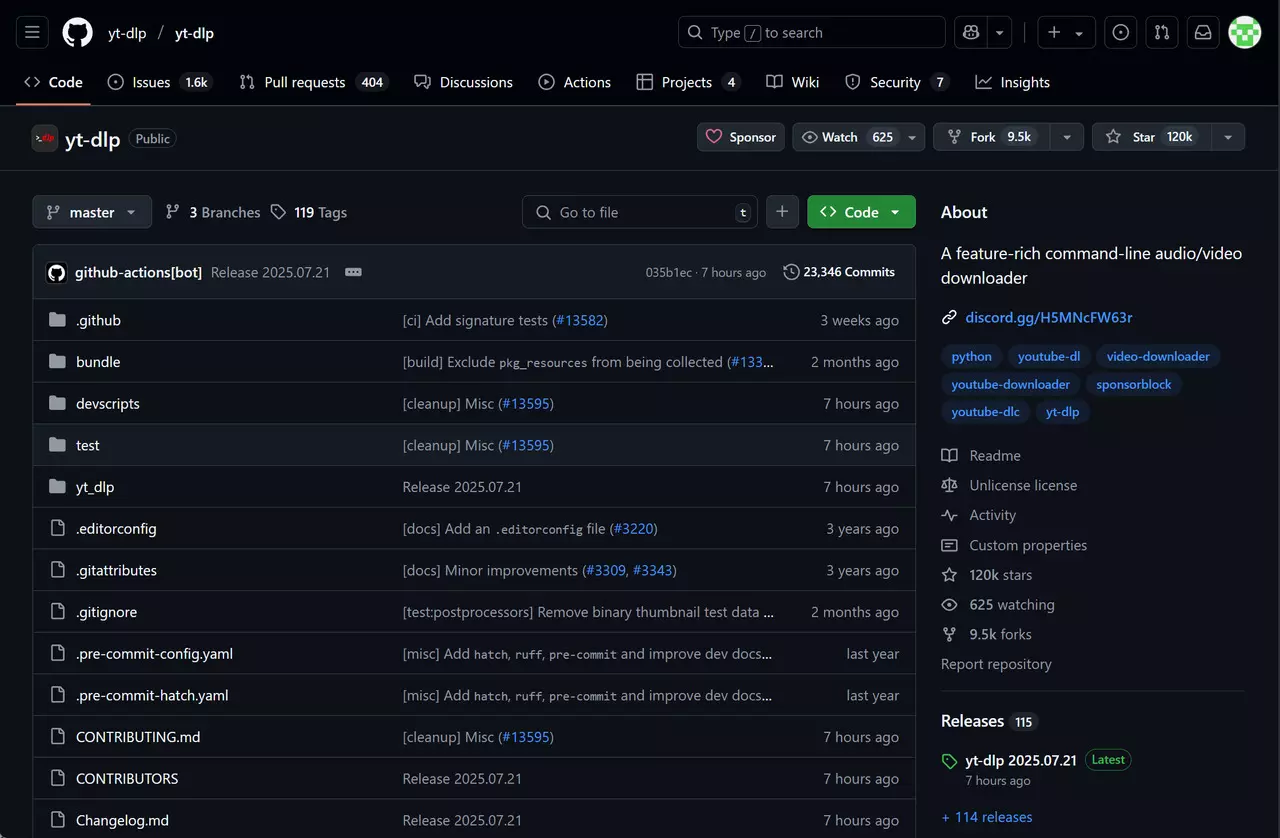
yt-dlp is a free, open-source command-line downloader. You control requests and output options from a terminal. The yt-dlp guide explains the command syntax used in this workflow; keep your installation current when supported sites change.
- The tool is free and open source.
- Command options give you control over file selection.
- Format selection follows the available source streams.
- You run commands from your own terminal.
- Updates address changes to supported sites.
- You need familiarity with command-line syntax.
- Some authorized sessions require login information; keep session files private.
- The standard interface is a command line.
- Site changes require tool updates; update through your installation method.
How to Download Pornhub Videos with yt-dlp
Install yt-dlp from official sources
Use the official project release or your package manager. Installation commands include:On Windows, run: winget install yt-dlpOn macOS, run: brew install yt-dlpWith Python, run: pip install yt-dlp
Check whether your authorized session is needed
If your authorized request needs a login session, export your own browser cookies to cookies.txt using a trusted local tool. Keep the file private; cookies are not a universal requirement.
Run the download command
Open a terminal. The following example uses an exported session and requires FFmpeg to merge separate audio and video:yt-dlp --cookies cookies.txt -f "bestvideo+bestaudio" --merge-output-format mp4 "VIDEO_URL"
Replace VIDEO_URL with the full authorized video URL. Omit --cookies cookies.txt when a session file is unnecessary.
Method 2. StreamFab Pornhub Downloader
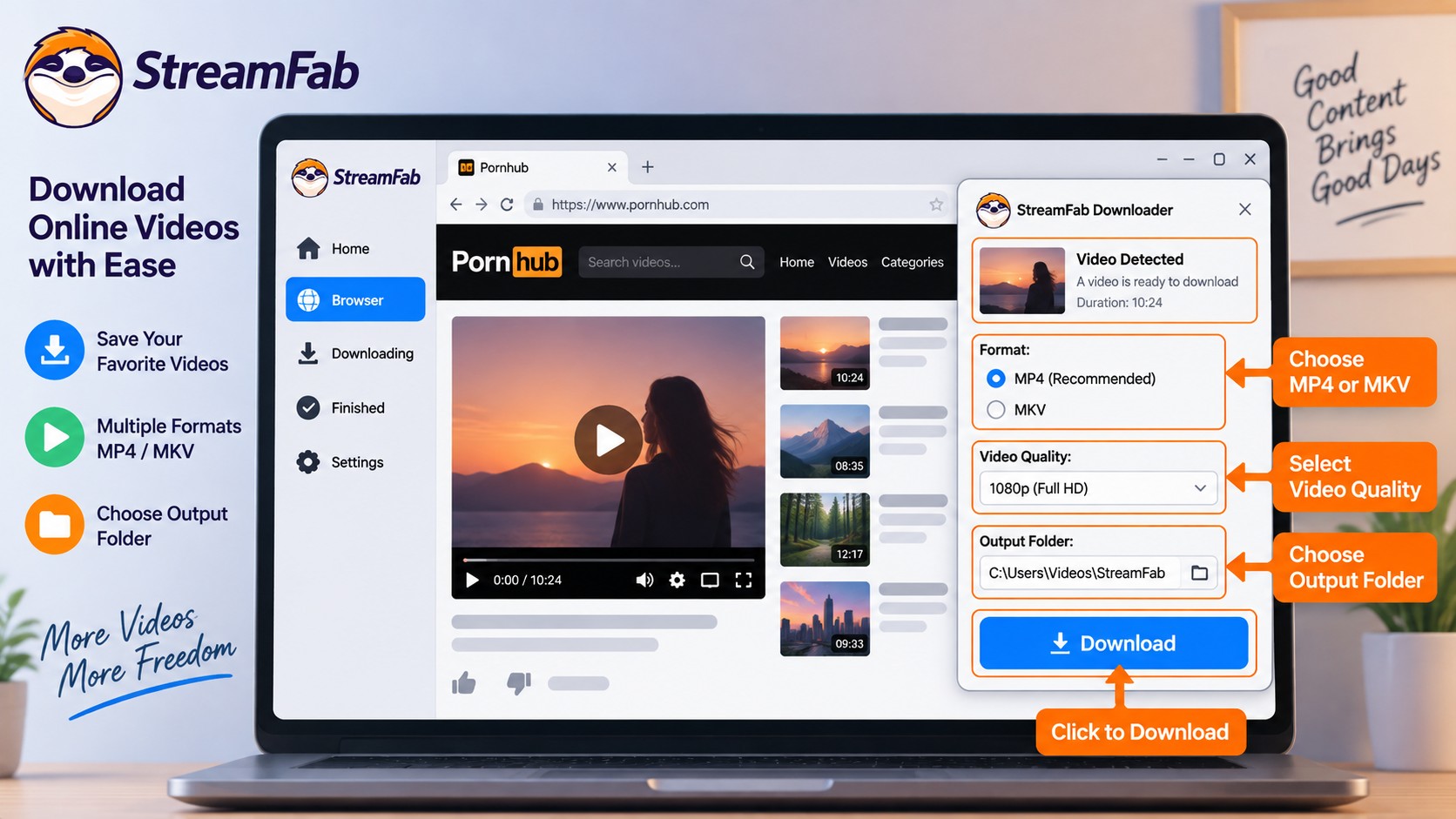

StreamFab Pornhub Downloader is a desktop app for saving authorized videos as local MP4 or MKV files. It is a third-party alternative to Pornhub's official viewing features, subject to platform terms and applicable law. Its built-in browser provides the video-selection interface.
I prefer StreamFab's desktop workflow when selecting files visually is more useful than entering command options. It uses recording technology and does not decrypt DRM. Use its trial to check source-format compatibility; for a site compatibility error, install the latest update and follow the troubleshooting guidance below.
A desktop tool that helps you save authorized Pornhub videos as personal offline copies, with MP4 or MKV output and a built-in browser for selecting videos.
- Select videos through a built-in browser.
- Save supported source formats as MP4 or MKV.
- Choose available output settings in the app.
- Queue authorized videos with batch downloading.
- For site compatibility errors, install the latest update and use troubleshooting guidance.
- Get the installer from StreamFab's official download page.
- The trial runs 30 days, with three downloads per service.
- Install the desktop app before using the built-in browser.
How to Use StreamFab Pornhub Downloader
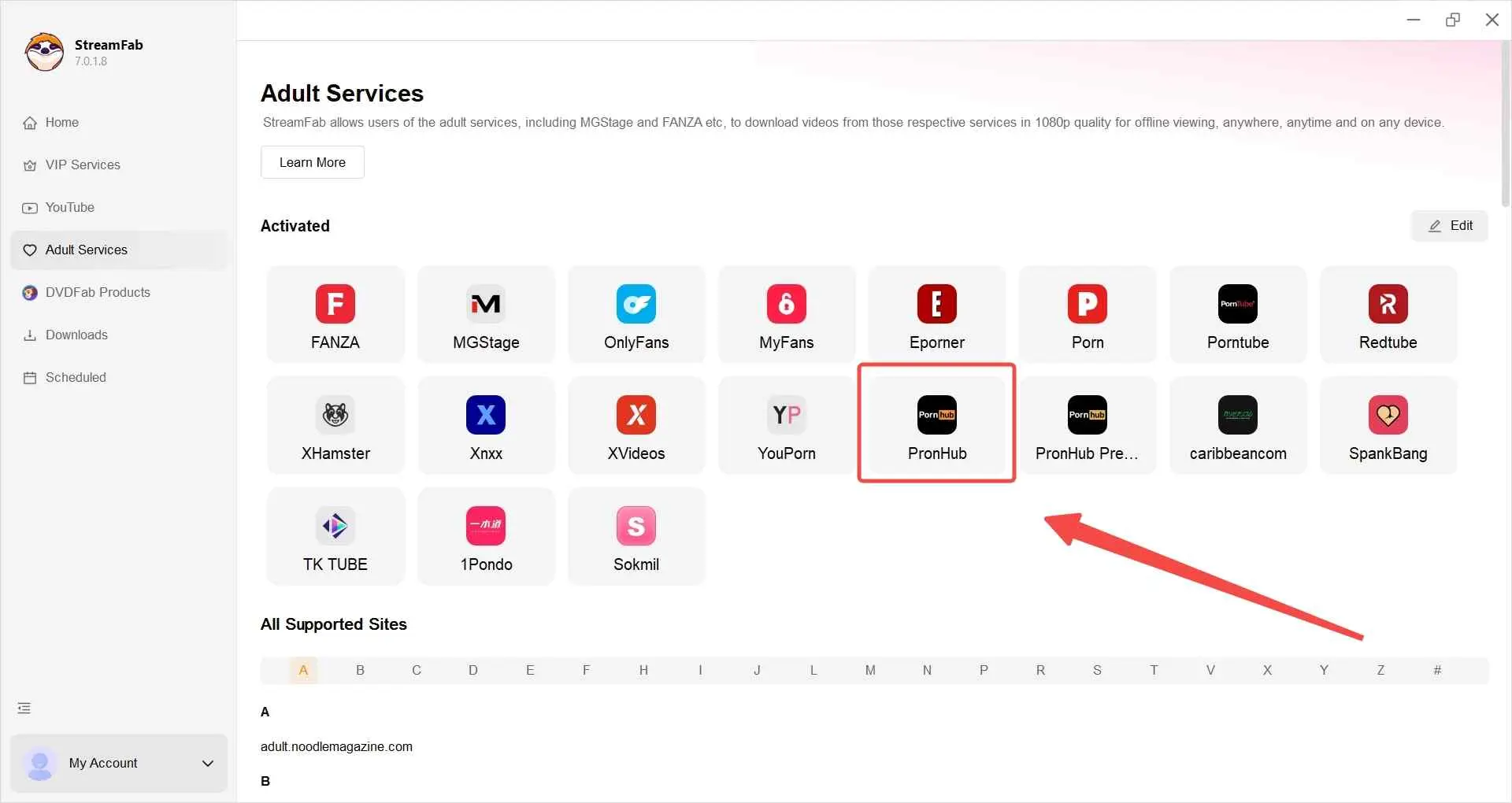
Find the videos you want to watch offline
In the Adult Services tab, select the Pornhub card. Open a video your account is authorized to access and that you have permission to save.
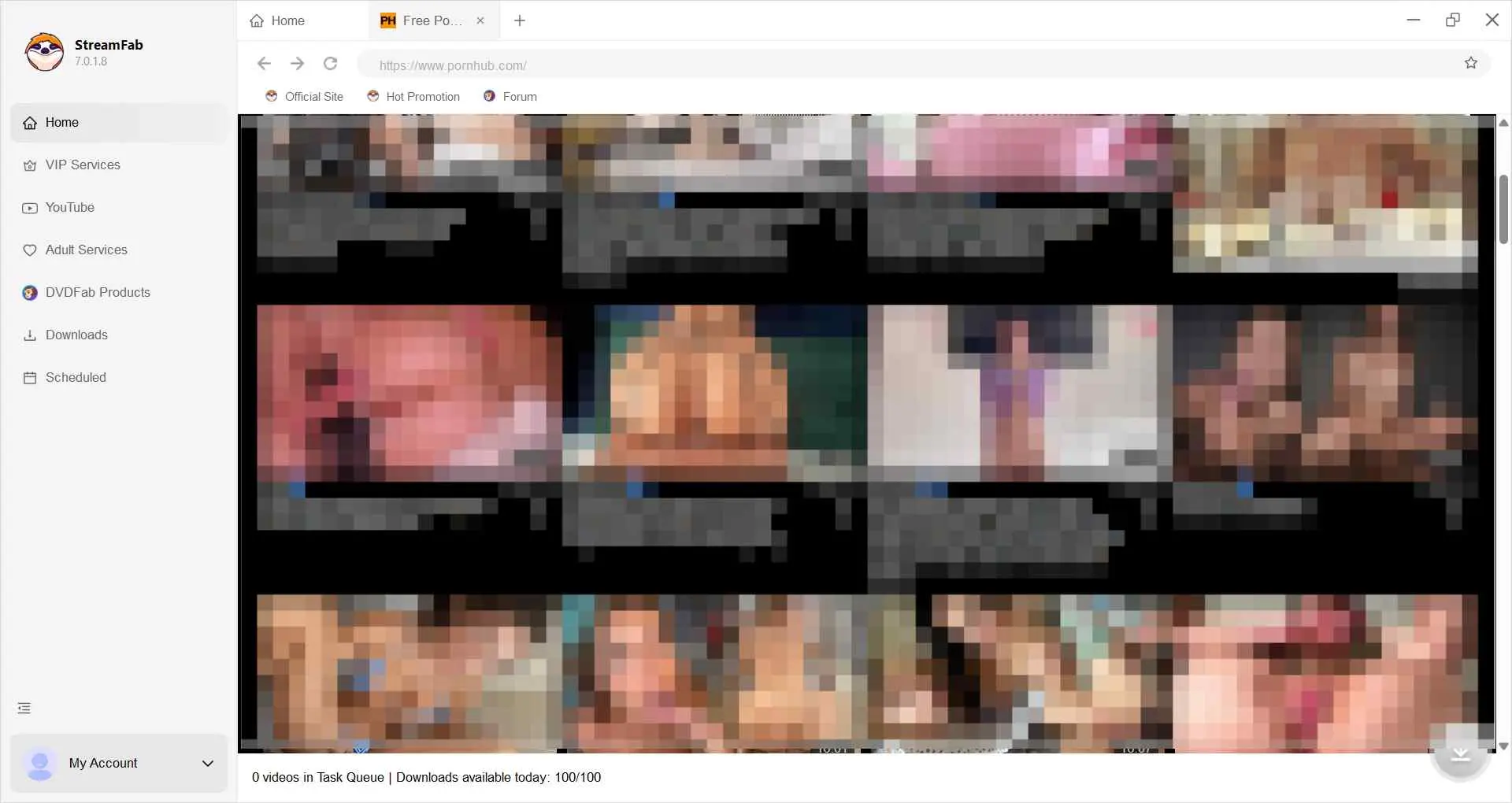
Set the download options
When playback opens the options window, select the available resolution, audio, and file format for your local copy.
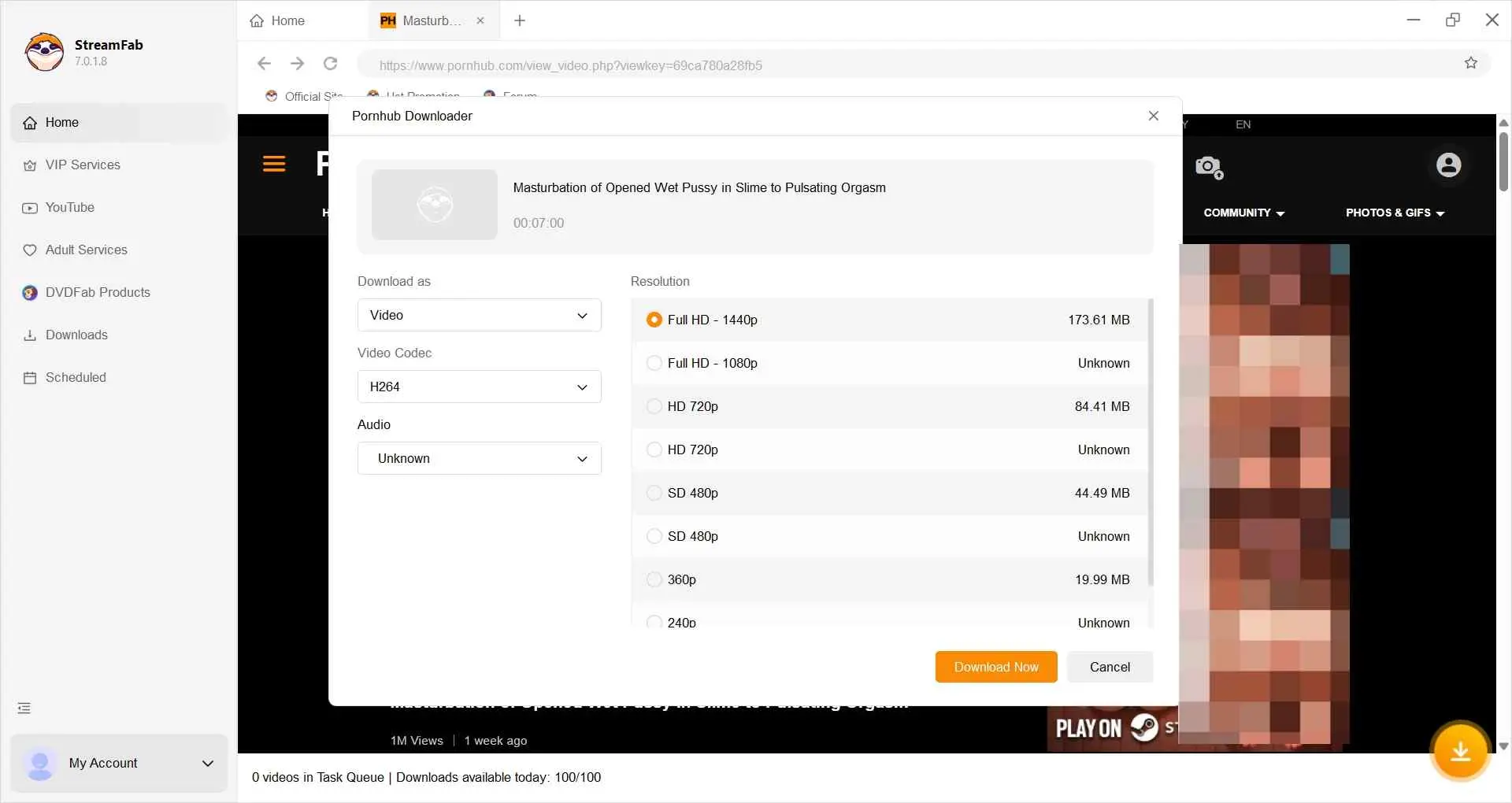
Start downloading videos for personal backup
Select Download Now. After completion, open the selected output folder and check playback of your private copy.
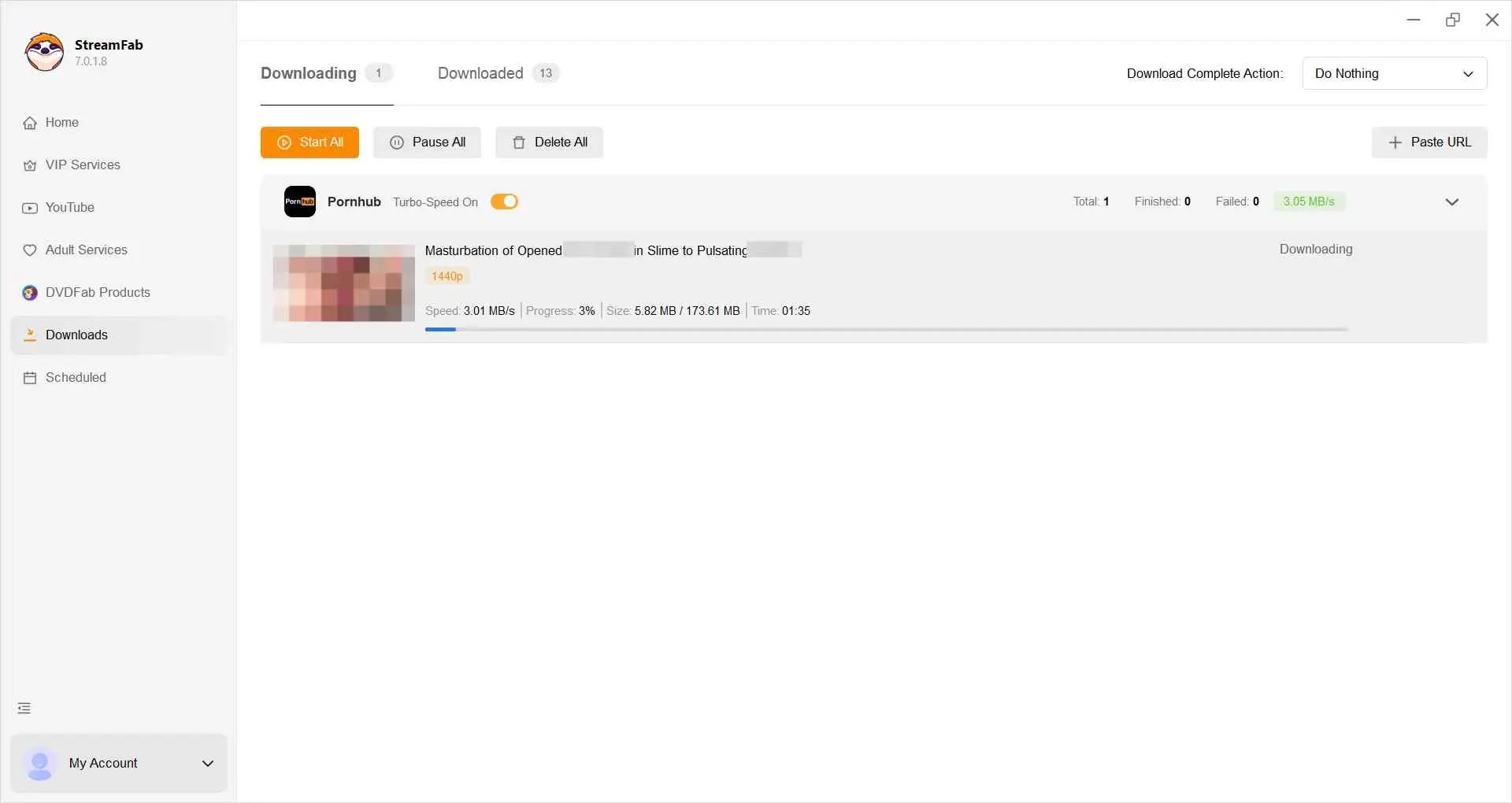

Method 3: Browser Extensions for Pornhub Downloads
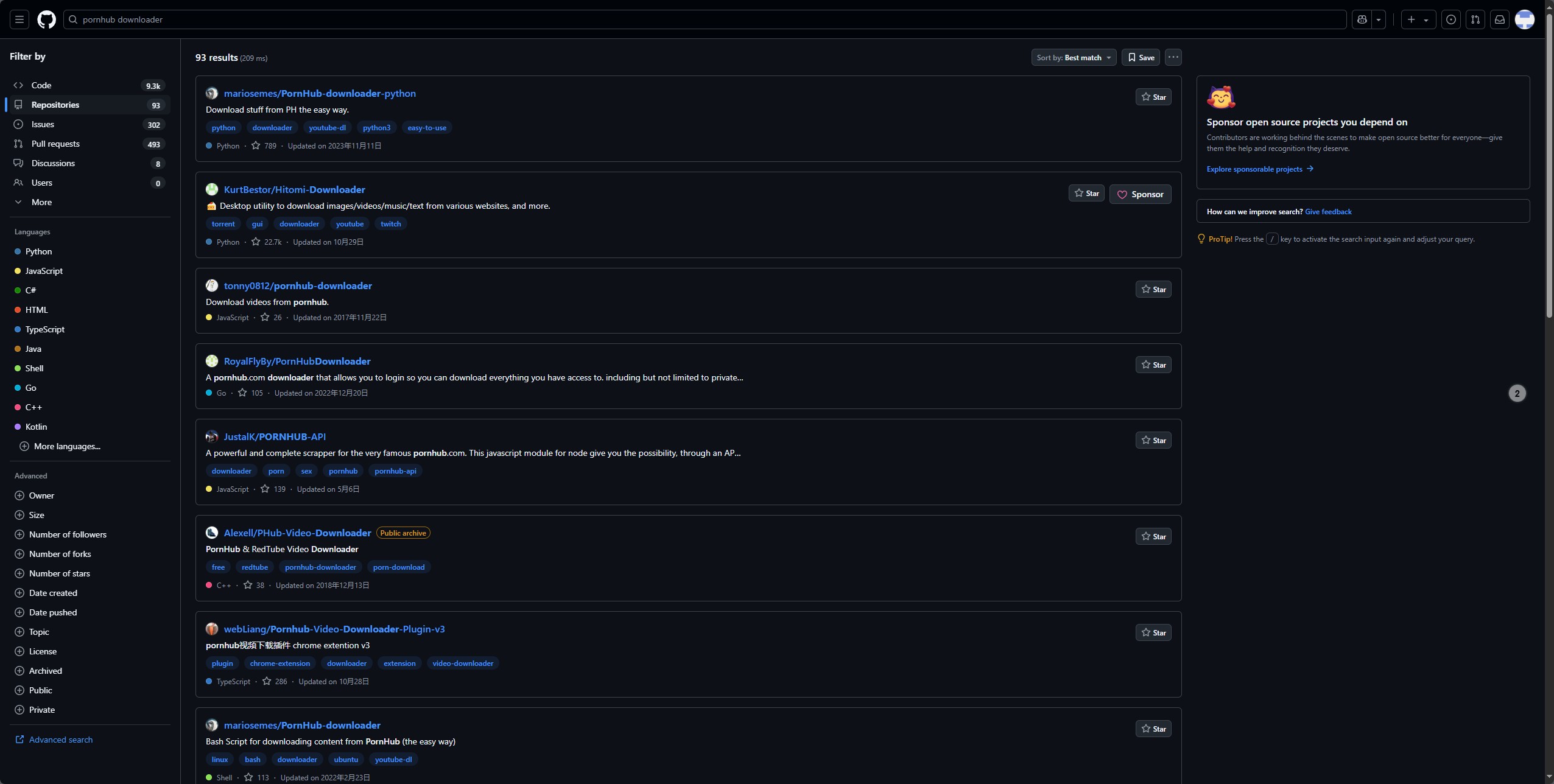
Browser extensions offer controls alongside your active video page. Detection on that page is the first practical check. A listed format feature does not establish that a particular Pornhub video is supported.
- Video DownloadHelper advertises HD downloads and multiple formats.
- Premium options include maximum-quality features, not a guarantee for a particular Pornhub video.
- Site compatibility is separate from advertised format support; confirm detection on your authorized page.
- You work from the video page already open in your browser.
- Install an add-on rather than a separate desktop downloader.
- Use the extension's controls to inspect detected formats.
- Review the developer and the permissions requested.
- Confirm that the extension detects your authorized video.
- Update the extension when site compatibility changes.
- Remove extensions you no longer use.
- Select from the formats actually offered for the source.
- VR playback requires a compatible source and player.
- Review the extension's task controls before queuing multiple videos.
How to Use Pornhub Download Extensions Safely
Install a trusted video extension
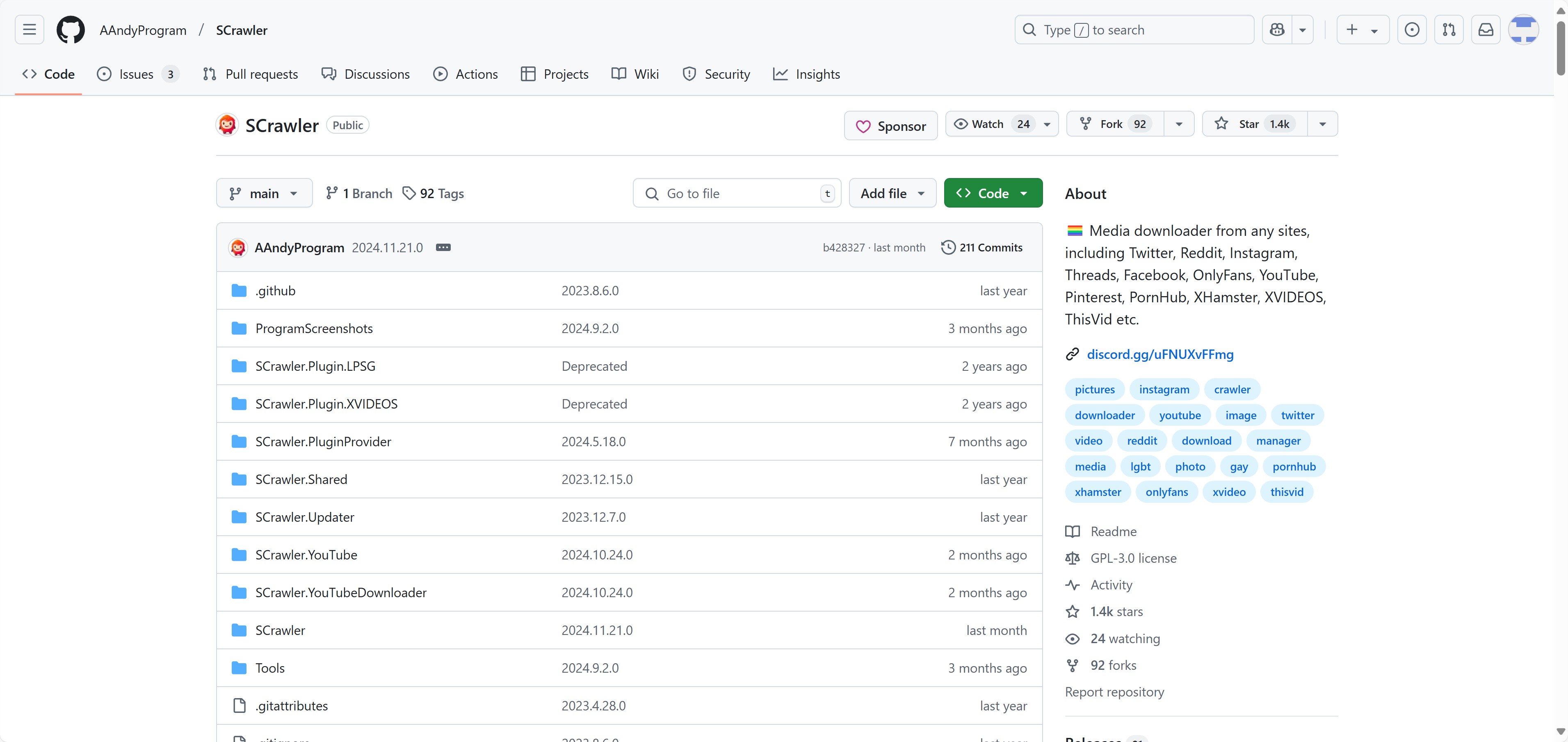
Choose the developer's official browser-store listing. Review its permissions before installation and decline unrelated access.
Review site rules before using it
Open Pornhub in that browser and confirm that saving the selected video is authorized under the site's terms.
Use the extension with minimal permissions
Enable the extension for the required site and inspect the detected video. Do not grant unrelated access or share session data.
Keep any saved files strictly personal
Keep the file in a protected local folder. Do not upload or reshare it; remove the extension if it behaves unexpectedly.
Method 4: Online Pornhub Video Downloaders
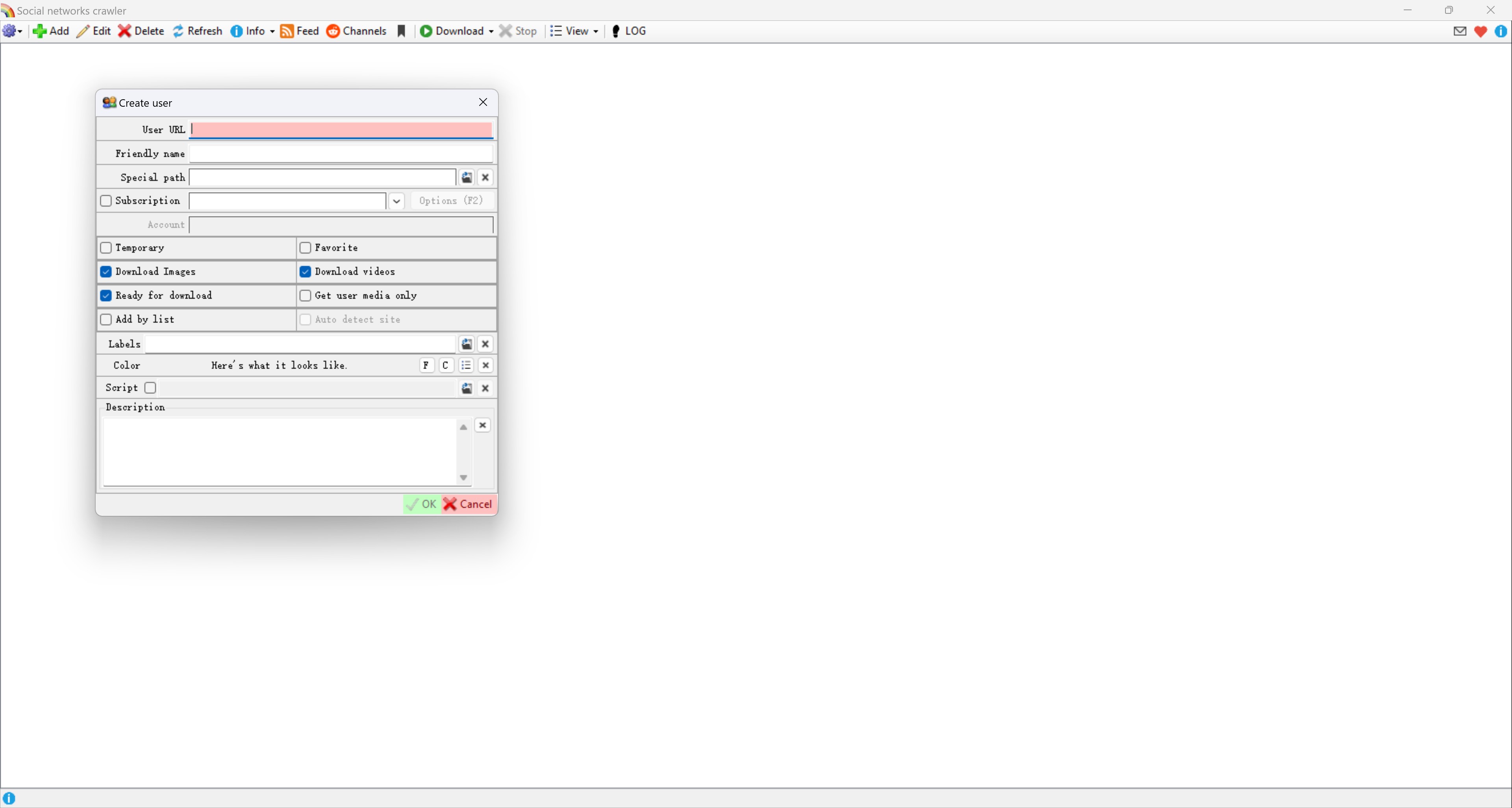
An online Pornhub video downloader takes a pasted URL and returns available file options. SavePorn.cc and 6Buses are examples. SavePorn.cc and SavePorn.net are different domains; do not assume they are the same service.

- Paste an authorized video URL into the service's form.
- A browser service does not require a desktop installation.
- Review the service's stated limits before submitting a URL.
- Stop at unexpected installer prompts.
- Close unrelated advertising tabs rather than following their download buttons.
- A failed URL request does not establish that the original video is unavailable.
- 6Buses has separate online and desktop services; its online service limits length, quality to SD, and daily use.
- A saved VR source still needs a compatible player.
- Confirm the destination folder after a file finishes downloading.
How to Evaluate Online Video Downloaders
Assess the service’s trustworthiness
Read the privacy policy and identify the service operator. Stop at unrelated account requests, redirects, or installer prompts.

Confirm what content you’re allowed to save
Confirm permission to save the selected video under the platform terms and applicable law before submitting its address.
Limit how much data you share
Submit the required video URL without passwords, exported cookies, or private session tokens.

Store and delete files responsibly
Keep authorized files private. Delete copies you no longer need and avoid shared or automatically synced folders.
Comprehensive Comparison: Which Method Should You Choose?
Choose the interface you want to manage: terminal, desktop app, browser add-on, or URL form. The comparison below separates setup from output control. None of these interfaces grants permission to save content.
| Feature | yt-dlp | StreamFab | Browser extensions | Online tools |
|---|---|---|---|---|
| Interface | Command line | Desktop app | Browser add-on | Web page |
| Setup | Install a tool | Install app; trial download limits | Install an extension | Open a website |
| Local file destination | Chosen output folder | Chosen output folder | Browser download folder | Browser download folder |
| User input | URL and command options | Built-in browser | Active video page | Pasted URL |
| Format selection | Command options | MP4 or MKV; site changes require updates | Extension options | Service options |
| Best fit | Command-line control | Desktop workflow | Browser workflow | URL-based workflow |
Our Recommendation on Which Pornhub Download Method You Should Pick
I would choose StreamFab for managing local files through a desktop interface, and yt-dlp for direct command-line control. An extension keeps you on the video page; an online service uses a pasted URL. Keep credentials out of URL forms.
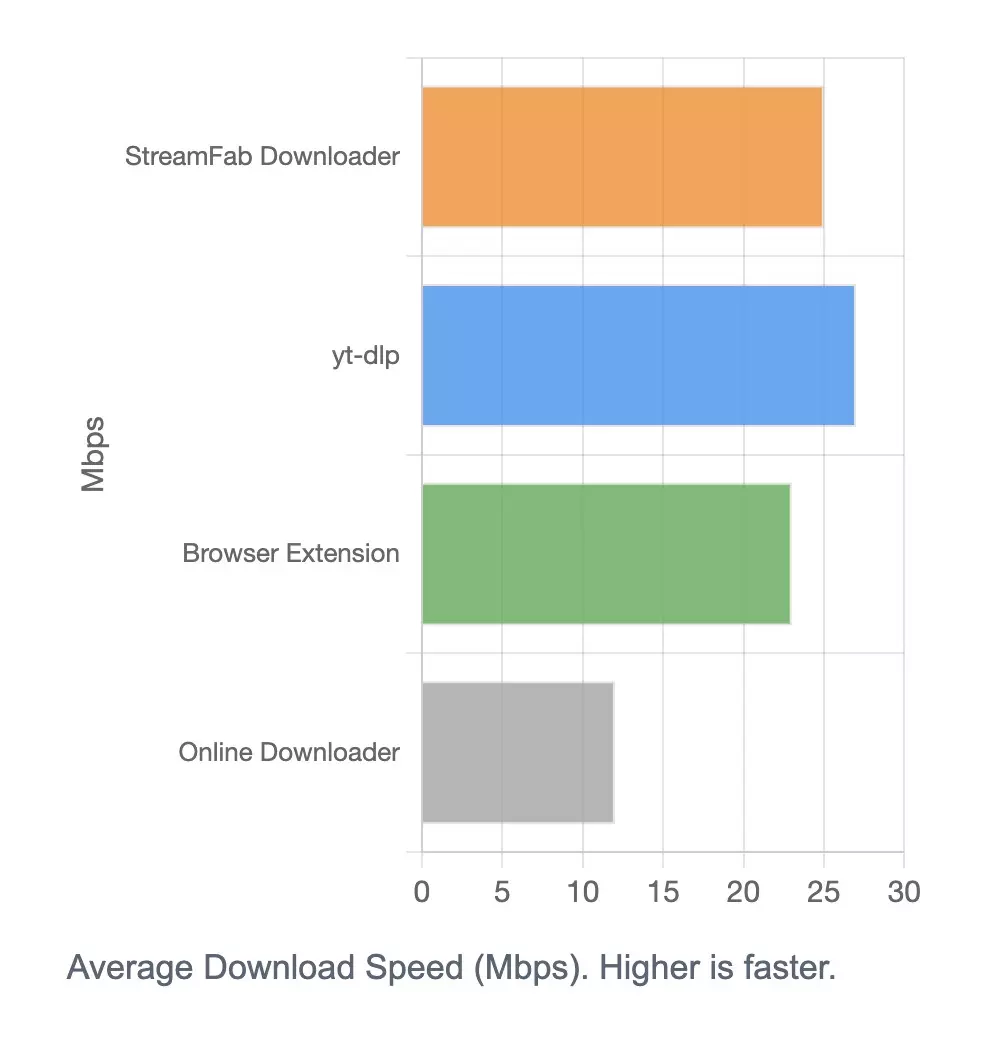
Historical feature illustration:
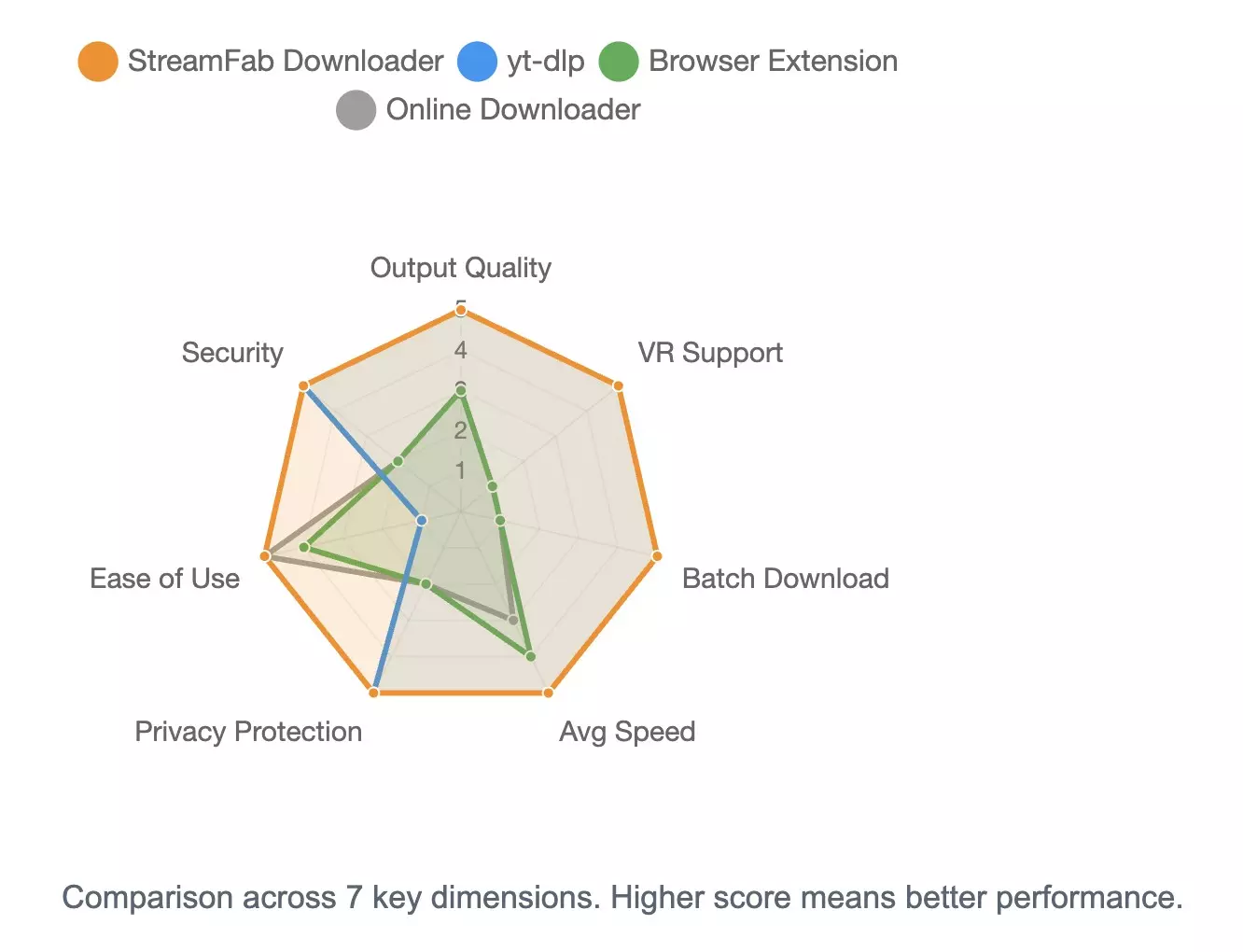
The historical speed illustration below reflects its original setup, not a current performance guarantee.
Safety & Trust: How to Download Safely
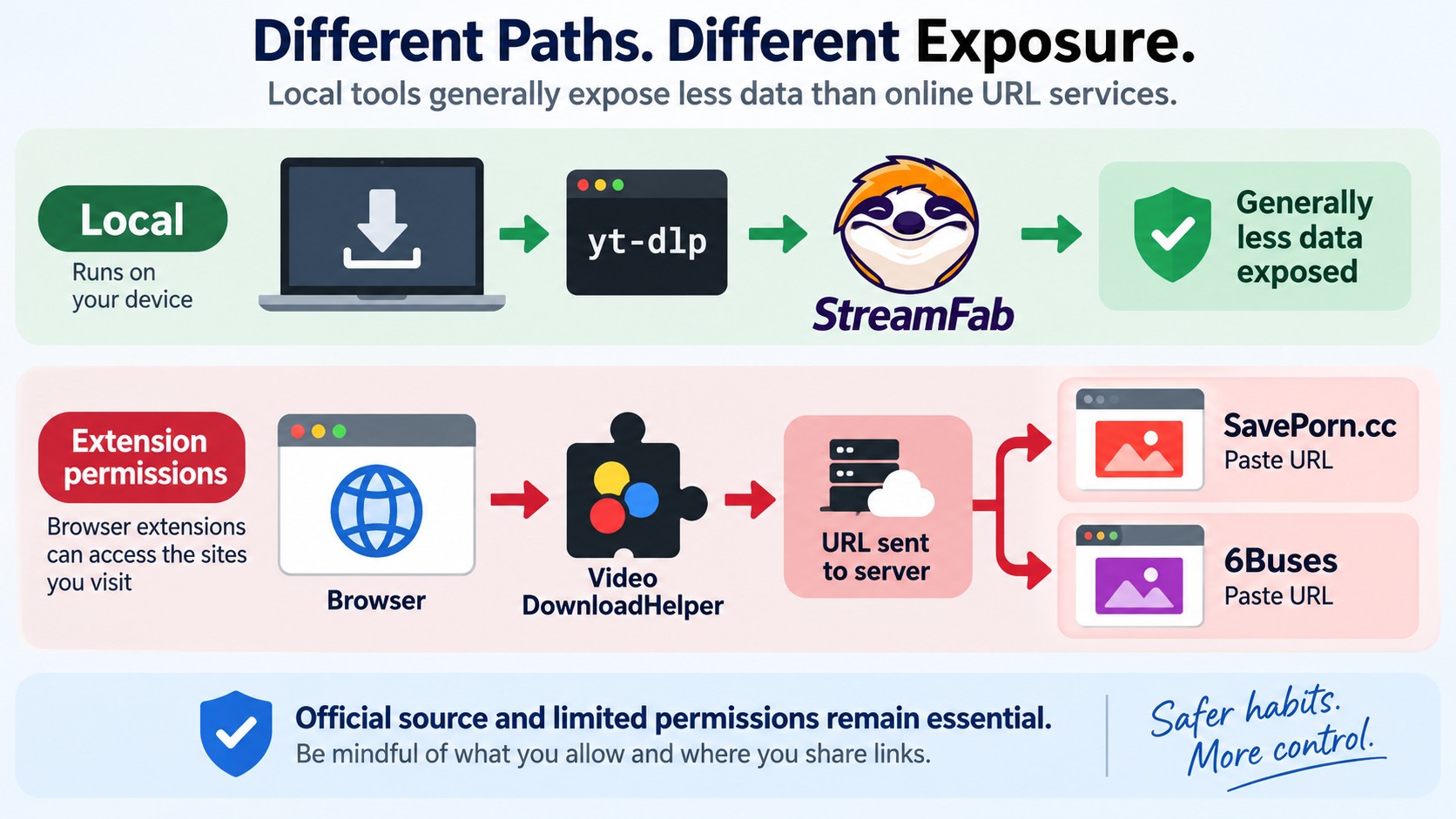
Official installers, limited permissions, and private session files are practical safeguards for a Pornhub download. Start with the source of the software. A local output folder alone says nothing about the application's network activity.
Red Flags to Avoid
Stop a download workflow when it asks for unrelated access or software.
- Personal information: Stop when a URL-pasting site asks for your platform password or unrelated account details.
- Excessive permissions: Decline browser access unrelated to the task.
- Bundled software: Reject offers to install unrelated applications or toolbars.
- Untraceable downloads: Avoid installers without a verifiable developer source.
- Access promises: A downloader does not grant access to paid or private videos.
Tool-by-Tool Trust Assessment
| Tool | Installation check | Privacy action |
|---|---|---|
| yt-dlp | Official project release or package manager | Protect exported session files |
| StreamFab | Official installer | Review output folder and sync settings |
| Browser Extensions | Developer's official store listing | Grant minimal site permissions |
| Online Downloaders | Identifiable service and privacy policy | Submit URLs without credentials |
Privacy Best Practices
Keep saved files and login-session data out of shared folders.
- Local storage: A saved file stays in the folder you choose; the application still makes network requests.
- Network activity: Review unexplained connections before granting additional permissions.
- Separate browser profile: Keep this workflow separate from saved passwords for unrelated accounts.
- Session files: Delete exported cookies when no longer needed and sign out of the associated session.
- Credentials: Do not enter your Pornhub password into an online downloader's form.
Verifying Official Download Sources
Use the developer's installation route rather than a repackaged installer.
| Tool | Official installation route |
|---|---|
| yt-dlp | Official project releases or pip, winget, or brew |
| StreamFab | streamfab.com/download.htm |
| Video DownloadHelper | Developer's official browser-store listing |
Warning: Avoid unofficial modified versions of paid software. Use the developer's installer and retain your operating system's security checks.
Troubleshooting Common Download Issues
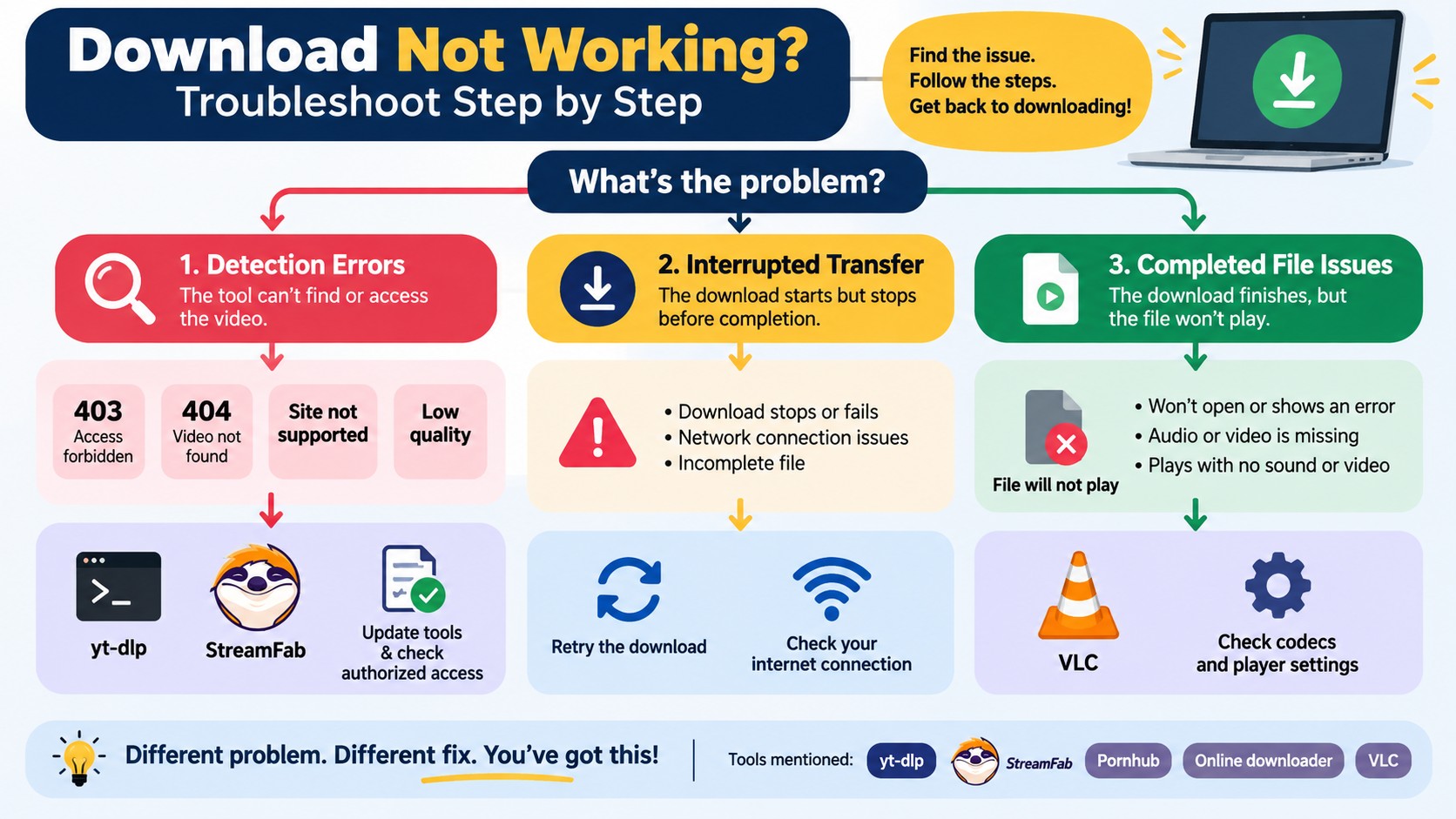
A failed request, an incomplete download, and an unplayable file need different checks. Identify the stage that failed first. The error message and output folder give you a more useful starting point than repeatedly pasting the same URL.
yt-dlp Errors
| Error | Next action |
|---|---|
| 404: Not Found | Confirm authorized page access; update the installed tool. |
| 403: Forbidden | Check account access; stop if access is denied. |
Unable to extract video URL | Update through your installation method; retry an accessible authorized page. |
| Download stops midway | Restore the connection and resume or retry the authorized download. |
| Shorties fails | Check video-type support in the current tool version. |
StreamFab Issues
| Problem | Next action |
|---|---|
| Download button absent | Start playback; restart the app and install its latest update. |
| Expected resolution missing | Match source quality; use the trial to check source-format compatibility. |
| Completed file will not play | Check completion, disk space, output folder, and player codec support. |
| Site compatibility error | Install the latest update and follow StreamFab troubleshooting guidance. |
Online Downloader Issues
| Problem | Next action |
|---|---|
| Video not found | Paste the full authorized page URL, including its viewkey parameter. |
| Low-quality output | Inspect available source formats and the service's stated limits. |
| Pop-ups, redirects, or installer prompts | Close the workflow; do not follow unrelated download buttons. |
General Tips
- Restore a stable connection before retrying an interrupted download.
- Use the tool's current version for site compatibility fixes.
- On desktop, look in the selected output folder; on mobile, look in the browser-selected Downloads location.
- MP4, MKV, and TS are containers. Renaming the extension does not convert a file; playback also requires a supported codec, the format used to encode its video or audio.
FAQs
Conclusion
Choose StreamFab for a visual desktop workflow and local MP4/MKV output, or yt-dlp for command-line control. Extensions and URL-based services fit browser workflows. Save a local copy for personal offline viewing only when you have the required access and permission.
StreamFab does not endorse uses that violate copyright law, platform terms, or applicable regulations.
Use authorized access, save content only with permission, and do not redistribute it. The applicable conditions are specific to the content and your use case.
