
Table of contents
If a direct downloader cannot handle a subscribed service or live stream, RecordFab offers a practical Windows recording fallback. This RecordFab review explains where the streaming video recorder fits, how speed fallback works, which output settings matter, and what its trial lets you test.
RecordFab Review: The Short Verdict
RecordFab is worth considering when you need playback recording rather than direct downloading, especially for live or less-common services. Its clearest trade-offs are Windows-only support, one recording at a time, a 1080p ceiling, and speed that changes with the player.
- Best for: Windows users who need a recording fallback for supported services or live content
- Quality ceiling: Up to 1080p output, with 720p available for smaller files
- Speed range: Up to 5x on supported sites, with automatic 1x or 2x fallback
- Main limitation: One recording at a time rather than batch capture
My take is straightforward: use RecordFab when coverage matters more than batch processing. If you mainly want direct downloads from supported services, the StreamFab review explains that separate workflow and its stronger fit for queued downloads.
What RecordFab Does
RecordFab recording happens through a built-in browser that detects video playback and records it to a local file. Relative to a service's official offline feature, RecordFab is a Windows recording fallback for personal offline viewing of content you are authorized to access, where permitted by platform terms and applicable law.

A Windows streaming recorder for supported services, live streams, and online courses, with output up to 1080p.
Auto Video Detection
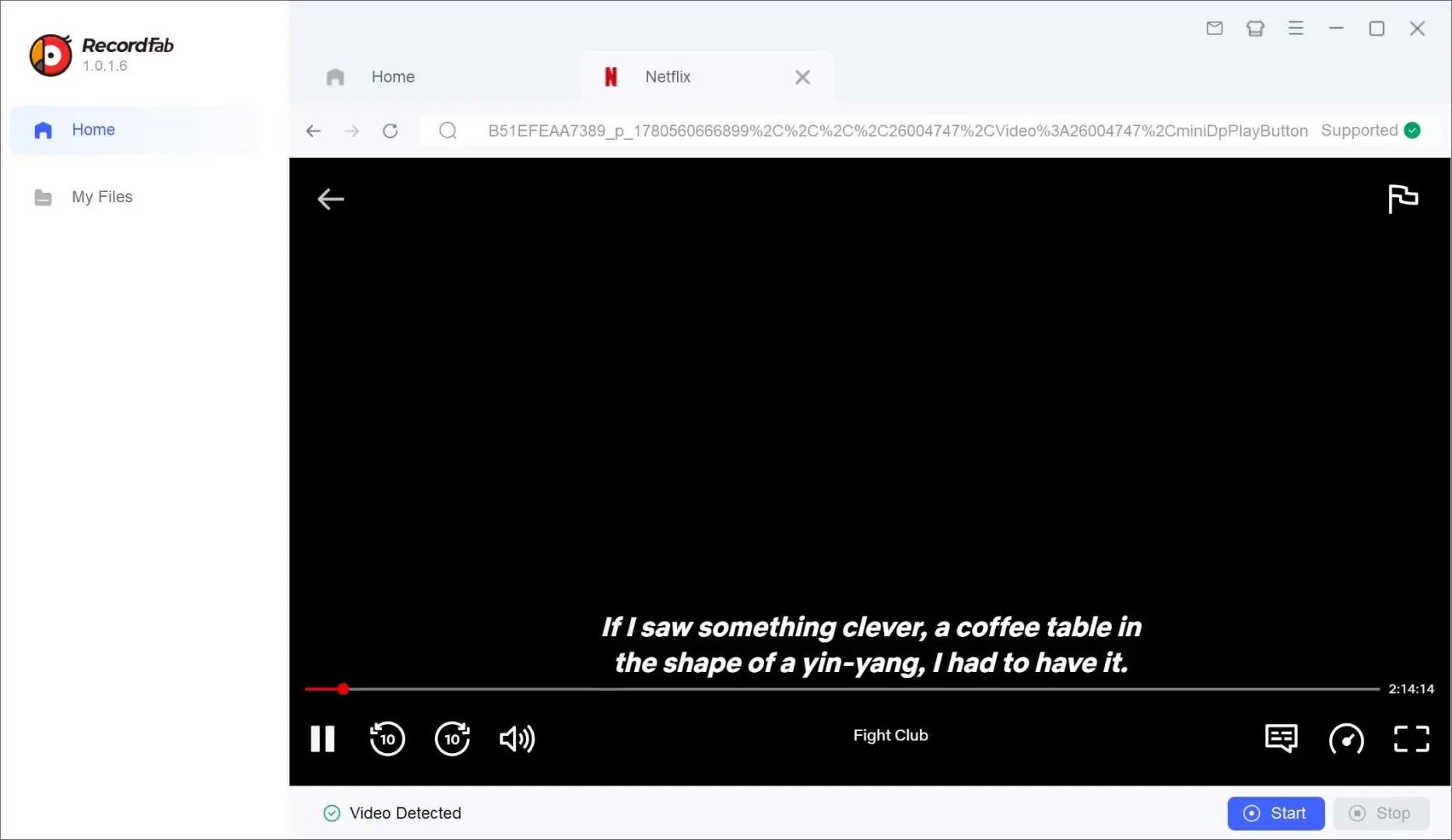
Open the service inside RecordFab, sign in, and play the title. The app looks for playable video and presents recording controls without requiring you to map a screen region or build a capture scene.
The built-in browser is useful when a normal screen-capture route produces a blank picture or when a direct-download module does not cover the service. It remains a recorder, so playback behavior still determines speed, subtitle capture, and the final file.
Where RecordFab Fits
RecordFab fits between official app downloads and a direct downloader: it gives you a standard local file, but it records playback instead of retrieving the source through a service-specific module.
- StreamFab uses a direct-download workflow on supported sites, with batch tasks and MP4/MKV output.
- RecordFab records playback in its built-in Windows browser, with MP4/MKV output up to 1080p.
Choose RecordFab for a live event, a niche service, or a title that does not enter a direct-download queue. Choose an official app download for simple in-app travel viewing, and choose direct downloading when you want batch handling on a supported service.
Supported Platforms and Mac Options
The RecordFab Windows app has no native macOS version. Service coverage changes after platform updates, so confirm your target service in RecordFab's current compatibility list before planning a long session.
- Use a Windows PC with enough free storage for the planned recording.
- Install RecordFab from its official product page.
- Sign in with an active account that can play the selected title.
- Choose MP4 or MKV, resolution, bitrate, and an available speed.
- Run a short sample before recording a full movie or event.
On a Mac, Apple's Screenshot toolbar or QuickTime Player can handle general screen recording. Those are separate macOS capture options, not RecordFab features, and they record in real time rather than adding a native RecordFab Mac workflow.
Recording Speed in Practice
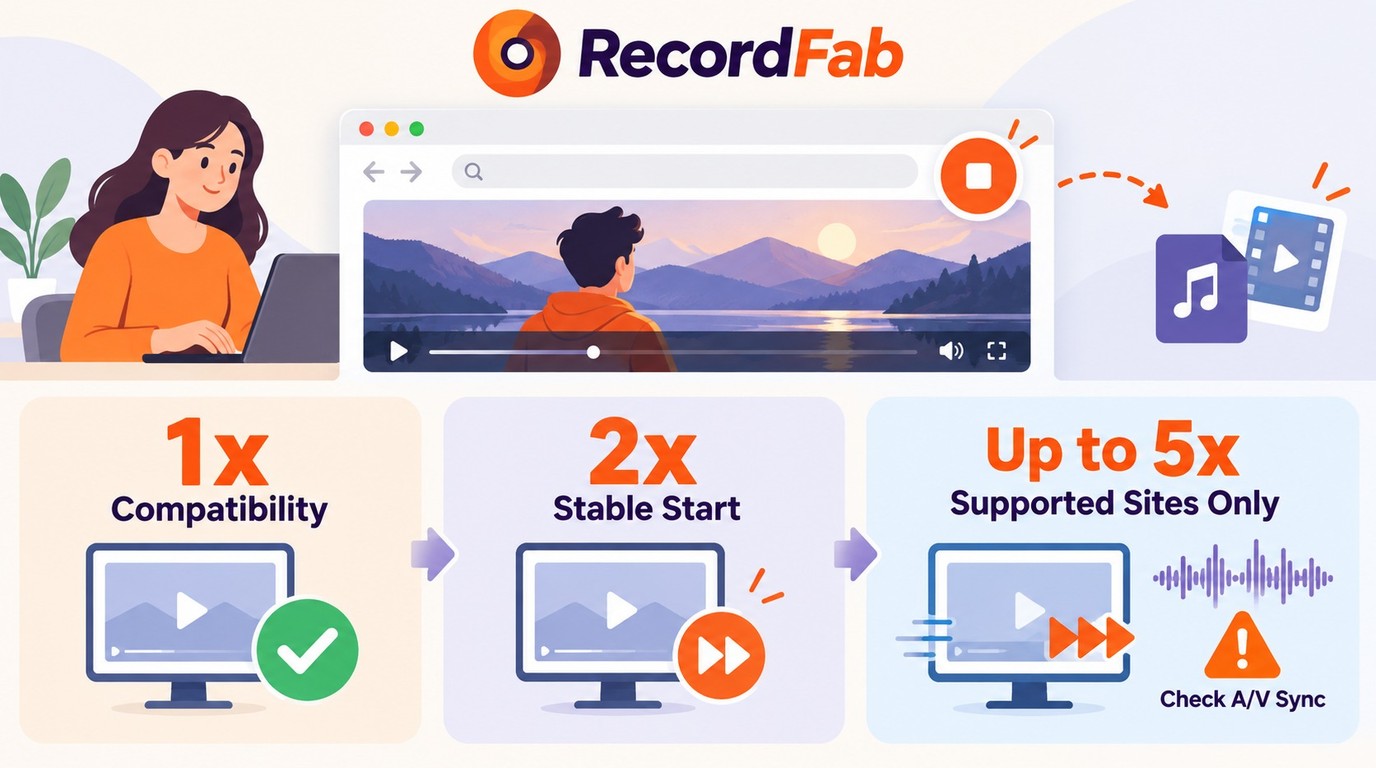
RecordFab recording speed is player-specific: supported sites offer up to 5x, while restricted or custom players fall back to 1x or 2x. Treat the advertised maximum as a ceiling, not the default for every site.
- 1x: Real-time recording for players that restrict acceleration.
- 2x: A sensible first test for faster capture; keep the playback settings unchanged while checking sync.
- 5x: The maximum on supported sites when the player permits it.

I treat 2x as the practical default because it reduces capture time without immediately pushing to the player-specific 5x ceiling.
When Recording Falls Back
RecordFab 5x recording does not apply universally. When the player limits acceleration, the app switches to a lower mode; a two-hour title at 1x still takes about two hours to capture.
That fallback is predictable enough to plan around. Test a dialogue-heavy scene first, because lip movement makes audio drift easier to spot than an action sequence.
Hardware and Background Recording
Hardware acceleration moves video processing to the graphics processor, which leaves more CPU capacity for ordinary desktop work. Background recording lets the task continue while you use other applications, but the Windows PC must remain awake and connected.
I would treat 5x as a time-saving option, not a promise. A clean two-minute sample at 2x tells you more about a specific service than the headline maximum does.
Output Quality, Formats, and File Size
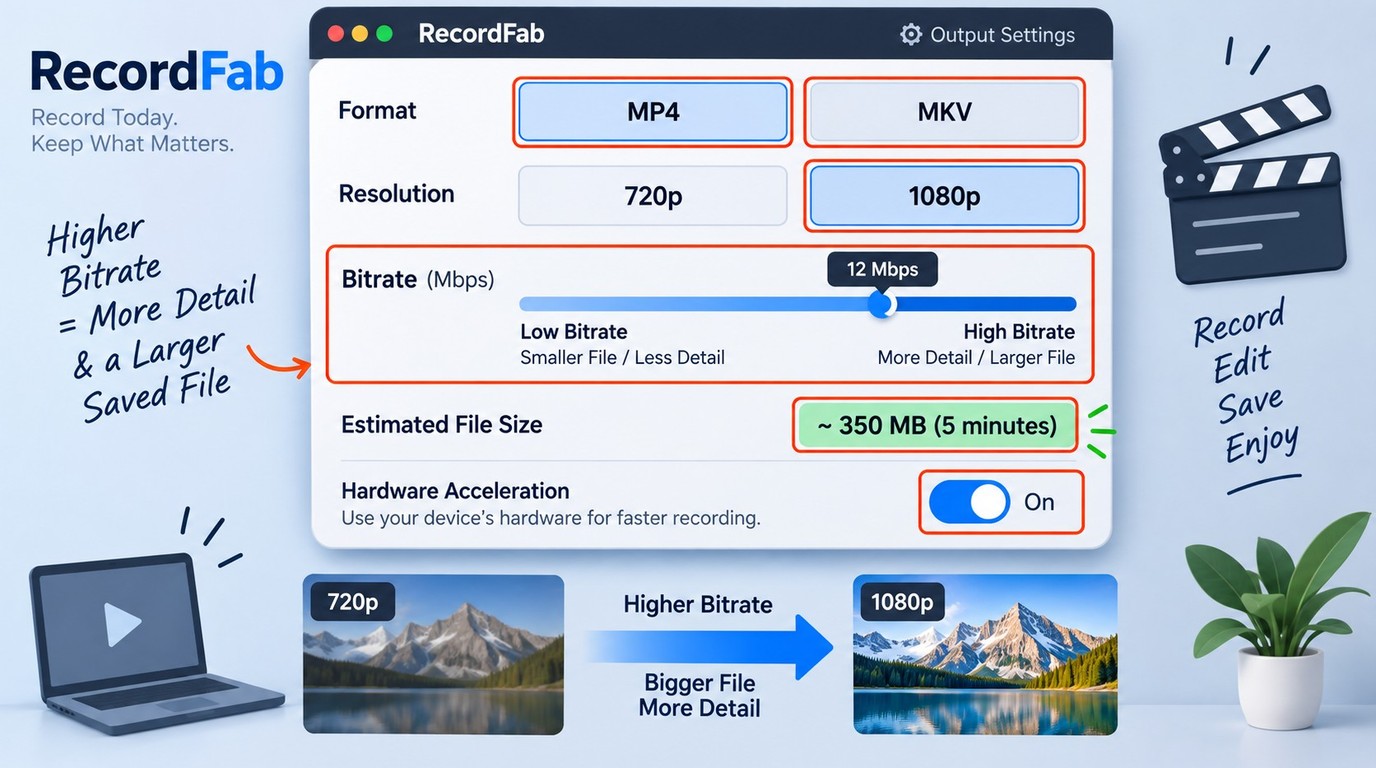
RecordFab supports MP4 and MKV at 720p or 1080p, with bitrate adjustment for balancing detail against storage. For RecordFab MP4 output, choose broad device compatibility; choose RecordFab MKV when you prefer a flexible container.
RecordFab bitrate control is the setting that most directly changes storage use. A higher bitrate keeps more picture data and produces a larger file, while 720p and a lower bitrate reduce the storage required for long recordings.
RecordFab subtitles are captured only when the service and playback route expose them during recording. Audio channels follow the playback presented to the recorder, so select the intended language and subtitle track before the sample begins.
A RecordFab file size grows with duration, resolution, and bitrate. Before a movie or live event, compare the short sample's size with its running time, then reserve enough disk space for the full program.
Recording a Video with RecordFab
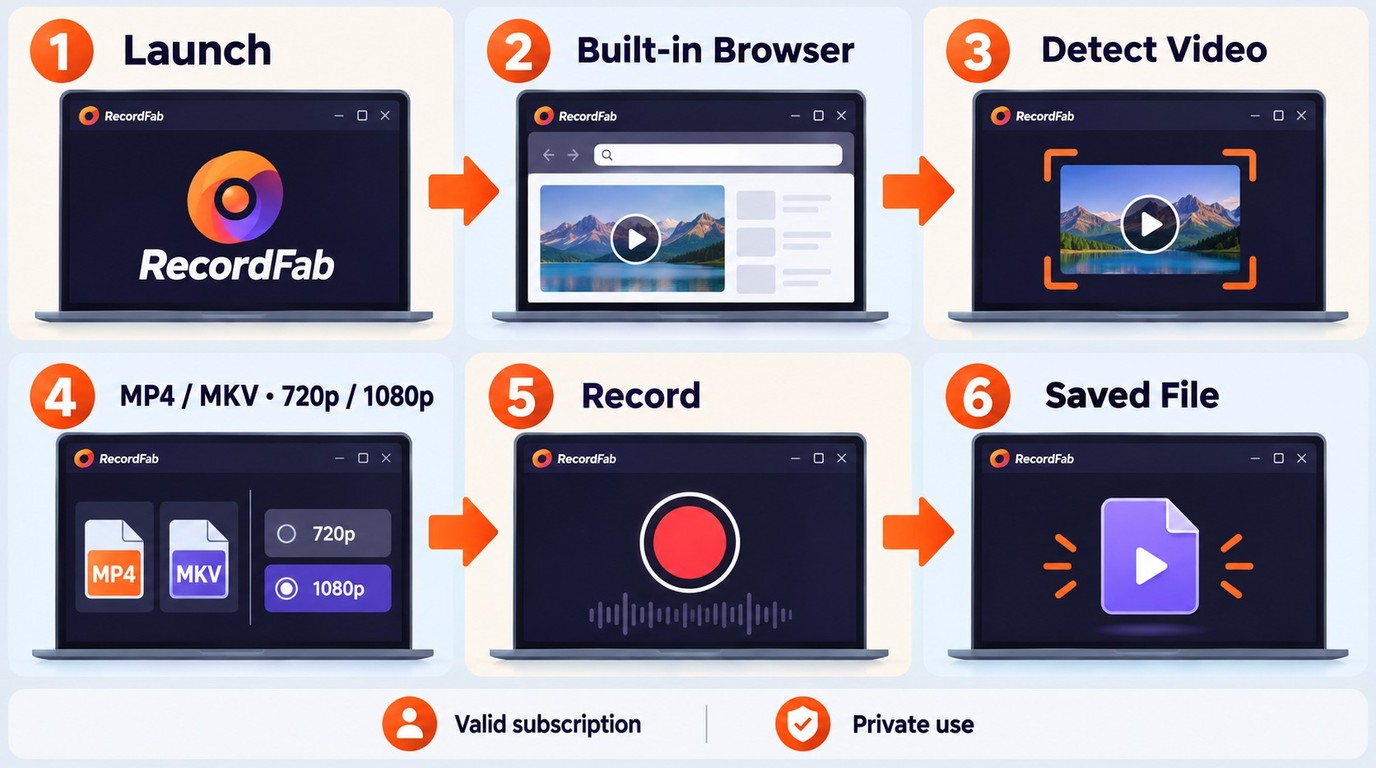
The workflow has six steps. The key is to set the output before the long recording begins, because format, bitrate, and speed are much cheaper to correct in a short sample than after a full-length program.
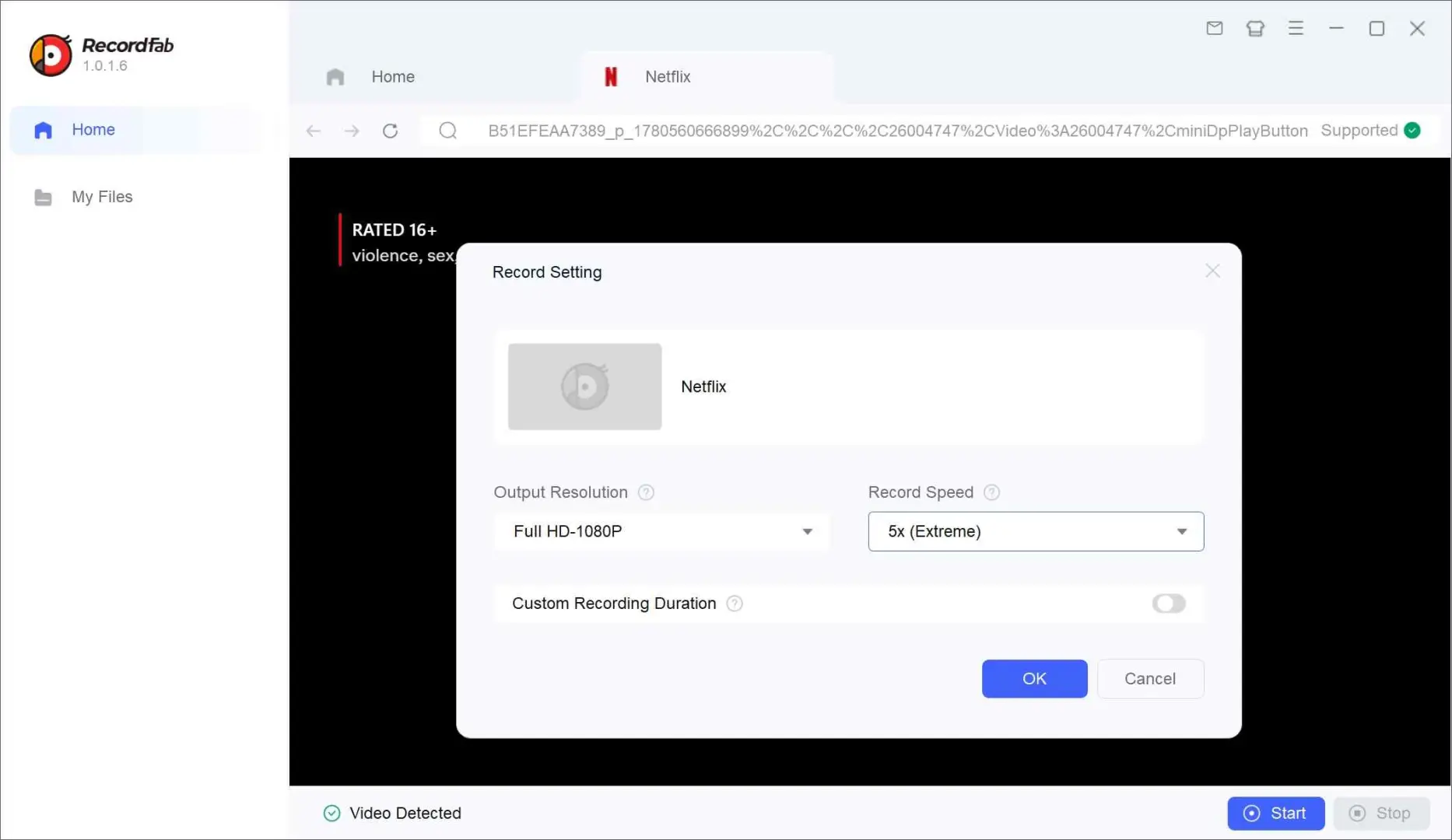
Record a short dialogue scene before a long session and check sync, subtitles, picture quality, and file size. The StreamFab link in the comparison section describes a direct-download workflow, not an extension of these RecordFab steps. how to use StreamFab
RecordFab vs Other Recording Methods
RecordFab vs StreamFab is mainly a choice between playback recording and direct downloading. Official app downloads stay inside the service, while OBS Studio gives you manual capture control at real-time speed.
| Method | Capture path and typical speed | Max Quality | Formats | Best fit |
|---|---|---|---|---|
| Official app download | App-managed; usually fast | Service and plan limit | App-only offline copy | Travel viewing in the official app |
| RecordFab | Playback recording; 1x, 2x, up to 5x | 1080p | MP4, MKV | Windows fallback and live content |
| StreamFab | Direct download on supported sites | Up to 8K | MP4, MKV | Batch tasks on supported services |
| OBS Studio | Manual screen capture; 1x | Display output | Local recording file | Custom scenes and manual control |
My recommendation follows the scenario: use the official app for managed offline viewing, RecordFab for Windows playback recording, StreamFab for direct-download and batch workflows, and OBS when manual scene control matters more than automation.
Pricing, Trial, and License
The official trial guidance provides 30 days with up to three videos, as of June 2026. That is enough to test your target service, output container, speed mode, subtitle behavior, and storage use before choosing a license.
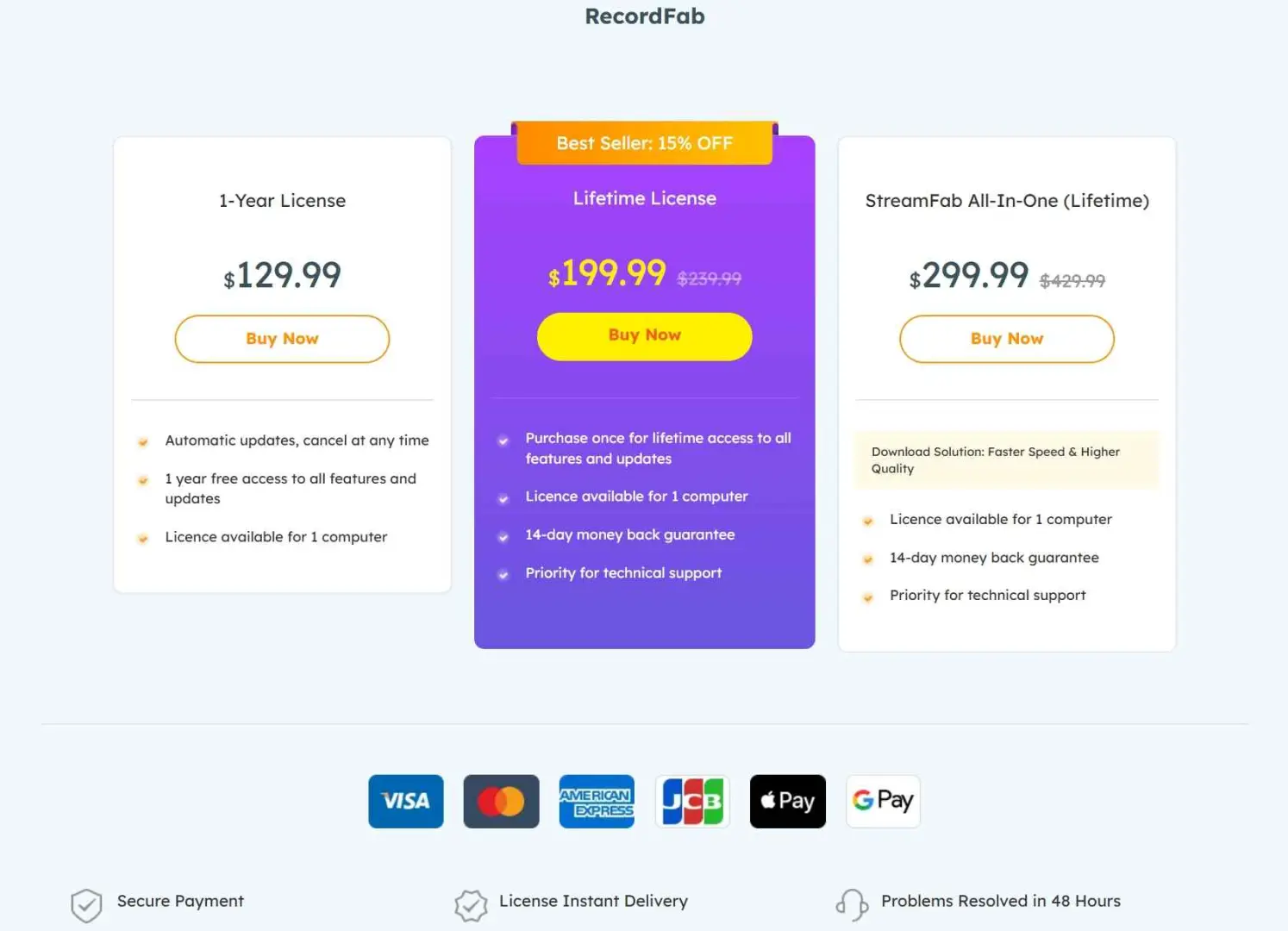
RecordFab offers annual and lifetime licensing. The annual option covers a defined term, while the lifetime option is a one-time license; the product card's trial buttons provide the installation path.
Limitations You Should Plan For
RecordFab's main constraints are speed fallback, service-specific subtitle behavior, possible audio drift, large files, and the lack of simultaneous batch recording. Each has a practical check you can make before committing to a long task.
Audio Sync and Playback Stability
If voices drift from lip movement, stop the task and lower the recording speed. For a black or unstable picture, update the graphics driver, keep hardware acceleration enabled, and repeat the short sample before restarting the full recording.
Storage and Interrupted Recordings
Long 1080p recordings need deliberate storage planning. Lower the bitrate or choose 720p when space matters, keep the PC awake, and avoid changing networks mid-session; an interrupted stream can end the recording before the title finishes.
Record one item at a time. If you have a season-length queue on a supported service, a direct downloader with batch handling is the more efficient route.
Safety and Legal Boundaries
Install RecordFab from its official product page and use it only with an account you are authorized to access. RecordFab is intended to save content you can legitimately view to a local file for personal offline use. Do not redistribute recordings, and follow the platform terms and laws that apply to your use case. Do not attempt DRM removal or use recording software for unauthorized permanent storage or unrestricted saving; defeating access controls or recording content you cannot lawfully access may be illegal and should not be attempted.

Use RecordFab for personal copies of content you are authorized to view. Do not share or sell recordings, and follow the service terms and applicable law for your situation.
Frequently Asked Questions
These four FAQs cover the purchase and compatibility questions that matter most before you install the recorder.
{{FAQ}}
Who RecordFab Suits
RecordFab suits Windows users who need a recording fallback for live content or supported services outside a direct-download workflow. Its strength is coverage through playback recording, not batch automation or a native Mac experience.
- Need to record supported content that does not enter a direct-download queue.
- Want a guided built-in browser instead of configuring a manual capture scene.
- Need MP4 or MKV output from a Windows recording workflow.
- Are comfortable with a 1080p ceiling and service-specific speed modes.
- Need a native Mac application or managed offline viewing inside a service app.
- Want simultaneous batch handling for a full season on a supported service.
- Need subtitle capture or 5x speed to work the same way on every player.
Start with the 30-day, three-video trial and use one short sample to judge the service that matters to you. If the sample records cleanly with the right audio, subtitles, file size, and speed, RecordFab is a sensible Windows fallback; if you need batch direct downloads, use that separate route.
