Table of contents
If you are asking whether Ant Download Manager is still a useful browser video downloader in 2026, the answer is conditional: it remains a maintained Windows desktop manager, but browser detection and fragmented streams limit some jobs. I walk through setup, compatibility, file results, and alternatives.
That distinction matters when an ant download manager extension hands a link to the desktop app, when an ant downloader for Chrome sees only fragments, or when HLS DASH downloads are constrained by site policy.
Current listing: version 2.17.8, dated August 19, 2026; Windows desktop with browser handoff.
- Best fit: Direct media links, occasional captures, and general download-manager tasks on Windows.
- Watch point: HLS/DASH behavior varies by site; extension detection may need the desktop companion.
- File result: Dailymotion test: 480p MP4, 61.6 MiB, 42 seconds, 1.3–2.2 MB/s.
- Library fit: The tested ADM output lacked title and description fields.
Reader note: Consider another workflow when: You need cross-platform support, richer library fields, or organized batch jobs.
Limit: Authorized use: Save only media you are allowed to access under platform terms and local law.
What is Ant Download Manager today?
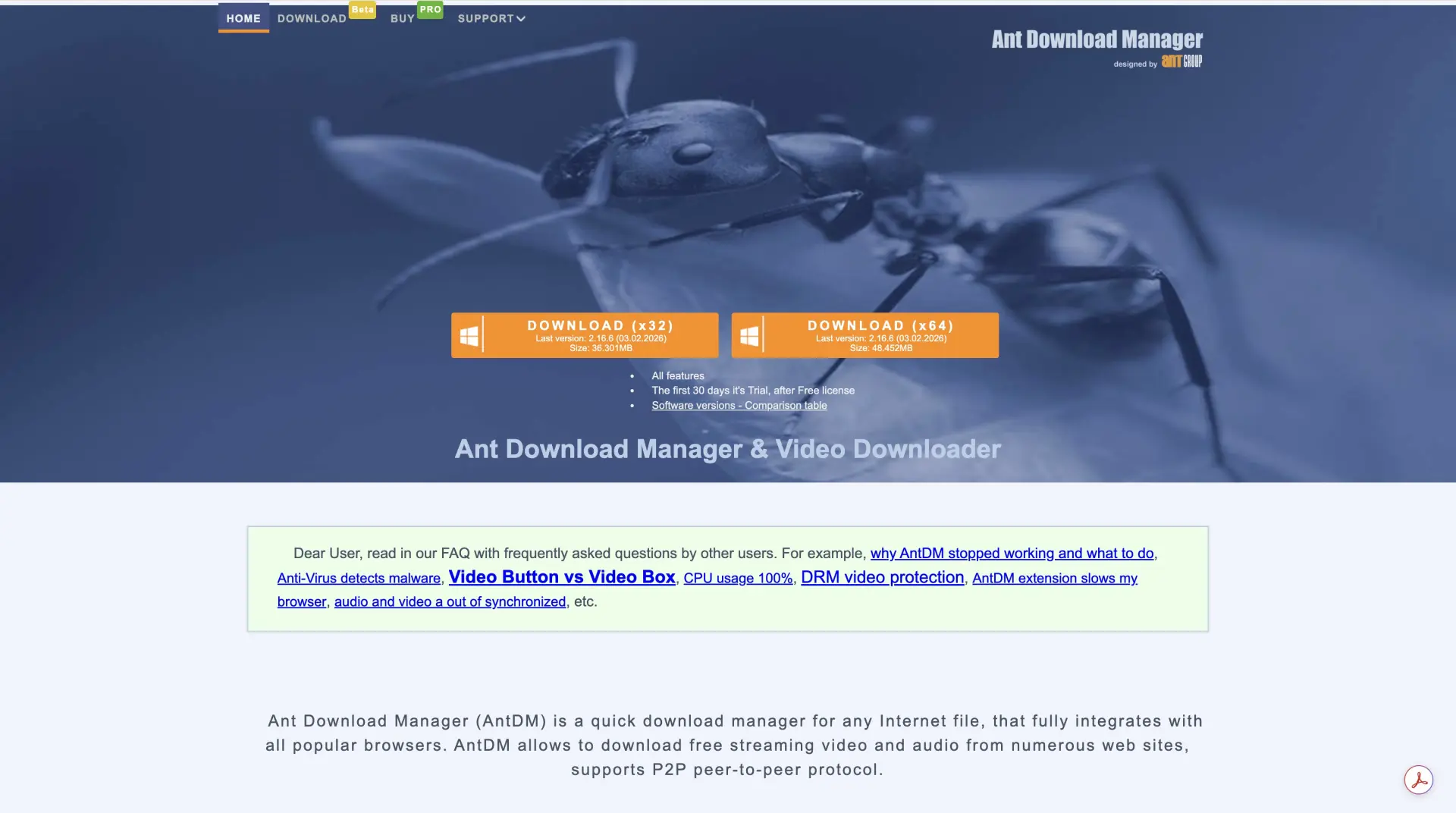
Ant Download Manager (ADM) is still a Windows-oriented desktop download manager paired with a browser extension. As of August 2026, the official listing shows version 2.17.8, dated August 19, 2026, and mentions browser integration, HLS/DASH handling, torrent support, and a lifetime license. Those are current listings, not a promise that every site will expose a usable stream.
The workflow is straightforward: the extension detects a permitted media request, then passes it to the local ADM app for queuing and saving. That makes ADM a practical ant downloader for regular files and direct video links, while site-specific stream rules still decide what appears in the detection panel.
Modern browser video limits and ADM fit
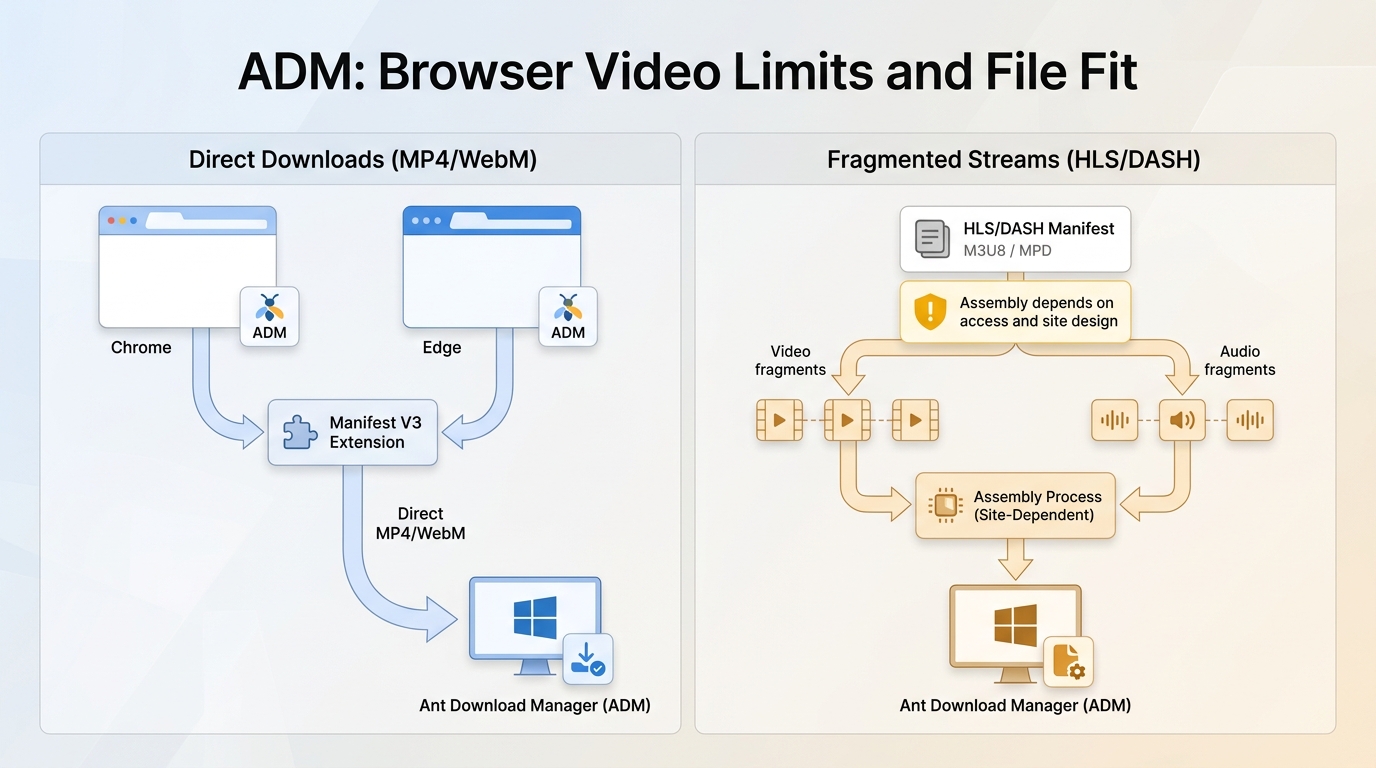
Modern browser video downloading is shaped by Manifest V3, extension-store policies, and adaptive delivery. An extension may detect a permitted direct MP4 or WebM resource, and sometimes an HLS or DASH request, but access varies by site and stream design.
The old Ant Video Downloader Firefox distribution is a legacy form that users still search for, while current ADM uses a desktop companion. In my view, ADM has not vanished; it has moved into a Windows-first workflow where browser profile, permissions, and stream type matter more than the ant icon.
Install ADM and start a browser download
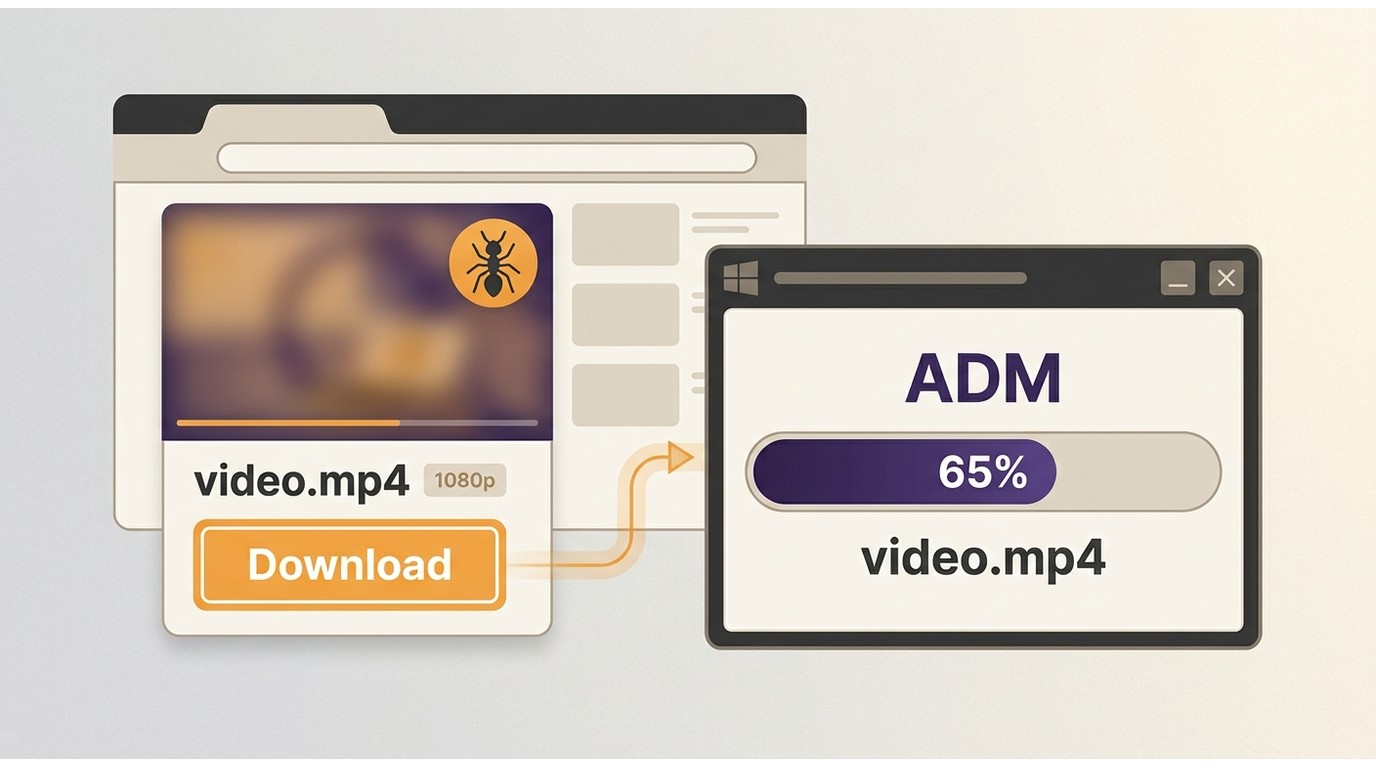
The first download is easiest when the desktop app and the browser extension are installed from the same official package and can see the same browser profile.
There is a detail here that is easy to miss: a browser update, a different profile, or a blocked companion connection can make a working installation look inactive. Recheck the extension-to-desktop handoff before reinstalling everything.
Browser and operating-system compatibility
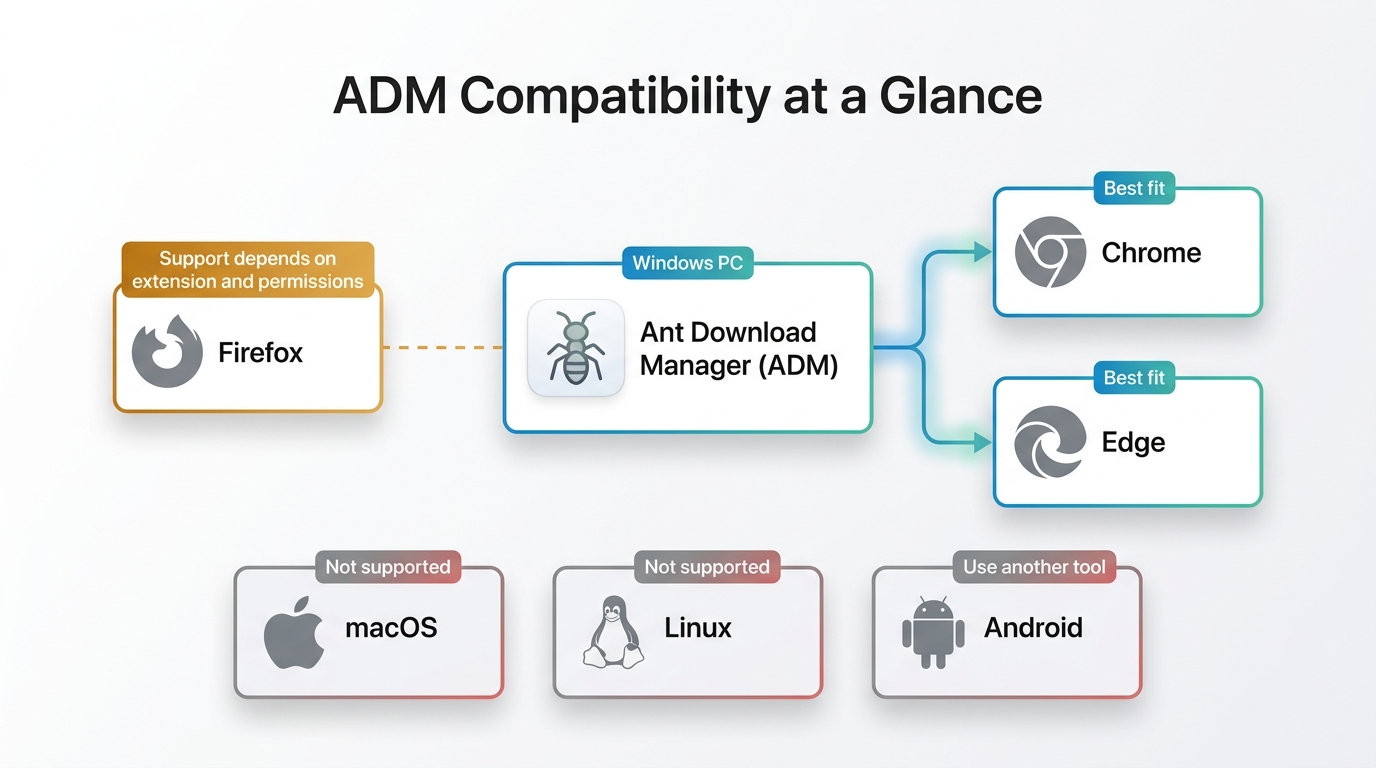
ADM is a Windows desktop product. Chrome and Edge are the clearest companion-app path, while Firefox support depends on the current extension distribution and browser permissions; macOS, Linux, and Android users need a different manager or workflow.
For a browser video downloader, the companion requirement is the deciding constraint: the extension alone is not the full application, and a browser change can affect detection without changing the desktop queue itself.
Supported streams and output formats
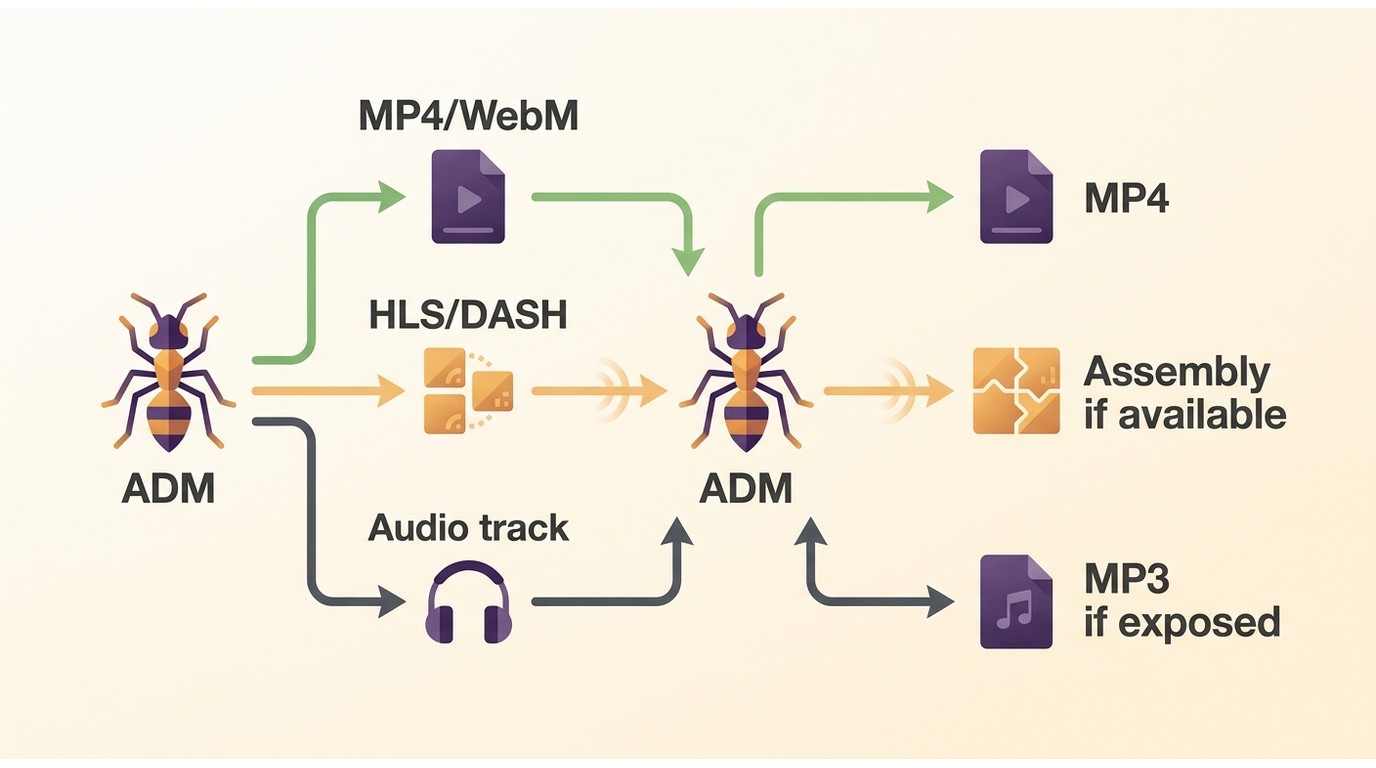
ADM is most predictable with direct MP4 or WebM resources. HLS DASH downloads depend on whether the extension can access the permitted playlist and whether ADM can assemble the resulting segments into a playable file.
Use MP4 when broad player compatibility is the priority, and consider MP3 only for audio you are authorized to save and where the source exposes an audio track. A detected request is a technical signal, not permission to copy; YouTube-related downloads remain subject to the platform's current rules.
A measured alternative: StreamFab Video Downloader for Browser
For personal offline viewing of content you're authorized to access, where permitted by platform terms and applicable law, StreamFab Video Downloader for Browser is one Windows desktop alternative when a browser capture needs more organized file handling.

Download videos directly from your browser from YouTube, Twitter, and 1000+ sites as up to 8K MP4/MKV files with Hi-Fi audio.
- Windows output options: MP4 and MKV files, with resolution choices up to 8K where the source and plan expose them.
- Browser workflow: A Windows desktop app handles browser-originated saves; platform support varies by site.
- Metadata: Metadata writing is supported for organized local files.
- Batch handling: Batch downloads and scheduling are available for supported services.
- Audio and ad handling: Audio choices and ad handling depend on the source; subtitle downloads are not listed for this SKU.
The relevant differences are concrete: MP4/MKV output, metadata writing, batch scheduling, H.264/VP9/AV1 video options, and M4A or MP3 audio choices are listed for the product. Resolution can reach up to 8K when the source and plan provide it, while the actual ceiling remains platform- and subscription-dependent.
On a Windows 10 Pro desktop with an Intel Core i5-9400F, 16 GB RAM, and StreamFab 7.0.1.7, my batch run of three LDR S4 episodes completed; file sizes increased with episode length. My fit judgment is simple: this route suits Windows users who organize authorized offline files or queue supported services. It is not ideal for someone who needs a macOS, Linux, or Android desktop workflow, or who requires subtitle downloading from this SKU.
Real-world performance and file quality
This ant download manager review separates one-file observations from general promises. The Dailymotion figures below describe a single comparison, while the MediaInfo notes show what each finished file contained.
Download efficiency in the test
In the same Dailymotion task, the two workflows produced different file sizes, resolutions, and transfer rates:
- Ant Download Manager: Downloading a 61.6 MiB 480p (Medium) video took 42 seconds, with an average speed hovering around 1.3–2.2 MB/s.
- The StreamFab Extension: Downloading a 348 MiB Full HD 1080p video took 1 minute and 32 seconds, with an average speed stabilizing around 3.7 MB/s.
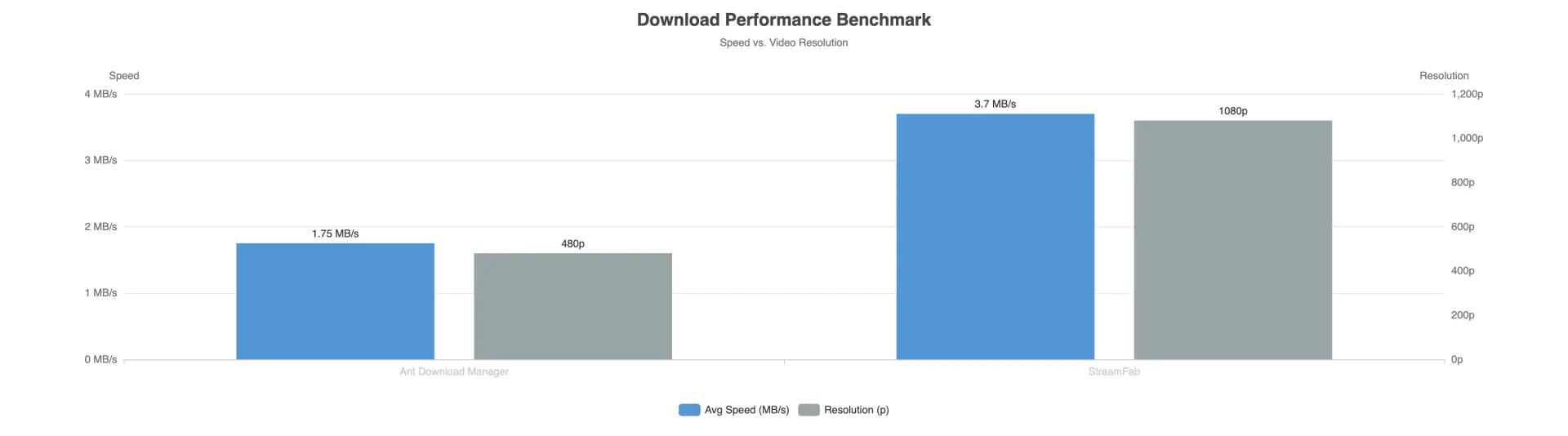
Those results should stay inside that test's scope. For queue-oriented Windows users, the practical takeaway is the difference in delivered resolution and file size, not a universal speed ranking. In a separate Windows 10 Pro batch run with an i5-9400F, 16 GB RAM, and StreamFab 7.0.1.7, three LDR S4 episodes completed, and file sizes rose with episode length.
Containers, metadata, and subtitles
ADM's tested MP4 was a basic container: MediaInfo showed no title or description fields. That can be fine for a few clips, but it adds manual work when files move into a local library.
The tested StreamFab MP4 contained title, performer, description, and recorded-date fields. Subtitle downloads are not listed as a capability for this SKU, so readers who require subtitles should plan a separate workflow.
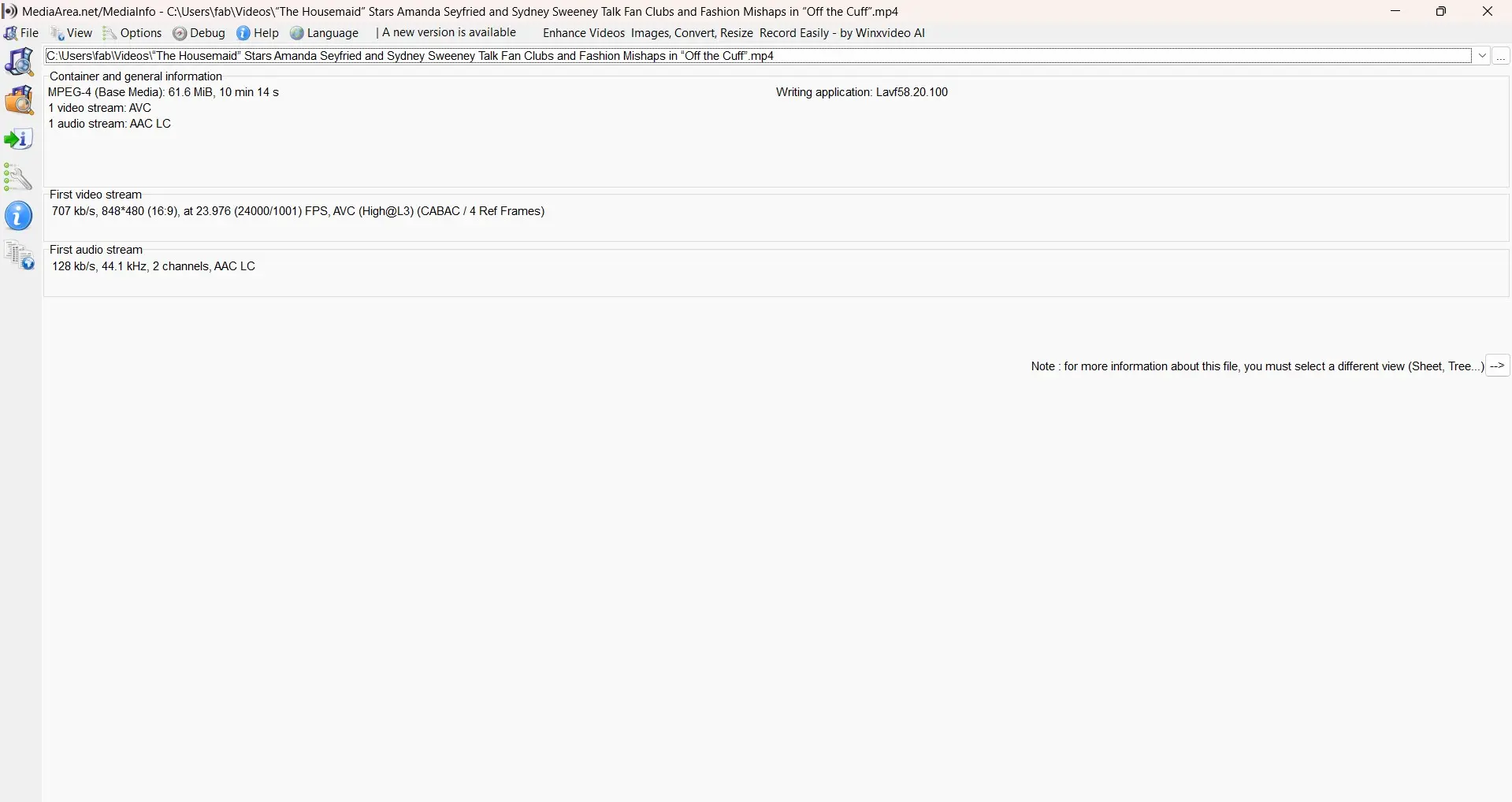
MediaInfo view of the tested ADM MP4, including its container and metadata fields.
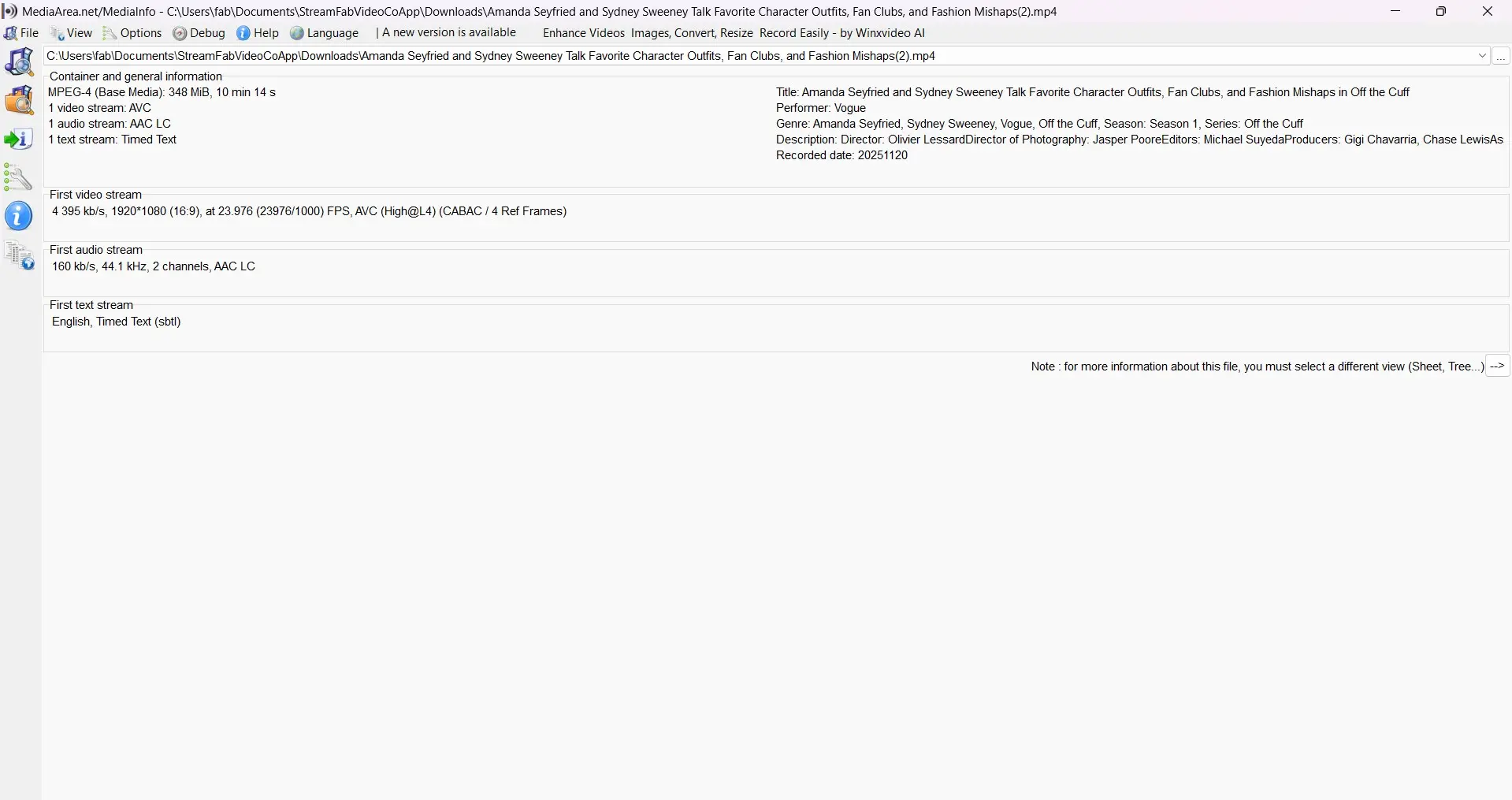
MediaInfo view of the tested StreamFab MP4, including organized metadata fields.
My judgment after looking at both files is that ADM fits short, hand-sorted downloads; a metadata-aware workflow fits readers who maintain a larger catalog.
Independent ratings and user feedback
Firefox and Chrome listing feedback, read as dated user commentary rather than a controlled test, tends to praise the familiar extension-to-desktop handoff and direct-file convenience.
The recurring cautions are companion detection after browser updates, fragmented resources that do not become one playable file, and batch jobs that need retries. I treat those reports as operational signals: they identify where to check first, but they do not establish a fixed failure rate for every site.
ADM vs StreamFab: Which fits?
The right ant download manager alternative depends on operating system, stream type, and how much file organization you need. The compact matrix keeps those decisions in one place.
| Decision area | Ant Download Manager | StreamFab Video Downloader for Browser | Free Download Manager | JDownloader |
|---|---|---|---|---|
| Windows | Desktop plus browser companion | Windows desktop plus browser companion | Windows desktop | Windows desktop |
| macOS/Linux/Android | No ADM desktop app | Not listed for this SKU | macOS/Linux desktop | macOS/Linux desktop |
| Chrome/Edge | Extension plus companion | Browser handoff plus companion | Browser integration varies | Browser add-on workflow |
| Firefox | Legacy distribution stale; current support varies | Windows browser setup required | Browser support varies | Add-on workflow varies |
| HLS/DASH and YouTube | Site-dependent; policy still applies | Site-dependent; policy still applies | Site-dependent | Site-dependent |
| Output and library | Direct MP4/WebM; basic metadata | MP4/MKV; metadata writing; batch queue | Direct files; general queue | Direct files; queue focus |
- Choose ADM if you use Windows, want a maintained general manager, and mostly capture direct media occasionally.
- Choose StreamFab if you use Windows and prioritize MP4/MKV organization, metadata writing, or scheduled batches for supported services.
- Choose Free Download Manager or JDownloader if macOS or Linux support is more important than ADM's browser handoff.
None of these choices overrides a site's terms. The matrix is a fit guide, not a promise that one application handles every stream.
Price, trial, and long-term value
ADM uses a lifetime-license model, which can suit Windows users who prefer a one-time purchase for a general download manager. The value depends on whether the sites and browsers you use continue to expose compatible resources.
StreamFab's value is tied to workflow features rather than a blanket return claim: MP4/MKV files, metadata writing, and batch scheduling matter most when you maintain an authorized offline collection. If you only save an occasional direct file, ADM's simpler queue may be enough.
Safety, permissions, and download hygiene
The question “is ant download manager safe” is best answered by checking the installation path and the permission scope, not by relying on a star rating.
- Download the desktop app and browser extension from the vendor's official channels.
- Review requested browser permissions and disable or uninstall an extension that asks for access unrelated to media detection.
- Use an unmodified installer, keep security software enabled, and avoid packages that request unusual exceptions.
- Save only content you are authorized to access, and keep personal offline copies within the platform terms and local law that apply to you.
A clean install reduces avoidable risk, but it cannot change a platform's access rules or make an unavailable stream appear.
People Also Ask
The legacy pure-Firefox distribution is stale. Current ADM uses a Windows desktop app with browser integration, so install the maintained desktop workflow instead of hunting for an old extension package.
Adaptive HLS or DASH delivery can expose separate audio and video fragments. ADM may list those resources when it cannot assemble them into one playable file; try a direct file entry when the page provides one, and follow the site's access rules.
ADM is the more relevant fit when browser capture and a Windows companion queue are central. IDM can be the better general file manager for your workflow; compare browser handoff, metadata, subtitle needs, and batch handling rather than choosing by brand alone.
Use an official installer, inspect extension permissions, keep the package unmodified, and confirm that the media is yours to save or otherwise authorized for offline use. Those checks answer the practical safety question better than a generic promise.
Conclusion
ADM remains a maintained Windows download manager with a browser companion. It suits readers who want a general queue and occasional permitted browser captures, especially when direct media links are available.
StreamFab Video Downloader for Browser is one Windows desktop alternative for readers who prioritize organized MP4/MKV files, metadata writing, and scheduled batches for supported services. It is not an exclusive solution; macOS and Linux users should look at a cross-platform manager instead.
For a Windows workflow centered on organized files, you can download StreamFab Video Downloader for Browser and compare the handoff using media you are authorized to save.
