If you are trying to download HBO Max movies before a flight or to avoid buffering, the device split matters first: HBO Max mobile downloads work in the official app on supported phones and tablets, while an HBO Max PC download or HBO Max Mac download needs a separate desktop workflow.
Eligible Standard and Premium plans support official downloads on compatible mobile devices. Windows and Mac have no native HBO Max download button, so authorized desktop users need a separate local-file workflow.
The practical choice is straightforward. Use the HBO Max app for a few temporary mobile downloads; use a desktop local-file workflow when you need Windows or Mac playback, selectable formats, or batch handling.

Can You Download HBO Max Movies?
Yes, but the saved item and playback rules depend on your device. Official downloads stay inside the mobile app; Windows and Mac do not offer native HBO Max offline viewing through a browser.
| Device | Native download support | Eligible US plan | Saved item and expiration |
|---|---|---|---|
| iPhone or iPad | Yes, in the HBO Max app | Standard or Premium | Managed in-app download; official expiration rules apply |
| Android phone or tablet, including supported Fire tablets | Yes, in the HBO Max app | Standard or Premium | Managed in-app download; official expiration rules apply |
| Windows PC | No native app download | Valid subscription and authorized access | A separate desktop workflow can save a standard local file |
| Mac | No native app download | Valid subscription and authorized access | A separate desktop workflow can save a standard local file |
My rule is to choose the playback environment before choosing the method. If the file must play on a laptop without the HBO Max app, the mobile download button does not solve the actual problem.
Download HBO Max Movies on Mobile
For HBO Max mobile downloads, the official app is the shortest route. It suits short trips and phone or tablet viewing, provided the account has Standard or Premium.
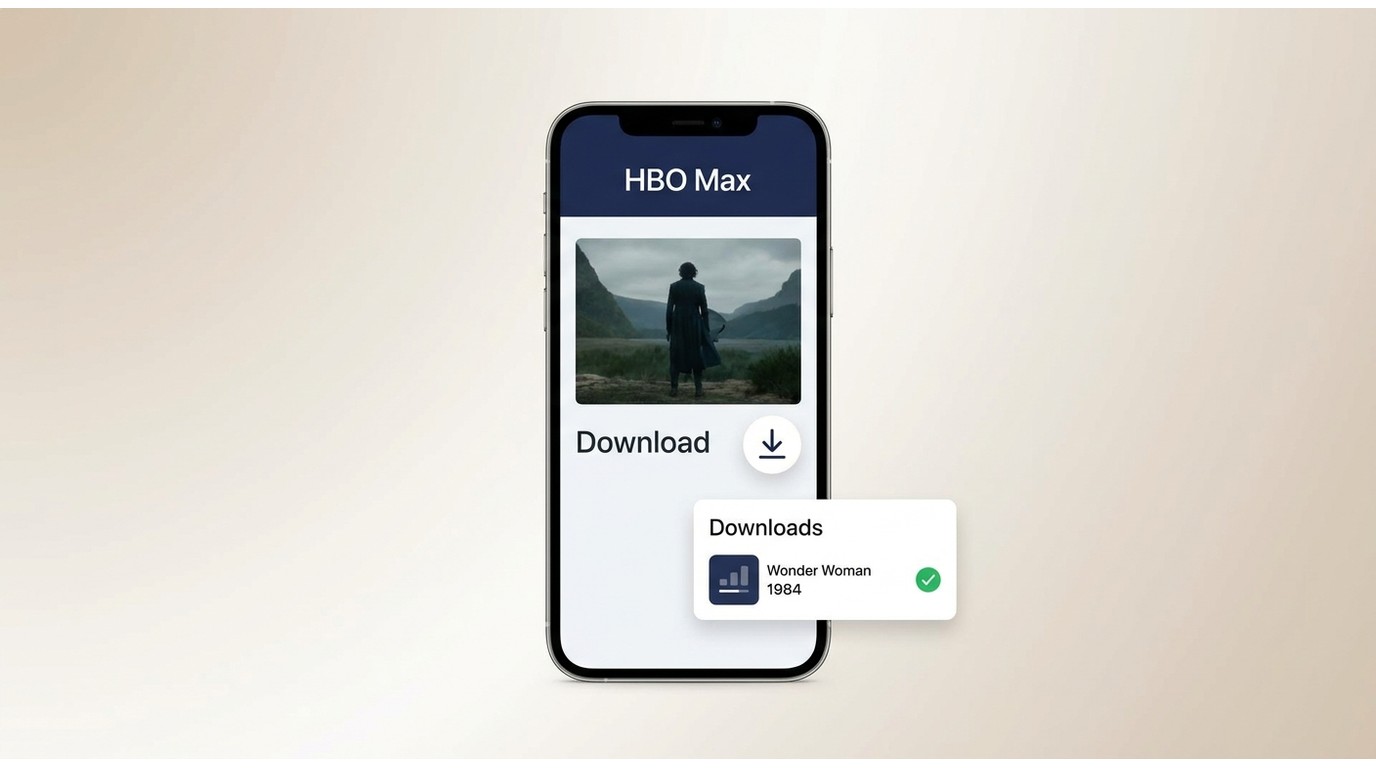
Use the HBO Max App
Install the current HBO Max app, sign in, and confirm that the selected profile belongs to an eligible account. Basic With Ads does not include the official download benefit.

Before you start part 3 Confirm the plan, available storage, and a stable connection. If the download icon is missing, check eligibility before reinstalling the app.
The app is the right fit for a few temporary titles on a supported mobile device. It is not ideal for desktop playback or for readers who need MP4 or MKV files.
Mobile Download Steps
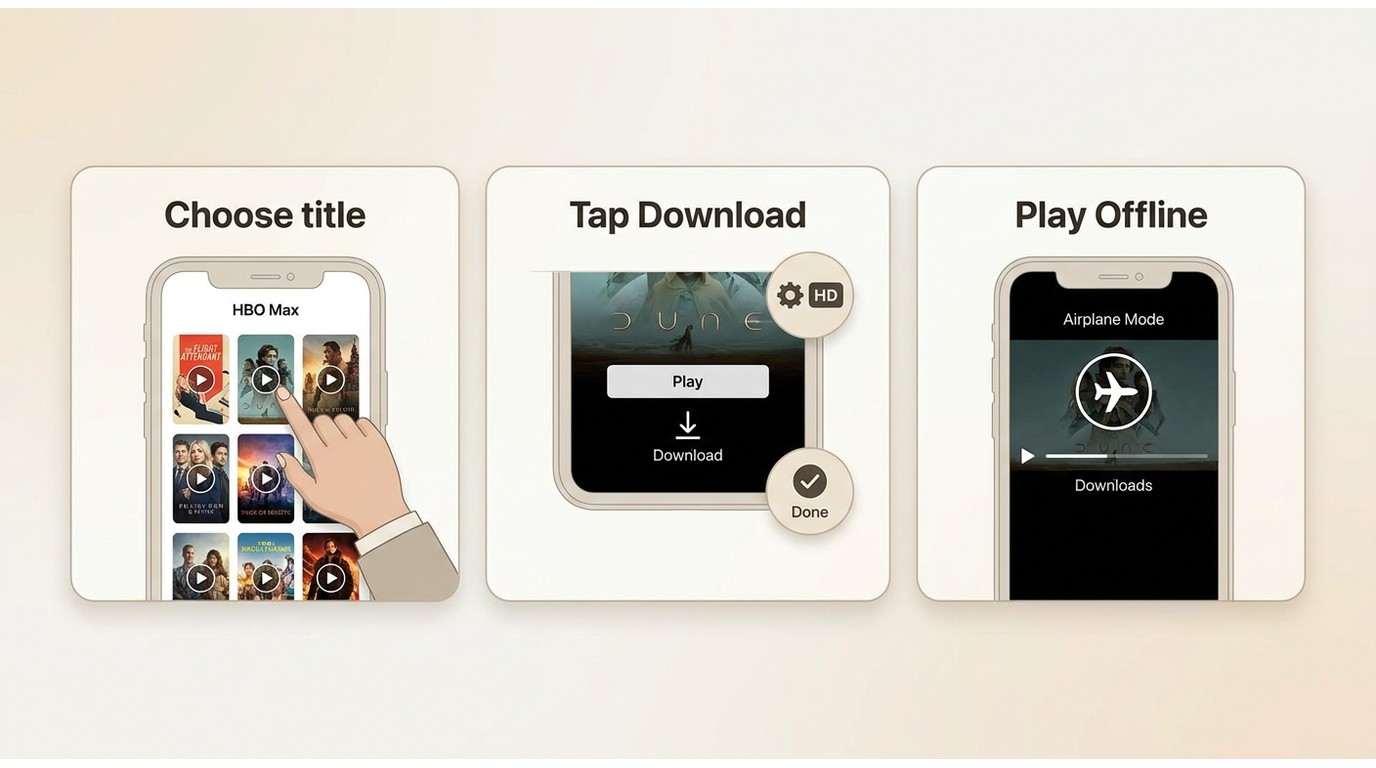
The key is to finish the download and confirm it inside the app before disconnecting. The illustrated workflow below shows where the mobile steps appear in the app.
- Open HBO Max and sign in with an eligible account.
- Find an on-demand movie or episode that shows a download icon.
- Choose the preferred download quality in the app settings.
- Tap Download and wait until the item appears as complete in the Downloads area.
- Open the completed item once before travel so any account or authorization issue appears while you are still online.
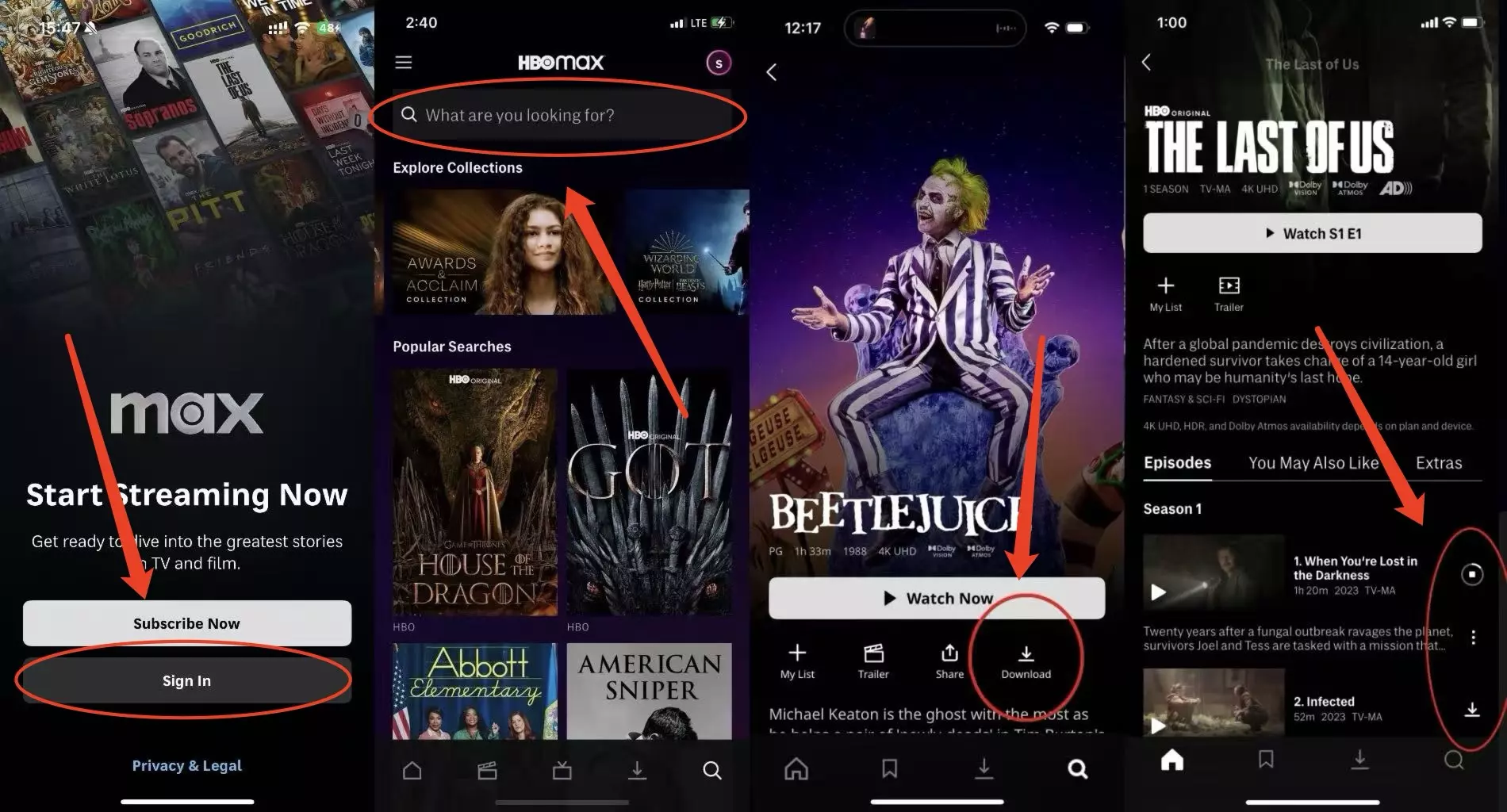
Get HBO Max installed and log in using your Standard or Ultimate Ad-Free account.
Find the movie or show you want and tap that download arrow (you can even grab whole seasons at once).
Check your Downloads folder to find your files and watch them whenever, as long as they haven't expired yet.
A clean verification setup is an iPhone 15 running iOS 18: download one eligible title over Wi-Fi, confirm it appears in Downloads, then switch to airplane mode and check that the in-app item opens while its authorization remains valid.
Plan Rules Before You Download
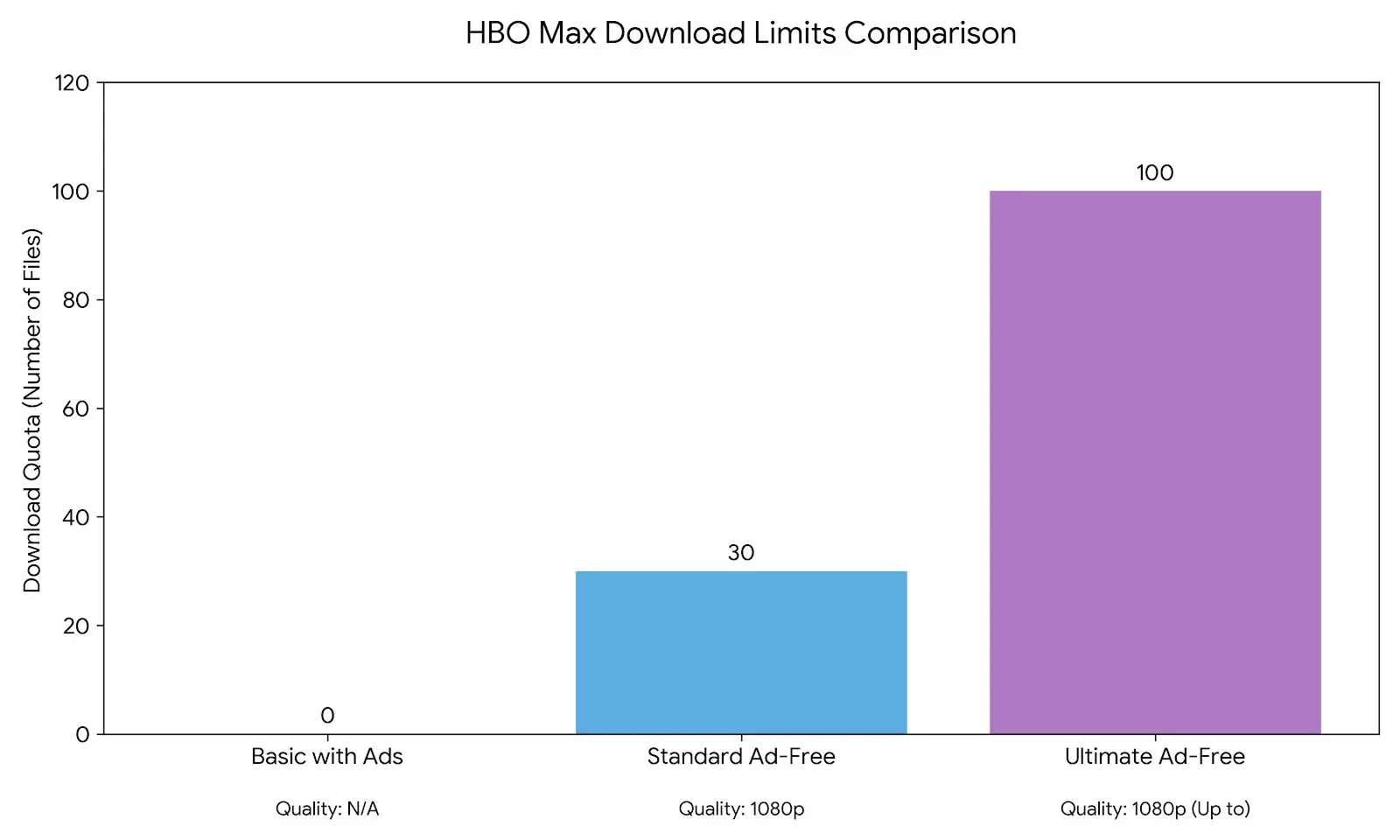
HBO Max download plans differ by eligibility and quota, but the useful decision is simple: Basic With Ads has no official downloads; Standard allows up to 30, and Premium allows up to 100 on supported mobile devices.
| Plan | Offline download | Typical mobile quality | Account quota | Expiration rule | SD card |
|---|---|---|---|---|---|
| Basic With Ads | No | Not applicable | 0 | Not applicable | Not supported |
| Standard | Yes | Up to 1080p when available | Up to 30 downloads | 30 days unopened / 48 hours after playback starts | Not supported |
| Premium | Yes | Up to 1080p when available | Up to 100 downloads | 30 days unopened / 48 hours after playback starts | Not supported |
Plan Eligibility and Quotas
The quota applies at the account level across supported devices. If several profiles use the same account, their completed downloads can consume the same plan download quotas.
For a larger shared library, the dedicated HBO Max download limit explanation covers the deeper device and quota troubleshooting without repeating it here.
Storage and Title Restrictions
Official downloads use the supported mobile device's internal storage and stay inside the HBO Max app. Availability can also differ by title, so a plan that includes downloads does not mean every catalog item will show a download icon.
I would check storage before deleting and reinstalling anything. A full device can look like an app failure, and reinstalling first can create more work without addressing the cause.
Expiration and Renewal Rules
An unopened official download generally remains available for up to 30 days. After playback starts, the viewing window is generally 48 hours, provided the title and account authorization remain valid.
Expiration and renewal are separate. Reconnect to the internet and use the app's renewal option when it is offered; renewal availability can depend on the title and account status.
Download HBO Max Movies on PC or Mac
There is no native HBO Max PC download or HBO Max Mac download through the website. Desktop users who need offline files must use a separate Windows or macOS workflow with a valid subscription.
Why Desktop Has No Native Downloads
The official download feature is designed for supported mobile apps, not Chrome, Edge, or Safari on a computer. Browser playback, therefore, does not provide the same downloads area found on a phone or tablet.
That device mismatch is the reason I would not spend time hunting for a hidden browser button. It is not there, and clearing the browser cache will not create it.
Use StreamFab on Windows or Mac
For content you're authorized to access, where permitted by platform terms and applicable law, StreamFab offers a local-file workflow for personal offline viewing. A valid HBO Max subscription and authorized access are required, and saved content should not be shared or redistributed.

- Choose MP4 for broad playback compatibility across common desktop and TV apps.
- Choose MKV when you want a flexible container for multiple available tracks.
- Use H.264 when device compatibility matters more than storage efficiency.
- Use H.265 when your playback devices support it and you want a smaller file at comparable quality.
- Select HDR10 or Dolby Vision only when the source and current compatibility make that option available.
- Check the selected audio track before starting a batch, especially when more than one language is listed.
- Save subtitles as SRT for separate control or embed them when you prefer a single-file playback setup.
StreamFab can save up to 4K when the source title, plan, region, and current service compatibility allow it; some titles may be limited to 1080p or lower. That qualification matters more than a large resolution badge because the title determines what is actually available.
The desktop method is best suited to Windows or Mac users who want an HBO Max MP4 download or MKV output, format choices, and batch or scheduled downloads. It is less suitable for someone who needs only two or three temporary phone downloads or does not have authorized platform access.
As of July 2026, the latest listed StreamFab release is 7.0.4.0, dated July 17, 2026, and recent builds include HBO Max analysis or download fixes. If analysis fails, update first, restart the task, and then consult the current update notes.
Desktop Download Steps
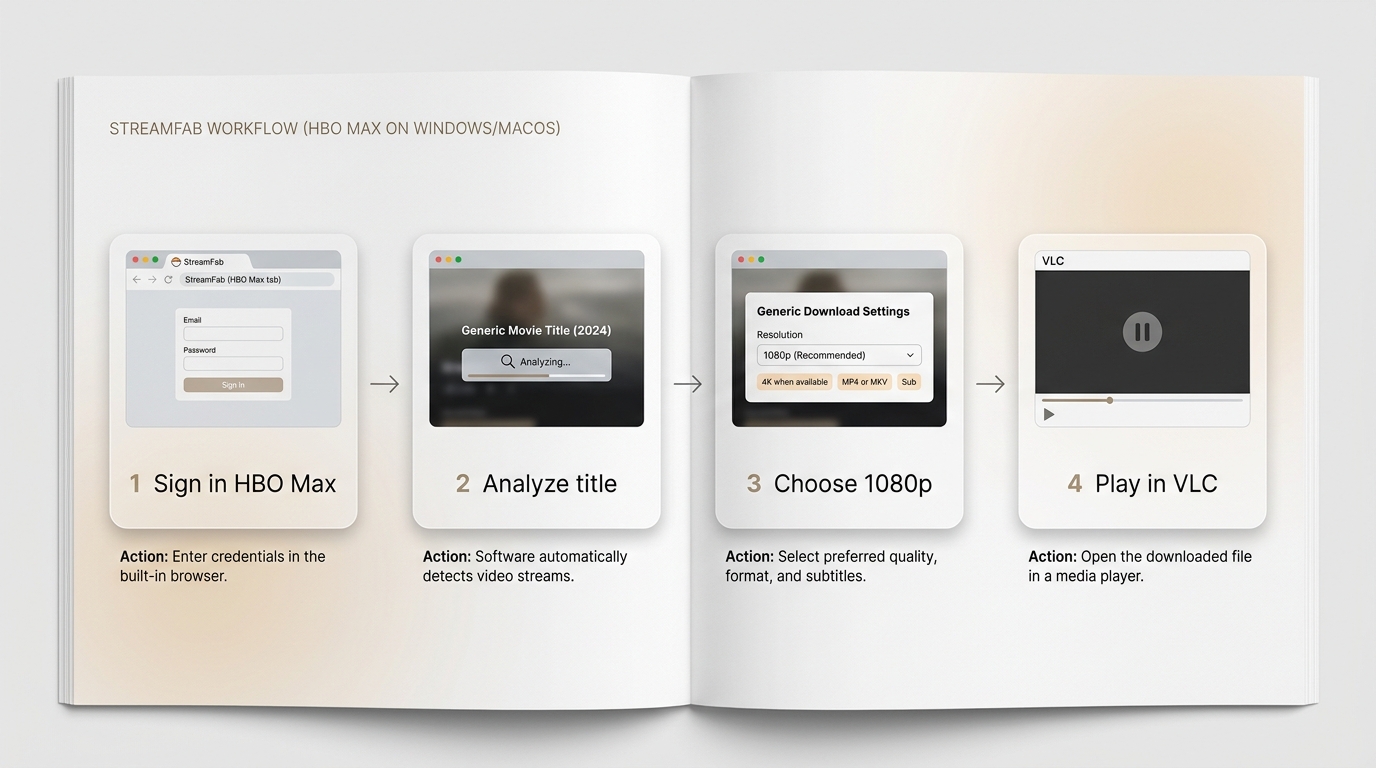
Set the output choices before adding a full season. It is much easier to verify one title than to discover after a batch that the wrong audio or subtitle option was selected.
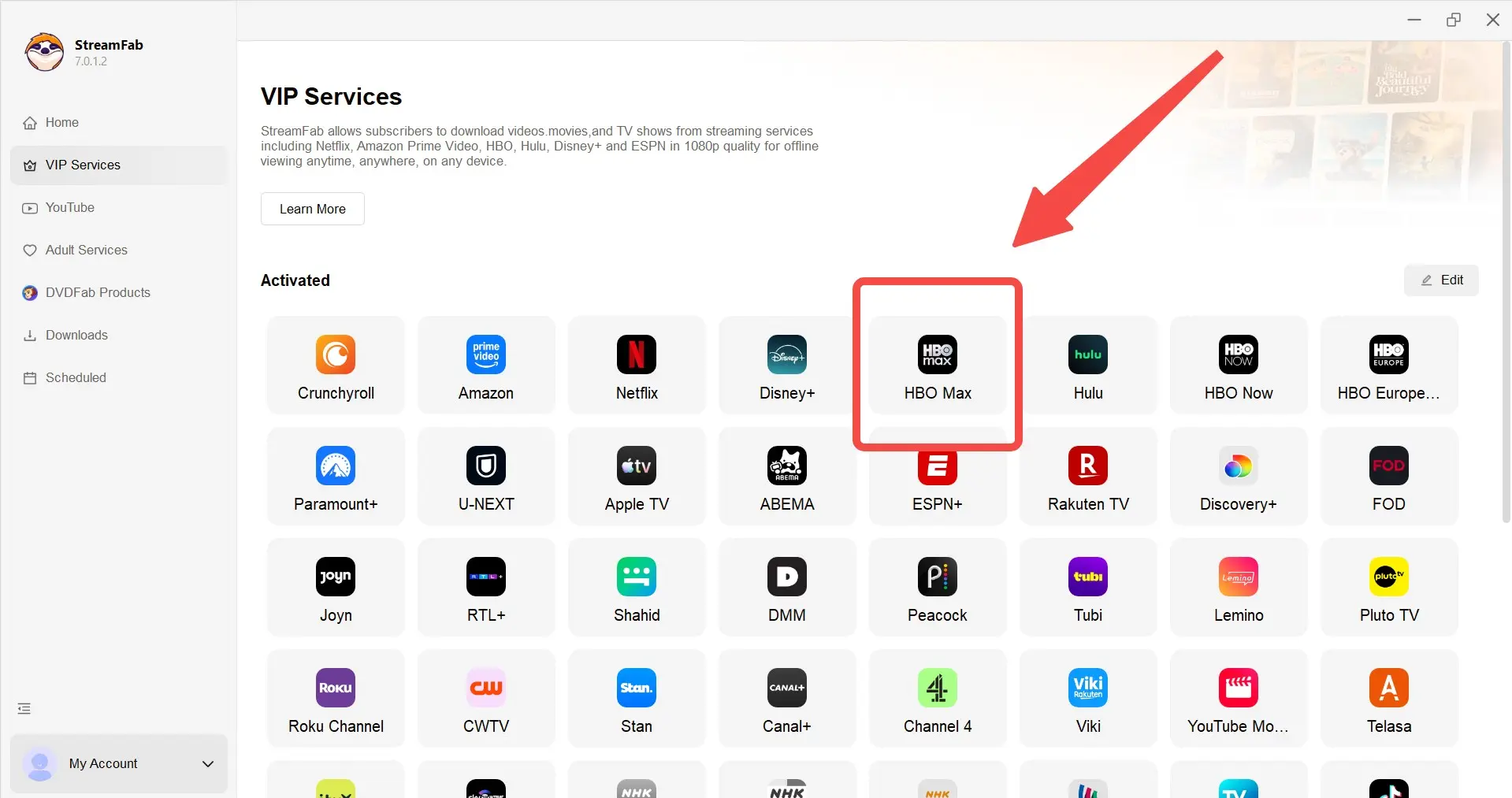
Head over to VIP Services, click on HBO Max, and log into your account using the built-in browser.
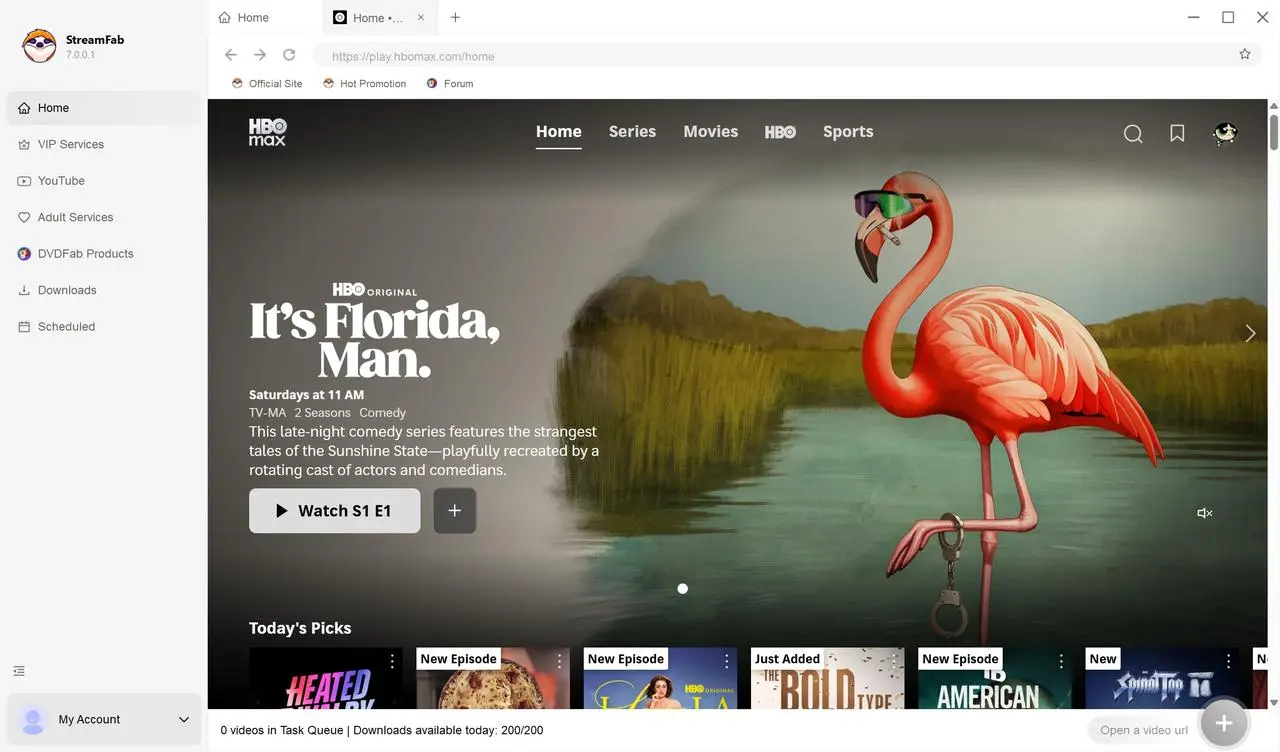
Pick out the movie you want to save. Once you click it, StreamFab will start analyzing it, and a settings window will pop up so you can tweak things.
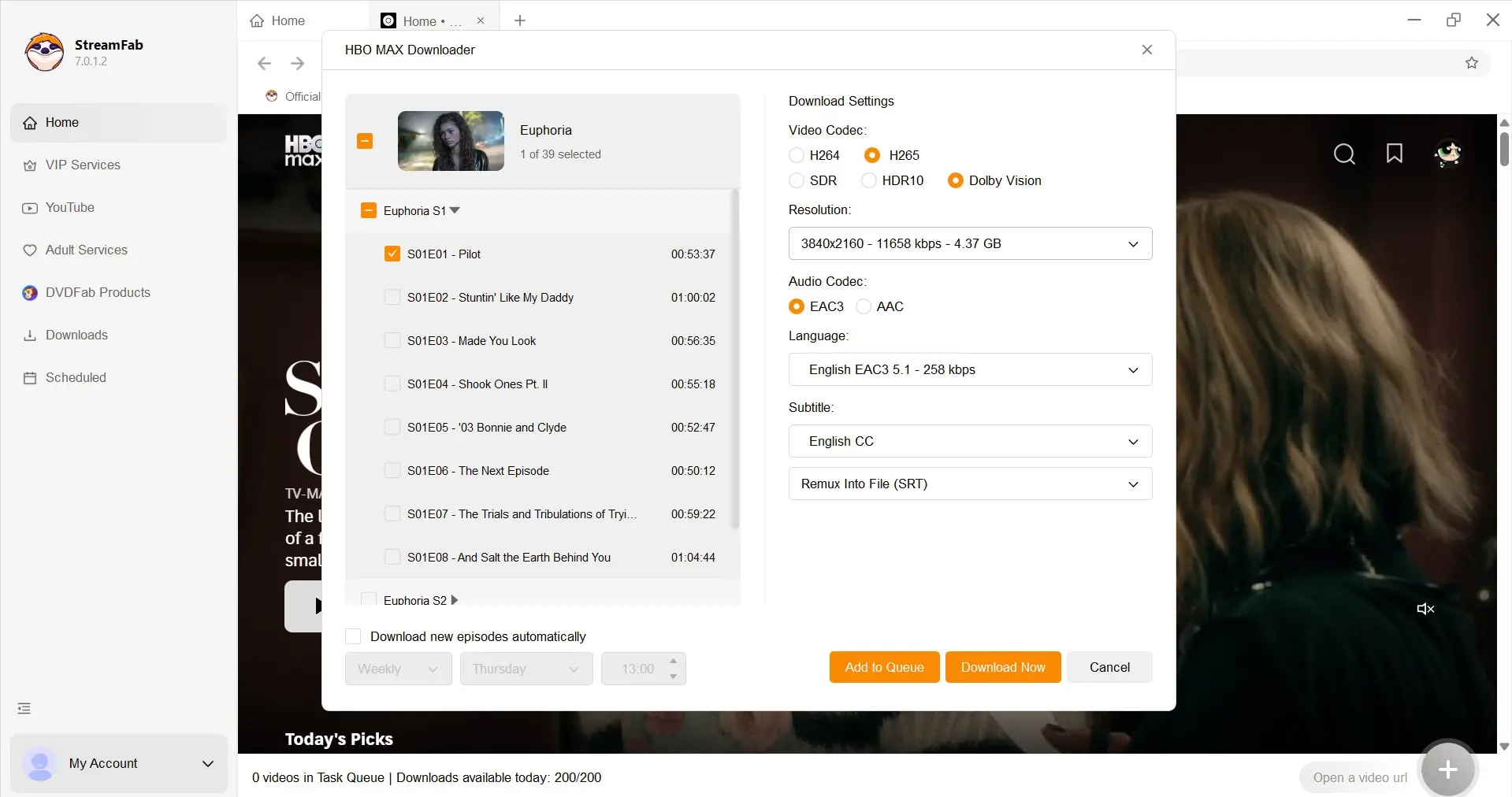
Double-check your choices and hit Download Now. If you're in the middle of something else, just click Add to Queue to handle it later.
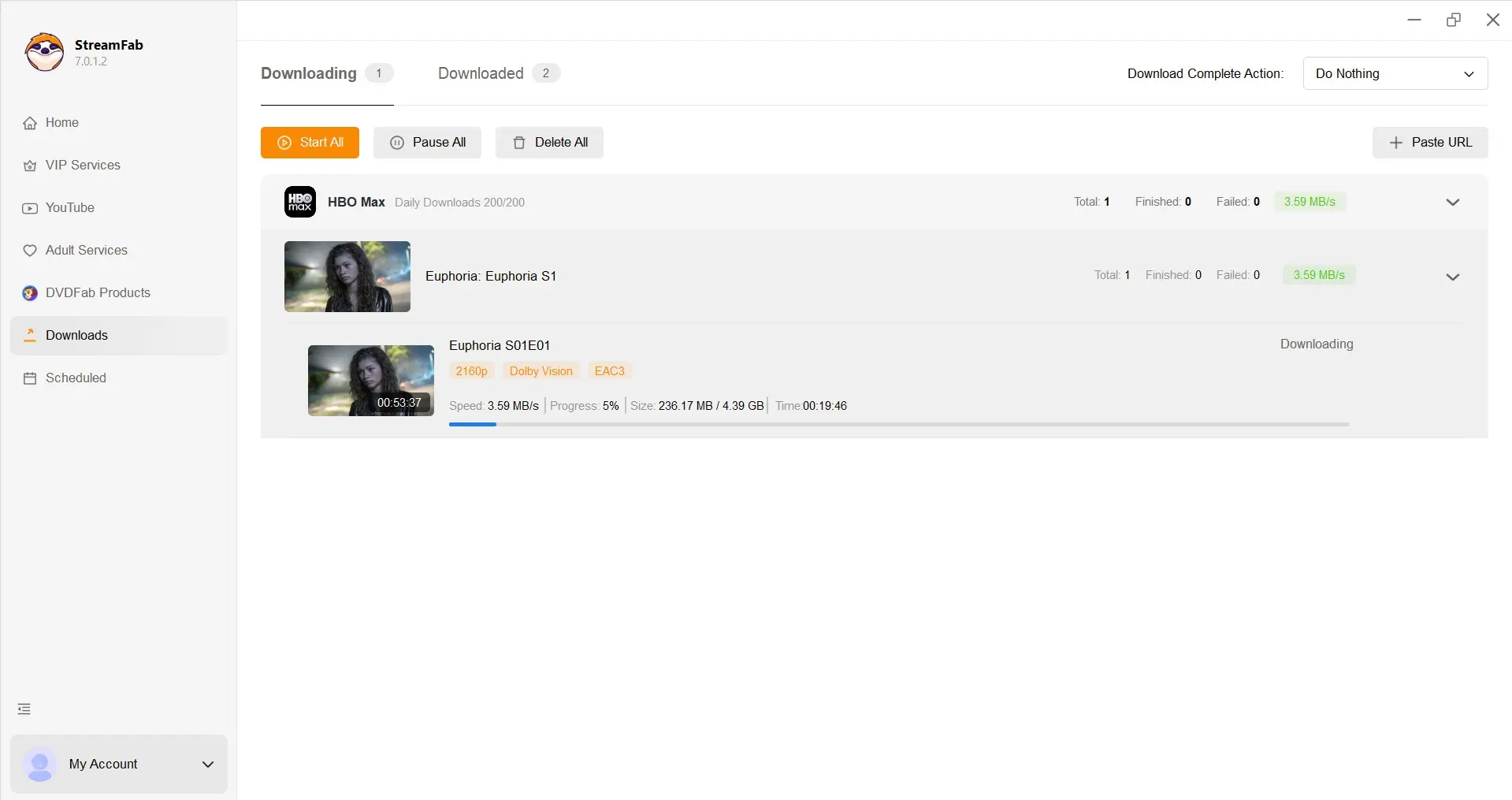
For a repeatable desktop check on a Windows 11 PC running StreamFab 7.0.4.0, process one short title first and confirm that the completed MP4 or MKV opens in the selected player with the chosen audio and subtitle options.
Official App vs. Desktop Local Files
The HBO Max app and StreamFab solve different problems. The official app provides managed mobile downloads; the desktop method creates a standard local file for authorized personal offline viewing.
| Comparison | HBO Max app | StreamFab HBO Max Downloader |
|---|---|---|
|
Supported devices |
Compatible iPhone, iPad, Android, and Fire tablet |
Windows and macOS |
|
Eligible subscription requirement |
Standard or Premium |
Valid HBO Max subscription and authorized access |
|
Saved item and playback environment |
Managed item inside the HBO Max app |
MP4 or MKV local file in a compatible player |
|
Official expiration behavior |
App authorization and viewing windows apply |
Playback depends on the saved file, environment, and service conditions |
|
Qualified maximum quality |
Up to 1080p when available |
Up to 4K when title, plan, region, and compatibility allow |
|
Audio and subtitle options |
Options provided by the mobile app |
Available Dolby Atmos, EAC3 5.1, AAC 2.0, SRT, or embedded subtitles |
|
Batch or scheduled workflow |
Individual app downloads |
Batch queue and scheduled downloads |
|
Best fit |
A few temporary phone or tablet downloads |
Desktop users who need selectable local-file outputs |
|
Not ideal for |
Windows or Mac playback and standard local files |
Users without authorized access or those needing only a few mobile titles |
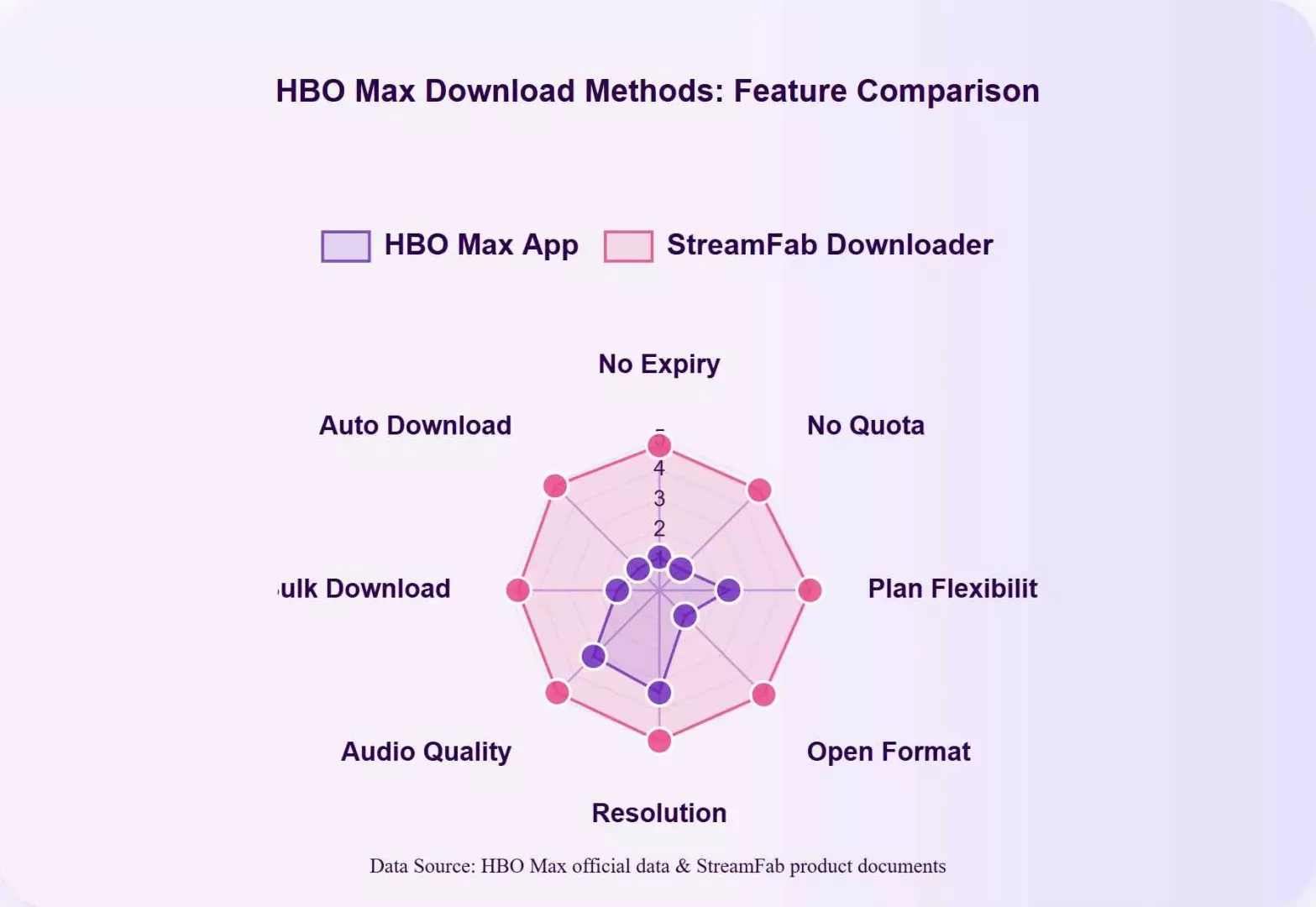
The practical takeaway is not that one method wins every category. The app is simpler for mobile travel, while StreamFab is more appropriate when file format, desktop playback, or batch control is the deciding factor.
If recording is the actual requirement, the workflow for how to screen record HBO Max is a separate path and should not be confused with the two download methods above.

Recording is a separate workflow from official app downloads and local-file downloads.screen record hbo maxChoose it only when the viewing setup specifically requires screen capture rather than a saved download.
HBO Max Downloads Not Working? Quick Fixes
Separate official-app problems from desktop-tool problems before troubleshooting. The first checks are plan eligibility and storage on mobile or a software update and single-title test on desktop.
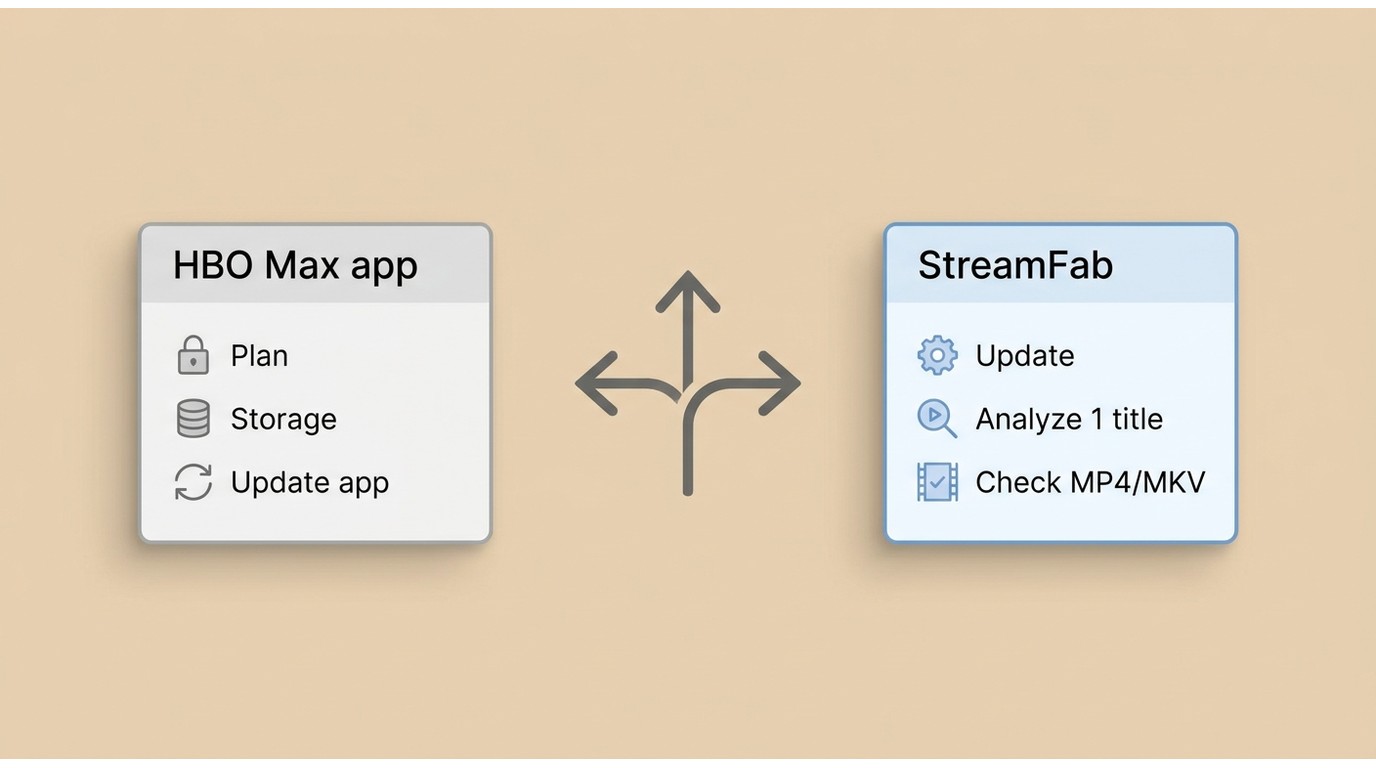
| Issue | Quick fix |
|---|---|
| Official app: download button missing or quota reached |
|
| Official app: expired item or playback authorization problem |
|
| StreamFab: error 909 or title analysis failure |
|
| Do not assume the same cause applies to every title. |
|
| Some titles may be limited to 1080p or lower under current compatibility. |
|
| Update first, then retry the on-demand replay rather than the live stream when available. |
|
For a controlled Mac check, use a MacBook Air with Apple silicon on macOS 15 and the current StreamFab build: analyze one on-demand title, note whether the quality and audio selectors populate, and verify the completed file before starting a batch.
My troubleshooting preference is update, isolate, and verify. Changing five settings at once may feel productive, but it takes away the one thing a useful diagnosis needs: a known cause.
FAQ
Yes. A completed official download can play without an internet connection while the app's authorization remains valid. Open the app and confirm the title before travel, because expiration and renewal rules still apply.
Not reliably. Live and sports streams can behave differently from on-demand movies, and a desktop analysis may fail for some streams. Update the software first and use an on-demand replay when one is available.
Official downloads require an eligible paid HBO Max plan. A desktop workflow also requires a valid subscription and authorized access, so it should not be treated as a subscription-free route.
They can. The download allowance is governed by the account plan and supported devices, not simply by one profile. The plan summary above gives the current US quota without repeating the full limits guide.
Conclusion: Choose the Right Download Method
Choose the HBO Max app for a few temporary downloads on a phone or tablet. Choose StreamFab on Windows or Mac when authorized offline viewing requires MP4 or MKV, output choices, or a batch and scheduled workflow.
The honest limitation is that desktop quality and compatibility can change by title and service update. For broader TV or USB scenarios, the guide to HBO Max download offline options carries that playback decision beyond the mobile-versus-computer split covered here.
My final recommendation is to start with the official app whenever it matches the device. Move to the desktop route only when the app's managed download format is the limitation you actually need to solve.
