Table of contents
A ReelShort network connection error means the app could not complete a connection, but the message alone does not identify the cause. Compare Wi-Fi and mobile data, refresh the app, then try ReelShort.com before reinstalling or contacting support.
A restart can leave the same message staring back. I’d treat a ReelShort network error as a clue, not a diagnosis. Erasing the app too soon sacrifices useful context. Let’s narrow the failure before changing more.
Fix a ReelShort Network Connection Error in the ReelShort App
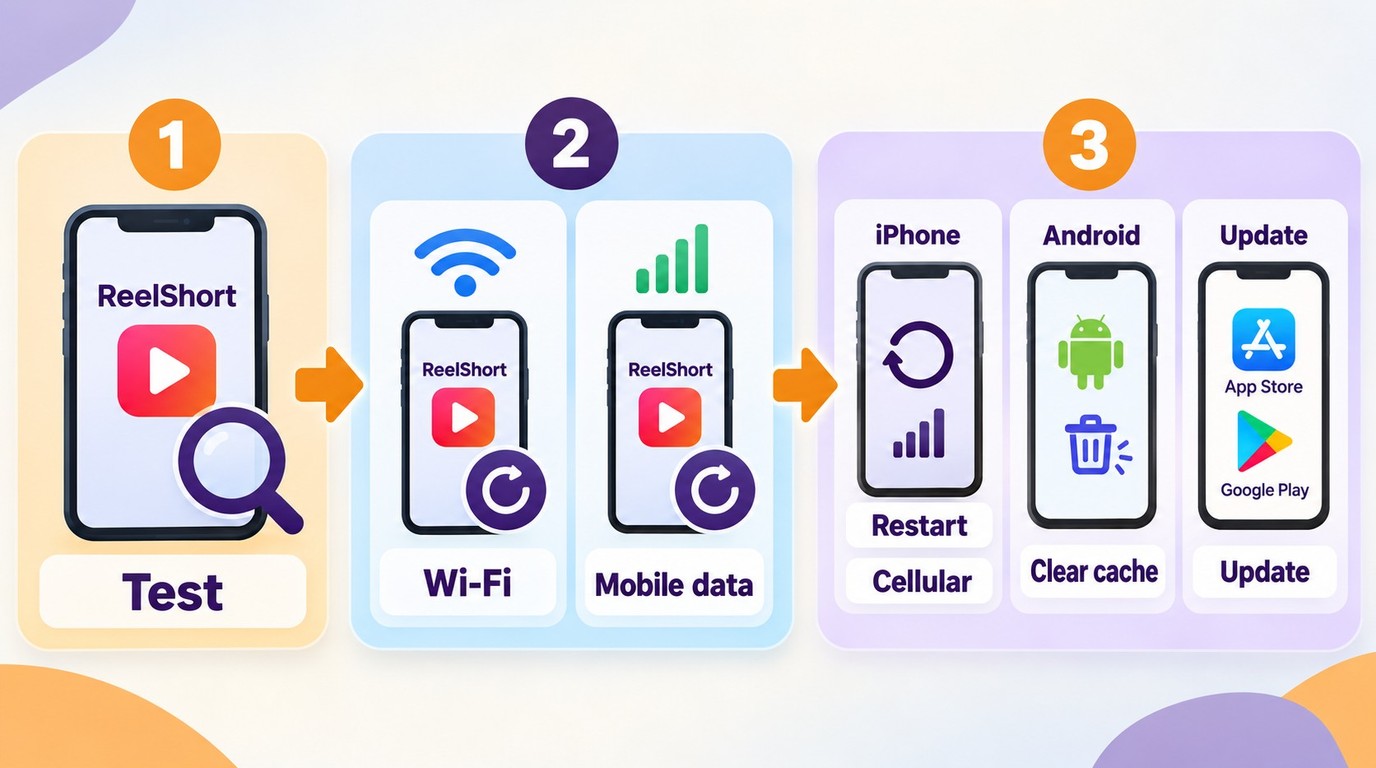
Start with checks that preserve your account and app data: compare connections, restart ReelShort, and update it through your official app store. On Android, clearing the cache is a separate option; on iPhone, there is no equivalent universal system button for clearing an app’s cache.
Keep your original device handy. Before changing anything, save the exact error wording and, if accessible, your User ID and login method. Keep purchase receipts available if paid access is involved. You do not need another phone, and a network comparison is useful only when another connection is available to you.
Compare Wi-Fi and Mobile Data
Change the connection without changing the episode. If you switch networks, titles, and accounts together, a successful retry will tell you little about what helped.
- Open another website or internet-connected app on the same phone. Note whether it loads normally.
- In ReelShort, identify the failing action: signing in, opening a reward ad, or starting an episode. Save a screenshot of the message.
- If available, switch between Wi-Fi and mobile data, then retry that same action. Consider your data allowance before streaming over cellular.
Use the result to choose your next check:
| Observed Symptom | Compare | Next Check | What It Does Not Prove |
|---|---|---|---|
| Fails on Wi-Fi | Mobile data | Retry the same episode | A ReelShort outage |
| App fails | ReelShort.com | Use the same login method | Purchase access will sync |
| Only reward ads fail | Episode playback | Record the ad error | A broken internet connection |
| App and website fail | Login and playback | Submit device and error details | A confirmed cause |
Source: ReelShort’s official Fandom pages, “Why is My ReelShort App Not Working?” and “ReelShort Customer Service & Help Center: How to Get Help”, as of October 2026. The symptom groupings are practical troubleshooting guidance.
I’d follow the narrowest failure first. If other services also fail, address the broader connection problem; if they work, continue with ReelShort’s app checks. Neither result, by itself, establishes that ReelShort’s servers are down.
Restart ReelShort on iPhone
For a ReelShort network connection error on iPhone, refresh the app before deleting it. This keeps the next check reversible.
- Close ReelShort from the app switcher, then reopen it and retry the failing action.
- If the error remains, restart your iPhone and open ReelShort again.
- If you are using mobile data, check ReelShort’s cellular-data permission in Settings. Enable it if you want the app to use that connection, then retry.
Settings labels differ across iOS versions. Look for ReelShort’s mobile-data access rather than a supposed iPhone “clear cache” button. If the app works on Wi-Fi but not cellular, that permission is worth checking before a reinstall.
Clear ReelShort’s Cache on Android
On Android, clear the cache rather than app data. Cache means temporary files; Clear storage or Clear data is a different, more disruptive action.
- Open your phone’s Settings and find ReelShort in the apps list.
- Open Storage or Storage & cache, then select Clear cache if offered.
- Reopen ReelShort and retry the same login, ad, or episode action.
Manufacturers use different labels. If there is no cache option, skip this step instead of substituting Clear data. I’d preserve the current account state while there are still simpler checks available.
Update Before Considering a Reinstall
Use the App Store or Google Play to update ReelShort. If your phone also has a pending system update, follow its update instructions when you can complete it without interruption. Reopen ReelShort afterward and note whether the same action still fails.
Reinstalling belongs later in the process. Before removing the app, record the login method, accessible User ID, and purchase receipts, and make sure you can recover the account. Do not assume that signing back in will automatically restore history, coins, or paid access. If you are already locked out or unsure which account holds a purchase, move to the website and support route below before deleting anything.
Try ReelShort.com and Report an Error That Persists
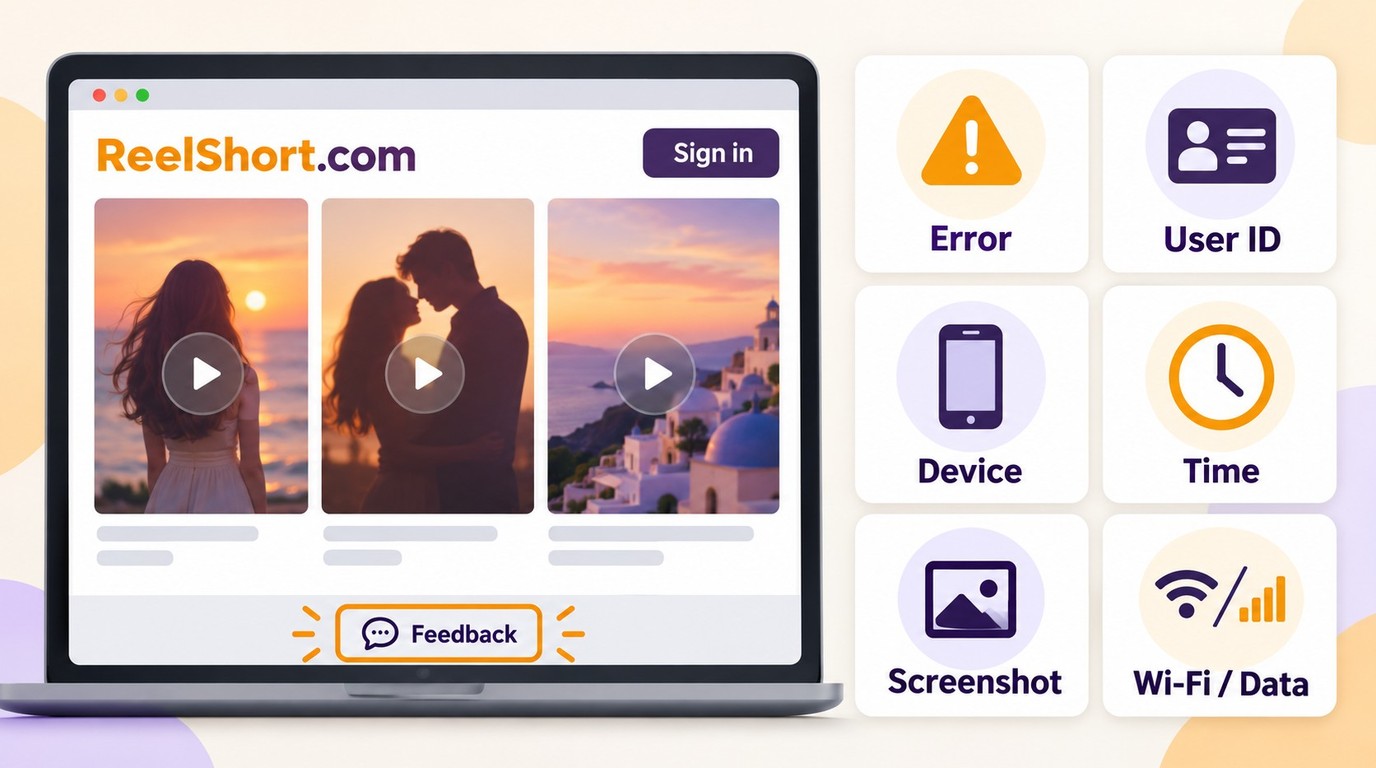
If the app checks do not resolve the error, try ReelShort.com using your original login method and compare the same content. If access still fails, submit a report through the website’s Feedback entry with the error, device details, and actions that reproduce it.
A failed restart is a reason to change the question. One JustUseApp poster described the problem this way: “Network error and unable to login. Tried switching devices already , restarted device”. That account describes a persistent symptom; it does not identify its cause. Another device can share the same network or account problem.
I’d rather give support a clear comparison than repeat an installation cycle that changes nothing. The website provides another way to check access while leaving the phone app’s current state intact.
Try the Same Login Method on ReelShort.com
Use the official site directly. A page advertising a replacement app is not the web fallback described here.
- Open ReelShort.com in your browser and find its sign-in entry.
- Use the same sign-in method you originally used in the app. Avoid creating a new account while trying to recover the old one.
- Find the same show and episode, then compare sign-in and playback separately. Record the result even if the website opens but playback fails.
An opening homepage is not the same as working account access. Likewise, a successful login is not proof that an episode will play. Recording those differences gives support something more useful than “the website works.”
If the episode plays on the website, you have a usable online fallback for that viewing session. Keep the app problem in your report. Web playback still needs a connection, and it does not establish that purchases or viewing progress will synchronize between the two interfaces.
If both interfaces fail, keep the conclusion narrow: access failed in both places under the conditions you tried. Account access, the shared connection, and a service-side problem remain different possibilities. An error on two screens is not an outage announcement.
Send a Reproducible Report Through Website Feedback
Use the website footer’s Feedback entry for an unresolved error. If the app remains accessible, its Profile area’s Help/Feedback entry is an alternative contact route.
Prepare and submit the report in this order:
- Open ReelShort.com and select Feedback in the footer.
- Describe the failing action and exact error text. Include the show and episode when playback is affected, and your User ID if available.
- Add the phone model, operating-system version, and ReelShort app version. Include the browser name if the website also fails.
- Add the time and time zone, an error screenshot, and your Wi-Fi versus mobile-data result. State when an alternative network was unavailable rather than guessing.
- Summarize the checks already completed, submit the report, and save any acknowledgment or reference it provides.
Keep the message factual and protect your credentials. Crop screenshots to the relevant error, and do not send passwords, verification codes, or full payment details. For a purchase issue, retain the receipt and provide necessary transaction information through the official support route.
Useful reporting separates observation from explanation. “The same episode opens on mobile data but fails on home Wi-Fi” gives a clear comparison; “your servers are broken” skips it. Your report should make the failure easy to recognize without committing to a cause.
Once submitted, keep follow-up information with that report. If the behavior changes, add what changed: the connection, app version, or failing action. You have now moved from repeating generic fixes to documenting a specific problem.
Why ReelShort Reward Ads Can Fail While Episodes Still Play
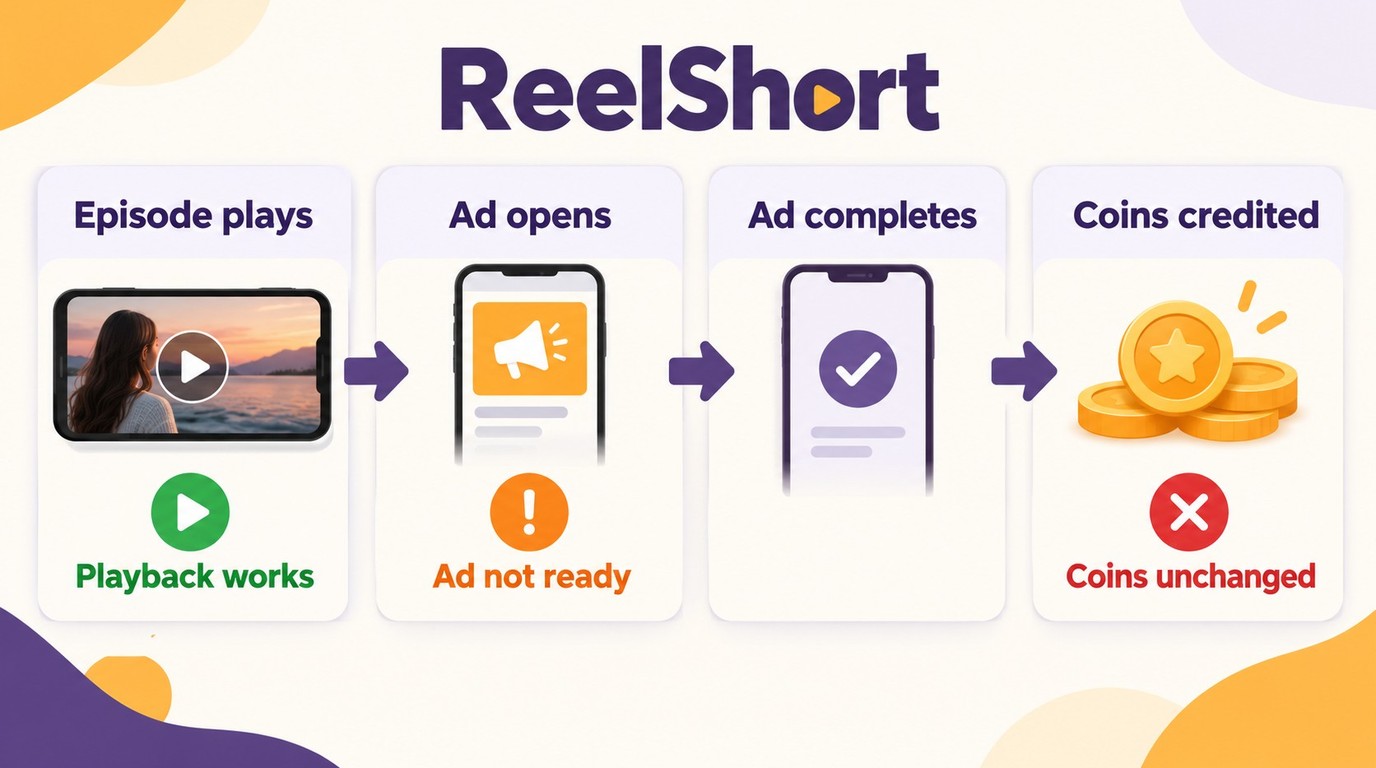
A reward ad that will not load does not, by itself, mean your entire connection is broken. If episodes still play, record the ad-specific error and report that narrower failure rather than treating every ReelShort function as unavailable.
The distinction matters when you use ads to earn coins. Opening an episode, loading a reward ad, and receiving a reward are separate things to observe. Success at one does not confirm success at the others.
A JustUseApp poster wrote: “The problem occurs every time I try to open the ad It tells me it's not ready yet and to try later and yes I reinstalled the app”. That is an example of an ad failure continuing after reinstalling. It does not establish why the ad was unavailable or what would repair it.
I’d describe that problem to support as an ad-loading failure. The narrower description helps avoid another round of phone-wide changes when the rest of your viewing session is functioning.
Keep Ad Availability Separate From Coin and Account Access
Record where the reward process stops. An ad that never opens is a different report from an ad that finishes without an apparent change in the coin balance. Include the message and time, and describe whether episode playback and account access still work.
Do not assume that an unavailable ad means your account is restricted. Nor does it establish when another ad will appear or whether compensation will follow. Keep any related screenshots for the Feedback report described above instead of repeating the cache and reinstall sequence.
The practical split is simple: resolve the feature that is failing. Once ordinary access is working again, planning around a future weak connection becomes a separate viewing decision.
When StreamFab ReelShort Downloader Fits Offline Planning
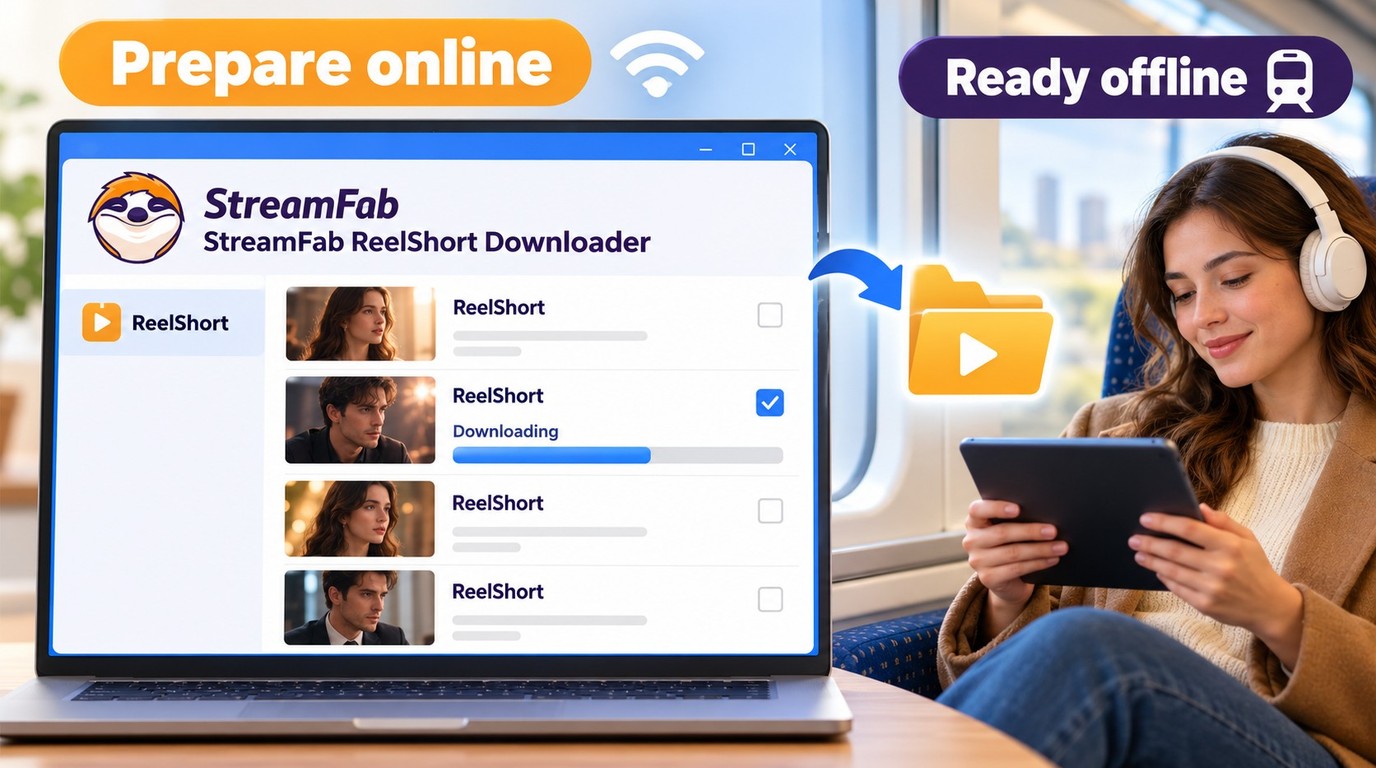
StreamFab ReelShort Downloader fits you if you have a Windows PC or Mac and want to prepare accessible episodes for planned offline viewing. It is a desktop saving option separate from ReelShort’s own app, intended for preparation while your connection is working.
Prepare Episodes Once Your Connection Is Back
Local preparation addresses a different moment in your viewing routine. For example, if you expect unreliable reception during a commute, you need the episodes ready before leaving the working connection. I’d use that distinction to keep an offline plan from becoming another attempted fix for today’s login error.

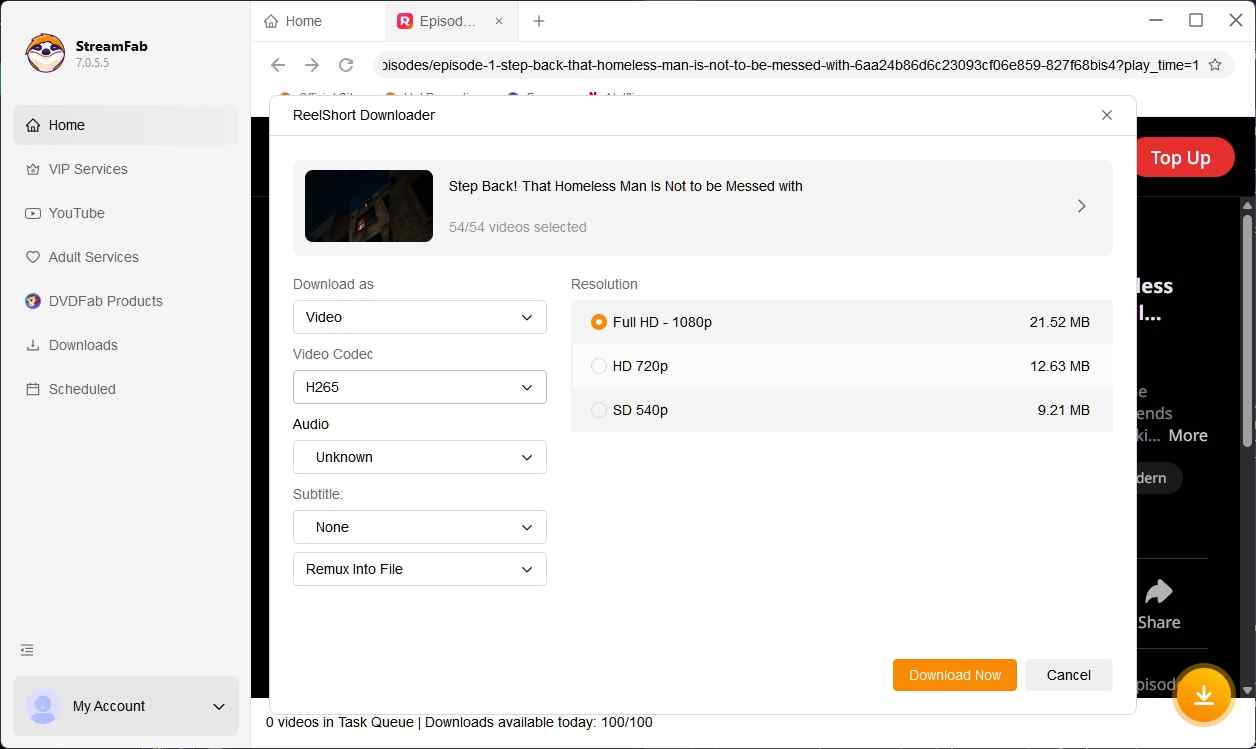
StreamFab ReelShort Downloader preserves vertical short drama content at up to 1080p resolution with AAC 2.0 audio, H.264/H.265 codec support, and MP4/MKV output—ready for offline playback on any device.
For an authorized offline preparation session:
1. Open StreamFab ReelShort Downloader on your PC or Mac and sign in to your existing ReelShort account. Choose episodes you can already access and have permission to save.
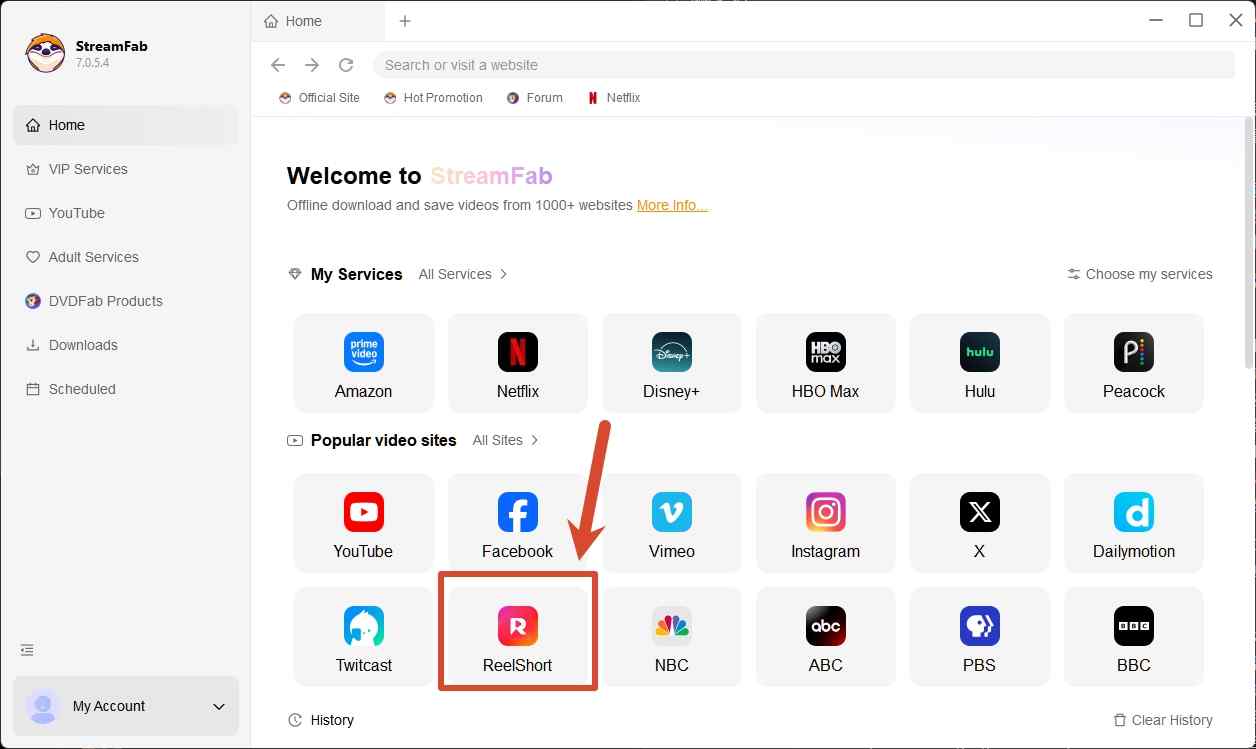
2. Select the episodes, MP4 or MKV output, and the available subtitles you want. Add several episodes together when preparing a longer viewing session.
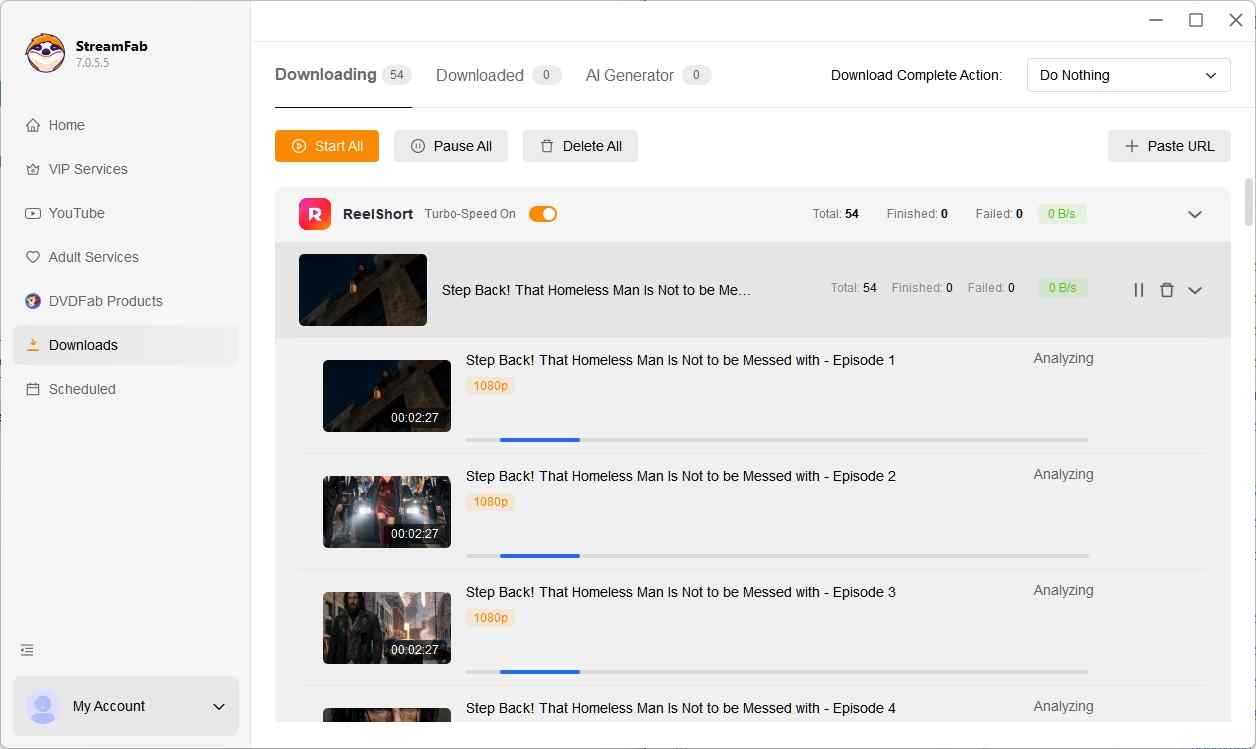
3. Save the files to your chosen local folder, then open the finished files in a compatible player to check the picture, sound, and selected subtitles before leaving your connection.
Keep saved files for personal use without redistribution, maintain valid account and content access, and follow ReelShort’s terms and applicable U.S. law. ReelShort’s terms restrict downloads to expressly permitted uses, so a subscription alone does not grant permission to save a local copy.
The scope limit is straightforward: StreamFab ReelShort Downloader does not repair an active network or account-access failure; use the app and official Feedback path above to restore access first. For desktop offline preparation afterward, explore StreamFab ReelShort Downloader on its official product page.
