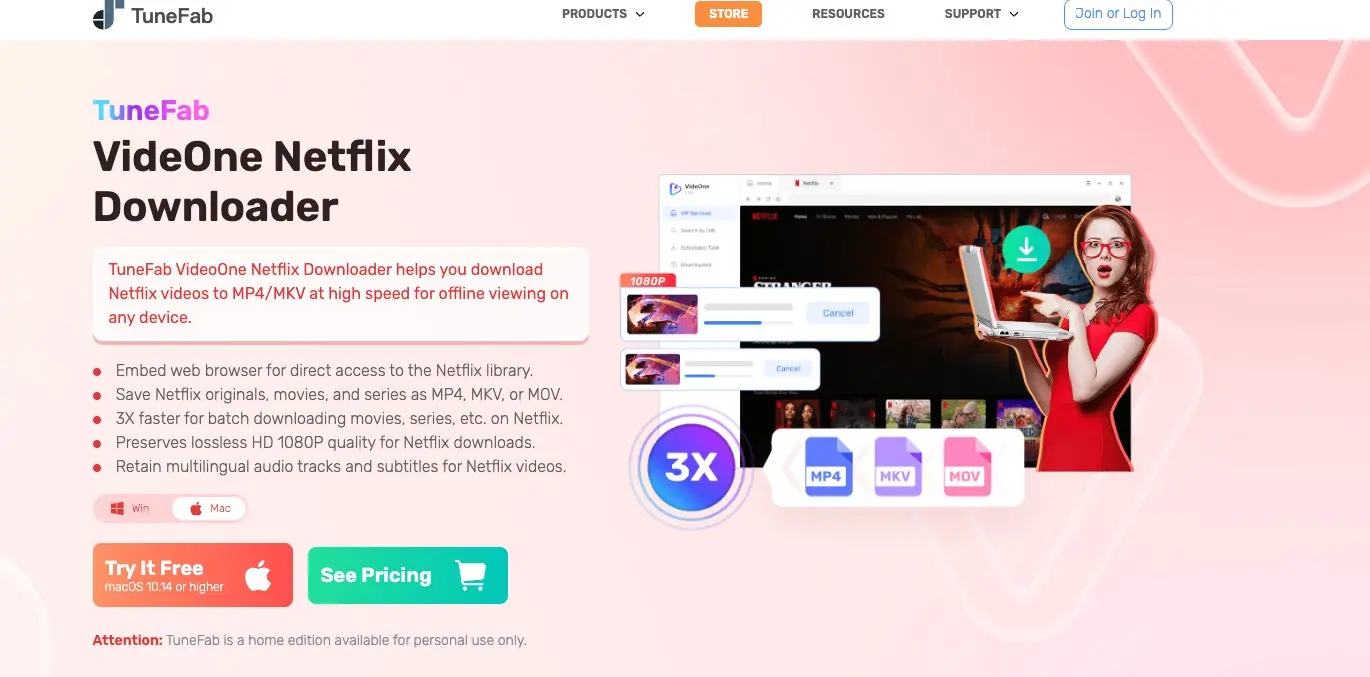
When Netflix's official download list does not cover your Windows or Mac workflow, the practical choice is an app-bound mobile download or a desktop tool that saves local files. This TuneFab Netflix downloader review explains the limits, tested 1080p workflow, trial scope, and when an alternative fits better.
My early take is simple: TuneFab is easiest to justify for occasional Netflix Originals at 1080p; readers who need stronger quality controls, wider platform coverage, or scheduled library work should compare a different desktop workflow.
- Video quality and audio: Re-encoded output, HDR observations, and the quality trade-off.
- Content compatibility: Episode queues, Originals, and licensed-title caveats.
- Pricing and trial value: One-machine scope, trial depth, and plan fit.
- Desktop alternatives: When a broader local-library workflow is worth considering.
Quick Verdict on TuneFab Netflix Downloader
TuneFab Netflix Downloader delivers a straightforward desktop workflow, but its re-encoded 1080p ceiling and uneven handling of some licensed titles narrow the audience. It is a reasonable fit for occasional Netflix-only offline viewing when portability matters more than home-theater fidelity.
Who It Suits
The best fit is a reader who saves Netflix Originals occasionally, wants a local MP4 or MKV file, and prefers a guided interface over detailed technical controls. Laptop or tablet playback is more forgiving of the softer look that can accompany re-encoded output.
Why I Considered an Alternative
Two issues changed my view: large-screen playback made the re-encoded image softness easier to notice, and licensed titles were less predictable than Originals in my notes. I explain the quality distinction in the video quality section, then connect it to file compatibility and library maintenance.
Netflix Downloads: Official Limits First
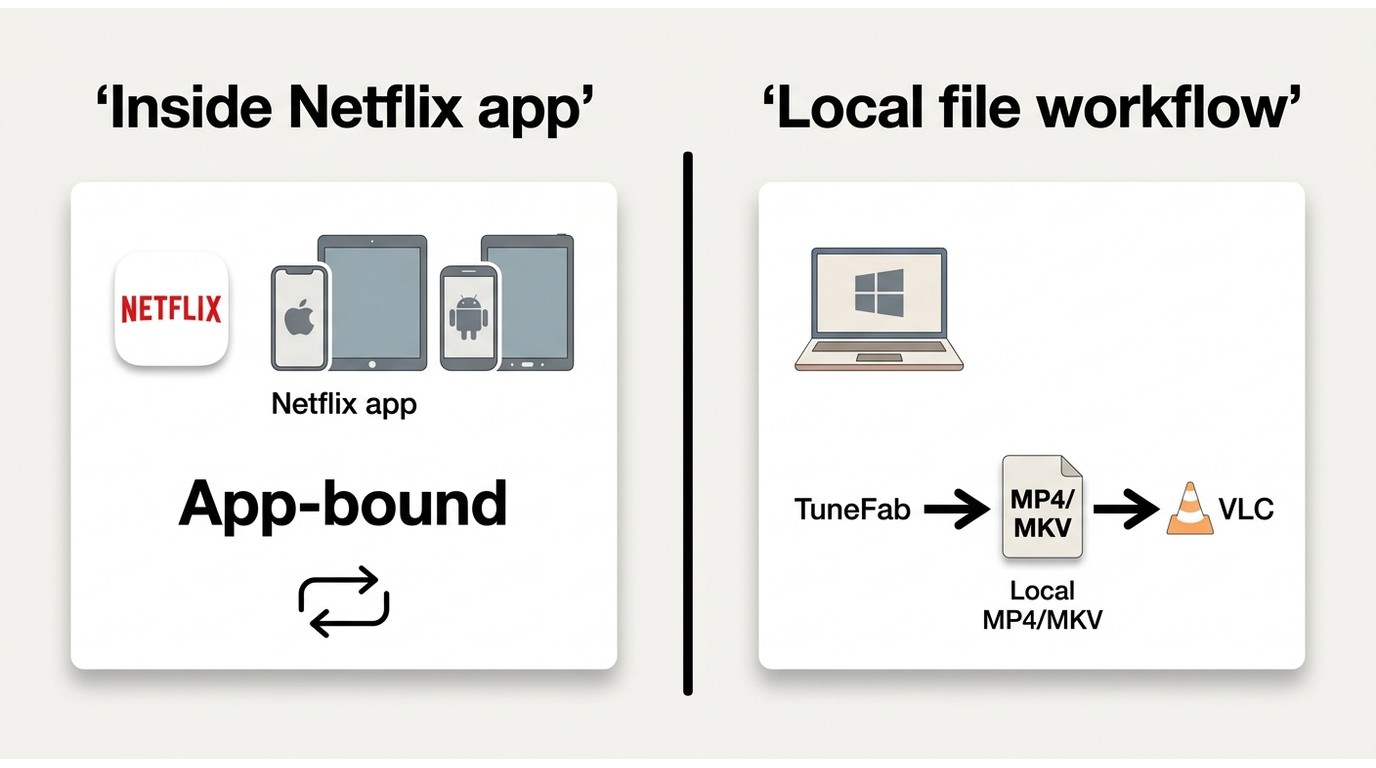
As of August 2026, Netflix's Help Center lists downloads for iPhone and iPad, Android phones and tablets, and Fire tablets; Windows is absent from that supported-device list. The official app keeps downloads inside its managed playback environment, where title availability and expiry rules apply.
App-Bound Downloads vs Local Files
Any local-file workflow discussed here assumes that you are authorized to access the title, have an active subscription where required, and follow Netflix's terms and applicable law. TuneFab's advertised MP4, MKV, and MOV output is a local-file workflow for personal offline viewing, not the same as Netflix's app-bound download system.
A local file can be opened in compatible players without the Netflix app, but playback still depends on the environment, service rules, and the scope of your authorization. That distinction is the key answer for readers comparing MP4 MKV portability with official downloads.
Supported Devices and Expiry
Netflix's own download route is designed around supported mobile devices rather than a general Windows desktop library. Downloads can expire, become unavailable when a title leaves the service, or be limited by account and plan rules, so an app-bound copy is not the same as an unrestricted file archive.
Setup and First Download
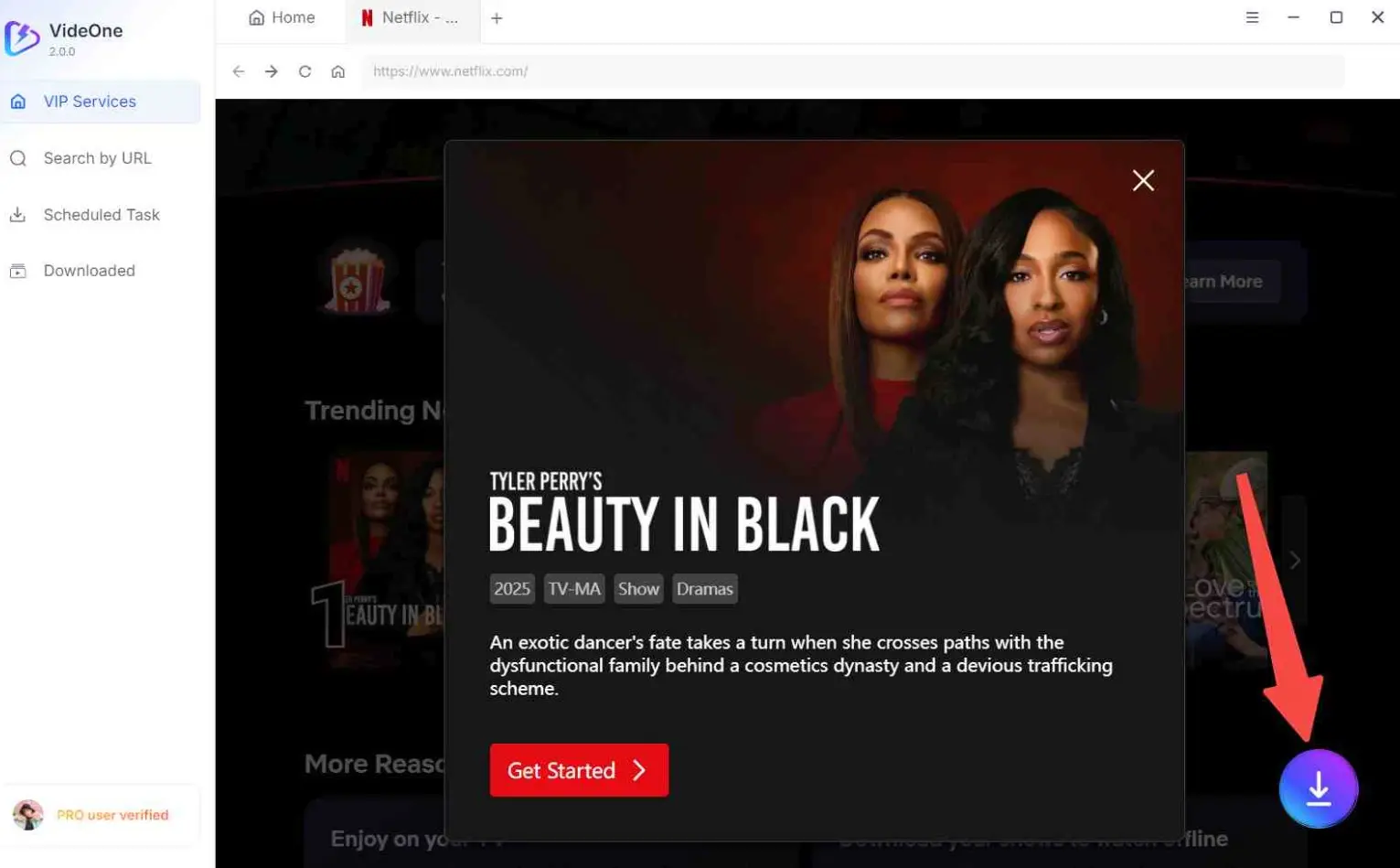
The first run is easy to follow: install the app, sign in through its embedded Netflix view, set the output choices, and start the queue. The useful part is the short path from account login to a selectable title; the trade-off is that the interface hides most recovery detail when a task stalls.
Installation and Account Login
For the setup notes, I use a repeatable desktop checklist and record what the installer and embedded browser actually do. On Windows 11, installation completed in under three minutes with no bundled software (I checked).
Open Netflix inside the built-in browser and choose the active profile as usual. Availability, maturity settings, and profile restrictions carry into the download view.
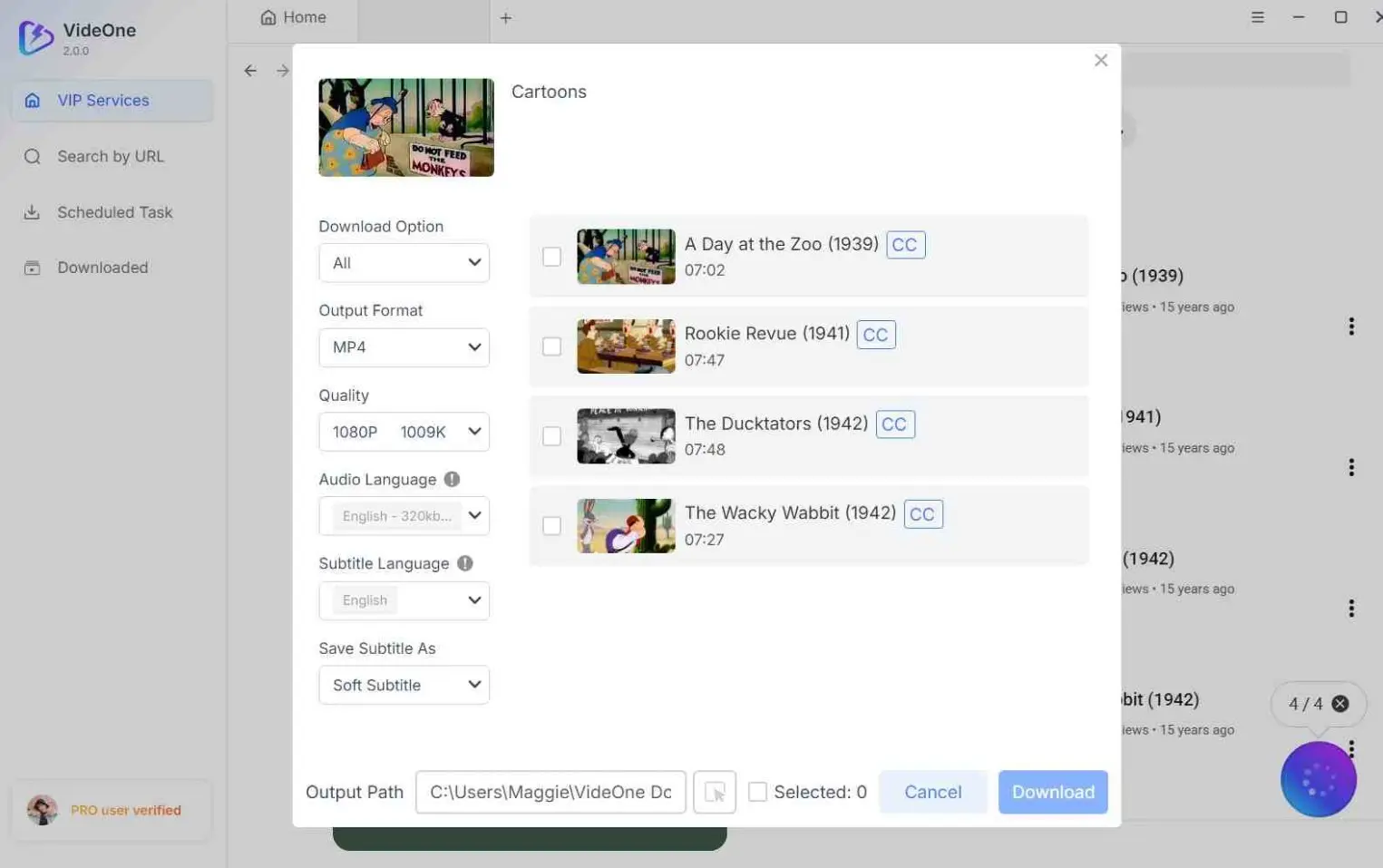
Selecting Quality, Audio, and Subtitles
For a 45-minute episode at 1080p, the process took 4–6 minutes on a stable 100Mbps connection in my tests. Use the following sequence for a first download:
Video Quality and Audio Compared
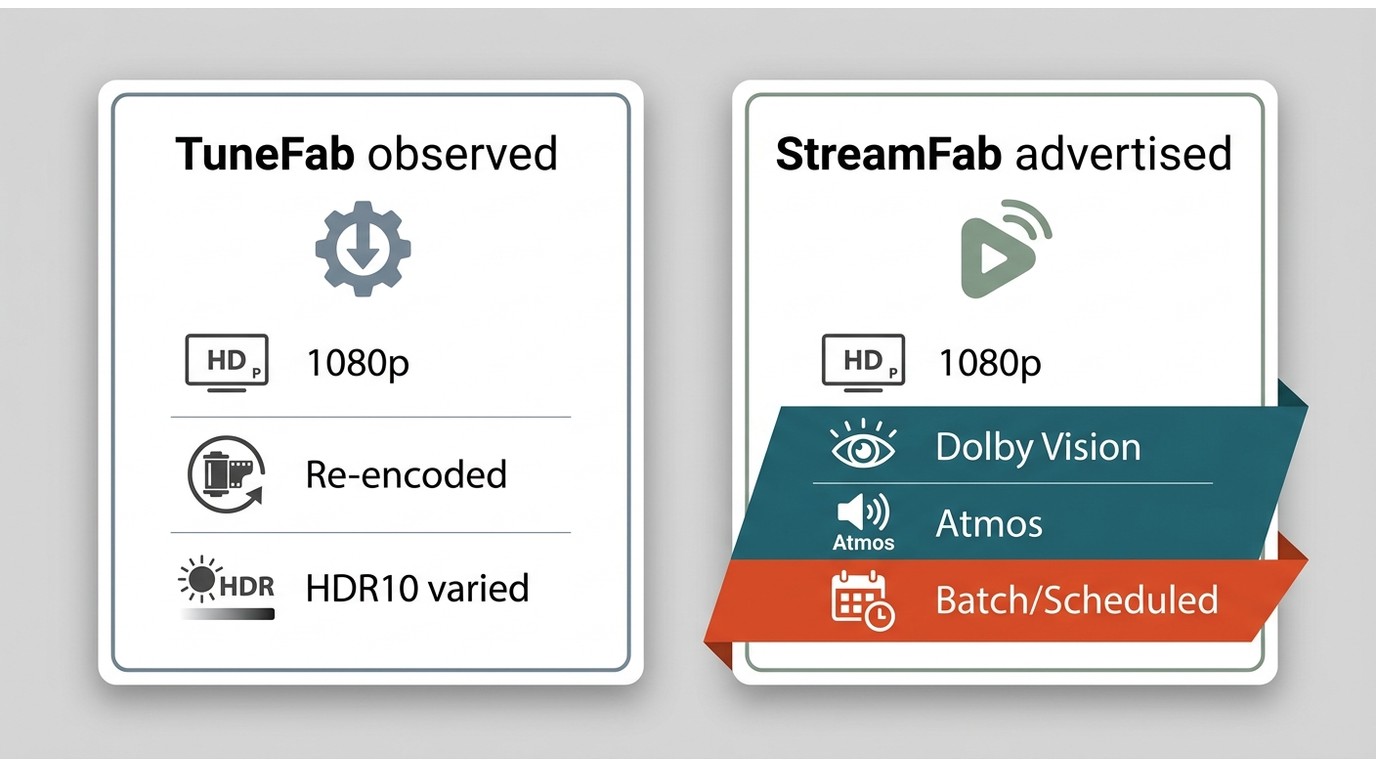
TuneFab's current Netflix positioning centers on HD 1080p and local-file formats. The important distinction is that the output is re-encoded, so a listed resolution does not automatically mean native source quality on a large display.
Resolution and Encoding
The 1080p setting is the practical ceiling described for TuneFab Netflix Downloader, not a verified 4K Netflix tier. Re-encoded 1080p can look clean on a laptop while appearing softer on a large screen, especially in fine textures and dark scenes. I therefore treat the number as an advertised output setting, not proof of native source quality.
HDR, Dolby Vision, and Atmos
HDR10 was preserved in roughly half the HDR titles; Dolby Vision and Dolby Atmos did not survive re-encoding in any tests. That observation matters more for a calibrated television and a surround receiver than for casual laptop playback.
| Workflow | Advertised output and device | Author observation: quality and audio | Batch and scheduling | Trial and fit |
|---|---|---|---|---|
| Netflix app | App-bound; listed mobile devices | Managed playback; plan and title dependent | Within app; no local-file queue | Included with eligible plan |
| TuneFab VideOne | MP4/MKV/MOV; HD 1080p | Re-encoded; HDR10 and Atmos varied in tests | Season queue; sequential processing | Five-minute trial; Netflix-only scope |
| StreamFab Netflix Downloader | MP4/MKV; 1080p; H.264/H.265/VP9/AV1; Windows/Mac | Brand-listed HDR10/Dolby Vision and Dolby Atmos/EAC3 5.1 | Batch and scheduled downloads | 30-day trial; 3 videos per service |
StreamFab Netflix Downloader lists MP4/MKV output, up to 1080p for Netflix, HDR10 and Dolby Vision, Dolby Atmos and EAC3 5.1, plus batch and scheduled downloads. The StreamFab Netflix Downloader review is the relevant reference when those verified format and library requirements outweigh TuneFab's simpler setup.
Content Compatibility and Batch Downloads
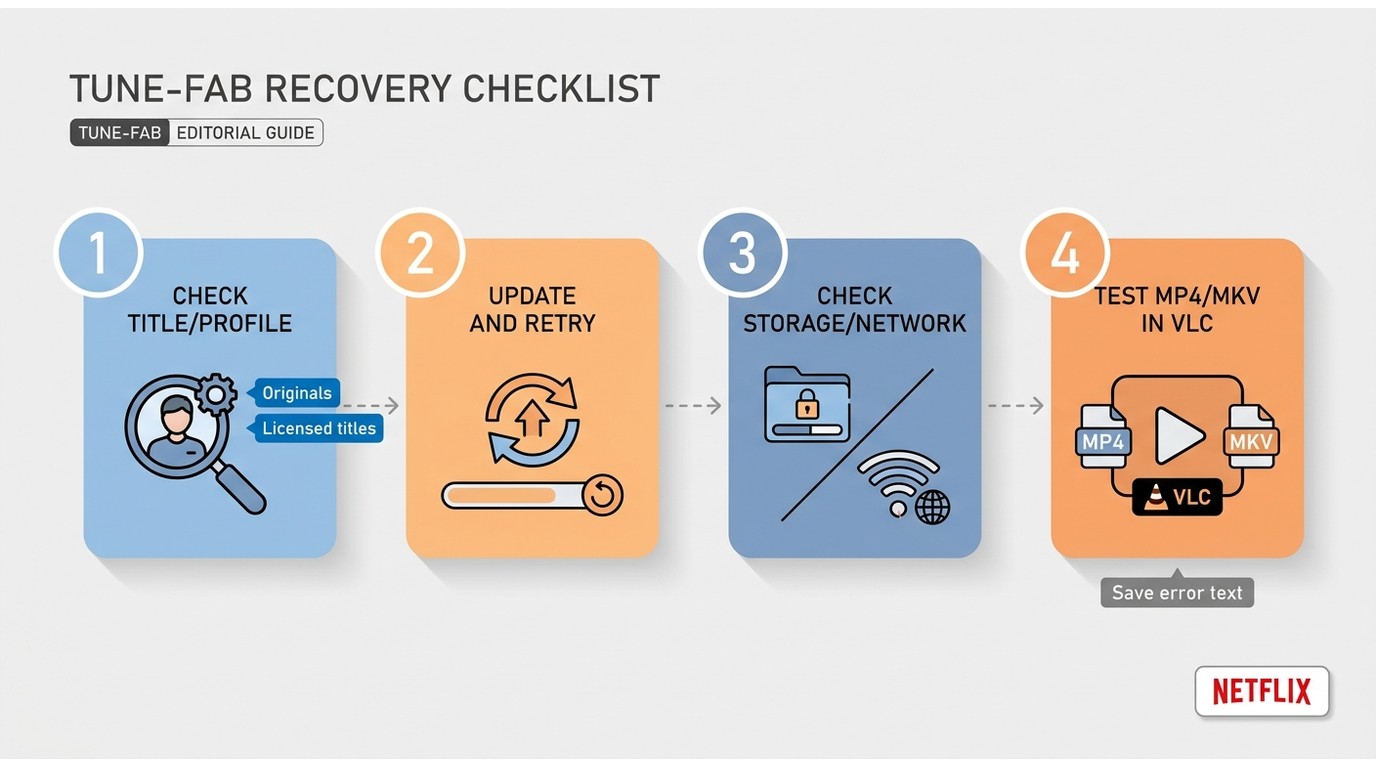
TuneFab handles title selection and season queues in one interface, but queue convenience does not remove the need to check each finished file. Originals were easier to process in my notes; licensed-title behavior deserves a more cautious expectation.
Episode Selection and Queues
Single-title downloads averaged 3–4× real-time speed; a 60-minute episode took 15–20 minutes on 100Mbps.
Select an individual episode or a full season from the embedded browser. The queue runs sequentially, and its aggregate progress view is less informative than a per-file status list when several episodes are waiting.
Originals vs Licensed Titles
In my notes, Netflix Originals were generally easier to process than some licensed titles. That is a test observation, not a universal success rate; differences in title delivery can affect capture reliability without proving one technical cause.
If a task stalls or produces an unplayable file, use this recovery path:
- Licensed titles can be a weak point when capture conditions vary.
- A retry may succeed for some titles, but recovery starts from zero.
- A completed task still deserves a playback check before it enters a media library.
Scheduling and Library Metadata
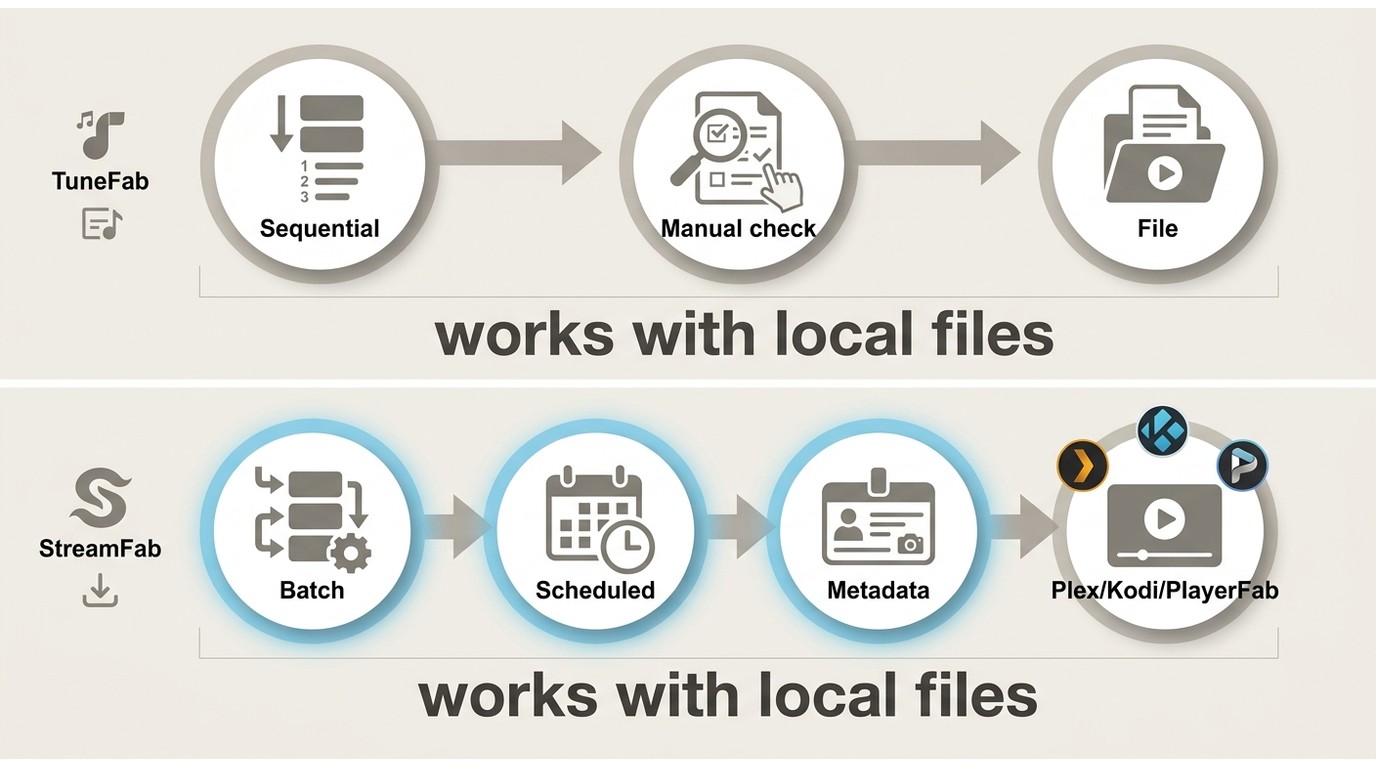
Scheduling is useful when a season should be ready before a commute, but the value depends on how much checking your library workflow requires afterward. TuneFab's queue is simple; a metadata-aware, scheduled desktop workflow is a better fit when Plex, Kodi, or PlayerFab organization is the priority.
- Best for: readers who want a short queue, manual file checks, and occasional season downloads.
- Not ideal for: readers who expect concurrent processing, detailed per-file recovery, or a hands-off library pipeline.
StreamFab supports batch and scheduled downloads and can write metadata, which fits Plex, Kodi, or PlayerFab organization when the account and service terms permit personal offline viewing. In a separate StreamFab batch run on Windows 10 Pro with an i5-9400F, 16 GB RAM, and version 7.0.1.7, three LDR S4 episodes completed and file sizes rose with episode length.
Pricing, Trial, and Value
As of August 2026, the Netflix-only listing describes a one-machine product with one-time and annual choices. Choose between the one-time and annual options according to expected use; a Netflix-only license has less value once several services matter.
| Plan detail | What is listed | Practical implication |
|---|---|---|
| Scope | One registered machine | Best for a dedicated desktop |
| One-time plan | No annual renewal listed | Easier to budget for longer use |
| Annual plan | Lower upfront cost; recurring renewal | Compare total cost over the intended period |
| Trial | First five minutes of a title | Checks connection, not full-length quality |
| Value check | Netflix-only workflow | Less compelling when several services matter |
- Clean setup: Netflix login through the built-in browser, with no command-line work
- HD 1080p output for compatible titles
- Low-complexity batch workflow
- Flexible subtitle output, including external and embedded options
- A Netflix-only plan can suit occasional users; compare the current listing with your expected use
- 1080p output is re-encoded, not native, and can look softer on large displays
- Licensed titles can be less predictable than Originals
- No partial resume observed when a task fails
- HDR10 preservation varies; Dolby Vision and Dolby Atmos did not survive re-encoding in the cited tests
- Sequential batch processing only, with no concurrent queue shown
- Some failures provide little actionable detail
Plan Scope and Trial Limits
The five-minute trial is enough to confirm sign-in, title detection, and task initiation. It is not enough to judge a full film's image quality, subtitle timing, or recovery behavior, so treat it as a connection check rather than a complete evaluation.
Who Gets Good Value
TuneFab makes the most sense for a Netflix-only user who accepts HD 1080p re-encoded output, values a guided setup, and downloads often enough to use a dedicated machine. If you also maintain other services or a structured media library, the narrower license becomes harder to justify. The TuneFab vs StreamFab comparison separates the two workflows without turning this review into a product ranking.

Switch from TuneFab Netflix Downloader to StreamFab Netflix Downloader, and gains more stale output quality, ensures HDR10, Dobly Vision, and lossless native 1080p resolution.

FAQ
Conclusion
My conclusion is narrower than a simple yes or no: TuneFab's clean setup and HD 1080p workflow can suit occasional Netflix-only use, but re-encoded output and less predictable licensed-title handling deserve weight before purchase.
Stay with TuneFab if:
- Netflix is the only service in your workflow.
- HD 1080p output is sufficient for your screen.
- You prefer a guided browser-based setup and manual library checks.
Choose another desktop workflow if:
- HDR, Dolby Vision, or Dolby Atmos handling is central to your setup.
- You need scheduled downloads and metadata writing for a Plex, Kodi, or PlayerFab library.
- You want one license to cover several streaming services.
StreamFab Netflix Downloader is one option for readers who prioritize verified MP4/MKV, HDR10/Dolby Vision, Dolby Atmos/EAC3 5.1, batch scheduling, and metadata workflows.
