
Disney Plus download limits can be frustrating when you are preparing for a trip and cannot tell how many titles or devices are allowed. The practical answer is to check your plan, title allowance, device status, and renewal conditions before you leave.
Disney Plus download limits are not one rule. Plan eligibility, title availability, download-device allowances, and periodic internet checks can all affect whether an offline title works when you need it.
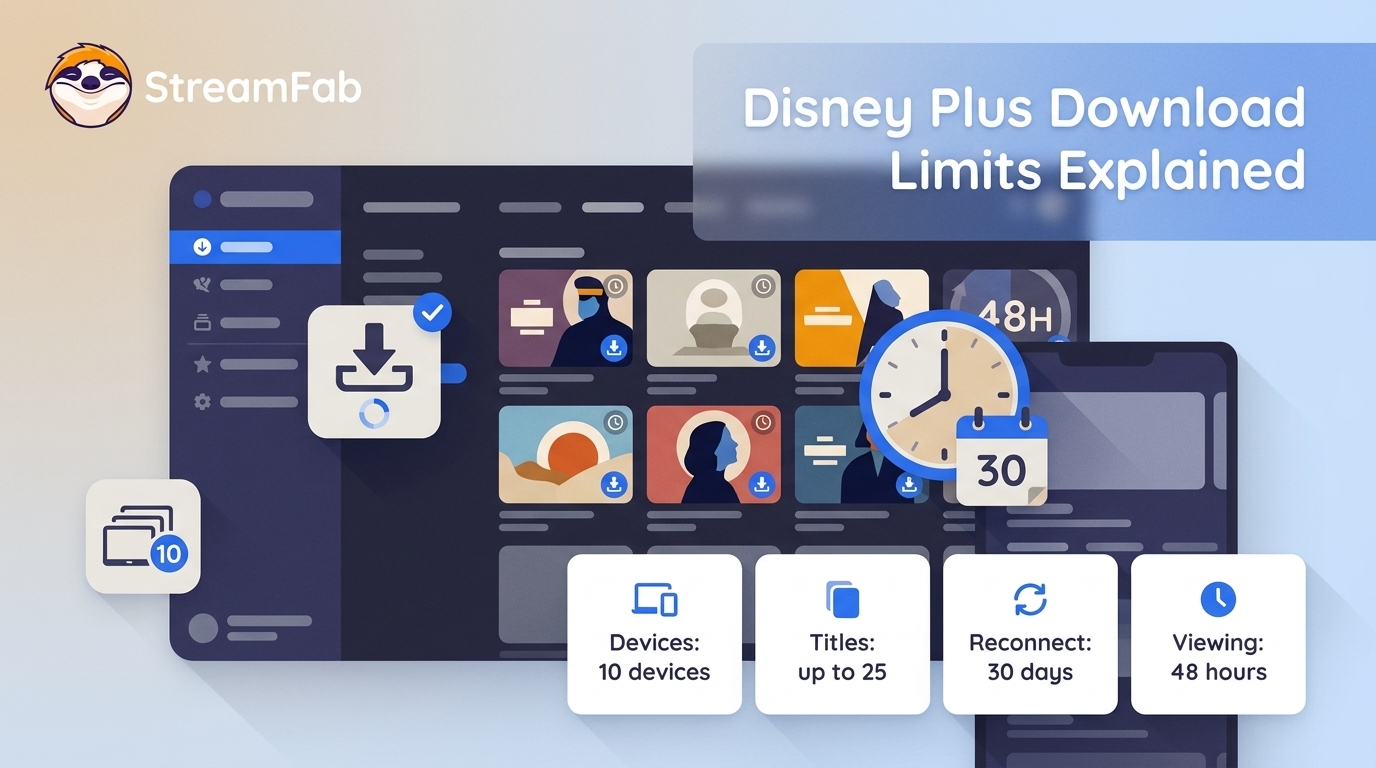
For U.S. subscribers, official downloads require Disney+ Premium or an eligible Premium bundle, while ad-supported plans do not include downloads. The 10-download-device allowance is separate from simultaneous-stream and household rules, and a completed download can still need a renewal check before travel.
This guide starts with the official rules, then gives you a troubleshooting checklist for Disney Plus offline downloads. It also explains when a desktop Disney+ offline viewing workflow may suit authorized personal use, where permitted by platform terms and applicable law.
Quick takeaway:
1. In the United States, official downloads are available with Disney+ Premium and eligible Premium bundles. Ad-supported Disney+ plans do not include downloads.
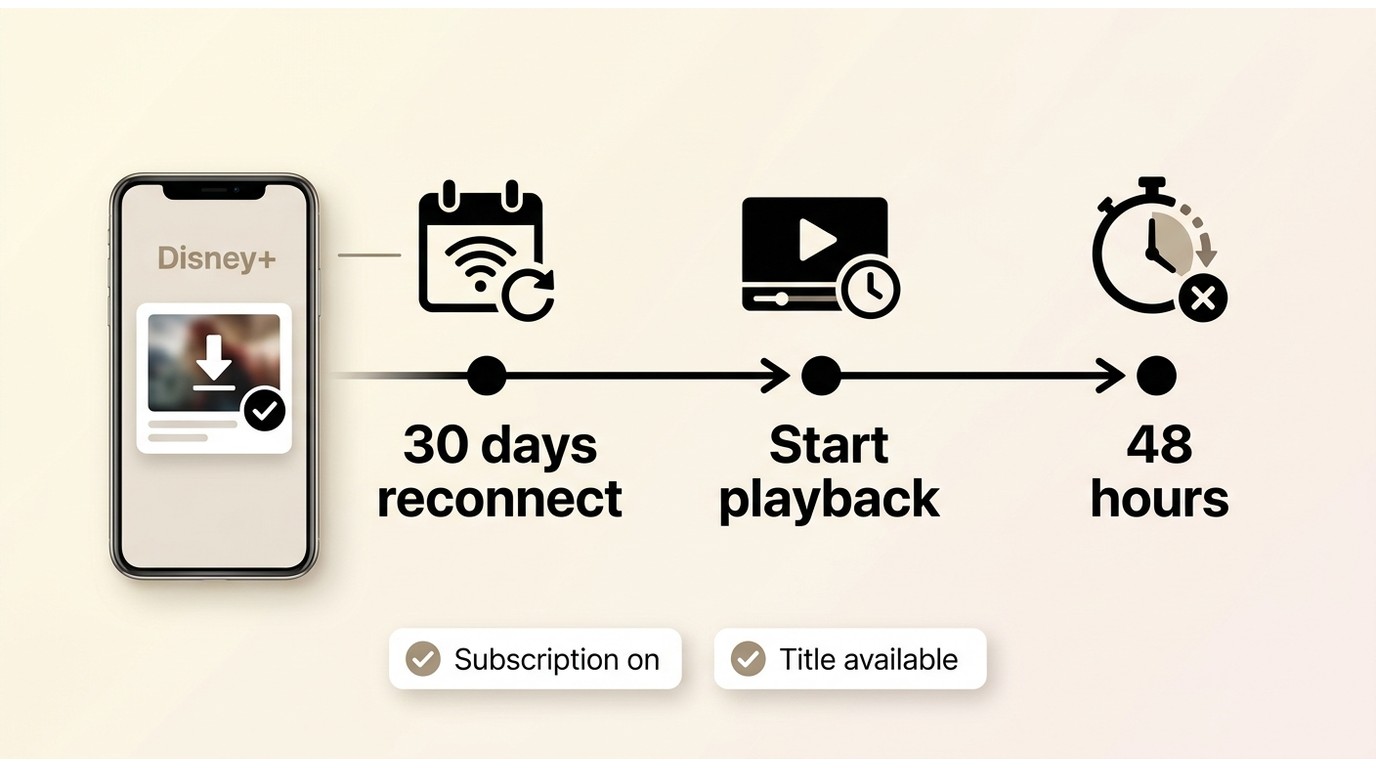
2. Download devices need to reconnect to the internet at least once every 30 days, and a viewing window may apply after playback begins.
3. Download-device allowances, simultaneous streams, and household rules are different policies.
4. Before a trip, renew affected titles and test playback in airplane mode.
How Long Disney Plus Downloads Last
Disney Plus download limits are easiest to manage when you separate plan eligibility, title and device allowances, and expiration checks. For U.S. travelers, confirm Premium eligibility, reconnect before departure, and test playback offline before deciding whether a desktop workflow is necessary.
Disney Plus Limits at a Glance
| Rule | What it means for U.S. users |
|---|---|
| Eligible plans | Disney+ Premium and eligible Premium bundles include official downloads. Ad-supported plans do not. |
| Title allowance | Disney+ guidance commonly surfaces up to 25 downloaded titles per account. This can vary by account or region. |
| Download devices | Up to 10 supported mobile devices can be used for downloads. |
| Renewal check | Each download device needs to reconnect to the internet at least once every 30 days. |
| After playback starts | A viewing window may apply, commonly surfacing as 48 hours. |
| Other conditions | An active subscription, sufficient storage, and continued title availability can affect playback. |
Rules shown as of July 2026.
Downloads do not simply follow one universal countdown. The 30-day rule concerns reconnecting a download device to the internet, while a separate viewing window may apply after playback begins. Subscription status and title availability can also affect access.
Supported Devices and Rule Differences
Official Disney+ downloads are designed for supported phones and tablets, not Mac or Windows desktops, TVs, or casting destinations. For the full mobile procedure, see Disney Plus offline downloads on supported devices. The 10-device allowance concerns download-capable mobile devices; it is not a simultaneous-stream limit or a household-sharing rule. In my view, treating that allowance as a general household-sharing limit is the most misleading interpretation to avoid.
The official app is usually the simplest choice for routine phone or tablet viewing. A desktop local-file workflow is worth considering only when portable files for authorized personal offline viewing are a genuine need and its additional setup fits your situation.
Official App Limits and a Desktop Alternative
The official app keeps downloads managed inside Disney+, which is appropriate for most everyday mobile viewing. StreamFab Disney Plus Downloader is a desktop option for saving a local copy for personal offline viewing of content you are authorized to access, where permitted by platform terms and applicable law. It does not change Disney+ plan eligibility, title availability, or account rules.
StreamFab Features and Fit
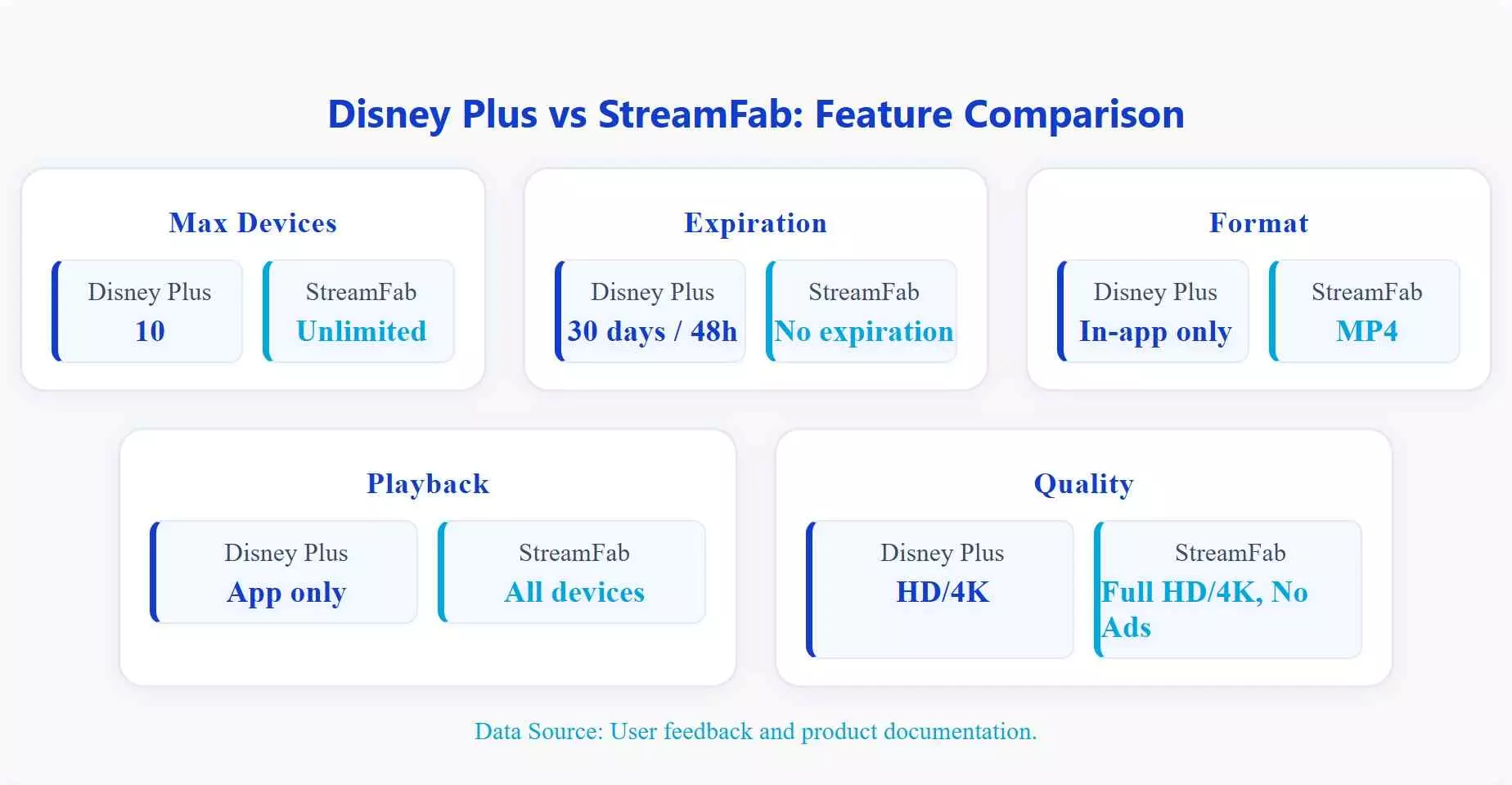
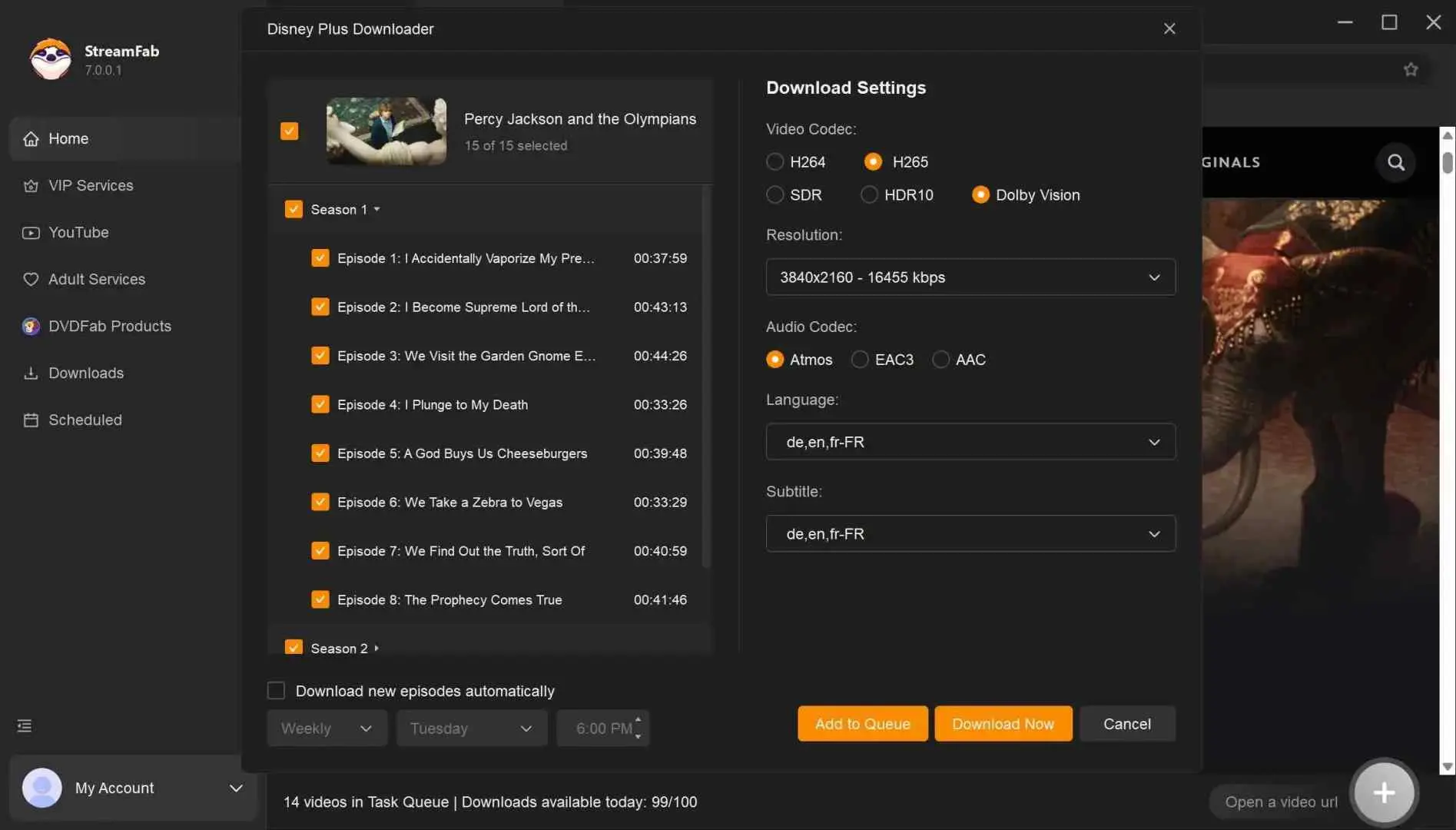
StreamFab Disney Plus Downloader runs on Windows and Mac and can save authorized titles as Disney Plus MP4 files or MKV files for a local-file workflow. Its documented output supports up to 1080p; selected audio languages; Dolby Atmos, EAC3 5.1, or AAC 2.0 where available; HDR formats; and SRT or remuxed subtitles.
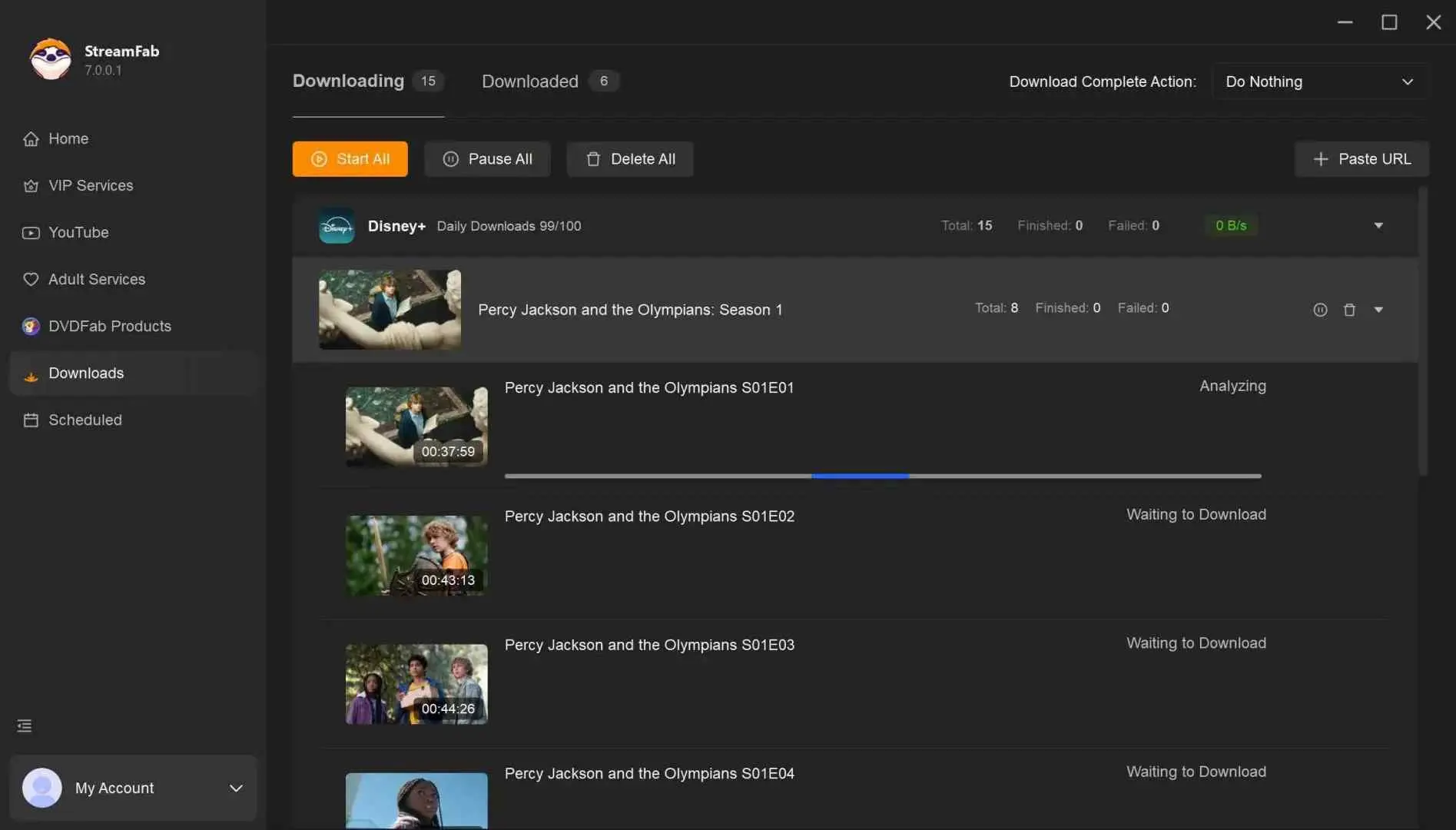
Batch downloading and scheduled new-episode downloads can be useful when preparing a full season for travel. I would consider this workflow mainly for frequent travelers and season downloaders; if you only need occasional official mobile downloads, a paid desktop tool may not be necessary.

A desktop workflow for authorized personal offline viewing:
- Save supported titles in up to 1080p, with available HDR and audio options.
- Choose MP4 or MKV for a local-file workflow on compatible devices.
- Select available audio languages and subtitle options for your viewing setup.
- Queue full seasons or schedule newly released episodes when that preparation is useful.
- Local files have their own playback environment and do not replace Disney+ account, plan, or title-availability requirements.
| Feature | Disney+ App | StreamFab Disney Plus Downloader |
|---|---|---|
| Device scope | Up to 10 supported mobile download devices | Windows or Mac workflow, subject to local storage and compatible playback devices |
| Offline access conditions | App-managed downloads require account, title, and periodic connection checks | Local-file workflow for authorized personal offline viewing, where permitted by terms and law |
| Format and quality | App-managed download, playable in Disney+ | MP4 or MKV, with up to 1080p and available audio, HDR, and subtitle options |
| Best fit | Routine phone or tablet viewing | Frequent travelers or season downloaders who need portable local files |
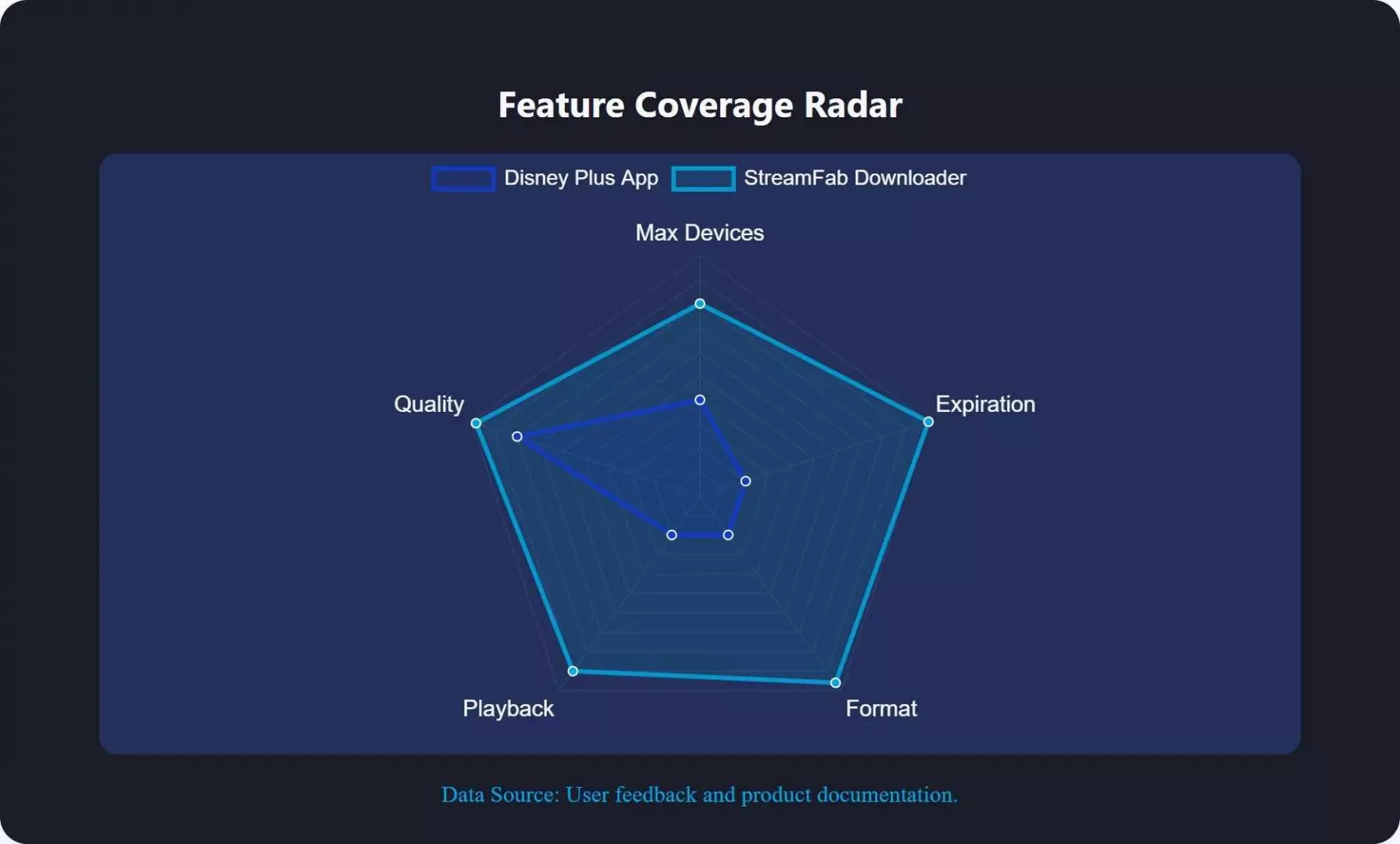
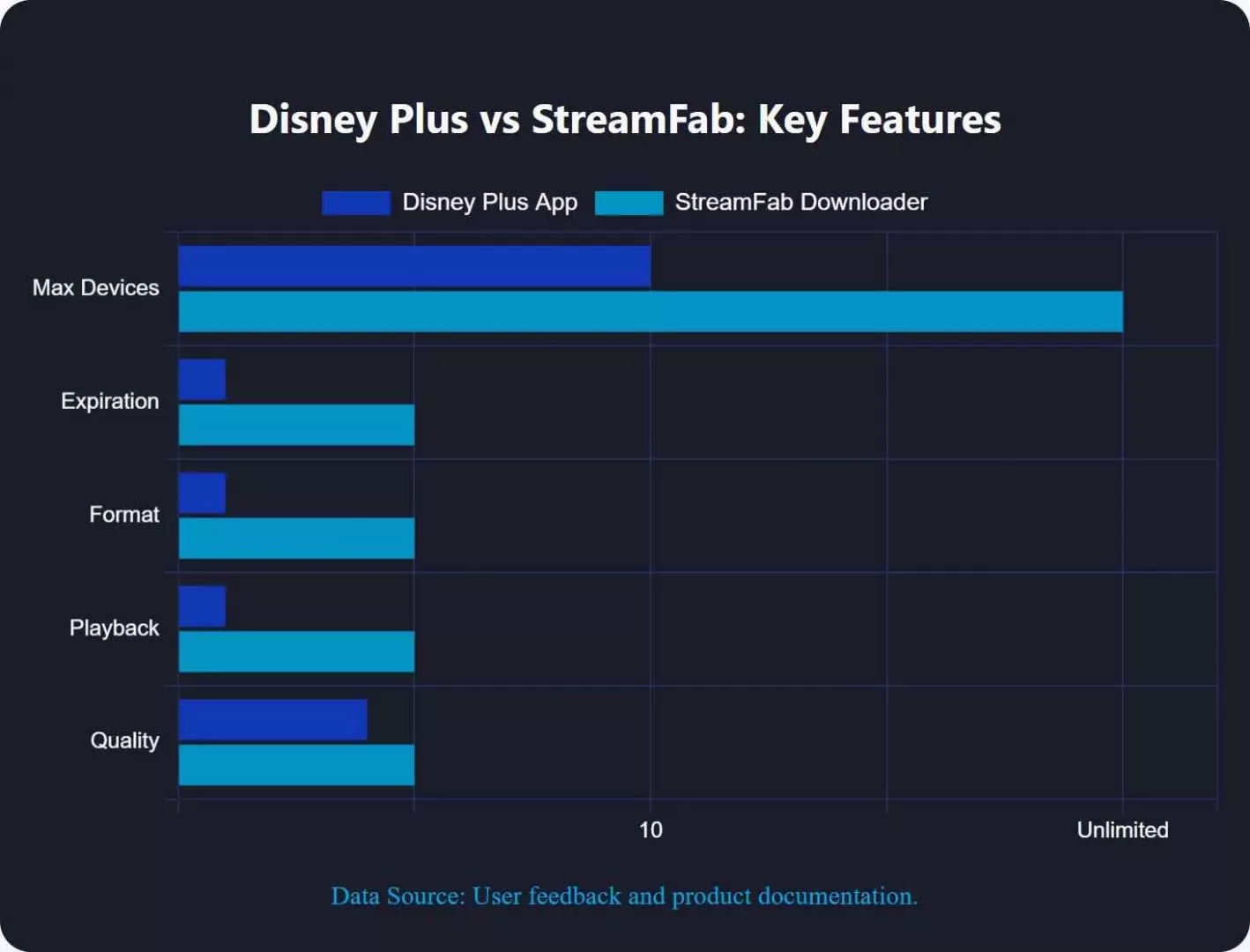

A desktop workflow does not change Disney+ plan eligibility, title availability, or device rules.
Confirm that the title is available to you, choose a short title for the first run, and review the output settings before starting a larger queue.
StreamFab Workflow in Five Steps
Use the five-step workflow below to select an authorized title, choose the available output settings, and save it to local storage. Start with a short title before queuing a full season; that is the quickest way to catch an analysis or setup issue before it becomes a larger batch problem.
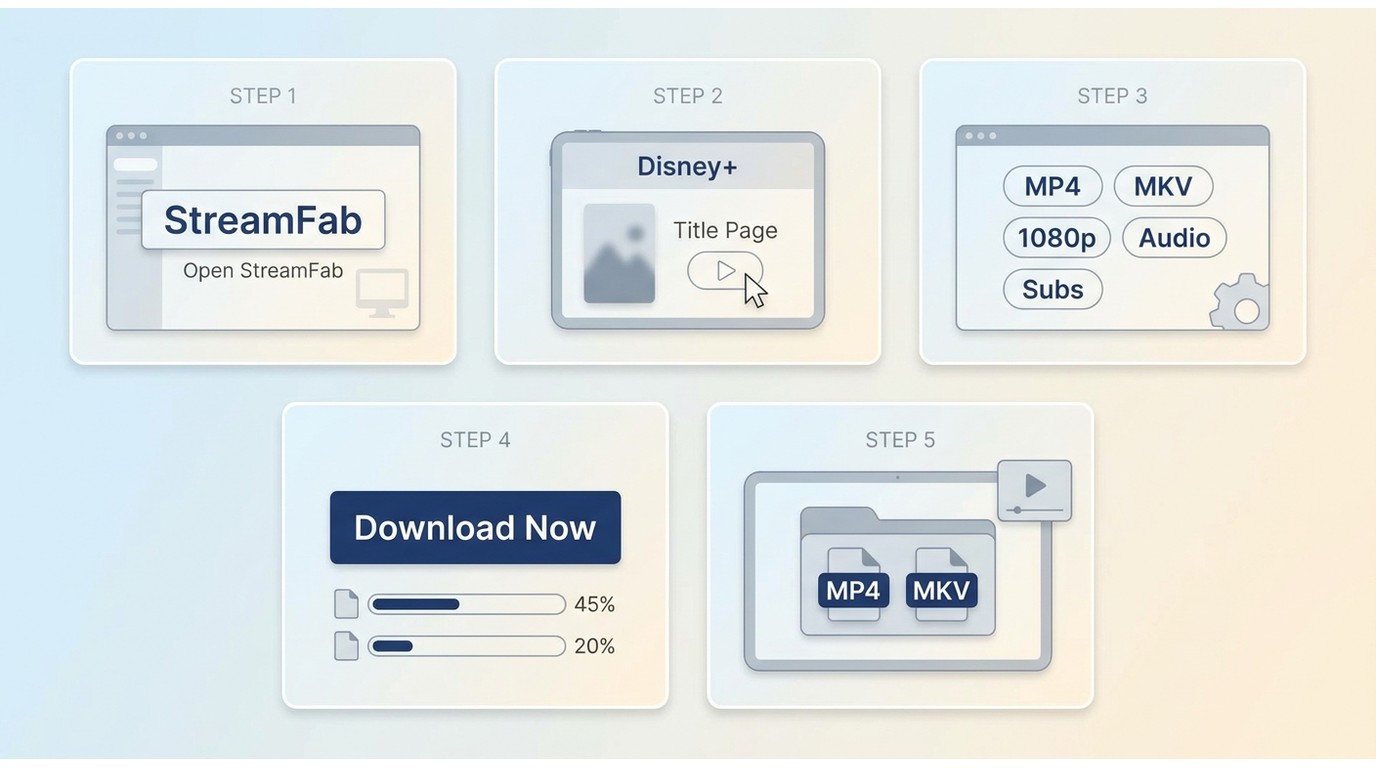
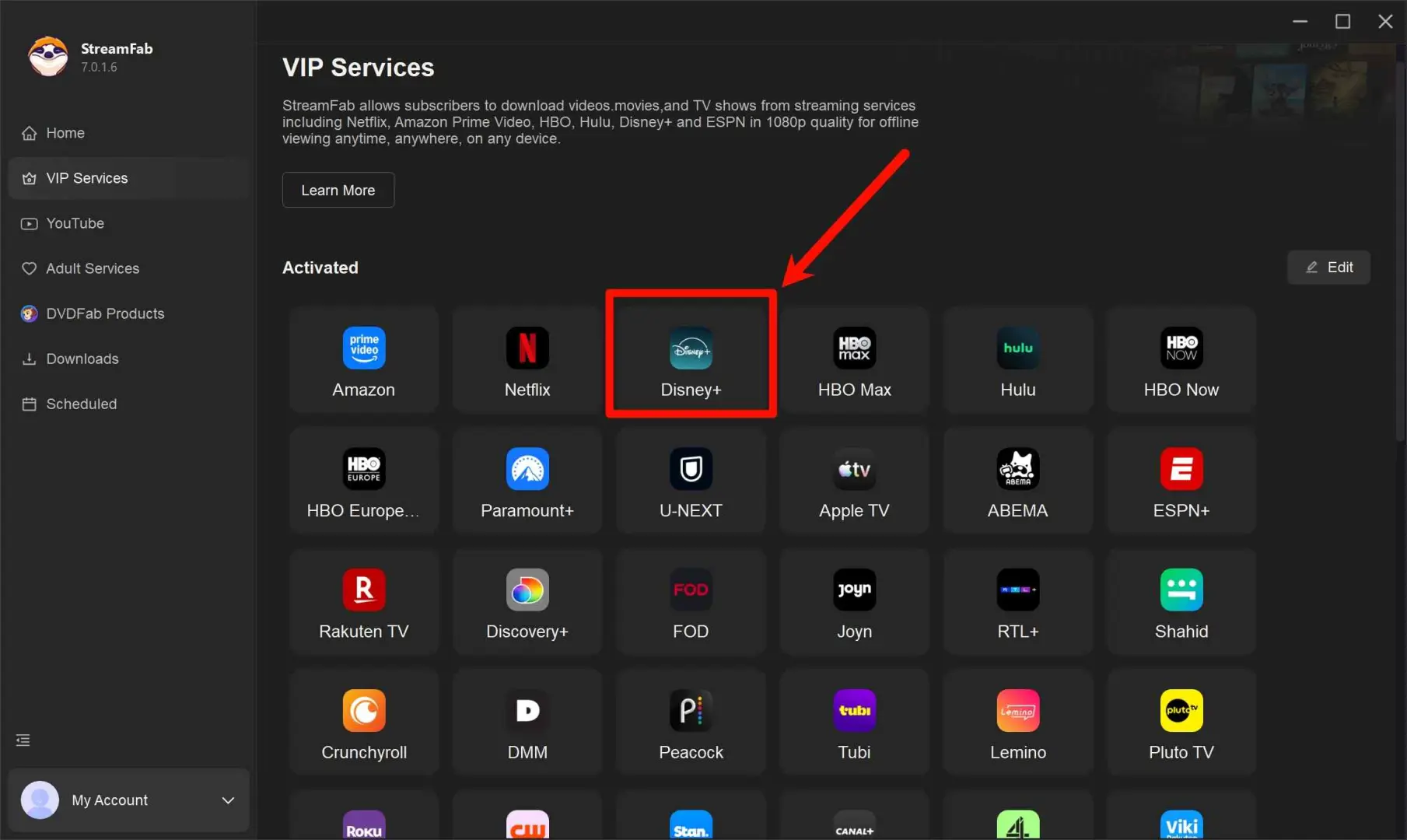
Choose the streaming service
Launch the app, go to the VIP Services section, and select the Disney Plus service so that StreamFab can open the web player for your region.
Customize the file
Log in with your own Disney Plus account inside the built-in browser, just as you would on the official website. StreamFab does not create or provide any Disney Plus access for you.
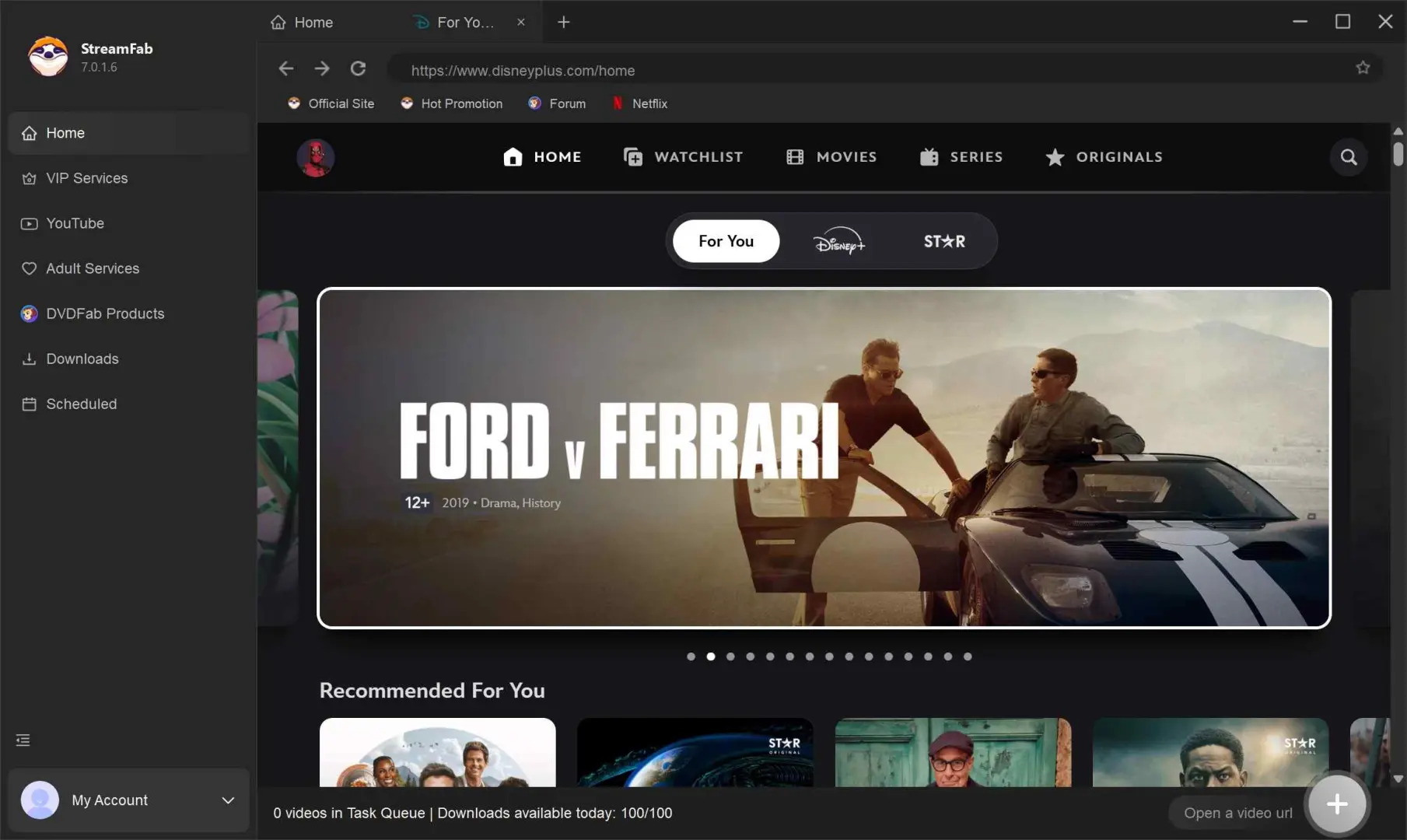
Click the download button
Browse the Disney Plus catalog and choose the movies or episodes you’re already allowed to watch under your plan—for example, Frozen 2, Zootopia, or Mickey Mouse Clubhouse.
Download the video downloader
Choose your preferred quality, audio, and subtitle options. Then start saving a personal copy for offline viewing, and let the app handle the rest while you stay within the rules of your subscription.
FAQs About Disney Plus Download Limits
Download Limit Reached Checklist
- Confirm that your Disney+ plan includes official downloads.
- Reconnect to the internet, reopen Disney+, and renew any affected downloads.
- Check free device storage and remove old titles before adding a season queue.
- Review inactive download devices and Wi-Fi-only settings.
- Restart or update the app, then download the title again if it remains available.
- Before travel, test playback in airplane mode.
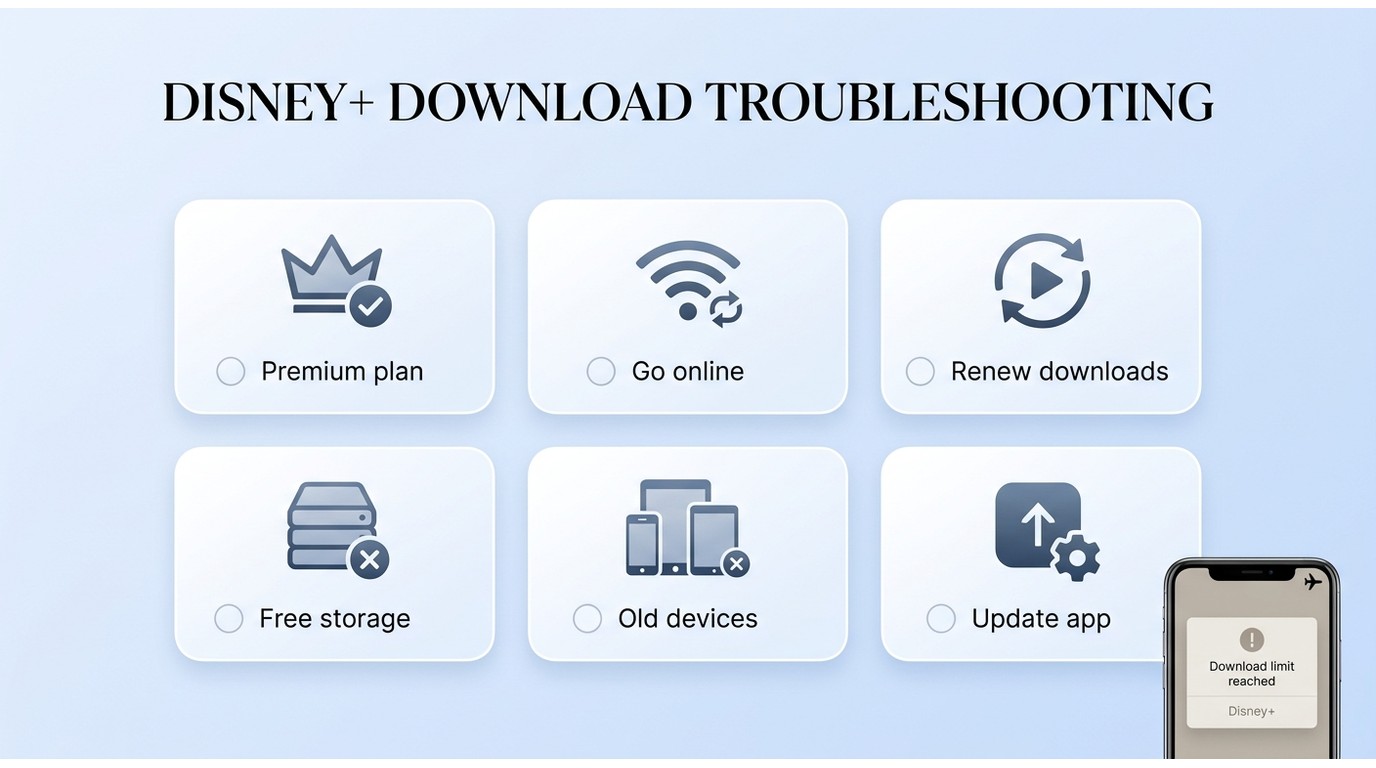
From what I have seen, pre-trip playback testing is more dependable than assuming a completed download is ready. For broader trip preparation, watching Disney Plus offline without Wi-Fi requires the same careful check of titles, storage, and account status.
2. Why did my Disney Plus downloads disappear after I signed out?
Official downloads remain tied to the Disney+ app and account, so sign-in changes can affect their availability. If downloads disappear, reconnect, confirm the correct account and download location, check storage, and download the title again if it is still available. The app may also need time to renew the title license after you sign back in.
3. Can Disney Plus downloads be stored on an SD card?
SD card support depends on the device and Disney+ app settings. When an SD card can be selected, official downloads remain app-managed and play through Disney+, rather than becoming portable video files. Check the app’s download settings and confirm that the card has enough available space.
4. Why does Disney Plus say I have too many download devices?
The 10-device allowance applies to supported download devices and is separate from simultaneous streams. Old downloads or inactive devices can still contribute to confusion, so remove no-longer-needed downloads, review device and account controls, and then retry. Avoid assuming that a streaming-device setting and a download-device limit are the same thing.
5. Should I reconnect to Disney Plus before traveling abroad?
Yes. Reconnect shortly before departure, open Disney+, renew affected downloads, and test playback in airplane mode. Regional licensing, title availability, and account status can still affect access while traveling, so treat the test as preparation rather than a guarantee.
6. Why are downloads unavailable on my ad-supported Disney Plus plan?
In the United States, ad-supported Disney+ plans do not include official downloads. If you change plans, review your current downloads in the app and plan ahead for travel, but do not assume a specific removal time unless Disney+ confirms it for your account.
Conclusion: Practical Takeaways Before Your Trip
For straightforward mobile offline viewing, the official Disney+ app is the sensible first choice when your plan is eligible. Before a trip, check plan access, renew affected titles, free storage, and test playback without a connection. A desktop local-file workflow is a secondary option when portable files are a real need.
My recommendation is simple: solve the official-app limits first, because that is enough for many viewers. If you regularly prepare full seasons or need a portable local-file workflow, StreamFab Disney Plus Downloader is worth considering for authorized personal offline viewing when its setup and cost fit your needs.
Disney+ download limits can involve plan eligibility, device allowances, title availability, storage, and periodic connection checks.
Before you travel:
- Confirm that your U.S. plan supports downloads and reconnect your download device before departure.
- Keep download-device limits separate from simultaneous streams and household rules.
- StreamFab Disney Plus Downloader documents up to 1080p output, MP4 or MKV formats, available audio and HDR options, subtitles, batch downloads, and scheduling on Windows and Mac.
- Use the troubleshooting checklist when a title disappears, a device limit is reached, or playback fails offline.
- Test a downloaded title in airplane mode before relying on it during a trip.
Choose a desktop workflow only when portable local files are a genuine need for authorized personal offline viewing.
Offline viewing reminder
Disney+ downloads and locally saved files are different playback workflows. Disney+ account access and title availability remain relevant to official app downloads.
Keep personal offline viewing organized by checking your plan, storage, download settings, and playback readiness before travel.
