
StreamFab MyCombo is a configurable lifetime bundle for readers who already know which streaming services they use; it is easier to justify for a focused set than for a near-full catalog. The practical answer depends on module count, service availability, and the live configurator total.
If you are comparing StreamFab pricing or asking how StreamFab works, start by counting the services you actively subscribe to, then compare module coverage, file options, quality limits, trial scope, and support terms. Use it only for content you are authorized to access with an active subscription, within platform terms and applicable law.

StreamFab MyCombo at a Glance
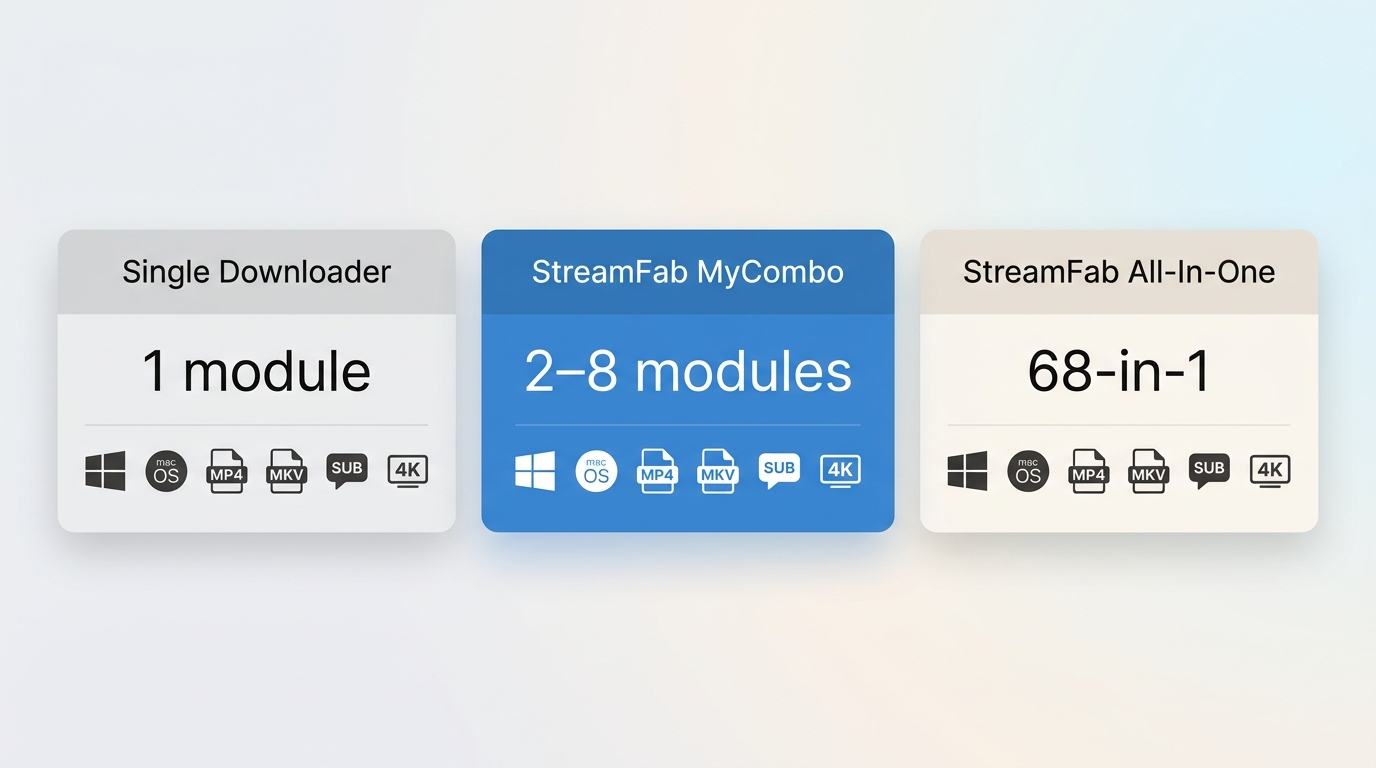
StreamFab MyCombo is a Windows and macOS bundle where you select 2–8 modules from the current 68-in-1 catalog, while StreamFab All-In-One covers the complete catalog. The desktop app supports MP4 and MKV output, up to 4K where a service and authorized account provide it, plus subtitles and supported audio tracks.
- What it is: A configurable lifetime bundle with 2–8 selected modules from the current 68-in-1 catalog
- Price range: The total depends on selected modules, region, and current promotions; use the live configurator
- Discount tiers: Bundle pricing is shown at checkout and can change with promotions
- Who it's for: Readers with 2–6 named streaming services who do not need the full catalog
- Breakeven vs All-In-One: Recalculate the 7–8 module case against the current All-In-One price before paying
My rule is simple: if you can name 2–6 services and expect to keep using them, a focused bundle is easier to justify. If your list is still changing, leave the All-In-One price in the calculation instead of assuming another module will remain the cheaper route.
MyCombo, Single Downloaders, or All-In-One?
The All-In-One price is the reference point for broad coverage, while a single downloader keeps the decision narrow. MyCombo sits between them, so the useful comparison is the number of services you will actually use, not the number you might add someday.
| Feature | Single Downloader | MyCombo | All-In-One |
|---|---|---|---|
| Coverage | 1 streaming service | 2–8 selected modules | Complete 68-in-1 catalog |
| Pricing approach | One license total | Configurator total varies by modules | Catalog total shown in configurator |
| Device scope | See current terms | See current terms | See current terms |
| Typical fit | One service | 2–6 named services | Broad, changing service needs |
A single license is straightforward when one service is all you need. MyCombo becomes more relevant when the same 2–6 services recur in your viewing routine. For broader capability context, the StreamFab review covers the wider product lineup.

- I treat MyCombo as a focused-bundle purchase: count the services you use now, then run a second calculation for the services you might add. Once the list approaches the full catalog, I compare All-In-One directly instead of assuming another module is cheaper.
MyCombo Pricing: Which Module Count Fits?
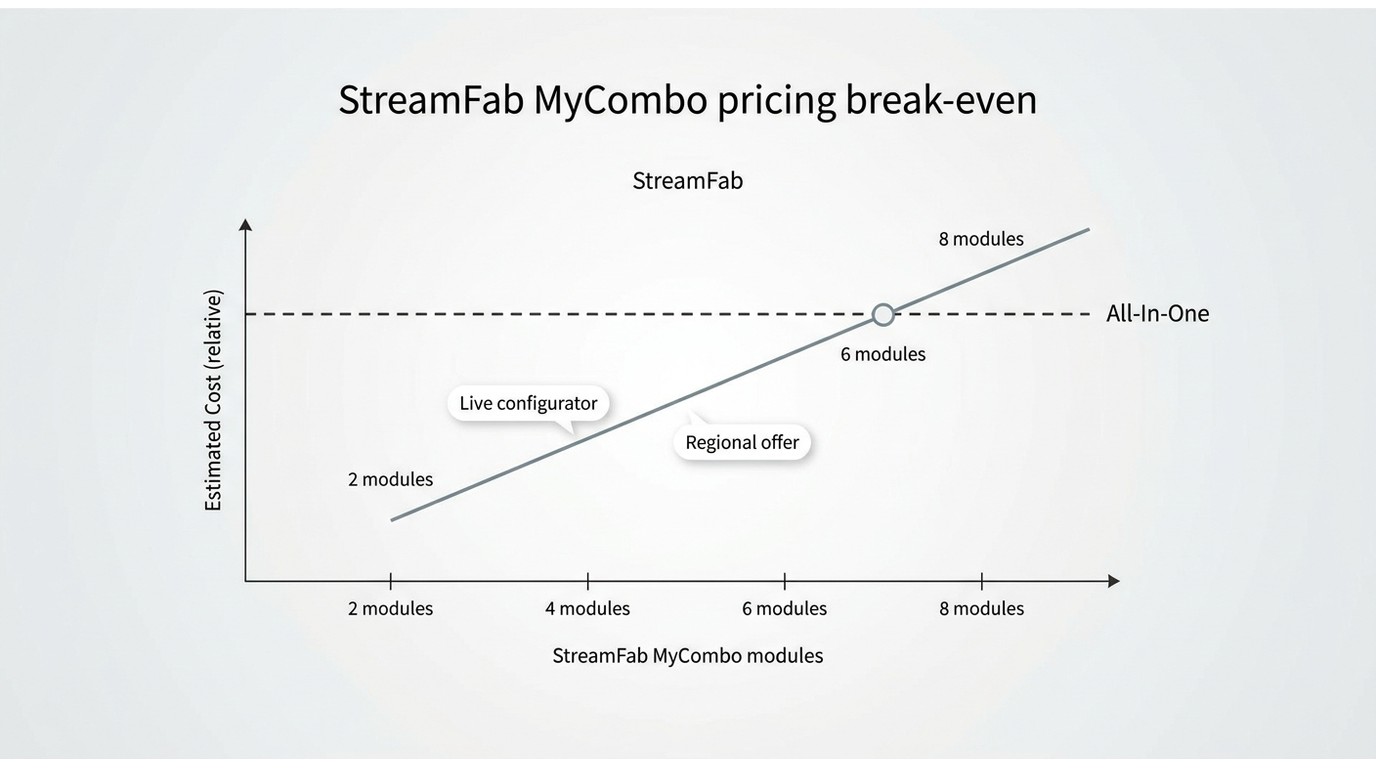
StreamFab cost is set by module count and the active regional offer. StreamFab pricing is displayed by the live configurator, so the checkout total for your account is the figure that matters when you compare a focused bundle with All-In-One.
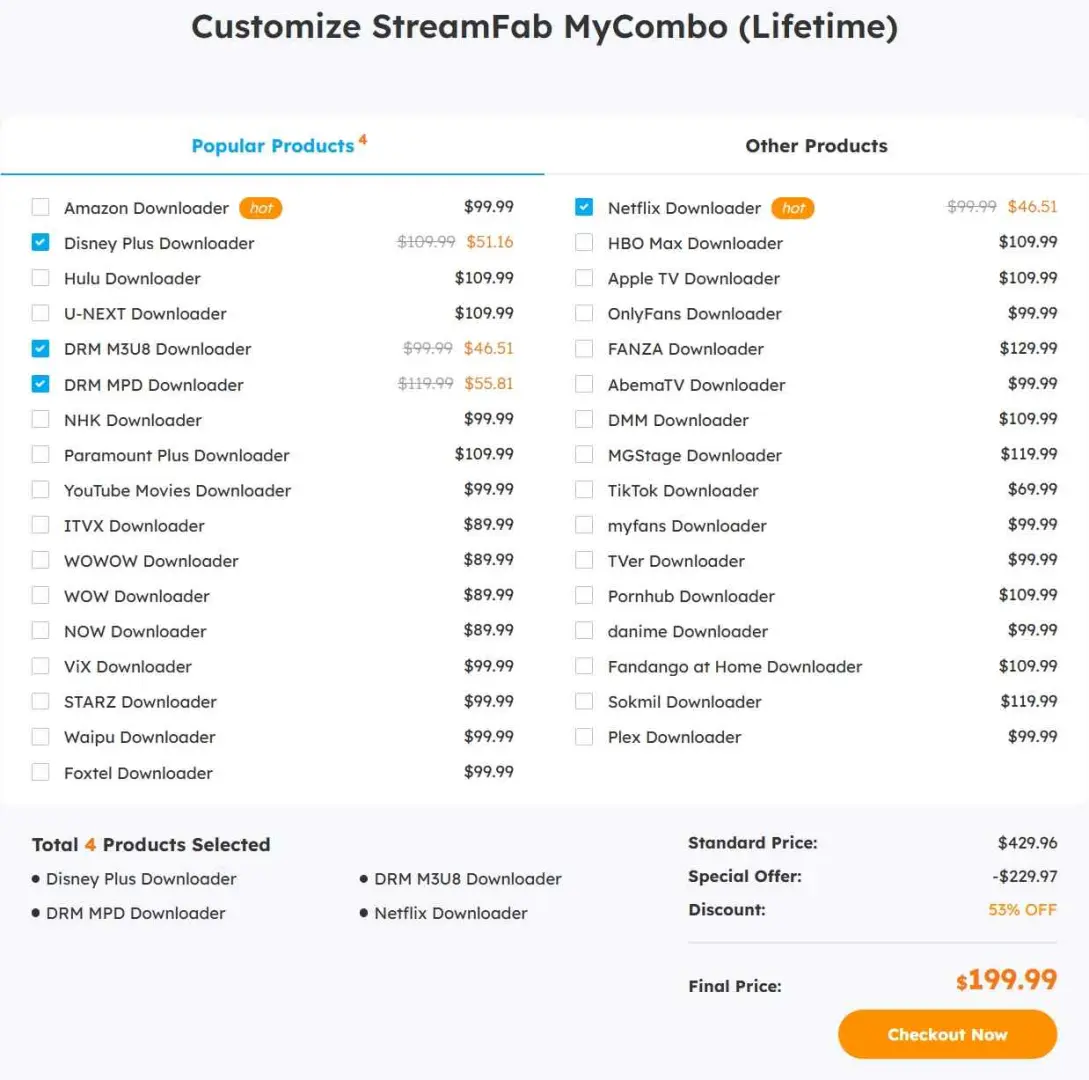
Use this ladder as a break-even exercise, not a promise of savings. Compare the selected bundle with the current All-In-One price, then factor in whether you will use the additional coverage. The StreamFab discount page is useful when promotions are part of the calculation.
When your selection reaches seven or eight modules, compare the live MyCombo total with All-In-One coverage; if the difference is small, broader coverage may justify the higher total.
What's in the MyCombo Catalog?
MyCombo modules are selected from the current 68-in-1 catalog, but the bundle does not automatically include every module. The configurator is where you confirm which services can be selected together.
Available in MyCombo
Common selectable families include international services such as Netflix, Amazon Prime Video, Disney+, Hulu, Max, Apple TV+, and Paramount+, along with regional services such as U-NEXT and ABEMA. For Netflix-specific details, the StreamFab Netflix Downloader review provides a focused look at supported output and tracks.
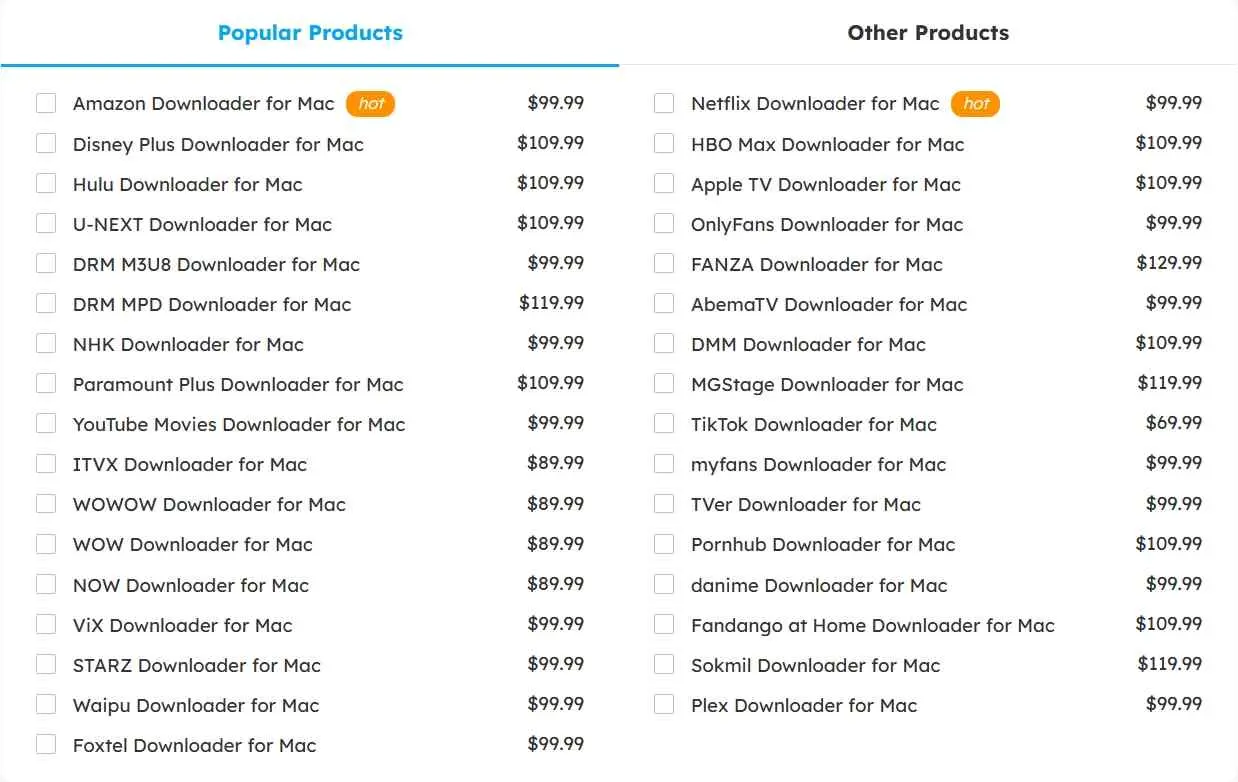
StreamFab download options follow the service selected in the account. Netflix can reach up to 1080p where the plan and title provide it; several other listed services can expose up to 4K under their own limits.
Not Available in MyCombo
- YouTube coverage: Check the current configurator; YouTube treatment can differ by package
- DVD/Blu-ray tools: Separate DVDFab products, not StreamFab modules
- PlayerFab: A separate media-player product
If YouTube is central, compare All-In-One with a standalone YouTube option before choosing MyCombo.
- From a buyer's perspective, YouTube is the detail worth checking first. If it sits outside the selected MyCombo modules in the current configurator, compare the All-In-One total before adding another purchase.
How StreamFab Works Before You Pay
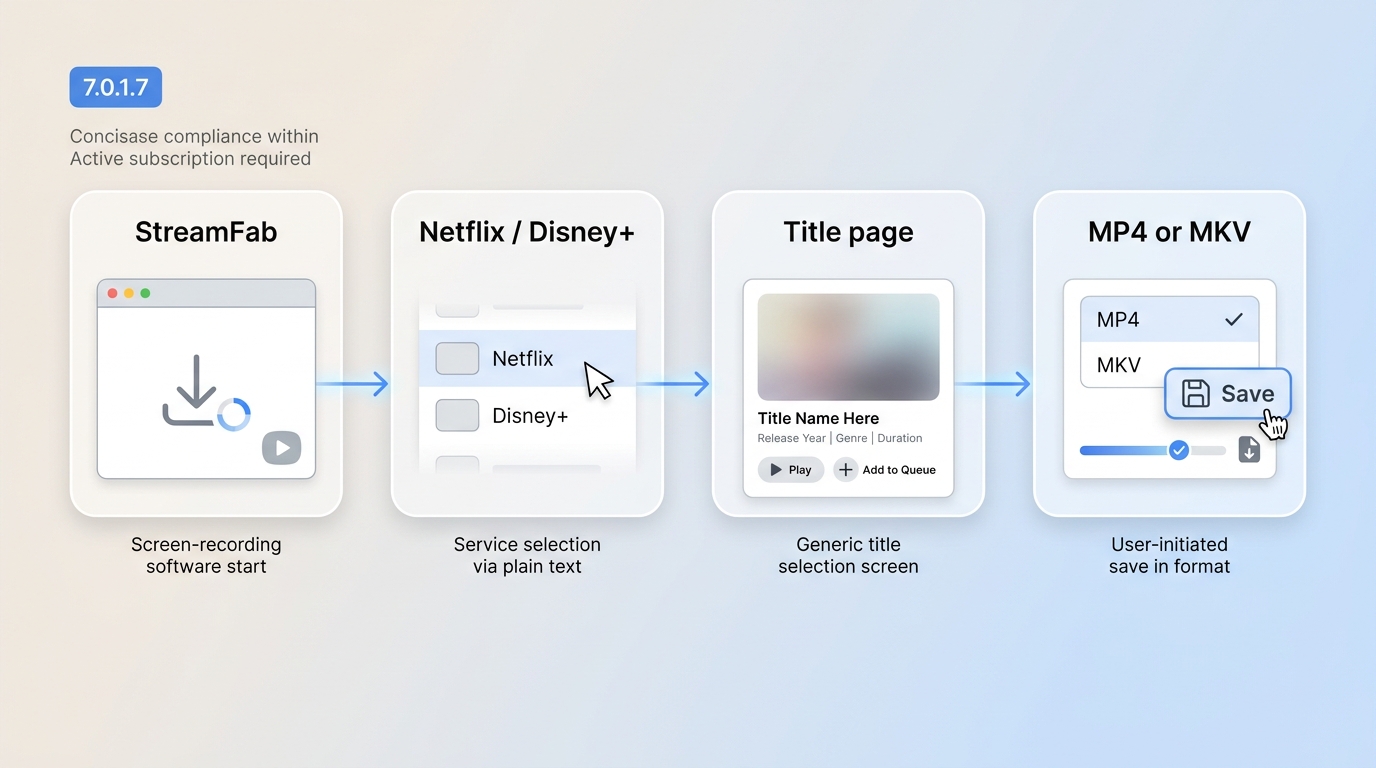
How StreamFab works is straightforward: the desktop app records a title as it plays and packages the result as a local file for authorized personal offline viewing where platform terms and applicable law permit.
The how to use StreamFab guide follows the same sequence with screen-by-screen labels, which is useful when a menu is not where you expect it.
On a Windows 10 Pro desktop with an Intel i5-9400F, 16 GB RAM, and StreamFab 7.0.1.7, I queued three LDR S4 episodes; all three completed, and the larger episodes produced larger files.
MP4, MKV, Subtitles, and Audio Tracks
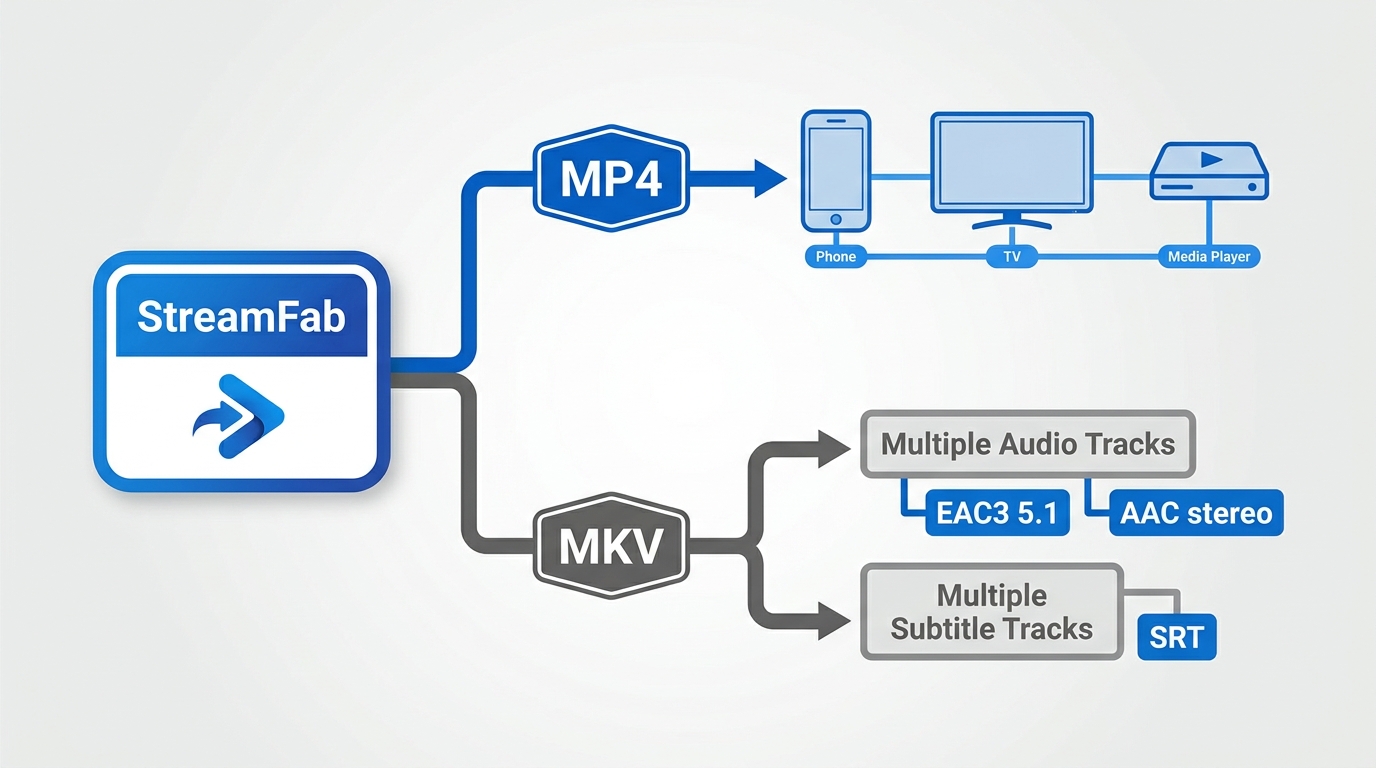
Choosing MP4 or MKV comes down to playback and track control. MP4 is the broadly compatible default, while MKV is useful when preserving multiple audio tracks or subtitles in one container matters.
- MP4: A practical default for phones, TVs, and general media players.
- MKV: A better fit when you want several supported audio tracks or subtitle streams together.
- Subtitles: Available subtitles can be saved as SRT or embedded, depending on the source service.
- Audio: Track choices follow what the service supplies to the authorized account, including supported multichannel formats.
In a same-title comparison, StreamFab retained EAC3 5.1 at about 4,812 kbps while the comparison output used AAC stereo at about 3,200 kbps.
Quality Depends on the Streaming Service
Streaming video quality is limited by the source service, title, plan, and account. StreamFab can save the resolution, HDR signal, and audio tracks that the provider makes available, but it cannot create a higher source ceiling.
| Source | Resolution ceiling | HDR and audio | What to expect |
|---|---|---|---|
| Open sites and YouTube | Up to 8K where offered | Depends on source | Tracks follow the published stream |
| Netflix and Amazon Prime Video | Up to 1080p | HDR and multichannel where supplied | Plan and title set the ceiling |
| Disney+, Hulu, Max, Apple TV+, Paramount+ | Up to 4K where offered | HDR10 or Dolby Vision | Service and plan dependent |
| Saved files | Source-limited | MP4/MKV and subtitles | Player support varies |
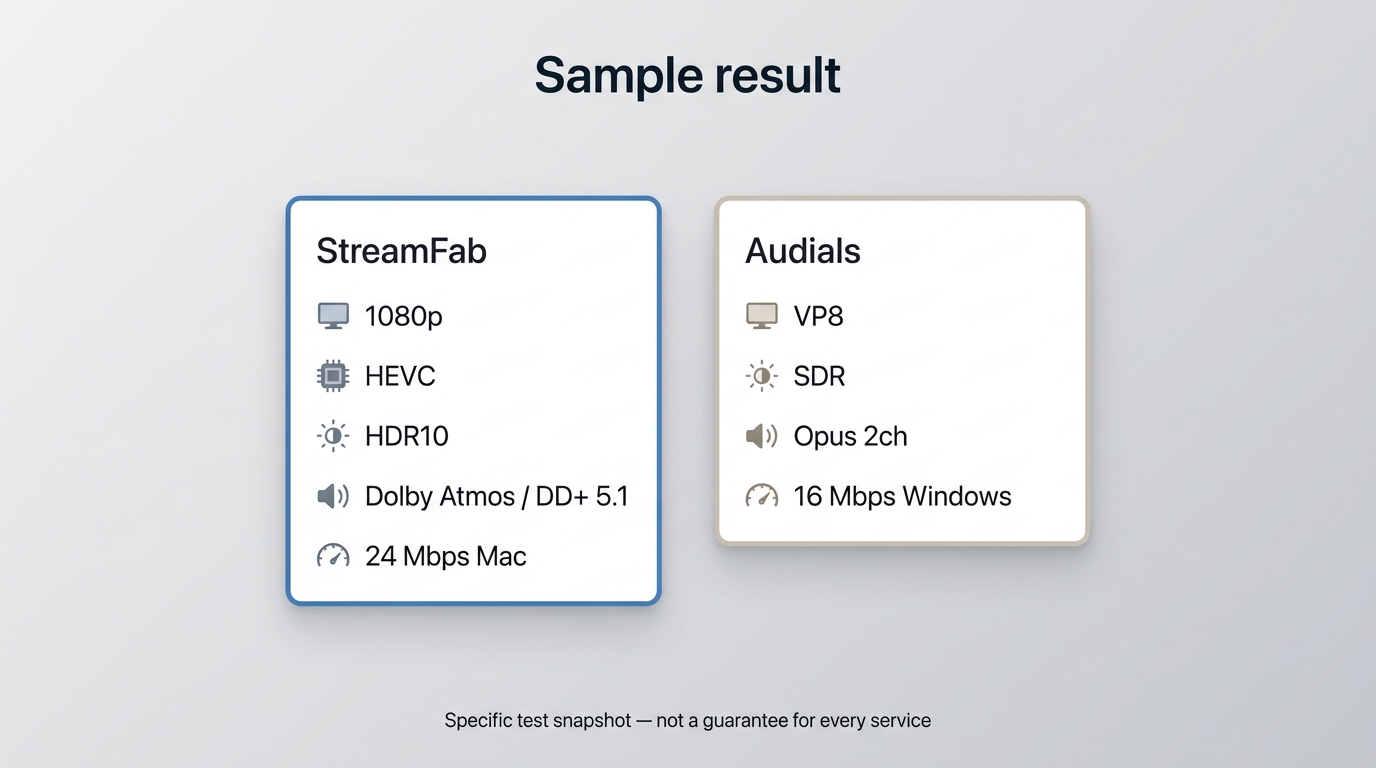
On a Mac connection at 24 Mbps, the 15:07 Netflix Love, Death & Robots S4 E3 sample was saved at 1080p with HDR10 and Dolby Atmos, producing a file of about 538.6 MB.
In a same-title comparison, StreamFab on a 24 Mbps Mac connection retained HEVC, HDR10, and DD+5.1, while Audials on a 16 Mbps Windows connection produced VP8, SDR, and Opus 2ch. I treat that as a format snapshot because the environments differed, not as a universal ranking.
License, Support, and Refunds
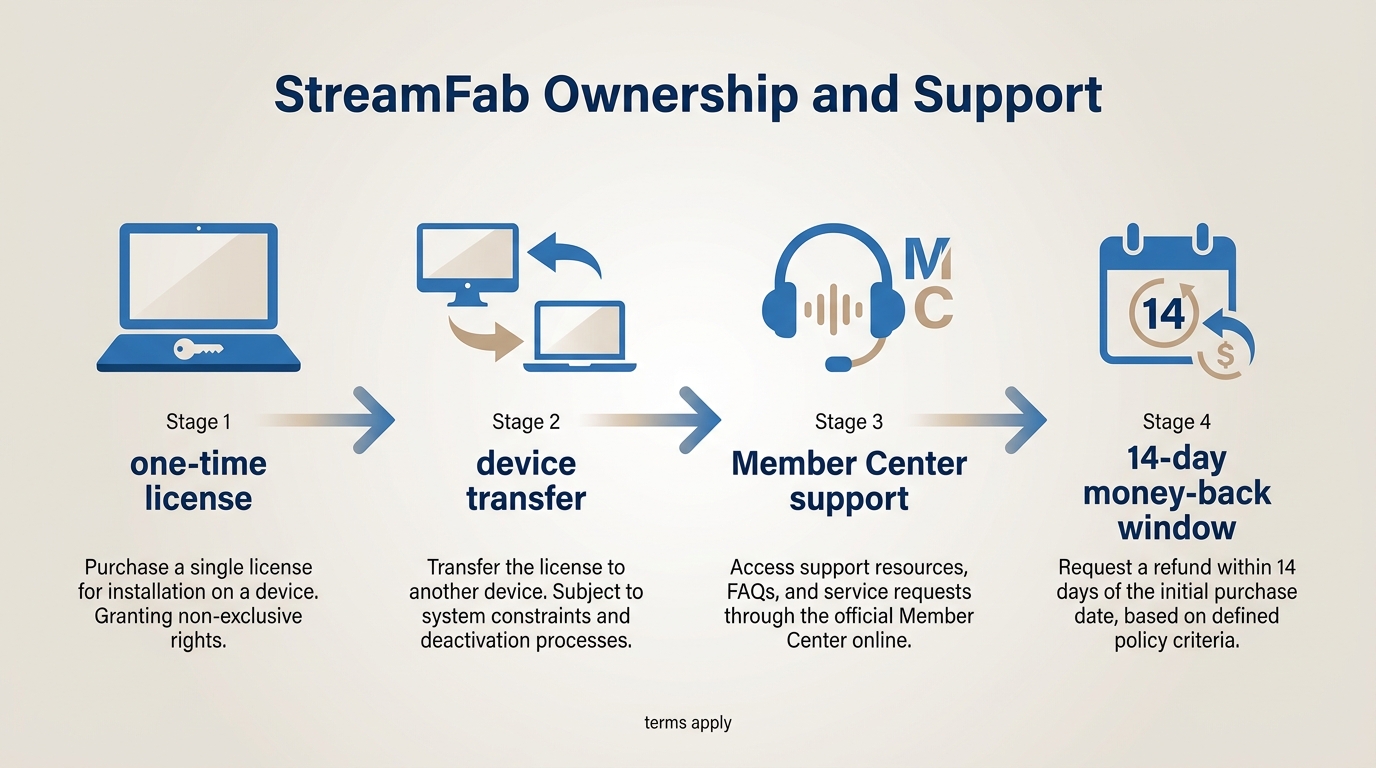
A StreamFab lifetime license is a one-time purchase, but the practical fine print is the device scope, transfer process, support route, and refund window.
- Lifetime terms: The purchase is non-recurring, with updates and use governed by the current product terms.
- Device scope: Read the device coverage shown in your account terms, especially if you expect to move between computers.
- Refund policy: Lifetime plans have a 14-day money-back window under the published terms; eligibility conditions can apply.
- Support: Use the StreamFab Member Center for transfer questions, account help, and troubleshooting.
MyCombo licenses are associated with your StreamFab account. If you move to another computer, use the Member Center to ask support about the current transfer procedure.
Five Checks Before Buying
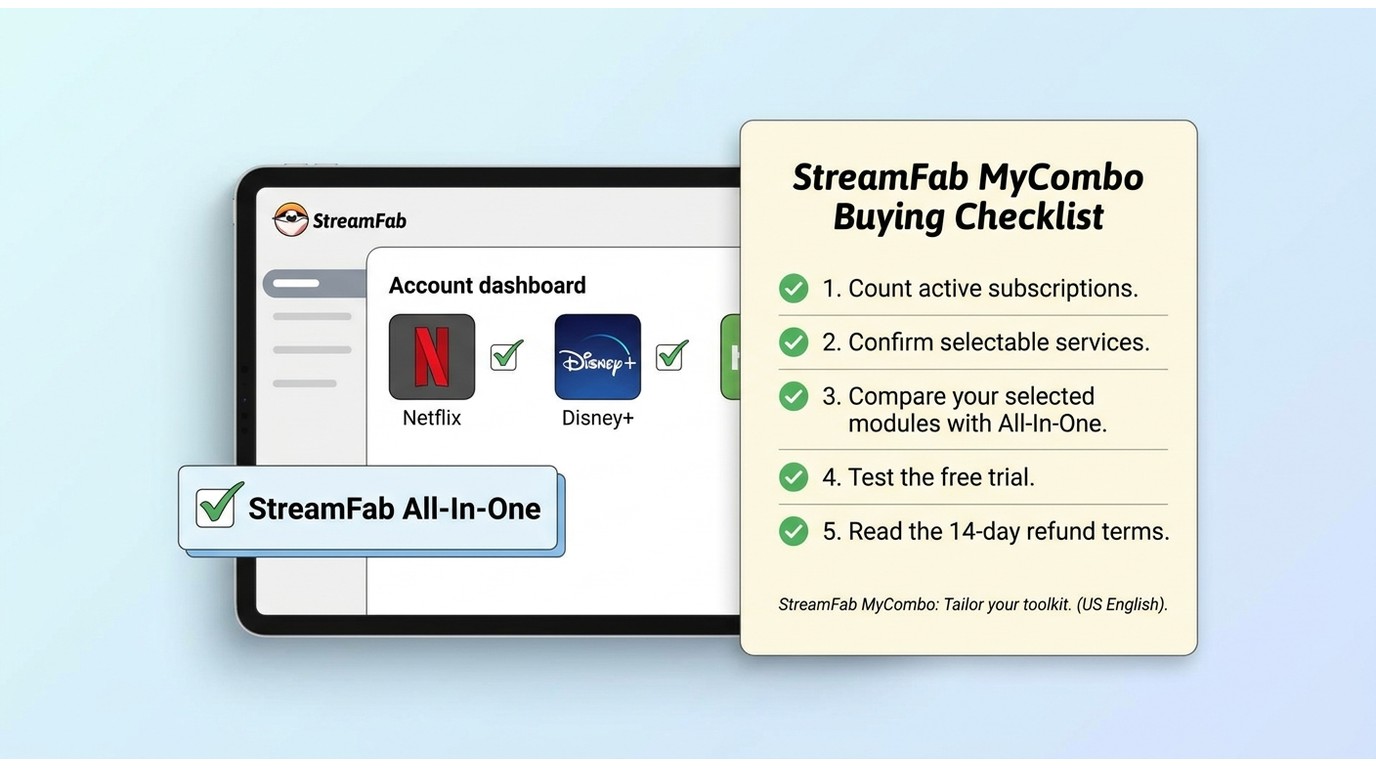
The MyCombo free trial is best used as a fit check. Before paying, count your active subscriptions, confirm each service is selectable, compare the seven- or eight-module case with All-In-One, test the current free offer, and read the 14-day refund terms. If you are asking “is StreamFab free?”, the StreamFab free page explains the current trial path.
- You only use one streaming service → compare a single downloader
- You need a service that the current configurator does not list → choose a package that includes it
- You need broad coverage across many services → compare All-In-One directly
- You expect your service list to grow quickly → leave room for future modules
Frequently Asked Questions
How much can I test before paying for MyCombo?
The current free offer provides 30 days of VIP access with three downloads per streaming service. The allowance is counted separately for each service, so use it with the subscriptions and titles you actually plan to save.
Does MyCombo include YouTube, or would I need another plan?
MyCombo is a selected set of modules, and YouTube treatment is package-dependent. If YouTube is not selectable in your current configuration, compare the All-In-One package or a standalone YouTube option before paying.
Conclusion: Who Fits MyCombo?
StreamFab MyCombo fits readers who can name 2–6 services and want a focused lifetime bundle. If you need seven or eight modules, compare the live MyCombo total with All-In-One before paying; provider changes can temporarily affect module reliability, so use the free offer with your own authorized accounts.
- Subscribe to 2–6 specific streaming platforms and do not expect frequent additions
- Want a lifetime bundle without recurring payments
- Prefer to select the services you use instead of paying for the complete catalog
- Need a service that is not selectable in the current MyCombo configurator
- Need seven or more services → compare All-In-One directly
- Need broader coverage because your service list changes often
- Only use one service → compare a single downloader
My StreamFab review takeaway is conditional by design: count the services, confirm the modules, check the output you need, and use the free offer before committing. That sequence keeps the purchase aligned with your actual viewing routine.

Build your own bundle from 65+ streaming service downloaders. Start with 2 modules and expand as needed. Lifetime license, priority support, 30-day money-back guarantee. Visit the official site for current pricing.
Pricing and product terms shown here are for September 2026; features and supported services can change. Follow each platform's terms and applicable copyright law for authorized personal use.