Table of contents
StreamFab is not a torrent client. It requests video from a streaming service instead of exchanging file pieces with a peer swarm, then saves supported output as MP4 or MKV. Authorization still depends on the content, platform terms, applicable law, and your use.
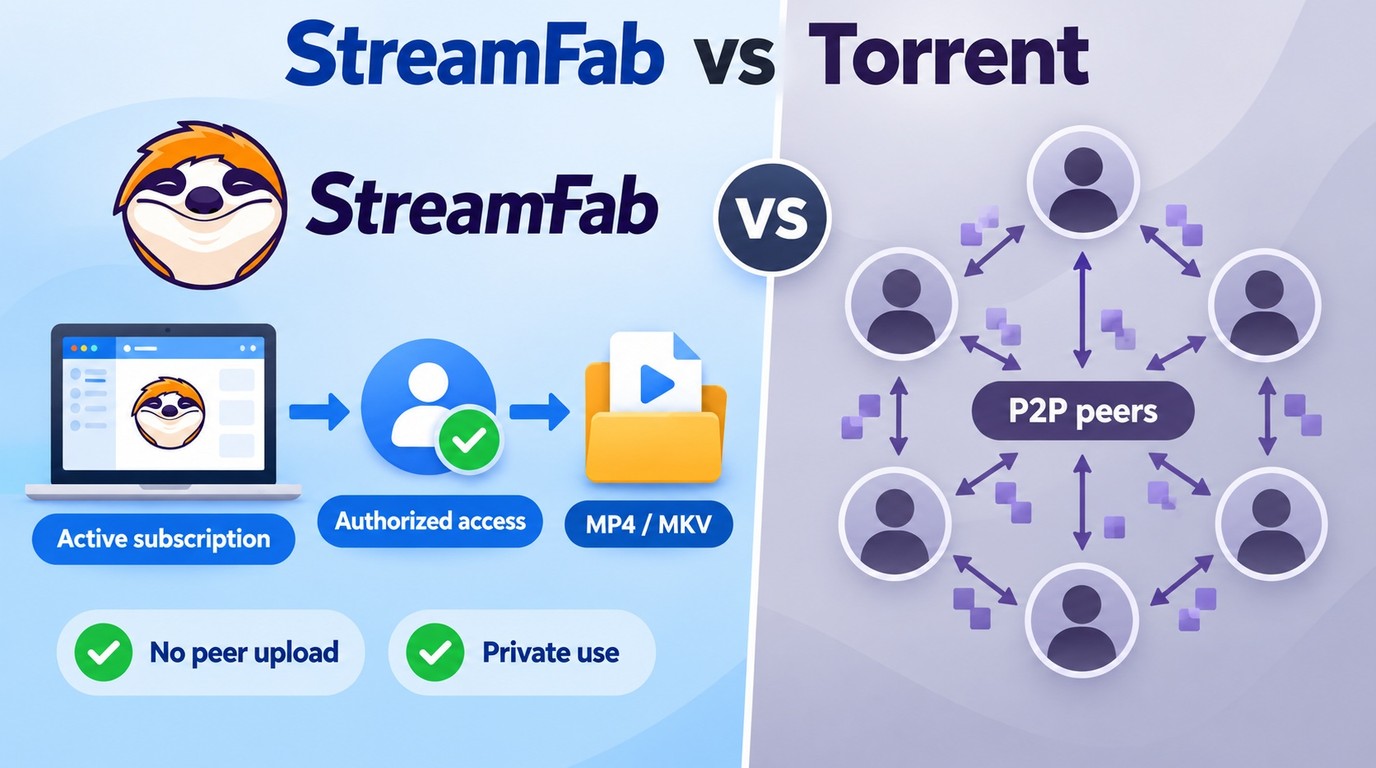
So the useful StreamFab vs torrent comparison is not “legal versus illegal.” It is direct server traffic versus P2P sharing, plus how each workflow handles credentials, quality, cost, and limits.

Quick Answer: StreamFab vs Torrent Traffic
StreamFab uses a direct download workflow, while BitTorrent distributes pieces among peers. Your ISP can observe network endpoints and traffic volume in either case, but StreamFab does not create the peer-upload behavior associated with torrent clients.
There is no StreamFab torrent version. The app signs in to supported services and saves selected output locally instead of joining a swarm.
- Traffic: StreamFab requests data from service servers; torrent clients exchange pieces with peers
- Authorization: Paid access alone does not approve every local copy
- Output: StreamFab saves MP4 or MKV, with up to 4K on supported services
Choose StreamFab when you have authorized access and need a Windows or Mac workflow for supported streaming titles. Choose neither workflow when you do not have permission to access or copy the content.
Why Torrenting and Direct Downloads Differ
The difference starts with file flow. A torrent client joins a swarm and normally uploads pieces while downloading; a direct downloader requests data from the service that already hosts the title.
Legal and Platform Boundaries
BitTorrent is a distribution technology, not an automatic legal verdict. A transfer still needs authorized content and a permitted use, and peer sharing can distribute protected material while the client downloads it.
If you are asking “is StreamFab legal to use,” ownership of the software and authorization for a specific copy are different matters. An active subscription gives you access, but it does not automatically approve every form of local archiving.
- Technology: BitTorrent is a P2P distribution method, not a legal verdict
- Authorization: Copyrighted transfers require permission or another lawful basis
- Sharing: Peer upload can distribute pieces while you download
Security and ISP Visibility
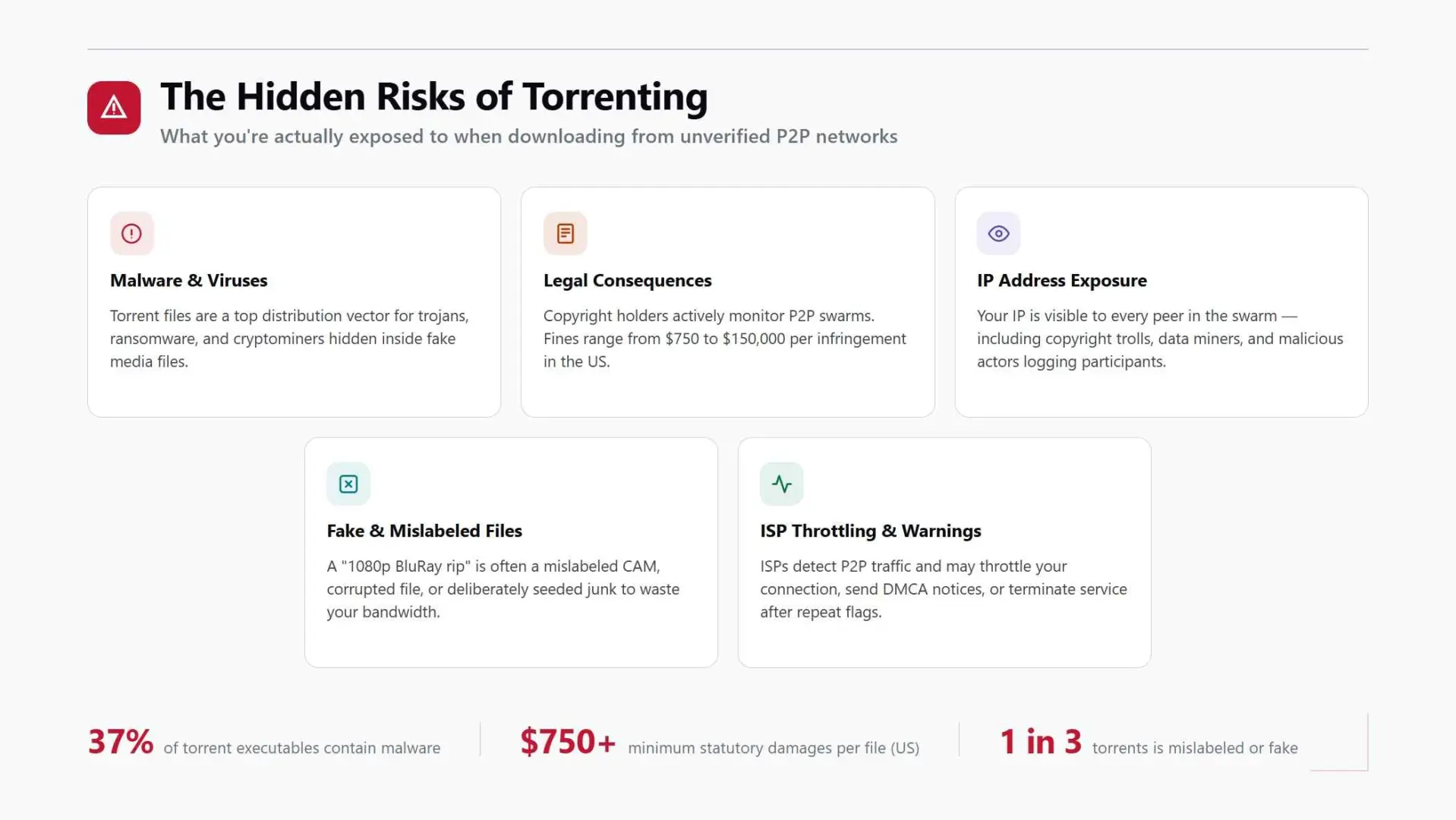
Torrent security depends heavily on file provenance. A media file, installer, or archive from an unknown uploader can be mislabeled or bundled with unwanted software, so the practical risk comes from the source and the file you open.
- File provenance: Torrent files come from peers and can be mislabeled
- Executable risk: Installers or bundles from unknown uploaders can carry malware
- Safer habit: Treat files from untrusted indexes as unverified
Quality and Seeder Dependence
Torrent quality is fixed by the uploaded release, and download speed relies on active peers. A filename can promise 4K without proving the video, audio, subtitles, or file integrity match that label.
- Video resolution is set by the release, not a streaming account
- Subtitle and audio tracks vary by uploader
- Speed depends on active seeders and peers
- File integrity is checked after the pieces arrive
How StreamFab Saves Streaming Videos
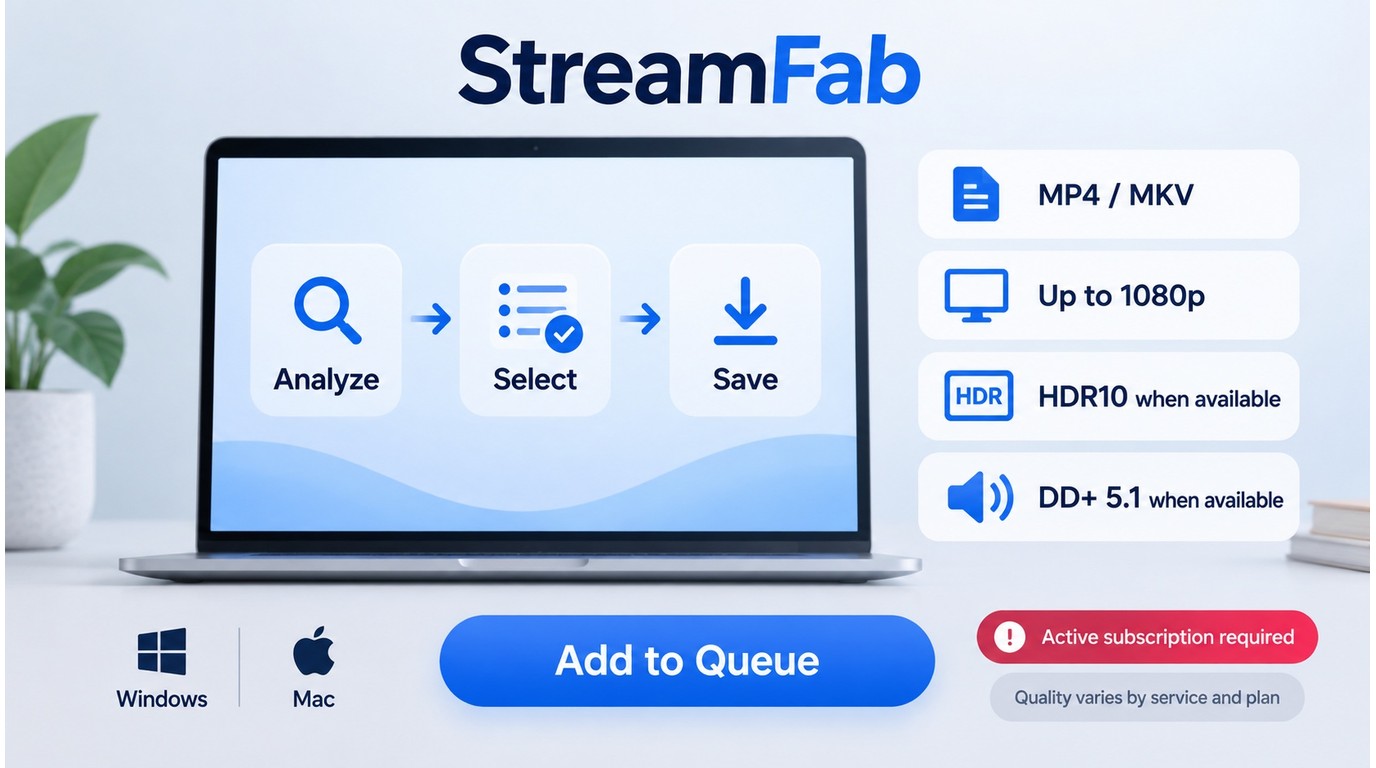
StreamFab follows a source-server workflow rather than a peer swarm: it signs in to a supported service, analyzes the selected title, and writes MP4 or MKV output on Windows or Mac.

Save supported streaming videos on Windows or Mac as MP4 or MKV, with up to 4K output, selectable audio, subtitles, and batch processing.
- An active account for the streaming service you want to use
- StreamFab installed from its official download path on Windows or Mac
- A stable internet connection and enough local storage
The workflow has three stages. Keep the account, title, and output choices within the authorization you already have.
Install StreamFab from the official download path
Open VIP Services and choose the streaming service that hosts your title.
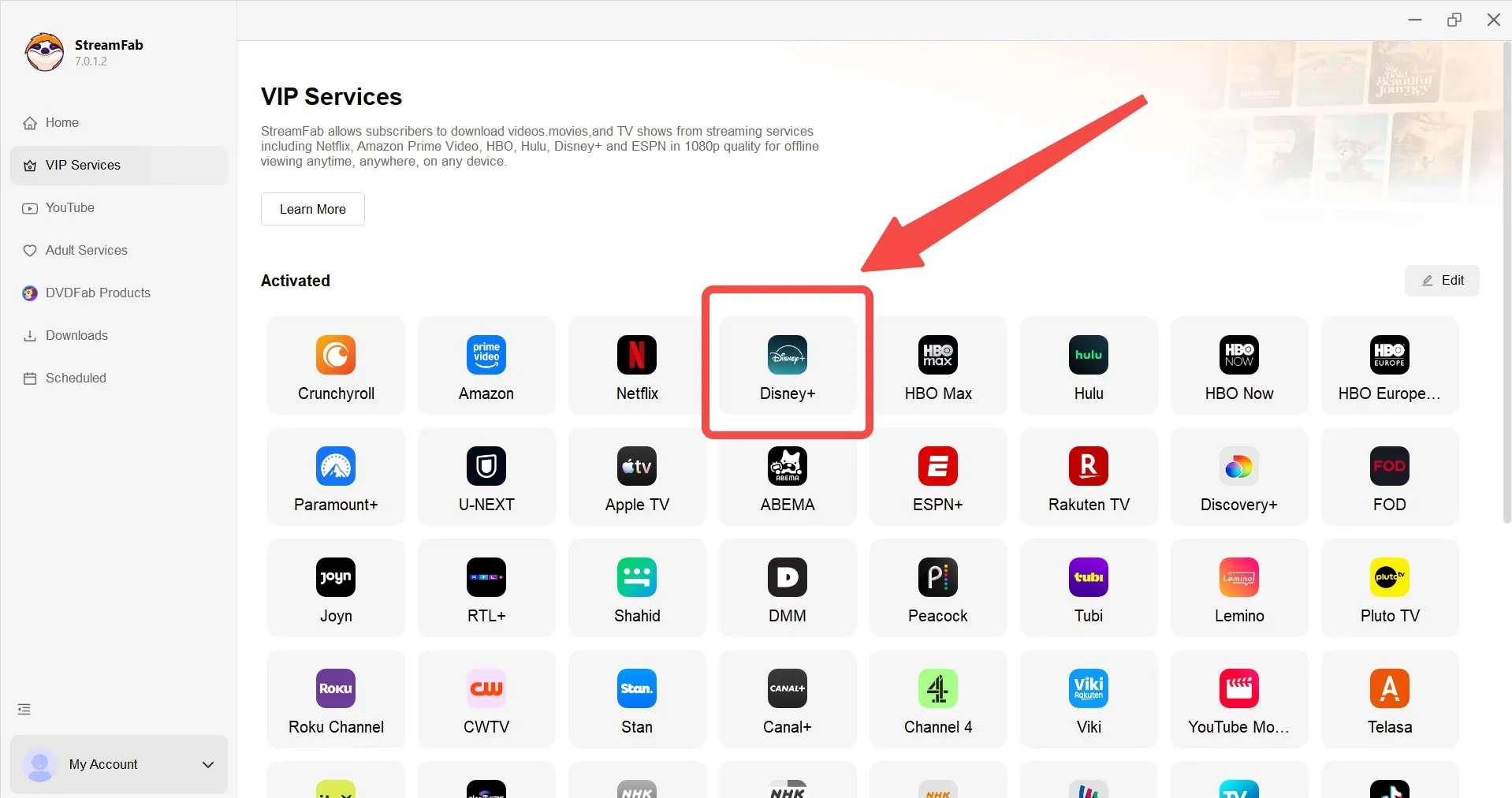
Sign in with an authorized account
Use the built-in browser to sign in and open content you are permitted to access.
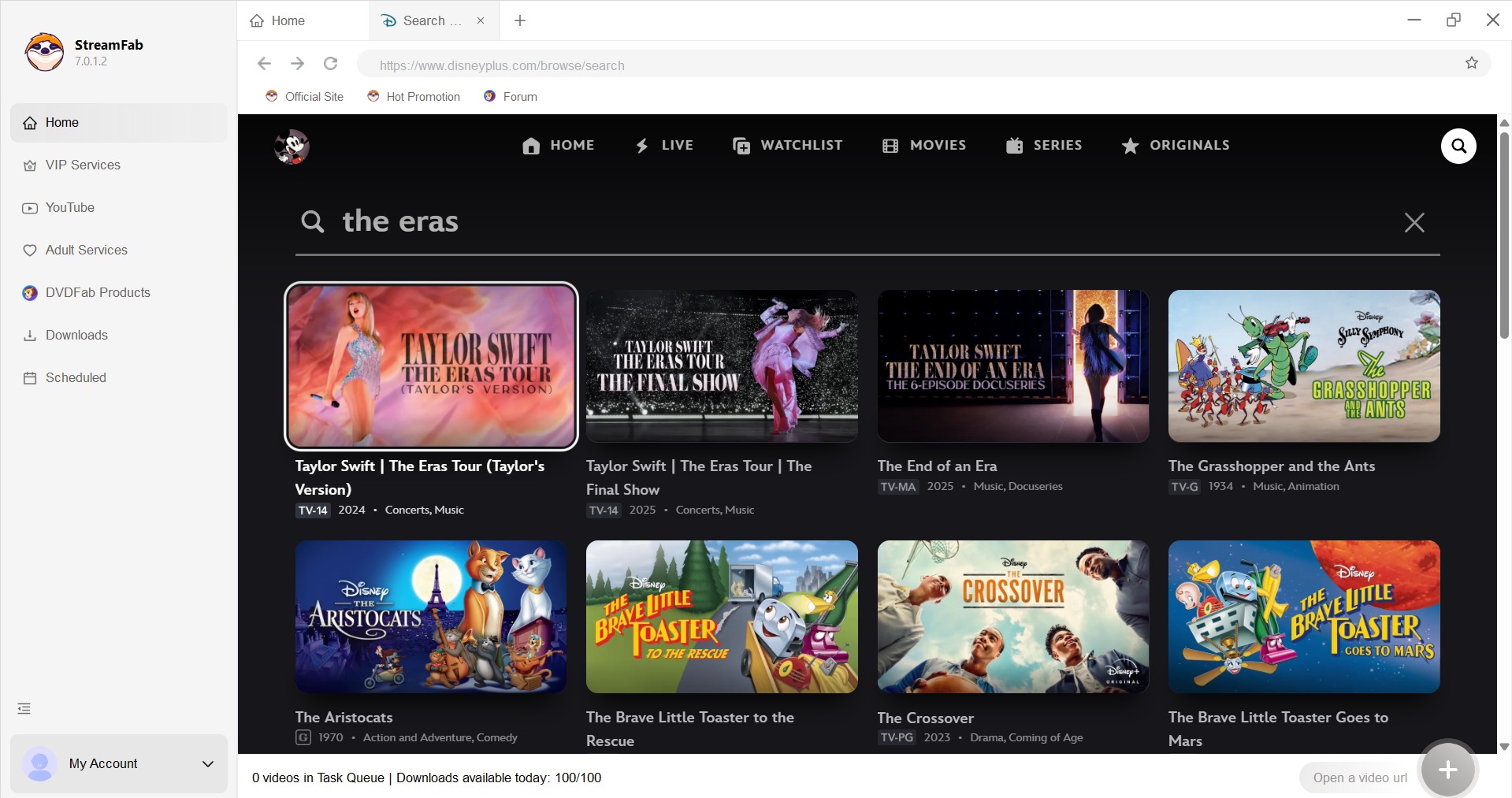
Set the output and start the download
Choose MP4 or MKV, then select the service-supported resolution, audio, and subtitles before adding the title to the queue.
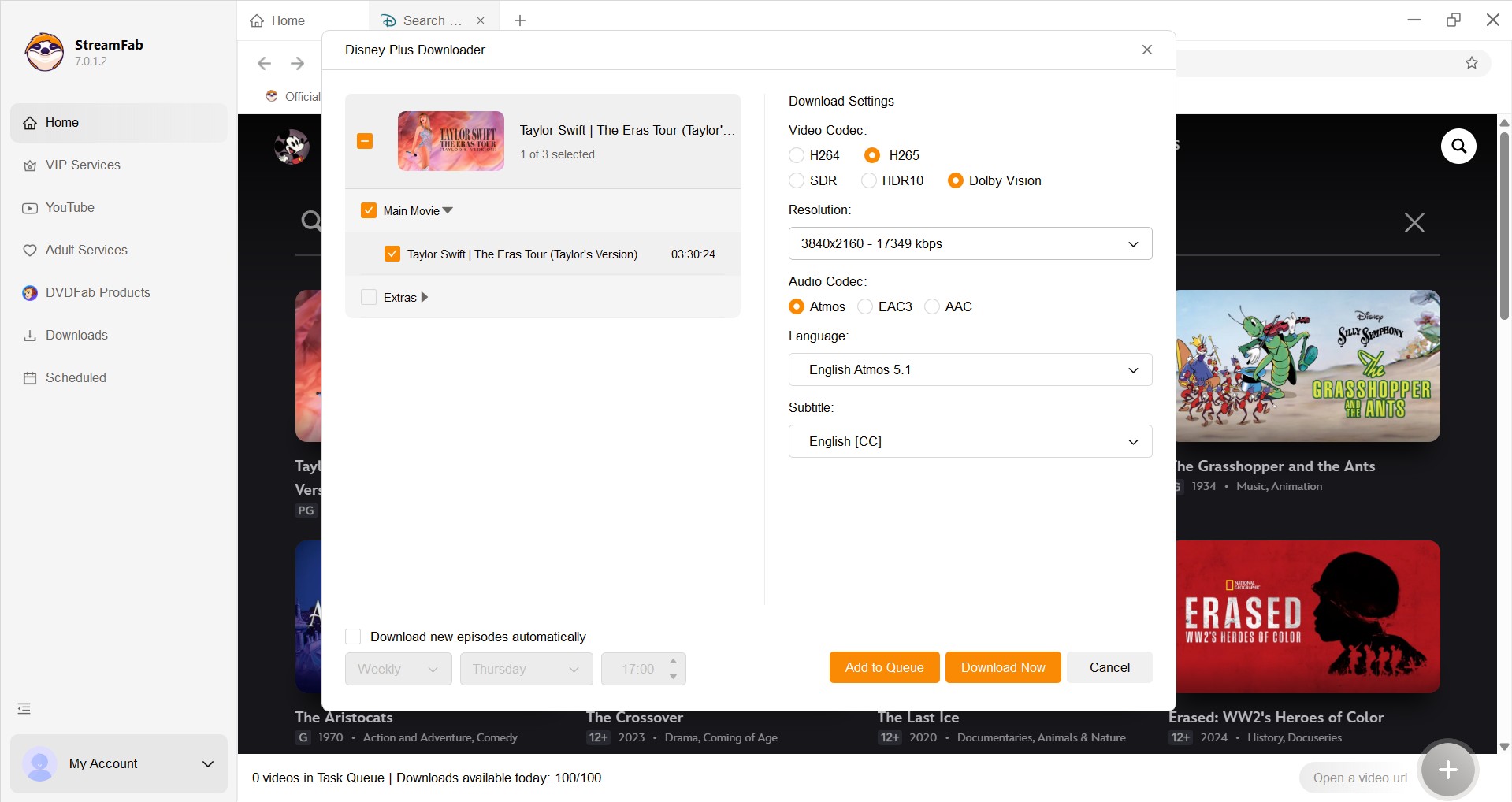

During network-error testing on September 9, 2026, a Windows 11 system running StreamFab 7.x cleared most -9999 and 102 errors immediately after the VPN client was disabled. how to use StreamFab.
If either code appears during analysis, retry without the VPN before changing the output settings or rebuilding the queue.
StreamFab vs Torrent: Key Differences
If you need a local MP4 or MKV from a supported service you subscribe to, StreamFab matches that task. A torrent workflow joins peers, and its authorization and file trust depend on the specific release and sharing behavior.
| Factor | StreamFab | Torrent workflow |
|---|---|---|
| Traffic and file flow | Requests from a service server; no peer upload | Downloads and uploads pieces with peers |
| Authorization scope | Authorized content, terms, and applicable law | Content rights and sharing behavior decide |
| Output and quality | MP4/MKV; up to 4K on supported services | Fixed by the uploader's release |
| Reliability factors | Current service and title compatibility | Seeder health and file integrity |
| Cost and limits | 30-day trial; 3 videos per service | No software license; bandwidth and storage remain |
My take is simple: use StreamFab for authorized offline viewing when the service's official download feature does not cover your Windows or Mac workflow. A torrent swarm solves a different problem and adds peer sharing to the transaction.
Trust, Limits, and Current Service Fit
Can I trust StreamFab? Start with concrete safeguards: download the installer through StreamFab's official path, keep multi-factor authentication enabled, and enter credentials only on the service sign-in screen inside the built-in browser. Keep the software updated for current service support.
Installer safety does not prove that every service will parse every title. The useful test is whether your service, account plan, title, audio, and subtitle choices work in the current build.
Quality and Reliability Vary by Service
StreamFab quality and StreamFab reliability are service-specific. Analysis, resolution, audio, subtitles, and availability can change with the service, title, region, account plan, and update cycle. Use the trial on the exact title you care about, and install updates before retrying a failed analysis.
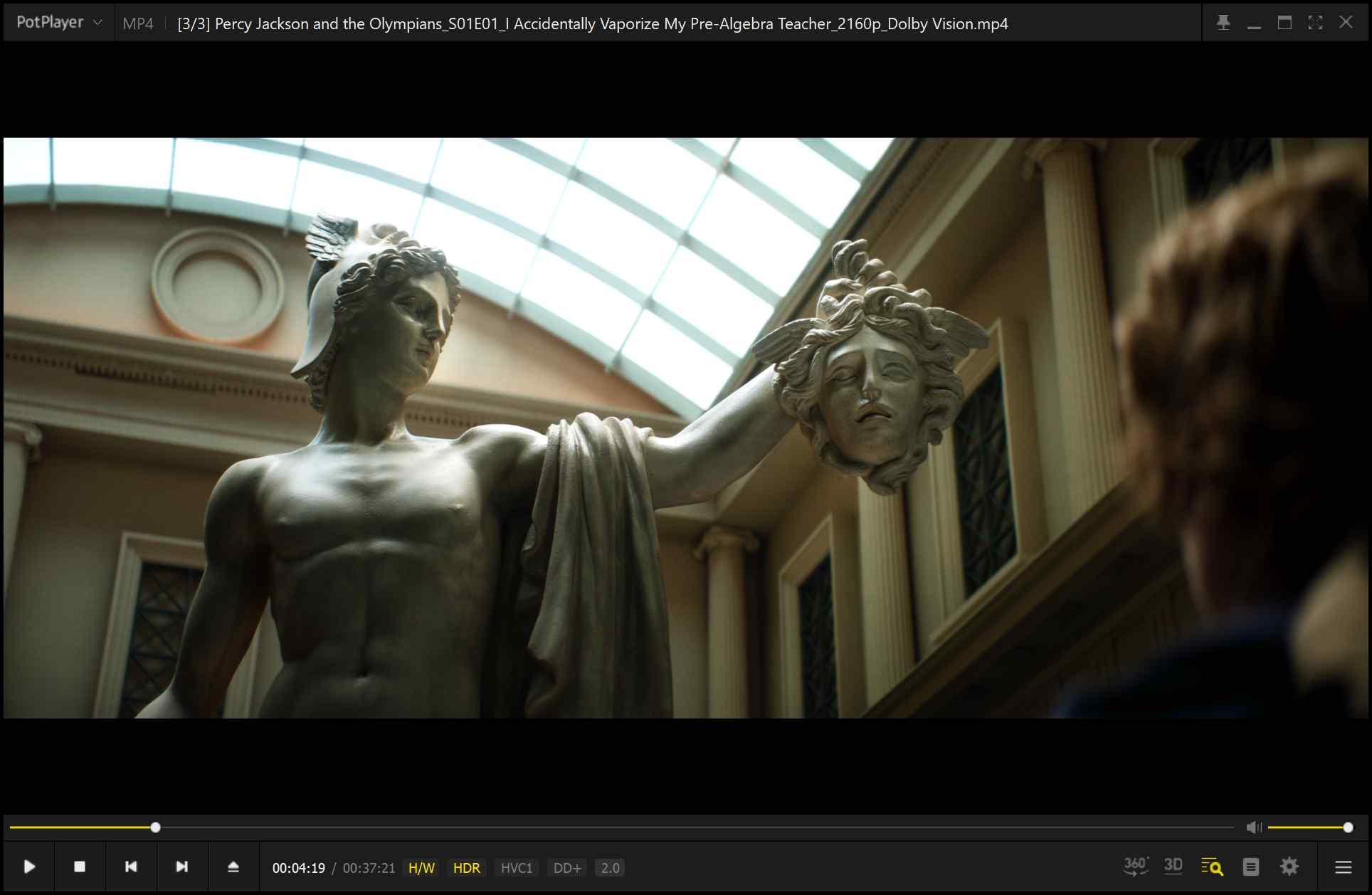
In a June 2026 Mac test on a 24 Mbps connection, LDR Season 4 Episode 3 saved as 1080p with HDR10 and Dolby Atmos/DD+ 5.1 in the tested file. That result is a scoped snapshot, not a promise for another service or plan.
Cost, Trial, and Download Limits
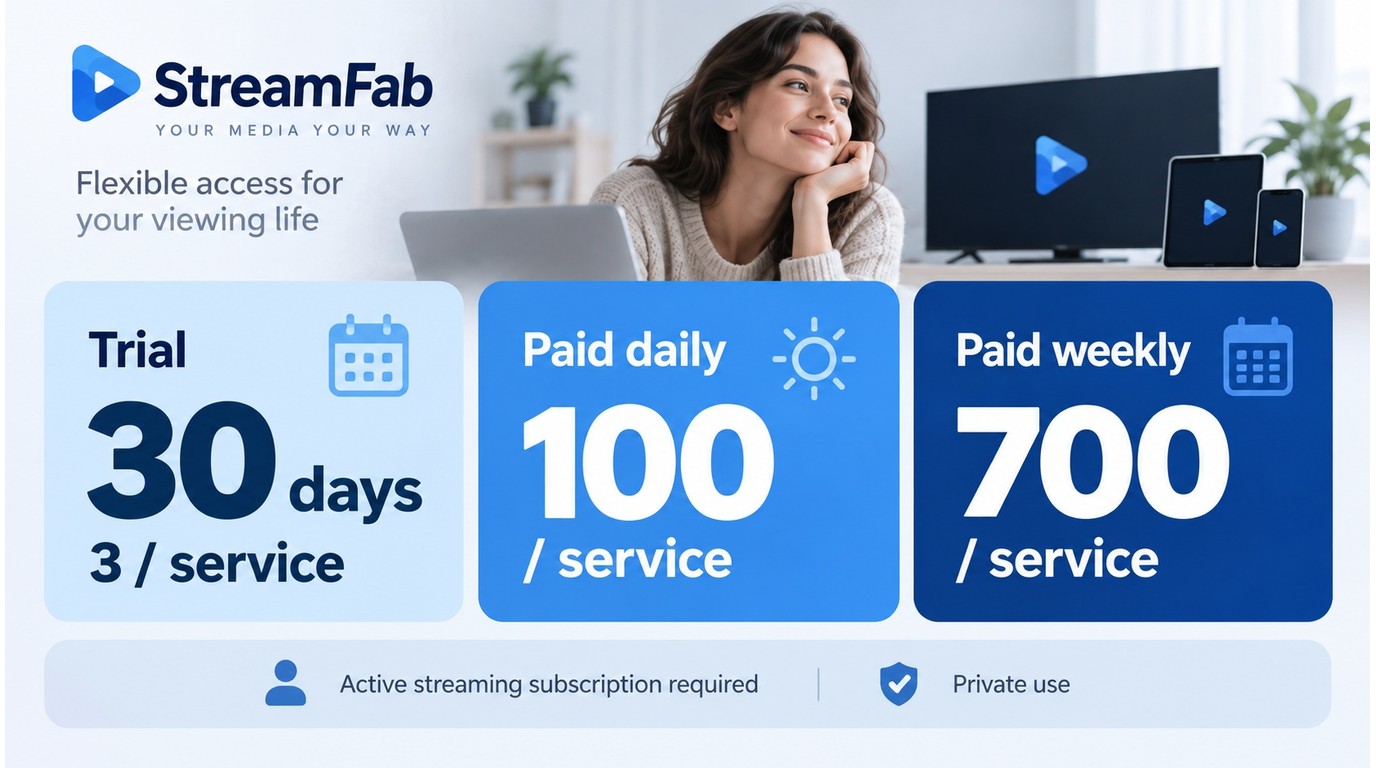
The StreamFab license is separate from the streaming subscriptions required for access. The StreamFab free trial has concrete limits: 30 days and three video downloads per streaming service.
Paid accounts are capped at 100 downloads per service per day and 700 per service per week. Those limits pace activity; they do not override copyright rules, platform terms, or account enforcement.
Who StreamFab Suits
StreamFab suits you when you already have authorized streaming access and want local files, batch queues, selectable tracks, or a Windows/Mac workflow that the service's official offline mode does not provide.
On Windows 10 Pro with an i5-9400F, 16 GB RAM, and StreamFab 7.0.1.7, my three-episode LDR Season 4 batch completed, and the file sizes increased with episode length. That is the kind of repeated setup a queue handles well.
- You use paid streaming services: and need local MP4 or MKV output
- You manage series or multiple titles: batch queues reduce repeated setup
- You need audio and subtitle control: choose supported tracks before downloading
- You want a desktop workflow: Windows or Mac stores files on your drive
- The service's official offline mode already covers your device and travel window
- You need a short clip for a permitted task, where system recording is enough
- StreamFab's strength is batch saving, MP4/MKV output, and track selection for supported services free StreamFab
For a closer look at service-dependent resolution and file choices, the guide to downloading 4K videos with StreamFab explains where 4K output fits and where a lower source remains the limit.
Frequently Asked Questions
Conclusion: Choose the Right Workflow
StreamFab is the practical fit when you have authorized access, need supported titles as local MP4/MKV files, and want a desktop batch workflow. Torrenting is a peer-distribution method; whether it fits is inseparable from the content rights, upload behavior, and trustworthiness of the release.
Tested snapshot: June to September 2026
Environments: Windows 10 Pro, Windows 11, macOS, and StreamFab 7.x
Use authorized accounts and follow copyright law and platform terms.