Paramount Plus treats offline viewing as a Premium mobile feature, not a general download button for every screen. You can download Paramount Plus shows in the iOS or Android app, while Paramount Plus laptop downloads require a different local-file workflow. This guide separates those two paths before the next trip or weak-connection day makes the distinction urgent.

Paramount Plus Downloads: Quick Answer
You can download Paramount Plus videos officially with the US Premium plan on supported phones and tablets. Those Paramount Plus offline downloads stay inside the app, follow title and account limits, and are not available as official Windows or Mac downloads.
The practical split is simple: use the official app for short-term mobile viewing, or consider a desktop local-file workflow when compatible laptop playback and file management matter. Device availability can change, but the current US requirements below provide the useful starting point.
| Plan | Official offline downloads? | Supported devices | Retention window | Best fit |
|---|---|---|---|---|
| Essential | No | Streaming only | Not applicable Viewers who do not need downloads |
Current US eligibility |
| Premium | Yes, for eligible titles | iOS 16+; Android 6+ | Up to 30 days before playback 48 hours after playback starts |
Short-term mobile viewing |
Current Plans, Devices, and Limits
Paramount Plus Premium downloads work on iPhone and iPad with iOS 16 or later, plus Android phones and tablets with Android 6 or later. The official feature does not provide downloads for Windows PCs or Macs, and the US Essential plan does not include it.
- Title availability: A movie or episode must display the Paramount Plus download button. Rights restrictions can make the icon unavailable on an otherwise eligible account.
- Account capacity: The app can hold up to 25 downloaded items across the account.
- Copies of one title: The same title can be downloaded on up to five account devices.
- Time window: An unwatched download generally remains available for up to 30 days. After playback begins, the viewing window is 48 hours.
- Storage and app behavior: The device needs enough free space, and closing the app pauses an active download.
My decision rule is to treat official downloads like a temporary travel bag: useful, controlled by the app, and sized for a trip rather than a laptop media library.
Download Shows in the Official Paramount Plus App
The official app is the most direct way to download Paramount Plus shows for Paramount Plus offline viewing on an eligible mobile device. Before starting, confirm Premium access, update the app, connect to a stable network, and reserve enough device storage.
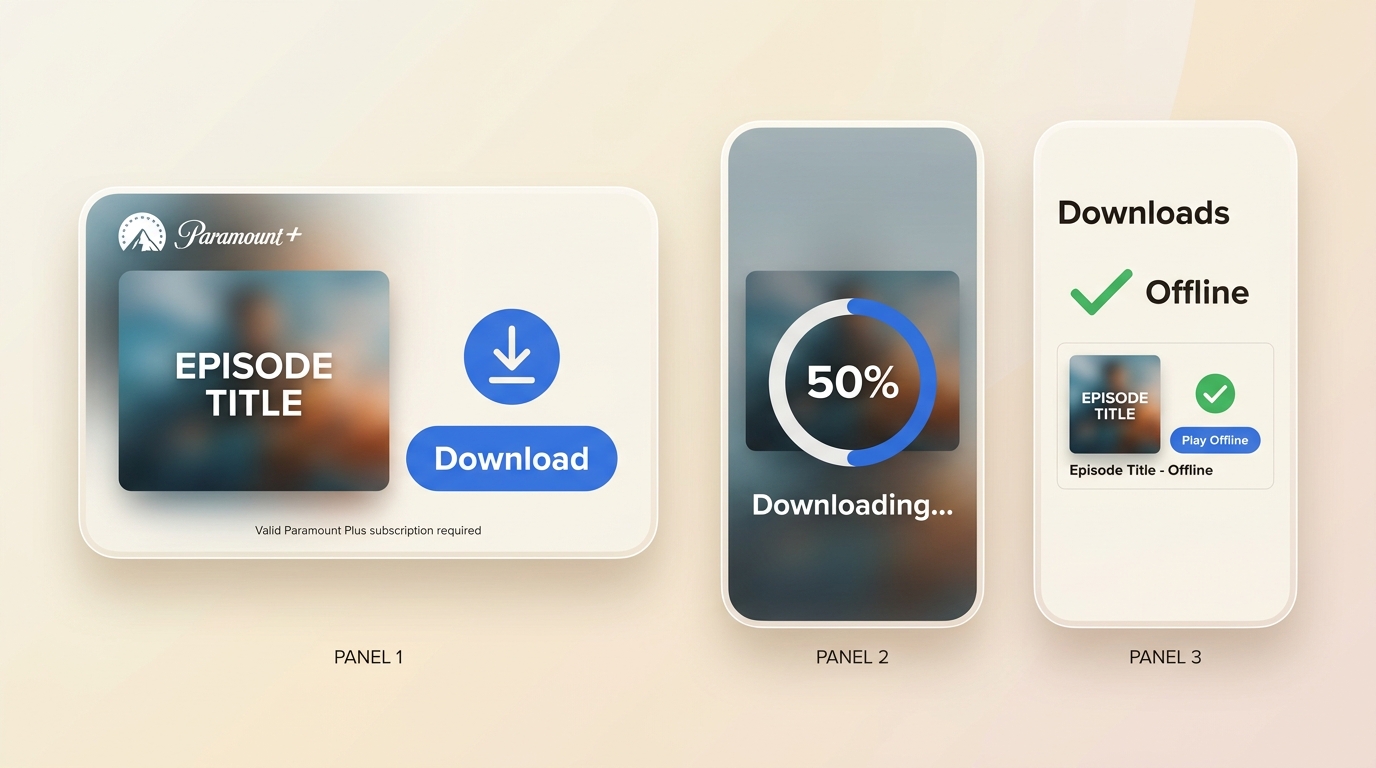
The sequence is straightforward: sign in, open an eligible title, select its download control, choose an episode when needed, and wait for completion before going offline.
Install the Paramount Plus app
Available only on iOS, Android, and Amazon Fire tablets. No desktop version exists.
Sign in with Premium credentials
Essential plan subscribers cannot access downloads. Upgrade first.
Locate your title and tap the download arrow
Use search or browse categories. For series, tap each episode individually. No "download all" button exists.
Monitor the progress circle
Stay on Wi-Fi to avoid mobile data charges. Large files consume significant storage.
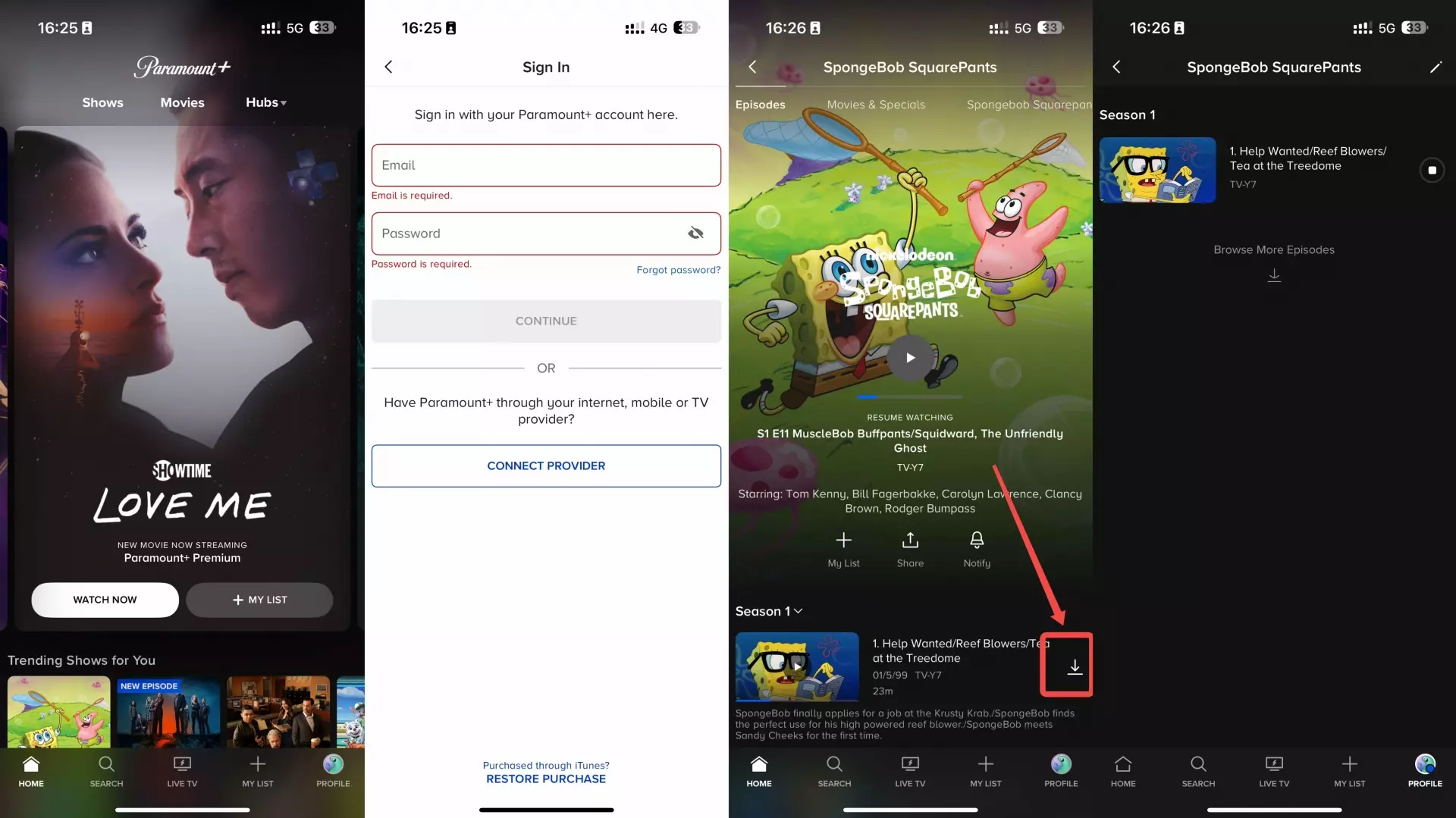
For travel preparation, I would finish the queue before leaving reliable Wi-Fi and open the Downloads area once while connected to it. That quick check catches incomplete items without turning the process into a last-minute troubleshooting session.
Manage Downloads and Storage
Download management matters because the 25-item account cap, five-copy title cap, storage space, and app-open requirement can stop an otherwise valid request. Deal with those limits before assuming the title or device is broken.
- Cancel an active item: Open the Downloads area, select the item in progress, and use the cancel control if you no longer need it.
- Delete finished items: Clear watched titles from the Downloads area to recover storage and free account capacity.
- Respond to a storage warning: Delete unneeded media or apps, then restart the download after enough space is available.
- Check duplicate copies: If the same title is already stored on five account devices, delete one copy before adding another.
- Keep the app open: Let the active transfer finish before closing the app because an in-progress download pauses when the app closes.

Also read: How to get Paramount Plus on Xfinity?
Fix Missing or Failed Downloads on Paramount
Most Paramount Plus download errors are easier to solve by checking eligibility and limits first. A missing icon often reflects the plan, title rights, device software, account capacity, or storage rather than an isolated error code.
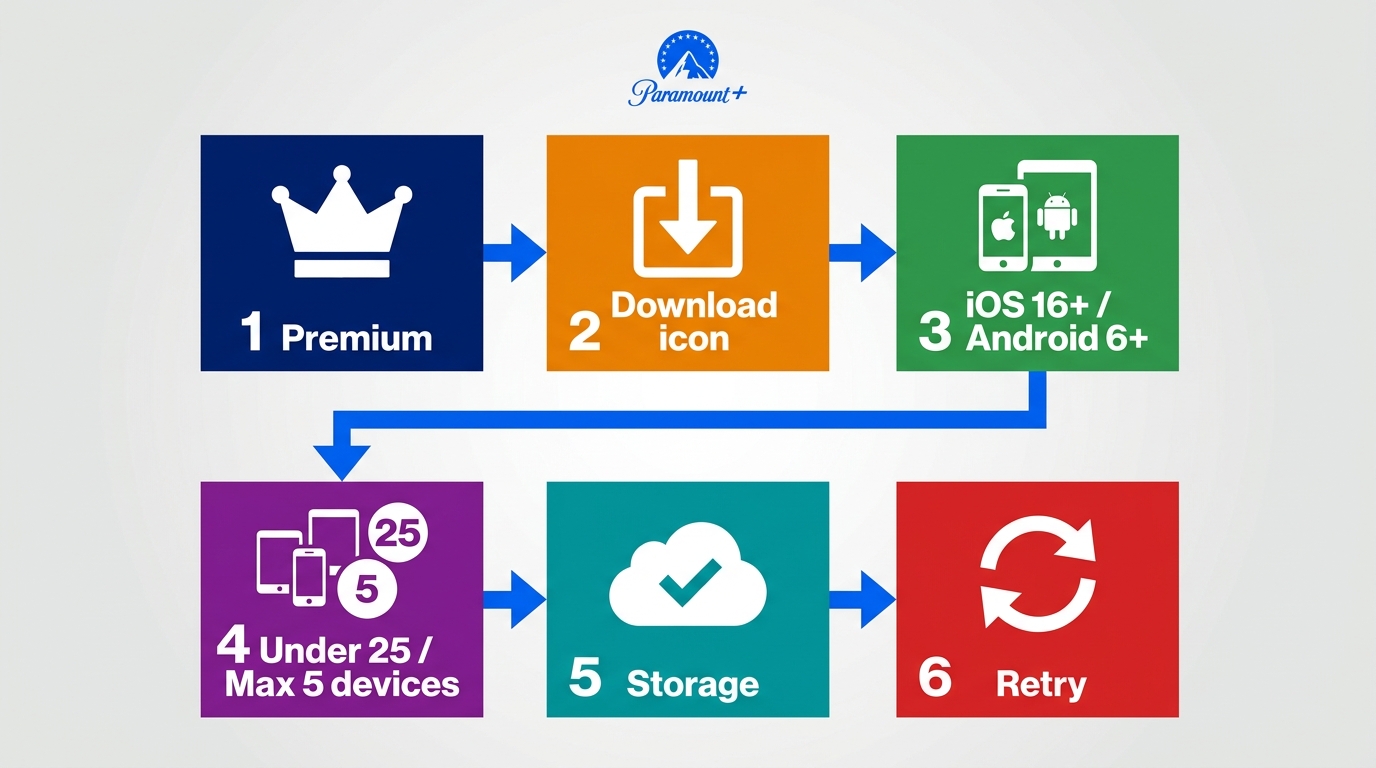
- Confirm Premium eligibility. Essential accounts do not receive the US offline-download feature.
- Look for the title's download icon. If the icon is absent, that specific title may not be licensed for offline viewing.
- Check the device and software. Use iOS 16 or later or Android 6 or later, then install the current Paramount Plus app update.
- Review account limits. Delete unneeded items if the account has reached 25 downloads, and check whether five copies of the same title already exist.
- Free storage and keep the app open. A space warning or closed app can interrupt the transfer.
- Retry the connection. Restart the app and device, reconnect to the network, and download the item again if the first file was incomplete.
In my view, this root-cause order is more useful than starting with a code search. It moves from eligibility to capacity to connectivity, which mirrors how the official feature actually gates a download.
| Error | What it can indicate | Secondary check |
|---|---|---|
| 6200 | Incomplete or damaged app download | Delete the item, clear app cache where available, and download again |
| 3205 | Playback or connection handshake failure | Update the app and OS, restart the device, and retry the network |
| Region change | Title availability differs by location | Reconnect, sign in again, and confirm the title remains available in that region |
Paramount Plus Official Downloads vs Local MP4 Files
Official downloads are app-managed copies with plan, device, title, account, and retention rules. A Paramount Plus MP4 or MKV saved on a computer is a standard local file, so it supports a different playback and organization workflow.
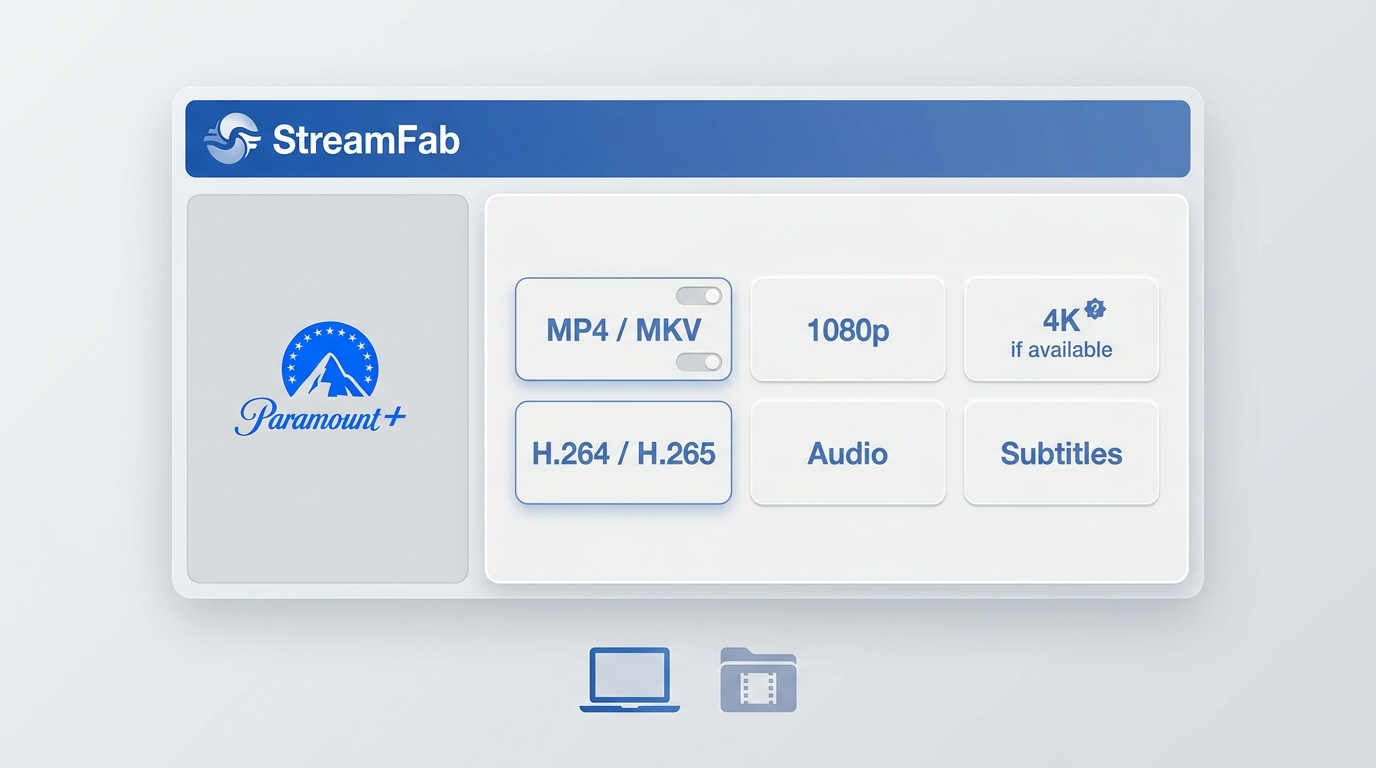
For content you are authorized to access with an active Paramount Plus subscription, and for personal backup where permitted by Paramount Plus terms and applicable law, a desktop local-file workflow can be practical when official laptop downloads are unavailable. It complements the subscription; it does not replace access requirements or content rights.
This distinction is why ordinary ways to record Paramount Plus are not identical to a service-specific desktop workflow. The useful question is not which method sounds less restricted, but which file type and device path match the viewing need.
Save Paramount+ Videos with StreamFab
StreamFab Paramount Plus Downloader runs on Windows and macOS and saves supported titles as MP4 or MKV. Depending on the source title, plan, and available stream, it can offer up to 4K or 1080p with H.264 or H.265, plus supported HDR and multichannel audio options.
It is best suited to Windows or Mac users who need compatible local playback, subtitle control, or queued episodes. It is less suitable for readers who need an occasional mobile download, prefer not to install desktop software, or expect the maximum specification on each title.

- Use a Windows or macOS desktop workflow with active Paramount Plus access
- Save supported titles as MP4 or MKV for compatible local playback
- Select up to 4K or 1080p with H.264 or H.265 where the title provides it
- Keep Dolby Atmos, EAC3 5.1, or AAC 2.0 when available
- Save subtitles as SRT files or embed them in the video
- Queue episodes in batches and schedule supported releases
- Check each title's available output instead of assuming the platform maximum
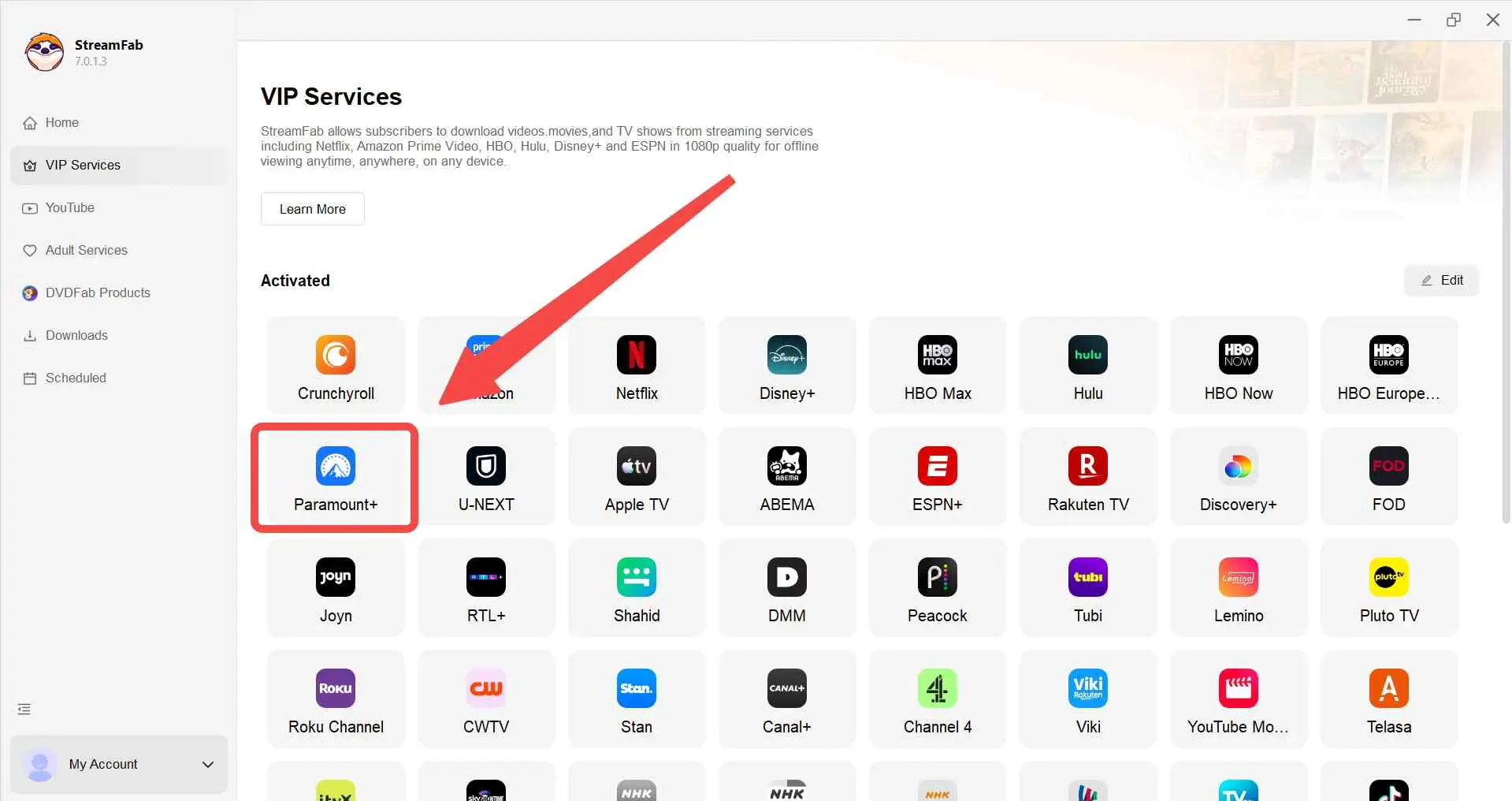
Enter your Paramount Plus credentials in the integrated browser window. Browse and play the episode or movie you want to save.
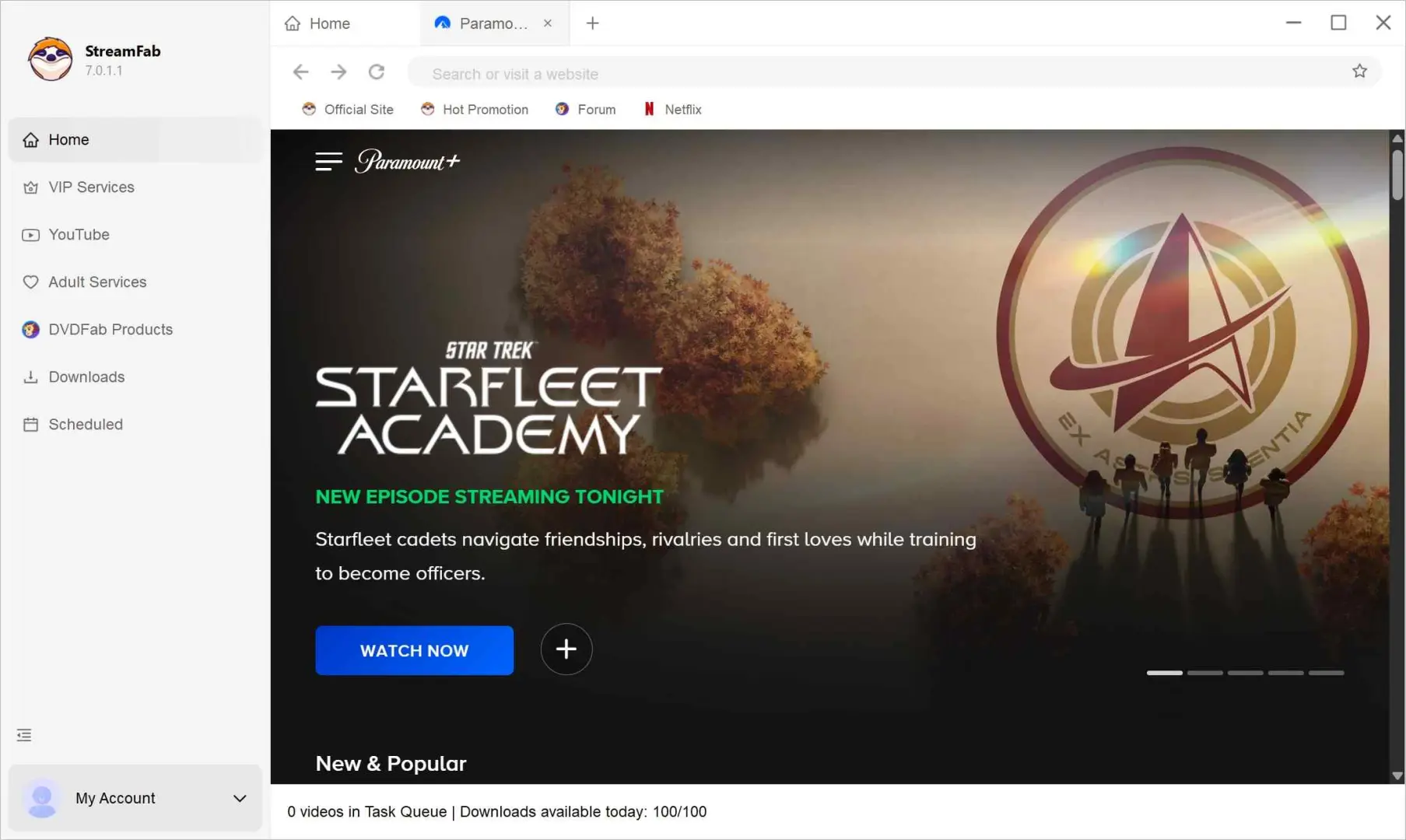
The download starts automatically as the video plays. Select your preferred quality and audio settings.
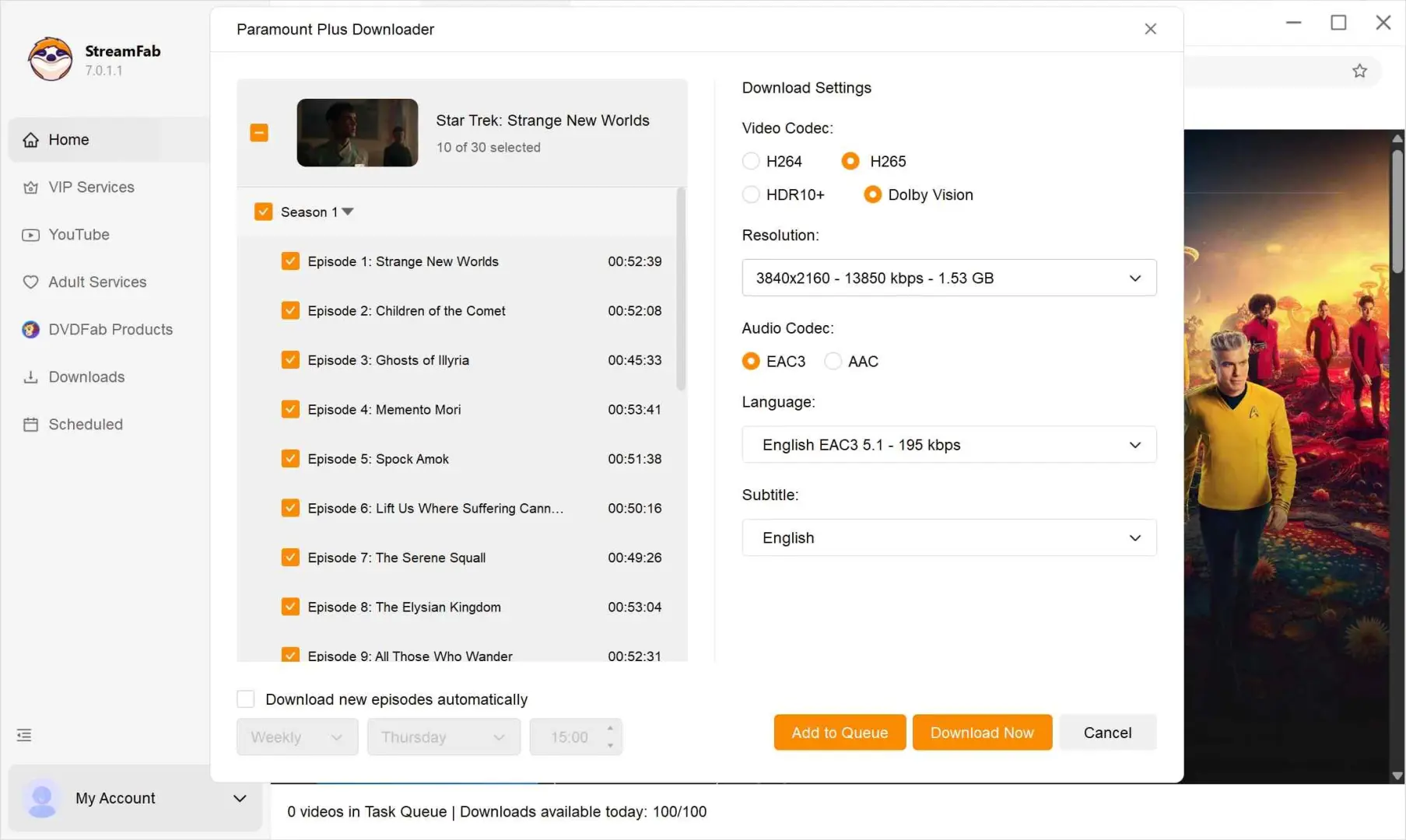
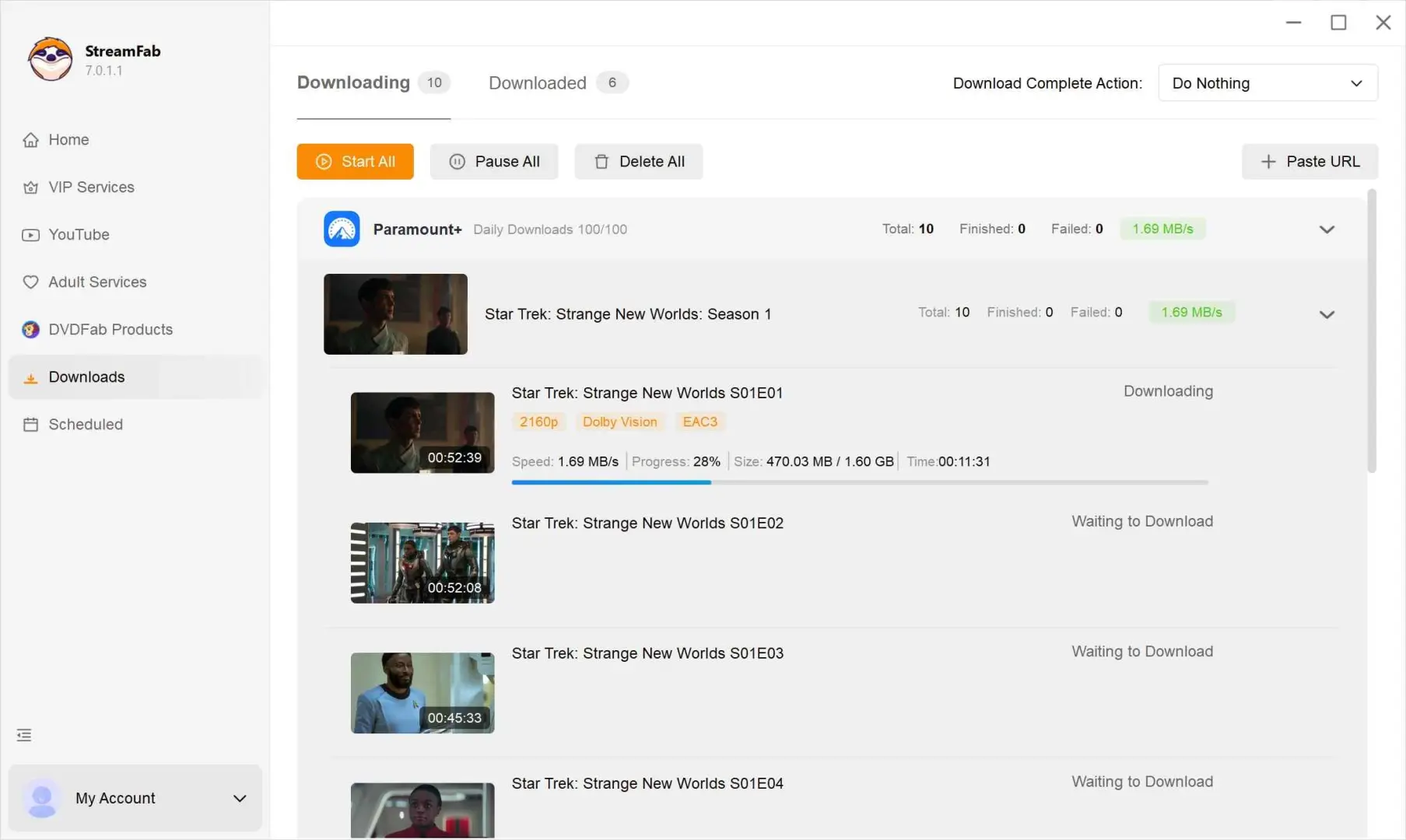
After a file finishes, play the beginning and a later point before clearing the queue. That simple integrity check can reveal an incomplete output that looks finished in the task list. Title-level resolution and audio availability should be read from the selection screen rather than inferred from the service maximum.
Official App vs StreamFab
The official app and StreamFab solve different offline problems. The managed comparison below focuses on device fit, file control, retention, required access, and workflow costs rather than presenting one route as universally better.
| Comparison point | Paramount Plus official app | StreamFab Paramount Plus Downloader |
|---|---|---|
| Supported devices | iPhone and iPad on iOS 16+; Android phones and tablets on Android 6+ | Windows and macOS computers |
| Required access and use boundary | US Premium plan; eligible titles; personal offline viewing | Active Paramount Plus access; authorized content; personal backup where permitted |
| Download location and file type | Managed inside the Paramount Plus app | Local MP4 or MKV files |
| Official retention window | Up to 30 days before playback; 48 hours after playback starts | Not governed by the app's official retention window; use remains subject to authorization and terms |
| Video and audio options | Managed by the Paramount Plus app and title | Up to 4K or 1080p, H.264 or H.265, and supported audio or HDR where available |
| Subtitle options | App-managed offline subtitles | SRT file or embedded subtitle choices |
| Batch and scheduled downloads | Titles and episodes are selected through the official app | Batch queues and scheduling are supported |
| Best fit | Short-term offline viewing on an eligible mobile device | Compatible local playback and episode management on Windows or Mac |
| Not ideal for: official app users who need laptop files | StreamFab users who want no desktop installation or expect maximum output on each title | Expires after a few days |
Plan, device, retention, and product specifications shown here are current as of July 2026.
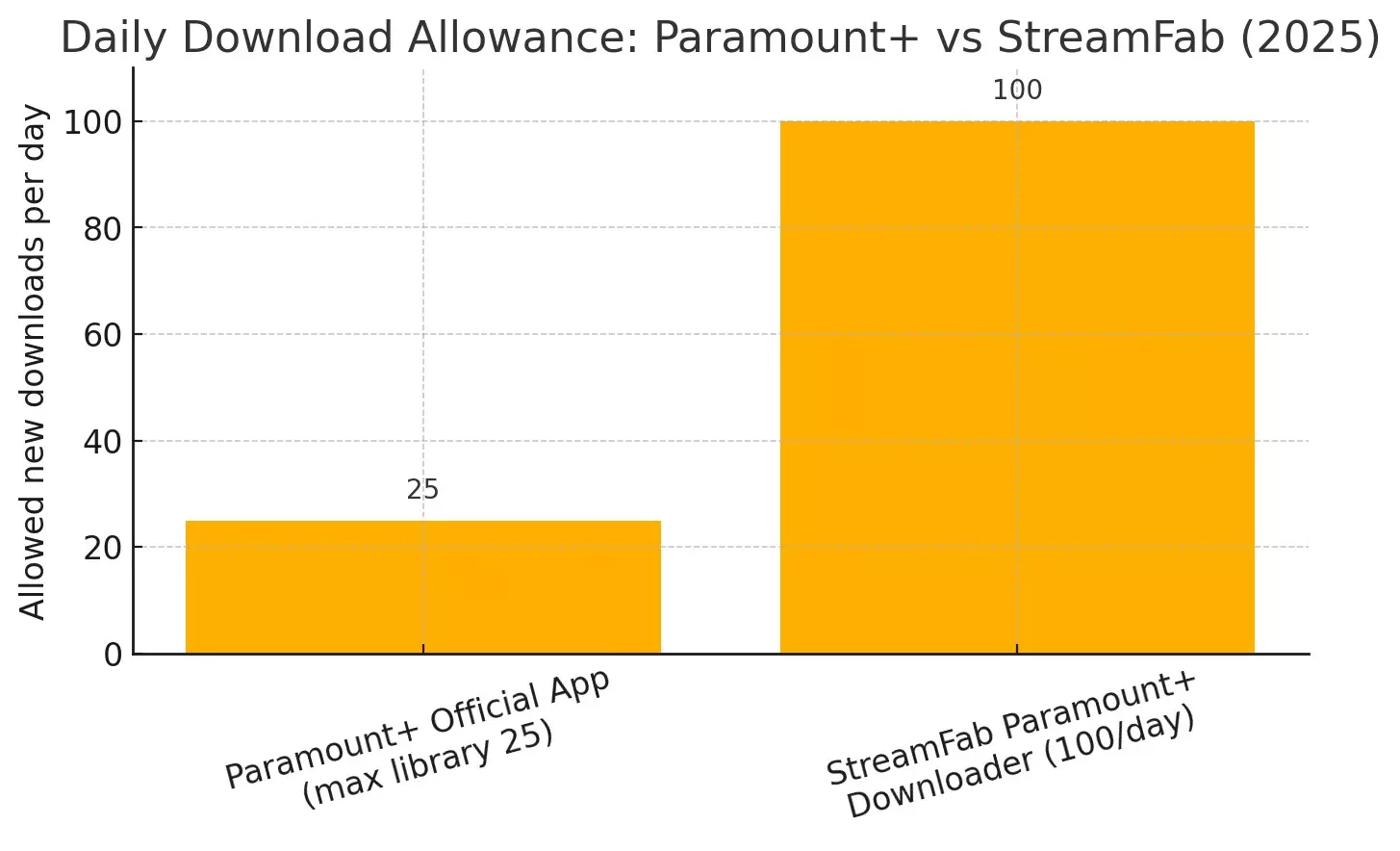
A desktop workflow matters when Paramount Plus has no official laptop download path. It requires installation, active service access, local storage, and title-by-title output checks.
The practical takeaway is that convenience changes with the screen. The official app asks less of a mobile viewer, while StreamFab adds desktop installation and storage responsibilities in exchange for local file control.
FAQs
These quick answers cover title rights, renewal, travel, trials, and reconnect requests without repeating the setup steps above.
No. The account needs eligible Premium access, the device must be supported, and the specific movie or episode must carry download rights. A missing icon can be title-specific, so it does not automatically mean the app has failed.
Do not assume automatic renewal. Official downloads generally have a 30-day unwatched window and a 48-hour window after playback begins. Renewal can require an internet connection, continued account eligibility, and continued availability of the title.
Regional licensing can affect what the app recognizes after travel. I would finish the download and confirm it in offline mode before departure, but that check cannot promise availability after the account enters a different content region.
It depends on the trial's plan access. If the promotion provides Premium eligibility and the title and device meet the official requirements, the download feature may be available. Promotions can use different terms, so trial status alone is not enough.
Final Thoughts
Choose the official app for eligible, short-term Paramount Plus offline viewing on a phone or tablet. Choose a desktop local-file workflow when authorized Windows or Mac playback and episode management justify the added software, storage, and title-level output checks.
The most useful principle is to start with the screen you will actually use. Mobile travelers usually need the official queue prepared early; laptop viewers need a workflow designed for standard local files without treating the subscription or content rights as optional.
Update Log
This guide was updated in July 2026 with the current US Premium requirement, iOS 16 and Android 6 device minimums, the 30-day and 48-hour Windows download-management limits, root-cause troubleshooting, and qualified StreamFab output specifications.
