If you are trying to download Channel 4 videos with subtitles, the first obstacle is usually the device rather than the show. You can watch Channel 4 offline through supported apps, but a laptop needs a different Channel 4 downloader workflow. This guide compares both routes, then covers subtitle checks and common failures.
Channel 4 supports managed offline viewing on eligible mobile and Android-based devices, while Windows and macOS do not provide the same official local-file workflow. For authorized personal viewing on a computer, StreamFab Channel 4 Downloader can save supported titles as MP4 or MKV with selectable subtitle handling. Test one episode before starting a season queue.
Compare the two methods below
- Is it legal to download Channel 4 videos via third-party tools?
- How to download Channel 4 videos on mobile devices?
- How to download Channel 4 videos with subtitles on your PC?
- More FAQs
Device support, title rights, sign-in status, storage, and connectivity can affect Channel 4 downloads even when a download button is normally available.
Why Bother Downloading Channel 4 Shows to Your PC?
Downloading makes sense when unstable Wi-Fi, advertising, or an app viewing window would interrupt a trip or a long session. The practical question is not simply whether you can download Channel 4 shows, but whether your device supports the type of offline playback you need.
Official downloads also depend on program rights, account status, available storage, connectivity, and whether the title remains in the catalog. My rule is to check device eligibility first. It prevents you from following a polished set of steps that your laptop cannot complete.

Channel 4 Download Rules and Usage Limits
Channel 4 download rules combine device eligibility, title rights, account access, storage, connectivity, and the viewing window displayed in the app. A download that worked before can become unavailable when any one of those conditions changes.
- TV Licence requirements, copyright, platform terms, and regional availability are separate questions.
- Official downloads are available on supported mobile or Android-based devices, not as native Windows or macOS files.
- The app displaysa start window and a finish windowfor each eligible download; availability can also change with rights, sign-in, storage, and connectivity.
- Channel 4 availability is region-dependent, including for viewers accessing the service from the United States.
TV license rules distinguish live television from much on-demand viewing, but that does not settle copyright, platform terms, or regional access. Use any offline method for personal viewing of content you are authorized to access, and do not share or commercially distribute saved material.
- Use offline workflows for content you're authorized to access, where permitted by platform terms and applicable law. Keep personal viewing separate from sharing, redistribution, or commercial use.
Rules vary between services. A process used for downloading Now TV videos, for example, should not be assumed to have the same device support, title availability, or viewing window as Channel 4.
Download Channel 4 on PC or Mac
There are two practical paths: use the official Channel 4 app on an eligible device, or use a desktop local-file workflow for Channel 4 on PC or Channel 4 on Mac. Keep the existing method order and stop once the route matches your device and playback needs.
| Method | Devices and playback | Subtitles, casting, and quality | Output and batch handling | Viewing window and US context | Best fit and main limitation |
|---|---|---|---|---|---|
| Official Channel 4 app | iOS, Android, and supported Android-based TV devices; local in-app playback; no native Windows or macOS file output | Download subtitles on iOS and Android; Google Cast does not carry subtitles or audio description; quality varies by title and device | Managed in-app download; no MP4 or MKV output; no desktop season queue | App-displayed viewing window; title rights and regional availability apply, including for US viewers | Best for occasional viewing on a supported device; limited when you need a PC or Mac file |
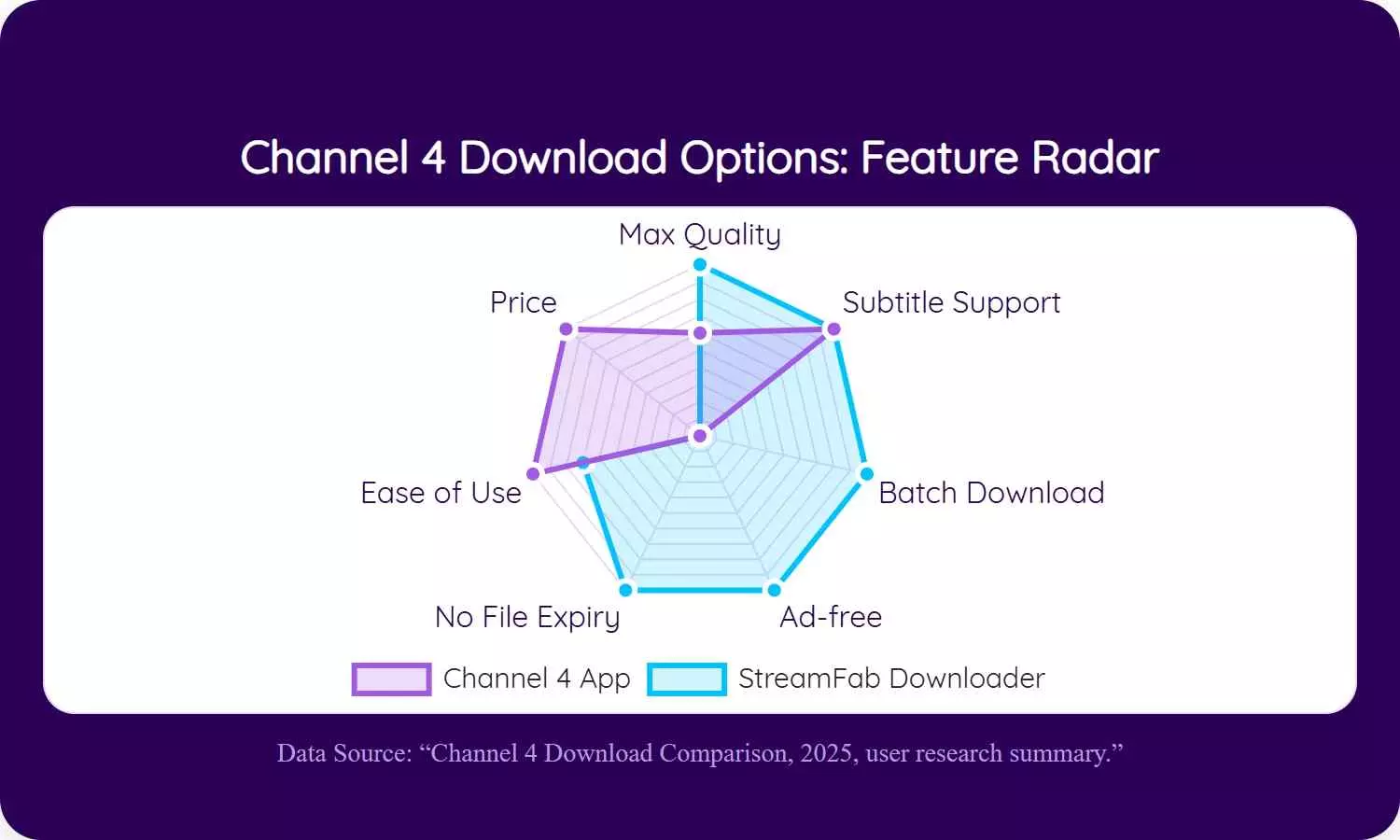
| StreamFab Channel 4 Downloader | Windows and macOS desktop; local playback through a compatible media player | Selectable subtitle handling; up to 1080p and AAC 2.0 when the title supports them | MP4 or MKV output; batch and scheduled season queues | Not governed by the app playback countdown; authorized access, regional availability, and personal-use boundaries still apply | Best for PC or Mac local files; less suitable if occasional official mobile viewing already meets the need |
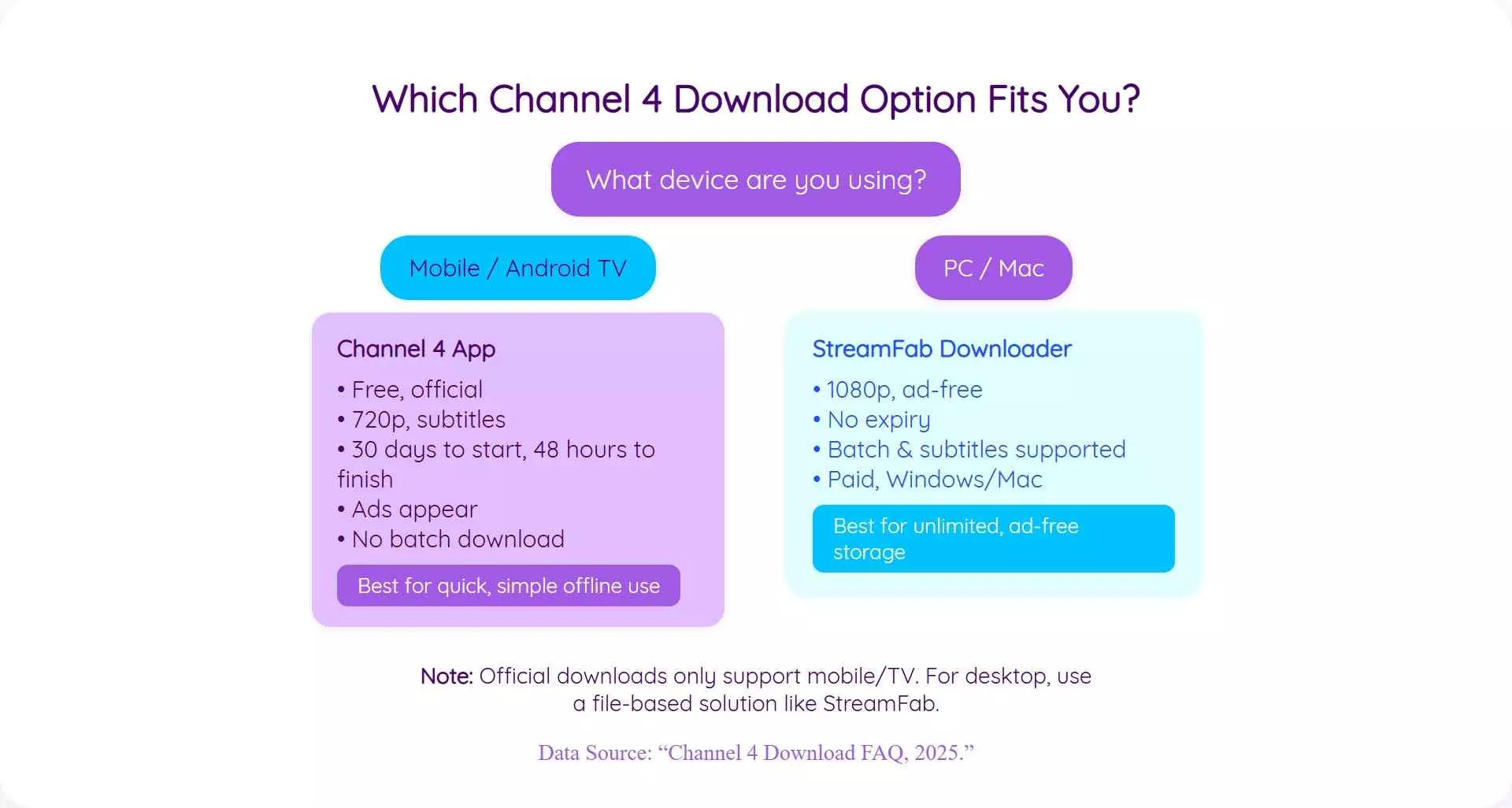
The platform details in this comparison reflect Channel 4 guidance as of July 2026. App support and title availability may change.
Official Channel 4 App Downloads
The official app is the lowest-friction way to watch Channel 4 offline when your device and title are eligible. It keeps playback inside the app and applies the viewing window shown for that download.
Before downloading, confirm that you are signed in, online, and have enough device storage. Rights restrictions can hide the download option for individual programs, and pausing or resuming may require a stable connection. If an item expires but remains available, the app may allow another download window.
Local app playback and casting are not equivalent. Channel 4 supports subtitles on many downloads through iOS and Android, while Google Cast does not currently carry subtitles or audio description from this workflow.
StreamFab Channel 4 Downloader
- Best for: PC or Mac users who need a local file, subtitle choices, or a season queue.
- Less suitable for: readers who only need occasional official mobile viewing and prefer to keep playback inside the Channel 4 app.
StreamFab Channel 4 Downloader is one practical desktop alternative for users who need Channel 4 to MP4 or MKV on Windows or Mac. As a third-party option relative to the official feature, use it for content you're authorized to access, where permitted by platform terms and applicable law.
The relevant verified capabilities are up to 1080p output, MP4 or MKV files, AAC 2.0 audio, selectable subtitle handling, and batch or scheduled queues. Subtitle availability still varies by title, so a successful video analysis does not guarantee that every requested subtitle output will be present.

Save supported Channel 4 titles on Windows or macOS for authorized personal offline viewing in a standard local file format.
- Up to 1080p MP4 or MKV with AAC 2.0 audio and selectable subtitle handling when available.
- Batch and scheduled queues help organize multi-episode downloads.
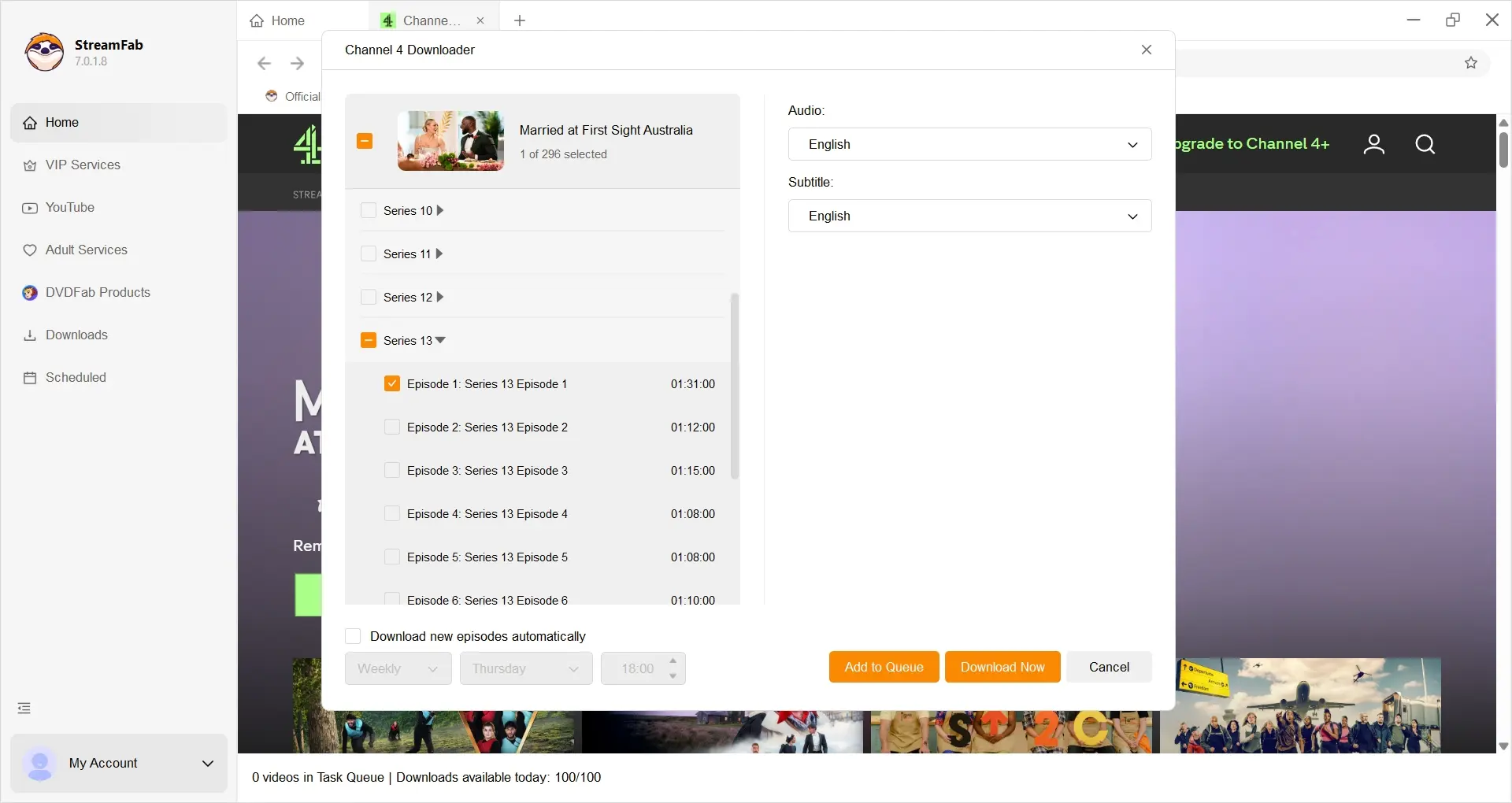
- Test one episode first to confirm video, audio, and subtitle output before starting a season queue.
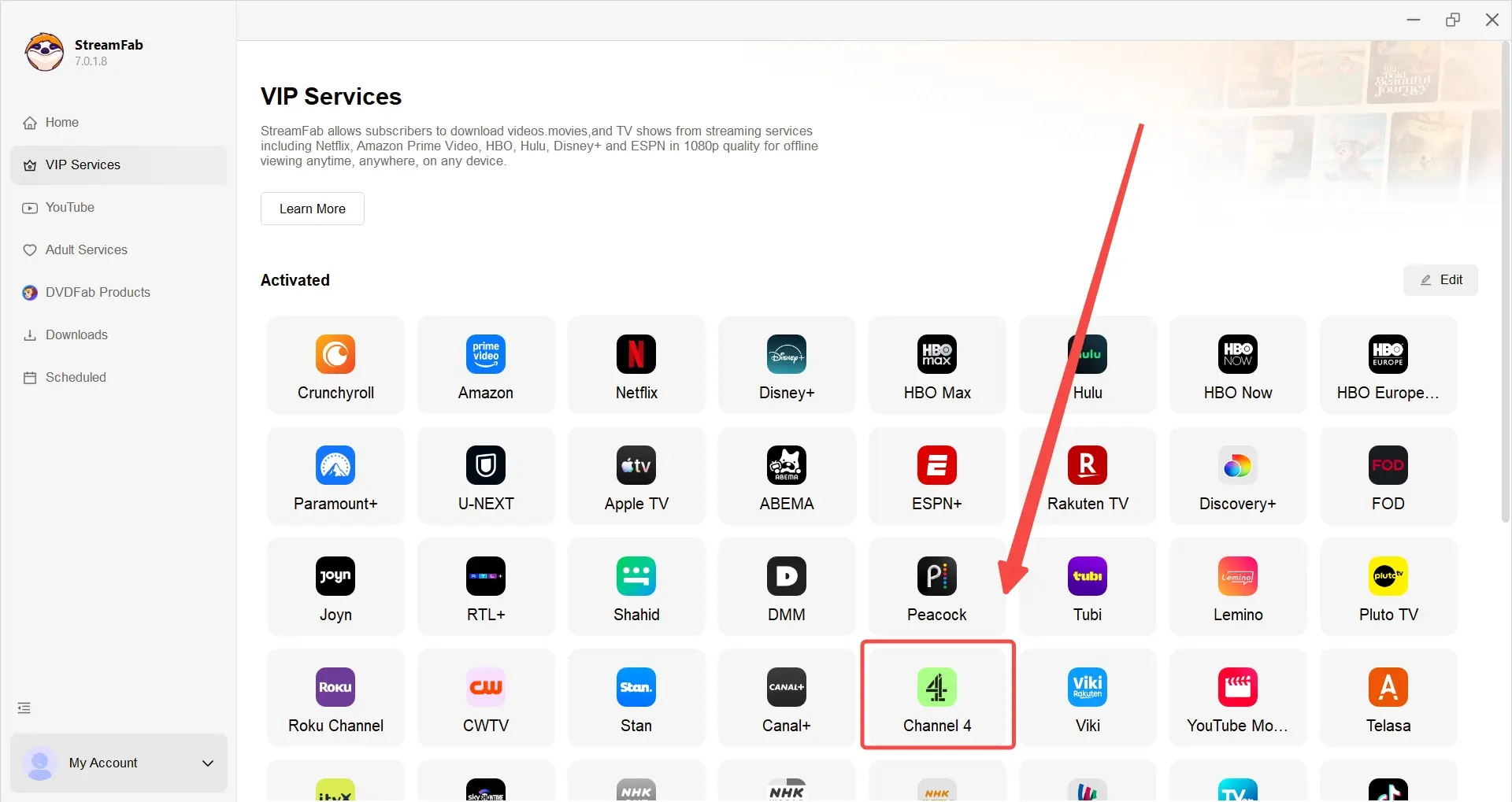
Now, navigate to the VIP Service section of the downloader to open Channel 4. The downloader features a built-in browser. (Remember to toggle your VPN on if you are located in the US.)
Search for the show that you would like to download and watch. Click on it to start playback.
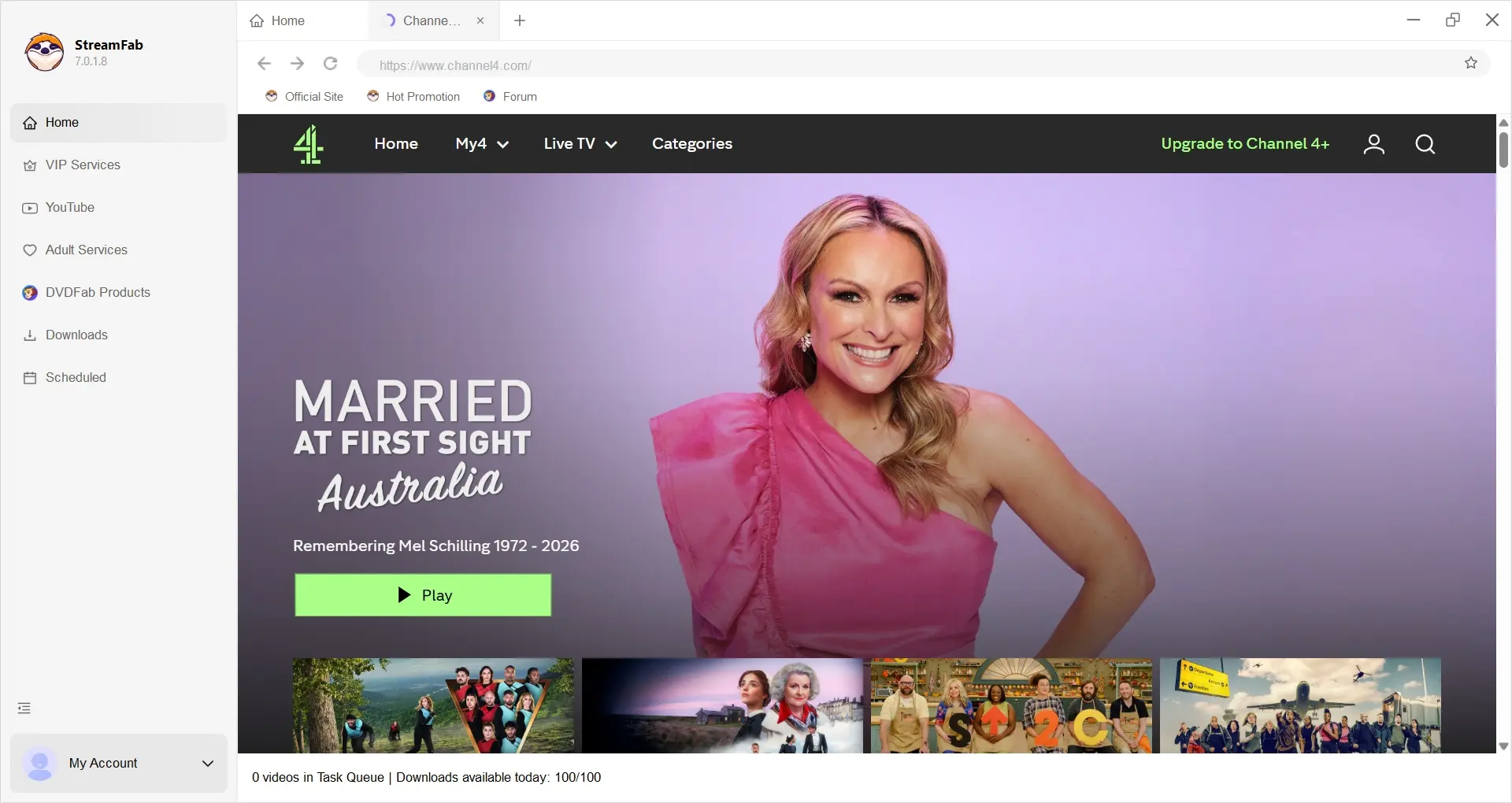
As you play the video, you will notice a pop-up window asking you to download the video. Click on it and wait for the video to be downloaded. Once the video is downloaded to your computer, you can watch it anytime you want.
Device and Method Eligibility
Choose by playback destination. Supported mobile or Android-based devices favor the official app; Windows and macOS favor a desktop workflow when a local file is necessary. Television casting is a separate decision because subtitle behavior differs from local app playback.
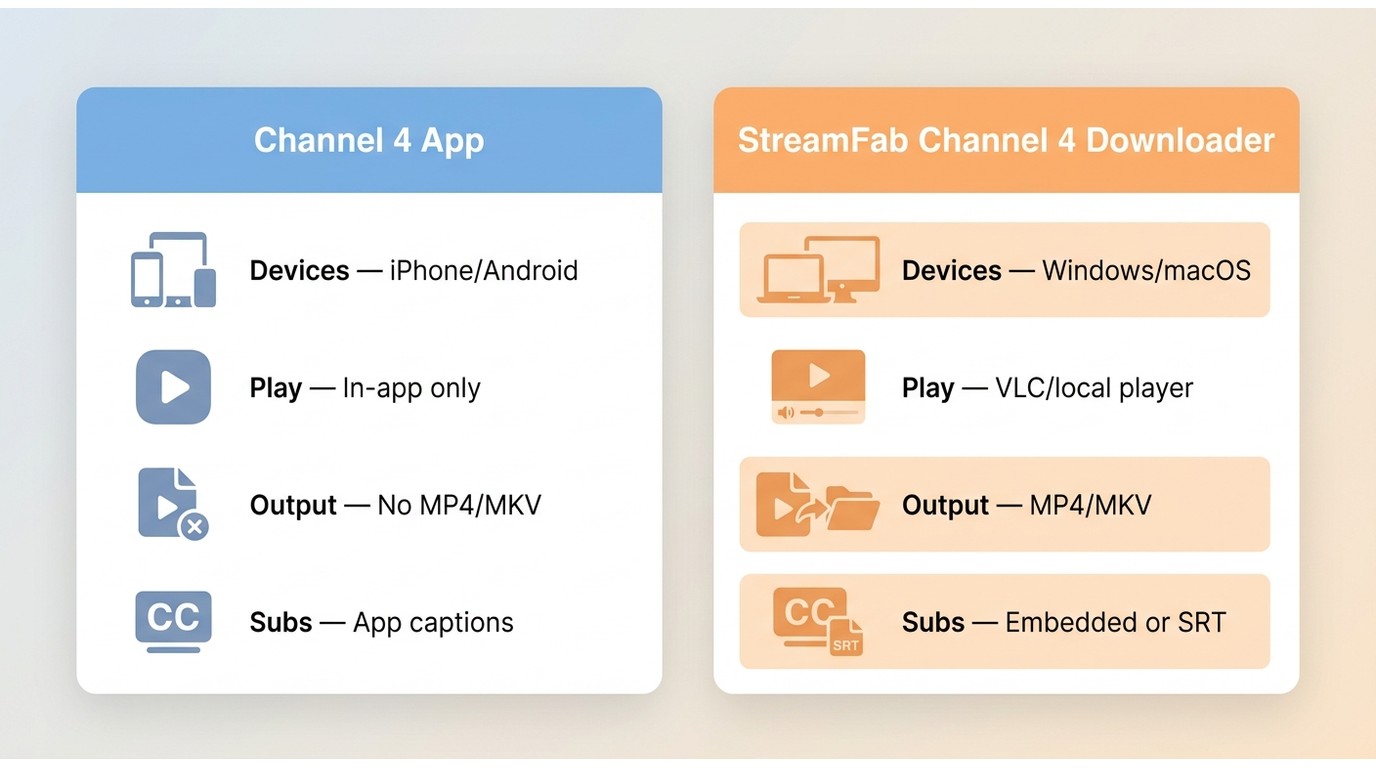
- iOS or Android: start with the official app and confirm the title shows a download option.
- Windows or macOS: use a desktop workflow only when you need a local MP4 or MKV file.
- Television: confirm whether you are playing locally through a supported app or casting from another device.
- United States: Channel 4 availability remains region-dependent; this guide does not change the service's access rules.
I favor this device-first decision because it separates two questions that are often mixed together: “Can this title be downloaded?” and “Can this device play the result in the way I need?”
Channel 4 Subtitle Options and Checks
Channel 4 subtitles can be available in official downloads and desktop outputs, but the format and playback path matter. Check the selected language, whether subtitles are embedded or external, and whether the target player displays them before committing to a larger queue.
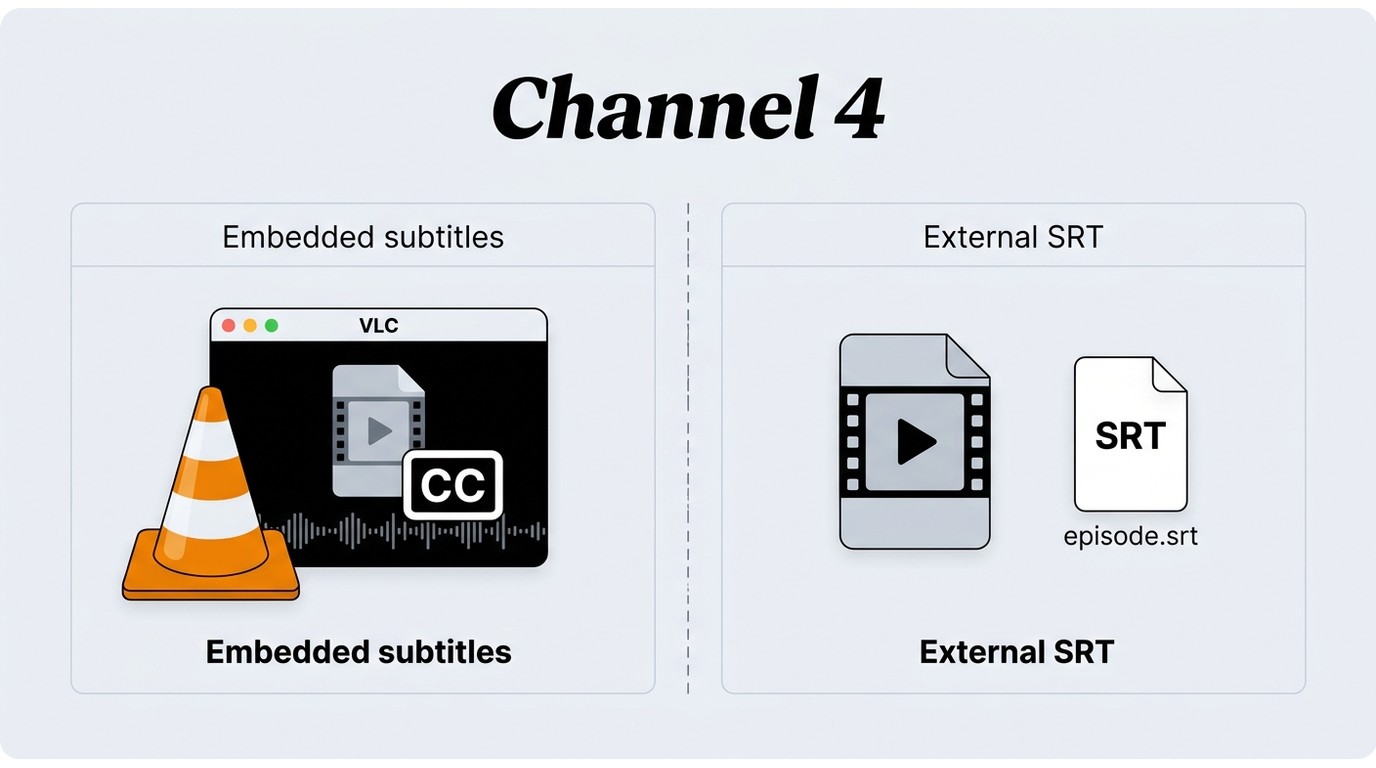
Embedded Subtitles and External SRT Files
Embedded subtitles travel inside the video container and are usually simpler for players that support track selection. External SRT files remain separate, which suits users who want independent subtitle management, editing, or player-specific styling.
Some users have reported failed external SRT retrieval or remux errors on individual Channel 4 titles. Treat that as a symptom to diagnose, not a universal result. If one output mode fails, check whether another available subtitle mode works for the same episode.
The same one-episode check is useful across subtitle-heavy catalogs. Before you download videos from Viki or another service, confirm the language track and playback behavior rather than assuming identical subtitle support.
Verify Subtitles Before a Season Queue
A one-episode test is the safest way to verify multi-track audio and subtitles. It catches the wrong language, missing SRT file, unsupported embedded track, or episode-specific processing error before those issues repeat across a season.
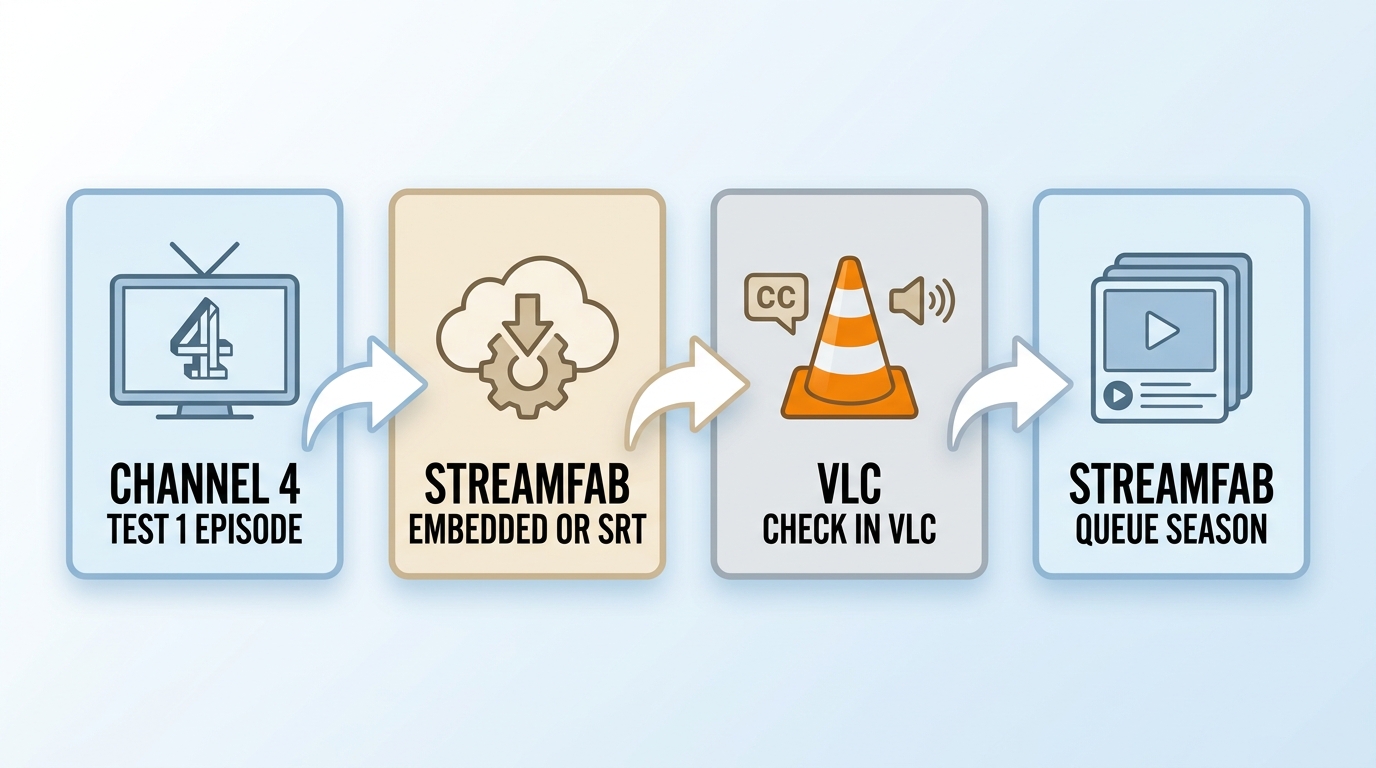
- Select one representative episode and choose the desired video, audio, and subtitle options.
- Complete the download, then confirm the video opens in the player you plan to use.
- Switch through the available subtitle and audio tracks or load the external SRT file manually.
- Check timing during dialogue and scene changes, not just the opening seconds.
- Start the season queue only after the test file passes these checks.
My practical preference is embedded subtitles for straightforward playback and external SRT files when separate subtitle control matters. Neither choice is better in every case; the target player decides which one is less troublesome.
Fix Channel 4 Download Problems
Channel 4 download problems usually come from subtitle handling, service changes, storage, title rights, app state, or catalog labeling. Diagnose the visible symptom first instead of changing several settings at once.
| Symptom | Likely cause | First check | Next step |
|---|---|---|---|
| Subtitle track is missing | The title or selected output does not expose that track | Reopen the episode and review available languages | Test another subtitle mode or collect logs for support |
| External SRT file fails | Episode-specific subtitle retrieval issue | Try the same episode with embedded subtitles | Update the desktop app and retry one episode |
| Remux fails after download | The selected tracks do not combine correctly for that title | Use a simpler video, audio, and subtitle selection | Keep the original output and provide logs if the failure repeats |
| Analysis fails | Channel 4 changed its service behavior or the app is outdated | Confirm the desktop app is current and sign in again | Retry one title, then escalate with logs if analysis repeatedly fails |
| Download stops or will not start | Insufficient storage, connectivity, or account state | Check free space, connection, and sign-in status | Clear space or restart the app before another attempt |
| Program has no download option | Rights restriction or catalog unavailability | Check whether the title remains available in Channel 4 | Use streaming playback if the title is not eligible for download |
| Episode appears to be missing | The catalog groups it under an unexpected season or special | Inspect alternate season labels and specials | Search by episode title before concluding it is unavailable |
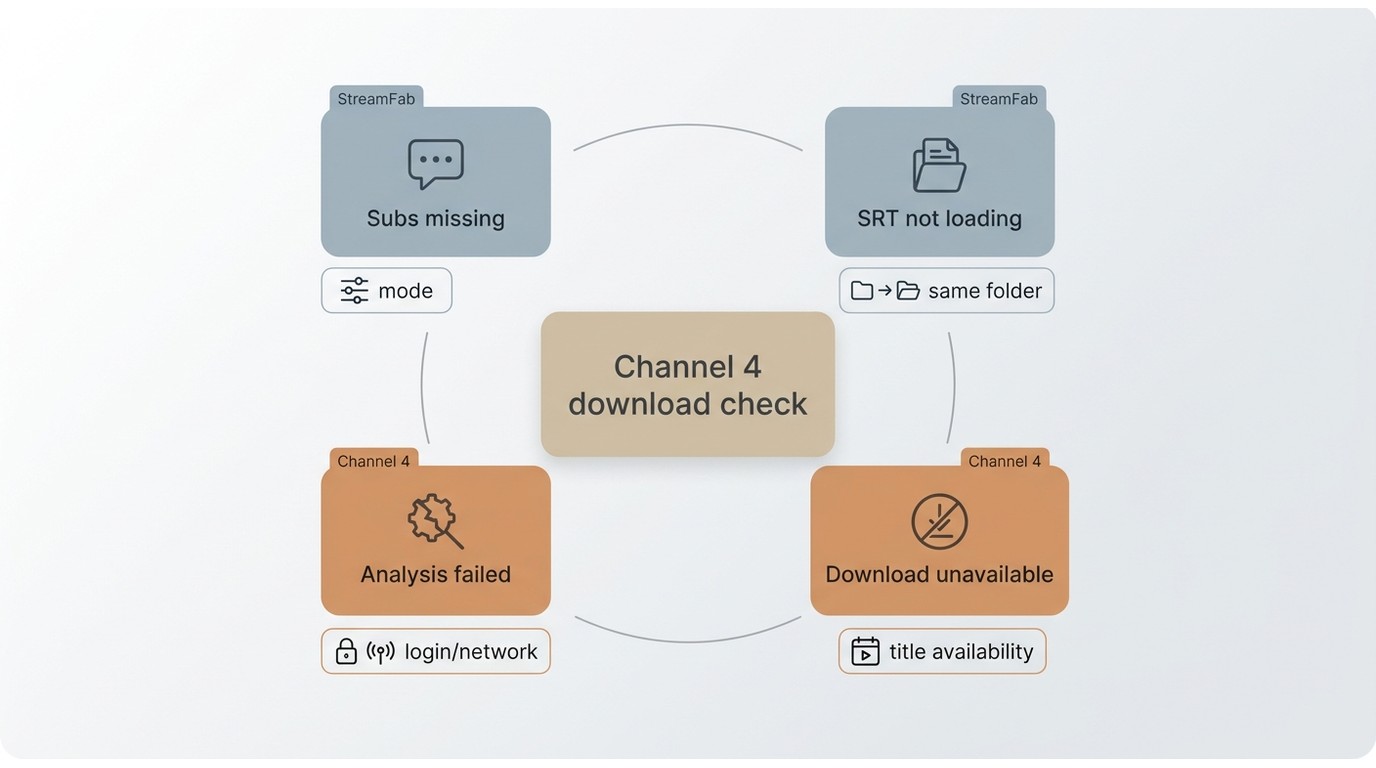
Missing Subtitles or Remux Failures
Start with one variable: the subtitle output. Compare embedded and external options on the same episode, then simplify the selected tracks if remuxing fails. Repeated failures with the same inputs are the point to save logs and contact support.
Missing Episodes and Rights Limits
An absent episode is not always a technical failure. Channel 4 may lack download rights for that title, or the catalog may place it under a different season, special, or collection label.
My first catalog check is alternate-season grouping. It is quicker than reinstalling software, and it often distinguishes a labeling problem from a genuinely unavailable episode.
Analysis, Storage, and App Issues
When analysis fails after a service update, keep the desktop app current, sign in again, and retry one episode. For official downloads, check storage, connectivity, and app state. If the same analysis failure repeats, provide the title and logs rather than cycling through unrelated settings.
Channel 4 Download Retention Explained
Official Channel 4 downloads follow the viewing window and title availability shown inside the app. A local file is managed outside that app countdown, but its creation and use still depend on authorized access, storage choices, platform terms, and applicable rules.
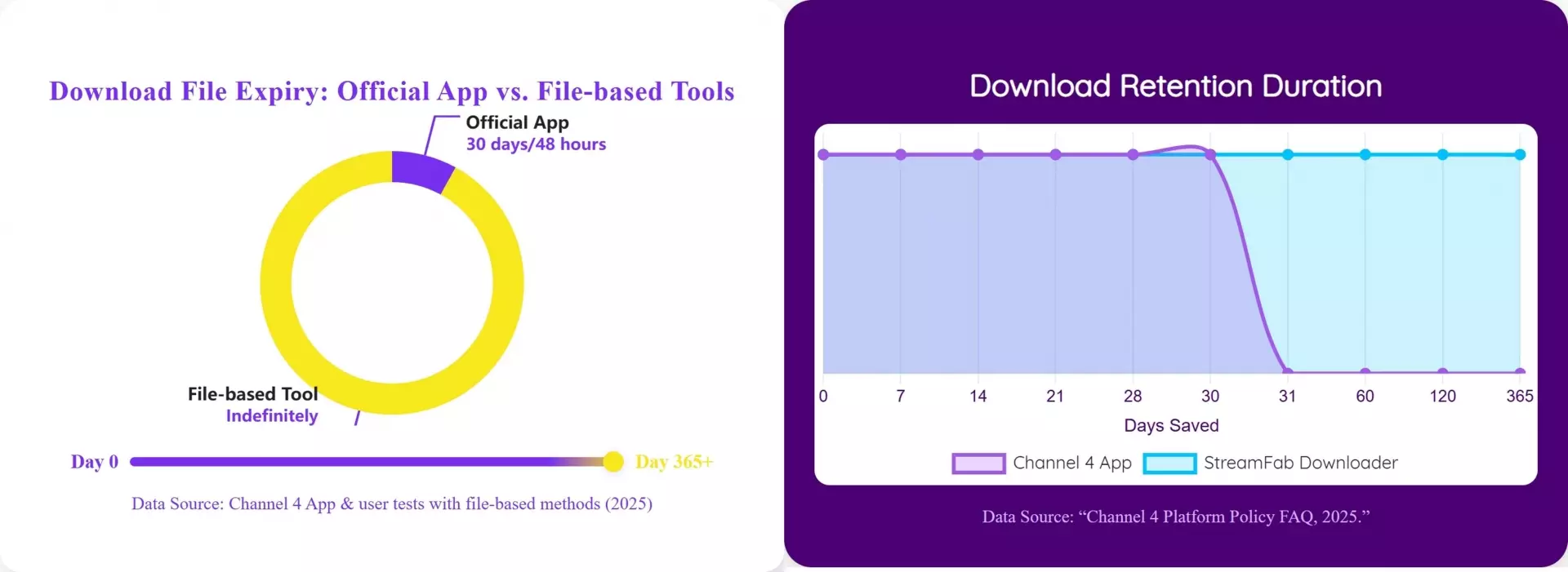
The useful distinction is control, not a promise about duration. The official app manages eligibility and playback timing; a local-file workflow shifts storage and player management to the user without changing the underlying rights or regional conditions.
FAQs
The official Channel 4 app provides downloads for eligible content on supported devices as part of the service experience. StreamFab is paid desktop software; because no verified trial allowance or current price is supplied here, this guide does not state a fixed trial count or price.
No separate 4oD downloader should be treated as the current official route. 4oD is an older name associated with Channel 4's on-demand service. Use the current Channel 4 app and current support guidance for official downloads.
You may be able to download it again if the episode remains available and eligible, and the device is online. Rights changes or catalog availability can still prevent another download window.
Conclusion
Use official downloads for the simplest offline viewing on a supported device. Choose a desktop local-file workflow when PC or Mac output, portable formats, subtitle choices, or batch handling better fit authorized content. Whichever route you use to download Channel 4 videos, verify one episode's video, audio, and subtitles before starting a full queue.
