
The first choice is where you install StreamFab for Android. The Google Play build has a narrower website-download scope, while the official StreamFab APK is the route for broader supported-site use. Choose the channel first, then judge formats, storage, and limits.
This StreamFab for Android review follows that decision from installation through output, queue behavior, file transfer, trial terms, and the boundaries that matter before you commit to a workflow.

Quick Summary: Is StreamFab for Android Worth It?
StreamFab for Android is worth considering when you want supported videos as local MP4 files with batch, subtitle, audio, and metadata controls. I would choose the official APK for the broader website workflow and the Play build for store-managed installation.
- Channel choice: The Google Play build and official APK do not offer the same website-download scope.
- Verified output: MP4 with H.264 or H.265 video and EAC3 5.1 or AAC 2.0 audio options.
- Android controls: Batch selection, subtitles, metadata writing, and multiple resolution choices are supported.
- Desktop route: PC download plus Android transfer is useful when the phone build does not cover the needed service workflow.
- Review scope: Channel, output, trial, storage, and support information are evaluated separately.
What Is StreamFab for Android?
At a practical level, what is StreamFab? StreamFab for Android is an Android video-saving app with an embedded browsing workflow that writes supported content to MP4 instead of keeping it inside a platform-managed offline area.
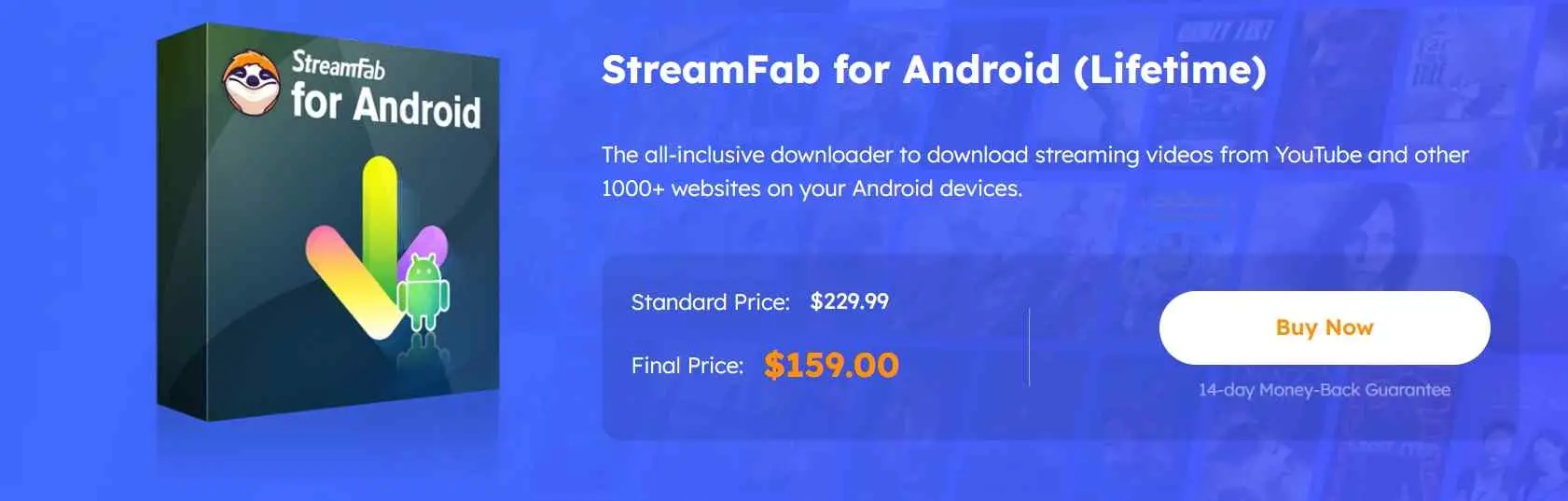
The StreamFab app is separate from the services it accesses. Use it with an active account where required, content you are authorized to view, and the rules that apply to that service and location.
The broader StreamFab review covers the desktop product family, while Android buyers need to decide among installation, output, storage, and transfer choices.
Play Store or Official APK?
The Google Play build is the store-managed route, but it currently has a narrower website-download scope and does not support website downloads such as YouTube. The official StreamFab APK is intended for the broader supported-site workflow.
- Google Play: Prefer this route when store-managed installation and Android's listing disclosures are your priority.
- Official APK: Use the installer from StreamFab's own product page when you need the broader website workflow.
- Before installation: Confirm the download domain, review requested permissions, read the Play data-safety disclosure where applicable, and avoid modified APK mirrors.
Support and safety checks
A safer setup starts with an official distribution channel and permissions that match downloading and storage. The detailed is StreamFab safe checklist adds installer and account checks without changing the Play-versus-APK decision.
Key Features I Tested
The useful distinction is not a single headline resolution. Channel, service, source quality, and the installed build determine which controls appear, while the verified Android specification defines the output ceiling and supported formats.
Distribution compared: Google Play listing and official StreamFab APK product page.
Channel scope: Google Play and official APK details are reported separately.
Verified Android facts: MP4, H.264/H.265, EAC3 5.1/AAC 2.0, subtitles, batch selection, and metadata.
Supported services and detection
How does StreamFab work on Android? You open a supported site inside the app, start an authorized video, and use the detected download panel. The official APK covers the broader website workflow, while the Play build excludes website downloads such as YouTube.
Service labels should not be treated as timeless promises. If a site is absent from the installed build, update the app and use the official platform download or desktop-transfer route instead of forcing an unsupported path.
Output quality and format matrix
StreamFab for Android saves MP4 files. The verified specification lists H.264 and H.265 video, multiple resolution choices up to 8K, and EAC3 5.1 or AAC 2.0 audio; the saved result cannot exceed the quality served by the source.
A search for StreamFab Netflix 4K should therefore be read as a source-and-service question, not a universal promise. Check the quality choices shown for the selected title before adding it to the queue.
Audio, subtitles, and metadata
The Android specification includes subtitle downloads and metadata writing, alongside EAC3 5.1 and AAC 2.0 audio options. Those controls are most useful when you want a local library that remains organized after SD-card or USB transfer.
Downloading Videos on Android
Choose the distribution channel first, then let the app detect an authorized video and present the available output controls. Follow the three steps below, then confirm one completed file before building a larger queue.
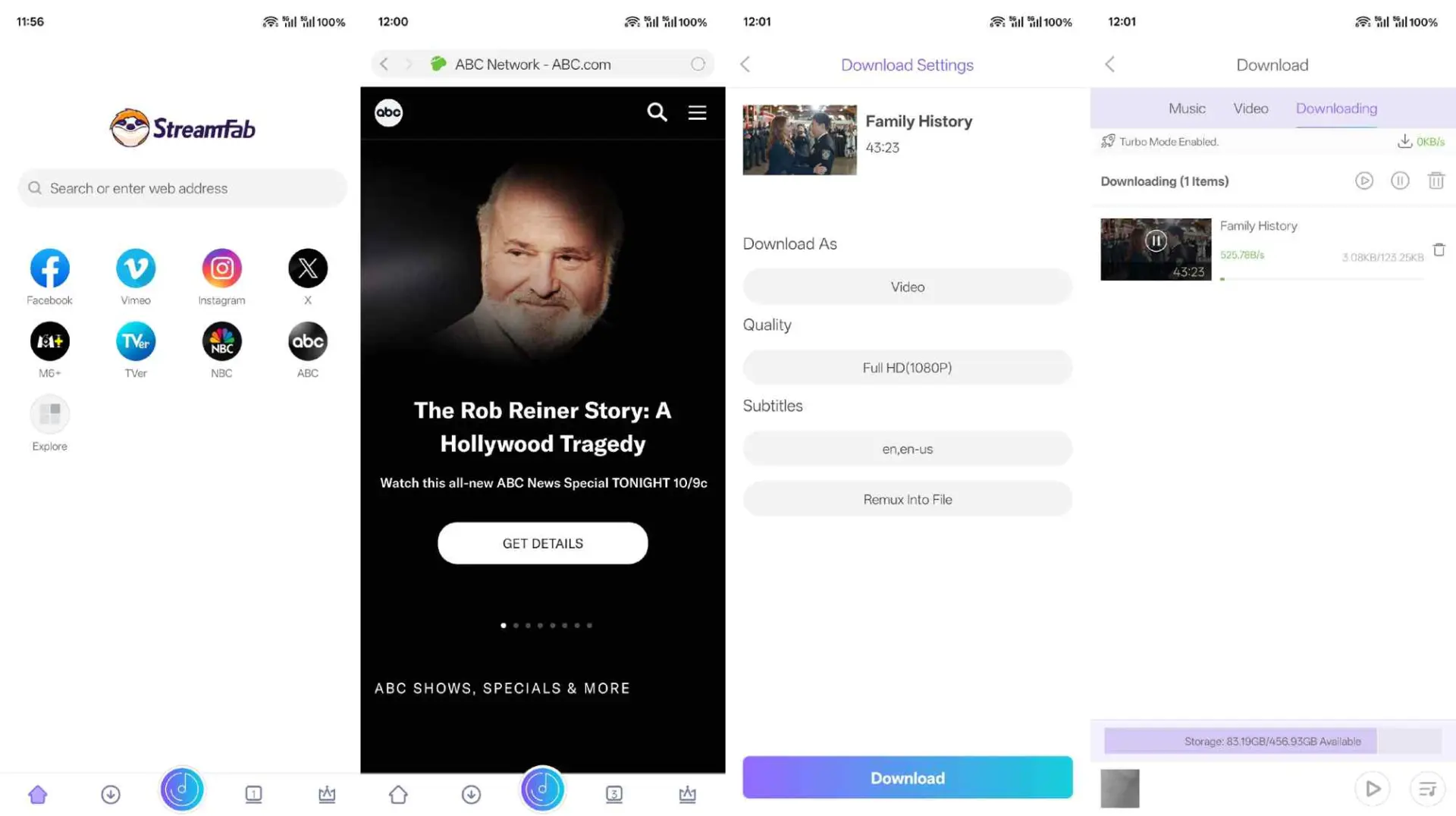
For episodic content, review the selected episodes before starting a batch. Completed files appear in the app's Video area and the storage location permitted by your Android build.
Android Limits and PC Transfer
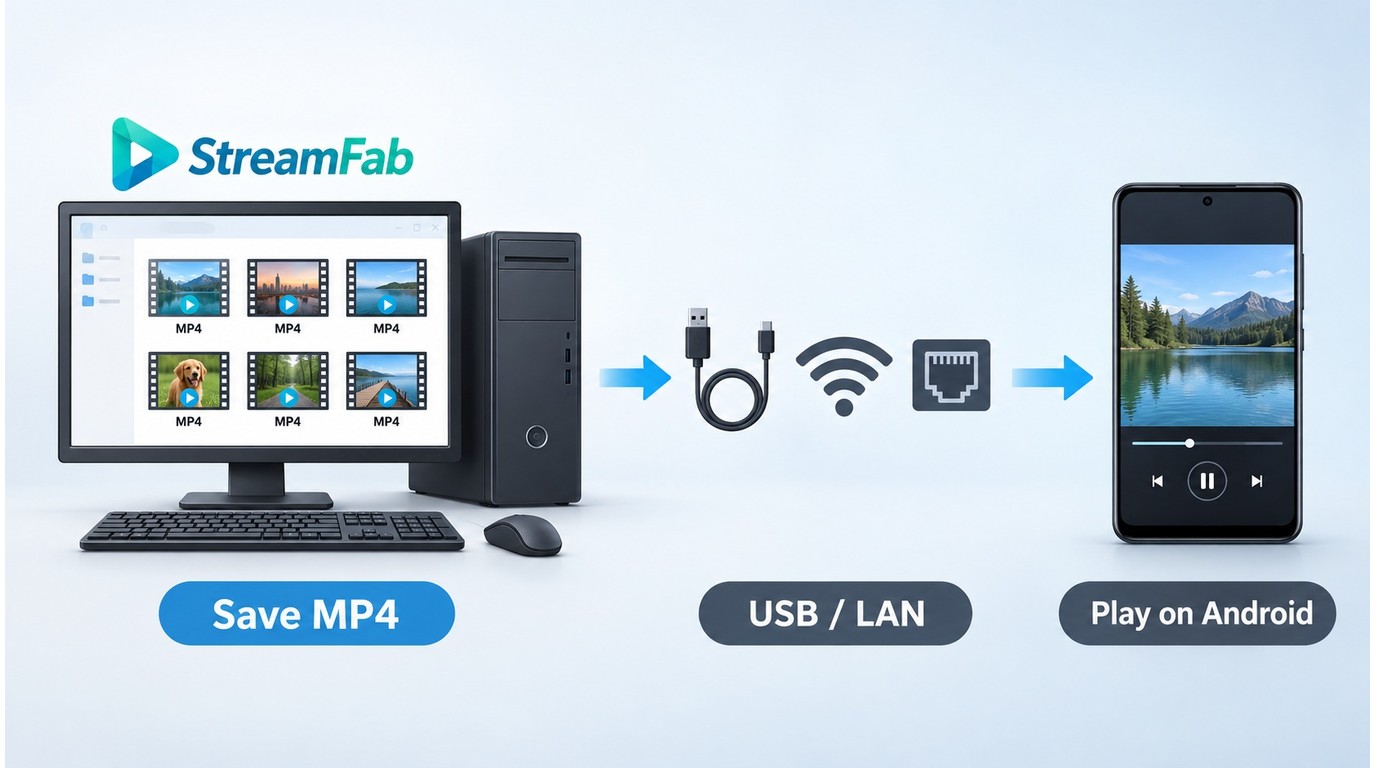
Android support is channel- and service-specific. When the installed phone build does not provide the workflow you need, a desktop download followed by USB or local-network transfer is the practical alternative for authorized offline viewing.
Version and service compatibility
The current product scope confirms Android support, but availability can change with service updates and distribution builds. Use the product page and update log to match the current channel to the service before building a large queue.
In one Windows 10 Pro batch run with StreamFab 7.0.1.7, an i5-9400F, and 16 GB of RAM, three episodes completed as separate files and file size rose with episode length. That result applies to the tested desktop batch, not to Android service availability.
StreamFab for Android vs Other Methods
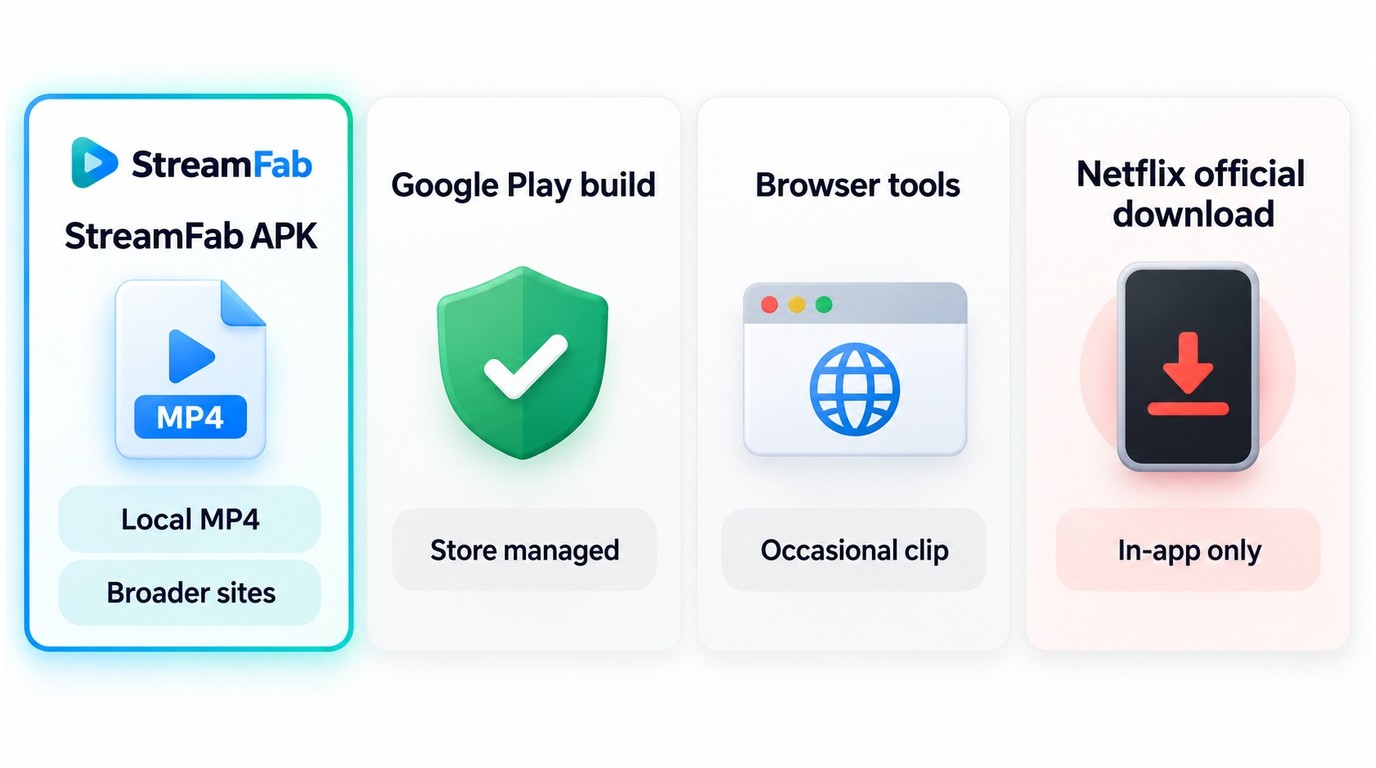
The right method follows the job: official downloads are simplest for one platform, the Play build favors store installation, the APK broadens website support, and desktop transfer covers workflows that are unavailable on the phone.
| Method | Distribution | Site scope | Output and quality | Best fit |
|---|---|---|---|---|
| Google Play build | Play Store | Narrower website scope | Listing/build controls | Store-managed installation |
| Official APK build | StreamFab product page | Broader supported-site workflow | MP4, up to 8K | Local-file control on Android |
| PC plus Android transfer | Desktop app + USB/Wi-Fi | Desktop-module scope | Transferred MP4 | Services not covered on phone |
| Official platform downloads | Platform app | That platform only | Managed offline copy | Simplest supported viewing |
My take is simple: use official platform downloads for short-term viewing inside one service, choose the APK when local MP4 control matters on Android, and use desktop transfer when the phone build lacks the needed route. Heavy batch users should also factor in the StreamFab download limit policy.
What Users Report
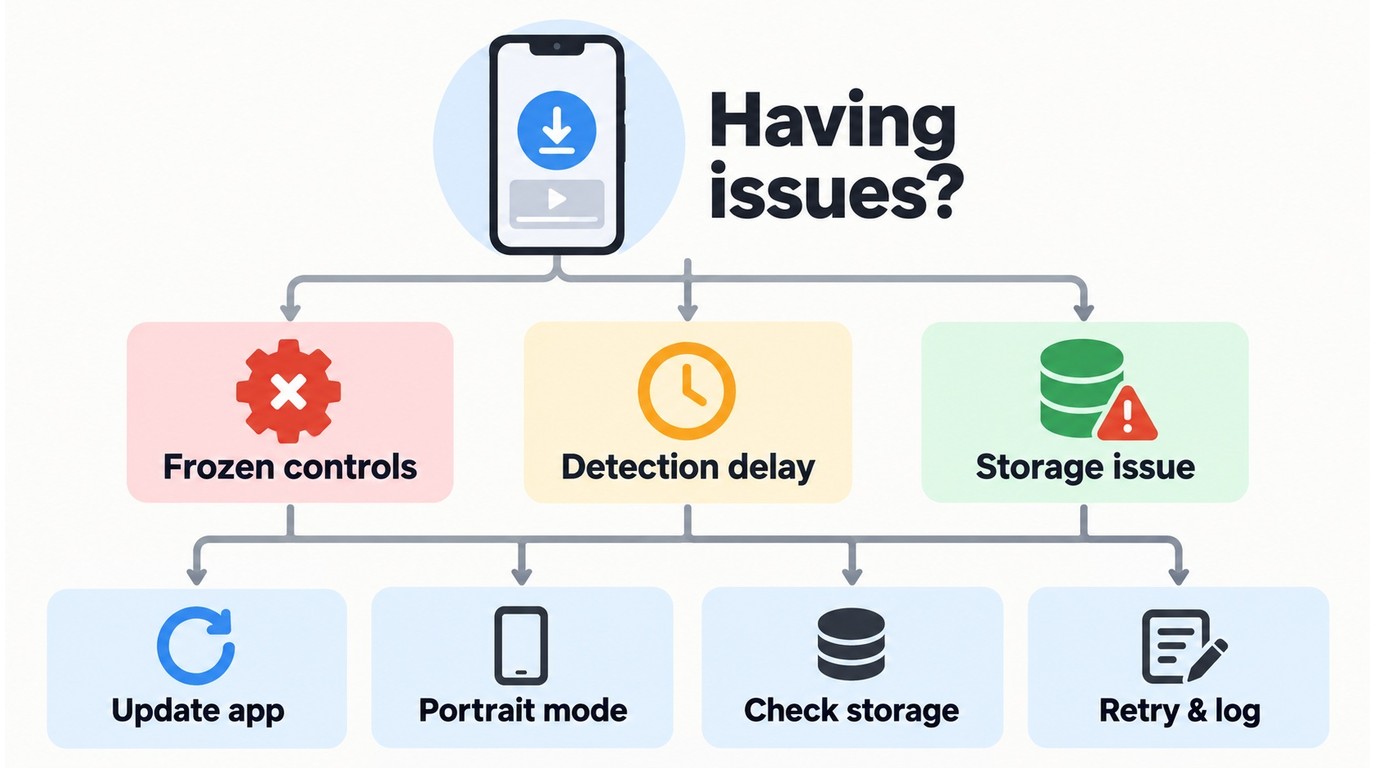
Google Play listing material and recent review snippets checked in September 2026 include reports of frozen controls or orientation changes during video detection. These comments are directional feedback tied to individual users and builds, not a representative rating of the Android app.
The complaint that matters most is loss of control during detection, because it affects whether you can recover a queue. Update the app, retry in portrait orientation, recheck storage permission, and collect the support log if the same title fails again.
Choosing an Android Downloader by Use Case
Choose by workflow rather than by a long feature list. StreamFab fits multi-site browsing and local MP4 organization; other approaches make more sense when inspectability, a single short clip, or a platform-managed offline copy is the priority.
- StreamFab for Android: Choose it for supported-site browsing, MP4 output, batch selection, subtitles, audio options, and metadata in one app.
- Open-source or privacy-oriented apps: Choose this route when code inspectability and minimal account exposure matter more than a unified commercial workflow.
- Browser tools: They can suit an occasional short clip, but unstable detection and ad-heavy pages make them a poor fit for a repeatable library.
- Official platform downloads: Use them when you only need temporary offline access inside that platform's app.
Queue, Background, and File Storage
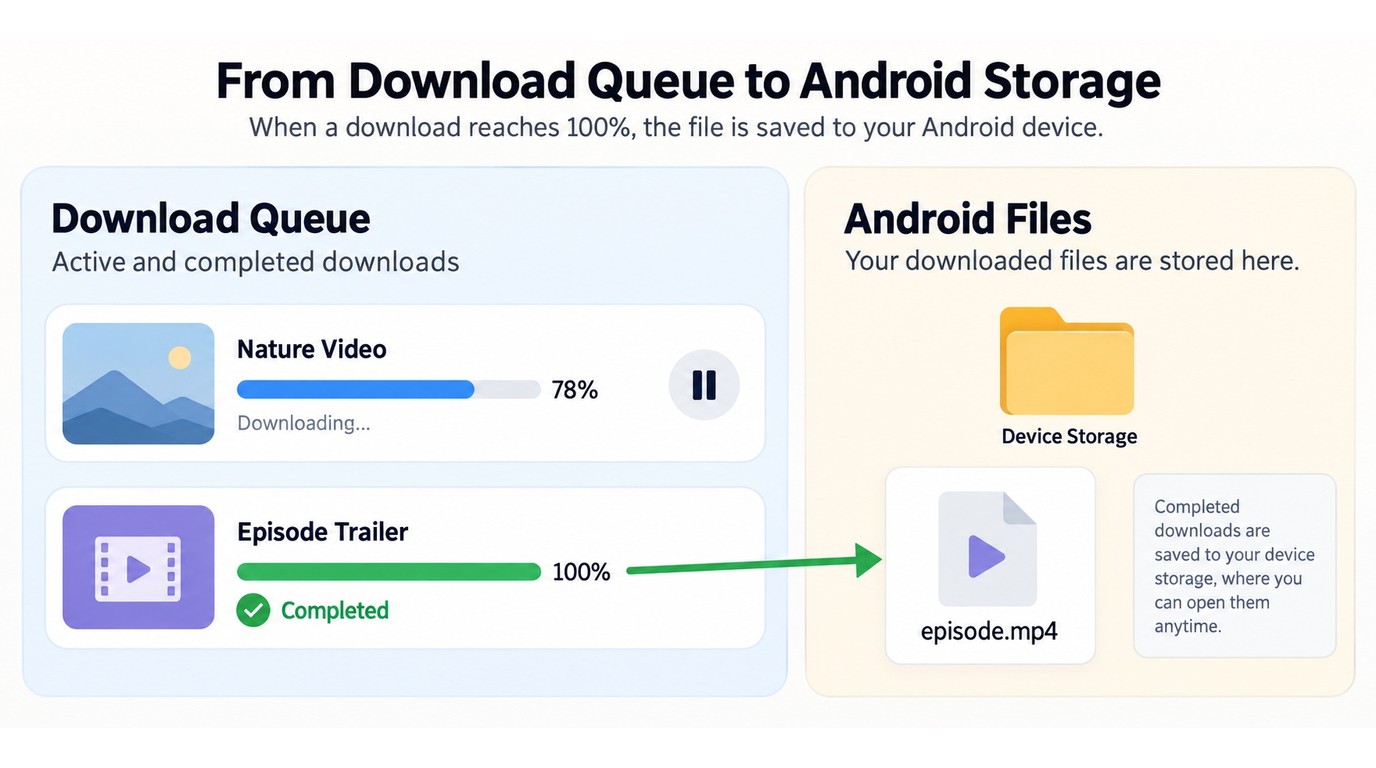
A reliable queue starts small: confirm one authorized title, its storage destination, and background behavior before adding a season. I would not build a large queue until one completed file survives that check.
- Add one title and confirm that detection produces the expected MP4, audio, and subtitle choices.
- Start the download, move the app to the background briefly, then return and confirm the task is still active before adding more items.
- If pause, resume, or orientation controls freeze, return to portrait mode, reopen the task list, and retry the title after updating the app.
- Check the Video area and Android file manager. If the file is missing, review storage permission and the selected device or SD-card folder.
- For USB transfer, copy a completed file first and play it on Android before moving the rest of the batch.
For the PC route, a September 9, 2026 Windows 11 test with StreamFab 7.x cleared most -9999 and 102 connection errors immediately after the VPN client was disabled. That is a focused connection fix, not a general Android remedy.
Is StreamFab for Android Safe and Legal?
StreamFab for Android is safe to install from its official channels when the requested permissions match downloading and storage. Avoid modified mirrors, keep the app updated, and use the official installer or Play listing if an installation check fails.
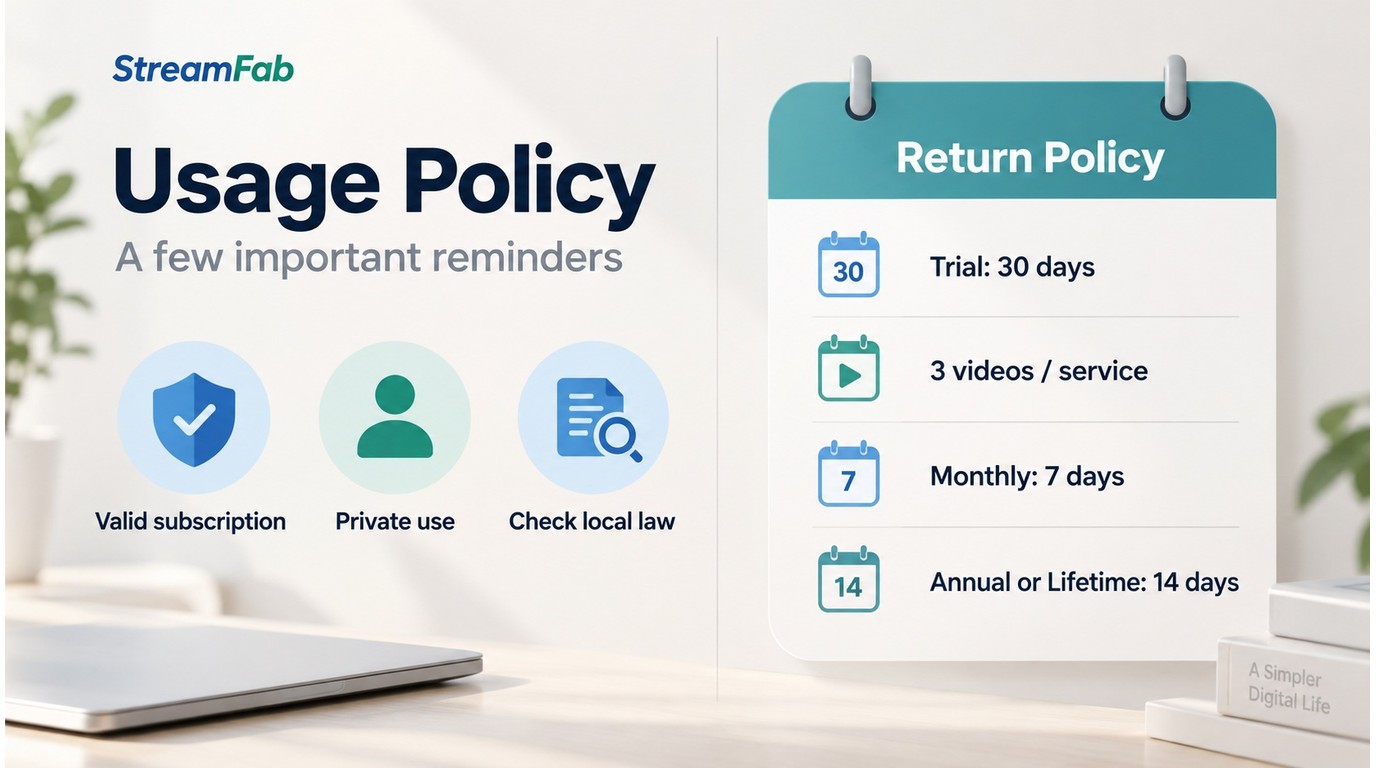
Use an authorized account and save only content you are authorized to access for personal offline viewing. Do not redistribute files. Follow each platform's terms, applicable law, and the rules for your specific use case.
If a service is not available in the installed build, use that platform's official offline feature or the supported desktop-transfer route. The 30-day trial lets you verify the workflow with three video downloads per supported service before choosing a license.
Refund terms differ by license: monthly purchases have a seven-day unconditional window, while annual and lifetime purchases have a 14-day window for policy-listed cases such as duplicate or mistaken purchases, unresolved technical problems, or billing errors.

Frequently Asked Questions
These quick answers cover the channel, output, trial, recovery, and storage questions that are easiest to miss during setup.
FAQ
Which StreamFab for Android version should I install on my phone?
Use the Google Play build when store-managed installation is your priority. Use the official StreamFab APK for the broader supported-site workflow. Download the APK only from StreamFab's product page and review its requested permissions before installation.
What quality and audio options can I expect on Android?
The verified Android specification lists MP4 output, H.264/H.265 video, EAC3 5.1 or AAC 2.0 audio, subtitles, metadata, and resolution choices up to 8K. The selected title cannot exceed the quality served by its source.
What does the StreamFab trial include, and how do refunds work?
The trial runs 30 days and includes three video downloads per supported service. Monthly purchases have a seven-day unconditional refund window; annual and lifetime plans have a 14-day window for cases listed in the refund policy.
What should I do if a download freezes or the app misses a video?
Update the app, retry in portrait orientation, reopen the task list, confirm storage permission, and test the same title once more. If the problem repeats, collect the support log and use the official troubleshooting path.
Where can I store and move downloaded files on Android?
Start with the app's Video area and the device folder allowed by your Android storage permission. An SD card can be used when the device and build expose that destination; USB transfer is the fallback for moving completed MP4 files.
Conclusion: Who Should Use StreamFab for Android?
StreamFab for Android fits you if you want supported videos as organized MP4 files with batch, subtitle, audio, and metadata controls. Pick the Play build for store-managed installation or the official APK for the broader website workflow.
Use a lighter browser method for an occasional short clip and official platform downloads for temporary in-app viewing. Choose desktop transfer when a service workflow is unavailable on the phone. The broader StreamFab review covers the desktop family and cross-platform choices.

Save supported videos as MP4 on Android with resolution choices up to 8K and selectable subtitle and audio options.
This review reflects the September 2026 product scope. Supported devices and service availability can change; use authorized content and follow platform terms and applicable law.