
Table of contents
When a StreamFab download has missing or invisible subtitles, the cause is usually the source track, output action, container, or player. To add subtitles to StreamFab, confirm the service supplies the track, then choose embedded subtitles, an SRT subtitle file, or the original format.
The route is simple: choose the right StreamFab subtitle settings, match the format to MP4 or MKV, and inspect the result in the player you actually use.

Quick Summary
StreamFab for Windows and Mac can keep source-provided subtitle tracks in MP4 or MKV, export SRT, or retain the original format.
- Three outputs: Remux keeps a supported track inside the video container; Extract to SRT File creates a sidecar; Extract Original Format preserves source-specific formatting or metadata.
- Decision rule: Match the subtitle action to the source track and the player. MP4 favors simpler tracks, MKV accepts more formats, and external SRT is broadly portable.
My rule is practical: use one-file playback when the destination player supports the embedded track, choose SRT when portability matters, and retain the original format when styling or track flags matter more than convenience.
Choose Your Subtitle Output
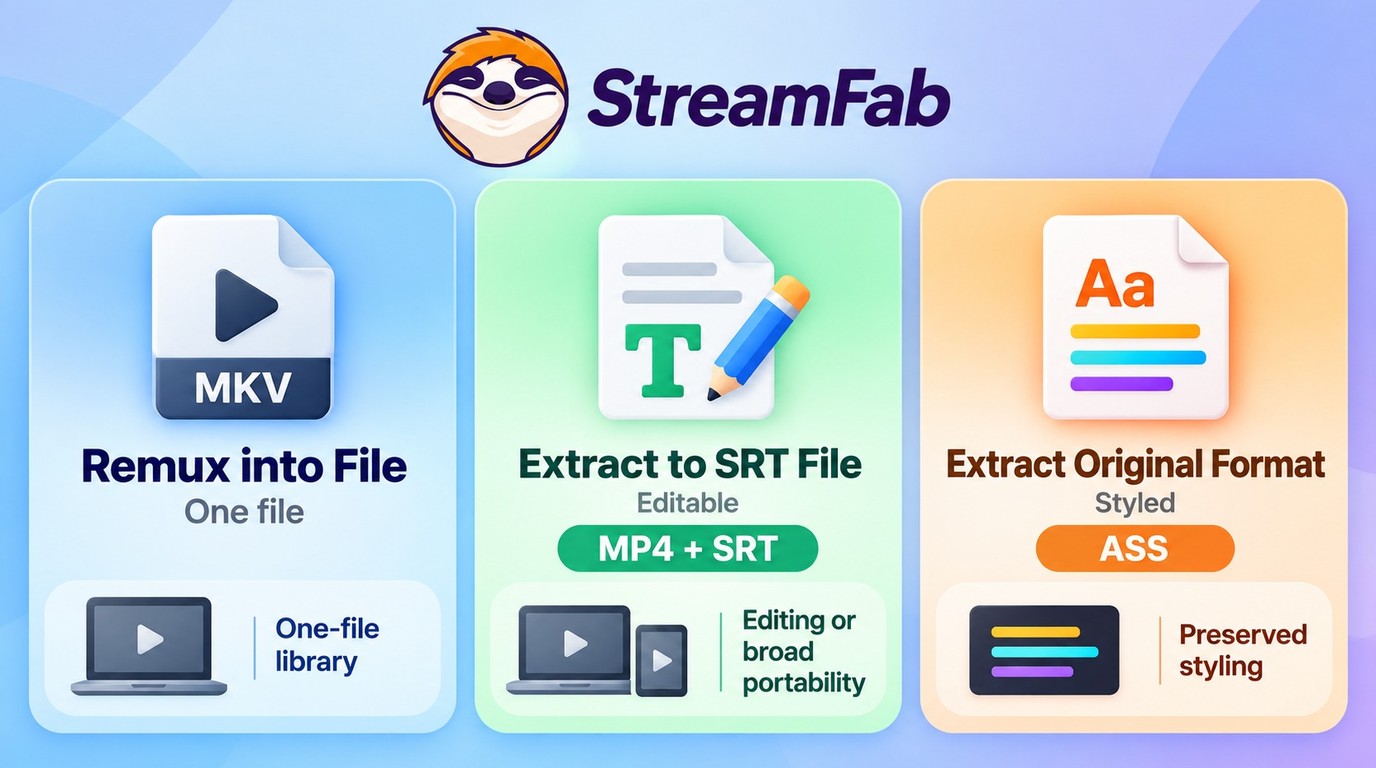
There are three useful outputs, and each solves a different playback problem. The safest choice is the one your destination player can read without discarding the track information you need.
Remux for Embedded Tracks
Remux places embedded subtitles inside the MP4 or MKV container, which keeps the video and track together. It is a clean fit for a player that recognizes that track type; if the track stays invisible, switch to external SRT or a supported MKV workflow.
Extract SRT for a Sidecar File
Extract to SRT File creates an external SRT next to the video. The format is easy to edit and widely supported, though styling, position, and some flags are simplified into plain subtitle text. Keep the original format when those details matter.
Keep the Original Subtitle Format
Extract Original Format preserves the source track as supplied, such as ASS/SSA or TTML. I prefer this route when styling, placement, or forced-track metadata matters. If the intended player does not support it, use SRT instead.

I use Remux when the destination player already handles that embedded track. For styling, forced-track flags, or archive flexibility, keeping the original format is the safer choice; SRT is the portable middle ground, but it simplifies formatting.
Configure StreamFab Subtitle Settings
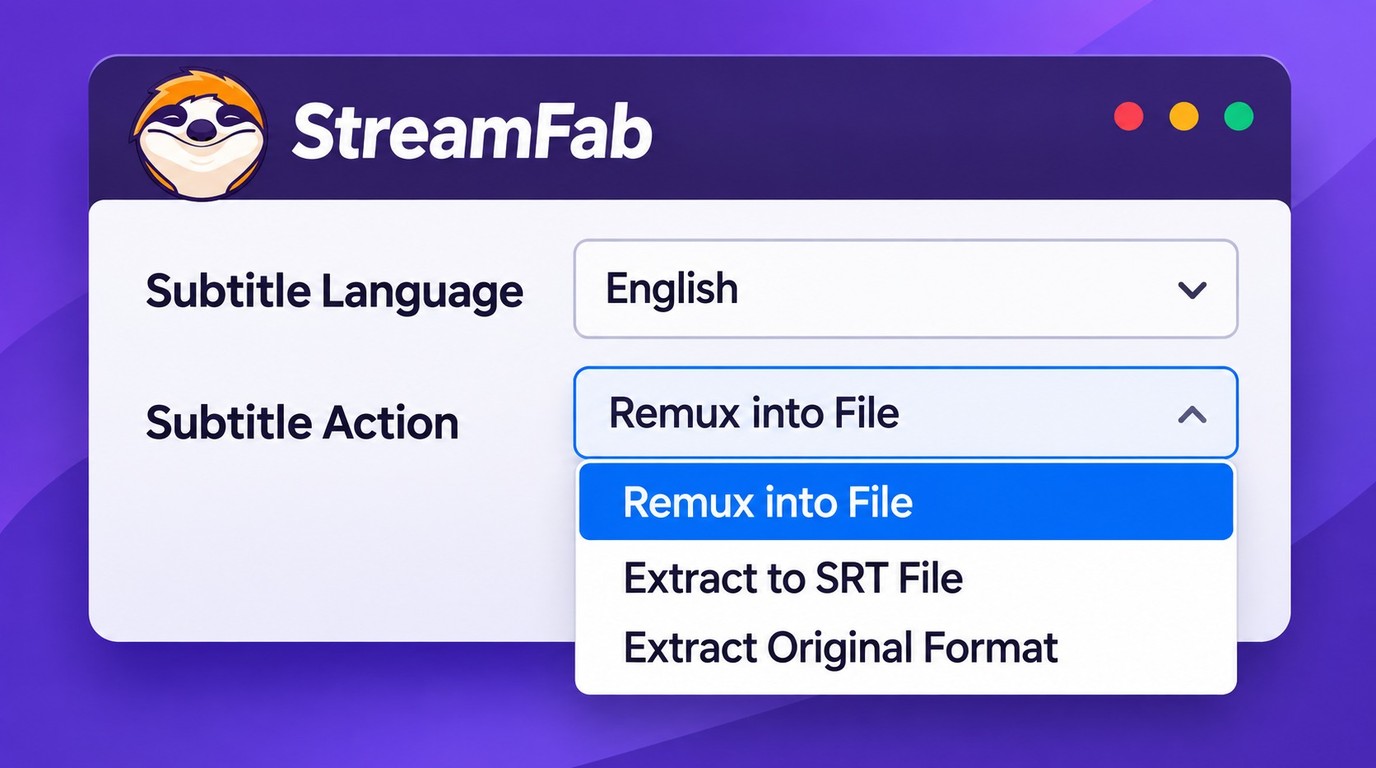
Set the language and Subtitle Action before starting the download. Menu names can shift between app versions and service modules, but the decision remains the same: language first, output action second.
Open Settings before starting the download; subtitle language and output action are applied during title analysis. If you missed that step, return to analysis, choose the action, and start the download again.
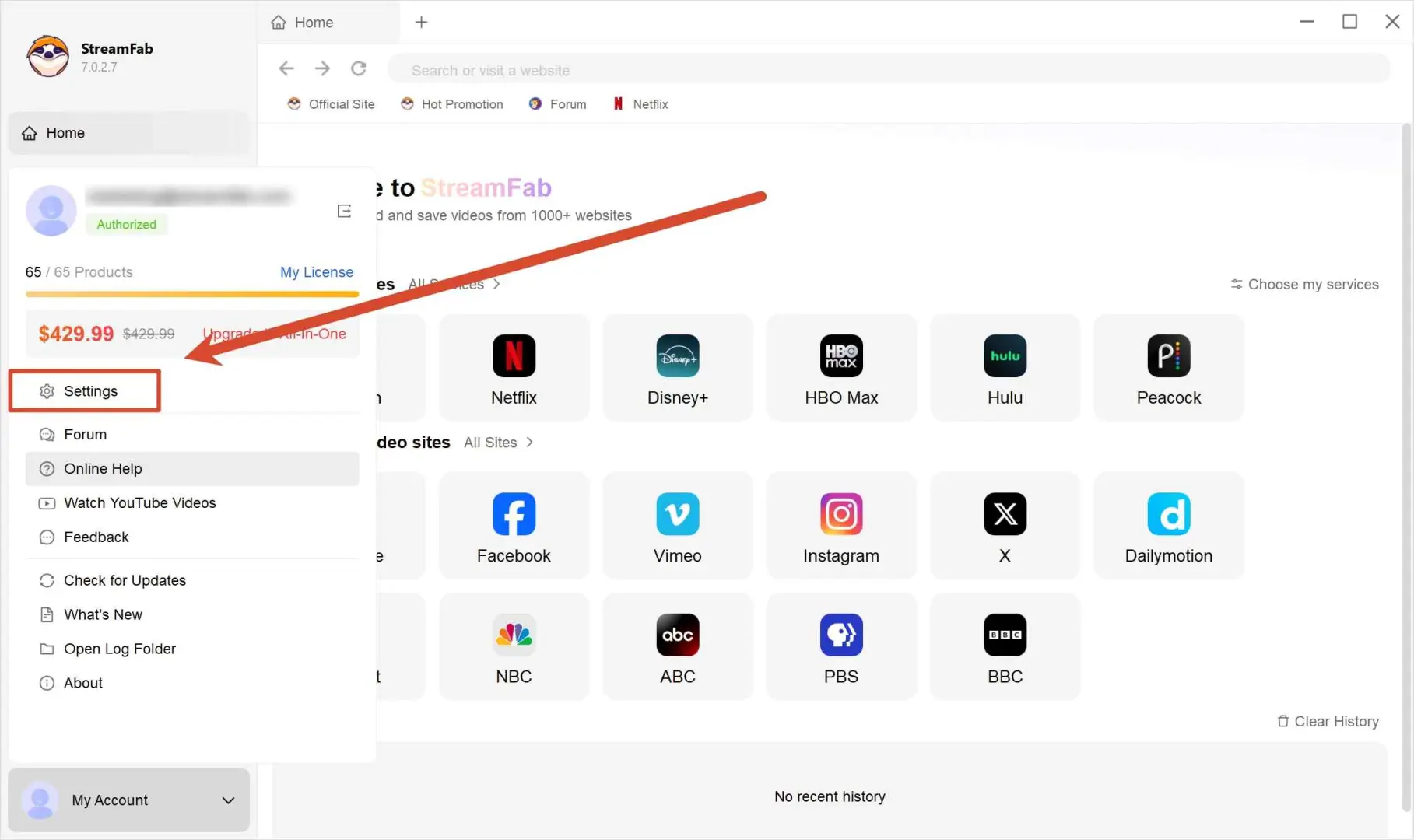
In Preferred Settings, choose the subtitle languages you want StreamFab to request during title analysis.
Choose one or more source languages, then select one option under "Subtitle Action" for this download.
- Remux Into File: Keeps a supported subtitle track inside the video container.
- Extract to SRT File: Saves a standalone SRT sidecar with the video.
- Extract Original Format: Retains the source subtitle format, such as ASS on supported titles.
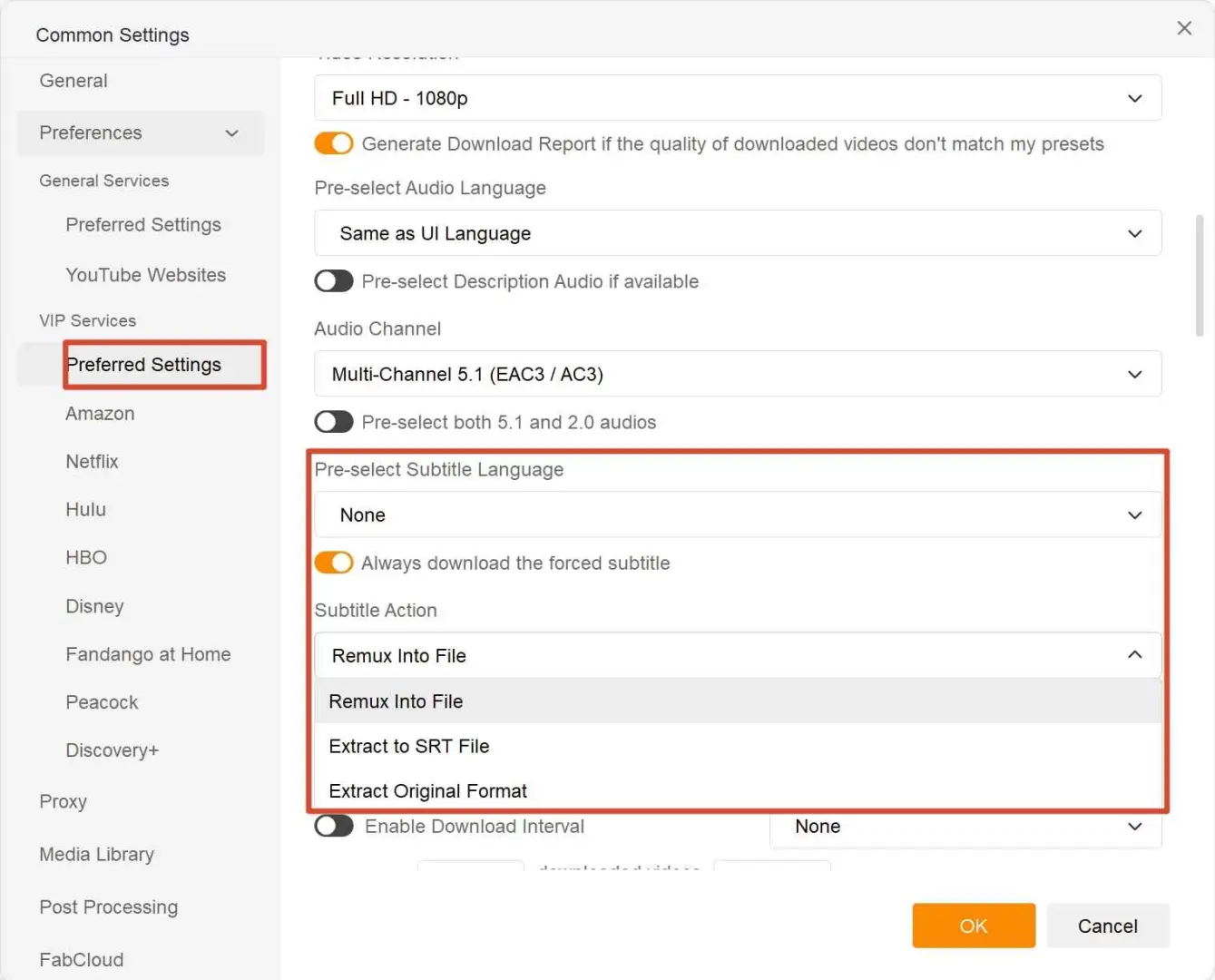
Return to the main interface, open the title, confirm the selected language and action, and click "Download Now."
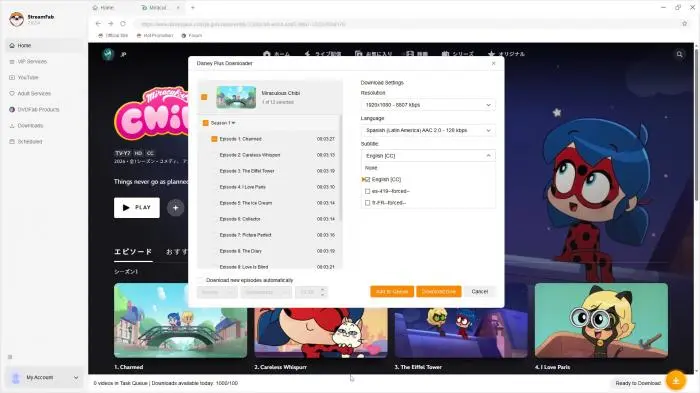
Check Source Subtitle Availability
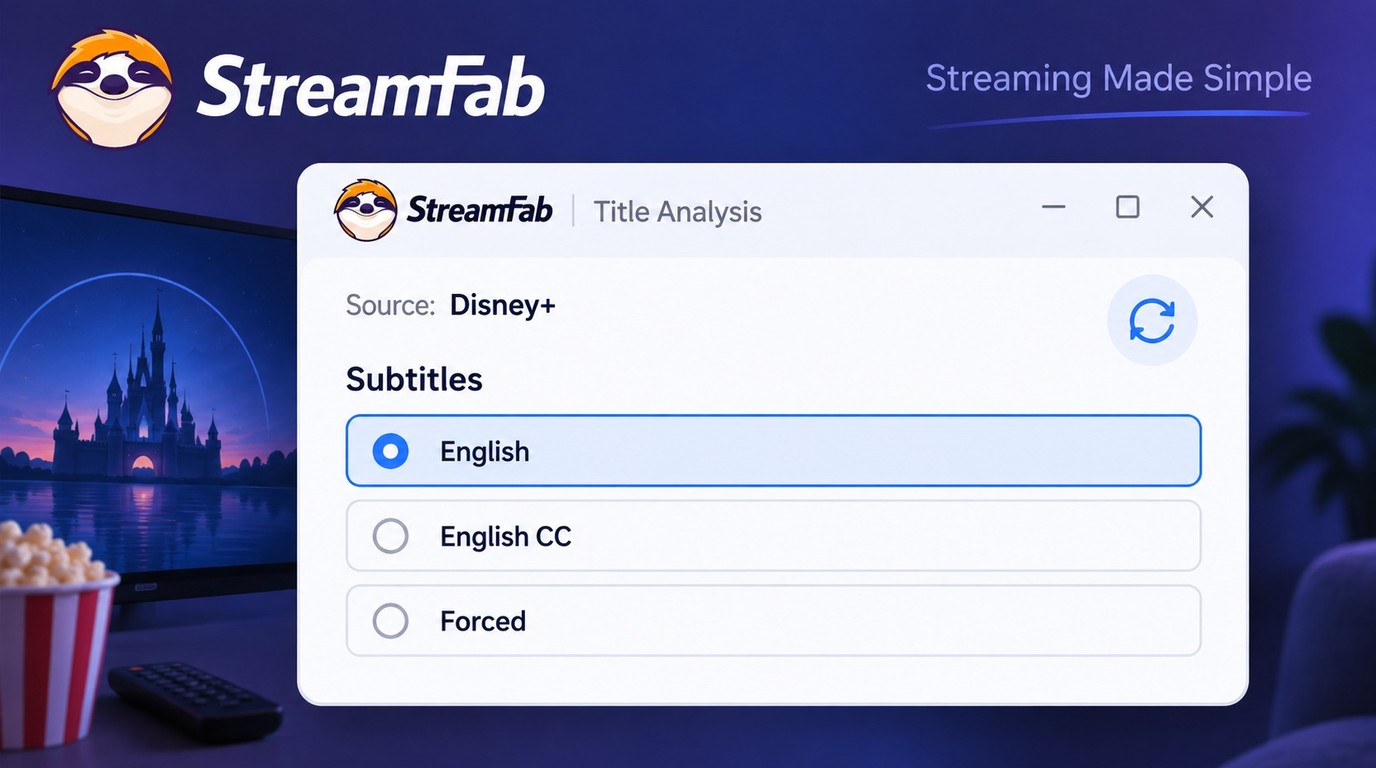
StreamFab can extract a subtitle track that the selected service and title expose; it cannot create a track that is absent from the source. When an expected track does not appear, use StreamFab's in-app updater, refresh title analysis, and check again before building a long download queue.
- Confirm that the title exposes the requested language and track type.
- Reopen the title and refresh analysis after changing language or episode.
- Run StreamFab's in-app update check if an expected option is missing.
- Download one episode, inspect its track and playback, then queue the season.
The Disney+ offline download workflow follows the same source-first rule: the selected title must expose the language and track type before StreamFab can save it.
Forced Subtitles and Closed Captions
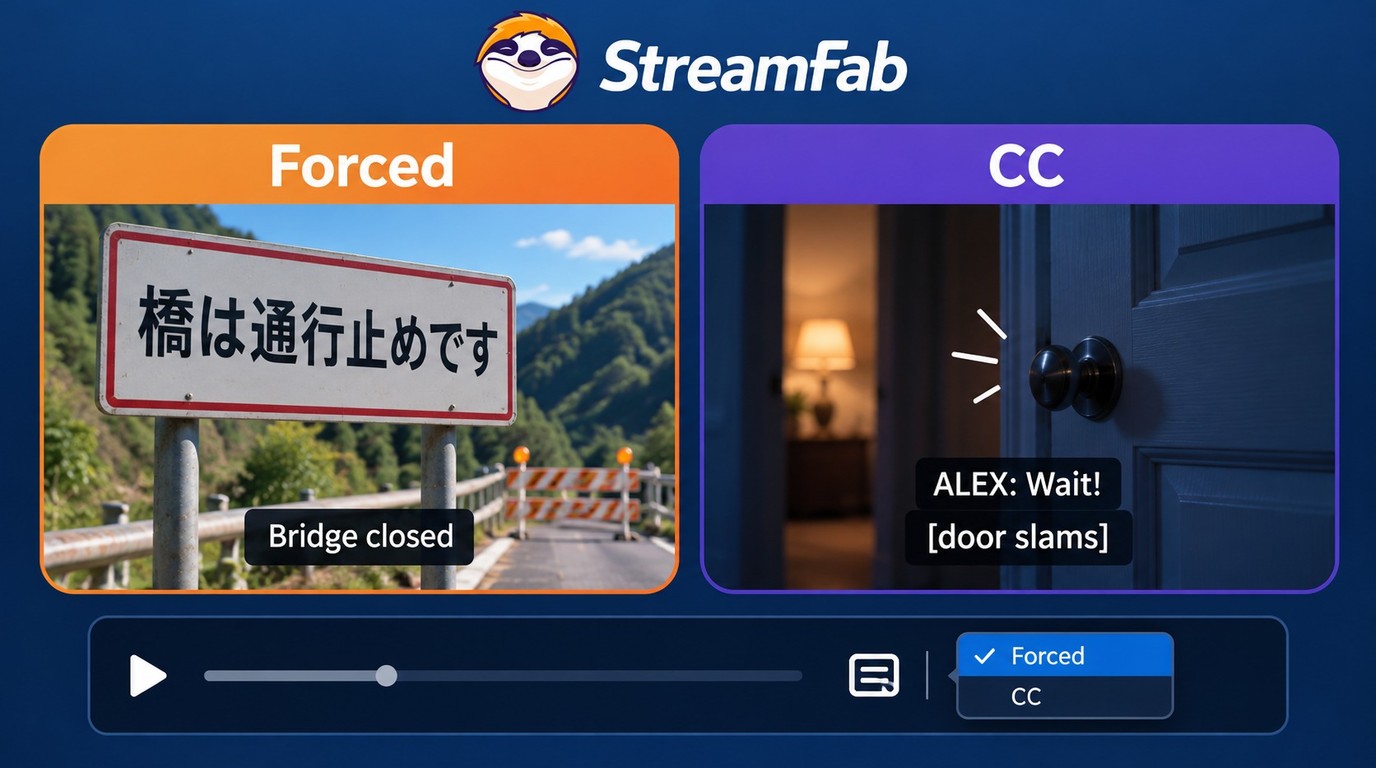
Forced subtitles and closed captions are different tracks. Forced subtitles usually translate occasional dialogue, while closed captions provide fuller accessibility text that can include dialogue, speakers, and sound cues.
A title can expose one, both, or neither. A forced flag also does not guarantee automatic display, because the container and player decide how that flag is interpreted. Inspect the selected subtitle track instead of treating a CC track as a substitute for forced dialogue.
Format and Player Compatibility
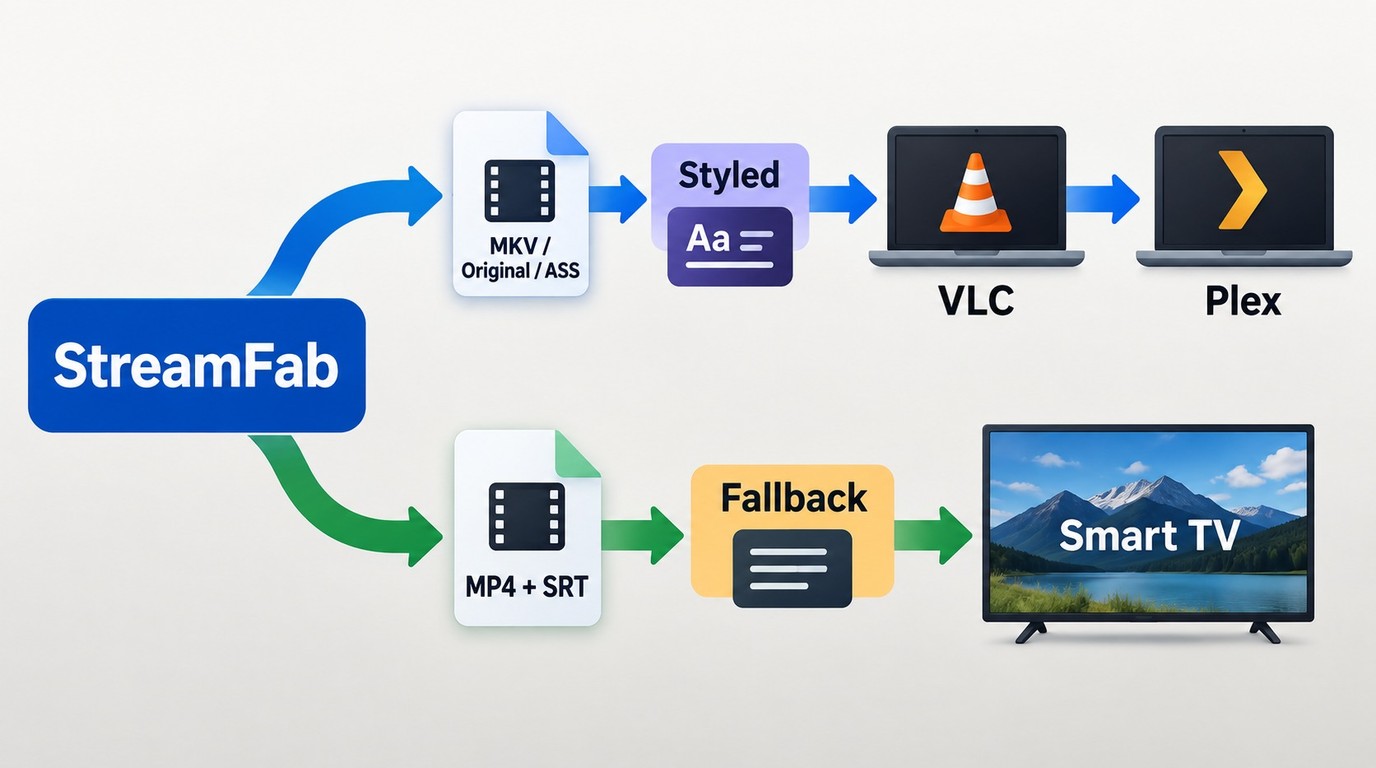
Container support matters as much as the subtitle format. MP4 subtitles usually favor simpler text tracks, while MKV subtitles accommodate a broader set of track types and metadata.
| Format | Container | Styling or flags | Player fit | Practical choice |
|---|---|---|---|---|
| Embedded SRT | MP4 | Basic text; fewer flags | VLC, many TV apps | Remux into one file |
| Embedded SRT or ASS | MKV | More metadata and styling | VLC, Plex | Remux or keep original |
| External SRT | MP4 or MKV | Basic text; easy to edit | VLC, Plex, many TVs | Extract to SRT |
| ASS/SSA original | MKV preferred | Styling and position retained | VLC; Plex varies | Extract original format |
| TTML or original | Source-specific | Metadata retained | Player support varies | Keep original; inspect first |
The practical choice is straightforward: external SRT travels well, MKV preserves more track detail, and the original format is worth keeping when the subtitle's appearance or flags carry meaning.
Download an External SRT File
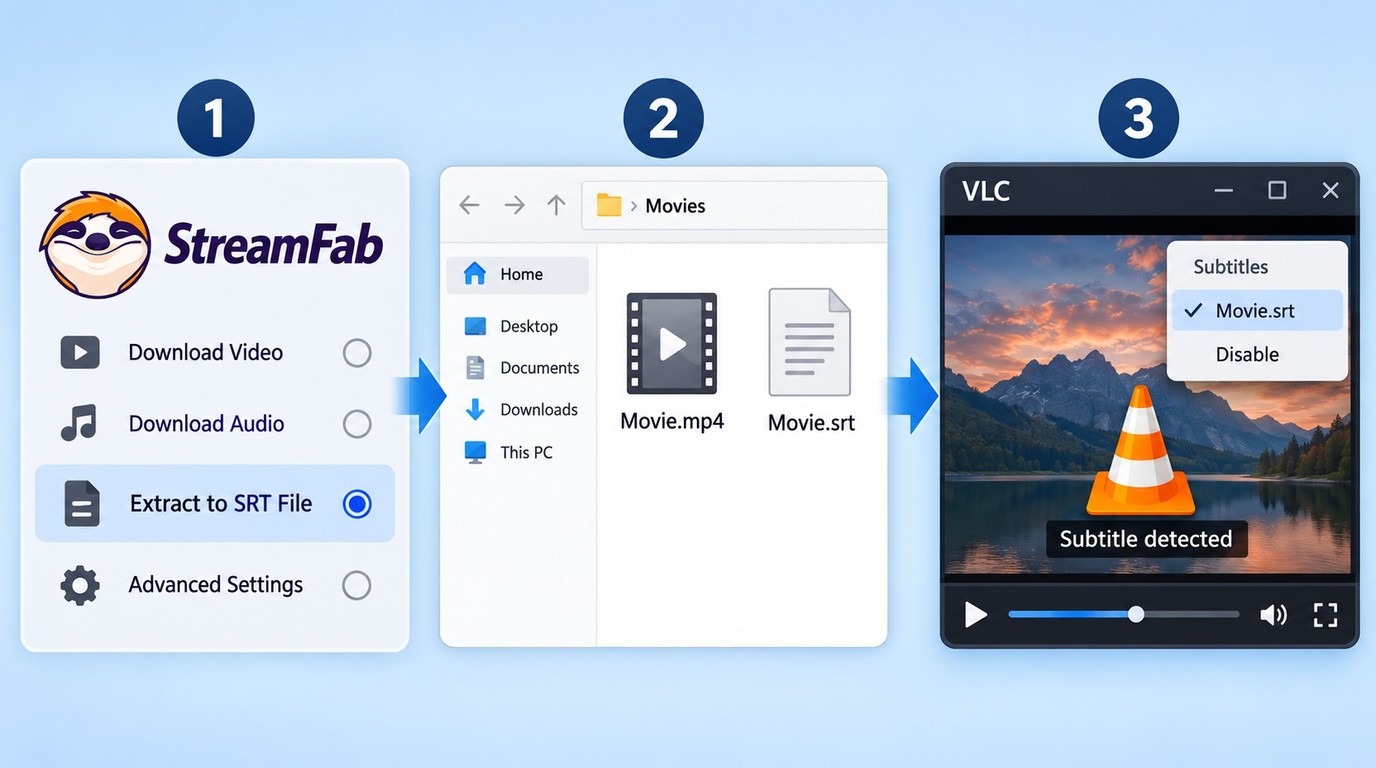
Choose Extract to SRT File when you need an editable sidecar for VLC, Plex, a smart TV, or a subtitle editor. The current output folder determines where the video and SRT appear.
For example, an English embedded subtitle track can stay inside an MKV while a Spanish external SRT remains editable beside it. Player support decides whether both appear as selectable tracks.
For a bilingual library, I prefer one embedded track for default playback and a second external SRT that is easy to edit. Keep the video and sidecar basenames identical; that small naming rule prevents more playback confusion than another round of setting changes.
Troubleshoot Missing or Invisible Subtitles
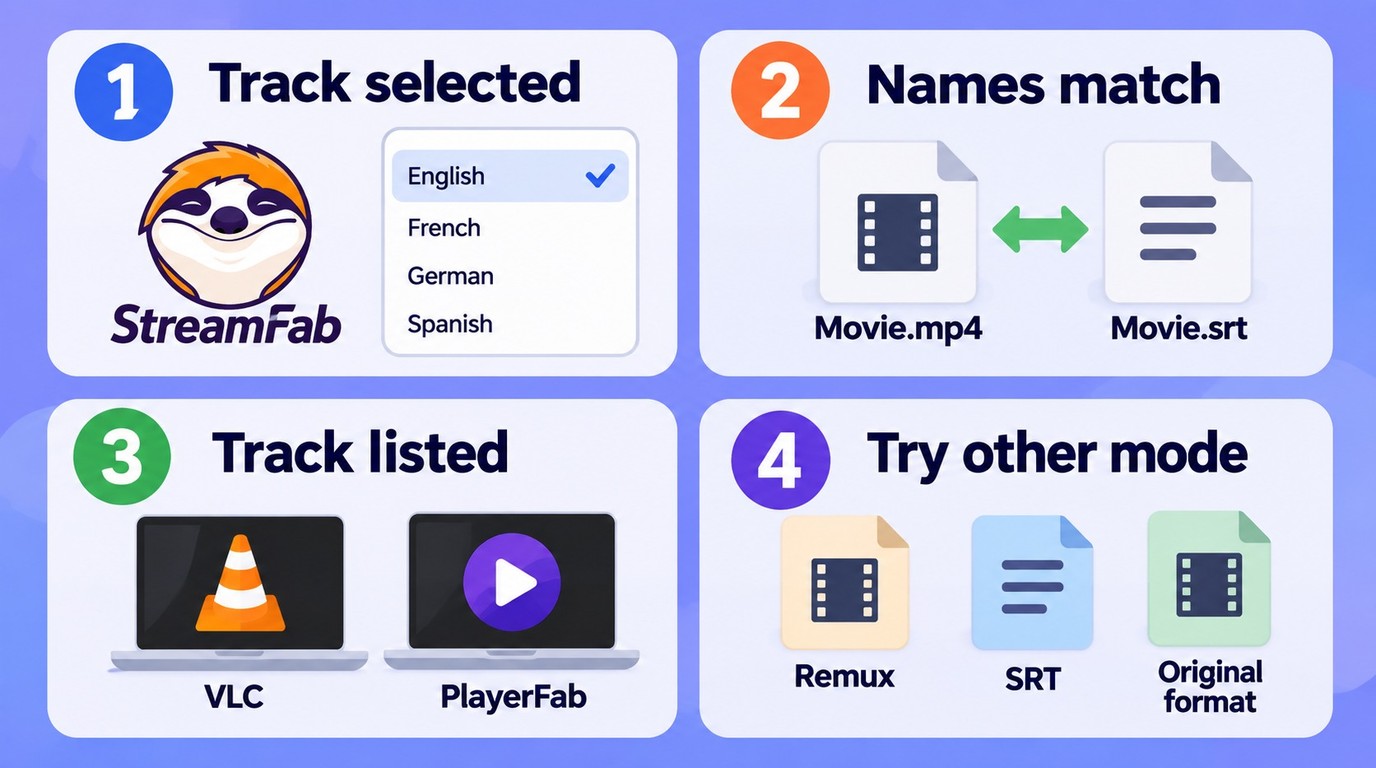
Start with the track, then the file, then the player. Changing settings at random makes the failure harder to isolate and can turn a naming problem into an unnecessary re-download.
Confirm the Selected Track
Reopen title analysis and confirm that the requested language and subtitle track are selected. The Netflix video download workflow uses the same first diagnostic when a track is missing from the output.
Check Folder Names and Files
For an external SRT, place the video and sidecar in the same folder and match their basenames, such as Episode01.MKV and Episode01.en.SRT. A different basename prevents many players from loading the file automatically.
Inspect Tracks in a Compatible Player
Open the file in VLC or PlayerFab and inspect the subtitle menu. If MP4 subtitles are present but invisible, check the selected track and its flags; if MKV subtitles appear there, the download contains the track and the original playback app is the limiting step.
Try Another Output Mode
If an embedded track remains invisible, switch to Extract to SRT File. If an SRT is empty or loses styling, try MKV or Extract Original Format for the affected title.
An empty SRT or partial subtitle track is a signal tied to that service and title. Switch the output action or container, then inspect the affected file in VLC or PlayerFab. StreamFab Amazon downloader review
Frequently Asked Questions
Conclusion
To add subtitles to StreamFab, match three things: the source track, the output action, and the destination player. Remux keeps playback tidy, SRT is easy to move and edit, and the original format protects styling and metadata.
For a season, one correctly checked episode is cheaper than repairing a full queue.
As of September 2026, this workflow uses StreamFab's current Windows and Mac subtitle actions: Remux Into File, Extract to SRT File, and Extract Original Format. Use saved files for personal offline viewing of content you are authorized to access, and do not redistribute them.