Table of contents
If you searched for a StreamFab offline workflow because an official download stays inside its app or expires, the practical question is how to handle protected streaming video for authorized offline viewing with clear service, account, and legal limits.
The route below covers five setup steps, service compatibility, failure fixes, format choices, and the personal-use boundaries that matter in the United States.

- Use the platform's built-in option for occasional app viewing, and consider a desktop local-file workflow when those streaming download limits do not fit your plans. StreamFab All-In-One is a Windows and macOS desktop app that saves MP4 or MKV, with available quality up to a service-supported 4K ceiling.

Quick Summary: StreamFab’s Offline Workflow
An active service account comes first. StreamFab can create local MP4 or MKV copies for authorized personal offline viewing, but title support, resolution, audio, subtitles, and operating-system availability depend on the service and current compatibility.
In my Windows 10 Pro batch run on an i5-9400F with 16 GB RAM and StreamFab 7.0.1.7, three LDR Season 4 episodes completed, and file sizes increased with episode length. That scoped result supports the queue workflow without implying that every title or service behaves identically.
- • Account requirement: Use an active legitimate account for the source service
- • Local output: Choose MP4 or MKV for authorized personal offline viewing
- • Quality boundary: Resolution, HDR, audio, and subtitles depend on the service and title
- • Best for: Desktop users who need a planned multi-service local-file workflow
- • Not ideal for: Free mobile-only use or guaranteed support for every title
What DRM Changes About Offline Viewing
Streaming platforms use access-control systems to limit where and how a title plays. These DRM restrictions are why an official download is usually app-bound rather than a normal file you can open in any player.
The delivery family also varies by service, so one headline quality claim cannot describe every protected streaming video.
| Service | Delivery family | Maximum support | Audio and subtitles | Active account |
|---|---|---|---|---|
| Netflix / Amazon | Widevine | Up to 1080p | Source-dependent options | Required |
| Disney+ / Hulu | Widevine | Up to 4K | Source-dependent options | Required |
| Max | Widevine | Up to 4K | Source-dependent options | Required |
| Apple TV+ | FairPlay / HLS | Up to 4K | Source-dependent options | Required |
| Paramount+ | Widevine / PlayReady | Up to 4K | Source-dependent options | Required |
As of September 2026, these ceilings describe current supported capability, not a promise for every title. The actual StreamFab video quality depends on the service, title, account tier, operating system, and available source stream.
My practical rule is to check the service row first and the headline resolution second. A 4K ceiling means little when a particular title, plan, or operating system exposes a lower source.
Limits of Built-In Downloads
Built-in downloads remain the simplest route for short-term app viewing, but their availability, playback window, device access, and title limits are set by each service rather than one universal rule.
- Availability and playback windows vary by service, title, region, and plan
- Downloads usually remain inside the service app rather than becoming portable files
- Device and title limits differ across accounts and may change
- Continued source access requires a valid account and current title availability
Netflix offline download limits illustrate the pattern: the app controls eligible titles, supported devices, and playback conditions. If that model already meets your needs, adding a desktop workflow creates extra work without adding practical value.
Service and Output Compatibility
Output choice matters after service compatibility is confirmed. A streaming video MP4 favors broad player support, while a streaming video MKV is often the better container when you want source-available audio and subtitle choices.
StreamFab supports MP4 and MKV, plus source-dependent HDR, audio tracks, and subtitles. It runs on Windows and macOS, but individual service capabilities and fixes can differ between the two systems.
Save Authorized Streams with StreamFab in 5 Steps
The five-step workflow is straightforward once eligibility is clear: sign in with an active legitimate account, open an authorized title, choose available output options, add the task, and confirm the completed file.
The complete StreamFab usage guide provides broader interface details, while the sequence here stays focused on personal offline viewing.
- • System: Windows 10/11 or macOS
- • Account: An active legitimate subscription to the source streaming service
- • Storage: Enough local space for the selected title and quality
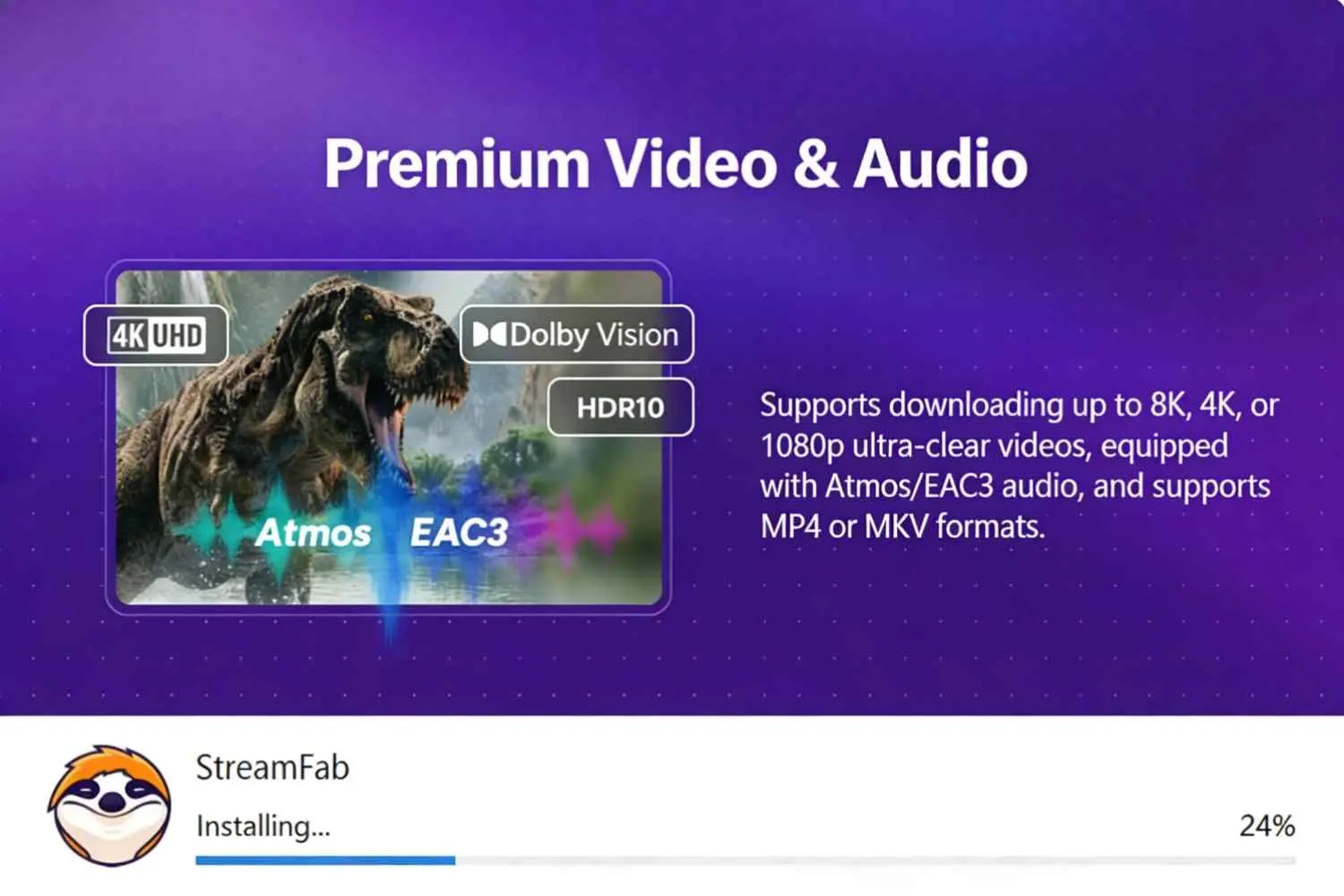
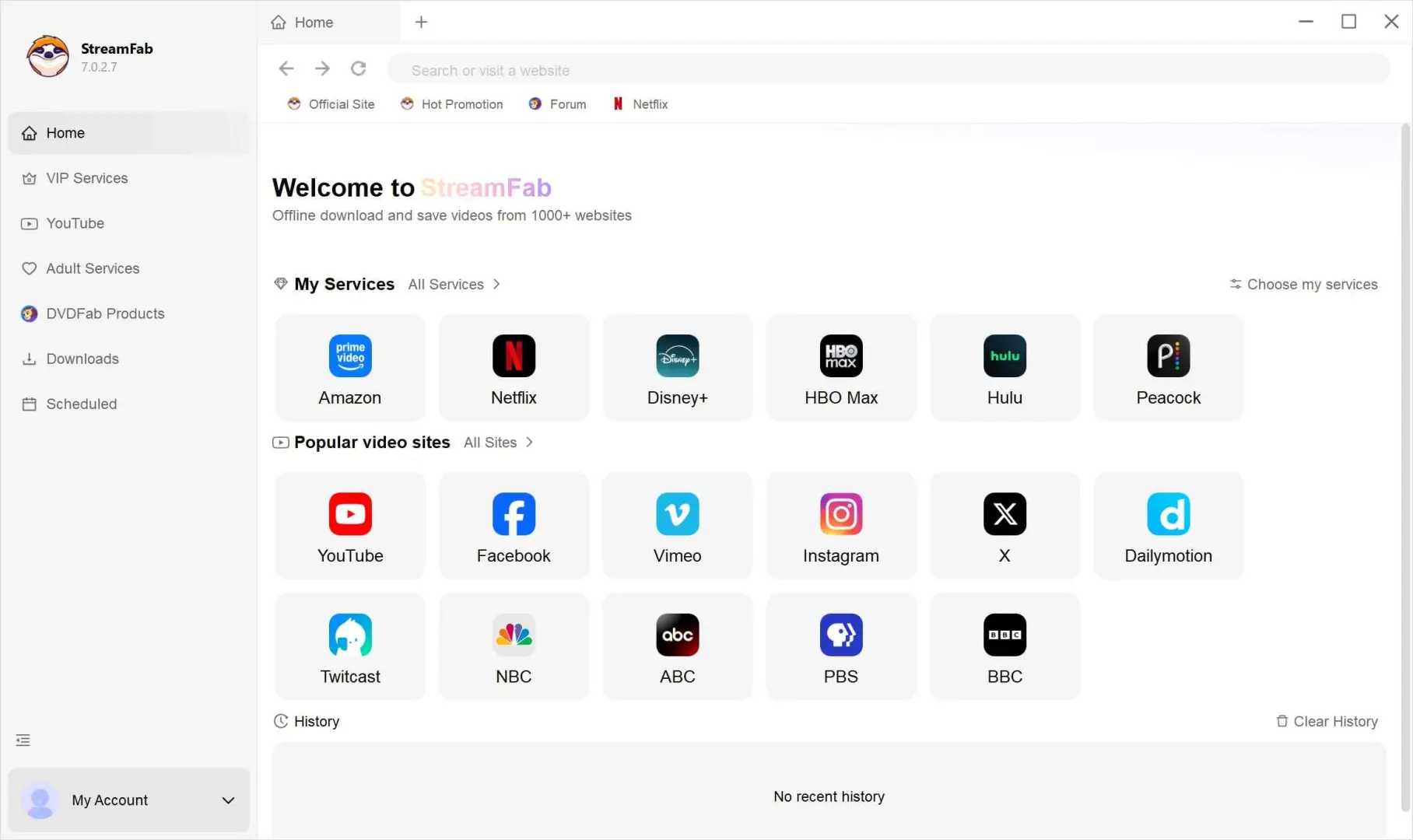
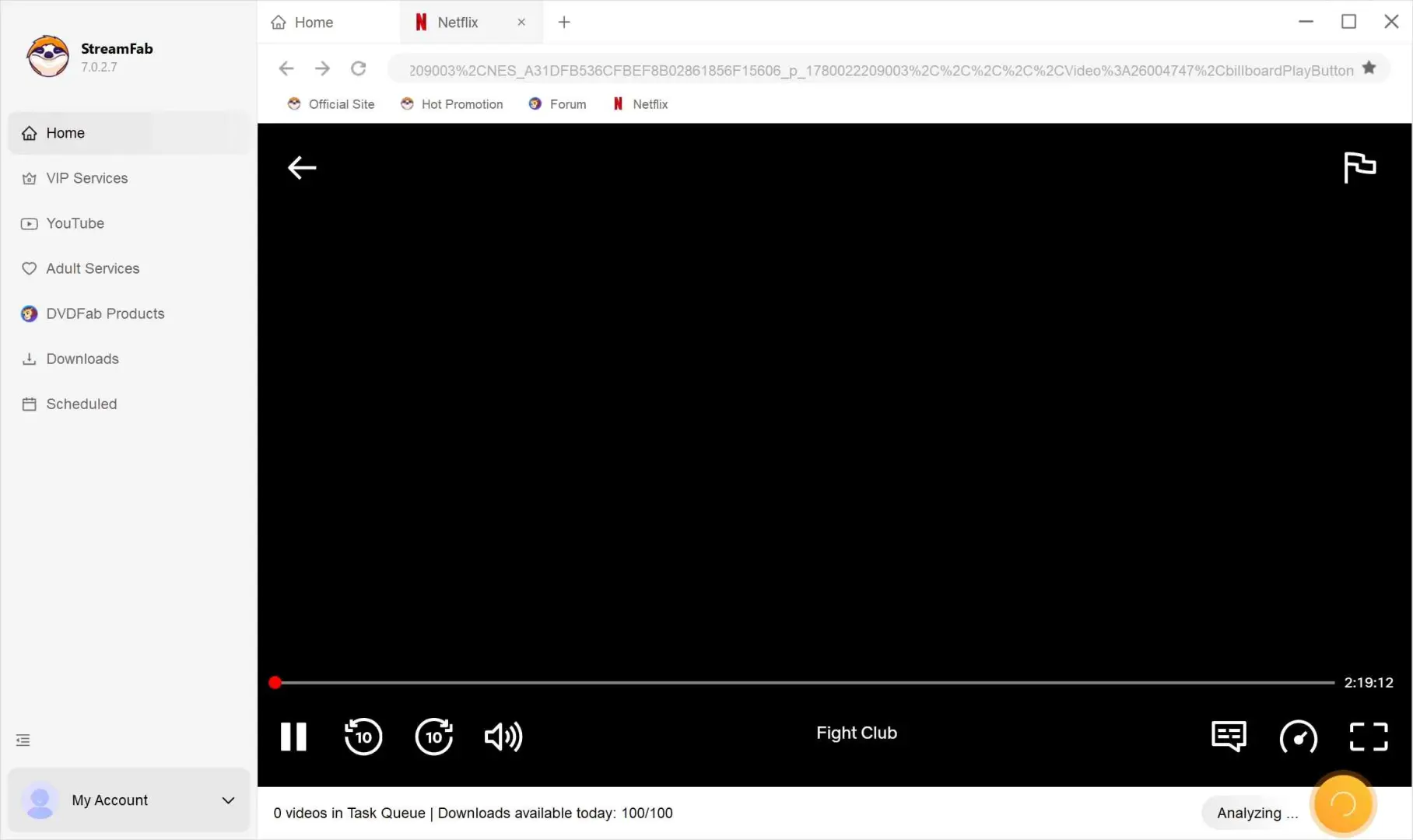
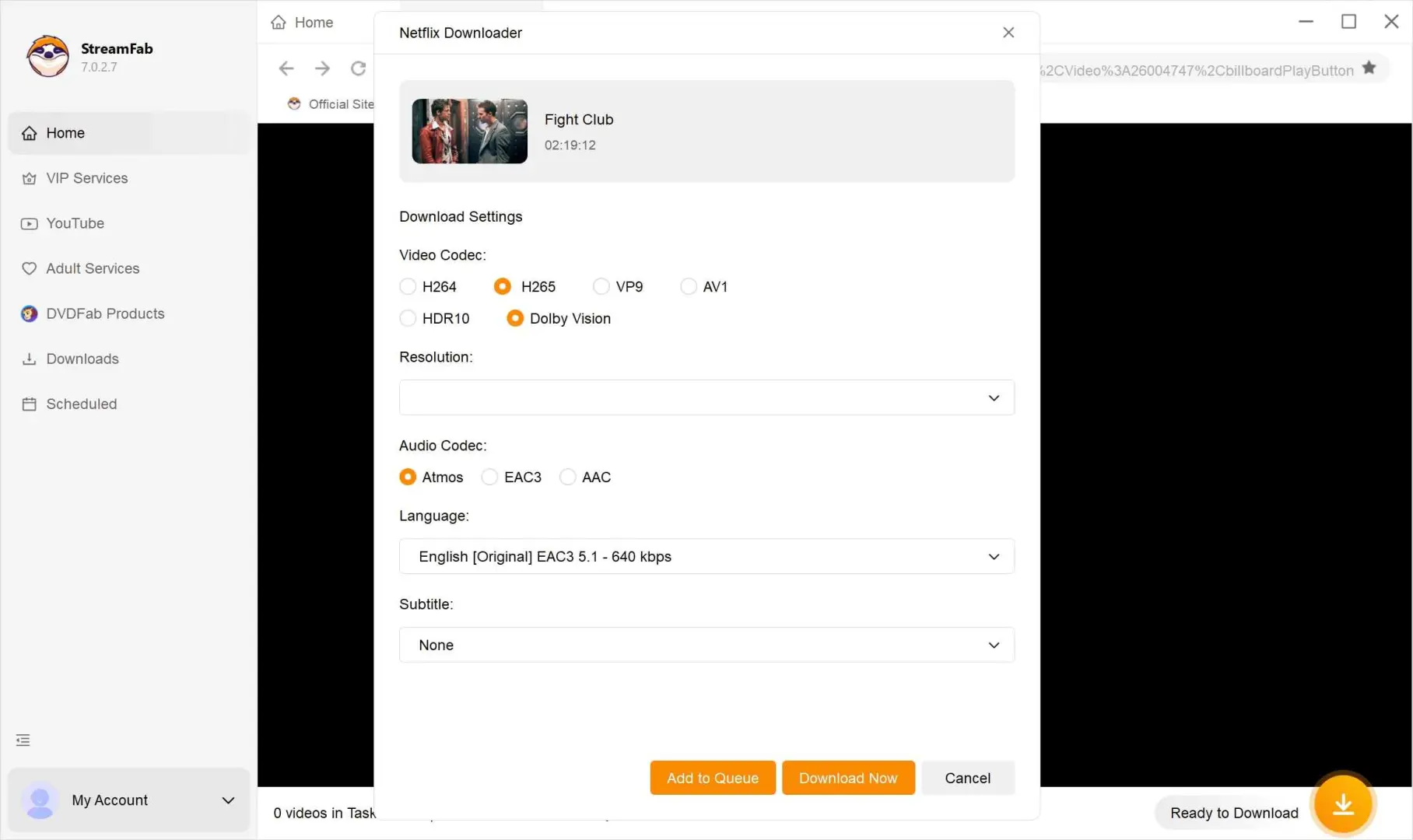
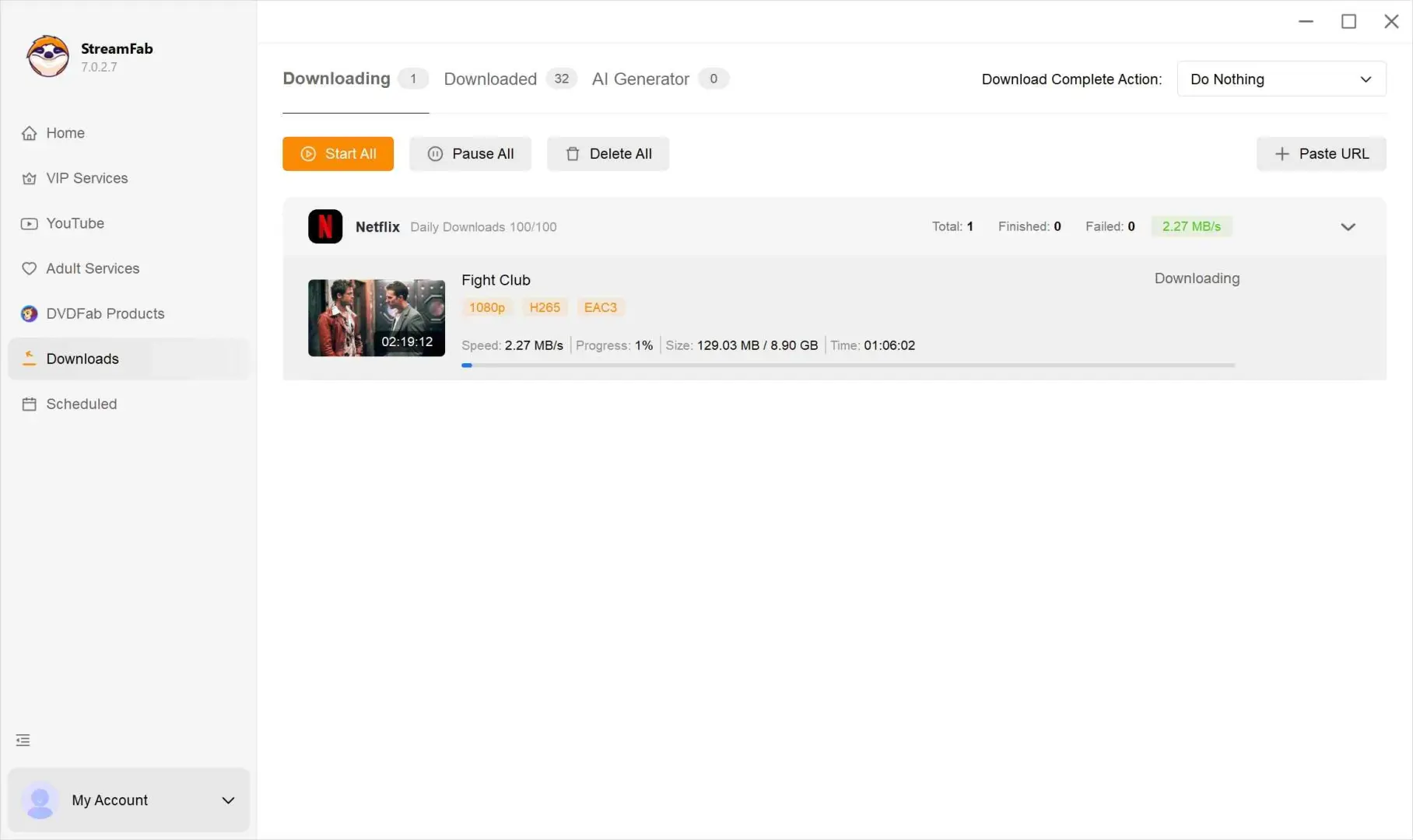
Choose MP4 for broad compatibility or MKV for richer source-available track choices. Maximum quality remains platform- and title-dependent.
For batch queues, use the Quick Summary test record above as the reference point: queue completion, not raw file size alone, is the useful success check.
After Step 5, organize completed tasks with batch queues, scheduled whole-season jobs, and metadata that helps Plex, Emby, or PlayerFab identify titles. This workflow suits planned desktop offline viewing; occasional in-app viewing is usually simpler with the service's built-in download feature.
Fix Failed or Incomplete Downloads
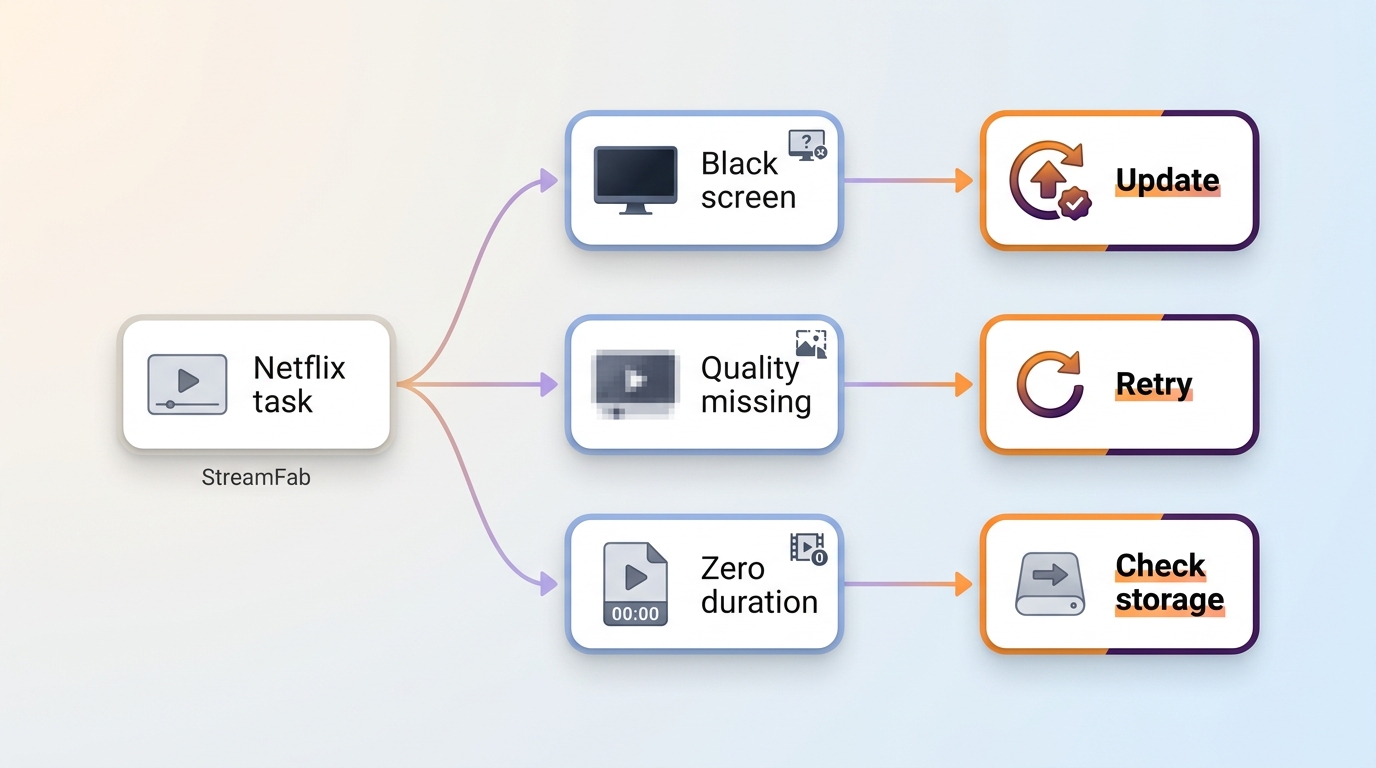
DRM download troubleshooting starts with a clean record of the failure. For an incomplete video download, capture the service, title, operating system, StreamFab version, error message, output duration, and selected quality before changing settings.
- Update StreamFab, then restart the affected service module.
- Retry a short authorized title to separate a title-specific issue from a wider service issue.
- Lower only the affected quality or track setting when the selected source is unavailable.
- If the result still fails, compare current service status and send the recorded details to support.
Black Screens and Unsupported Streams
A black preview or unsupported-stream message usually points to a service, title, module, or current compatibility mismatch. Confirm that the title plays normally in the authorized account, then retry through the matching StreamFab service module rather than switching among improvised browser tools.
License errors deserve the same disciplined check: sign out, confirm the application's license state, sign back in, and retry one short title before rebuilding a full queue.
Incomplete or Zero-Duration Files
An .MP4 extension does not prove that a streaming video MP4 is complete or playable. Zero duration, playback failure, or unexpectedly short output signals a source-support, authorization, module, or file-completeness problem.
In the Windows 10 Pro regression check noted earlier, the shortest LDR Season 4 episode still produced a completed smaller output. A zero-duration shell would therefore be a failure signal, not a normal consequence of a short title.
Confirm the correct module, verify that the source title plays, clear the incomplete task, and retry at an available quality. Do not rename or remux a broken file and assume the missing duration will repair itself.
Version and OS Checks
Version and operating system are the most useful first checks because a service fix may reach Windows and macOS at different times. StreamFab supports Apple Silicon natively, but service-level capabilities can still differ from the Windows build.
For a StreamFab Apple Silicon check, record the macOS version, application version, service, selected quality, and output duration. That evidence gives support a reproducible starting point instead of a vague report that a download failed.
StreamFab and Other Offline Options
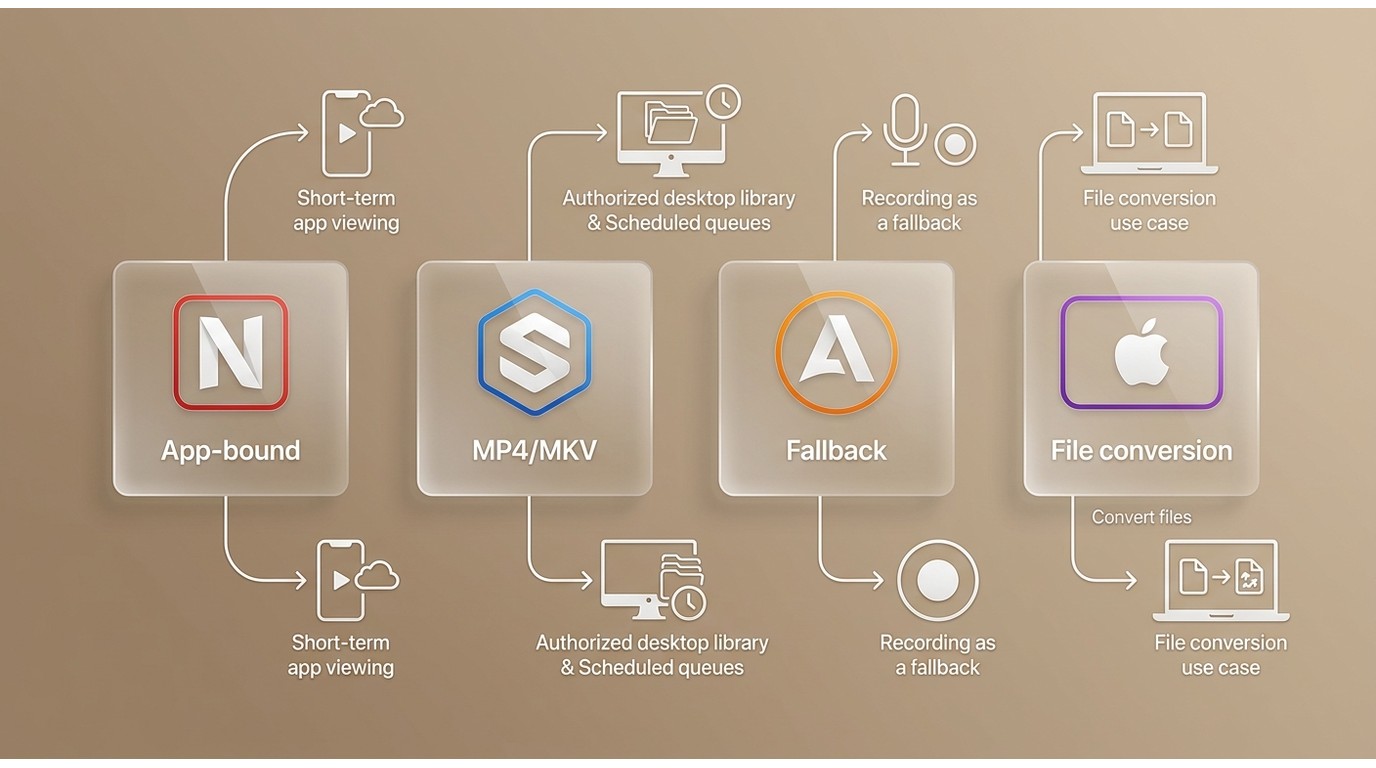
The right route depends on the source and the output you actually need. Our overview of broader protected-video format options covers the wider method question, while the DRM M3U8 and MPD downloader guide stays closer to StreamFab's service modules.
| Route | Content and access | Account | Common limit | Best fit |
|---|---|---|---|---|
| StreamFab | Authorized streams; local MP4/MKV | Active service account | Service-specific availability | Planned desktop offline viewing |
| Built-in download | Eligible titles; app-bound access | Active service account | Platform-controlled limits | Short-term app viewing |
| Screen recorder | Playable on-screen content | Source access required | Real-time; black-screen risk | Occasional fallback recording |
| Purchased-file converter | Owned Apple/iTunes files | Purchase access | Separate purchase workflow | Converting owned files |
Browser extensions remain useful for unprotected web video, but they are a poor fit when the source uses platform access controls. For platform-specific settings, the Netflix downloader review narrows the decision to one service.
During my same-title comparison, StreamFab ran over a 24 Mbps Mac connection and Audials over 16 Mbps on Windows; outputs differed in HDR, audio, and file size. I treat that as a scoped workflow check, not a universal speed contest.
My verdict is practical: StreamFab fits authorized multi-service desktop workflows, built-in downloads fit short-term app viewing, recording is a fallback when a direct local-file route is unavailable, and purchased-file conversion belongs to a separate Apple or iTunes use case.
U.S. Rules and Personal-Use Boundaries
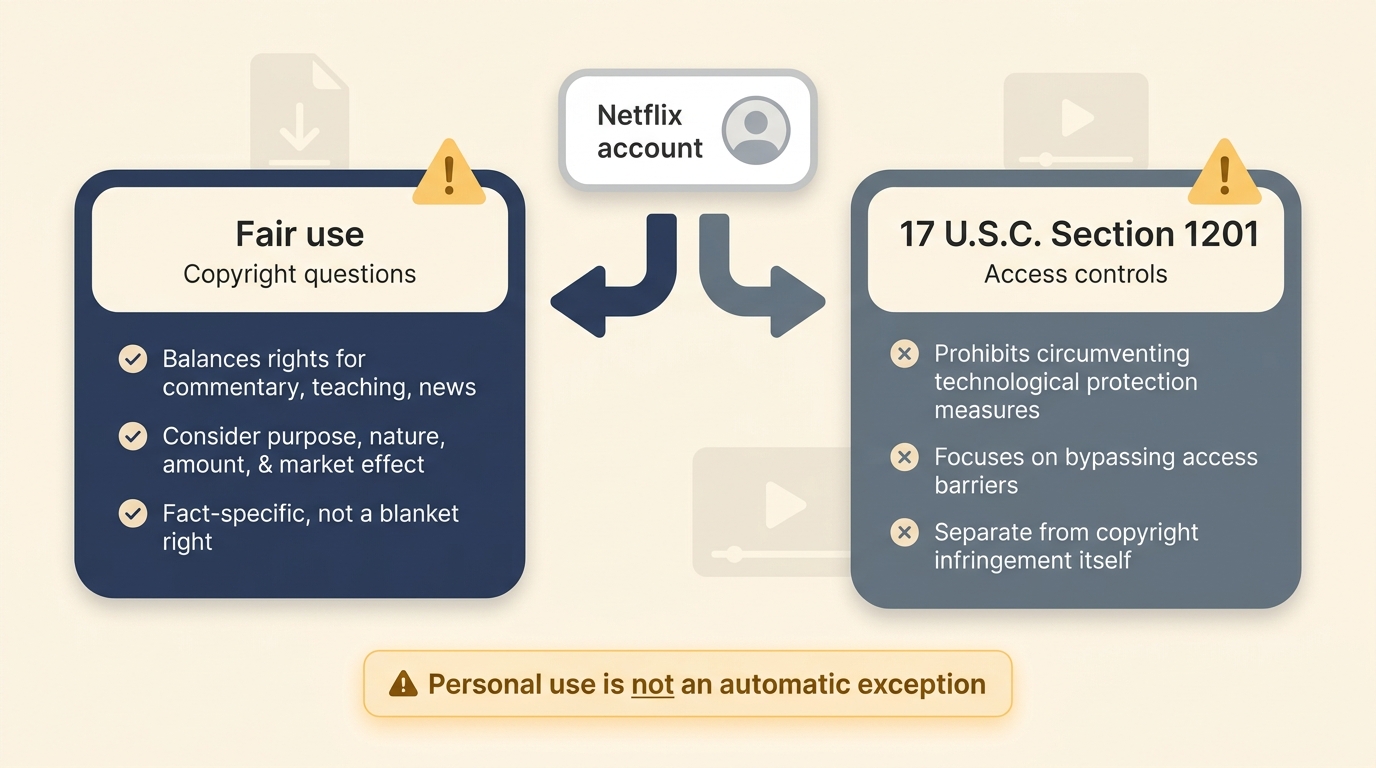
U.S. copyright fair use and access-control law are separate questions. Personal use does not create blanket permission, and sharing saved files adds a clear risk that private offline viewing does not.
Fair use addresses potential copyright liability, while 17 U.S.C. Section 1201 separately addresses technological access controls. Its statutory and triennial exemptions are narrow, so an active subscription or personal purpose does not by itself settle the legal question.
For content you are authorized to access, where permitted by platform terms and applicable law.
My lowest-risk recommendation is simple: stay within legitimate access rights, keep files for private viewing, and never share or redistribute them. The comprehensive StreamFab review covers the product's broader capabilities and limitations without changing those boundaries.
FAQ
Conclusion: Choose the Right Offline Route
Use built-in downloads for short-term viewing inside a service app. StreamFab is one desktop alternative for an authorized local-file workflow when official downloads do not meet your format, library, or scheduling needs.
This route is not a fit for someone seeking a free mobile-only tool, guaranteed availability for every service or title, or permission to share files. If the desktop fit is right, use the available trial to check one authorized title and its required output options before committing.

- Supports Netflix, Amazon Prime Video, Disney+, Hulu, HBO Max, Apple TV+, and 60+ additional streaming services. For the latest supported platforms and pricing, check the official website.
Use StreamFab with an active legitimate service account, keep completed files for personal viewing, and follow the applicable platform terms and law.