
Table of contents
If Apple TV’s app-managed downloads expire or stay locked to devices you do not use, a desktop Apple TV downloader offers a different workflow. StreamFab saves authorized videos as local MP4 or MKV files on Windows and Mac, while Apple’s official option remains simpler for in-app offline viewing.
This StreamFab Apple TV Downloader review explains the practical differences, the verified feature set, current user-reliability signals, pricing and trial choices, and the boundaries for personal offline viewing. Apple supports official downloads on iPhone, iPad, Mac, Windows PC, and Vision Pro, but not on Apple TV hardware, smart TVs, streaming devices, or tv.apple.com.

Quick Summary: StreamFab Apple TV Downloader Verdict
StreamFab is worth considering when you need Apple TV to MP4 or MKV output on a Windows or Mac computer. My take is straightforward: file control is its advantage; Apple’s official downloads remain the easier choice for occasional offline viewing inside the Apple TV app.
- Local-file output: Saves authorized Apple TV videos as MP4 or MKV on Windows and Mac
- Quality ceiling: Supports up to 4K, while the delivered file is the result that matters
- Library controls: Supports selectable audio, subtitles, metadata, and batch queues
- Decision point: Choose StreamFab for file control; use Apple’s app for simple in-app offline viewing
The strongest buying case is a repeat need for local files, external-drive storage, or a personal media-library workflow. If you only download a title now and then on a supported Apple TV app device, the official option already covers that lighter use.
What StreamFab Apple TV Downloader Delivers
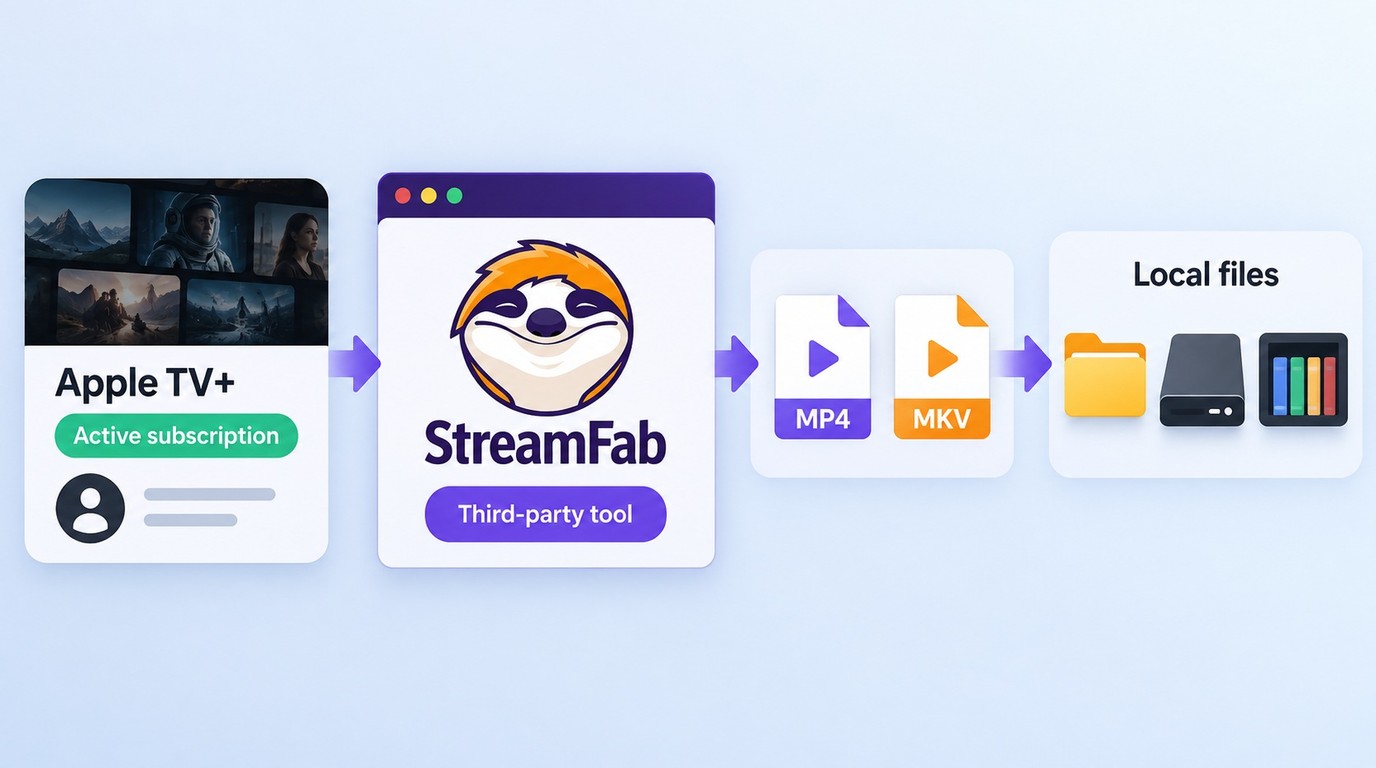
StreamFab Apple TV Downloader is a Windows and Mac desktop app that saves authorized Apple TV videos as MP4 or MKV files. It supports up to 4K output, H.264 or H.265 video, Dolby Atmos, AC3 5.1 or AAC 2.0 audio, subtitles, metadata, and batch downloads.
- Save authorized Apple TV videos as MP4 or MKV on Windows or Mac, with up to 4K output, Dolby Atmos or AC3 5.1 audio, subtitles, and metadata where available.
Apple’s official offline files stay inside the Apple TV app. StreamFab uses a local output folder, which gives you a standard-file workflow for compatible players, external storage, and a personal media library. Authorized Apple account access is still required.
Who It Suits and Where It Fits
StreamFab fits you when the file itself matters: you want MP4 or MKV output, need to organize episodes outside the Apple TV app, or prefer a Windows and Mac library workflow. It is a heavier choice than the official download button, so the value comes from repeated use.
- Viewers who want local MP4 or MKV files for personal offline viewing
- Travelers who need playback outside the Apple TV app on a supported laptop
- Media-library users who organize local files on an external drive
- Viewers satisfied by app-managed downloads can stay with Apple’s official option
Supported Devices and Apple Silicon
The StreamFab Apple Silicon and desktop compatibility picture is clear: the module supports Windows and macOS, and the macOS installation path covers Intel plus Apple Silicon M1, M2, and M3 systems. Mac buyers should still use the trial with a representative title because chip support and Apple TV title compatibility answer different questions.
Key Features and Output Quality in 2026
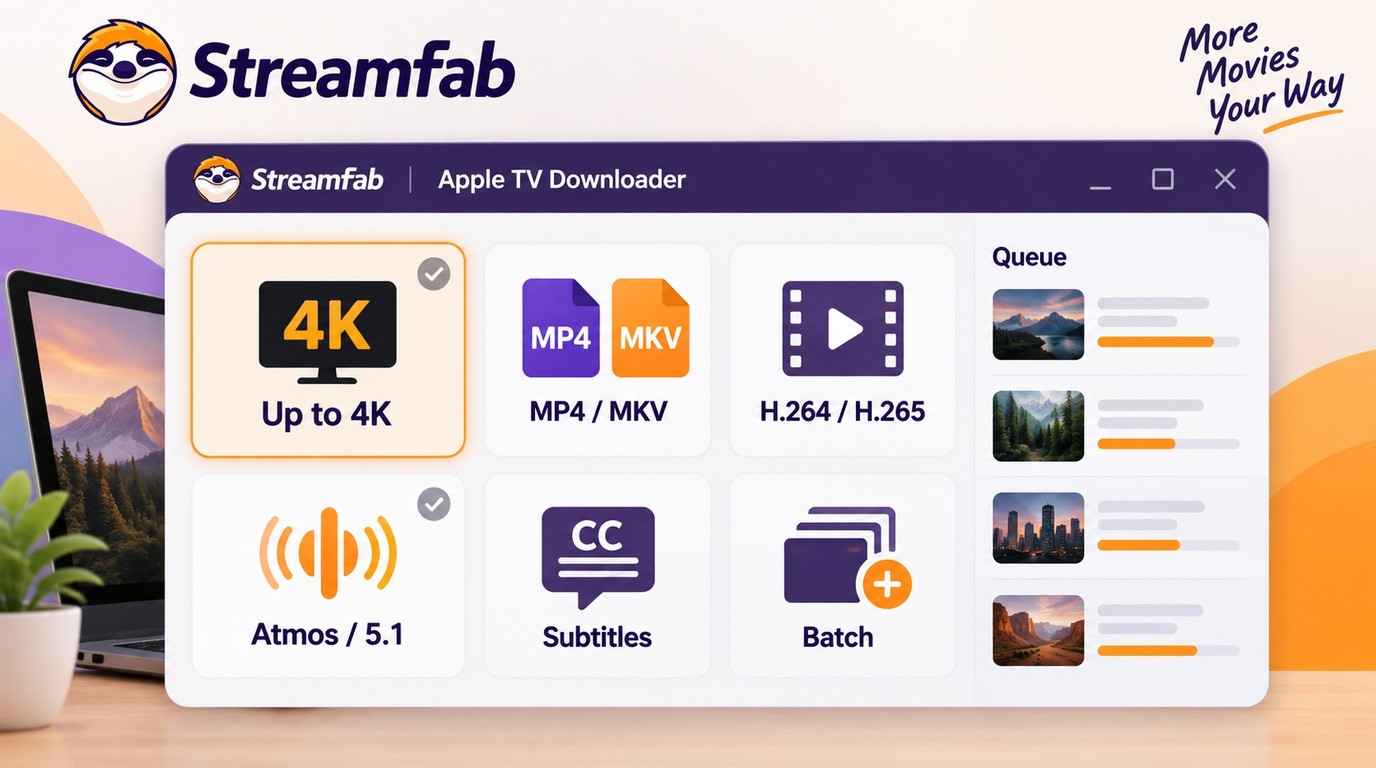
The verified feature set is more useful than an unsupported success-rate claim. StreamFab Apple TV Downloader supports multiple resolutions up to 4K, MP4 or MKV output, selectable audio and subtitles, metadata, batch queues, and monitoring for new weekly episodes.
- Systems: Windows and macOS
- Resolution: Up to 4K, with 1080p and 720p options
- Formats: MP4 or MKV with H.264 or H.265 video
- Audio: Dolby Atmos, AC3 5.1, or AAC 2.0
- Library data: Selectable subtitles, audio languages, and metadata
Video Quality by Title and Region
4K HDR downloads are a supported ceiling, not a universal result for every Apple TV title. Delivered quality is tied to the title, US region, account entitlement, codec path, and current StreamFab version, so the saved file is the decisive evidence.
My rule is simple: check the file’s delivered resolution and HDR flag before judging the module. A title that arrives at 1080p should be treated as a 1080p result, even when the catalog page advertises a higher streaming tier.

When Apple TV quality is the deciding factor, I would judge the actual file, not the 4K ceiling on a feature page. Check the delivered resolution, HDR flag, audio track, and subtitle file on the title you plan to keep.
Audio, Subtitles, and Metadata
Audio quality was consistently strong. Most downloads retained their original Dolby Atmos or EAC3 5.1 tracks.
The verified module formats also include Dolby Atmos, AC3 5.1, and AAC 2.0. You can select audio languages, embed subtitles or save them separately, and retain title, season, and episode metadata for cleaner library organization.
Batch Downloads and Scheduling
Batch downloads are the practical time-saver for a series. You can queue multiple episodes, choose the output folder once, and use the scheduler to monitor a saved series for newly released weekly episodes.
The broader guide to using StreamFab explains the shared queue and output controls without repeating the Apple TV steps below.
Independent User Feedback and Reliability
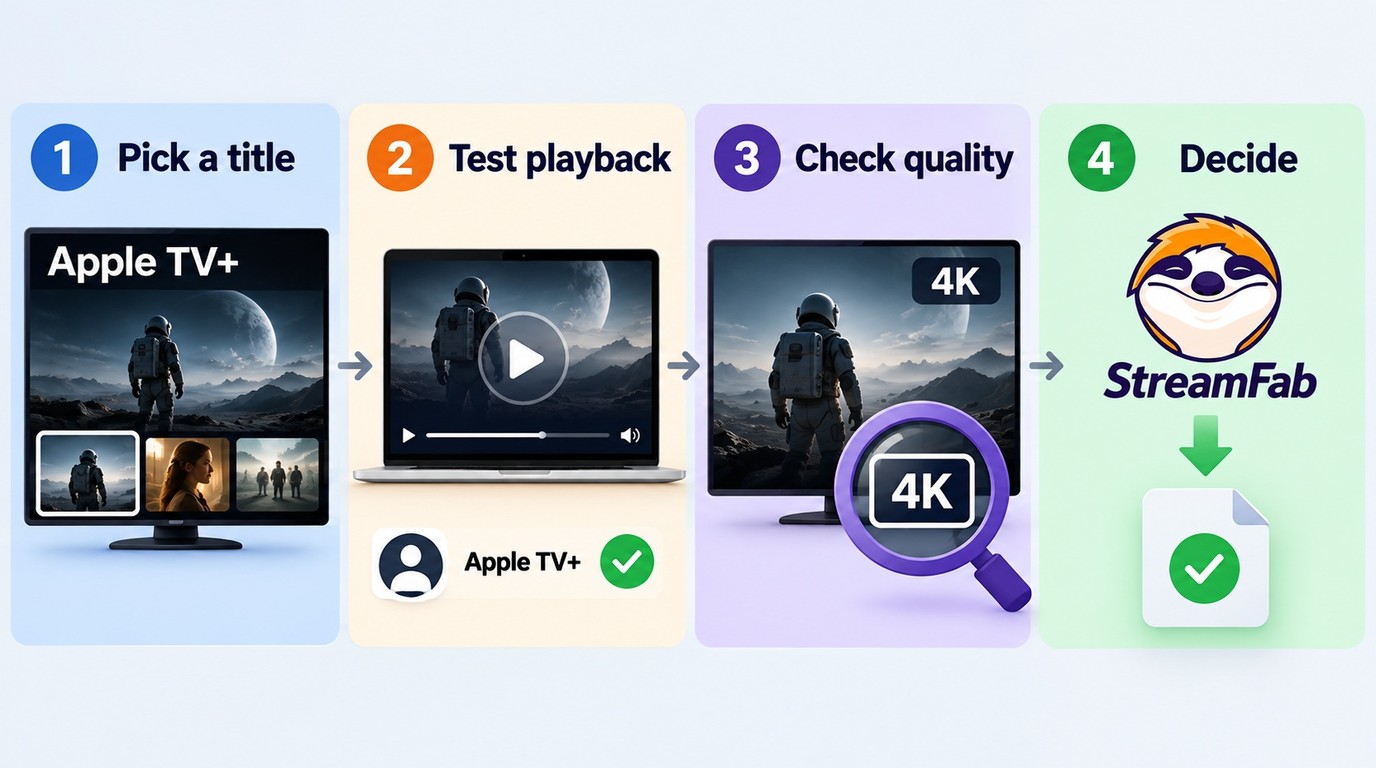
Independent user feedback is mixed, which makes a current title check more valuable than a broad reliability label. Prospective buyers ask for confirmation before paying, while other reports describe low-resolution output or Apple TV-specific failures even when another service works.
What Users Confirmed and Reported
The useful pattern is not a single percentage. Apple TV compatibility is service-specific, and a result from another platform does not establish Apple TV support. I would use the 30-day trial on the exact content type and a representative title that matters to you.
Official Downloads vs Local MP4 Files
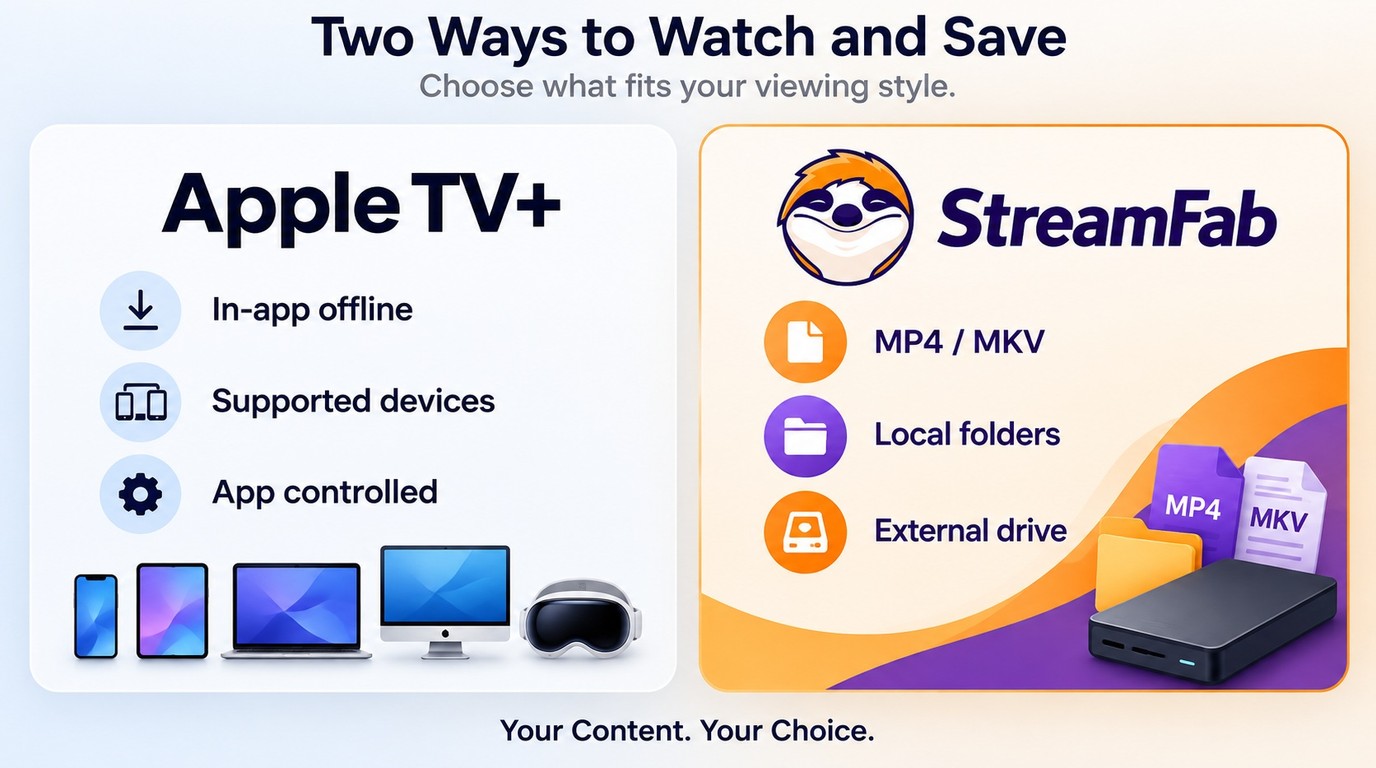
Apple TV offline downloads and local files solve different problems. Apple’s option is app-managed and available on iPhone, iPad, Mac, Windows PC, and Vision Pro; StreamFab creates MP4 or MKV files through a Windows or Mac desktop workflow for authorized personal offline viewing.
| Decision point | Official Apple TV app download | StreamFab local-file workflow |
|---|---|---|
| Supported devices | iPhone, iPad, Mac, Windows PC, Vision Pro | Windows and Mac |
| File model | App-managed offline download | MP4 or MKV local file |
| Storage use | Inside the Apple TV app | Output folder, external drive, media library |
| Access model | Follows Apple app terms and availability | Requires authorized Apple account access |
| Best fit | Occasional in-app offline viewing | Repeated local-file and library use |
Device availability and product capabilities are current as of September 2026. The decision is mostly about file control: use Apple’s app when its supported-device path is enough, and choose StreamFab when a Windows or Mac local-file workflow solves a recurring need.
How to Download Apple TV Videos
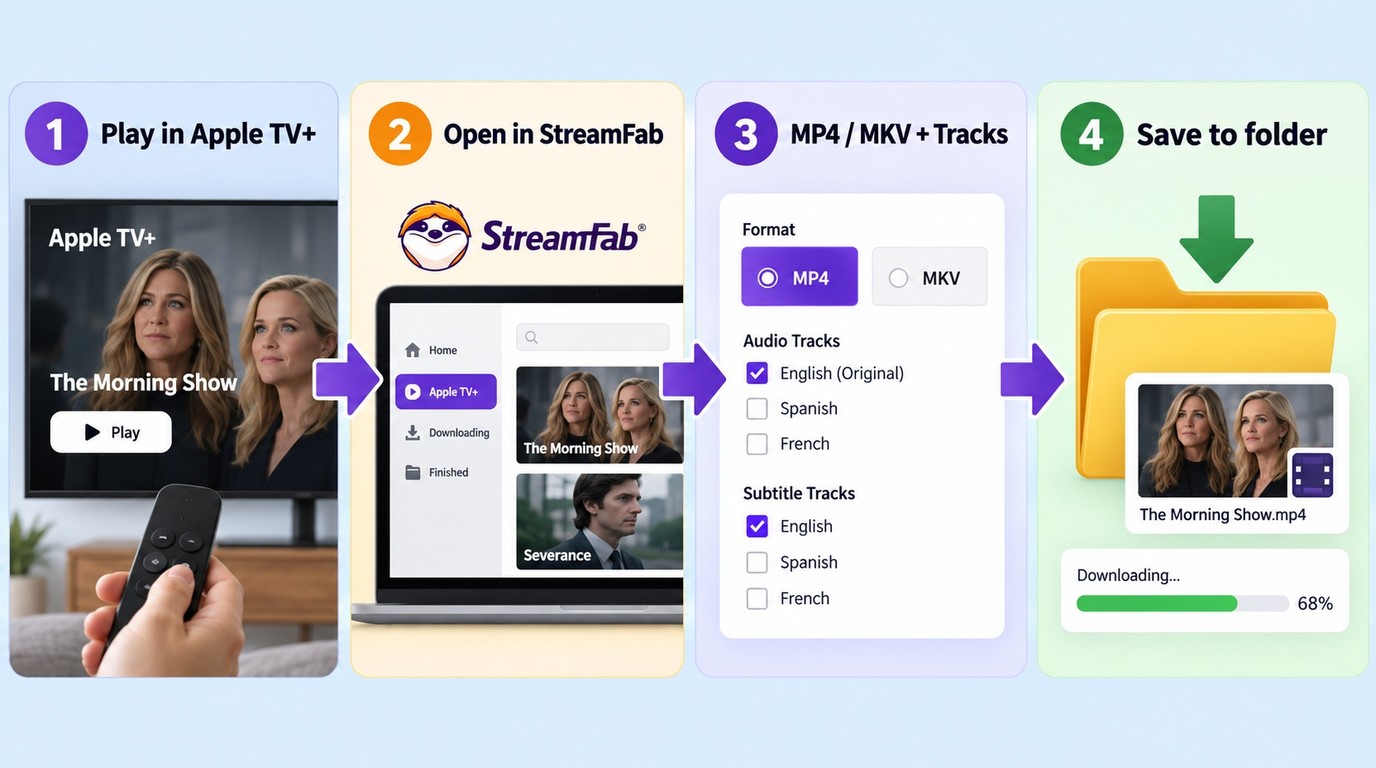
The workflow has four steps, but the prerequisites prevent most avoidable failures. Start with an authorized Apple account, a supported Windows or Mac computer, the current StreamFab build, and enough space in the chosen output folder.
- Confirm that the Apple account can play the title normally.
- Install the current StreamFab build on Windows or macOS.
- Choose an output drive with room for the selected episodes.
- Decide whether you need MP4 or MKV, plus the required audio and subtitle tracks.
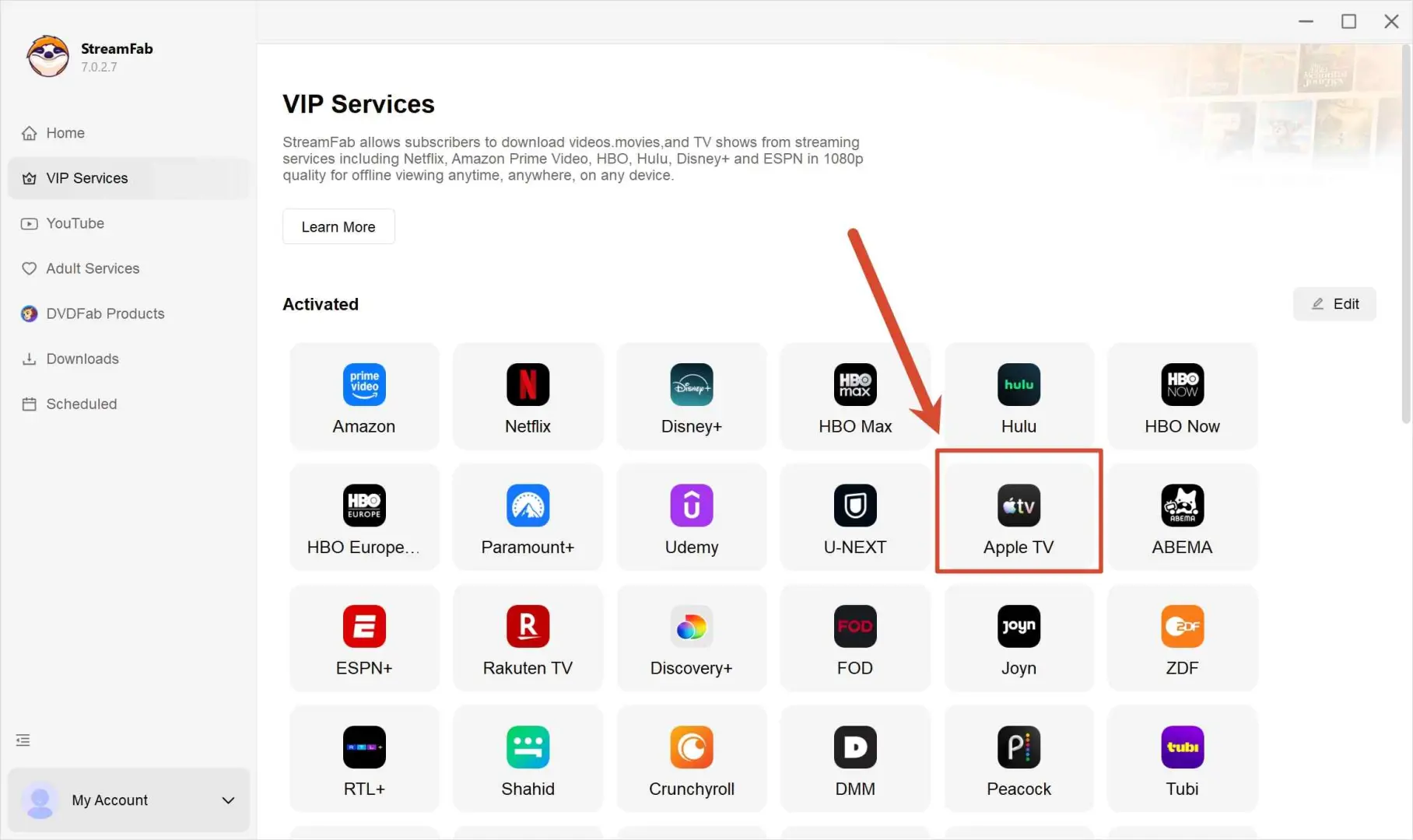
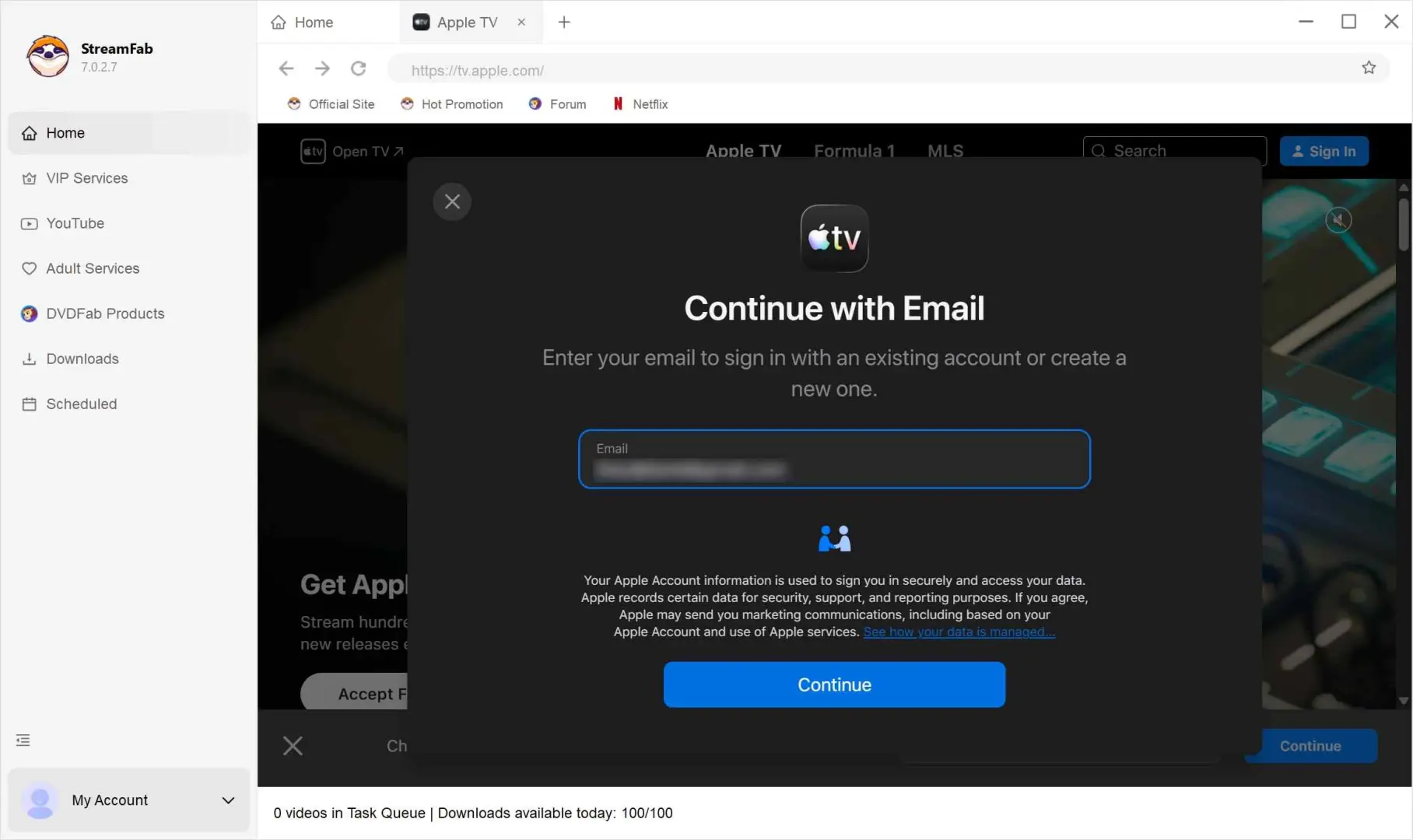
Sign in with your authorized Apple account through the built-in browser.
Open the movie or series, let StreamFab analyze it, then choose the available resolution, audio tracks, subtitle languages, and MP4 or MKV output.

Start the download. For a series, select the required episodes or queue the season; StreamFab saves the files to the output folder you selected.

Pricing, Trial, and Value
StreamFab pricing uses a standalone Apple TV module and broader bundle options. The module is the cleaner fit if Apple TV is your focus; a bundle makes more sense when you also need additional supported services.
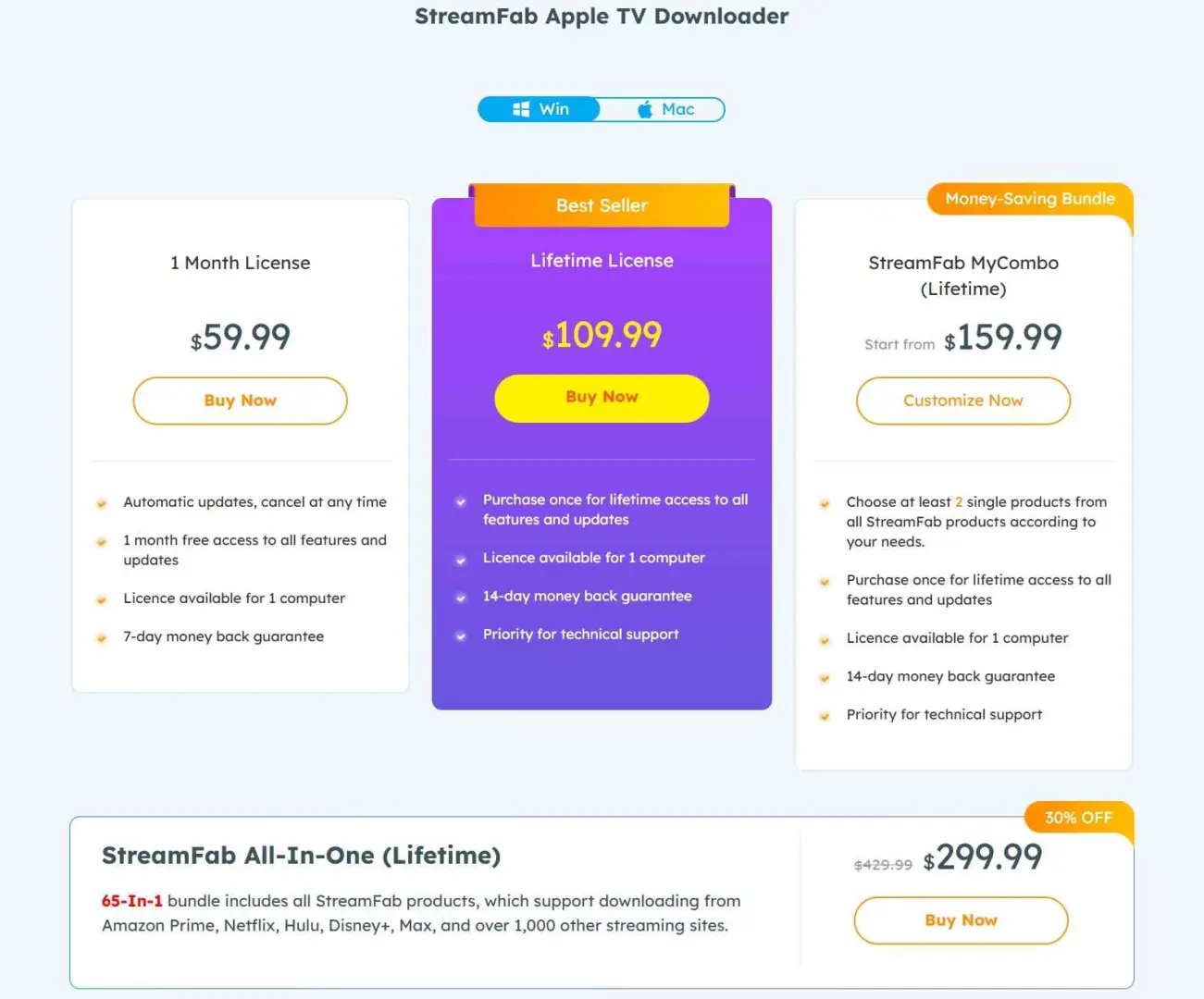
- Apple TV module: Dedicated access for this service
- All-In-One bundle: Apple TV plus additional supported services
- Trial: 30 days with three video downloads for this service
The StreamFab free trial runs for 30 days and includes three video downloads for the Apple TV service. It uses the paid version’s quality, batch, subtitle, and MP4/MKV controls, so it is the most useful way to judge value against your own titles.
Common Issues and Fixes
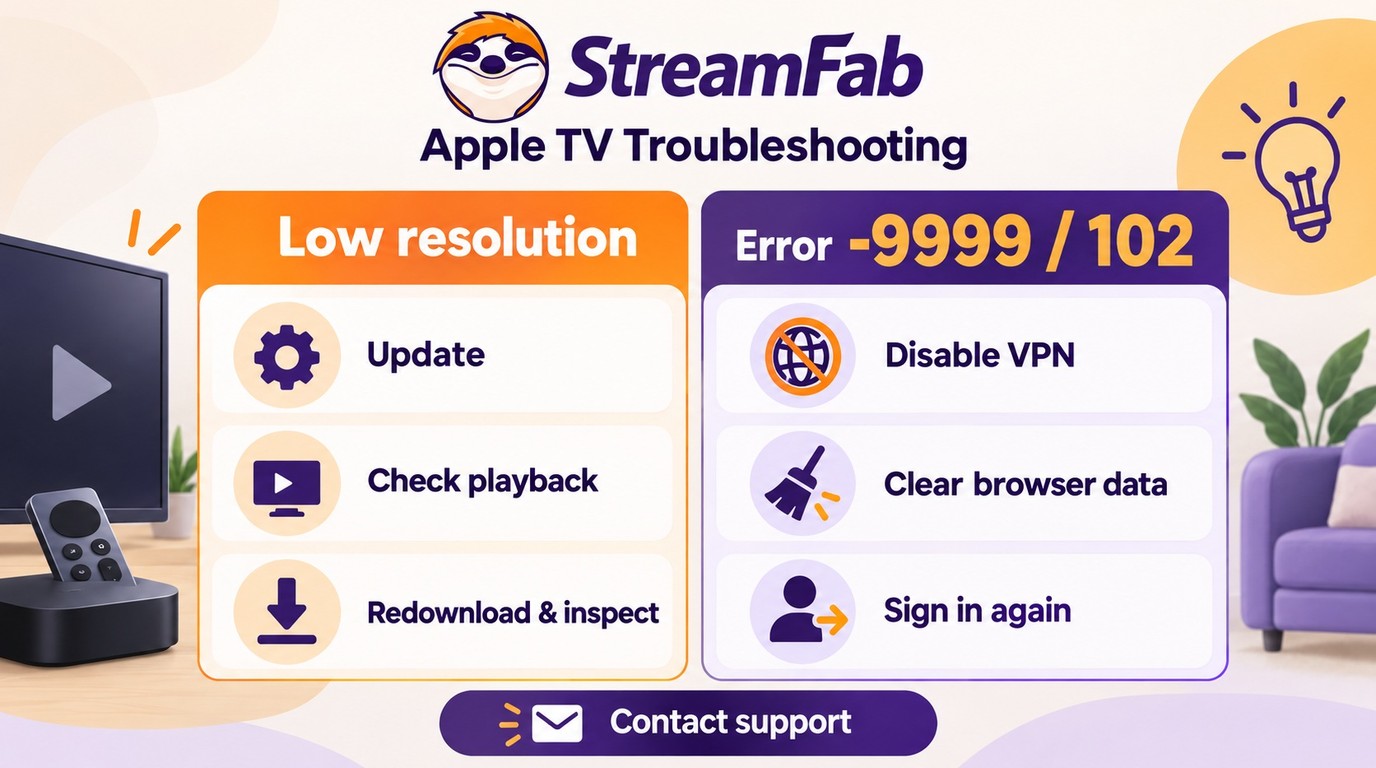
Most Apple TV downloader problems fall into two groups: the file arrives below the expected resolution, or analysis does not complete. Handle them separately so a quality result is not mistaken for a connection failure.
Low-Resolution Results
A low-resolution file is a delivered result, not proof that the entire Apple TV catalog shares the same ceiling. Use this sequence:
- Update StreamFab to the current build before repeating the title.
- Confirm that the authorized account can stream the same title normally.
- Download one representative title again and inspect the saved file’s resolution and HDR flag.
Analysis or Download Failures
Connection and browser-session issues are the first things to isolate. In a September 2026 Windows 11 test with StreamFab 7.x, disabling a VPN cleared most -9999 and 102 connection errors immediately.
- Disable the VPN or proxy, then retry the analysis.
- Clear StreamFab’s internal browser data and sign in again.
- Install the latest update if Apple TV opens but the title still will not analyze.
The StreamFab troubleshooting guide covers the wider error paths if these checks do not restore analysis.
Safety and Legal Boundaries
StreamFab is a legitimate desktop application; install the current signed build from StreamFab’s official download channel rather than a mirror. No desktop installer is protected from counterfeit copies, so the official package and current update path are the practical safeguards.
Installation Safety
The signed installer and regular update channel are the relevant safety signals. StreamFab’s broader suite review adds context on its update, support, and reputation record.

Personal-Use Boundaries
Use the software only with accounts and content you are authorized to access. Keep local copies for personal offline viewing where permitted, do not redistribute them, follow Apple’s terms and applicable law, and recognize that the legal outcome depends on the specific use.
- Use an account you are authorized to access
- Save only content you are authorized to view
- Keep local copies for personal offline viewing where permitted
- Do not share or redistribute downloaded files
- Follow Apple’s terms and applicable law
- Legal outcomes depend on the specific use
Frequently Asked Questions
Conclusion: Is StreamFab Worth It?
StreamFab Apple TV Downloader is a Windows and Mac desktop app that saves authorized Apple TV videos in MP4 or MKV at up to 4K, with Dolby Atmos or AC3 5.1 audio. That verified spec-string is the clearest reason to choose it over app-managed offline viewing.
My verdict: choose StreamFab when local files, external storage, and media-library control solve a recurring need. Apple’s official downloads are enough when you only need occasional offline viewing on a supported device. Use the trial on a representative title before selecting the module or a bundle.
- Choose StreamFab: You want MP4/MKV files on Windows or Mac for a personal media library
- Use Apple’s app: You need occasional offline viewing on a supported Apple TV app device
- Use the trial: Confirm a representative title, resolution, audio track, subtitles, and playback before choosing a license
