Table of contents
If the HBO Max app leaves you without a desktop download option, this StreamFab HBO Max Downloader review, focused on that exact problem, gives the direct answer. HBO Max official downloads are limited to supported phones and tablets, while this review evaluates a Windows and Mac local-file workflow for authorized personal offline viewing.
The key tradeoff is control versus convenience. HBO Max download limits, title-level quality, the StreamFab HBO Max price model, batch episode downloads, and StreamFab reliability all matter before you choose a workflow.

StreamFab HBO Max Downloader Verdict
StreamFab is a strong fit when you need an HBO Max downloader for PC or Mac with MP4/MKV output, batch queues, and scheduled episodes. Choose the official app instead when phone or tablet downloads already cover your viewing routine.
- Best for: Windows and Mac users who want MP4 or MKV local copies for authorized personal offline viewing
- Quality: Up to 4K with Dolby Vision or HDR10 and Dolby Atmos or EAC3 5.1 when a title provides those formats
- Limitations: Title-level quality can drop to 1080p or 720p during compatibility changes
For the correct product installer, use the official StreamFab Windows download or StreamFab Mac download.
What StreamFab HBO Max Downloader Does
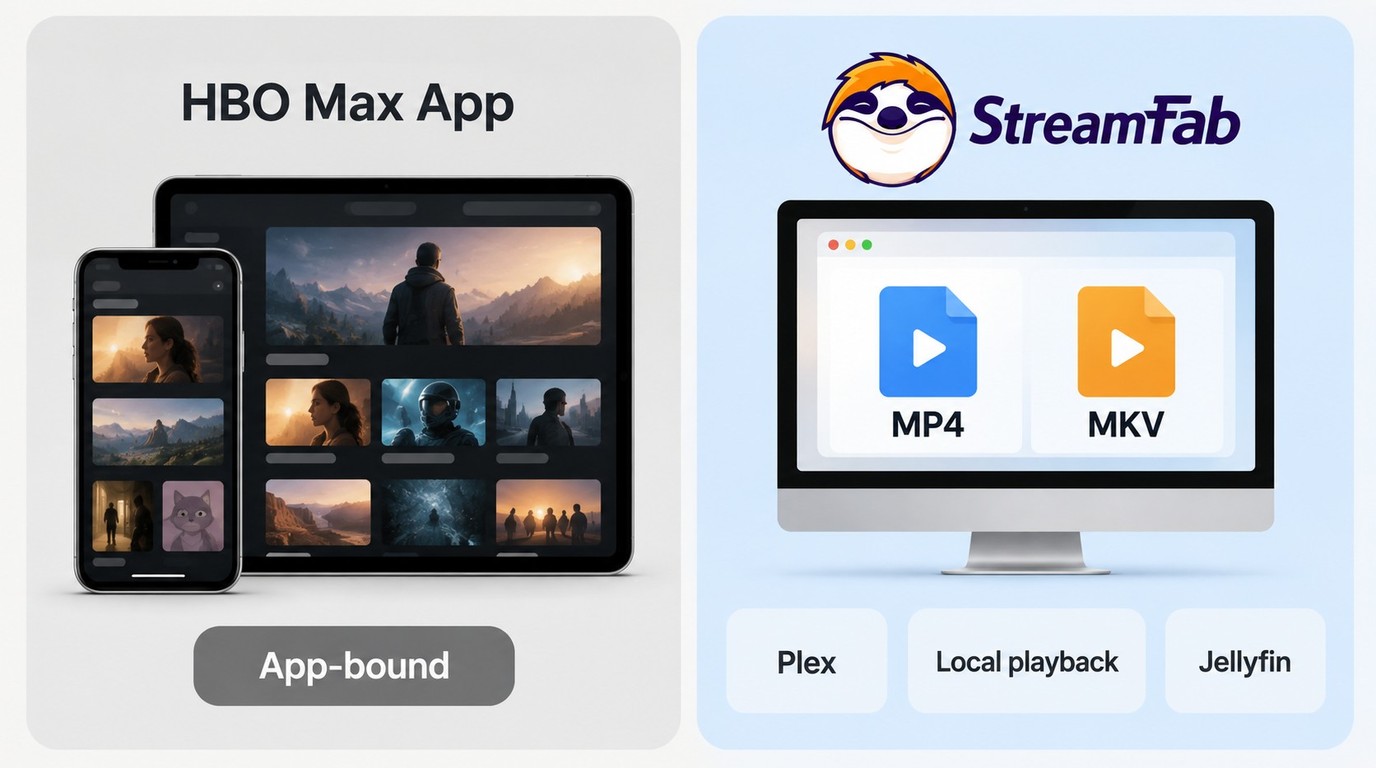
StreamFab is a Windows and Mac desktop alternative to HBO Max's managed mobile downloads. For content you are authorized to access, where permitted by platform terms and applicable law, it saves a local MP4 or MKV copy for personal offline viewing.

Save authorized HBO Max titles in MP4 or MKV at up to 4K, with Dolby Vision or HDR10 and Dolby Atmos or EAC3 5.1 when the title provides those formats.
Official HBO Max downloads stay inside the mobile app. As of September 2026, the US plans separate download allowances and monthly prices as follows.
| US plan | Monthly price | Official downloads |
|---|---|---|
| Basic with Ads | $10.99 | 0 |
| Standard | $18.49 | 30 |
| Premium | $22.99 | 100; 4K eligible |
- Devices: Supported phones and tablets; no desktop app download path
- Unwatched titles: Expire after 30 days
- After playback starts: Expire after 48 hours
- Per-series cap: Up to 25 episodes from one series
- File type: Managed inside the HBO Max app
The practical difference is file format. StreamFab creates standard MP4 or MKV files, while the official app manages downloads inside its own mobile environment. That makes MP4 MKV offline viewing useful when you want playback through a desktop media library or another compatible player.
Features and Current Quality Results
I tested StreamFab HBO Max Downloader version 7.0.2.4 on Windows 11 over a two-week period in June 2026. The product page later listed version 7.0.4.8 with daily or weekly episode scheduling and ad removal for supported HBO Max downloads.
- Tested: June 2026
- OS: Windows 11 Pro 24H2
- StreamFab v7.0.2.4
- HBO Max Premium subscription
- Fiber 500 Mbps connection
Quality Results by Title and Format
StreamFab supports up to 4K with Dolby Vision or HDR10 and Dolby Atmos 5.1 when those formats are available, while some titles may be limited to 1080p or 720p during compatibility changes. The selected resolution follows what the title exposes during analysis and what the current compatibility state supports.
| Title case | Source availability | Codec or HDR selection | Actual result |
|---|---|---|---|
| June test: 4K title | 4K available | Dolby Vision | 4K output |
| June test: 1080p title | 1080p available | H.264 or H.265 | 1080p output |
| Compatibility-affected title | 720p detected | H.264 or H.265 | 720p output |
| HDR-supported title | 4K or 1080p | HDR10 or Dolby Vision | Selected source ceiling |
The buying check is simple: inspect the analysis window for the title you actually want. Scheduling saves time on an ongoing series, but it cannot raise a title above the format currently available.
Batch and Scheduled Episode Downloads
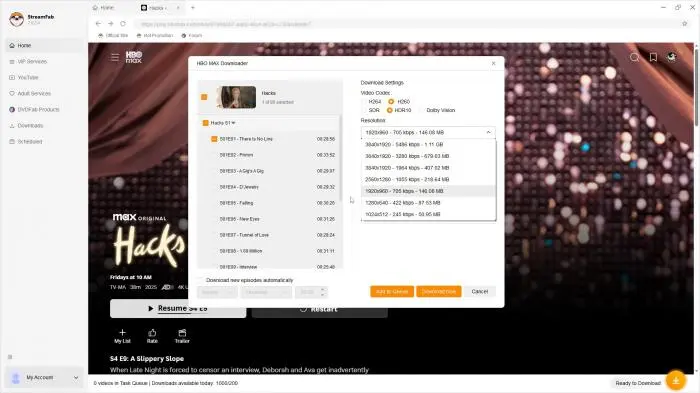
Batch episode downloads are most useful for a season or a weekly series because the queue eliminates repeated setup. The current scheduling option checks for new episodes daily or weekly.
I tested batch downloading a full season of a series (8 episodes). StreamFab queued all episodes automatically after I selected the season. The entire batch was completed overnight without manual intervention, a major time-saver compared to one-by-one downloads.
Subtitle and Audio Options
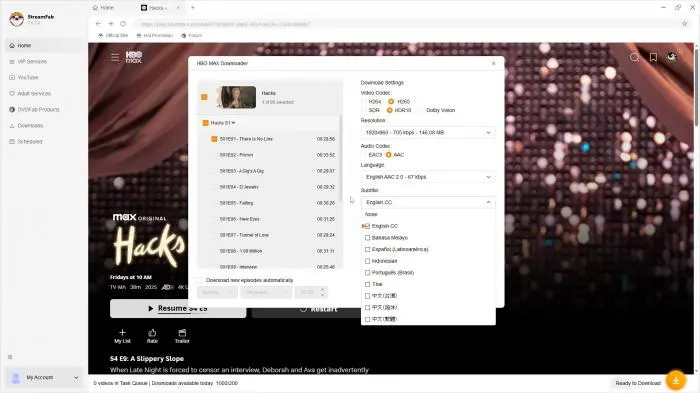
You can select embedded subtitles in available languages or save them as separate SRT files. Audio options include the original language and available dubs, with support for Dolby Atmos, EAC3 5.1, and AAC 2.0. I found the subtitle sync accurate across all tested titles.
MP4, MKV, and Metadata
For content you are authorized to access, where permitted by platform terms and applicable law, StreamFab can save an MP4 or MKV local copy for personal offline viewing. This does not promise permanent or unrestricted storage, and you should not use tools or methods that unlawfully defeat access controls. Output options include MP4 or MKV with H.264 or H.265 video. StreamFab also writes title, episode, and artwork metadata so compatible library apps can organize a series without manual renaming.
Downloading HBO Max Videos with StreamFab
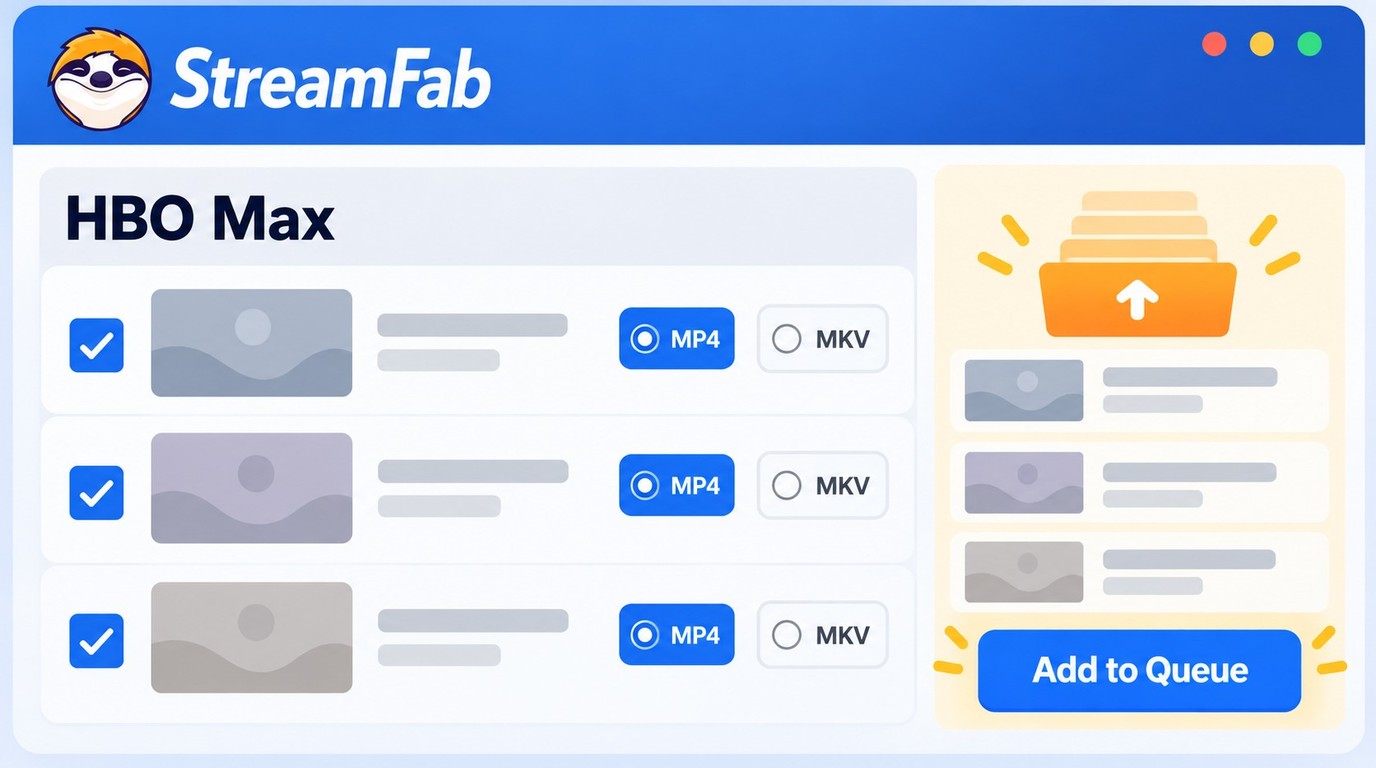
Start with an active HBO Max account and content you are authorized to access. The setup process is straightforward. Here's how I got it working in under 10 minutes.
Use the official StreamFab installer and product download destination. Choose the Windows installer or Mac installer so the setup opens the StreamFab product rather than a different application
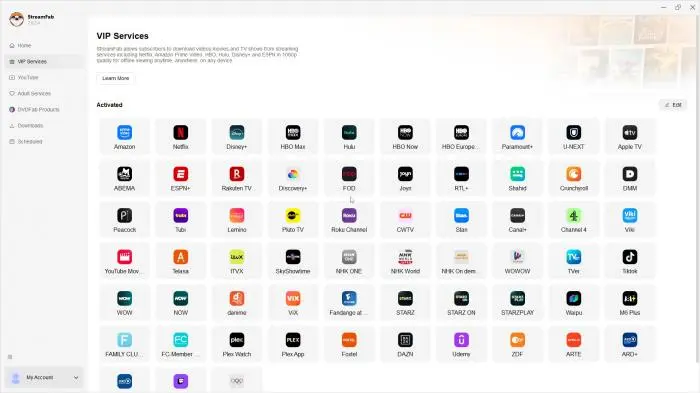
Sign in with your active HBO Max account inside the embedded HBO Max player.
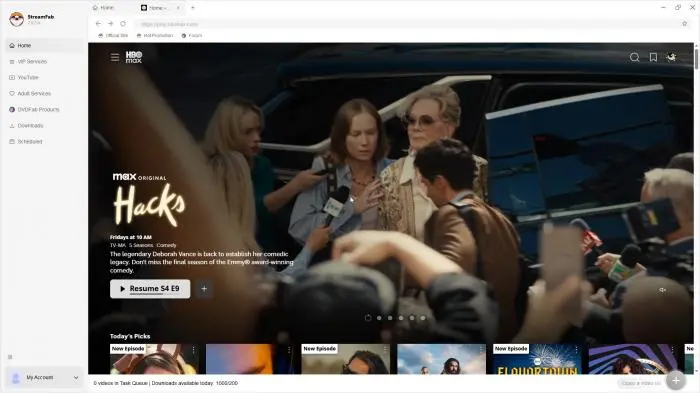
Open the movie or series you want. StreamFab analyzes the formats available for that title and opens the download settings.
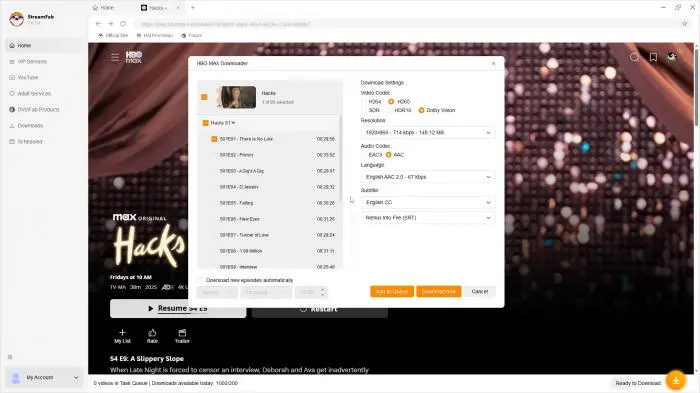
Choose the available resolution, audio track, subtitle option, and MP4 or MKV format. Select "Download Now" or add the title to the queue.
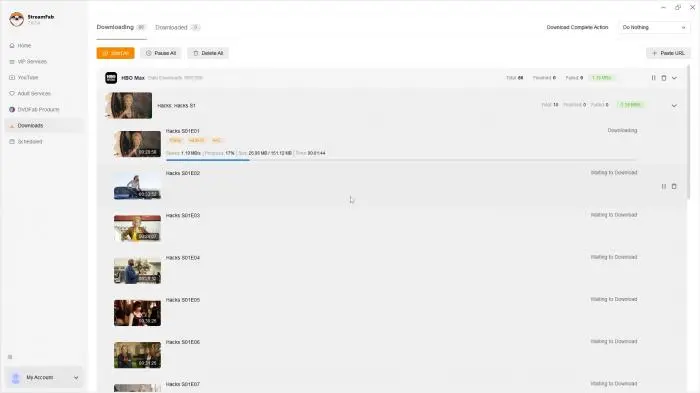
For a TV series, open the season page and select the episodes you want in one queue; use daily or weekly scheduling for new releases.
A single movie needs little queue management. StreamFab's batch and scheduling tools earn their keep when you follow a full season.
StreamFab Versus Other HBO Max Download Methods
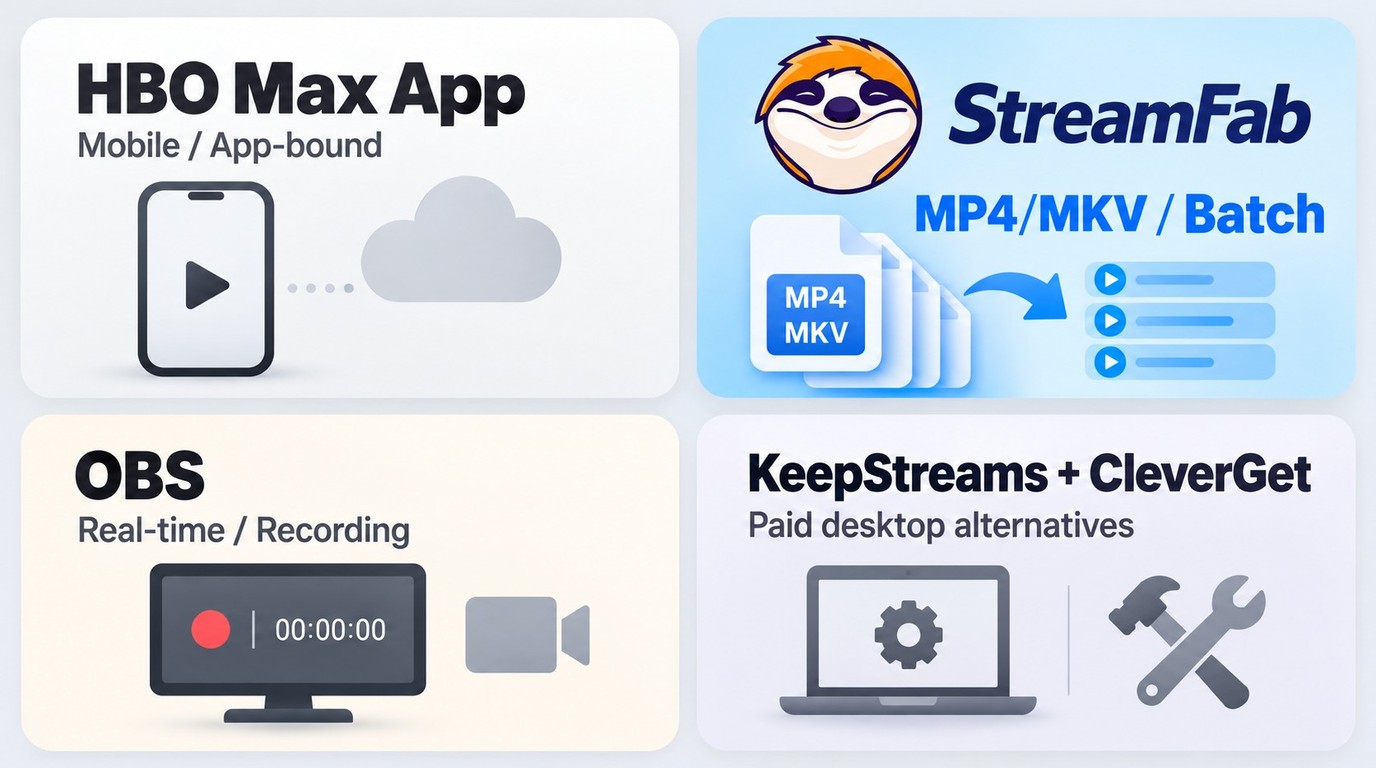
The right method follows your viewing scenario. The official app is the shortest route on a phone or tablet, StreamFab centers on local files and automation, and screen recording trades automation for real-time capture. The wider StreamFab alternatives category includes other active paid desktop products.
| Method | HBO Max Official App | StreamFab HBO Max Downloader | Screen recording | Other desktop downloaders |
|---|---|---|---|---|
| Output | Managed app download | MP4 or MKV | Recorded video file | Local video file |
| Quality | Premium: up to 4K | Up to 4K | Display and recorder ceiling | Vendor-stated ceiling |
| Rules | 0, 30, or 100; expires | Service quotas | Real-time capture | Vendor plan rules |
| Automation | None | Batch plus daily/weekly schedule | Manual | Product-specific |
| Platform / cost | Phones and tablets; subscription | Windows/Mac; paid | Desktop; software cost | Windows/Mac; paid plans |
KeepStreams and CleverGet remain active paid desktop options. A two-hour film also takes about two hours through real-time screen recording, so StreamFab is the more practical fit when a series queue or scheduled follow-up matters.
Pricing, Trial, and Value
StreamFab separates the HBO Max module, multi-service bundles, and a 30-day trial. The free StreamFab options include limited trial access, while the StreamFab trial includes three complete downloads per supported service during the 30-day trial period.
| Option | Scope | Terms |
|---|---|---|
| HBO Max module | HBO Max workflow | Paid standalone license |
| Multi-service bundle | Several supported services | Paid bundle |
| Trial | Per service module | 30 days; 3 full downloads |
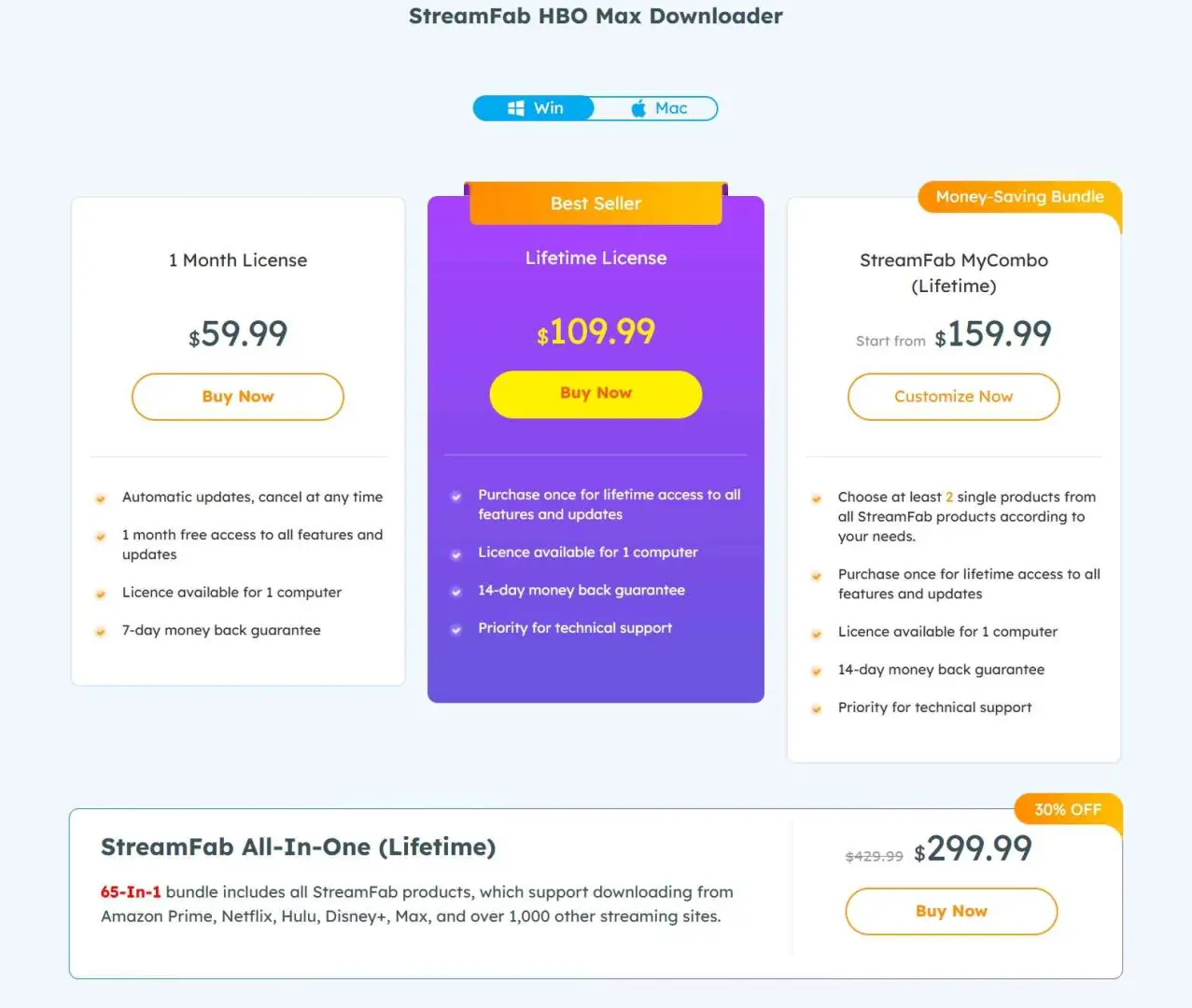
- HBO Max focus: The standalone module matches a single-service workflow
- Multiple services: A bundle adds value when you regularly use several supported platforms
- Trial access: Three complete downloads per service during the 30-day trial
The standalone module is the focused choice for HBO Max. A bundle earns its place when several supported streaming services are already part of your routine.
Common Issues and Practical Fixes
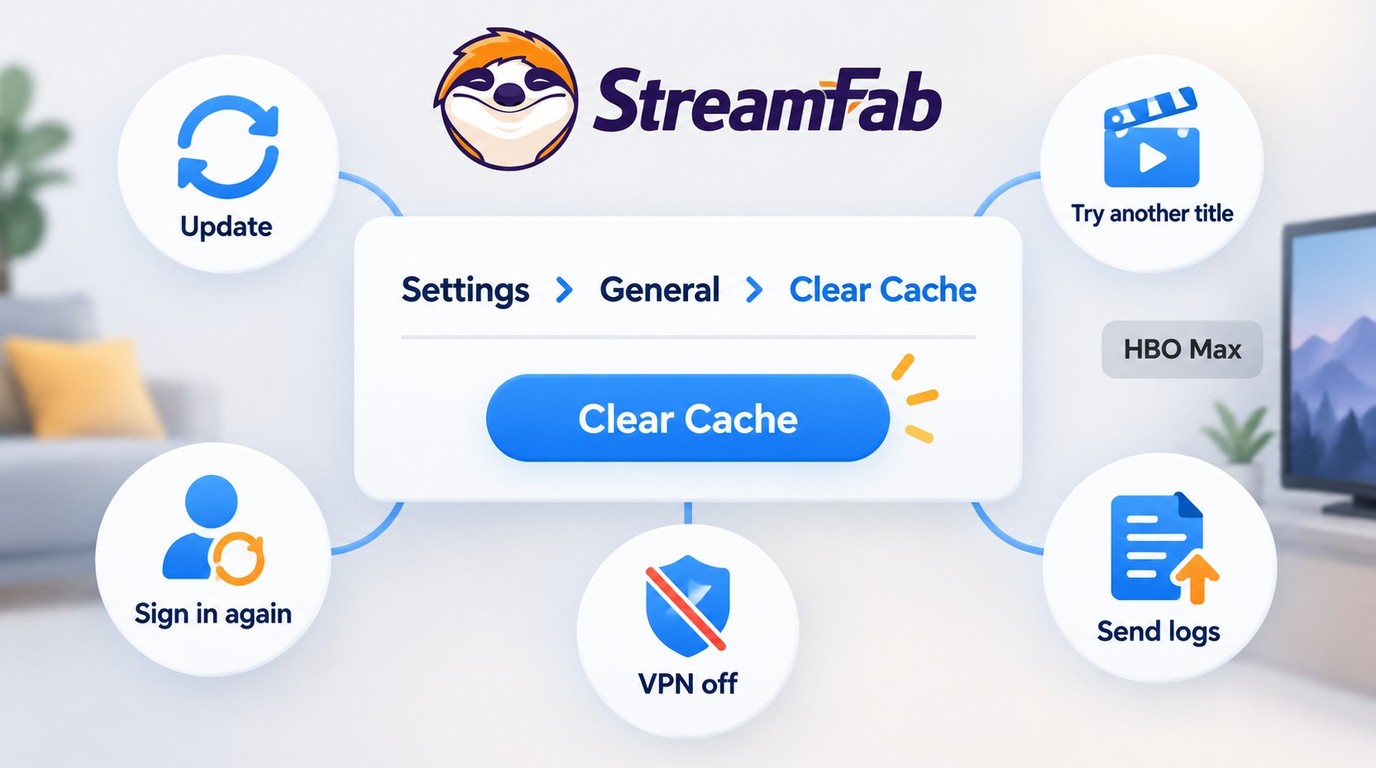
Most HBO Max download failures fall into one of three buckets: a title exposes a lower resolution, analysis does not start, or the network session slows. The StreamFab not working guide covers the broader diagnostic path.
When a Title Is Limited to 720p
A 720p result can be title-specific during a compatibility change. Test a second title first; if that title reaches 1080p or 4K, the lower ceiling belongs to the first title's current availability rather than the global output setting.
Before retrying the affected title, review the listed build in the current StreamFab updates. Use the trial on the exact title that matters before choosing a license.
When Video Analysis Fails
HBO Max service changes can interrupt analysis across plans and regions. Work through the checks in order so you separate a stale session from a title-level compatibility event.
- Confirm that StreamFab is on the current listed version.
- Open a different HBO Max title to isolate title-specific behavior.
- Clear the built-in browser cache, then sign in again.
- Review the current update status for HBO Max compatibility.
- If analysis still fails, use the troubleshooting path and submit the application log to support.
On September 9, 2026, in StreamFab 7.x on Windows 11, I found that disabling a VPN client cleared most -9999 and 102 connection errors immediately. That test was network-specific, but it makes the VPN check worth doing before a reinstall.
When Downloads Run Slowly
Disable a VPN, pause other large transfers, and retry one title before changing video settings. If the same title remains slow after a fresh sign-in, save the application log and send it through the support channel.
What Users Report About Reliability
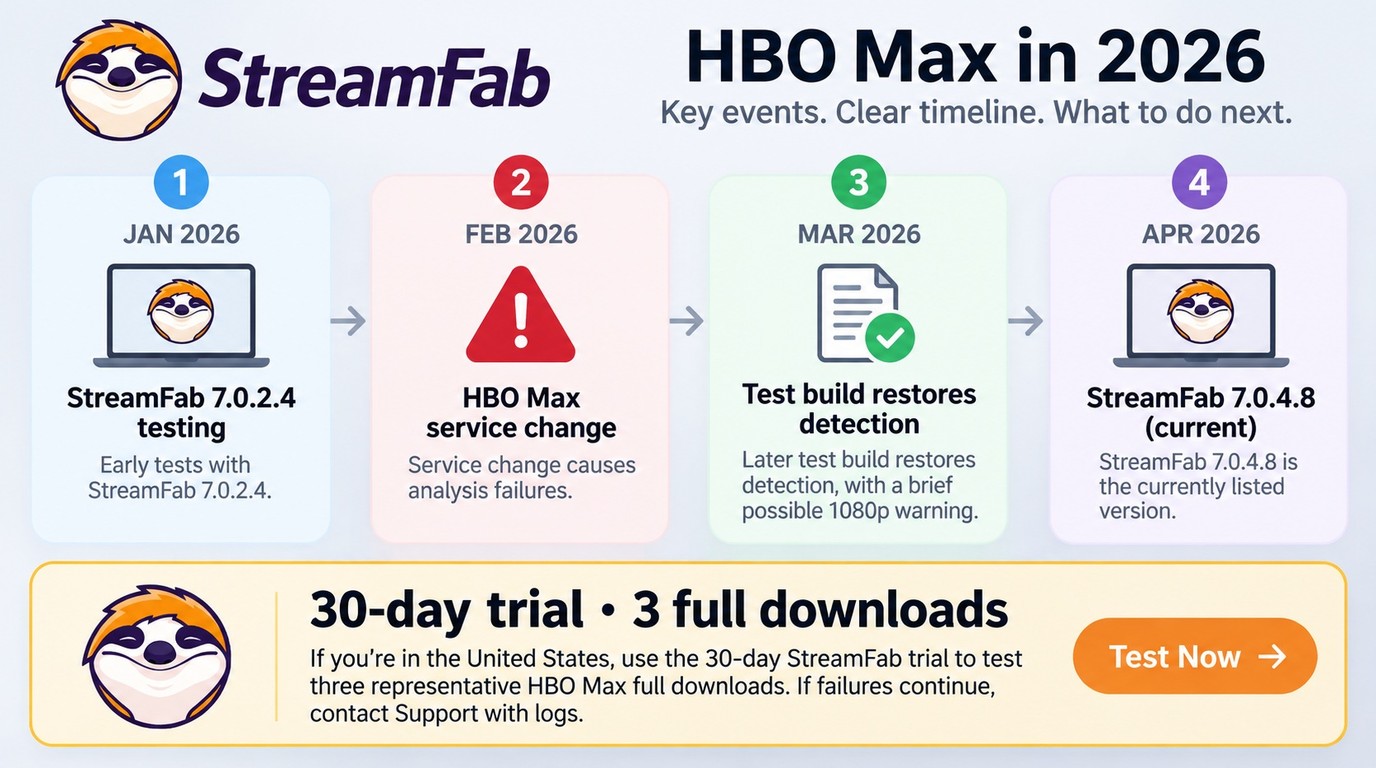
StreamFab reliability is best judged by separating product specifications from time-bound service incidents. Detection, title-level resolution, support response, and refund handling are the recurring decision points.
The June 2026 hands-on run used version 7.0.2.4, while the later product listing moved to 7.0.4.8. A 2026 community incident described analysis failures across several plans and regions; a later test build restored detection, although a 1080p availability warning remained for some titles. The update log and troubleshooting path are the right next steps during that kind of incident.
A February 2026 Trustpilot review described an error, a support ticket, and a refund dispute. One review is not a universal outcome, but the complaint identifies the practical path: document the error, submit the log with the ticket, and use the StreamFab refund policy within the applicable window when purchase terms qualify.
My take is straightforward: use the trial on a representative title, then judge the module by that title's detected resolution and a completed queue. That gives you a decision tied to your HBO Max library rather than a generic rating.
Authorized Personal Use and Installer Safety
The official StreamFab installer passed the article's June 2026 VirusTotal check with zero detections across more than 70 antivirus engines. Download the installer through the official StreamFab target used above and keep the installer scan as part of your normal setup routine.
Installer Safety Evidence
The June check also found no suspicious network activity during the two-week run. The Is StreamFab Safe? guide explains the download, scan, and update path in more detail.

Personal-Use Boundaries
Use StreamFab for authorized personal offline viewing. Five boundaries keep the workflow clear:
- Use a valid HBO Max account that you are authorized to access.
- Save only content available through that authorized account.
- Do not share, upload, sell, or otherwise redistribute the files.
- Follow applicable law and HBO Max platform terms.
- Apply the requirements that match your location and specific use case.
Frequently Asked Questions
Conclusion: Is StreamFab HBO Max Downloader Worth It?
StreamFab HBO Max Downloader is worth it for Windows and Mac users who value title-dependent high quality, MP4/MKV output, and batch or scheduled episodes for authorized personal offline viewing. The official app remains the lighter choice when phone or tablet downloads meet your needs.
If a must-have title currently analyzes at a lower resolution, use the 30-day trial, review the update status, and run the troubleshooting path before choosing a license. For the wider product context, the StreamFab review covers the broader platform range without changing this HBO Max-focused recommendation.
- StreamFab fit: Windows or Mac users who want MP4/MKV files plus batch or scheduled episodes
- Official app fit: Viewers satisfied with managed downloads on supported phones and tablets
- Start with: The 30-day trial and a representative title from your own HBO Max library
