
Table of contents
If you're searching for a current StreamFab YouTube review because a download page works one day and stalls the next, the useful question is not simply “does StreamFab work?” It is whether the source, account, operating system, and playlist workflow line up with the app's current limits.
This StreamFab YouTube Downloader review focuses on the current desktop scope, output quality, batch workflow, platform fit, price and trial limits, recovery steps, and the cases where a free method remains the better fit.
Note: Use the workflow described here only for content you're authorized to access, where permitted by platform terms and applicable law. Keep saved copies for personal use and do not redistribute them without rights.
Quick Verdict: Who StreamFab Suits
StreamFab suits readers who repeatedly save playlists or channels and prefer a desktop GUI; occasional single-video users may find a free or official route sufficient. That is the practical answer behind this StreamFab YouTube review and the question “is StreamFab worth it?”
- • Developer: DVDFab Software (ANVSOFT, Inc.)
- • YouTube output: Up to 8K with HDR, plus MP4/MKV when the source provides them
- • Suits: Recurring playlist or channel work on a Windows or macOS desktop
- • Limits: Source availability, account access, platform changes, and trial quotas shape results
- • Verdict: Worth considering for recurring GUI workflows; occasional downloads may not justify a paid license
- • Review scope: Current desktop checks, not a promise of universal compatibility
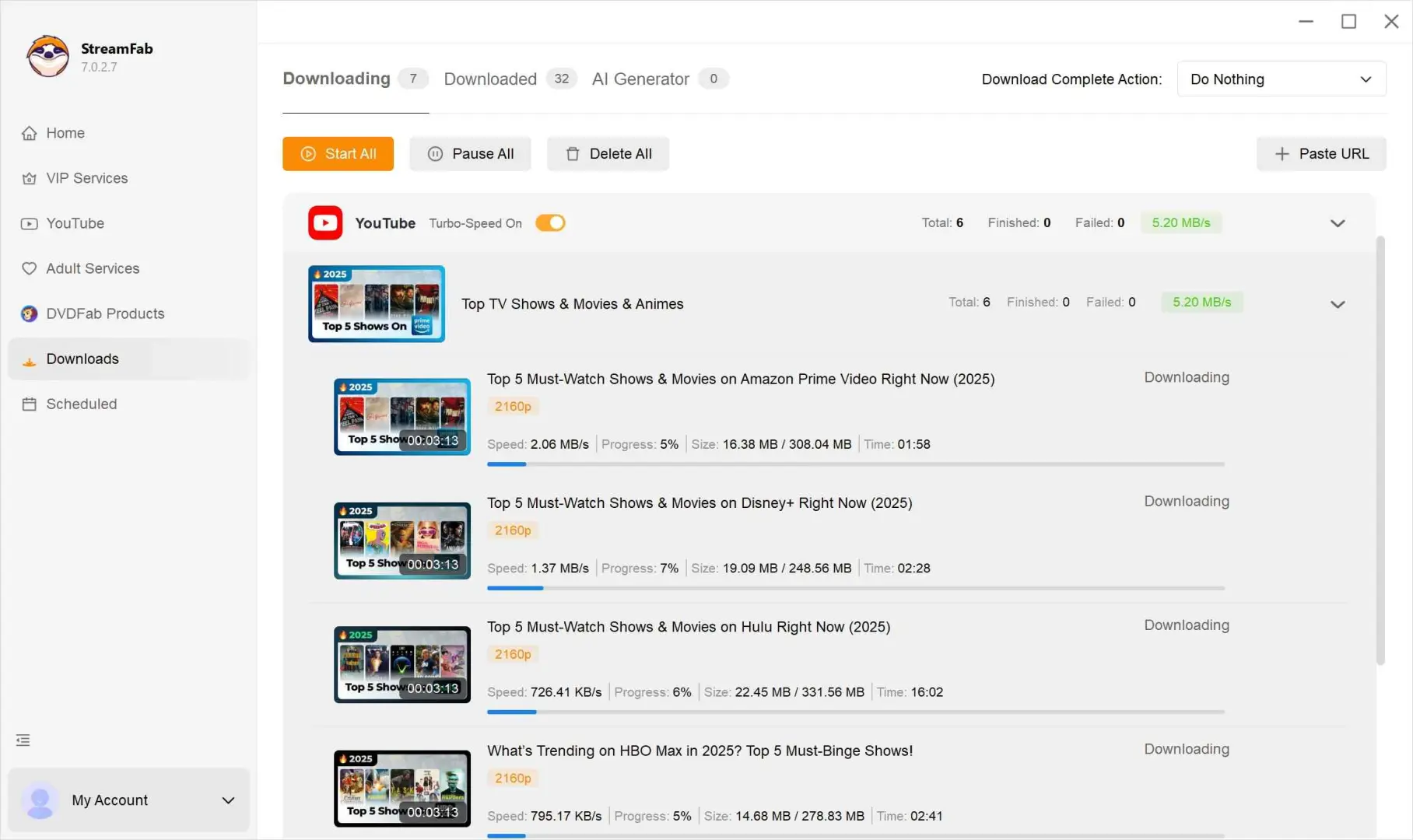

The YouTube module sits within a wider desktop lineup; this article keeps its buying advice focused on YouTube workflow fit.
August 2026 Compatibility Snapshot
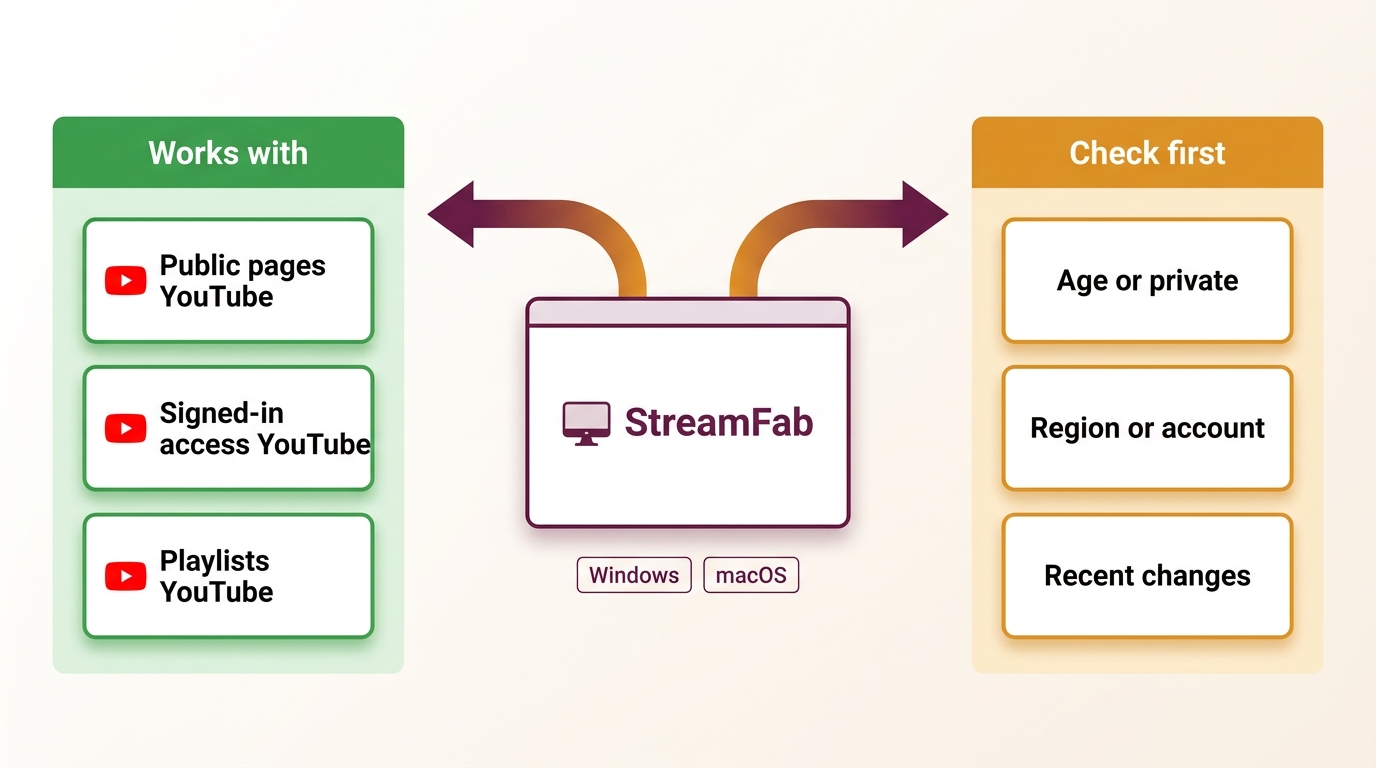
During my two weeks of testing, StreamFab handled the disclosed Windows and macOS desktop workflows. That result answers “does StreamFab work” only within the stated scope: ordinary YouTube pages, an authorized account, and the current desktop app.
YouTube can still change detection, sign-in, age gates, regional delivery, or stream manifests without notice. A current version improves the recovery path, but it cannot guarantee uninterrupted compatibility with every source or account.
What Worked in the Test Scope
The Windows 11 Pro (24H2) review session exposed the practical value of refreshing detection and re-pasting a URL when a normal YouTube page did not immediately present download choices. Ordinary pages surfaced video and audio options, playlist items entered the queue, and the macOS desktop showed the same basic GUI pattern within the disclosed scope.
Known Failure Boundaries
A YouTube downloader review should treat account-gated, age-restricted, private, region-limited, and newly changed sources as boundaries rather than settings that always have a workaround. A source may load in a browser yet expose no downloadable stream to the desktop app.
What StreamFab YouTube Downloader Does
StreamFab YouTube Downloader is a Windows and macOS desktop module for saving available YouTube streams as local files. The broader product context appears in this StreamFab review, while the rest of this page stays focused on YouTube.

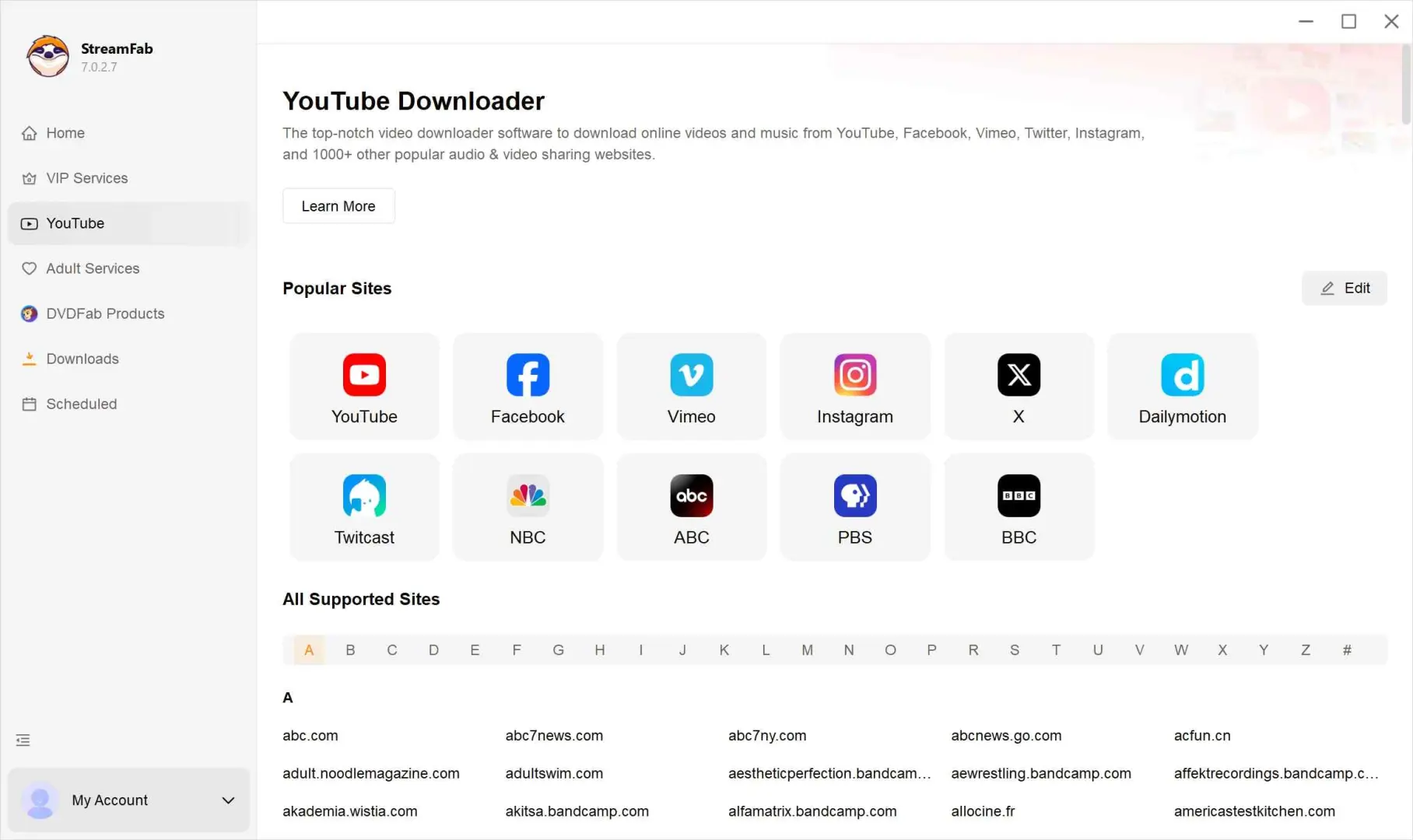
Download YouTube videos, music, playlists, and live streams in up to 8K quality. Save videos as MP4/MKV/FLV or extract audio as MP3/M4A for flexible offline playback.
The current product page lists live-stream handling, 1,000+ supported sites, MP4/MKV/FLV video, MP3/M4A audio, H.264/VP9/AV1 choices, up to five concurrent tasks, and automatic downloads from subscribed channels when the source exposes the required stream. StreamFab YouTube Downloader Pro is the paid product label for this desktop workflow.
- Single video downloads from available YouTube URLs
- Playlist and channel batch queues
- Audio-only output in MP3 or M4A
- Subtitle downloads in SRT when tracks are available
- Metadata retention for titles, thumbnails, and chapter markers
Android access is a separate, limited path described by the StreamFab free version; this review's main workflow remains the Windows and macOS desktop app.
Key Features and Verified Output
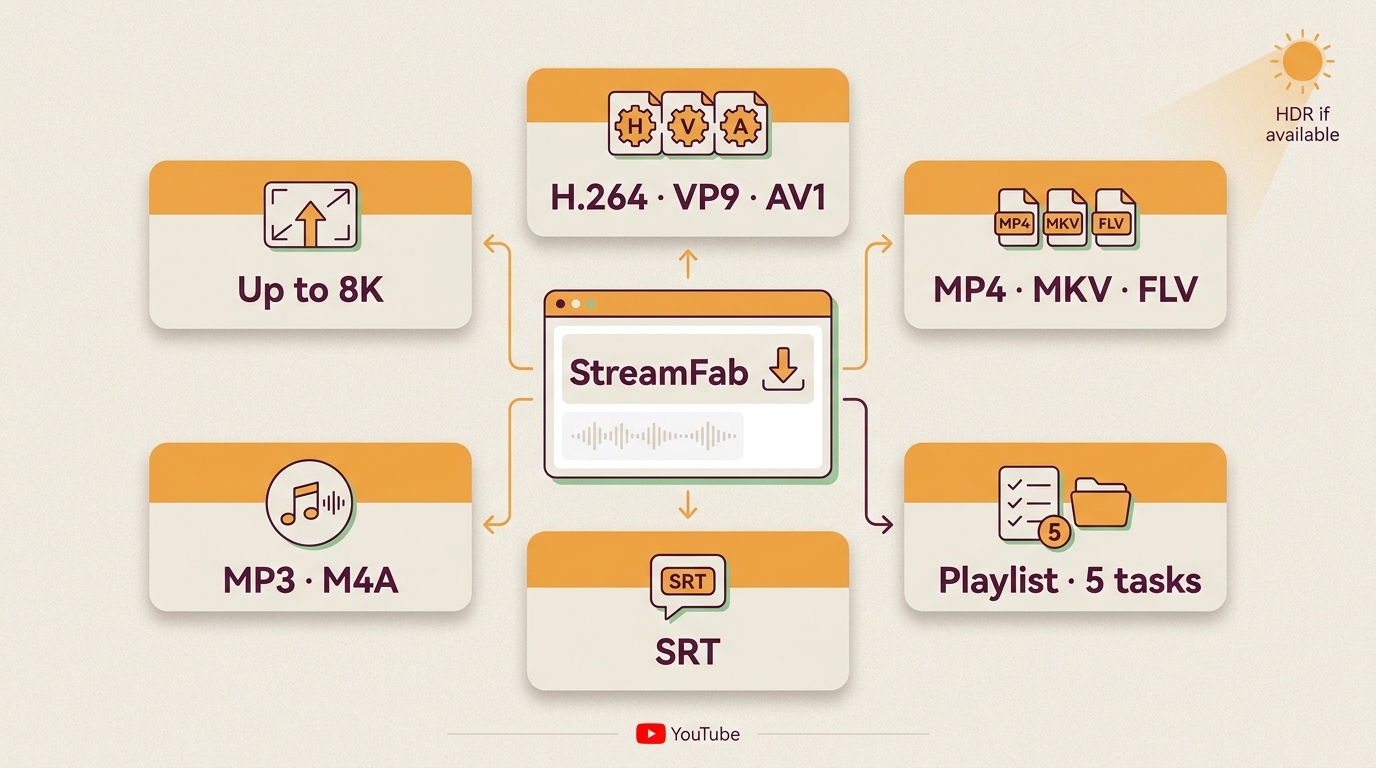
The useful distinction is between what the product documents and what a given YouTube source actually exposes. A YouTube downloader HDR result, MP4 file, or audio track still depends on source availability, account access, and the selected output.
Windows 11 Pro (24H2) / StreamFab latest version / 100 Mbps fiber connection / YouTube Premium account used as a baseline quality reference
| Output area | Documented capability | Observed in scope | Boundary |
|---|---|---|---|
| Video | Up to 8K; H.264/VP9/AV1 | Resolution follows the source | Source stream and account |
| HDR | HDR when supplied | Metadata follows the available stream | Uploader and plan limits |
| Containers | MP4, MKV, FLV | MP4 available in the workflow | Player support varies |
| Audio | MP3, M4A; up to 320 kbps MP3 | Audio-only choice surfaced | Available audio tracks |
| Subtitles and batches | SRT; playlist and channel queues | Queue behavior observed in scope | Source and account access |
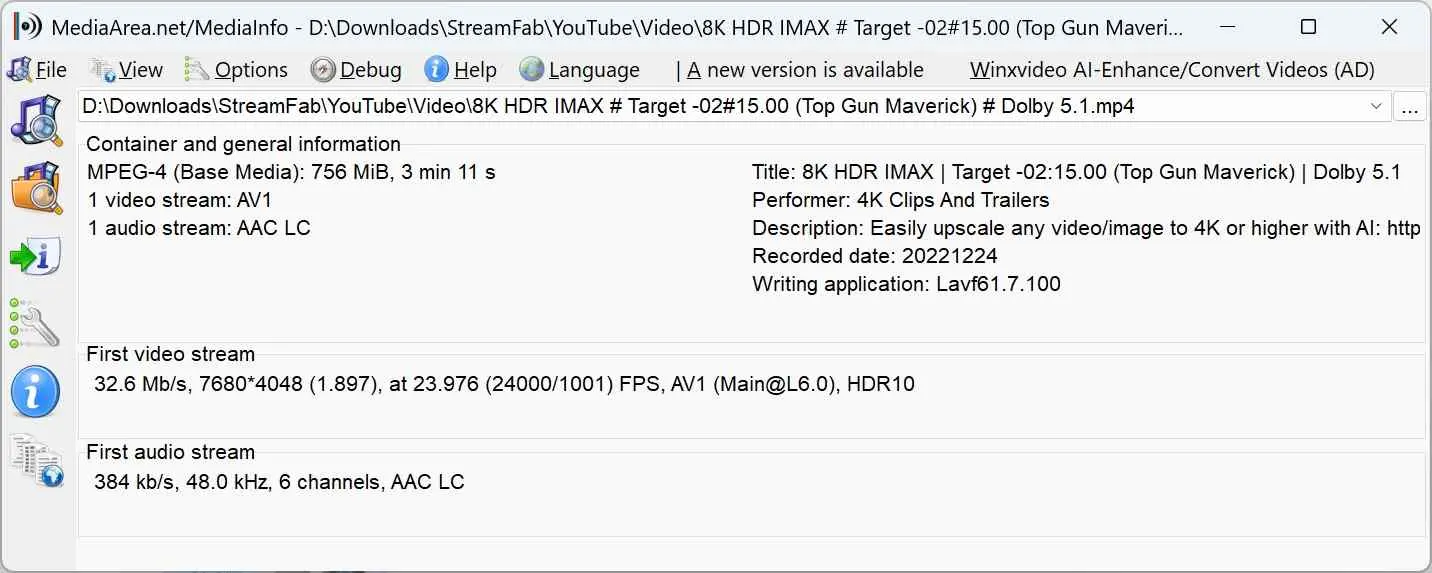
Resolution, HDR, Codecs, and Containers
For a YouTube MP4 downloader, the practical ceiling is the stream YouTube makes available, not the label on the software. When a source exposes HDR, the same rule applies to a StreamFab 4K download workflow: the selected stream determines the result.
MP4 is convenient for broad player support, while MKV or FLV can be useful when the source and playback setup call for another container. Codec choices such as H.264, VP9, or AV1 appear only when the source offers them.
Playlists, Channels, and Scheduled Batches
A YouTube playlist downloader is most useful when the queue is the problem, not a single URL. StreamFab can process playlist and channel selections, schedule batches, and follow subscribed channels when the source exposes the required items. I would choose this route for recurring queues; it is not ideal for a one-off clip.
Audio and Subtitle Options
A YouTube audio downloader can select MP3 or M4A output, while available subtitle tracks can be saved as SRT. Language coverage and auto-generated captions depend on what YouTube supplies for that video, so the selection screen is the reliable place to confirm choices.
Download time varies with the source, selected stream, network, device, and current YouTube behavior. The practical advantage here is a repeatable queue, not a speed promise.
Downloading YouTube Videos with StreamFab
To save a local copy for personal offline viewing of content you're authorized to access, where permitted by platform terms and applicable law, use the built-in browser, select the detected stream, choose a container, and queue the job. The broader interface appears in this how to use StreamFab guide.
Navigate to the video, playlist, or channel you want to download. You can also paste a URL directly into the address bar at the top of the built-in browser.
StreamFab automatically detects the content and displays a download dialog. Select your preferred resolution (up to 8K, depending on source availability) and audio format. Enable subtitles if needed.
Click "Download" to start. For playlists, select "Download All" to queue every video automatically. Monitor progress in the "Downloading" tab on the left panel.
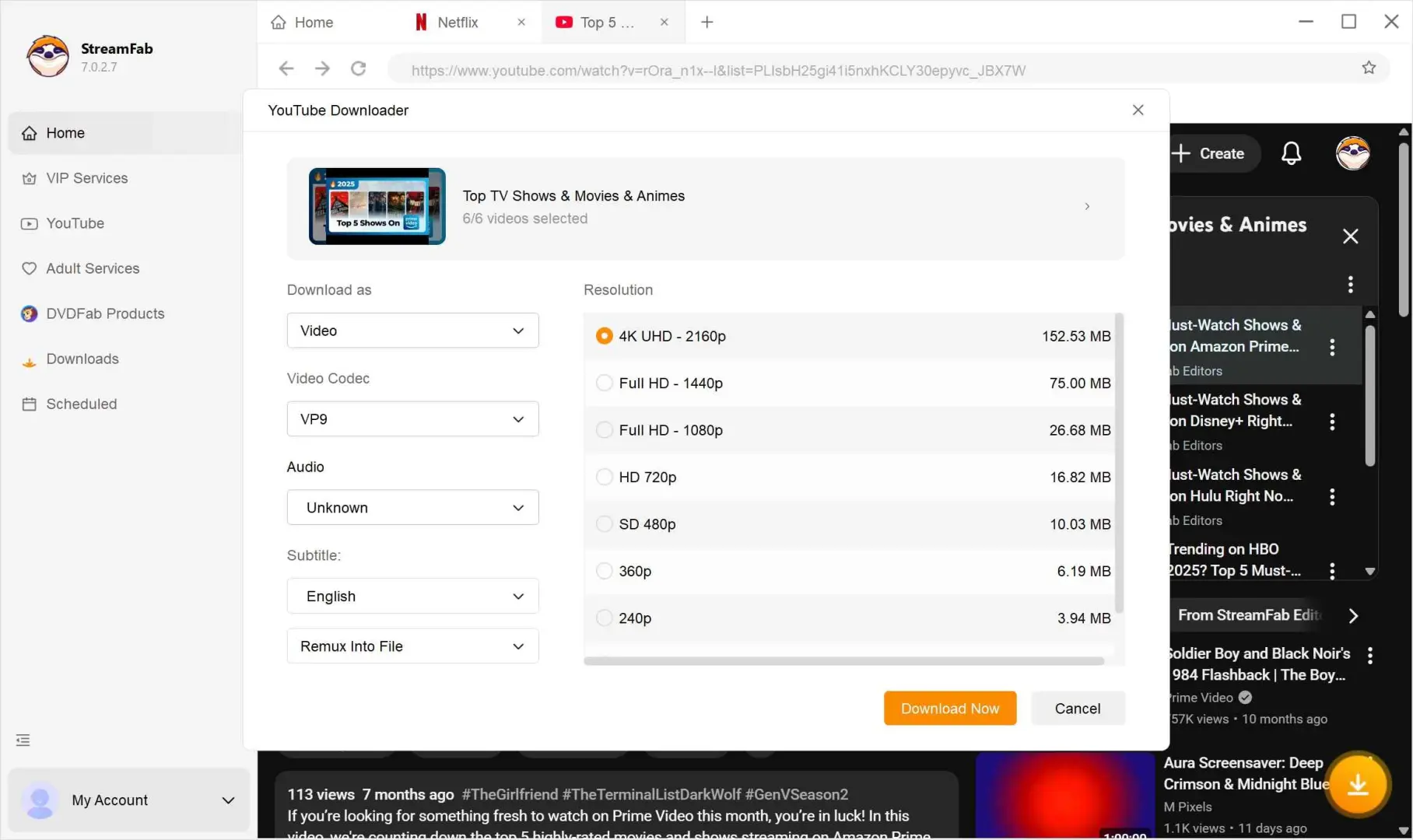
If the download dialog does not appear automatically, refresh the built-in browser or re-paste the URL before changing output settings. StreamFab troubleshooting guideA current version can still fail after a YouTube-side change.
I prefer this GUI when a playlist needs a queue and a few output choices rather than a script. It is less suitable when you already have a Linux command-line workflow or only need one occasional file.
Platform and Workflow Fit
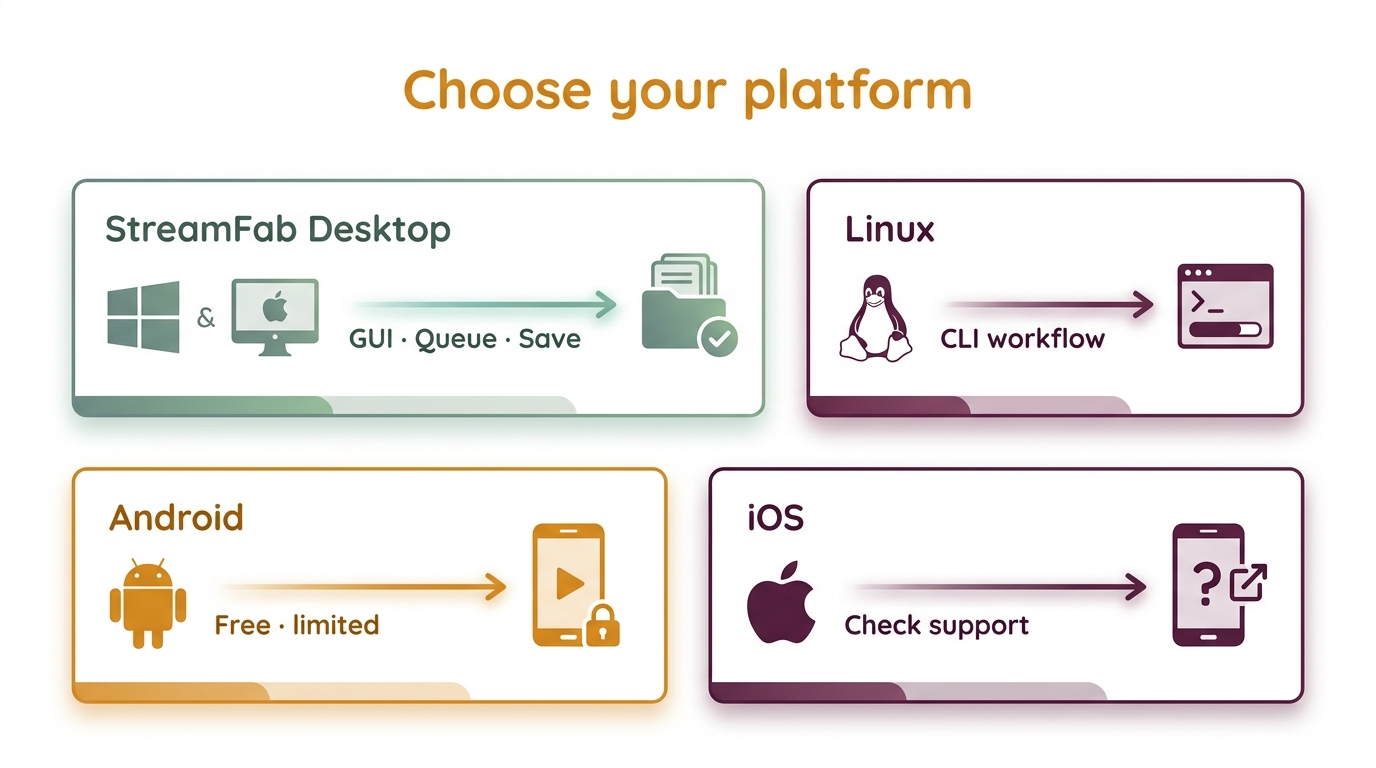
StreamFab YouTube Downloader Pro is a desktop-first workflow: Windows and macOS are the documented core, while Linux, mobile, browser, and CLI paths have different trade-offs. Treat those paths as alternatives, not interchangeable support claims.
| Workflow | Where it fits | Local-file path | Boundary |
|---|---|---|---|
| Windows 10/11 | Primary desktop GUI | Queue and save files | Source and account access |
| macOS | Primary desktop GUI | Queue and save files | Source and account access |
| Linux | CLI-oriented users | Use a separate CLI workflow | No native StreamFab desktop claim |
| Android | Separate limited app path | Mobile-specific workflow | Not equivalent to desktop controls |
| iOS | Outside this module's support | No documented native path | Use an officially supported route |
| Browser tools | Occasional low-stakes use | Variable web downloads | Pop-ups, caps, and changing availability |
Android has a separate limited StreamFab free version, while iOS is not supported in this desktop module. Linux users may prefer an active CLI workflow; the StreamFab for Linux page frames that boundary without turning it into native desktop support.
My practical split is simple: choose the GUI for recurring desktop queues, and choose a CLI when scripting, Linux access, or granular control matters more than visual setup.
StreamFab Versus Other Download Methods
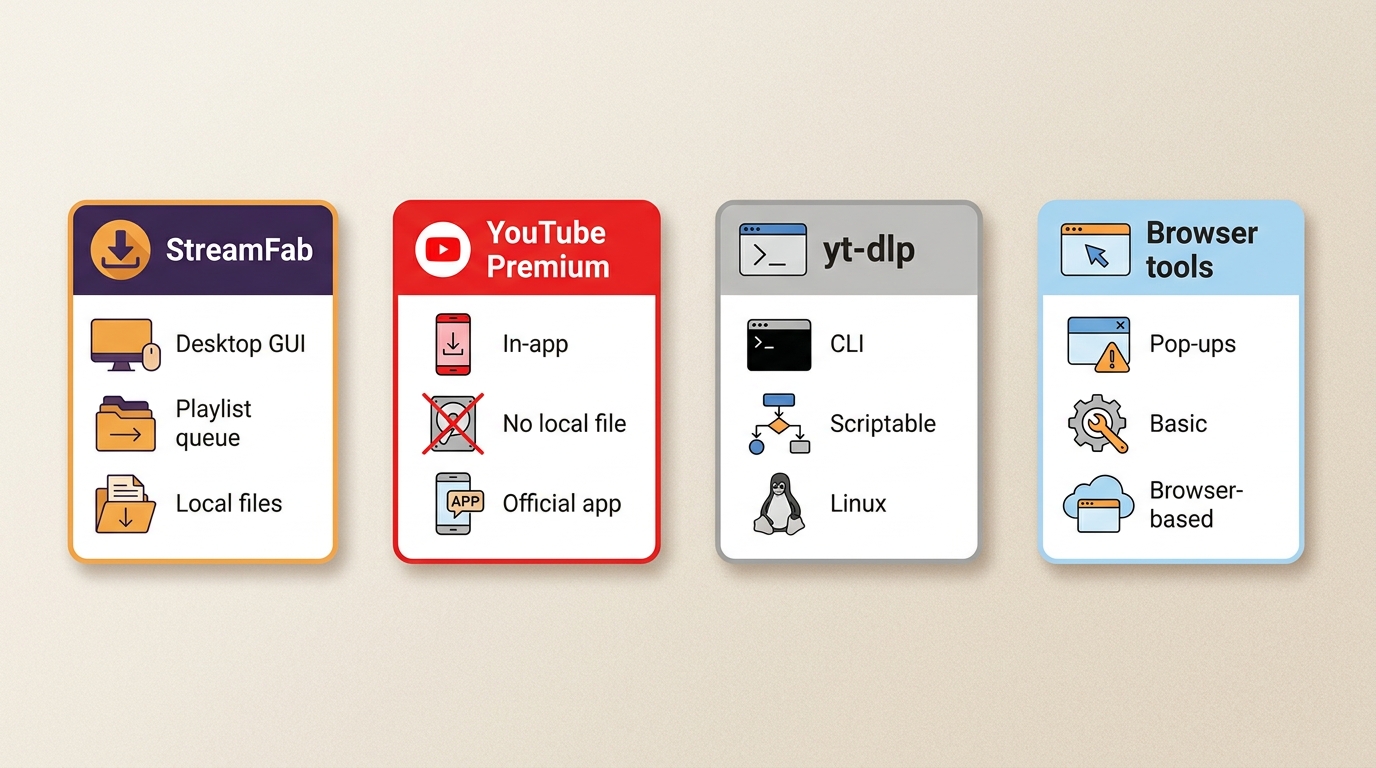
I tested StreamFab alongside three common alternatives to compare workflow fit: YouTube Premium, yt-dlp, and browser tools.
| Method | Best fit | Local-file workflow | Playlist/batch support | Main limitation |
|---|---|---|---|---|
| StreamFab YouTube Downloader | Desktop GUI users | Saves MP4/MKV/FLV files | Playlist and channel queues | Depends on source and account access |
| YouTube Premium | Official app offline use | App-managed offline viewing | Playlists in the app | Not a general-purpose local file |
| yt-dlp | CLI users who want control | Local files via commands | Playlists with setup | Command-line learning curve |
| Browser tools | Occasional, low-stakes use | Web download, variable | Usually limited | Pop-ups, caps, changing availability |
Comparison scope: August 2026; Windows 11 Pro (24H2), StreamFab latest version, 100 Mbps fiber, and a YouTube Premium account used as a quality reference.

- StreamFab fits recurring playlist or channel work when a desktop GUI matters. yt-dlp gives deeper control on Linux and in scripts, YouTube Premium keeps offline viewing inside the official app, and browser tools trade setup time for pop-ups, caps, and variable availability.
On this comparison scope, StreamFab was the middle path: more guided than yt-dlp, less app-bound than Premium, and less exposed to browser pop-ups than web tools. It is not the best fit for a Linux-first workflow or a single occasional clip; that is where yt-dlp or the official app can be more sensible.
Pricing, Trial Limits, and Value
A StreamFab YouTube price decision is mainly a workflow decision: monthly, annual, and lifetime license choices serve different usage patterns, while occasional downloads may not justify a paid GUI.
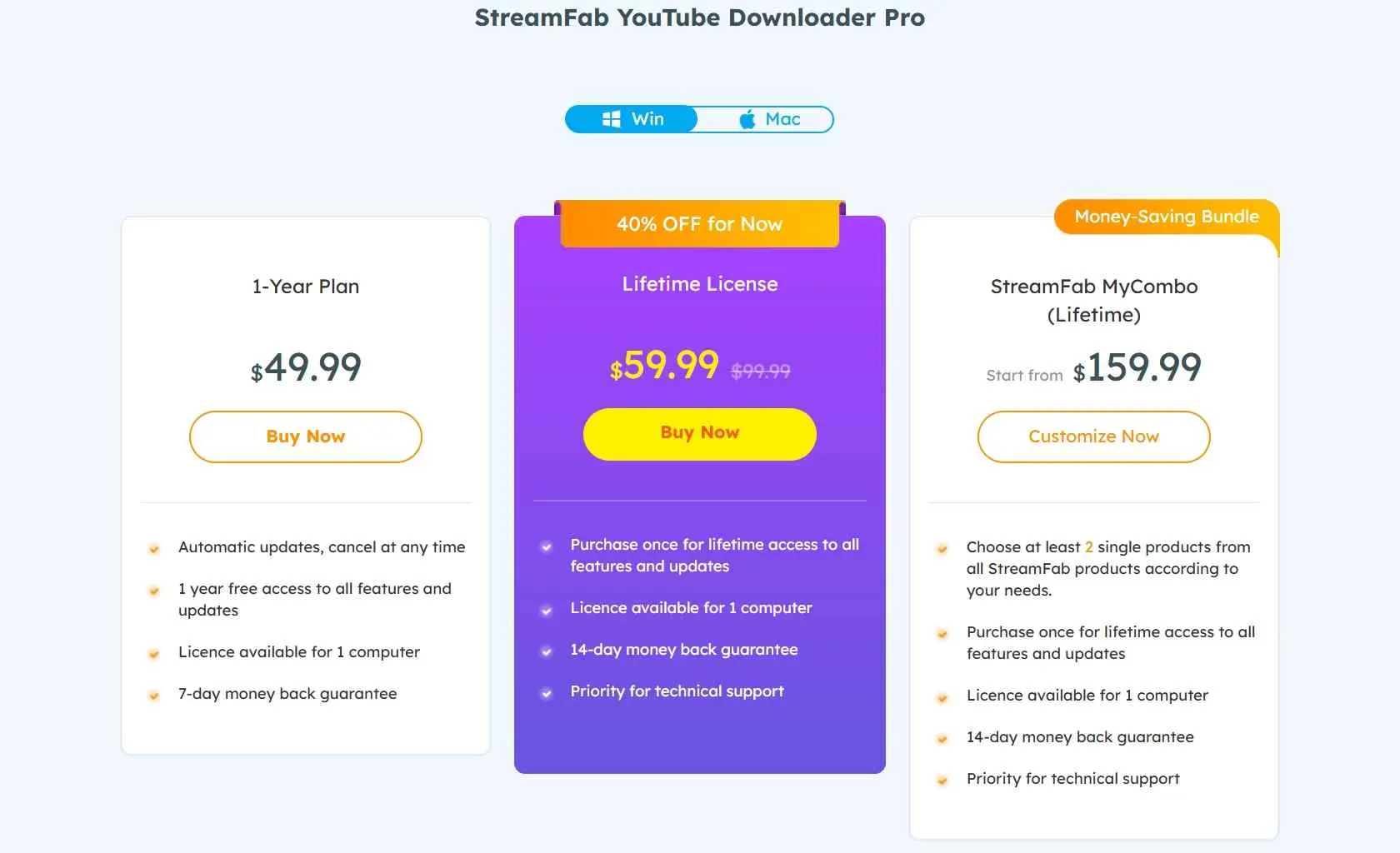
Pricing snapshot: August 2026. The StreamFab YouTube free trial lasts 30 days per streaming service and allows three video downloads per service during that period. Trial features match the paid output options, while YouTube downloads at 720p do not consume the service trial quota.
Paid accounts are limited to 100 downloads per service per day and 700 per service per week. Monthly subscriptions have a seven-day unconditional refund window; annual and lifetime plans have a 14-day conditional window. Those limits matter more to a heavy playlist user than a headline feature count.
US plans are offered monthly, annually, or for a lifetime. The 30-day trial is limited by service and video count, so use it on the workflow you actually need.
The standalone module is easier to justify when YouTube is your main target. If you only save a video now and then, YouTube Premium, yt-dlp, or a browser route may cover the need without a recurring license decision.
Common Problems and Recovery Steps
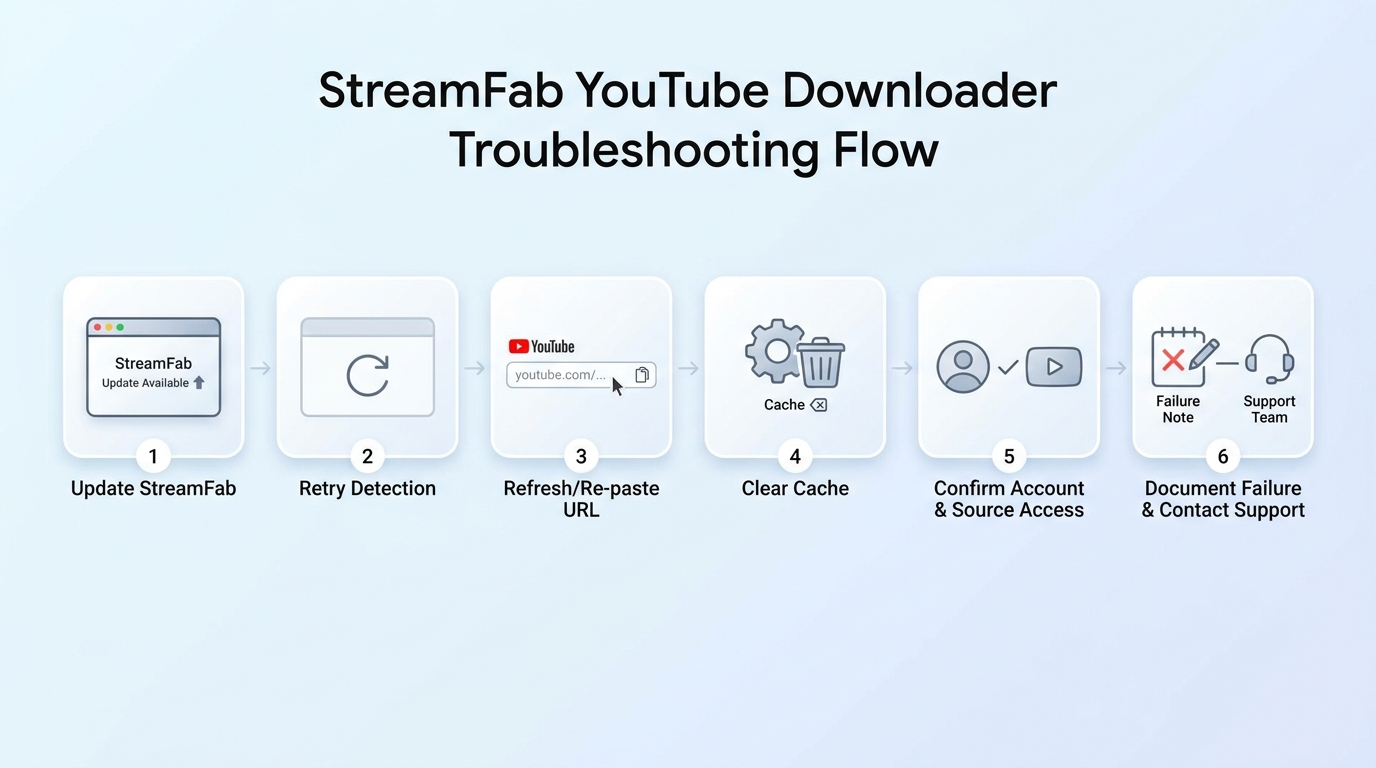
During my two weeks of testing, the useful fixes were procedural rather than dramatic.
| Detection or download dialog missing | Update StreamFab, retry detection, refresh or re-paste the URL, then clear the built-in browser cache if the dialog still does not appear. |
| Output quality lower than expected | Re-check the source's available quality, selected stream, storage space, and output container before retrying; YouTube's adaptive behavior can change the available choices. |
| Age-gated or account-limited video | Sign in only when you have authorization for the content; region, account, and source restrictions can still block the request. |
Use the recovery path in order: update, retry detection, refresh or re-paste the URL, clear the cache, confirm account and source access, and document a persistent failure. If the problem remains, the StreamFab not working troubleshooting path gives the next escalation steps. A current version can still fail after YouTube changes.
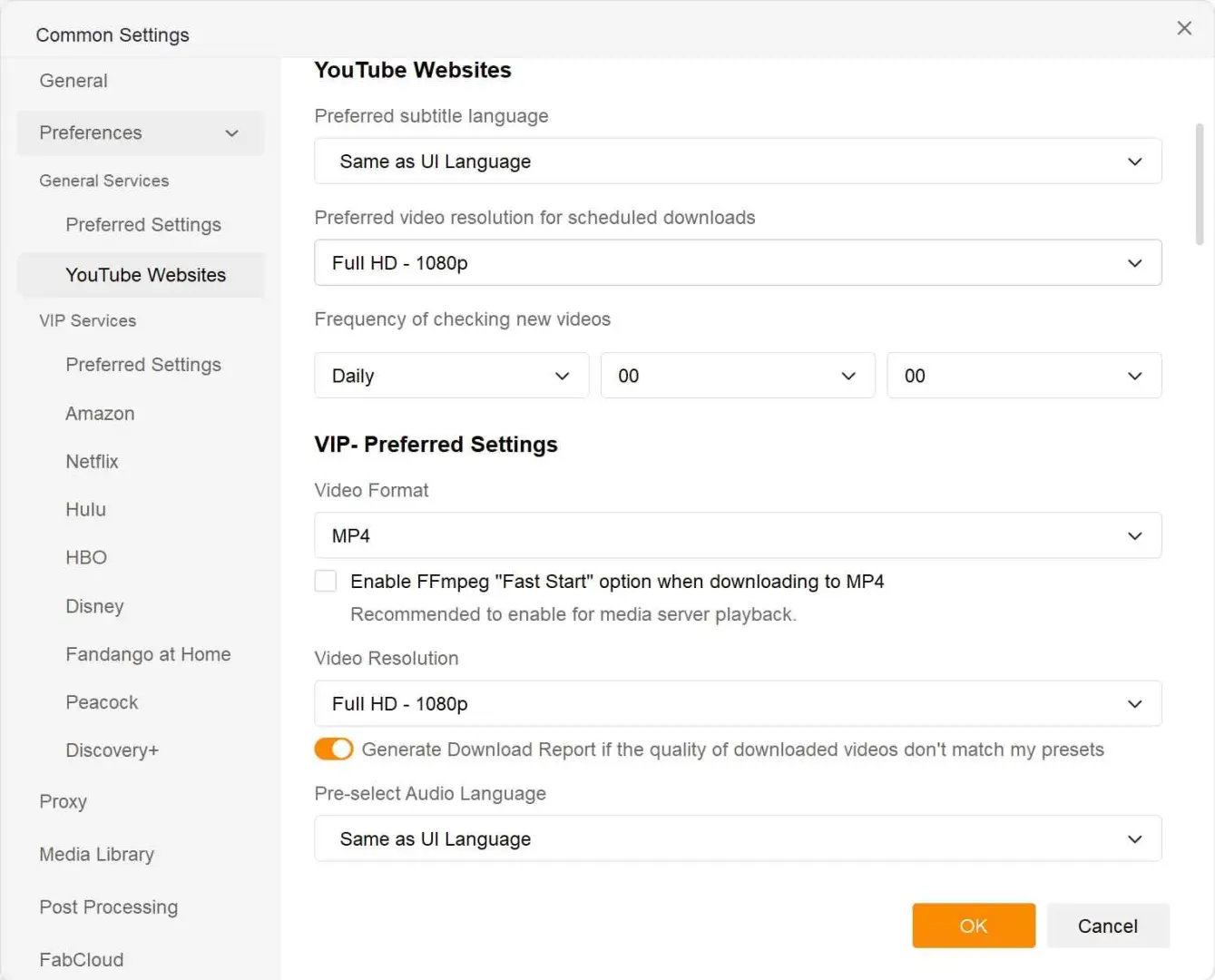
Update StreamFab before retrying; YouTube-side changes can leave detection or login unavailable even on a current version.
Safety Checks and Authorized Use
Safety starts with the installer, then moves to YouTube's terms and the rules where you live. The broader StreamFab Netflix Downloader review covers suite-level context, while this section stays with the YouTube module.
Installer and application files were checked with Windows Defender, Malwarebytes, and VirusTotal without a malware or bundled-adware detection in that check. Download the installer from StreamFab.com; modified packages from other sources can add unwanted software.
For a security-focused read, the installer guidance in the is StreamFab safe overview matches this check. The software does not expand your rights to copy or share a video, so use it for content you're authorized to access, where permitted by platform terms and applicable law.
YouTube Premium remains the official app-based offline route. If you use a desktop saver instead, keep the files for personal use, avoid redistribution or commercial use without permission, and account for local copyright rules.
Independent Trust Signals
During the dated desktop check, ordinary YouTube pages, queue handling, and the disclosed Windows/macOS workflow behaved as described above. Product documentation lists live streams, 1,000+ sites, MP4/MKV/FLV, MP3/M4A, and codec choices, but source and account access still control what appears.
Independent user discussions add caution: YouTube changes can break detection; fake buttons and adware redirects are common complaints about browser tools; some sites cap output at 720p; yt-dlp is flexible but CLI-heavy; module stability varies with the version and source.
Current, bounded testing is more useful than an evergreen reliability claim. The decision should turn on whether the method fits your operating system, source, account, frequency, and tolerance for maintenance.
Frequently Asked Questions
What should I test during the StreamFab free trial?
Test detection on the longest video or playlist you actually use, the required resolution and audio, subtitle handling, and one recovery attempt. The trial is 30 days per service with three video downloads per service, so spend the quota on a real workflow.
Can StreamFab proxy settings fix region-restricted videos?
Proxy settings do not guarantee access. Availability still depends on the source, account, region, and current YouTube behavior.
What should I do if a long download is incomplete?
Update the app, retry detection, check the source stream and available storage, then use the troubleshooting path if truncation or analysis failures persist.
Conclusion: Is StreamFab Worth It?
In this StreamFab YouTube review, my buying call is conditional: StreamFab is worth paying for when you regularly manage playlists or channels and want a desktop GUI. The StreamFab YouTube price is harder to justify for occasional single downloads.
Linux-first users, script-oriented users, and people comfortable with YouTube's official app may prefer yt-dlp or Premium. The GUI is not a universal fit, and current platform changes can still alter detection or account behavior.
Use any saved copy only for content you're authorized to access, where permitted by platform terms and applicable law. That boundary, more than a feature checklist, should decide whether this workflow belongs on your desktop.
StreamFab YouTube Downloader Choose the standalone module when YouTube is your main target; a broader package makes sense only when your workflow spans several supported services.
Compatibility and feature availability can change as YouTube updates its platform; this review uses a dated compatibility scope.