- Why PC Users Can't "Just Download" from ITVX PC access: Desktop browsers do not offer ITVX's mobile download button.
- How to Download ITVX Programs on Your Phone Mobile viewing: Premium enables downloads on supported phones and tablets.
- How to Download Shows of ITVX on Windows & Mac Desktop files: StreamFab provides a Windows and Mac workflow.
- FAQ Playback checks: File format and download expiry affect your viewing plans.
- Disney+ × ITVX Partnership Troubleshooting: Match a failed download to its symptom before retrying.
ITVX's download button follows your phone, not your laptop. To download ITVX to PC, you need a separate desktop workflow; Premium's built-in downloads stay in the mobile app. I recommend the app for phone viewing and a desktop option when you need organized local files.
You can watch ITVX offline through these different routes, but neither changes ITVX's UK access restrictions. Start with device eligibility and download limits, then follow the matching workflow below.
Can You Download ITVX on a PC?
You cannot download from ITVX to a PC through its official mobile feature. ITVX Premium downloads stay inside the phone or tablet app, with limited playback Windows. A desktop workflow creates a different file outcome.
| Method and device | Access requirement | Output | Playback window |
|---|---|---|---|
| ITVX mobile app: phone/tablet | Premium | In-app download | 7 days; 48 hours after first play |
| StreamFab ITVX Downloader: Windows/Mac | Valid ITVX access and subscription | MP4 or MKV | Personal use under applicable terms |
| Aiseesoft Screen Recorder: desktop | Authorized playback | Real-time recording | Personal use under applicable terms |
I would use mobile downloads for watching on that same device. For managing ITVX videos on PC, StreamFab's local-file workflow fits the task more directly than transferring an app download. A USB cable does not turn an ITVX mobile download into a playable PC file.

Can You Download ITVX Without Premium?
You cannot use ITVX's official offline download feature without Premium. Free streaming access is not a free ITVX download entitlement. A separate desktop trial also does not grant access to content outside your ITVX account's permissions.
Official ITVX Mobile Downloads
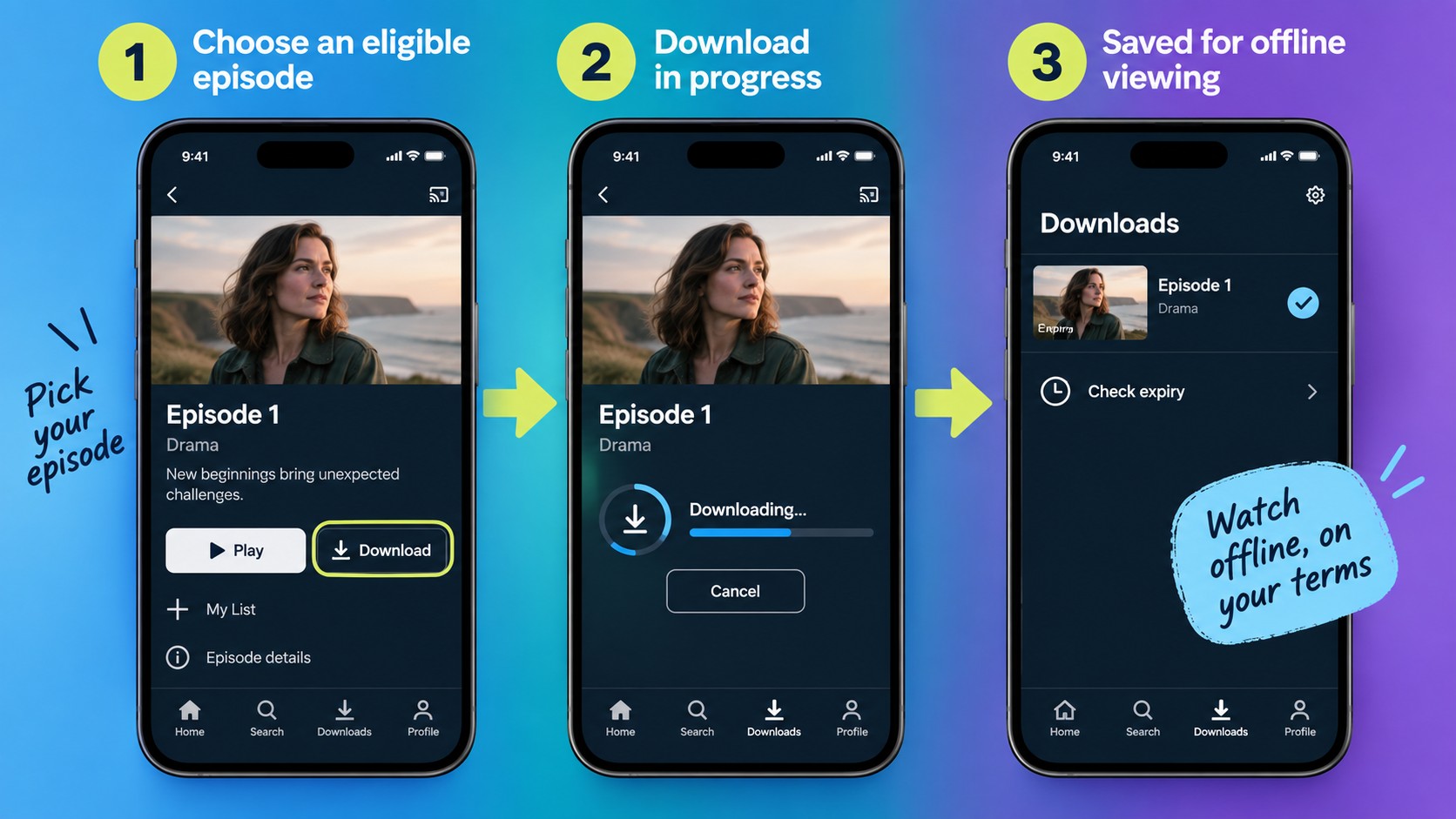
ITVX mobile downloads suit viewing on a phone or tablet. ITVX Premium downloads remain inside the app, so use this route when you want offline playback on the device you already carry.
Requirements
Prepare your account, device, and connection first. As of September 2026, the mobile requirements are:
- An ITVX Premium subscription recognized in the ITVX app.
- An Android phone or tablet running Android 7.0 or later, or an iPhone or iPad running iOS 14 or later.
- A Wi-Fi connection and enough free storage for the selected episodes.
- Eligible titles downloaded while you are in the UK, before travel.

Five Download Steps
Download an eligible episode in the mobile app. Keep the playback window in mind when planning your viewing.
Built-In Limits
ITVX download limits affect where and when you watch. The seven-day and 48-hour playback Windows set ITVX download expiry; a cable transfer does not extend either one.
| Restriction | What it means |
|---|---|
| Device lock | Playback stays inside the original device's ITVX app |
| Travel | Download in the UK before leaving |
| Title licensing | Some shows have no download option |
| Storage | Free space before adding more episodes |
ITVX Downloads on Windows and Mac
A desktop ITVX downloader serves a different purpose from a mobile app download: local files you manage on your computer. StreamFab ITVX Downloader is a separate application for that workflow.
StreamFab is a third-party tool relative to ITVX's official download feature, for personal offline viewing of content you're authorized to access, where permitted by platform terms and applicable law. Use your own valid account and subscription.
Method Comparison
Mobile downloads prioritize playback inside ITVX; desktop files prioritize file management. Screen recording captures playback in real time, so a two-hour program takes about two hours to record. I favor the desktop download workflow when organizing several episodes is the goal.
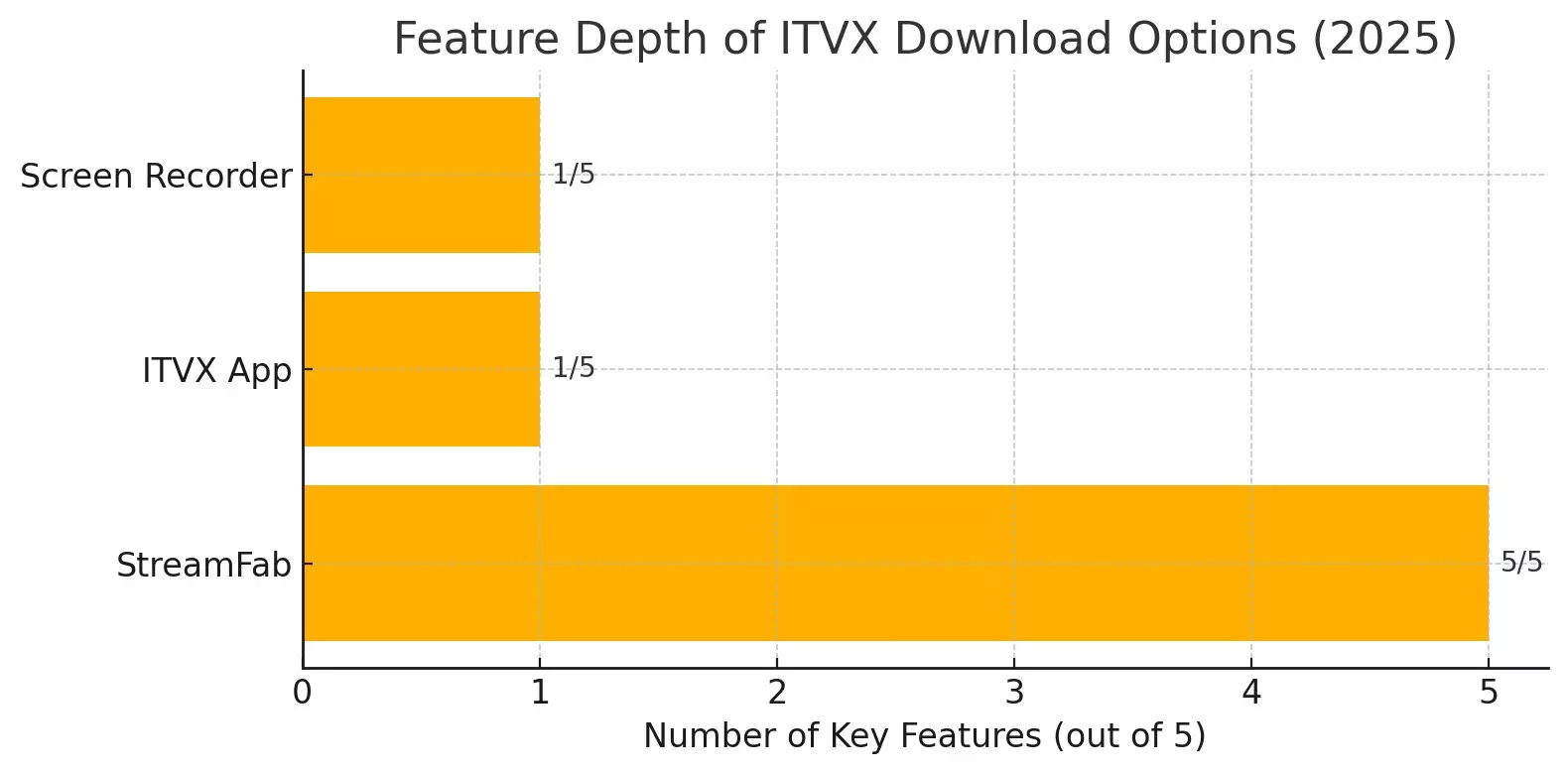
- StreamFab saves selected episodes as local files for a computer-based library.
- The ITVX app + cable does not export its protected mobile downloads as ordinary video files.
- Screen Recorder captures playback in real time: keep the program playing for the recording's duration; it is a different workflow from a download queue.
StreamFab ITVX Downloader
StreamFab ITVX Downloader runs on Windows and Mac and saves up to 720p video as MP4 or MKV with AAC 2.0 audio. For an ITVX to MP4 workflow, choose MP4 for a compatible player; MKV is the alternative container.

Save your favorite ITVX programs as local copies at up to 720p with AAC 2.0 audio. Choose MP4 or MKV output with subtitles preserved for compatible players. Try 3 ITVX video downloads during the 30-day trial; the trial allowance is cumulative for this service.
Subtitle downloads and metadata help you organize episodes; batch downloads and subscription-based follow-up downloads support a series workflow. Keep the episode names recognizable. You will find the next file more easily when the library grows.
The paid allowance is 100 downloads per day and 700 per week for each supported service. Allowances reset with the next cycle. For compatibility errors, install the current StreamFab update and retry one eligible episode before adding the rest of the queue.
Download Workflow
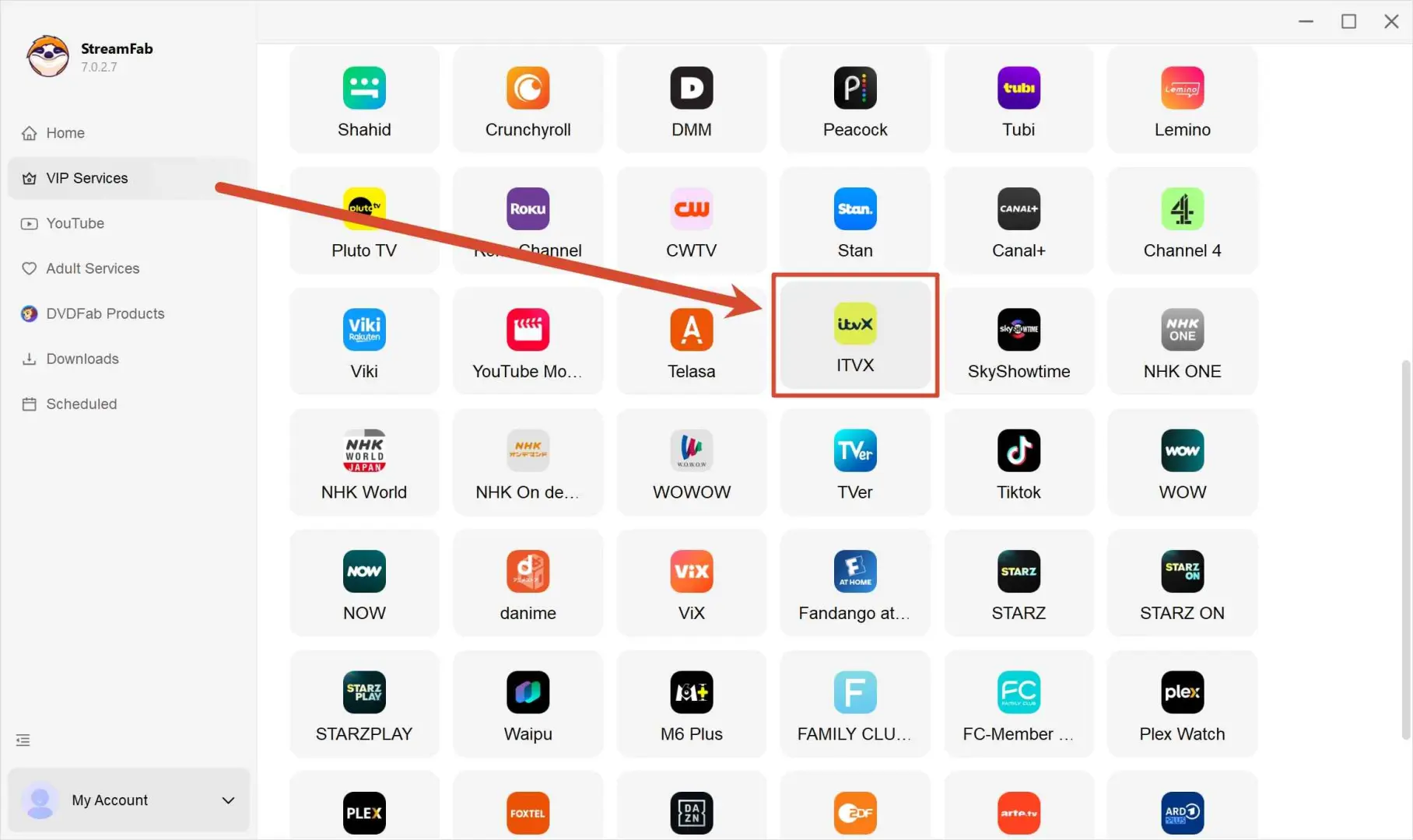
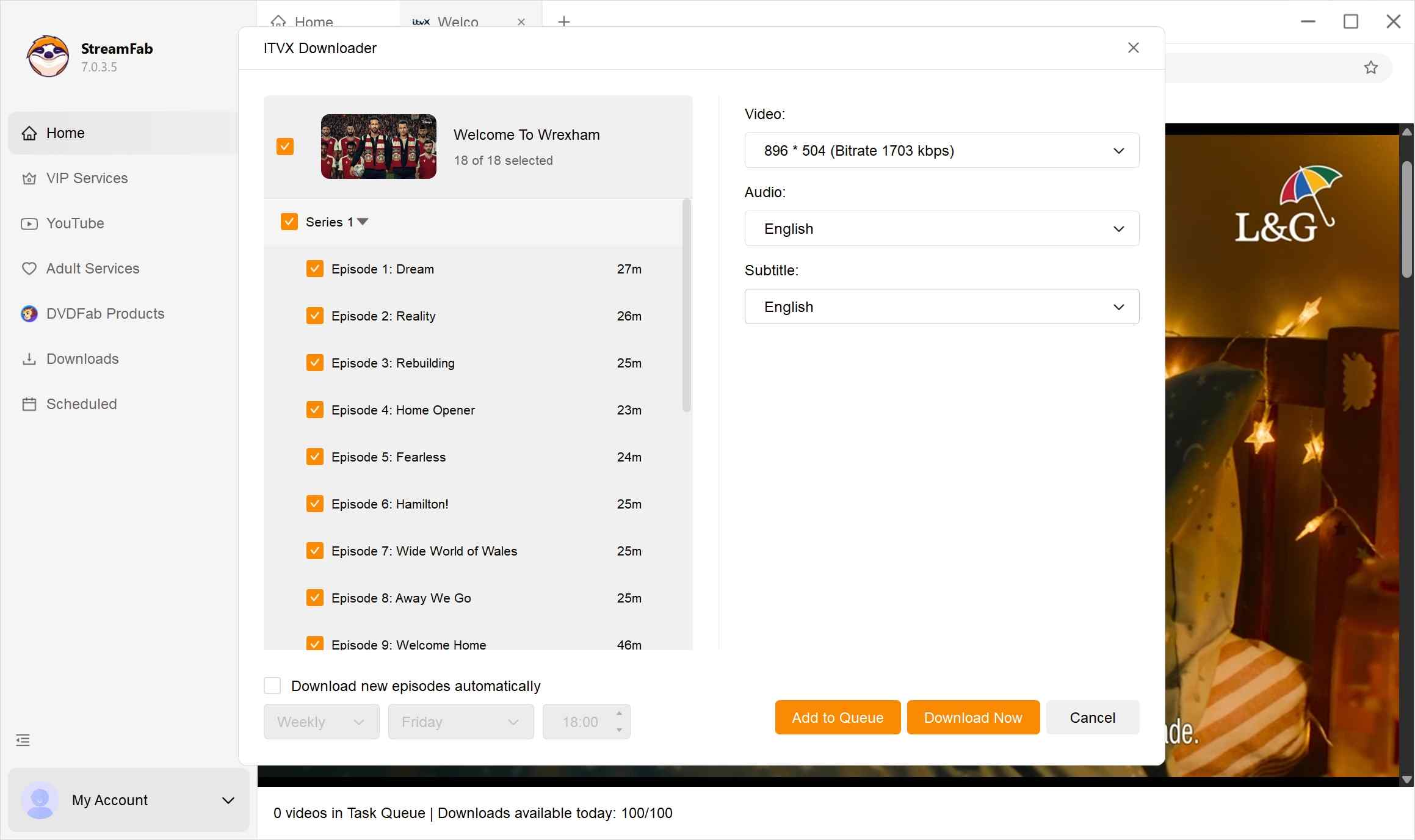
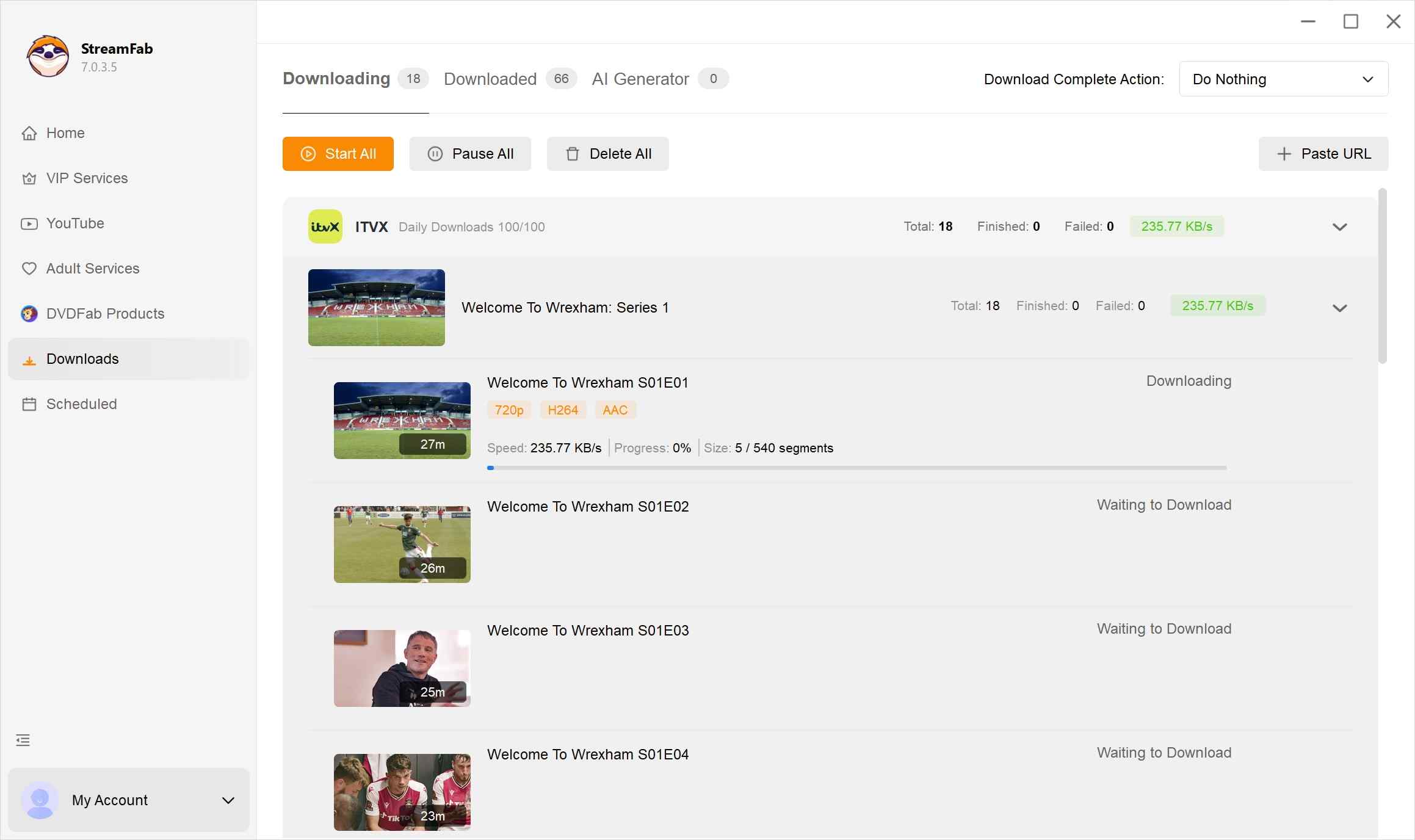
Use your own ITVX account in StreamFab. Follow the desktop steps below, then open a completed file to confirm playback.
ITVX Download FAQs
Conclusion
Choose ITVX Premium mobile downloads for viewing inside the app. For organizing authorized offline files on Windows or Mac, I recommend StreamFab's desktop workflow. Start with the trial and save an episode for your computer-based library.
Free Download macOS 12.0 or newer
